


 Скачать презентацию Hands-On Ethical Hacking and Network Defense Chapter 11
d0d9bd2fd9e06b5ee63f00bca96eb38d.ppt
- Количество слайдов: 74
 Hands-On Ethical Hacking and Network Defense Chapter 11 Hacking Wireless Networks Last revised 10 -30 -08 5 pm Hands-On Ethical Hacking and Network Defense
 Objectives Explain wireless technology n Describe wireless networking standards n Describe the process of authentication n Describe wardriving n Describe wireless hacking and tools used by hackers and security professionals n 2
 Understanding Wireless Technology For a wireless network to function, you must have the right hardware and software n Wireless technology is part of our lives n Baby monitors n Cell and cordless phones n Pagers n GPS n Remote controls n Garage door openers n Two-way radios n Wireless PDAs n 3
 Components of a Wireless Network n A wireless network has only three basic components Access Point (AP) n Wireless network interface card (WNIC) n Ethernet cable n 4
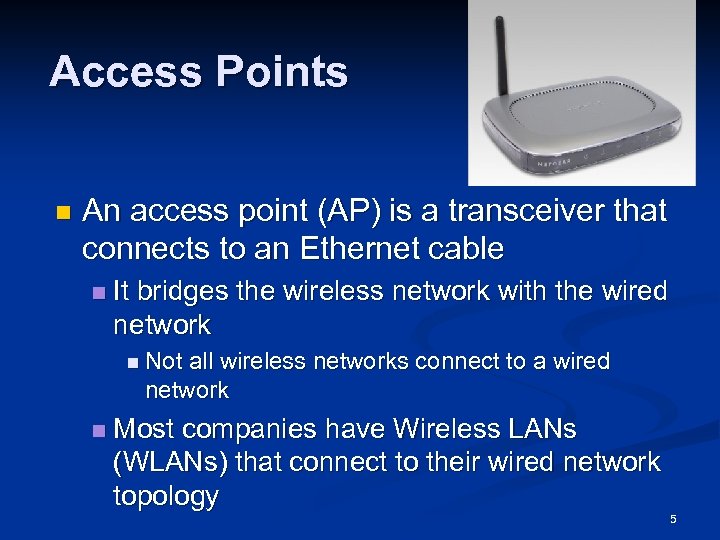 Access Points n An access point (AP) is a transceiver that connects to an Ethernet cable n It bridges the wireless network with the wired network n Not all wireless networks connect to a wired network n Most companies have Wireless LANs (WLANs) that connect to their wired network topology 5
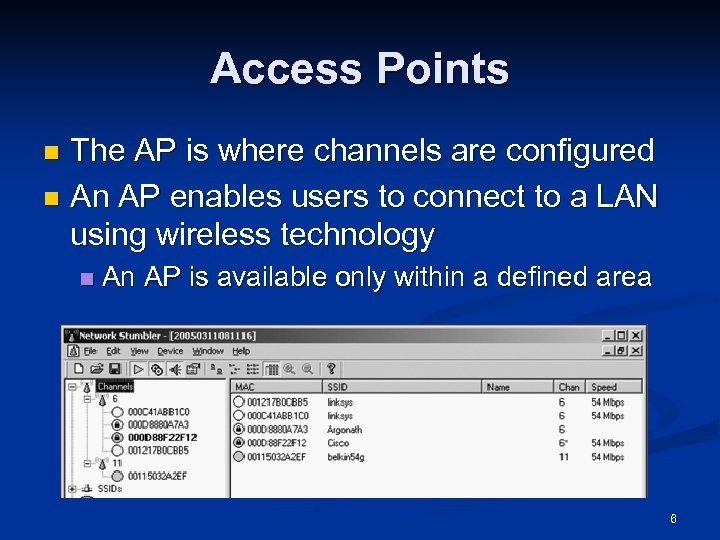 Access Points The AP is where channels are configured n An AP enables users to connect to a LAN using wireless technology n n An AP is available only within a defined area 6
 Service Set Identifiers (SSIDs) Name used to identify the wireless local area network (WLAN) n The SSID is configured on the AP n Unique 1 - to 32 -character alphanumeric name n Name is case sensitive n n Wireless computers need to configure the SSID before connecting to a wireless network 7
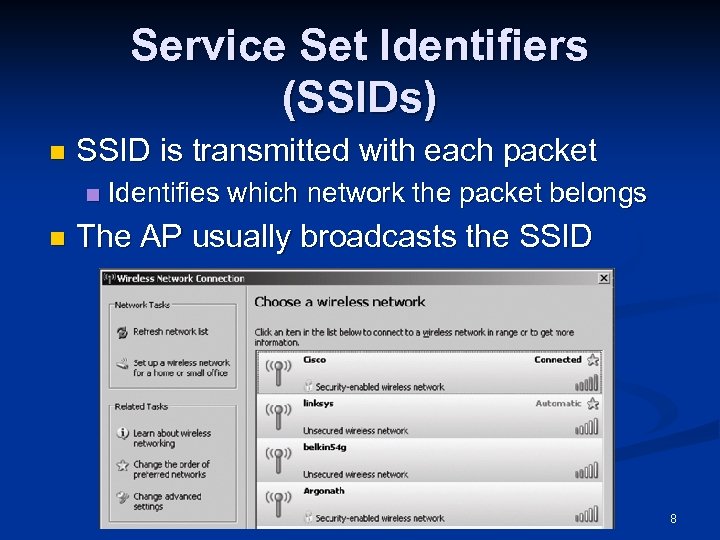 Service Set Identifiers (SSIDs) n SSID is transmitted with each packet n n Identifies which network the packet belongs The AP usually broadcasts the SSID 8
 Service Set Identifiers (SSIDs) Many vendors have SSIDs set to a default value that companies never change n An AP can be configured to not broadcast its SSID until after authentication n Wireless hackers can attempt to guess the SSID Verify that your clients or customers are not using a default SSID 9
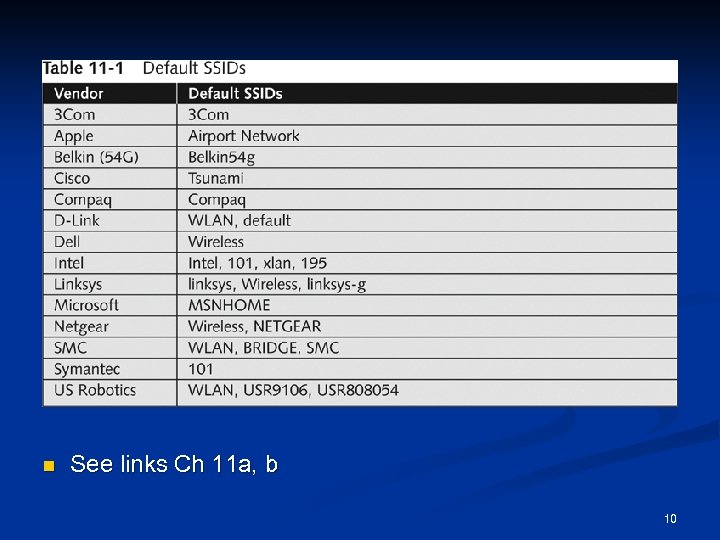 n See links Ch 11 a, b 10
 Configuring an Access Point n Configuring an AP varies depending on the hardware Most devices allow access through any Web browser n Enter IP address on your Web browser and provide your user logon name and password n 11
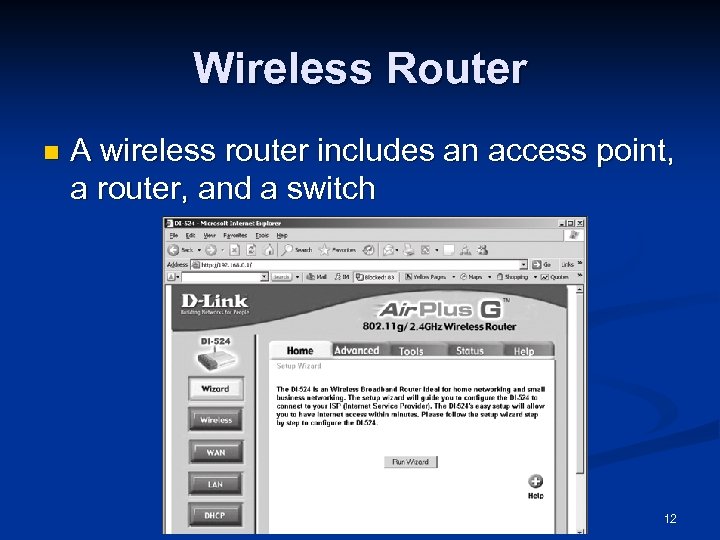 Wireless Router n A wireless router includes an access point, a router, and a switch 12
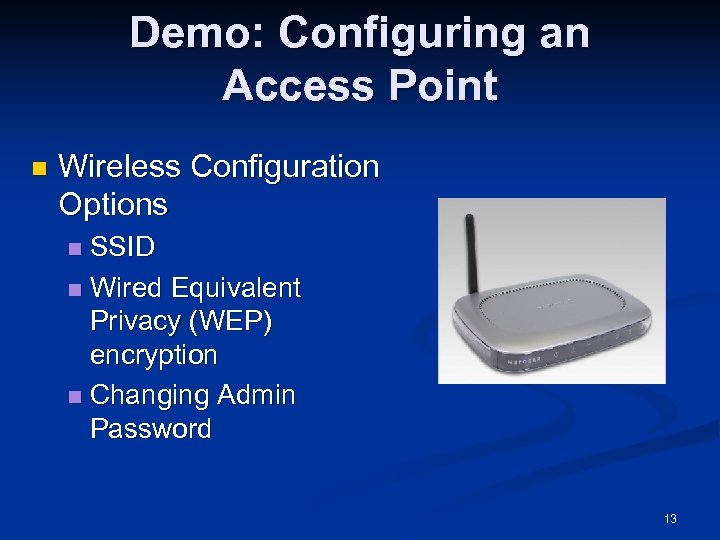 Demo: Configuring an Access Point n Wireless Configuration Options SSID n Wired Equivalent Privacy (WEP) encryption n Changing Admin Password n 13
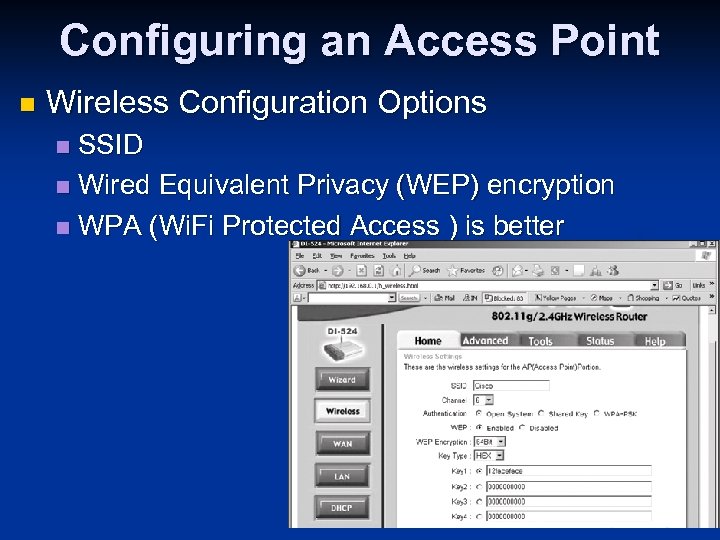 Configuring an Access Point n Wireless Configuration Options SSID n Wired Equivalent Privacy (WEP) encryption n WPA (Wi. Fi Protected Access ) is better n 14
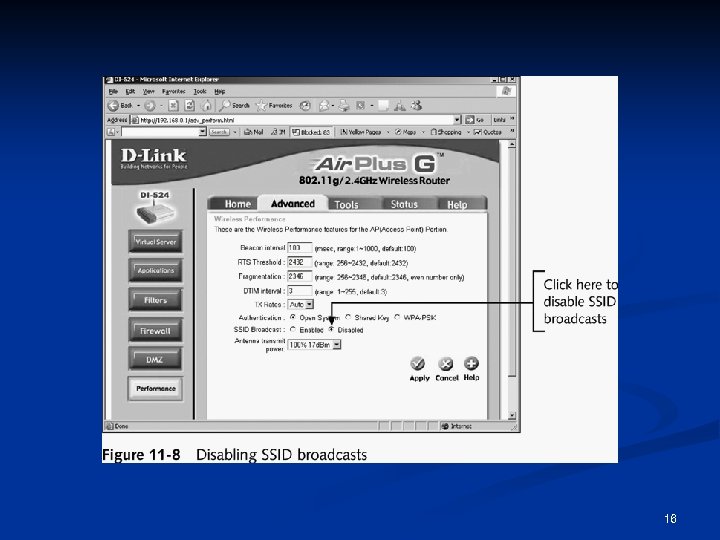
 Configuring an Access Point (continued) n Steps for configuring a D-Link wireless router (continued) Turn off SSID broadcast n You should also change your SSID n 15
 16
16
 Wireless NICs For wireless technology to work, each node or computer must have a wireless NIC n NIC’s main function n n Converting the radio waves it receives into digital signals the computer understands 17
 Wireless NICs n There are many wireless NICs on the market Choose yours depending on how you plan to use it n Some tools require certain specific brands of NICs n 18
 Understanding Wireless Network Standards A standard is a set of rules formulated by an organization n Institute of Electrical and Electronics Engineers (IEEE) n n Defines several standards for wireless networks 19
 IEEE: CCSF Student Chapter n Next meeting: n n Thurs, Nov 6, 2008 in Sci 37, 5: 00 pm Email sbowne@ccsf. edu for more info 20
 IEEE Standards n Standards pass through these groups: Working group (WG) n Sponsor Executive Committee (SEC) n Standards Review Committee (Rev. Com) n IEEE Standards Board n n IEEE Project 802 n LAN and WAN standards 21
 The 802. 11 Standard The first wireless technology standard n Defined wireless connectivity at 1 Mbps and 2 Mbps within a LAN n Applied to layers 1 and 2 of the OSI model n Wireless networks cannot detect collisions n n Carrier sense multiple access/collision avoidance (CSMA/CA) is used instead of CSMA/CD 22
 Addressing n Wireless LANs do not have an address associated with a physical location n An addressable unit is called a station (STA) 23
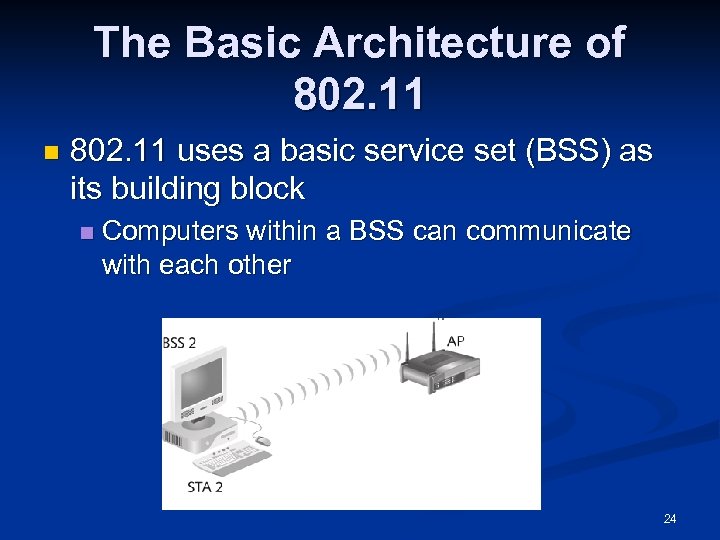 The Basic Architecture of 802. 11 n 802. 11 uses a basic service set (BSS) as its building block n Computers within a BSS can communicate with each other 24
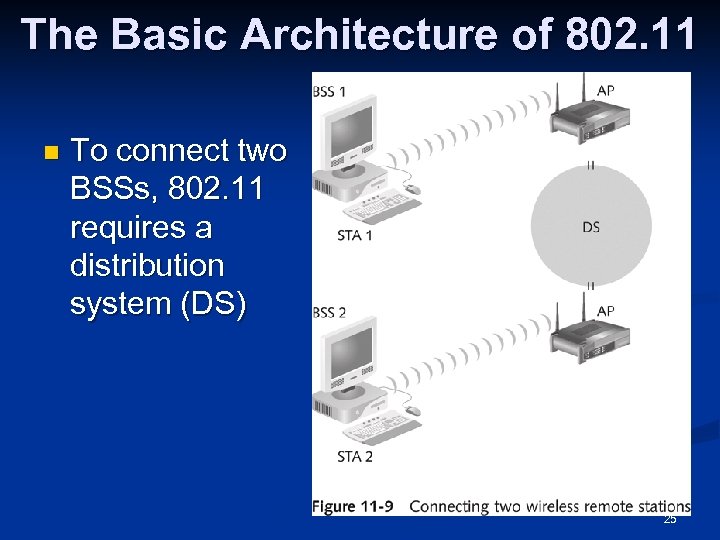 The Basic Architecture of 802. 11 n To connect two BSSs, 802. 11 requires a distribution system (DS) 25
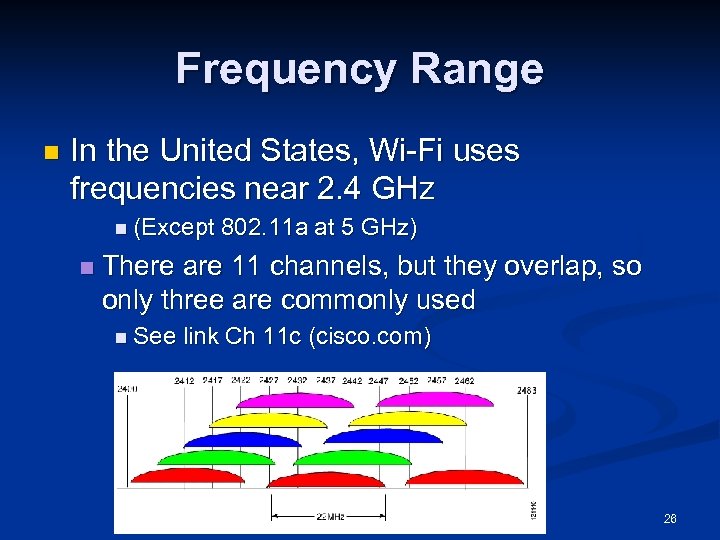 Frequency Range n In the United States, Wi-Fi uses frequencies near 2. 4 GHz n (Except n 802. 11 a at 5 GHz) There are 11 channels, but they overlap, so only three are commonly used n See link Ch 11 c (cisco. com) 26
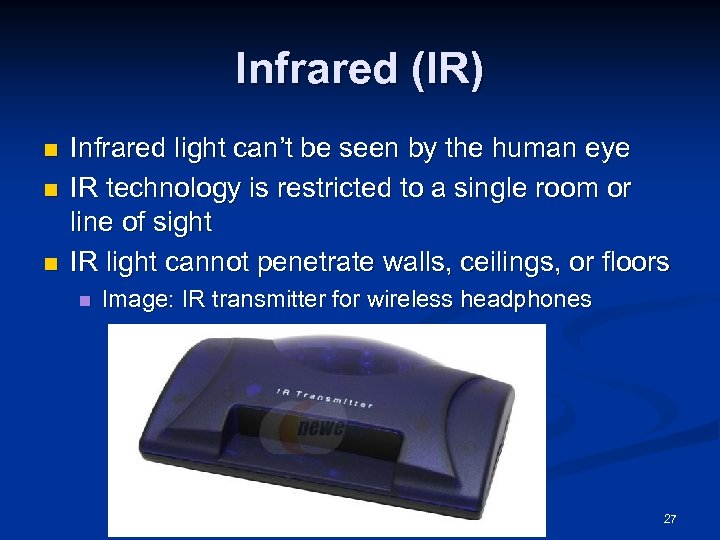 Infrared (IR) n n n Infrared light can’t be seen by the human eye IR technology is restricted to a single room or line of sight IR light cannot penetrate walls, ceilings, or floors n Image: IR transmitter for wireless headphones 27
 IEEE Additional 802. 11 Projects n 802. 11 a Created in 1999 n Operating frequency 5 GHz n Throughput 54 Mbps n 28
 IEEE Additional 802. 11 Projects (continued) n 802. 11 b Operates in the 2. 4 GHz range n Throughput 11 Mbps n Also referred as Wi-Fi (wireless fidelity) n Allows for 11 channels to prevent overlapping signals n n Effectively only three channels (1, 6, and 11) can be used in combination without overlapping n Introduced Wired Equivalent Privacy (WEP) 29
 IEEE Additional 802. 11 Projects (continued) n 802. 11 e n It has improvements to address the problem of interference n When interference is detected, signals can jump to another frequency more quickly n 802. 11 g Operates in the 2. 4 GHz range n Throughput increased from 11 Mbps to 54 Mbps n 30
 IEEE Additional 802. 11 Projects (continued) n 802. 11 i Introduced Wi-Fi Protected Access (WPA) n Corrected many of the security vulnerabilities of 802. 11 b n n 802. 11 n (draft) Will be finalized in Dec 2009 n Speeds up to 300 Mbps n Aerohive AP runs at 264 Mbps now n n Links Ch 11 zc, Ch 11 zd 31
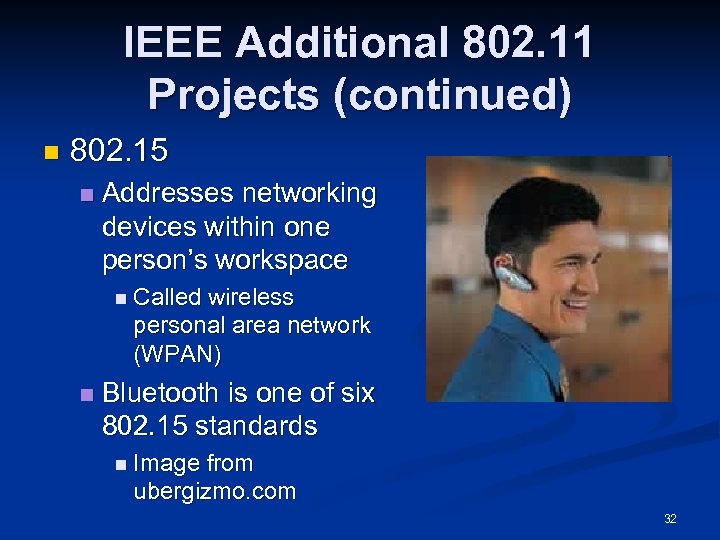 IEEE Additional 802. 11 Projects (continued) n 802. 15 n Addresses networking devices within one person’s workspace n Called wireless personal area network (WPAN) n Bluetooth is one of six 802. 15 standards n Image from ubergizmo. com 32
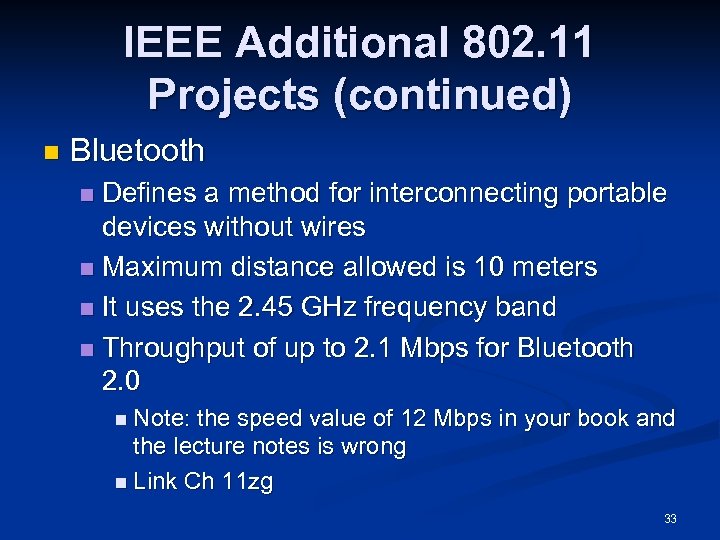 IEEE Additional 802. 11 Projects (continued) n Bluetooth Defines a method for interconnecting portable devices without wires n Maximum distance allowed is 10 meters n It uses the 2. 45 GHz frequency band n Throughput of up to 2. 1 Mbps for Bluetooth 2. 0 n n Note: the speed value of 12 Mbps in your book and the lecture notes is wrong n Link Ch 11 zg 33
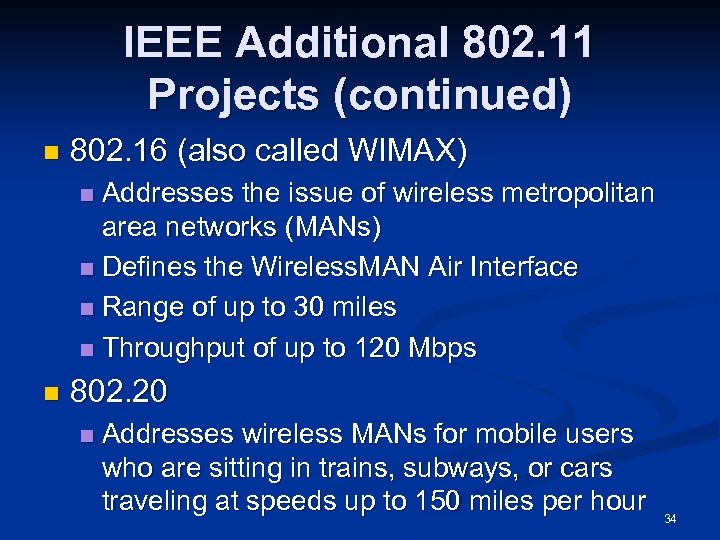 IEEE Additional 802. 11 Projects (continued) n 802. 16 (also called WIMAX) Addresses the issue of wireless metropolitan area networks (MANs) n Defines the Wireless. MAN Air Interface n Range of up to 30 miles n Throughput of up to 120 Mbps n n 802. 20 n Addresses wireless MANs for mobile users who are sitting in trains, subways, or cars traveling at speeds up to 150 miles per hour 34
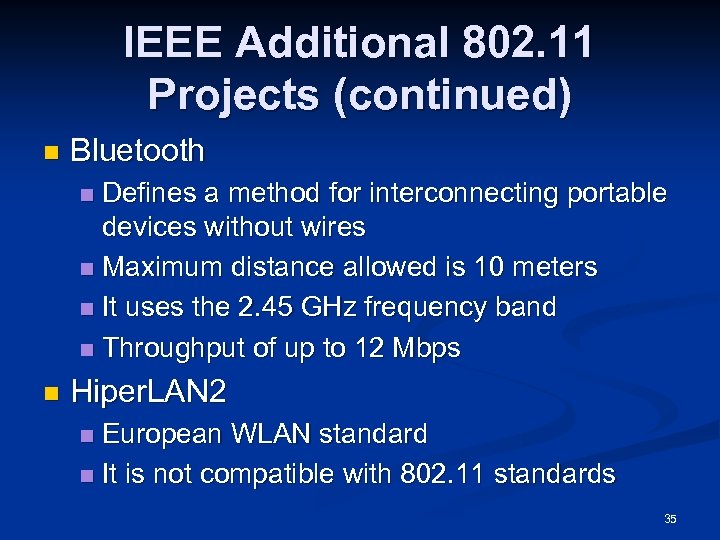 IEEE Additional 802. 11 Projects (continued) n Bluetooth Defines a method for interconnecting portable devices without wires n Maximum distance allowed is 10 meters n It uses the 2. 45 GHz frequency band n Throughput of up to 12 Mbps n n Hiper. LAN 2 European WLAN standard n It is not compatible with 802. 11 standards n 35
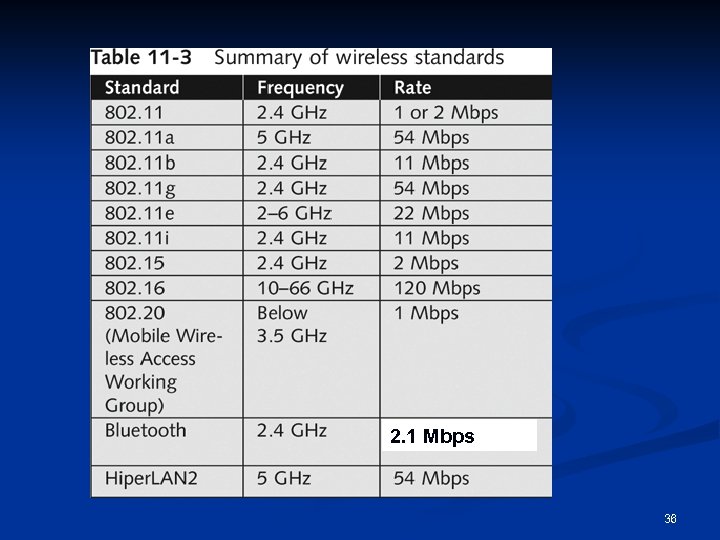 2. 1 Mbps 36
 Understanding Authentication Wireless technology brings new security risks to a network n Authentication n Establishing that a user is authentic— authorized to use the network n If authentication fails, anyone in radio range can use your network n 37
 The 802. 1 X Standard Defines the process of authenticating and authorizing users on a WLAN n Basic concepts n Point-to-Point Protocol (PPP) n Extensible Authentication Protocol (EAP) n Wired Equivalent Privacy (WEP) n Wi-Fi Protected Access (WPA) n 38
 Point-to-Point Protocol (PPP) Many ISPs use PPP to connect dial-up or DSL users n PPP handles authentication with a user name and password, sent with PAP or CHAP n n PAP (Password Authentication Protocol) sends passwords unencrypted n Vulnerable n to trivial sniffing attacks See link Ch 11 f 39
 CHAP Vulnerability n CHAP (Challenge-Handshake Authentication Protocol) Server sends a Challenge with a random value n Client sends a Response, hashing the random value with the secret password n n This is still vulnerable to a sort of session hijacking attack (see links Ch 11 e) 40
 Extensible Authentication Protocol (EAP) EAP is an enhancement to PPP n Allows a company to select its authentication method n Certificates n Kerberos n n Kerberos is used on LANs for authentication n Uses Tickets and Keys n Used by Windows 2000, XP, and 2003 Server by default n Not common on WLANS (I think) 41
 X. 509 Certificate Record that authenticates network entities n Identifies n The owner n The certificate authority (CA) n The owner’s public key n n See link Ch 11 j 42
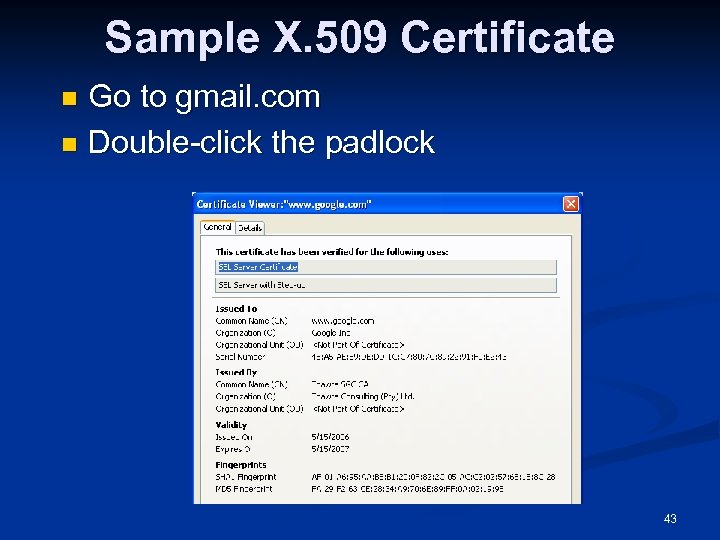 Sample X. 509 Certificate Go to gmail. com n Double-click the padlock n 43
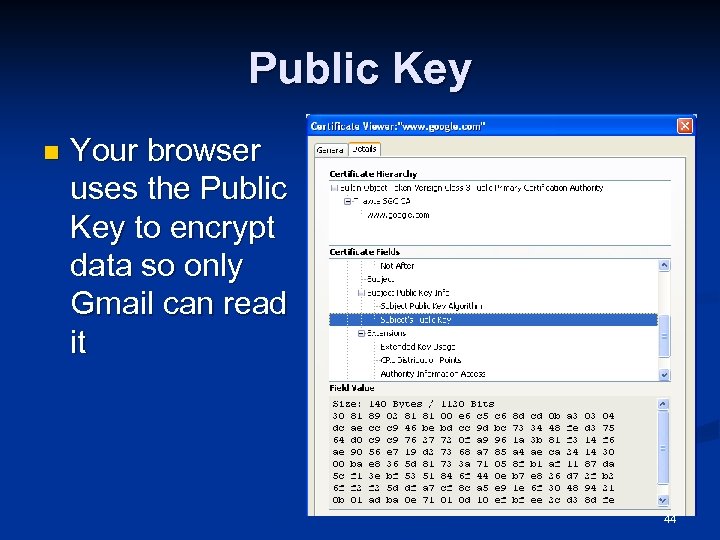 Public Key n Your browser uses the Public Key to encrypt data so only Gmail can read it 44
 LEAP n Lightweight Extensible Authentication Protocol (LEAP) A Cisco product n Vulnerable, but Cisco didn’t care n Joshua Wright wrote the ASLEAP hacking tool to crack LEAP, and forced Cisco to develop a better protocol n n See link Ch 11 g 45
 More Secure EAP Methods n Extensible Authentication Protocol. Transport Layer Security (EAP-TLS) n n Protected EAP (PEAP) and Microsoft PEAP n n Secure but rarely used, because both client and server need certificates signed by a CA Very secure, only requires server to have a certificate signed by a CA See link Ch 11 h 46
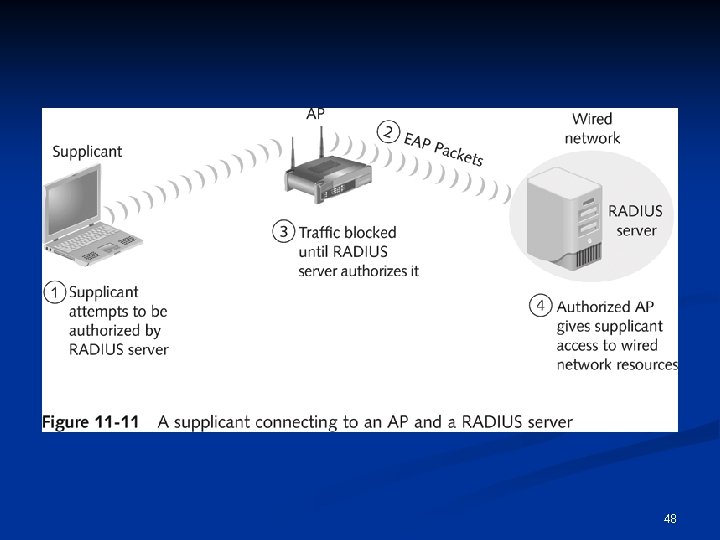
 802. 1 X components n Supplicant n n The user accessing a WLAN Authenticator n The AP n Authentication server n Checks an account database to see if user’s credentials are acceptable n May use RADIUS (Remote Access Dial-In User Service) See link Ch 11 k n 47
 48
48
 Wired Equivalent Privacy (WEP) Part of the 802. 11 b standard n Encrypts data on a wireless network n WEP has many vulnerabilities n To crack WEP, see links Ch 11 l, 11 m n 49
 Wi-Fi Protected Access (WPA) Specified in the 802. 11 i standard n Replaces WEP n WPA improves encryption by using Temporal Key Integrity Protocol (TKIP) n 50
 TKIP Enhancements n Message Integrity Check (MIC) n n Prevent attacker from injecting forged packets Extended Initialization Vector (IV) with sequencing rules n Prevent replays (attacker re-sending copied packets) 51
 TKIP Enhancements n Per-packet key mixing MAC addresses are used to create a key n Each link uses a different key n n Rekeying mechanism Provides fresh keys n Prevents attackers from reusing old keys n 52
 WPA Adds 802. 1 x n WPA also adds an authentication mechanism implementing 802. 1 X and EAP n This was not available in WEP 53
 Understanding Wardriving n Hackers use wardriving Finding insecure access points n Using a laptop or palmtop computer n n Wardriving is not illegal n n But using the resources of these networks is illegal Warflying n Variant where an airplane is used instead of a car 54
 How It Works n An attacker or security tester simply drives around with the following equipment Laptop computer n Wireless NIC n An antenna n Software that scans the area for SSIDs n Not all wireless NICs are compatible with scanning programs n Antenna prices vary depending on the quality and the range they can cover n 55
 How It Works (continued) n Scanning software can identify The company’s SSID n The type of security enabled n The signal strength n n Indicating how close the AP is to the attacker 56
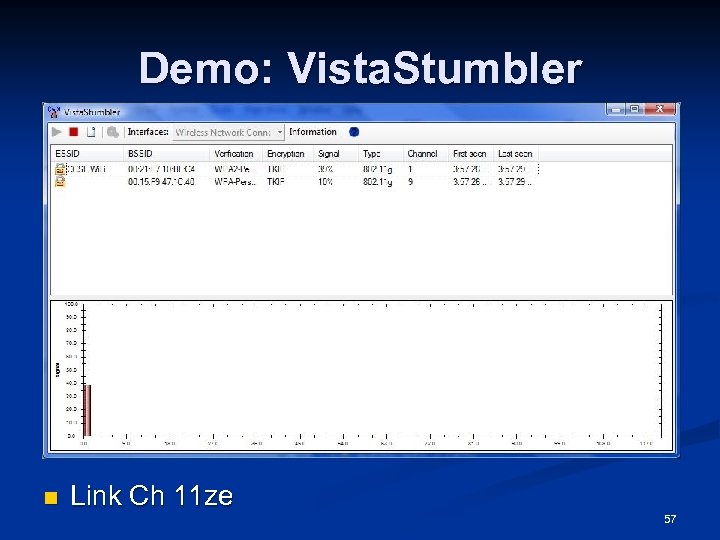 Demo: Vista. Stumbler n Link Ch 11 ze 57
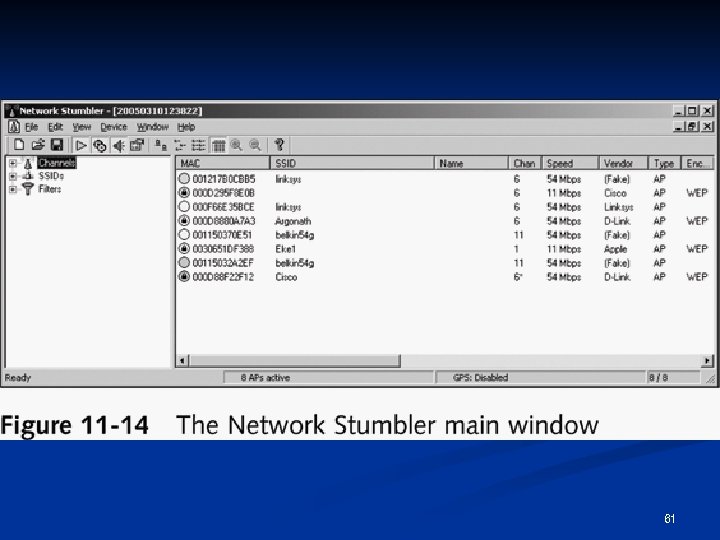
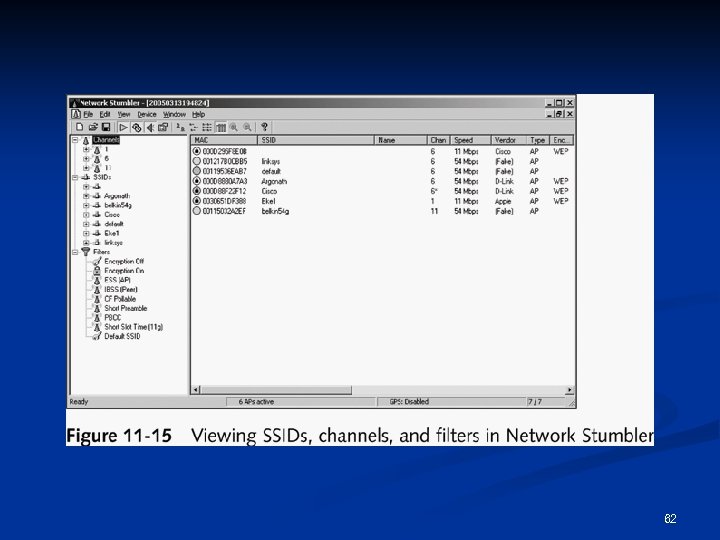
 Net. Stumbler n Shareware tool written for Windows that enables you to detect WLANs n n Supports 802. 11 a, 802. 11 b, and 802. 11 g standards Net. Stumbler was primarily designed to Verify your WLAN configuration n Detect other wireless networks n Detect unauthorized APs n 58
 Net. Stumbler n Net. Stumbler is capable of interface with a GPS n Enabling a security tester or hacker to map out locations of all the WLANs the software detects 59
 Net. Stumbler n Net. Stumbler logs the following information SSID n MAC address and Manufacturer of the AP n Channel n Signal Strength n Encryption n n Can detect APs within a 350 -foot radius n With a good antenna, they can locate APs a couple of miles away 60
 61
61
 62
62
 Kismet Another product for conducting wardriving attacks n Runs on Linux, BSD, MAC OS X, and Linux PDAs n Kismet is advertised also as a sniffer and IDS n n Kismet can sniff 802. 11 b, 802. 11 a, and 802. 11 g traffic 63
 Kismet features Ethereal- and Tcpdump-compatible data logging n Air. Snort compatible n Network IP range detection n 64
 Kismet features (continued) Hidden network SSID detection n Graphical mapping of networks n Client-server architecture n Manufacturer and model identification of APs and clients n Detection of known default access point configurations n XML output n Supports 20 card types n 65
 Understanding Wireless Hacking a wireless network is not much different from hacking a wired LAN n Techniques for hacking wireless networks n Port scanning n Enumeration n 66
 Tools of the Trade n Equipment Laptop computer n A wireless NIC n An antenna n Sniffer software n 67
 Air. Snort Created by Jeremy Bruestle and Blake Hegerle n It is the tool most hackers wanting to access WEP-enabled WLANs use n Air. Snort limitations n Runs on either Linux or Windows (textbook is wrong) n Requires specific drivers n Not all wireless NICs function with Air. Snort n n See links Ch 11 p, 11 q 68
 WEPCrack n Another open-source tool used to crack WEP encryption n WEPCrack was released about a week before Air. Snort It also works on *NIX systems n WEPCrack uses Perl scripts to carry out attacks on wireless systems n n Air. Snort is considered better (link Ch 11 r) 69
 Countermeasures for Wireless Attacks n Anti-wardriving software makes it more difficult for attackers to discover your wireless LAN n Honeypots n Servers n with fake data to snare intruders Fakeap and Black Alchemy Fake AP n Software n that makes fake Access Points Link Ch 11 s 70
 Countermeasures for Wireless Attacks Use special paint to stop radio from escaping your building n Allow only predetermined MAC addresses and IP addresses to have access to the wireless LAN n Use an authentication server instead of relying on a wireless device to authenticate users n 71
 Countermeasures for Wireless Attacks Use an EAP authentication protocol n If you use WEP, use 104 -bit encryption rather than 40 -bit encryption n n But just use WPA instead Assign static IP addresses to wireless clients instead of using DHCP n Don’t broadcast the SSID n 72
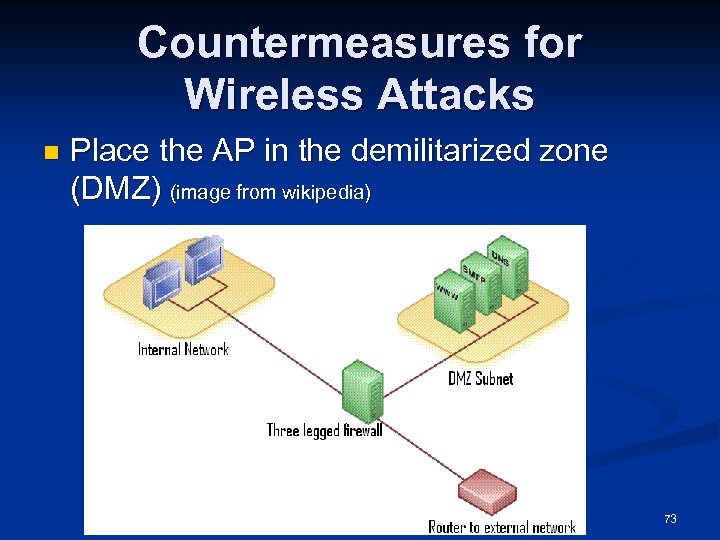 Countermeasures for Wireless Attacks n Place the AP in the demilitarized zone (DMZ) (image from wikipedia) 73
 Demo: Defeating MAC Address Filtering n Link Ch 11 zf 74