


 Скачать презентацию Guide to Computer Forensics and Investigations Fourth Edition
1fdbf7e579887028deac3f01e93197b0.ppt
- Количество слайдов: 36
 Guide to Computer Forensics and Investigations Fourth Edition Chapter 13 Cell Phone and Mobile Devices Forensics
 Objectives • Explain the basic concepts of mobile device forensics • Describe procedures for acquiring data from cell phones and mobile devices
 Understanding Mobile Device Forensics
 Data on i. Phones • • Screenshots of every map viewed i. Phone photos have GPS location data embedded Apps store browsing history i. Phone stores everything you type, like a keylogger – Link Ch 13 a • i. Phone also stores screenshots after each action, in order to create an aesthetically pleasing shrinking effect (link Ch 13 b)
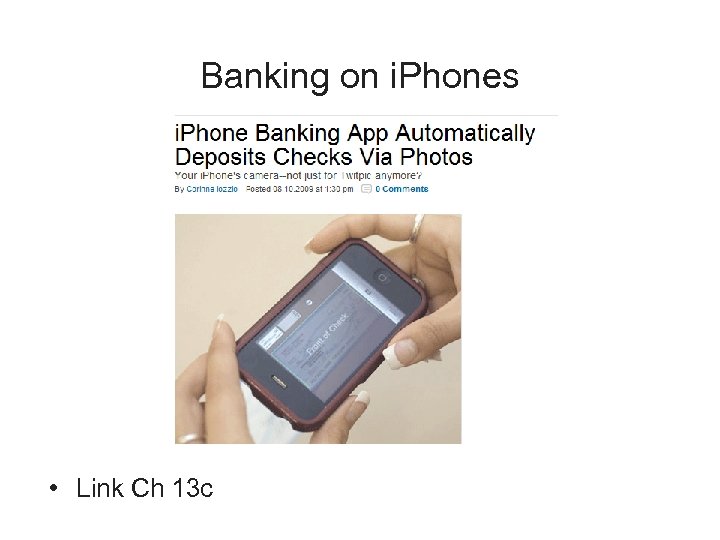 Banking on i. Phones • Link Ch 13 c
 Understanding Mobile Device Forensics • People store a wealth of information on cell phones – People don’t think about securing their cell phones • Items stored on cell phones: – – – Incoming, outgoing, and missed calls Text and Short Message Service (SMS) messages E-mail Instant-messaging (IM) logs Web pages Pictures
 Understanding Mobile Device Forensics (continued) • Items stored on cell phones: (continued) – – Personal calendars Address books Music files Voice recordings • Investigating cell phones and mobile devices is one of the most challenging tasks in digital forensics
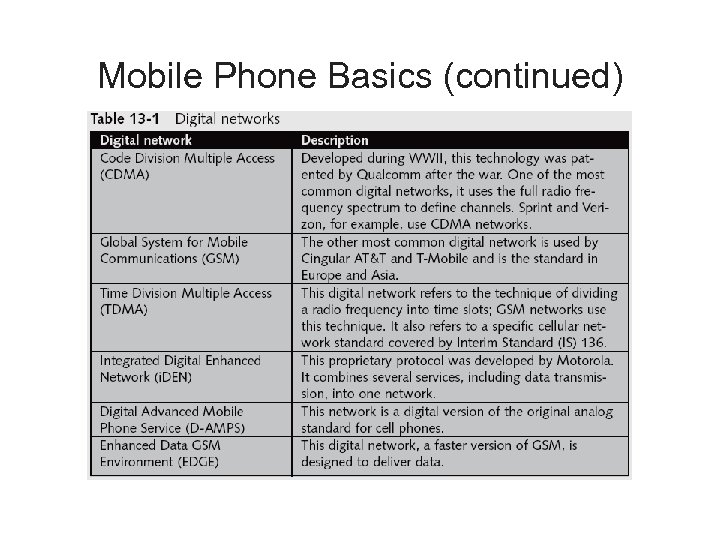
 Mobile Phone Basics • Mobile phone technology has advanced rapidly • Three generations of mobile phones: – Analog – Digital personal communications service (PCS) – Third-generation (3 G) • 3 G offers increased bandwidth • Several digital networks are used in the mobile phone industry
 Mobile Phone Basics (continued)
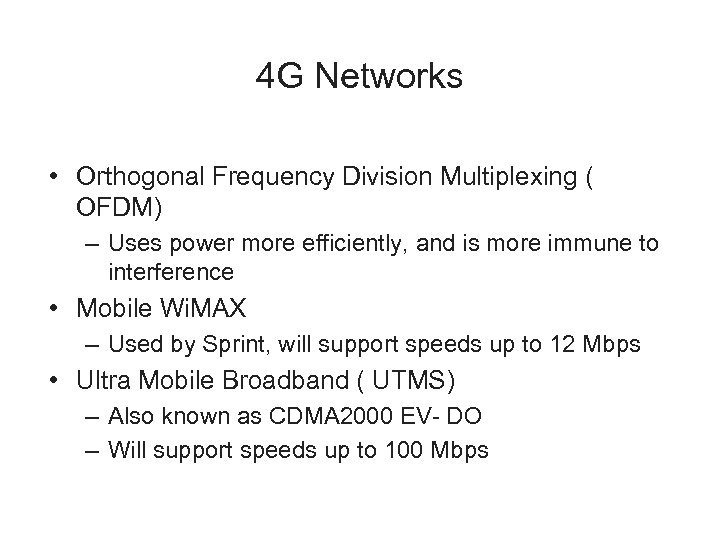 4 G Networks • Orthogonal Frequency Division Multiplexing ( OFDM) – Uses power more efficiently, and is more immune to interference • Mobile Wi. MAX – Used by Sprint, will support speeds up to 12 Mbps • Ultra Mobile Broadband ( UTMS) – Also known as CDMA 2000 EV- DO – Will support speeds up to 100 Mbps
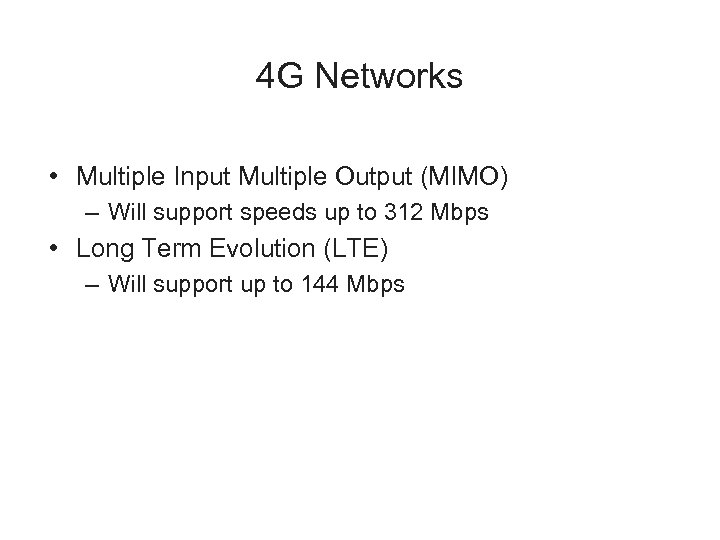 4 G Networks • Multiple Input Multiple Output (MIMO) – Will support speeds up to 312 Mbps • Long Term Evolution (LTE) – Will support up to 144 Mbps
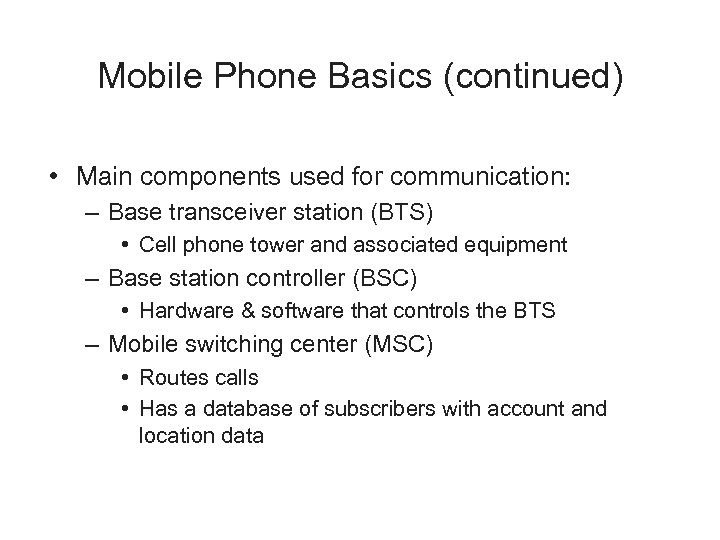 Mobile Phone Basics (continued) • Main components used for communication: – Base transceiver station (BTS) • Cell phone tower and associated equipment – Base station controller (BSC) • Hardware & software that controls the BTS – Mobile switching center (MSC) • Routes calls • Has a database of subscribers with account and location data
 Inside Mobile Devices • Mobile devices can range from simple phones to small computers – Also called smart phones • Hardware components – Microprocessor, ROM, RAM, a digital signal processor, a radio module, a microphone and speaker, hardware interfaces, and an LCD display • Most basic phones have a proprietary OS – Although smart phones use stripped-down versions of PC operating systems
 Inside Mobile Devices (continued) • Phones store system data in electronically erasable programmable read-only memory (EEPROM) – Enables service providers to reprogram phones without having to physically access memory chips • OS is stored in ROM – Nonvolatile memory
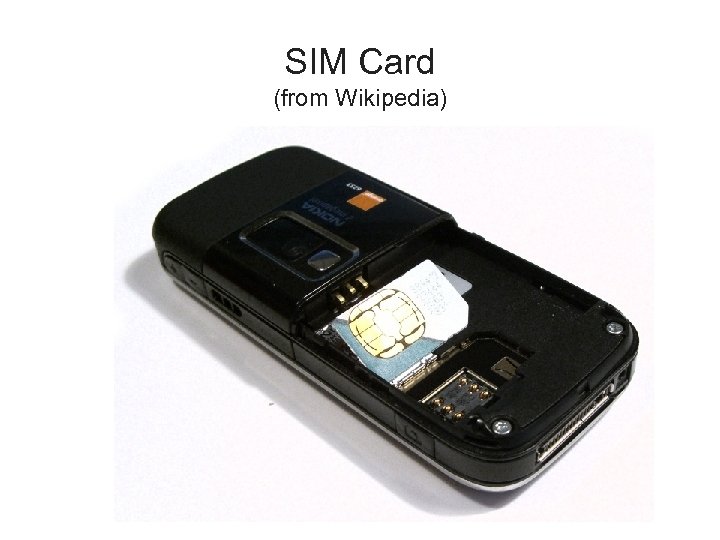 SIM Card (from Wikipedia)
 Inside Mobile Devices (continued) • Subscriber identity module (SIM) cards – Found most commonly in GSM devices – Microprocessor and from 16 KB to 4 MB EEPROM • Sometimes even more, up go 1 GB EEPROM – GSM refers to mobile phones as “mobile stations” and divides a station into two parts: • The SIM card and the mobile equipment (ME) – SIM cards come in two sizes – Portability of information makes SIM cards versatile
 Inside Mobile Devices (continued) • Subscriber identity module (SIM) cards (continued) – Additional SIM card purposes: • • Identifies the subscriber to the network Stores personal information Stores address books and messages Stores service-related information
 Inside PDAs • Personal digital assistants (PDAs) – Can be separate devices from mobile phones – Most users carry them instead of a laptop • PDAs house a microprocessor, flash ROM, RAM, and various hardware components • The amount of information on a PDA varies depending on the model • Usually, you can retrieve a user’s calendar, address book, Web access, and other items
 Inside PDAs (continued) • Peripheral memory cards are used with PDAs – Compact Flash (CF) – Multi. Media Card (MMC) – Secure Digital (SD) • Most PDAs synchronize with a computer – Built-in slots for that purpose
 Understanding Acquisition Procedures for Cell Phones and Mobile Devices
 Understanding Acquisition Procedures for Cell Phones and Mobile Devices • The main concerns with mobile devices are loss of power and synchronization with PCs • All mobile devices have volatile memory – Making sure they don’t lose power before you can retrieve RAM data is critical • Mobile device attached to a PC via a cable or cradle/docking station should be disconnected from the PC immediately • Depending on the warrant or subpoena, the time of seizure might be relevant
 Understanding Acquisition Procedures for Cell Phones and Mobile Devices (continued) • Messages might be received on the mobile device after seizure • Isolate the device from incoming signals with one of the following options: – Place the device in a paint can – Use the Paraben Wireless Strong. Hold Bag – Use eight layers of antistatic bags to block the signal • The drawback to using these isolating options is that the mobile device is put into roaming mode – Which accelerates battery drainage
 Understanding Acquisition Procedures for Cell Phones and Mobile Devices (continued) • Check these areas in the forensics lab : – – Internal memory SIM card Removable or external memory cards System server • Checking system servers requires a search warrant or subpoena • SIM card file system is a hierarchical structure
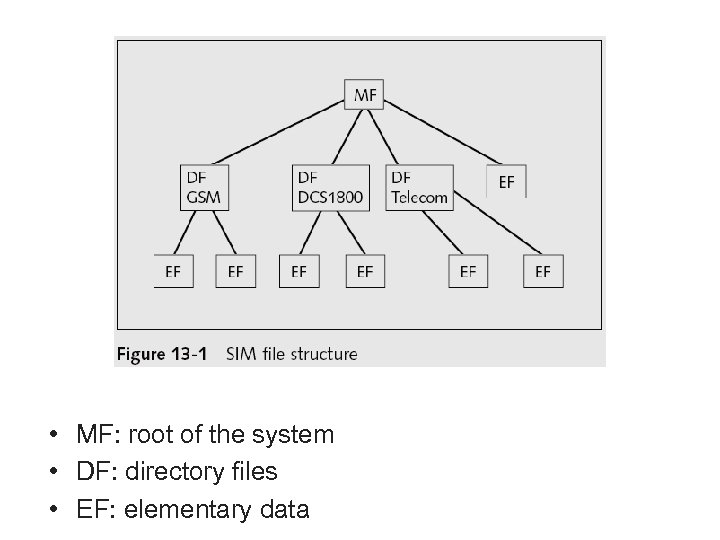 • MF: root of the system • DF: directory files • EF: elementary data
 Understanding Acquisition Procedures for Cell Phones and Mobile Devices (continued) • Information that can be retrieved: – Service-related data, such as identifiers for the SIM card and the subscriber – Call data, such as numbers dialed – Message information – Location information • If power has been lost, PINs or other access codes might be required to view files
 Mobile Forensics Equipment • Mobile forensics is a new science • Biggest challenge is dealing with constantly changing models of cell phones • When you’re acquiring evidence, generally you’re performing two tasks: – Acting as though you’re a PC synchronizing with the device (to download data) – Reading the SIM card • First step is to identify the mobile device
 Mobile Forensics Equipment (continued) • Make sure you have installed the mobile device software on your forensic workstation • Attach the phone to its power supply and connect the correct cables • After you’ve connected the device – Start the forensics program and begin downloading the available information
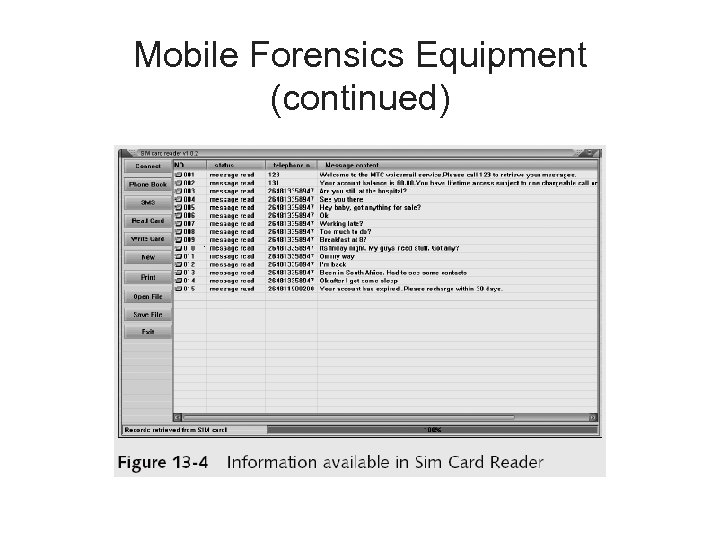
 Mobile Forensics Equipment (continued) • SIM card readers – A combination hardware/software device used to access the SIM card – You need to be in a forensics lab equipped with appropriate antistatic devices – General procedure is as follows: • • Remove the back panel of the device Remove the battery Under the battery, remove the SIM card from holder Insert the SIM card into the card reader
 Mobile Forensics Equipment (continued) • SIM card readers (continued) – A variety of SIM card readers are on the market • Some are forensically sound and some are not – Documenting messages that haven’t been read yet is critical • Use a tool that takes pictures of each screen • Blackberries may require special hardware
 i. Phone Forensics • Mac. Lock. Pick II – Uses backup files – It can’t recover deleted files • MDBack. Up Extract – Analyzes the i. Tunes mobile sync backup directory
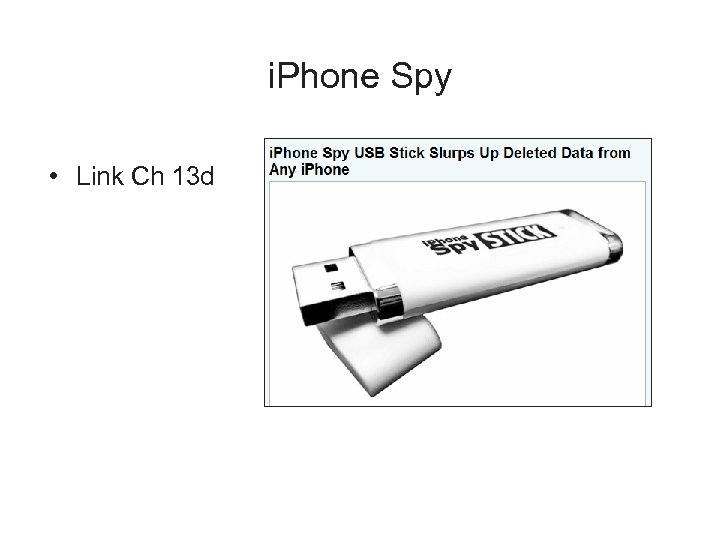 i. Phone Spy • Link Ch 13 d
 Mobile Forensics Tools • Paraben Software Device Seizure Toolbox – Contains cables, SIM card readers, and more • Data Pilot – Similar to Paraben • Bit. Pim – Can view data on many phones, but it's not intended forensics • MOBILedit! – Has a write-blocker
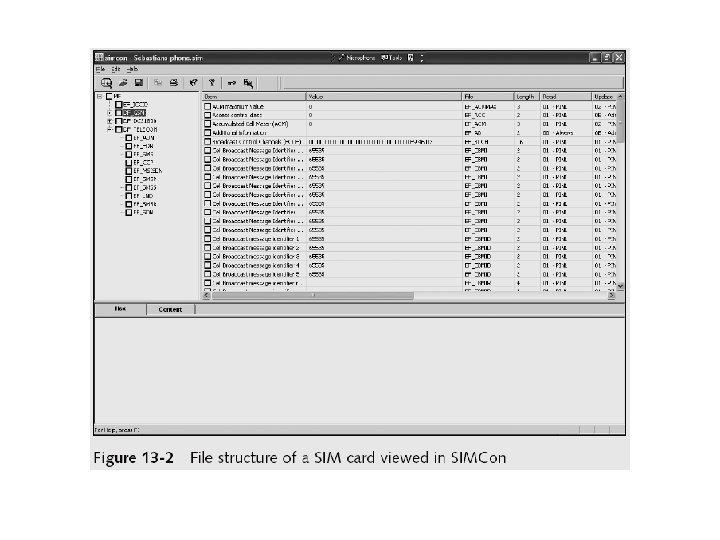
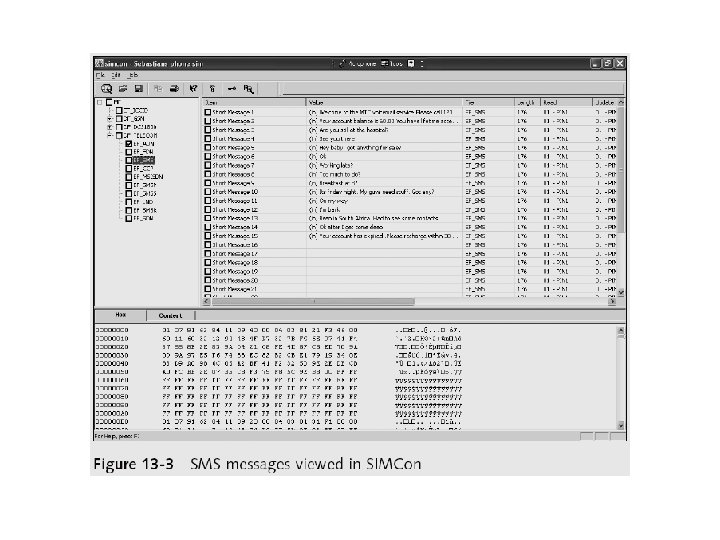
 Mobile Forensics Tools • SIMCon – Reads files on SIM cards – Recoveres deleted text messages – Archives files with MD 5 and SHA-1 hashes • Software tools differ in the items they display and the level of detail
 Mobile Forensics Equipment (continued)