


 Скачать презентацию Guide to Computer Forensics and Investigations Fourth Edition
9d2411f9847e3e150daccdc8f44bdfe3.ppt
- Количество слайдов: 55
 Guide to Computer Forensics and Investigations Fourth Edition Chapter 9 Computer Forensics Analysis and Validation
 Objectives • Determine what data to analyze in a computer forensics investigation • Explain tools used to validate data • Explain common data-hiding techniques • Describe methods of performing a remote acquisition Guide to Computer Forensics and Investigations 2
 Determining What Data to Collect and Analyze • Examining and analyzing digital evidence depends on: – – Nature of the case Amount of data to process Search warrants and court orders Company policies • Scope creep – Investigation expands beyond the original description • Right of full discovery of digital evidence Guide to Computer Forensics and Investigations 3
 Approaching Computer Forensics Cases • Some basic principles apply to almost all computer forensics cases – The approach you take depends largely on the specific type of case you’re investigating • Basic steps for all computer forensics investigations – For target drives, use only recently wiped media that have been reformatted • And inspected for computer viruses Guide to Computer Forensics and Investigations 4
 Approaching Computer Forensics Cases (continued) • Basic steps for all computer forensics investigations (continued) – Inventory the hardware on the suspect’s computer and note the condition of the computer when seized – Remove the original drive from the computer • Check date and time values in the system’s CMOS – Record how you acquired data from the suspect drive – Process the data methodically and logically Guide to Computer Forensics and Investigations 5
 Approaching Computer Forensics Cases (continued) • Basic steps for all computer forensics investigations (continued) – List all folders and files on the image or drive – If possible, examine the contents of all data files in all folders • Starting at the root directory of the volume partition – For all password-protected files that might be related to the investigation • Make your best effort to recover file contents Guide to Computer Forensics and Investigations 6
 Approaching Computer Forensics Cases (continued) • Basic steps for all computer forensics investigations (continued) – Identify the function of every executable (binary or. exe) file that doesn’t match known hash values – Maintain control of all evidence and findings, and document everything as you progress through your examination Guide to Computer Forensics and Investigations 7
 Refining and Modifying the Investigation Plan • Considerations – – Determine the scope of the investigation Determine what the case requires Whether you should collect all information What to do in case of scope creep • The key is to start with a plan but remain flexible in the face of new evidence Guide to Computer Forensics and Investigations 8
 Using Access. Data Forensic Toolkit to Analyze Data • Supported file systems: FAT 12/16/32, NTFS, Ext 2 fs, and Ext 3 fs • FTK can analyze data from several sources, including image files from other vendors • FTK produces a case log file • Searching for keywords – Indexed search – Live search – Supports options and advanced searching techniques, such as stemming Guide to Computer Forensics and Investigations 9
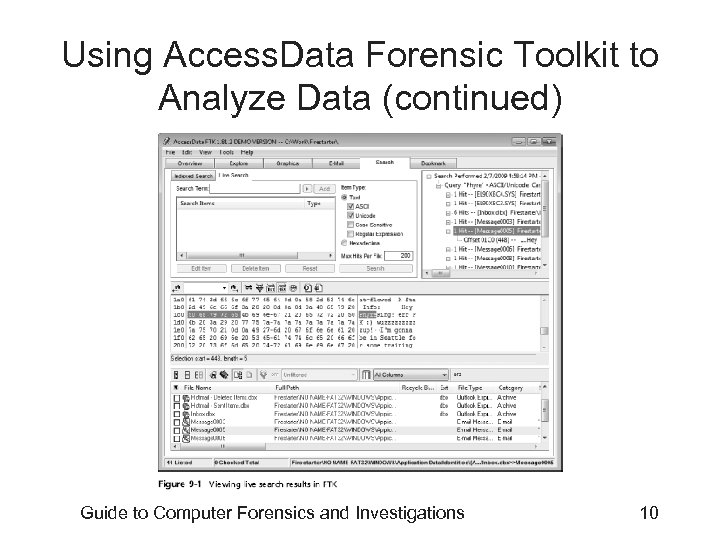 Using Access. Data Forensic Toolkit to Analyze Data (continued) Guide to Computer Forensics and Investigations 10
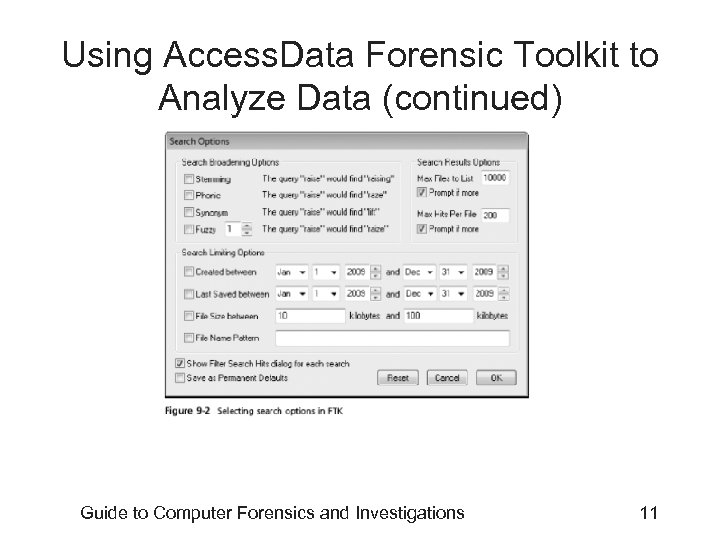 Using Access. Data Forensic Toolkit to Analyze Data (continued) Guide to Computer Forensics and Investigations 11
 Using Access. Data Forensic Toolkit to Analyze Data (continued) • Analyzes compressed files • You can generate reports – Using bookmarks Guide to Computer Forensics and Investigations 12
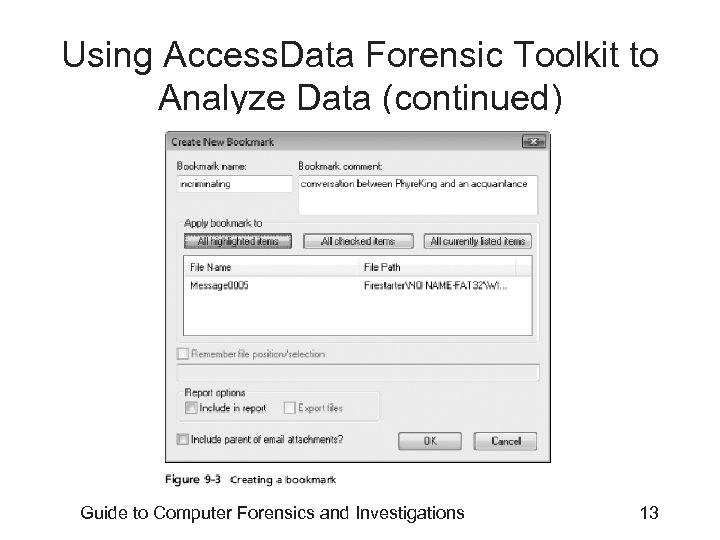 Using Access. Data Forensic Toolkit to Analyze Data (continued) Guide to Computer Forensics and Investigations 13
 Validating Forensic Data • One of the most critical aspects of computer forensics • Ensuring the integrity of data you collect is essential for presenting evidence in court • Most computer forensic tools provide automated hashing of image files • Computer forensics tools have some limitations in performing hashing – Learning how to use advanced hexadecimal editors is necessary to ensure data integrity Guide to Computer Forensics and Investigations 14
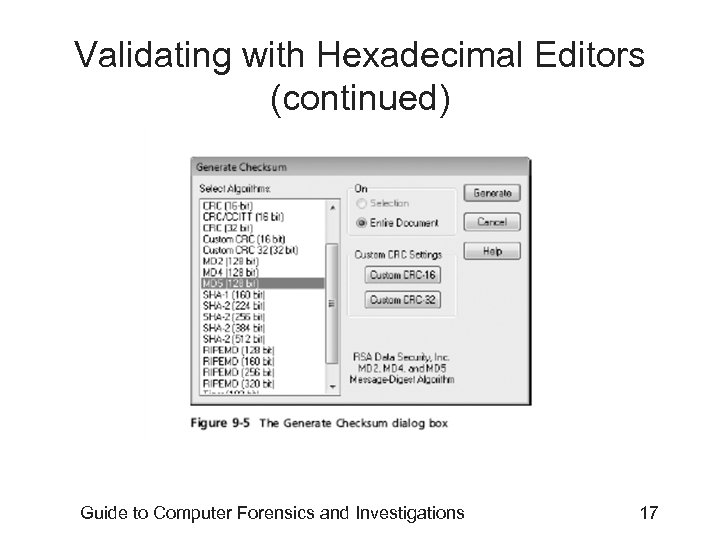
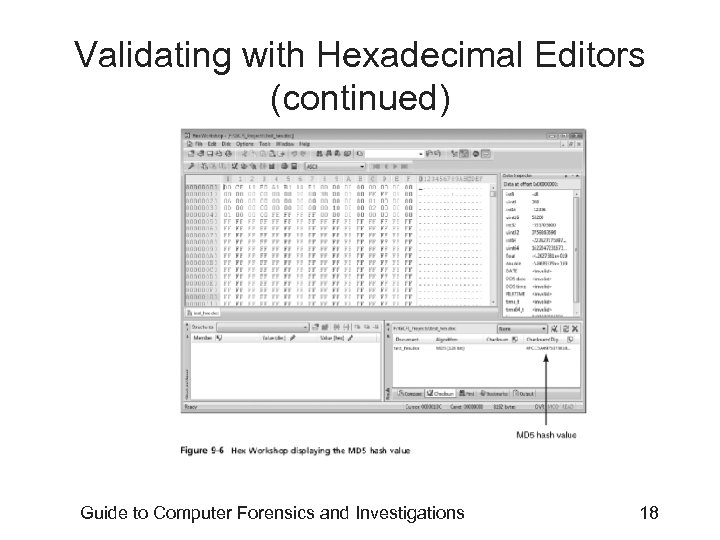
 Validating with Hexadecimal Editors • Advanced hexadecimal editors offer many features not available in computer forensics tools – Such as hashing specific files or sectors • Hex Workshop provides several hashing algorithms – Such as MD 5 and SHA-1 – See Figures 9 -4 through 9 -6 • Hex Workshop also generates the hash value of selected data sets in a file or sector Guide to Computer Forensics and Investigations 15
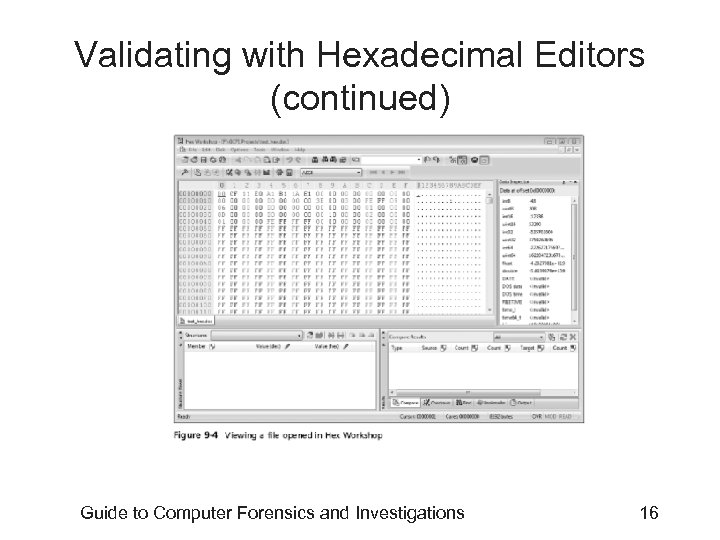 Validating with Hexadecimal Editors (continued) Guide to Computer Forensics and Investigations 16
 Validating with Hexadecimal Editors (continued) Guide to Computer Forensics and Investigations 17
 Validating with Hexadecimal Editors (continued) Guide to Computer Forensics and Investigations 18
 Validating with Hexadecimal Editors (continued) • Using hash values to discriminate data – Access. Data has a separate database, the Known File Filter (KFF) • Filters known program files from view, such as MSWord. exe, and identifies known illegal files, such as child pornography – KFF compares known file hash values to files on your evidence drive or image files – Periodically, Access. Data updates these known file hash values and posts an updated KFF Guide to Computer Forensics and Investigations 19
 Validating with Computer Forensics Programs • Commercial computer forensics programs have built-in validation features • Pro. Discover’s. eve files contain metadata that includes the hash value – Validation is done automatically • Raw format image files (. dd extension) don’t contain metadata – So you must validate raw format image files manually to ensure the integrity of data Guide to Computer Forensics and Investigations 20
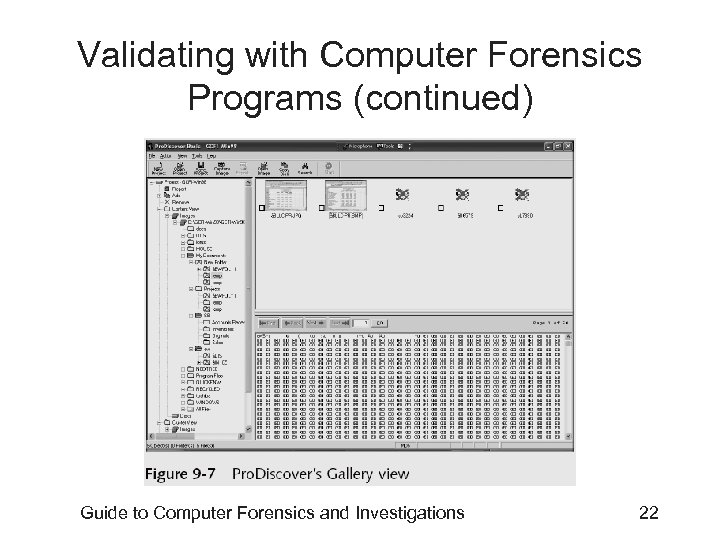
 Validating with Computer Forensics Programs (continued) • In Access. Data FTK Imager – When you select the Expert Witness (. e 01) or the SMART (. s 01) format • Additional options for validating the acquisition are displayed – Validation report lists MD 5 and SHA-1 hash values • Figure 9 -7 shows how Pro. Discover’s built-in validation feature works Guide to Computer Forensics and Investigations 21
 Validating with Computer Forensics Programs (continued) Guide to Computer Forensics and Investigations 22
 Addressing Data-hiding Techniques • File manipulation – Filenames and extensions – Hidden property • Disk manipulation – Hidden partitions – Bad clusters • Encryption – Bit shifting – Steganography Guide to Computer Forensics and Investigations 23
 Hiding Partitions • Delete references to a partition using a disk editor – Re-create links for accessing it • Use disk-partitioning utilities – – GDisk Partition. Magic System Commander LILO • Account for all disk space when analyzing a disk Guide to Computer Forensics and Investigations 24
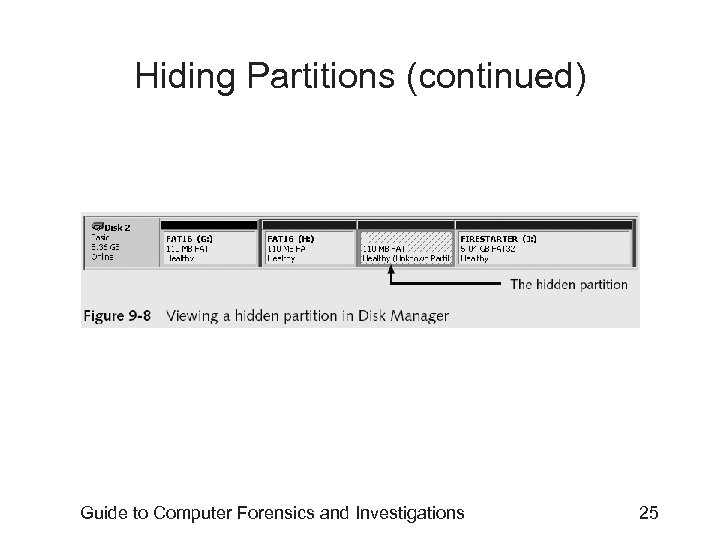 Hiding Partitions (continued) Guide to Computer Forensics and Investigations 25
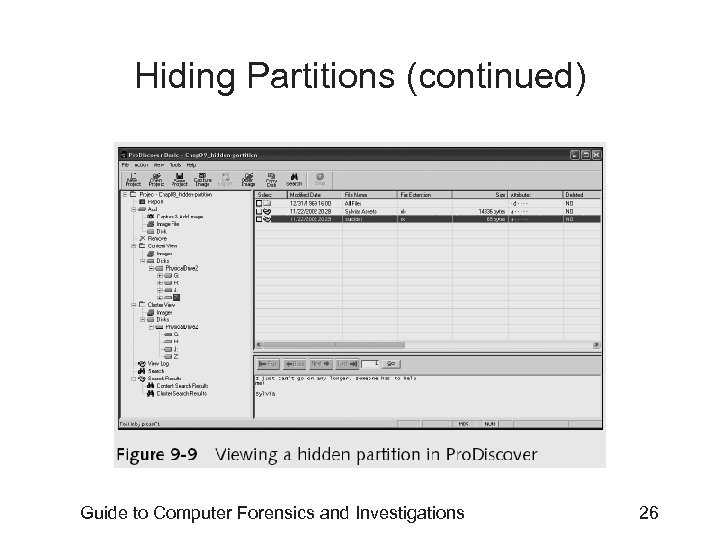 Hiding Partitions (continued) Guide to Computer Forensics and Investigations 26
 Marking Bad Clusters • • Common with FAT systems Place sensitive information on free space Use a disk editor to mark space as a bad cluster To mark a good cluster as bad using Norton Disk Edit – Type B in the FAT entry corresponding to that cluster Guide to Computer Forensics and Investigations 27
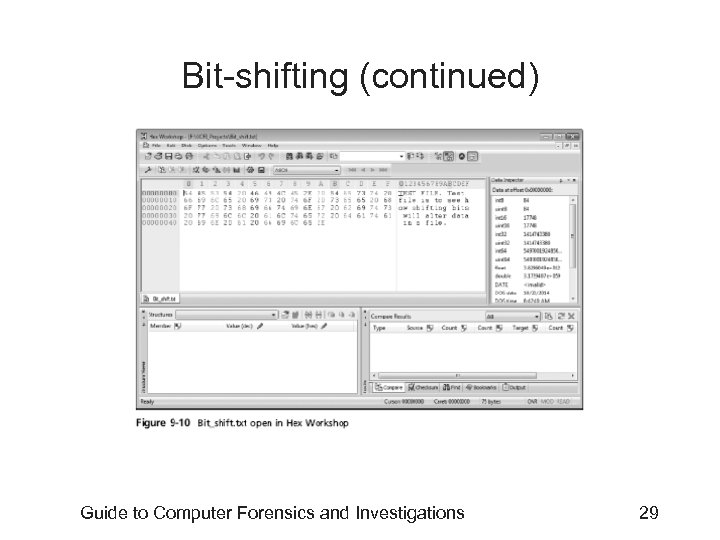
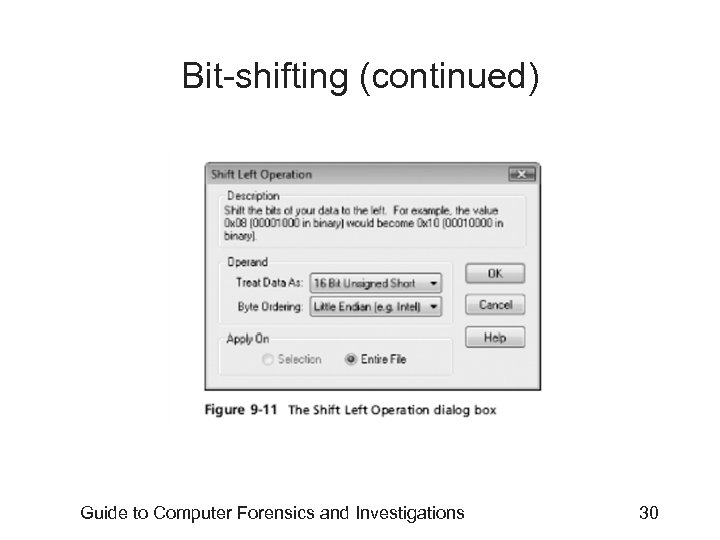
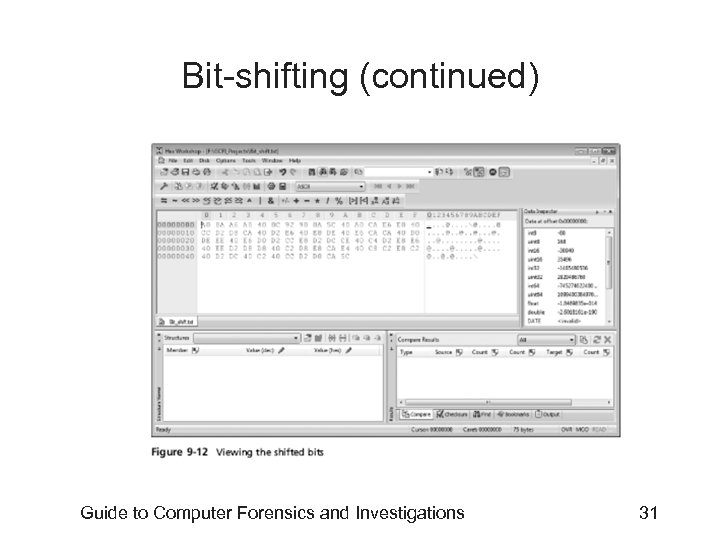
 Bit-shifting • • Old technique Shift bit patterns to alter byte values of data Make files look like binary executable code Tool – Hex Workshop Guide to Computer Forensics and Investigations 28
 Bit-shifting (continued) Guide to Computer Forensics and Investigations 29
 Bit-shifting (continued) Guide to Computer Forensics and Investigations 30
 Bit-shifting (continued) Guide to Computer Forensics and Investigations 31
 Using Steganography to Hide Data • Greek for “hidden writing” • Steganography tools were created to protect copyrighted material – By inserting digital watermarks into a file • Suspect can hide information on image or text document files – Most steganography programs can insert only small amounts of data into a file • Very hard to spot without prior knowledge • Tools: S-Tools, DPEnvelope, jpgx, and tte Guide to Computer Forensics and Investigations 32
 Examining Encrypted Files • Prevent unauthorized access – Employ a password or passphrase • Recovering data is difficult without password – Key escrow • Designed to recover encrypted data if users forget their passphrases or if the user key is corrupted after a system failure – Cracking password • Expert and powerful computers – Persuade suspect to reveal password Guide to Computer Forensics and Investigations 33
 Recovering Passwords • Techniques – Dictionary attack – Brute-force attack – Password guessing based on suspect’s profile • Tools – Access. Data PRTK – Advanced Password Recovery Software Toolkit – John the Ripper Guide to Computer Forensics and Investigations 34
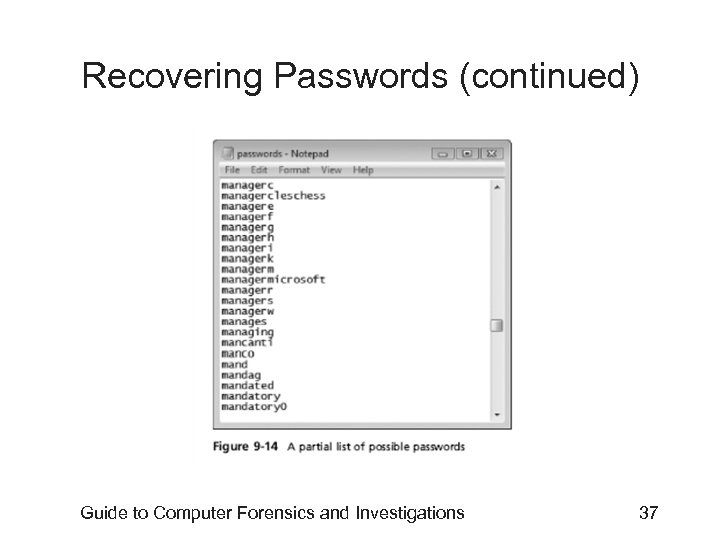
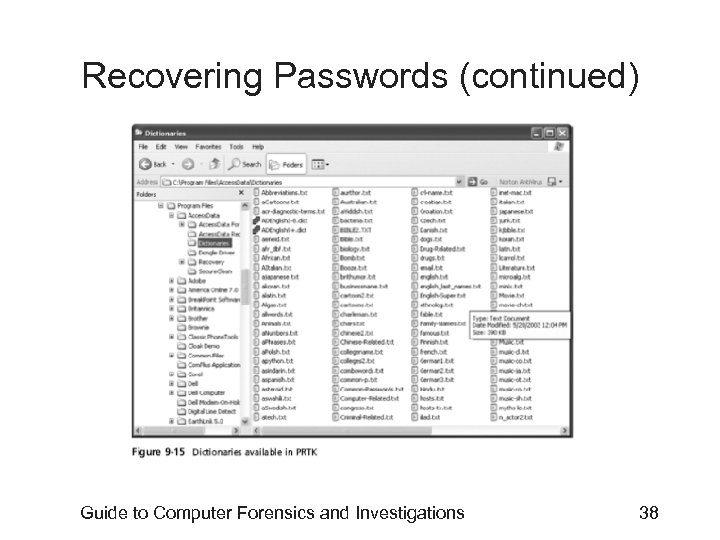
 Recovering Passwords (continued) • Using Access. Data tools with passworded and encrypted files – Access. Data offers a tool called Password Recovery Toolkit (PRTK) • Can create possible password lists from many sources – Can create your own custom dictionary based on facts in the case – Can create a suspect profile and use biographical information to generate likely passwords Guide to Computer Forensics and Investigations 35
 Recovering Passwords (continued) Guide to Computer Forensics and Investigations 36
 Recovering Passwords (continued) Guide to Computer Forensics and Investigations 37
 Recovering Passwords (continued) Guide to Computer Forensics and Investigations 38
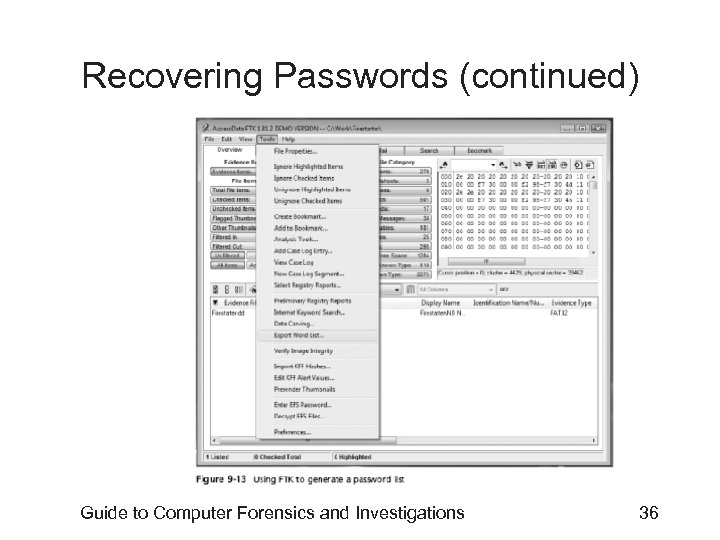
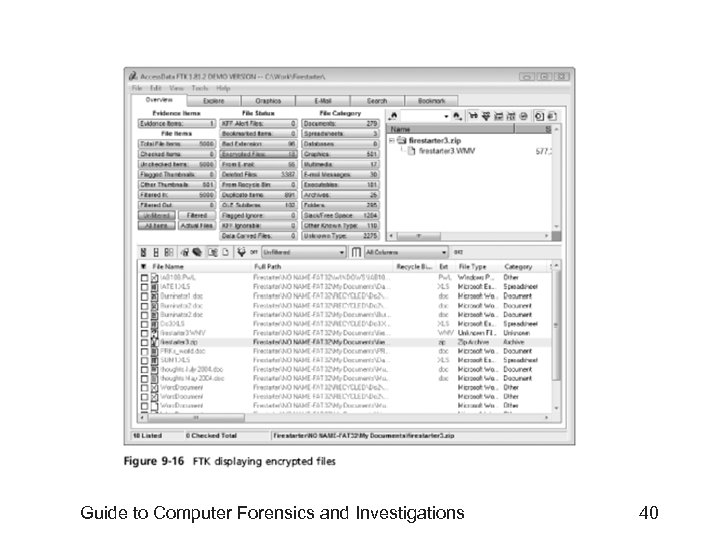
 Recovering Passwords (continued) • Using Access. Data tools with passworded and encrypted files (continued) – FTK can identify known encrypted files and those that seem to be encrypted • And export them – You can then import these files into PRTK and attempt to crack them Guide to Computer Forensics and Investigations 39
 Guide to Computer Forensics and Investigations 40
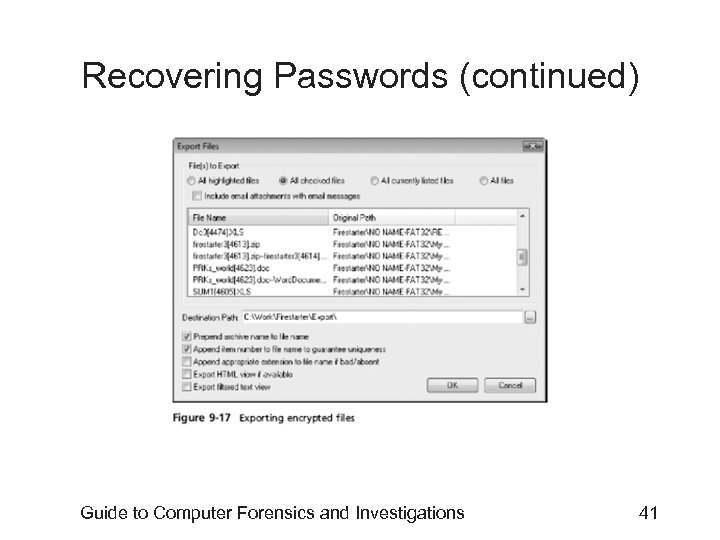 Recovering Passwords (continued) Guide to Computer Forensics and Investigations 41
 Performing Remote Acquisitions • Remote acquisitions are handy when you need to image the drive of a computer far away from your location – Or when you don’t want a suspect to be aware of an ongoing investigation Guide to Computer Forensics and Investigations 42
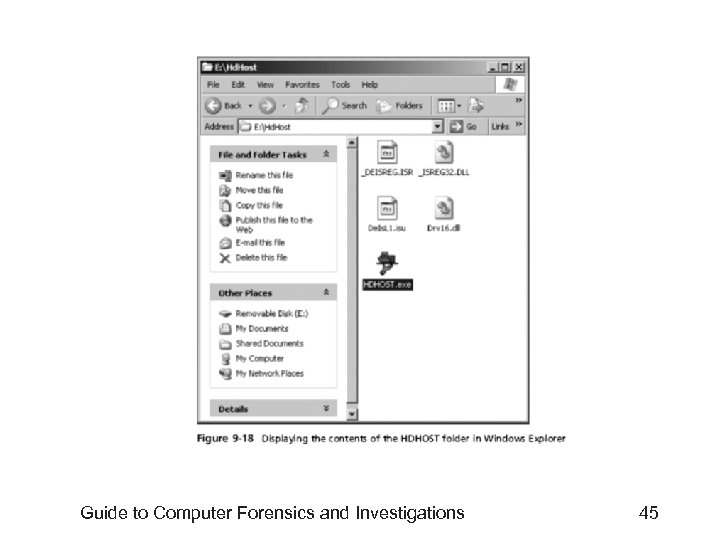
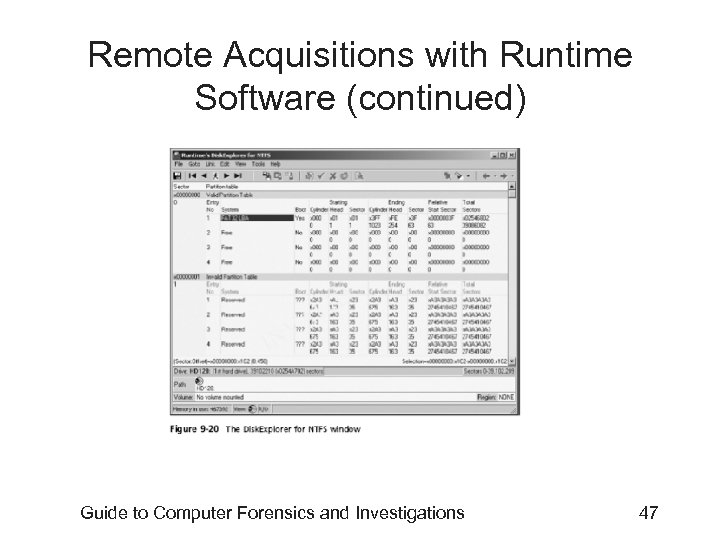
 Remote Acquisitions with Runtime Software • Runtime Software offers the following shareware programs for remote acquisitions: – Disk. Explorer for FAT – Disk. Explorer for NTFS – HDHOST • Preparing Disk. Explorer and HDHOST for remote acquisitions – Requires the Runtime Software, a portable media device (USB thumb drive or floppy disk), and two networked computers Guide to Computer Forensics and Investigations 43
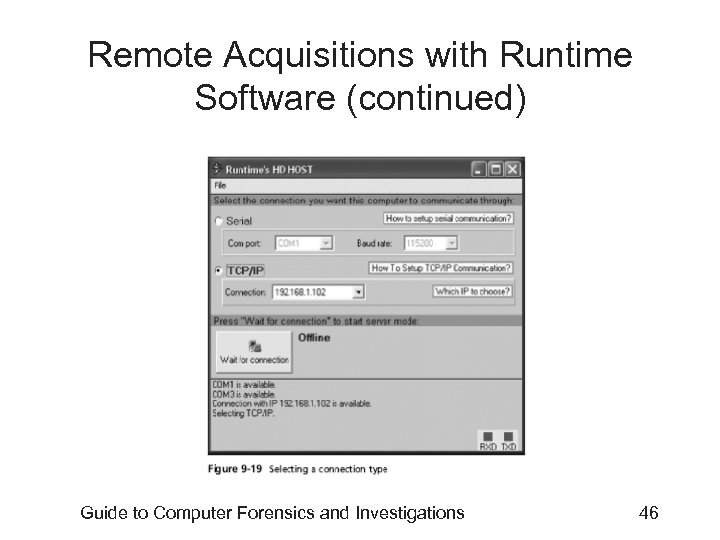
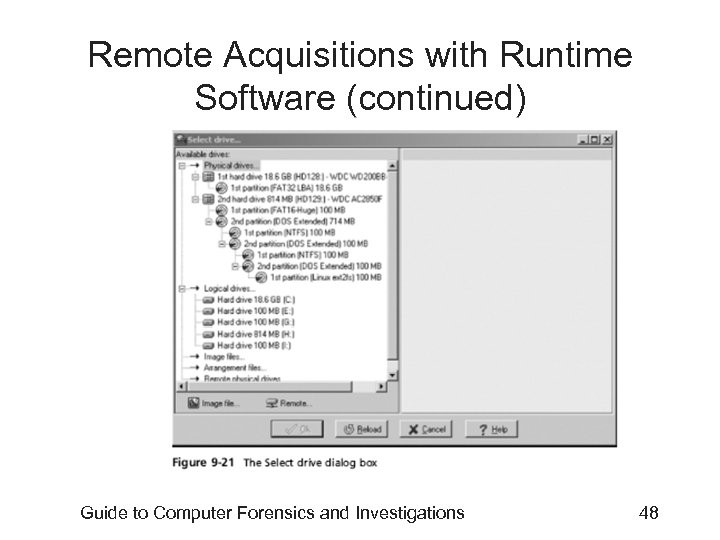
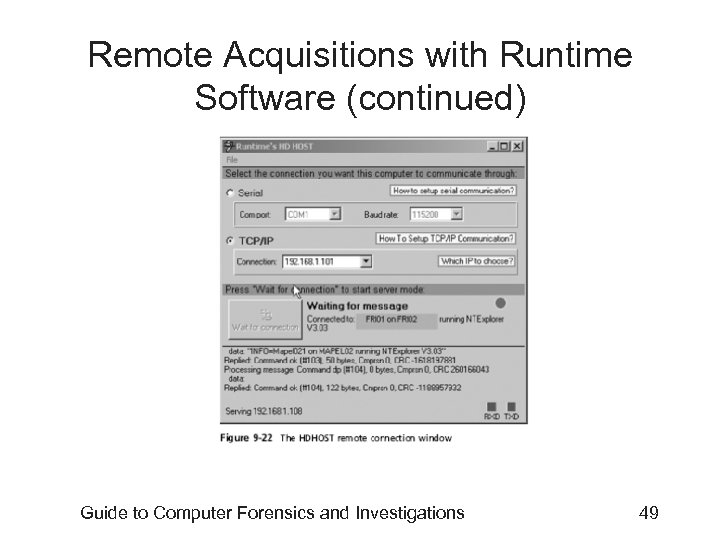
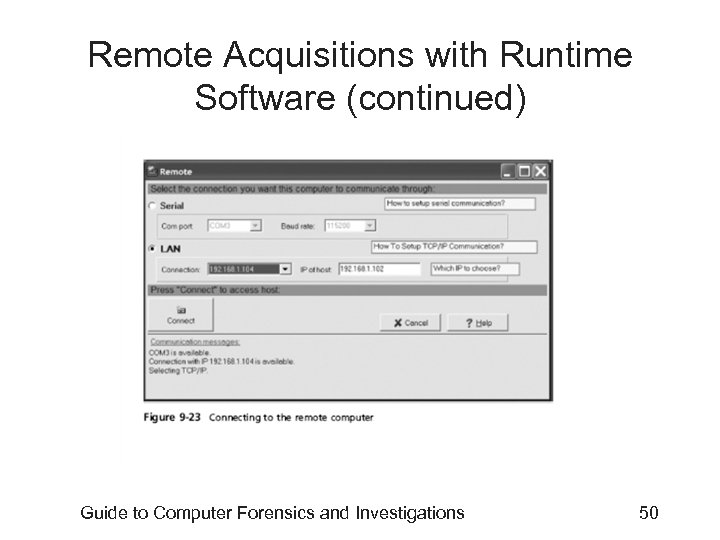
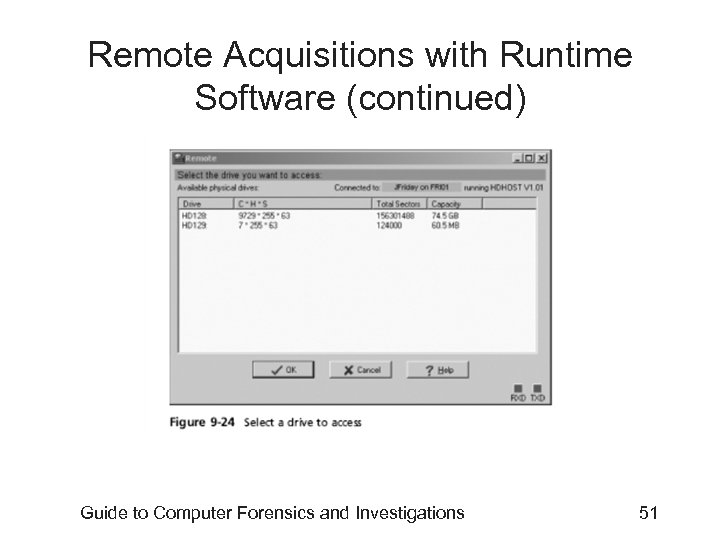
 Remote Acquisitions with Runtime Software (continued) • Making a remote connection with Disk. Explorer – Requires running HDHOST on a suspect’s computer – To establish a connection with HDHOST, the suspect’s computer must be: • Connected to the network • Powered on • Logged on to any user account with permission to run noninstalled applications – HDHOST can’t be run surreptitiously – See Figures 9 -18 through 9 -24 Guide to Computer Forensics and Investigations 44
 Guide to Computer Forensics and Investigations 45
 Remote Acquisitions with Runtime Software (continued) Guide to Computer Forensics and Investigations 46
 Remote Acquisitions with Runtime Software (continued) Guide to Computer Forensics and Investigations 47
 Remote Acquisitions with Runtime Software (continued) Guide to Computer Forensics and Investigations 48
 Remote Acquisitions with Runtime Software (continued) Guide to Computer Forensics and Investigations 49
 Remote Acquisitions with Runtime Software (continued) Guide to Computer Forensics and Investigations 50
 Remote Acquisitions with Runtime Software (continued) Guide to Computer Forensics and Investigations 51
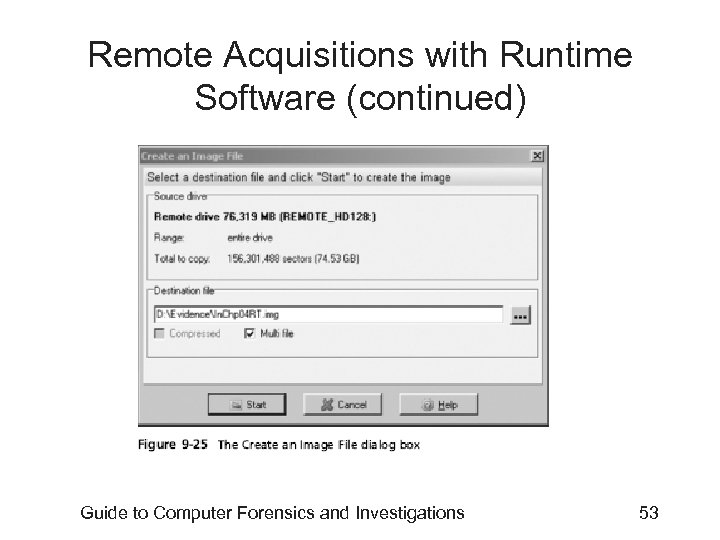
 Remote Acquisitions with Runtime Software (continued) • Making a remote acquisition with Disk. Explorer – After you have established a connection with Disk. Explorer from the acquisition workstation • You can navigate through the suspect computer’s files and folders or copy data – The Runtime tools don’t generate a hash for acquisitions Guide to Computer Forensics and Investigations 52
 Remote Acquisitions with Runtime Software (continued) Guide to Computer Forensics and Investigations 53
 Summary • Examining and analyzing digital evidence depends on the nature of the investigation and the amount of data you have to process • For most computer forensics investigations, you follow the same general procedures • One of the most critical aspects of computer forensics is validating digital evidence Guide to Computer Forensics and Investigations 54
 Summary (continued) • Data hiding involves changing or manipulating a file to conceal information • Remote acquisitions are useful for making an image of a drive when the computer is far away from your location or when you don’t want a suspect to be aware of an ongoing investigation Guide to Computer Forensics and Investigations 55