 Скачать презентацию Gu Wu Gubbs Watson Report Writing Solution Larry
8d92487bd16620aaba65b0122ecb1aaa.ppt
- Количество слайдов: 40



Gu. Wu™ Gubbs® Watson™ Report Writing Solution Larry E. Elvebak II, Ph. D. President Gubbs Inc. December 3, 2006 www. gubbsinc. com 1
Gu. Wu – Gubbs® Watson™ Report Writing Solution n n n Watson is an industry standard LIMS system used by laboratories that conduct protocol driven bioanalytical studies. Watson has limited tools for generating final reports, especially reports generated in support of FDA regulated studies. Most users resort to exporting Watson tables to Microsoft® Excel or Word for further statistical processing and/or Word formatting. The task of generating a complete report containing sufficient information requires more information and functionality than is currently available in Watson. Final Reports can typically take days to weeks to prepare Because of the uncontrolled and error-prone nature of manual cut/paste processes, a high level of QC and QA events is required to ensure all data is correct and accurate. 2
Gu. Wu – Gubbs® Watson™ Report Writing Solution n Gu. Wu allows: n n n Administrators to configure reports based on Gu. Wu configurations Users to generate reports with the click of a button. Companies to: n n n ELIMINATE COPY/PASTE EVENTS from their report writing processes Greatly reduce the time period associated with QC/QA events Greatly enhance the ability to produce reports in a timely manner 3
Pre Clinical Final Report Content n Body Portion n Contains sections such as: n n Abstract n Approval Method Discussion n Results Summaries Analytical Reference Standard Description Tables/Appendices/Figures n n Tables pasted from Watson or Excel Appendices/Figures inserted from graphic files or merged with pdf documents www. gubbsinc. com 4
Automated Report Bottlenecks n Not all information needed to generate reports is stored in Watson n n n Sample size units Anticoagulant Sponsor/client or inter company addresses Names of all individuals involved in study Certain statistical values Analytical Reference Standard information www. gubbsinc. com 5
Crystal Reports™ or Business Objects™? n Reasons why solutions like Crystal Reports are not practical: n n Crystal Report programmers hard to find Nature of multi analyte studies make database driven Crystal Reports solutions almost impossible n n E. g. Listing more than one analyte or describing summaries of more than one analyte Users don’t want an uneditable version of the final report n n Users want a Microsoft® Word document that can be further edited to accommodate slight changes in study information that can’t be captured in a template Users need to add figures and appendices www. gubbsinc. com 6
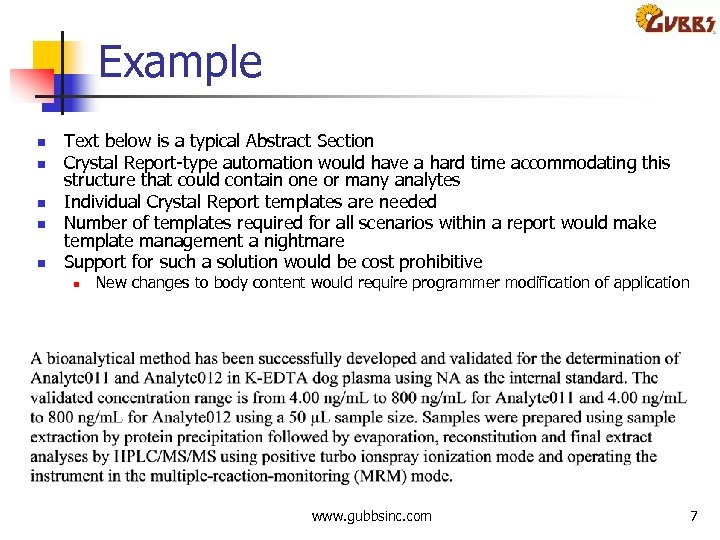
Example n n n Text below is a typical Abstract Section Crystal Report type automation would have a hard time accommodating this structure that could contain one or many analytes Individual Crystal Report templates are needed Number of templates required for all scenarios within a report would make template management a nightmare Support for such a solution would be cost prohibitive n New changes to body content would require programmer modification of application www. gubbsinc. com 7
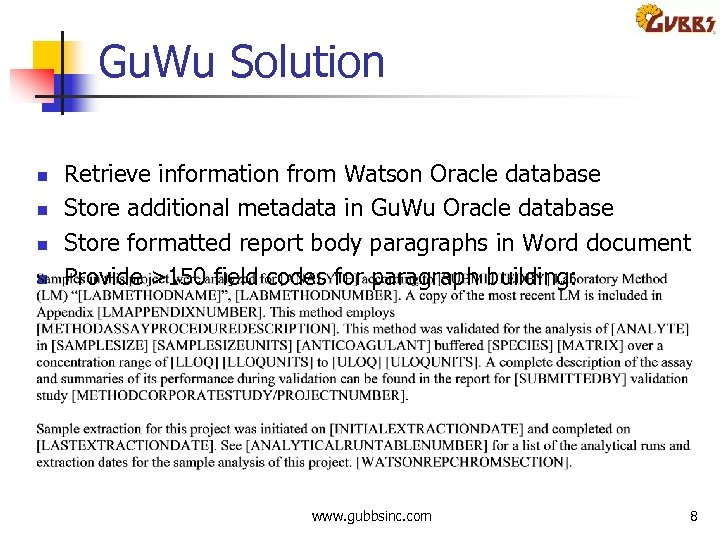
Gu. Wu Solution n n Retrieve information from Watson Oracle database Store additional metadata in Gu. Wu Oracle database Store formatted report body paragraphs in Word document Provide >150 field codes for paragraph building: www. gubbsinc. com 8
Gu. Wu Users n Project Scientists (for Method Validation studies) n n Project Managers n n To review study progress (Analytical Run Summary) Report Writers n n To assign samples to experiment (e. g. Stability, Recovery) To generate reports QA Departments n n To generate QA Event tables To view information within Watson corresponding to reports www. gubbsinc. com 9
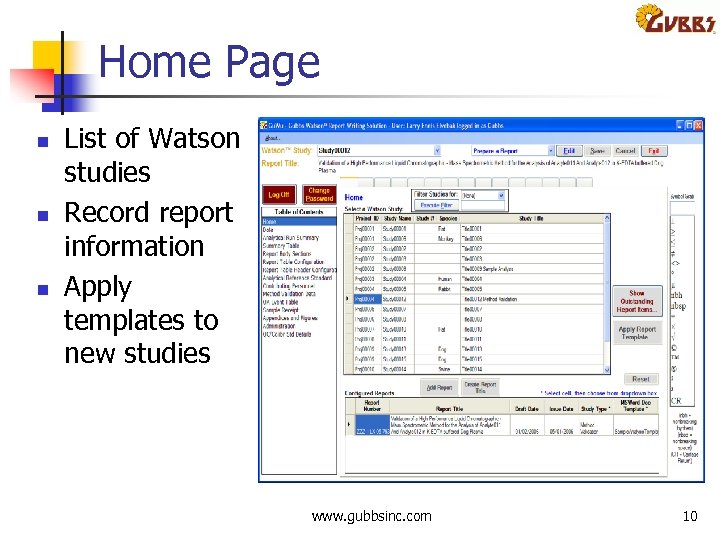
Home Page n n n List of Watson studies Record report information Apply templates to new studies www. gubbsinc. com 10
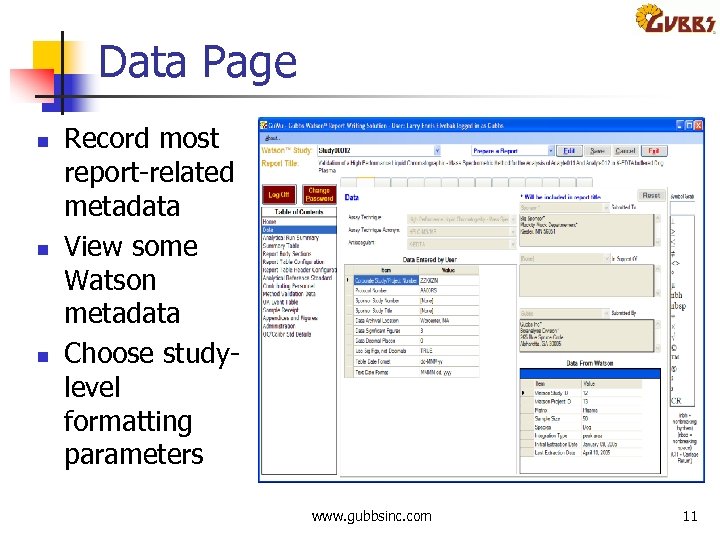
Data Page n n n Record most report related metadata View some Watson metadata Choose study level formatting parameters www. gubbsinc. com 11
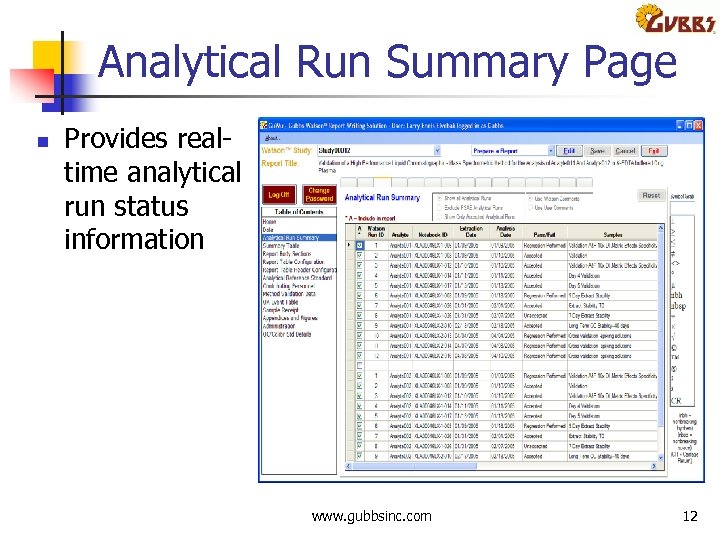
Analytical Run Summary Page n Provides real time analytical run status information www. gubbsinc. com 12
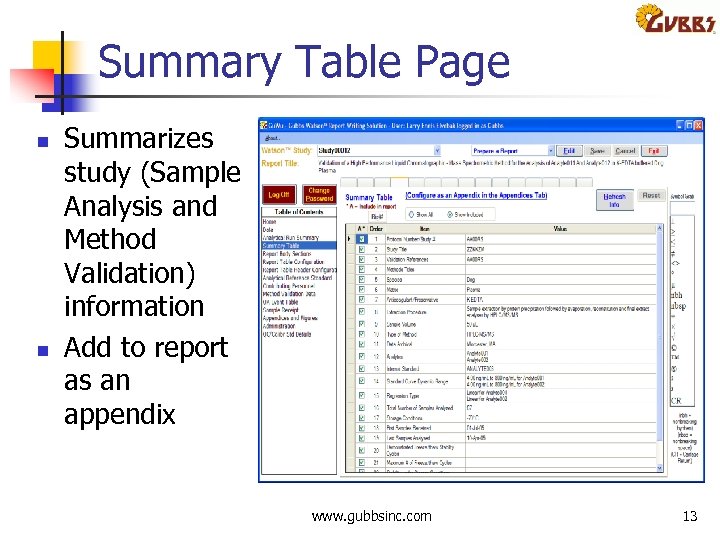
Summary Table Page n n Summarizes study (Sample Analysis and Method Validation) information Add to report as an appendix www. gubbsinc. com 13
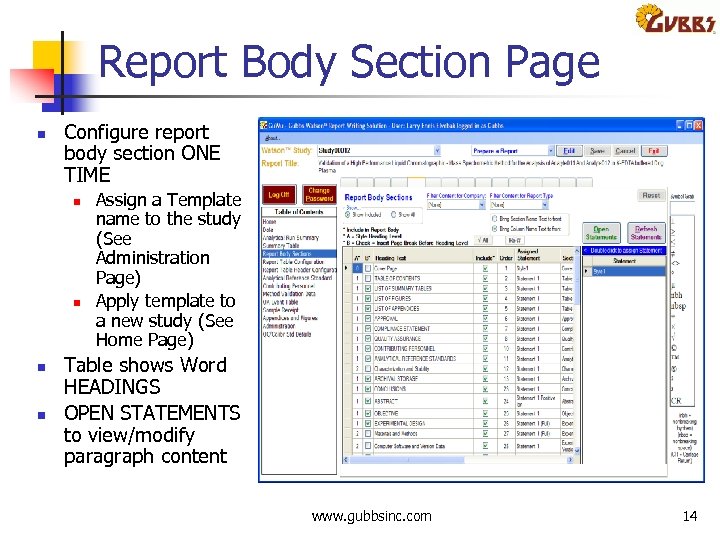
Report Body Section Page n Configure report body section ONE TIME n n Assign a Template name to the study (See Administration Page) Apply template to a new study (See Home Page) Table shows Word HEADINGS OPEN STATEMENTS to view/modify paragraph content www. gubbsinc. com 14
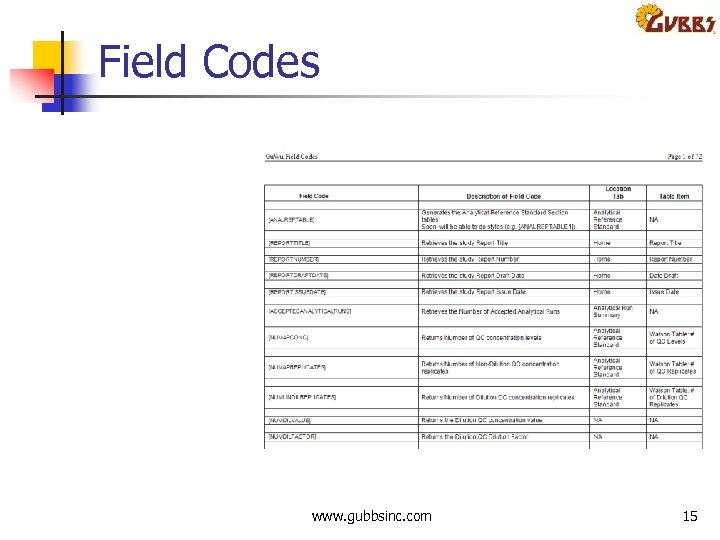
Field Codes www. gubbsinc. com 15
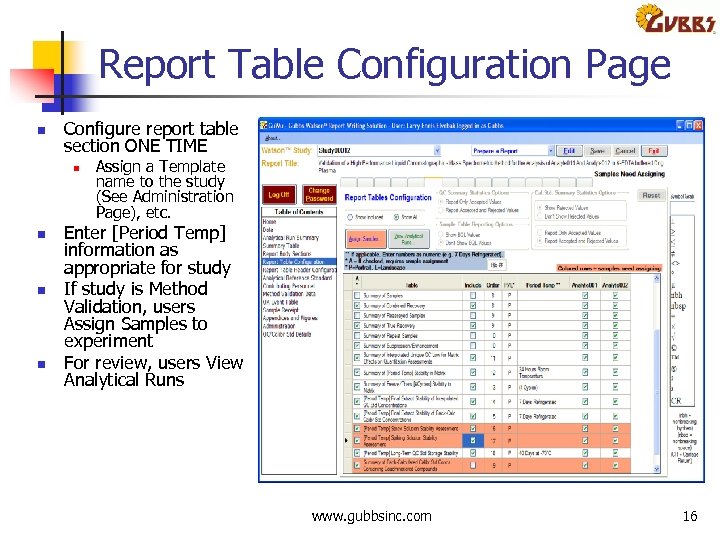
Report Table Configuration Page n Configure report table section ONE TIME n n Assign a Template name to the study (See Administration Page), etc. Enter [Period Temp] information as appropriate for study If study is Method Validation, users Assign Samples to experiment For review, users View Analytical Runs www. gubbsinc. com 16
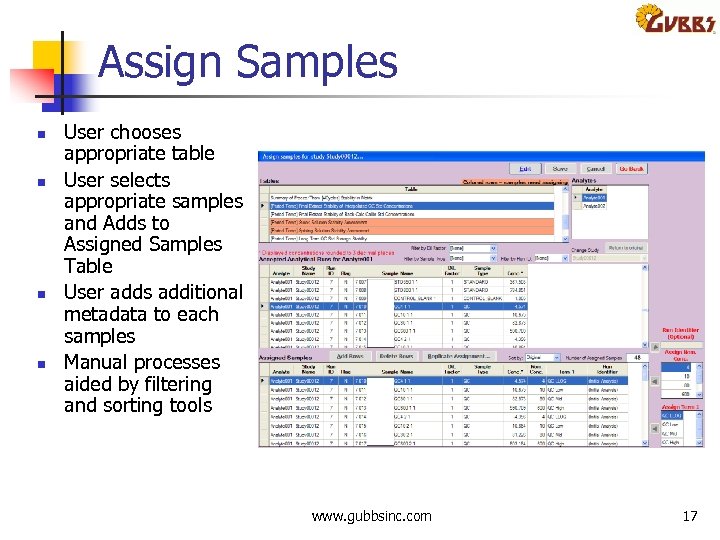
Assign Samples n n User chooses appropriate table User selects appropriate samples and Adds to Assigned Samples Table User adds additional metadata to each samples Manual processes aided by filtering and sorting tools www. gubbsinc. com 17
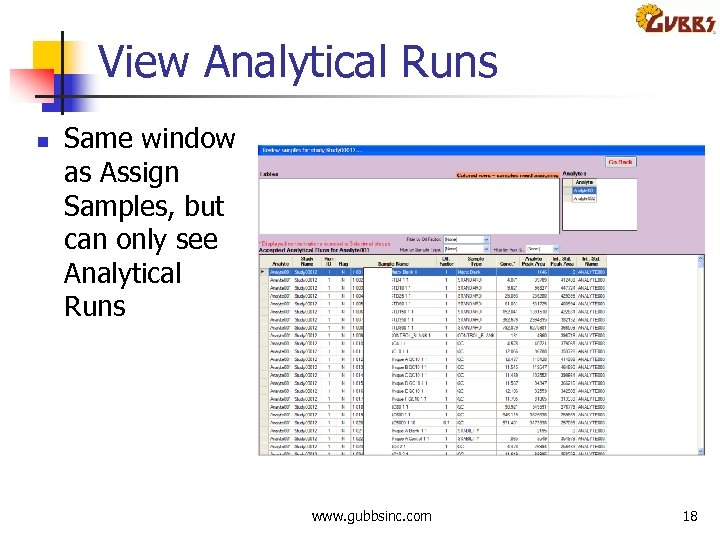
View Analytical Runs n Same window as Assign Samples, but can only see Analytical Runs www. gubbsinc. com 18
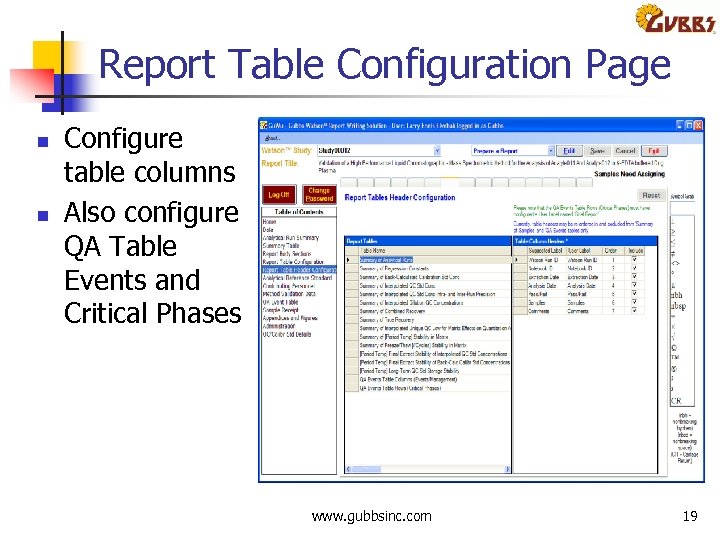
Report Table Configuration Page n n Configure table columns Also configure QA Table Events and Critical Phases www. gubbsinc. com 19
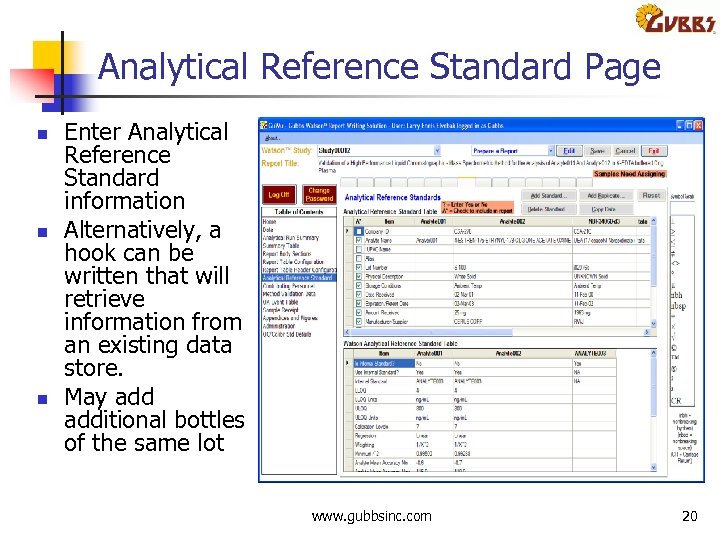
Analytical Reference Standard Page n n n Enter Analytical Reference Standard information Alternatively, a hook can be written that will retrieve information from an existing data store. May additional bottles of the same lot www. gubbsinc. com 20
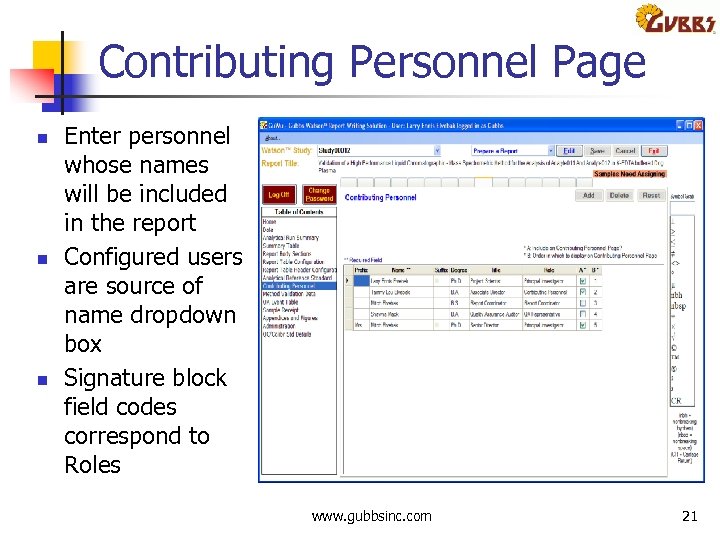
Contributing Personnel Page n n n Enter personnel whose names will be included in the report Configured users are source of name dropdown box Signature block field codes correspond to Roles www. gubbsinc. com 21
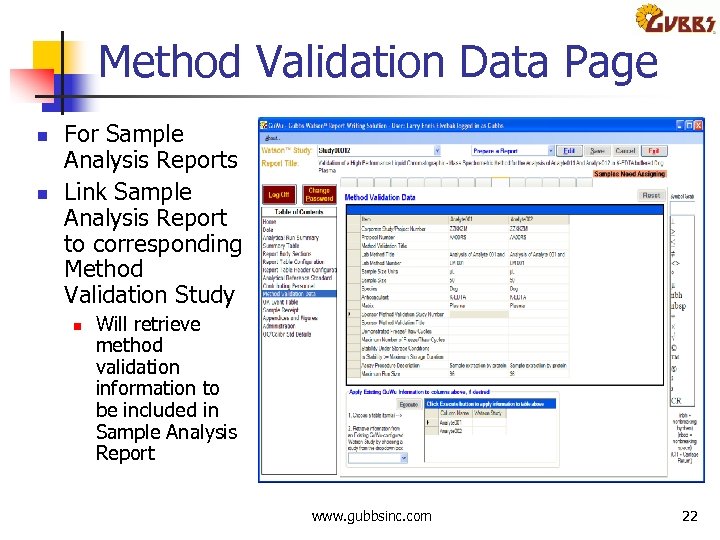
Method Validation Data Page n n For Sample Analysis Reports Link Sample Analysis Report to corresponding Method Validation Study n Will retrieve method validation information to be included in Sample Analysis Report www. gubbsinc. com 22
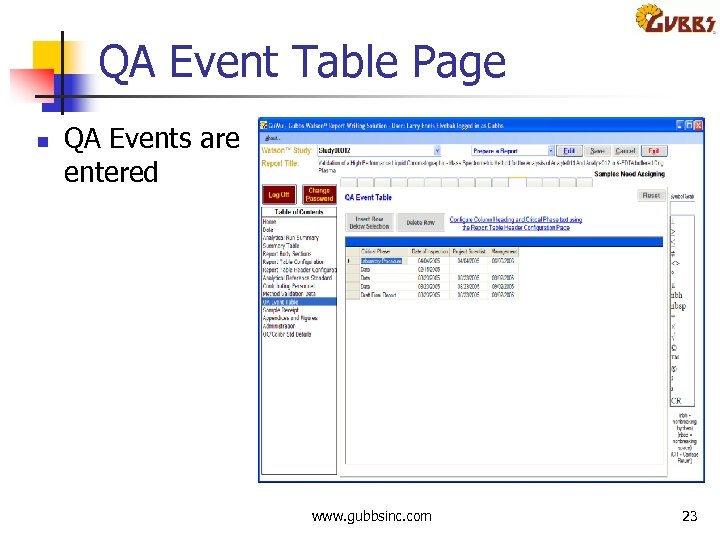
QA Event Table Page n QA Events are entered www. gubbsinc. com 23
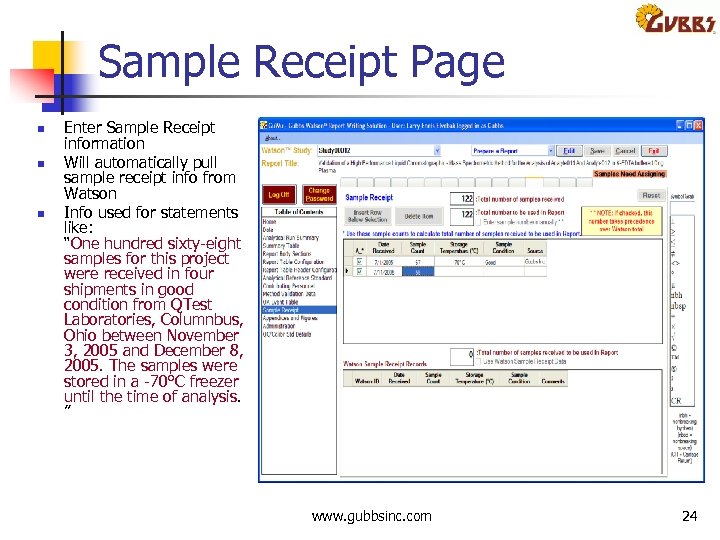
Sample Receipt Page n n n Enter Sample Receipt information Will automatically pull sample receipt info from Watson Info used for statements like: “One hundred sixty eight samples for this project were received in four shipments in good condition from QTest Laboratories, Columnbus, Ohio between November 3, 2005 and December 8, 2005. The samples were stored in a 70°C freezer until the time of analysis. ” www. gubbsinc. com 24
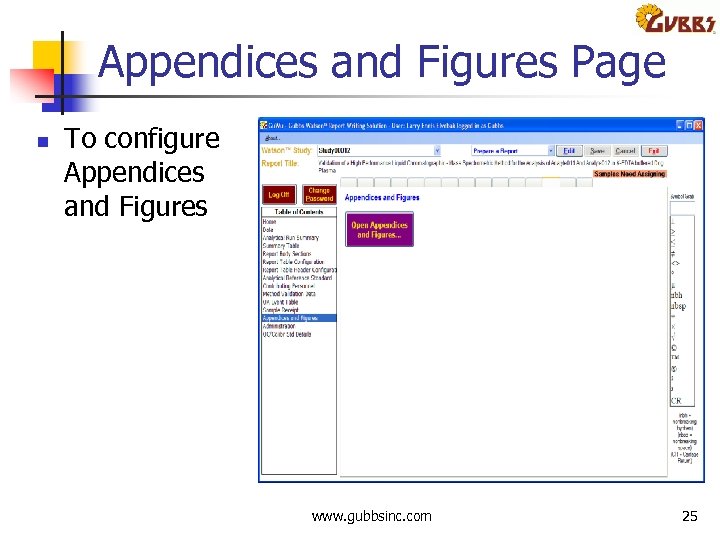
Appendices and Figures Page n To configure Appendices and Figures www. gubbsinc. com 25
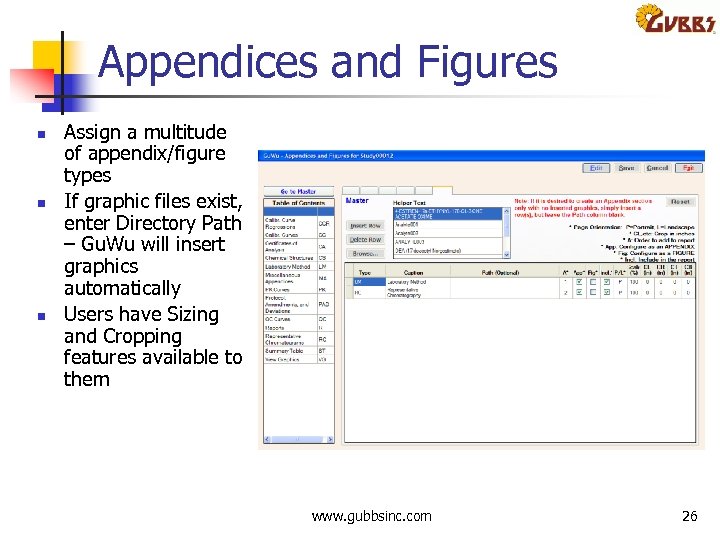
Appendices and Figures n n n Assign a multitude of appendix/figure types If graphic files exist, enter Directory Path – Gu. Wu will insert graphics automatically Users have Sizing and Cropping features available to them www. gubbsinc. com 26
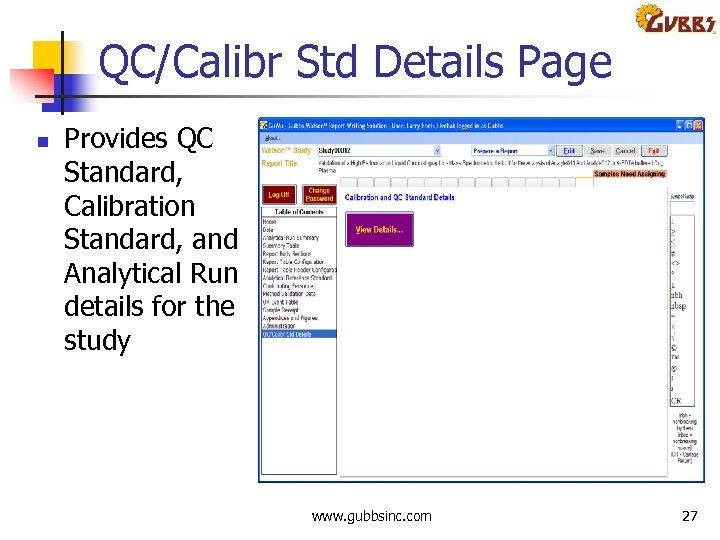
QC/Calibr Std Details Page n Provides QC Standard, Calibration Standard, and Analytical Run details for the study www. gubbsinc. com 27
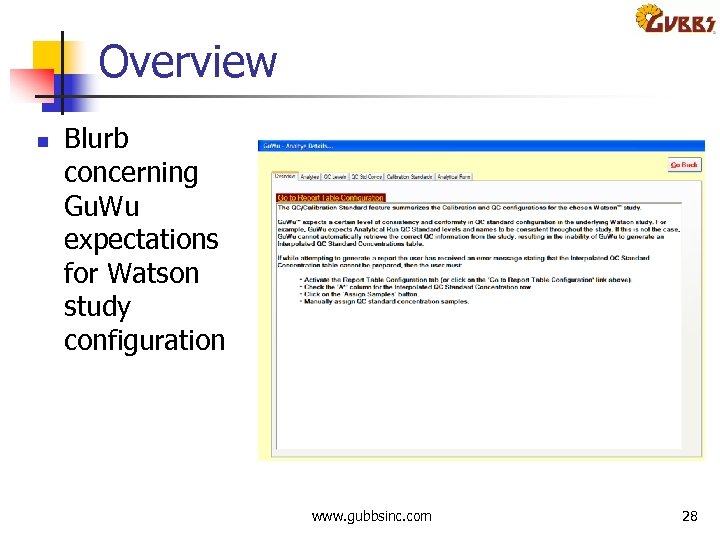
Overview n Blurb concerning Gu. Wu expectations for Watson study configuration www. gubbsinc. com 28
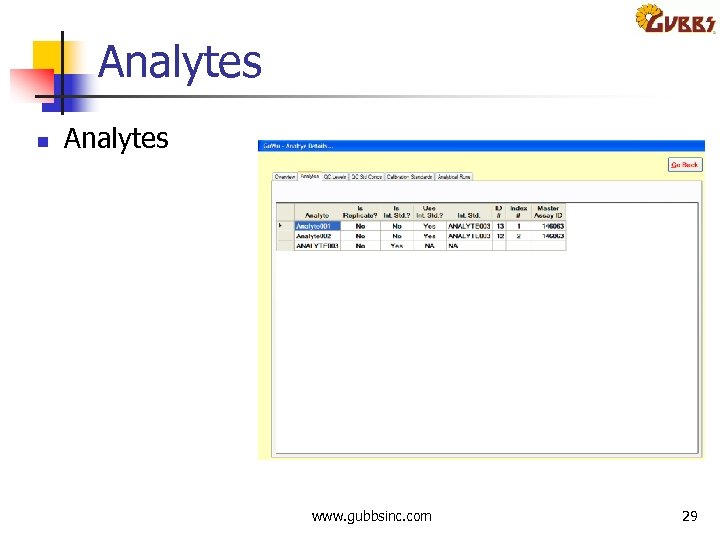
Analytes n Analytes www. gubbsinc. com 29
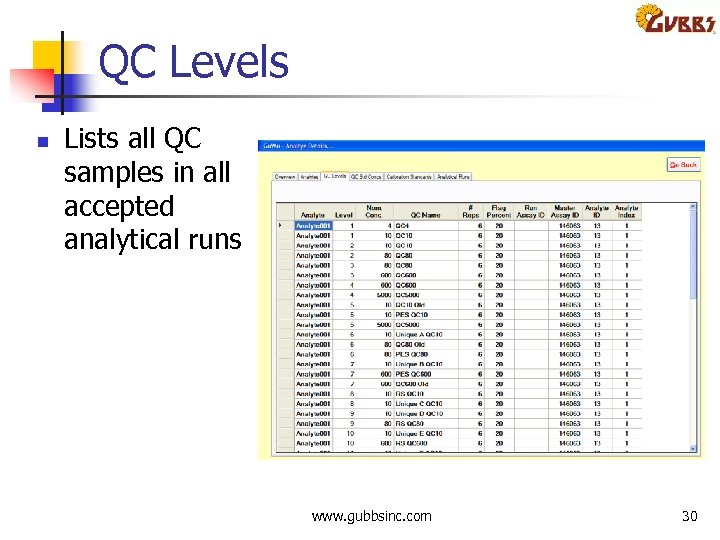
QC Levels n Lists all QC samples in all accepted analytical runs www. gubbsinc. com 30
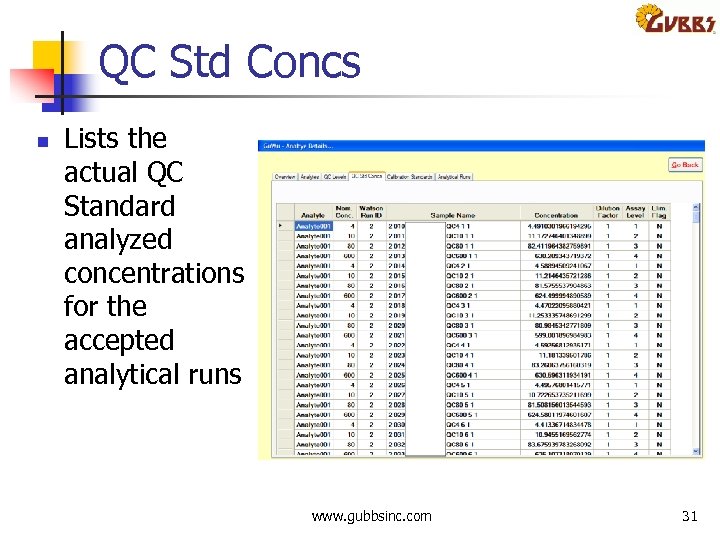
QC Std Concs n Lists the actual QC Standard analyzed concentrations for the accepted analytical runs www. gubbsinc. com 31
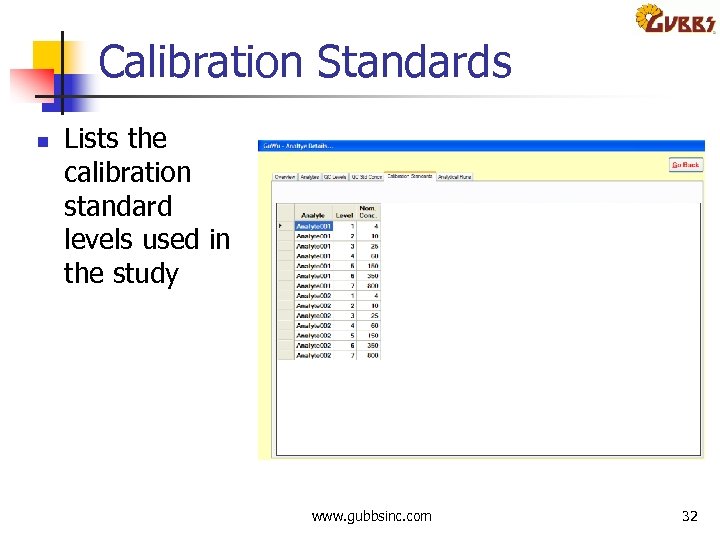
Calibration Standards n Lists the calibration standard levels used in the study www. gubbsinc. com 32
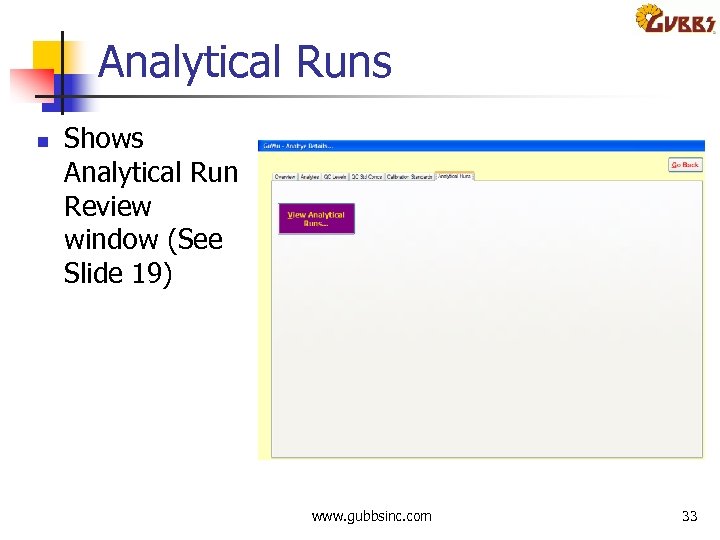
Analytical Runs n Shows Analytical Run Review window (See Slide 19) www. gubbsinc. com 33
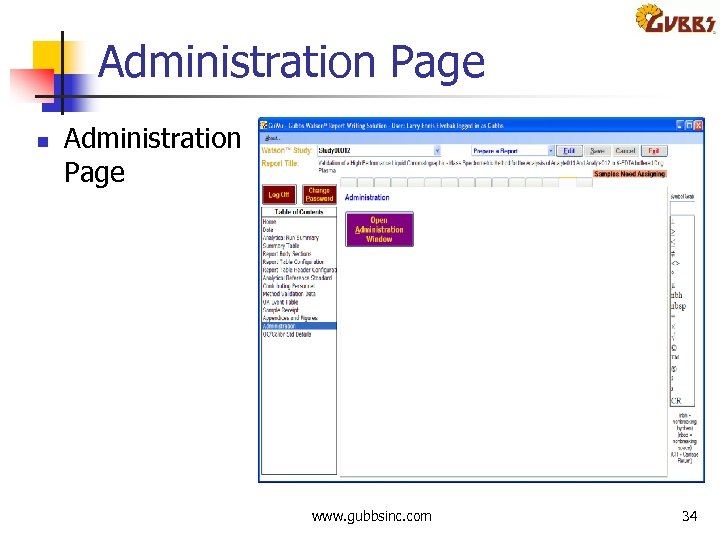
Administration Page n Administration Page www. gubbsinc. com 34
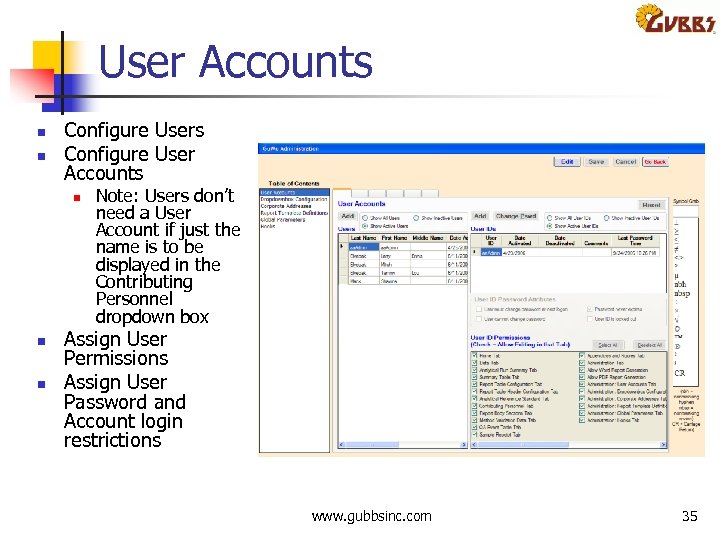
User Accounts n n Configure Users Configure User Accounts n n n Note: Users don’t need a User Account if just the name is to be displayed in the Contributing Personnel dropdown box Assign User Permissions Assign User Password and Account login restrictions www. gubbsinc. com 35
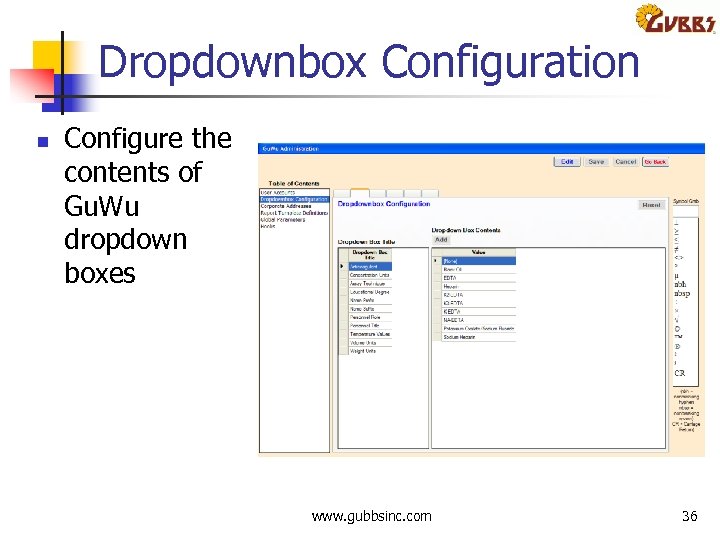
Dropdownbox Configuration n Configure the contents of Gu. Wu dropdown boxes www. gubbsinc. com 36
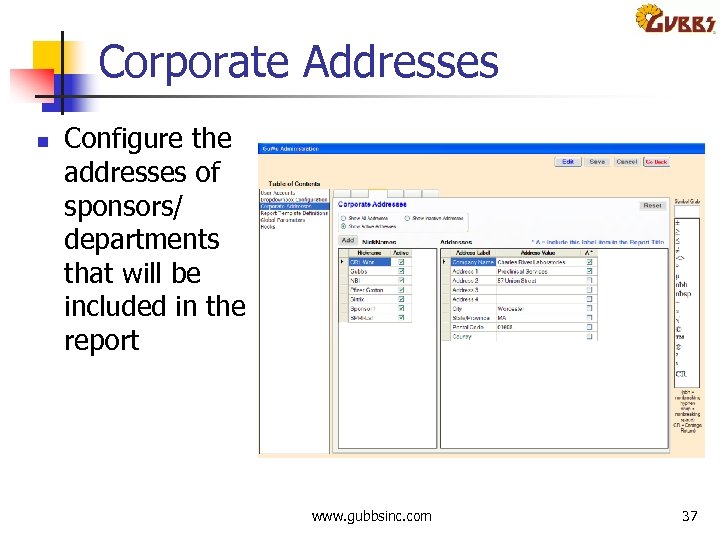
Corporate Addresses n Configure the addresses of sponsors/ departments that will be included in the report www. gubbsinc. com 37
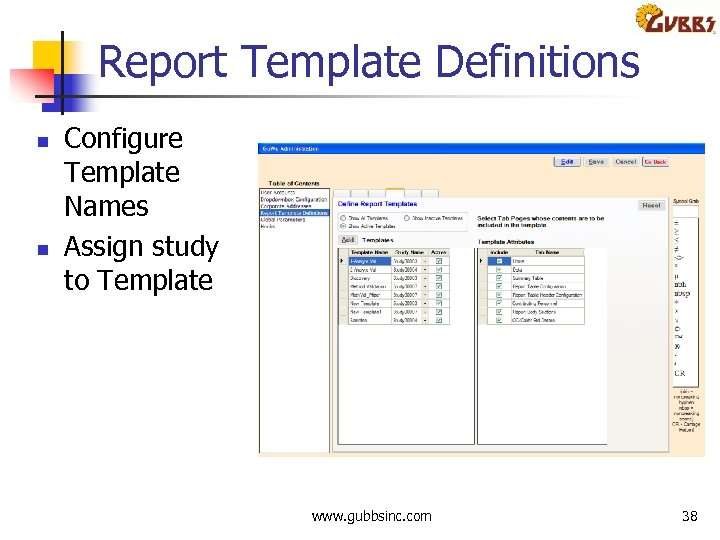
Report Template Definitions n n Configure Template Names Assign study to Template www. gubbsinc. com 38
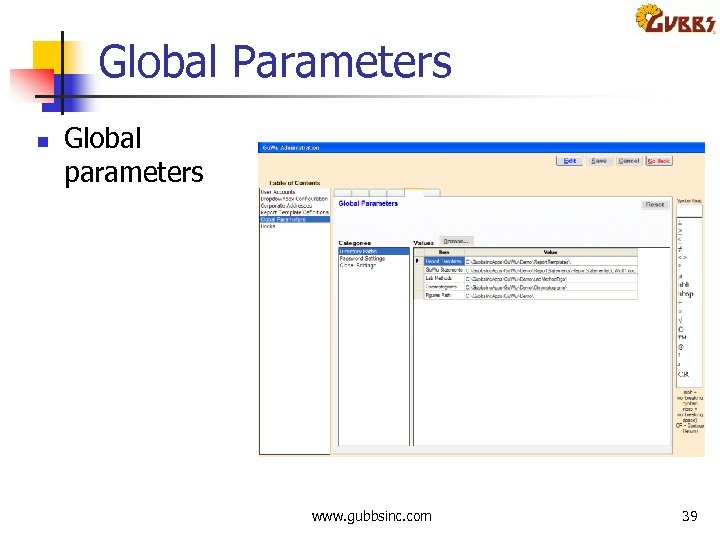
Global Parameters n Global parameters www. gubbsinc. com 39
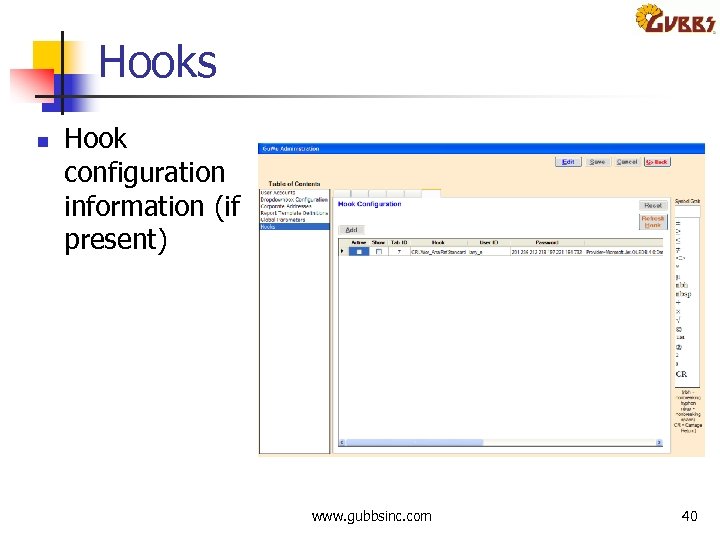
Hooks n Hook configuration information (if present) www. gubbsinc. com 40
Скачать презентацию Gu Wu Gubbs Watson Report Writing Solution Larry
8d92487bd16620aaba65b0122ecb1aaa.ppt