


 Скачать презентацию GROWING MARKET SEGMENT Enterprise Spending 2004 -2009 CAGR
59c511f585db69b61fd41f9bbe275039.ppt
- Количество слайдов: 15
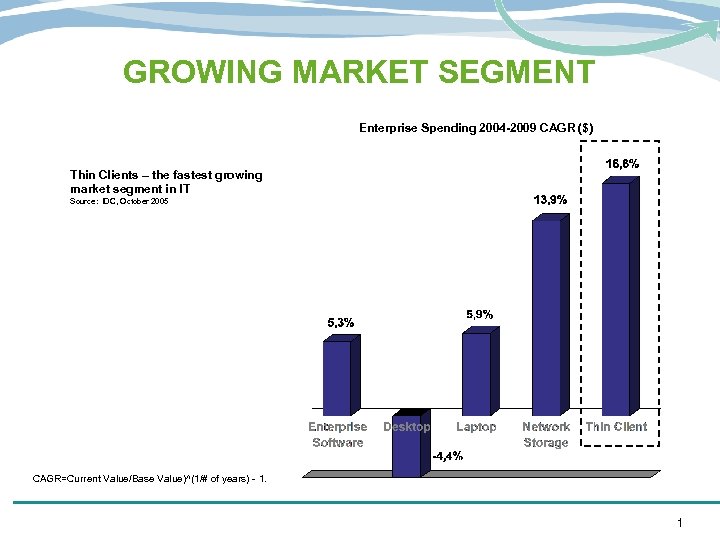 GROWING MARKET SEGMENT Enterprise Spending 2004 -2009 CAGR ($) Thin Clients – the fastest growing market segment in IT Source: IDC, October 2005 CAGR=Current Value/Base Value)^(1/# of years) - 1. 1
 WHY THIN CLIENTS BY LENOVO? • Cost Saving (support, remote administration) vs PC in server-based infrastructure – customers want them • Customers using Citrix server software will to 90% install Thin Clients, no PCs • We have ADVANTAGES vs. all other PC vendors: - sell through existing source (Lenovo) - get support by a 100% TC vendor 2
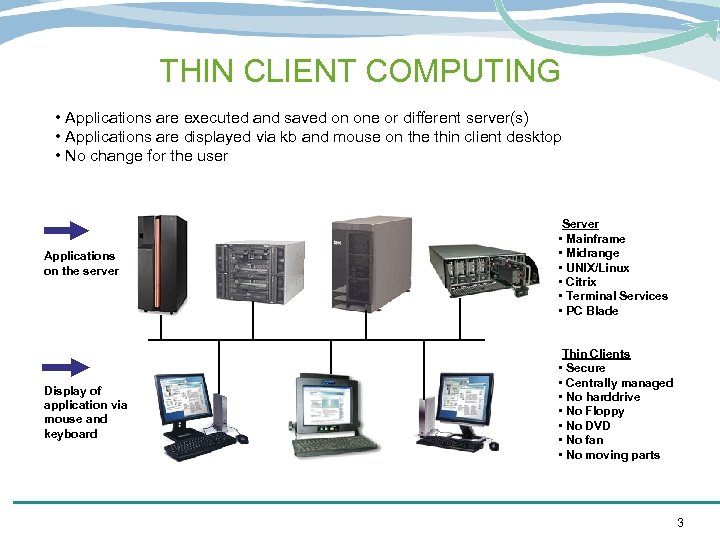 THIN CLIENT COMPUTING • Applications are executed and saved on one or different server(s) • Applications are displayed via kb and mouse on the thin client desktop • No change for the user Applications on the server Display of application via mouse and keyboard Server • Mainframe • Midrange • UNIX/Linux • Citrix • Terminal Services • PC Blade Thin Clients • Secure • Centrally managed • No harddrive • No Floppy • No DVD • No fan • No moving parts 3
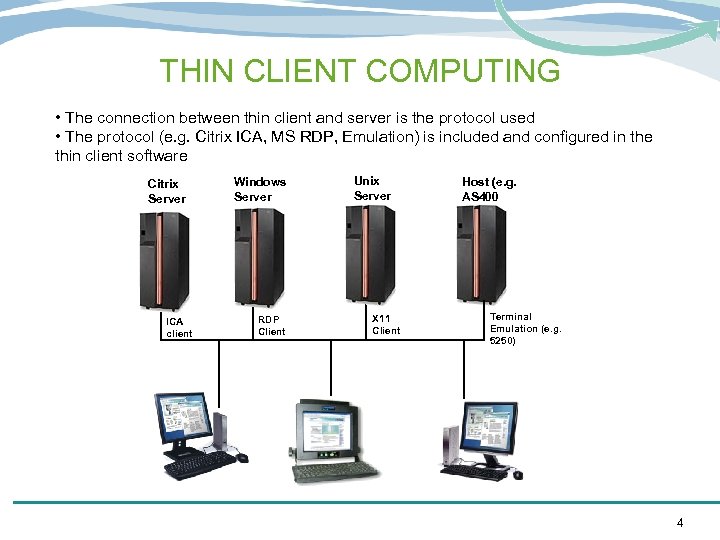 THIN CLIENT COMPUTING • The connection between thin client and server is the protocol used • The protocol (e. g. Citrix ICA, MS RDP, Emulation) is included and configured in the thin client software Citrix Server ICA client Windows Server RDP Client Unix Server X 11 Client Host (e. g. AS 400 Terminal Emulation (e. g. 5250) 4
 TYPICAL WORKPLACES & REASONS FOR THIN CLIENTS Standard Office workplaces (non-power user) - Data Security (no local data) - Central Virus Control (on the server) - Easy use (no knowledge of OS necessary) - No Heat, no sound (as no fan) - small size Who would buy? Any sector with more than 10 units. Especially large insurances, banking sector, healthcare. Typical customer requirements? Citrix ICA or MS RDP Client. Dual Head option. 5
 TYPICAL WORKPLACES & REASONS FOR THIN CLIENTS Replacement of classical terminals (Green Screens, e. g. Wyse, VT Terminals) - Already use host emulation for host access - Easy replacement - User does not need any training Who would buy? Especially Retail and public sector; any customer requiring host access. Many times these customers also want to access a Citrix or Windows Server nowadays. Typical customer requirements? 3270/5250 emulation. VT emulation or other. In addition Citrix ICA or RDP. 6
 TYPICAL WORKPLACES & REASONS FOR THIN CLIENTS Browser Terminals / Kiosk Workplaces • Workplaces require standardised hardware and software • Central remote management important. • Central virus protection (on the server) Who would buy? Any customer with remote workplaces or workplaces at counters, e. g. retail sector. Typical customer requirements? Local browser including plugins. In addition VPN Client, ISDN/DSL support. Citrix ICA or RDP. 7
 TYPICAL WORKPLACES & REASONS FOR THIN CLIENTS Difficult environments (e. g. production lines) - Reliable against dust, heat or cold - Easy use Who would buy? Any customer with difficult environmental conditions. Typical customer requirements? Citrix ICA or RDP. In addition sometimes host access. 8
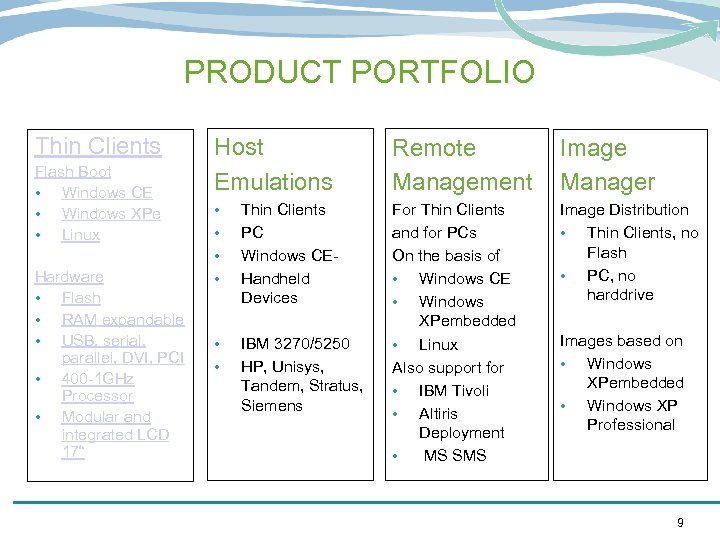 PRODUCT PORTFOLIO Thin Clients Flash Boot • Windows CE • Windows XPe • Linux Hardware • Flash • RAM expandable • USB, serial, parallel, DVI, PCI • 400 -1 GHz Processor • Modular and integrated LCD 17“ Host Emulations Remote Management Image Manager • • Thin Clients PC Windows CEHandheld Devices Image Distribution • Thin Clients, no Flash • PC, no harddrive • • IBM 3270/5250 HP, Unisys, Tandem, Stratus, Siemens For Thin Clients and for PCs On the basis of • Windows CE • Windows XPembedded • Linux Also support for • IBM Tivoli • Altiris Deployment • MS SMS Images based on • Windows XPembedded • Windows XP Professional 9
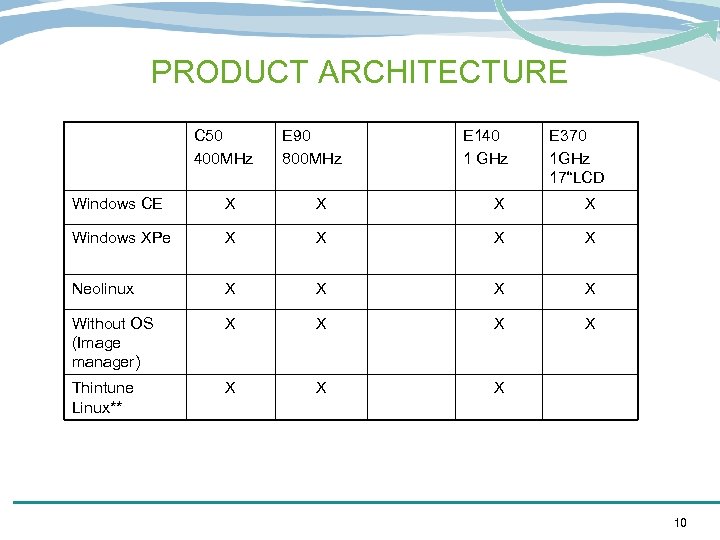 PRODUCT ARCHITECTURE C 50 400 MHz E 90 800 MHz E 140 1 GHz E 370 1 GHz 17“LCD Windows CE X X Windows XPe X X Neolinux X X Without OS (Image manager) X X Thintune Linux** X X X 10
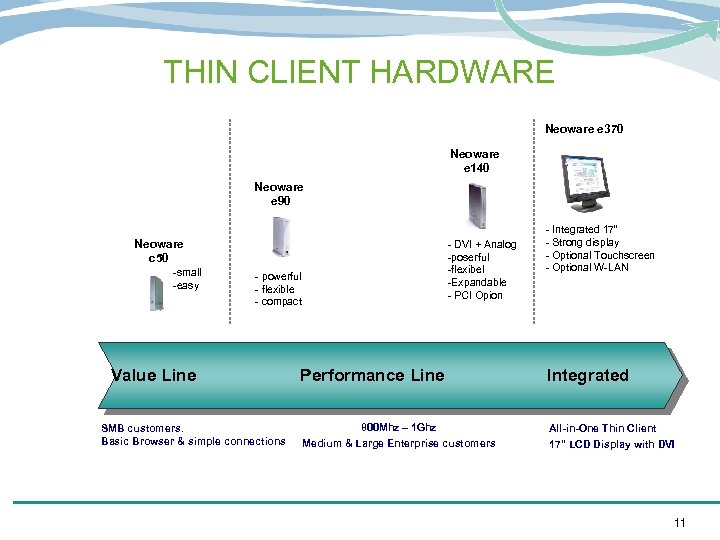 THIN CLIENT HARDWARE Neoware e 370 Neoware e 140 Neoware e 90 Neoware c 50 -small -easy - DVI + Analog -poserful -flexibel -Expandable - PCI Opion - powerful - flexible - compact Value Line SMB customers. Basic Browser & simple connections - Integrated 17” - Strong display - Optional Touchscreen - Optional W-LAN Performance Line Integrated 800 Mhz – 1 Ghz Medium & Large Enterprise customers All-in-One Thin Client 17” LCD Display with DVI 11
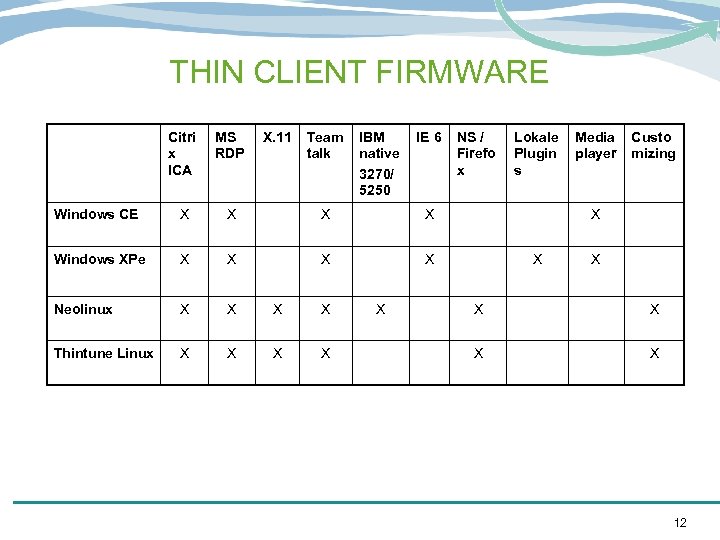 THIN CLIENT FIRMWARE Citri x ICA MS RDP X. 11 Team talk IBM native 3270/ 5250 Windows CE X X Windows XPe X X Neolinux X X Thintune Linux X X X IE 6 NS / Firefo x Lokale Plugin s Media player Custo mizing X X X X 12
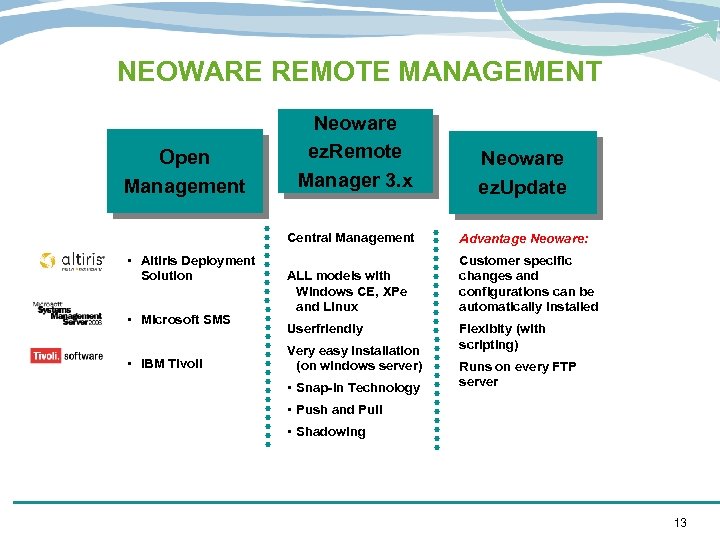 NEOWARE REMOTE MANAGEMENT Open Management Neoware ez. Remote Manager 3. x Neoware ez. Update Central Management • Altiris Deployment Solution • Microsoft SMS • IBM Tivoli Advantage Neoware: ALL models with Windows CE, XPe and Linux Customer specific changes and configurations can be automatically installed Userfriendly Very easy installation (on windows server) • Snap-in Technology Flexibity (with scripting) Runs on every FTP server • Push and Pull • Shadowing 13
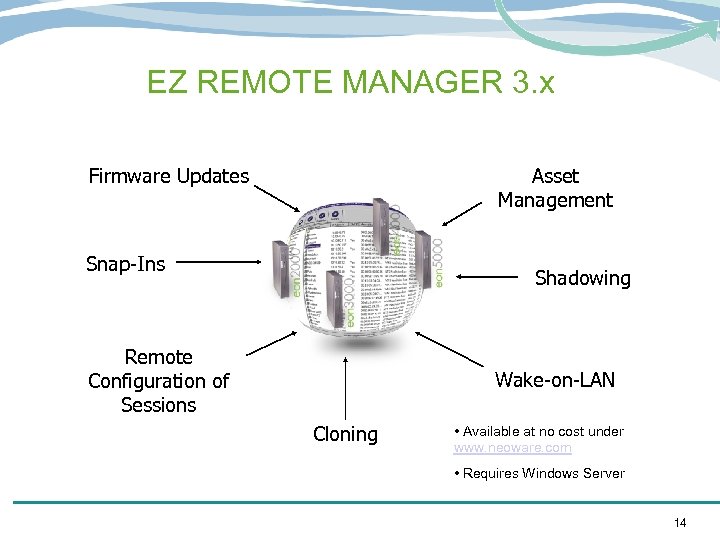 EZ REMOTE MANAGER 3. x Firmware Updates Asset Management Snap-Ins Shadowing Remote Configuration of Sessions Wake-on-LAN Cloning • Available at no cost under www. neoware. com • Requires Windows Server 14
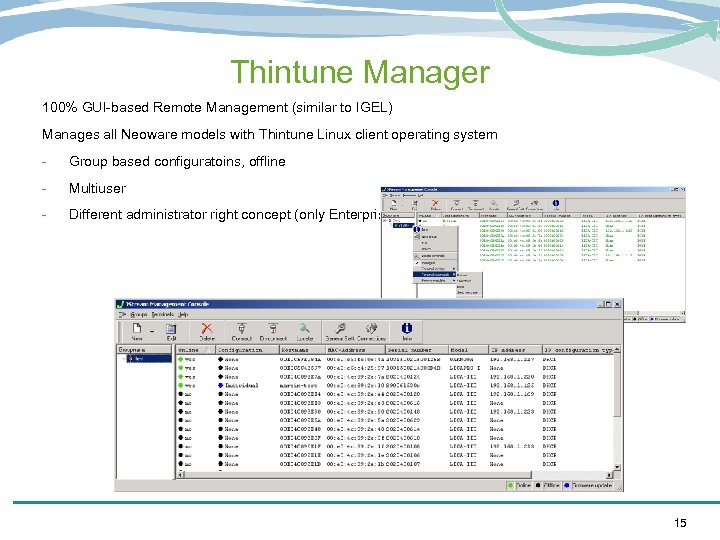 Thintune Manager 100% GUI-based Remote Management (similar to IGEL) Manages all Neoware models with Thintune Linux client operating system - Group based configuratoins, offline - Multiuser - Different administrator right concept (only Enterprise version) 15