 Скачать презентацию GROUP-BUYING Placing Promotional Product Orders through STEP
9f2afd32be96fd79384a2afdd2fae951.ppt
- Количество слайдов: 12



GROUP-BUYING Placing Promotional Product Orders through
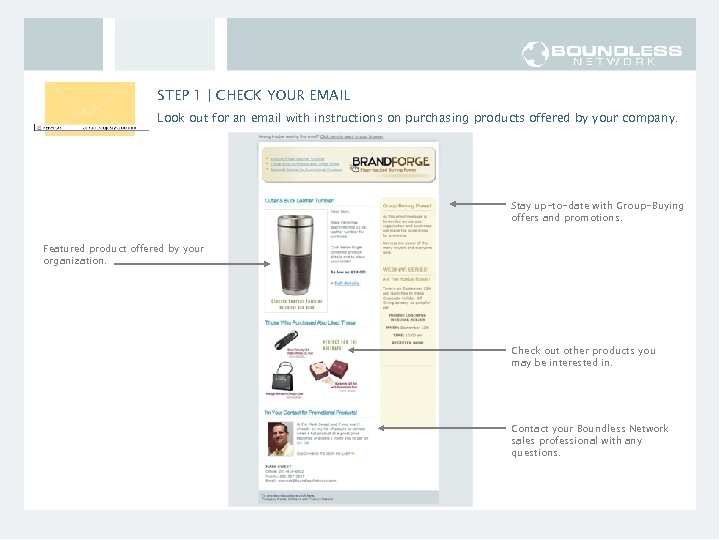
STEP 1 | CHECK YOUR EMAIL Look out for an email with instructions on purchasing products offered by your company. Stay up-to-date with Group-Buying offers and promotions. Featured product offered by your organization. Check out other products you may be interested in. Contact your Boundless Network sales professional with any questions.
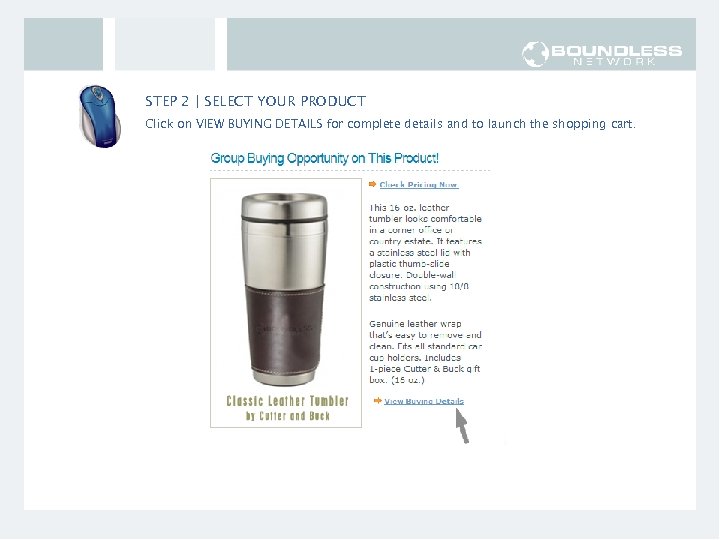
STEP 2 | SELECT YOUR PRODUCT Click on VIEW BUYING DETAILS for complete details and to launch the shopping cart.
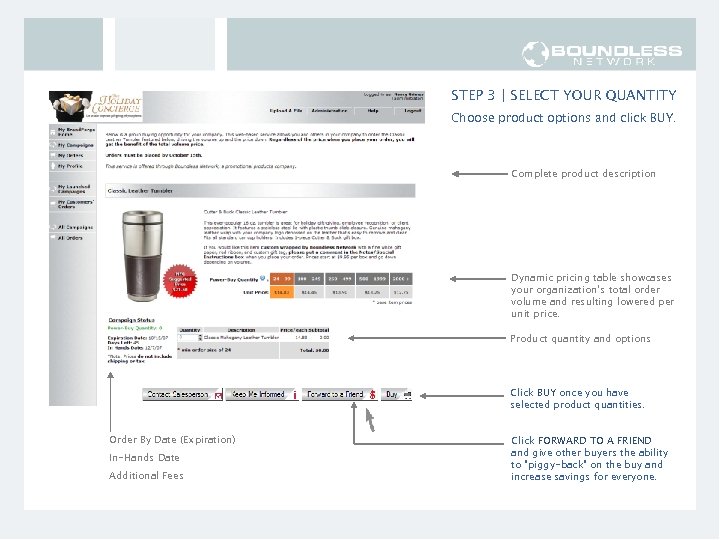
STEP 3 | SELECT YOUR QUANTITY Choose product options and click BUY. Complete product description Dynamic pricing table showcases your organization’s total order volume and resulting lowered per unit price. Product quantity and options Click BUY once you have selected product quantities. Order By Date (Expiration) In-Hands Date Additional Fees Click FORWARD TO A FRIEND and give other buyers the ability to “piggy-back” on the buy and increase savings for everyone.
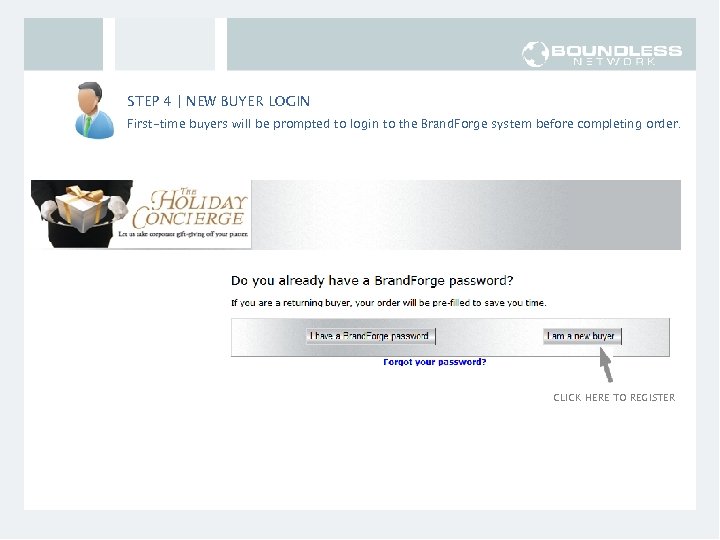
STEP 4 | NEW BUYER LOGIN First-time buyers will be prompted to login to the Brand. Forge system before completing order. CLICK HERE TO REGISTER
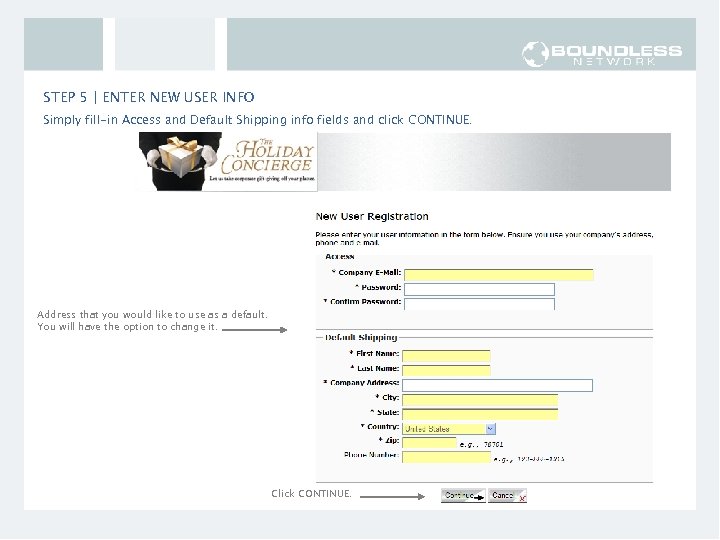
STEP 5 | ENTER NEW USER INFO Simply fill-in Access and Default Shipping info fields and click CONTINUE. Address that you would like to use as a default. You will have the option to change it. Click CONTINUE.
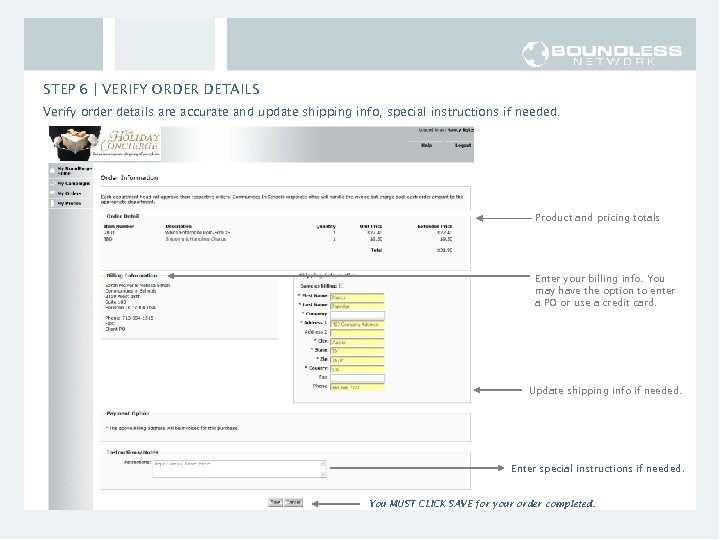
STEP 6 | VERIFY ORDER DETAILS Verify order details are accurate and update shipping info, special instructions if needed. Product and pricing totals Enter your billing info. You may have the option to enter a PO or use a credit card. Update shipping info if needed. Enter your Department Name here so your order will be approved! Enter special instructions if needed. You MUST CLICK SAVE for your order completed.
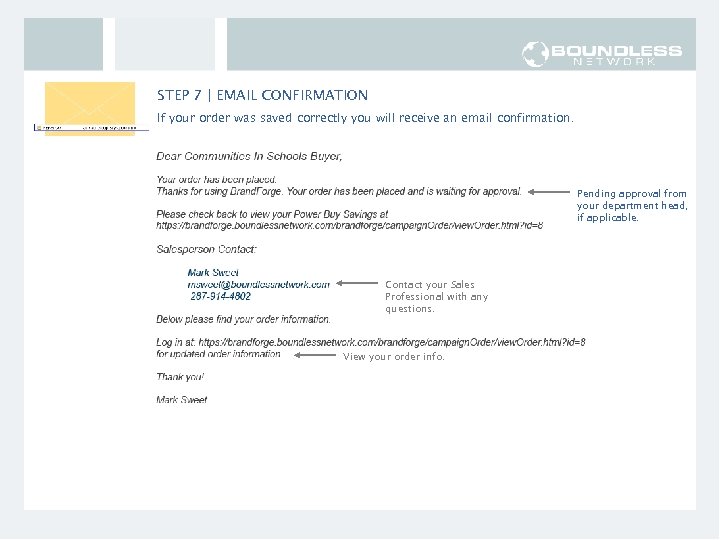
STEP 7 | EMAIL CONFIRMATION If your order was saved correctly you will receive an email confirmation. Pending approval from your department head, if applicable. Contact your Sales Professional with any questions. View your order info.
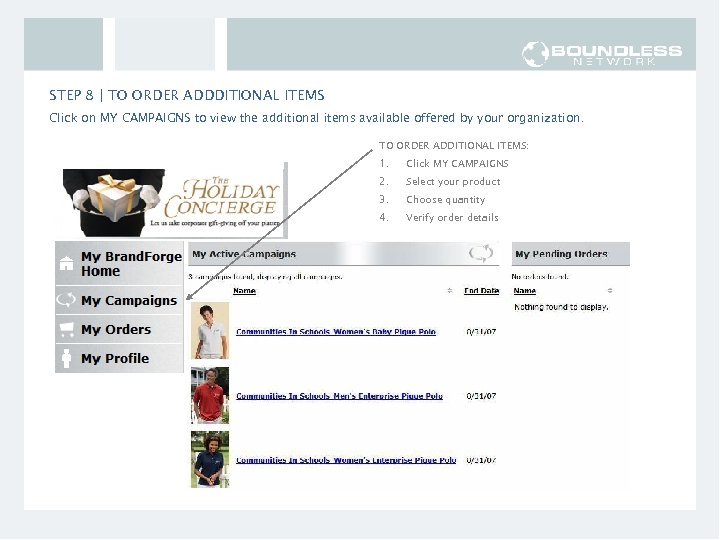
STEP 8 | TO ORDER ADDDITIONAL ITEMS Click on MY CAMPAIGNS to view the additional items available offered by your organization. TO ORDER ADDITIONAL ITEMS: 1. Click MY CAMPAIGNS 2. Select your product 3. Choose quantity 4. Verify order details
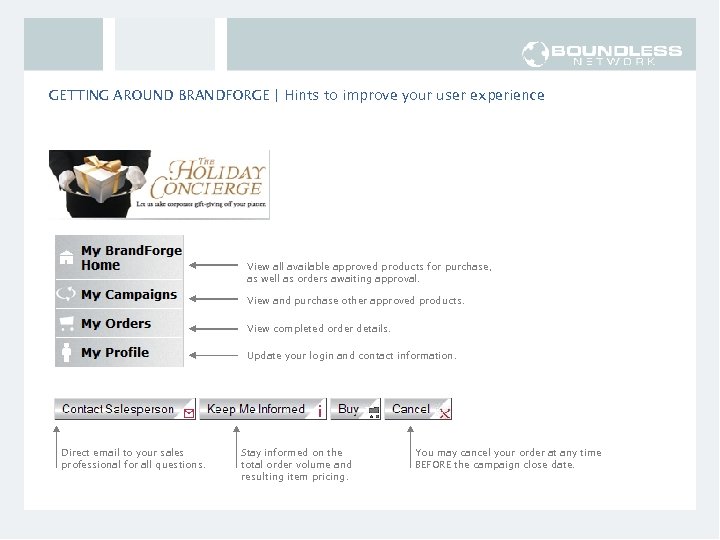
GETTING AROUND BRANDFORGE | Hints to improve your user experience View all available approved products for purchase, as well as orders awaiting approval. View and purchase other approved products. View completed order details. Update your login and contact information. Direct email to your sales professional for all questions. Stay informed on the total order volume and resulting item pricing. You may cancel your order at any time BEFORE the campaign close date.
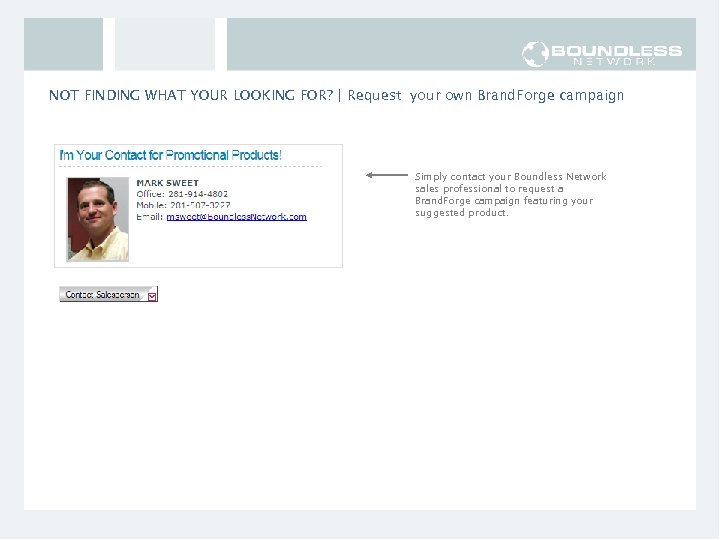
NOT FINDING WHAT YOUR LOOKING FOR? | Request your own Brand. Forge campaign Simply contact your Boundless Network sales professional to request a Brand. Forge campaign featuring your suggested product.
GROUP-BUYING Placing Promotional Product Orders through Please contact your Boundless Network sales professional with any questions or suggestions.
Скачать презентацию GROUP-BUYING Placing Promotional Product Orders through STEP
9f2afd32be96fd79384a2afdd2fae951.ppt