 Скачать презентацию GRID Tutorial Trieste Italy 15 -18 September 2008
4bb6d56ef9ded6cfacb6fba013696c04.ppt
- Количество слайдов: 42



GRID Tutorial Trieste, Italy 15 -18 September 2008 Implementation of the ABC Quantum Mechanical Reactive Scattering Program on the EGEE Grid Platform Alessandro Costantini 1, Dimitrios Skouteris 1, Osvaldo Gervasi 1, Antonio Lagana 1, Gergely Sipos 2, Akos Balasko 2, Peter Kacsuk 2, Aurelio Rodriguez 3, Eduardo Gutierrez 3, Andres Gomez 3 1 University of Perugia, Italy 2 MTA SZTAKI, Budapest, Hungary 3 CESGA, Santiago de Compostela, Spain alex@dyn. unipg. it
Summary ABC reactive scattering code: computational aspects Gridification and submission: – CLI on a UI machine Services and web visualization tools for ABC code – P-GRADE Grid Portal Conclusions A. Costantini, A. Laganà et al. GRID Tutorial, Trieste (Italy) 15 -18 September 2008 2
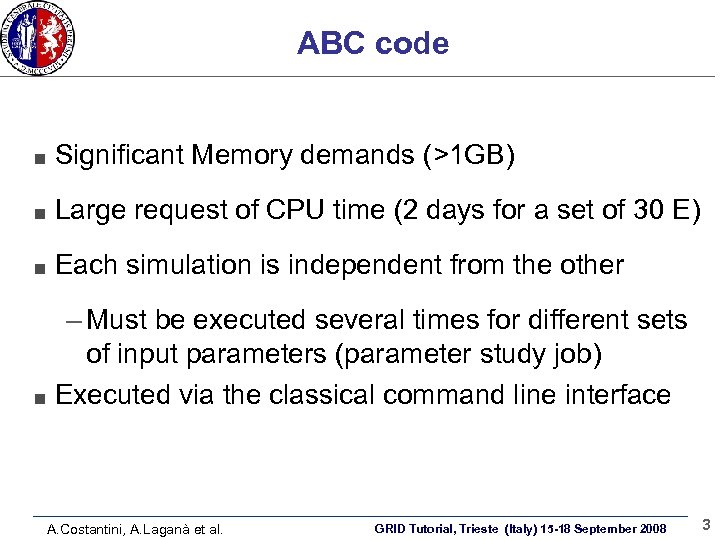
ABC code Significant Memory demands (>1 GB) Large request of CPU time (2 days for a set of 30 E) Each simulation is independent from the other – Must be executed several times for different sets of input parameters (parameter study job) Executed via the classical command line interface A. Costantini, A. Laganà et al. GRID Tutorial, Trieste (Italy) 15 -18 September 2008 3
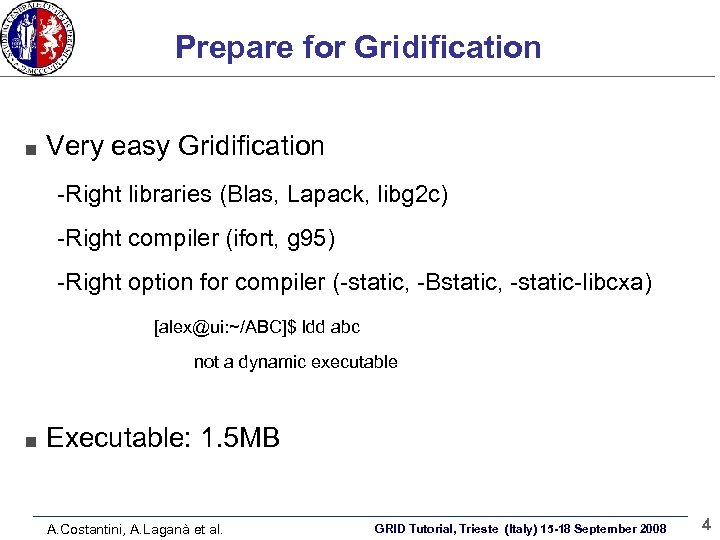
Prepare for Gridification Very easy Gridification -Right libraries (Blas, Lapack, libg 2 c) -Right compiler (ifort, g 95) -Right option for compiler (-static, -Bstatic, -static-libcxa) [alex@ui: ~/ABC]$ ldd abc not a dynamic executable Executable: 1. 5 MB A. Costantini, A. Laganà et al. GRID Tutorial, Trieste (Italy) 15 -18 September 2008 4
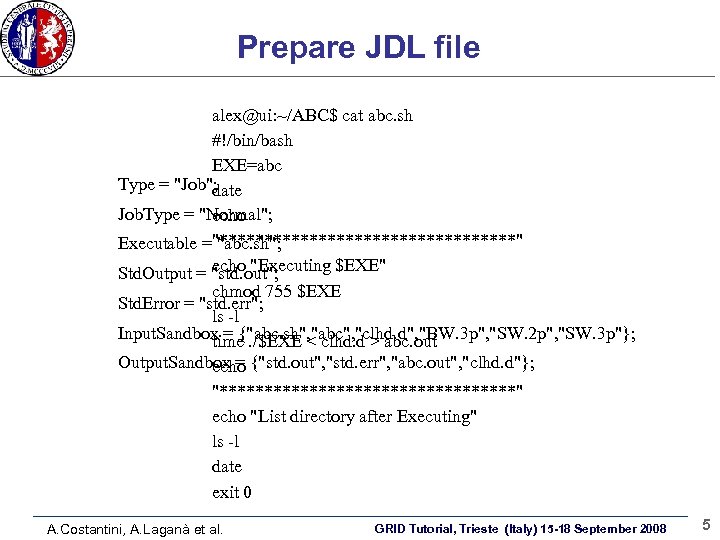
Prepare JDL file alex@ui: ~/ABC$ cat abc. sh #!/bin/bash EXE=abc Type = "Job"; date Job. Type = "Normal"; echo Executable ="*****************" "abc. sh"; echo "Executing $EXE" Std. Output = "std. out"; chmod 755 $EXE Std. Error = "std. err"; ls -l Input. Sandbox = {"abc. sh", "abc", "clhd. d", "BW. 3 p", "SW. 2 p", "SW. 3 p"}; time. /$EXE < clhd. d > abc. out Output. Sandbox = {"std. out", "std. err", "abc. out", "clhd. d"}; echo "*****************" echo "List directory after Executing" ls -l date exit 0 A. Costantini, A. Laganà et al. GRID Tutorial, Trieste (Italy) 15 -18 September 2008 5
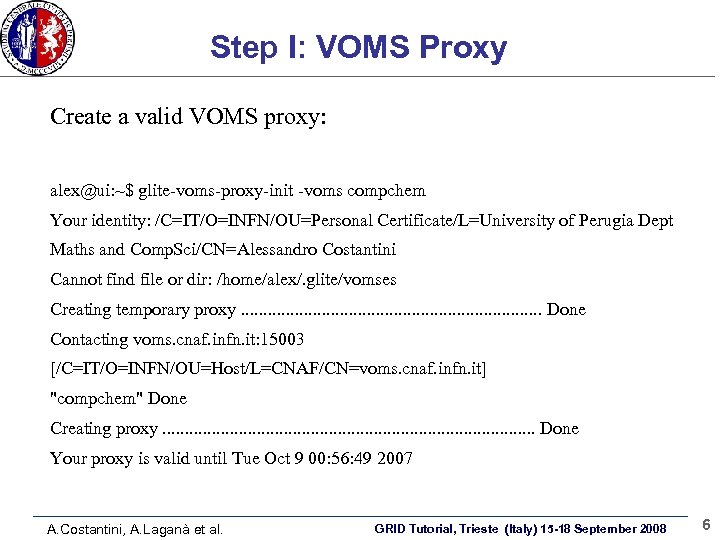
Step I: VOMS Proxy Create a valid VOMS proxy: alex@ui: ~$ glite-voms-proxy-init -voms compchem Your identity: /C=IT/O=INFN/OU=Personal Certificate/L=University of Perugia Dept Maths and Comp. Sci/CN=Alessandro Costantini Cannot find file or dir: /home/alex/. glite/vomses Creating temporary proxy. . . . . Done Contacting voms. cnaf. infn. it: 15003 [/C=IT/O=INFN/OU=Host/L=CNAF/CN=voms. cnaf. infn. it] "compchem" Done Creating proxy. . . . . . Done Your proxy is valid until Tue Oct 9 00: 56: 49 2007 A. Costantini, A. Laganà et al. GRID Tutorial, Trieste (Italy) 15 -18 September 2008 6
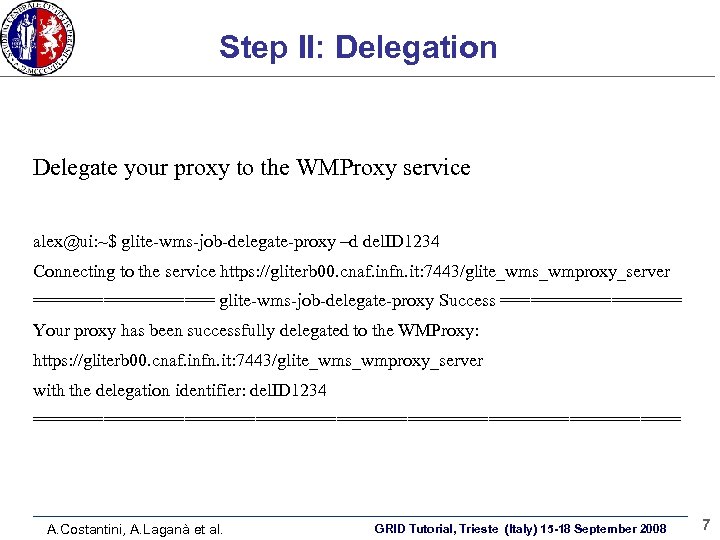
Step II: Delegation Delegate your proxy to the WMProxy service: alex@ui: ~$ glite-wms-job-delegate-proxy –d del. ID 1234 Connecting to the service https: //gliterb 00. cnaf. infn. it: 7443/glite_wms_wmproxy_server ========= glite-wms-job-delegate-proxy Success ========= Your proxy has been successfully delegated to the WMProxy: https: //gliterb 00. cnaf. infn. it: 7443/glite_wms_wmproxy_server with the delegation identifier: del. ID 1234 ================================ A. Costantini, A. Laganà et al. GRID Tutorial, Trieste (Italy) 15 -18 September 2008 7
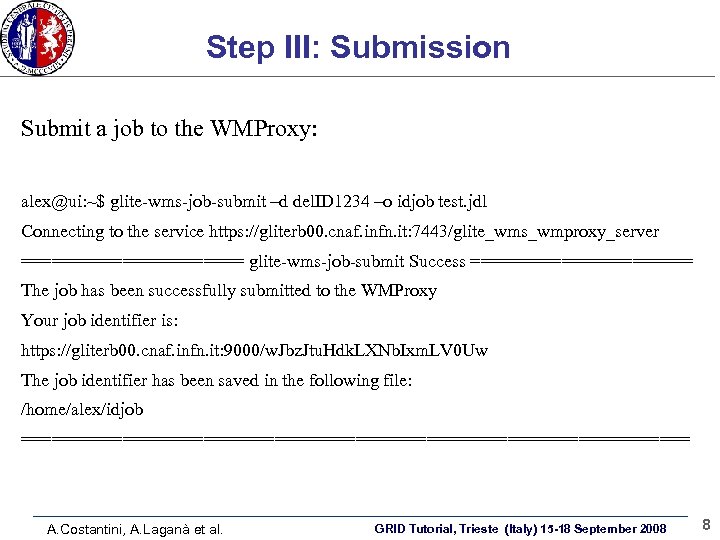
Step III: Submission Submit a job to the WMProxy: alex@ui: ~$ glite-wms-job-submit –d del. ID 1234 –o idjob test. jdl Connecting to the service https: //gliterb 00. cnaf. infn. it: 7443/glite_wms_wmproxy_server =========== glite-wms-job-submit Success =========== The job has been successfully submitted to the WMProxy Your job identifier is: https: //gliterb 00. cnaf. infn. it: 9000/w. Jbz. Jtu. Hdk. LXNb. Ixm. LV 0 Uw The job identifier has been saved in the following file: /home/alex/idjob ================================= A. Costantini, A. Laganà et al. GRID Tutorial, Trieste (Italy) 15 -18 September 2008 8
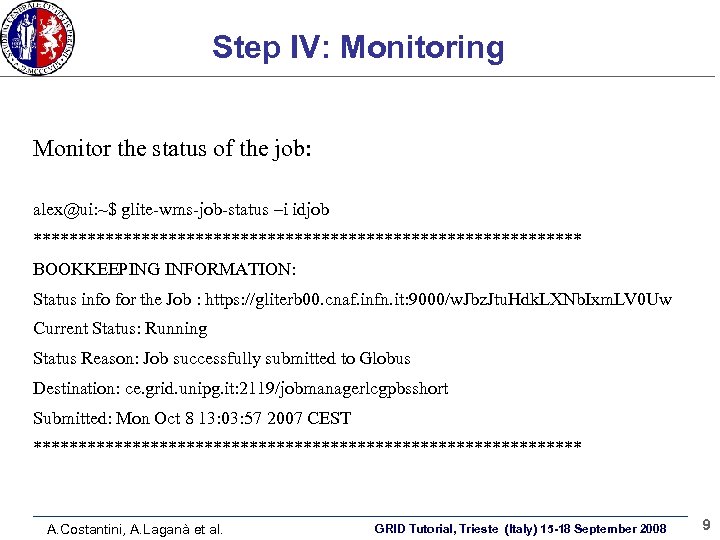
Step IV: Monitoring Monitor the status of the job: alex@ui: ~$ glite-wms-job-status –i idjob ******************************* BOOKKEEPING INFORMATION: Status info for the Job : https: //gliterb 00. cnaf. infn. it: 9000/w. Jbz. Jtu. Hdk. LXNb. Ixm. LV 0 Uw Current Status: Running Status Reason: Job successfully submitted to Globus Destination: ce. grid. unipg. it: 2119/jobmanagerlcgpbsshort Submitted: Mon Oct 8 13: 03: 57 2007 CEST ******************************* A. Costantini, A. Laganà et al. GRID Tutorial, Trieste (Italy) 15 -18 September 2008 9
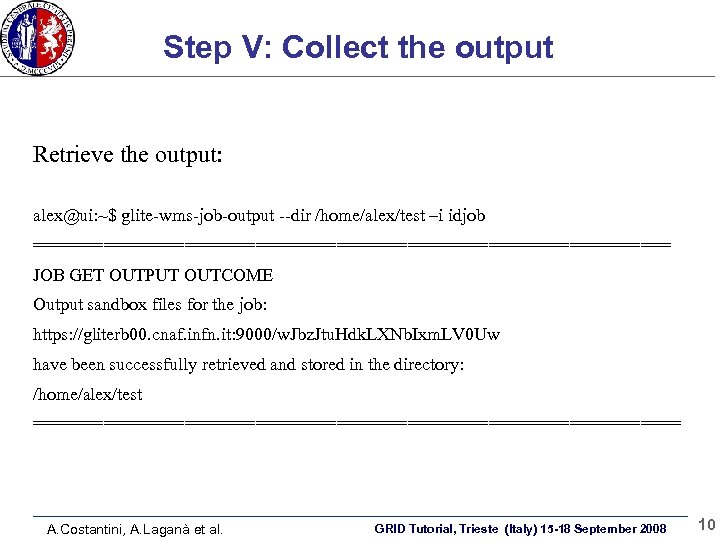
Step V: Collect the output Retrieve the output: alex@ui: ~$ glite-wms-job-output --dir /home/alex/test –i idjob ================================ JOB GET OUTPUT OUTCOME Output sandbox files for the job: https: //gliterb 00. cnaf. infn. it: 9000/w. Jbz. Jtu. Hdk. LXNb. Ixm. LV 0 Uw have been successfully retrieved and stored in the directory: /home/alex/test ================================ A. Costantini, A. Laganà et al. GRID Tutorial, Trieste (Italy) 15 -18 September 2008 10
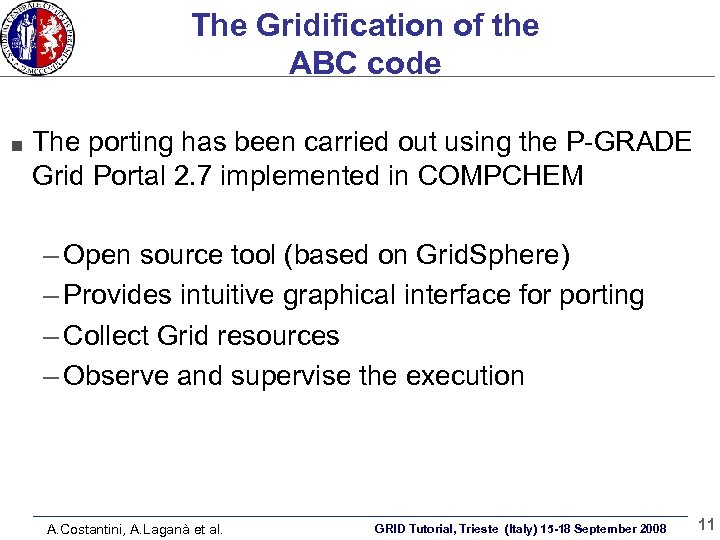
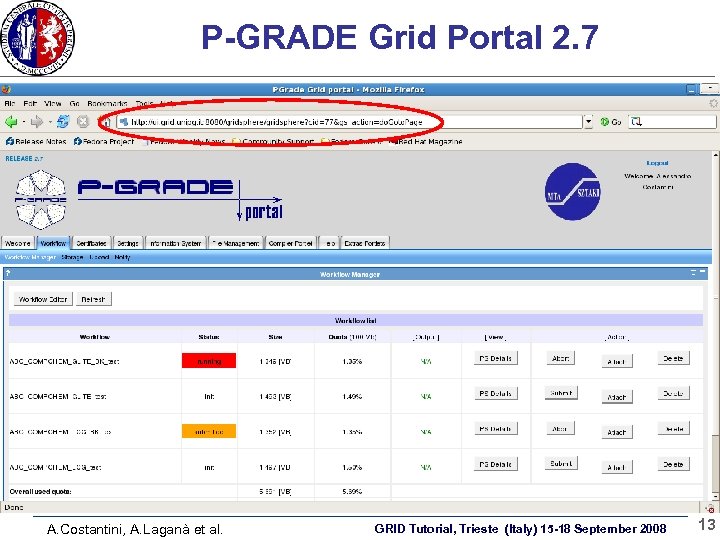
The Gridification of the ABC code The porting has been carried out using the P-GRADE Grid Portal 2. 7 implemented in COMPCHEM – Open source tool (based on Grid. Sphere) – Provides intuitive graphical interface for porting – Collect Grid resources – Observe and supervise the execution A. Costantini, A. Laganà et al. GRID Tutorial, Trieste (Italy) 15 -18 September 2008 11
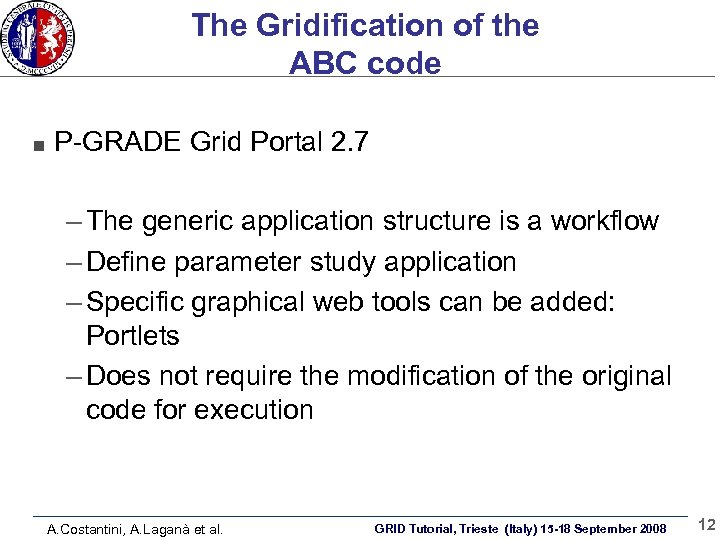
The Gridification of the ABC code P-GRADE Grid Portal 2. 7 – The generic application structure is a workflow – Define parameter study application – Specific graphical web tools can be added: Portlets – Does not require the modification of the original code for execution A. Costantini, A. Laganà et al. GRID Tutorial, Trieste (Italy) 15 -18 September 2008 12
P-GRADE Grid Portal 2. 7 A. Costantini, A. Laganà et al. GRID Tutorial, Trieste (Italy) 15 -18 September 2008 13
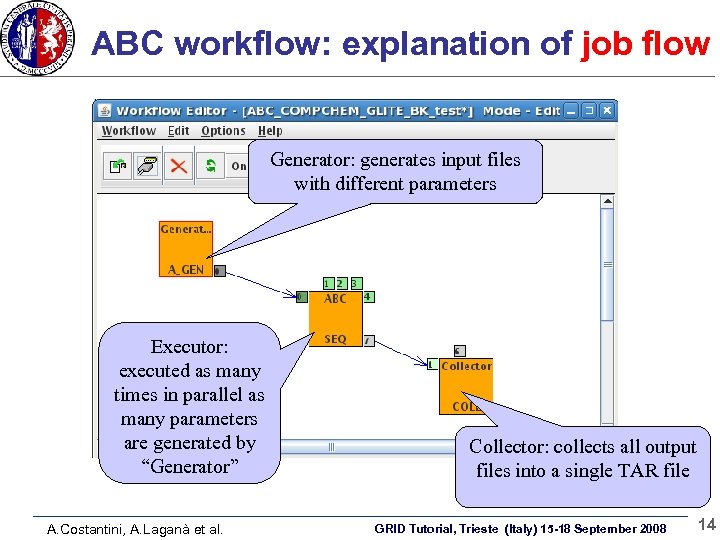
ABC workflow: explanation of job flow Generator: generates input files with different parameters Executor: executed as many times in parallel as many parameters are generated by “Generator” A. Costantini, A. Laganà et al. Collector: collects all output files into a single TAR file GRID Tutorial, Trieste (Italy) 15 -18 September 2008 14
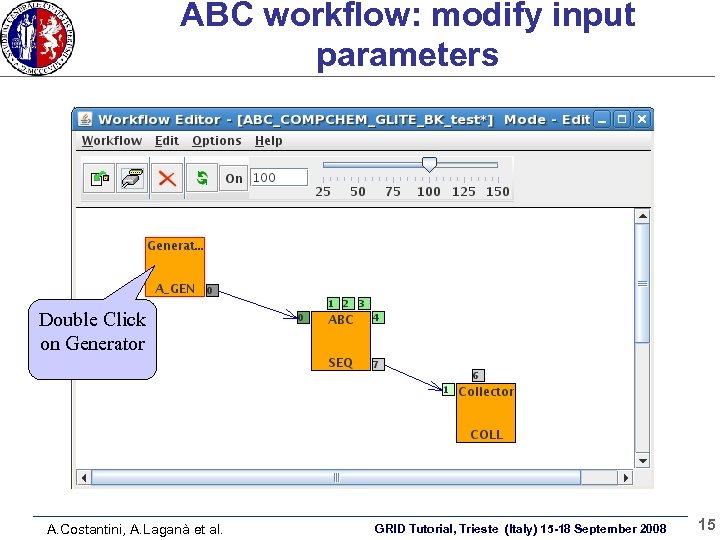
ABC workflow: modify input parameters Double Click on Generator A. Costantini, A. Laganà et al. GRID Tutorial, Trieste (Italy) 15 -18 September 2008 15
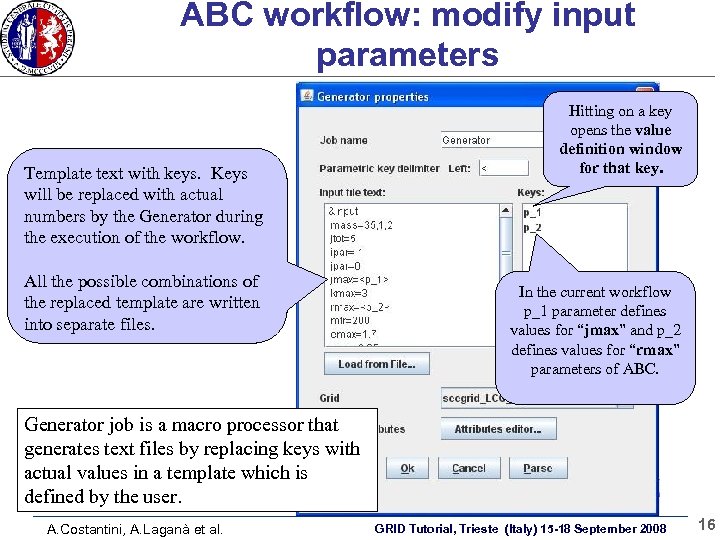
ABC workflow: modify input parameters Template text with keys. Keys will be replaced with actual numbers by the Generator during the execution of the workflow. All the possible combinations of the replaced template are written into separate files. Hitting on a key opens the value definition window for that key. In the current workflow p_1 parameter defines values for “jmax” and p_2 defines values for “rmax” parameters of ABC. Generator job is a macro processor that generates text files by replacing keys with actual values in a template which is defined by the user. A. Costantini, A. Laganà et al. GRID Tutorial, Trieste (Italy) 15 -18 September 2008 16
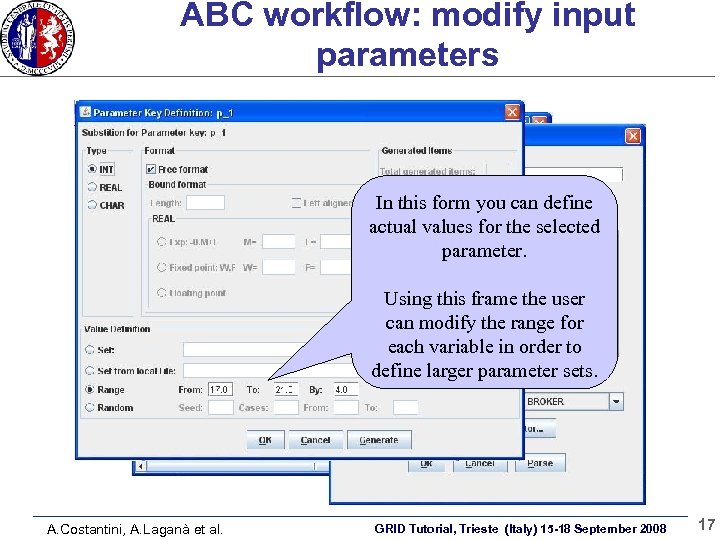
ABC workflow: modify input parameters In this form you can define actual values for the selected parameter. Using this frame the user can modify the range for each variable in order to define larger parameter sets. A. Costantini, A. Laganà et al. GRID Tutorial, Trieste (Italy) 15 -18 September 2008 17
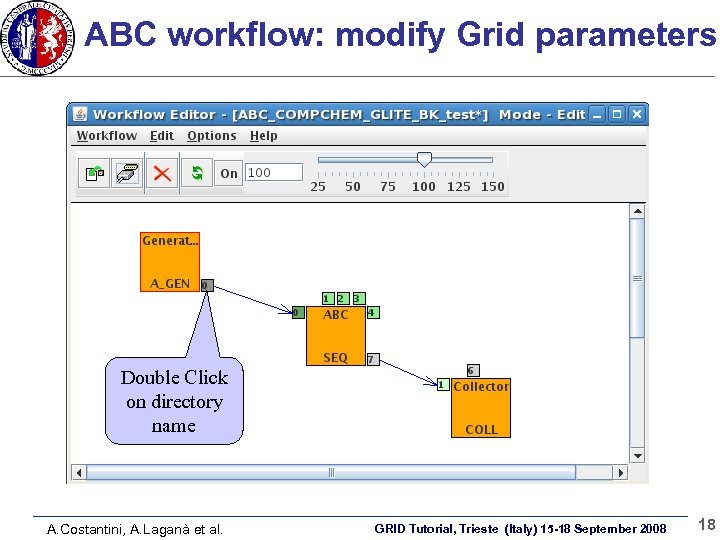
ABC workflow: modify Grid parameters Double Click on directory name A. Costantini, A. Laganà et al. GRID Tutorial, Trieste (Italy) 15 -18 September 2008 18
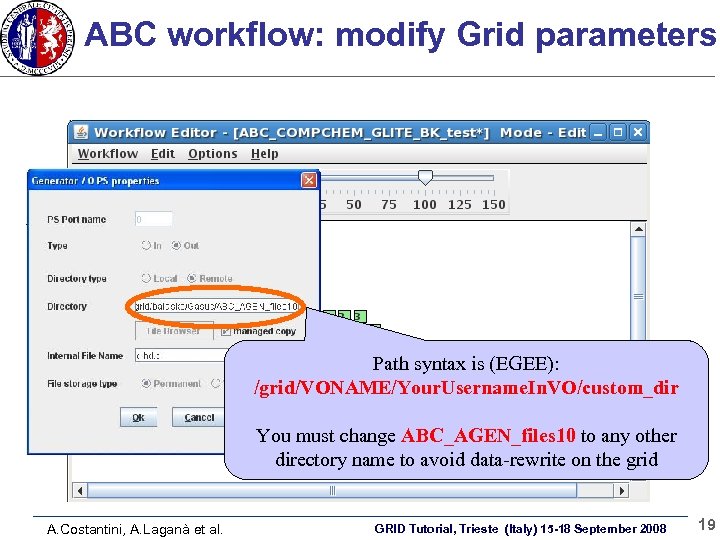
ABC workflow: modify Grid parameters Path syntax is (EGEE): /grid/VONAME/Your. Username. In. VO/custom_dir You must change ABC_AGEN_files 10 to any other directory name to avoid data-rewrite on the grid A. Costantini, A. Laganà et al. GRID Tutorial, Trieste (Italy) 15 -18 September 2008 19
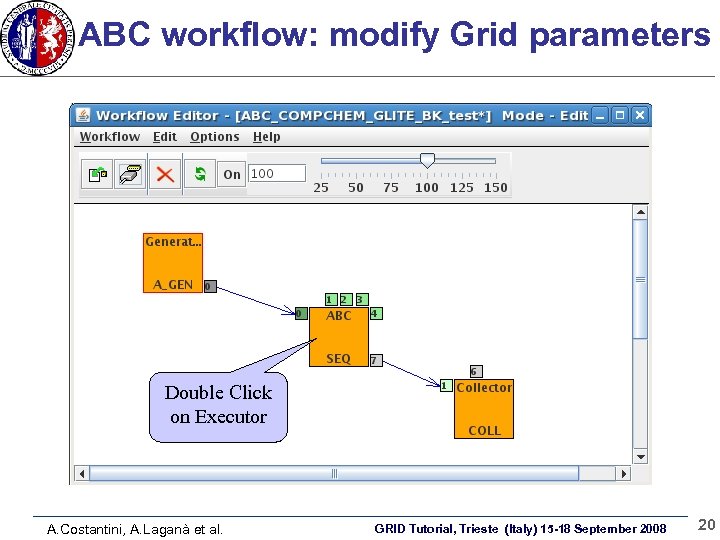
ABC workflow: modify Grid parameters Double Click on Executor A. Costantini, A. Laganà et al. GRID Tutorial, Trieste (Italy) 15 -18 September 2008 20
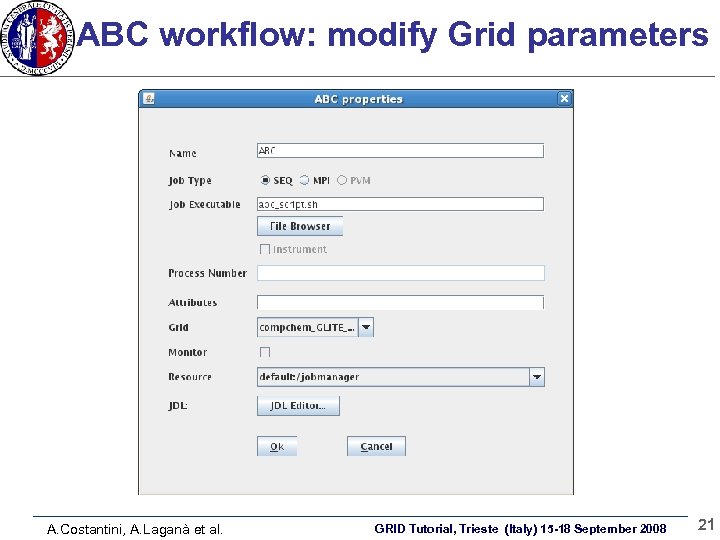
ABC workflow: modify Grid parameters A. Costantini, A. Laganà et al. GRID Tutorial, Trieste (Italy) 15 -18 September 2008 21
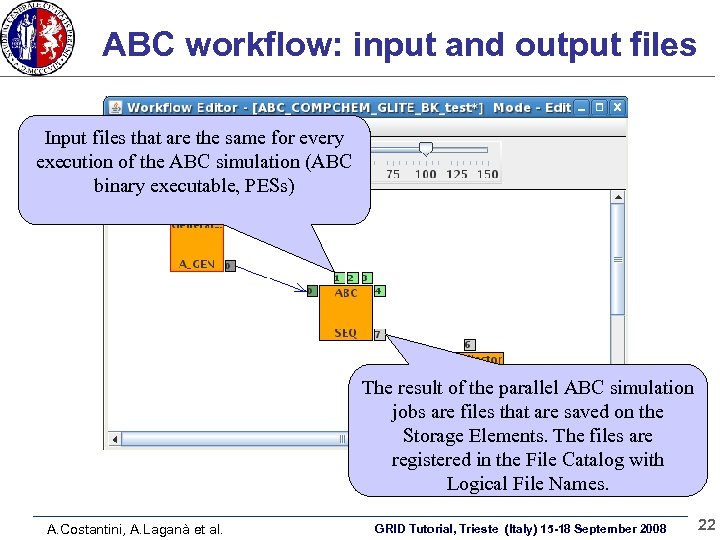
ABC workflow: input and output files Input files that are the same for every execution of the ABC simulation (ABC binary executable, PESs) The result of the parallel ABC simulation jobs are files that are saved on the Storage Elements. The files are registered in the File Catalog with Logical File Names. A. Costantini, A. Laganà et al. GRID Tutorial, Trieste (Italy) 15 -18 September 2008 22
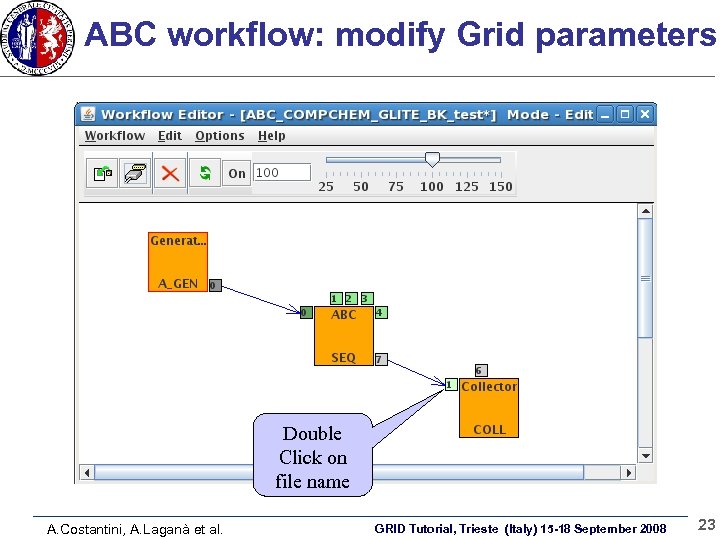
ABC workflow: modify Grid parameters Double Click on file name A. Costantini, A. Laganà et al. GRID Tutorial, Trieste (Italy) 15 -18 September 2008 23
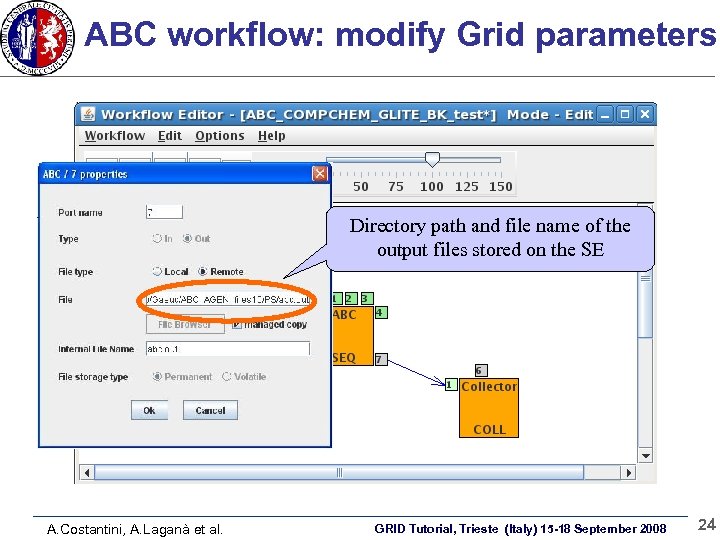
ABC workflow: modify Grid parameters Directory path and file name of the output files stored on the SE A. Costantini, A. Laganà et al. GRID Tutorial, Trieste (Italy) 15 -18 September 2008 24
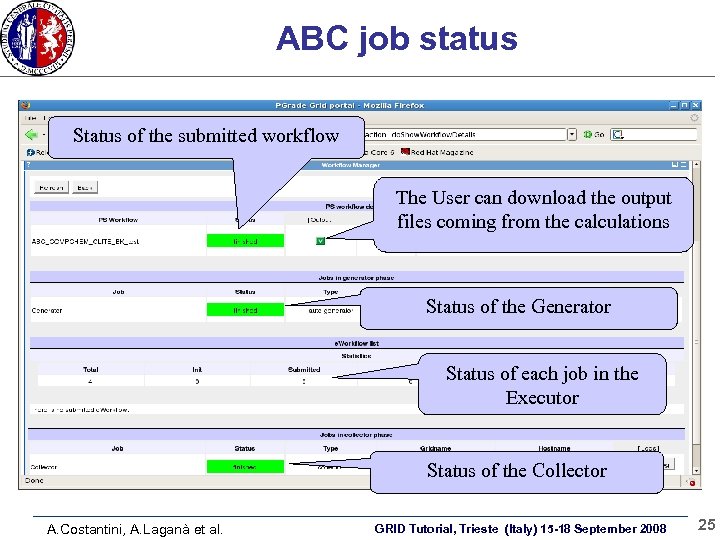
ABC job status Status of the submitted workflow The User can download the output files coming from the calculations Status of the Generator Status of each job in the Executor Status of the Collector A. Costantini, A. Laganà et al. GRID Tutorial, Trieste (Italy) 15 -18 September 2008 25
Reaction Probabilities Rendering Added value on P-GRADE (Prototype) Prototypical visualization tool has been implemented on P-GRADE using Portlet – UI components managed and displayed in a web portal 2 D-Graph rendering of the Reaction Probabilities of a selected output file for the ABC code A. Costantini, A. Laganà et al. GRID Tutorial, Trieste (Italy) 15 -18 September 2008 26
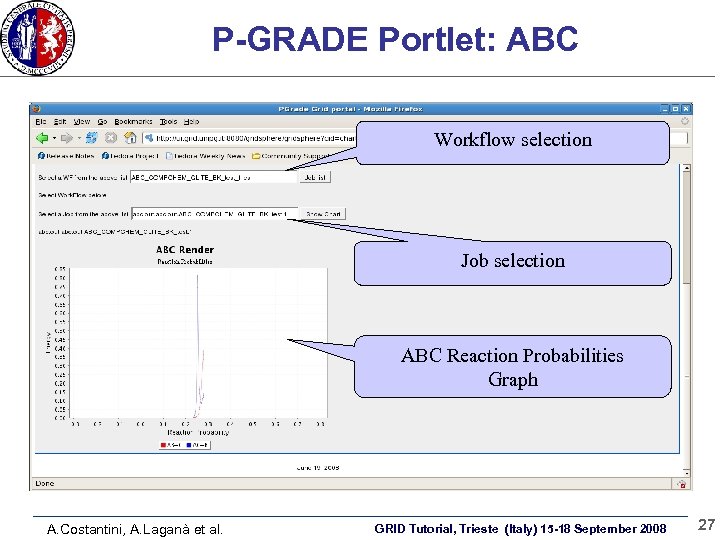
P-GRADE Portlet: ABC Workflow selection Job selection ABC Reaction Probabilities Graph A. Costantini, A. Laganà et al. GRID Tutorial, Trieste (Italy) 15 -18 September 2008 27
Conclusions Gridification can be a very easy process (it depends on the complexity of your application) Job submission • CLI (flexible) • Web-Portals (P-GRADE) • -user-friendly interfaces The ABC workflow can be improved and exported to other applications A. Costantini, A. Laganà et al. GRID Tutorial, Trieste (Italy) 15 -18 September 2008 28
A. Costantini, A. Laganà et al. GRID Tutorial, Trieste (Italy) 15 -18 September 2008 29
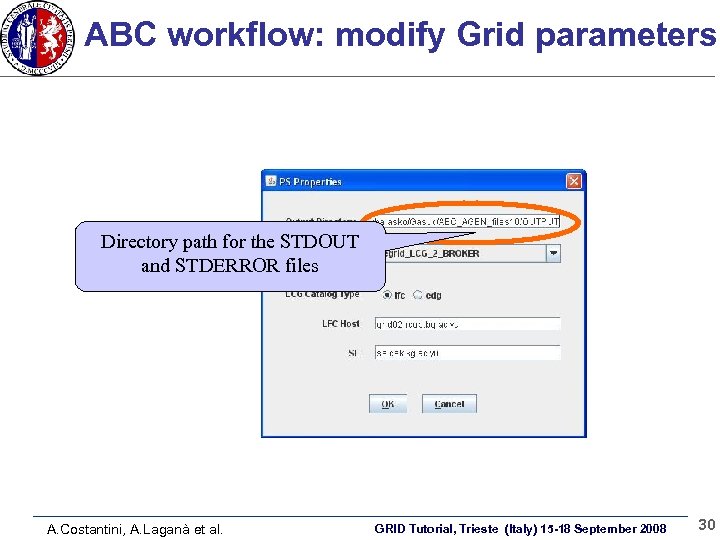
ABC workflow: modify Grid parameters Directory path for the STDOUT and STDERROR files A. Costantini, A. Laganà et al. GRID Tutorial, Trieste (Italy) 15 -18 September 2008 30
The Molecular Science community and the Grid The Grid environment allows us to carry out simulation of molecular systems increasing the quality and the quantity of properties investigated The researcher is able to perform computational campaign: – Massive submission of sequential jobs running on different input datasets – Submission of parallel jobs running on huge pool of nodes Offers efficient data management facilities – Storage of large amount of data A. Costantini, A. Laganà et al. GRID Tutorial, Trieste (Italy) 15 -18 September 2008 31
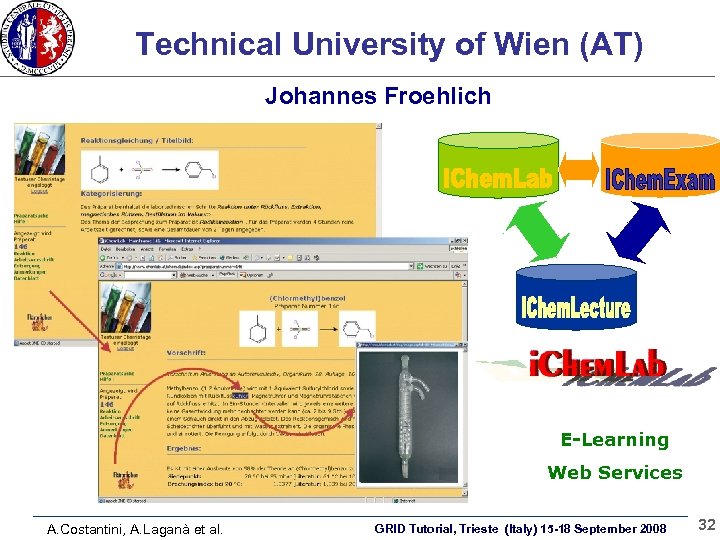
Technical University of Wien (AT) Johannes Froehlich E-Learning Web Services A. Costantini, A. Laganà et al. GRID Tutorial, Trieste (Italy) 15 -18 September 2008 32
Molecular Virtual Reality The use of Molecular Virtual Reality (Visualization + Virtual Reality techniques applied at the nanometer level) helps the researchers to better understand the molecular processes We have implemented some virtual monitors of GEMS creating Virtual Worlds based on atoms positions saved during the trajectory calculations (MVR animations) A Virtual World may be created also from a static description of the system in the initial or in the final configuration (mol 2, PDB, etc). A. Costantini, A. Laganà et al. GRID Tutorial, Trieste (Italy) 15 -18 September 2008 33
Comp. Chem VO in EGEE III In EGEE the Computational Chemistry community is represented by two VO’s: – Comp. Chem VO (public domain, shareware software, managed by University of Perugia, Italy) – GAUSSIAN VO (commercial software, managed by Cyfronet, PL) A Center of Excellence grouping the labs of both VOs will be established in EGEE III We participated to – the MPI working group to promote the use of MPI and parallel software in EGEE (EGEE/int. eu. grid MPI international workshop, Dublin, Dec 11 th-12 th, 2006) – the User Support working group to promote and improve the User Support systems available in EGEE (EGEE Workshop for VO’s, Karlshrue, Germany, March 1 st-2 nd, 2007 ) A. Costantini, A. Laganà et al. GRID Tutorial, Trieste (Italy) 15 -18 September 2008 34
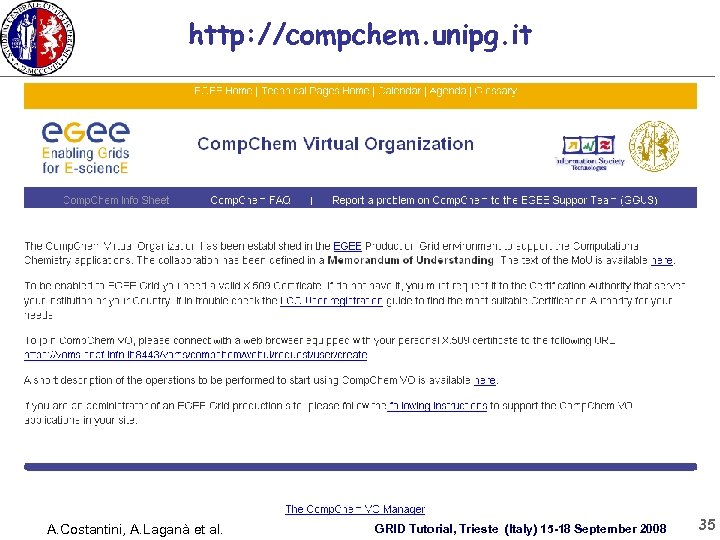
http: //compchem. unipg. it A. Costantini, A. Laganà et al. GRID Tutorial, Trieste (Italy) 15 -18 September 2008 35
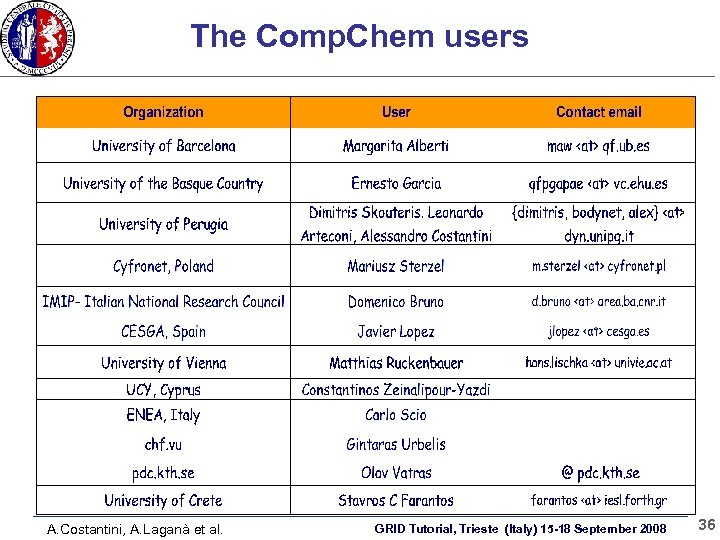
The Comp. Chem users A. Costantini, A. Laganà et al. GRID Tutorial, Trieste (Italy) 15 -18 September 2008 36
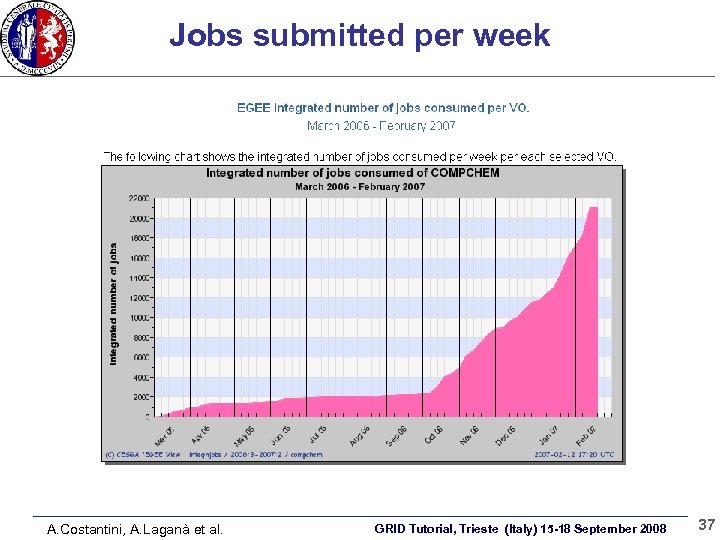
Jobs submitted per week A. Costantini, A. Laganà et al. GRID Tutorial, Trieste (Italy) 15 -18 September 2008 37
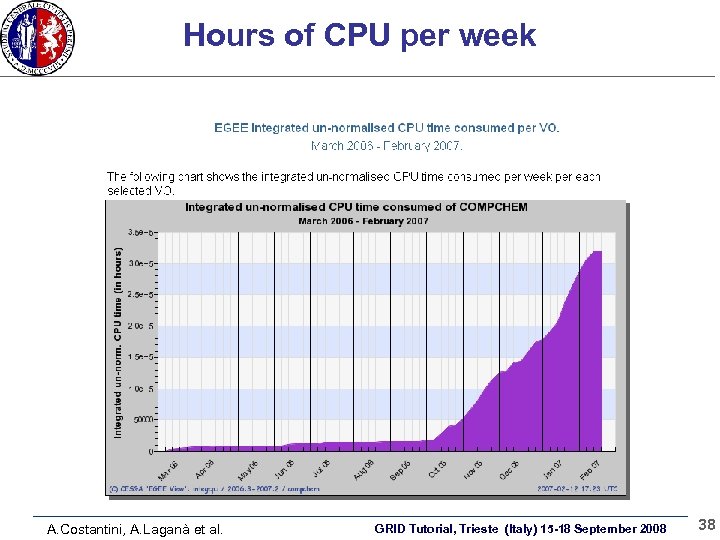
Hours of CPU per week A. Costantini, A. Laganà et al. GRID Tutorial, Trieste (Italy) 15 -18 September 2008 38
A. Costantini, A. Laganà et al. GRID Tutorial, Trieste (Italy) 15 -18 September 2008 39
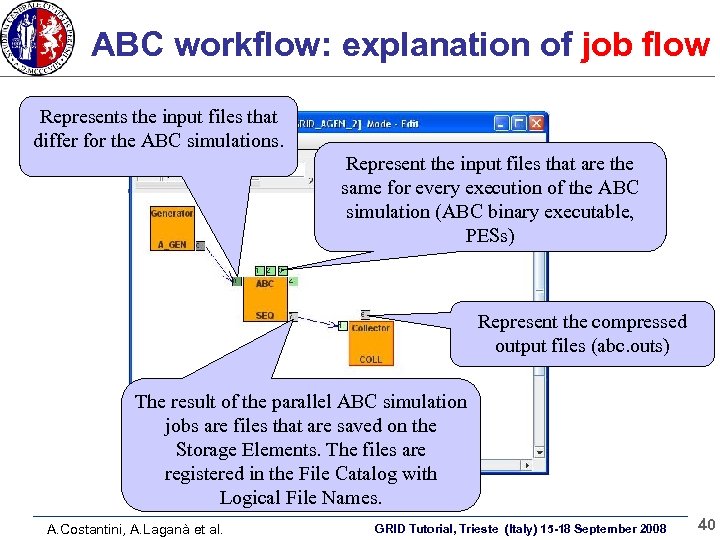
ABC workflow: explanation of job flow Represents the input files that differ for the ABC simulations. Represent the input files that are the same for every execution of the ABC simulation (ABC binary executable, PESs) Represent the compressed output files (abc. outs) The result of the parallel ABC simulation jobs are files that are saved on the Storage Elements. The files are registered in the File Catalog with Logical File Names. A. Costantini, A. Laganà et al. GRID Tutorial, Trieste (Italy) 15 -18 September 2008 40
ABC code Quantum mechanical atom-diatom reactive scattering program – Carries out accurate calculations of the quantum S matrix elements – Evaluates reaction probabilities as well as state to state integral and differential cross sections A. Costantini, A. Laganà et al. GRID Tutorial, Trieste (Italy) 15 -18 September 2008 41
ABC code II The program integrates the Schrödinger equation using: – Delves hyperspherical coordinates – A coupled channel method – A time independent technique to integrate the atom-diatom nuclear Schrödinger eq. [Ĥ-E] ψ = 0 A. Costantini, A. Laganà et al. GRID Tutorial, Trieste (Italy) 15 -18 September 2008 42
Скачать презентацию GRID Tutorial Trieste Italy 15 -18 September 2008
4bb6d56ef9ded6cfacb6fba013696c04.ppt