 Скачать презентацию Grid application support by the P-GRADE Portal Peter
a6d586b36da756f3e13282f5dc1cf55b.ppt
- Количество слайдов: 60



Grid application support by the P-GRADE Portal Peter Kacsuk kacsuk@sztaki. hu MTA SZTAKI Hungarian Academy of Sciences www. lpds. sztaki. hu/pgportal@lpds. sztaki. hu 1
Contents • • Motivation of creating P-GRADE portal P-GRADE Portal in a nutshell Application development with the Portal Application execution with the Portal 2
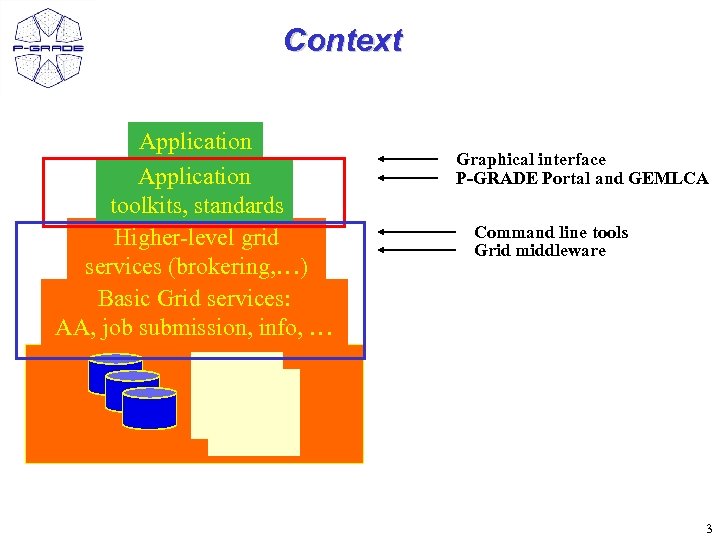
Context Application toolkits, standards Higher-level grid services (brokering, …) Basic Grid services: AA, job submission, info, … Graphical interface P-GRADE Portal and GEMLCA Command line tools Grid middleware 3
Current situation and trends in Grid computing • Fast evolution of Grid systems and middleware: – GT 2, OGSA, GT 3 (OGSI), GT 4 (WSRF), LCG-2, g. Lite, … • Many production Grid systems are built with them – EGEE (LCG-2 g. Lite), UK NGS (GT 2), Open Science Grid (GT 2 GT 4), Nordu. Grid (~GT 2) • Although the same set of core services are available everywhere, they are implemented in different ways – – Data services Computation services Security services (single sign-on) (Brokers) 4
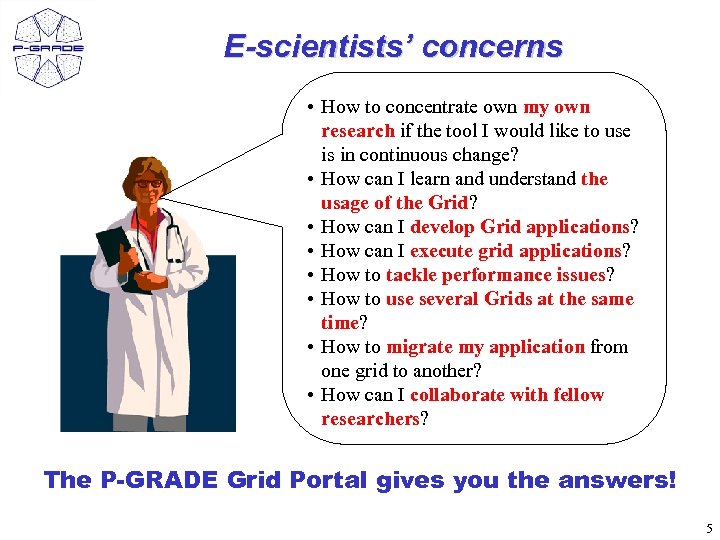
E-scientists’ concerns • How to concentrate own my own research if the tool I would like to use is in continuous change? • How can I learn and understand the usage of the Grid? • How can I develop Grid applications? • How can I execute grid applications? • How to tackle performance issues? • How to use several Grids at the same time? • How to migrate my application from one grid to another? • How can I collaborate with fellow researchers? The P-GRADE Grid Portal gives you the answers! 5
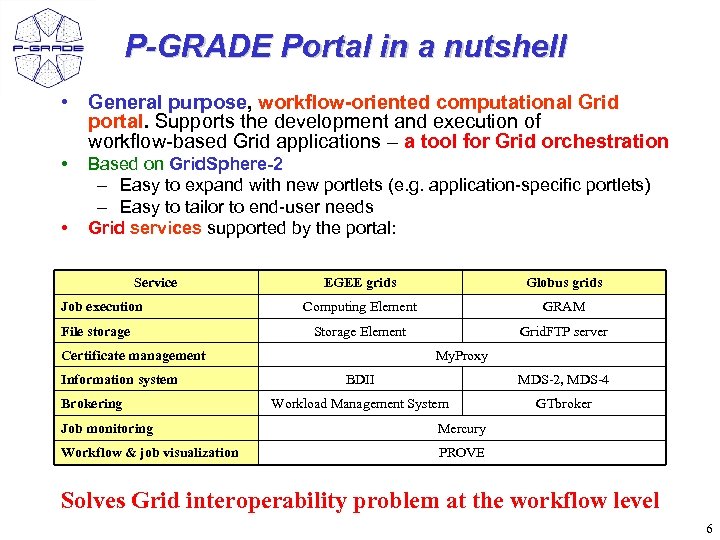
P-GRADE Portal in a nutshell • General purpose, workflow-oriented computational Grid portal. Supports the development and execution of workflow-based Grid applications – a tool for Grid orchestration • • Based on Grid. Sphere-2 – Easy to expand with new portlets (e. g. application-specific portlets) – Easy to tailor to end-user needs Grid services supported by the portal: Service Job execution File storage EGEE grids Globus grids Computing Element GRAM Storage Element Grid. FTP server Certificate management Information system Brokering My. Proxy BDII MDS-2, MDS-4 Workload Management System GTbroker Job monitoring Mercury Workflow & job visualization PROVE Solves Grid interoperability problem at the workflow level 6
Related projects • The development and education of P-GRADE Portal is supported by several projects: – SEE-GRID www. see-grid. eu Development, application support – Coregrid www. coregrid. net Research, development – EGEE www. eu-egee. org LCG and g. Lite training, application development – ICEAGE www. iceage-eu. org Grid training and education 7
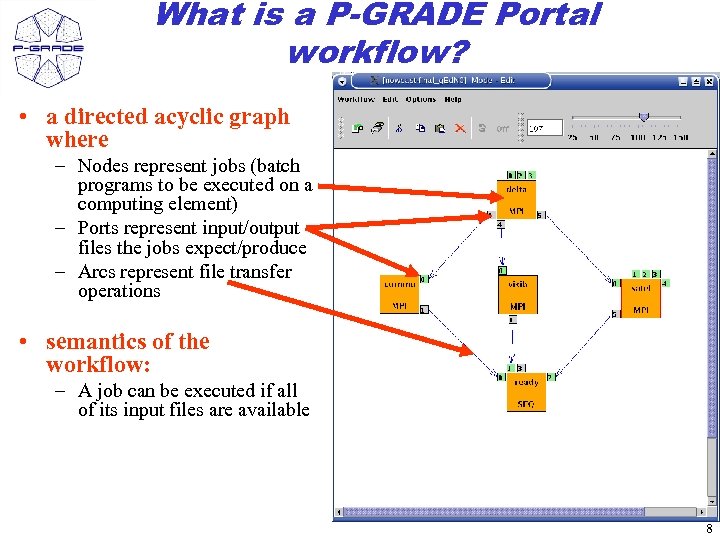
What is a P-GRADE Portal workflow? • a directed acyclic graph where – Nodes represent jobs (batch programs to be executed on a computing element) – Ports represent input/output files the jobs expect/produce – Arcs represent file transfer operations • semantics of the workflow: – A job can be executed if all of its input files are available 8
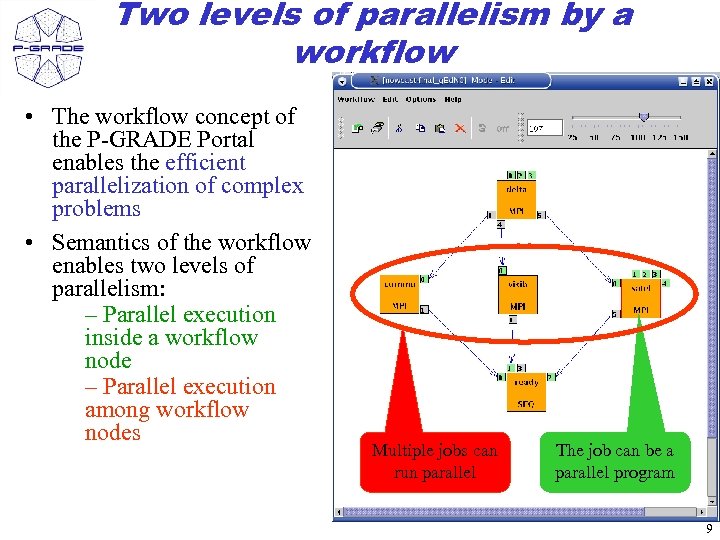
Two levels of parallelism by a workflow • The workflow concept of the P-GRADE Portal enables the efficient parallelization of complex problems • Semantics of the workflow enables two levels of parallelism: – Parallel execution inside a workflow node – Parallel execution among workflow nodes Multiple jobs can run parallel The job can be a parallel program 9
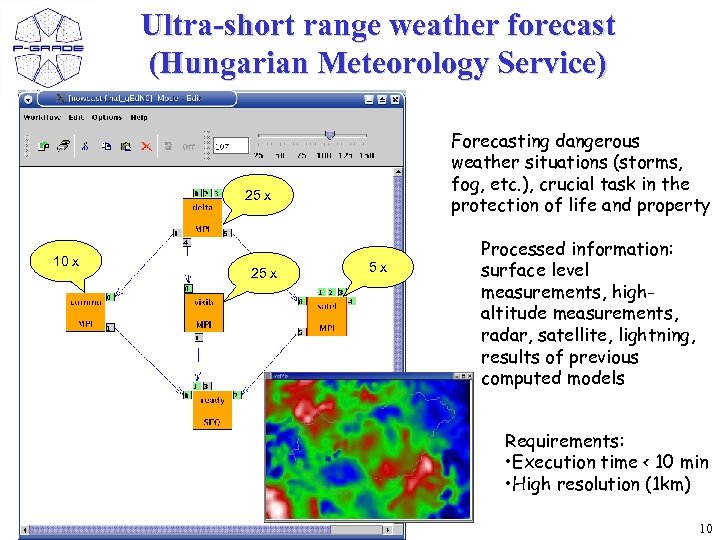
Ultra-short range weather forecast (Hungarian Meteorology Service) Forecasting dangerous weather situations (storms, fog, etc. ), crucial task in the protection of life and property 25 x 10 x 25 x 5 x Processed information: surface level measurements, highaltitude measurements, radar, satellite, lightning, results of previous computed models Requirements: • Execution time < 10 min • High resolution (1 km) 10
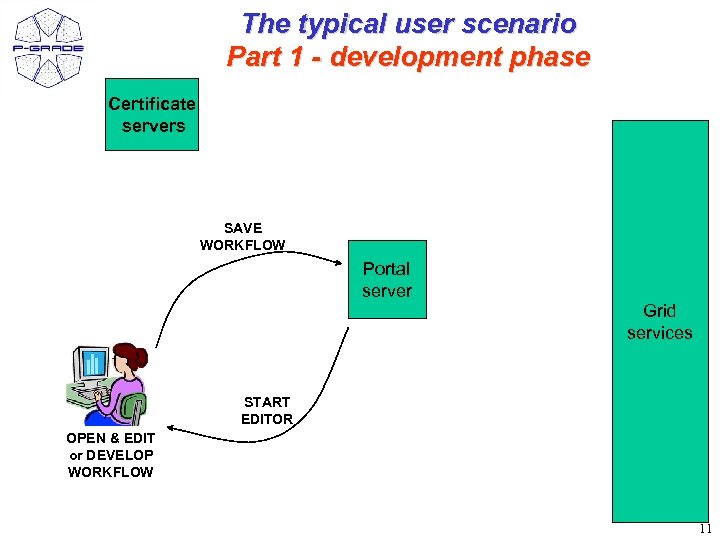
The typical user scenario Part 1 - development phase Certificate servers SAVE WORKFLOW Portal server Grid services START EDITOR OPEN & EDIT or DEVELOP WORKFLOW 11
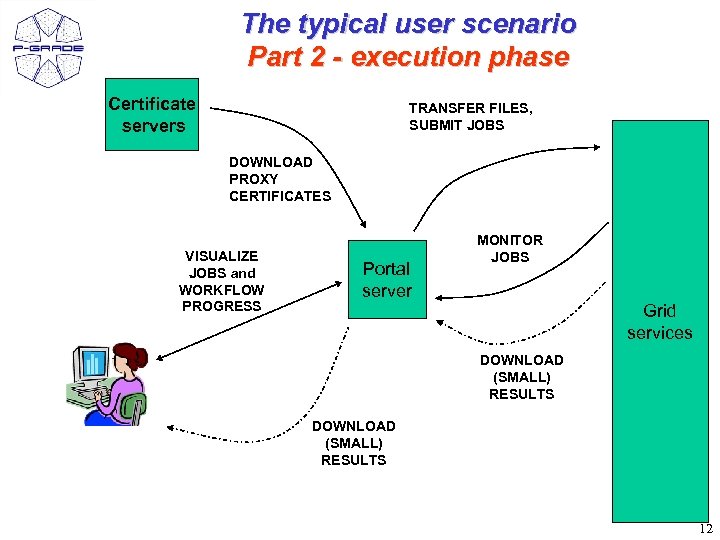
The typical user scenario Part 2 - execution phase Certificate servers TRANSFER FILES, SUBMIT JOBS DOWNLOAD PROXY CERTIFICATES VISUALIZE JOBS and WORKFLOW PROGRESS Portal server MONITOR JOBS Grid services DOWNLOAD (SMALL) RESULTS 12
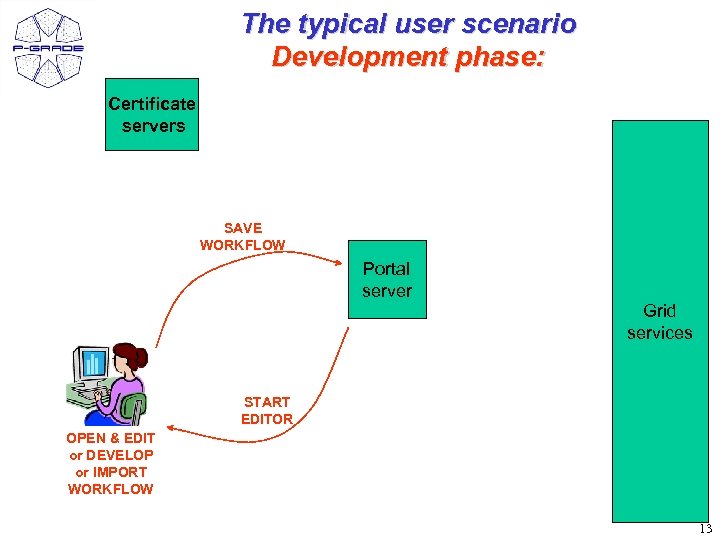
The typical user scenario Development phase: Certificate servers SAVE WORKFLOW Portal server Grid services START EDITOR OPEN & EDIT or DEVELOP or IMPORT WORKFLOW 13
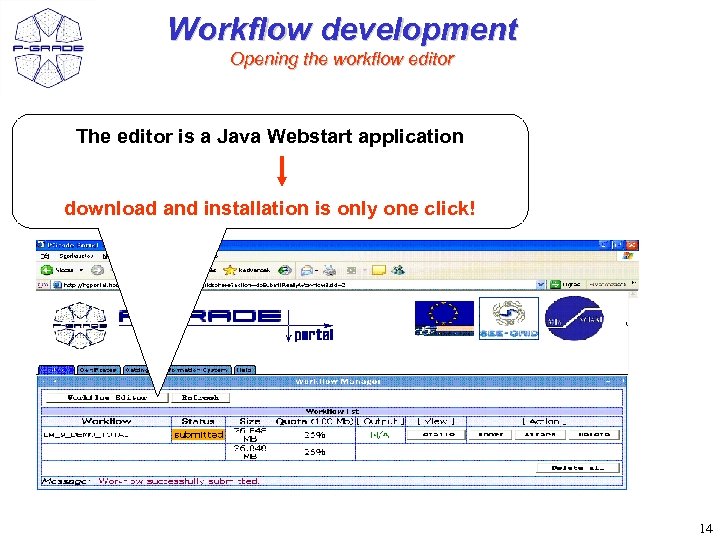
Workflow development Opening the workflow editor The editor is a Java Webstart application download and installation is only one click! 14
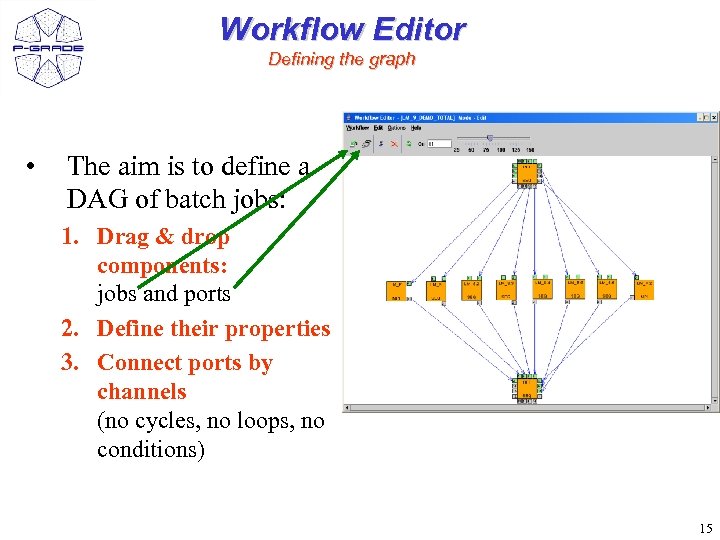
Workflow Editor Defining the graph • The aim is to define a DAG of batch jobs: 1. Drag & drop components: jobs and ports 2. Define their properties 3. Connect ports by channels (no cycles, no loops, no conditions) 15
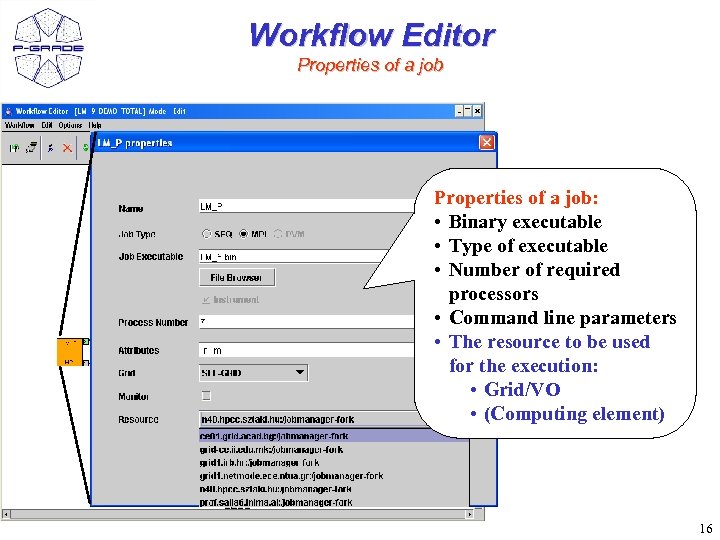
Workflow Editor Properties of a job: • Binary executable • Type of executable • Number of required processors • Command line parameters • The resource to be used for the execution: • Grid/VO • (Computing element) 16
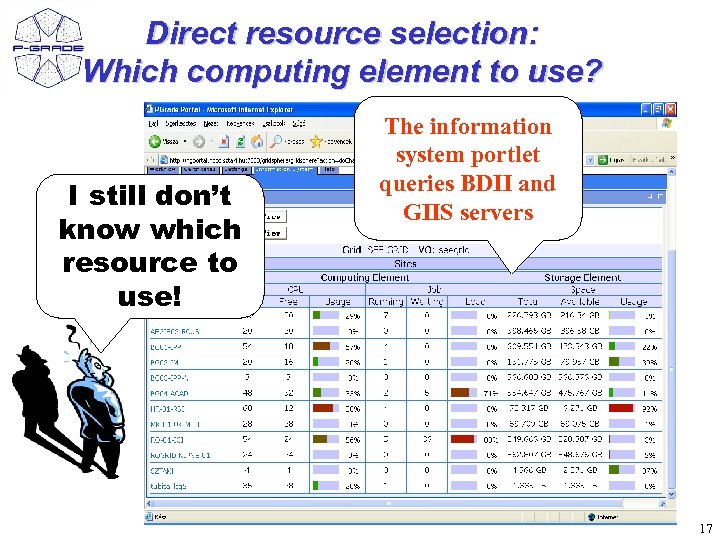
Direct resource selection: Which computing element to use? I still don’t know which resource to use! The information system portlet queries BDII and GIIS servers 17
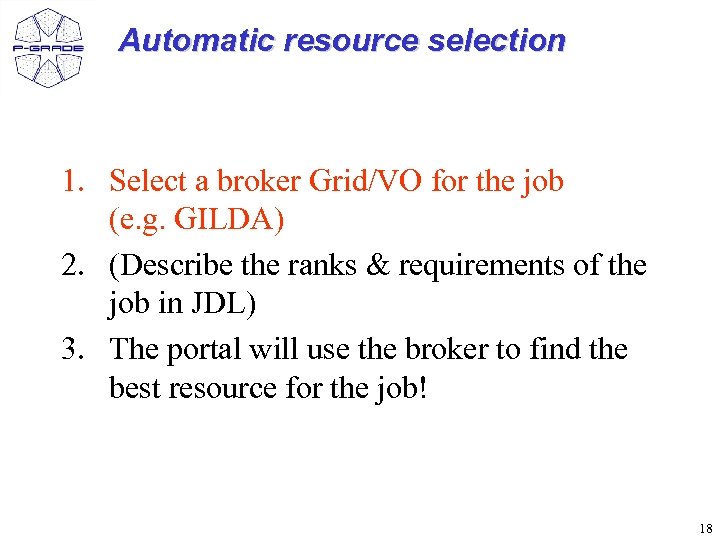
Automatic resource selection 1. Select a broker Grid/VO for the job (e. g. GILDA) 2. (Describe the ranks & requirements of the job in JDL) 3. The portal will use the broker to find the best resource for the job! 18
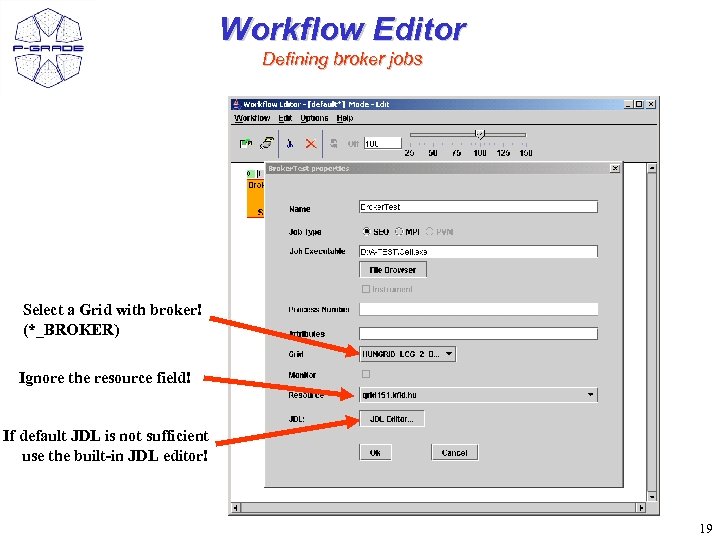
Workflow Editor Defining broker jobs Select a Grid with broker! (*_BROKER) Ignore the resource field! If default JDL is not sufficient use the built-in JDL editor! 19
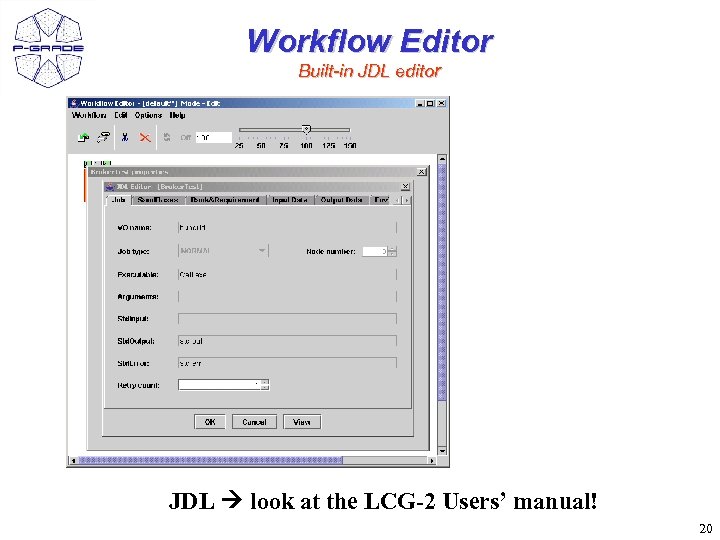
Workflow Editor Built-in JDL editor JDL look at the LCG-2 Users’ manual! 20
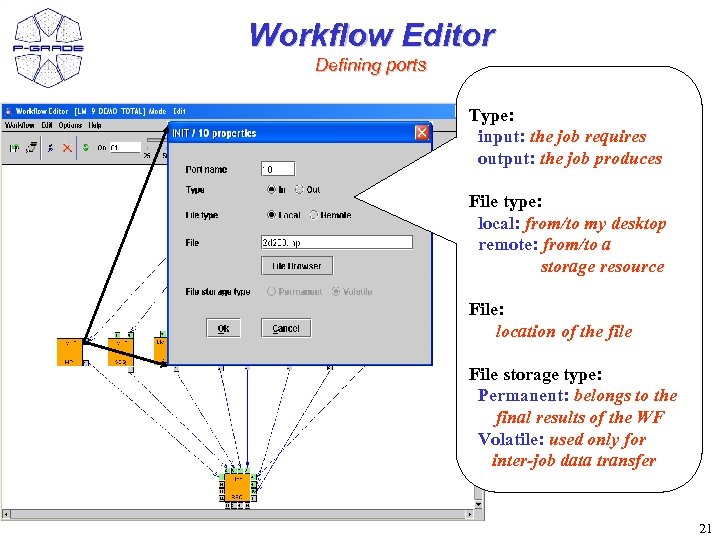
Workflow Editor Defining ports Type: input: the job requires output: the job produces File type: local: from/to my desktop remote: from/to a storage resource File: location of the file File storage type: Permanent: belongs to the final results of the WF Volatile: used only for inter-job data transfer 21
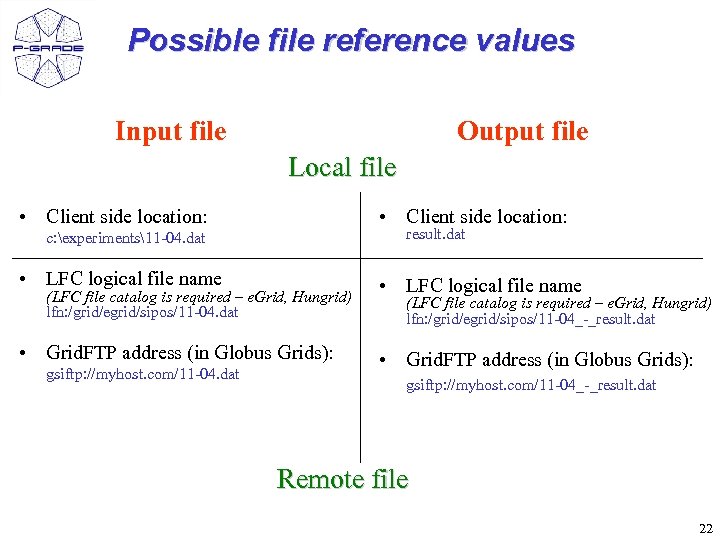
Possible file reference values Input file Output file Local file • Client side location: result. dat c: experiments11 -04. dat • LFC logical file name (LFC file catalog is required – e. Grid, Hungrid) lfn: /grid/egrid/sipos/11 -04. dat • Grid. FTP address (in Globus Grids): gsiftp: //myhost. com/11 -04. dat • LFC logical file name (LFC file catalog is required – e. Grid, Hungrid) lfn: /grid/egrid/sipos/11 -04_-_result. dat • Grid. FTP address (in Globus Grids): gsiftp: //myhost. com/11 -04_-_result. dat Remote file 22
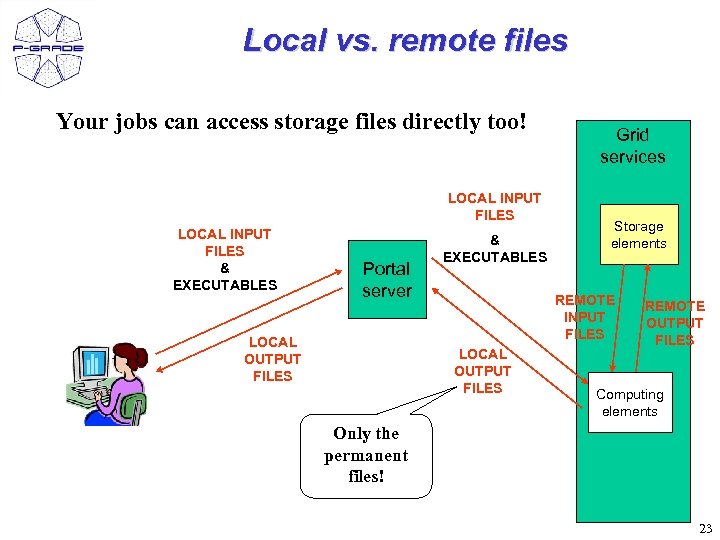
Local vs. remote files Your jobs can access storage files directly too! LOCAL INPUT FILES & EXECUTABLES Portal server LOCAL OUTPUT FILES & EXECUTABLES Grid services Storage elements REMOTE INPUT FILES LOCAL OUTPUT FILES REMOTE OUTPUT FILES Computing elements Only the permanent files! 23
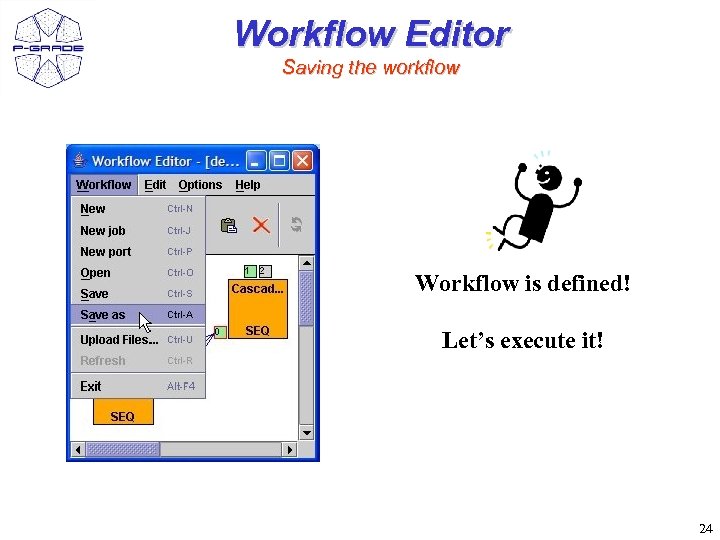
Workflow Editor Saving the workflow Workflow is defined! Let’s execute it! 24
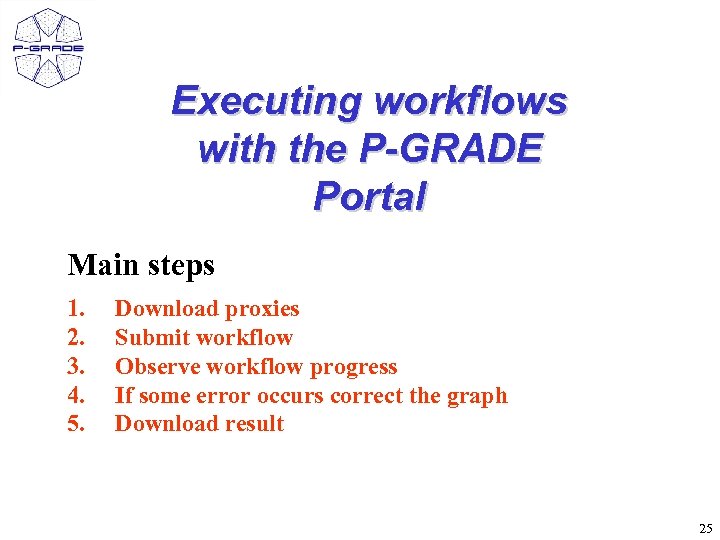
Executing workflows with the P-GRADE Portal Main steps 1. 2. 3. 4. 5. Download proxies Submit workflow Observe workflow progress If some error occurs correct the graph Download result 25
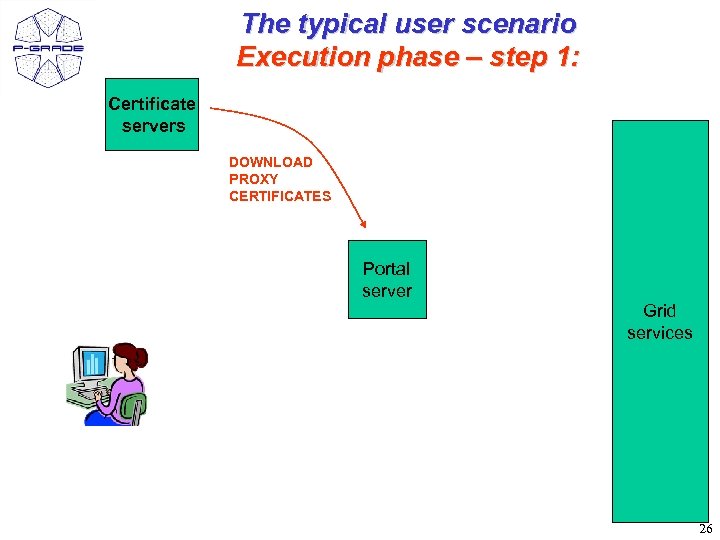
The typical user scenario Execution phase – step 1: Certificate servers DOWNLOAD PROXY CERTIFICATES Portal server Grid services 26
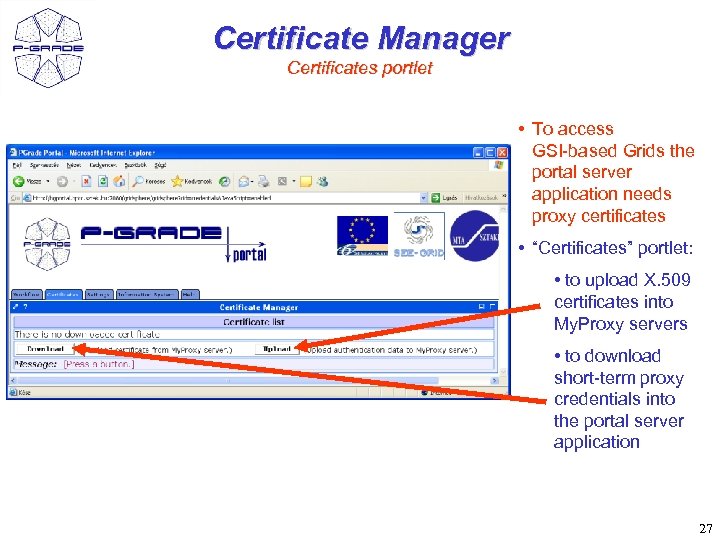
Certificate Manager Certificates portlet • To access GSI-based Grids the portal server application needs proxy certificates • “Certificates” portlet: • to upload X. 509 certificates into My. Proxy servers • to download short-term proxy credentials into the portal server application 27
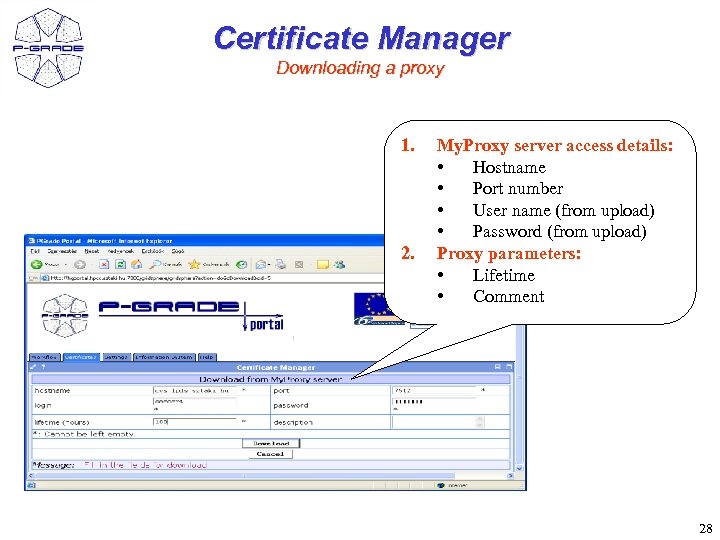
Certificate Manager Downloading a proxy 1. 2. My. Proxy server access details: • Hostname • Port number • User name (from upload) • Password (from upload) Proxy parameters: • Lifetime • Comment 28
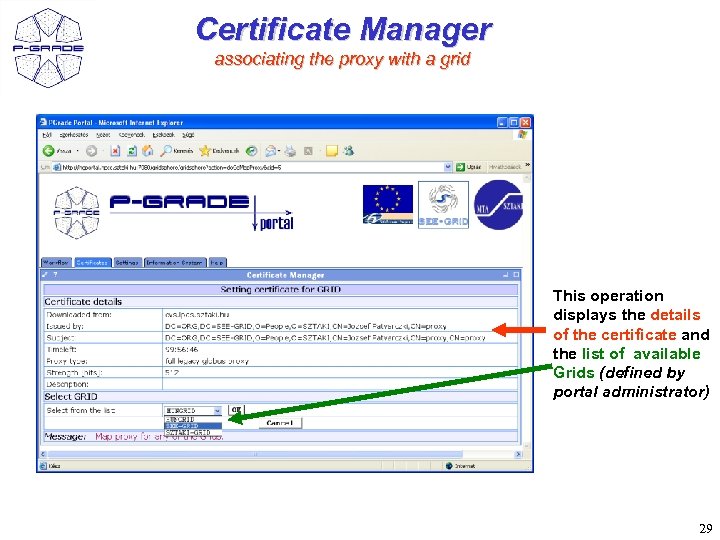
Certificate Manager associating the proxy with a grid This operation displays the details of the certificate and the list of available Grids (defined by portal administrator) 29
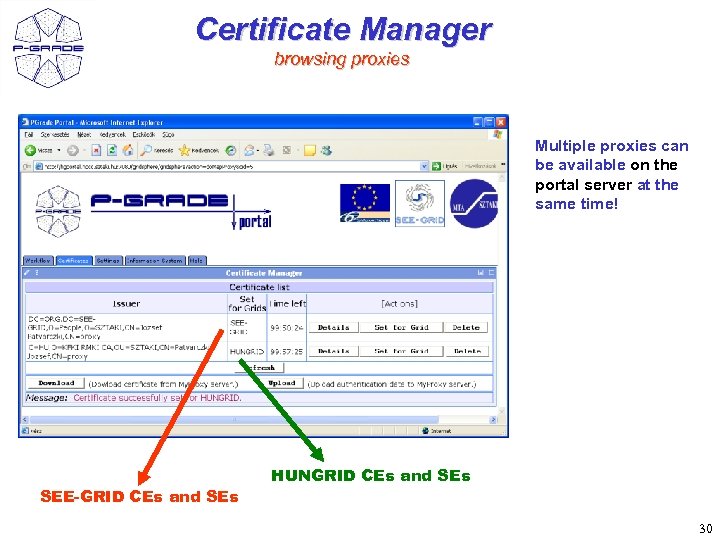
Certificate Manager browsing proxies Multiple proxies can be available on the portal server at the same time! SEE-GRID CEs and SEs HUNGRID CEs and SEs 30
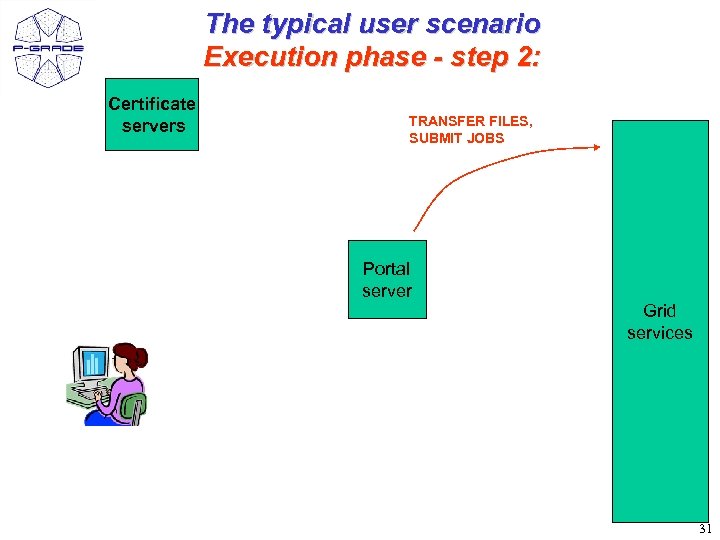
The typical user scenario Execution phase - step 2: Certificate servers TRANSFER FILES, SUBMIT JOBS Portal server Grid services 31
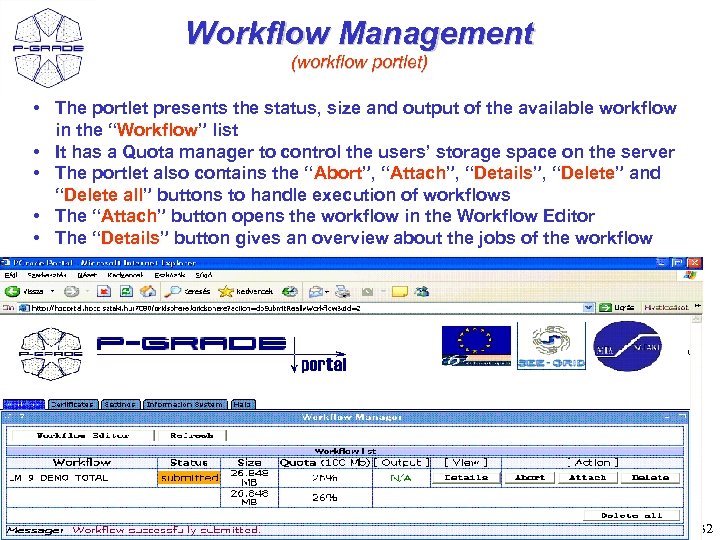
Workflow Management (workflow portlet) • The portlet presents the status, size and output of the available workflow in the “Workflow” list • It has a Quota manager to control the users’ storage space on the server • The portlet also contains the “Abort”, “Attach”, “Details”, “Delete” and “Delete all” buttons to handle execution of workflows • The “Attach” button opens the workflow in the Workflow Editor • The “Details” button gives an overview about the jobs of the workflow 32
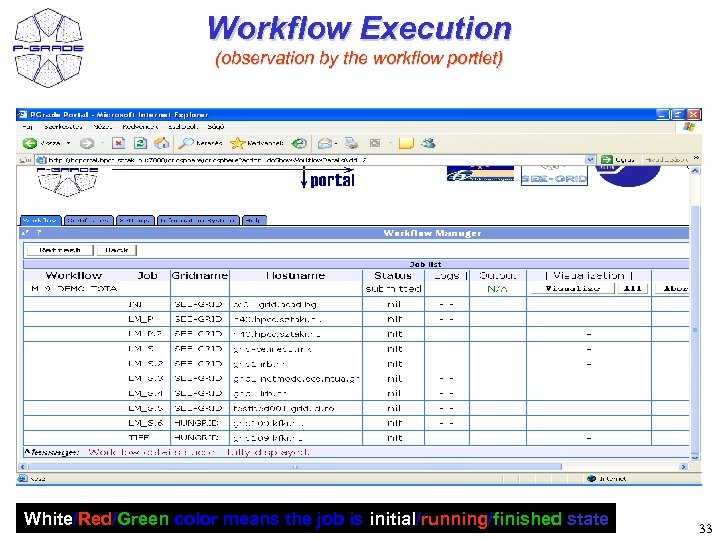
Workflow Execution (observation by the workflow portlet) White/Red/Green color means the job is initial/running/finished state 33
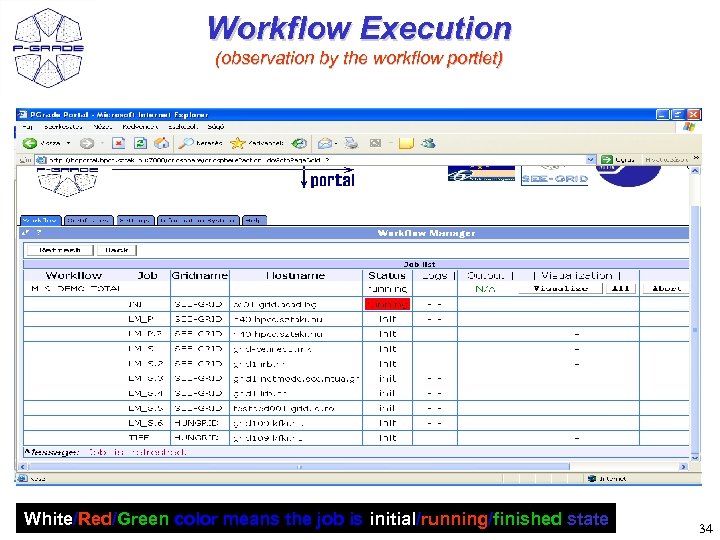
Workflow Execution (observation by the workflow portlet) White/Red/Green color means the job is initial/running/finished state 34
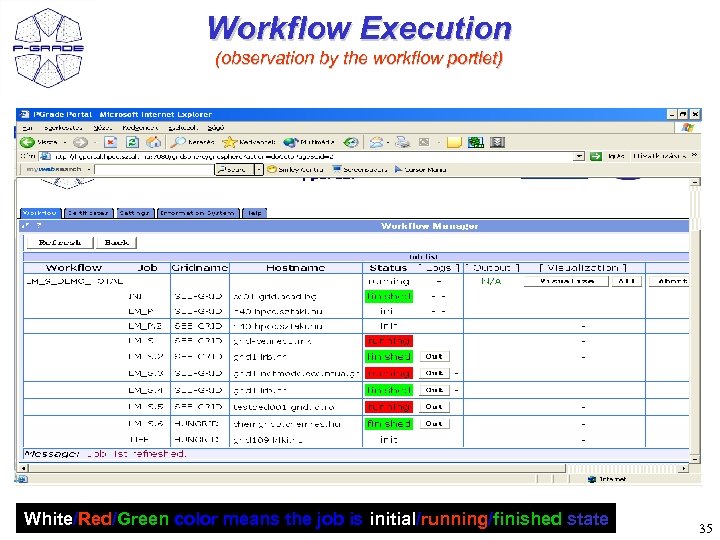
Workflow Execution (observation by the workflow portlet) White/Red/Green color means the job is initial/running/finished state 35
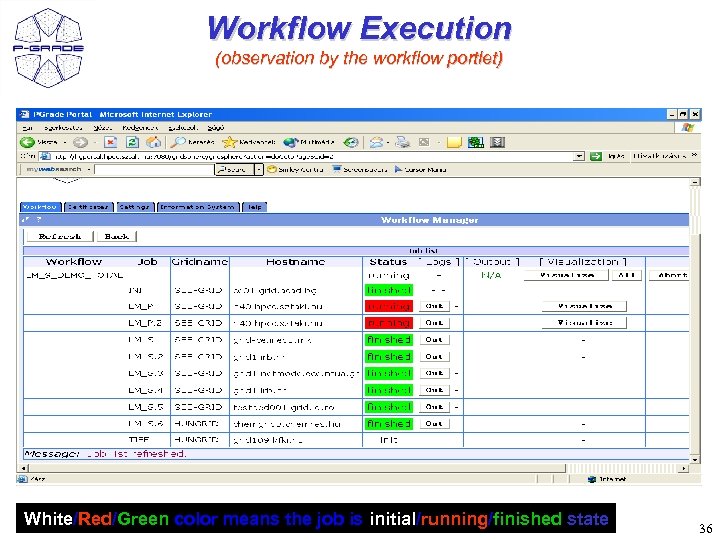
Workflow Execution (observation by the workflow portlet) White/Red/Green color means the job is initial/running/finished state 36
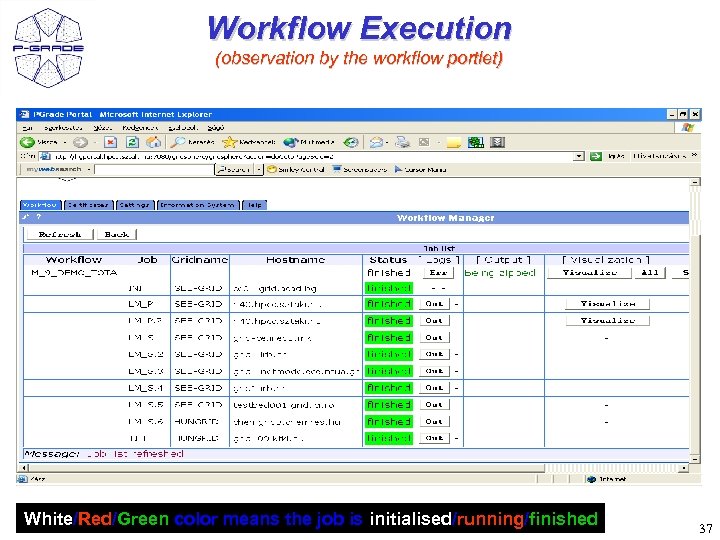
Workflow Execution (observation by the workflow portlet) White/Red/Green color means the job is initialised/running/finished 37
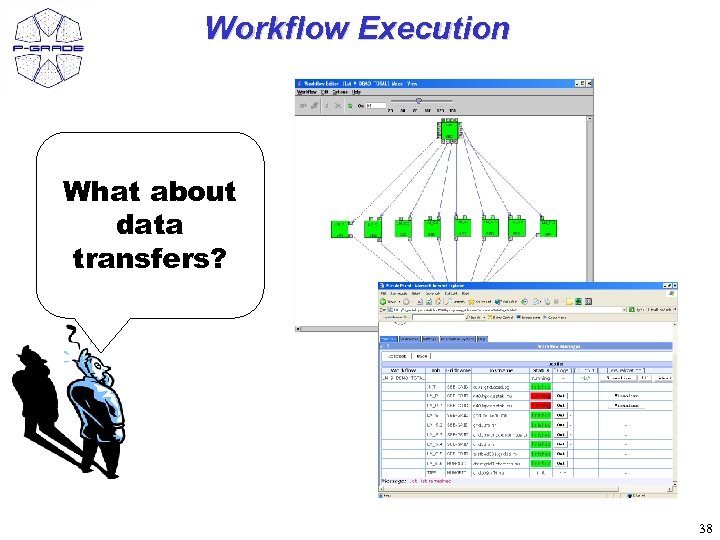
Workflow Execution What about data transfers? 38
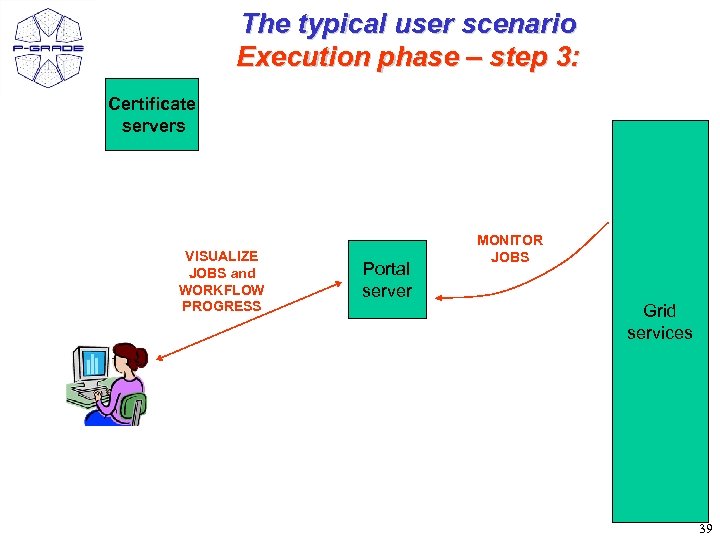
The typical user scenario Execution phase – step 3: Certificate servers VISUALIZE JOBS and WORKFLOW PROGRESS Portal server MONITOR JOBS Grid services 39
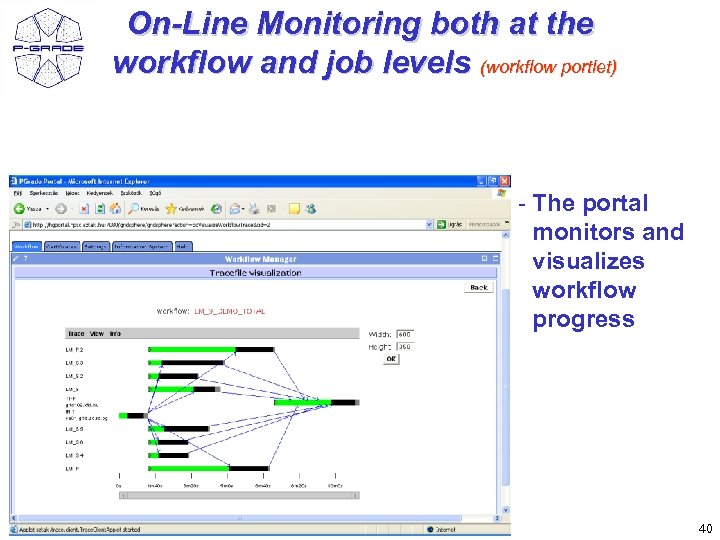
On-Line Monitoring both at the workflow and job levels (workflow portlet) - The portal monitors and visualizes workflow progress 40
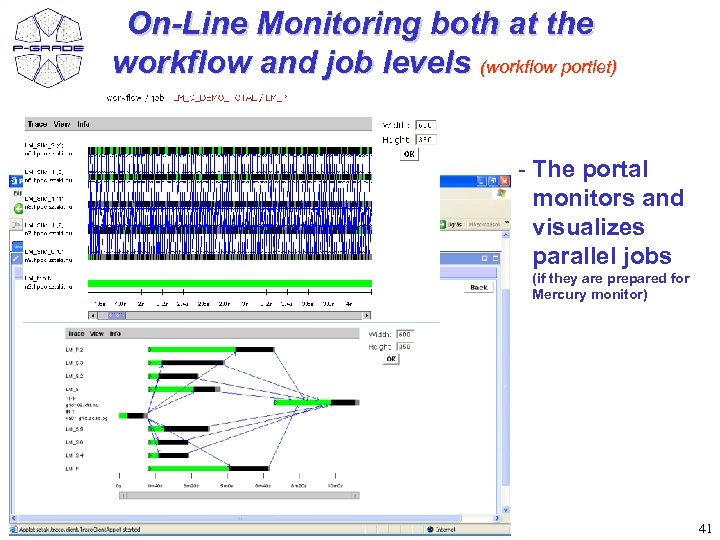
On-Line Monitoring both at the workflow and job levels (workflow portlet) - The portal monitors and visualizes parallel jobs (if they are prepared for Mercury monitor) 41
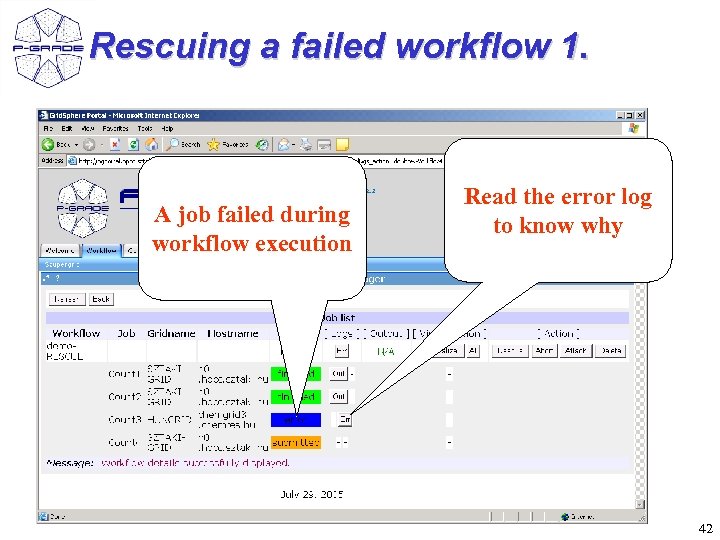
Rescuing a failed workflow 1. A job failed during workflow execution Read the error log to know why 42
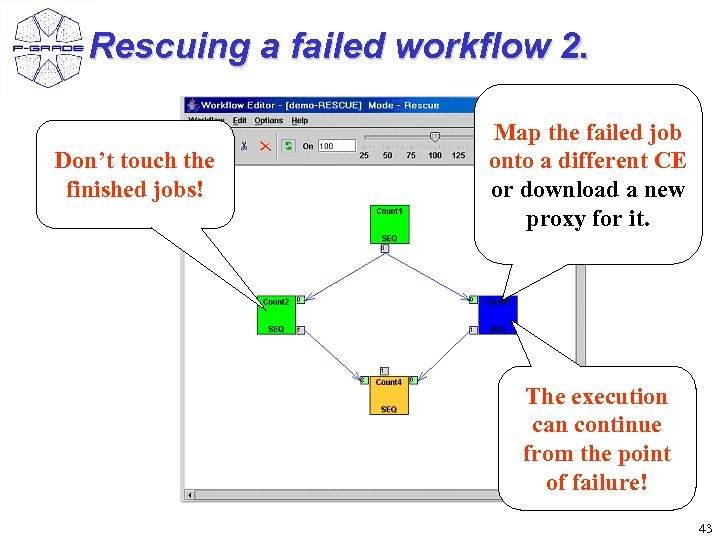
Rescuing a failed workflow 2. Don’t touch the finished jobs! Map the failed job onto a different CE or download a new proxy for it. The execution can continue from the point of failure! 43
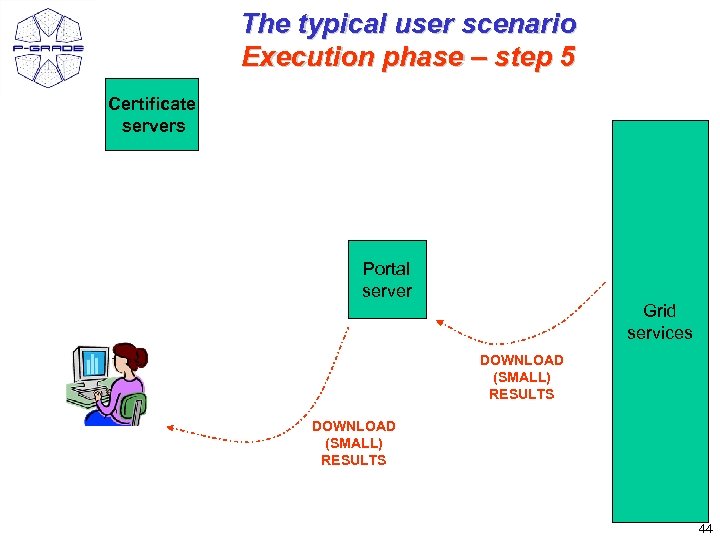
The typical user scenario Execution phase – step 5 Certificate servers Portal server Grid services DOWNLOAD (SMALL) RESULTS 44
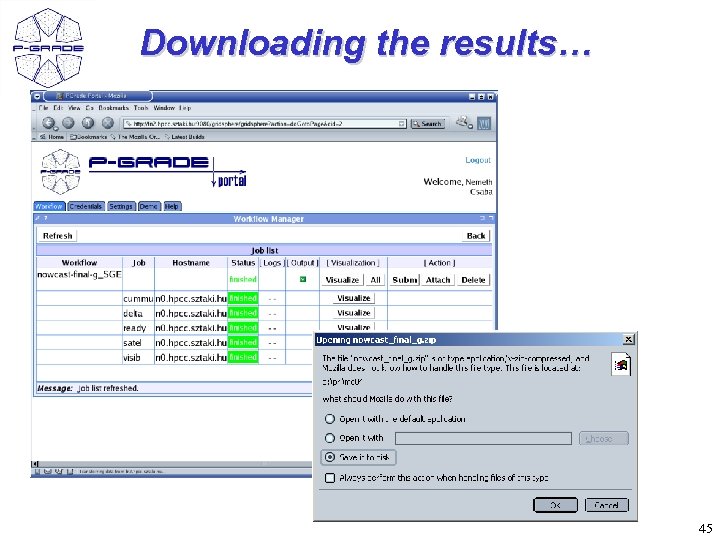
Downloading the results… 45
Additional features • Workflows and traces can be exported from the portal server onto your client machine • Workflows and traces can be imported into the Portal • Share your workflows or results with other researchers! • Migrate your application from one portal into another! 46
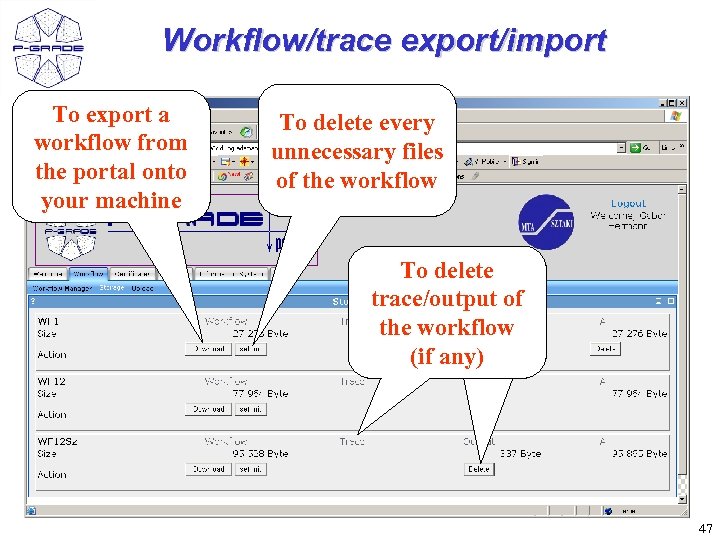
Workflow/trace export/import To export a workflow from the portal onto your machine To delete every unnecessary files of the workflow To delete trace/output of the workflow (if any) 47
References • P-GRADE Portal service is available for – SEE-GRID infrastructure – Central European VO of EGEE – GILDA: Training VO of EGEE – Many national Grids (UK National Grid Service, Hun. Grid, etc. ) – US Open Science Grid, Tera. Grid – Economy-Grid, Swiss Bio. Grid, Bio and Biomed EGEE VOs, Bio. Info. Grid, Baltic. Grid – GIN VO 48
Parameter study extension of the portal • Users want parameter study (PS) support at workflow level • It means: – If the user has an existing workflow in a repository, he would like to run • the same workflow (without any change) • with many different parameters 49
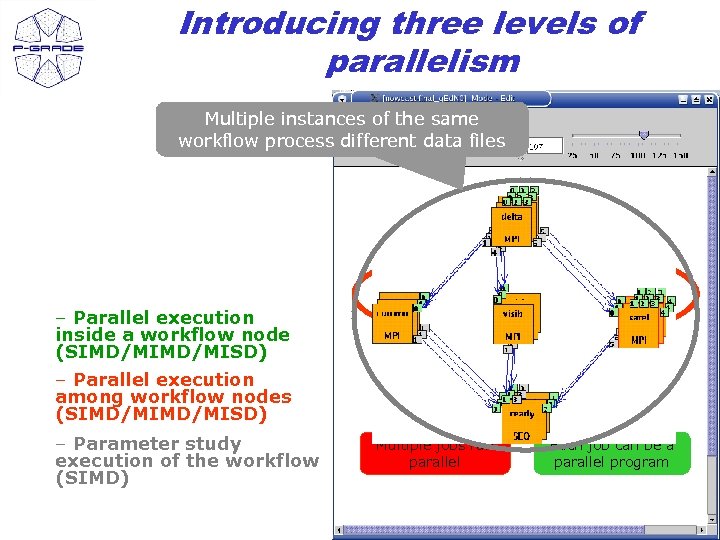
Introducing three levels of parallelism Multiple instances of the same workflow process different data files – Parallel execution inside a workflow node (SIMD/MISD) – Parallel execution among workflow nodes (SIMD/MISD) – Parameter study execution of the workflow (SIMD) Multiple jobs run parallel Each job can be a parallel program 50
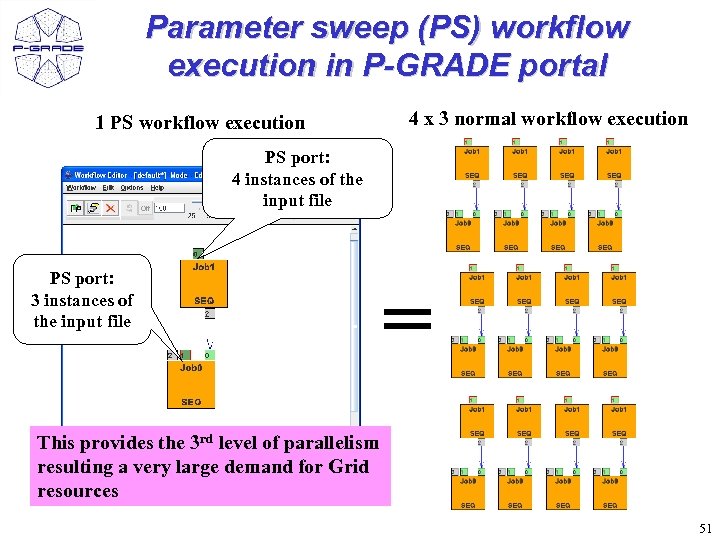
Parameter sweep (PS) workflow execution in P-GRADE portal 1 PS workflow execution 4 x 3 normal workflow execution PS port: 4 instances of the input file PS port: 3 instances of the input file = This provides the 3 rd level of parallelism resulting a very large demand for Grid resources 51
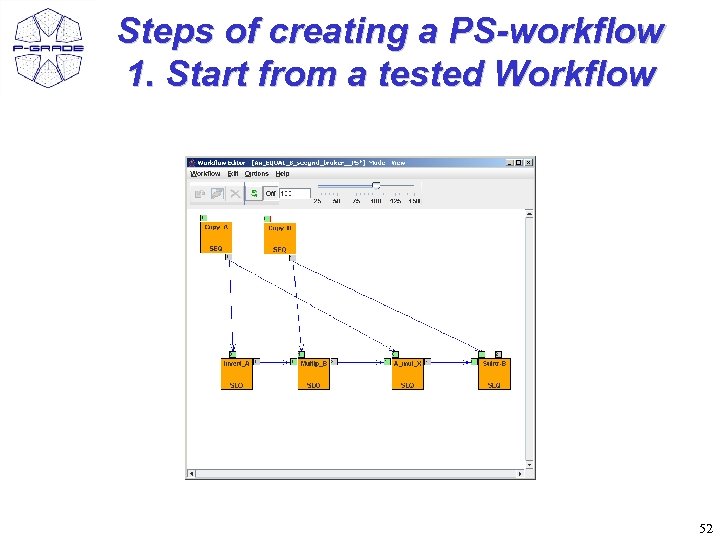
Steps of creating a PS-workflow 1. Start from a tested Workflow 52
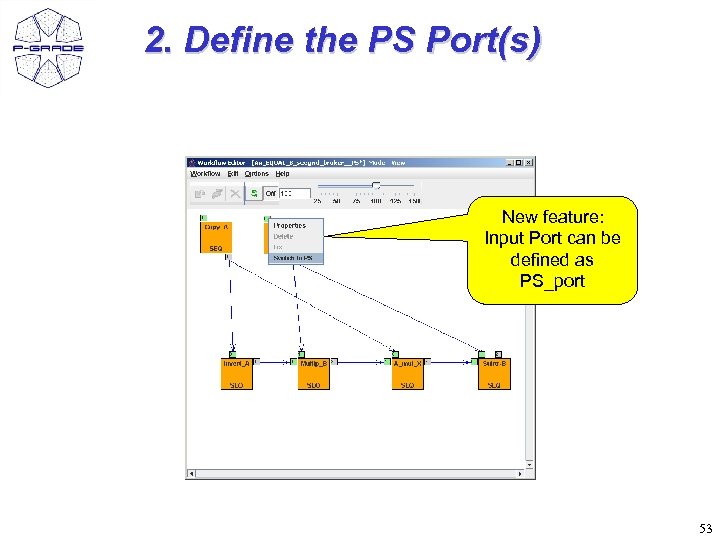
2. Define the PS Port(s) New feature: Input Port can be defined as PS_port 53
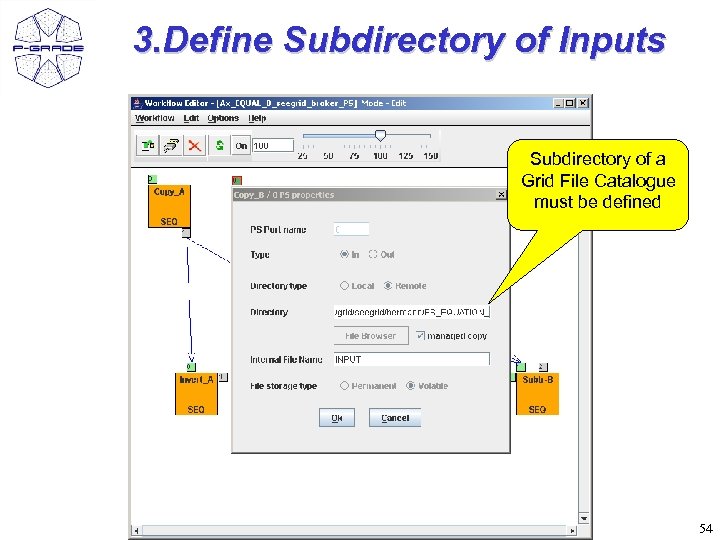
3. Define Subdirectory of Inputs Subdirectory of a Grid File Catalogue must be defined 54
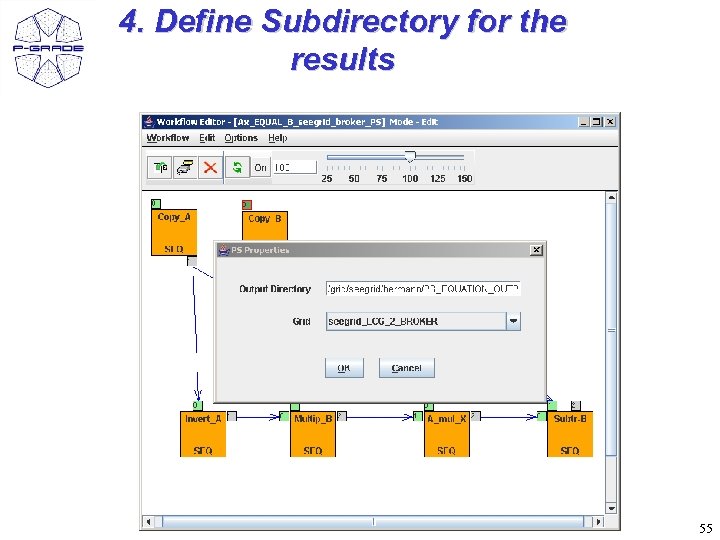
4. Define Subdirectory for the results 55
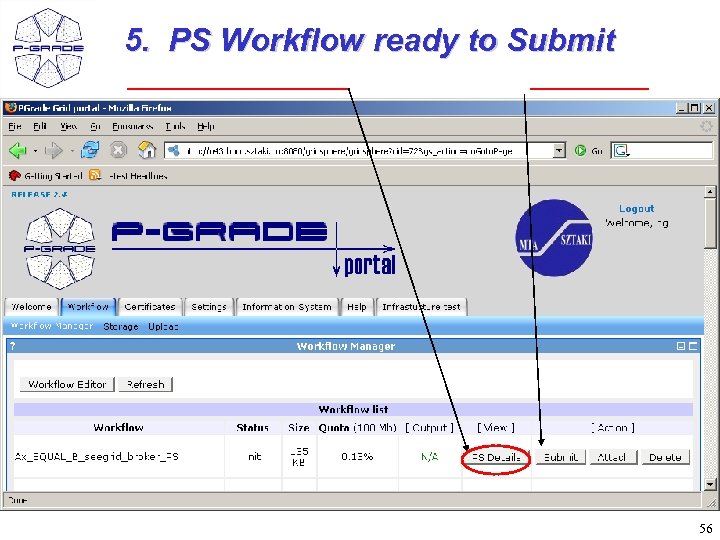
5. PS Workflow ready to Submit 56
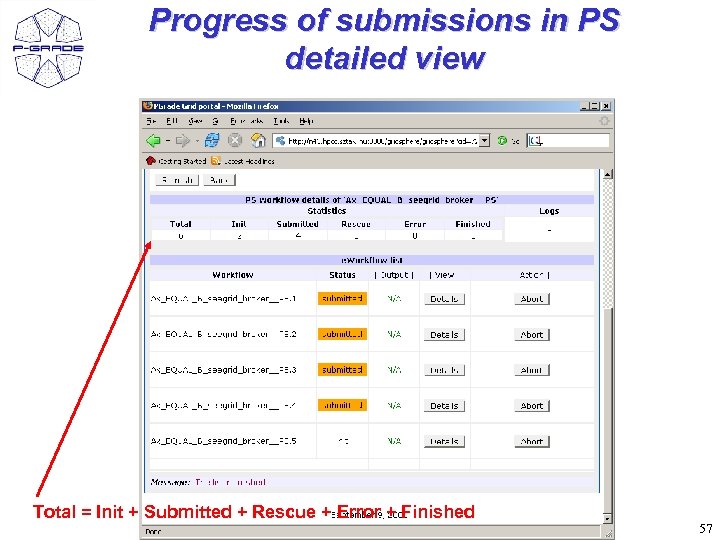
Progress of submissions in PS detailed view Total = Init + Submitted + Rescue + Error + Finished 57
Conclusions: E-scientists’ concerns are resolved! • The P-GRADE Portal hides the complexity and differences of Grids • Globus X – LCG 2 – g. Lite Grid interoperability at the workflow level • Switching between Grid technologies will be transparent to the enduser • Various components can be integrated into large Grid applications • Sequential codes • MPI codes • Legacy codes (with the GEMLCA-specific P-GRADE Portal) • You code does not have to include grid specific commands • Graphical tools for application development, execution and monitoring • Support for collaborative team work • Sharing workflows • Sharing jobs (components) • Built by standard portlet API customizable to specific application areas, user groups 58
How to learn the P-GRADE portal? – Take a look at www. lpds. sztaki. hu/pgportal (manuals, slide shows, installation procedure, etc. ) – Visit or request a training event! (event list also on homepage) • Lectures, demos, hands-on tutorials, application development support – Get an account for one of its production installations: • • VOCE portal - SZTAKI SEEGRID portal – SZTAKI GILDA portal – SZTAKI NGS portal – University of Westminster – If you are the administrator of a Grid/VO then contact SZTAKI to get your own P-GRADE Portal! – If you know the administrator of a P-GRADE Portal you can ask him/her to give access to your Grid through his/her portal installation! (Multi-Grid portal) 59
Learn once, use everywhere Develop once, execute anywhere Thank you! www. lpds. sztaki. hu/pgportal@lpds. sztaki. hu 60
Скачать презентацию Grid application support by the P-GRADE Portal Peter
a6d586b36da756f3e13282f5dc1cf55b.ppt