


 Скачать презентацию Got LDAP Deploying the Lightweight Directory Access Protocol
85b803a0f5a62554a5e6426f6b52ccd6.ppt
- Количество слайдов: 35
 Got LDAP? Deploying the Lightweight Directory Access Protocol Leif Hedstrom
 Agenda • Brief introduction to LDAP • Why use LDAP? • Planning your deployment • Architecture features • Designing your Directory Information Tree • Managing your LDAP system 12 th Usenix LISA, 1998 December 9, 1998 2
 Agenda (cont. ) • Selecting software • Conclusions • Resources and further reading 12 th Usenix LISA, 1998 December 9, 1998 3
 Background and history of LDAP • Has it’s roots in X. 500 (hence DAP) • Developed initially at University of Michigan, and is now an IETF standard • Accepted standard for Directory services, embraced by all the “big” players • LDAP is a protocol, not a database • Client-server based, ASN. 1 encoding 12 th Usenix LISA, 1998 December 9, 1998 4
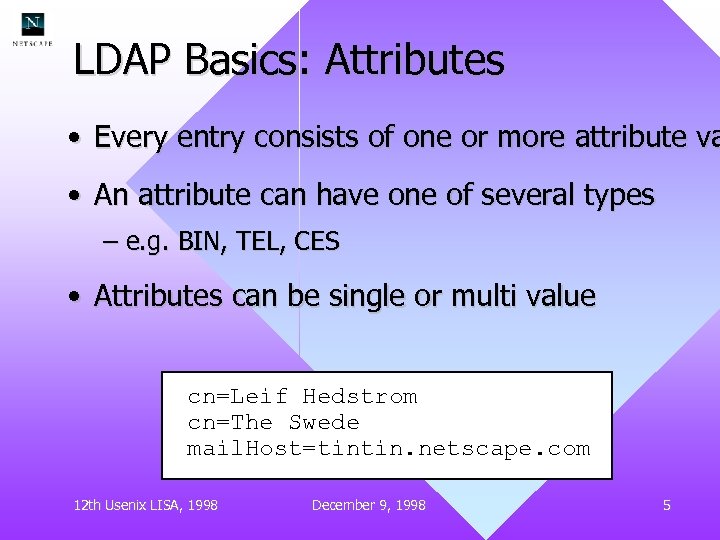 LDAP Basics: Attributes • Every entry consists of one or more attribute va • An attribute can have one of several types – e. g. BIN, TEL, CES • Attributes can be single or multi value cn=Leif Hedstrom cn=The Swede mail. Host=tintin. netscape. com 12 th Usenix LISA, 1998 December 9, 1998 5
 What is an Objectclass? • Every entry must have at least one objectclass a • Defines the database schema, specifying which • Many standard classes available • Extensible • Structural, with inheritance 12 th Usenix LISA, 1998 December 9, 1998 6
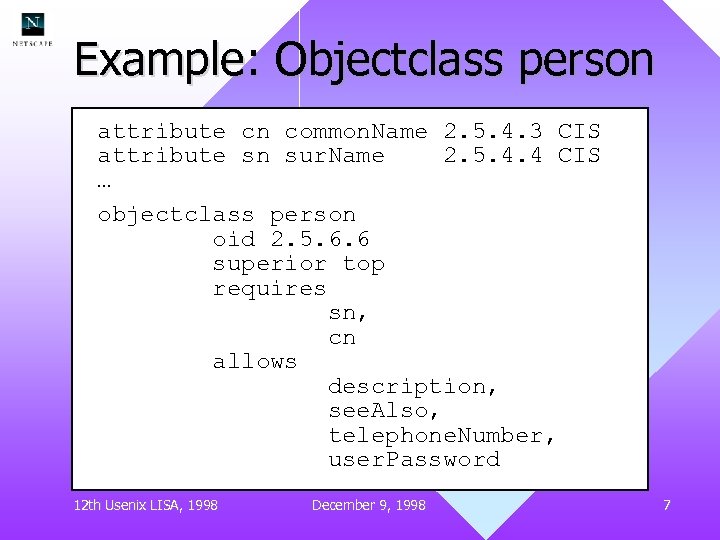 Example: Objectclass person attribute cn common. Name 2. 5. 4. 3 CIS attribute sn sur. Name 2. 5. 4. 4 CIS … objectclass person oid 2. 5. 6. 6 superior top requires sn, cn allows description, see. Also, telephone. Number, user. Password 12 th Usenix LISA, 1998 December 9, 1998 7
 Distinguished Name, DN • The unique identifier for every entry • Example uid=leif, ou=People, dc=Netscape, dc=com • Forms the hierarchy in your data, each “node” is both an entry, and a potential branch point • Relative DNs (RDN), e. g. uid=leif, must be unique within each subtree 12 th Usenix LISA, 1998 December 9, 1998 8
 Why use LDAP? • Understand the reasons of your LDAP deployment – What problems are you solving? – What is the target audience? – Key applications and clients • Don’t deploy LDAP without a good reason • Make sure you have well defined and measurable goals 12 th Usenix LISA, 1998 December 9, 1998 9
 Example goals (@Netscape) • Scalability and performance • Reliable and robust • Security • Easy to maintain, extend and upgrade • Provide our users with services they need • Make system administration easier and more efficient (less manual work) 12 th Usenix LISA, 1998 December 9, 1998 10
 Preparing for your deployment • Have a brilliant plan, but be flexible • Analyze existing systems, procedures and resources • Get other people involved, e. g. – HR – Legal – Network/Telco people – IS Help. Desk 12 th Usenix LISA, 1998 December 9, 1998 11
 Common problems • Changing existing procedures are difficult • Might require assigning new or different tasks to some people • Make sure you have support from management • Mmmm, politics. . . 12 th Usenix LISA, 1998 December 9, 1998 12
 Doing a pilot deployment • Decide on a few applications to LDAP’ify – E. g. Phonebook • Find volunteers to use your applications • Run the deployment as if it was full scale • Analyze the result, get feedback from users • Modify and refine your deployment plan accordingly 12 th Usenix LISA, 1998 December 9, 1998 13
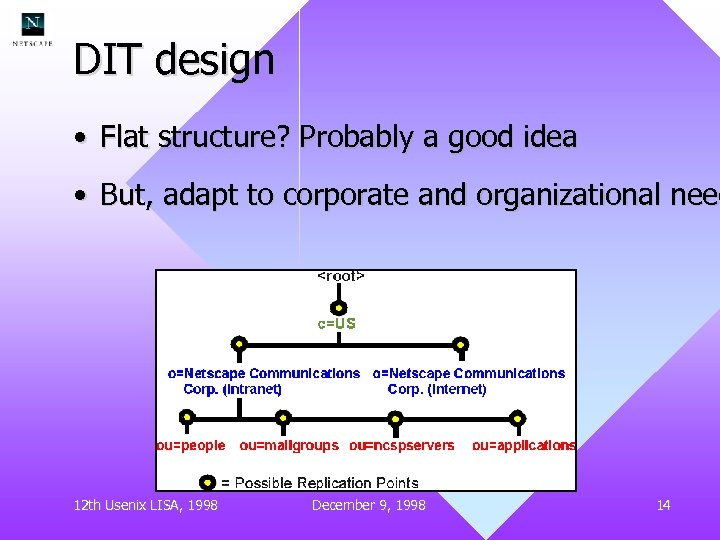 DIT design • Flat structure? Probably a good idea • But, adapt to corporate and organizational need 12 th Usenix LISA, 1998 December 9, 1998 14
 DIT design • Decisions, decisions. . . – Naming attributes (CN, UID … ? ) – Replication points – Delegation and ACL issues • Be prepared for changes – Organizational changes – Geographical changes – Changes in ownership and delegation 12 th Usenix LISA, 1998 December 9, 1998 15
 Data replication • Replication for redundancy, performance and scalability • Single master vs. Multi master • Cascaded replication (single master) – Scalable replication – Efficient replication, to Europe for instance – Reduce load on the Master server 12 th Usenix LISA, 1998 December 9, 1998 16
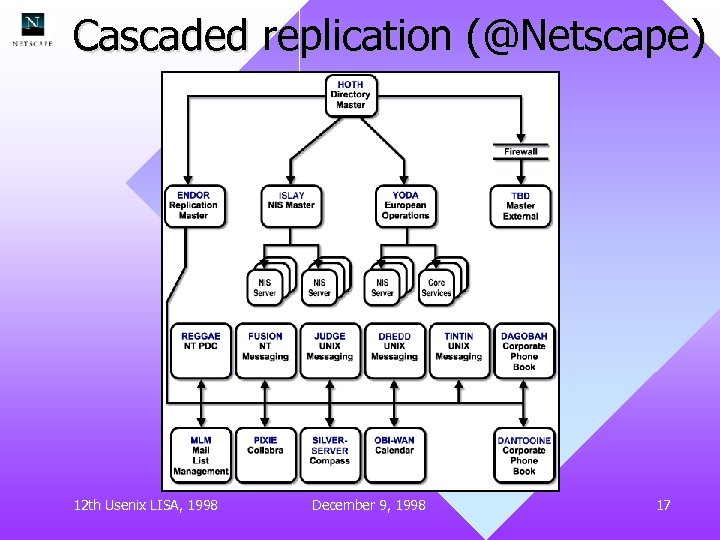 Cascaded replication (@Netscape) 12 th Usenix LISA, 1998 December 9, 1998 17
 Delegation and data ownership • Move responsibility of maintenance close to the data source (or the owner) – Systems and applications – Users – Groups of users (e. g. managers) • Reduce load on central resources • Depends heavily on ACL mechanisms and groups 12 th Usenix LISA, 1998 December 9, 1998 18
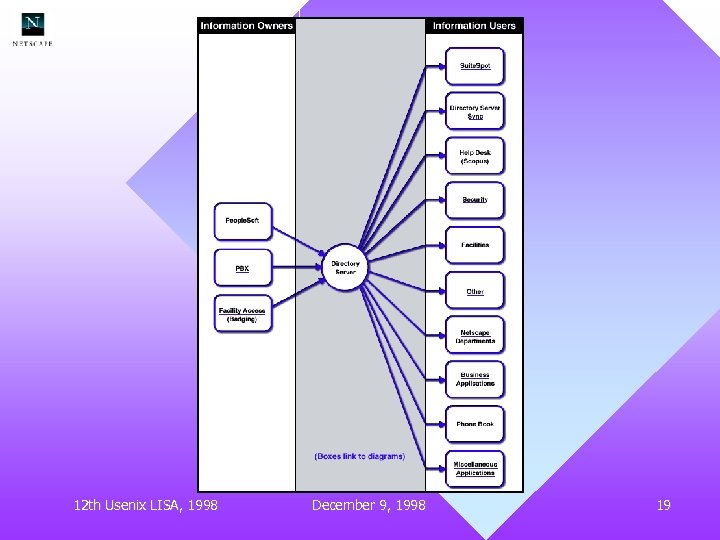 12 th Usenix LISA, 1998 December 9, 1998 19
 LDAP integration • Integration with existing applications – mail servers – Web servers (e. g for authentication) • Integration with existing databases – Replace legacy systems with LDAP – Synchronize when appropriate – Integrated solutions (e. g. ypldapd) – Meta Directories 12 th Usenix LISA, 1998 December 9, 1998 20
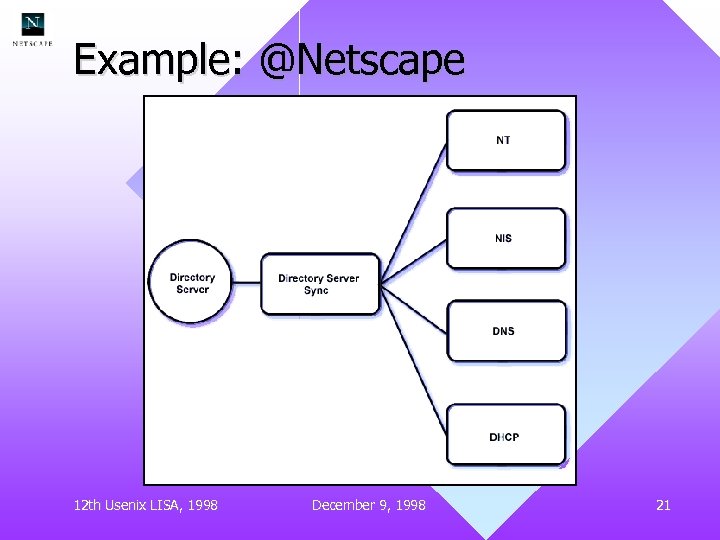 Example: @Netscape 12 th Usenix LISA, 1998 December 9, 1998 21
 Efficient maintenance • LDAP server plugins/extensions – Data consistency checks – Trigger updates and automatic processes – Proactive data maintenance! • Automatic synchronization with other data – HR People. Soft -> LDAP – LDAP to NIS, Win/NT, DNS etc. – PBX, Badge system, Certificate server etc. 12 th Usenix LISA, 1998 December 9, 1998 22
 Efficient maintenance (cont. ) • Management tools used by users – Changing their password (Web UI) – Phonebook (a NS Gateway design) • Specific Gateway used by IS Help. Desk • Specific Gateway used by our Admins and other groups of users • Custom tools developed for common tasks 12 th Usenix LISA, 1998 December 9, 1998 23
 Maintenance tools for Sysadmins • SDKs available for most popular languages – Perl/Per. LDAP –C – Java • Some typical scripts – Adding/deleting users – Group management – Changing passwords 12 th Usenix LISA, 1998 December 9, 1998 24
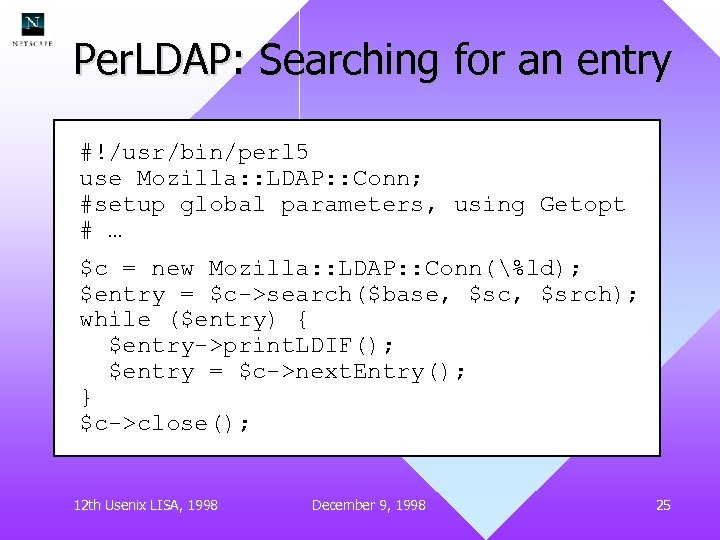 Per. LDAP: Searching for an entry #!/usr/bin/perl 5 use Mozilla: : LDAP: : Conn; #setup global parameters, using Getopt # … $c = new Mozilla: : LDAP: : Conn(%ld); $entry = $c->search($base, $sc, $srch); while ($entry) { $entry->print. LDIF(); $entry = $c->next. Entry(); } $c->close(); 12 th Usenix LISA, 1998 December 9, 1998 25
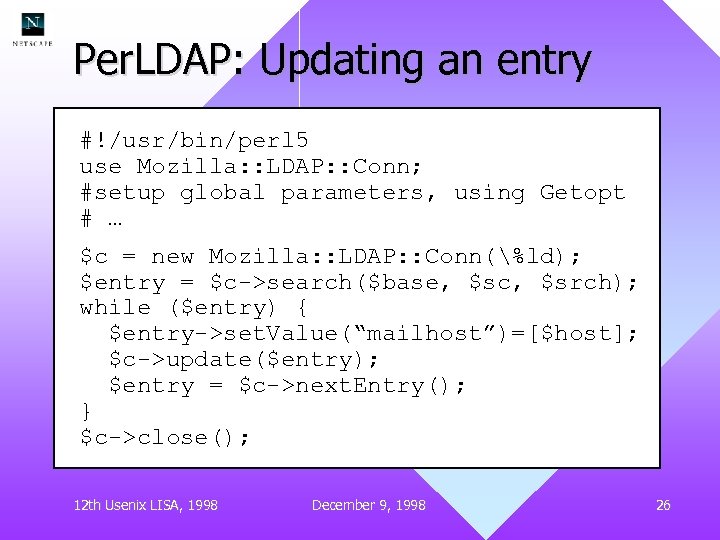 Per. LDAP: Updating an entry #!/usr/bin/perl 5 use Mozilla: : LDAP: : Conn; #setup global parameters, using Getopt # … $c = new Mozilla: : LDAP: : Conn(%ld); $entry = $c->search($base, $sc, $srch); while ($entry) { $entry->set. Value(“mailhost”)=[$host]; $c->update($entry); $entry = $c->next. Entry(); } $c->close(); 12 th Usenix LISA, 1998 December 9, 1998 26
 Monitoring • Monitor via scripts, or perhaps SNMP – Perhaps using cn=monitor entry • Try to detect data anomalies or inconsistencies (but be proactive) • Make sure replication is working • Performance monitoring – Are the servers responsive? High load? – Detect bad clients, or LDAP intensive clients 12 th Usenix LISA, 1998 December 9, 1998 27
 Selecting software • Does it support your architecture – Replication? Multi-master? – ACL mechanisms? – Performance needs? • Cost – Initial costs – Maintenance costs – OS and Hardware costs 12 th Usenix LISA, 1998 December 9, 1998 28
 Selecting software (cont. ) • Standards – LDAP v 2 or v 3? – Extensions and controls? • Other considerations – Open. Source is popular. . . – Support – Platforms 12 th Usenix LISA, 1998 December 9, 1998 29
 Some software products • Netscape Directory Server (v 4. 0) – Very fast, powerful ACLs – Cross platform – Standards compliant – Flexible design (plugin API) • Open. LDAP/Umich LDAP – Free! – Source code, but still behind the curve 12 th Usenix LISA, 1998 December 9, 1998 30
 Software products (cont. ) • Microsoft Active. Directory – Integration with NT (for better and for worse) – Multi-master replication – Excellent admin GUI – Only for NT • Sun’s Directory Server – Integrates with NIS 12 th Usenix LISA, 1998 December 9, 1998 31
 Conclusions • Spend time planning, analyzing and testing your design • Select a DIT that is as easy as possible, while still supporting your organization • Proactive and automatic maintenance is good, helps keeping consistent data • Select the software appropriate for your architecture and needs 12 th Usenix LISA, 1998 December 9, 1998 32
 Literature • RFCs, drafts and other protocol papers • LDAP: Programming Directory Enabled Applications with Lightweight Directory Access protocol – Tim Howes and Mark Smith – Macmillan Technology Series – ISBN: 1 -57870 -000 -0 – ~$45 12 th Usenix LISA, 1998 December 9, 1998 33
 Literature (cont. ) • Understanding and Deploying LDAP Directory Services – Tim Howes, Mark Smith and Gordon Good – Mac. Millan – ISBN: 1 -57870 -070 -1 – ~$50 – Should be out early 1999 12 th Usenix LISA, 1998 December 9, 1998 34
 Resources • Http: //www. openldap. org/ • http: //www. mozilla. org/directory/ • http: //www. ogre. com/ldap/ • Mail questions to me at leif@netscape. com or leif@ogre. com 12 th Usenix LISA, 1998 December 9, 1998 35