 Скачать презентацию GNU Radio USRP on the WINLAB ORBIT Nodes 29
b70e5a073ae93ad10a0b460b81e9e962.ppt
- Количество слайдов: 26



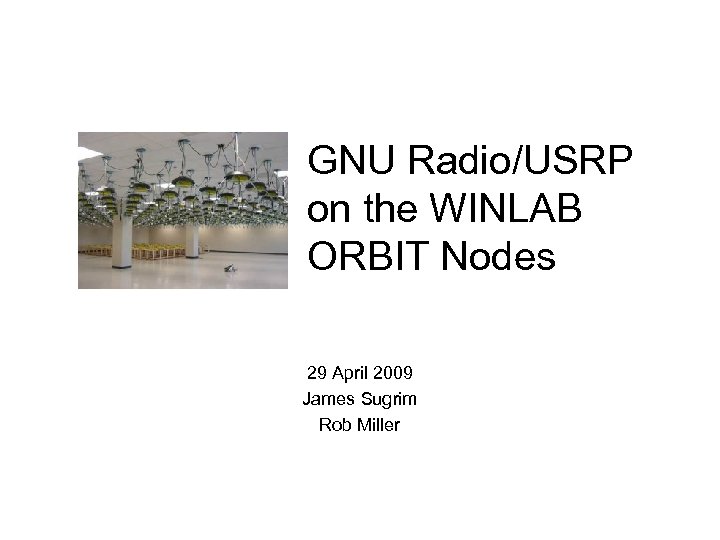
GNU Radio/USRP on the WINLAB ORBIT Nodes 29 April 2009 James Sugrim Rob Miller
The Story • Software Defined Radio (SDR) progress • Theory Simulation Experimentation The Goal Familiarity with WINLAB SDR resources. (GNU Radio / USRP)
The Show So Far. • Getting Started – Where the USRPs are located – Building your own image • GNU Radio/USRP Overview • Code Development • Demonstration
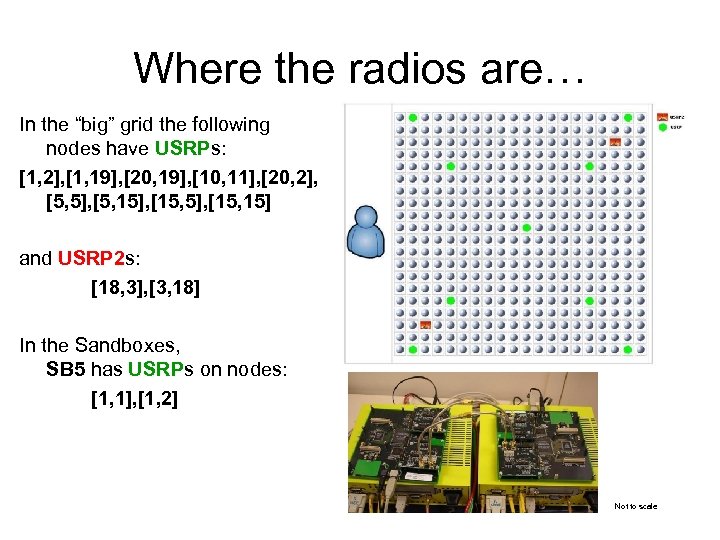
Where the radios are… In the “big” grid the following nodes have USRPs: [1, 2], [1, 19], [20, 19], [10, 11], [20, 2], [5, 5], [5, 15], [15, 15] and USRP 2 s: [18, 3], [3, 18] In the Sandboxes, SB 5 has USRPs on nodes: [1, 1], [1, 2] Not to scale
Imaging SB 5 (or the grid for that matter) • There are reference images that are coupled with GNU Radio software, the most recent is named gnuradio-3. 1. ndz • Utilizing the omf (or orbit) facility we can bring up nodes that have the software ready to be run. Command Syntax: > omf load Node. List Image. Name Where Image. Name is the Image of interest, and Node. List is specified as a bracketed, comma delimited list (e. g. [1, 1], [1, 2], …). Keywords like all can be substituted for a list. Example: To load the GNU Radio image onto Orbit nodes [1, 2] and [20, 19], use: > omf load [[1, 2], [20, 19]] gnuradio-3. 1. ndz www. orbit-lab. org/wiki/Documentation/Supported. Images
Grow your own. (Not recommended) • • • If the stock versions are not what you’re looking for you can build your own image. There is an apt package name gnuradio, don’t use it. These additional sources were needed in the apt-list: deb http: //gnuradio. org/ubuntu stable main contrib deb-src http: //gnuradio. org/ubuntu stable main deb http: //ftp. at. debian. org/debian/ etch main non-free contrib • These additional package may be necessary: sdcc boost-build wx-common libqt 3 -mt-dev libgsl 0 -dev Guile libcomedi-0. 7. 22 • • ssh 2 – X 11 exports locales Python buildessentials auto-make subversion It should be noted that the baseline image is based on debian (and not ubuntu) If you check out sources from SVN there is an additional step that precedes running. /configure; . /bootstrap preconfigures configure?
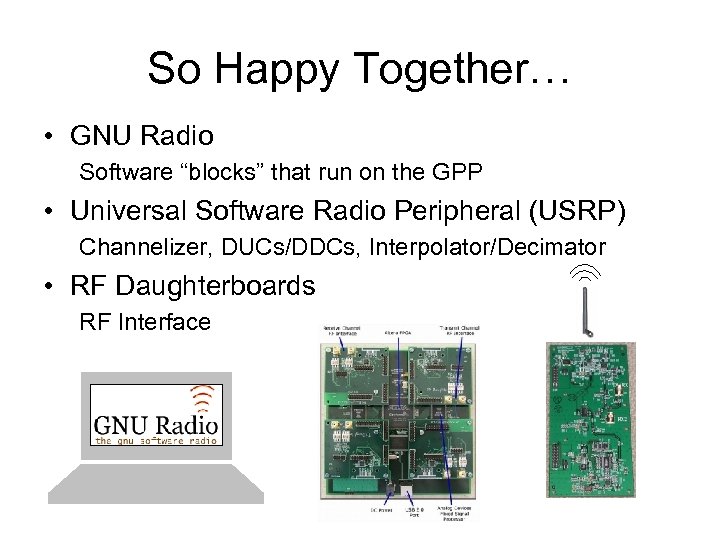
So Happy Together… • GNU Radio Software “blocks” that run on the GPP • Universal Software Radio Peripheral (USRP) Channelizer, DUCs/DDCs, Interpolator/Decimator • RF Daughterboards RF Interface
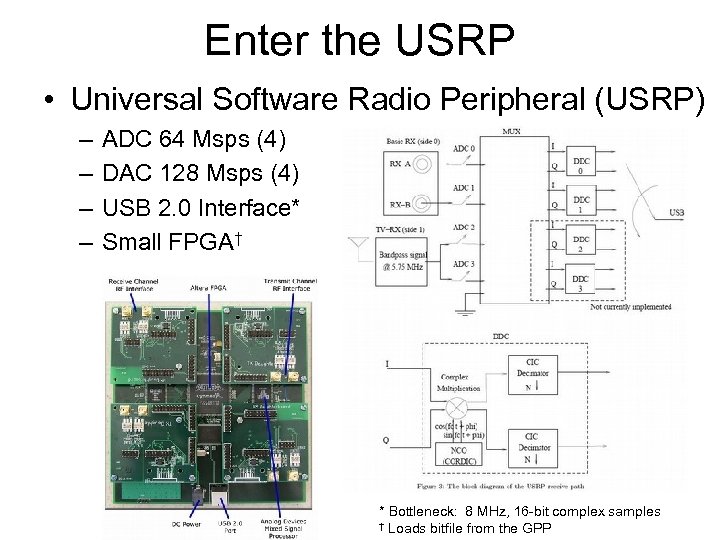
Enter the USRP • Universal Software Radio Peripheral (USRP) – – ADC 64 Msps (4) DAC 128 Msps (4) USB 2. 0 Interface* Small FPGA† * Bottleneck: 8 MHz, 16 -bit complex samples † Loads bitfile from the GPP
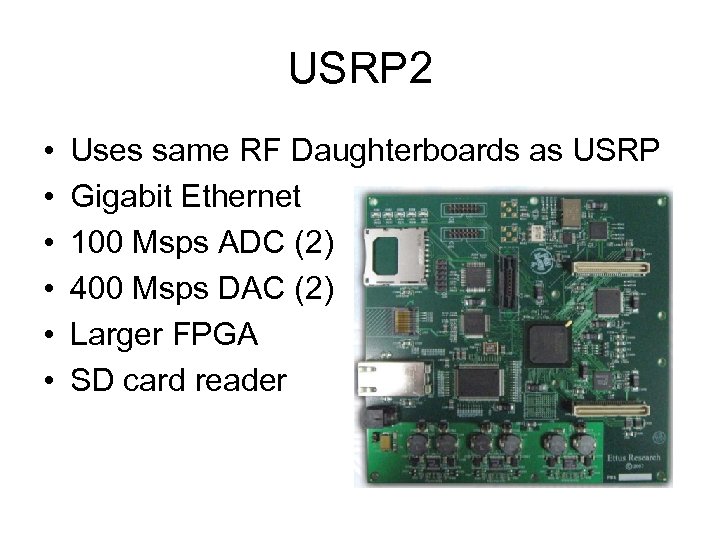
USRP 2 • • • Uses same RF Daughterboards as USRP Gigabit Ethernet 100 Msps ADC (2) 400 Msps DAC (2) Larger FPGA SD card reader
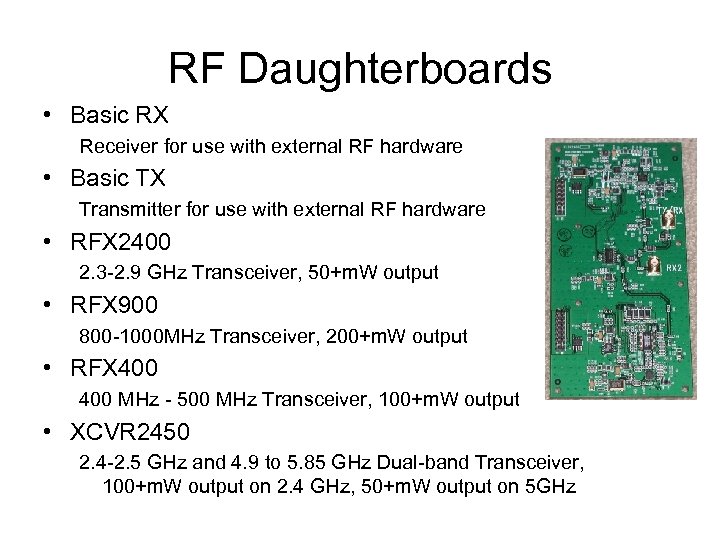
RF Daughterboards • Basic RX Receiver for use with external RF hardware • Basic TX Transmitter for use with external RF hardware • RFX 2400 2. 3 -2. 9 GHz Transceiver, 50+m. W output • RFX 900 800 -1000 MHz Transceiver, 200+m. W output • RFX 400 MHz - 500 MHz Transceiver, 100+m. W output • XCVR 2450 2. 4 -2. 5 GHz and 4. 9 to 5. 85 GHz Dual-band Transceiver, 100+m. W output on 2. 4 GHz, 50+m. W output on 5 GHz
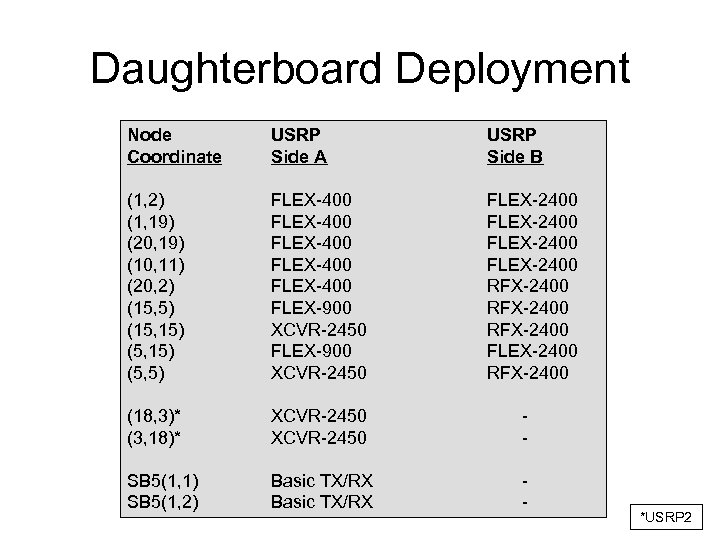
Daughterboard Deployment Node Coordinate USRP Side A USRP Side B (1, 2) (1, 19) (20, 19) (10, 11) (20, 2) (15, 5) (15, 15) (5, 5) FLEX-400 FLEX-400 FLEX-900 XCVR-2450 FLEX-2400 RFX-2400 FLEX-2400 RFX-2400 (18, 3)* (3, 18)* XCVR-2450 SB 5(1, 1) SB 5(1, 2) Basic TX/RX - *USRP 2
• Signal processing ‘blocks’ – Implemented in C++ but callable from python • Program development – ‘Glue’ together existing blocks in python https: //radioware. nd. edu/documentation/a-dictionary-of-the-gnu-radio-blocks – Build your own https: //radioware. nd. edu/documentation/advanced-gnuradio
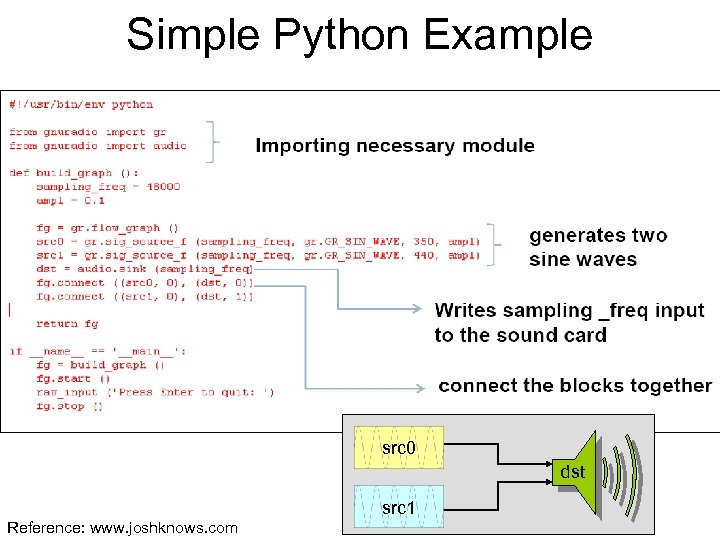
Simple Python Example src 0 dst src 1 Reference: www. joshknows. com
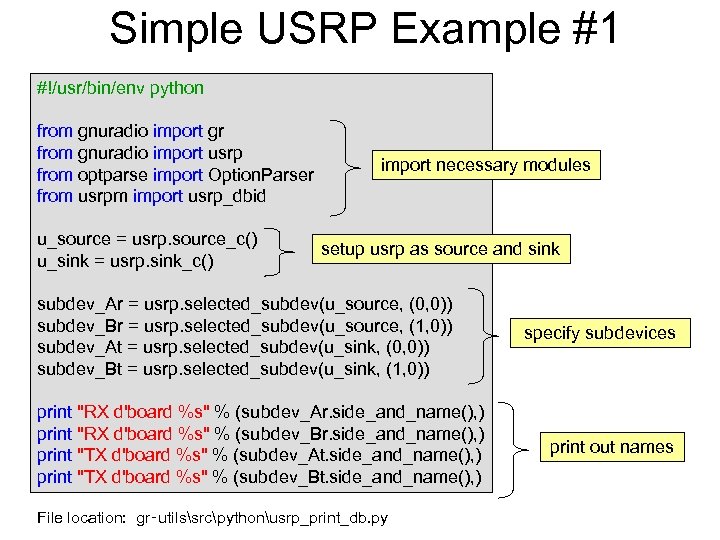
Simple USRP Example #1 #!/usr/bin/env python from gnuradio import gr from gnuradio import usrp from optparse import Option. Parser from usrpm import usrp_dbid u_source = usrp. source_c() u_sink = usrp. sink_c() import necessary modules setup usrp as source and sink subdev_Ar = usrp. selected_subdev(u_source, (0, 0)) subdev_Br = usrp. selected_subdev(u_source, (1, 0)) subdev_At = usrp. selected_subdev(u_sink, (0, 0)) subdev_Bt = usrp. selected_subdev(u_sink, (1, 0)) print "RX d'board %s" % (subdev_Ar. side_and_name(), ) print "RX d'board %s" % (subdev_Br. side_and_name(), ) print "TX d'board %s" % (subdev_At. side_and_name(), ) print "TX d'board %s" % (subdev_Bt. side_and_name(), ) File location: gr‑utilssrcpythonusrp_print_db. py specify subdevices print out names
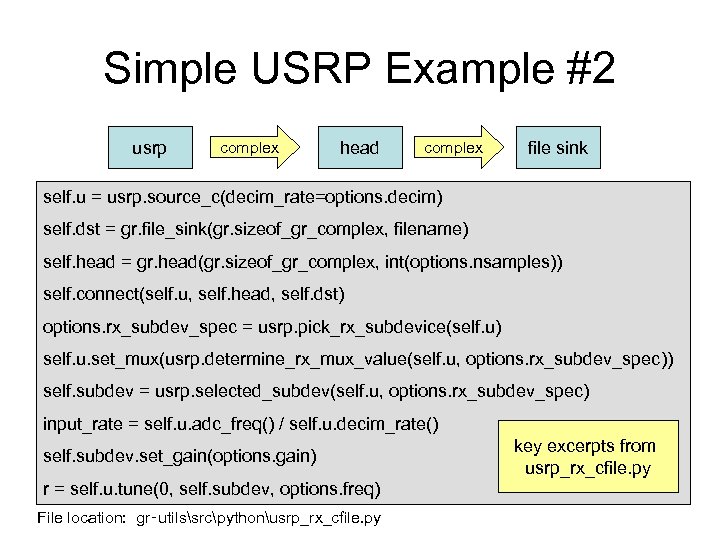
Simple USRP Example #2 usrp complex head complex self. u = usrp. source_c(decim_rate=options. decim) file sink self. dst = gr. file_sink(gr. sizeof_gr_complex, filename) self. head = gr. head(gr. sizeof_gr_complex, int(options. nsamples)) self. connect(self. u, self. head, self. dst) options. rx_subdev_spec = usrp. pick_rx_subdevice(self. u) self. u. set_mux(usrp. determine_rx_mux_value(self. u, options. rx_subdev_spec)) self. subdev = usrp. selected_subdev(self. u, options. rx_subdev_spec) input_rate = self. u. adc_freq() / self. u. decim_rate() self. subdev. set_gain(options. gain) r = self. u. tune(0, self. subdev, options. freq) File location: gr‑utilssrcpythonusrp_rx_cfile. py key excerpts from usrp_rx_cfile. py
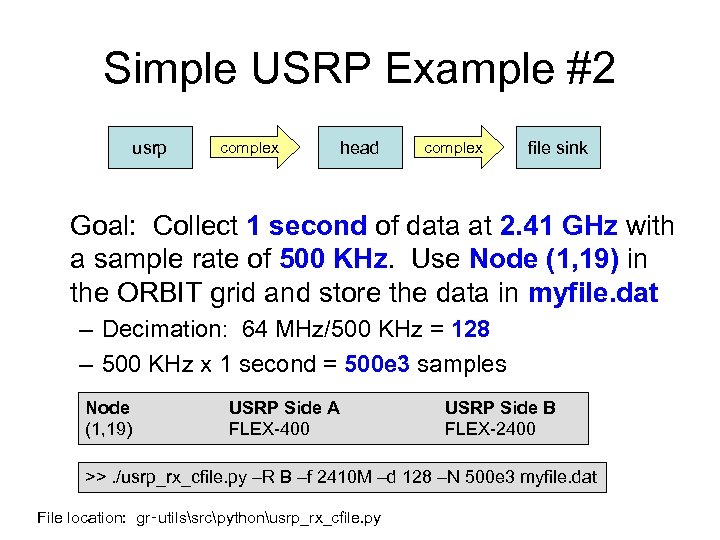
Simple USRP Example #2 usrp complex head complex file sink Goal: Collect 1 second of data at 2. 41 GHz with a sample rate of 500 KHz. Use Node (1, 19) in the ORBIT grid and store the data in myfile. dat – Decimation: 64 MHz/500 KHz = 128 – 500 KHz x 1 second = 500 e 3 samples Node (1, 19) USRP Side A FLEX-400 USRP Side B FLEX-2400 >>. /usrp_rx_cfile. py –R B –f 2410 M –d 128 –N 500 e 3 myfile. dat File location: gr‑utilssrcpythonusrp_rx_cfile. py
Building the house block by block • How-to-build-a-block – Develop C++ signal processing – Make callable from python (SWIG) – Test the block – Install and use the block from gnuradio import myblock Good starting points radioware. nd. edu/documentation/advanced-gnuradio www. gnu. org/software/gnuradio/doc/howto-write-a-block. html
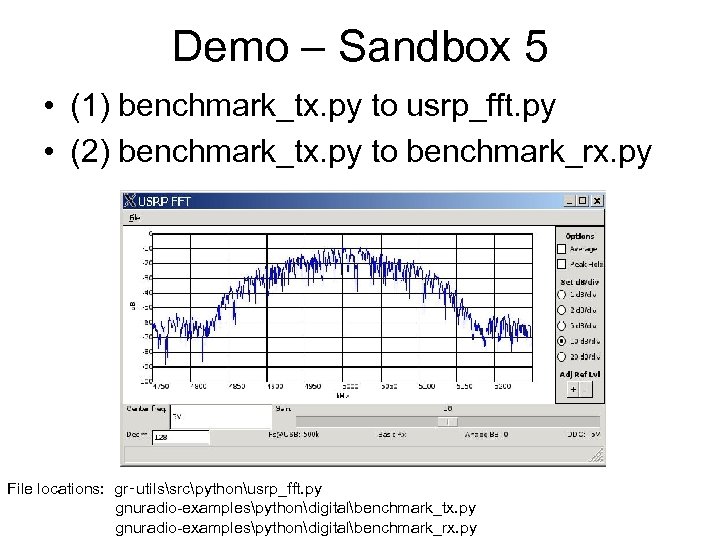
Demo – Sandbox 5 • (1) benchmark_tx. py to usrp_fft. py • (2) benchmark_tx. py to benchmark_rx. py File locations: gr‑utilssrcpythonusrp_fft. py gnuradio-examplespythondigitalbenchmark_tx. py gnuradio-examplespythondigitalbenchmark_rx. py
USRP Debug Tidbit • u. Uu. U USRP Underruns: Not enough samples are ready to send to USRP sink. • u. Ou. O USRP Overruns: USRP samples have been dropped because they weren't read in time.
Suggestions • Log into the sandbox and play!
Relevant References • • • www. ettus. com www. gnu. org/software/gnuradio/ www. gnuradio. org www. joshknows. com radioware. nd. edu/documentation – Dawei Shen tutorials moved here – Dictionary of GNU Radio blocks • www. orbit-lab. org • www. gnu. org/software/gnuradio/doc/howto-write-a-block. html

Questions?
Extra Slides Follow
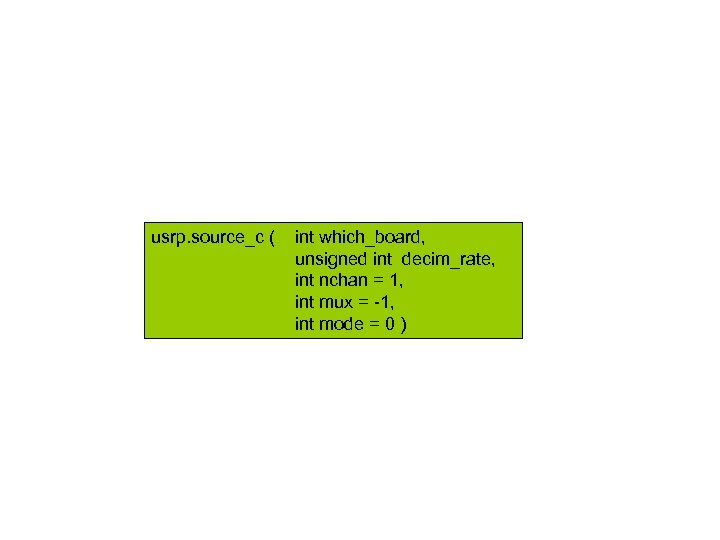
usrp. source_c ( int which_board, unsigned int decim_rate, int nchan = 1, int mux = -1, int mode = 0 )
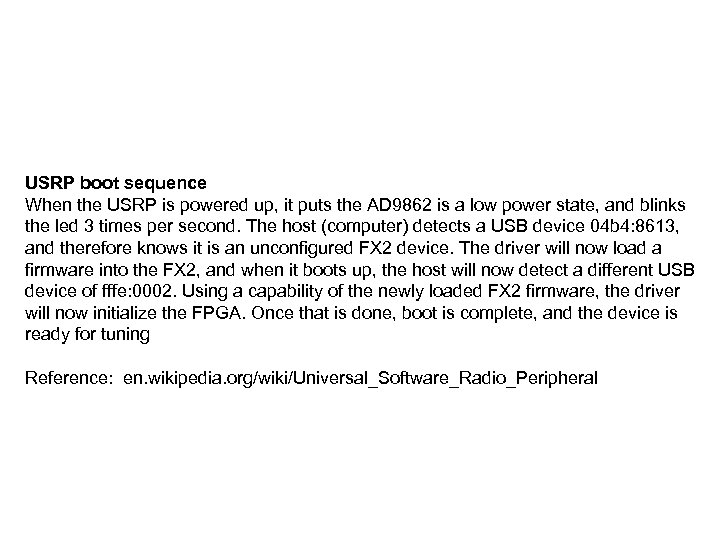
USRP boot sequence When the USRP is powered up, it puts the AD 9862 is a low power state, and blinks the led 3 times per second. The host (computer) detects a USB device 04 b 4: 8613, and therefore knows it is an unconfigured FX 2 device. The driver will now load a firmware into the FX 2, and when it boots up, the host will now detect a different USB device of fffe: 0002. Using a capability of the newly loaded FX 2 firmware, the driver will now initialize the FPGA. Once that is done, boot is complete, and the device is ready for tuning Reference: en. wikipedia. org/wiki/Universal_Software_Radio_Peripheral
Abstract • Recent advancements in the area of Software Defined Radio (SDR) have opened the door for researchers to complement theoretical findings and simulations with real world experimentation. A very popular SDR, used in both academia and industry, is the Universal Software Radio Peripheral (USRP). Much experimentation has been done using this SDR in conjunction with GNU Radio signal processing blocks. The primary focus of this talk is to get new users involved with the GNU Radio/USRP resources available at WINLAB. In this talk, we will discuss how to access and develop on these platforms. We will also provide a high level description of the USRP architecture, and an overview of the steps involved in implementing signal processing routines. Additionally, we will comment on lessons learned regarding the installation of GNU Radio onto the WINLAB nodes. Links and references to more detailed documentation will also be provided.
Скачать презентацию GNU Radio USRP on the WINLAB ORBIT Nodes 29
b70e5a073ae93ad10a0b460b81e9e962.ppt