


 Скачать презентацию GMS Revamping Project GMS Power Group Training Golden
a0782436e22eab2e637592cc9a51903e.ppt
- Количество слайдов: 51
 GMS Revamping Project GMS Power Group Training Golden Sands, BG July 21 st – 25 th 2014
 Contents Project progress update n Product update n ¨ Product overview ¨ Product demonstration n Deployment strategy and next steps
 OSF - GMS Solution n Corporate OSF Software for: ¨ ¨ ¨ Organization contacts management Budget planning and submission Foundation budget management Foundation project planning (Program work plan) Management of: n n n Applications and Grants Operational Activities Contracts Management of programmatic information ¨ Management of the decision processes ¨ Accounting ¨ Reporting to internal and external stakeholders ¨
 GMS Highlights n Automates the business processes ¨ ¨ ¨ n Multi-year decentralized budget preparation and submission to HO Third Party donor proposals and contract management Program/project management (narrative and financial) Proposals/Grants cycle; Professional Service Contracts Accounting Reporting to Executive, Program and Finance Managers Compliance with HO requirements OSI FAAP ¨ Records management, reporting and archiving ¨ Implements administrative, programmatic and financial policies and procedures ¨ n Provides Compliance with large donor regulations ¨ n USAID, SIDA, Global Fund, EU, UNDP, World Bank, MATRA, KBF Brussels, DFID Provides compliance with national & international standards IFRS ¨ US GAAP ¨ UK GAAP ¨ Local statutory requirements ¨
 GMS Usage Budget submission for the entire OSF Foundations network n Native solution for 15 OSF national and regional foundations and affiliates n Implemented in 12 External organizations n 33 production databases n 13 + years of usage and support n
 GMS Revamping Project
 Why Revamping? n n n Improve the user experience and learning curve Migrate to a contemporary information technologies and services Respond to requests and feedback from national and regional foundations New Head Office Business requirements Implementation of new back office system at HO (Net. Suite; Foundation Connect)
 Key Improvements ¨ Simplified User Interface ¨ Optimized business workflow: n Project planning n Grants Management n Contracts Management ¨ Multi-currency ¨ Powerful issues and accurate calculations and Flexible Reports 8
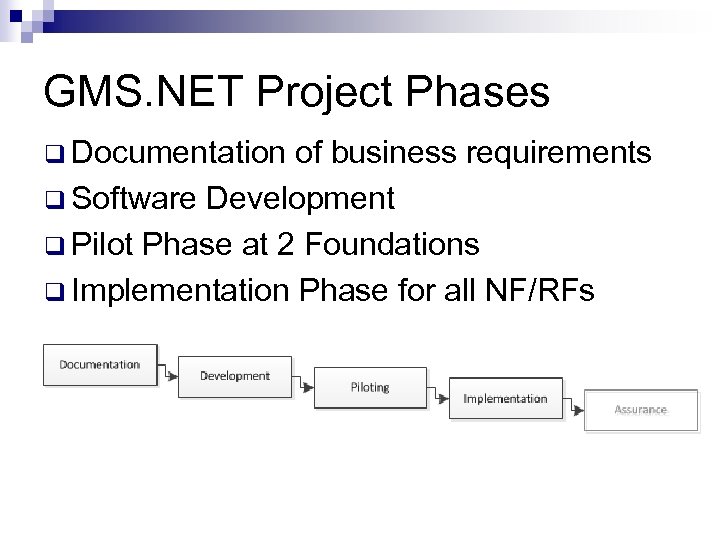 GMS. NET Project Phases q Documentation of business requirements q Software Development q Pilot Phase at 2 Foundations q Implementation Phase for all NF/RFs
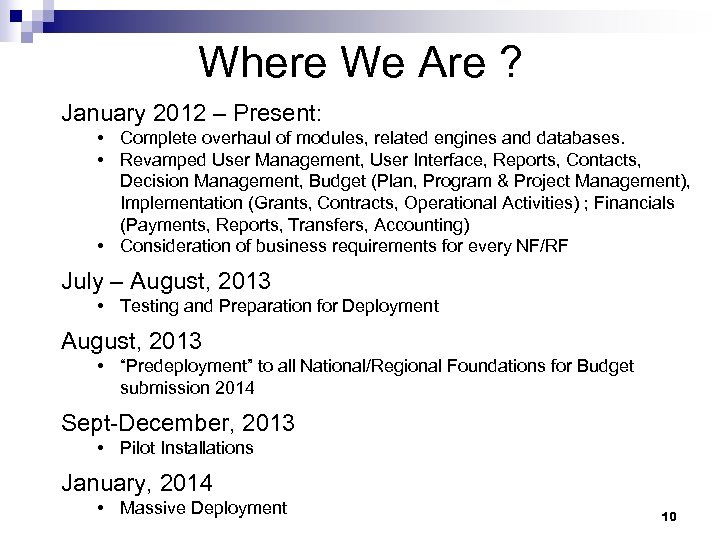 Where We Are ? January 2012 – Present: • Complete overhaul of modules, related engines and databases. • Revamped User Management, User Interface, Reports, Contacts, Decision Management, Budget (Plan, Program & Project Management), Implementation (Grants, Contracts, Operational Activities) ; Financials (Payments, Reports, Transfers, Accounting) • Consideration of business requirements for every NF/RF July – August, 2013 • Testing and Preparation for Deployment August, 2013 • “Predeployment” to all National/Regional Foundations for Budget submission 2014 Sept-December, 2013 • Pilot Installations January, 2014 • Massive Deployment 10
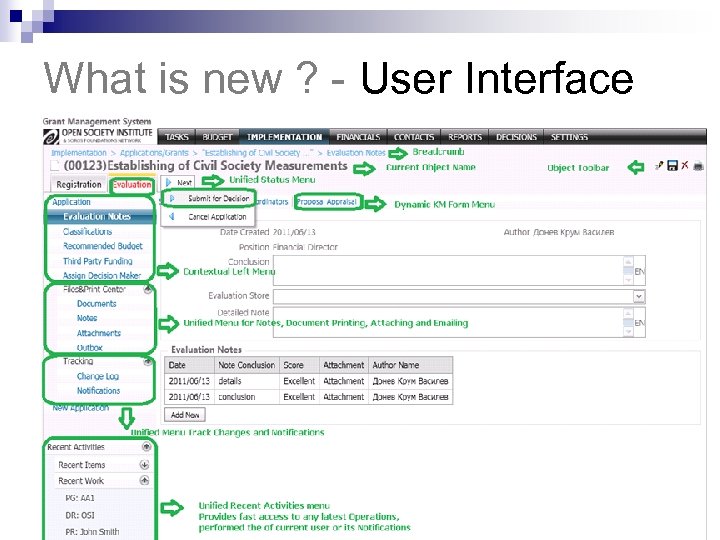 What is new ? - User Interface
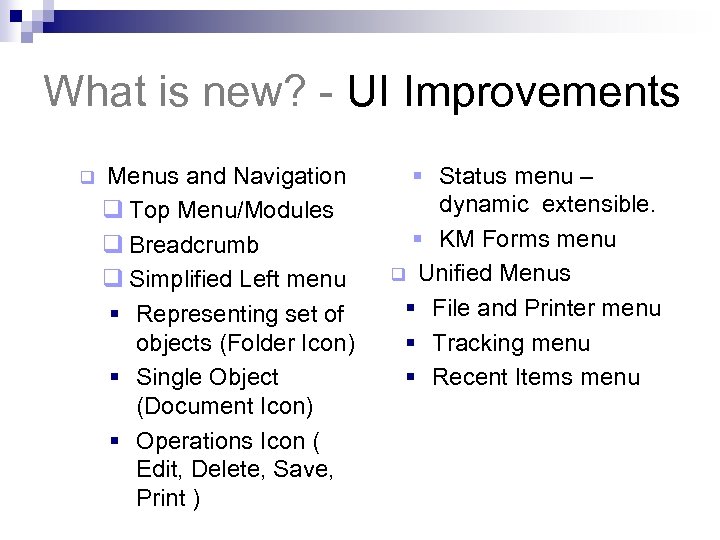 What is new? - UI Improvements q Menus and Navigation q Top Menu/Modules q Breadcrumb q Simplified Left menu § Representing set of objects (Folder Icon) § Single Object (Document Icon) § Operations Icon ( Edit, Delete, Save, Print ) § Status menu – dynamic extensible. § KM Forms menu q Unified Menus § File and Printer menu § Tracking menu § Recent Items menu
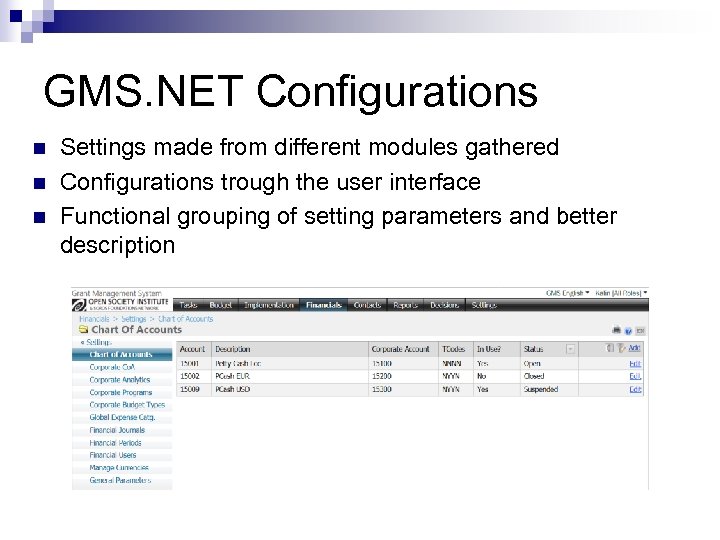 GMS. NET Configurations n n n Settings made from different modules gathered Configurations trough the user interface Functional grouping of setting parameters and better description
 GMS. NET Security n System Roles that reflects the user position in the organization ¨ Executive director ¨ Financial Director ¨ Grants manager ¨ Program Manager ¨… n Option to restrict access to sensitive information ¨ By Program; By Project; By Function (Category of Work) ¨ By Donor; By Country… ¨ By GL Account (i. e. Salaries and Benefits)
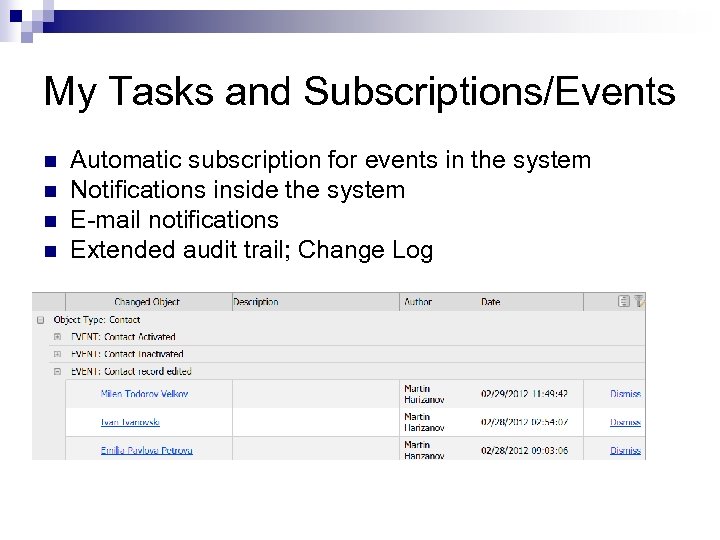 SOW 1 My Tasks and Subscriptions/Events n n Automatic subscription for events in the system Notifications inside the system E-mail notifications Extended audit trail; Change Log
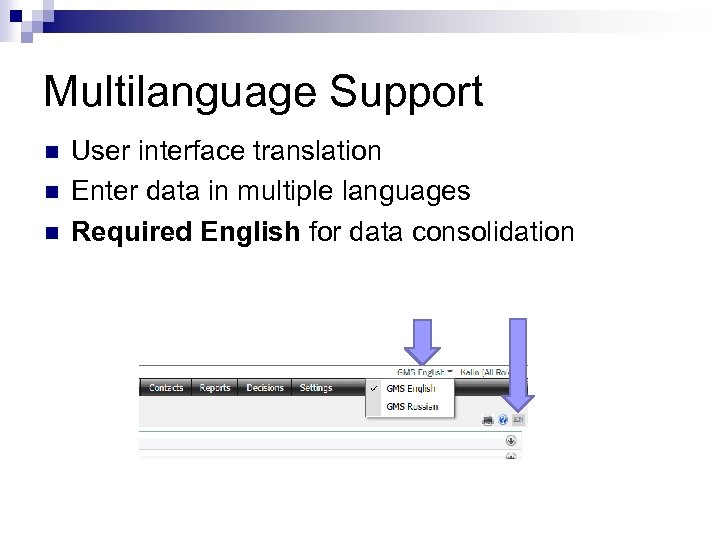 Multilanguage Support n n n User interface translation Enter data in multiple languages Required English for data consolidation
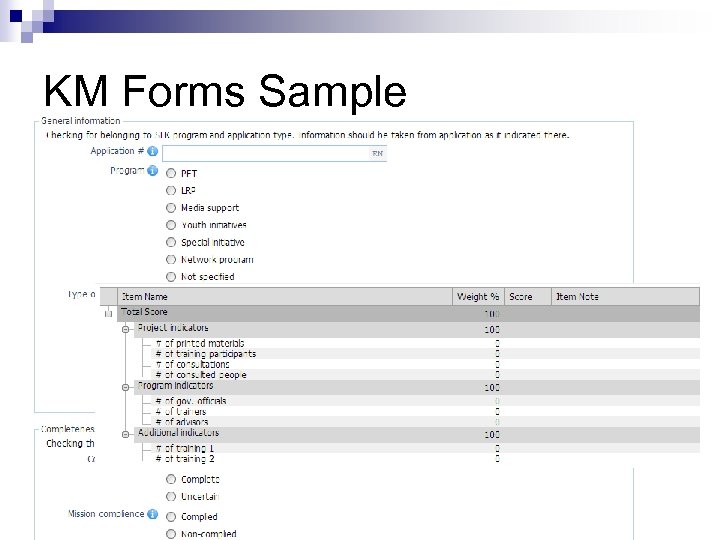
 SOW 1 Programmatic Information Management n Knowledge management forms (KM engine) ¨ ¨ ¨ n Classifications ¨ ¨ ¨ n Configured by the users Can be attached to each page Integrated with Notes and Attachment center Configurable as KM forms Unified geographical classification Incorporation with the Head Office classifications Central repository (Attachment Center) ¨ Predefined Folder structure for better sorting
 KM Forms Sample
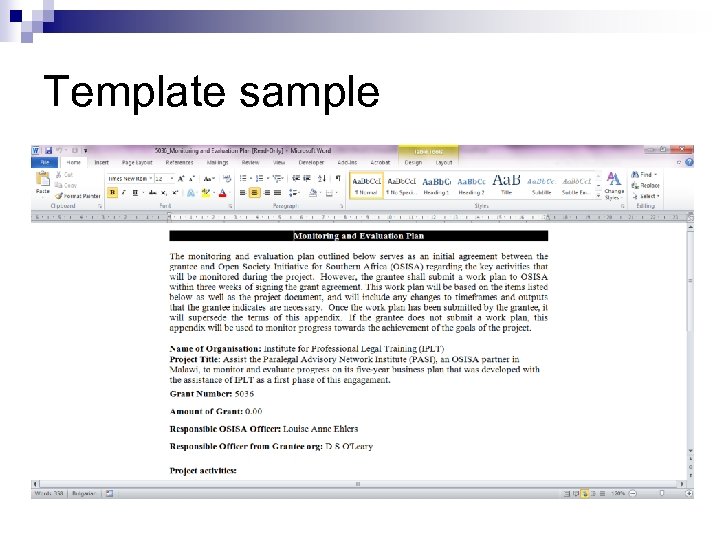
 SOW 1 Templates and Print Center Templates: n. Document templates engine as in GMSMe n. Ability to add templates on objects with certain conditions Print Center: n. Templates available trough the print center n. Different format supported including MS Word, MS Excel and PDF n. Based on user’s search criteria n. E-mail (Outlook) integration with the system
 Template sample
 SOW 1 What’s New ? - Reports n Analyze data from multiple perspectives (pivot tables): ¨ Budget; n Program vs. Projects ¨ Budget n n Budget vs. Actuals vs. Reserved vs. Disbursed vs. Reported Grants vs. Contracts vs. Operational Activities Instant online snapshot reports Reporting in Word/PDF in predefined templates (narrative & budget/financial info) Easily export any information to Excel 21
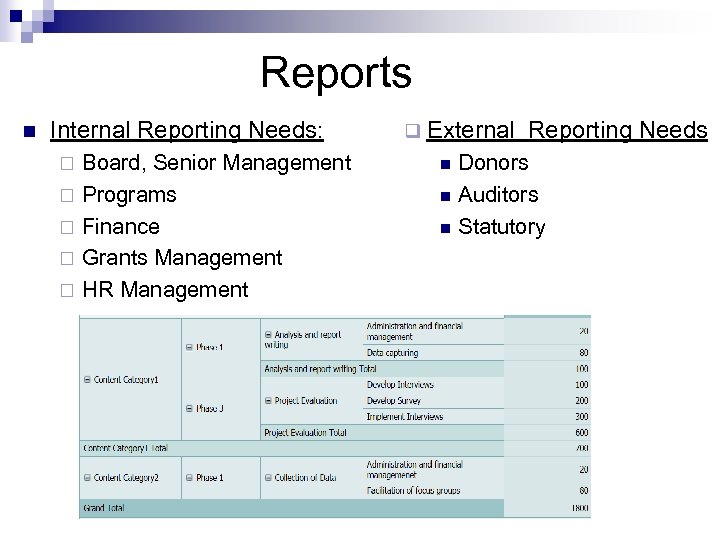 Reports n Internal Reporting Needs: Board, Senior Management ¨ Programs ¨ Finance ¨ Grants Management ¨ HR Management ¨ q External n n n Reporting Needs Donors Auditors Statutory
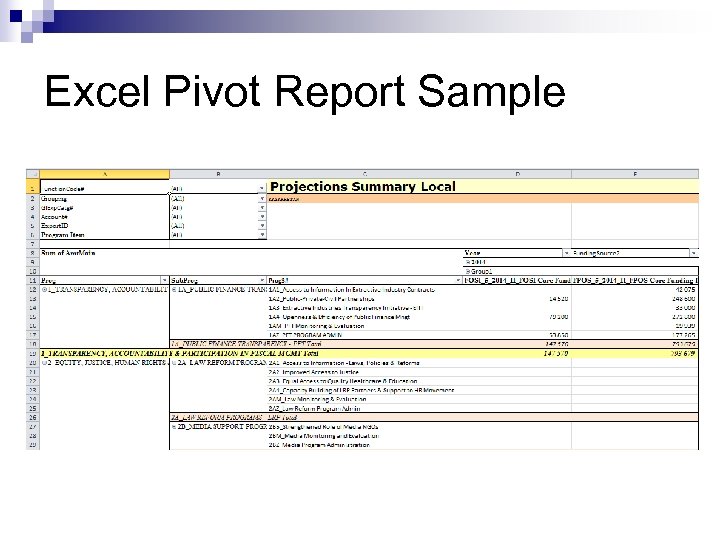 Excel Pivot Report Sample
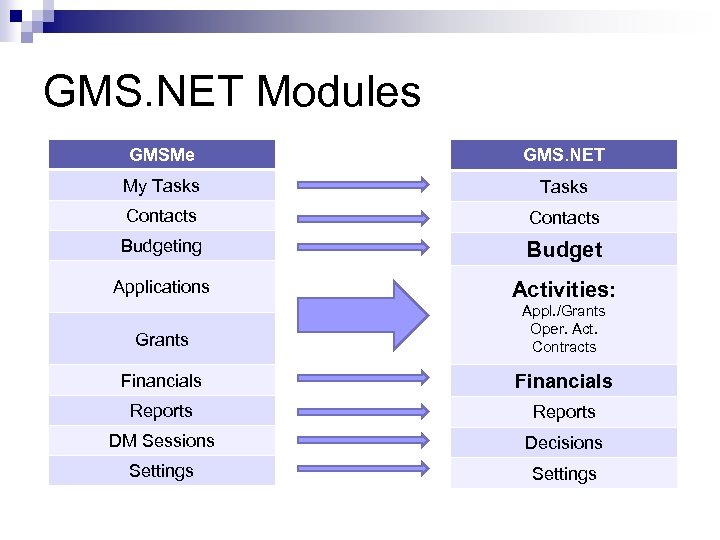 GMS. NET Modules GMSMe GMS. NET My Tasks Contacts Budgeting Budget Applications Activities: Grants Appl. /Grants Oper. Act. Contracts Financials Reports DM Sessions Decisions Settings
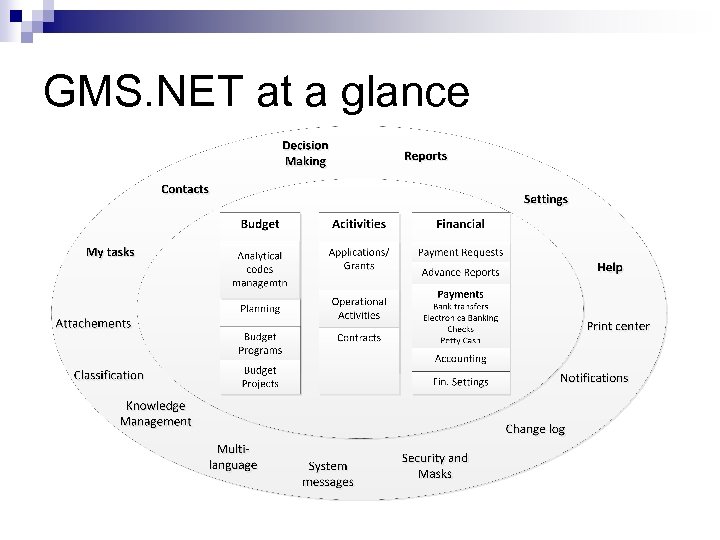 GMS. NET at a glance
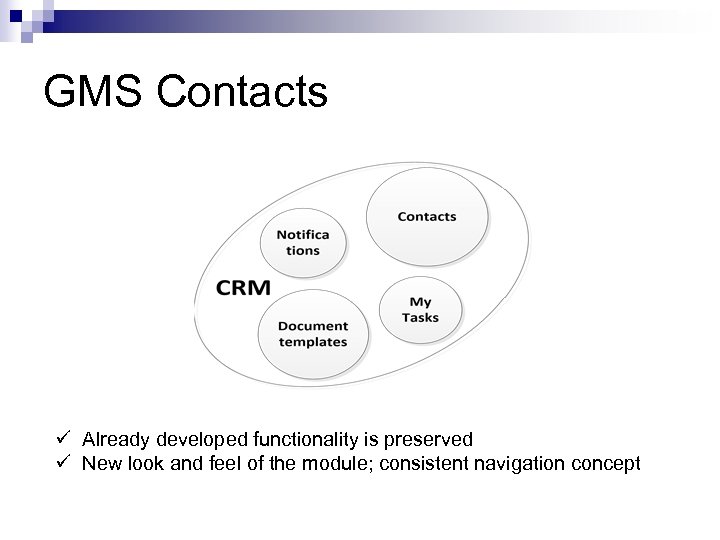 SOW 2 GMS Contacts ü Already developed functionality is preserved ü New look and feel of the module; consistent navigation concept
 Contacts Module n Centralized full profiles: ¨ ¨ ¨ n n Multi language fields – for consolidation with Head Office Knowledge management ¨ ¨ ¨ n n Individuals Organizations Banks KM forms Attachments Notes Contact’s full history of affiliations, interactions with the organization Block List – add and remove, reason and notes Merging of duplicate contacts User Administration ¨ ¨ ¨ Login Access Permissions management Access control
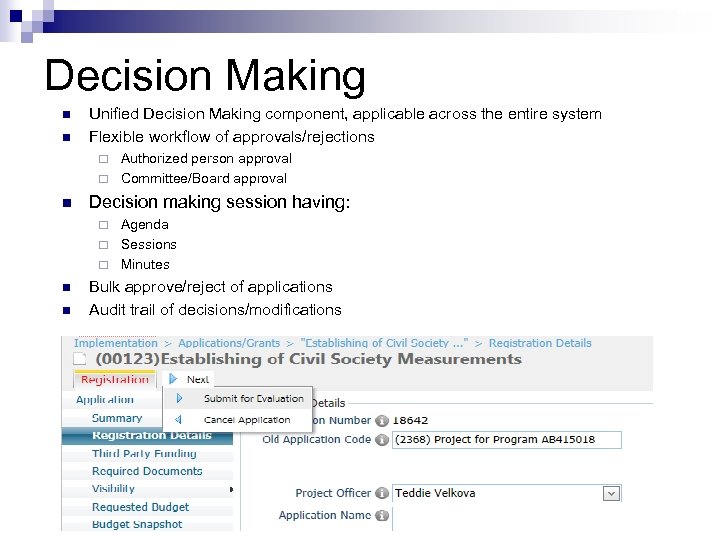 SOW 2 Decision Making n n Unified Decision Making component, applicable across the entire system Flexible workflow of approvals/rejections Authorized person approval ¨ Committee/Board approval ¨ n Decision making session having: Agenda ¨ Sessions ¨ Minutes ¨ n n Bulk approve/reject of applications Audit trail of decisions/modifications
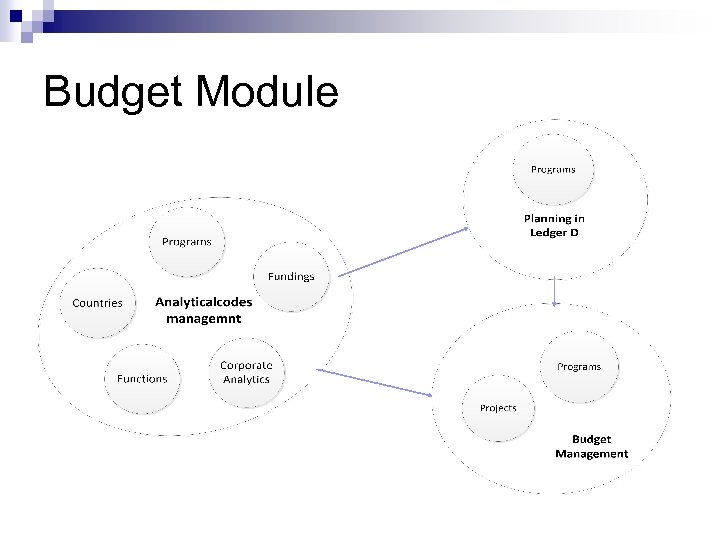 Budget Module
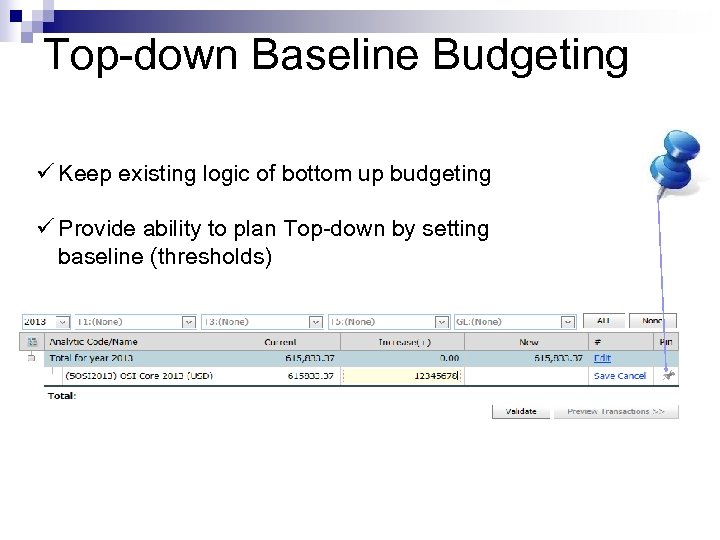 SOW 2 Top-down Baseline Budgeting ü Keep existing logic of bottom up budgeting ü Provide ability to plan Top-down by setting baseline (thresholds)
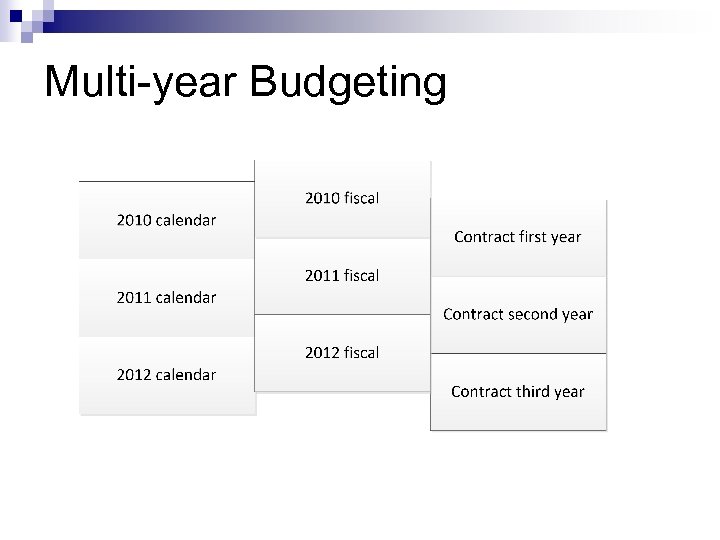 Multi-year Budgeting
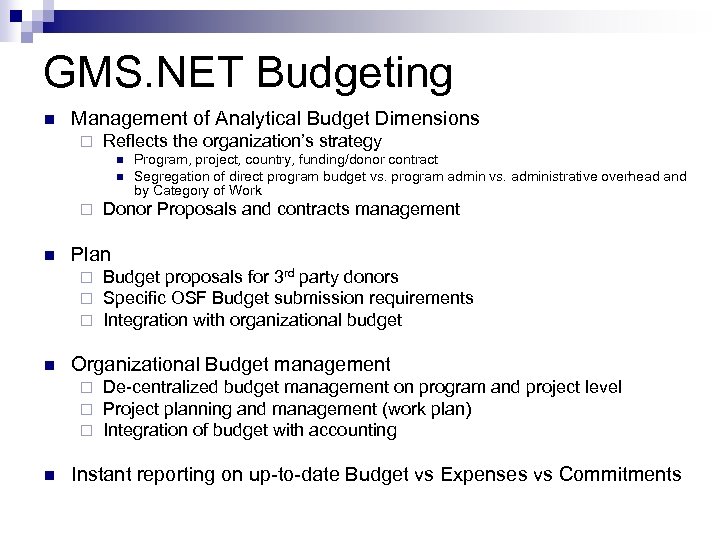 GMS. NET Budgeting n Management of Analytical Budget Dimensions ¨ Reflects the organization’s strategy n n ¨ n Budget proposals for 3 rd party donors Specific OSF Budget submission requirements Integration with organizational budget Organizational Budget management ¨ ¨ ¨ n Donor Proposals and contracts management Plan ¨ ¨ ¨ n Program, project, country, funding/donor contract Segregation of direct program budget vs. program admin vs. administrative overhead and by Category of Work De-centralized budget management on program and project level Project planning and management (work plan) Integration of budget with accounting Instant reporting on up-to-date Budget vs Expenses vs Commitments
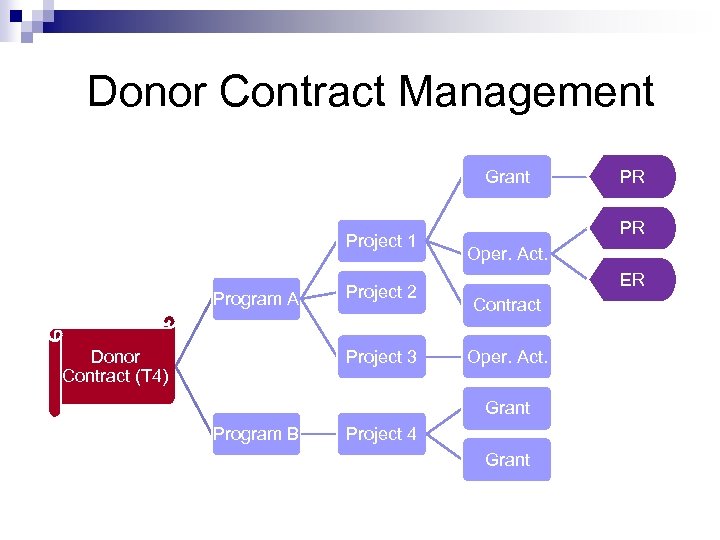 Donor Contract Management Grant Project 1 Program A Donor Contract (T 4) Project 2 Project 3 PR Oper. Act. ER Contract Oper. Act. Grant Program B PR Project 4 Grant
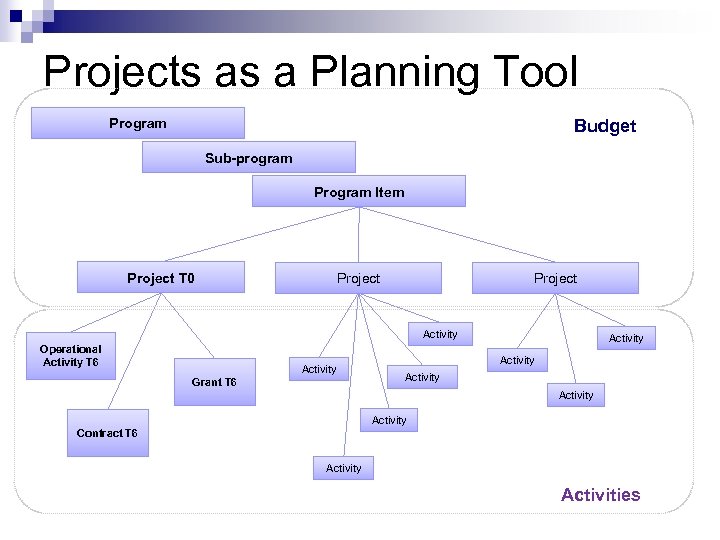 SOW 3 Projects as a Planning Tool Program Budget Sub-program Program Item Project T 0 Project Activity Operational Activity T 6 Activity Grant T 6 Activity Activity Contract T 6 Activity Activities
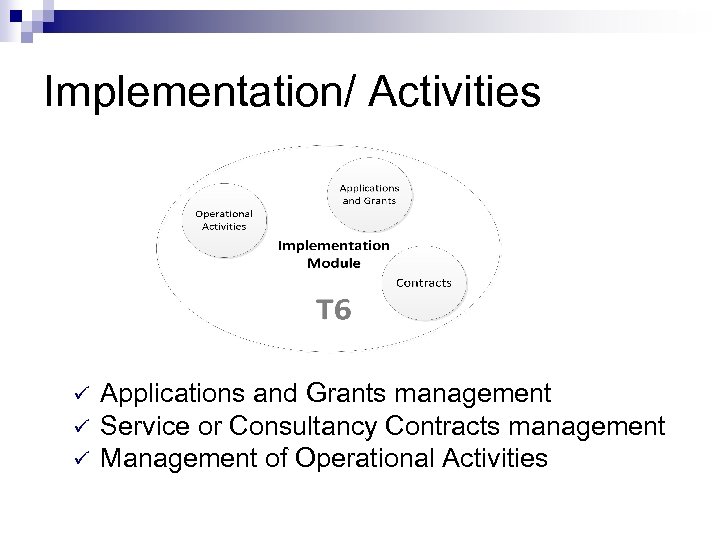 SOW 4 Implementation/ Activities ü ü ü Applications and Grants management Service or Consultancy Contracts management Management of Operational Activities
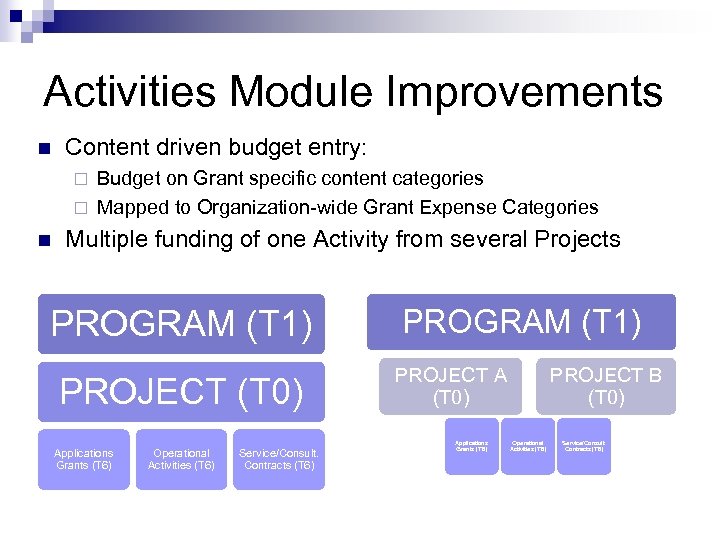 Activities Module Improvements n Content driven budget entry: Budget on Grant specific content categories ¨ Mapped to Organization-wide Grant Expense Categories ¨ n Multiple funding of one Activity from several Projects PROGRAM (T 1) PROJECT (T 0) Applications Grants (T 6) Operational Activities (T 6) Service/Consult. Contracts (T 6) PROGRAM (T 1) PROJECT A (T 0) Applications Grants (T 6) PROJECT B (T 0) Operational Activities (T 6) Service/Consult. Contracts (T 6)
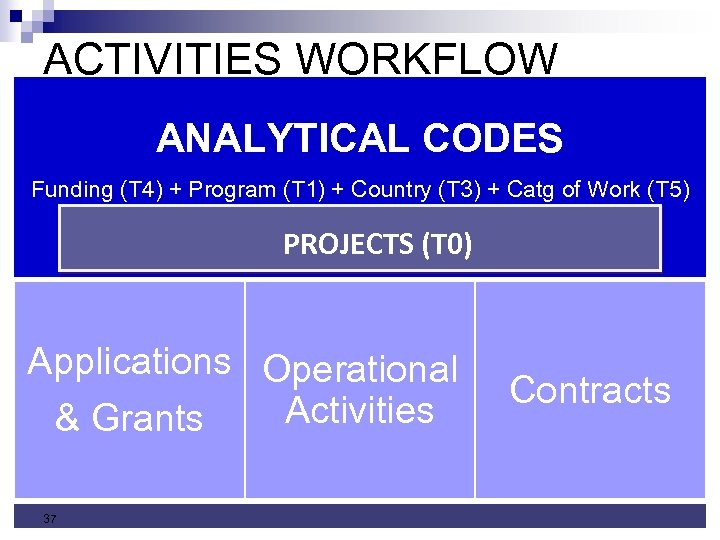 ACTIVITIES WORKFLOW ANALYTICAL CODES PROJECTS (T 0) Funding (T 4) + Program (T 1) + Country (T 3) + Catg of Work (T 5) PROJECTS (T 0) Applications Operational Activities & Grants 37 Contracts
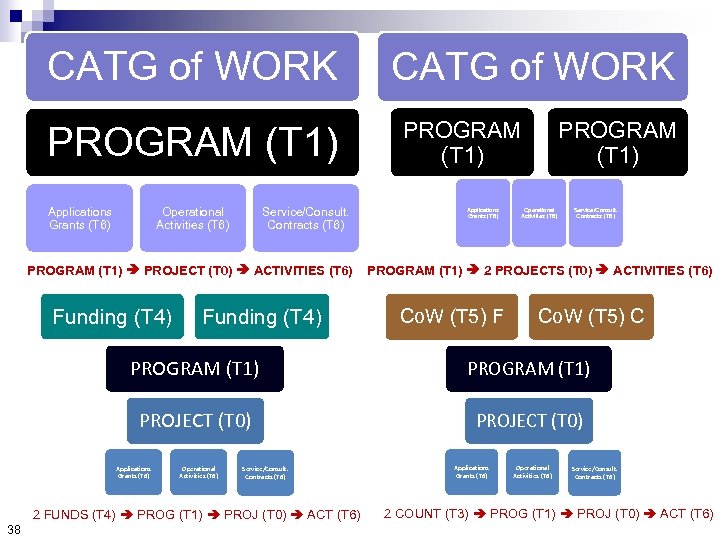 CATG of WORK PROGRAM (T 1) Applications Grants (T 6) Operational Activities (T 6) Service/Consult. Contracts (T 6) PROGRAM (T 1) PROJECT (T 0) ACTIVITIES (T 6) Funding (T 4) CATG of WORK PROGRAM (T 1) Applications Grants (T 6) PROGRAM (T 1) Operational Activities (T 6) Service/Consult. Contracts (T 6) PROGRAM (T 1) 2 PROJECTS (T 0) ACTIVITIES (T 6) Co. W (T 5) F Co. W (T 5) C PROGRAM (T 1) PROJECT (T 0) Applications Grants (T 6) Operational Activities (T 6) Service/Consult. Contracts (T 6) 2 FUNDS (T 4) PROG (T 1) PROJ (T 0) ACT (T 6) 38 Applications Grants (T 6) Operational Activities (T 6) Service/Consult. Contracts (T 6) 2 COUNT (T 3) PROG (T 1) PROJ (T 0) ACT (T 6)
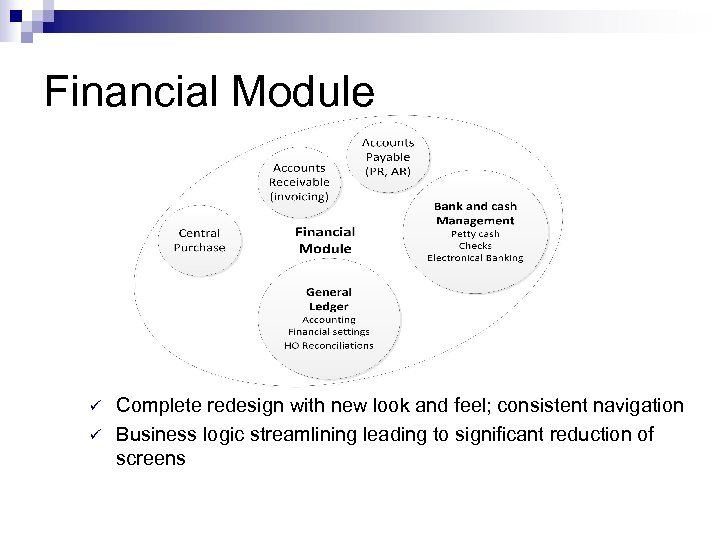 SOW 5 Financial Module ü ü Complete redesign with new look and feel; consistent navigation Business logic streamlining leading to significant reduction of screens
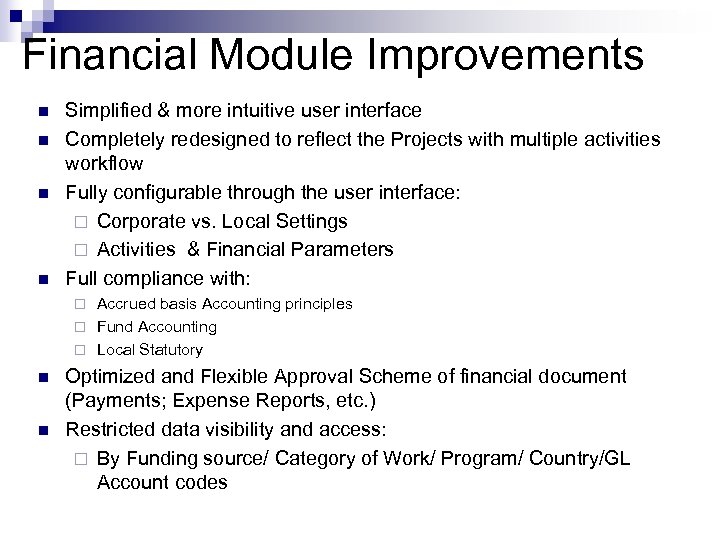 SOW 5 Financial Module Improvements n n Simplified & more intuitive user interface Completely redesigned to reflect the Projects with multiple activities workflow Fully configurable through the user interface: ¨ Corporate vs. Local Settings ¨ Activities & Financial Parameters Full compliance with: Accrued basis Accounting principles ¨ Fund Accounting ¨ Local Statutory ¨ n n Optimized and Flexible Approval Scheme of financial document (Payments; Expense Reports, etc. ) Restricted data visibility and access: ¨ By Funding source/ Category of Work/ Program/ Country/GL Account codes
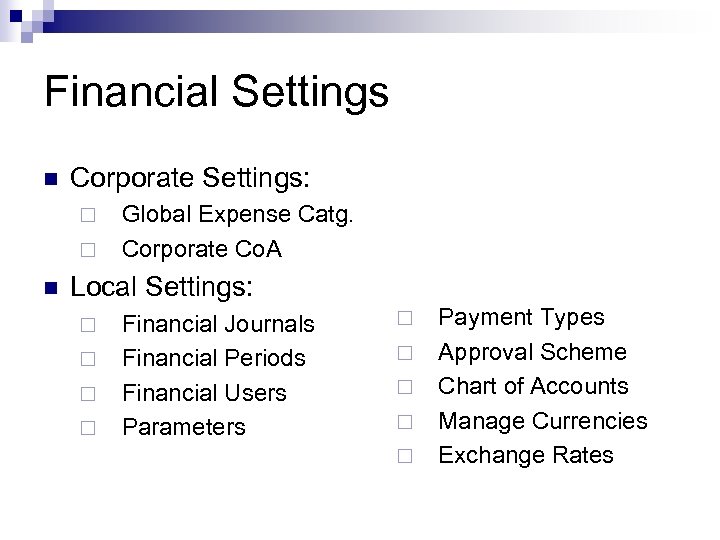 Financial Settings n Corporate Settings: ¨ ¨ n Global Expense Catg. Corporate Co. A Local Settings: ¨ ¨ Financial Journals Financial Periods Financial Users Parameters ¨ ¨ ¨ Payment Types Approval Scheme Chart of Accounts Manage Currencies Exchange Rates
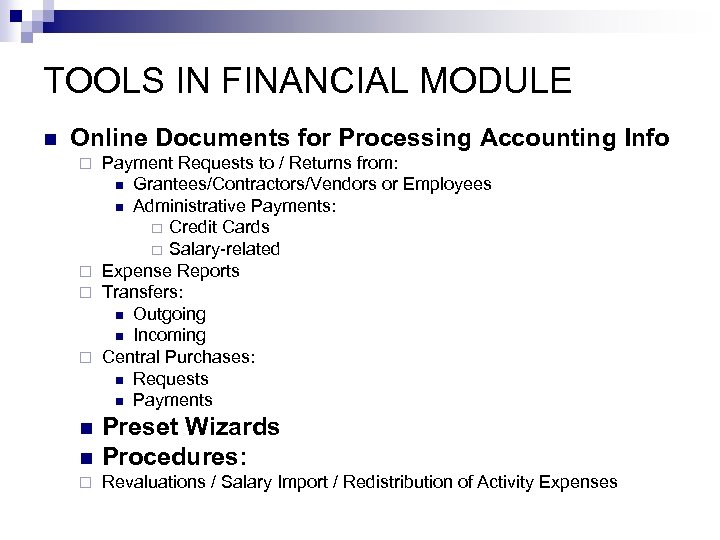 TOOLS IN FINANCIAL MODULE n Online Documents for Processing Accounting Info Payment Requests to / Returns from: n Grantees/Contractors/Vendors or Employees n Administrative Payments: ¨ Credit Cards ¨ Salary-related ¨ Expense Reports ¨ Transfers: n Outgoing n Incoming ¨ Central Purchases: n Requests n Payments ¨ n Preset Wizards Procedures: ¨ Revaluations / Salary Import / Redistribution of Activity Expenses n
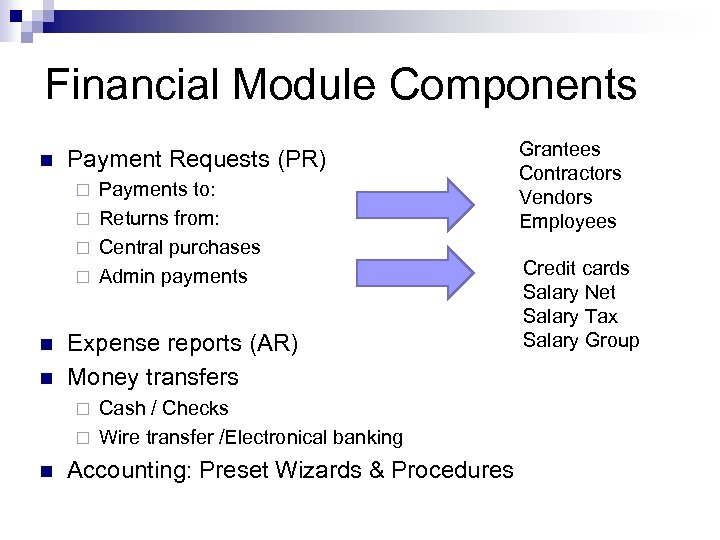 Financial Module Components n Payment Requests (PR) Payments to: ¨ Returns from: ¨ Central purchases ¨ Admin payments ¨ n n Expense reports (AR) Money transfers Cash / Checks ¨ Wire transfer /Electronical banking ¨ n Accounting: Preset Wizards & Procedures Grantees Contractors Vendors Employees Credit cards Salary Net Salary Tax Salary Group
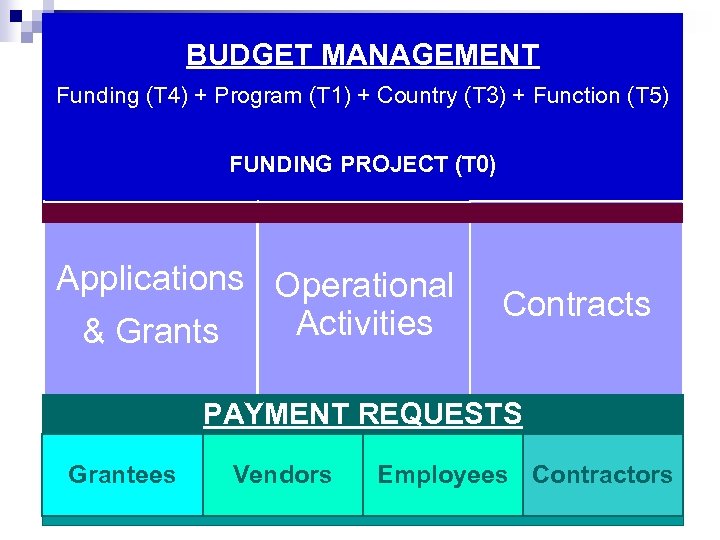 BUDGET MANAGEMENT Funding (T 4) + Program (T 1) + Country (T 3) + Function (T 5) FUNDING PROJECT (T 0) Applications Operational Activities & Grants Contracts PAYMENT REQUESTS Grantees 44 Vendors Employees Contractors
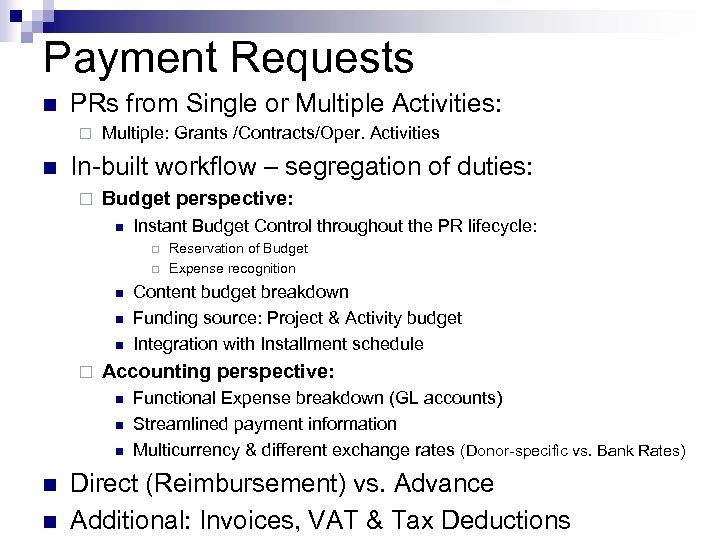 Payment Requests n PRs from Single or Multiple Activities: ¨ n Multiple: Grants /Contracts/Oper. Activities In-built workflow – segregation of duties: ¨ Budget perspective: n Instant Budget Control throughout the PR lifecycle: ¨ ¨ n n n Content budget breakdown Funding source: Project & Activity budget Integration with Installment schedule Accounting perspective: n n Reservation of Budget Expense recognition Functional Expense breakdown (GL accounts) Streamlined payment information Multicurrency & different exchange rates (Donor-specific vs. Bank Rates) Direct (Reimbursement) vs. Advance Additional: Invoices, VAT & Tax Deductions
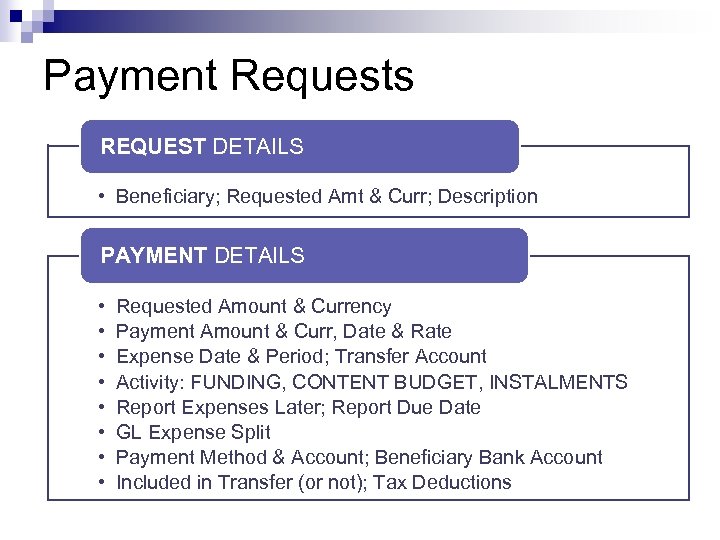 Payment Requests REQUEST DETAILS • Beneficiary; Requested Amt & Curr; Description PAYMENT DETAILS • • Requested Amount & Currency Payment Amount & Curr, Date & Rate Expense Date & Period; Transfer Account Activity: FUNDING, CONTENT BUDGET, INSTALMENTS Report Expenses Later; Report Due Date GL Expense Split Payment Method & Account; Beneficiary Bank Account Included in Transfer (or not); Tax Deductions
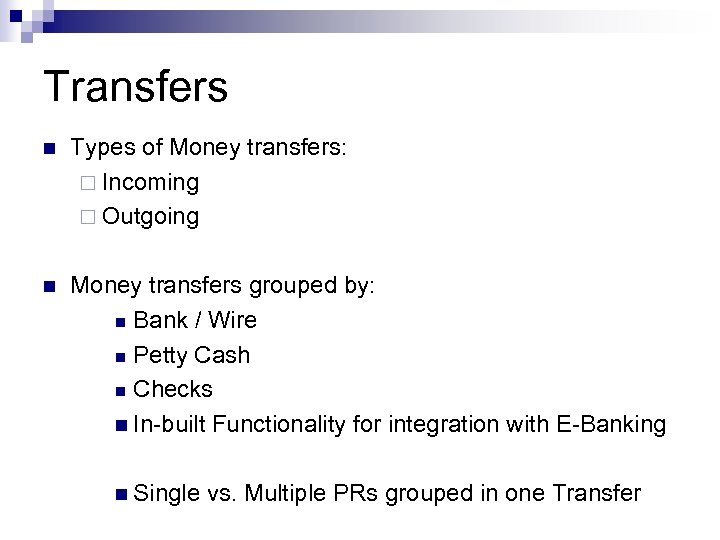 Transfers n Types of Money transfers: ¨ Incoming ¨ Outgoing n Money transfers grouped by: n Bank / Wire n Petty Cash n Checks n In-built Functionality for integration with E-Banking n Single vs. Multiple PRs grouped in one Transfer
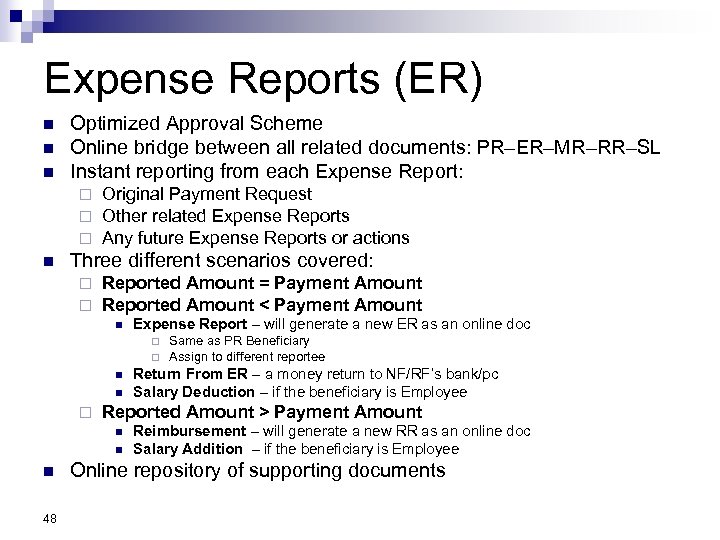 Expense Reports (ER) n n n Optimized Approval Scheme Online bridge between all related documents: PR–ER–MR–RR–SL Instant reporting from each Expense Report: ¨ ¨ ¨ n Original Payment Request Other related Expense Reports Any future Expense Reports or actions Three different scenarios covered: ¨ ¨ Reported Amount = Payment Amount Reported Amount < Payment Amount n Expense Report – will generate a new ER as an online doc ¨ ¨ n n ¨ n 48 Return From ER – a money return to NF/RF’s bank/pc Salary Deduction – if the beneficiary is Employee Reported Amount > Payment Amount n n Same as PR Beneficiary Assign to different reportee Reimbursement – will generate a new RR as an online doc Salary Addition – if the beneficiary is Employee Online repository of supporting documents
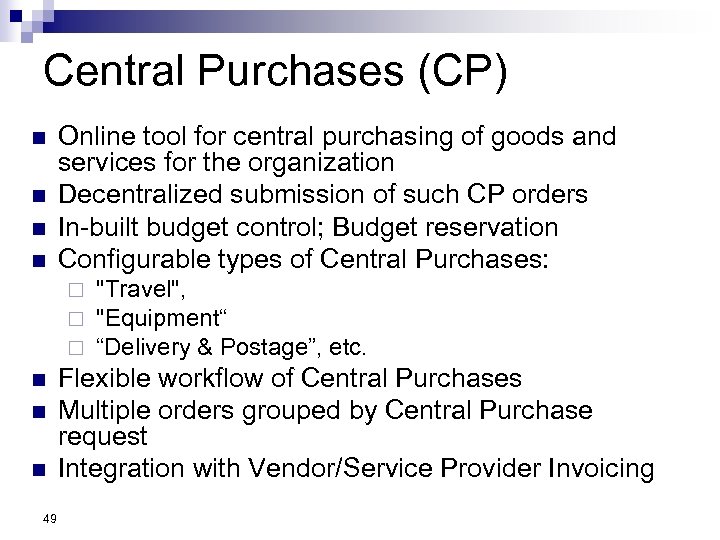 Central Purchases (CP) n n Online tool for central purchasing of goods and services for the organization Decentralized submission of such CP orders In-built budget control; Budget reservation Configurable types of Central Purchases: ¨ ¨ ¨ n n n 49 "Travel", "Equipment“ “Delivery & Postage”, etc. Flexible workflow of Central Purchases Multiple orders grouped by Central Purchase request Integration with Vendor/Service Provider Invoicing
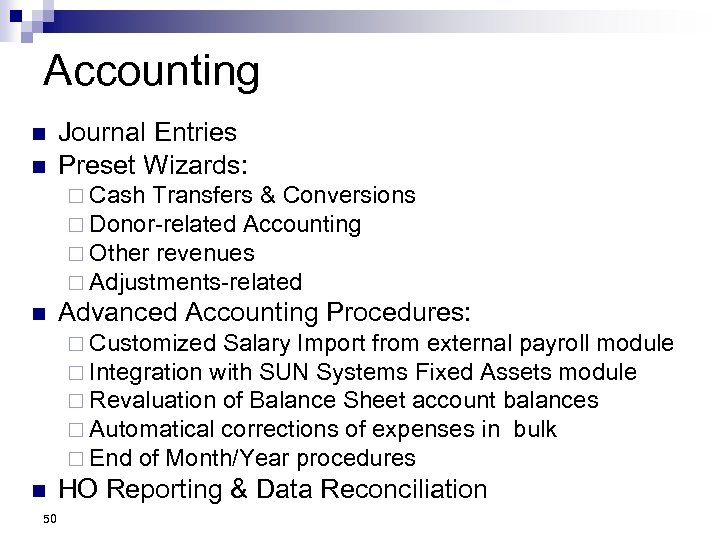 Accounting n n Journal Entries Preset Wizards: ¨ Cash Transfers & Conversions ¨ Donor-related Accounting ¨ Other revenues ¨ Adjustments-related n Advanced Accounting Procedures: ¨ Customized Salary Import from external payroll module ¨ Integration with SUN Systems Fixed Assets module ¨ Revaluation of Balance Sheet account balances ¨ Automatical corrections of expenses in bulk ¨ End of Month/Year procedures n 50 HO Reporting & Data Reconciliation
 Questions & Answers Thank you!