 Скачать презентацию GIS Software An In-house development By Bhugol GIS
af4ec40b5fbd2de82ec4504349805f3c.ppt
- Количество слайдов: 51



GIS Software An In-house development By, Bhugol GIS Pvt Ltd For, Ru. Tag- IITB
Motivation Large number of government organizations / NGOs / Academic Institutions Minimal penetration of GIS at operational level Imported software too expensive, lacking support, and time consuming for manpower training Government of India sponsored development of in-house GIS development
An Indigenous GIS tool for windows GRAM++ (Geo Referenced Area Management) – A GIS tool GRAM++ built with Object Oriented Approach Works for both Vector and Raster data formats A Windows Software Product
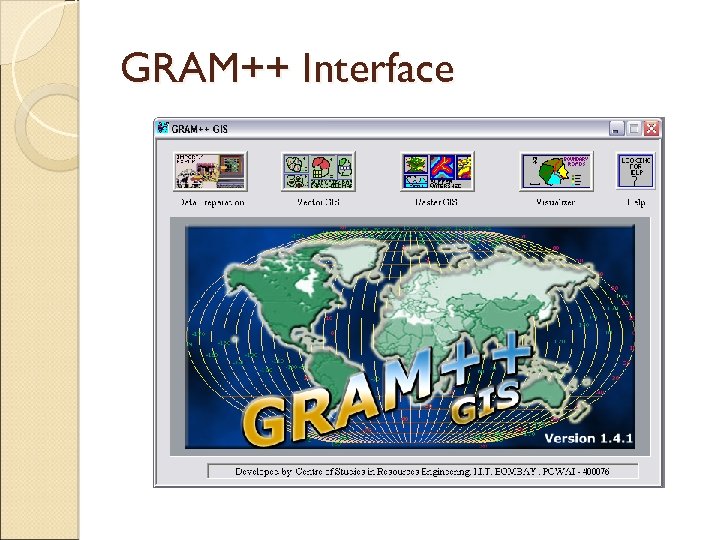
GRAM++ Interface
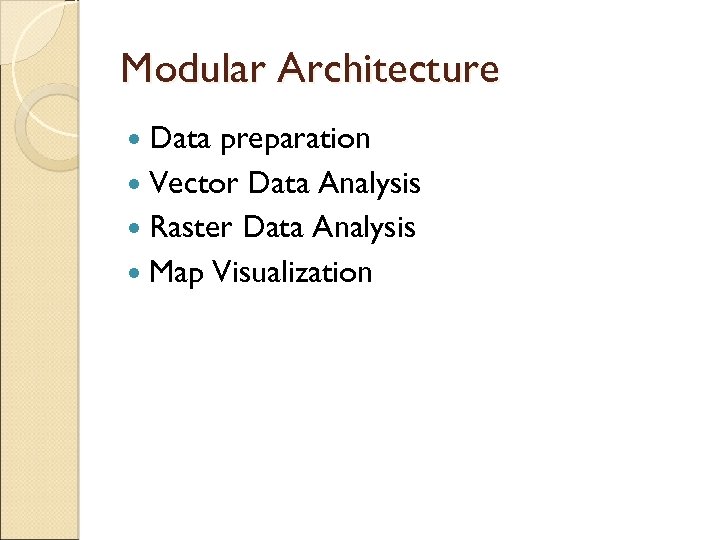
Modular Architecture Data preparation Vector Data Analysis Raster Data Analysis Map Visualization
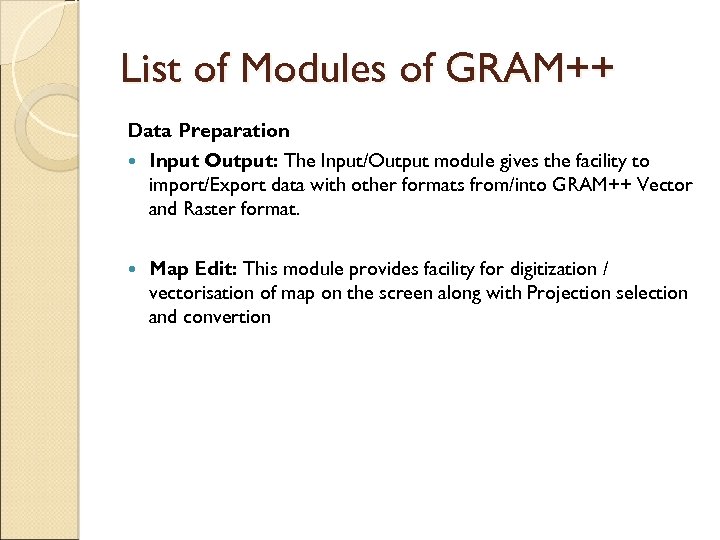
List of Modules of GRAM++ Data Preparation Input Output: The Input/Output module gives the facility to import/Export data with other formats from/into GRAM++ Vector and Raster format. Map Edit: This module provides facility for digitization / vectorisation of map on the screen along with Projection selection and convertion
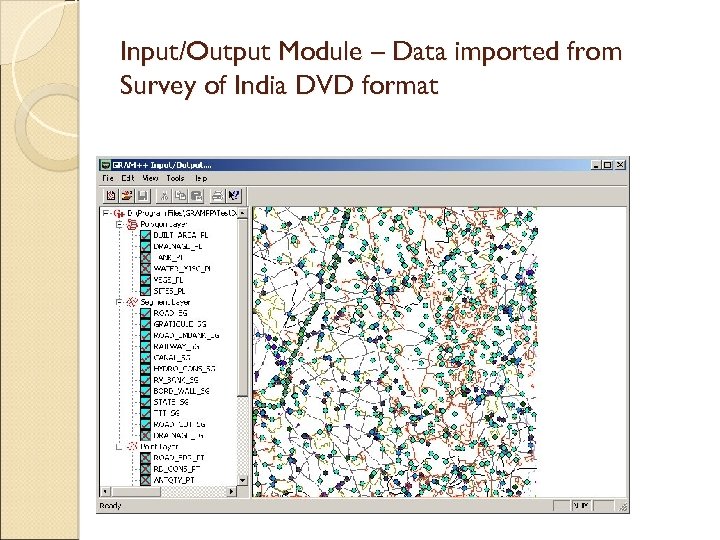
Input/Output Module – Data imported from Survey of India DVD format
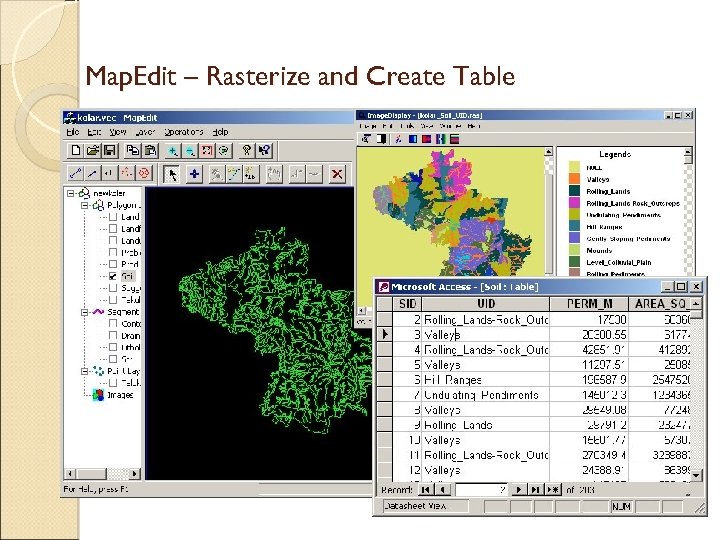
Map. Edit – Rasterize and Create Table
List of Modules Contd. . . Vector Data Analysis Vector Analysis: The Vector Analysis module gives the facility to query the map, generate various thematic and statistical maps TIN: The GRAM++-TIN module allows to triangulate GRAM++ Vector point format data. It can also generate contours from Triangulated data. GRAMNet: GRAMNet module, basically is a Network Analysis module. It has functionalities of finding shortest distance between a source node and the destination node, solve Location Allocation problem. Statistics: The statistical module help the interpretation of the data information collected. The data / information may be spatial or non spatial.
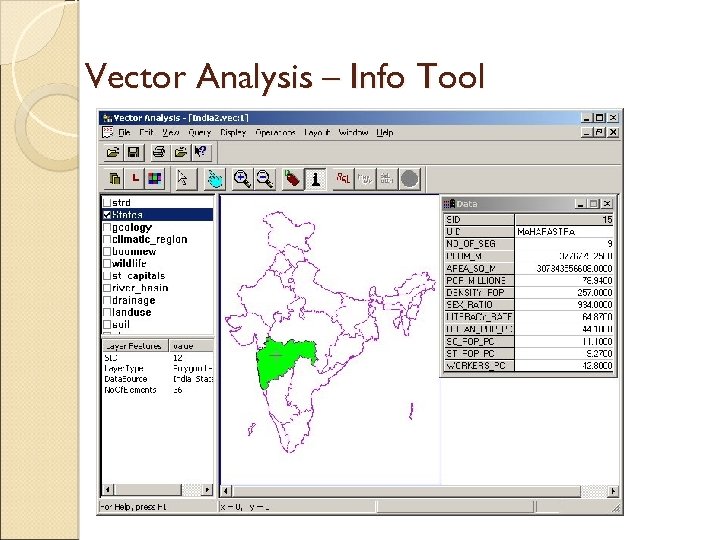
Vector Analysis – Info Tool
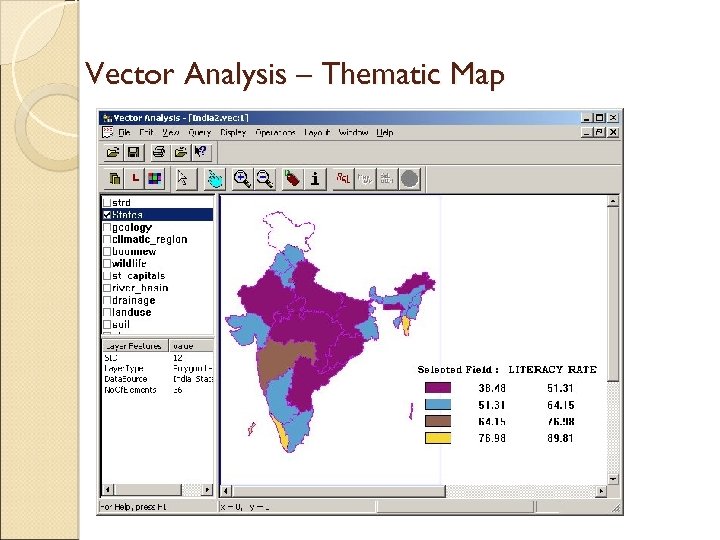
Vector Analysis – Thematic Map
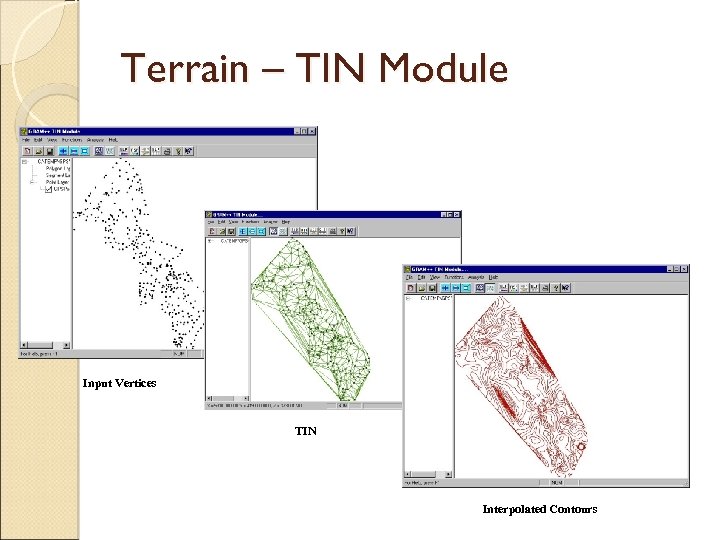
Terrain – TIN Module Input Vertices TIN Interpolated Contours
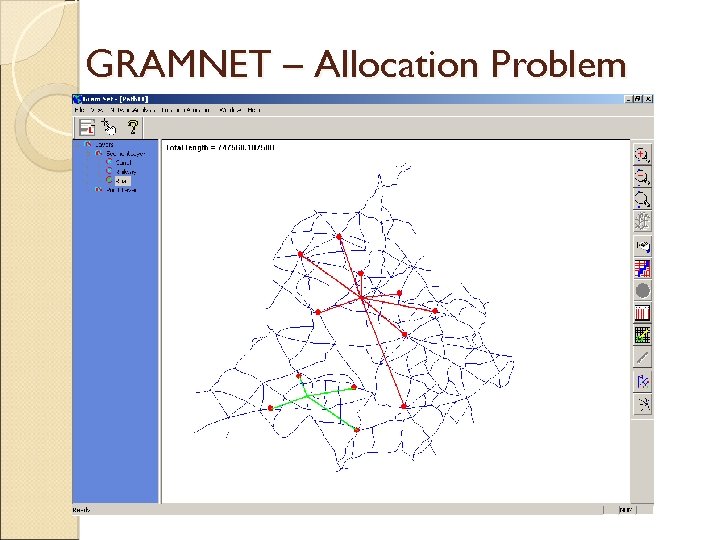
GRAMNET – Allocation Problem
List of Modules Contd. . . Raster Data Analysis Raster Analysis: The Raster Analysis module has functions of arithmetic operations(like addition, subtraction etc), regrouping (class and range), Buffering, Zonal , Focal, Watershed Delineation etc. Terrain: The Terrain module provides facility for generation of DTM from contour map and calculation of slope, aspect and generates Image Processing: Image processing has functions to perform the operations such as Image Enhancement, Image Classification, and Image Transformation.
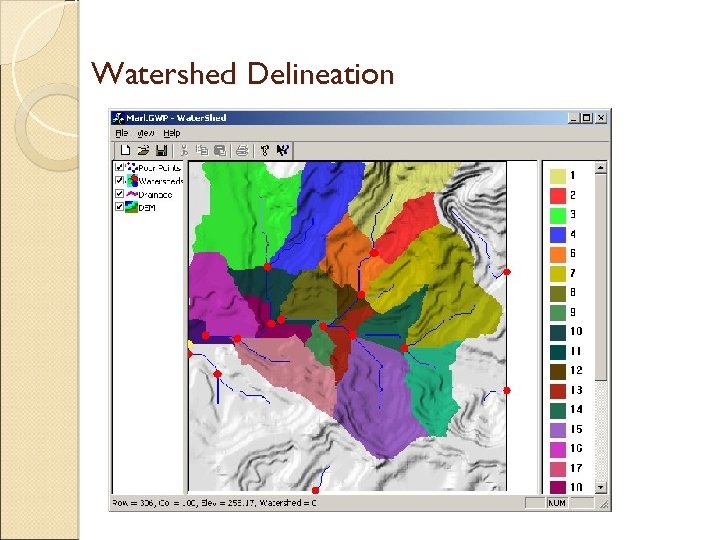
Watershed Delineation
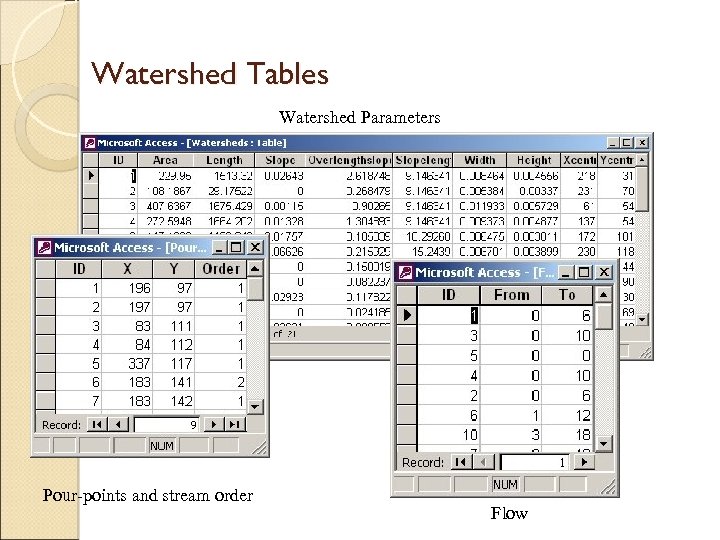
Watershed Tables Watershed Parameters Pour-points and stream order Flow
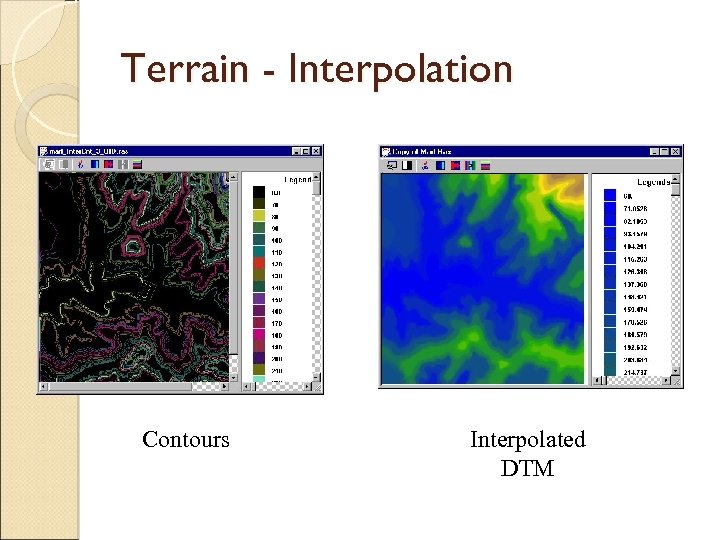
Terrain - Interpolation Contours Interpolated DTM
List of Modules Contd. . . Visualizer Vector Layout: This module provides facility for visualising vector maps in 2 D and 3 D with the various layout features such as North arrow, Scale bar, Legends. Raster Layout: This module provides facility for visualising raster maps in 2 Dand 3 D. It also provides several other integrated raster utilities such as North arrow. Online Help: Keeping in view the types of users GRAM++, a detailed online help is provided for each function
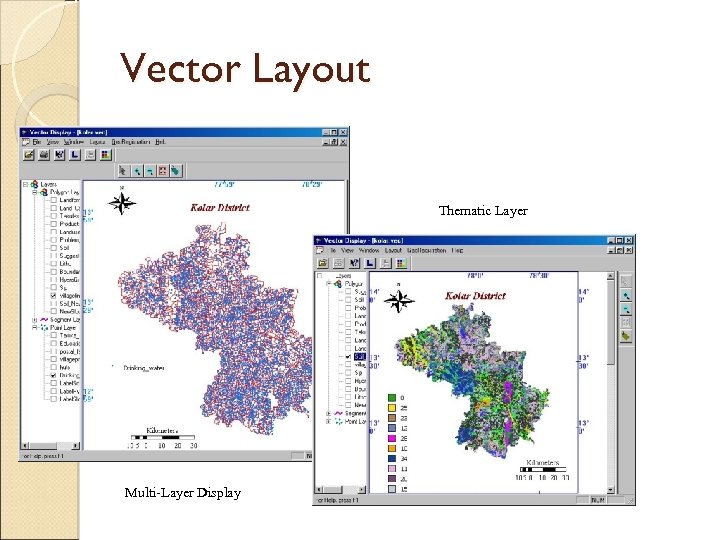
Vector Layout Thematic Layer Multi-Layer Display
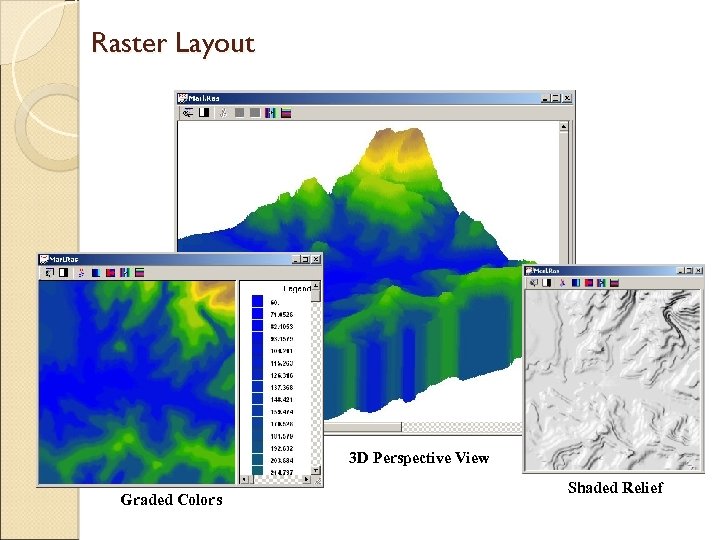
Raster Layout 3 D Perspective View Graded Colors Shaded Relief
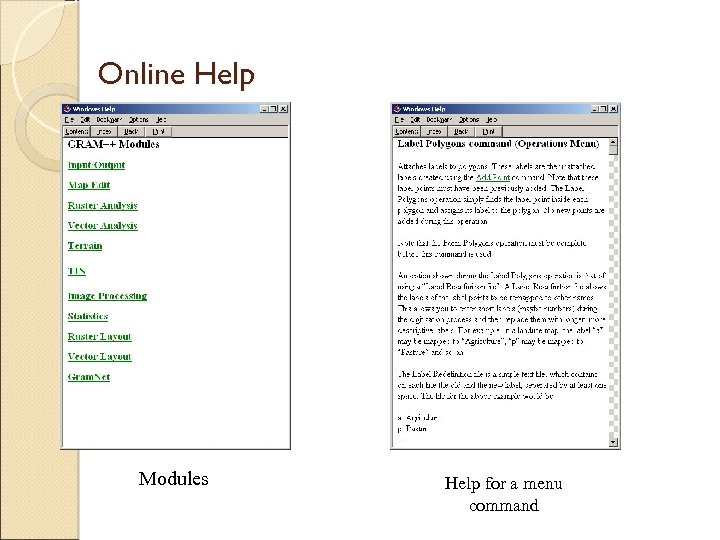
Online Help Modules Help for a menu command
GRAM++ GIS - Present status GRAM++ GIS is presently being distributed, maintained and upgraded by an IIT incubatee BHUGOL GIS Pvt Ltd. via technology transfer Within a short span of distribution GRAM++ has a rich user base in all the sectors (Educational/Government/NGO’s/Commercial) across India Based on today's need and on the basis of GRAM++ Bhugol GIS has developed a web based GIS server software named Web. GRAMServer (www. webgramserver. com)
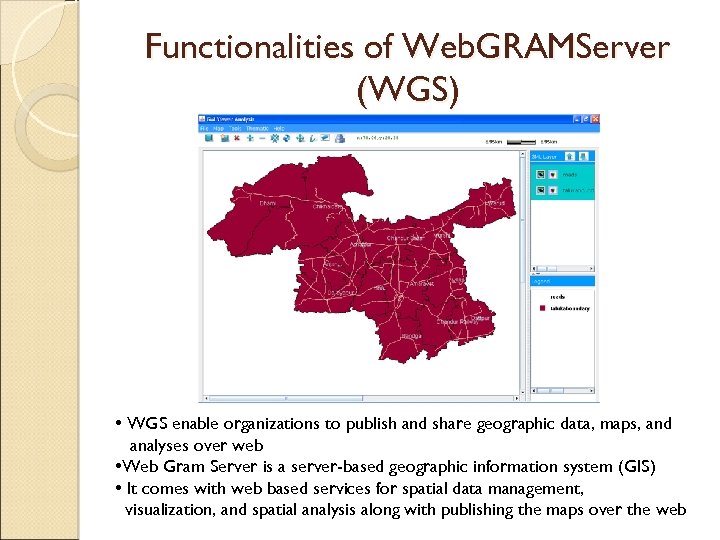
Functionalities of Web. GRAMServer (WGS) • WGS enable organizations to publish and share geographic data, maps, and analyses over web • Web Gram Server is a server-based geographic information system (GIS) • It comes with web based services for spatial data management, visualization, and spatial analysis along with publishing the maps over the web
List of Functionalities of WGS Publish various map layers over the Web Multiple layer view Change the layer color, style and thickness for Point, Segment and Polygon type layers Zoom in/Zoom Out/Fit to window Panning Info tool Non-Spatial query and spatial query using one or data from multiple layers. Thematic Mapping with single field Thematic Mapping with two field Class based/Range based classification
List of Functionalities of WGS Dot Density based classification Symbol based classification Comparison the fields using Pie Chart representation Database display Highlighting feature from selected record Applying transparency to the layer
GRAM++ GIS based Customized products ◦ Data Preparation Tool Spatial Database Creation ◦ Raster Analysis Kit Spatial Analysis in Raster Model ◦ GRAM++ Toolkit Set of reusable Active. X Components ◦ GRAM++ Vec. Viewer Standalone tool for map Query and Display ◦ GRAM++ SDSS for RD Tool on Spatial decision support for Rural Development ◦ GIS Tutor GIS tutor for learning and Teaching GIS
E-TUTOR FOR LEARNING GIS Bhugol GIS Pvt Ltd www. bhugolgis. com
Objectives of Bhugol GIS e-tutor for GIS Should serve wide range of users, novices to GIS-aware users Good interactivity Extensive coverage of GIS subject content Hands-on exercises and software tool Case studies and illustrations Access to further information
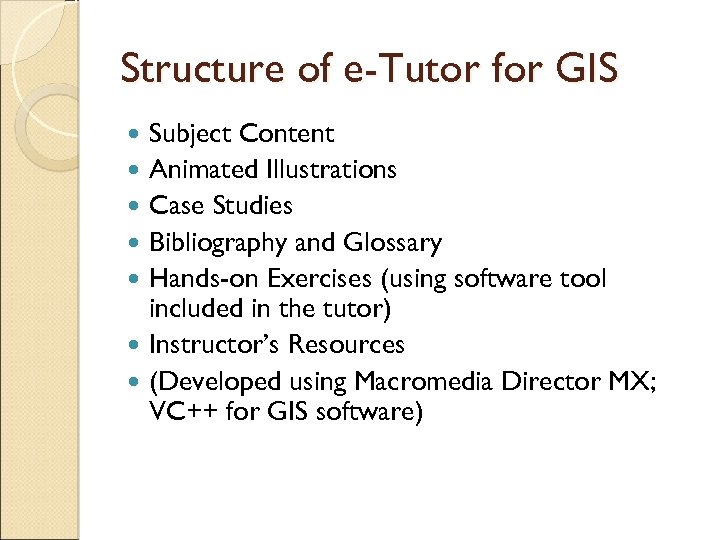
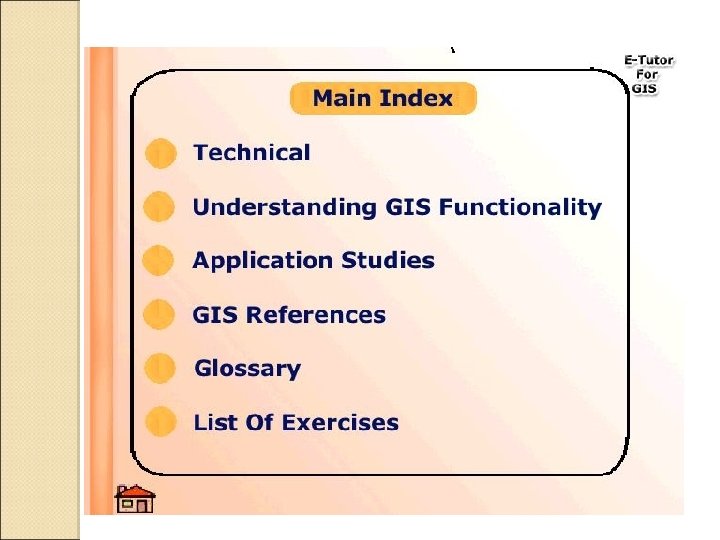
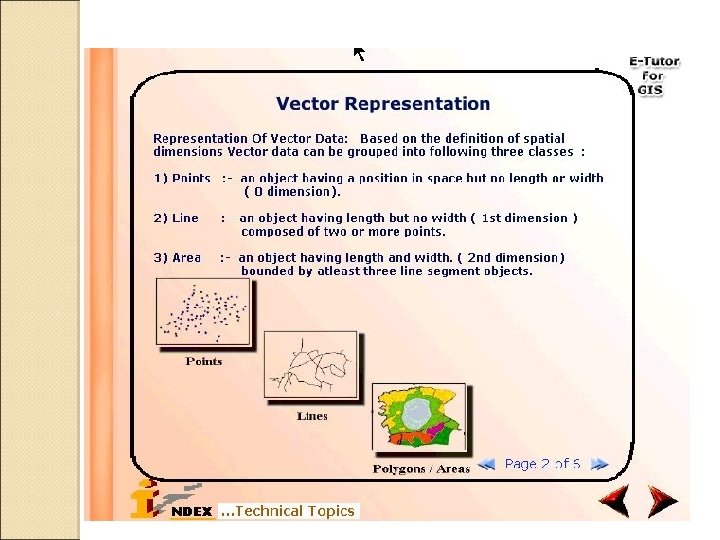
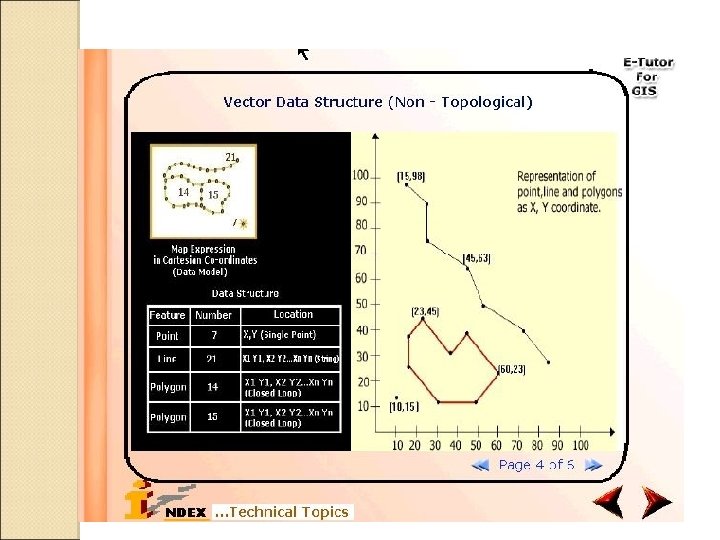
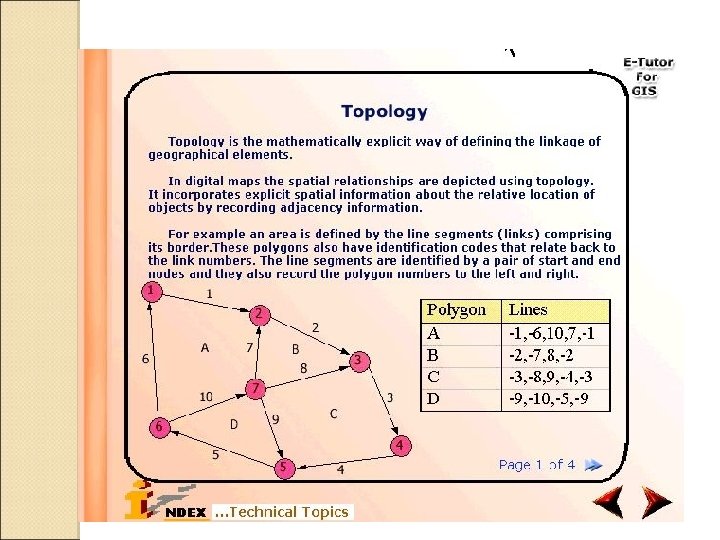
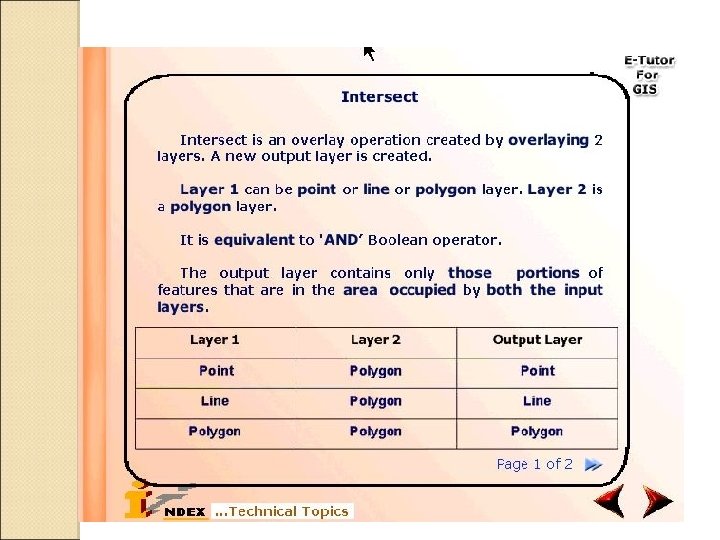
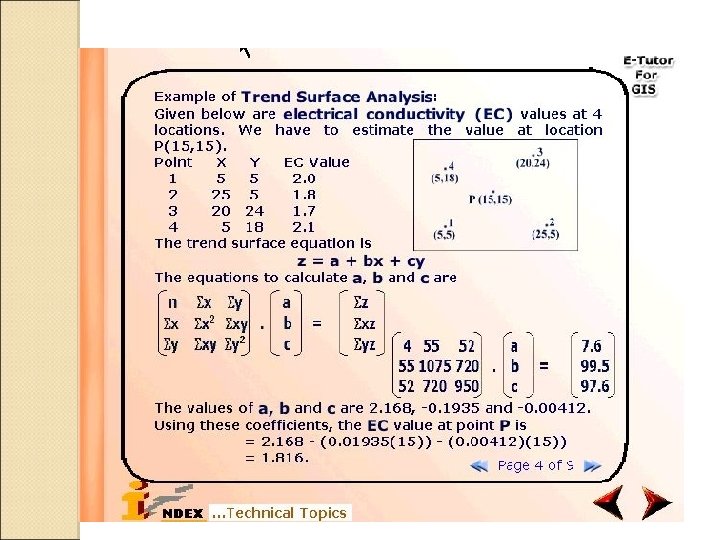
Structure of e-Tutor for GIS Subject Content Animated Illustrations Case Studies Bibliography and Glossary Hands-on Exercises (using software tool included in the tutor) Instructor’s Resources (Developed using Macromedia Director MX; VC++ for GIS software)
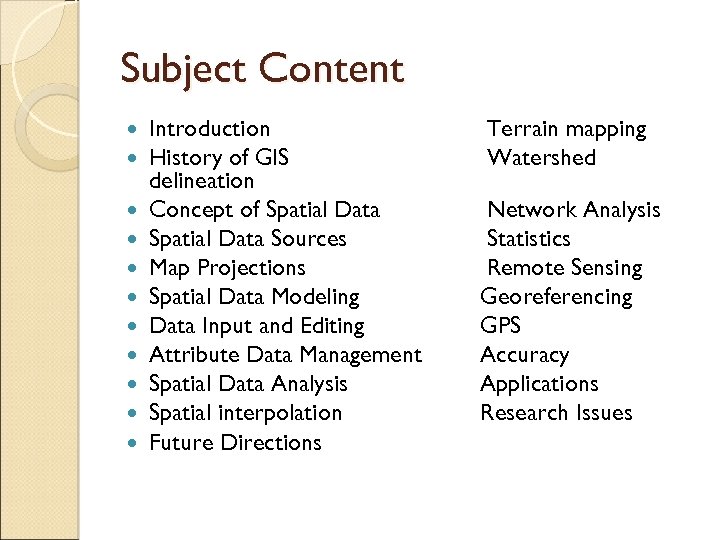
Subject Content Introduction History of GIS delineation Concept of Spatial Data Sources Map Projections Spatial Data Modeling Data Input and Editing Attribute Data Management Spatial Data Analysis Spatial interpolation Future Directions Terrain mapping Watershed Network Analysis Statistics Remote Sensing Georeferencing GPS Accuracy Applications Research Issues
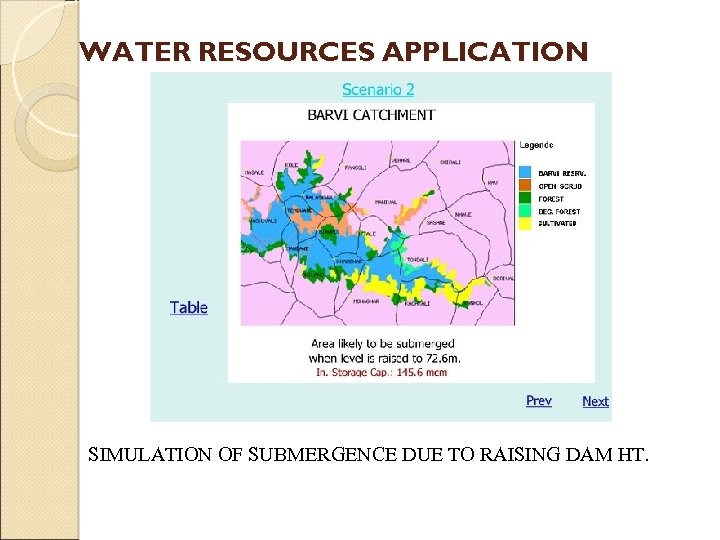
WATER RESOURCES APPLICATION SIMULATION OF SUBMERGENCE DUE TO RAISING DAM HT.
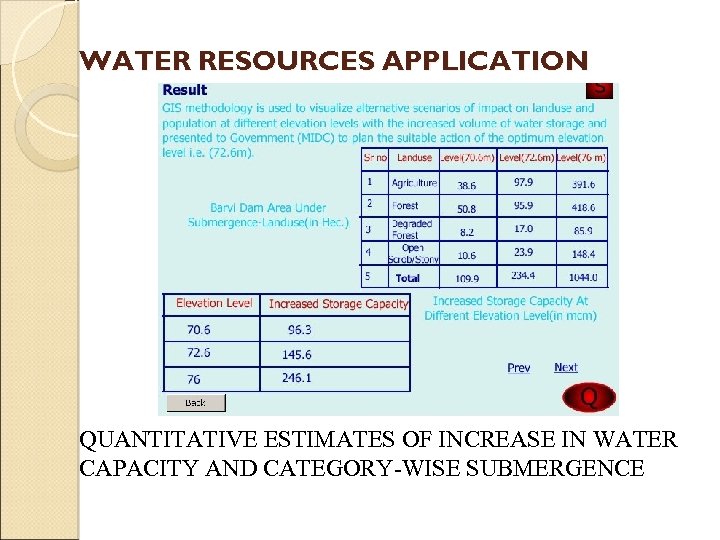
WATER RESOURCES APPLICATION QUANTITATIVE ESTIMATES OF INCREASE IN WATER CAPACITY AND CATEGORY-WISE SUBMERGENCE
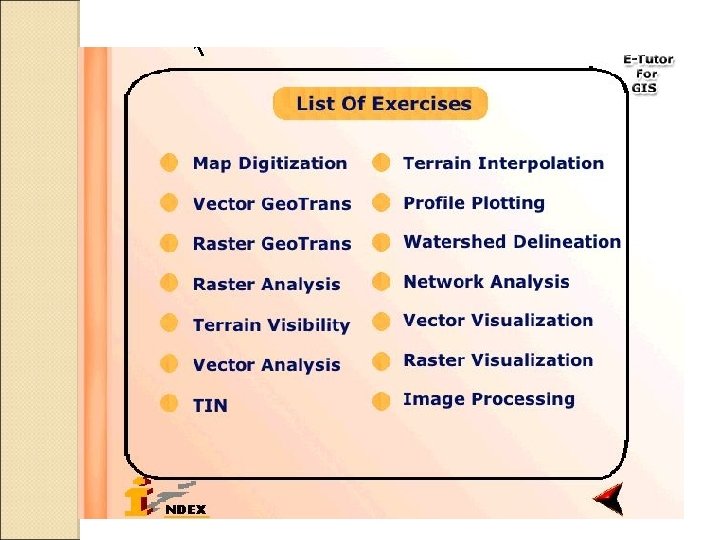
Hands-On Exercises Enable the user to get a feel for actual GIS functionality Self-contained with software, user manual and sample datasets
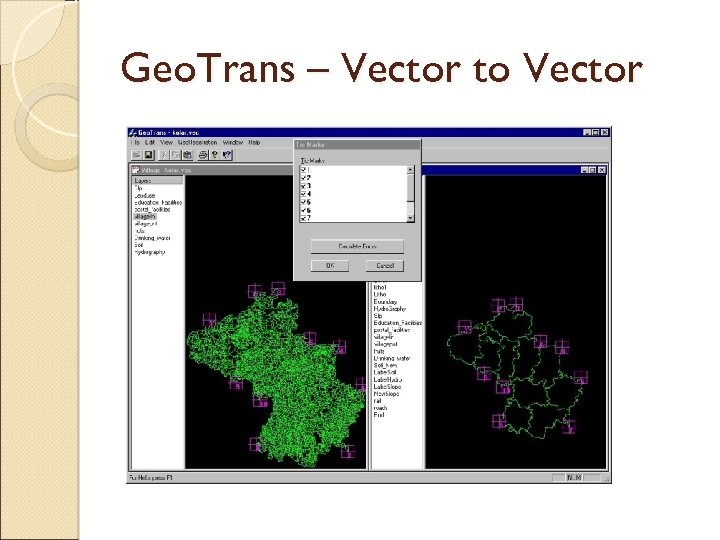
Geo. Trans – Vector to Vector
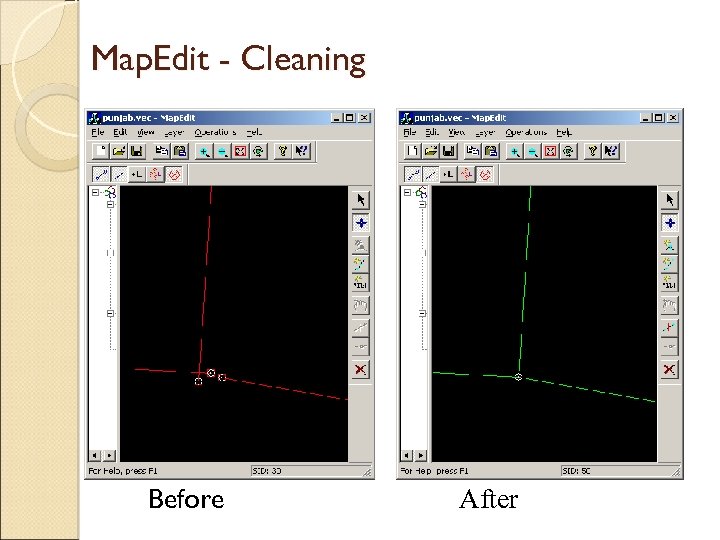
Map. Edit - Cleaning Before After
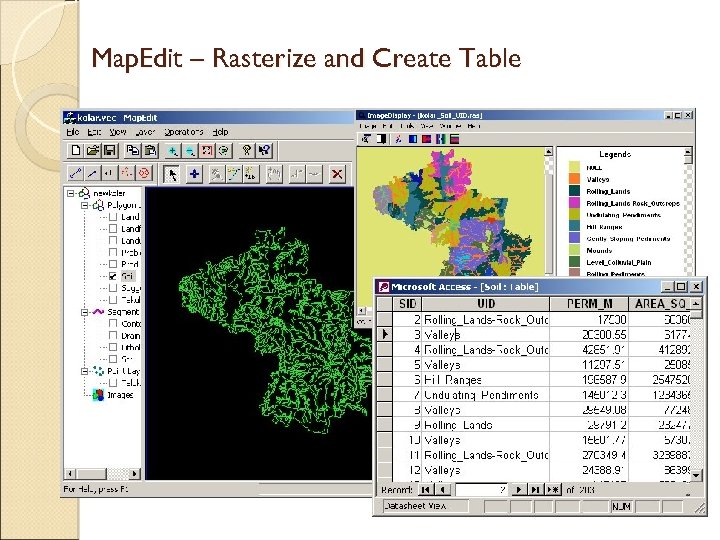
Map. Edit – Rasterize and Create Table
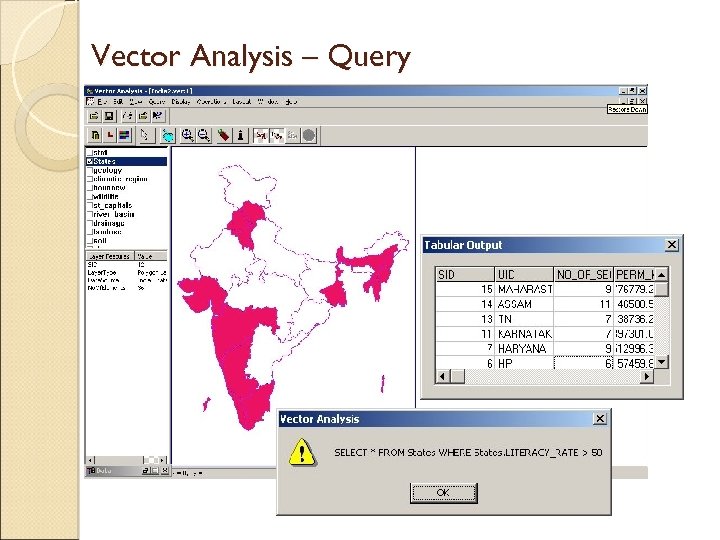
Vector Analysis – Query
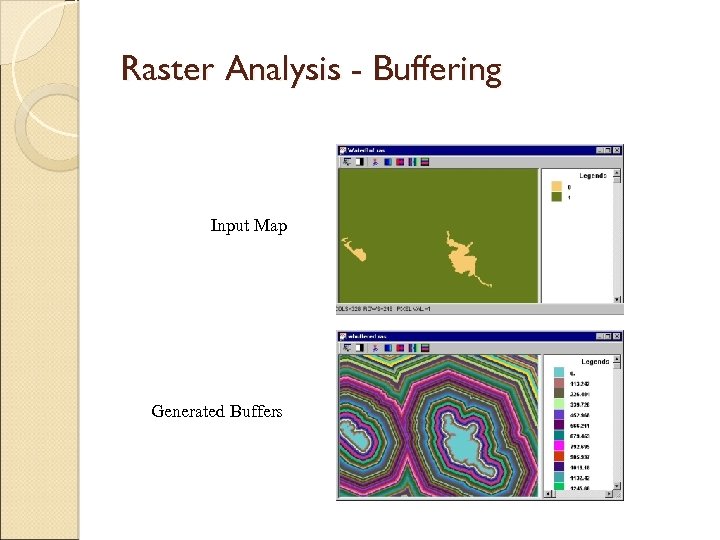
Raster Analysis - Buffering Input Map Generated Buffers
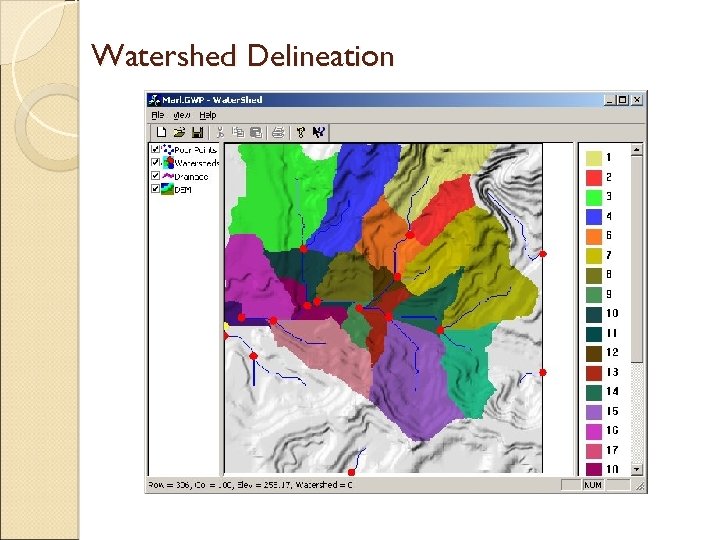
Watershed Delineation
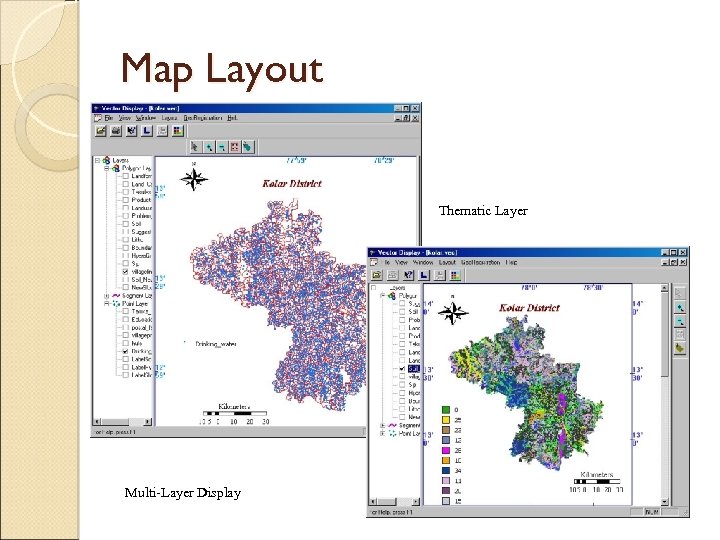
Map Layout Thematic Layer Multi-Layer Display

Thank You
Скачать презентацию GIS Software An In-house development By Bhugol GIS
af4ec40b5fbd2de82ec4504349805f3c.ppt