 Скачать презентацию Gillian Mc Combs Dean Director Central University
9a1654cc4151c9c013e4b98a448c6506.ppt
- Количество слайдов: 64



Gillian Mc. Combs, Dean & Director Central University Libraries Southern Methodist University
THE PROLOGUE
CONNECTING THE DOTS
CONNECTING THE DOTS • Various ways to move forward • Incremental progress • Cataclysmic events Vision + plan + end product
CONNECTING THE DOTS • • • 2002 the first Digitization committee was born. Comprising membership from all the libraries across the University, it was charged with the responsibility of establishing strategic directions. 2004 digital content manager hired for two year period to jump start digital collections in conjunction with digital committee 2004 strategic alliance formed 2005 stars for students floated 2005 Information Commons Created
CONNECTING THE DOTS • 2006 dcm leaves, dag is formed • 2006 CMIT begins divestment of classroom technology support operation to ITS • 2007 media library moved from CMIT to circulation (Rob provided architectural drawings and provided compact shelving estimates) • 2007 CMIT fully divests classroom technology support operation • 2007 CMIT divests live event support operation • 2007 ACS vacates FLE space (rob provides architectural drawings "through"CUL’s architectural planner)
CONNECTING THE DOTS • • 2007 ncds formed (library digital projects and student multimedia center) 2007 "Carpe Digital" branding born 2007 Project partnership solicitation from another University involving an SMU trustee 2007 The Dean decreed that the library WOULD purchase a Digital Asset Management system 2007 n. CDS divests campus videography service 2008 DAG tasked with selecting a dam 2008 Content. DM purchased
CONNECTING THE DOTS • • • 2008 Part time Digital Content Developer hired 2008 Funding secured for 30 item pilot project (the first digital project for the n. CD) 2008 Ten digital collections posted online 2008 Part time DCD made permanent part time 2008 n. CDS manager promoted to director
Rob Walker, Director Norwick Center for Digital Services Southern Methodist University
Norwick Center for Digital Services • Student Multimedia Center • 3 group rooms • 12 individual stations (24” i. Macs) • Library Digital Projects • all forms of digitization • metadata • standards • Screening Room • videoconferencing
ACT ONE: THE WAY WE WERE
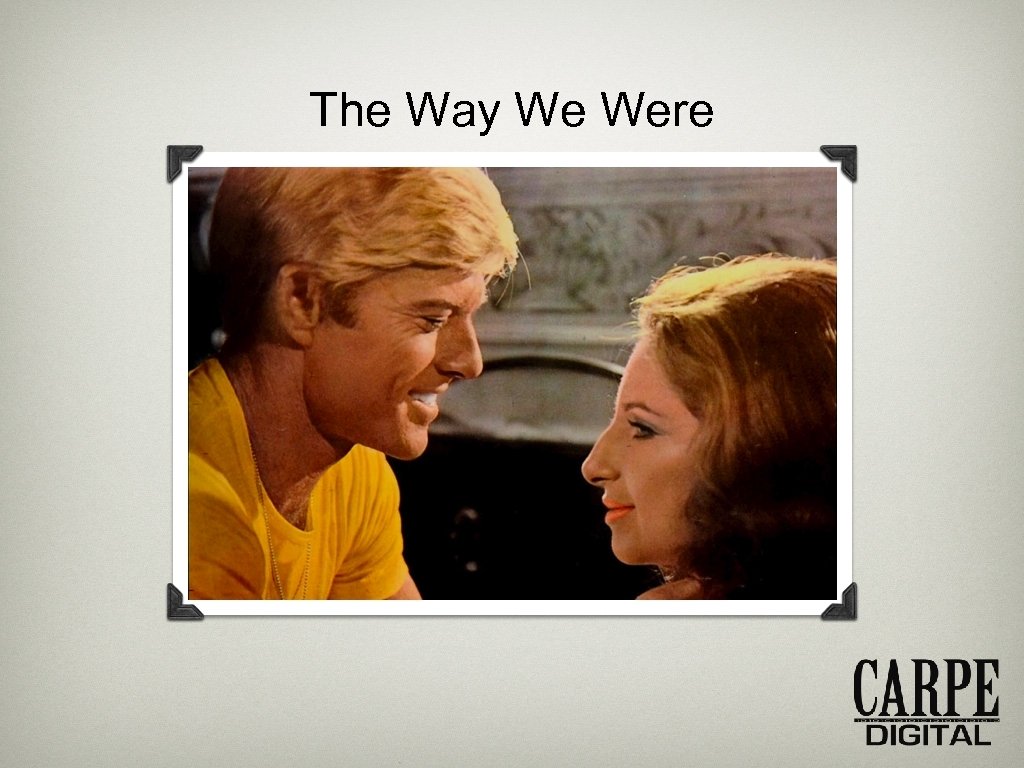
The Way We Were
The Way We Were
The Way We Were • • • Media Library Classroom Technology Support Live Event Support Campus Videography Services A/V Design and Installation
The Way We Were • • • Media Library Classroom Technology Support Live Event Support Campus Videography Services A/V Design and Installation
The Way We Were • Oppressive budget in which 50% had to be earned by providing a/v services to the campus • The greater part of the earned budget was spent on providing student labor for the unfunded classroom support operation • Classic “robbing Peter to pay Paul” scheme
The Way We Were • The average student had no place to work on media projects on campus • The library was in dire need of a digital service point • Library digital collections were woefully under developed • 75% of what we did was not for the library!
ACT TWO: THE PLAN
The Solution • Create a new student multimedia center open to all students on campus • Create a digital services operation for the library and reduce the services offered to the campus at large • Implement library digital collections in a more efficient manner • Eliminate the “chargeback” budget • Become truly library-centric
ACT THREE: THE OBSTACLES
The Obstacles • • • We did not have digitization equipment We did not have the budget for additional staff We only had one technologist on staff We did not have space for a student center. We did not have a digital asset management system. • As a print oriented operation we had not fully embraced digital and were not used to dynamic change. • We did not have a supportive campus infrastructure.
The Obstacles BUT OTHER THAN THAT, WE WERE IN GOOD SHAPE!
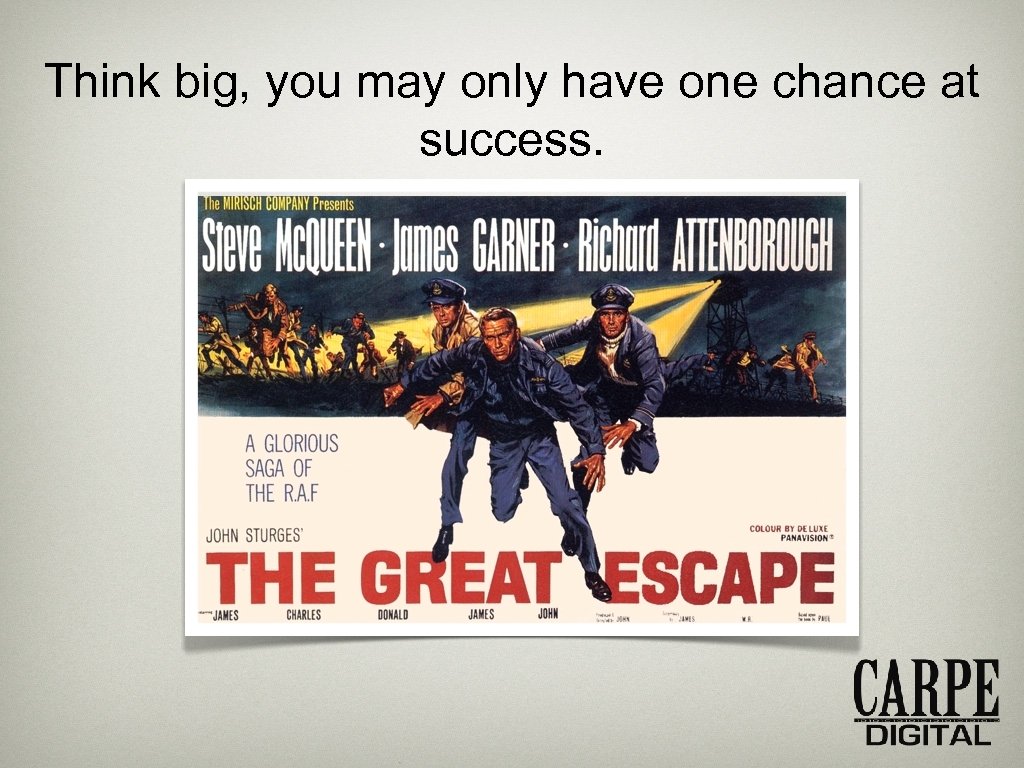
Think big, you may only have one chance at success.
Think big, you may only have one chance at success.
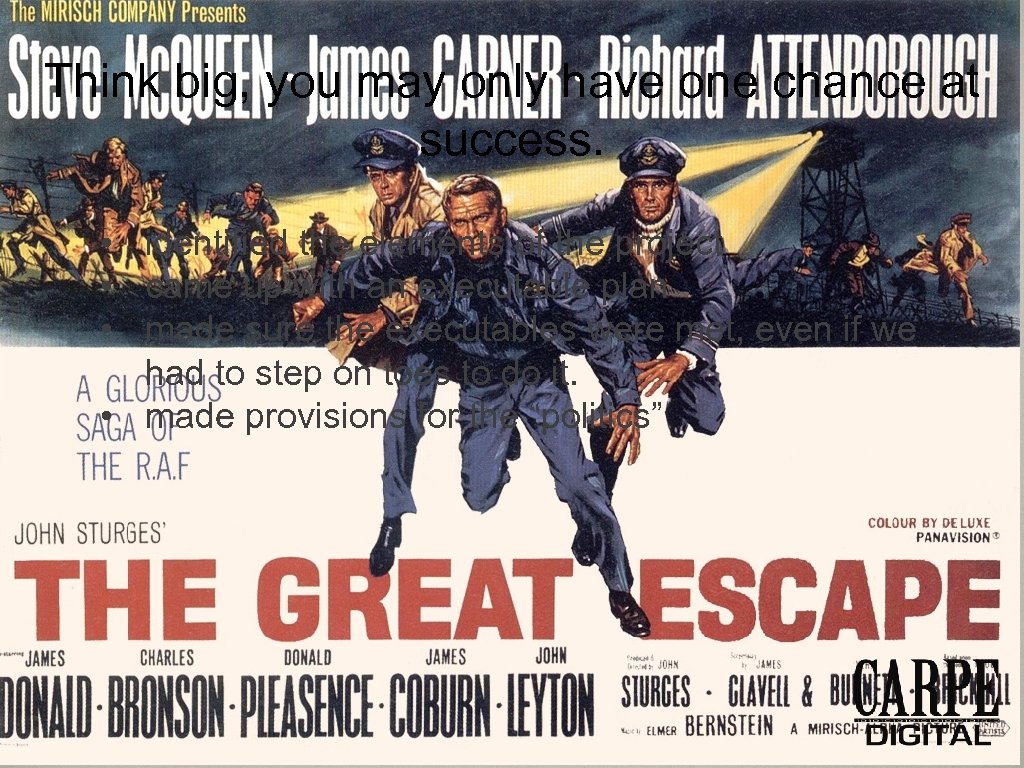
Think big, you may only have one chance at success. • identified the elements of the project • came up with an executable plan • made sure the executables were met, even if we had to step on toes to do it. • made provisions for the “politics”
Think big, you may only have one chance at success. • • Space • where we want to be • what’s keeping us from being there Technology hardware & software Financial for technology, space improvements and staff Personnel reorganize existing staff identify staff deficiencies
Put a square peg in a round hole.
Put a square peg in a round hole.
Put a square peg in a round hole. • We set out to repurpose an under-appreciated department and transform its role in the organization • We needed to leverage the technical and human resources available to us. • We needed to shed the elements that had no value to the new operation or would hold us back from achieving the goals • We had to think outside the box (strangely, from within a box).
Put a square peg in a round hole. • We reserved our Mac Pro computers for the Library Digital Project operation, data projectors for the screening room, and enough video production gear to produce our own content. • We reserved any equipment that we felt would help us in our digitization efforts (think vintage gear) • We hired employees better suited to the new model.
Make them an offer they cannot refuse.
Make them an offer they cannot refuse.
Make them an offer they cannot refuse. • space • identified the space we wanted for the department. • worked with the non-library unit that was in the space to relocate them to other spaces • digitization • met with the library collection holders to offer help for projects • offered help with cataloging, digitization and collection development
Show me the money!
Show me the money!
Show me the money! • transferred equipment to other departments • library IT contributed computers • used endowment funds, salary savings, budget remnants • purchased non-contract furniture where possible • used our expertise to install equipment including the screening room, and a vga-overcat 5 digital signage system • used the campus plant for routine maintenance like painting and ceiling tiles
Show me the money! • We kept our phones (display phones cost $400 in our organization) • We got a commitment from the Dean for the Content. DM funds • We finally tapped our endowment • We incurred only minor renovation costs, as we were moving into a finished space. • The other entity bore all the costs of the renovation of our vacated space
Show me the money! • We hit up the Library IT department for computers (we had always purchased our own without assistance, so now it was our turn for some love) • We “sold” off assets to the new a/ provider to the campus and used those funds to help finance the venture • we even deferred money to this fiscal year! • We got budget relief from the VP of the tenant operation allowing us to no longer have to earn money
Bring in a ringer.
Bring in a ringer. • • We hired a digital collections developer part time temp to jump start the digital collections and a new technician to staff the multimedia center. The developer had direct experience with digital collections and Content. DM had to find the $$ to make her perm. The developer had the freedom to pursue digital collections and set metadata standards. The multimedia operator was a recent SMU graduate with experience helping students with media projects.
If you build it, they will come.
If you build it, they will come.
If you build it, they will come. • • Come up with a theme or “branding’ for the new operation that appeals to your patrons, and then advertise the heck out of it. We created a logo in house that was approved Gill.
If you build it, they will come.
If you build it, they will come. • • We had a well attended open house • • Digital Signage (interactive) We partnered with student employees who also worked at the campus newspaper and got two front page articles, including one headline. Free swag (useful) Usb flash drives Free blank dvd’s and cd’s for all students for an entire year (instead of water bottle giveaways) – branded, naturally!
If you build it, they will come.
If you build it, they will come. • • • We attend public functions on campus like the hot dog cookouts, student orientation and faculty technology seminars. This year we are producing television commercials for the campus cable system. Meet with RA’s, the Pan-Hellenic organization and student organizations
If you build it, they will come. • • Offer to students for free (or extremely low rates) esoteric digital services like film to video transfer and minidisc to file transfer – specific services needed by the student filmmaker’s association on campus. Offer to perform digitization and metadata chores to collection holders to remove impediments
Attention must be paid.
Attention must be paid.
Attention must be paid. • Ongoing promotion required! • digital signage • “swag” (useful) • flyers • campus public spaces • faculty workshops (target like-minded faculty) • video race competition (2009) • new apps and peripherals attract students • well paid students (with an i. Tunes gift card “bonus” each semester) • remain agile!
THE EPILOGUE: WHERE’S THE BEEF?
Where’s the beef? • Where's the innovation quotient? • Change in culture • Pilot project/beta test model in use for the first time • Allowing non-MLS staff to play a leadership role (no librarians were harmed, or even involved, in this project) • Technology staff were seen as having a role in understanding our users
Where’s the beef? • Underused services - when to pull the plug and move on • The power of branding the core message that we operate by • Grassroots advertising never underestimate the val ue of student relationships (especially students who work for the campus newspaper) • The “numbers” - data collection and presentation of data • The use of Google analytics helps give hyper accurate usage statistics for our digital collections and helps us allocate resources accordingly • useful for both digitization and advertising purposes
Where’s the beef? • Digitization: in house or out house? • routine OCR scanning much faster and cheaper off campus • when quality is important, digitization stays in-house • again, never underestimate student relationships • we’ve had students make automated processes that have saved months of work • one student worked for the Dallas Museum of Art and gave us great information on a project we were collaborating on
Where’s the beef? • • Having money to “bankroll” the first collections made all the difference. Sometimes just a couple of hundred dollars was all it took. Unintended consequences The power of branding and having a unique message Digital collections: start small, and grow them • “pony” collections
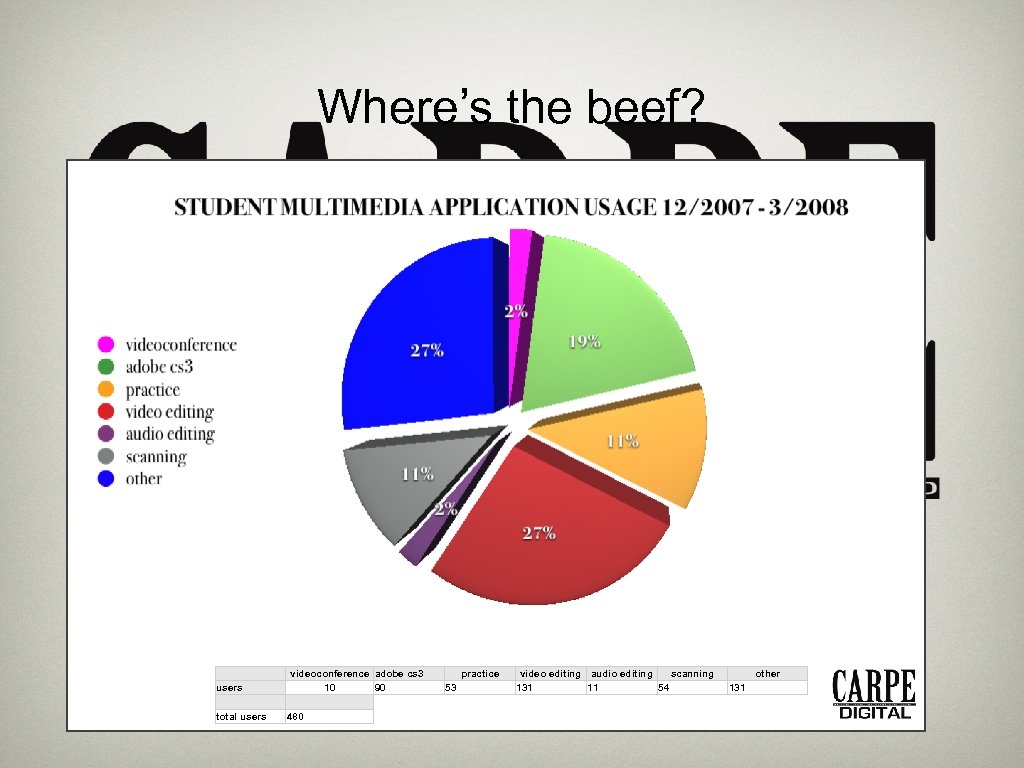
Where’s the beef? users total users videoconference adobe cs 3 10 90 480 practice 53 video editing audio editing scanning 131 11 54 other 131
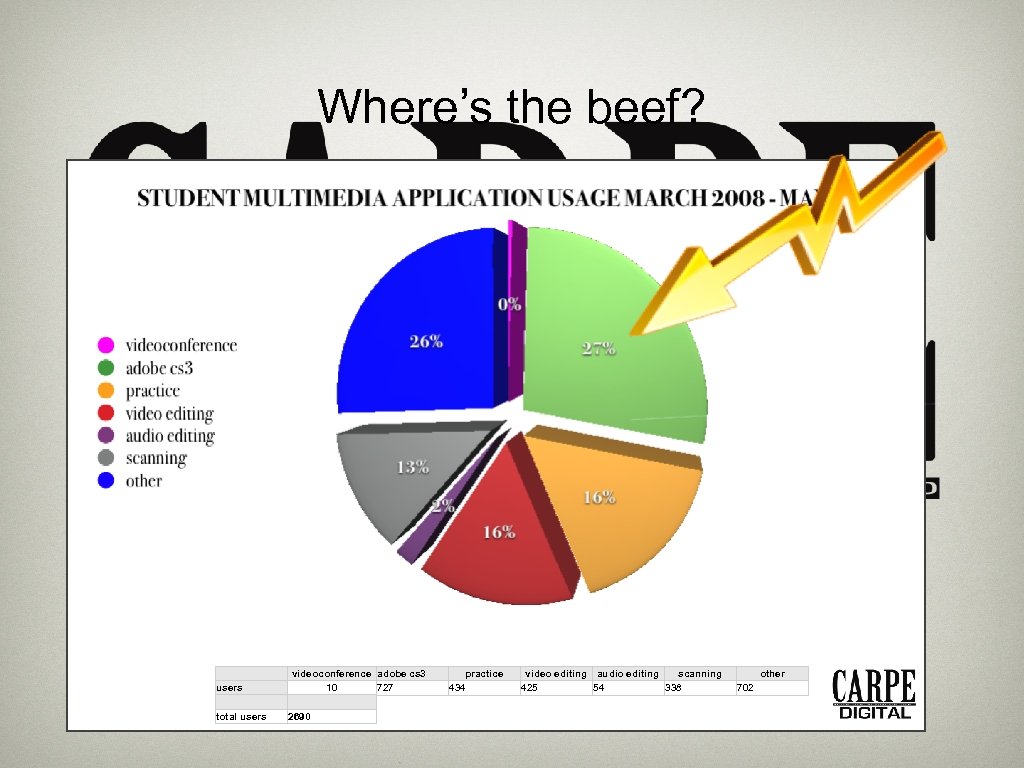
Where’s the beef? users total users videoconference adobe cs 3 10 727 2690 practice 434 video editing audio editing scanning 425 54 338 other 702
? QUESTIONS
 Скачать презентацию Gillian Mc Combs Dean Director Central University
9a1654cc4151c9c013e4b98a448c6506.ppt