


 Скачать презентацию Getting to Know Your IT System What You
fb6bb6802b1be2e016a305cff124bf8e.ppt
- Количество слайдов: 76
 Getting to Know Your IT System: What You Need to Bring With You to an Initial Status Conference in Federal Court (and Soon in State Court Too) Copyright © 2009 IE Discovery, Inc. All rights reserved. 1 IE Discovery, Inc · info@iediscovery. com
 Agenda • • An Quick E-Discovery Primer Cooperation Technical Competence Preservation Collection Processing Production 2
 What is E-Discovery? E-Discovery Pronunciation: ē- dis-kə-v(ə-)rē Definition: process (or series of processes) in which electronic data is sought, located, secured, and searched with the intent of using it as evidence in a civil or criminal legal case, or as part of a courtordered or government sanctioned inspection. Source: http: //www. cs. ucl. ac. uk/staff/S. Attfield/desi/6. %20 Attfield. pdf 3
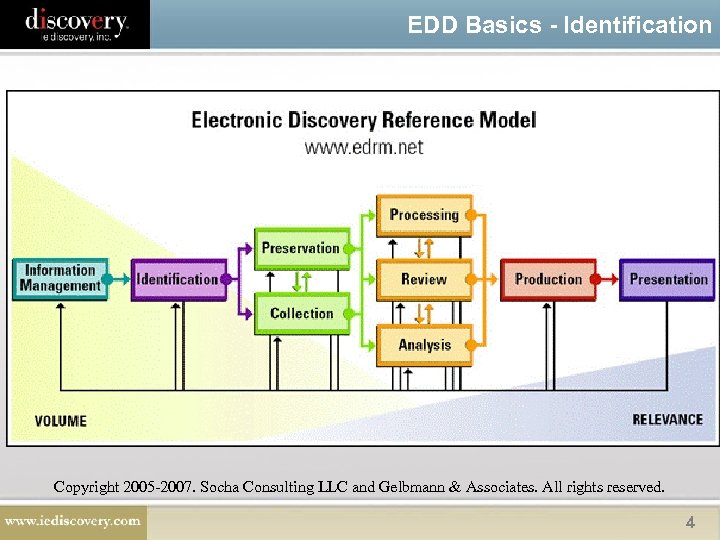 EDD Basics - Identification Copyright 2005 -2007. Socha Consulting LLC and Gelbmann & Associates. All rights reserved. 4
 In the Beginning. . . How It All Started • Burden of Production – Costs of producing documents borne by the responding party • Advent of e-discovery taxed that system – Rowe Entertainment, Inc. v. William Morris Agency, Inc. , 2002 WL 975713 (S. D. N. Y. May 9, 2002). • Course Correction – Zubulake v. UBS Warburg, LLC. , 217 F. R. D. 309 (2003) (Zubulake I). 5
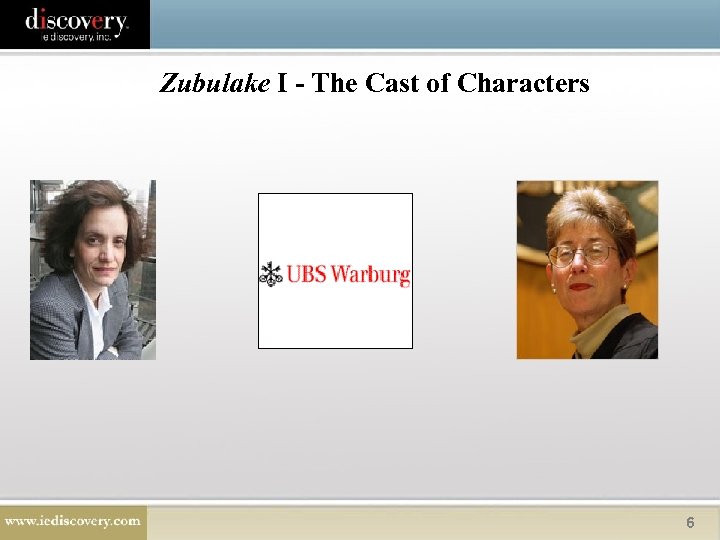 Zubulake I - The Cast of Characters 6
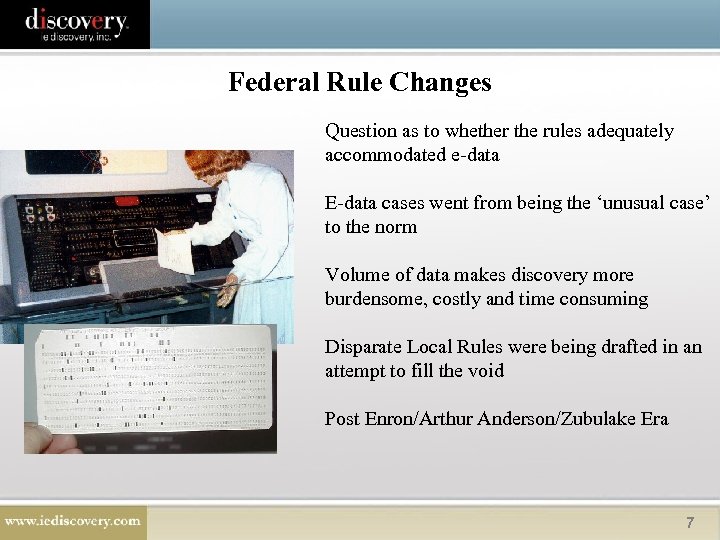 Federal Rule Changes Question as to whether the rules adequately accommodated e-data E-data cases went from being the ‘unusual case’ to the norm Volume of data makes discovery more burdensome, costly and time consuming Disparate Local Rules were being drafted in an attempt to fill the void Post Enron/Arthur Anderson/Zubulake Era 7
 The Gist of the New Rules 1. Early attention to issues relating to electronic discovery 2. Discovery of electronically stored information that is not reasonably accessible 3. Assertion of privilege after production 4. Application of Rules 33 & 34 to electronically stored information; and 5. Limit on sanctions under Rule 37 for the loss of electronically stored information as a result of routine operation of computer systems 8
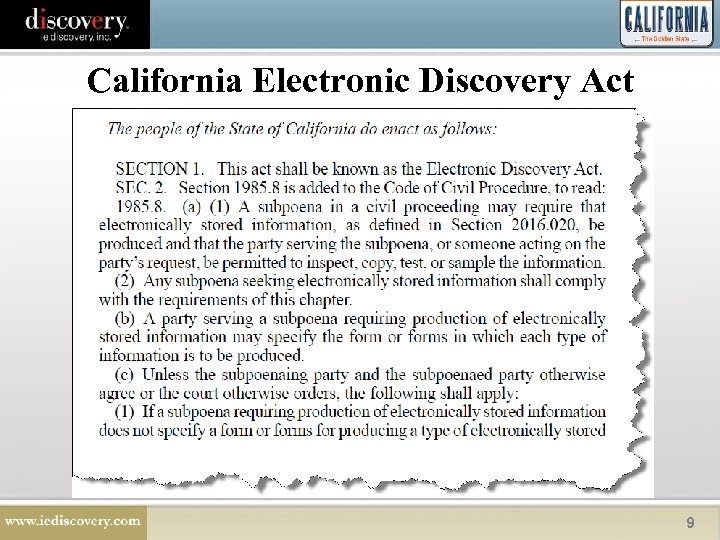 California Electronic Discovery Act 9
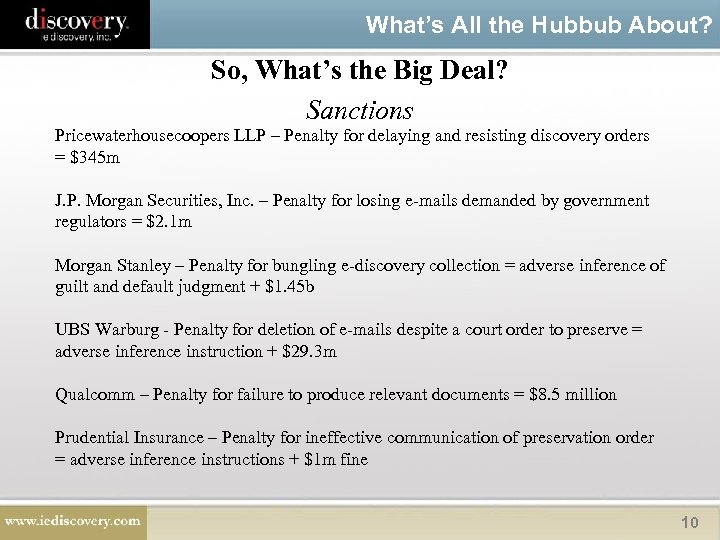 What’s All the Hubbub About? So, What’s the Big Deal? Sanctions Pricewaterhousecoopers LLP – Penalty for delaying and resisting discovery orders = $345 m J. P. Morgan Securities, Inc. – Penalty for losing e-mails demanded by government regulators = $2. 1 m Morgan Stanley – Penalty for bungling e-discovery collection = adverse inference of guilt and default judgment + $1. 45 b UBS Warburg - Penalty for deletion of e-mails despite a court order to preserve = adverse inference instruction + $29. 3 m Qualcomm – Penalty for failure to produce relevant documents = $8. 5 million Prudential Insurance – Penalty for ineffective communication of preservation order = adverse inference instructions + $1 m fine 10
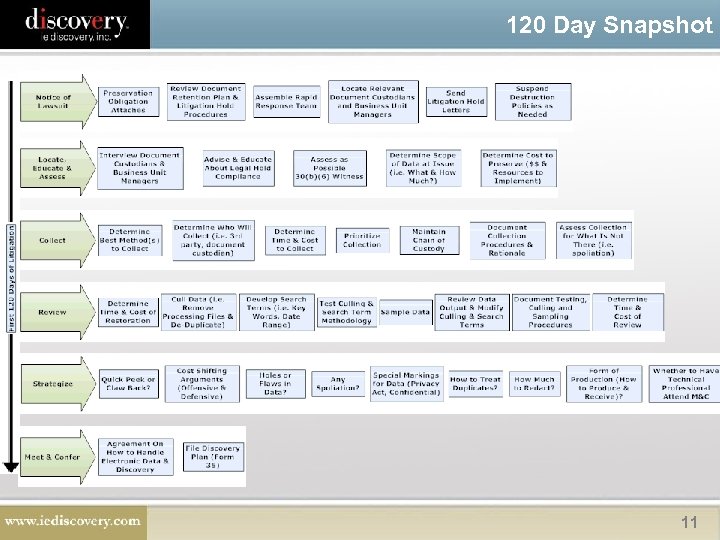 120 Day Snapshot 11
 California Meet & Confer • California rule requires that attorneys from all sides of a litigation matter will need to "meet and confer" 45 days prior to the Case Management Conference. • This means you will need to discuss – ESI – what/how it will be preserved – and what/how data will be exchanged during the discovery process 12
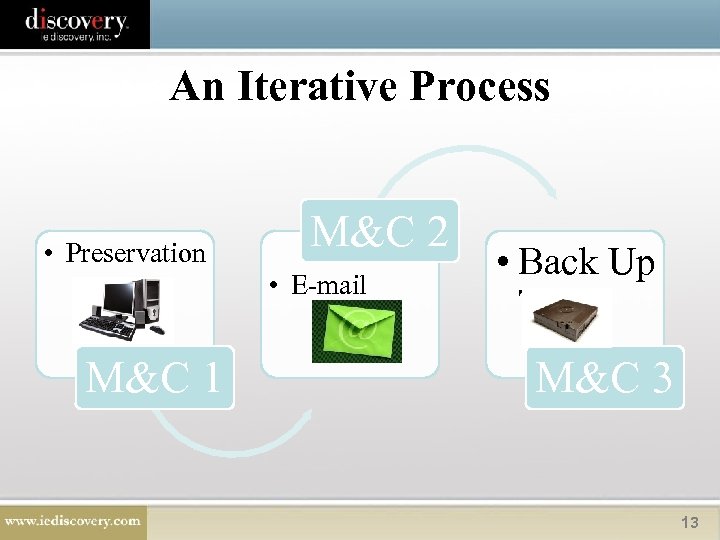 An Iterative Process • Preservation M&C 1 M&C 2 • E-mail • Back Up Tapes M&C 3 13
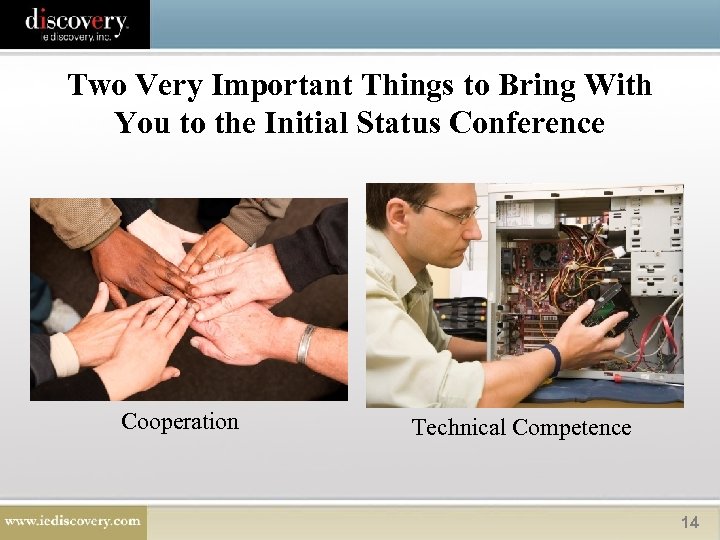 Two Very Important Things to Bring With You to the Initial Status Conference Cooperation Technical Competence 14
 Cooperation
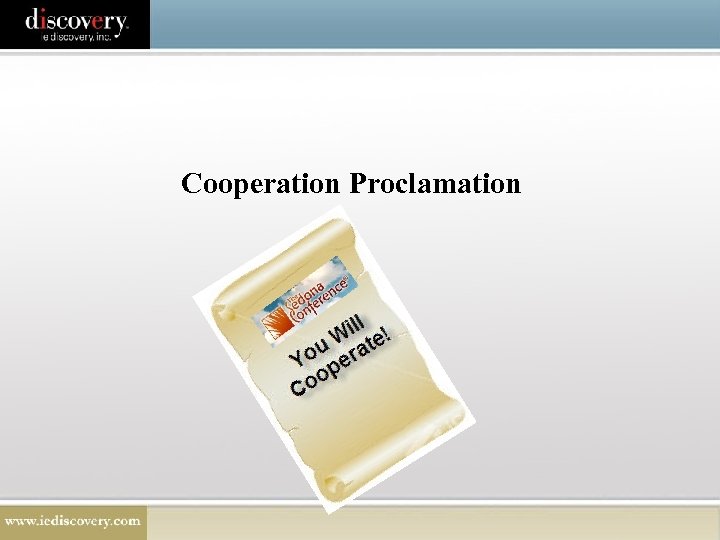 Cooperation Proclamation
 • Recognized that the costs associated with pretrial discovery in the electronic era have become a serious burden – $$$$$$$ – Escalating motions practice – Overreaching – Obstruction – Extensive unproductive discovery disputes 17
 • Goal: – Promote open and forthright information sharing, dialogue (internal and external), training, and the development of practical tools to facilitate cooperative, collaborative, transparent discovery. 18
 • Methods to accomplish cooperation: – Utilize internal ESI discovery “point persons” to assist counsel in preparing requests and responses; – Exchange information on relevant data sources, including those not be searched, or schedule early disclosures on ESI; – Jointly develop automated search and retrieval methodologies to cull relevant information; – Promote early identification of form(s) of production; – Develop case-long discovery budgets based on proportionality principles; and – Consider court-appointed experts, volunteer mediators, or formal ADR to resolve discovery disputes. 19
 Mancia v. Mayflower Textile Servs. Co. , 2008 WL 4595175 (D. Md. Oct. 15, 2008) 20
 Mancia v. Mayflower Textile Servs. Co. , 2008 WL 4595175 (D. Md. Oct. 15, 2008) • FLSA Case regarding overtime and pay deductions • Extensive motion practice was extensive 21
 FRCP 26(g)(1) Purpose of the Rule is: 1. Impose affirmative duty on counsel to behave responsibly during discovery; 2. Curb discovery abuse by allowing the court to use sanctions; 3. Eliminate knee jerk discovery requests served without consideration of cost or burden to the responding party.
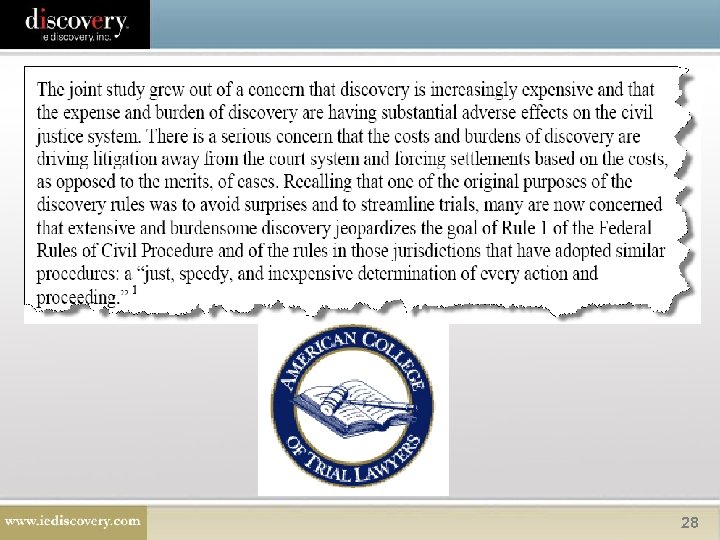
 FRCP 26(g)(1) “The failure to engage in discovery as required by Rule 26(g) is one reason why the cost of discovery is so widely criticized as being excessive–to the point of pricing litigants out of court. See, e. g. , Am. Coll. of Trial Lawyers & Inst. for the Advancement of the Am. Legal Sys. , Interim Report on the Joint Project of the American College of Trial Lawyers Task Force on Discovery and the Institute for the Advancement of the American Legal System 3 (2008). ” Mancia at 15. 23
 Mancia v. Mayflower Textile Servs. Co. , 2008 WL 4595175 (D. Md. Oct. 15, 2008) • Parties provided with detailed suggestions for what to cover in a meet & confer – Estimate damages & Plaintiff’s attorney fees in order to arrive at a workable “discovery budget”. – Provide the amount and type of discovery already provided & discuss additional discovery. – Suggested a “phased discovery” process. – Provide a status report of unresolved issues. 24
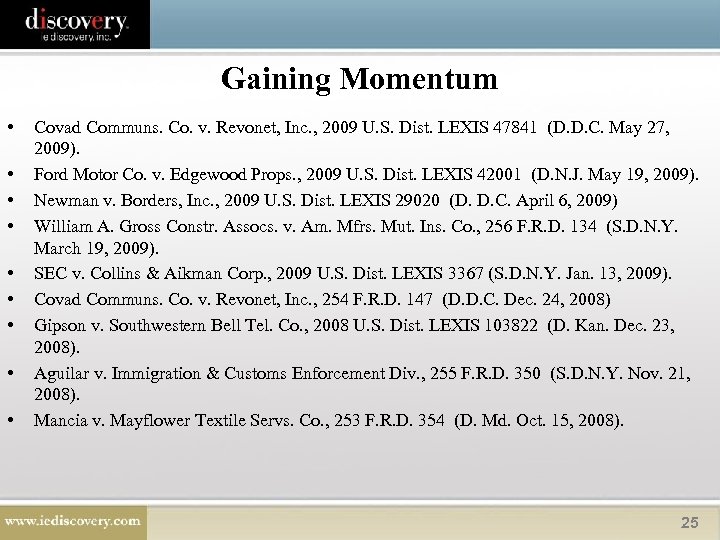 Gaining Momentum • • • Covad Communs. Co. v. Revonet, Inc. , 2009 U. S. Dist. LEXIS 47841 (D. D. C. May 27, 2009). Ford Motor Co. v. Edgewood Props. , 2009 U. S. Dist. LEXIS 42001 (D. N. J. May 19, 2009). Newman v. Borders, Inc. , 2009 U. S. Dist. LEXIS 29020 (D. D. C. April 6, 2009) William A. Gross Constr. Assocs. v. Am. Mfrs. Mut. Ins. Co. , 256 F. R. D. 134 (S. D. N. Y. March 19, 2009). SEC v. Collins & Aikman Corp. , 2009 U. S. Dist. LEXIS 3367 (S. D. N. Y. Jan. 13, 2009). Covad Communs. Co. v. Revonet, Inc. , 254 F. R. D. 147 (D. D. C. Dec. 24, 2008) Gipson v. Southwestern Bell Tel. Co. , 2008 U. S. Dist. LEXIS 103822 (D. Kan. Dec. 23, 2008). Aguilar v. Immigration & Customs Enforcement Div. , 255 F. R. D. 350 (S. D. N. Y. Nov. 21, 2008). Mancia v. Mayflower Textile Servs. Co. , 253 F. R. D. 354 (D. Md. Oct. 15, 2008). 25
 Calif. Court OKs Sanctions for Discovery “Gamesmanship” • Clement v. Alegre , 2009 Cal. App. LEXIS 1568 (Sept. 23, 2009). – Plaintiffs in a property dispute sanctioned $6, 600 after the court found that they had engaged in "gamesmanship" in a deliberate effort to bog down discovery. 26
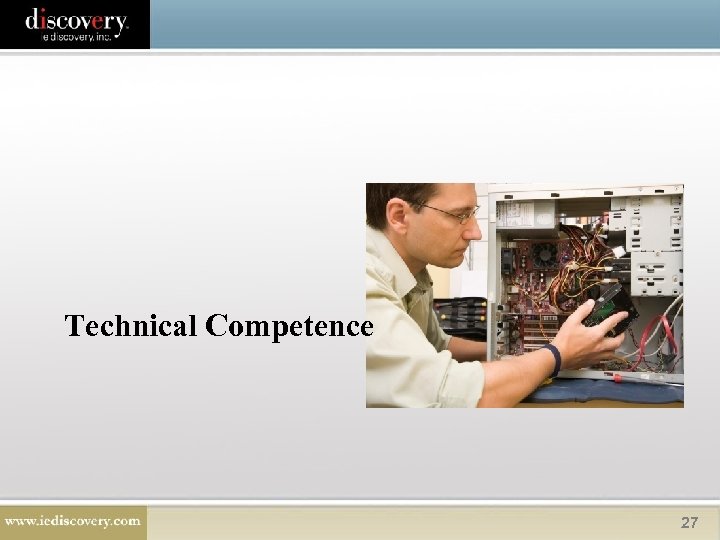 Technical Competence 27
 28
28
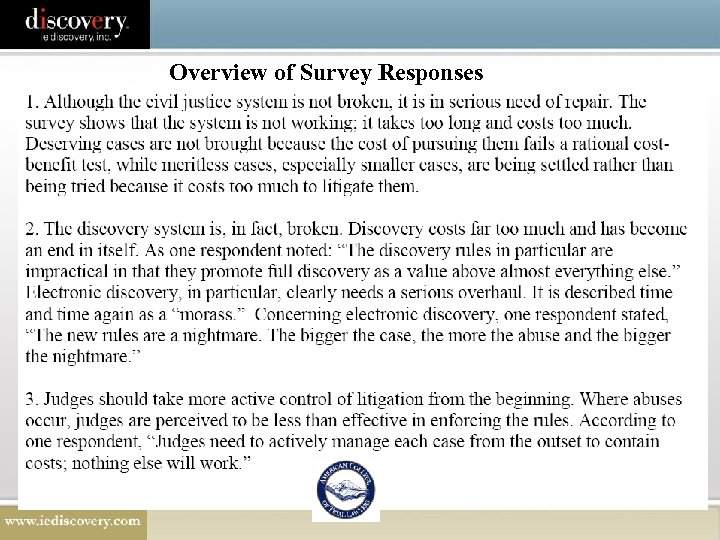 Overview of Survey Responses
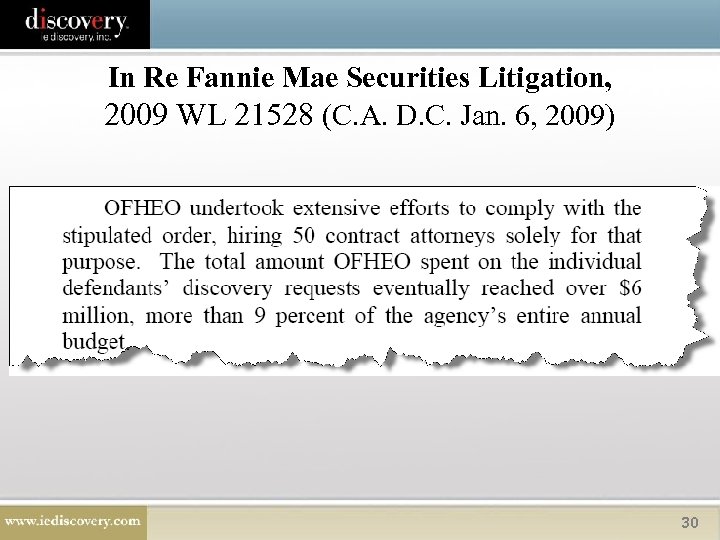 In Re Fannie Mae Securities Litigation, 2009 WL 21528 (C. A. D. C. Jan. 6, 2009) 30
 Who is to blame for the spiraling costs? 31
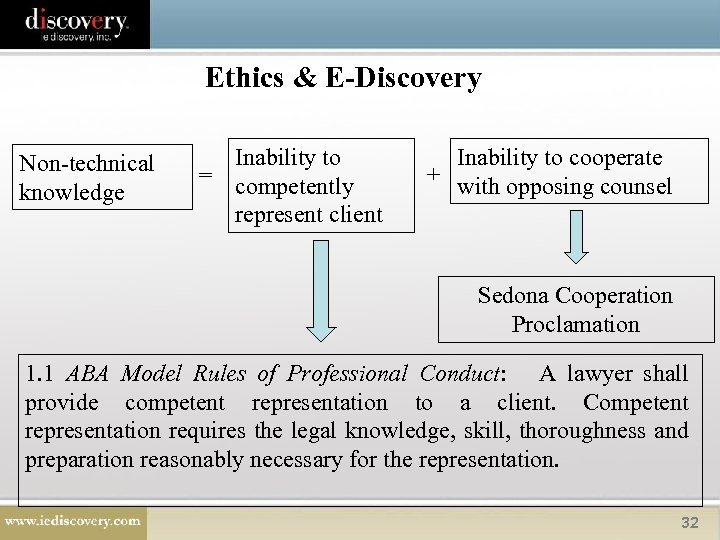 Ethics & E-Discovery Non-technical knowledge Inability to = competently represent client Inability to cooperate + with opposing counsel Sedona Cooperation Proclamation 1. 1 ABA Model Rules of Professional Conduct: A lawyer shall provide competent representation to a client. Competent representation requires the legal knowledge, skill, thoroughness and preparation reasonably necessary for the representation. 32
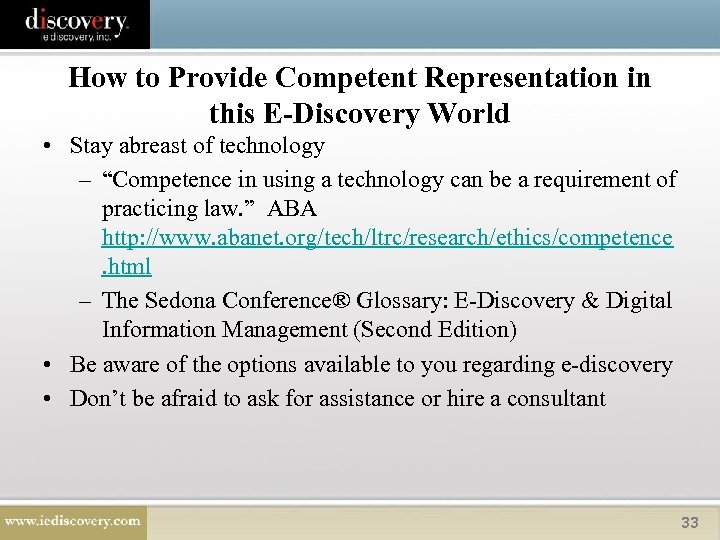 How to Provide Competent Representation in this E-Discovery World • Stay abreast of technology – “Competence in using a technology can be a requirement of practicing law. ” ABA http: //www. abanet. org/tech/ltrc/research/ethics/competence. html – The Sedona Conference® Glossary: E-Discovery & Digital Information Management (Second Edition) • Be aware of the options available to you regarding e-discovery • Don’t be afraid to ask for assistance or hire a consultant 33
 What the Future Will Bring: – Cooperation on controlling costs • Be prepared to discuss how much your discovery will cost & what you can do to control the cost – Repeatable processes – Assign an e-discovery team – Leverage technology – Make a concerted effort to understand the technology that you are using on your cases. 34
 Preservation 35
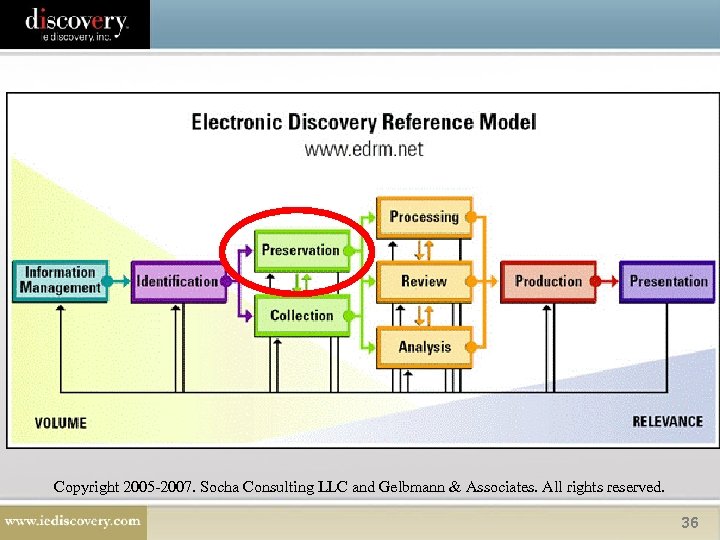 Copyright 2005 -2007. Socha Consulting LLC and Gelbmann & Associates. All rights reserved. 36
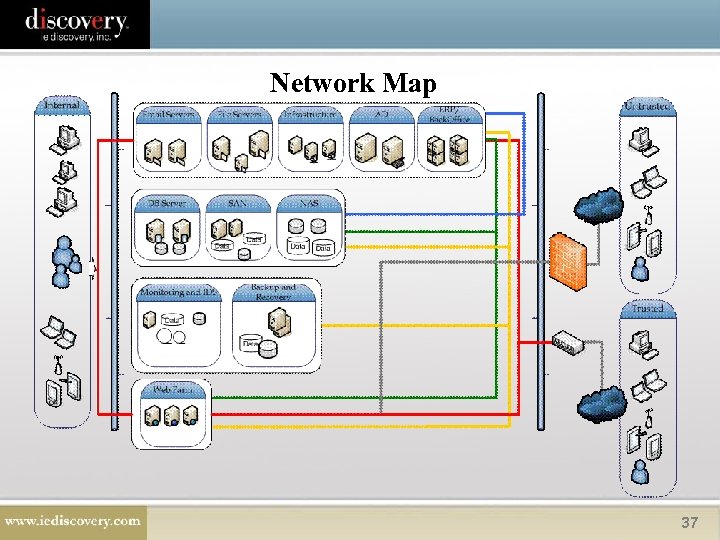 Network Map 37
 Important to Label Your Data as Accessible/Inaccessible • Fed Rule - Rule 26(b)(2), (c)(1)(B) • Ca Rule - Section 2031. 060(c), (d), (e); 2031. 310(d), (e), (f) 38
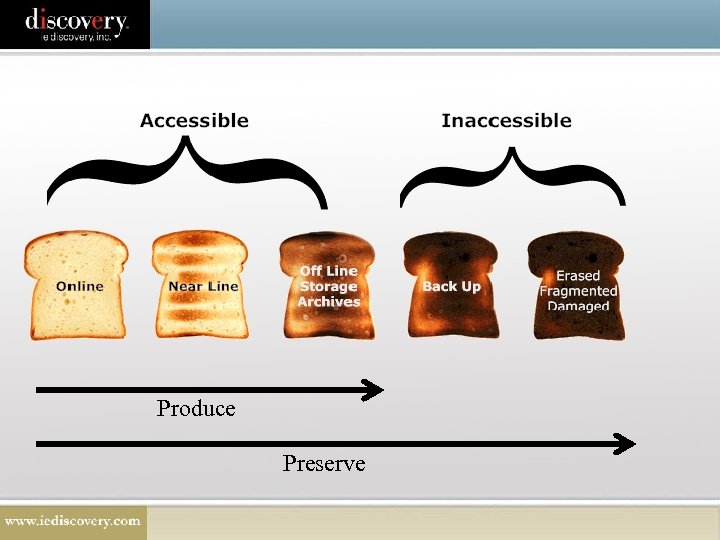 Produce Preserve
 www. thesedonaconference. org
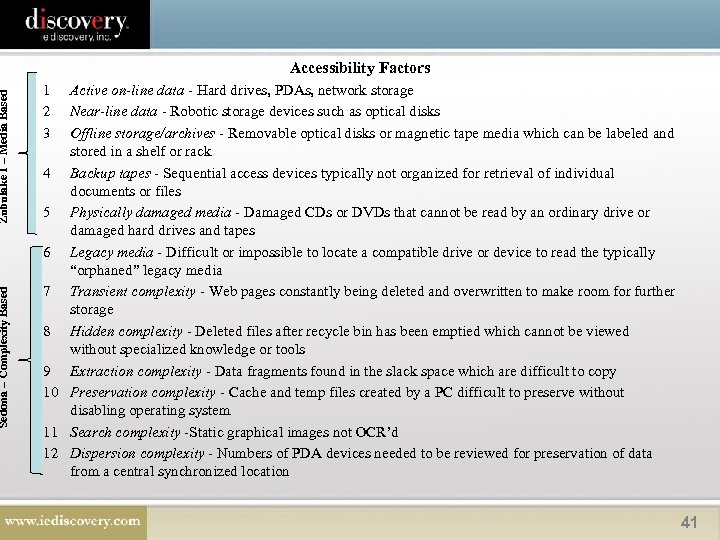 Zubulake I – Media Based Sedona – Complexity Based Accessibility Factors 1 2 3 Active on-line data - Hard drives, PDAs, network storage Near-line data - Robotic storage devices such as optical disks Offline storage/archives - Removable optical disks or magnetic tape media which can be labeled and stored in a shelf or rack 4 Backup tapes - Sequential access devices typically not organized for retrieval of individual documents or files 5 Physically damaged media - Damaged CDs or DVDs that cannot be read by an ordinary drive or damaged hard drives and tapes 6 Legacy media - Difficult or impossible to locate a compatible drive or device to read the typically “orphaned” legacy media 7 Transient complexity - Web pages constantly being deleted and overwritten to make room for further storage 8 Hidden complexity - Deleted files after recycle bin has been emptied which cannot be viewed without specialized knowledge or tools 9 Extraction complexity - Data fragments found in the slack space which are difficult to copy 10 Preservation complexity - Cache and temp files created by a PC difficult to preserve without disabling operating system 11 Search complexity -Static graphical images not OCR’d 12 Dispersion complexity - Numbers of PDA devices needed to be reviewed for preservation of data from a central synchronized location 41
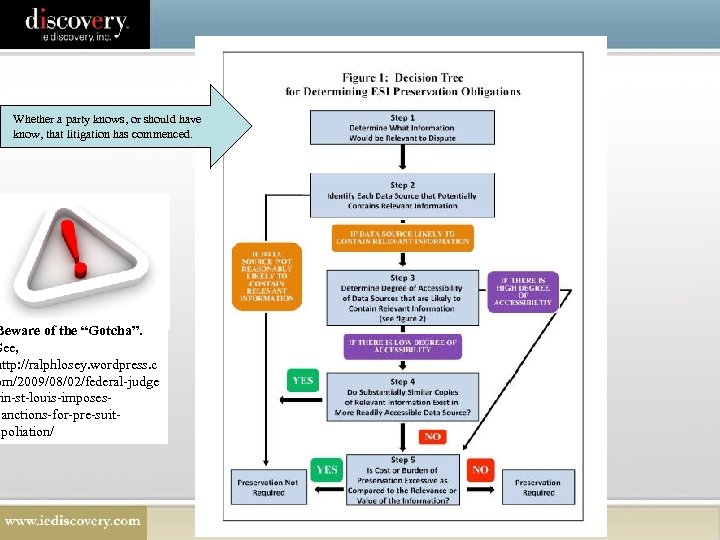 Whether a party knows, or should have know, that litigation has commenced. Beware of the “Gotcha”. See, http: //ralphlosey. wordpress. c om/2009/08/02/federal-judge in-st-louis-imposessanctions-for-pre-suitspoliation/
 Data Often Deemed Not Reasonably Accessible Without Undue Burden or Cost • information on databases whose retrieval cannot be quickly accomplished because the database software is not capable of extracting the information sought without substantial additional programming; • information stored on media that must be transformed into another form before search and retrieval can be achieved; • deleted information whose fragments remain only accessible by forensics; and • legacy data remaining from obsolete systems that is unintelligible on successor systems. 43
 Cost-Shifting in California • Toshiba Am. Elec. Components, Inc. v. Superior Court (124 Cal. App. 4 th 762 (2004)). – Court allocated the burden to the demanding party rather than the responding party, provided the expenses are "reasonable. " – Very little guidance as to what is or isn't reasonable which gives the courts wide discretion in future cases. 44
 FRCP 37(e) Safe Harbor Provision “Absent exceptional circumstances, a court may not impose sanctions under these rules on a party for failing to provide electronically stored information lost as a result of the routine, good-faith operation of an electronic information system. ” 45
 CA Version • Section 2031. 060 (i)(1), 2031. 300(d)(1) No sanctions for "lost, damaged, altered, or overwritten" data as the result of "routine, good faith operation of an electronic information system. " 46
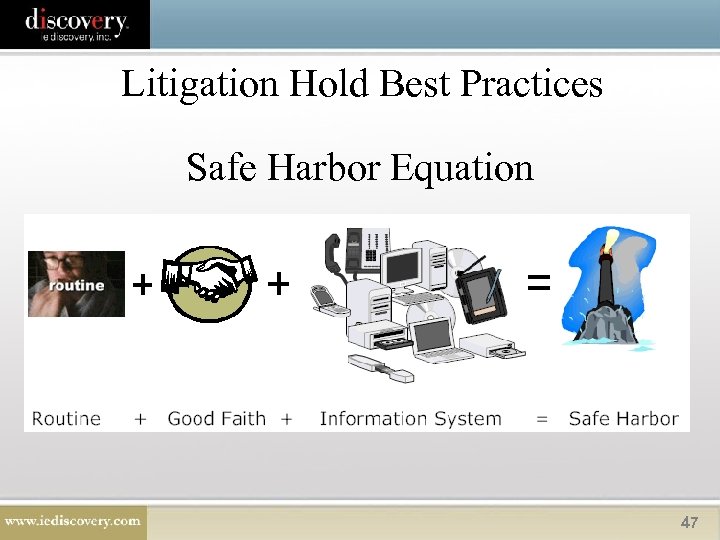 Litigation Hold Best Practices Safe Harbor Equation 47
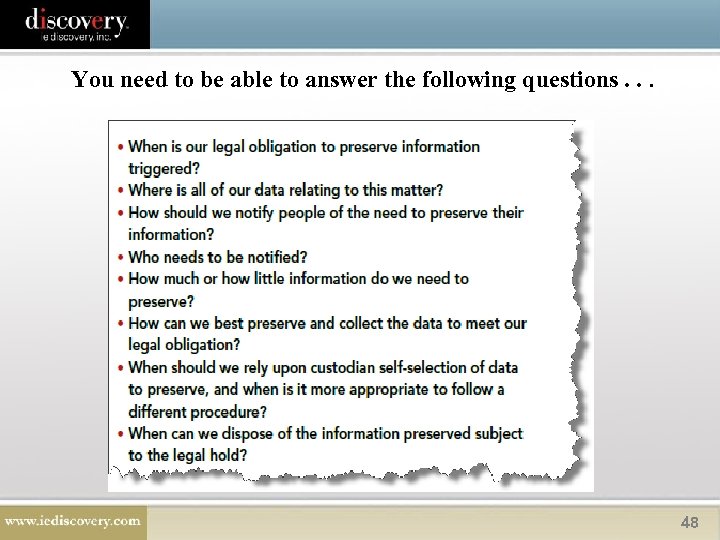 You need to be able to answer the following questions. . . 48
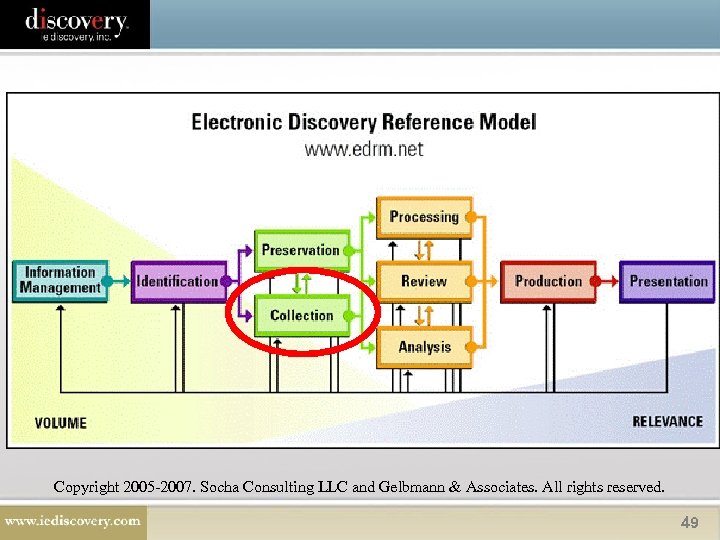 Copyright 2005 -2007. Socha Consulting LLC and Gelbmann & Associates. All rights reserved. 49
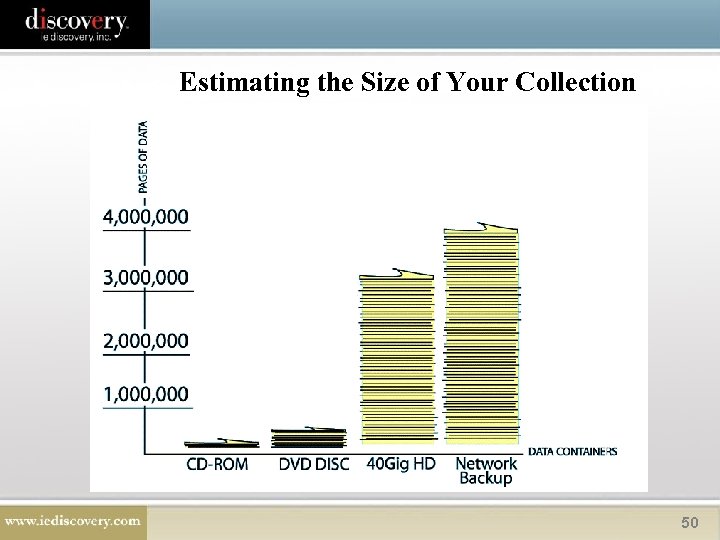 Estimating the Size of Your Collection 50
 • • • How to Narrow Your Collection Key players Key business units Date ranges Temporal scope Geographic scope Background data and documents, for example: – – – Personnel databases Instructions Organizational charts Personnel files Manuals 51
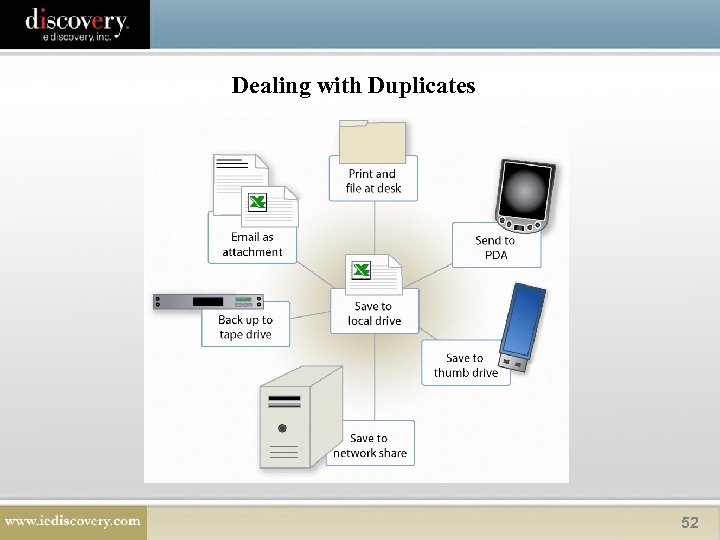 Dealing with Duplicates 52
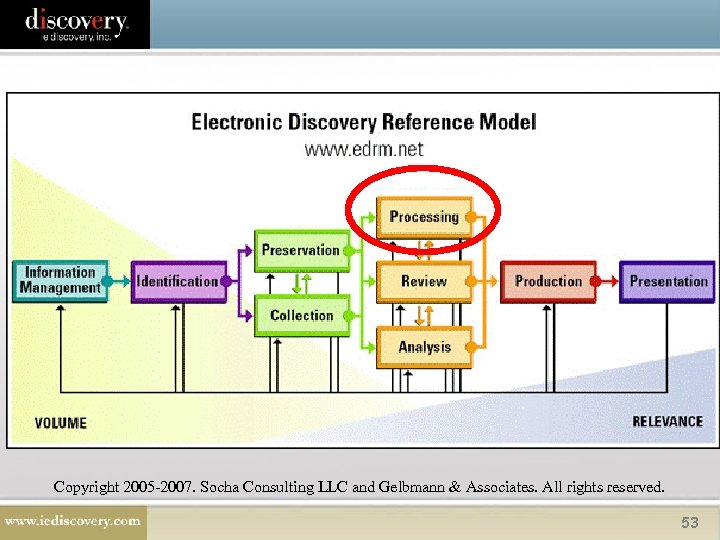 Copyright 2005 -2007. Socha Consulting LLC and Gelbmann & Associates. All rights reserved. 53
 Culling Your Data • • Virus scan Do not review original native files – make a copy Remove processing files Search data via key words, date range, author, recipient, etc. • De-Duplicate 54
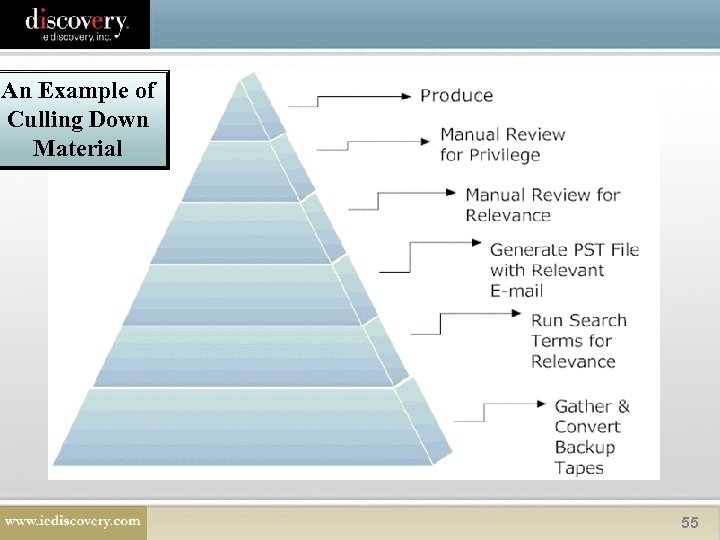 An Example of Culling Down Material 55
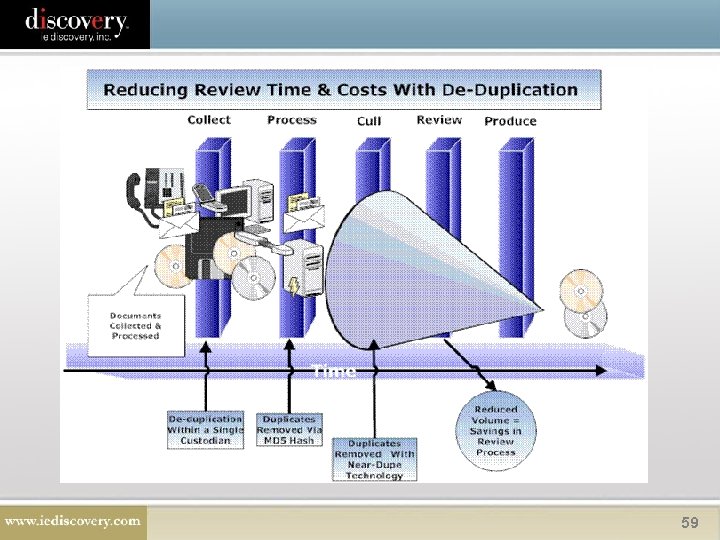
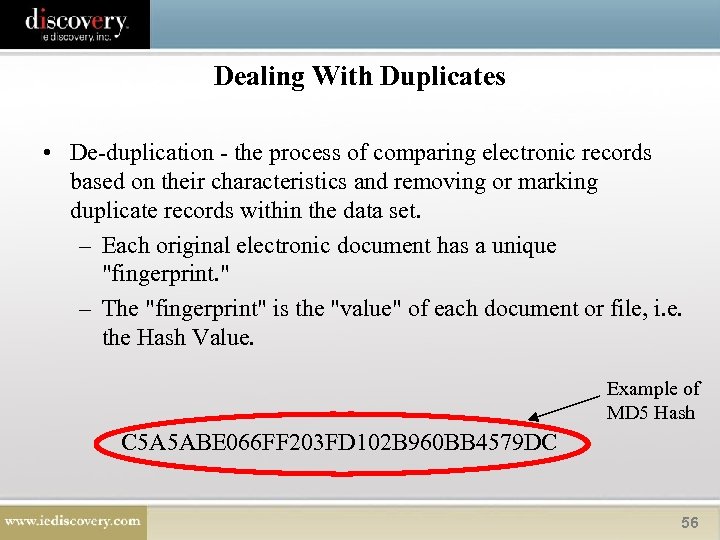 Dealing With Duplicates • De-duplication - the process of comparing electronic records based on their characteristics and removing or marking duplicate records within the data set. – Each original electronic document has a unique "fingerprint. " – The "fingerprint" is the "value" of each document or file, i. e. the Hash Value. Example of MD 5 Hash C 5 A 5 ABE 066 FF 203 FD 102 B 960 BB 4579 DC 56
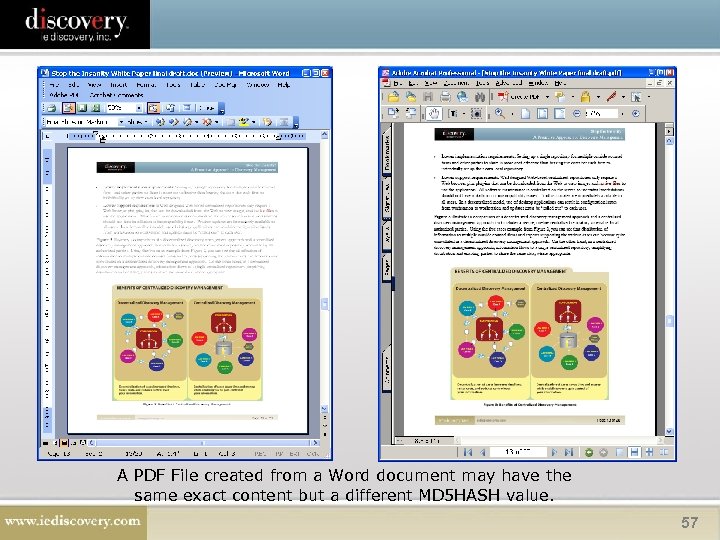 A PDF File created from a Word document may have the same exact content but a different MD 5 HASH value. 57
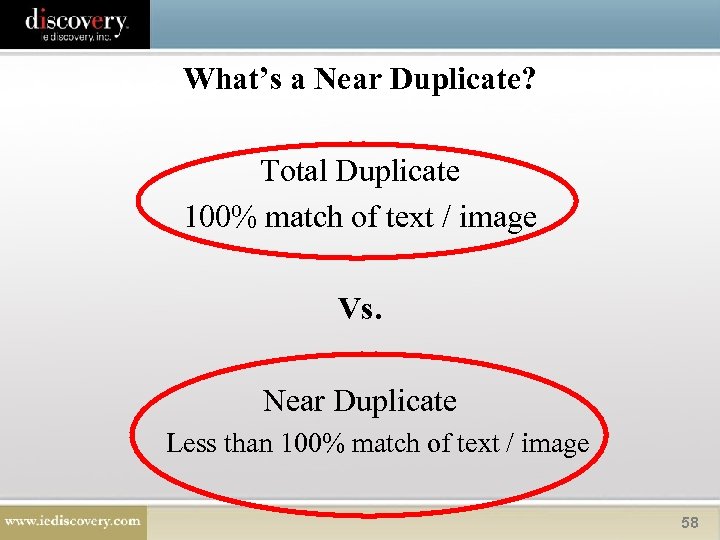 What’s a Near Duplicate? Total Duplicate 100% match of text / image Vs. Near Duplicate Less than 100% match of text / image 58
 59
59
 Why Does De-Duplication Matter to Me? 1. Volume – typical data populations include duplicate e-mails and attachments resulting from the same message circulated to a group of recipients, i. e. the “cc” 2. Time – dealing with larger volumes of data in the same time frame 3. $$$$ – due to increased volume and/or reduced time, costs are being driven up 60
 EDD Basics - Processing Why does De-Duplication Matter to Me? 4. Consistency – with volume the consistency of the review is at risk as multiple reviewers (or even the same reviewer) will mark documents differently • increases the risk of an inadvertent disclosure 5. Decision Making – Need to be able to explain decision making process 6. Black Box – May need to have your expert explain the “Black Box Technology” of duplicates 7. At some point you will have to use technology to deduplicate your documents. 61
 Searching • Types – Keyword Searching – Concept Search • Cases – Victor Stanley, Inc. v. Creative Pipe, Inc. , 2008 WL 2221841 (D. Md. May 29, 2008). – United States v. O'Keefe, 2008 WL 449729 (D. D. C. Feb. 18, 2008). 62
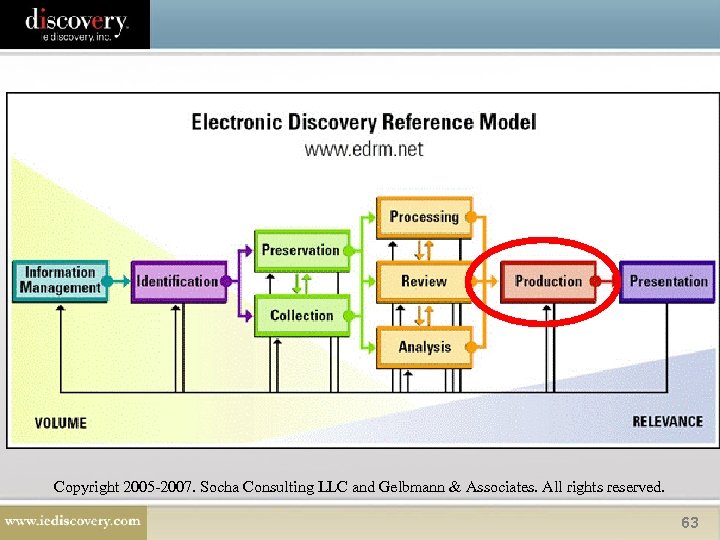 Copyright 2005 -2007. Socha Consulting LLC and Gelbmann & Associates. All rights reserved. 63
 • • • Ways to Produce Paper – Photocopies are documents. Image - An optically formed picture of the document, i. e. when you scan a document to. tif or. pdf. Native File - An electronic file in the original format as generated within the native application, i. e. a Word. Perfect file. Shared Database – A data repository that can be accessed by multiple people at the same time. Direct Access - Requesting party gains direct access to your database or network. Metadata – Data about data. “[I]nformation about a particular data set or document which describes how, when, and by whom it was collected, created, accessed, modified, and how it was formed. ” 64
 Examples of Common Types of Images: • TIFF (Tagged Image File Format) – Graphic file format for storing bit-mapped images (. tif extension). • PDF (Portable Document Format) – Captures information from applications so that you can view and print a document as it appears in the original application (. pdf extension). 65
 Image Production Pros and Cons • Pros – Common viewing tools, widely accepted formats – Look of the document is substantially identical to the original as printed – Less risk that document will be altered – Text searchable after processing • Cons – Large size – Time up front to process – Cost of processing, possibly – Cannot access hidden data 66
 What is a Native File? • An electronic file in the original format as generated within the native application. • Examples: – Microsoft Office files (Word, Excel, Power. Point) – E-mail formats, such as Microsoft Exchange (Outlook) and Lotus Notes – Corel Word. Perfect – Plain text files – Graphics files, including TIFF, JPEG, and Bitmap (BMP) files – Databases, including Microsoft Access – System files, including executables 67
 What is Metadata? Data about data. 68
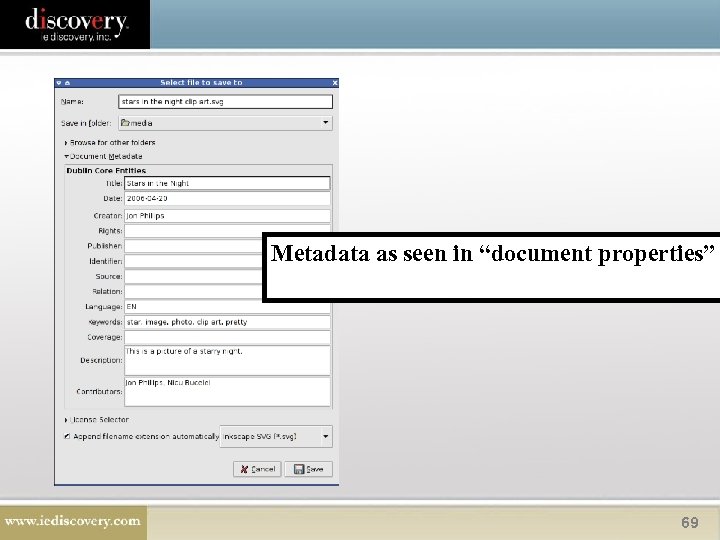 Metadata as seen in “document properties” 69
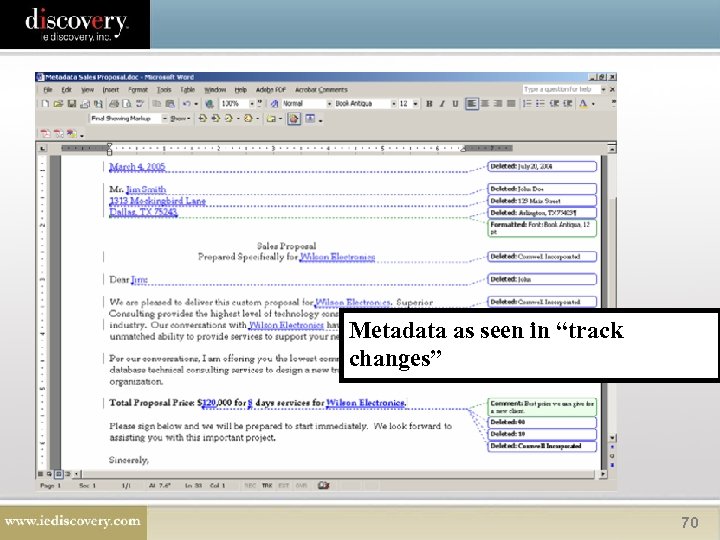 Metadata as seen in “track changes” 70
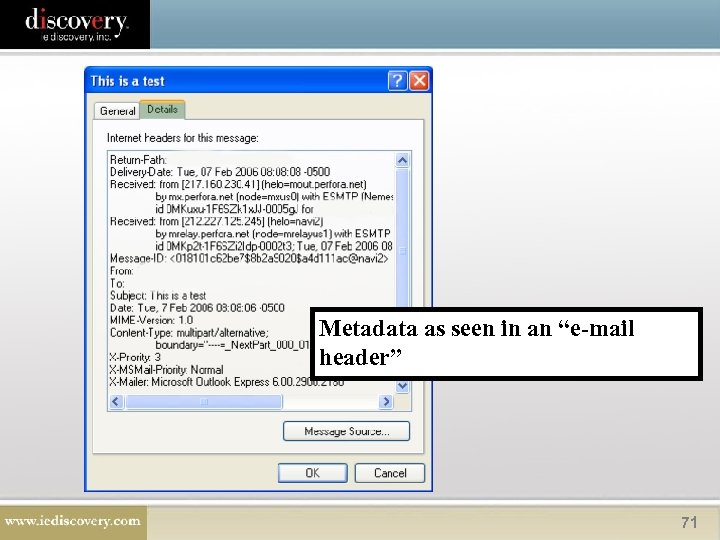 Metadata as seen in an “e-mail header” 71
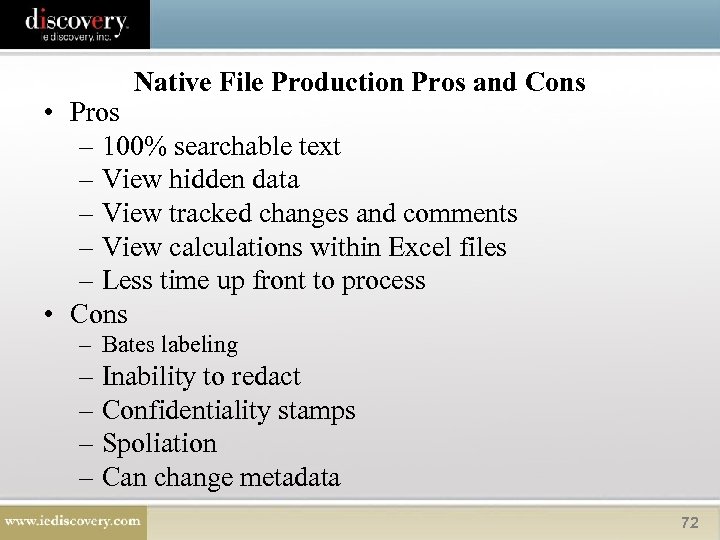 Native File Production Pros and Cons • Pros – 100% searchable text – View hidden data – View tracked changes and comments – View calculations within Excel files – Less time up front to process • Cons – Bates labeling – Inability to redact – Confidentiality stamps – Spoliation – Can change metadata 72
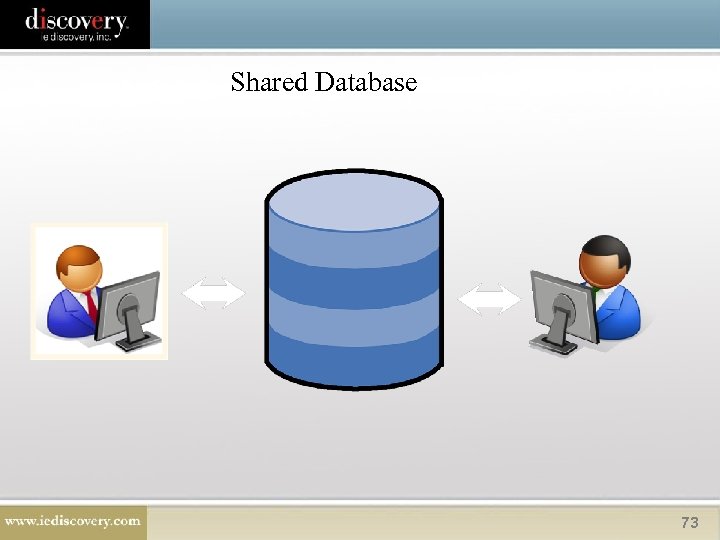 Shared Database 73
 Additional Resources • The Sedona Conference ® - www. thesedonaconference. org • IE Discovery Archived Webcasts - http: //www. iediscovery. com/newsevents/archived-webinars. aspx • IE Discovery Articles - http: //www. iediscovery. com/resources/articles. aspx 74
 Questions? 75
 EDD Basics Contact Information Stacy O’Neil Jackson Corporate Counsel (703) 587 -8859 sjackson@iediscovery. com Tom Knego Associate General Counsel United. Health Care 714 -226 -3724 Tom. knego@uhc. com 76