


 Скачать презентацию Getting Started with DOORS Templates Processes Guidelines Roll-Out
20959b438df62ea031609c610f62580c.ppt
- Количество слайдов: 30
 Getting Started with DOORS (Templates, Processes, Guidelines, Roll-Out, etc. ) A Successful Implementation at Schindler Elevators Corporation Dr. Bernd GRAHLMANN (www. grahlmann. net) & Beat ARNOLD (Schindler Elevator Corporation) 1 © Telelogic AB
 Getting Started with DOORS (Templates, Processes, Guidelines, Roll-Out, etc. ) A Successful Implementation at Schindler Elevators Corporation Even though DOORS is a great tool many companies fail to get up-and-running with DOORS. This is partially due to the fact that requirements management is ‘non-trivial’ to say the last. However, in many cases failure ‘simply’ results from a ‘Word-like’ approach which is not suited for the ‘implementation’ of DOORS. This presentation will focus on the crucial ‘getting started’ with DOORS. It is based on tons of experiences, in particular at Schindler, a worldwide leader in the elevator & escalator business with a distributed development environment. Concrete help is given for key success factors, such as: • Requirements artifacts traceability schema • DOORS Templates • Requirements management and DOORS processes and guidelines • Roll-Out (including motivation, trainings and coaching) In addition, it will be highlighted how the different pieces fit together and how they ensured a successful ‘Getting started with DOORS’ at Schindler. © Bernd@Grahlmann. net 2 © Telelogic AB
 Schindler Elevator Corporation 3 © Telelogic AB
 Elevator and Escalator 4 © Telelogic AB
 Corporate R&D 5 © Telelogic AB
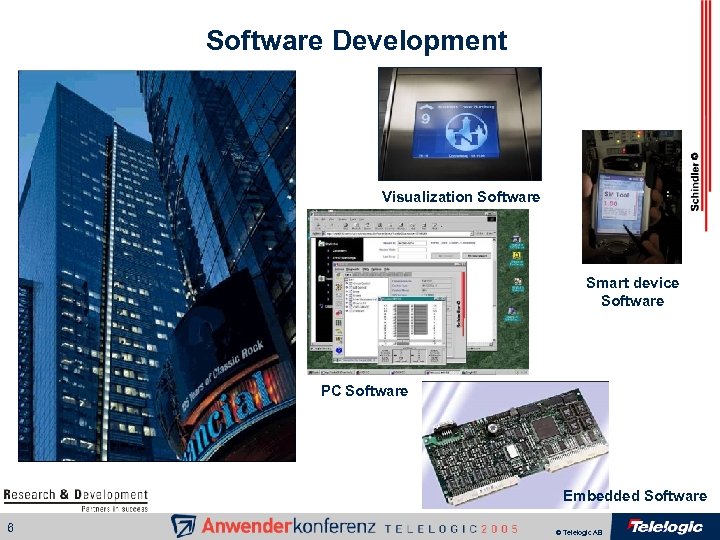 Software Development Visualization Software Smart device Software PC Software Embedded Software 6 © Telelogic AB
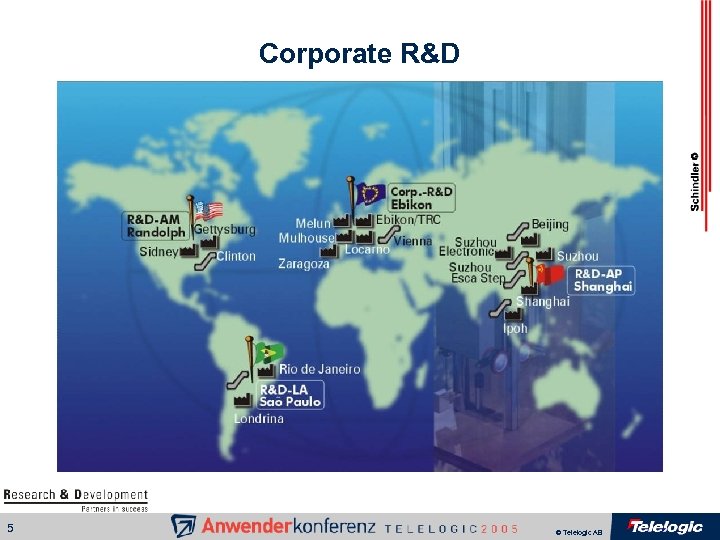
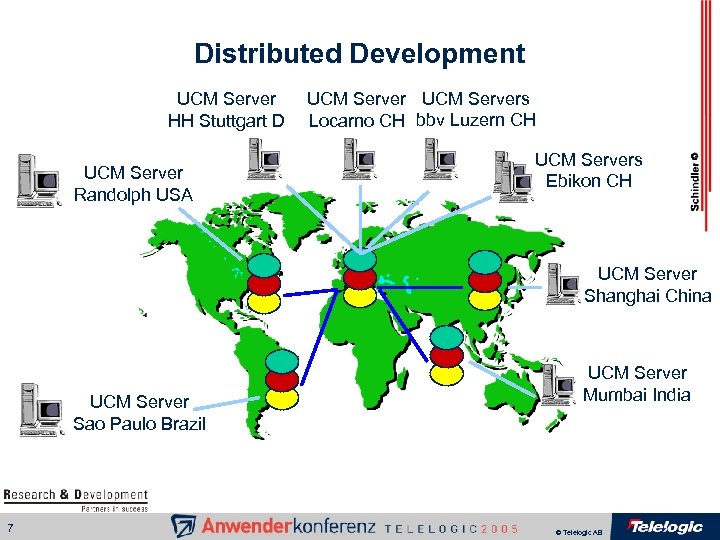 Distributed Development UCM Server HH Stuttgart D UCM Server Randolph USA UCM Servers Locarno CH bbv Luzern CH UCM Servers Ebikon CH UCM Server Shanghai China UCM Server Sao Paulo Brazil 7 UCM Server Mumbai India © Telelogic AB
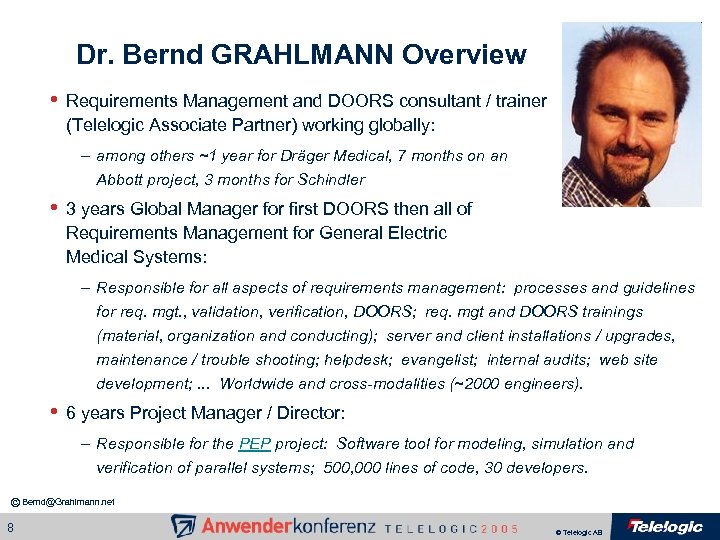 Dr. Bernd GRAHLMANN Overview • Requirements Management and DOORS consultant / trainer (Telelogic Associate Partner) working globally: – among others ~1 year for Dräger Medical, 7 months on an Abbott project, 3 months for Schindler • 3 years Global Manager for first DOORS then all of Requirements Management for General Electric Medical Systems: – Responsible for all aspects of requirements management: processes and guidelines for req. mgt. , validation, verification, DOORS; req. mgt and DOORS trainings (material, organization and conducting); server and client installations / upgrades, maintenance / trouble shooting; helpdesk; evangelist; internal audits; web site development; . . . Worldwide and cross-modalities (~2000 engineers). • 6 years Project Manager / Director: – Responsible for the PEP project: Software tool for modeling, simulation and verification of parallel systems; 500, 000 lines of code, 30 developers. © Bernd@Grahlmann. net 8 © Telelogic AB
 DOORS Status at Schindler (Starting Point) • Schindler bought DOORS licenses and about 5 days of training and consultancy years ago No internal DOORS ‘leader’ was assigned • • Requirements artifacts were written in Word and Excel, only very few in DOORS • DOORS artifacts were not utilizing the power of DOORS (attributes, views, traceability, …) • Requirements management was not ‘optimal’, i. e. sometimes inefficient, often with a lot of redundancy (e. g. , one document per product version), sometimes a lot of specifications only existed in the brains of the people, … © Bernd@Grahlmann. net 9 © Telelogic AB
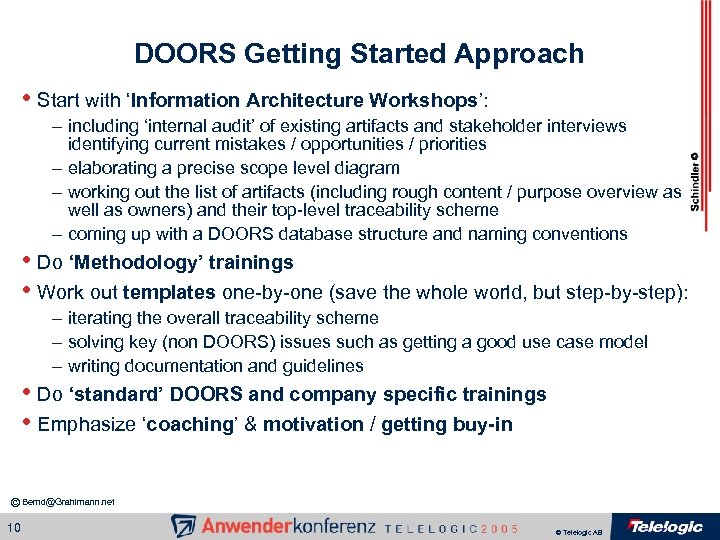 DOORS Getting Started Approach • Start with ‘Information Architecture Workshops’: – including ‘internal audit’ of existing artifacts and stakeholder interviews identifying current mistakes / opportunities / priorities – elaborating a precise scope level diagram – working out the list of artifacts (including rough content / purpose overview as well as owners) and their top-level traceability scheme – coming up with a DOORS database structure and naming conventions • Do ‘Methodology’ trainings • Work out templates one-by-one (save the whole world, but step-by-step): – iterating the overall traceability scheme – solving key (non DOORS) issues such as getting a good use case model – writing documentation and guidelines • Do ‘standard’ DOORS and company specific trainings • Emphasize ‘coaching’ & motivation / getting buy-in © Bernd@Grahlmann. net 10 © Telelogic AB
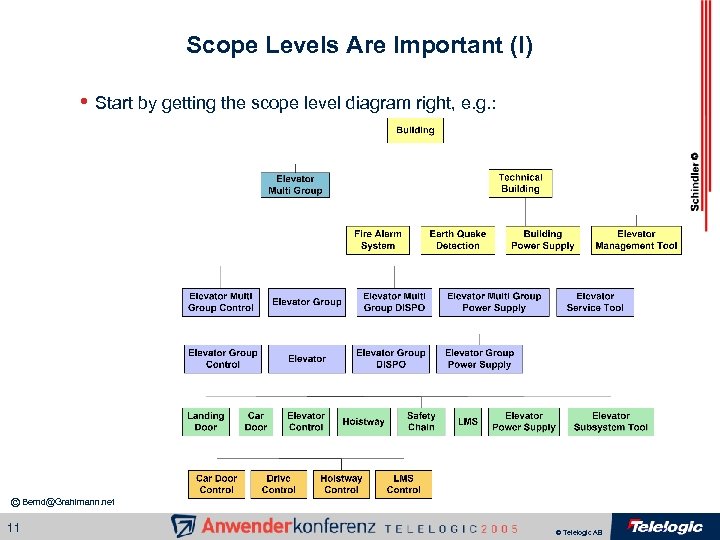 Scope Levels Are Important (I) • Start by getting the scope level diagram right, e. g. : © Bernd@Grahlmann. net 11 © Telelogic AB
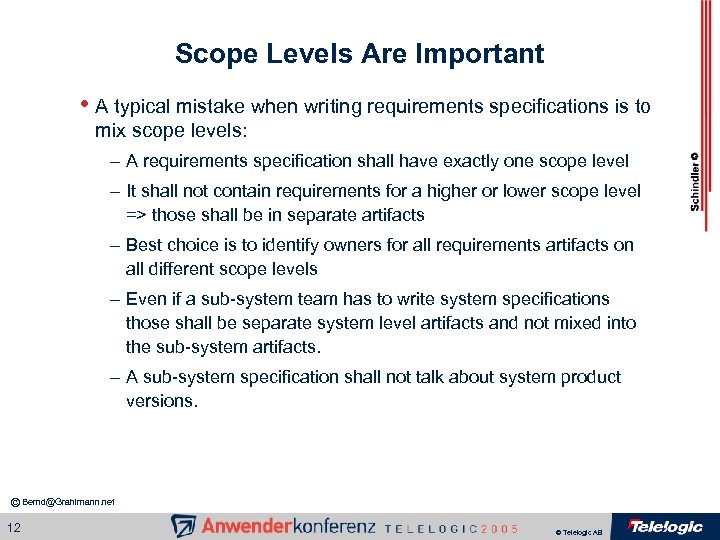 Scope Levels Are Important • A typical mistake when writing requirements specifications is to mix scope levels: – A requirements specification shall have exactly one scope level – It shall not contain requirements for a higher or lower scope level => those shall be in separate artifacts – Best choice is to identify owners for all requirements artifacts on all different scope levels – Even if a sub-system team has to write system specifications those shall be separate system level artifacts and not mixed into the sub-system artifacts. – A sub-system specification shall not talk about system product versions. © Bernd@Grahlmann. net 12 © Telelogic AB
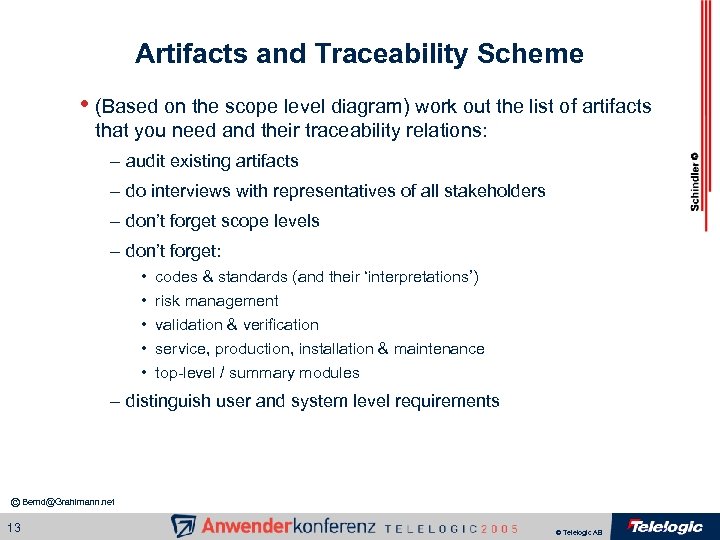 Artifacts and Traceability Scheme • (Based on the scope level diagram) work out the list of artifacts that you need and their traceability relations: – audit existing artifacts – do interviews with representatives of all stakeholders – don’t forget scope levels – don’t forget: • • • codes & standards (and their ‘interpretations’) risk management validation & verification service, production, installation & maintenance top-level / summary modules – distinguish user and system level requirements © Bernd@Grahlmann. net 13 © Telelogic AB
 DOORS Database Structure and Naming Conventions • (Based on your artifacts and traceability scheme) work out your concrete DOORS database structure including naming conventions: – your scope levels may give your top-level project structure – make sub-projects for the different types of artifacts for each scope – make sub-projects (if necessary) for different products / product versions – determine where links shall be stored – a naming convention may be to start with a standardized product abbreviation (including if necessary a product version abbreviation), to follow with an artifact type abbreviation, finish with details (using standard delimiters) © Bernd@Grahlmann. net 14 © Telelogic AB
 Templates (I) • Based on the list of artifacts identify and prioritize the needed templates: – treat them one by one (keeping the big picture in mind adapting it iteratively if necessary) – in a first step one template may cover more than one artifact – audit existing ‘documents’ – interview representatives of the relevant stakeholder groups – determine first general attributes and their types (such as traceability, priority, status, etc. ) – then the template specific ones (such as object type, satisfaction argument, expected result, test result, etc. ) – determine the views which are needed to enter, analyze, review, print, backup, etc. © Bernd@Grahlmann. net 15 © Telelogic AB
 Templates (II) • Don’t forget to: – document the outline – document the attributes and attribute types – document the views – include help – explain the usage of the template – document detailed traceability schemes © Bernd@Grahlmann. net 16 © Telelogic AB
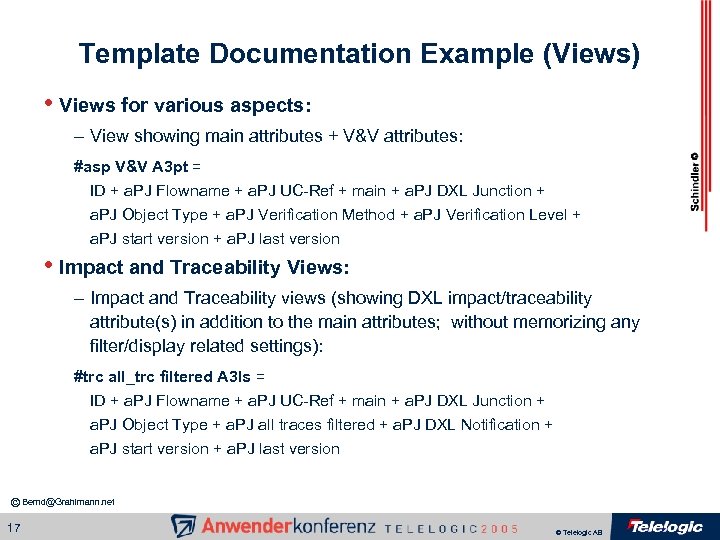 Template Documentation Example (Views) • Views for various aspects: – View showing main attributes + V&V attributes: #asp V&V A 3 pt = ID + a. PJ Flowname + a. PJ UC-Ref + main + a. PJ DXL Junction + a. PJ Object Type + a. PJ Verification Method + a. PJ Verification Level + a. PJ start version + a. PJ last version • Impact and Traceability Views: – Impact and Traceability views (showing DXL impact/traceability attribute(s) in addition to the main attributes; without memorizing any filter/display related settings): #trc all_trc filtered A 3 ls = ID + a. PJ Flowname + a. PJ UC-Ref + main + a. PJ DXL Junction + a. PJ Object Type + a. PJ all traces filtered + a. PJ DXL Notification + a. PJ start version + a. PJ last version © Bernd@Grahlmann. net 17 © Telelogic AB
![Attribute Examples • • a. PJ DXL Junction [DXL attribute] (calculates ‘Junction’ information from](https://present5.com/presentation/20959b438df62ea031609c610f62580c/image-18.jpg "Attribute Examples • • a. PJ DXL Junction [DXL attribute] (calculates ‘Junction’ information from") Attribute Examples • • a. PJ DXL Junction [DXL attribute] (calculates ‘Junction’ information from attributes of linked objects) a. PJ DXL Notification [DXL attribute] (calculates ‘Notification’ information from Object Text of linked objects) a. PJ Flowname String (gives the name of the respective flow) a. PJ last version at. PJ versions (specify last version for which the requirements apply) a. PJ Satisfaction Argument Text (gives a satisfaction argument explaining how the linked requirements from one level below do satisfy the requirement) a. PJ TPLHelp Text (gives additional help on how to fill out the template) BACKUP of DXL all traces Text (allows to 'back up' the 'a. PJ DXL all traces' attribute before doing a baseline such that the content remains unchanged) © Bernd@Grahlmann. net 18 © Telelogic AB
Attribute Examples • • a. PJ DXL Junction [DXL attribute] (calculates ‘Junction’ information from attributes of linked objects) a. PJ DXL Notification [DXL attribute] (calculates ‘Notification’ information from Object Text of linked objects) a. PJ Flowname String (gives the name of the respective flow) a. PJ last version at. PJ versions (specify last version for which the requirements apply) a. PJ Satisfaction Argument Text (gives a satisfaction argument explaining how the linked requirements from one level below do satisfy the requirement) a. PJ TPLHelp Text (gives additional help on how to fill out the template) BACKUP of DXL all traces Text (allows to 'back up' the 'a. PJ DXL all traces' attribute before doing a baseline such that the content remains unchanged) © Bernd@Grahlmann. net 18 © Telelogic AB
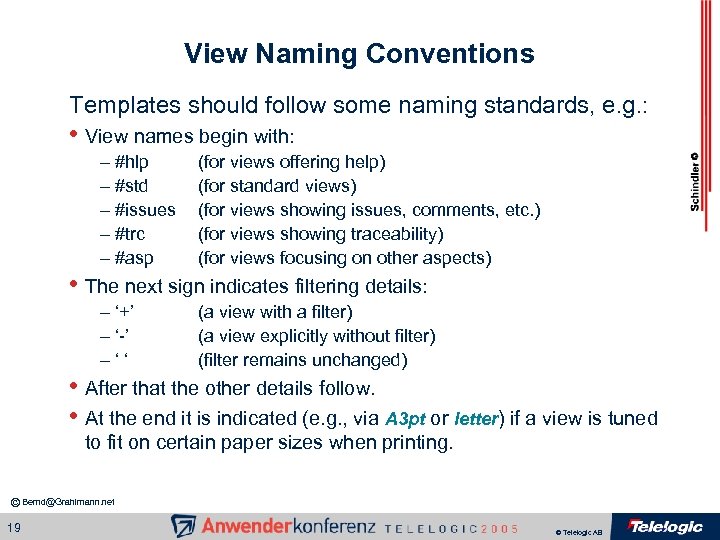 View Naming Conventions Templates should follow some naming standards, e. g. : • View names begin with: – #hlp – #std – #issues – #trc – #asp (for views offering help) (for standard views) (for views showing issues, comments, etc. ) (for views showing traceability) (for views focusing on other aspects) • The next sign indicates filtering details: – ‘+’ – ‘-’ – ‘ ‘ (a view with a filter) (a view explicitly without filter) (filter remains unchanged) • After that the other details follow. • At the end it is indicated (e. g. , via A 3 pt or letter) if a view is tuned to fit on certain paper sizes when printing. © Bernd@Grahlmann. net 19 © Telelogic AB
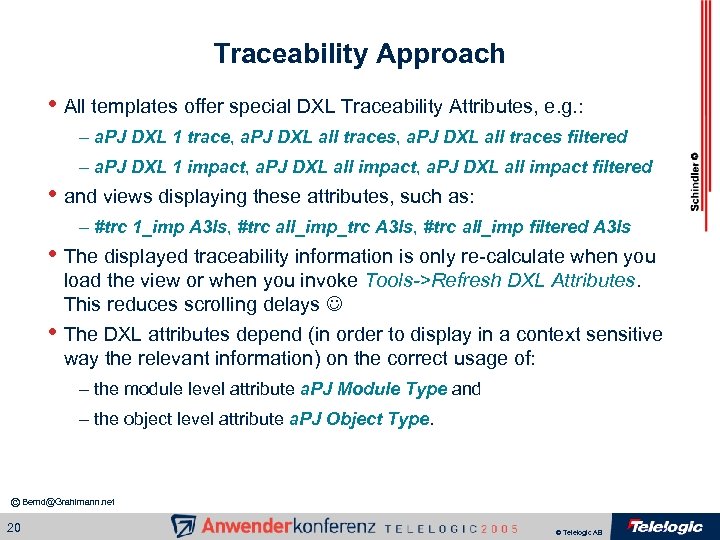 Traceability Approach • All templates offer special DXL Traceability Attributes, e. g. : – a. PJ DXL 1 trace, a. PJ DXL all traces filtered – a. PJ DXL 1 impact, a. PJ DXL all impact filtered • and views displaying these attributes, such as: – #trc 1_imp A 3 ls, #trc all_imp_trc A 3 ls, #trc all_imp filtered A 3 ls • The displayed traceability information is only re-calculate when you load the view or when you invoke Tools->Refresh DXL Attributes. This reduces scrolling delays • The DXL attributes depend (in order to display in a context sensitive way the relevant information) on the correct usage of: – the module level attribute a. PJ Module Type and – the object level attribute a. PJ Object Type. © Bernd@Grahlmann. net 20 © Telelogic AB
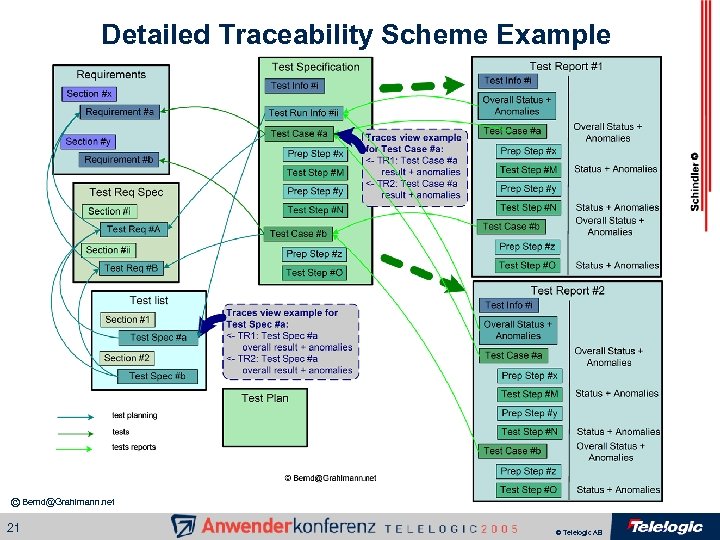 Detailed Traceability Scheme Example © Bernd@Grahlmann. net 21 © Telelogic AB
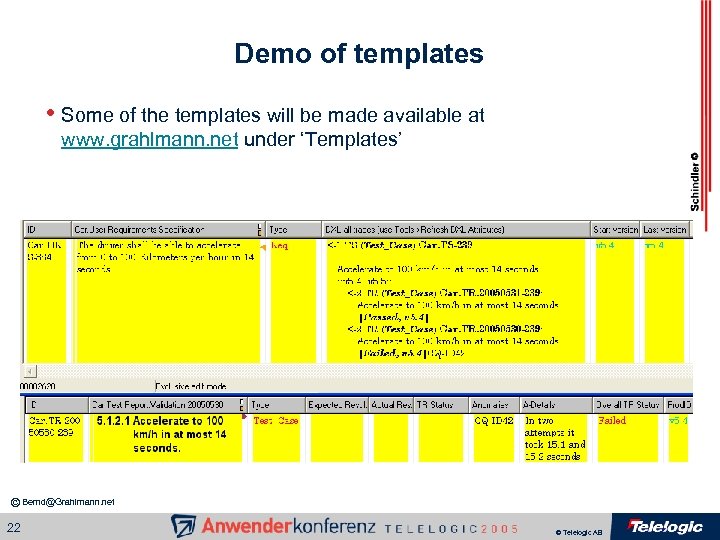 Demo of templates • Some of the templates will be made available at www. grahlmann. net under ‘Templates’ © Bernd@Grahlmann. net 22 © Telelogic AB
 Trainings • Trainings are a key factor for the successful roll-out • You can start with (at least one-day) ‘methodology’ trainings • Do the (at least two-days) DOORS trainings (with a lot of hand • • on exercises) shortly before the real roll-out Follow-up with (at least a few hours) training on your company specific DOORS templates, their usage and your processes (Half or one-day refresher) DOORS trainings may heavily improve the effectiveness of the trainings (in particular, if DOORS is not used immediately after the training) Try to have groups of 6 -10 people Try to get an experienced (with DOORS AND requirements management) trainer who is involved in your DOORS roll-out © Bernd@Grahlmann. net 23 © Telelogic AB
 Methodology Trainings • Requirements management is non-trivial, thus start with a training such as ‘Writing better requirements’ to: – make everyone aware of the importance of requirements management – introduce different types of requirements and scope levels – explain from whom and how to get requirements – explain how to write requirements in a good way – introduce the various aspects of validation & verification – introduce other process related aspects such as review and changes – give practical check lists – touch on use cases © Bernd@Grahlmann. net 24 © Telelogic AB
 DOORS Trainings • DOORS is a powerful tool, thus follow with a DOORS training which uses examples which are similar to your templates and which: – introduces the DOORS database structure top-down – shows how to edit ‘requirements’ text – really makes sure that everyone learns how to insert new requirements and headings at the correct level – introduces the concept of attributes and shows how to edit values – explains searching, filtering, sorting and the view concept – covers links and traceability (explaining the concepts, touching on the set-up, showing how to create/delete links, and focuses on the link analysis and reporting) – finishes with ‘on-demand’ advanced / optional topics (such as, creation of attributes / attribute types, history, baselines, OLE objects, import / export mechanisms, and suspect links) © Bernd@Grahlmann. net 25 © Telelogic AB
 Company Specific Trainings • Everyone uses DOORS more or less differently, thus finish with company specific trainings which: – introduce the concrete structure of your DOORS database and your naming schemes – explain your traceability scheme – present your templates including your outlines, attributes and views – focus on your handling of product versions – detail your requirements life-cycle © Bernd@Grahlmann. net 26 © Telelogic AB
 Coaching • Continuous coaching is extremely important: – make sure to provide ‘expert’ coaching in particular at the beginning – encourage / enforce that your team starts writing in DOORS, but detail purpose, content and approach clearly in each step – have results reviewed by an expert silently in the background as well as interactively with the author on a regular basis – point out mistakes, showing how to do it correctly and how to repair them – your team members shall be the ‘editors’, the ‘expert’ only ‘coaches’ – the coaching may result in adaptations of the templates, guidelines, … © Bernd@Grahlmann. net 27 © Telelogic AB
 (Internal / External) Resources • Don’t waste time and take risks ‘re-inventing the wheel’ • Assign an internal requirements management & DOORS ‘leader’ • Don’t hesitate to get ‘professional’ help, but make sure that on the • ‘long-term’ competencies get ‘migrated’ to your team and in particular to your ‘leader’ while the work gets done Establish (e. g. , by power user trainings and more coaching) internal ‘gurus’ per team © Bernd@Grahlmann. net 28 © Telelogic AB
 Current Status and Outlook • The scope level diagram is accepted • The artifact list and the top-level traceability scheme is pretty mature • Some detailed traceability schemes already exist • Methodology trainings created awareness and provoked a change of • • mind-set Major non DOORS issues got resolved (e. g. , a use case model was worked out and documented) First templates (e. g. , for use case hierarchies, use cases, supplementary specifications, trip profiles, strategies, failure and event monitors) were established, documented and have been used to write artifacts in DOORS The core team got trained on DOORS (incl. power user trainings) The scope is being broadened step-by-step © Bernd@Grahlmann. net 29 © Telelogic AB
 Benefits • The first major benefits are showing off: – A lot of redundancy is avoided – Scope levels are not mixed any longer, thus people know where to find information and need to write / read / review fewer pages – Skills of the team members improved, i. e. , they better know what to write and how to write it – Formerly ‘unspecified’ requirements get specified – Important additional characteristics get specified in attributes – Traceability views are established automatically – Other tools, databases, shares, etc. got eliminated – People are less frustrated, even enthusiastic © Bernd@Grahlmann. net 30 © Telelogic AB