


 Скачать презентацию Further aspects of EGEE middleware components INFN Catania
01c179afa1c96aa781f82b52219fb51f.ppt
- Количество слайдов: 20
 Further aspects of EGEE middleware components INFN, Catania EGEE is funded by the European Union under contract IST-2003 -508833 Induction: General components of Grid middleware and User Interfaces –April 26 -28, 2004 - 1
 Overview • An introduction to certificates on Gilda • Job Management’s Command Line Interface • Data Management’s Command Line Interface Induction: General components of Grid middleware and User Interfaces –April 26 -28, 2004 - 2
 An introduction to certificates Three steps are required to access Grid resources: • Authenticated: request a certificate to a Certification Authority (CA) • Authorized: register it into a Virtual Organization (VO) server • Using the certificate: install the certificate in the host that gives you access to the grid Induction: General components of Grid middleware and User Interfaces –April 26 -28, 2004 - 3
 Obtaining a certificate • Get GILDA CA Certificate: go to http: //gilda. ct. infn. it and follow the instructions for users; • Request a GILDA Personal Certificate : when received confirmation mail, download the certificate using the same browser that made the request and with its exporting certificate procedure, save it into a file. You will also asked to insert the password of the certificate. Induction: General components of Grid middleware and User Interfaces –April 26 -28, 2004 - 4
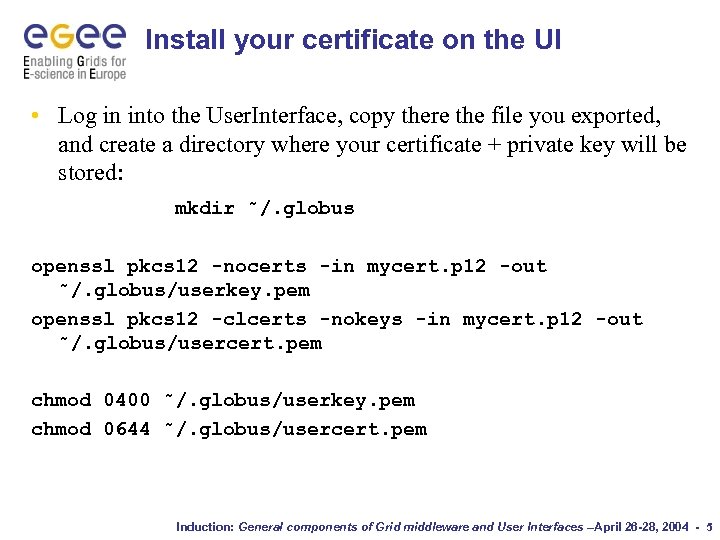 Install your certificate on the UI • Log in into the User. Interface, copy there the file you exported, and create a directory where your certificate + private key will be stored: mkdir ˜/. globus openssl pkcs 12 -nocerts -in mycert. p 12 -out ˜/. globus/userkey. pem openssl pkcs 12 -clcerts -nokeys -in mycert. p 12 -out ˜/. globus/usercert. pem chmod 0400 ˜/. globus/userkey. pem chmod 0644 ˜/. globus/usercert. pem Induction: General components of Grid middleware and User Interfaces –April 26 -28, 2004 - 5
 Register to the Virtual Organization • Select the VO that you want belong to and then submit the form; • You will receive confirmation for your request, and a notification when it will be processed. Induction: General components of Grid middleware and User Interfaces –April 26 -28, 2004 - 6
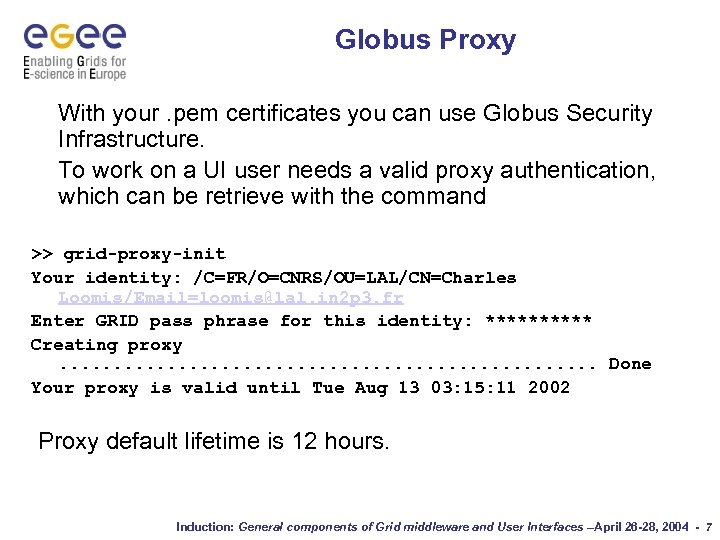 Globus Proxy With your. pem certificates you can use Globus Security Infrastructure. To work on a UI user needs a valid proxy authentication, which can be retrieve with the command >> grid-proxy-init Your identity: /C=FR/O=CNRS/OU=LAL/CN=Charles Loomis/Email=loomis@lal. in 2 p 3. fr Enter GRID pass phrase for this identity: ***** Creating proxy. . . Done Your proxy is valid until Tue Aug 13 03: 15: 11 2002 Proxy default lifetime is 12 hours. Induction: General components of Grid middleware and User Interfaces –April 26 -28, 2004 - 7
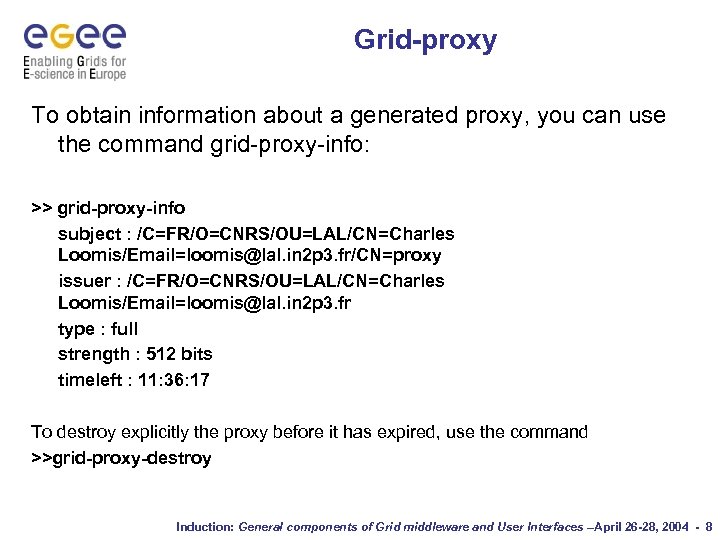 Grid-proxy To obtain information about a generated proxy, you can use the command grid-proxy-info: >> grid-proxy-info subject : /C=FR/O=CNRS/OU=LAL/CN=Charles Loomis/Email=loomis@lal. in 2 p 3. fr/CN=proxy issuer : /C=FR/O=CNRS/OU=LAL/CN=Charles Loomis/Email=loomis@lal. in 2 p 3. fr type : full strength : 512 bits timeleft : 11: 36: 17 To destroy explicitly the proxy before it has expired, use the command >>grid-proxy-destroy Induction: General components of Grid middleware and User Interfaces –April 26 -28, 2004 - 8
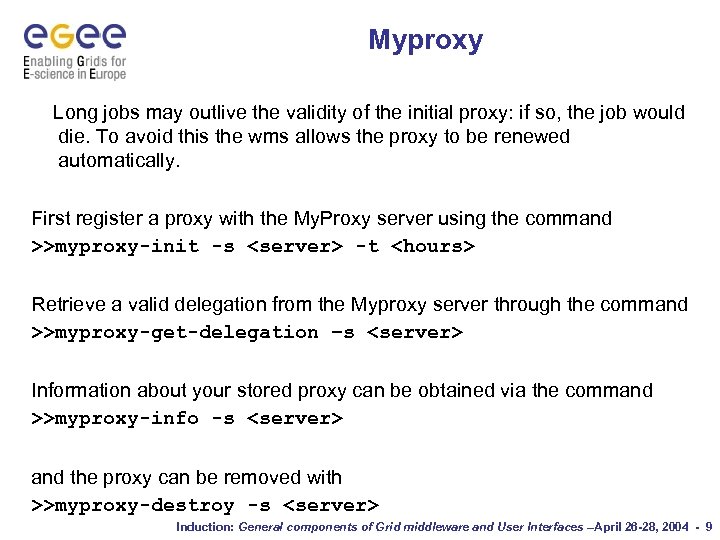 Myproxy Long jobs may outlive the validity of the initial proxy: if so, the job would die. To avoid this the wms allows the proxy to be renewed automatically. First register a proxy with the My. Proxy server using the command >>myproxy-init -s
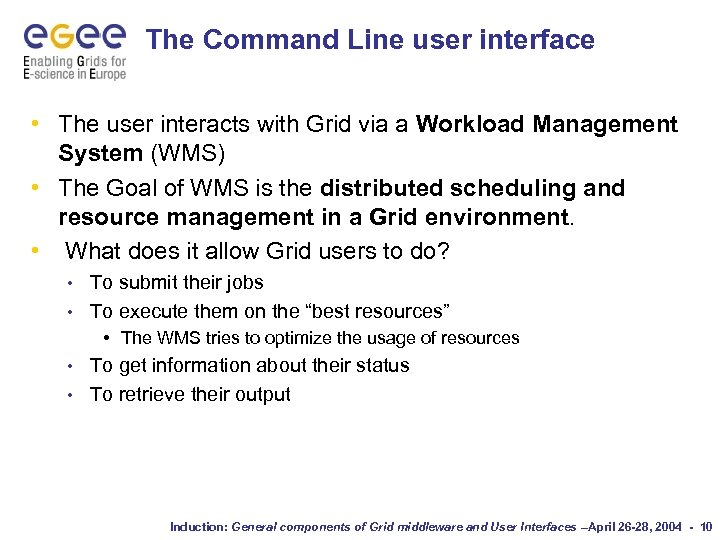 The Command Line user interface • The user interacts with Grid via a Workload Management System (WMS) • The Goal of WMS is the distributed scheduling and resource management in a Grid environment. • What does it allow Grid users to do? To submit their jobs • To execute them on the “best resources” • • The WMS tries to optimize the usage of resources To get information about their status • To retrieve their output • Induction: General components of Grid middleware and User Interfaces –April 26 -28, 2004 - 10
![Job submission • edg-job-submit [–r <res_id>] [-c <config file>] [-vo <VO>] [-o <output file>]](https://present5.com/presentation/01c179afa1c96aa781f82b52219fb51f/image-11.jpg "Job submission • edg-job-submit [–r <res_id>] [-c <config file>] [-vo <VO>] [-o <output file>]") Job submission • edg-job-submit [–r
Job submission • edg-job-submit [–r
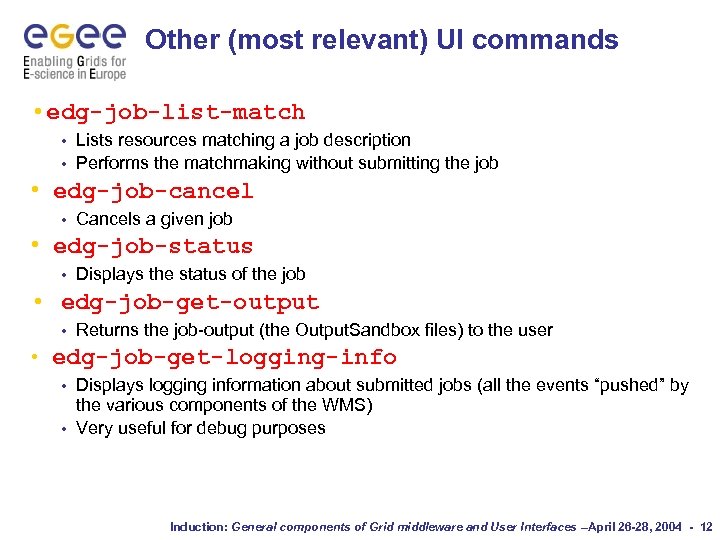 Other (most relevant) UI commands • edg-job-list-match Lists resources matching a job description • Performs the matchmaking without submitting the job • • edg-job-cancel • Cancels a given job • edg-job-status • Displays the status of the job • edg-job-get-output • Returns the job-output (the Output. Sandbox files) to the user • edg-job-get-logging-info Displays logging information about submitted jobs (all the events “pushed” by the various components of the WMS) • Very useful for debug purposes • Induction: General components of Grid middleware and User Interfaces –April 26 -28, 2004 - 12
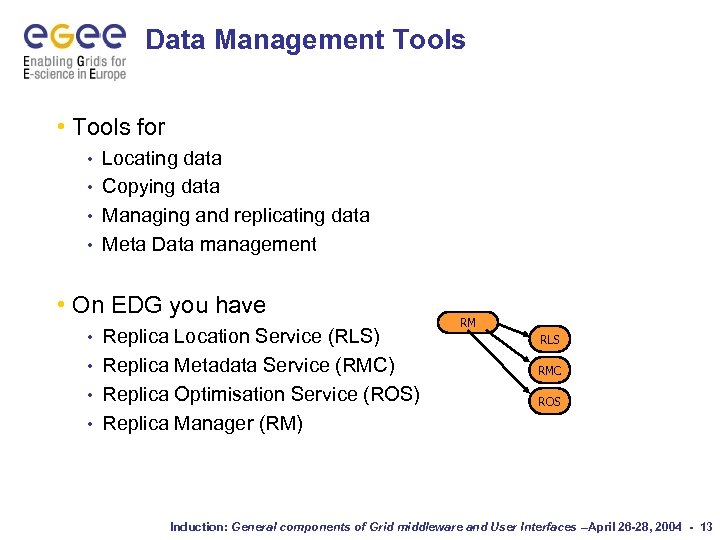 Data Management Tools • Tools for Locating data • Copying data • Managing and replicating data • Meta Data management • • On EDG you have Replica Location Service (RLS) • Replica Metadata Service (RMC) • Replica Optimisation Service (ROS) • Replica Manager (RM) • RM RLS RMC ROS Induction: General components of Grid middleware and User Interfaces –April 26 -28, 2004 - 13
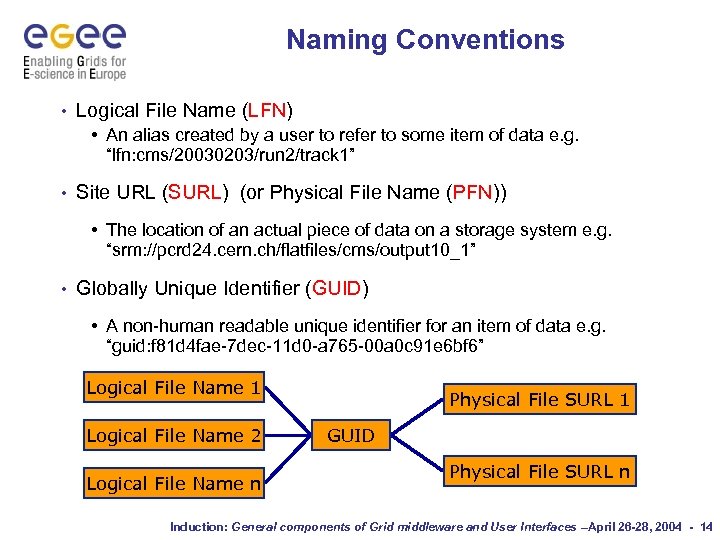 Naming Conventions • Logical File Name (LFN) • An alias created by a user to refer to some item of data e. g. “lfn: cms/20030203/run 2/track 1” • Site URL (SURL) (or Physical File Name (PFN)) • The location of an actual piece of data on a storage system e. g. “srm: //pcrd 24. cern. ch/flatfiles/cms/output 10_1” • Globally Unique Identifier (GUID) • A non-human readable unique identifier for an item of data e. g. “guid: f 81 d 4 fae-7 dec-11 d 0 -a 765 -00 a 0 c 91 e 6 bf 6” Logical File Name 1 Logical File Name 2 Logical File Name n Physical File SURL 1 GUID Physical File SURL n Induction: General components of Grid middleware and User Interfaces –April 26 -28, 2004 - 14
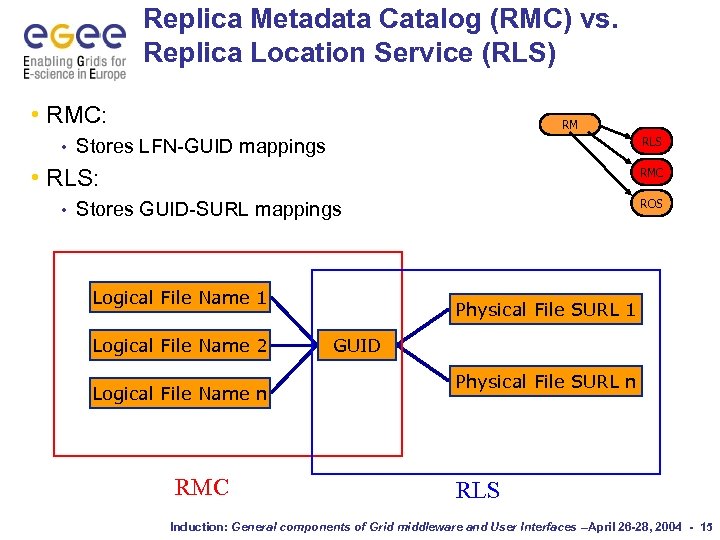 Replica Metadata Catalog (RMC) vs. Replica Location Service (RLS) • RMC: • RM RLS Stores LFN-GUID mappings • RLS: • RMC ROS Stores GUID-SURL mappings Logical File Name 1 Logical File Name 2 Logical File Name n RMC Physical File SURL 1 GUID Physical File SURL n RLS Induction: General components of Grid middleware and User Interfaces –April 26 -28, 2004 - 15
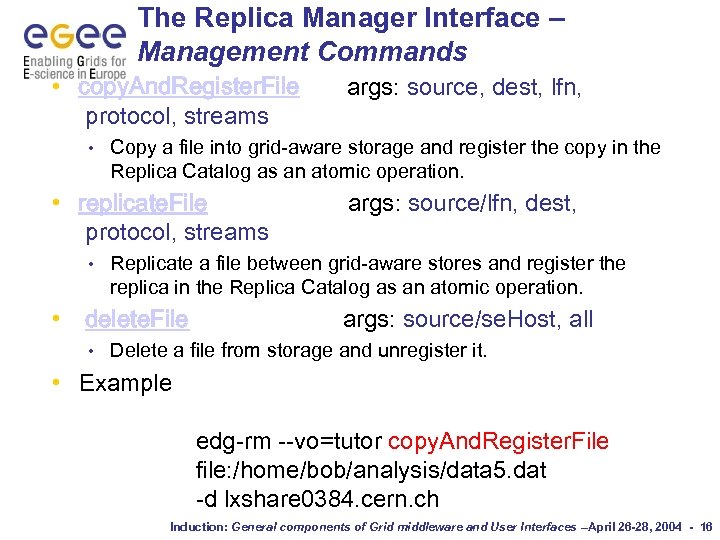 The Replica Manager Interface – Management Commands • copy. And. Register. File protocol, streams • Copy a file into grid-aware storage and register the copy in the Replica Catalog as an atomic operation. • replicate. File protocol, streams • args: source/lfn, dest, Replicate a file between grid-aware stores and register the replica in the Replica Catalog as an atomic operation. • delete. File • args: source, dest, lfn, args: source/se. Host, all Delete a file from storage and unregister it. • Example edg-rm --vo=tutor copy. And. Register. File file: /home/bob/analysis/data 5. dat -d lxshare 0384. cern. ch Induction: General components of Grid middleware and User Interfaces –April 26 -28, 2004 - 16
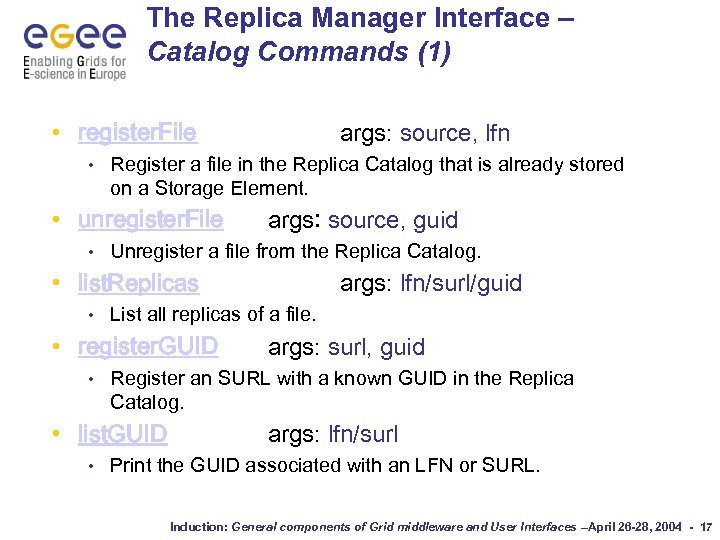 The Replica Manager Interface – Catalog Commands (1) • register. File • Register a file in the Replica Catalog that is already stored on a Storage Element. • unregister. File • args: source, lfn args: source, guid Unregister a file from the Replica Catalog. • list. Replicas • List all replicas of a file. • register. GUID • args: surl, guid Register an SURL with a known GUID in the Replica Catalog. • list. GUID • args: lfn/surl/guid args: lfn/surl Print the GUID associated with an LFN or SURL. Induction: General components of Grid middleware and User Interfaces –April 26 -28, 2004 - 17
 The Replica Manager Interface – Optimization Commands • list. Best. File • args: lfn/guid, se. Host Return the 'best' replica for a given logical file identifier. • get. Best. File protocol, streams • args: lfn/guid, se. Host, Return the storage file name (SFN) of the best file in terms of network latencies. Induction: General components of Grid middleware and User Interfaces –April 26 -28, 2004 - 18
 The Replica Manager Interface – File Transfer Commands • copy. File • args: soure, dest Copy a file to a non-grid destination. • list. Directory • args: dir List the directory contents on an SRM or a Grid. FTP server. Induction: General components of Grid middleware and User Interfaces –April 26 -28, 2004 - 19
 Let’s go to the practical Induction: General components of Grid middleware and User Interfaces –April 26 -28, 2004 - 20