


 Скачать презентацию FTP File Transfer Protocol Computer Center CS
7fb5068f1ebb2d9eaea5806675cdcaa3.ppt
- Количество слайдов: 24
 FTP File Transfer Protocol
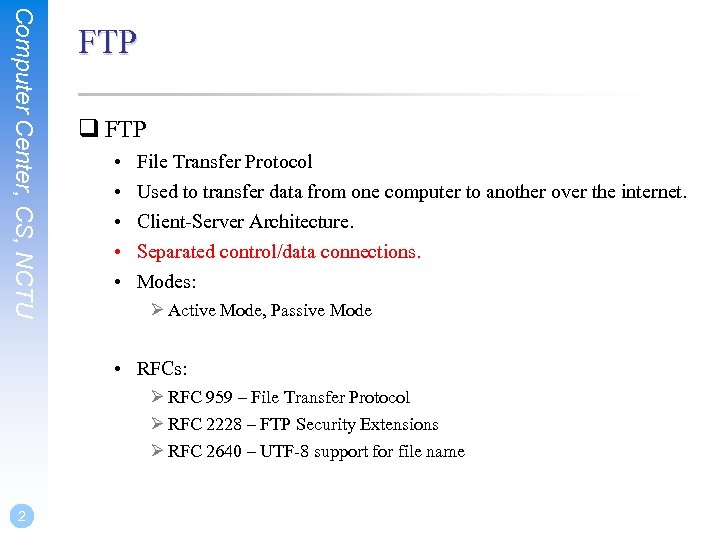 Computer Center, CS, NCTU FTP q FTP • • • File Transfer Protocol Used to transfer data from one computer to another over the internet. Client-Server Architecture. Separated control/data connections. Modes: Ø Active Mode, Passive Mode • RFCs: Ø RFC 959 – File Transfer Protocol Ø RFC 2228 – FTP Security Extensions Ø RFC 2640 – UTF-8 support for file name 2
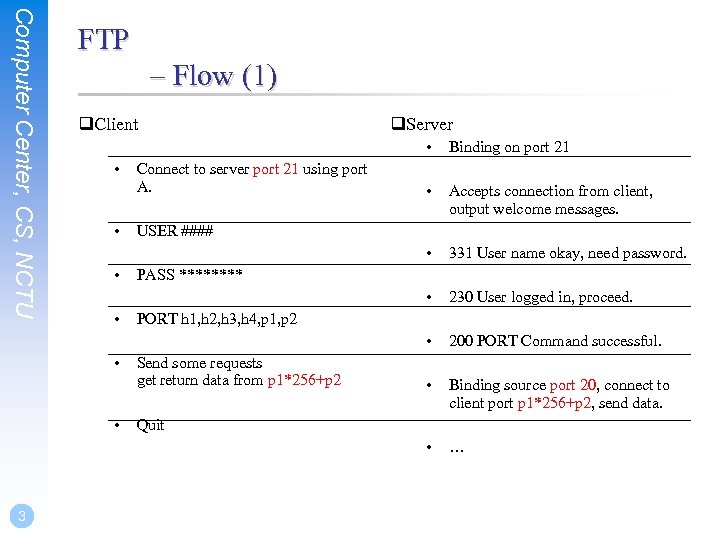 Computer Center, CS, NCTU FTP – Flow (1) q. Client q. Server • • • 3 230 User logged in, proceed. 200 PORT Command successful. • Binding source port 20, connect to client port p 1*256+p 2, send data. • • 331 User name okay, need password. • • Accepts connection from client, output welcome messages. • • Connect to server port 21 using port A. • • • Binding on port 21 … USER #### PASS **** PORT h 1, h 2, h 3, h 4, p 1, p 2 Send some requests get return data from p 1*256+p 2 Quit
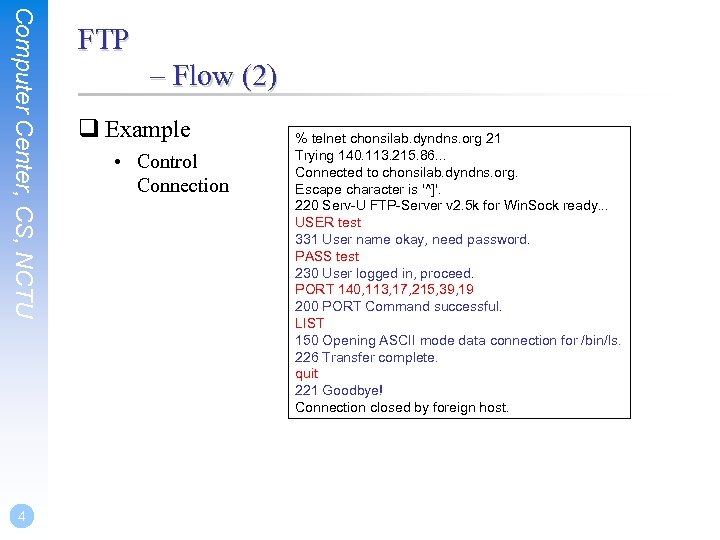 Computer Center, CS, NCTU 4 FTP – Flow (2) q Example • Control Connection % telnet chonsilab. dyndns. org 21 Trying 140. 113. 215. 86. . . Connected to chonsilab. dyndns. org. Escape character is '^]'. 220 Serv-U FTP-Server v 2. 5 k for Win. Sock ready. . . USER test 331 User name okay, need password. PASS test 230 User logged in, proceed. PORT 140, 113, 17, 215, 39, 19 200 PORT Command successful. LIST 150 Opening ASCII mode data connection for /bin/ls. 226 Transfer complete. quit 221 Goodbye! Connection closed by foreign host.
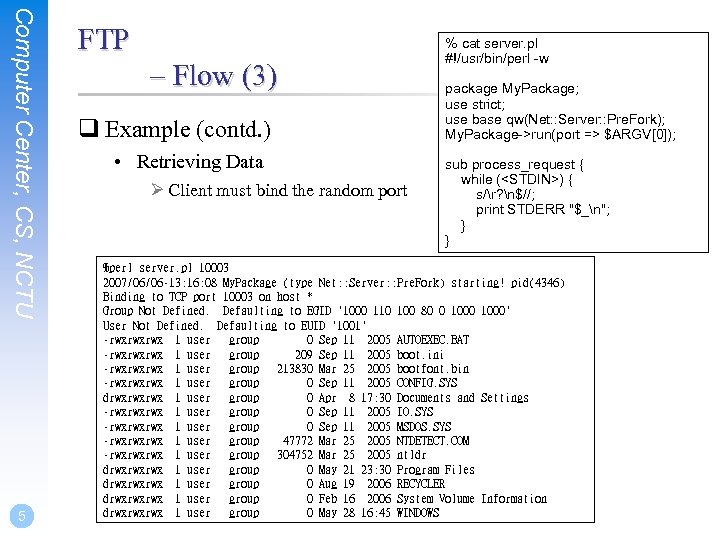 Computer Center, CS, NCTU 5 FTP – Flow (3) q Example (contd. ) • Retrieving Data Ø Client must bind the random port % cat server. pl #!/usr/bin/perl -w package My. Package; use strict; use base qw(Net: : Server: : Pre. Fork); My. Package->run(port => $ARGV[0]); sub process_request { while (
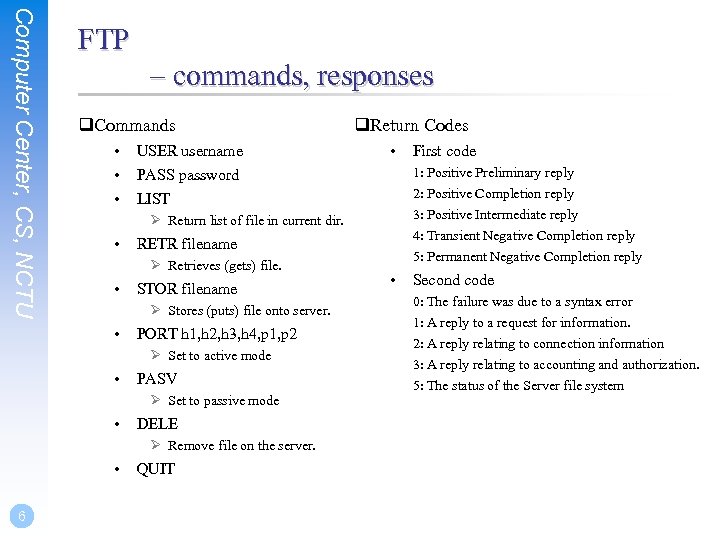 Computer Center, CS, NCTU FTP – commands, responses q. Commands • • • USER username • • LIST RETR filename Ø Retrieves (gets) file. • STOR filename Ø Stores (puts) file onto server. PORT h 1, h 2, h 3, h 4, p 1, p 2 Ø Set to active mode • PASV Ø Set to passive mode • DELE Ø Remove file on the server. • QUIT First code 1: Positive Preliminary reply 2: Positive Completion reply 3: Positive Intermediate reply 4: Transient Negative Completion reply PASS password Ø Return list of file in current dir. • 6 q. Return Codes 5: Permanent Negative Completion reply • Second code 0: The failure was due to a syntax error 1: A reply to a request for information. 2: A reply relating to connection information 3: A reply relating to accounting and authorization. 5: The status of the Server file system
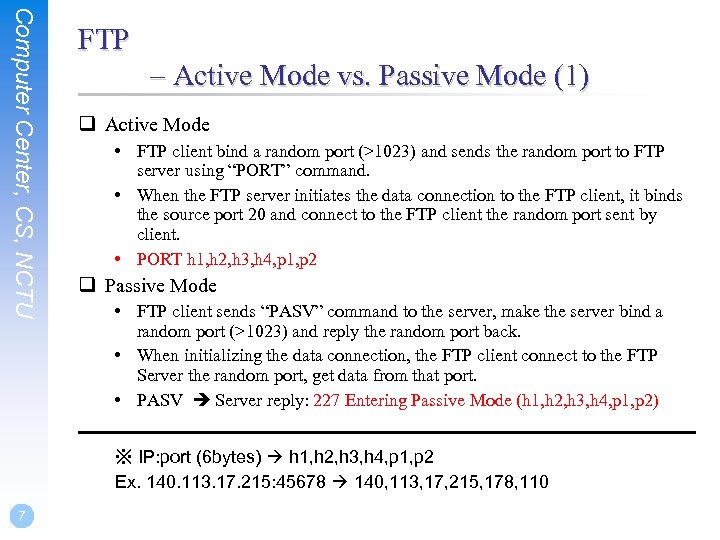 Computer Center, CS, NCTU FTP – Active Mode vs. Passive Mode (1) q Active Mode • FTP client bind a random port (>1023) and sends the random port to FTP server using “PORT” command. • When the FTP server initiates the data connection to the FTP client, it binds the source port 20 and connect to the FTP client the random port sent by client. • PORT h 1, h 2, h 3, h 4, p 1, p 2 q Passive Mode • FTP client sends “PASV” command to the server, make the server bind a random port (>1023) and reply the random port back. • When initializing the data connection, the FTP client connect to the FTP Server the random port, get data from that port. • PASV Server reply: 227 Entering Passive Mode (h 1, h 2, h 3, h 4, p 1, p 2) ※ IP: port (6 bytes) h 1, h 2, h 3, h 4, p 1, p 2 Ex. 140. 113. 17. 215: 45678 140, 113, 17, 215, 178, 110 7
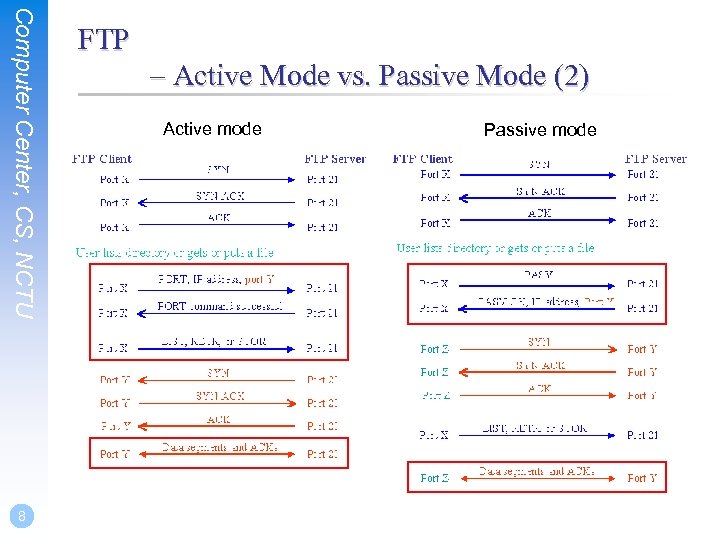 Computer Center, CS, NCTU 8 FTP – Active Mode vs. Passive Mode (2) Active mode Passive mode
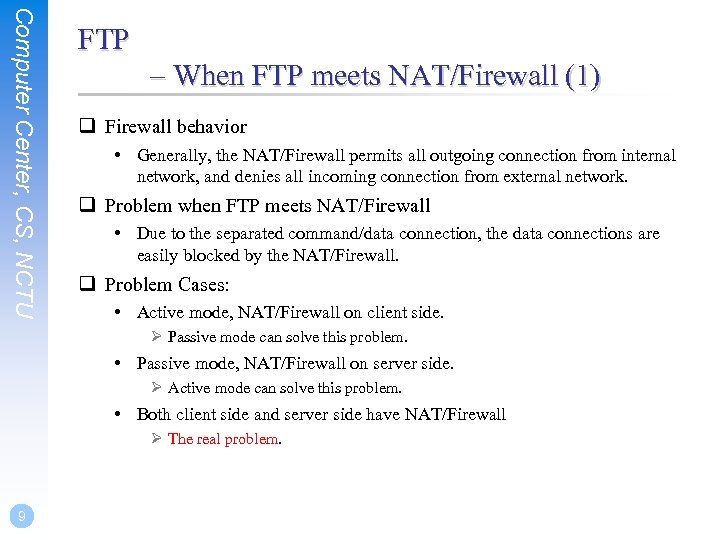 Computer Center, CS, NCTU FTP – When FTP meets NAT/Firewall (1) q Firewall behavior • Generally, the NAT/Firewall permits all outgoing connection from internal network, and denies all incoming connection from external network. q Problem when FTP meets NAT/Firewall • Due to the separated command/data connection, the data connections are easily blocked by the NAT/Firewall. q Problem Cases: • Active mode, NAT/Firewall on client side. Ø Passive mode can solve this problem. • Passive mode, NAT/Firewall on server side. Ø Active mode can solve this problem. • Both client side and server side have NAT/Firewall Ø The real problem. 9
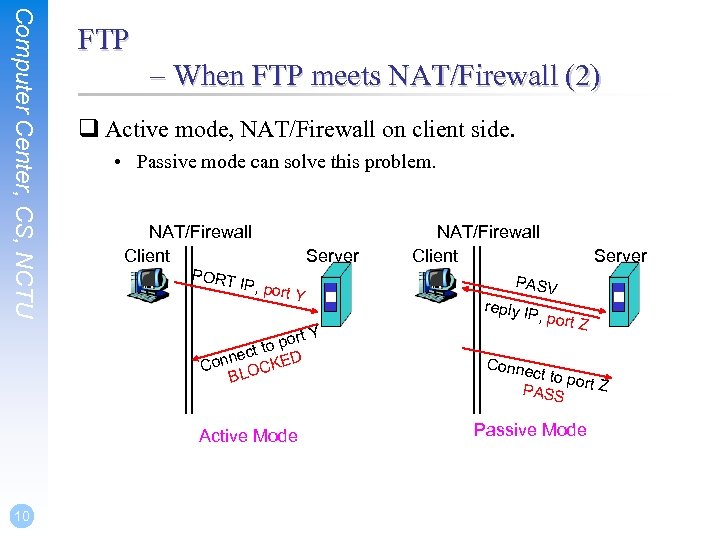 Computer Center, CS, NCTU FTP – When FTP meets NAT/Firewall (2) q Active mode, NAT/Firewall on client side. • Passive mode can solve this problem. NAT/Firewall Client Server PORT IP, por t. Y ort Y p ct to D ne Con OCKE BL Active Mode 10 NAT/Firewall Client Server PASV reply I P, por t. Z Conne ct to p o PASS rt Z Passive Mode
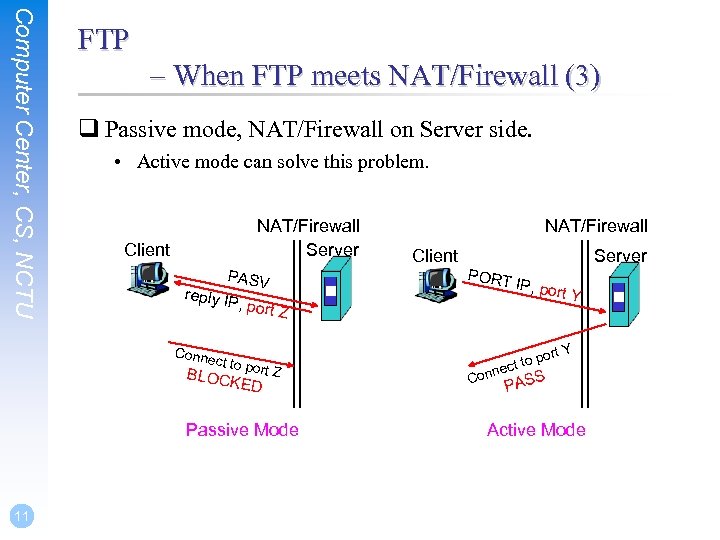 Computer Center, CS, NCTU FTP – When FTP meets NAT/Firewall (3) q Passive mode, NAT/Firewall on Server side. • Active mode can solve this problem. NAT/Firewall Server Client PASV reply I P, por Client PORT Server IP, por t. Y t. Z Conne ct to p BLOC ort Z KED Passive Mode 11 NAT/Firewall rt Y n o po ect t Con S PAS Active Mode
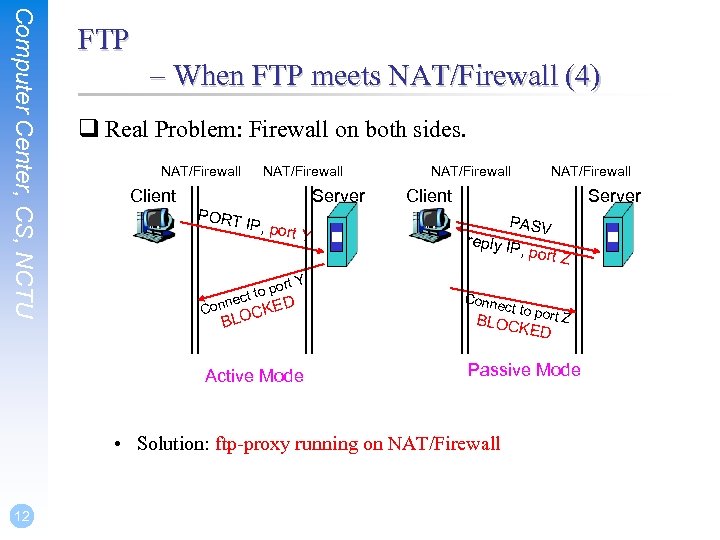 Computer Center, CS, NCTU FTP – When FTP meets NAT/Firewall (4) q Real Problem: Firewall on both sides. NAT/Firewall Client NAT/Firewall Server PORT IP, por t. Y rt Y po ct to e ED OCK n Con BL Active Mode NAT/Firewall Client Server PASV reply I P, por t. Z Conne ct to p BLOC ort Z KED Passive Mode • Solution: ftp-proxy running on NAT/Firewall 12 NAT/Firewall
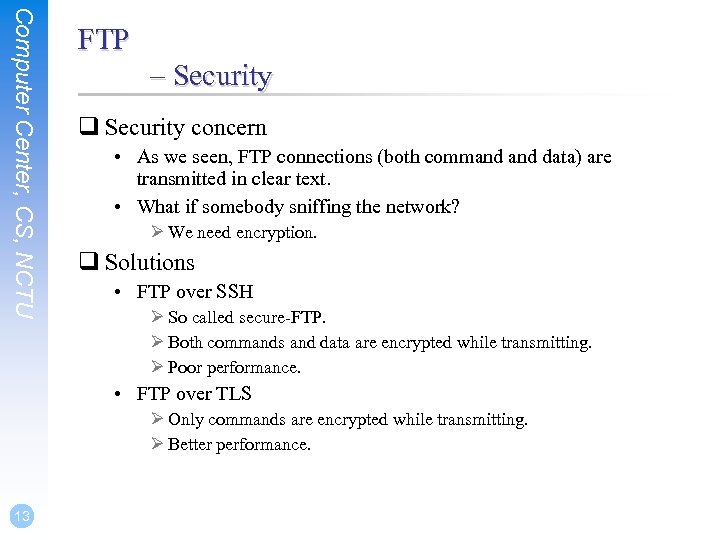 Computer Center, CS, NCTU FTP – Security q Security concern • As we seen, FTP connections (both command data) are transmitted in clear text. • What if somebody sniffing the network? Ø We need encryption. q Solutions • FTP over SSH Ø So called secure-FTP. Ø Both commands and data are encrypted while transmitting. Ø Poor performance. • FTP over TLS Ø Only commands are encrypted while transmitting. Ø Better performance. 13
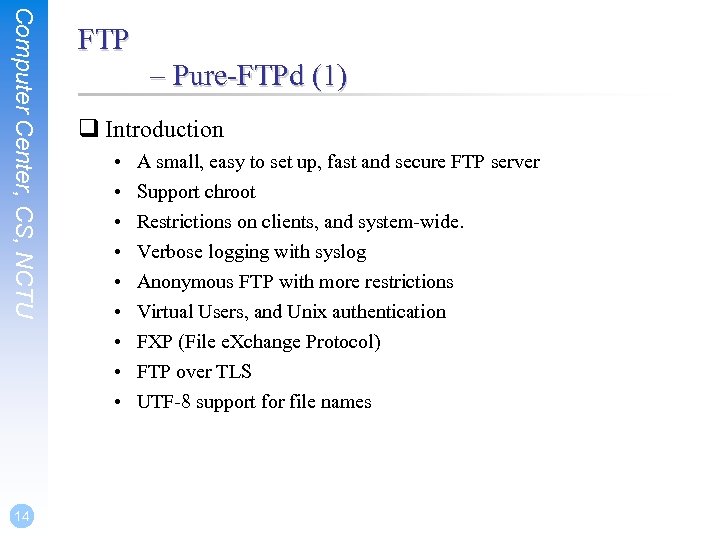 Computer Center, CS, NCTU 14 FTP – Pure-FTPd (1) q Introduction • • • A small, easy to set up, fast and secure FTP server Support chroot Restrictions on clients, and system-wide. Verbose logging with syslog Anonymous FTP with more restrictions Virtual Users, and Unix authentication FXP (File e. Xchange Protocol) FTP over TLS UTF-8 support for file names
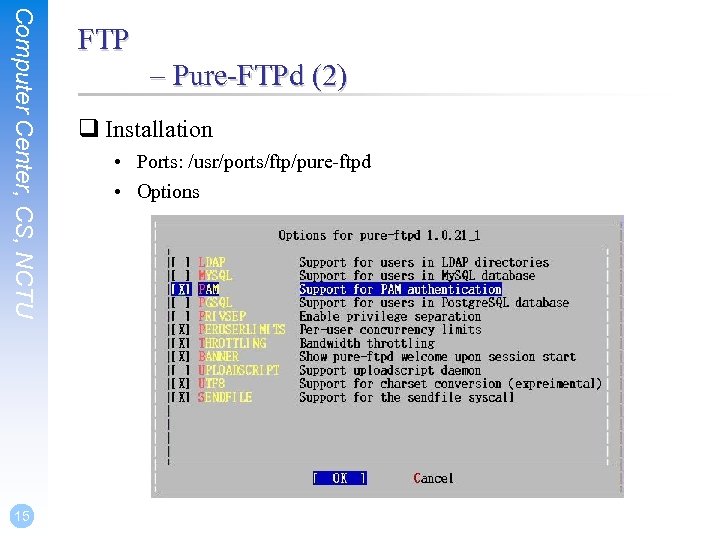 Computer Center, CS, NCTU 15 FTP – Pure-FTPd (2) q Installation • Ports: /usr/ports/ftp/pure-ftpd • Options
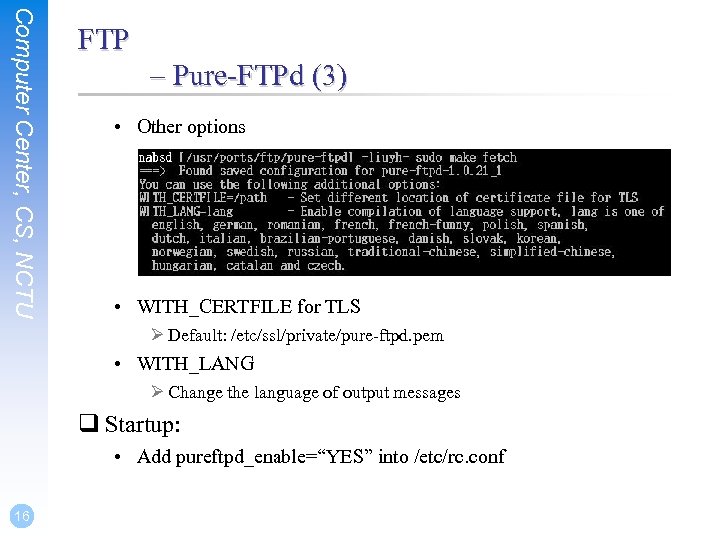 Computer Center, CS, NCTU FTP – Pure-FTPd (3) • Other options • WITH_CERTFILE for TLS Ø Default: /etc/ssl/private/pure-ftpd. pem • WITH_LANG Ø Change the language of output messages q Startup: • Add pureftpd_enable=“YES” into /etc/rc. conf 16
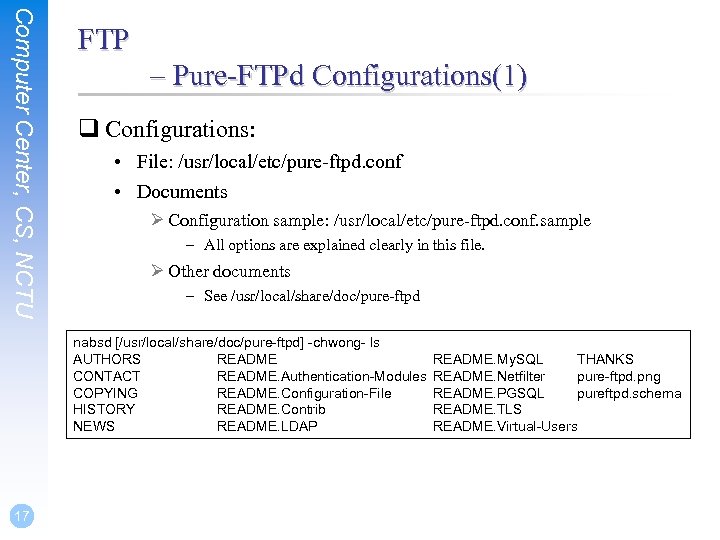 Computer Center, CS, NCTU FTP – Pure-FTPd Configurations(1) q Configurations: • File: /usr/local/etc/pure-ftpd. conf • Documents Ø Configuration sample: /usr/local/etc/pure-ftpd. conf. sample – All options are explained clearly in this file. Ø Other documents – See /usr/local/share/doc/pure-ftpd nabsd [/usr/local/share/doc/pure-ftpd] -chwong- ls AUTHORS README CONTACT README. Authentication-Modules COPYING README. Configuration-File HISTORY README. Contrib NEWS README. LDAP 17 README. My. SQL THANKS README. Netfilter pure-ftpd. png README. PGSQL pureftpd. schema README. TLS README. Virtual-Users
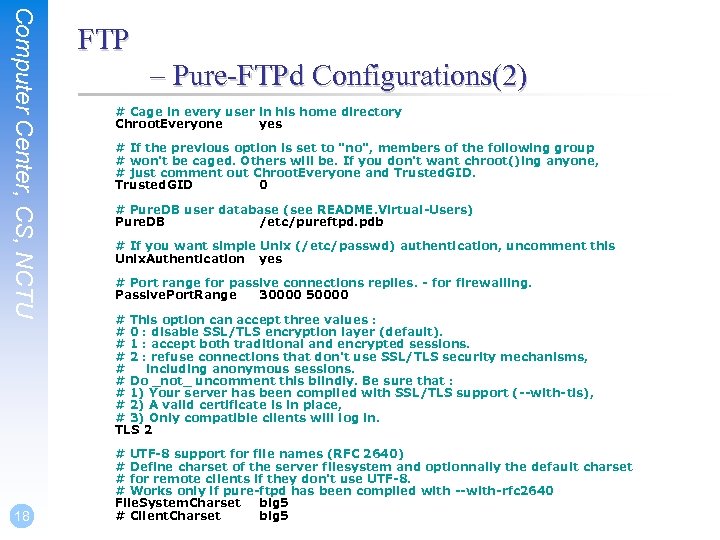 Computer Center, CS, NCTU 18 FTP – Pure-FTPd Configurations(2) # Cage in every user in his home directory Chroot. Everyone yes # If the previous option is set to "no", members of the following group # won't be caged. Others will be. If you don't want chroot()ing anyone, # just comment out Chroot. Everyone and Trusted. GID 0 # Pure. DB user database (see README. Virtual-Users) Pure. DB /etc/pureftpd. pdb # If you want simple Unix (/etc/passwd) authentication, uncomment this Unix. Authentication yes # Port range for passive connections replies. - for firewalling. Passive. Port. Range 30000 50000 # This option can accept three values : # 0 : disable SSL/TLS encryption layer (default). # 1 : accept both traditional and encrypted sessions. # 2 : refuse connections that don't use SSL/TLS security mechanisms, # including anonymous sessions. # Do _not_ uncomment this blindly. Be sure that : # 1) Your server has been compiled with SSL/TLS support (--with-tls), # 2) A valid certificate is in place, # 3) Only compatible clients will log in. TLS 2 # UTF-8 support for file names (RFC 2640) # Define charset of the server filesystem and optionnally the default charset # for remote clients if they don't use UTF-8. # Works only if pure-ftpd has been compiled with --with-rfc 2640 File. System. Charset big 5 # Client. Charset big 5
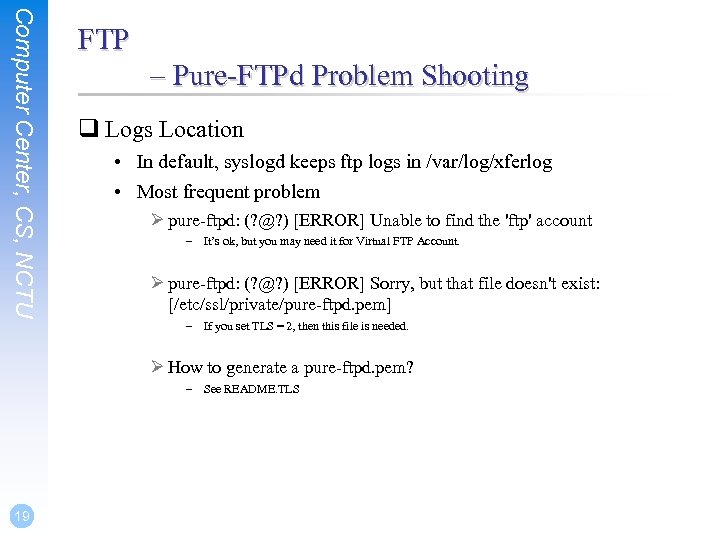 Computer Center, CS, NCTU FTP – Pure-FTPd Problem Shooting q Logs Location • In default, syslogd keeps ftp logs in /var/log/xferlog • Most frequent problem Ø pure-ftpd: (? @? ) [ERROR] Unable to find the 'ftp' account – It’s ok, but you may need it for Virtual FTP Account. Ø pure-ftpd: (? @? ) [ERROR] Sorry, but that file doesn't exist: [/etc/ssl/private/pure-ftpd. pem] – If you set TLS = 2, then this file is needed. Ø How to generate a pure-ftpd. pem? – See README. TLS 19
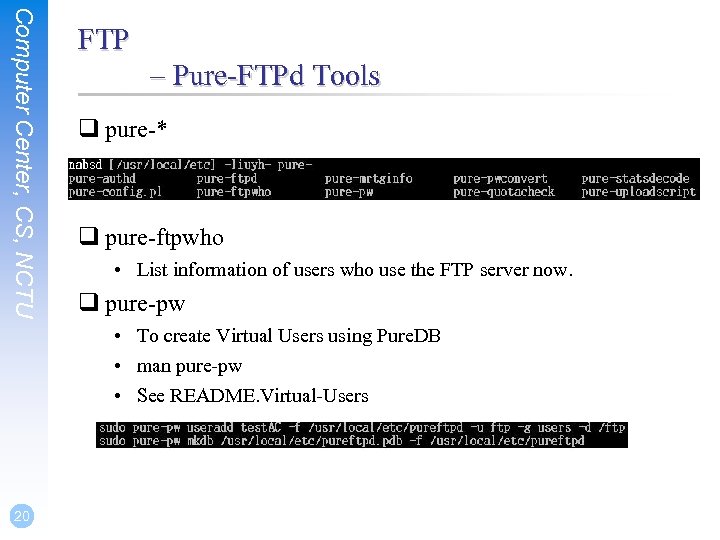 Computer Center, CS, NCTU FTP – Pure-FTPd Tools q pure-* q pure-ftpwho • List information of users who use the FTP server now. q pure-pw • To create Virtual Users using Pure. DB • man pure-pw • See README. Virtual-Users 20
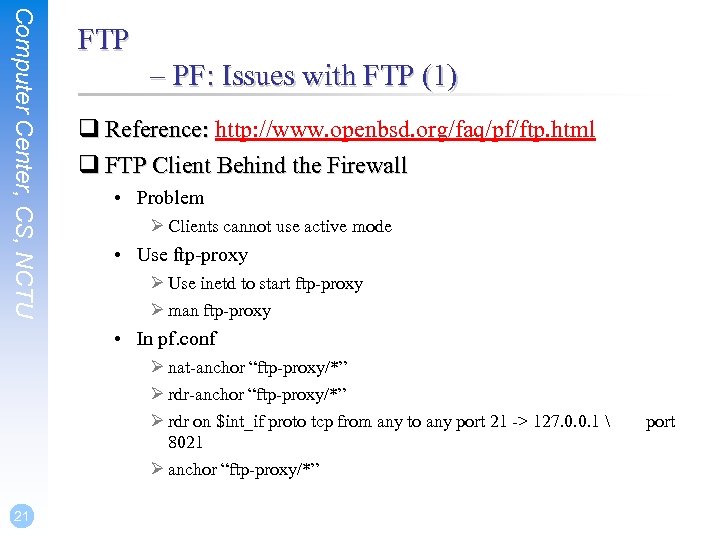 Computer Center, CS, NCTU FTP – PF: Issues with FTP (1) q Reference: http: //www. openbsd. org/faq/pf/ftp. html q FTP Client Behind the Firewall • Problem Ø Clients cannot use active mode • Use ftp-proxy Ø Use inetd to start ftp-proxy Ø man ftp-proxy • In pf. conf Ø nat-anchor “ftp-proxy/*” Ø rdr on $int_if proto tcp from any to any port 21 -> 127. 0. 0. 1 8021 Ø anchor “ftp-proxy/*” 21 port
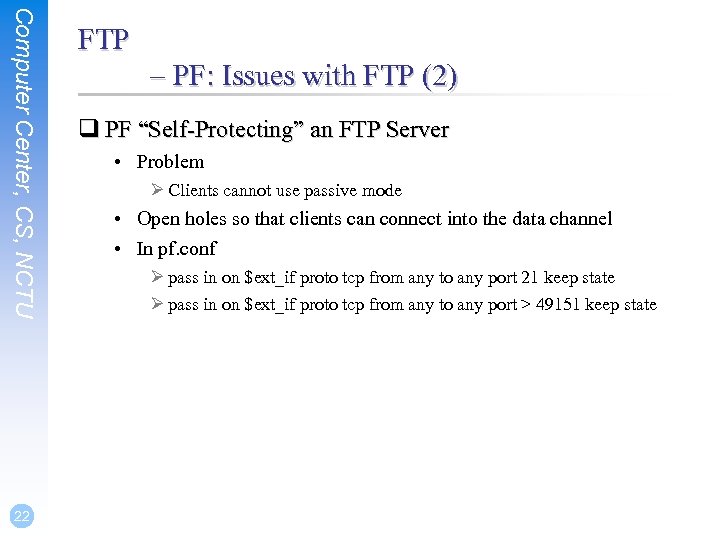 Computer Center, CS, NCTU 22 FTP – PF: Issues with FTP (2) q PF “Self-Protecting” an FTP Server • Problem Ø Clients cannot use passive mode • Open holes so that clients can connect into the data channel • In pf. conf Ø pass in on $ext_if proto tcp from any to any port 21 keep state Ø pass in on $ext_if proto tcp from any to any port > 49151 keep state
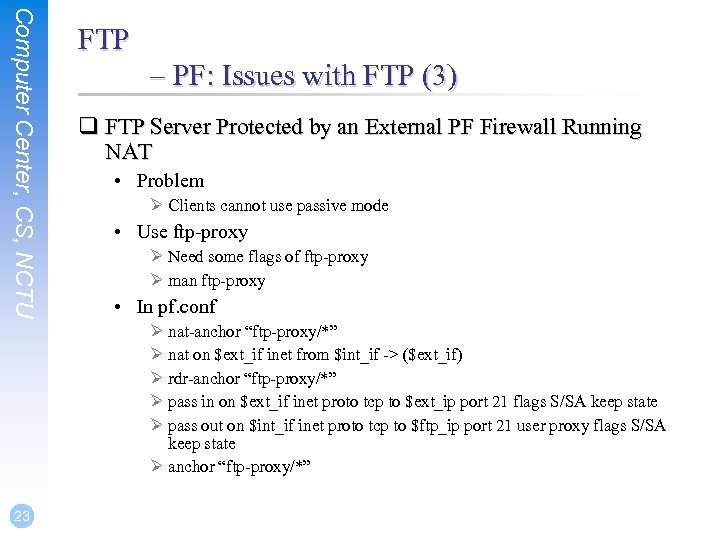 Computer Center, CS, NCTU FTP – PF: Issues with FTP (3) q FTP Server Protected by an External PF Firewall Running NAT • Problem Ø Clients cannot use passive mode • Use ftp-proxy Ø Need some flags of ftp-proxy Ø man ftp-proxy • In pf. conf Ø nat-anchor “ftp-proxy/*” Ø nat on $ext_if inet from $int_if -> ($ext_if) Ø rdr-anchor “ftp-proxy/*” Ø pass in on $ext_if inet proto tcp to $ext_ip port 21 flags S/SA keep state Ø pass out on $int_if inet proto tcp to $ftp_ip port 21 user proxy flags S/SA keep state Ø anchor “ftp-proxy/*” 23
 Computer Center, CS, NCTU 24 FTP – More Tools q /usr/ports/ftp/pftpx • Another ftp proxy daemon q /usr/ports/ftp/lftp • A powerful functional client • Support TLS q File. Zilla • An FTP Client for Windows • Support TLS