


 Скачать презентацию Free and Open Source Desktop GIS Projects and
7a228c90904ac0409afed62ac32ebada.ppt
- Количество слайдов: 62
 Free and Open Source Desktop GIS Projects and Software: An Analysis Stefan Steiniger, University of Calgary, Canada Swiss NSF Project: PAGEVIS-LD Email: ssteinig@ucalgary. ca OGRS 2009 - 8 th July 2009 3/18/2018 1
 Orbis. GIS Editor Map. Window GRASS i. Geo. Desktop GIS Analyst Desktop GIS JUMP Thuban u. Dig Kosmo SAGA QGIS Open. JUMP gv. SIG ILWIS GIS Viewer Open. JUMP, Image: Uwe Dallüge GRASS GIS, Image: M. Lennert (http: //grass. itc. it) OGRS 2009 - 8 th July 2009 u. DIG, Image: Refractions. net Quantum GIS, Image: M. Neteler (pinus. chinju. ac. kr) 3/18/2018 2
 pictures from: http: //commons. wikimedia. org Questions that I want to answer: - What distinguishs Free and Open Source Desktop GIS (FOSGIS) projects from proprietary projects? FOSGIS vs. - Are FOS GIS ready for the Desktop? - Are FOS Desktop GIS becoming a success story? FOSGIS OGRS 2009 - 8 th July 2009 3/18/2018 3
 Outline I. What‘s a Desktop GIS? II. FOS Desktop GIS projects – a selection III. Comparing FOS vs. Proprietary (Desktop) GIS IV. Challenges in FOS GIS management V. So what? OGRS 2009 - 8 th July 2009 3/18/2018 4
 I. What’s a Desktop GIS? OGRS 2009 - 8 th July 2009 3/18/2018 5
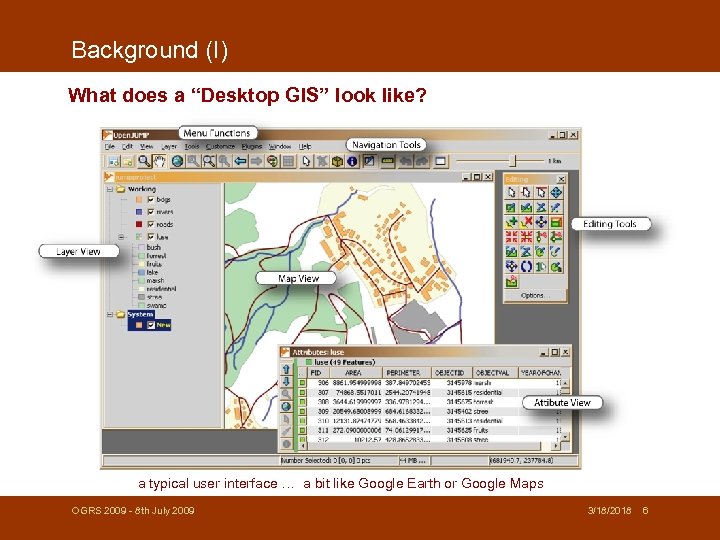 Background (I) What does a “Desktop GIS” look like? a typical user interface … a bit like Google Earth or Google Maps OGRS 2009 - 8 th July 2009 3/18/2018 6
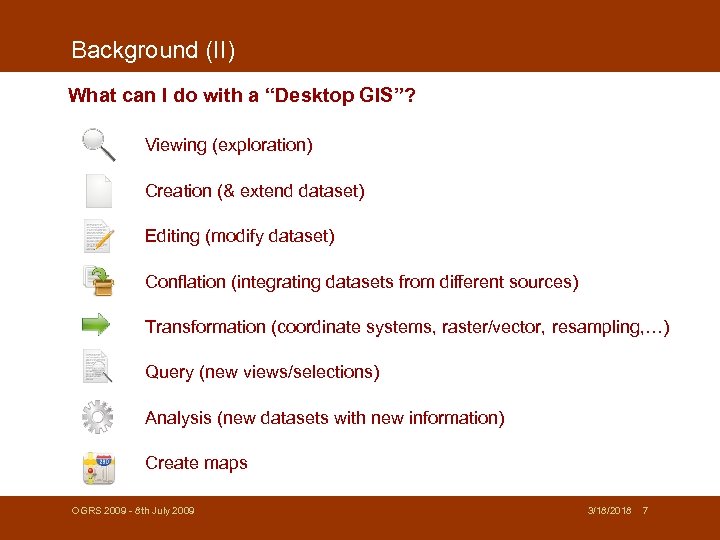 Background (II) What can I do with a “Desktop GIS”? Viewing (exploration) Creation (& extend dataset) Editing (modify dataset) Conflation (integrating datasets from different sources) Transformation (coordinate systems, raster/vector, resampling, …) Query (new views/selections) Analysis (new datasets with new information) Create maps OGRS 2009 - 8 th July 2009 3/18/2018 7
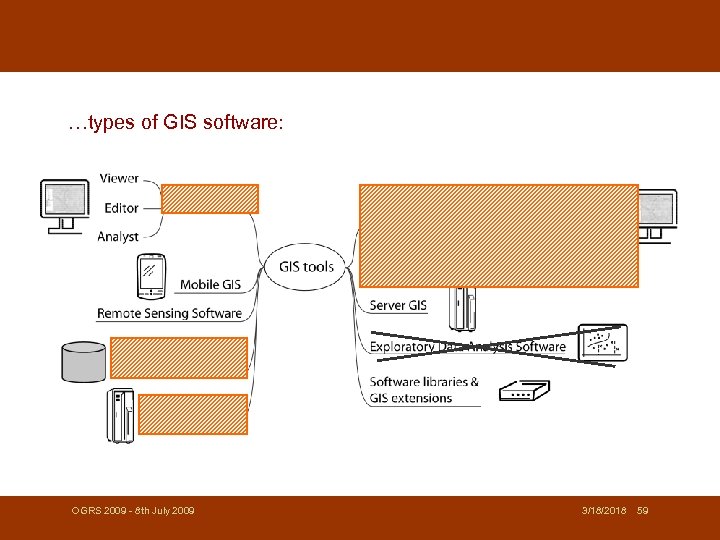
 Background (III) So - what is a “Desktop GIS”? - distinguishing between different types of GIS software by user tasks* - desktop GIS tasks: 1 viewing, 2 creating, 3 editing, 4 storage, 5 conflation, 6 transformation, 7 query, 8 analysis, 9 creating maps - types of desktop GIS: . GIS Viewer: 1, 4, 7, (9); . GIS Editor: 1 -4, (6), 7, 9; . GIS Analyst: 1 -9 - or as ESRI says: A desktop GIS is a mapping software that is installed onto and runs on a personal computer and allows users to display, query, update, and analyse data about geographic locations and the information linked to those locations. (www. esri. com) OGRS 2009 - 8 th July 2009 3/18/2018 *Steiniger and Weibel (2009) 8
 II. FOS Desktop GIS – a selection OGRS 2009 - 8 th July 2009 3/18/2018 9
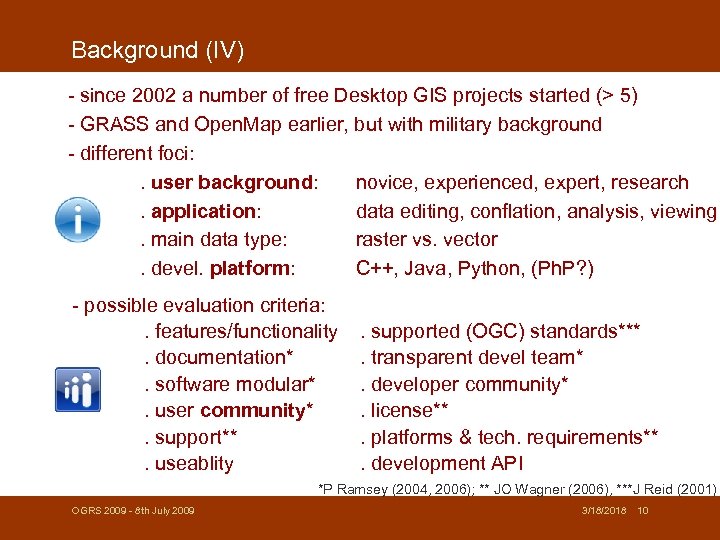 Background (IV) - since 2002 a number of free Desktop GIS projects started (> 5) - GRASS and Open. Map earlier, but with military background - different foci: . user background: novice, experienced, expert, research. application: data editing, conflation, analysis, viewing. main data type: raster vs. vector. devel. platform: C++, Java, Python, (Ph. P? ) - possible evaluation criteria: . features/functionality. documentation*. software modular*. user community*. support**. useablity . supported (OGC) standards***. transparent devel team*. developer community*. license**. platforms & tech. requirements**. development API *P Ramsey (2004, 2006); ** JO Wagner (2006), ***J Reid (2001) OGRS 2009 - 8 th July 2009 3/18/2018 10
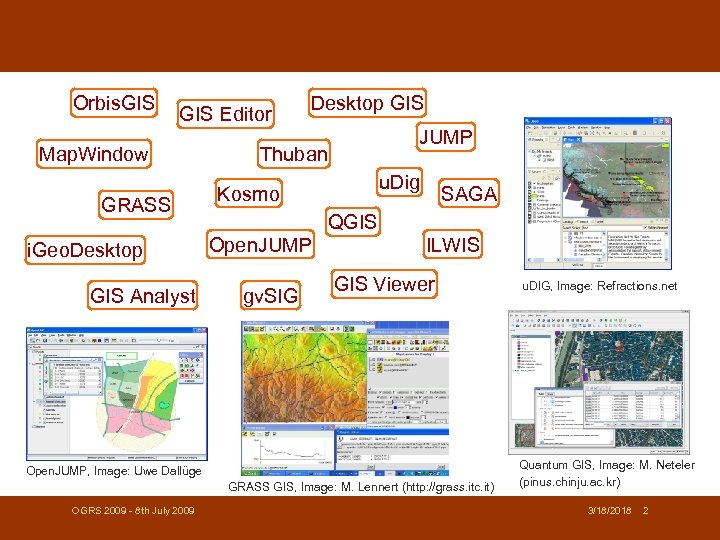
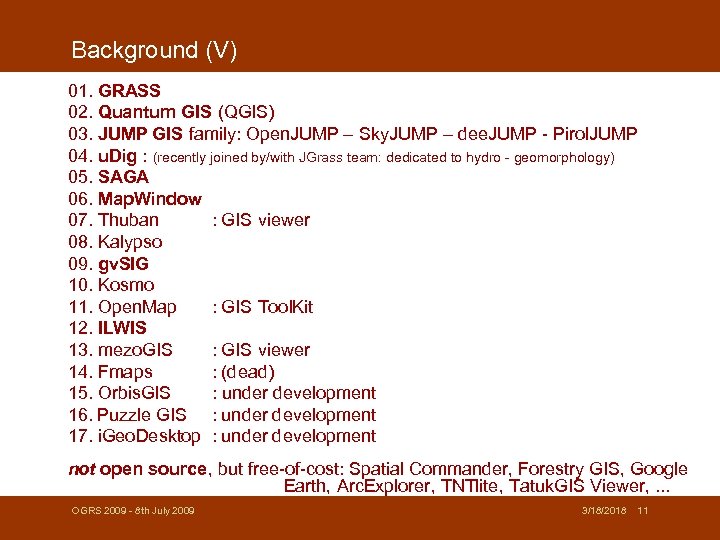 Background (V) 01. GRASS 02. Quantum GIS (QGIS) 03. JUMP GIS family: Open. JUMP – Sky. JUMP – dee. JUMP - Pirol. JUMP 04. u. Dig : (recently joined by/with JGrass team: dedicated to hydro - geomorphology) 05. SAGA 06. Map. Window 07. Thuban : GIS viewer 08. Kalypso 09. gv. SIG 10. Kosmo 11. Open. Map : GIS Tool. Kit 12. ILWIS 13. mezo. GIS : GIS viewer 14. Fmaps : (dead) 15. Orbis. GIS : under development 16. Puzzle GIS : under development 17. i. Geo. Desktop : under development not open source, but free-of-cost: Spatial Commander, Forestry GIS, Google Earth, Arc. Explorer, TNTlite, Tatuk. GIS Viewer, . . . OGRS 2009 - 8 th July 2009 3/18/2018 11
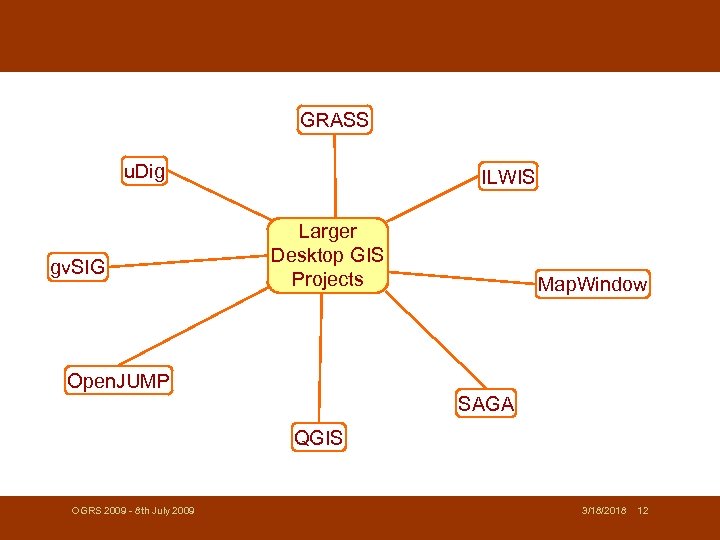 GRASS u. Dig gv. SIG ILWIS Larger Desktop GIS Projects Map. Window Open. JUMP SAGA QGIS OGRS 2009 - 8 th July 2009 3/18/2018 12
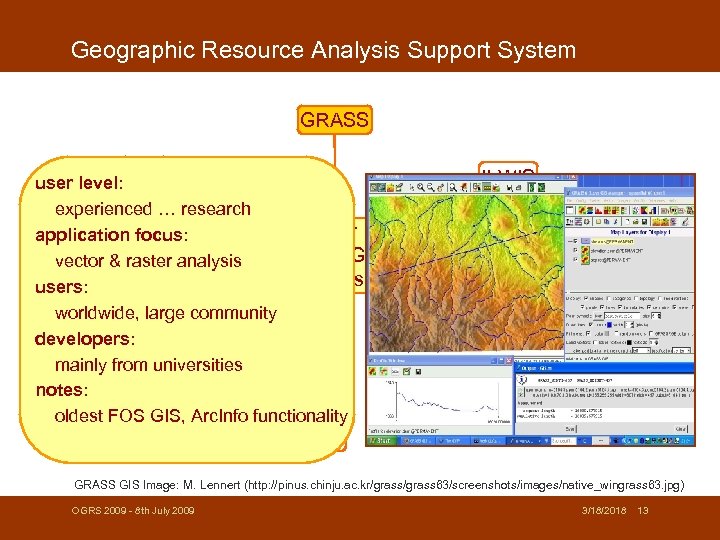 Geographic Resource Analysis Support System GRASS u. Dig user level: experienced … research Larger application focus: Desktop GIS vector gv. SIG & raster analysis Projects users: worldwide, large community developers: mainly from universities Open. JUMP notes: oldest FOS GIS, Arc. Info functionality ILWIS Map. Window SAGA QGIS GRASS GIS Image: M. Lennert (http: //pinus. chinju. ac. kr/grass 63/screenshots/images/native_wingrass 63. jpg) OGRS 2009 - 8 th July 2009 3/18/2018 13
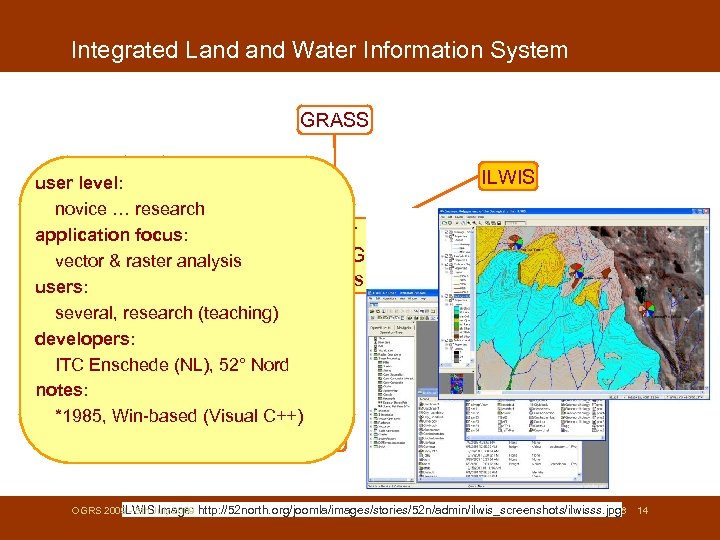 Integrated Land Water Information System GRASS u. Dig user level: novice … research Larger application focus: Desktop GIS vector gv. SIG & raster analysis Projects users: several, research (teaching) developers: ITC Enschede (NL), 52° Nord Open. JUMP notes: *1985, Win-based (Visual C++) ILWIS Map. Window SAGA QGIS OGRS 2009 - 8 th July 2009 ILWIS Image: 3/18/2018 http: //52 north. org/joomla/images/stories/52 n/admin/ilwis_screenshots/ilwisss. jpg 14
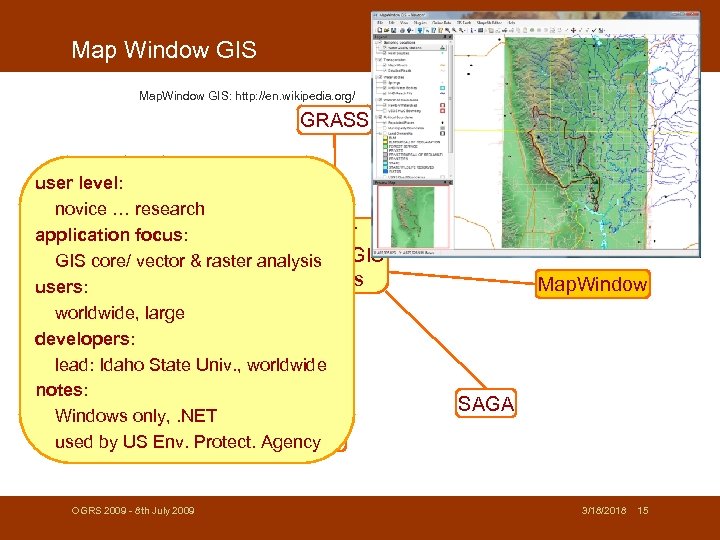 Map Window GIS Map. Window GIS: http: //en. wikipedia. org/ GRASS u. Dig user level: novice … research Larger application focus: Desktop GIS core/ vector & raster analysis gv. SIG Projects users: worldwide, large developers: lead: Idaho State Univ. , worldwide Open. JUMP notes: Windows only, . NET QGIS used by US Env. Protect. Agency OGRS 2009 - 8 th July 2009 ILWIS Map. Window SAGA 3/18/2018 15
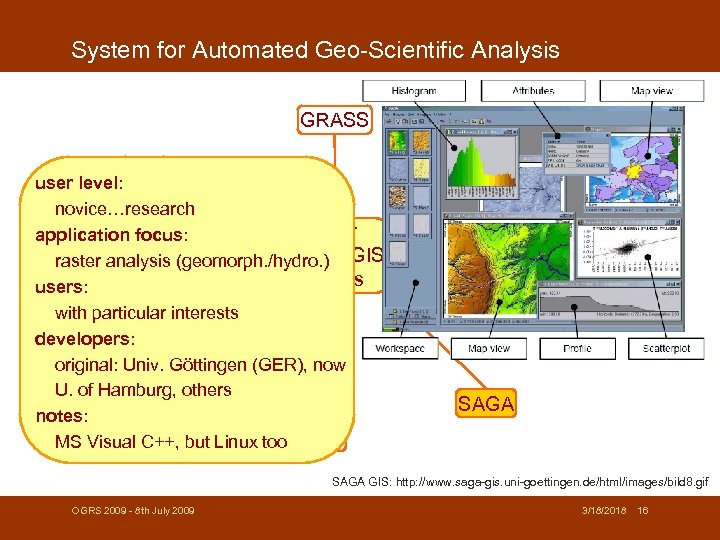 System for Automated Geo-Scientific Analysis GRASS u. Dig user level: novice…research Larger application focus: Desktop GIS raster gv. SIGanalysis (geomorph. /hydro. ) Projects users: with particular interests developers: original: Univ. Göttingen (GER), now Open. JUMP U. of Hamburg, others notes: MS Visual C++, but Linux too QGIS ILWIS Map. Window SAGA GIS: http: //www. saga-gis. uni-goettingen. de/html/images/bild 8. gif OGRS 2009 - 8 th July 2009 3/18/2018 16
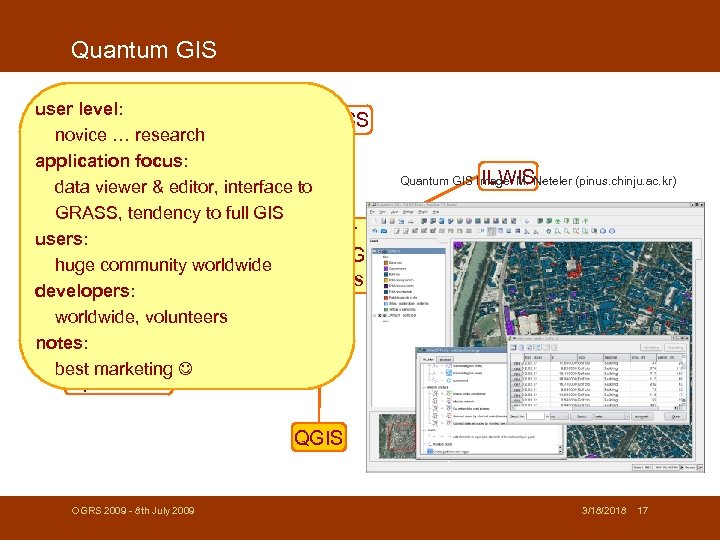 Quantum GIS user level: GRASS novice … research application focus: u. Dig data viewer & editor, interface to GRASS, tendency to full GIS Larger users: Desktop GIS huge community worldwide gv. SIG Projects developers: worldwide, volunteers notes: best marketing ILWIS Quantum GIS Image: M. Neteler (pinus. chinju. ac. kr) Map. Window Open. JUMP SAGA QGIS OGRS 2009 - 8 th July 2009 3/18/2018 17
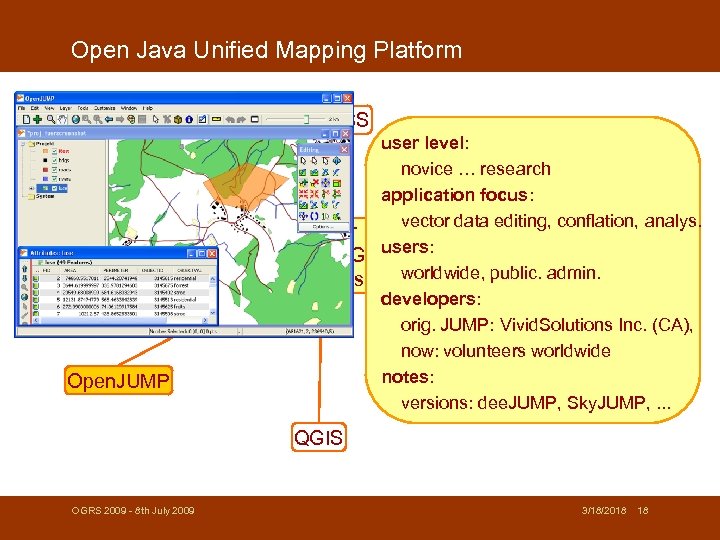 Open Java Unified Mapping Platform GRASS u. Dig gv. SIG Open. JUMP user level: novice … research ILWIS application focus: vector data editing, conflation, analys. Larger Desktop GISusers: worldwide, public. admin. Projects Map. Window developers: orig. JUMP: Vivid. Solutions Inc. (CA), now: volunteers worldwide notes: versions: dee. JUMP, Sky. JUMP, . . . SAGA QGIS OGRS 2009 - 8 th July 2009 3/18/2018 18
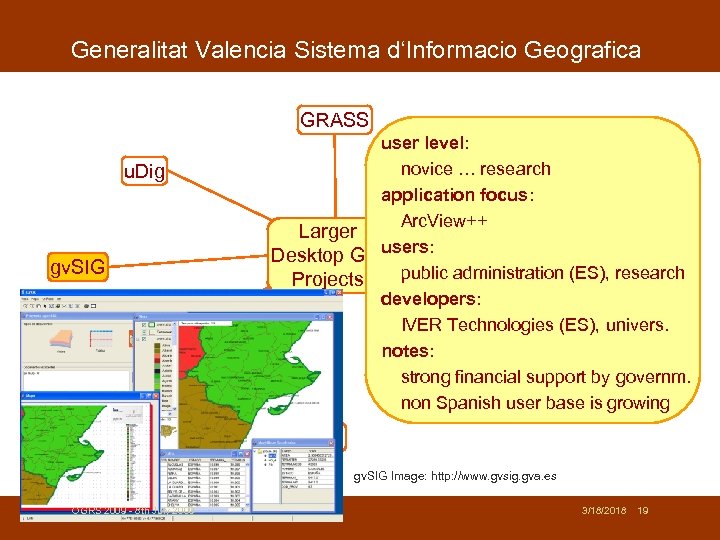 Generalitat Valencia Sistema d‘Informacio Geografica GRASS u. Dig gv. SIG Open. JUMP user level: novice … research ILWIS application focus: Arc. View++ Larger Desktop GISusers: public administration (ES), research Projects Map. Window developers: IVER Technologies (ES), univers. notes: strong financial support by governm. non Spanish user base is growing SAGA QGIS gv. SIG Image: http: //www. gvsig. gva. es OGRS 2009 - 8 th July 2009 3/18/2018 19
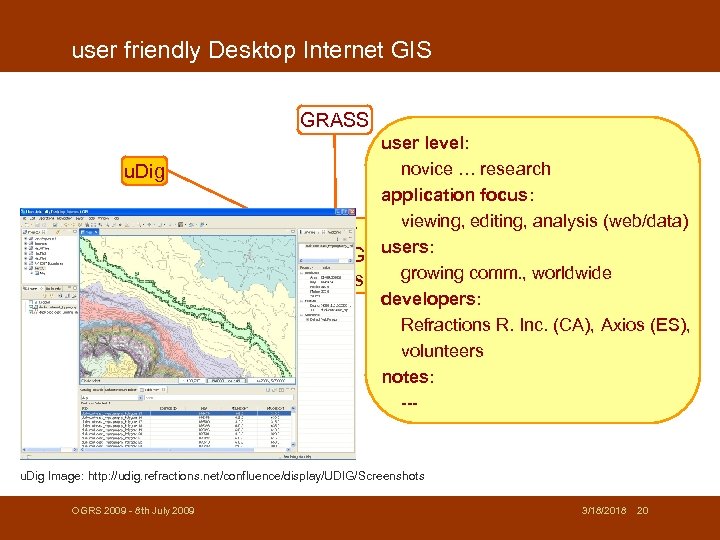 user friendly Desktop Internet GIS GRASS u. Dig gv. SIG Open. JUMP user level: novice … research ILWIS application focus: viewing, editing, analysis (web/data) Larger Desktop GISusers: growing comm. , worldwide Projects Map. Window developers: Refractions R. Inc. (CA), Axios (ES), volunteers notes: --SAGA QGIS u. Dig Image: http: //udig. refractions. net/confluence/display/UDIG/Screenshots OGRS 2009 - 8 th July 2009 3/18/2018 20
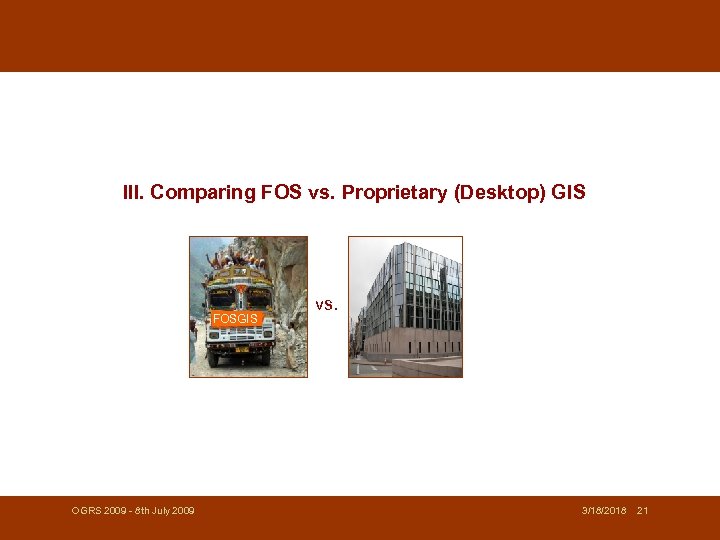 III. Comparing FOS vs. Proprietary (Desktop) GIS FOSGIS OGRS 2009 - 8 th July 2009 vs. 3/18/2018 21
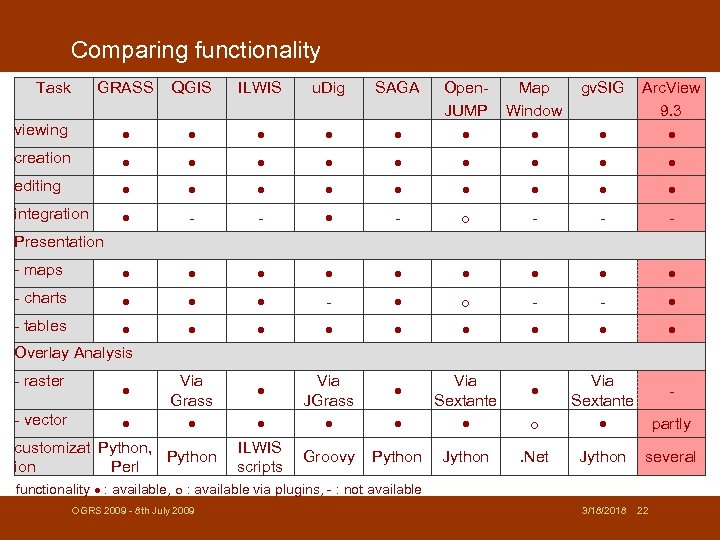 Comparing functionality Task GRASS QGIS ILWIS u. Dig SAGA Map Window gv. SIG Open. JUMP Arc. View 9. 3 viewing creation editing integration - - - - maps - charts - - - Overlay Analysis Presentation - tables - raster - vector Via Grass customizat Python, Python ion Perl ILWIS scripts Via JGrass Groovy Via Sextante Python Jython Via Sextante partly . Net Jython several - functionality : available, : available via plugins, - : not available OGRS 2009 - 8 th July 2009 3/18/2018 22
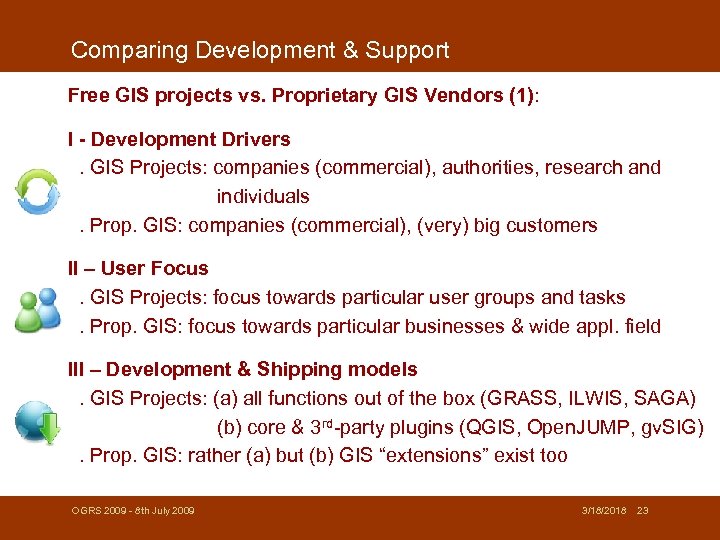 Comparing Development & Support Free GIS projects vs. Proprietary GIS Vendors (1): I - Development Drivers. GIS Projects: companies (commercial), authorities, research and individuals. Prop. GIS: companies (commercial), (very) big customers II – User Focus. GIS Projects: focus towards particular user groups and tasks. Prop. GIS: focus towards particular businesses & wide appl. field III – Development & Shipping models. GIS Projects: (a) all functions out of the box (GRASS, ILWIS, SAGA) (b) core & 3 rd-party plugins (QGIS, Open. JUMP, gv. SIG). Prop. GIS: rather (a) but (b) GIS “extensions” exist too OGRS 2009 - 8 th July 2009 3/18/2018 23
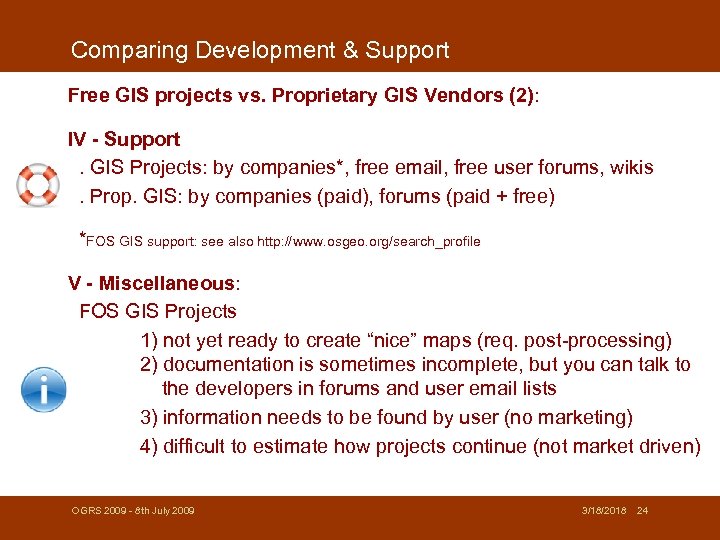 Comparing Development & Support Free GIS projects vs. Proprietary GIS Vendors (2): IV - Support. GIS Projects: by companies*, free email, free user forums, wikis. Prop. GIS: by companies (paid), forums (paid + free) *FOS GIS support: see also http: //www. osgeo. org/search_profile V - Miscellaneous: FOS GIS Projects 1) not yet ready to create “nice” maps (req. post-processing) 2) documentation is sometimes incomplete, but you can talk to the developers in forums and user email lists 3) information needs to be found by user (no marketing) 4) difficult to estimate how projects continue (not market driven) OGRS 2009 - 8 th July 2009 3/18/2018 24
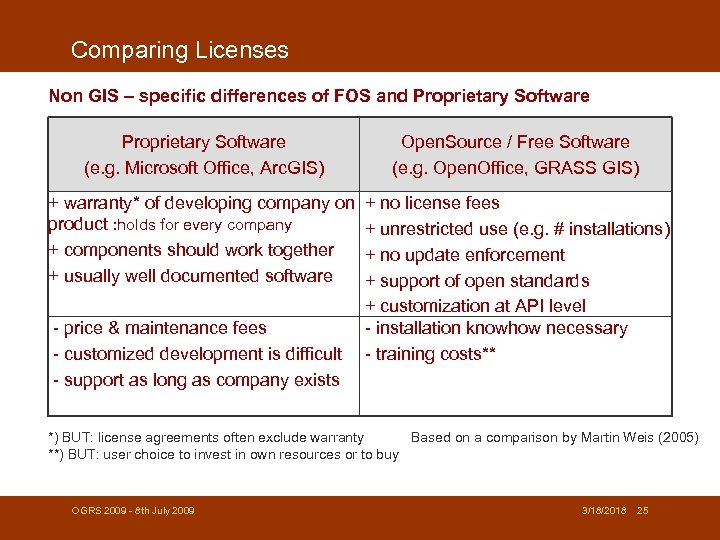 Comparing Licenses Non GIS – specific differences of FOS and Proprietary Software (e. g. Microsoft Office, Arc. GIS) Open. Source / Free Software (e. g. Open. Office, GRASS GIS) + warranty* of developing company on product : holds for every company + components should work together + usually well documented software + no license fees + unrestricted use (e. g. # installations) + no update enforcement + support of open standards + customization at API level - installation knowhow necessary - training costs** - price & maintenance fees - customized development is difficult - support as long as company exists *) BUT: license agreements often exclude warranty Based on a comparison by Martin Weis (2005) **) BUT: user choice to invest in own resources or to buy OGRS 2009 - 8 th July 2009 3/18/2018 25
 IV. Management challenges - for volunteer projects - OGRS 2009 - 8 th July 2009 3/18/2018 26
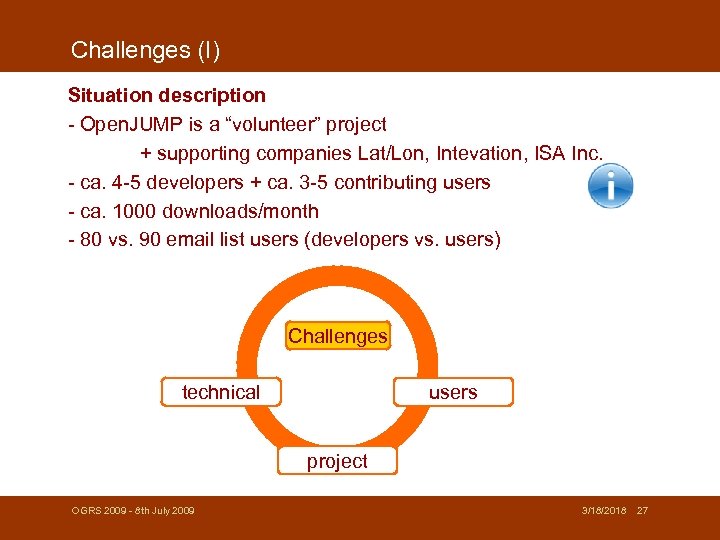 Challenges (I) Situation description - Open. JUMP is a “volunteer” project + supporting companies Lat/Lon, Intevation, ISA Inc. - ca. 4 -5 developers + ca. 3 -5 contributing users - ca. 1000 downloads/month - 80 vs. 90 email list users (developers vs. users) Challenges technical users project OGRS 2009 - 8 th July 2009 3/18/2018 27
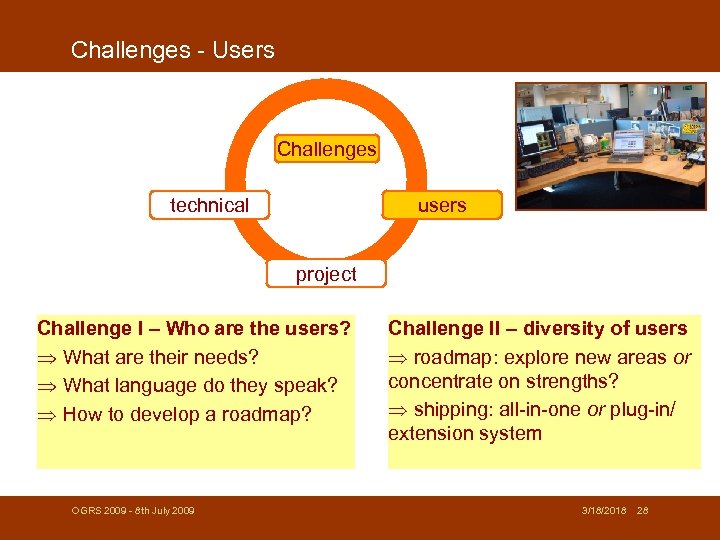 Challenges - Users Challenges technical users project Challenge I – Who are the users? What are their needs? What language do they speak? How to develop a roadmap? OGRS 2009 - 8 th July 2009 Challenge II – diversity of users roadmap: explore new areas or concentrate on strengths? shipping: all-in-one or plug-in/ extension system 3/18/2018 28
 Challenges - Users Challenges technical users project Challenge III – Participation is based on goodwill Who will do what and who has time for: maintenance of functions, bug fixing, webpage, developing new functions, integrate existing, translate, documentation : RMap? OGRS 2009 - 8 th July 2009 Challenge VI – few contributors no 1000 eyeballs: bugs may be undiscovered for a long time documentation is delayed function wish list is long “open” wiki’s 3/18/2018 29
 Challenges - hosting Challenges technical users project Challenge V – Hosting & Distribution Who hosts and manages the source code repository? Who builds the nightly build? Who “pays” for the massive download traffic? Who hosts wiki and webpage and downloads? OGRS 2009 - 8 th July 2009 3/18/2018 30
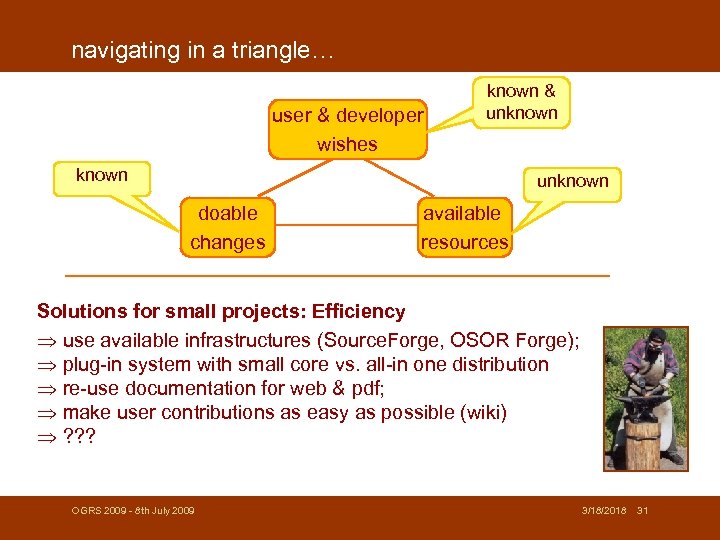 navigating in a triangle… user & developer wishes known & unknown doable changes available resources Solutions for small projects: Efficiency use available infrastructures (Source. Forge, OSOR Forge); plug-in system with small core vs. all-in one distribution re-use documentation for web & pdf; make user contributions as easy as possible (wiki) ? ? ? OGRS 2009 - 8 th July 2009 3/18/2018 31
 What you can do… Or users that pay for the functionality they wish, i. e. are hiring a programmer We need Feedback & Participation! Already 1 h/week can make the difference! OGRS 2009 - 8 th July 2009 3/18/2018 32
 V. So what? - Ready for the Desktop? - Become FOS Desktop GIS a success story? - FOSGIS OGRS 2009 - 8 th July 2009 3/18/2018 33
 Ready for the Enterprise Desktop? FOS Desktop GIS are ready for the (enterprise) desktop! - functionality – Arc. View. TM level and beyond (Editor) has been achieved - support - free: email & forums, commercial: companies - several users in public authorities (ESP, GER, CAN, FIN, IT, . . . ) Issues - Finding a/the suitable software with respect to functionality and license restrictions (see thesis by Atle. F. Sveen on FOS GIS selection) - There are switching costs! (i. e. : no free lunch) Benefits - provider independence - cost savings with respect to scale (10+ installations) - easy to add customized functionality OGRS 2009 - 8 th July 2009 3/18/2018 34
 Ready for the Research Desktop? FOS Desktop GIS are ready for the (research) desktop! But avoid it if… … you want to re-invent the wheel … want to spent money for licenses … you just work on your own PC (no scaling needed) … you like black boxes … you love the „one size fits all principle“ (what‘s adaptation? ). . . you never need what you have done if you move on AND: You are scared that somebody exploits your developments! (. . but remember, you could use what others accomplished. . . ) OGRS 2009 - 8 th July 2009 3/18/2018 35
 A success story? YES, FOS Desktop GIS… … had a good start so far … and can continue to be successful if: - more people start using it - more “people” contribute - management issues can be resolved OGRS 2009 - 8 th July 2009 3/18/2018 36
 Thank you! icons from: http: //www. iconspedia. com more info: - www. spatialserver. net/osgis/ ( 2 articles) - www. osgeo. org - Gary E. Sherman: „Desktop GIS: Mapping the Planet with Open Source Tools“ (2008) OGRS 2009 - 8 th July 2009 3/18/2018 37
 OGRS 2009 - 8 th July 2009 3/18/2018 38
 OGRS 2009 - 8 th July 2009 3/18/2018 39
 Outline I. Open Source and Free Software A. Terms and Definitions B. 2 Licenses (GPL & LGPL) C. 3 Possible Misconceptions Note: talking about software licensing isn‘t a piece of cake OGRS 2009 - 8 th July 2009 3/18/2018 40
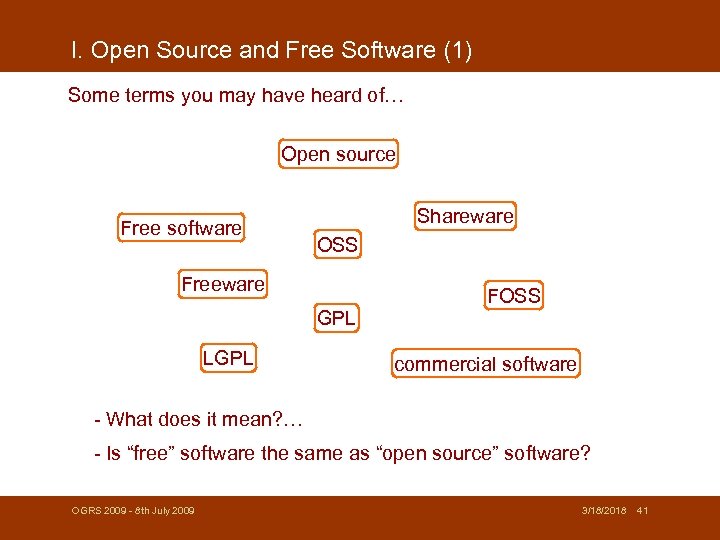 I. Open Source and Free Software (1) Some terms you may have heard of… Open source Free software Shareware OSS Freeware FOSS GPL LGPL commercial software - What does it mean? … - Is “free” software the same as “open source” software? OGRS 2009 - 8 th July 2009 3/18/2018 41
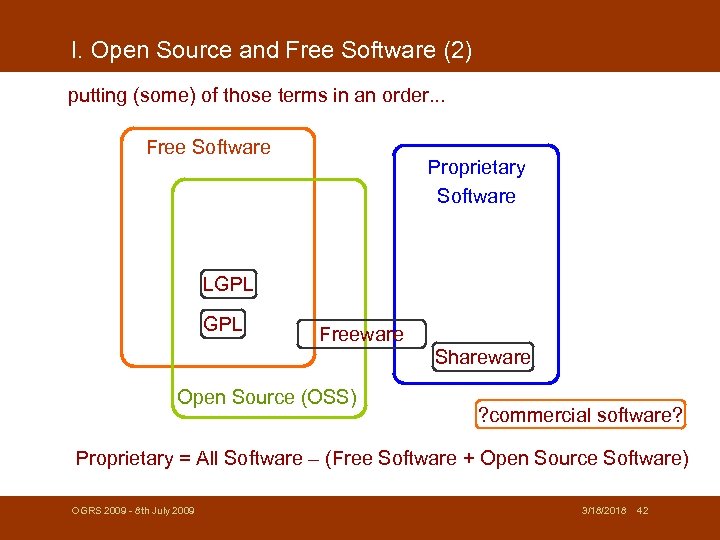 I. Open Source and Free Software (2) putting (some) of those terms in an order. . . Free Software Proprietary Software LGPL Freeware Shareware Open Source (OSS) ? commercial software? Proprietary = All Software – (Free Software + Open Source Software) OGRS 2009 - 8 th July 2009 3/18/2018 42
 I. Open Source and Free Software (3) The term „free software“ is clearly defined by the Free Software Foundation (www. FSF. org): Free Open Source Software (FOSS) meets 4 Constraints (www. fsf. org): 1. The freedom to run the program, for any purpose (freedom 0) 2. The freedom to study how the program works, and adapt it to your needs (freedom 1). 3. The freedom to redistribute copies so you can help your neighbor (freedom 2). 4. The freedom to improve the program, and release your improvements to the public, so that the whole community benefits (freedom 3). Freedoms : not „free for download“ OGRS 2009 - 8 th July 2009 3/18/2018 43
 I. Open Source and Free Software (4) „open source“ vs. „free“ software open source: - is a term and „brand“ : Open Source Initiative - OSI: opensource. org) - is an insufficient term : you can look into? But are you allowed to modify and distribute? free software: - free as in „freedom“ not „free-beer“ - guaranty of four user freedoms Do I need to care? OGRS 2009 - 8 th July 2009 yes (distinction of freedom), and no (license terms will tell you) 3/18/2018 44
 I. Open Source and Free Software (5) „free“ vs. „commercial“ free: - as in „freedom“ - stress on (public) ownership, not on „price“ opposite of „free software“ is „proprietary software“, not „commercial“ Note: to avoid confusions people use the term „Free and Open Source Software“ (= FOSS) OGRS 2009 - 8 th July 2009 3/18/2018 45
 Outline I. Open Source and Free Software A. Terms and Definitions B. 2 Licenses (GPL & LGPL) C. 3 Possible Misconceptions OGRS 2009 - 8 th July 2009 3/18/2018 46
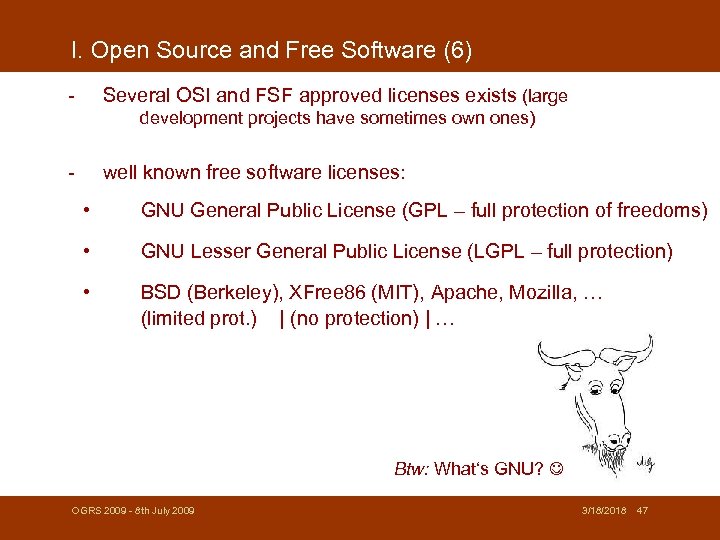 I. Open Source and Free Software (6) - Several OSI and FSF approved licenses exists (large development projects have sometimes own ones) - well known free software licenses: • GNU General Public License (GPL – full protection of freedoms) • GNU Lesser General Public License (LGPL – full protection) • BSD (Berkeley), XFree 86 (MIT), Apache, Mozilla, … (limited prot. ) | (no protection) | … Btw: What‘s GNU? OGRS 2009 - 8 th July 2009 3/18/2018 47
 I. Open Source and Free Software (7) The GNU General Public License important license terms (of GPL Version 2): • allows to run the program for your own purpose (§ 0) • allows to copy and distribute (§ 1) • allows to modify the code and to distribute these versions (§ 2) • allows distribution of the program and modified versions only if source code is attached or available (written offer) for 3 years (§ 3) • „You may charge a fee for the physical act of transferring a copy, and you may at your option offer warranty protection in exchange for a fee. ” OGRS 2009 - 8 th July 2009 3/18/2018 48
 I. Open Source and Free Software (8) What is meant if people say GPL is immune? - The GPL license terms don‘t allow to change the license of the software, including new and changed parts it musst still be GPL is called „copylefting“ - When GPL software parts (i. e. as a function library) are used by other software, then the license with the stronger restrictions/freedom remains – example: ESRI licence + GPL= To avoid the latter effect: Lesser GPL was introduced. LGPL is very similar to GPL, but LGPL libraries can be used by non. GPL licensed software. ( ESRI+LGPL = ) Note: dual-licensing (GPL & proprietary license) is possible, because the developer has still author rights on his work. OGRS 2009 - 8 th July 2009 3/18/2018 49
 Outline I. Open Source and Free Software A. Terms and Definitions B. 2 Licenses (GPL & LGPL) C. 3 Possible Misconceptions OGRS 2009 - 8 th July 2009 3/18/2018 50
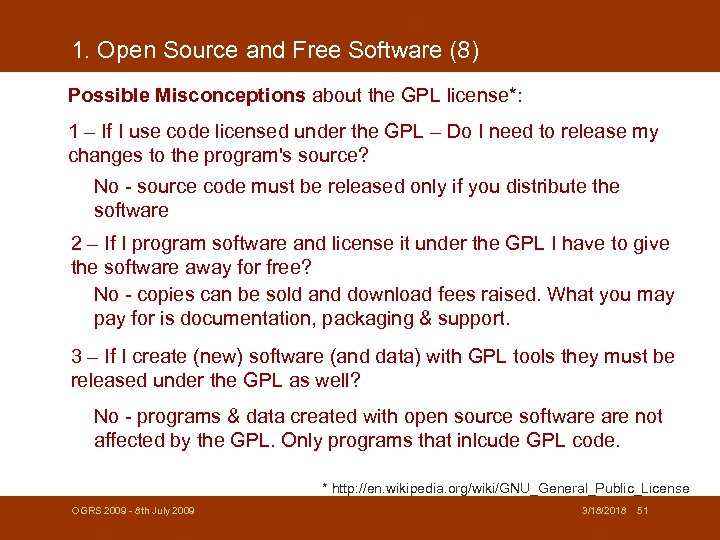 1. Open Source and Free Software (8) Possible Misconceptions about the GPL license*: 1 – If I use code licensed under the GPL – Do I need to release my changes to the program's source? No - source code must be released only if you distribute the software 2 – If I program software and license it under the GPL I have to give the software away for free? No - copies can be sold and download fees raised. What you may pay for is documentation, packaging & support. 3 – If I create (new) software (and data) with GPL tools they must be released under the GPL as well? No - programs & data created with open source software not affected by the GPL. Only programs that inlcude GPL code. * http: //en. wikipedia. org/wiki/GNU_General_Public_License OGRS 2009 - 8 th July 2009 3/18/2018 51
 Some people say… such things…Are those things myths or facts? OGRS 2009 - 8 th July 2009 3/18/2018 52
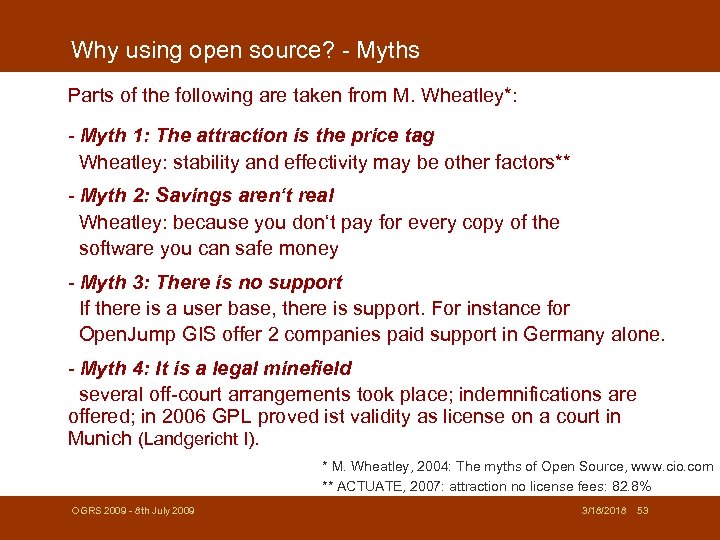 Why using open source? - Myths Parts of the following are taken from M. Wheatley*: - Myth 1: The attraction is the price tag Wheatley: stability and effectivity may be other factors** - Myth 2: Savings aren‘t real Wheatley: because you don‘t pay for every copy of the software you can safe money - Myth 3: There is no support If there is a user base, there is support. For instance for Open. Jump GIS offer 2 companies paid support in Germany alone. - Myth 4: It is a legal minefield several off-court arrangements took place; indemnifications are offered; in 2006 GPL proved ist validity as license on a court in Munich (Landgericht I). * M. Wheatley, 2004: The myths of Open Source, www. cio. com ** ACTUATE, 2007: attraction no license fees: 82. 8% OGRS 2009 - 8 th July 2009 3/18/2018 53
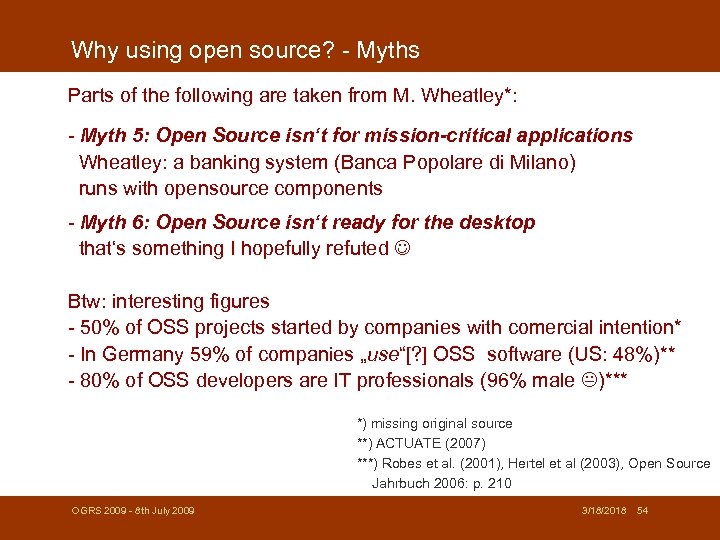 Why using open source? - Myths Parts of the following are taken from M. Wheatley*: - Myth 5: Open Source isn‘t for mission-critical applications Wheatley: a banking system (Banca Popolare di Milano) runs with opensource components - Myth 6: Open Source isn‘t ready for the desktop that‘s something I hopefully refuted Btw: interesting figures - 50% of OSS projects started by companies with comercial intention* - In Germany 59% of companies „use“[? ] OSS software (US: 48%)** - 80% of OSS developers are IT professionals (96% male )*** *) missing original source **) ACTUATE (2007) ***) Robes et al. (2001), Hertel et al (2003), Open Source Jahrbuch 2006: p. 210 OGRS 2009 - 8 th July 2009 3/18/2018 54
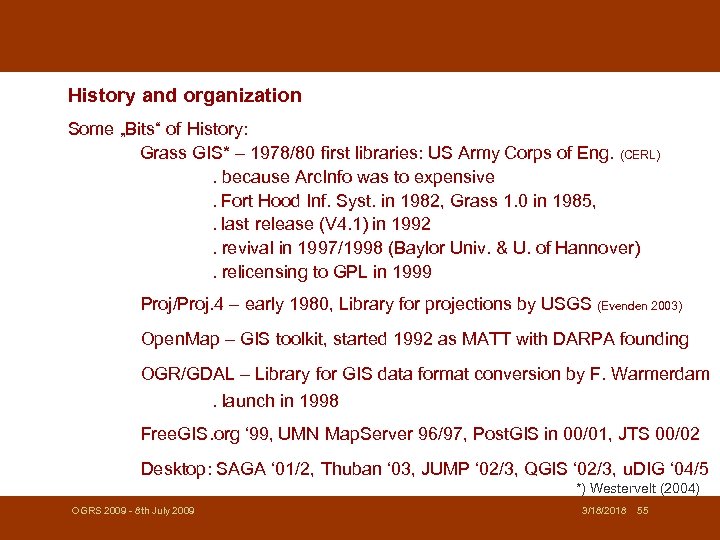 History and organization Some „Bits“ of History: Grass GIS* – 1978/80 first libraries: US Army Corps of Eng. (CERL). because Arc. Info was to expensive. Fort Hood Inf. Syst. in 1982, Grass 1. 0 in 1985, . last release (V 4. 1) in 1992. revival in 1997/1998 (Baylor Univ. & U. of Hannover). relicensing to GPL in 1999 Proj/Proj. 4 – early 1980, Library for projections by USGS (Evenden 2003) Open. Map – GIS toolkit, started 1992 as MATT with DARPA founding OGR/GDAL – Library for GIS data format conversion by F. Warmerdam. launch in 1998 Free. GIS. org ‘ 99, UMN Map. Server 96/97, Post. GIS in 00/01, JTS 00/02 Desktop: SAGA ‘ 01/2, Thuban ‘ 03, JUMP ‘ 02/3, QGIS ‘ 02/3, u. DIG ‘ 04/5 *) Westervelt (2004) OGRS 2009 - 8 th July 2009 3/18/2018 55
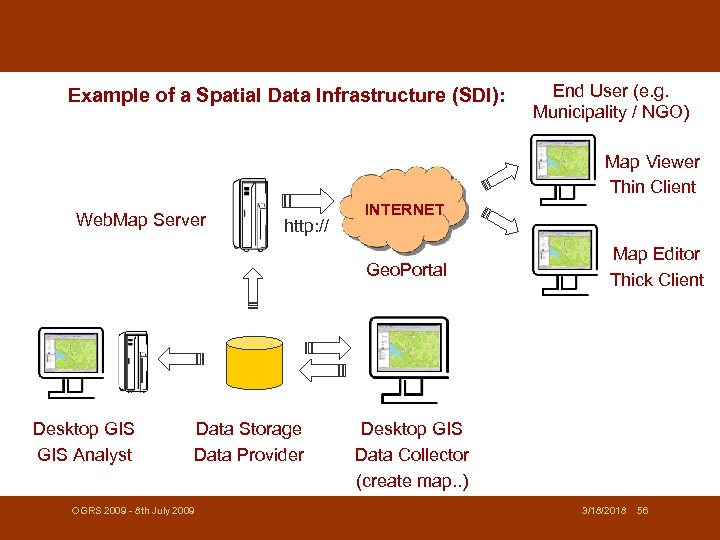 Example of a Spatial Data Infrastructure (SDI): End User (e. g. Municipality / NGO) Map Viewer Thin Client Web. Map Server http: // INTERNET Geo. Portal Desktop GIS Analyst Data Storage Data Provider OGRS 2009 - 8 th July 2009 Map Editor Thick Client Desktop GIS Data Collector (create map. . ) 3/18/2018 56
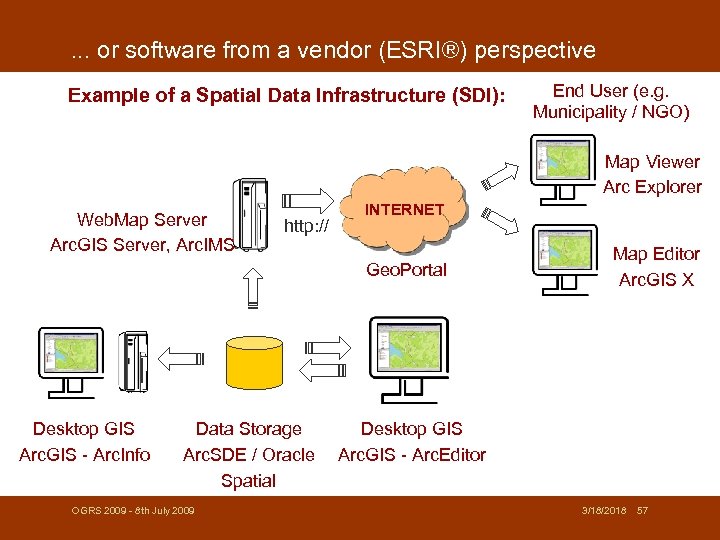 . . . or software from a vendor (ESRI®) perspective Example of a Spatial Data Infrastructure (SDI): End User (e. g. Municipality / NGO) Map Viewer Arc Explorer Web. Map Server Arc. GIS Server, Arc. IMS http: // INTERNET Geo. Portal Desktop GIS Arc. GIS - Arc. Info Data Storage Arc. SDE / Oracle Spatial OGRS 2009 - 8 th July 2009 Map Editor Arc. GIS X Desktop GIS Arc. GIS - Arc. Editor 3/18/2018 57
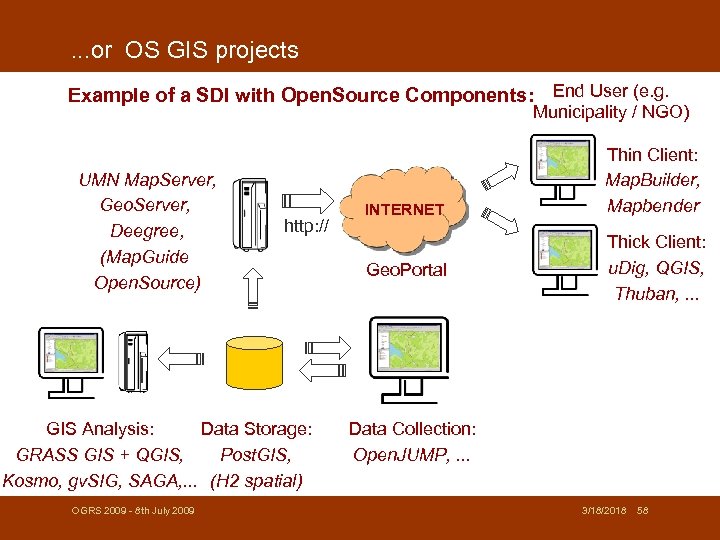 . . . or OS GIS projects Example of a SDI with Open. Source Components: End User (e. g. Municipality / NGO) UMN Map. Server, Geo. Server, Deegree, (Map. Guide Open. Source) http: // GIS Analysis: Data Storage: GRASS GIS + QGIS, Post. GIS, Kosmo, gv. SIG, SAGA, . . . (H 2 spatial) OGRS 2009 - 8 th July 2009 INTERNET Geo. Portal Thin Client: Map. Builder, Mapbender Thick Client: u. Dig, QGIS, Thuban, . . . Data Collection: Open. JUMP, . . . 3/18/2018 58
 …types of GIS software: OGRS 2009 - 8 th July 2009 3/18/2018 59
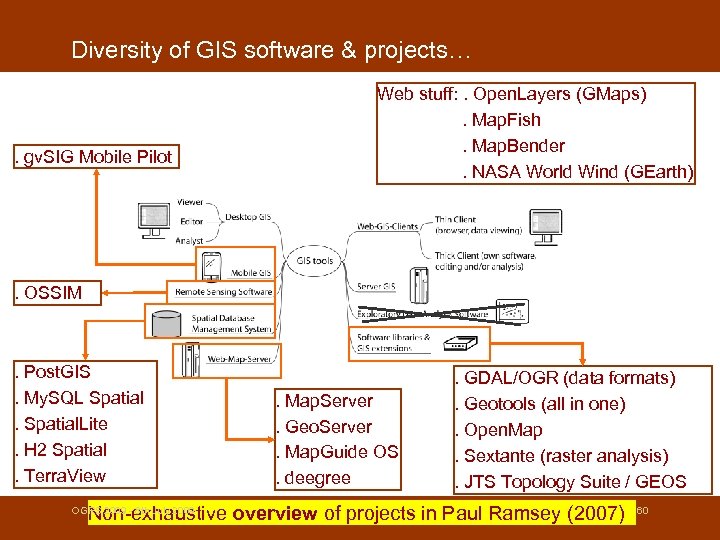 Diversity of GIS software & projects… . gv. SIG Mobile Pilot Web stuff: . Open. Layers (GMaps). Map. Fish. Map. Bender. NASA World Wind (GEarth) . OSSIM . Post. GIS. My. SQL Spatial. Lite. H 2 Spatial. Terra. View . Map. Server. Geo. Server. Map. Guide OS. deegree . GDAL/OGR (data formats). Geotools (all in one). Open. Map. Sextante (raster analysis). JTS Topology Suite / GEOS 3/18/2018 Non-exhaustive overview of projects in Paul Ramsey (2007) OGRS 2009 - 8 th July 2009 60
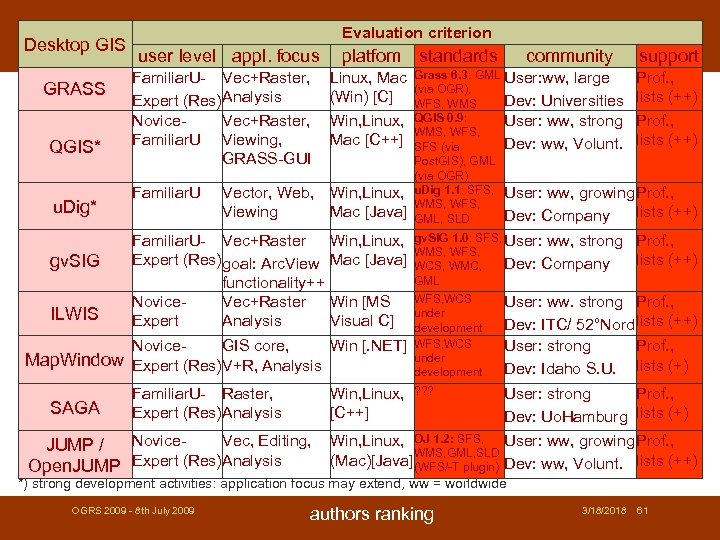 Desktop GIS GRASS QGIS* u. Dig* gv. SIG ILWIS Evaluation criterion user level appl. focus Familiar. U- Vec+Raster, Expert (Res)Analysis Novice. Vec+Raster, Familiar. U Viewing, GRASS-GUI Familiar. U platfom Linux, Mac (Win) [C] Win, Linux, Mac [C++] Vector, Web, Win, Linux, Viewing Mac [Java] Familiar. U- Vec+Raster Expert (Res)goal: Arc. View functionality++ Novice. Vec+Raster Expert Analysis SAGA support Grass 6. 3: GML User: ww, large Prof. , (via OGR), Dev: Universities lists (++) WFS, WMS QGIS 0. 9: User: ww, strong Prof. , WMS, WFS, Dev: ww, Volunt. lists (++) SFS (via Post. GIS), GML (via OGR) u. Dig 1. 1: SFS, User: ww, growing Prof. , WMS, WFS, lists (++) Dev: Company GML, SLD gv. SIG 1. 0: SFS, User: ww, strong WMS, WFS, Dev: Company WCS, WMC, GML Win [MS Visual C] WFS, WCS under development User: ww. strong Prof. , Dev: ITC/ 52°Nord lists (++) User: strong Prof. , Dev: Idaho S. U. lists (+) ? ? ? User: strong Prof. , Dev: Uo. Hamburg lists (+) Win, Linux, [C++] Novice. Vec, Editing, JUMP / Open. JUMP Expert (Res)Analysis community Win, Linux, Mac [Java] Novice. GIS core, Win [. NET] Map. Window Expert (Res)V+R, Analysis Familiar. U- Raster, Expert (Res)Analysis standards Prof. , lists (++) Win, Linux, OJ 1. 2: SFS, User: ww, growing Prof. , WMS, GML, SLD (Mac)[Java](WFS/-T plugin) Dev: ww, Volunt. lists (++) *) strong development activities: application focus may extend, ww = worldwide OGRS 2009 - 8 th July 2009 authors ranking 3/18/2018 61
 Challenges (I) Situation description - Open. JUMP is a “volunteer” project (+ supporting companies Lat/Lon, Intevation, ISA Inc. ) - ca. 4 -5 developers + ca. 3 -5 contributing users - ca. 1000 downloads/month - 80 vs. 90 email list users (developers vs. users) We achieved a lot, but… - Who will fix the bugs and maintains functions? - Who will add new functions and improve the core? - Who writes documentation? - Who maintains the webpage & wiki? we can not enforce anything, since all are volunteers! OGRS 2009 - 8 th July 2009 3/18/2018 62