


 Скачать презентацию Framework for Risk Analysis in Multimedia Environmental Systems
b22eb19dc496d460f5da186661338062.ppt
- Количество слайдов: 25
 Framework for Risk Analysis in Multimedia Environmental Systems Version 2 (FRAMES-2) Workshop U. S. Nuclear Regulatory Commission Rockville, Maryland Pacific Northwest National Laboratory November 15 -17, 2005
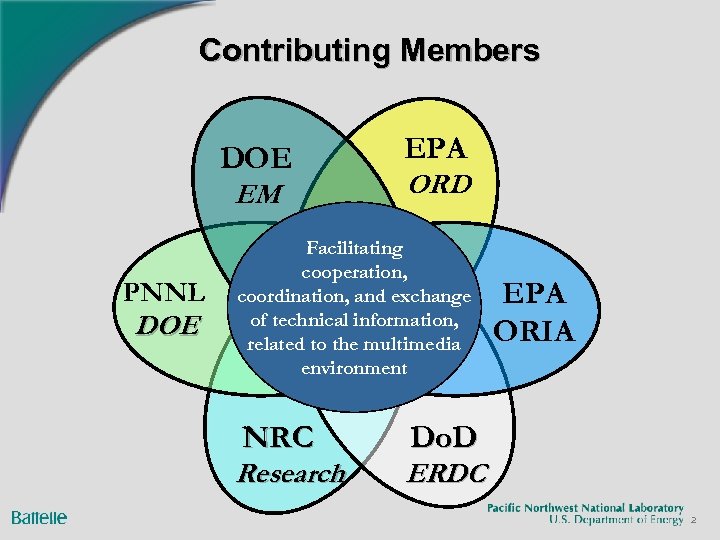 Contributing Members DOE EM PNNL DOE EPA ORD Facilitating cooperation, coordination, and exchange of technical information, related to the multimedia environment NRC Research EPA ORIA Do. D ERDC 2
 3
3
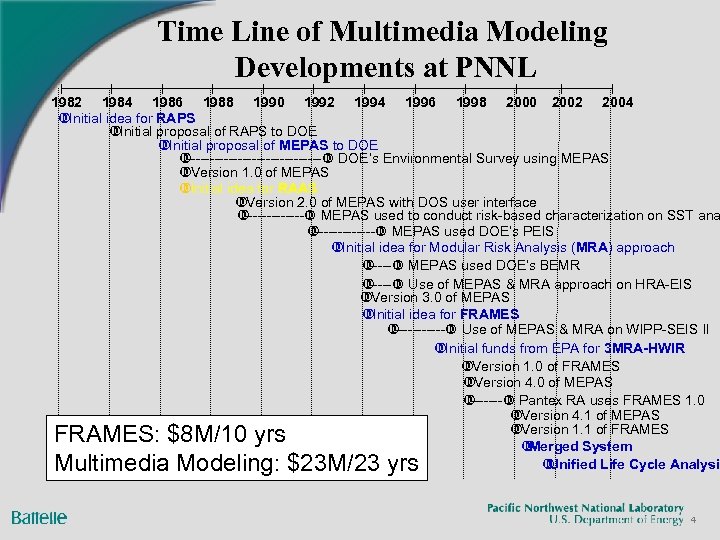 Time Line of Multimedia Modeling Developments at PNNL 1982 1984 1986 1988 1990 1992 1994 1996 1998 2000 2002 2004 Initial idea for RAPS Initial proposal of RAPS to DOE Initial proposal of MEPAS to DOE --------------- DOE’s Environmental Survey using MEPAS Version 1. 0 of MEPAS Initial idea for RAAS Version 2. 0 of MEPAS with DOS user interface ------- MEPAS used to conduct risk-based characterization on SST ana ------- MEPAS used DOE’s PEIS Initial idea for Modular Risk Analysis (MRA) approach ----- MEPAS used DOE’s BEMR ----- Use of MEPAS & MRA approach on HRA-EIS Version 3. 0 of MEPAS Initial idea for FRAMES ------ Use of MEPAS & MRA on WIPP-SEIS II Initial funds from EPA for 3 MRA-HWIR Version 1. 0 of FRAMES Version 4. 0 of MEPAS ------- Pantex RA uses FRAMES 1. 0 Version 4. 1 of MEPAS Version 1. 1 of FRAMES Merged System Unified Life Cycle Analysis FRAMES: $8 M/10 yrs Multimedia Modeling: $23 M/23 yrs 4
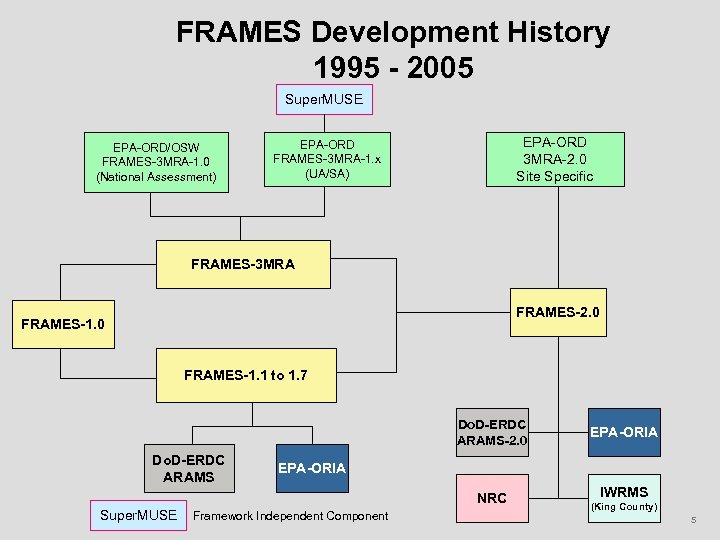 FRAMES Development History 1995 - 2005 Super. MUSE EPA-ORD/OSW FRAMES-3 MRA-1. 0 (National Assessment) EPA-ORD 3 MRA-2. 0 Site Specific EPA-ORD FRAMES-3 MRA-1. x (UA/SA) FRAMES-3 MRA FRAMES-2. 0 FRAMES-1. 1 to 1. 7 Do. D-ERDC ARAMS-2. 0 Do. D-ERDC ARAMS EPA-ORIA NRC Super. MUSE EPA-ORIA Framework Independent Component IWRMS (King County) 5
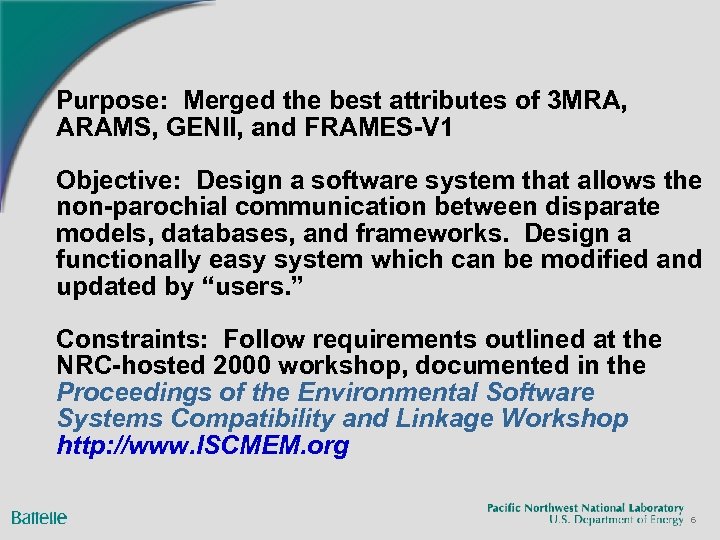 Purpose: Merged the best attributes of 3 MRA, ARAMS, GENII, and FRAMES-V 1 Objective: Design a software system that allows the non-parochial communication between disparate models, databases, and frameworks. Design a functionally easy system which can be modified and updated by “users. ” Constraints: Follow requirements outlined at the NRC-hosted 2000 workshop, documented in the Proceedings of the Environmental Software Systems Compatibility and Linkage Workshop http: //www. ISCMEM. org 6
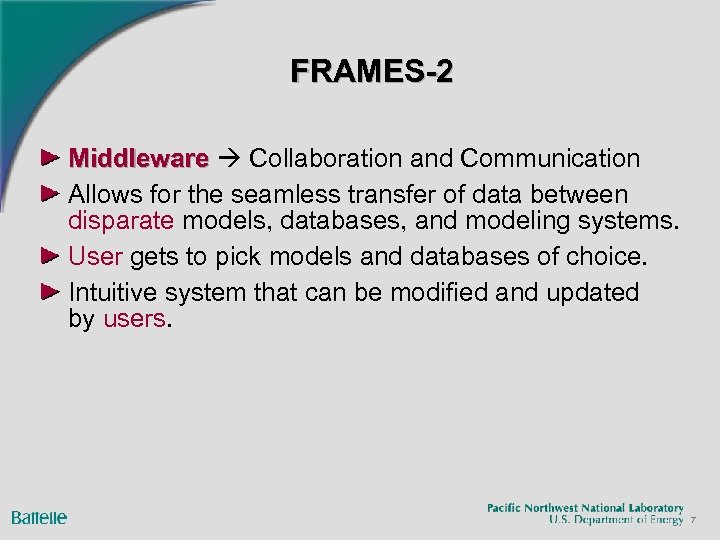 FRAMES-2 Middleware Collaboration and Communication Allows for the seamless transfer of data between disparate models, databases, and modeling systems. User gets to pick models and databases of choice. Intuitive system that can be modified and updated by users. 7
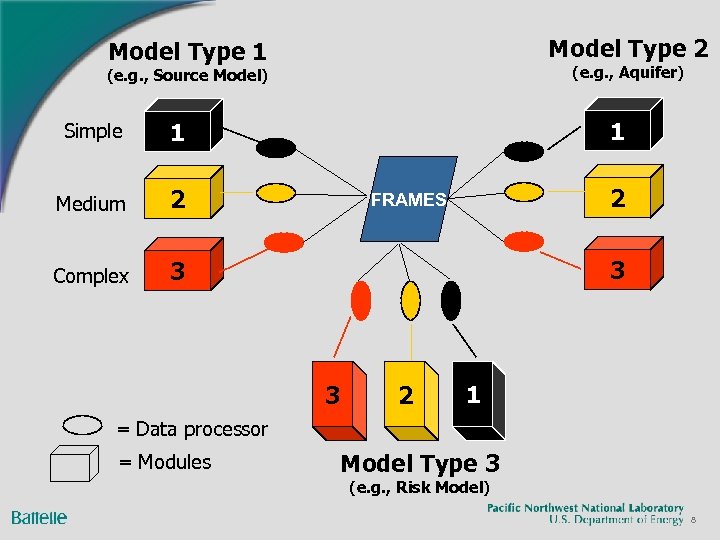 Model Type 2 Model Type 1 (e. g. , Aquifer) (e. g. , Source Model) Simple Medium 2 Complex 1 1 3 2 FRAMES 3 3 2 1 = Data processor = Modules Model Type 3 (e. g. , Risk Model) 8
 FRAMES-2. 0 FRAMES-1. x – Site-Specific analyses 3 MRA – National, Complex-wide analyses FRAMES-2. x – FRAMES-2, using the best features of FRAMES-1 and 3 MRA l Build Site-Specific Assessments, then role results up into Complex-Wide Analyses Many non-Environmental Uses 9
 Design Goals of FRAMES-2 Design a software system that allows the non-parochial communication between disparate models, databases, and frameworks. Design a functionally easy system which can be modified and updated by “users. ” Provide a platform that allows “objects” to ACCESS information generated/produced by other “objects. ” Keep it simple, not simplistic l Make it understandable l Standardize and develop consistent and repeatable protocols Reproducibility means Credibility Visualize the problem -- PICTURES Visualize the results -- PICTURES Provide Sensitivity/Uncertainty Capabilities 10
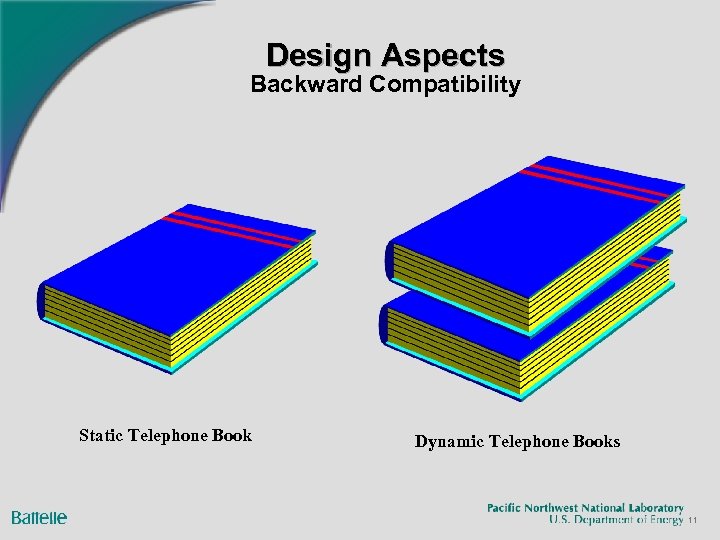 Design Aspects Backward Compatibility Static Telephone Book Dynamic Telephone Books 11
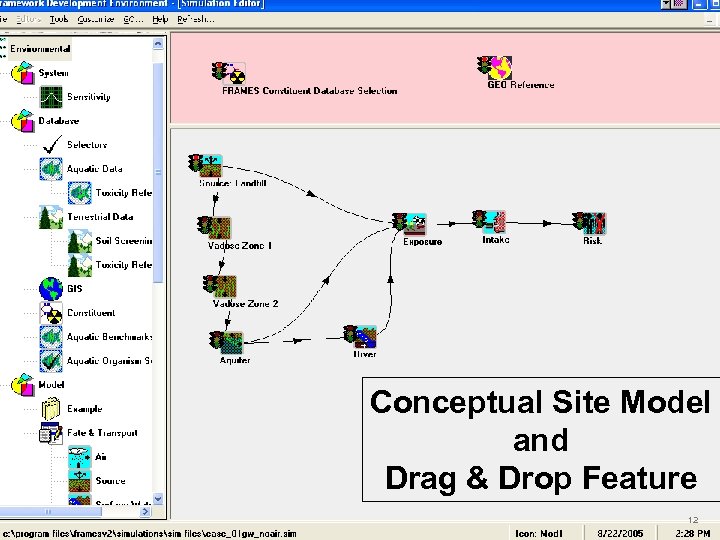 Conceptual Site Model and Drag & Drop Feature 12
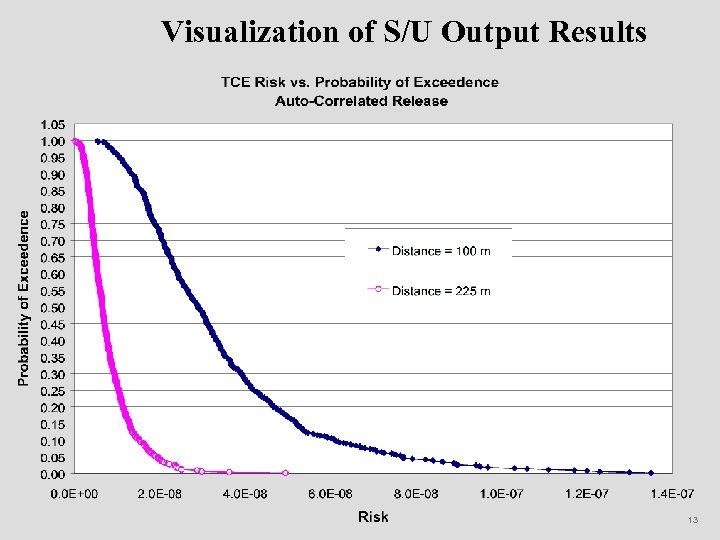 Visualization of S/U Output Results 13
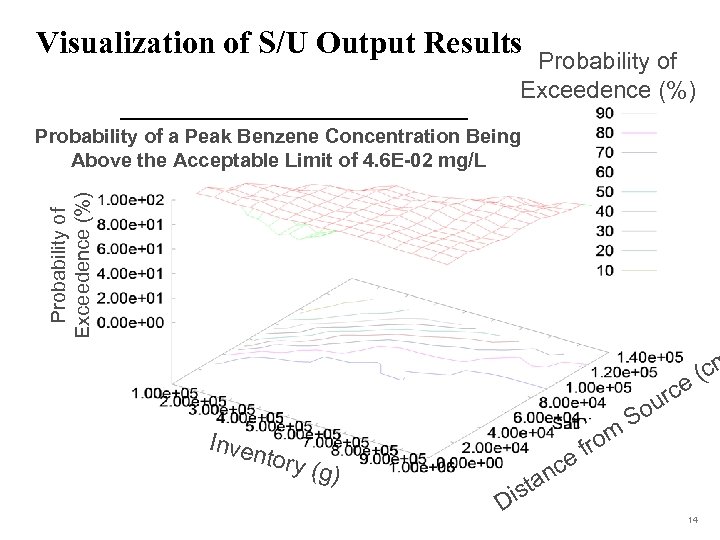 Visualization of S/U Output Results Probability of Exceedence (%) Probability of a Peak Benzene Concentration Being Above the Acceptable Limit of 4. 6 E-02 mg/L (cm e Inven tory (g) e s Di nc ta rom f urc o S 14
 Automation and Reproducibility (Some Quick Examples) RAGS Generation as a Quick Example Automated Testing 15
 FRAMES-2 Key Concepts Identify and agree upon a specific “Contract” as to how data/information are packaged and passed (DIC) Identify and agree upon how data are measured and what they mean (i. e. , metadata) (DIC Editor and [(Units) Conversion Editor] Define what your model/DB is (Domain editor) Define the direct contextual relationship of your model/DB to other components in the system [Module (DES) Editor and Simulation Editor] Define very clear and strict data/information protocols 16
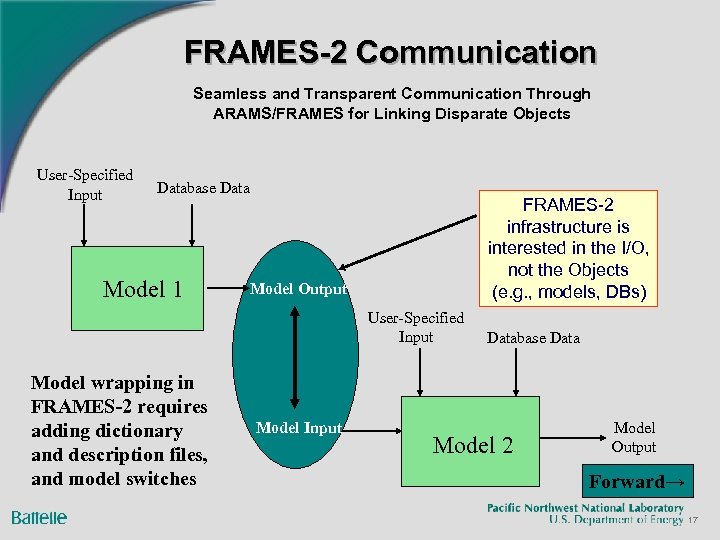 FRAMES-2 Communication Seamless and Transparent Communication Through ARAMS/FRAMES for Linking Disparate Objects User-Specified Input Database Data Model 1 FRAMES-2 infrastructure is interested in the I/O, not the Objects (e. g. , models, DBs) Model Output User-Specified Input Model wrapping in FRAMES-2 requires adding dictionary and description files, and model switches Model Input Database Data Model 2 Model Output Forward→ 17
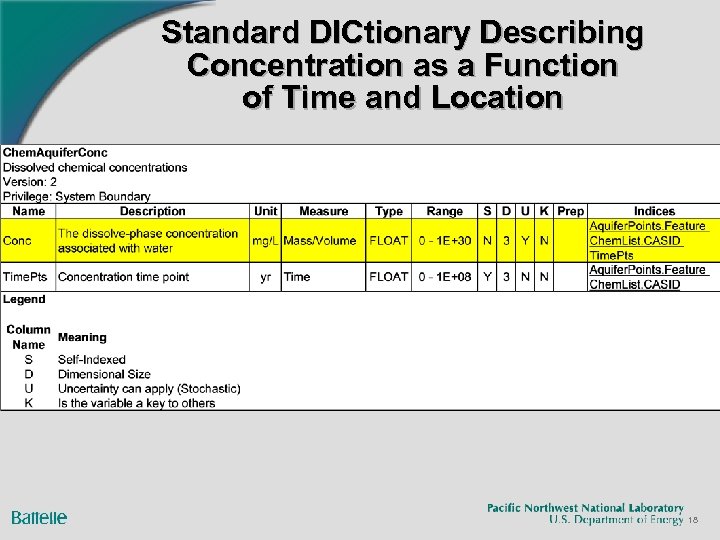 Standard DICtionary Describing Concentration as a Function of Time and Location 18
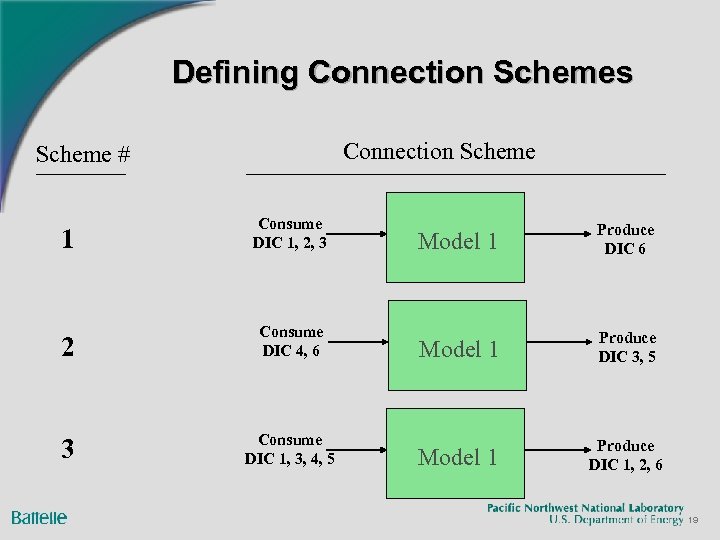 Defining Connection Schemes Connection Scheme # 1 Consume DIC 1, 2, 3 2 Consume DIC 4, 6 3 Consume DIC 1, 3, 4, 5 Model 1 Produce DIC 6 Model 1 Produce DIC 3, 5 Model 1 Produce DIC 1, 2, 6 19
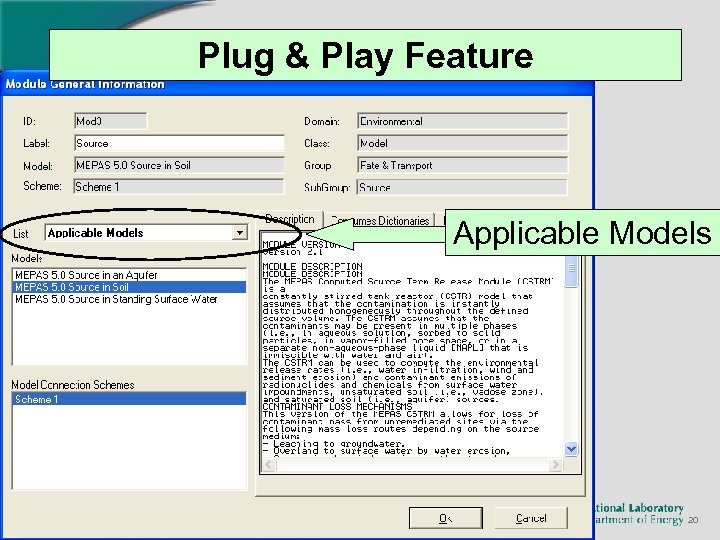 Plug & Play Feature Applicable Models 20
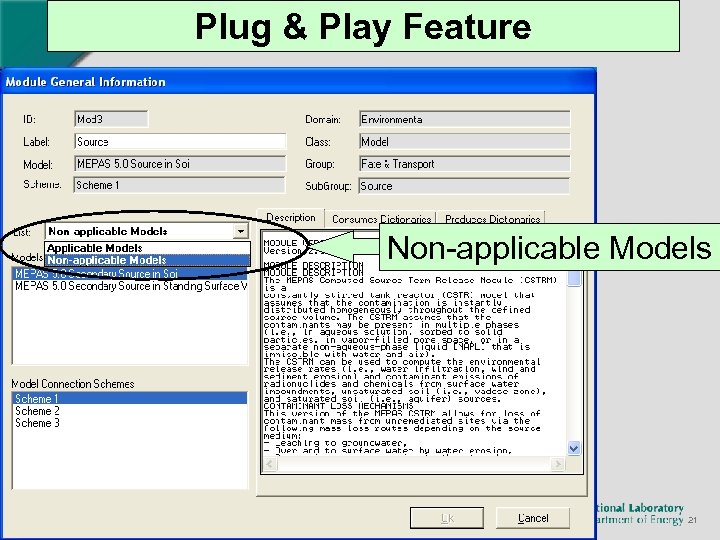 Plug & Play Feature Non-applicable Models 21
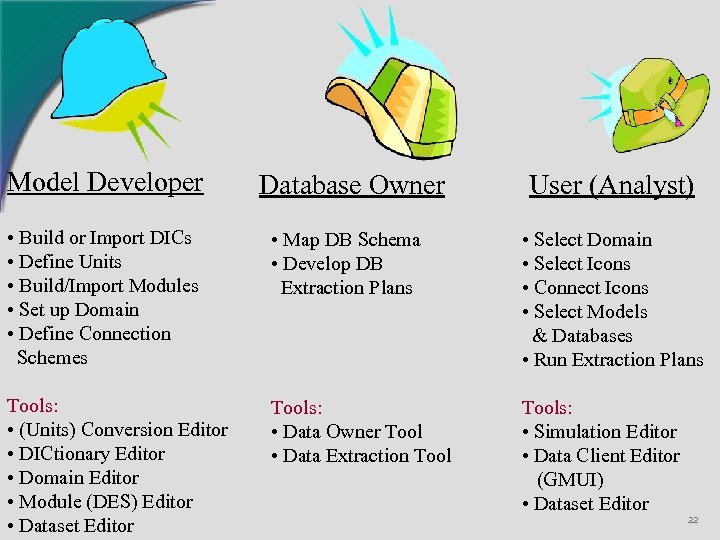 Model Developer Database Owner User (Analyst) • Build or Import DICs • Define Units • Build/Import Modules • Set up Domain • Define Connection Schemes • Map DB Schema • Develop DB Extraction Plans • Select Domain • Select Icons • Connect Icons • Select Models & Databases • Run Extraction Plans Tools: • (Units) Conversion Editor • DICtionary Editor • Domain Editor • Module (DES) Editor • Dataset Editor Tools: • Data Owner Tool • Data Extraction Tools: • Simulation Editor • Data Client Editor (GMUI) • Dataset Editor 22
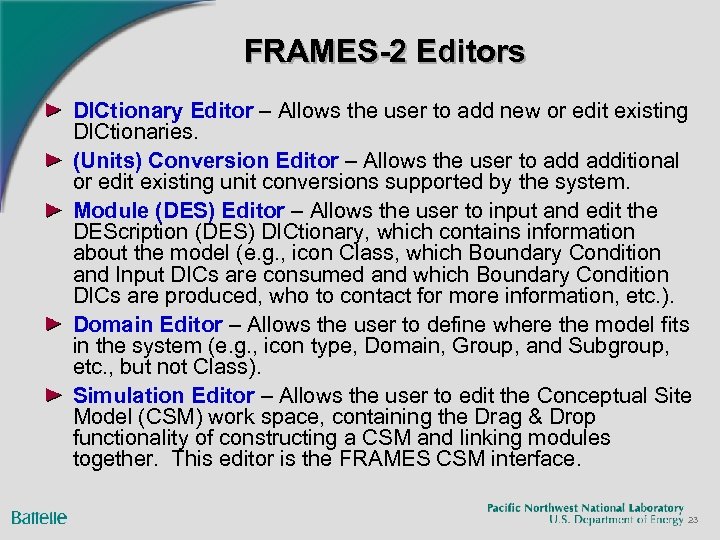 FRAMES-2 Editors DICtionary Editor – Allows the user to add new or edit existing DICtionaries. (Units) Conversion Editor – Allows the user to additional or edit existing unit conversions supported by the system. Module (DES) Editor – Allows the user to input and edit the DEScription (DES) DICtionary, which contains information about the model (e. g. , icon Class, which Boundary Condition and Input DICs are consumed and which Boundary Condition DICs are produced, who to contact for more information, etc. ). Domain Editor – Allows the user to define where the model fits in the system (e. g. , icon type, Domain, Group, and Subgroup, etc. , but not Class). Simulation Editor – Allows the user to edit the Conceptual Site Model (CSM) work space, containing the Drag & Drop functionality of constructing a CSM and linking modules together. This editor is the FRAMES CSM interface. 23
 Current FRAMES-2 Activities Groundwater Modeling System (NRC Research) Adaptive Risk Assessment Modeling System (Do. D-ERDC) Multi-media, Multi-pathway, Multi-Exposure Risk Assessment (3 MRA) Methodology (EPA-ORD) Super. MUSE Parallel Processing System (EPA-ORD) Rapid Risk Assessment (Emergency Preparedness and Response) (PNNL-DOE) Biologically Based Modeling (PNNL-DOE) Universal Linkage to Databases (PNNL-DOE) Data Access Network (DOE-Hanford) Integrated Water Resource Modeling System (IWRMS) 24
 Summary Design, based on March 2000 Workshop Requirements Middleware, designed for seamless transfer of data between l l l Disparate Models Disparate Databases Disparate Modeling Systems (Frameworks) Intuitive system, which can be modified and updated by “users. ” Not Necessarily Environmental Centric Multimedia Modeling: $23 M ($8 M for FRAMES) 25