


 Скачать презентацию For Innovation Implementation of the Reformed IPC at
c34cc95b092944db2d992117e8a8ef2e.ppt
- Количество слайдов: 39
 For Innovation Implementation of the Reformed IPC at the UK Patent Office John Earley Project Manager, UKPO Geneva, July 2006
 Contents For Innovation 1. Implementation of the Reformed IPC and ECLA 2. IT aspects of implementation 3. Examiner training and guidance 4. Generating IPC 8 terms using Classtool 5. Conclusion
 For Innovation 1. Implementation of the Reformed IPC and ECLA
 Introduction For Innovation • 2000 -2005: UKPO classify on UKC and IPC 7 and search on UKC and ECLA • We knew that IPC 8 was due for introduction on 1 January 2005 • … but it was postponed for one year at the request of the EPO; this was welcomed by many! • Extra year eased our preparations
 For Innovation EPO ask UK to “participate in ECLA classification” • Herwig Pauwels (EPO) asked us in 2001 • Reasons: - to widen coverage of EPOQUE to include documents not previously classified to ECLA - in the case of GB documents, to save EPO classification effort • UK agreed at a “high level” in 2002
 For Innovation Decisions on ECLA/IPC 8 • Feb 2003 – paper on IT aspects of new IPC • Senior management comment “I want us to walk so close to the EPO that we could win a 3 legged race” • Dec 2003 – decision to classify UK patent applications on ECLA; automatic conversion of ECLA terms to generate AL IPC 8 terms
 Preparatory consultations For Innovation Many avenues of consultation including: • EPO Member States meetings in The Hague • Many meetings with the EPO, on a bilateral basis or in fringes of meetings • Consultations with Sweden who started the process earlier • IPC CE meetings in Geneva and separate meetings for IT experts
 For Innovation 2. IT aspects of implementation
 For Innovation Strategy for IPC 8 and ECLA classification • Strategy paper produced outlining: - steps needed - training needed - timetable for each step to be completed (over a period up to November 2005), and - risk assessments
 Risk assessment For Innovation • Only significant risk: IT solutions may not be ready in time for mid-November 2005 • Contingency plan: no ECLA classification, no classtool (see later), make IPC 8 terms valid on OPTICS (see later), apply IPC 7 and new IPC 8 terms while system cosmetically reformats the data from old ST. 8 to new ST. 8 • Contingency plan not put into operation!
 For Innovation Adapting our internal systems • OPTICS (Office of Patents and Trademarks Integrated Computer System) – old system dating back to 1980 s but still works well • Records classifications, legal information, register information, fees etc. ; sends data weekly to EPO • Search engine for searching IPC 7 and UKC data (but not keywords)
 PROSE For Innovation • PROSE (Patents Reporting of Searches and Examinations) - interface used by examiners to record search/examination reports, classification data etc, sends data to OPTICS • Used to record UKC and IPC 7 only but can now record ECLA and IPC 8; access to new classtool
 Classtool For Innovation • New classtool linked to PROSE • Inspired by EPO’s classtool • Examiners now record ECLA and IPC 8 on classtool but still record UKC directly on PROSE • Brief demonstration later
 WIPO Standard ST. 8 For Innovation • Old ST. 8 has IPC information in 18 characters; new ST. 8 has 50 characters • “Old” OPTICS could not take that • Solution: new database created for ECLA and IPC 8 data, bolted on to OPTICS • Some existing functionality needed to be removed; searching of IPC 8 terms not allowed on OPTICS (better searched on EPOQUE) • High level agreement needed for that
 For Innovation Number of classification systems • UKC, IPC 8 and ECLA – 3 systems • Management concerns that 3 systems could increase load on examiners and reduce patent examiner output • Solution: automatic conversion of ECLA terms to IPC 8 terms, subject to confirmation or change • Management accepted that was not 3 systems • Automatic conversion not always possible due to ECLA/IPC 8 inconsistencies
 For Innovation ECLA/IPC 8 inconsistencies • ECLA based on IPC 7 but some subclasses based on earlier editions; some parts of IPC schemes “not used in ECLA internal classification scheme” e. g. parts of B 65 D; some large areas (e. g. A 61 P) not present • Examiners must know these when classifying • Many discussions with EPO staff aimed at eliminating these differences so automatic conversion can work in all cases
 For Innovation ECLA to IPC 8 automatic conversion • Done by chopping off the “ECLA” part of a classification symbol • Example: C 08 G 18/08 B 6 E becomes C 08 G 18/08 • Works in about 97% of cases • Other 3% of cases need examiner intervention • Alternative: ECLA/IPC concordance table produced by EPO, but we did not think this would be updated frequently enough
 For Innovation IPC 7 to IPC 8 automatic conversion • Long time gap (can be over a year) between dates of classification and of publication • GB cases classified before November 2005 now have IPC 7 terms reformatted in IPC 8 fashion, to look like IPC 8 terms • Less than 1% of cases need examiner intervention (where conversion produces invalid IPC 8) • First week – 3 rejects out of 309 cases!
 Classtool problems For Innovation • Reliability of official data – see later • Number of characters – preferred limit of 17 characters after the slash for cost/complexity reasons • This prevents ECLA combination codes being recorded; we decided to leave them out • We later found out that they are falling out of favour at EPO
 Reliability of official data For Innovation • EPO’s ECLA XML files problematical, even now • Errors: typos, bits missing (e. g. whole of G 11), bits duplicated, ICO classes hard to access by normal hierarchical progression; ECLA Key not updated for months at a time • Complaints raised to high level at EPO, who admit there are problems • WIPO files had differences between ipcr-scheme and ipcr-validity XML files, reported by RO in Dec
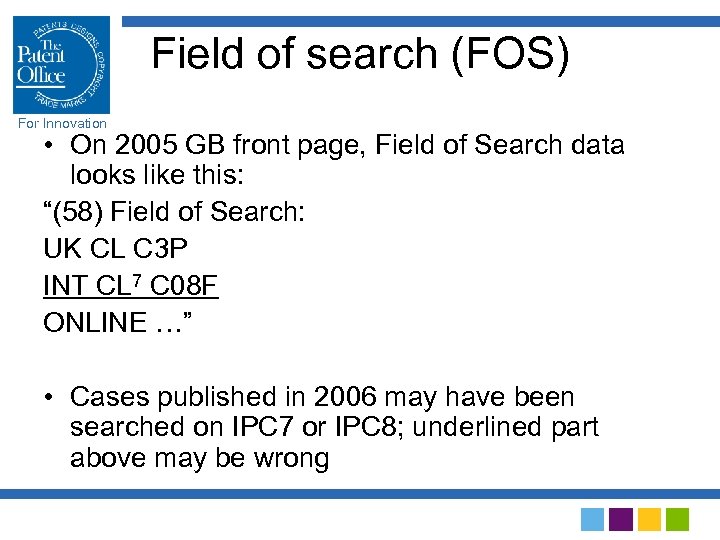 Field of search (FOS) For Innovation • On 2005 GB front page, Field of Search data looks like this: “(58) Field of Search: UK CL C 3 P INT CL 7 C 08 F ONLINE …” • Cases published in 2006 may have been searched on IPC 7 or IPC 8; underlined part above may be wrong
 FOS solution For Innovation • Alternatives: The “ 7” could be replaced by “ 8”, by a blank or varied depending on edition actually searched • Does WIPO Standard ST. 9 prescribe a certain form for data item 58? No. • Decision: simple variation depending what edition was searched: “ 7” retained in cases searched under IPC 7, and blank in cases searched under IPC 8
 For Innovation Front pages of GB documents • New format for IPC data from Standard ST. 8 • Tabular format, not string format • Redesign front page and change printing contract • Weekly journal (PDJ) also needed format changes
 For Innovation 3. Examiner training and guidance
 For Innovation Training in the Reformed IPC • UK examiners are very experienced in use of IPC • Management judged IPC 8 sufficiently similar to IPC 7 that no training was needed (!) • They were persuaded to allow a one-hour inhouse presentation; given by 2 of our IPC experts to all UK examiners • Other countries interested in our training material; sent to 15 mainly European countries after we were allowed to let them have it
 Training in ECLA For Innovation • ECLA is EPO’s own system, huge amount of work went into creating it • EPO have off-the-shelf one-day ECLA course for National Offices (NOs) • Only fair that EPO should ask NOs to take their course before classifying to ECLA • UKPO paid half the course cost
 ECLA training in Newport For Innovation • EPO trainer (Bernard Chaumeron) came from Munich to Newport in May 2005 • Course given to 30 selected examiners (“ECLA Superusers”), about 10% of examiner complement • Superusers subsequently “cascaded” their training to the rest of their examining group • Superusers also trained in use of classtool
 Internal guidance material For Innovation • IPC 8 link to WIPO website on office intranet site • We produced 2 -page document with the following information: Summary of main changes in the IPC (coreadvanced, version indicators, definitions, training examples etc. ) and List of subclasses where major changes had taken place, e. g. new subclasses C 40 B, G 06 Q, major revisions in A 61 K, B 01 D etc.
 More guidance material For Innovation • Explanatory material on inconsistencies between ECLA and IPC 8, and on incomplete ECLA groups (unfinished reclassifications) posted on our intranet site • IPC Catchword Index (PDF version, 293 pages) posted too • IPC 8 Guide (PDF version, 46 pages) sent by email to all examiners
 1. For Innovation 4. Generating IPC 8 terms using classtool
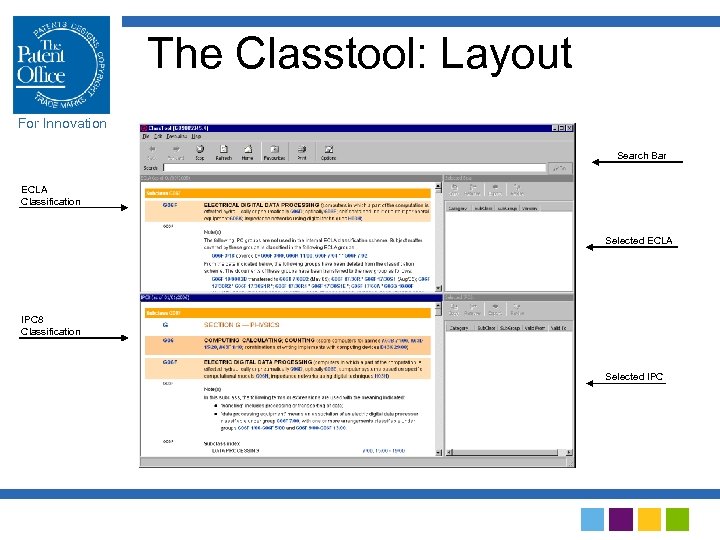 The Classtool: Layout For Innovation Search Bar ECLA Classification Selected ECLA IPC 8 Classification Selected IPC
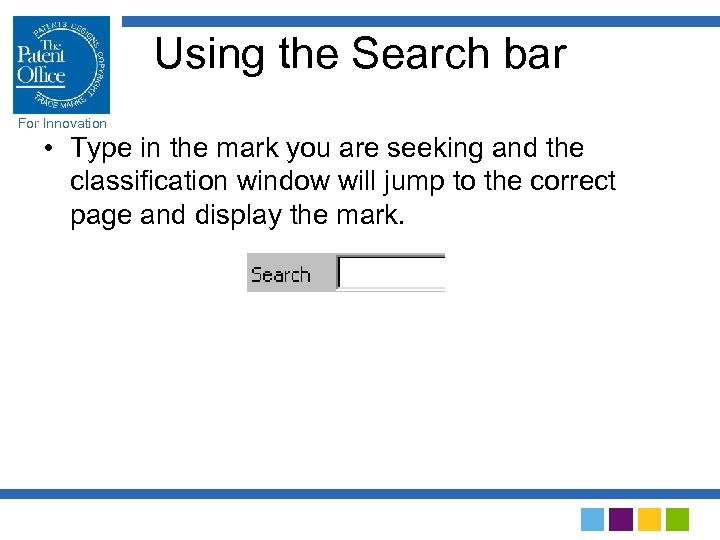 Using the Search bar For Innovation • Type in the mark you are seeking and the classification window will jump to the correct page and display the mark.
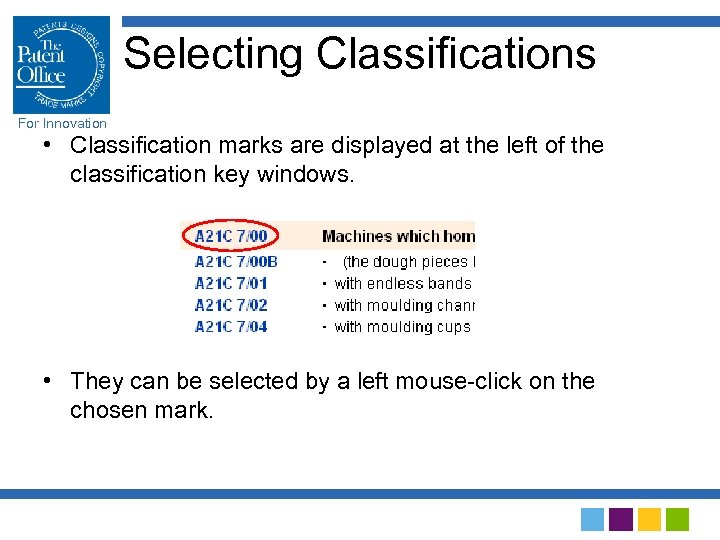 Selecting Classifications For Innovation • Classification marks are displayed at the left of the classification key windows. • They can be selected by a left mouse-click on the chosen mark.
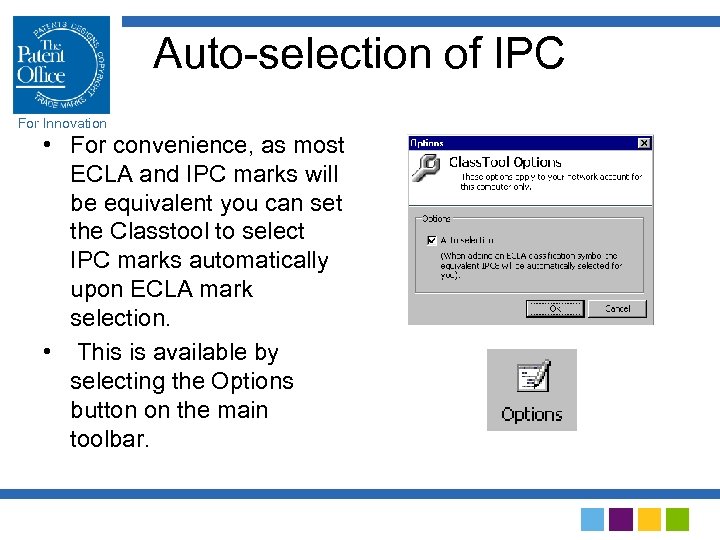 Auto-selection of IPC For Innovation • For convenience, as most ECLA and IPC marks will be equivalent you can set the Classtool to select IPC marks automatically upon ECLA mark selection. • This is available by selecting the Options button on the main toolbar.
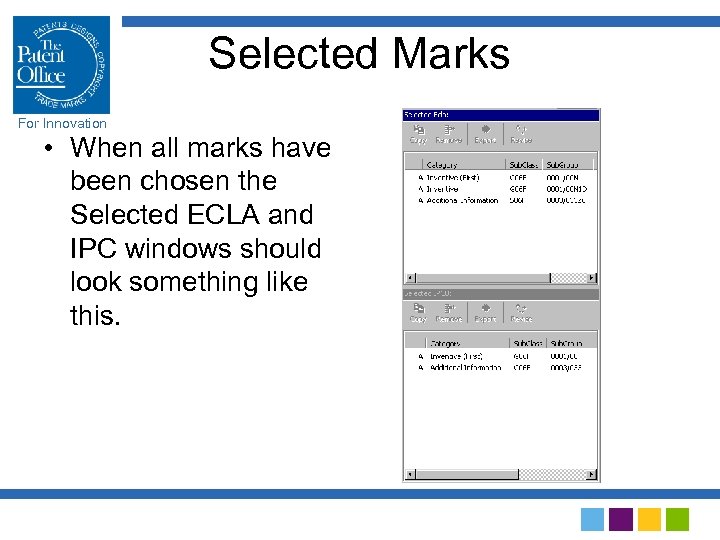 Selected Marks For Innovation • When all marks have been chosen the Selected ECLA and IPC windows should look something like this.
 Exporting marks For Innovation • Once all relevant marks have been selected, you can export these to PROSE (and thence to OPTICS) by selecting the Export button.
 5. Conclusion For Innovation
 For Innovation Overall implementation process • IT solutions were a typically British compromise • We used and adapted our own (elderly) systems by bolting on new components inspired by other people’s practice • Didn’t cost much and it works! • Training programme well received • Implementation has gone very smoothly
 Thanks for your attention! For Innovation John Earley The Patent Office Concept House, Cardiff Road Newport, South Wales NP 10 8 QQ, UK Tel +44 1633 814350 John. Earley@patent. gov. uk