 Скачать презентацию Flow Data Tools and Analysis at Fermilab Andrey
6d9324d2ec3522f220427032cc8700fb.ppt
- Количество слайдов: 26



Flow Data Tools and Analysis at Fermilab Andrey Bobyshev / Phil De. Mar Internet 2/ESCC Joint Techs Workshop Fermilab, July 15 -19, 2007
Outline of the talk: n n Flow data collection & analysis system at Fermilab Security tools Performance estimation tools Checking of traffic for PBR’d circuits
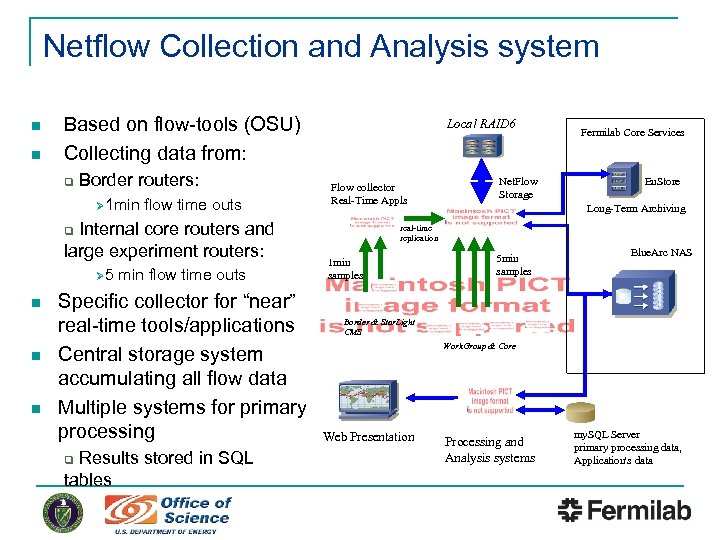
Netflow Collection and Analysis system n n Based on flow-tools (OSU) Collecting data from: q Border routers: Ø 1 min flow time outs Internal core routers and large experiment routers: Local RAID 6 Flow collector Real-Time Appls n n n min flow time outs Specific collector for “near” real-time tools/applications Central storage system accumulating all flow data Multiple systems for primary processing Results stored in SQL tables q En. Store Long-Term Archiving real-time replication q Ø 5 Net. Flow Storage Fermilab Core Services 1 min samples 5 min samples Blue. Arc NAS Border & Star. Light CMS Work. Group & Core Web Presentation Processing and Analysis systems my. SQL Server primary processing data, Application's data
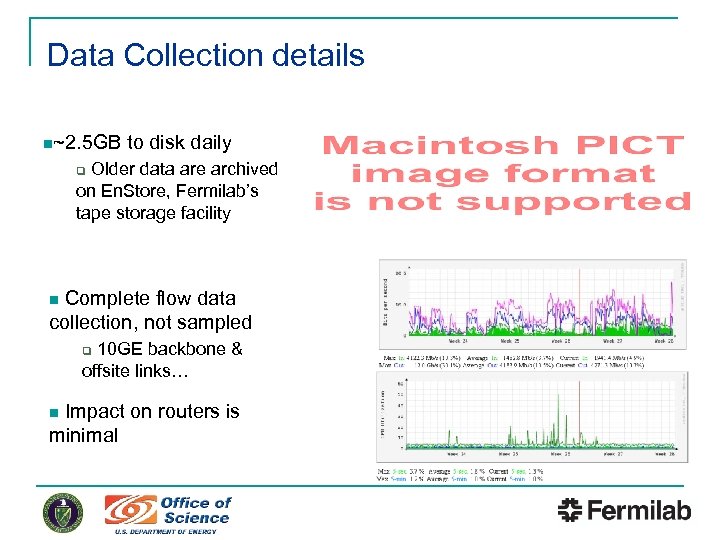
Data Collection details n~2. 5 GB to disk daily Older data are archived on En. Store, Fermilab’s tape storage facility q Complete flow data collection, not sampled n 10 GE backbone & offsite links… q Impact on routers is minimal n
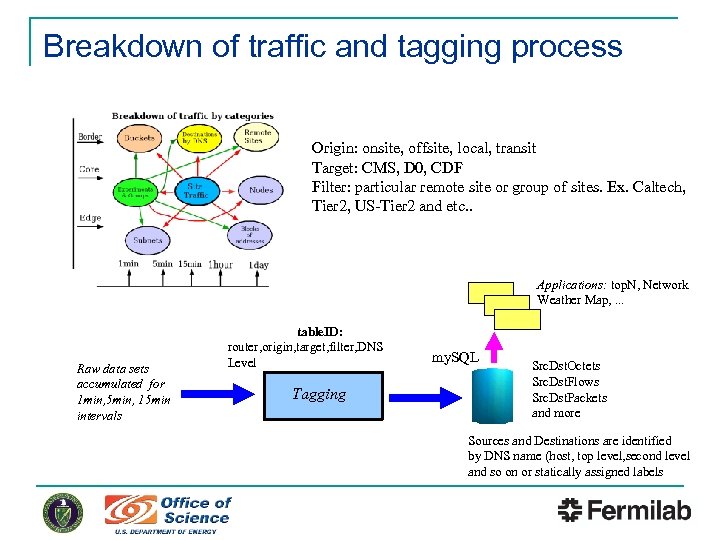
Breakdown of traffic and tagging process Origin: onsite, offsite, local, transit Target: CMS, D 0, CDF Filter: particular remote site or group of sites. Ex. Caltech, Tier 2, US-Tier 2 and etc. . Applications: top. N, Network Weather Map, . . . Raw data sets accumulated for 1 min, 5 min, 15 min intervals table. ID: router, origin, target, filter, DNS Level Tagging my. SQL Src. Dst. Octets Src. Dst. Flows Src. Dst. Packets and more Sources and Destinations are identified by DNS name (host, top level, second level and so on or statically assigned labels
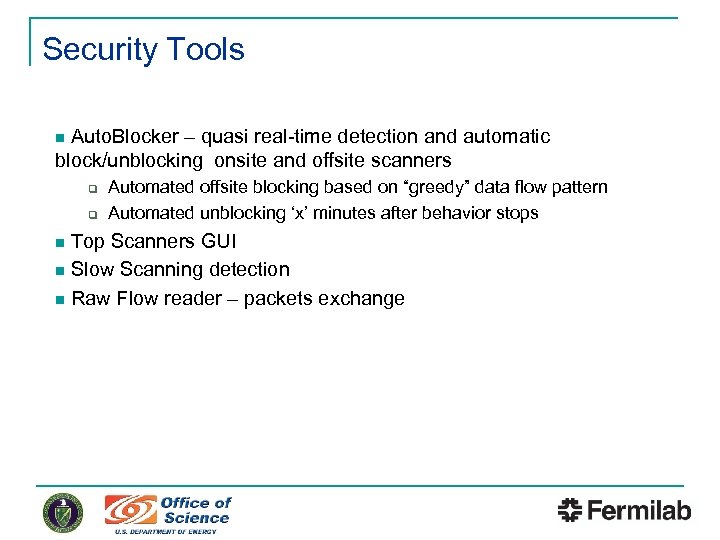
Security Tools Auto. Blocker – quasi real-time detection and automatic block/unblocking onsite and offsite scanners n q q Automated offsite blocking based on “greedy” data flow pattern Automated unblocking ‘x’ minutes after behavior stops Top Scanners GUI n Slow Scanning detection n Raw Flow reader – packets exchange n
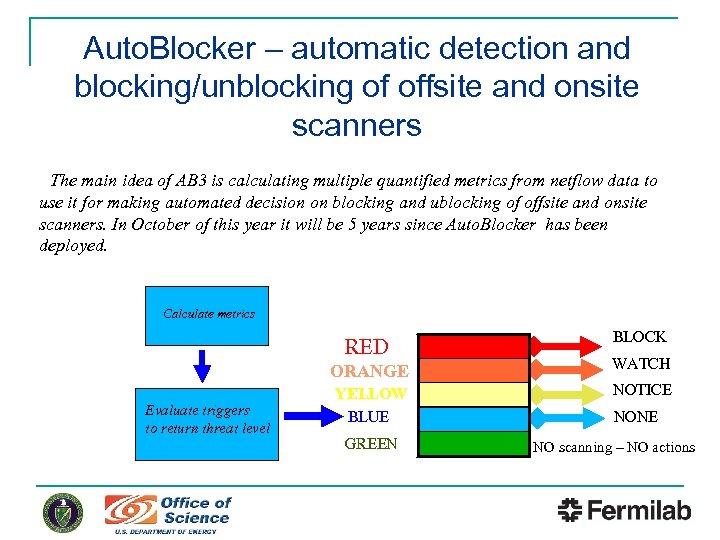
Auto. Blocker – automatic detection and blocking/unblocking of offsite and onsite scanners The main idea of AB 3 is calculating multiple quantified metrics from netflow data to use it for making automated decision on blocking and ublocking of offsite and onsite scanners. In October of this year it will be 5 years since Auto. Blocker has been deployed. Calculate metrics RED ORANGE Evaluate triggers to return threat level YELLOW BLUE GREEN BLOCK WATCH NOTICE NONE NO scanning – NO actions
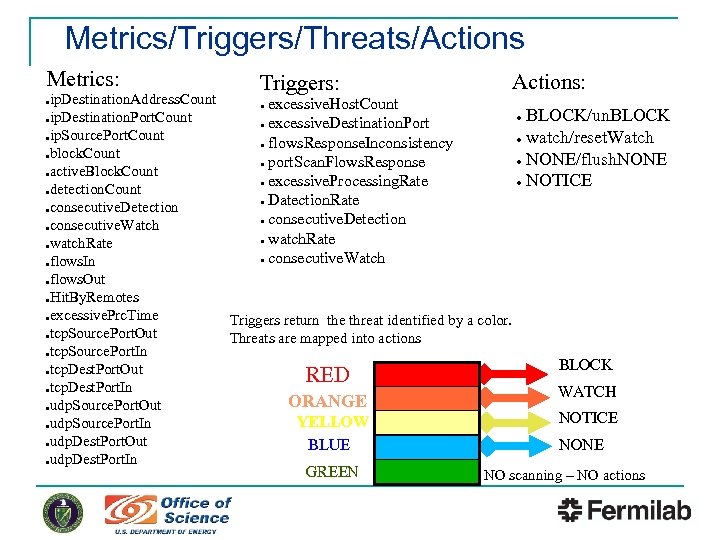
Metrics/Triggers/Threats/Actions Metrics: Triggers: Actions: ip. Destination. Address. Count ● excessive. Host. Count ● BLOCK/un. BLOCK ●ip. Destination. Port. Count ● excessive. Destination. Port ●ip. Source. Port. Count ● watch/reset. Watch ● flows. Response. Inconsistency ●block. Count ● NONE/flush. NONE ● port. Scan. Flows. Response ●active. Block. Count ● excessive. Processing. Rate ● NOTICE ●detection. Count ● Datection. Rate ●consecutive. Detection ●consecutive. Watch ● watch. Rate ● consecutive. Watch ●flows. In ●flows. Out ●Hit. By. Remotes ●excessive. Prc. Time Triggers return the threat identified by a color. ●tcp. Source. Port. Out Threats are mapped into actions ●tcp. Source. Port. In BLOCK ●tcp. Dest. Port. Out RED ●tcp. Dest. Port. In WATCH ORANGE ●udp. Source. Port. Out NOTICE YELLOW ●udp. Source. Port. In ●udp. Dest. Port. Out NONE BLUE ●udp. Dest. Port. In GREEN NO scanning – NO actions ●
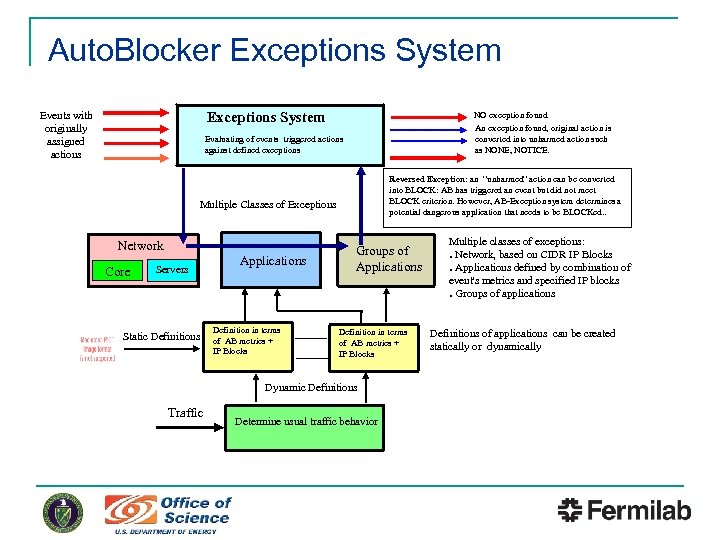
Auto. Blocker Exceptions System Events with originally assigned actions NO exception found An exception found, original action is converted into unharmed action such as NONE, NOTICE. Evaluating of events triggered actions against defined exceptions Reversed Exception: an “unharmed” action can be converted into BLOCK: AB has triggered an event but did not meet BLOCK criterion. However, AB-Exception system determines a potential dangerous application that needs to be BLOCKed. . Multiple Classes of Exceptions Network Core Servers Static Definitions Applications Definition in terms of AB metrics + IP Blocks Groups of Applications Definition in terms of AB metrics + IP Blocks Dynamic Definitions Traffic Determine usual traffic behavior Multiple classes of exceptions: ● Network, based on CIDR IP Blocks ● Applications defined by combination of event's metrics and specified IP blocks ● Groups of applications Definitions of applications can be created statically or dynamically
External Auto. Blocker detectors n. Several external Auto. Blocker detectors: Dark. Nets - analyze traffic to unallocated Fermilab networks and generate alerts to AB 3 via SOAP q Slow. Scan – detects slow scanning by analyzing flow for a longer periods (1 hour, 1 day) and generate alerts to AB 3 q
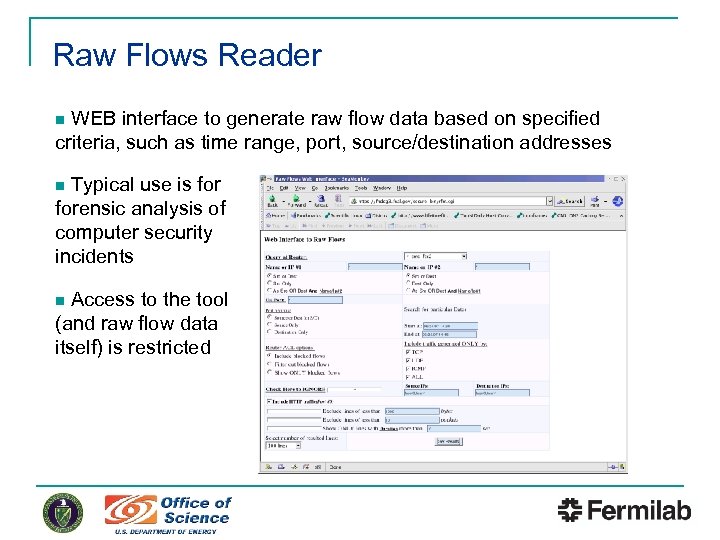
Raw Flows Reader WEB interface to generate raw flow data based on specified criteria, such as time range, port, source/destination addresses n Typical use is forensic analysis of computer security incidents n Access to the tool (and raw flow data itself) is restricted n
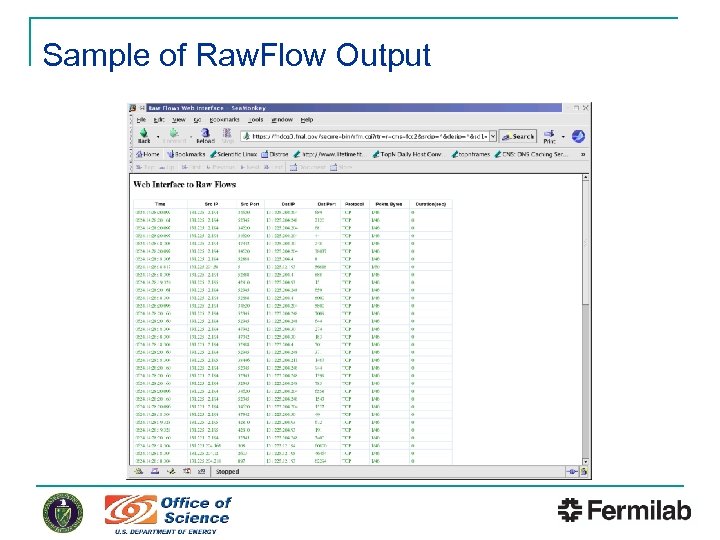
Sample of Raw. Flow Output
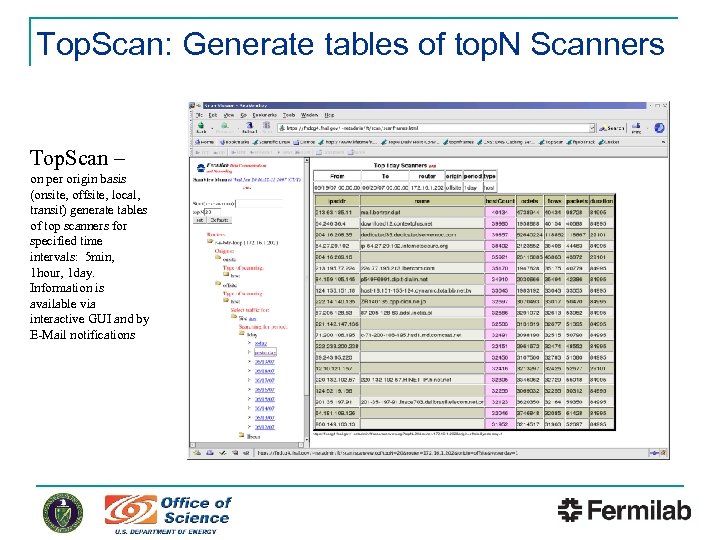
Top. Scan: Generate tables of top. N Scanners Top. Scan – on per origin basis (onsite, offsite, local, transit) generate tables of top scanners for specified time intervals: 5 min, 1 hour, 1 day. Information is available via interactive GUI and by E-Mail notifications
Performance Monitoring & Estimation tools WEB USCMS Network Weather Map n top. N n Traffic Summary (ftsum. Traffic) n Traffic asymmetry (bfpsum) n Multistream flow analysis n
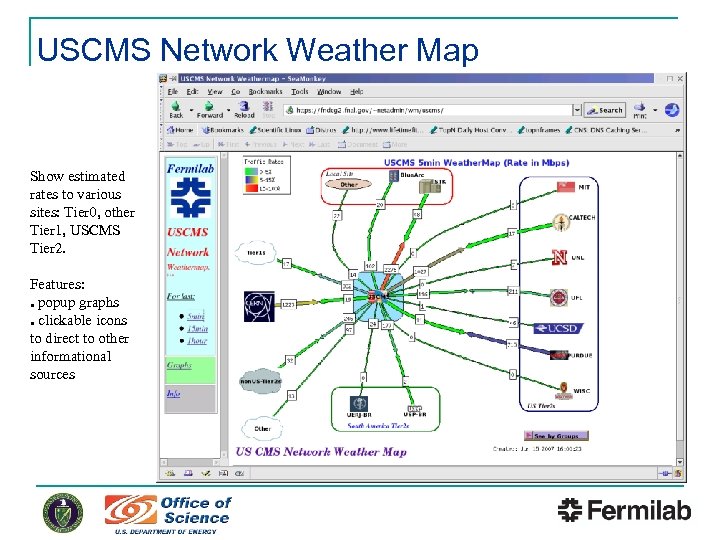
USCMS Network Weather Map Show estimated rates to various sites: Tier 0, other Tier 1, USCMS Tier 2. Features: ● popup graphs ● clickable icons to direct to other informational sources
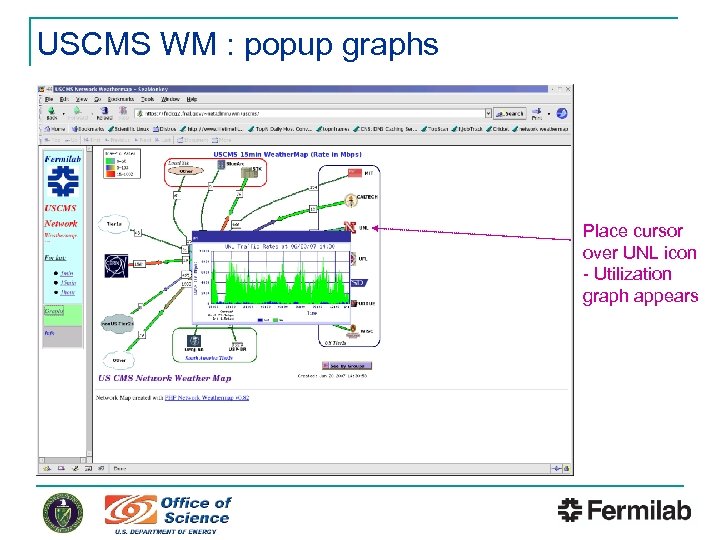
USCMS WM : popup graphs Place cursor over UNL icon - Utilization graph appears
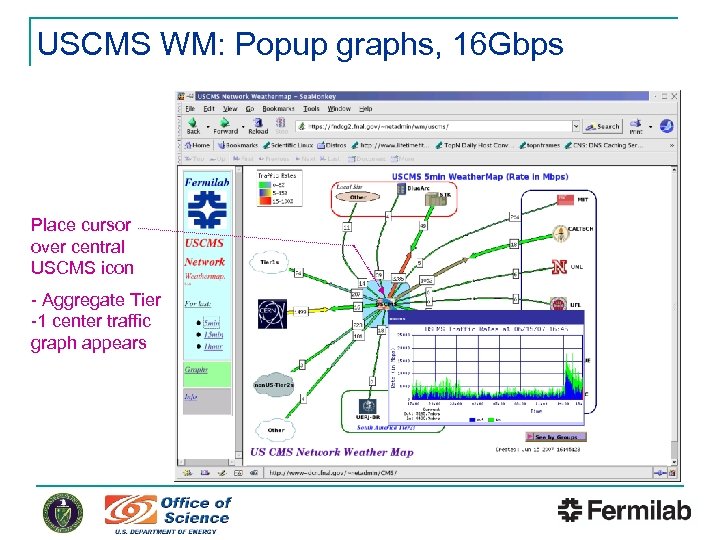
USCMS WM: Popup graphs, 16 Gbps Place cursor over central USCMS icon - Aggregate Tier -1 center traffic graph appears
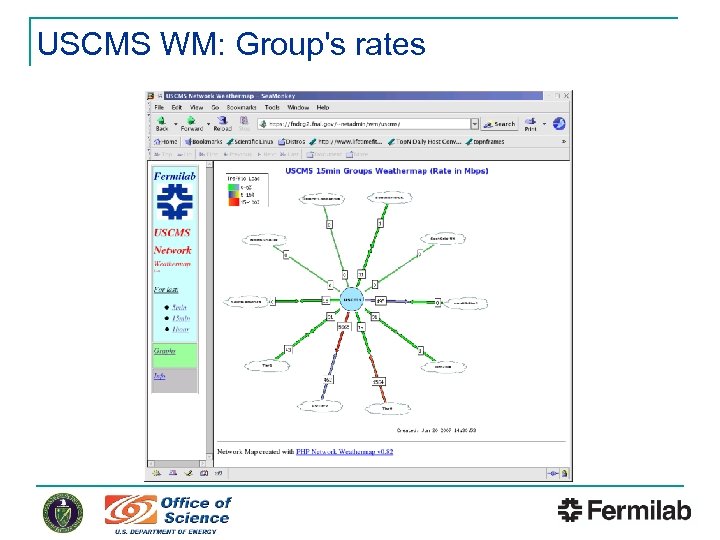
USCMS WM: Group's rates
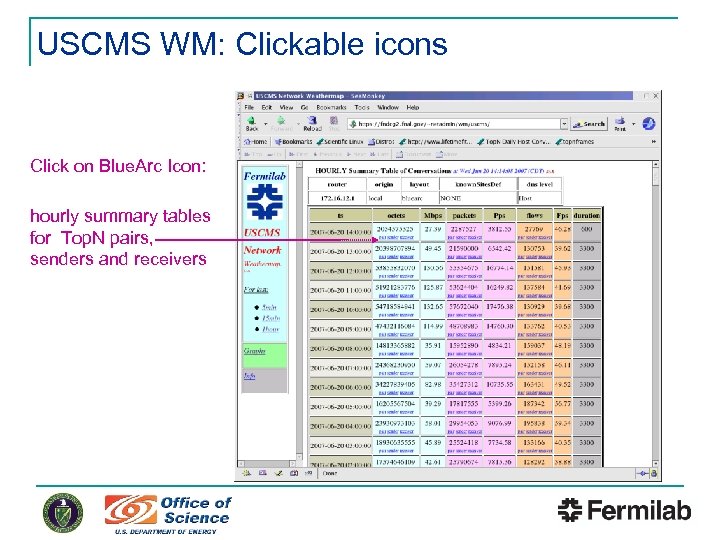
USCMS WM: Clickable icons Click on Blue. Arc Icon: hourly summary tables for Top. N pairs, senders and receivers
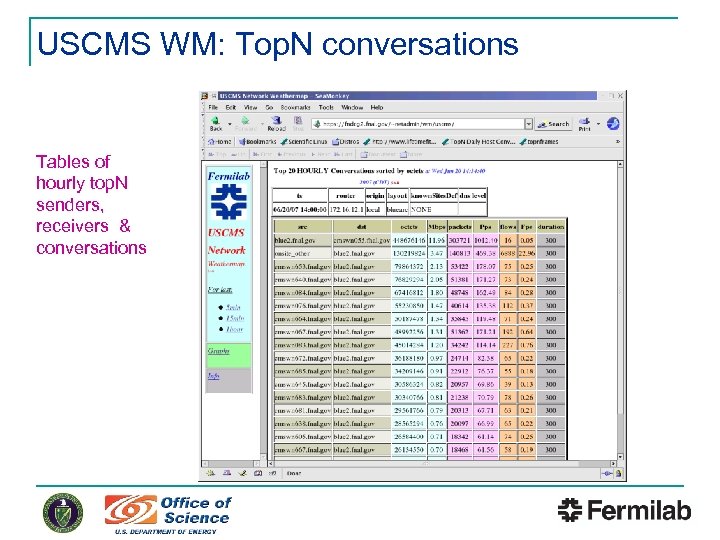
USCMS WM: Top. N conversations Tables of hourly top. N senders, receivers & conversations
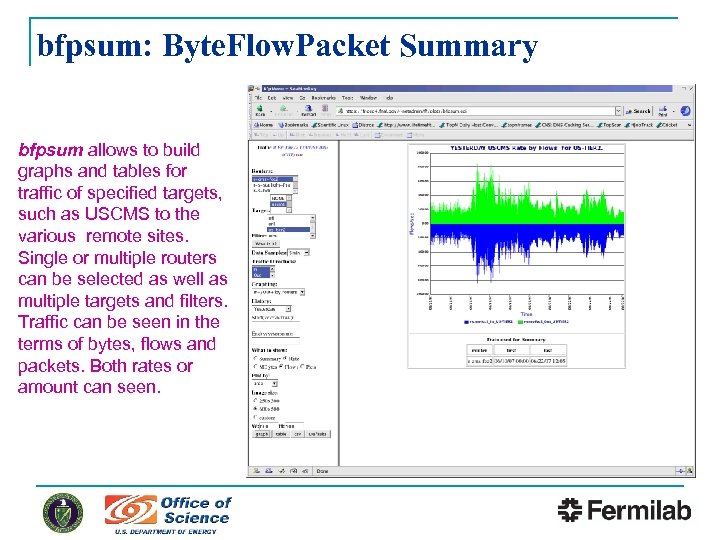
bfpsum: Byte. Flow. Packet Summary bfpsum allows to build graphs and tables for traffic of specified targets, such as USCMS to the various remote sites. Single or multiple routers can be selected as well as multiple targets and filters. Traffic can be seen in the terms of bytes, flows and packets. Both rates or amount can seen.
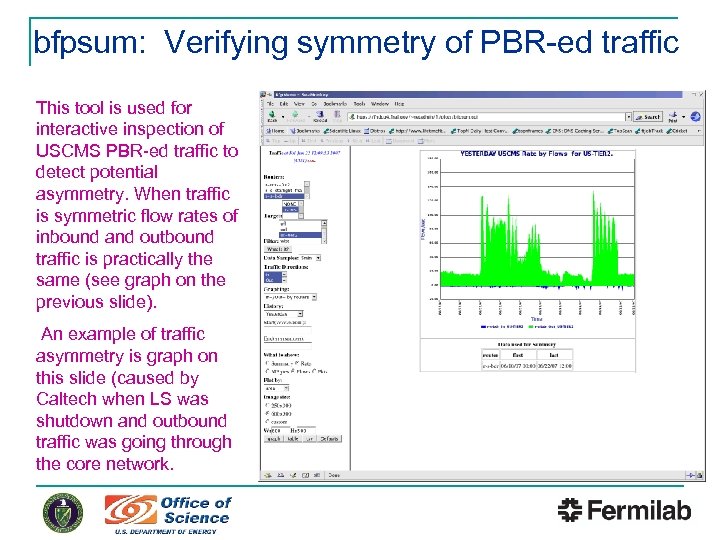
bfpsum: Verifying symmetry of PBR-ed traffic This tool is used for interactive inspection of USCMS PBR-ed traffic to detect potential asymmetry. When traffic is symmetric flow rates of inbound and outbound traffic is practically the same (see graph on the previous slide). An example of traffic asymmetry is graph on this slide (caused by Caltech when LS was shutdown and outbound traffic was going through the core network.
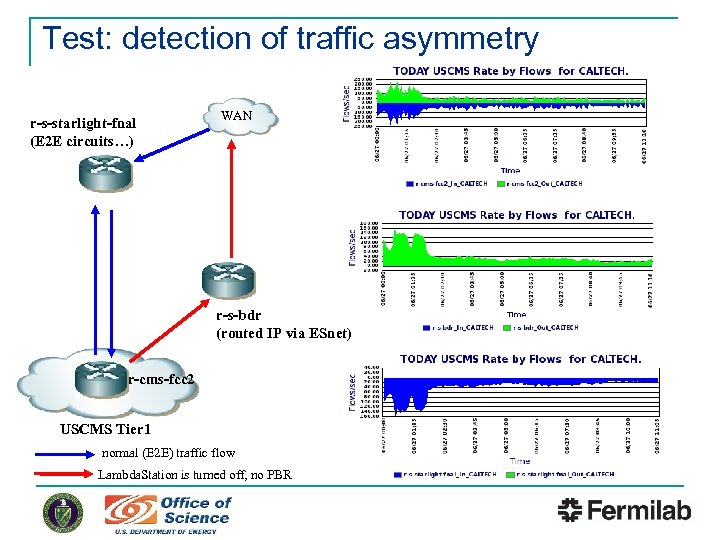
Test: detection of traffic asymmetry r-s-starlight-fnal (E 2 E circuits…) WAN r-s-bdr (routed IP via ESnet) r-cms-fcc 2 USCMS Tier 1 normal (E 2 E) traffic flow Lambda. Station is turned off, no PBR
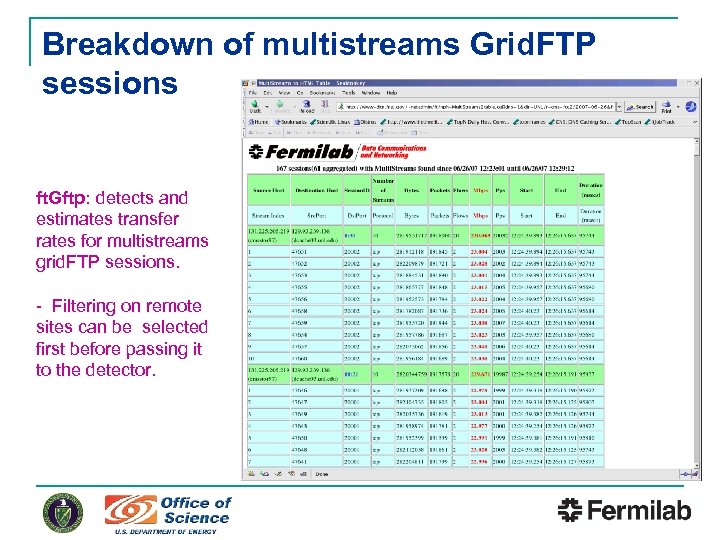
Breakdown of multistreams Grid. FTP sessions ft. Gftp: detects and estimates transfer rates for multistreams grid. FTP sessions. - Filtering on remote sites can be selected first before passing it to the detector.
Commercial Products n. Always looking for commercial or public domain packages of comparable functionality: Most commercial packages have similar capabilities & some useful features, but not flexible enough for our purposes q Evaluated Advent. Netflow Analyzer & Net. Flow Tracker from Crannog-Software q ØPurchased Advent. Net , ~$1 K for 20 interfaces, allows to define IP groups based on the list of IP blocks
Future flow data developments n n Maintaining the existing scope of monitoring Automate asymmetric path analysis Integrate flow data analysis into our network performance troubleshooting methodology High impact data movement detection q q Lesson learned from Lambda Station: application awareness is hard Wouldn’t it be nice to have the network detect recognizable flow patterns and modify path/service/whatever, if appropriate? Ø n But it almost certainly would require real time flow data Would be happy to collaborate with others developing flow data tools: q Contact us at wan@fnal. gov
Скачать презентацию Flow Data Tools and Analysis at Fermilab Andrey
6d9324d2ec3522f220427032cc8700fb.ppt