


 Скачать презентацию Flood risk assessment Arjen Markus Deltares previous name
ffa1a98a3e7df8aef8dd0a9687bf7b0a.ppt
- Количество слайдов: 23
 Flood risk assessment Arjen Markus Deltares (previous name: WL | delft hydraulics)
 The problem: river floods • Most rivers in the Netherlands surrounded by dikes • Dike breaches are a hazard to be dealt with • Dikes need to be heigh enough and strong enough This project: comprehensive approach
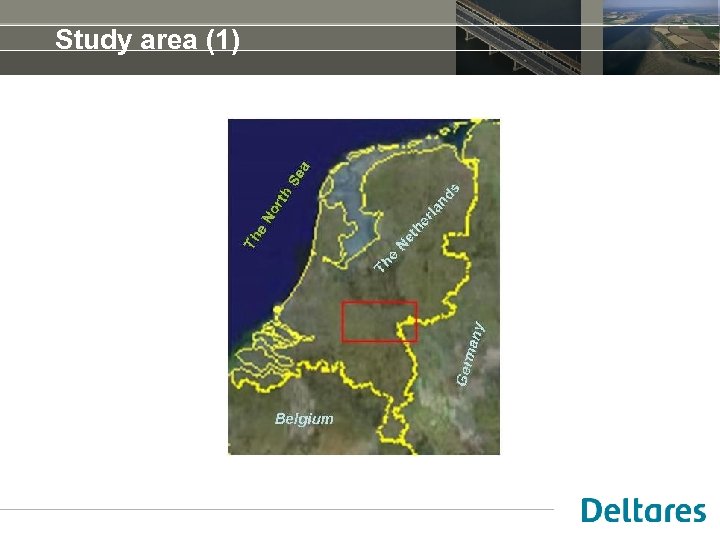 Study area (1)
 Study area (2) • • Surrounded by Rhine and Meuse Approximately 2 million people Several major cities Agriculture important aspect
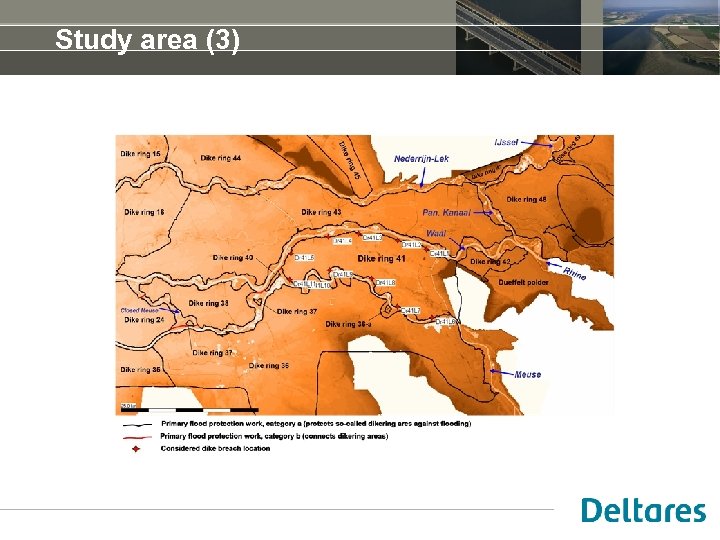 Study area (3)
 River system behaviour • Dike breach can mean: lower water levels downstream • But also: pressure from the land side • Modelling approach: • Select locations for possible breaches • Compute the water flow in the rivers and over land • Estimate casualties and economic damage
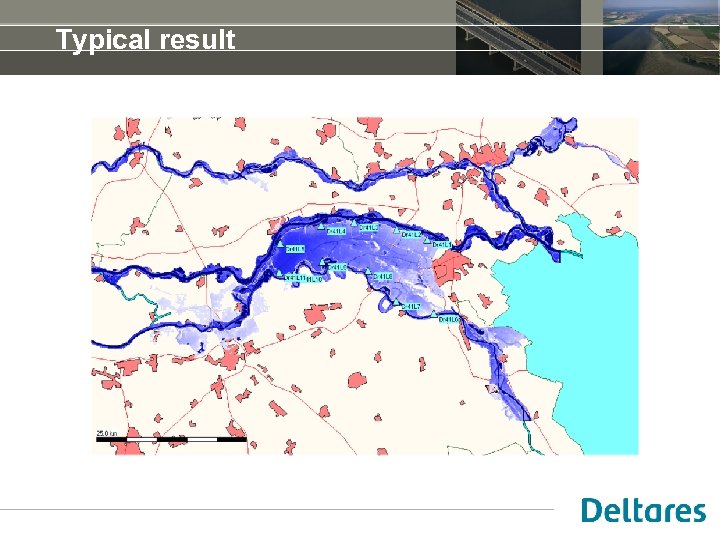 Typical result
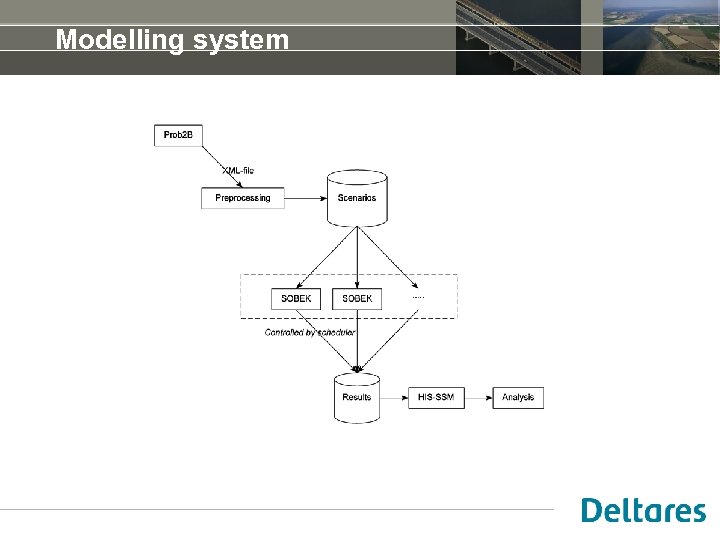 Modelling system
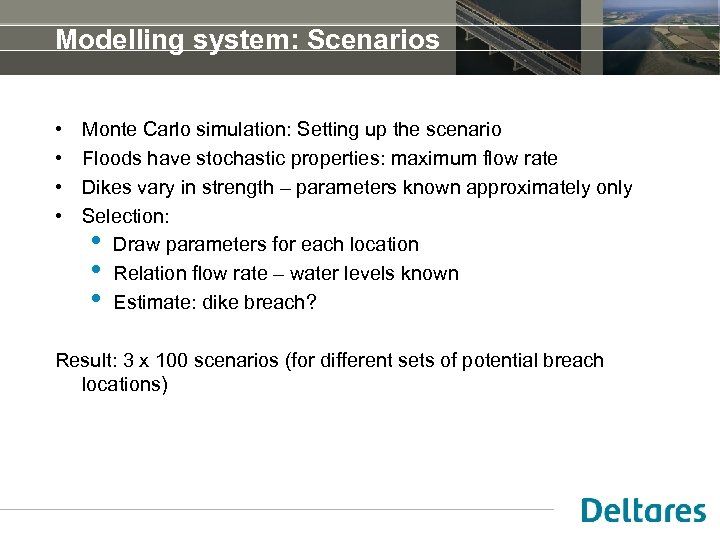 Modelling system: Scenarios • • Monte Carlo simulation: Setting up the scenario Floods have stochastic properties: maximum flow rate Dikes vary in strength – parameters known approximately only Selection: • Draw parameters for each location • Relation flow rate – water levels known • Estimate: dike breach? Result: 3 x 100 scenarios (for different sets of potential breach locations)
 Modelling system: Hydrodynamics • Fine-grained terrain model (100 x 100 m) • Flood simulated using “standard” curves – known for a range of maximum flood rates • Period to simulate: roughly two weeks to three months • Each simulation takes several days or even weeks to complete
 Modelling system: Estimating victims, damage • • Maps of population density and land use Maps of water levels and flow velocities from hydrodynamic model GIS-based analysis Result for each indicated area: • the number of victims • Amount of economic damage
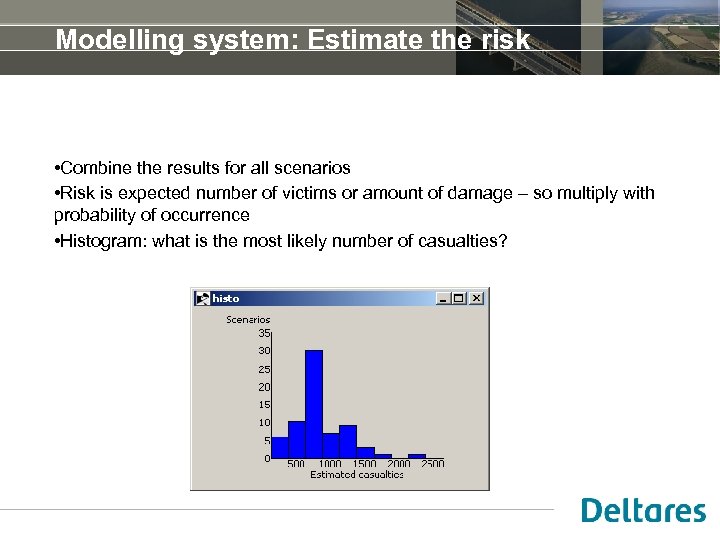 Modelling system: Estimate the risk • Combine the results for all scenarios • Risk is expected number of victims or amount of damage – so multiply with probability of occurrence • Histogram: what is the most likely number of casualties?
 Managing the computations • Different programs run on different sites or computers • Setting up, starting and checking the computations has to be automated: • A set of 300 scenarios • Computations take too long Tcl turns out to be almost perfect for the job
 Preparing the hydrodynamic computation • Copying the (fixed) input files for each computation to a separate directory • Reading the XML file with flood parameters and dike strength parameters • Setting up the timeseries for the flood wave and adjusting various input files [clock], [string map], [file copy] are the tools here
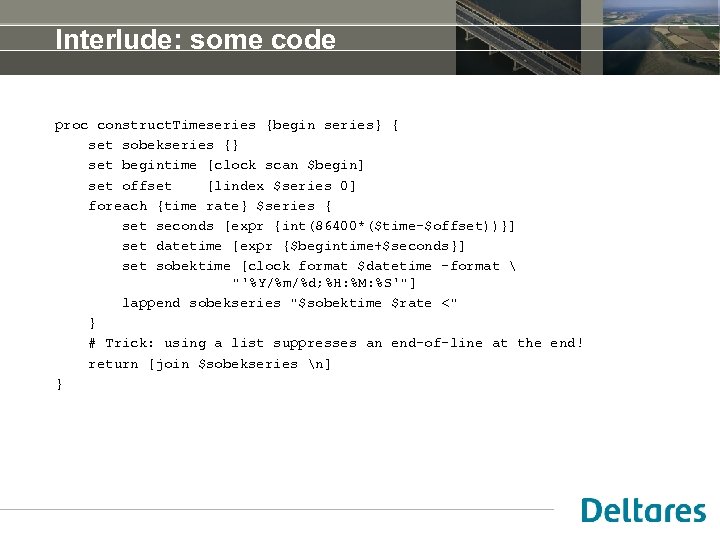 Interlude: some code proc construct. Timeseries {begin series} { set sobekseries {} set begintime [clock scan $begin] set offset [lindex $series 0] foreach {time rate} $series { set seconds [expr {int(86400*($time-$offset))}] set datetime [expr {$begintime+$seconds}] set sobektime [clock format $datetime -format "'%Y/%m/%d; %H: %M: %S'"] lappend sobekseries "$sobektime $rate <" } # Trick: using a list suppresses an end-of-line at the end! return [join $sobekseries n] }
 Running the hydrodynamic program • Scheduling the jobs on the Linux cluster • Not too many at a time though (I am not the only user) • Registering the status: • Has the job started yet? • Is it finished? If so, successfully? • Has it been analysed yet? • Small files with specific names flag that status (“running”, “done”, “analysed”) • Script runs via the cron utility – so I keep the system busy
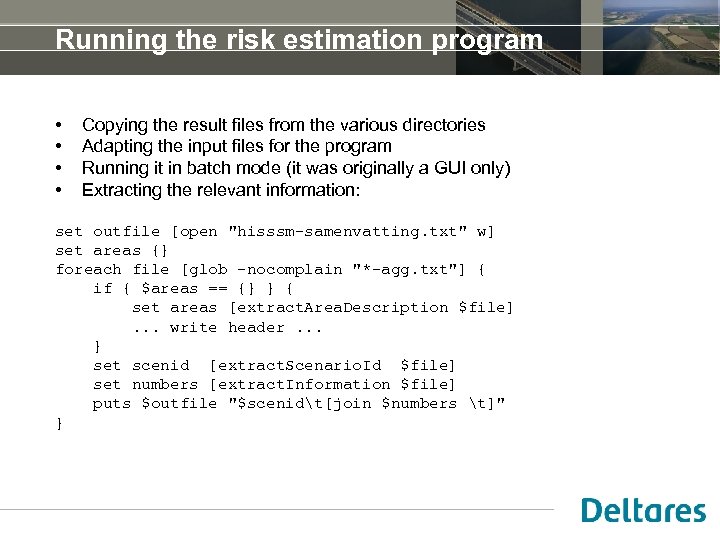 Running the risk estimation program • • Copying the result files from the various directories Adapting the input files for the program Running it in batch mode (it was originally a GUI only) Extracting the relevant information: set outfile [open "hisssm-samenvatting. txt" w] set areas {} foreach file [glob -nocomplain "*-agg. txt"] { if { $areas == {} } { set areas [extract. Area. Description $file]. . . write header. . . } set scenid [extract. Scenario. Id $file] set numbers [extract. Information $file] puts $outfile "$scenidt[join $numbers t]" }
 Lessons learned • Traceability and monitoring: being able to analyse what went wrong • Automate as much as possible: you may need to repeat the exercise • Can you run the programs in batchmode?
 Formal view: tuplespace • Fill a database with scenarios (here: the file system) • Each record (scenario) goes through various stages – steps in the chain of individual computations • Ordering between scenarios is irrelevant • Scenarios contain status information
 Formal view: tuplespaces (2) Each record (scenario) has the following information: • Scenario ID (directory name containing all the files) • Status (not started yet, running, finished, analysed) The scheduler program selects a scenario with the right status and starts the computational program that belongs to that status. In terms of tuplespaces: a read operation – the record is taken out of the database. When the computational program finishes, a new record is written: an out operation.
 Formal view: tuplespaces (3) In this case the stages of the computation are: • Preparation: from the XML file to a set of input files • Computation: flood wave and dike breaches • Analysis: has the computation succeeded? • If success, estimate casualties and damage • If not: identify why not? The tuplespace apprach means the scheduler program needs to know nothing of the stage of each scenario. It simply scans the directories.
 Formal view: tuplespaces (4) Compare this to approaches found in literature: • Formal specification of the computational steps (often via XML) • The description of the complete computation needs to be analysed and transformed. • Loops (iterations) are expanded • The scheduler program keeps track of the stages of the computation. A loop in this set-up: Simply write a record with the same status, until the stop criterium is fulfilled.
 Spin-off • Setting up a series of computations is useful (to me) in other projects too. • For instance: optimising the location of a waste water discharge in a coastal area Work in progress: • Various ways of dealing with a series of computations • Possibility of calibration, not just selecting an alternative • Flexibility in defining the variations?