 Скачать презентацию FILTERS and FUNCTIONS Hidden Gems Walter F Blood
0fa6bd768f47185560118b107fa84d92.ppt
- Количество слайдов: 45




FILTERS and FUNCTIONS: Hidden Gems Walter F. Blood Technical Director, FOCUS Division June, 2008
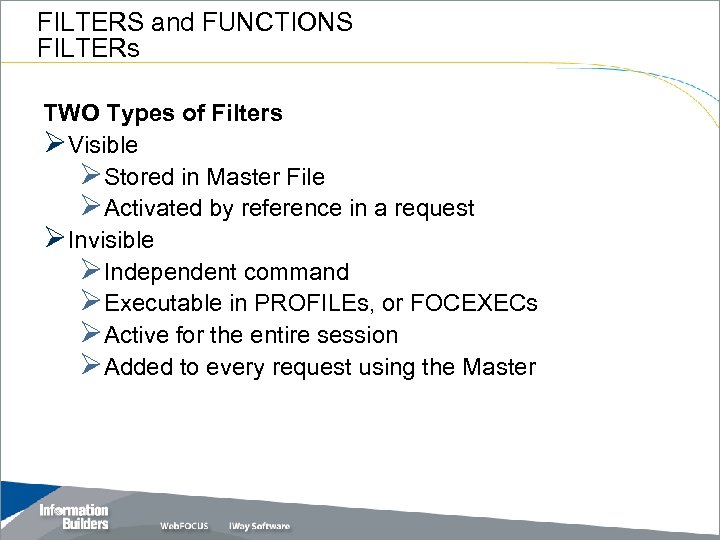
FILTERS and FUNCTIONS FILTERs TWO Types of Filters ØVisible ØStored in Master File ØActivated by reference in a request ØInvisible ØIndependent command ØExecutable in PROFILEs, or FOCEXECs ØActive for the entire session ØAdded to every request using the Master
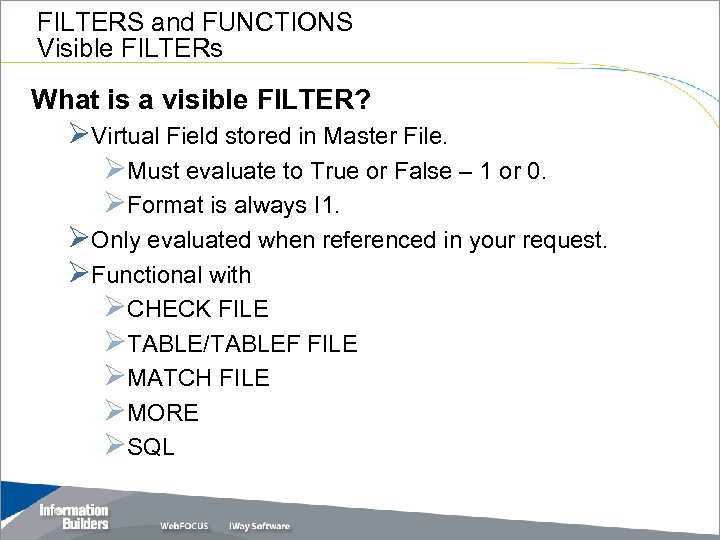
FILTERS and FUNCTIONS Visible FILTERs What is a visible FILTER? ØVirtual Field stored in Master File. ØMust evaluate to True or False – 1 or 0. ØFormat is always I 1. ØOnly evaluated when referenced in your request. ØFunctional with ØCHECK FILE ØTABLE/TABLEF FILE ØMATCH FILE ØMORE ØSQL
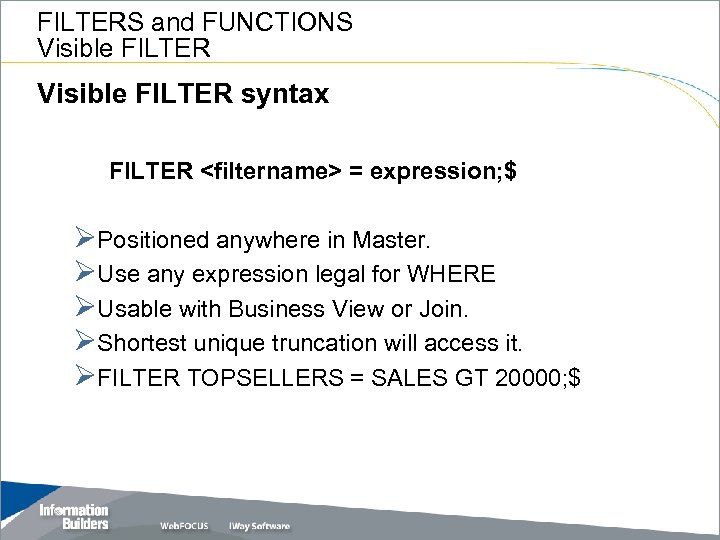
FILTERS and FUNCTIONS Visible FILTER syntax FILTER <filtername> = expression; $ ØPositioned anywhere in Master. ØUse any expression legal for WHERE ØUsable with Business View or Join. ØShortest unique truncation will access it. ØFILTER TOPSELLERS = SALES GT 20000; $
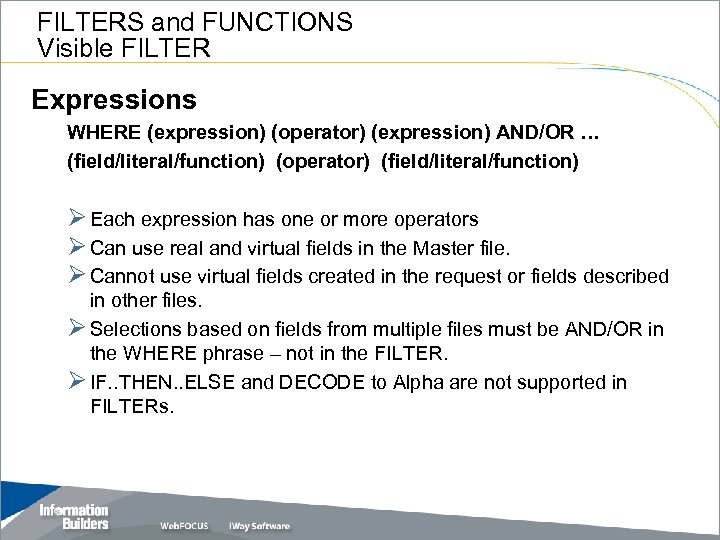
FILTERS and FUNCTIONS Visible FILTER Expressions WHERE (expression) (operator) (expression) AND/OR … (field/literal/function) (operator) (field/literal/function) Ø Each expression has one or more operators Ø Can use real and virtual fields in the Master file. Ø Cannot use virtual fields created in the request or fields described in other files. Ø Selections based on fields from multiple files must be AND/OR in the WHERE phrase – not in the FILTER. Ø IF. . THEN. . ELSE and DECODE to Alpha are not supported in FILTERs.
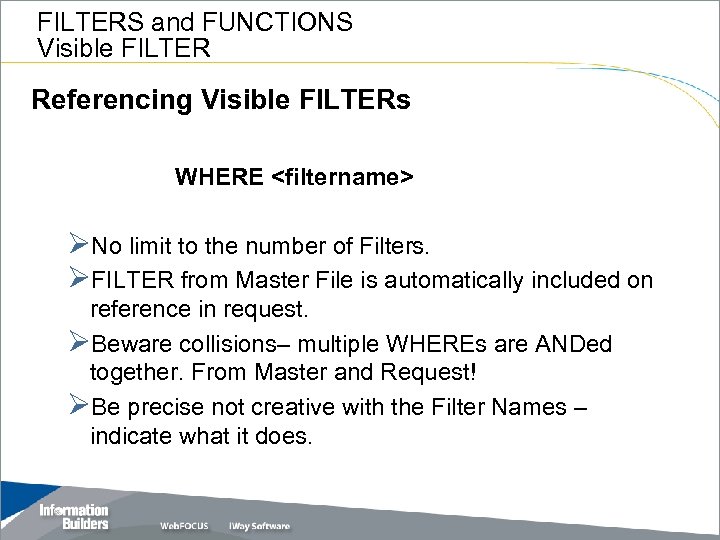
FILTERS and FUNCTIONS Visible FILTER Referencing Visible FILTERs WHERE <filtername> ØNo limit to the number of Filters. ØFILTER from Master File is automatically included on reference in request. ØBeware collisions– multiple WHEREs are ANDed together. From Master and Request! ØBe precise not creative with the Filter Names – indicate what it does.
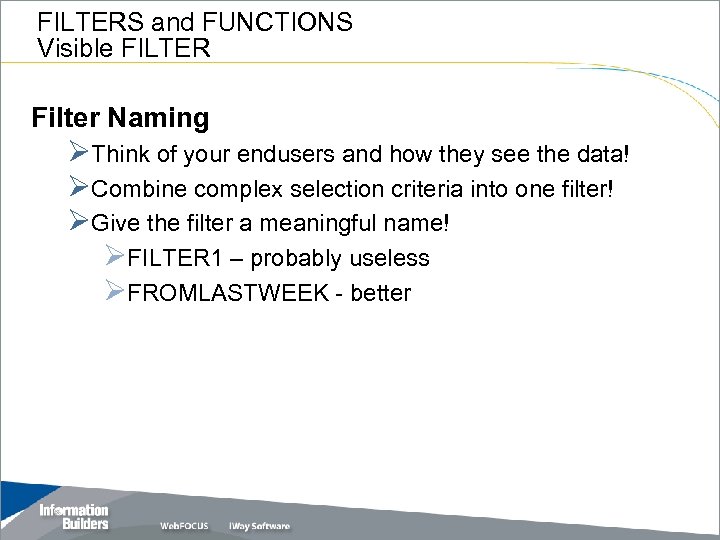
FILTERS and FUNCTIONS Visible FILTER Filter Naming ØThink of your endusers and how they see the data! ØCombine complex selection criteria into one filter! ØGive the filter a meaningful name! ØFILTER 1 – probably useless ØFROMLASTWEEK - better
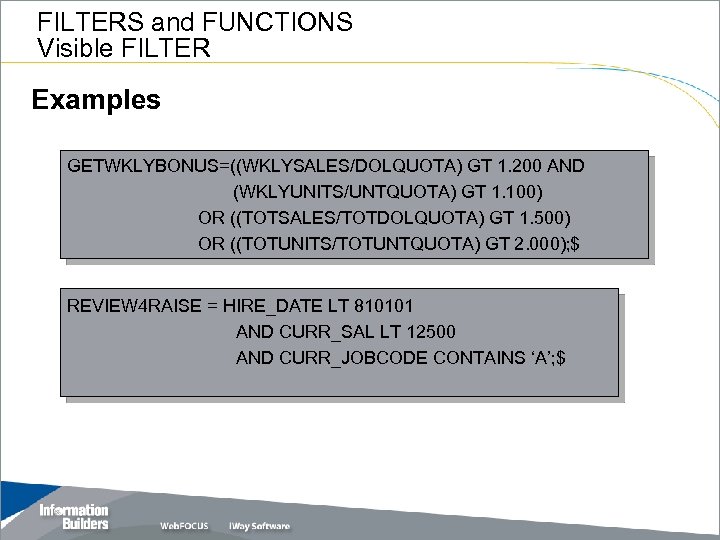
FILTERS and FUNCTIONS Visible FILTER Examples GETWKLYBONUS=((WKLYSALES/DOLQUOTA) GT 1. 200 AND (WKLYUNITS/UNTQUOTA) GT 1. 100) OR ((TOTSALES/TOTDOLQUOTA) GT 1. 500) OR ((TOTUNITS/TOTUNTQUOTA) GT 2. 000); $ REVIEW 4 RAISE = HIRE_DATE LT 810101 AND CURR_SAL LT 12500 AND CURR_JOBCODE CONTAINS ‘A’; $
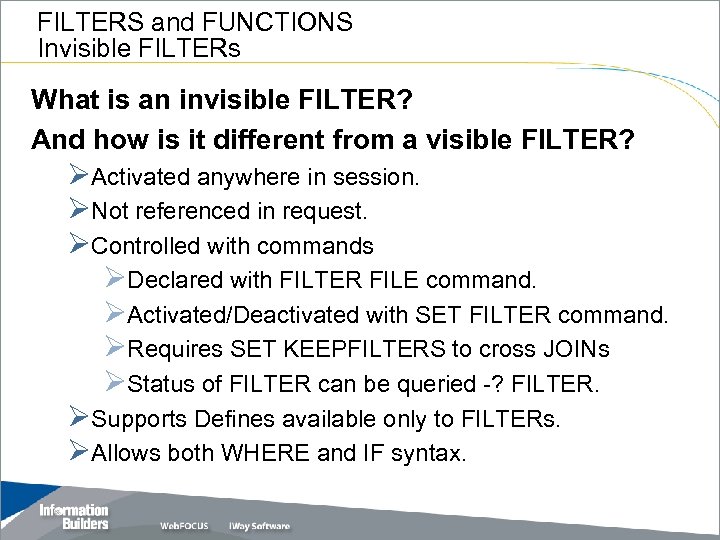
FILTERS and FUNCTIONS Invisible FILTERs What is an invisible FILTER? And how is it different from a visible FILTER? ØActivated anywhere in session. ØNot referenced in request. ØControlled with commands ØDeclared with FILTER FILE command. ØActivated/Deactivated with SET FILTER command. ØRequires SET KEEPFILTERS to cross JOINs ØStatus of FILTER can be queried -? FILTER. ØSupports Defines available only to FILTERs. ØAllows both WHERE and IF syntax.
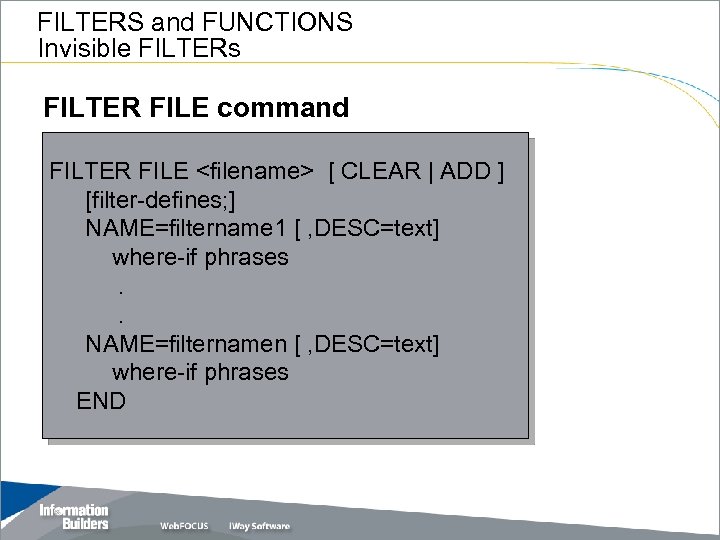
FILTERS and FUNCTIONS Invisible FILTERs FILTER FILE command FILTER FILE <filename> [ CLEAR | ADD ] [filter-defines; ] NAME=filtername 1 [ , DESC=text] where-if phrases. . NAME=filternamen [ , DESC=text] where-if phrases END
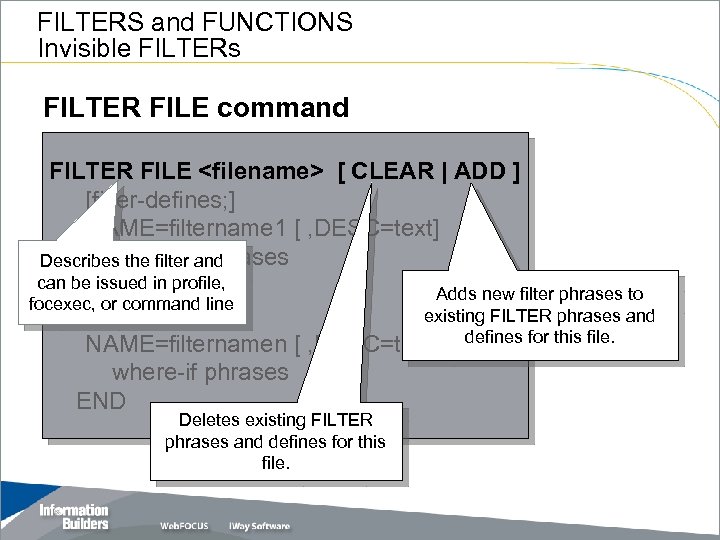
FILTERS and FUNCTIONS Invisible FILTERs FILTER FILE command FILTER FILE <filename> [ CLEAR | ADD ] [filter-defines; ] NAME=filtername 1 [ , DESC=text] where-if phrases Describes the filter and can be issued in profile, . Adds new filter phrases to focexec, or command line existing FILTER phrases and. NAME=filternamen [ , DESC=text] defines for this file. where-if phrases END Deletes existing FILTER phrases and defines for this file.
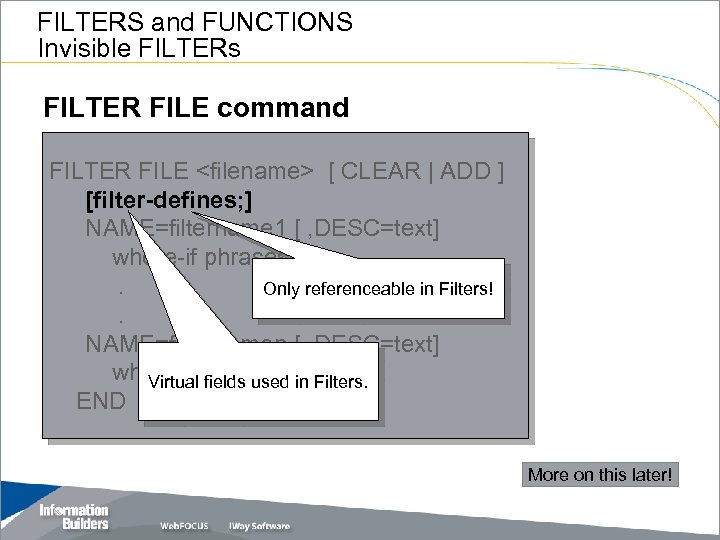
FILTERS and FUNCTIONS Invisible FILTERs FILTER FILE command FILTER FILE <filename> [ CLEAR | ADD ] [filter-defines; ] NAME=filtername 1 [ , DESC=text] where-if phrases. Only referenceable in Filters!. NAME=filternamen [ , DESC=text] where-if phrases in Filters. Virtual fields used END More on this later!
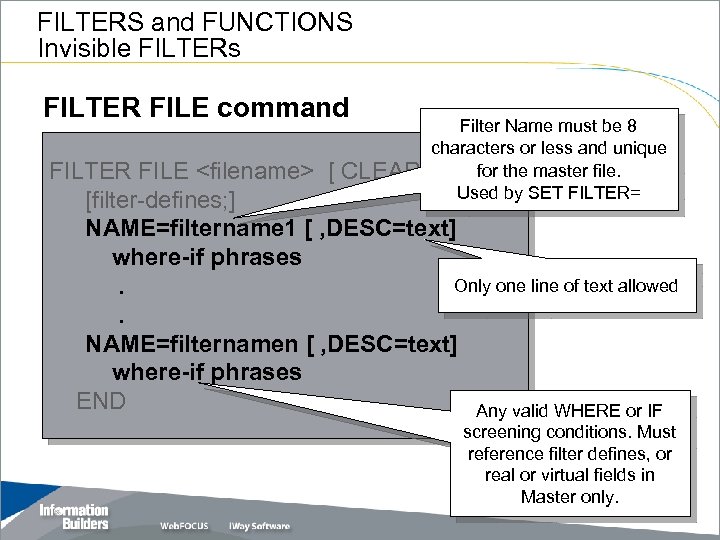
FILTERS and FUNCTIONS Invisible FILTERs FILTER FILE command Filter Name must be 8 characters or less and unique for | ADD ]the master file. Used by SET FILTER= FILTER FILE <filename> [ CLEAR [filter-defines; ] NAME=filtername 1 [ , DESC=text] where-if phrases Only one line of text allowed. . NAME=filternamen [ , DESC=text] where-if phrases END Any valid WHERE or IF screening conditions. Must reference filter defines, or real or virtual fields in Master only.
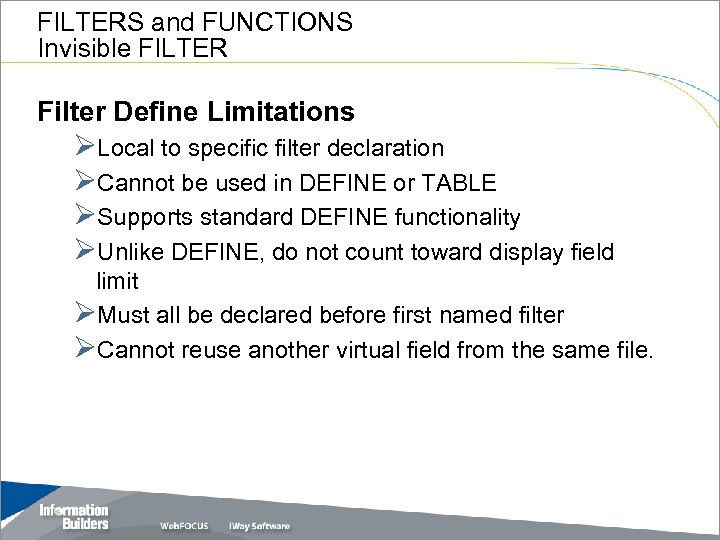
FILTERS and FUNCTIONS Invisible FILTER Filter Define Limitations ØLocal to specific filter declaration ØCannot be used in DEFINE or TABLE ØSupports standard DEFINE functionality ØUnlike DEFINE, do not count toward display field limit ØMust all be declared before first named filter ØCannot reuse another virtual field from the same file.
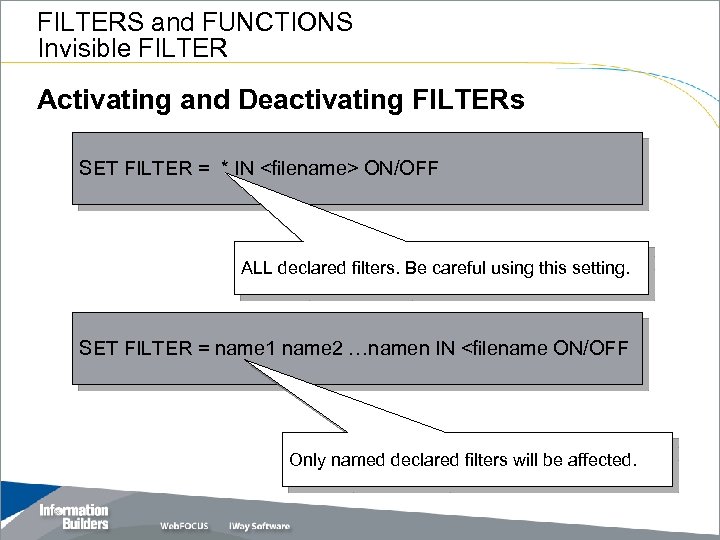
FILTERS and FUNCTIONS Invisible FILTER Activating and Deactivating FILTERs SET FILTER = * IN <filename> ON/OFF ALL declared filters. Be careful using this setting. SET FILTER = name 1 name 2 …namen IN <filename ON/OFF Only named declared filters will be affected.
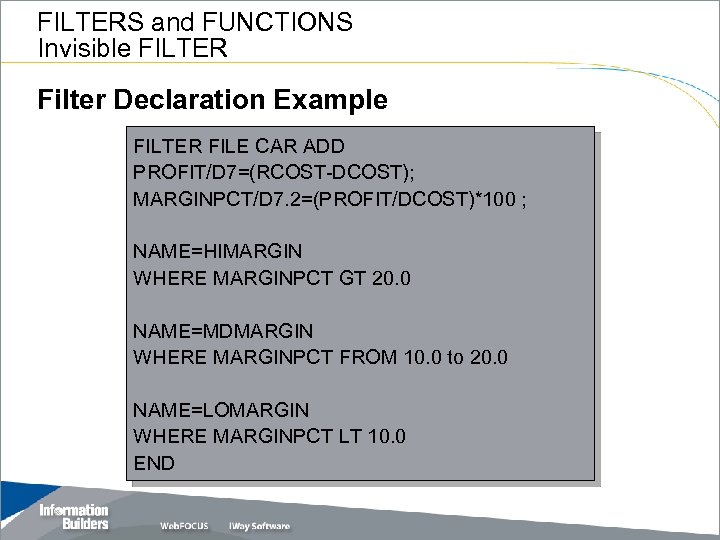
FILTERS and FUNCTIONS Invisible FILTER Filter Declaration Example FILTER FILE CAR ADD PROFIT/D 7=(RCOST-DCOST); MARGINPCT/D 7. 2=(PROFIT/DCOST)*100 ; NAME=HIMARGIN WHERE MARGINPCT GT 20. 0 NAME=MDMARGIN WHERE MARGINPCT FROM 10. 0 to 20. 0 NAME=LOMARGIN WHERE MARGINPCT LT 10. 0 END
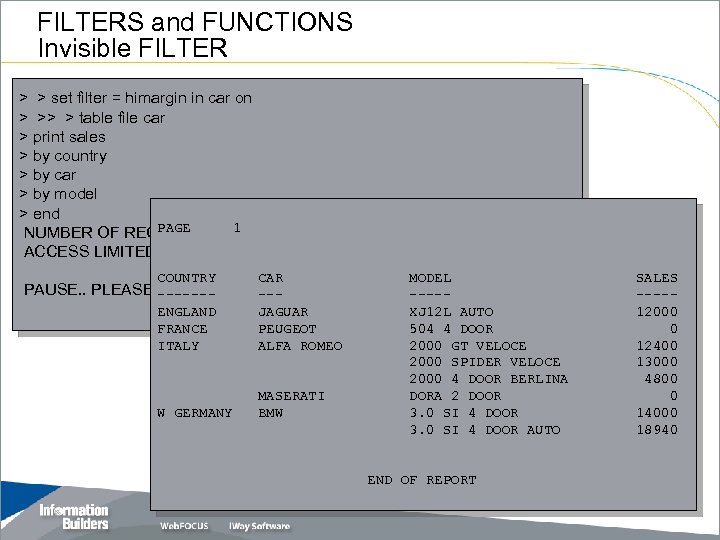
FILTERS and FUNCTIONS Invisible FILTER > > set filter = himargin in car on > >> > table file car > print sales > by country > by car > by model > end PAGE 1 NUMBER OF RECORDS IN TABLE= ACCESS LIMITED BY FILTERS 8 LINES= 8 COUNTRY CAR MODEL ENGLAND FRANCE ITALY JAGUAR PEUGEOT ALFA ROMEO W GERMANY MASERATI BMW XJ 12 L AUTO 504 4 DOOR 2000 GT VELOCE 2000 SPIDER VELOCE 2000 4 DOOR BERLINA DORA 2 DOOR 3. 0 SI 4 DOOR AUTO PAUSE. . PLEASE ------ISSUE CARRIAGE RETURN WHEN READY ------- END OF REPORT SALES ----12000 0 12400 13000 4800 0 14000 18940
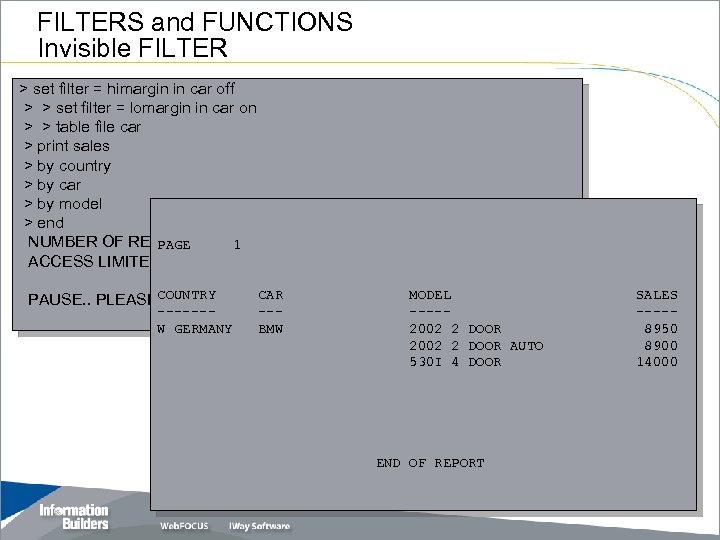
FILTERS and FUNCTIONS Invisible FILTER > set filter = himargin in car off > > set filter = lomargin in car on > > table file car > print sales > by country > by car > by model > end NUMBER OF RECORDS IN 1 TABLE= PAGE ACCESS LIMITED BY FILTERS 3 LINES= 3 CAR MODEL PAUSE. . PLEASECOUNTRYCARRIAGE RETURN WHEN READY ISSUE ------W GERMANY --BMW ----2002 2 DOOR AUTO 530 I 4 DOOR END OF REPORT SALES ----8950 8900 14000
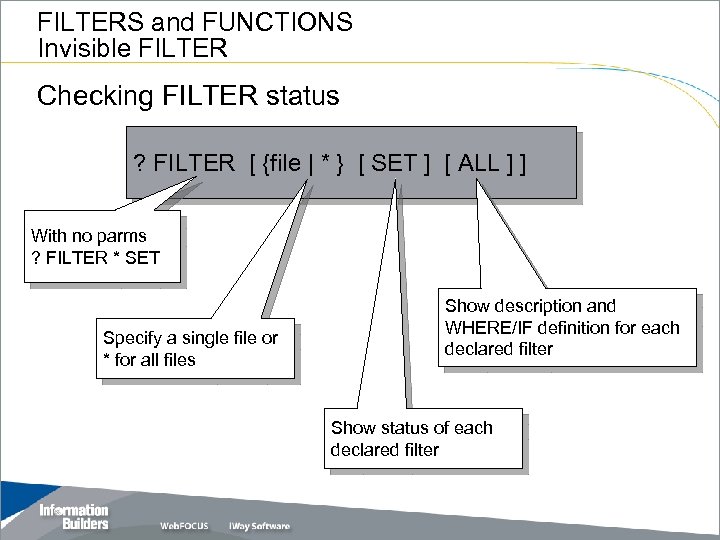
FILTERS and FUNCTIONS Invisible FILTER Checking FILTER status ? FILTER [ {file | * } [ SET ] [ ALL ] ] With no parms ? FILTER * SET Specify a single file or * for all files Show description and WHERE/IF definition for each declared filter Show status of each declared filter
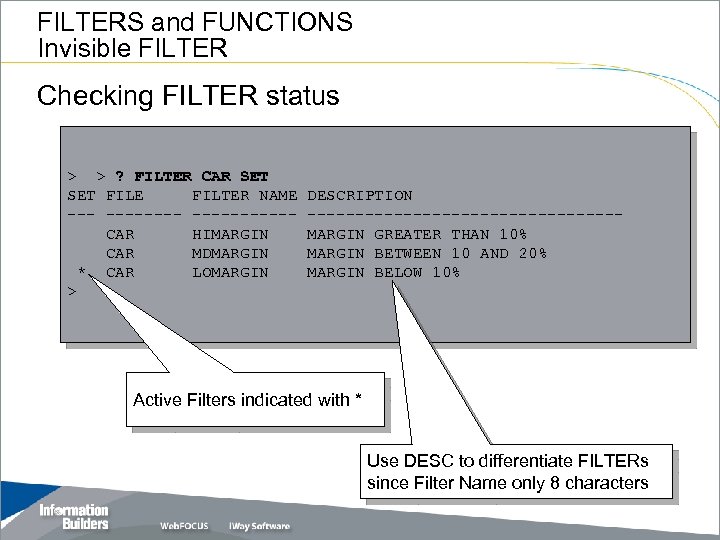
FILTERS and FUNCTIONS Invisible FILTER Checking FILTER status > > ? FILTER CAR SET FILE FILTER NAME --------CAR HIMARGIN CAR MDMARGIN * CAR LOMARGIN > DESCRIPTION ----------------MARGIN GREATER THAN 10% MARGIN BETWEEN 10 AND 20% MARGIN BELOW 10% Active Filters indicated with * Use DESC to differentiate FILTERs since Filter Name only 8 characters
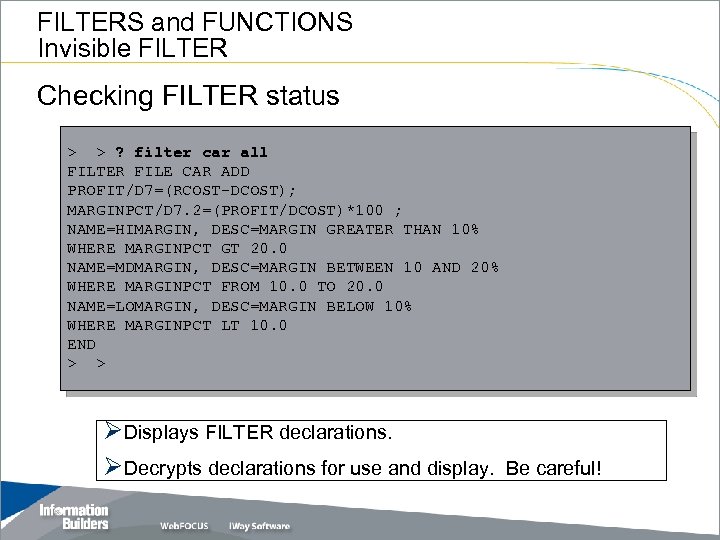
FILTERS and FUNCTIONS Invisible FILTER Checking FILTER status > > ? filter car all FILTER FILE CAR ADD PROFIT/D 7=(RCOST-DCOST); MARGINPCT/D 7. 2=(PROFIT/DCOST)*100 ; NAME=HIMARGIN, DESC=MARGIN GREATER THAN 10% WHERE MARGINPCT GT 20. 0 NAME=MDMARGIN, DESC=MARGIN BETWEEN 10 AND 20% WHERE MARGINPCT FROM 10. 0 TO 20. 0 NAME=LOMARGIN, DESC=MARGIN BELOW 10% WHERE MARGINPCT LT 10. 0 END > > ØDisplays FILTER declarations. ØDecrypts declarations for use and display. Be careful!
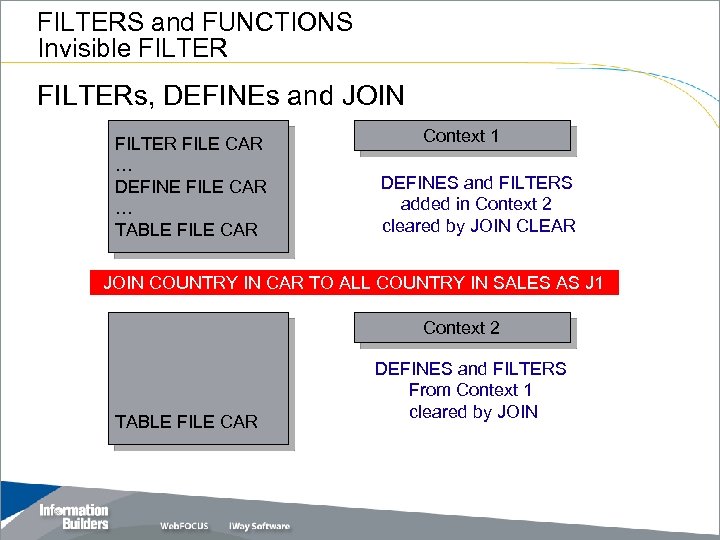
FILTERS and FUNCTIONS Invisible FILTERs, DEFINEs and JOIN FILTER FILE CAR … DEFINE FILE CAR … TABLE FILE CAR Context 1 DEFINES and FILTERS added in Context 2 cleared by JOIN CLEAR JOIN COUNTRY IN CAR TO ALL COUNTRY IN SALES AS J 1 Context 2 TABLE FILE CAR DEFINES and FILTERS From Context 1 cleared by JOIN
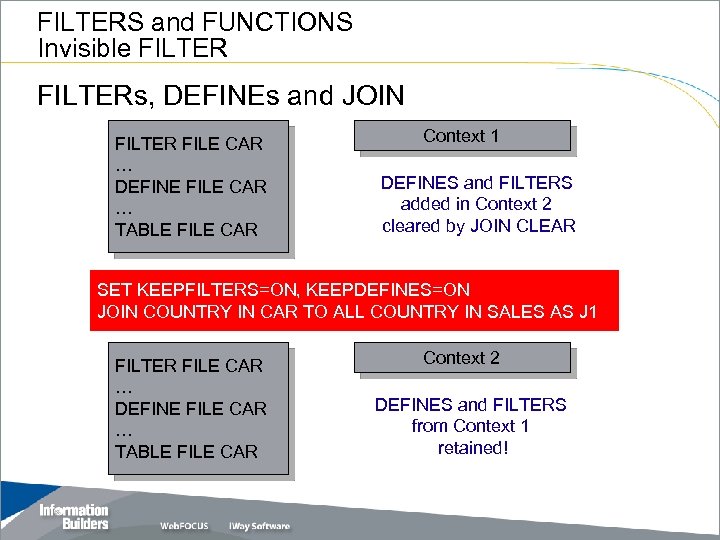
FILTERS and FUNCTIONS Invisible FILTERs, DEFINEs and JOIN FILTER FILE CAR … DEFINE FILE CAR … TABLE FILE CAR Context 1 DEFINES and FILTERS added in Context 2 cleared by JOIN CLEAR SET KEEPFILTERS=ON, KEEPDEFINES=ON JOIN COUNTRY IN CAR TO ALL COUNTRY IN SALES AS J 1 FILTER FILE CAR … DEFINE FILE CAR … TABLE FILE CAR Context 2 DEFINES and FILTERS from Context 1 retained!

FILTERS and FUNCTIONS Invisible FILTER
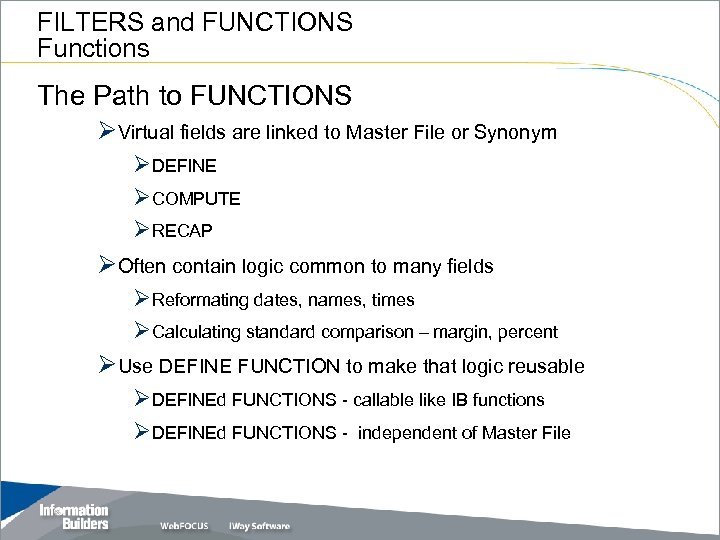
FILTERS and FUNCTIONS Functions The Path to FUNCTIONS ØVirtual fields are linked to Master File or Synonym ØDEFINE ØCOMPUTE ØRECAP ØOften contain logic common to many fields ØReformating dates, names, times ØCalculating standard comparison – margin, percent ØUse DEFINE FUNCTION to make that logic reusable ØDEFINEd FUNCTIONS - callable like IB functions ØDEFINEd FUNCTIONS - independent of Master File
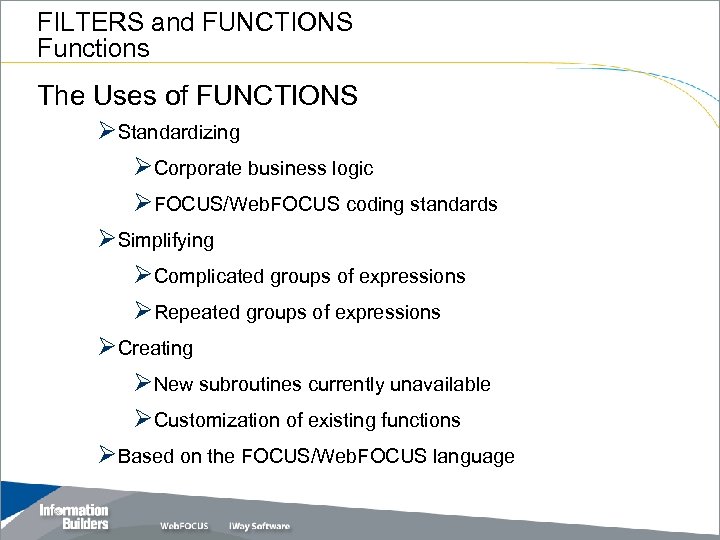
FILTERS and FUNCTIONS Functions The Uses of FUNCTIONS ØStandardizing ØCorporate business logic ØFOCUS/Web. FOCUS coding standards ØSimplifying ØComplicated groups of expressions ØRepeated groups of expressions ØCreating ØNew subroutines currently unavailable ØCustomization of existing functions ØBased on the FOCUS/Web. FOCUS language
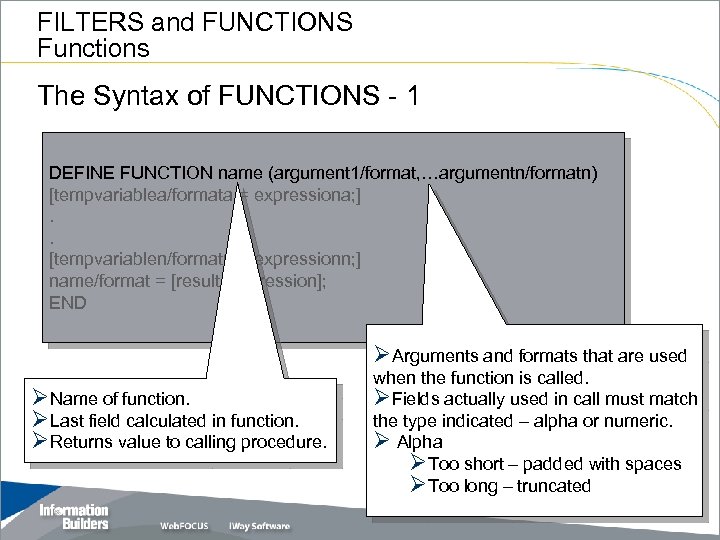
FILTERS and FUNCTIONS Functions The Syntax of FUNCTIONS - 1 DEFINE FUNCTION name (argument 1/format, …argumentn/formatn) [tempvariablea/formata = expressiona; ]. . [tempvariablen/formatn = expressionn; ] name/format = [result_expression]; END ØArguments and formats that are used ØName of function. ØLast field calculated in function. ØReturns value to calling procedure. when the function is called. ØFields actually used in call must match the type indicated – alpha or numeric. Ø Alpha ØToo short – padded with spaces ØToo long – truncated
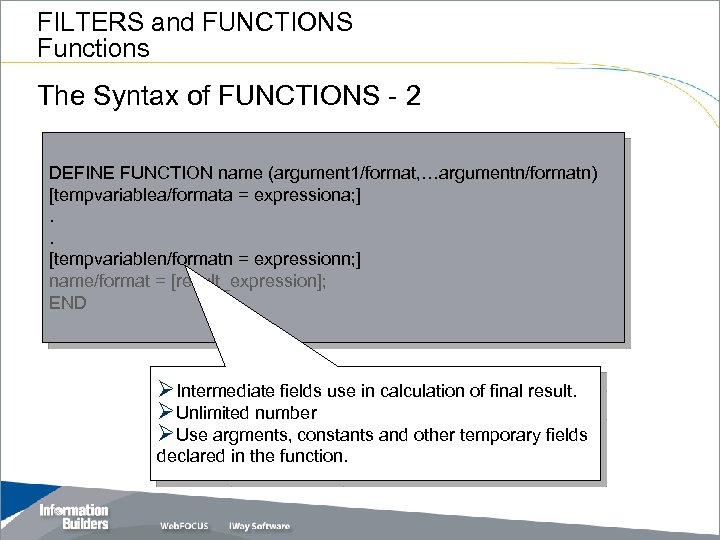
FILTERS and FUNCTIONS Functions The Syntax of FUNCTIONS - 2 DEFINE FUNCTION name (argument 1/format, …argumentn/formatn) [tempvariablea/formata = expressiona; ]. . [tempvariablen/formatn = expressionn; ] name/format = [result_expression]; END ØIntermediate fields use in calculation of final result. ØUnlimited number ØUse argments, constants and other temporary fields declared in the function.
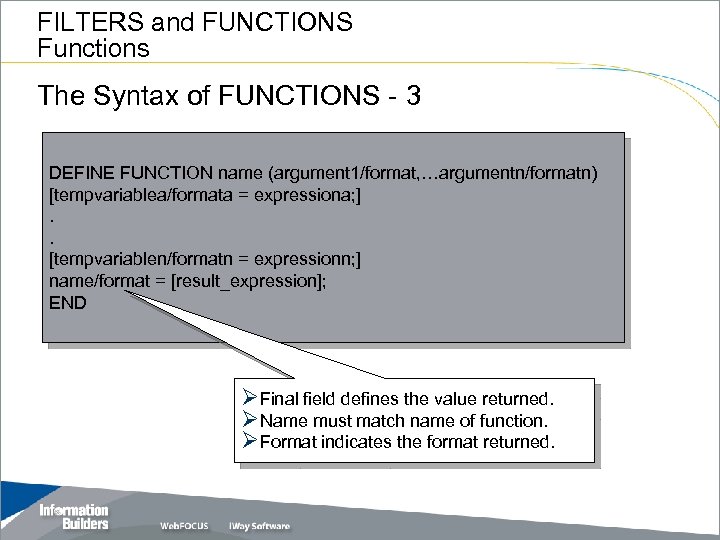
FILTERS and FUNCTIONS Functions The Syntax of FUNCTIONS - 3 DEFINE FUNCTION name (argument 1/format, …argumentn/formatn) [tempvariablea/formata = expressiona; ]. . [tempvariablen/formatn = expressionn; ] name/format = [result_expression]; END ØFinal field defines the value returned. ØName must match name of function. ØFormat indicates the format returned.
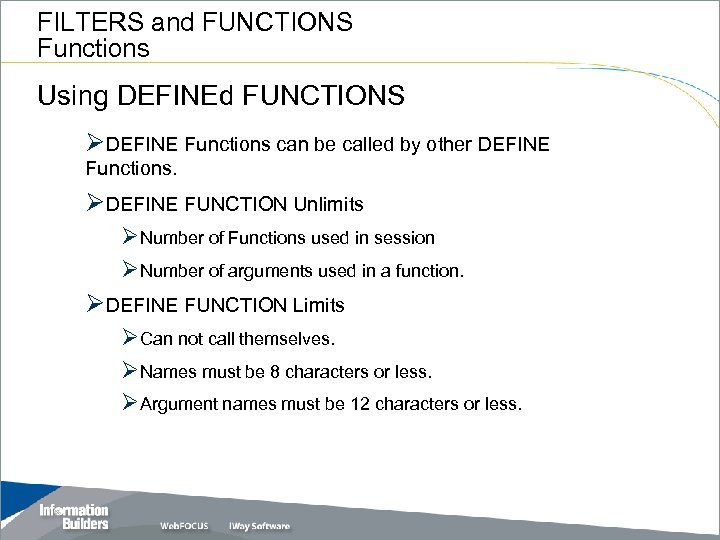
FILTERS and FUNCTIONS Functions Using DEFINEd FUNCTIONS ØDEFINE Functions can be called by other DEFINE Functions. ØDEFINE FUNCTION Unlimits ØNumber of Functions used in session ØNumber of arguments used in a function. ØDEFINE FUNCTION Limits ØCan not call themselves. ØNames must be 8 characters or less. ØArgument names must be 12 characters or less.
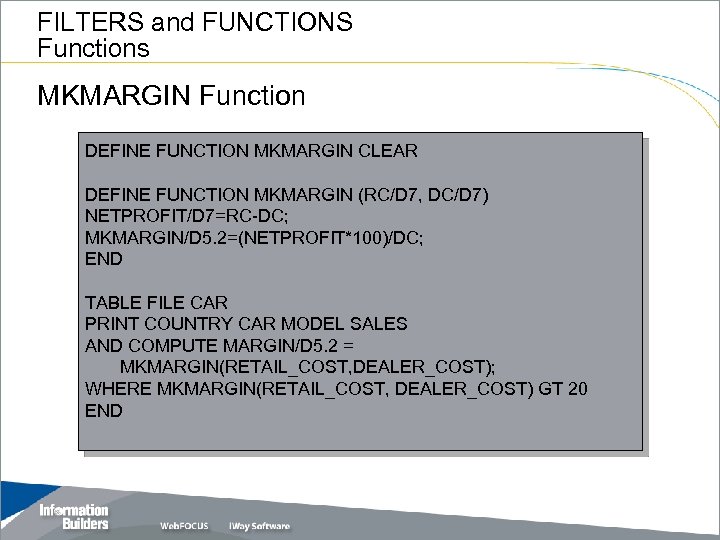
FILTERS and FUNCTIONS Functions MKMARGIN Function DEFINE FUNCTION MKMARGIN CLEAR DEFINE FUNCTION MKMARGIN (RC/D 7, DC/D 7) NETPROFIT/D 7=RC-DC; MKMARGIN/D 5. 2=(NETPROFIT*100)/DC; END TABLE FILE CAR PRINT COUNTRY CAR MODEL SALES AND COMPUTE MARGIN/D 5. 2 = MKMARGIN(RETAIL_COST, DEALER_COST); WHERE MKMARGIN(RETAIL_COST, DEALER_COST) GT 20 END
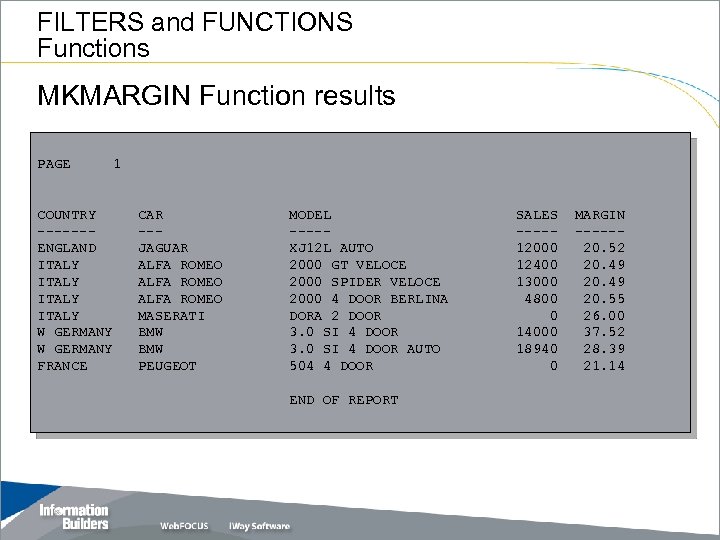
FILTERS and FUNCTIONS Functions MKMARGIN Function results PAGE COUNTRY ------ENGLAND ITALY W GERMANY FRANCE 1 CAR --JAGUAR ALFA ROMEO MASERATI BMW PEUGEOT MODEL ----XJ 12 L AUTO 2000 GT VELOCE 2000 SPIDER VELOCE 2000 4 DOOR BERLINA DORA 2 DOOR 3. 0 SI 4 DOOR AUTO 504 4 DOOR END OF REPORT SALES ----12000 12400 13000 4800 0 14000 18940 0 MARGIN -----20. 52 20. 49 20. 55 26. 00 37. 52 28. 39 21. 14
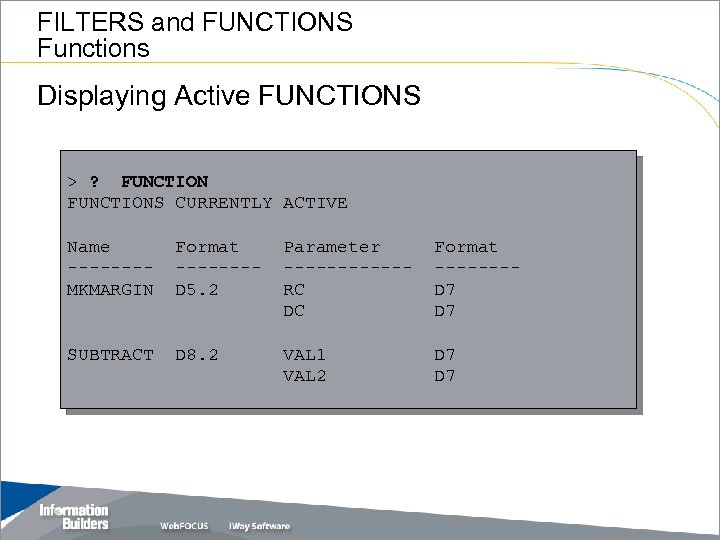
FILTERS and FUNCTIONS Functions Displaying Active FUNCTIONS > ? FUNCTIONS CURRENTLY ACTIVE Name -------MKMARGIN Format -------D 5. 2 Parameter ------RC DC Format -------D 7 SUBTRACT D 8. 2 VAL 1 VAL 2 D 7
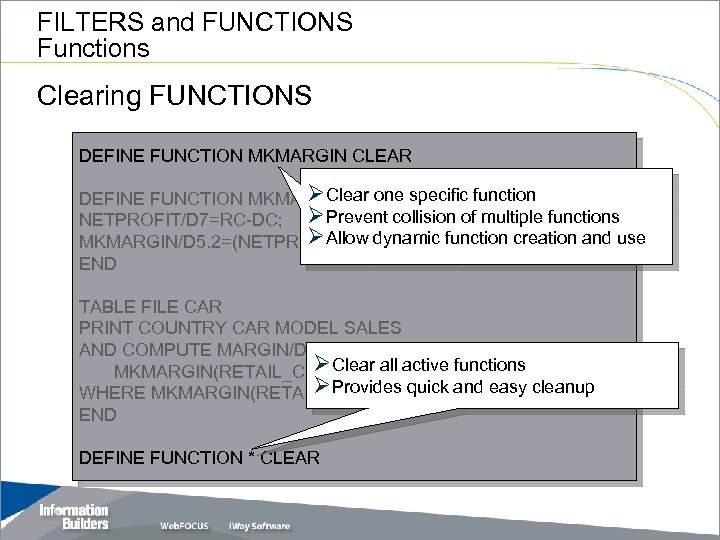
FILTERS and FUNCTIONS Functions Clearing FUNCTIONS DEFINE FUNCTION MKMARGIN CLEAR ØClear one specific function DEFINE FUNCTION MKMARGIN (RC/D 7, DC/D 7) NETPROFIT/D 7=RC-DC; ØPrevent collision of multiple functions ØAllow dynamic MKMARGIN/D 5. 2=(NETPROFIT*100)/DC; function creation and use END TABLE FILE CAR PRINT COUNTRY CAR MODEL SALES AND COMPUTE MARGIN/D 5. 2 = ØClear all active functions MKMARGIN(RETAIL_COST, DEALER_COST); ØProvides quick and easy GT 20 WHERE MKMARGIN(RETAIL_COST, DEALER_COST) cleanup END DEFINE FUNCTION * CLEAR
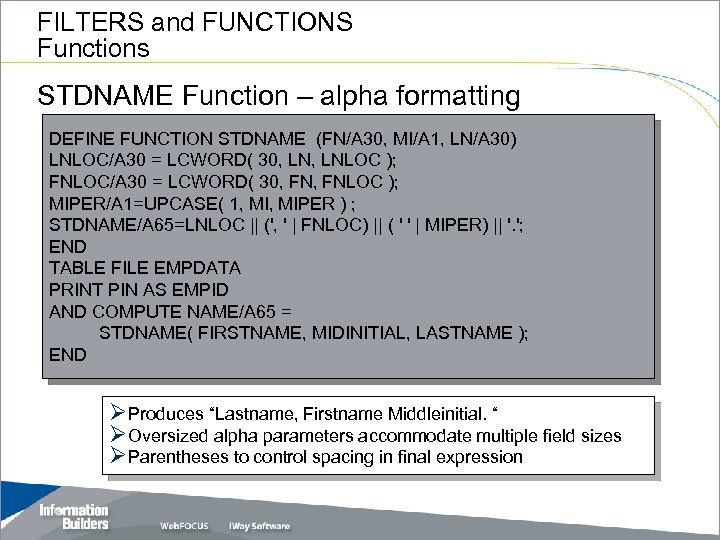
FILTERS and FUNCTIONS Functions STDNAME Function – alpha formatting DEFINE FUNCTION STDNAME (FN/A 30, MI/A 1, LN/A 30) LNLOC/A 30 = LCWORD( 30, LNLOC ); FNLOC/A 30 = LCWORD( 30, FNLOC ); MIPER/A 1=UPCASE( 1, MIPER ) ; STDNAME/A 65=LNLOC || (', ' | FNLOC) || ( ' ' | MIPER) || '. '; END TABLE FILE EMPDATA PRINT PIN AS EMPID AND COMPUTE NAME/A 65 = STDNAME( FIRSTNAME, MIDINITIAL, LASTNAME ); END ØProduces “Lastname, Firstname Middleinitial. “ ØOversized alpha parameters accommodate multiple field sizes ØParentheses to control spacing in final expression
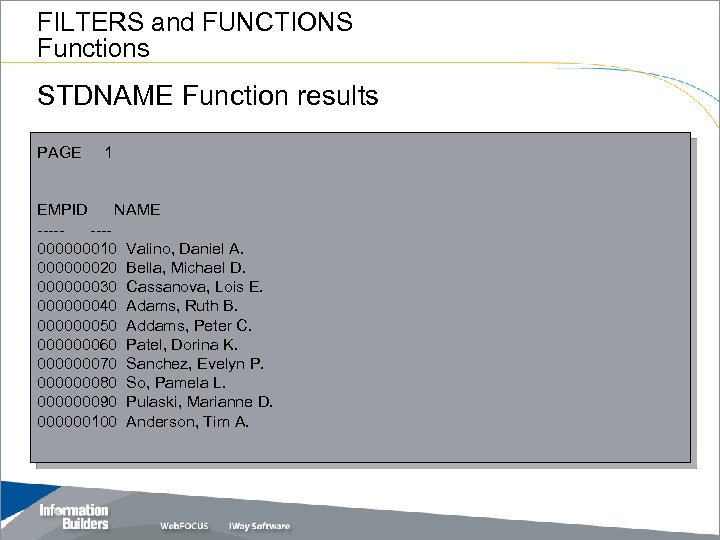
FILTERS and FUNCTIONS Functions STDNAME Function results PAGE 1 EMPID NAME -------000000010 Valino, Daniel A. 000000020 Bella, Michael D. 000000030 Cassanova, Lois E. 000000040 Adams, Ruth B. 000000050 Addams, Peter C. 000000060 Patel, Dorina K. 000000070 Sanchez, Evelyn P. 000000080 So, Pamela L. 000000090 Pulaski, Marianne D. 000000100 Anderson, Tim A.
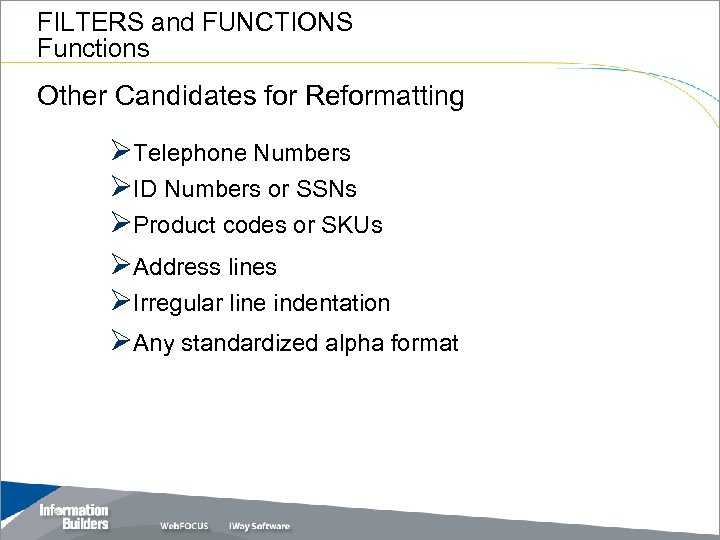
FILTERS and FUNCTIONS Functions Other Candidates for Reformatting ØTelephone Numbers ØID Numbers or SSNs ØProduct codes or SKUs ØAddress lines ØIrregular line indentation ØAny standardized alpha format
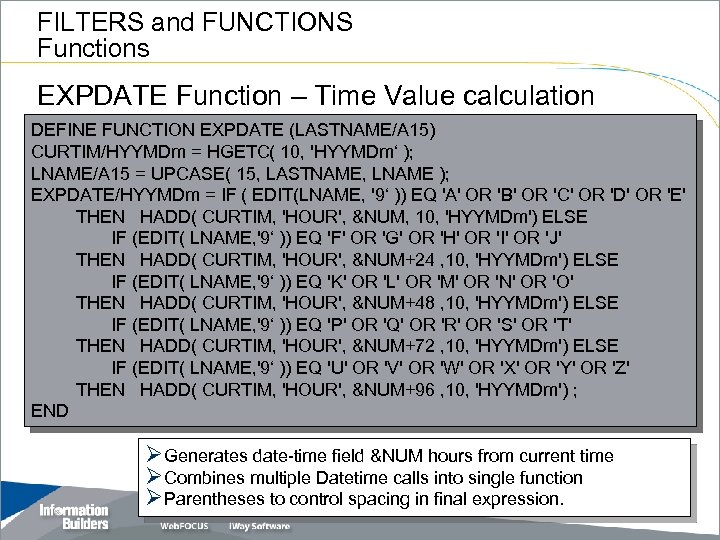
FILTERS and FUNCTIONS Functions EXPDATE Function – Time Value calculation DEFINE FUNCTION EXPDATE (LASTNAME/A 15) CURTIM/HYYMDm = HGETC( 10, 'HYYMDm‘ ); LNAME/A 15 = UPCASE( 15, LASTNAME, LNAME ); EXPDATE/HYYMDm = IF ( EDIT(LNAME, '9‘ )) EQ 'A' OR 'B' OR 'C' OR 'D' OR 'E' THEN HADD( CURTIM, 'HOUR', &NUM, 10, 'HYYMDm') ELSE IF (EDIT( LNAME, '9‘ )) EQ 'F' OR 'G' OR 'H' OR 'I' OR 'J' THEN HADD( CURTIM, 'HOUR', &NUM+24 , 10, 'HYYMDm') ELSE IF (EDIT( LNAME, '9‘ )) EQ 'K' OR 'L' OR 'M' OR 'N' OR 'O' THEN HADD( CURTIM, 'HOUR', &NUM+48 , 10, 'HYYMDm') ELSE IF (EDIT( LNAME, '9‘ )) EQ 'P' OR 'Q' OR 'R' OR 'S' OR 'T' THEN HADD( CURTIM, 'HOUR', &NUM+72 , 10, 'HYYMDm') ELSE IF (EDIT( LNAME, '9‘ )) EQ 'U' OR 'V' OR 'W' OR 'X' OR 'Y' OR 'Z' THEN HADD( CURTIM, 'HOUR', &NUM+96 , 10, 'HYYMDm') ; END ØGenerates date-time field &NUM hours from current time ØCombines multiple Datetime calls into single function ØParentheses to control spacing in final expression.
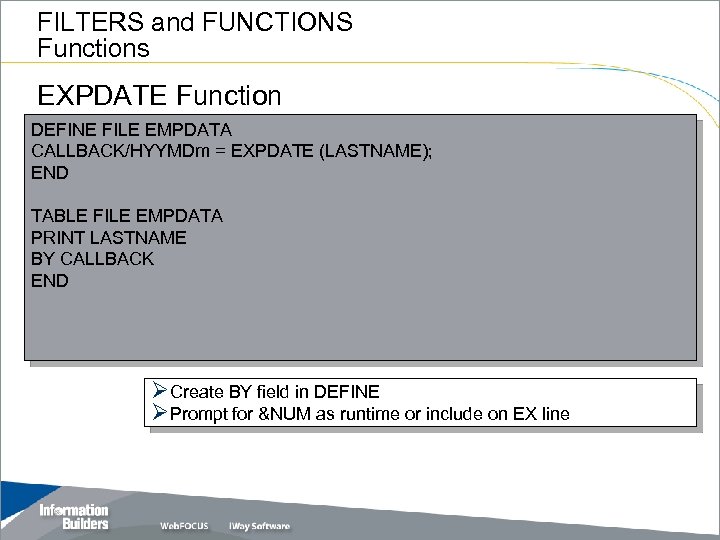
FILTERS and FUNCTIONS Functions EXPDATE Function DEFINE FILE EMPDATA CALLBACK/HYYMDm = EXPDATE (LASTNAME); END TABLE FILE EMPDATA PRINT LASTNAME BY CALLBACK END ØCreate BY field in DEFINE ØPrompt for &NUM as runtime or include on EX line
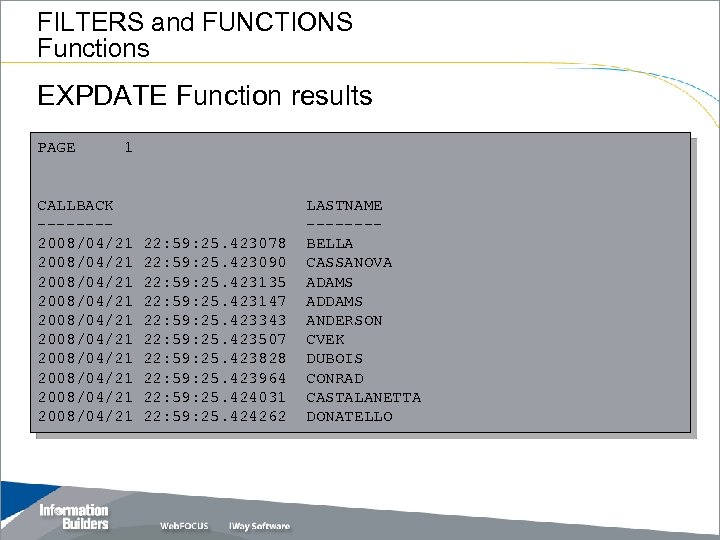
FILTERS and FUNCTIONS Functions EXPDATE Function results PAGE 1 CALLBACK -------2008/04/21 2008/04/21 2008/04/21 22: 59: 25. 423078 22: 59: 25. 423090 22: 59: 25. 423135 22: 59: 25. 423147 22: 59: 25. 423343 22: 59: 25. 423507 22: 59: 25. 423828 22: 59: 25. 423964 22: 59: 25. 424031 22: 59: 25. 424262 LASTNAME -------BELLA CASSANOVA ADAMS ADDAMS ANDERSON CVEK DUBOIS CONRAD CASTALANETTA DONATELLO
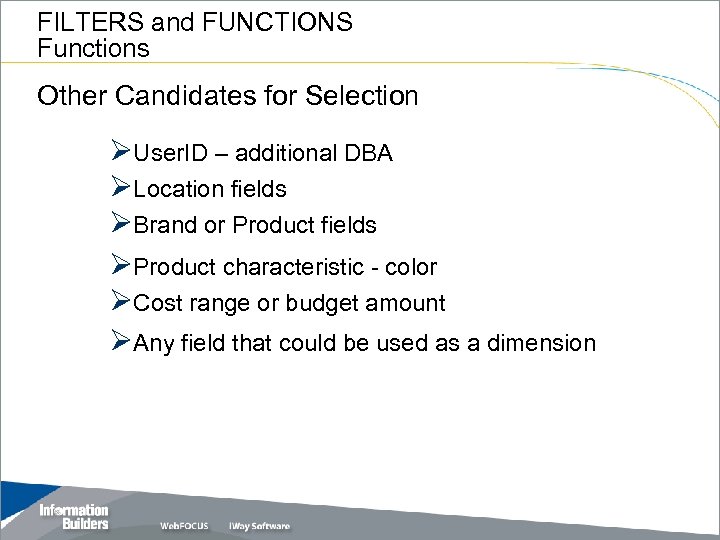
FILTERS and FUNCTIONS Functions Other Candidates for Selection ØUser. ID – additional DBA ØLocation fields ØBrand or Product fields ØProduct characteristic - color ØCost range or budget amount ØAny field that could be used as a dimension
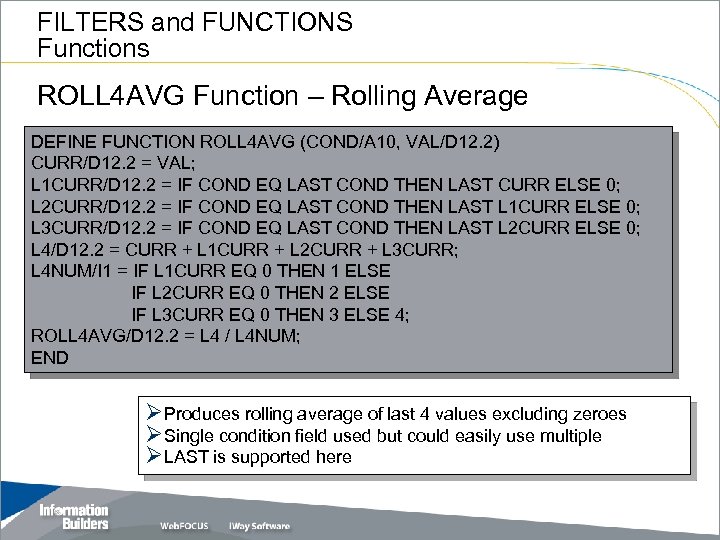
FILTERS and FUNCTIONS Functions ROLL 4 AVG Function – Rolling Average DEFINE FUNCTION ROLL 4 AVG (COND/A 10, VAL/D 12. 2) CURR/D 12. 2 = VAL; L 1 CURR/D 12. 2 = IF COND EQ LAST COND THEN LAST CURR ELSE 0; L 2 CURR/D 12. 2 = IF COND EQ LAST COND THEN LAST L 1 CURR ELSE 0; L 3 CURR/D 12. 2 = IF COND EQ LAST COND THEN LAST L 2 CURR ELSE 0; L 4/D 12. 2 = CURR + L 1 CURR + L 2 CURR + L 3 CURR; L 4 NUM/I 1 = IF L 1 CURR EQ 0 THEN 1 ELSE IF L 2 CURR EQ 0 THEN 2 ELSE IF L 3 CURR EQ 0 THEN 3 ELSE 4; ROLL 4 AVG/D 12. 2 = L 4 / L 4 NUM; END ØProduces rolling average of last 4 values excluding zeroes ØSingle condition field used but could easily use multiple ØLAST is supported here
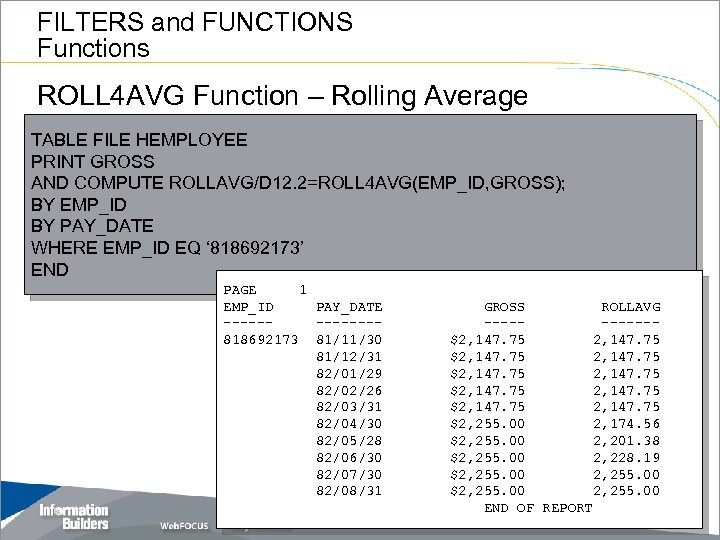
FILTERS and FUNCTIONS Functions ROLL 4 AVG Function – Rolling Average TABLE FILE HEMPLOYEE PRINT GROSS AND COMPUTE ROLLAVG/D 12. 2=ROLL 4 AVG(EMP_ID, GROSS); BY EMP_ID BY PAY_DATE WHERE EMP_ID EQ ‘ 818692173’ END PAGE 1 EMP_ID PAY_DATE ------818692173 81/11/30 81/12/31 82/01/29 82/02/26 82/03/31 82/04/30 82/05/28 82/06/30 82/07/30 82/08/31 GROSS ROLLAVG -----$2, 147. 75 $2, 147. 75 $2, 255. 00 2, 174. 56 $2, 255. 00 2, 201. 38 $2, 255. 00 2, 228. 19 $2, 255. 00 END OF REPORT
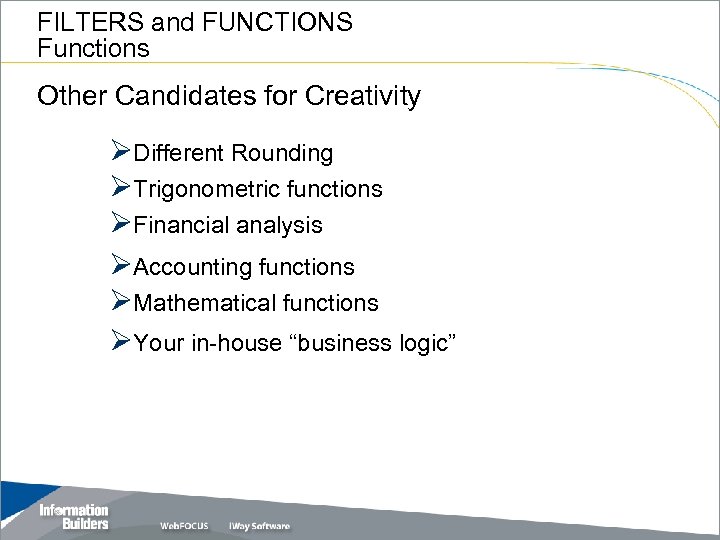
FILTERS and FUNCTIONS Functions Other Candidates for Creativity ØDifferent Rounding ØTrigonometric functions ØFinancial analysis ØAccounting functions ØMathematical functions ØYour in-house “business logic”

FILTERS and FUNCTIONS Functions
Скачать презентацию FILTERS and FUNCTIONS Hidden Gems Walter F Blood
0fa6bd768f47185560118b107fa84d92.ppt