


 Скачать презентацию Figures Axes Printing Saving Outline
5b29bd592b60ff864c3fa2ae92a5986c.ppt
- Количество слайдов: 23
 Figures & Axes, Printing & Saving
 Outline • Announcements – Homework I on web, due Wed. 5 PM by email • • • A word on HWI and cookies What happens when you plot Figures Axes Printing and saving
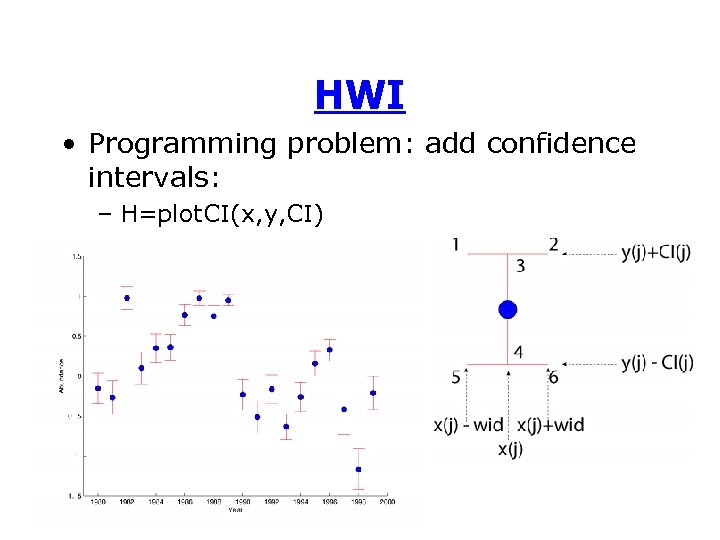 HWI • Programming problem: add confidence intervals: – H=plot. CI(x, y, CI)
 Cookie Challenge • Your function must return handles to any objects it creates – Handle(s) to dots at x, y – Handle(s) to CI lines • Fairly easy to create each CI line as a unique object (20 handles for example) • But, I think it is possible to create CI lines as a single object (1 handle) – Anyone who figures out 1 -handle problem will win a cookie • Ties will be decided by programming style – Comments, error checking, elegance, speed
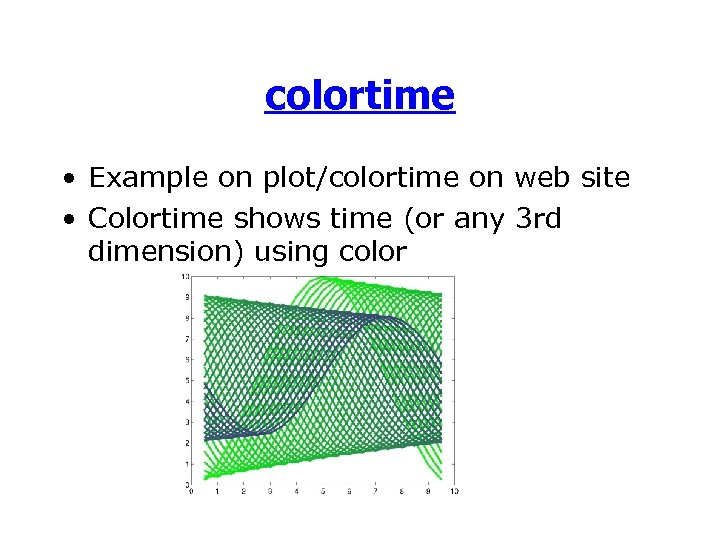 colortime • Example on plot/colortime on web site • Colortime shows time (or any 3 rd dimension) using color
 What happens when you plot • We know that plot(x, y) produces a line object • We also know that we can get a handle to the object and change its properties • But, other things happen too: – – A new window is created (a “figure”) A white rectangle is placed in the window (an “axes”) The rectangle has ticks and numbers attached to it The line object is placed on the rectangle
 Figures and Axes • Figures and axes are also objects • We can get handles to them and change their properties • These objects are created as needed when graphics routines are called – They can also be created explicitly
 Figures • If no figures are open, Matlab will create one when you call a graphics routine • If a figure is open, then any subsequent graphics will be placed in that figure • Figures can be created explicitly by calling figure – h=figure; --creates a new figure, handle saved in h • Figures can be cleared with clf
 Multiple Figures • If multiple figures are open and you call plot, where does the new line go? – One of the figures is the “current figure” • the current figure is the last one you plotted into or the last one created • the function gcf returns a handle to the current figure
 Multiple Figures • More ways to use figure – figure(n) • if figure number n doesn’t exist, then it is created • if it exists, then it becomes the current figure • regardless, it will be the current figure – figure(h)--changes current figure to h (a figure handle) • Delete figures with close – close(h)--closes figure with handle h – close(n)--closes figure number n – close all closes all figures
 Figure Properties • Lots of properties, the interesting ones are – color--color of figure (usually gray) – colormap--specifies colors for 2 D plots – Paper stuff--controls how figure maps onto printer page
![Figure Properties – Position--[llx, lly, width, height] • (llx, lly) is the position of](https://present5.com/presentation/5b29bd592b60ff864c3fa2ae92a5986c/image-12.jpg "Figure Properties – Position--[llx, lly, width, height] • (llx, lly) is the position of") Figure Properties – Position--[llx, lly, width, height] • (llx, lly) is the position of the lower-left corner – Renderer-- ‘painters’, ‘zbuffer’, ‘Open. GL’ • algorithms used to display the graphics – Units-- ‘pixels’ or ‘relative’ --units used to specify position
Figure Properties – Position--[llx, lly, width, height] • (llx, lly) is the position of the lower-left corner – Renderer-- ‘painters’, ‘zbuffer’, ‘Open. GL’ • algorithms used to display the graphics – Units-- ‘pixels’ or ‘relative’ --units used to specify position
 Axes • Figures can only contain axes (and some special GUI stuff) • Axes can contain anything (except figures, axes, and some GUI stuff) • Axes are created if needed • Can be created explicitly with axes – axes -- creates default axes (most of figure) – axes(‘position’, [llx, lly, width, height])--creates axes with specific position – can return handle to the new axes
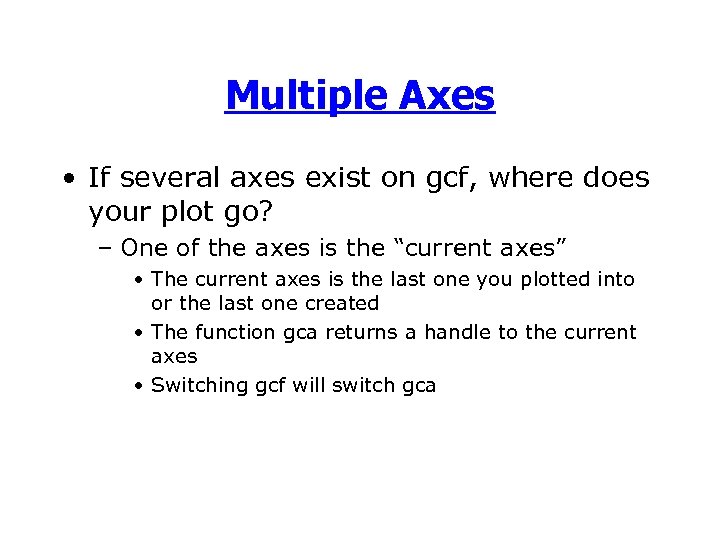 Multiple Axes • If several axes exist on gcf, where does your plot go? – One of the axes is the “current axes” • The current axes is the last one you plotted into or the last one created • The function gca returns a handle to the current axes • Switching gcf will switch gca
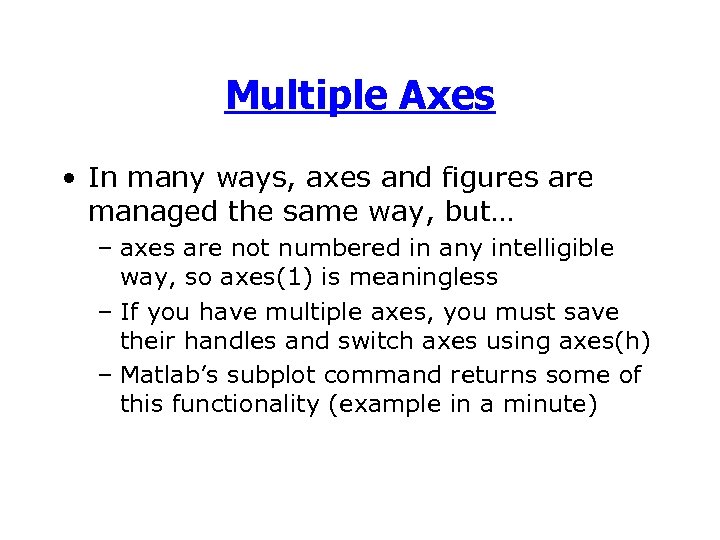 Multiple Axes • In many ways, axes and figures are managed the same way, but… – axes are not numbered in any intelligible way, so axes(1) is meaningless – If you have multiple axes, you must save their handles and switch axes using axes(h) – Matlab’s subplot command returns some of this functionality (example in a minute)
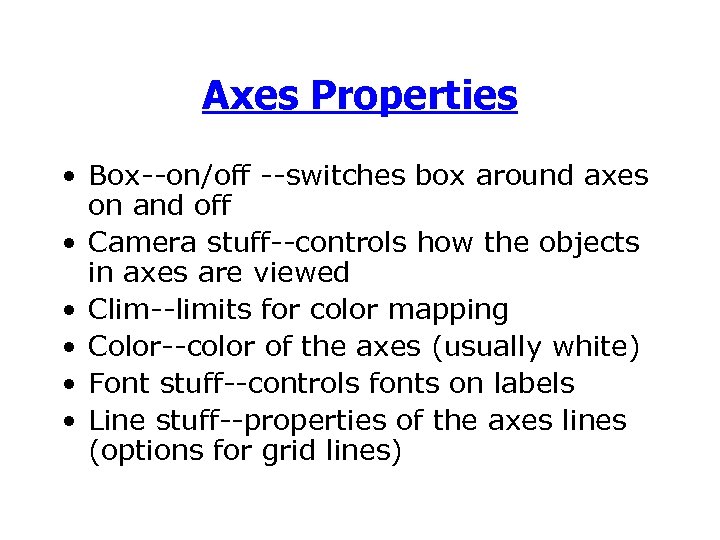 Axes Properties • Box--on/off --switches box around axes on and off • Camera stuff--controls how the objects in axes are viewed • Clim--limits for color mapping • Color--color of the axes (usually white) • Font stuff--controls fonts on labels • Line stuff--properties of the axes lines (options for grid lines)
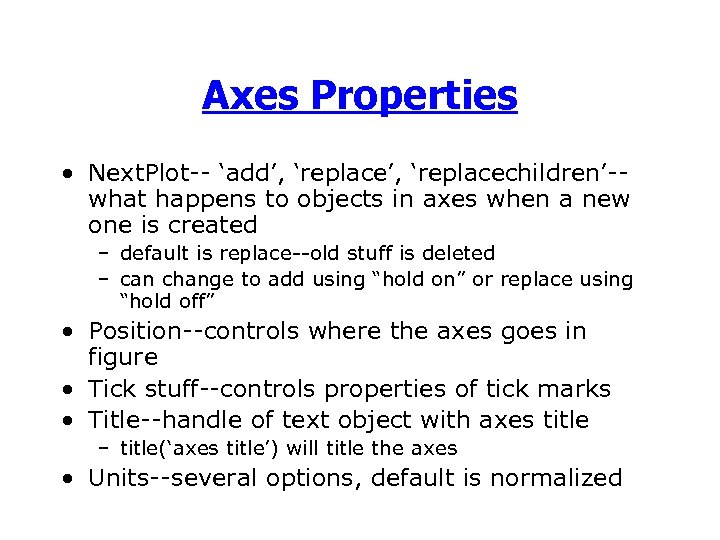 Axes Properties • Next. Plot-- ‘add’, ‘replacechildren’-what happens to objects in axes when a new one is created – default is replace--old stuff is deleted – can change to add using “hold on” or replace using “hold off” • Position--controls where the axes goes in figure • Tick stuff--controls properties of tick marks • Title--handle of text object with axes title – title(‘axes title’) will title the axes • Units--several options, default is normalized
 Axes Properties • Axes have 3 axes: X (horizontal), Y (vertical), Z (height) • We can control the range and appearance of each – XColor--color of the axis lines – XGrid--on/off turns grid lines on or off – XLabel--handle of text object with x axis label • xlabel(‘x label’) will label the x axis – XLim--range of the x axis • cas set xlim and ylim togther with axis command – XScale--linear/log --can plot on a log 10 scale
 Axes Properties – Xtick--where the tick marks (and labels) occur – XTick. Label--the labels • Matlab works hard to pick “good” labels (base 10) • Can change labels by setting ticklabel – set(gca, ‘xticklabel’, ‘first|second|third’) – Setting Xtick or XTick. Label will change XTick. Mode or XLabel. Modes to ‘manual’-may give problems if figure is resized
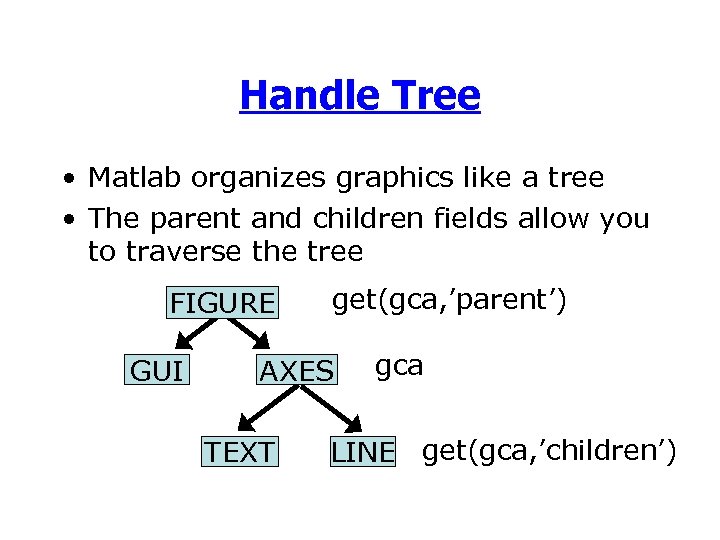 Handle Tree • Matlab organizes graphics like a tree • The parent and children fields allow you to traverse the tree FIGURE GUI get(gca, ’parent’) AXES TEXT gca LINE get(gca, ’children’)
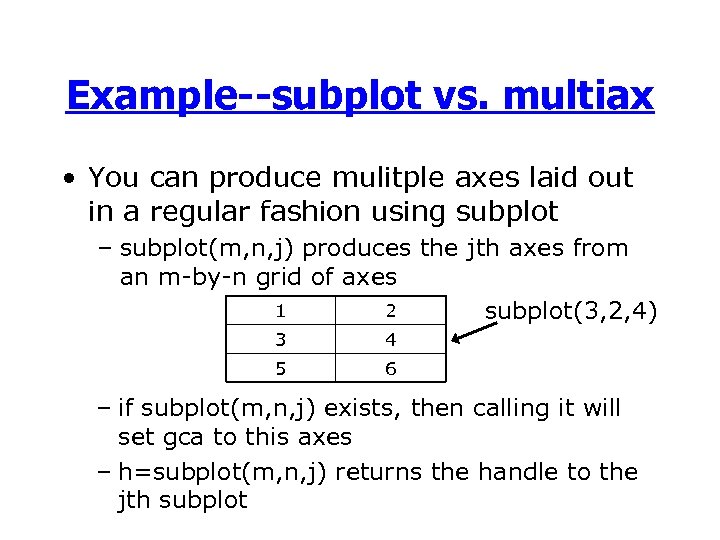 Example--subplot vs. multiax • You can produce mulitple axes laid out in a regular fashion using subplot – subplot(m, n, j) produces the jth axes from an m-by-n grid of axes 1 2 subplot(3, 2, 4) 3 4 5 6 – if subplot(m, n, j) exists, then calling it will set gca to this axes – h=subplot(m, n, j) returns the handle to the jth subplot
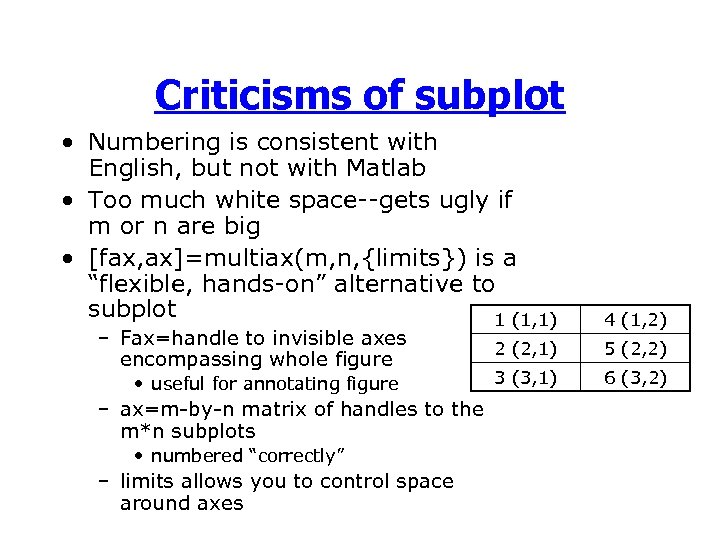 Criticisms of subplot • Numbering is consistent with English, but not with Matlab • Too much white space--gets ugly if m or n are big • [fax, ax]=multiax(m, n, {limits}) is a “flexible, hands-on” alternative to subplot 1 (1, 1) 4 (1, 2) 2 (2, 1) 5 (2, 2) 3 (3, 1) 6 (3, 2) – Fax=handle to invisible axes encompassing whole figure • useful for annotating figure – ax=m-by-n matrix of handles to the m*n subplots • numbered “correctly” – limits allows you to control space around axes
 Printing and Saving • Print through GUI or command line – print -depsc fname. eps will save gcf to an EPS file – print -djpeg fname. jpg will save gcf to a JPEG – Can also save figure to a. fig file from the GUI • Opening the file (from GUI) will recreate the figure