 Скачать презентацию Fighting Spam in an Exchange Environment Tzahi Kolber
06819ffcd8ccd5ed1c75e3b0daf3e439.ppt
- Количество слайдов: 29



Fighting Spam in an Exchange Environment Tzahi Kolber IT Supervisor - Polycom Israel
What will we cover: Problems and Concerns How to Fight Spam Exchange Server 2003 Anti-Spam Features Exchange Server 2007 Anti-spam Features How not to be blocked as spammers.
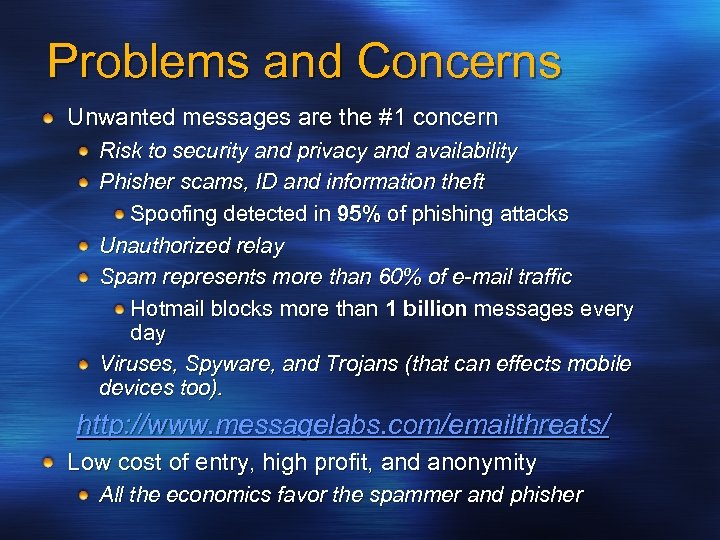
Problems and Concerns Unwanted messages are the #1 concern Risk to security and privacy and availability Phisher scams, ID and information theft Spoofing detected in 95% of phishing attacks Unauthorized relay Spam represents more than 60% of e-mail traffic Hotmail blocks more than 1 billion messages every day Viruses, Spyware, and Trojans (that can effects mobile devices too). http: //www. messagelabs. com/emailthreats/ Low cost of entry, high profit, and anonymity All the economics favor the spammer and phisher
How to Fight Spam
Enterprise Requirements for Anti-Spam False positives are primary concern Block at the gateway whenever possible User never sees it Reduces impact on bandwidth. Reduces impact of system resources on Exchange servers (CPU, I/O, DB size…) Administration End-to-end solutions (including mobiles). Easy to manage Balance corporate and end-user control
Exchange Server 2003: Anti-Spam Features Connection filtering: where it came from Sender filtering: who sent it Recipient filtering: who it is for Microsoft Exchange Intelligent Message Filter: what it is about Sender ID: Is the sender is really the sender? * Restricted Distribution Lists
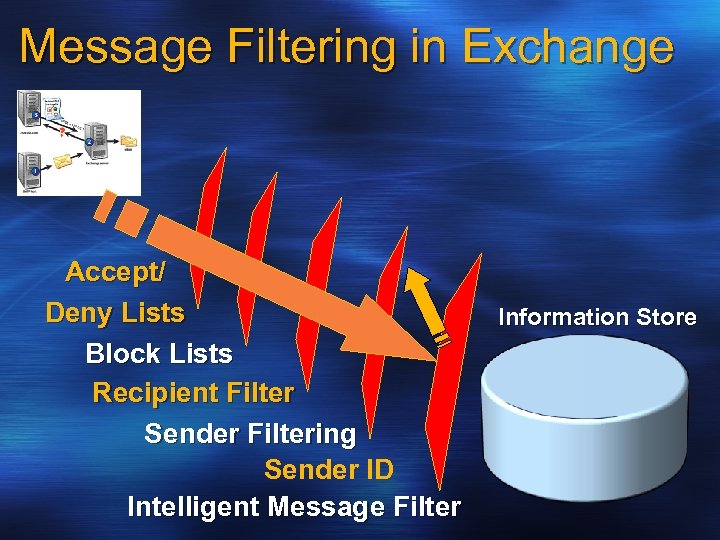
Message Filtering in Exchange Accept/ Deny Lists Block Lists Recipient Filter Sender Filtering Sender ID Intelligent Message Filter Information Store
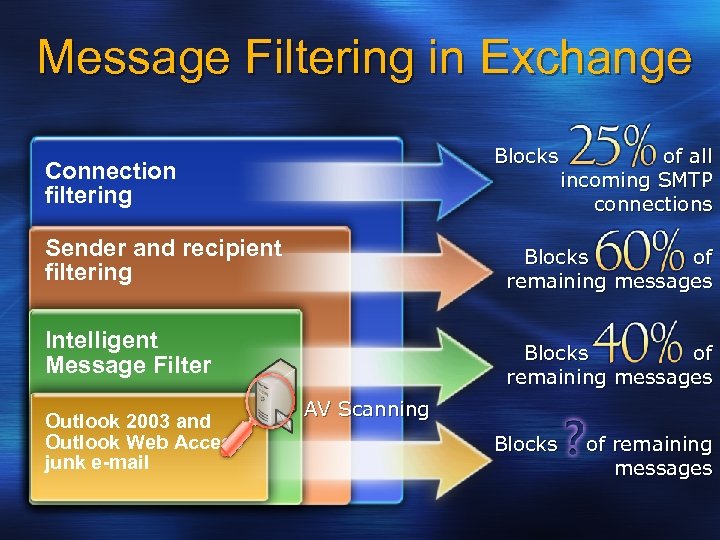
Message Filtering in Exchange Blocks Connection filtering Sender and recipient filtering Blocks of remaining messages Intelligent Message Filter Outlook 2003 and Outlook Web Access junk e-mail of all incoming SMTP connections Blocks of remaining messages AV Scanning Blocks of remaining messages
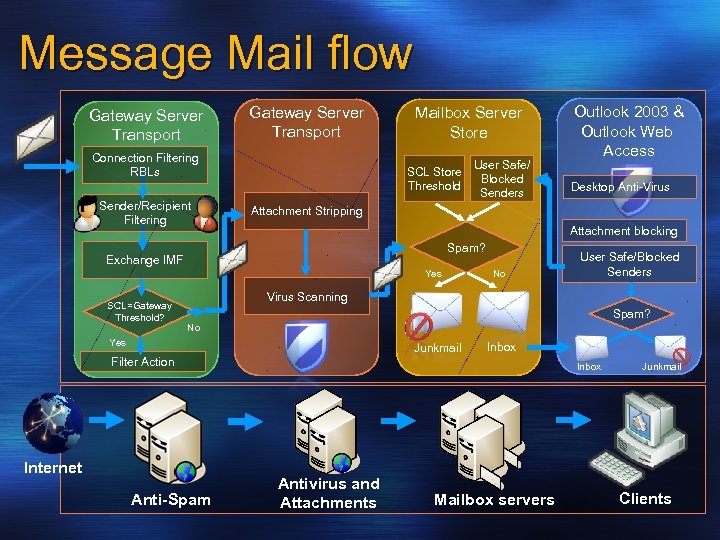
Message Mail flow Gateway Server Transport Mailbox Server Store Connection Filtering RBLs SCL Store Threshold Sender/Recipient Filtering Exchange IMF SCL=Gateway Threshold? User Safe/ Blocked Senders Outlook 2003 & Outlook Web Access Desktop Anti-Virus Attachment Stripping Attachment blocking Spam? SCL Yes No User Safe/Blocked Senders Virus Scanning Spam? No Yes Junkmail Filter Action Internet Anti-Spam Inbox Antivirus and Attachments Mailbox servers Junkmail Clients
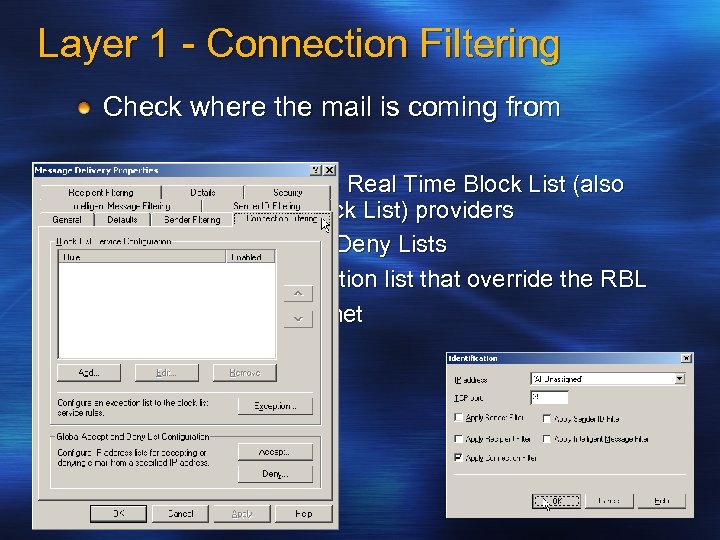
Layer 1 - Connection Filtering Check where the mail is coming from Support for multiple Real Time Block List (also known as DNS Block List) providers Global Accept and Deny Lists Configurable exception list that override the RBL Blocking by IP/subnet
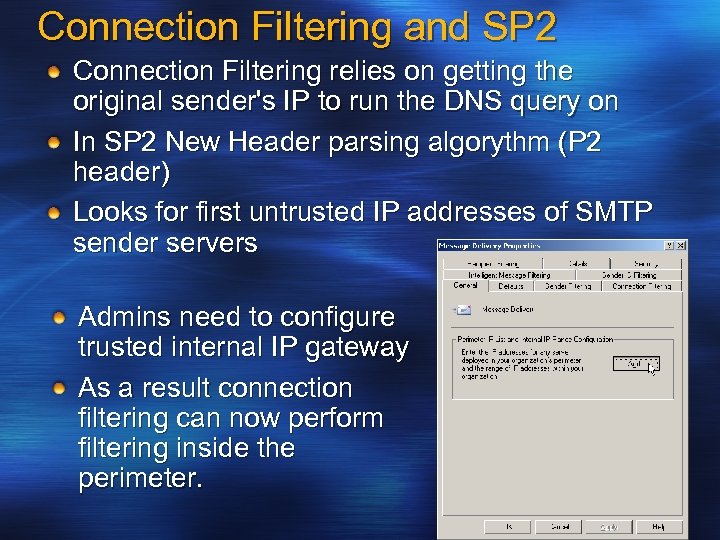
Connection Filtering and SP 2 Connection Filtering relies on getting the original sender's IP to run the DNS query on In SP 2 New Header parsing algorythm (P 2 header) Looks for first untrusted IP addresses of SMTP sender servers Admins need to configure trusted internal IP gateway As a result connection filtering can now perform filtering inside the perimeter.
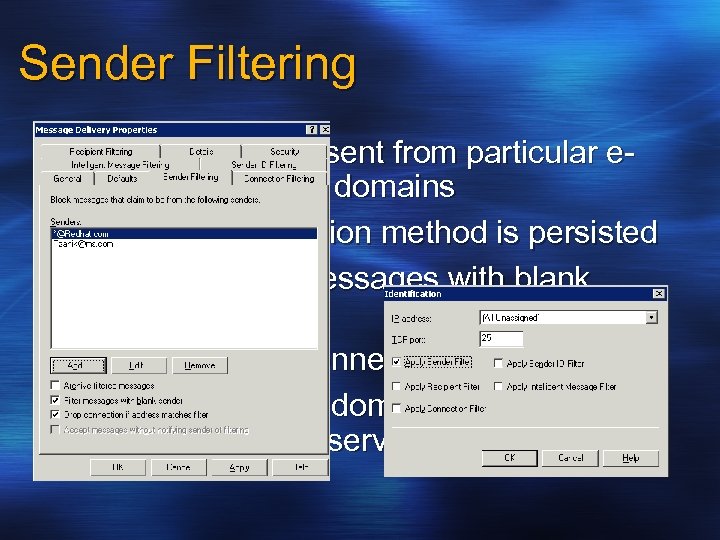
Sender Filtering Filters messages sent from particular email addresses or domains Message submission method is persisted Optionally filter messages with blank senders Optionally drop connection Note: adding own domain to Sender Filter list may break list services
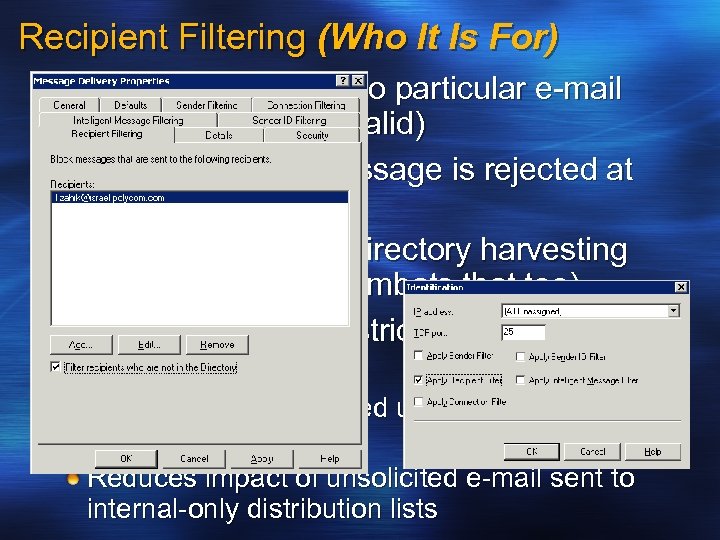
Recipient Filtering (Who It Is For) Filter messages sent to particular e-mail recipients (valid or invalid) No NDR because message is rejected at protocol level Designed to combat directory harvesting attacks (Tarpitting combats that too). Related Feature - Restricted distribution lists Allow only authenticated users to send to a distribution list Reduces impact of unsolicited e-mail sent to internal-only distribution lists
Layer 2 – SMTP Filtering If the incoming connection passed through the Connection Filtering layer, the next in line is SMTP Filtering Sender and Recipient Filtering Sender : List of prohibited sender email addresses, domain address, blank sender Recipient : Directory lookup and Tar pitting Sender ID Filtering
Sender ID Comes with SP 2 Industry standard framework Fight against e-mail domain spoofing. Verify that each e-mail message originates from the Internet domain from which it claims to come based on the sending server's IP address. See http: //www. microsoft. com/mscorp/safety/te chnologies/senderid/default. mspx
Benefits of Sender ID Protect sender’s brand domain names from spoofing and phishing Receivers validate the origin of mail More input into spam filtering decision By itself does NOT stop spam
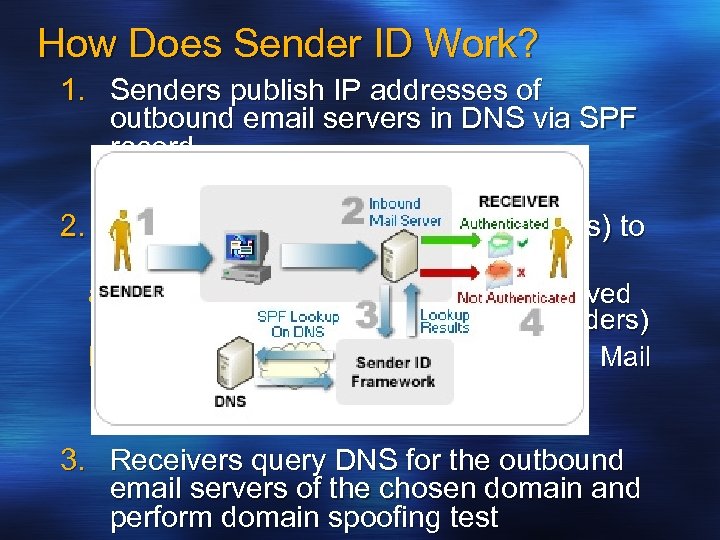
How Does Sender ID Work? 1. Senders publish IP addresses of outbound email servers in DNS via SPF record 2. Receivers determine which domain(s) to check a) “Purported responsible domain” derived from message body (RFC 2822 headers) b) “Envelope From” domain (RFC 2821 Mail From) 3. Receivers query DNS for the outbound email servers of the chosen domain and perform domain spoofing test
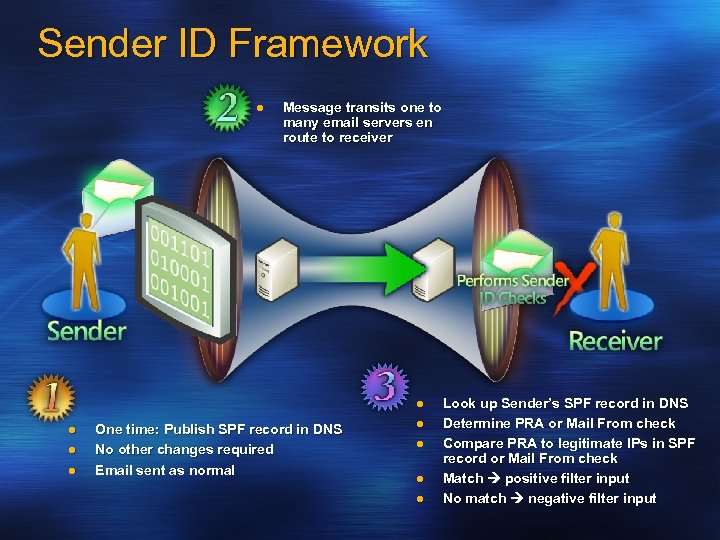
Sender ID Framework l Message transits one to many email servers en route to receiver l l One time: Publish SPF record in DNS No other changes required Email sent as normal l l Look up Sender’s SPF record in DNS Determine PRA or Mail From check Compare PRA to legitimate IPs in SPF record or Mail From check Match positive filter input No match negative filter input
Limitations Authenticates domains not users Validates “last hop” not end-to-end (Can not block email from relay). Spammers can register their own domains… But this aids investigative efforts Allows for reputation of domains - sooner or later is going to be caught….
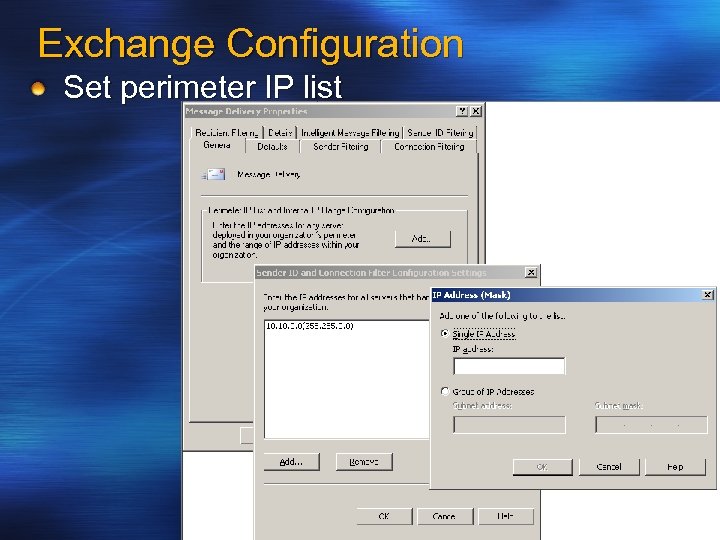
Exchange Configuration Set perimeter IP list
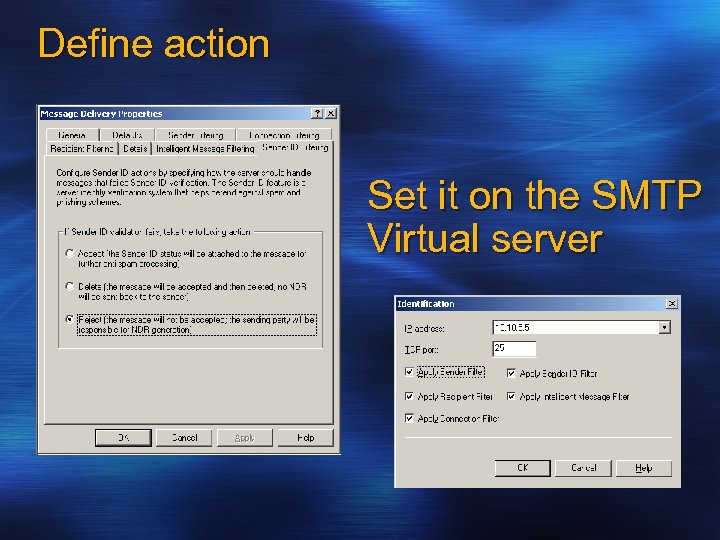
Define action Set it on the SMTP Virtual server
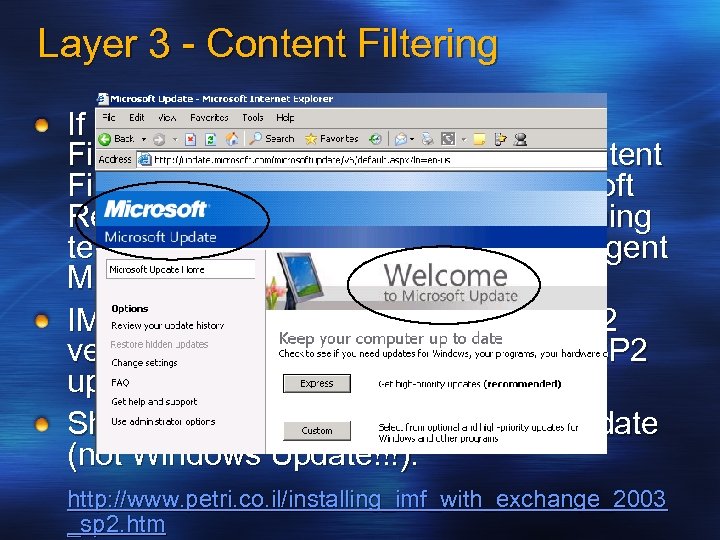
Layer 3 - Content Filtering If a mail item gets through Recipient Filtering it faces Content filtering. Content Filtering in Exchange relies on Microsoft Research Smart. Screen machine learning technology incorporated into the Intelligent Message Filter (IMF). IMF is now integrated to SP 2 (Pre-SP 2 version should be uninstalled before SP 2 upgrade). Should be updated from Microsoft Update (not Windows Update!!!). http: //www. petri. co. il/installing_imf_with_exchange_2003 _sp 2. htm
![How it works Examines messages and gives each an SCL value [0 -9] Two](https://present5.com/presentation/06819ffcd8ccd5ed1c75e3b0daf3e439/image-23.jpg "How it works Examines messages and gives each an SCL value [0 -9] Two")
How it works Examines messages and gives each an SCL value [0 -9] Two thresholds: Gateway and Store Messages with a high SCL value are filtered at the gateway MS IT: More than 30% filtered Reduces impact to users and the rest of the infrastructure Possibility of SCL store level spam filtering SCL is transferred as a part of EXCH 50 blob Exposing SCL in Outlook http: //blogs. msdn. com/exchange/archive/2004/05/26/14 2607. aspx
Messaging Hygiene Architectural Principles Anti-spam MUST be done before anti virus Anti-spam SHOULD be done for inbound mail only Anti-spam filtering SHOULD remove vs. quarantine Anti-virus MUST be mail direction aware Anti-virus SHOULD remove vs. quarantine Generate security notifications for infected ingoing e-mail Anti-virus and Anti-spam systems MUST integrate with Exchange
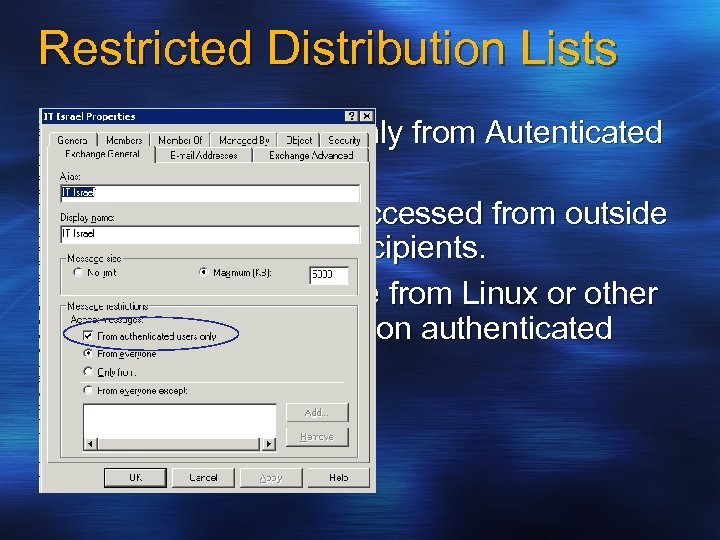
Restricted Distribution Lists Can accept emails only from Autenticated users. Benefit: Will not be accessed from outside to large number of recipients. Will not be accessible from Linux or other SMTP applications (non authenticated users)
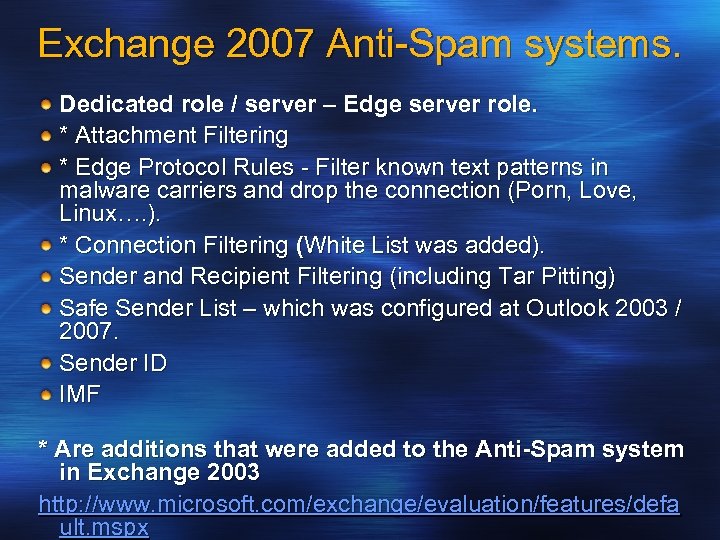
Exchange 2007 Anti-Spam systems. Dedicated role / server – Edge server role. * Attachment Filtering * Edge Protocol Rules - Filter known text patterns in malware carriers and drop the connection (Porn, Love, Linux…. ). * Connection Filtering (White List was added). Sender and Recipient Filtering (including Tar Pitting) Safe Sender List – which was configured at Outlook 2003 / 2007. Sender ID IMF * Are additions that were added to the Anti-Spam system in Exchange 2003 http: //www. microsoft. com/exchange/evaluation/features/defa ult. mspx
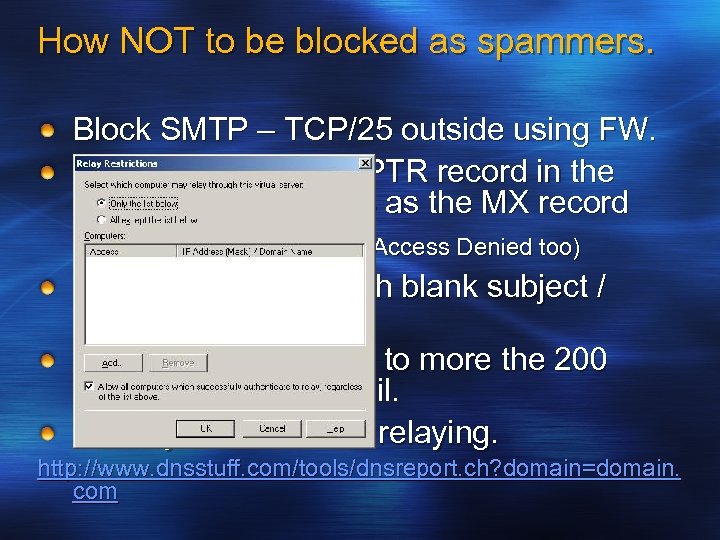
How NOT to be blocked as spammers. Block SMTP – TCP/25 outside using FW. Verify that you have PTR record in the DNS – same address as the MX record (will avoid NDR errors 5. 7. 1 Access Denied too) Don’t send emails with blank subject / Sender. Avoid sending emails to more the 200 recipients in one email. Close your SMTP for relaying. http: //www. dnsstuff. com/tools/dnsreport. ch? domain=domain. com
Some Useful links…… http//: www. msexchange. org/tutorials/Sender-Recipient. Filtering. html http: //www. msexchange. org/tutorials/MF 005. html http: //www. petri. co. il/block_spam_with_exchange_2003. ht m http: //www. spamcop. net/fom-serve/cache/345. html http: //www. microsoft. com/mscorp/safety/content/technolog ies/senderid/wizard/default. aspx http: //www. dnsstuff. com/ http: //www. microsoft. com/exchange/evaluation/features/de fault. mspx http: //www. petri. co. il/configure_imf_in_exchange_2003_sp 2. htm http: //www. msexchange. org/tutorials/Windows-based. SMTP-Tar-Pitting-Explained. html

Questions? Thank you !
Скачать презентацию Fighting Spam in an Exchange Environment Tzahi Kolber
06819ffcd8ccd5ed1c75e3b0daf3e439.ppt