


 Скачать презентацию Fermi Grid 101 An Introduction to Fermi Grid 06
a7a6eed24f97f9a34ecca03e6eeca967.ppt
- Количество слайдов: 38
 Fermi. Grid 101 An Introduction to (Fermi)Grid 06 -Jan-2010 Keith Chadwick
 Outline Introduction - What is the Grid? Grid Alphabet Soup How does the Grid Operate? Credential Authorities Virtual Organizations Why use the Grid? What is Fermi. Grid? How Can You Use the Grid? Acceptable Use Policies Use fermilab VO or create a new stand alone VO? How to install the OSG Client Software How to run a simple Grid job How to access Grid storage Near Future and Additional Resources 06 -Jan-2010 Fermi. Grid 101 1
 What Is The Grid? A Grid is a collection of loosely coupled computing and storage resources based on a common software stack - the Globus toolkit (aka Grid Middleware). The compute and storage resources are offered to the grid by the resource providers (aka owners or stakeholders). Within the grid parlance, the resources are referred to as Compute Elements (CEs) or Storage Elements (SEs). Collections of users, called Virtual Organizations (VOs) utilize the grid resources based on either: • formal agreements between the resource providers and the VOs, or • on an opportunistic basis, if the resource provider agrees to such use. 06 -Jan-2010 Fermi. Grid 101 2
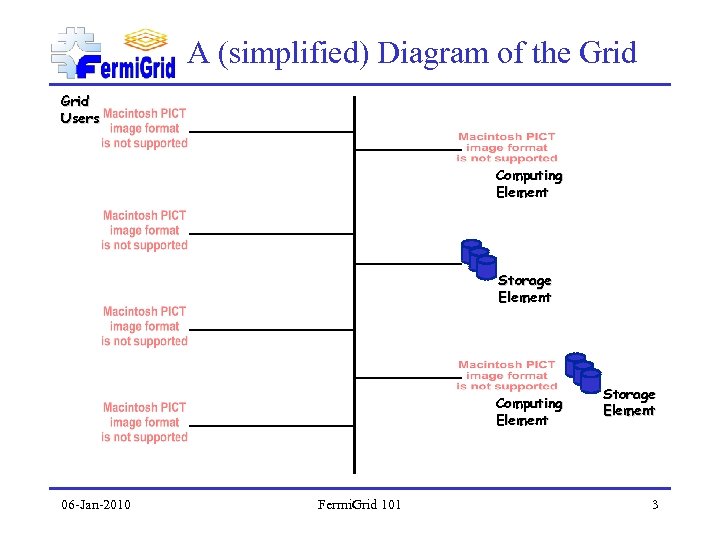 A (simplified) Diagram of the Grid Users Computing Element Storage Element Computing Element 06 -Jan-2010 Fermi. Grid 101 Storage Element 3
 Is There Only One True Grid? Certainly not! At the present time, there are several Grids (here is a partial list): OSG (The Open Science Grid) LCG (The LHC Computing Grid) Tera. Grid SURAgrid http: //www. opensciencegrid. org http: //www. cern. ch/lcg/ http: //www. teragrid. org http: //www. sura. org/SURAgrid/ Some of these grids have interoperation agreements (such as OSG and LCG), others are in the process of developing formal interoperation agreements (such as OSG and Tera. Grid). 06 -Jan-2010 Fermi. Grid 101 4
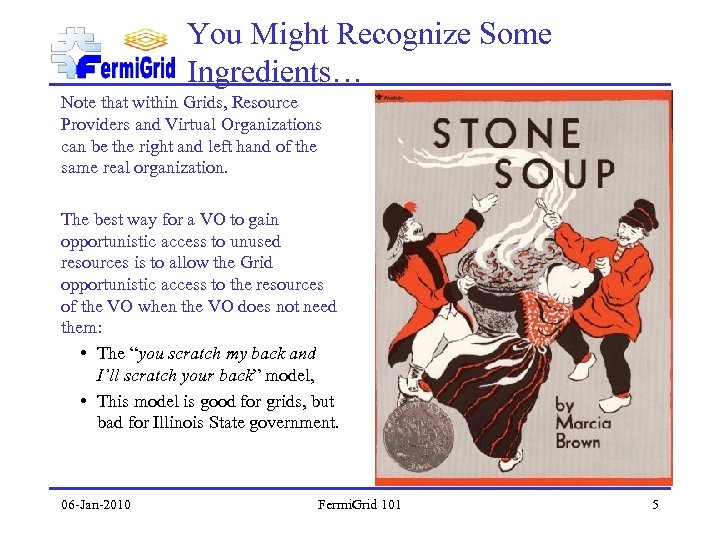 You Might Recognize Some Ingredients… Note that within Grids, Resource Providers and Virtual Organizations can be the right and left hand of the same real organization. The best way for a VO to gain opportunistic access to unused resources is to allow the Grid opportunistic access to the resources of the VO when the VO does not need them: • The “you scratch my back and I’ll scratch your back” model, • This model is good for grids, but bad for Illinois State government. 06 -Jan-2010 Fermi. Grid 101 5
 Alphabet Soup - 1 Globus - aka the Globus Toolkit: • Pre Web Services (PWS) • Web Services (WS) VDT - The Virtual Data Toolkit: • An organized collection of Globus + other Grid tools. Certificate Authority (CA): • A distributed “trust” anchor. • Issues personal and service X. 509 credentials (certificates) to securely identify individuals and services. • Individuals and services perform mutual authentication. • Certificates are protected through the use of delegated proxies. 06 -Jan-2010 Fermi. Grid 101 6
 Alphabet Soup - 2 Distinguished Name (DN). • Unique Identity name used within a Certificate or Proxy. • /DC=gov/DC=fnal/O=Fermilab/OU=People/CN=Keith Chadwick/UID=chadwick • /DC=org/DC=doegrids/OU=People/CN=Keith Chadwick 800325 Fully Qualified Attribute Name (FQAN) • Optional portion of a Grid proxy used by VOMS, GUMS and SAZ. • /fermilab/grid/Role=NULL/Capability=NULL Compute Element - A “cluster” (farm) of processors. • Access to the processors is through one (or more) Gatekeeper system(s). Storage Element - • Volatile (disk), resilient (multiple disk copies) or permanent (tape) storage. (Globus) Gakekeeper - Entry point to a Grid Compute Element. • Usually the cluster (farm) head node. 06 -Jan-2010 Fermi. Grid 101 7
 Alphabet Soup - 3 GRAM - Globus Resource Allocation Manager • Pre Web Services • Web Services Jobmanager - Interface between GRAM and the resource: • jobmanager-fork - GRAM interface to the local fork queue on the cluster head node. • jobmanager-condor - GRAM interface to the Condor batch system • jobmanager-pbs - GRAM interface to the PBS batch system Worker Node - An individual processor in a farm or cluster. • Accessed by the corresponding batch system interface. • Typically has at least one batch “slot” per processor core. 06 -Jan-2010 Fermi. Grid 101 8
 Alphabet Soup - 4 VOMRS - Virtual Organization Member Registration Service. • A service which automates the VO membership registration workflow. • Application, candidate, membership, groups and/or roles, suspension, etc. VOMS - Virtual Organization Management Service. • A service which serves as the authoritative source of the list of VO members. GUMS - Grid User Mapping Service. • Maintains the mappings between (proxy) certificates and local usernames. • Uses DN+FQAN to determine the appropriate mapping. SAZ - Site Authori. Zation Service. • Site whitelist and backlist. • Decision can be based on DN, VO, Role, or CA. 06 -Jan-2010 Fermi. Grid 101 9
 How Do Grids Operate? The Globus toolkit utilizes x. 509 credentials to create secure and encrypted communications channels in order to authenticate, authorize and execute grid jobs. There are two types of x. 509 credentials: • User credentials that are used to uniquely identify individuals. • Server (or service) credentials are used to uniquely identify grid systems or grid services. These x. 509 credentials are issued by known Certificate Authorities (CAs): • The Fermilab Kerberos Certificate Authority (KCA) can create X. 509 certificates from Kerberos accounts in the Fermilab Kerberos Domain Controllers. • DOEgrids also operates a recognized CA. • There are many other CAs beyond Fermilab and DOEgrids. 06 -Jan-2010 Fermi. Grid 101 10
 Fermilab KCA vs. DOEgrids CA Fermilab KCA: • • Can “transparently” create certificate proxies from your Kerberos principal. Can create “robot” certificate proxies from within cron jobs run via kcroninit. Certificates (proxies) have a maximum lifetime of seven (7) days. Certificates may not be renewed after the expiration, but you can use My. Proxy to accomplish the equivalent to credential renewal. DOEgrids CA: • • Must use a password to generate certificate proxies. Does not support “robot” certificate or proxies. Certificates have a lifetime of one (1) year from the date of issue. The certificate lifetime is extended by one (1) year at each renewal cycle. Both: • Can be used as membership credentials in Virtual Organizations (VOs). • Can be used to run Grid jobs. 06 -Jan-2010 Fermi. Grid 101 11
 What is a Virtual Organization? VO - Virtual Organization: • Experiment Group - Physics Group: • Top Physics • B physics • Rare decays Role - Specific role within a VO or VO Group: • Production Coordinator • Analysis Coordinator • General User Analysis FQAN - fermilab/minos/Role=production • fermilab VO • minos group • production role 06 -Jan-2010 Fermi. Grid 101 12
 Virtual Organization Membership in a Virtual Organization (VO) is equivalent to formal registration of your x. 509 grid credentials with a VO (i. e. joining an experimental collaboration). Each individual VO controls their registration process. You must complete the specific registration process for each VO that you desire to join. This will typically involve going to the Virtual Organization Registration Service (VOMS) or Virtual Organization Management Registration Service (VOMRS) web page associated with that VO. • Caveat 1: If you have an active Fermilab Kerberos principal, then the credentials corresponding to your x 509 KCA user certificate will be automatically registered in the “fermilab” OSG VO (there is a periodic process to automatically "sweep" all the credentials from x 509 certificates corresponding to active Fermilab Kerberos principals into the “fermilab” VO). • Caveat 2: If you have credentials from a DOEgrids user certificate that you desire to register with the “fermilab” VO, then you must complete the “fermilab” VO registration process. The “fermilab” VO does not have any automated registration process for credentials from your DOEgrids user certificates. • Caveat 3: Some VOs (such as the cdf and cms VOs hosted on voms. fnal. gov) are replicas of the official VO hosted elsewhere. Please do not attempt to register with a replica VO, instead register with the authoritative source of the VO. Once you have completed your credential registration with the authoritative source of the VO, it will be automatically incorporated into the replica VO the next time the replica VO is synchronized with the authoritative source VO. Note: If an organization has both a VOMS and a VOMRS web page, you should use the VOMRS web page. 06 -Jan-2010 Fermi. Grid 101 13
 Why Use The Grid? Currently the OSG has over 21, 000 CPUs • And growing! Many of these are largely idle and available for opportunistic use! At Fermilab, all of the major experiments are using grids (to a greater or lesser extent) both for computing within Fermilab and outside of Fermilab. DOE, NSF and others are investing heavily into grids as the next major computing paradigm. Currently the OSG has over 21, 000 CPUs • And many are idle! 06 -Jan-2010 Fermi. Grid 101 14
 What is Fermi. Grid? Fermi. Grid is: The interface between the Open Science Grid and Fermilab. A set of common services for the Fermilab site including: • • The site Globus gateway. The site Virtual Organization Membership Service (VOMS). The site Virtual Organization Member Registration Service (VOMRS). The site Grid User Mapping Service (GUMS). The Site Authori. Zation Service (SAZ). The site My. Proxy Service. The site Squid web proxy Service. Collections of compute resources (clusters or worker nodes), aka Compute Elements (CEs). Collections of storage resources, aka Storage Elements (SEs). More information is available at http: //fermigrid. fnal. gov 06 -Jan-2010 Fermi. Grid 101 15
 Who is Fermi. Grid? Eileen Berman, Fermilab, Batavia, IL 60510 Philippe Canal, Fermilab, Batavia, IL 60510 Keith Chadwick, Fermilab, Batavia, IL 60510 David Dykstra, Fermilab, Batavia, IL 60510 Ted Hesselroth, Fermilab, Batavia, IL, 60510 Gabriele Garzoglio, Fermilab, Batavia, IL 60510 Chris Green, Fermilab, Batavia, IL 60510 Tanya Levshina, Fermilab, Batavia, IL 60510 Faarooq Lowe, Fermilab, Batavia, IL 60510 Don Petravick, Fermilab, Batavia, IL 60510 Ruth Pordes, Fermilab, Batavia, IL 60510 Igor Sfiligoi, Fermilab, Batavia, IL 60510 Neha Sharma Batavia, IL 60510 Steven Timm, Fermilab, Batavia, IL 60510 Dan Yocum, Fermilab, Batavia, IL 60510 06 -Jan-2010 Fermi. Grid 101 berman@fnal. gov pcanal@fnal. gov chadwick@fnal. gov dwd@fnal. gov tdh@fnal. gov garzogli@fnal. gov greenc@fnal. gov tlevshin@fnal. gov lowe@fnal. gov petravick@fnal. gov ruth@fnal. gov sfiligoi@fnal. gov neha@fnal. gov timm@fnal. gov yocum@fnal. gov * * 16
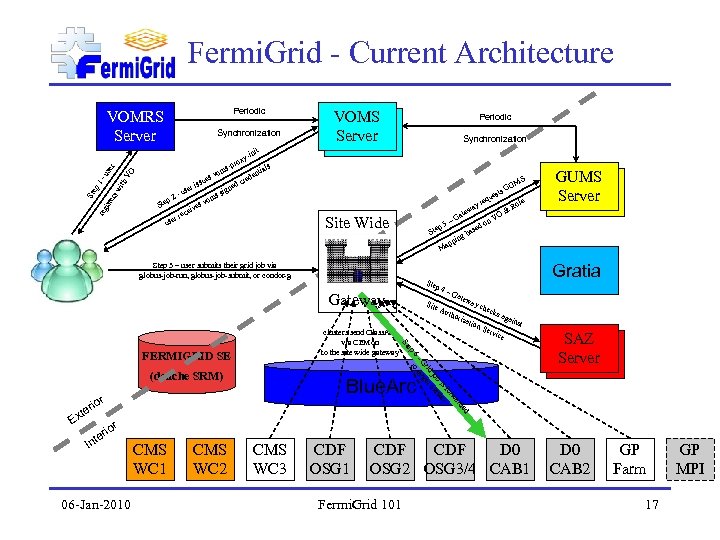 Fermi. Grid - Current Architecture Periodic VOMRS Server nit y-i VO ser rox -p ms vo th - u se - u reg ist ers wi p 1 Ste Synchronization Ste es ssu r i p 2 Synchronization als nti S UM ts G ues le req ay Ro w ate O & G V – on p 5 ed Ste bas ing pp Ma ned r use Periodic m vo ves ei rec g s si de cre VOMS Server Site Wide Step 3 – user submits their grid job via globus-job-run, globus-job-submit, or condor-g p 4 ay c tho riza tion hec ks a gain Se rvic st e ar rw fo is er b st jo lu id et c Gr rg - o ta t SAZ Server Blue. Arc r rio d de te atew Au 6 ep (dcache SRM) Ex – G Site St clusters send Class. Ads via CEMon to the site wide gateway FERMIGRID SE Gratia Ste Gateway GUMS Server ior er Int 06 -Jan-2010 CMS WC 1 CMS WC 2 CMS WC 3 CDF OSG 1 CDF D 0 OSG 2 OSG 3/4 CAB 1 Fermi. Grid 101 D 0 CAB 2 GP Farm 17 GP MPI
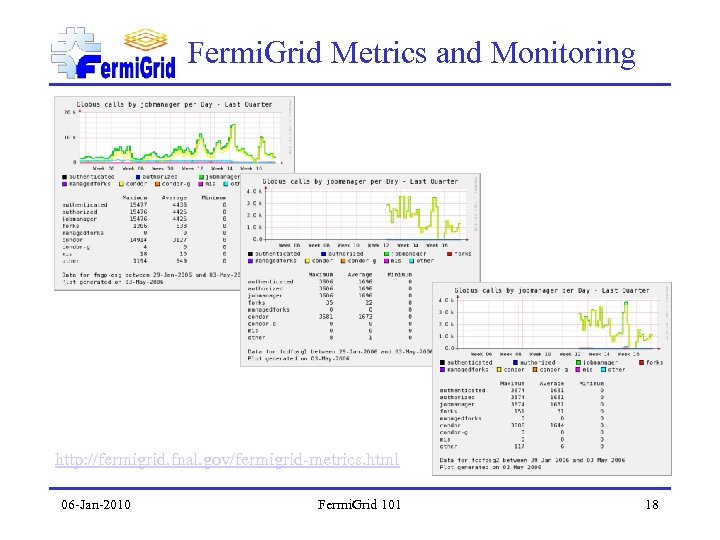 Fermi. Grid Metrics and Monitoring http: //fermigrid. fnal. gov/fermigrid-metrics. html 06 -Jan-2010 Fermi. Grid 101 18
 How can you use (Fermi)Grid? So are you ready to start using the Grid resources? Well, not quite so fast… There is a little bit of administrative work first! 06 -Jan-2010 Fermi. Grid 101 19
 OSG - Acceptable Use Policy The full (as of June 2006) Open Science Grid Acceptable Use Policy: 1. You shall only use the GRID to perform work, or transmit or store data consistent with the stated goals and policies of the VO of which you are a member and in compliance with these conditions of use. 2. You shall not use the GRID for any unlawful purpose and not (attempt to) breach or circumvent any GRID administrative or security controls. You shall respect copyright and confidentiality agreements and protect your GRID credentials (e. g. private keys, passwords), sensitive data and files. 3. You shall immediately report any known or suspected security breach or misuse of the GRID or GRID credentials to the incident reporting locations specified by the VO and to the relevant credential issuing authorities. 4. Use of the GRID is at your own risk. There is no guarantee that the GRID will be available at any time or that it will suit any purpose. 5. Logged information, including information provided by you for registration purposes, shall be used for administrative, operational, accounting, monitoring and security purposes only. This information may be disclosed to other organizations anywhere in the world for these purposes. Although efforts are made to maintain confidentiality, no guarantees are given. 6. The Resource Providers, the VOs and the GRID operators are entitled to regulate and terminate access for administrative, operational and security purposes and you shall immediately comply with their instructions. 7. You are liable for the consequences of any violation by you of these conditions of use. 06 -Jan-2010 Fermi. Grid 101 20
 OSG AUP vs. Fermilab Computer Policy How does the OSG AUP differ from the Fermilab Computer Security Policy? 1. It’s a *lot* shorter. . . 2. It has NO provision for “incidental use”… 3. It does NOT have the concept of “restricted central services”. But: 1. You MUST be a member of a Virtual Organization. 2. Your use of the Grid resources MUST be consistent with the stated goals and policies of the VO. 3. You MUST “play nice with others”. 06 -Jan-2010 Fermi. Grid 101 21
 Join or Create a VO Therefore to utilize the resources of the Open Science Grid, in compliance with the OSG Acceptable Use Policy, you must first either: Join an existing Virtual Organization which is a member of the Open Science Grid and has goals which reflect the nature of the computing you desire to perform. or: Create a new Virtual Organization with the explicit goals which match the nature of the computing you desire to perform and complete the OSG VO registration process. More information on these options coming right up! 06 -Jan-2010 Fermi. Grid 101 22
 The “fermilab” Virtual Organization In order to provide a lower overhead (at least from the perspective of the individual) way of using the Open Science Grid resources, Fermi. Grid has created the “fermilab” Virtual Organization and completed the VO registration process with the OSG. All current Fermilab employees and users with valid Kerberos accounts are automatically “swept” into the “ fermilab” VO on a nightly basis - so you are probably are already a member of the “ fermilab” VO. • If you have a DOEgrids credential, you can request that it be added to your “fermilab” VO membership entry through VOMRS. In addition to the “null” group, there are several predefined groups within the “ fermilab” VO: accelerator, astro, cdms, hypercp, ktev, miniboone, minos, mipp, nova, numi, patriot, test & theory Membership in these groups within the “fermilab” VO is not automatic - you must request access to the group through VOMRS, and the corresponding group administrator must approve your request. More groups can be easily created within the “fermilab” VO if necessary or appropriate. • One of more individuals from the collaboration will need to be assigned to the role of group administrator. • See “Establishing Grid Trust with Fermilab”: • https: //cd-docdb. fnal. gov: 440/cgi-bin/Show. Document? docid=3429 06 -Jan-2010 Fermi. Grid 101 23
 Stand-Alone VO? An alternative to a (sub) group within the “fermilab” VO is to create a stand-alone VO and register it with the OSG. If the members of Fermilab organization desire to utilize OSG resources as members of an official OSG VO (other than the “fermilab” VO) they will need to: • Select at least one (preferably two or more) individuals to be the Virtual Organization Administrators for the VO (Fermi. Grid personnel will help train these people). . • The VO-Admin(s) need to complete the OSG VO registration process (Fermi. Grid personnel will help with the forms). • Bring resources to the Open Science Grid (typically through Fermi. Grid) for opportunistic use, and register those resources as appropriate (Fermi. Grid is willing to help here also). See “Establishing Grid Trust with Fermilab”: https: //cd-docdb. fnal. gov: 440/cgi-bin/Show. Document? docid=3429 06 -Jan-2010 Fermi. Grid 101 24
 Where can you use the Grid Today? With membership in the “fermilab” VO, or a specific experiment VO, comes rights to run on General Purpose Farms Grid Cluster. If a larger CPU allocation is needed, it is only a service desk request awa. Many OSG resources are available for opportunistic use. For the Fermilab VO, I run a set of basic acceptance tests against all OSG sites, and publish the results: • http: //fermigrid. fnal. gov/fermigrid-metrics. html 06 -Jan-2010 Fermi. Grid 101 25
 Now Are You Ready to Use the Grid? Well, you must first install the OSG client toolkit, or have access to a system (such as fnpcsrv 1) which already has the OSG client toolkit installed. Detailed installation instructions for installing the OSG toolkit are available on the Fermi. Grid web site (under “User Guides”). The next three slides show the “Express Fermi. Grid Installation Guide” - A quick and (mostly) painless three step process: 1. Install the OSG package manager (pacman). 2. Install the OSG Client tools (OSG: client). 3. Initialize your grid credentials and submit your first grid job. 06 -Jan-2010 Fermi. Grid 101 26
 Installing pacman # become root ksu # Change directory to /usr/local cd /usr/local # Get pacman wget http: //physics. bu. edu/pacman/sample_cache/tarballs/pacman-latest. tar. gz # Install pacman tar xzf pacman-latest. tar. gz export PATH='pwd'/
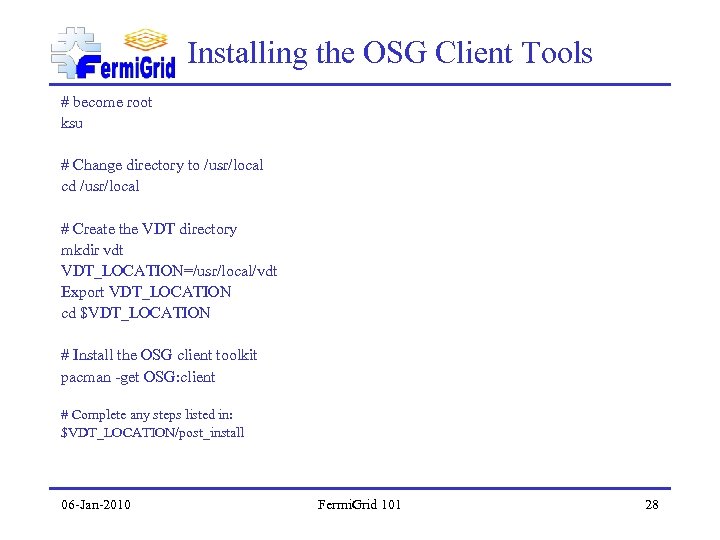 Installing the OSG Client Tools # become root ksu # Change directory to /usr/local cd /usr/local # Create the VDT directory mkdir vdt VDT_LOCATION=/usr/local/vdt Export VDT_LOCATION cd $VDT_LOCATION # Install the OSG client toolkit pacman -get OSG: client # Complete any steps listed in: $VDT_LOCATION/post_install 06 -Jan-2010 Fermi. Grid 101 28
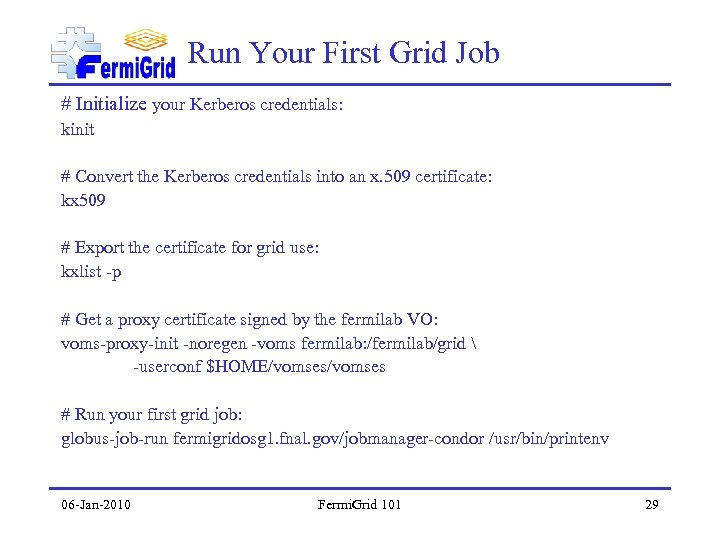 Run Your First Grid Job # Initialize your Kerberos credentials: kinit # Convert the Kerberos credentials into an x. 509 certificate: kx 509 # Export the certificate for grid use: kxlist -p # Get a proxy certificate signed by the fermilab VO: voms-proxy-init -noregen -voms fermilab: /fermilab/grid -userconf $HOME/vomses # Run your first grid job: globus-job-run fermigridosg 1. fnal. gov/jobmanager-condor /usr/bin/printenv 06 -Jan-2010 Fermi. Grid 101 29
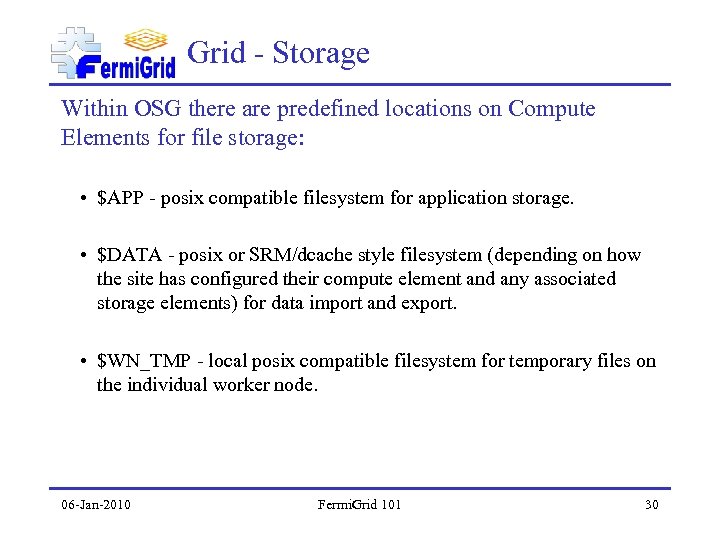 Grid - Storage Within OSG there are predefined locations on Compute Elements for file storage: • $APP - posix compatible filesystem for application storage. • $DATA - posix or SRM/dcache style filesystem (depending on how the site has configured their compute element and any associated storage elements) for data import and export. • $WN_TMP - local posix compatible filesystem for temporary files on the individual worker node. 06 -Jan-2010 Fermi. Grid 101 30
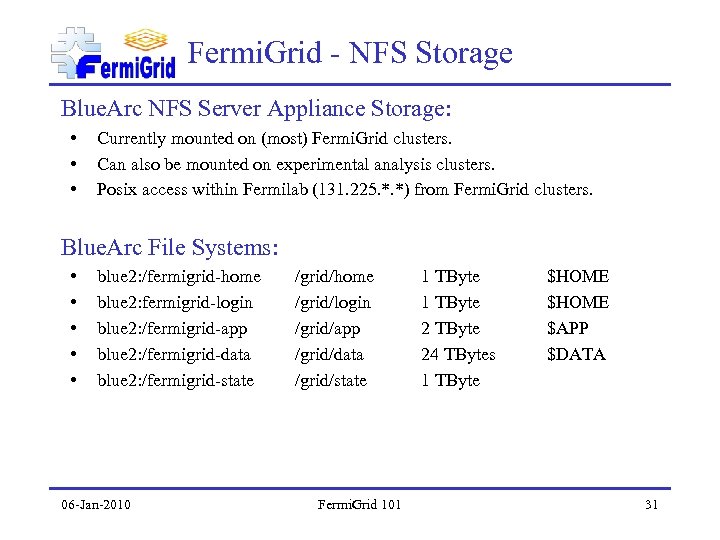 Fermi. Grid - NFS Storage Blue. Arc NFS Server Appliance Storage: • • • Currently mounted on (most) Fermi. Grid clusters. Can also be mounted on experimental analysis clusters. Posix access within Fermilab (131. 225. *. *) from Fermi. Grid clusters. Blue. Arc File Systems: • • • blue 2: /fermigrid-home blue 2: fermigrid-login blue 2: /fermigrid-app blue 2: /fermigrid-data blue 2: /fermigrid-state 06 -Jan-2010 /grid/home /grid/login /grid/app /grid/data /grid/state Fermi. Grid 101 1 TByte 24 TBytes 1 TByte $HOME $APP $DATA 31
 Fermi. Grid - Storage Elements Two “Fermi. Grid” storage elements are available at Fermilab: Public d. Cache (FNAL_FERMIGRID_SE): • 7 TBytes of storage. • Volatile: – first come first served, – least recently used files deleted to make space for new requests, – no guarantees. • Access via SRM/d. Cache. Fermilab permanent storage system (STKEN). • How much tape can you afford? • Access via SRM. 06 -Jan-2010 Fermi. Grid 101 32
 Accessing Grid Storage # Initialize your Kerberos credentials: kinit # Convert the Kerberos credentials into an x. 509 certificate: kx 509 # Export the certificate for grid use: kxlist -p # Get a proxy certificate signed by the fermilab VO: voms-proxy-init -noregen -voms fermilab: /fermilab/grid # Copy the shell script to the remote gatekeeper: globus-url-copy -v -cd file: ///home/chadwick/monitor/production/scripts/gatekeeper_probe. sh gsiftp: //fermigridosg 1. fnal. gov: 2811/grid/data/fermilab/16919. sh # Change the permissions: globus-job-run fermigridosg 1. fnal. gov/jobmanager-condor /bin/chmod 755 /grid/data/fermilab/16919. sh 06 -Jan-2010 Fermi. Grid 101 33
 Condor and Condor-G In the previous two examples I have used very basic tools (globus-job-run and globus-url-copy) to run and copy files. The Condor batch system from the University of Wisconsin can (and is recommended) to be used in order to submit Grid jobs. More information on the use of Condor is beyond the scope of this presentation, but the Condor Team has the following tutorial: • http: //www. cs. wisc. edu/condor/tutorials/fermi-2005/ The key to using Condor with the Grid is to submit the job to the “grid universe”. 06 -Jan-2010 Fermi. Grid 101 34
 Near Future Fermi. Grid School: • http: //fermigrid. fnal. gov/fermigrid-school. html • The school will consist of a number of classes ranging from a basic introduction to the Grid through advanced Grid analysis techniques with Condor-G and DAGMAN. • People will be able to register and attend individual classes of interest. • Classes held at the EAD Training Center will have a nominal $10 class fee to cover refreshments. Fermi. Grid Users Meeting: • Held biweekly in the FCC 1 conference room on Mondays at 3: 00 PM • The next meeting is scheduled on 11 -Jan-2010. 06 -Jan-2010 Fermi. Grid 101 35
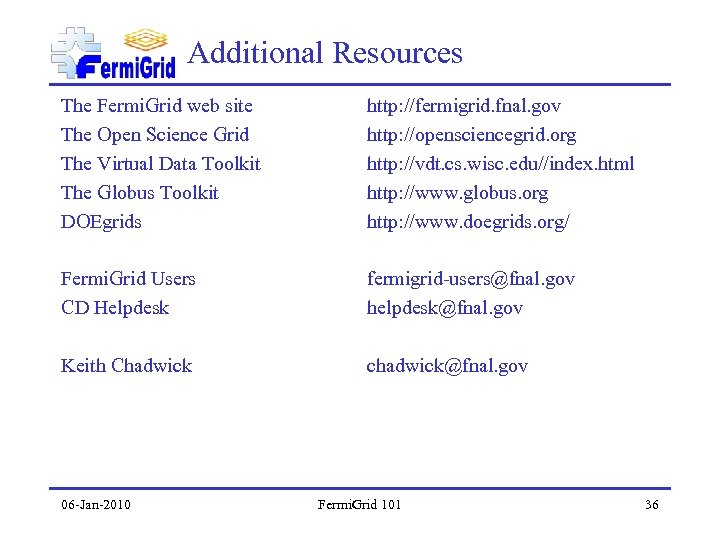 Additional Resources The Fermi. Grid web site The Open Science Grid The Virtual Data Toolkit The Globus Toolkit DOEgrids http: //fermigrid. fnal. gov http: //opensciencegrid. org http: //vdt. cs. wisc. edu//index. html http: //www. globus. org http: //www. doegrids. org/ Fermi. Grid Users CD Helpdesk fermigrid-users@fnal. gov helpdesk@fnal. gov Keith Chadwick chadwick@fnal. gov 06 -Jan-2010 Fermi. Grid 101 36
 Fin Any questions? 06 -Jan-2010 Fermi. Grid 101 37