


 Скачать презентацию Faz net technical challenges 2000 — 2009
d99810d0707ff890f8e244112fce6169.ppt
- Количество слайдов: 56
 Faz. net technical challenges 2000 - 2009
 what i won’t show • business numbers, € • business plans
 what to do (from the point of view of lowly programmer) • • • invent a business plan define, plan, and implement desired functionality build a robust, secure, scalable system keep that system up 100% of the time allow changes to support new business initiatives
 a brief history • • launched 8 Jan 2001 “stable” by Spring of 2001 unstable on 11 Sep 2001 better able to handle (many classes of) huge load increases by Spring 2002

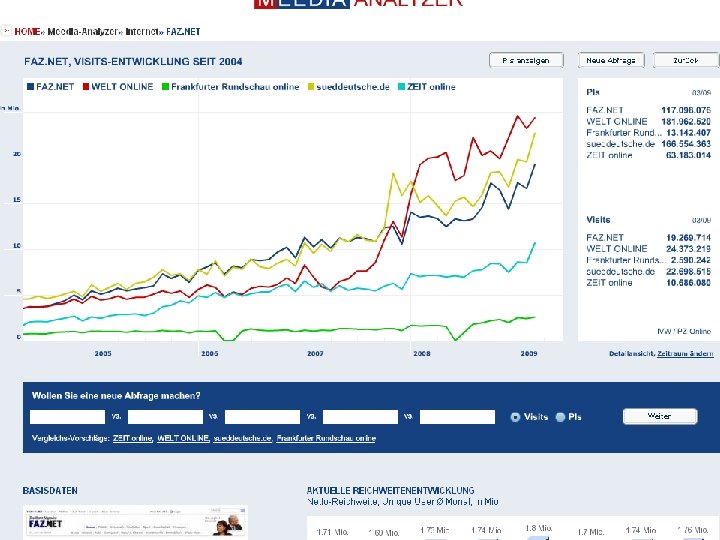
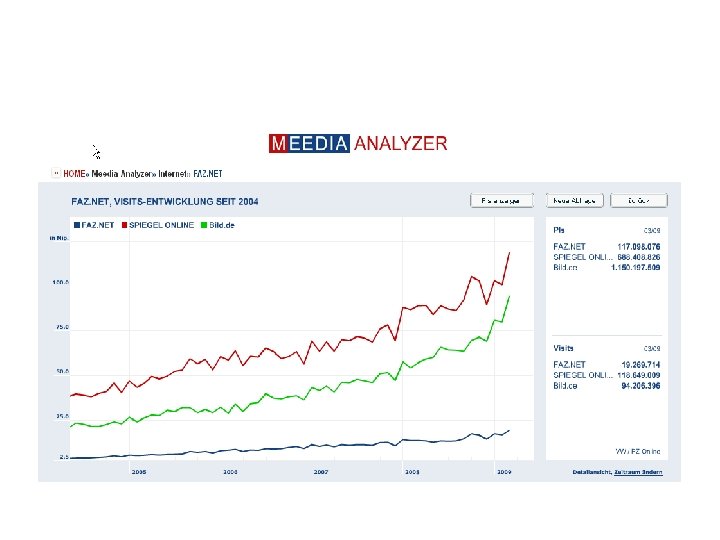
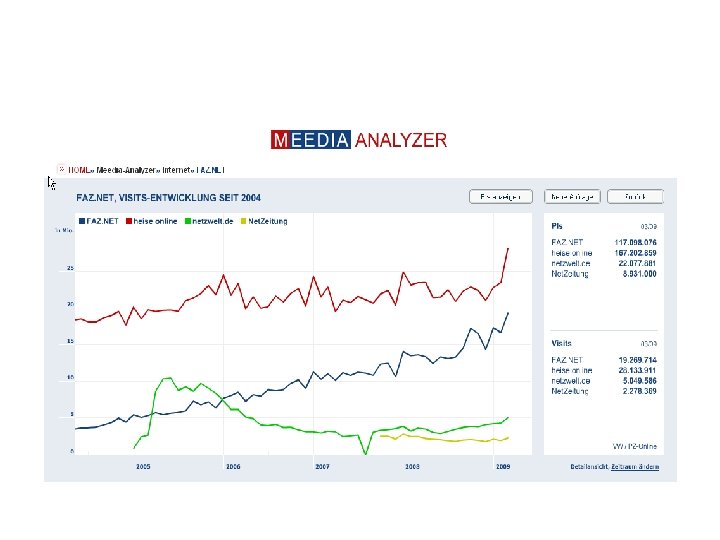
 how big is faz. net? • much smaller than google • smaller than spiegel
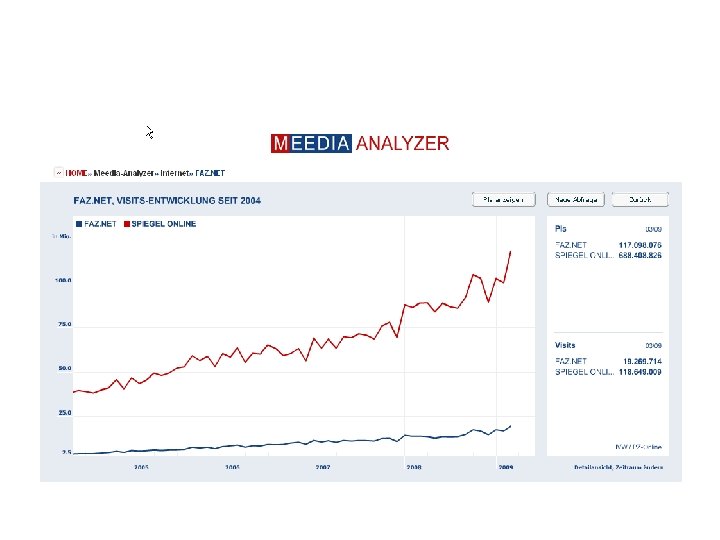
 how big is faz. net? • much smaller than google • smaller than spiegel • comparable to other newspapers

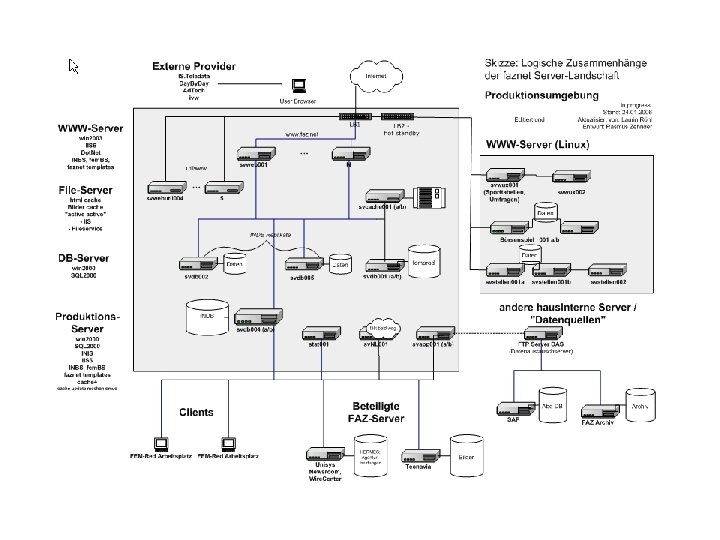
 a sketch of our system layout (a couple years old) • • • load balancer web servers DB and file servers other application servers client machines, e. g. newsroom external partners, e. g. freemail provider

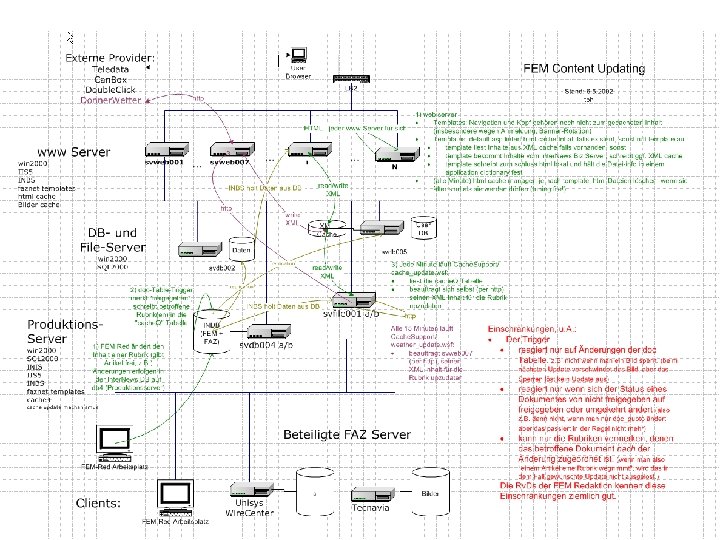
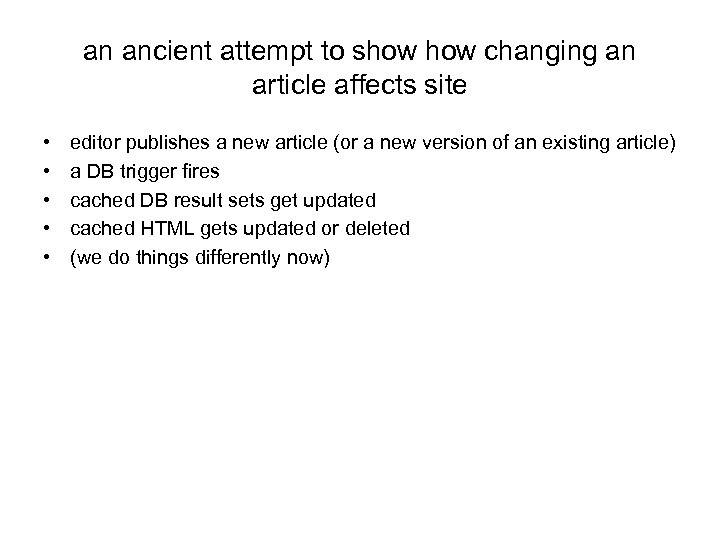 an ancient attempt to show changing an article affects site • • • editor publishes a new article (or a new version of an existing article) a DB trigger fires cached DB result sets get updated cached HTML gets updated or deleted (we do things differently now)

 how to measure what is happening / whether things are ok • measure throughput at / between various points
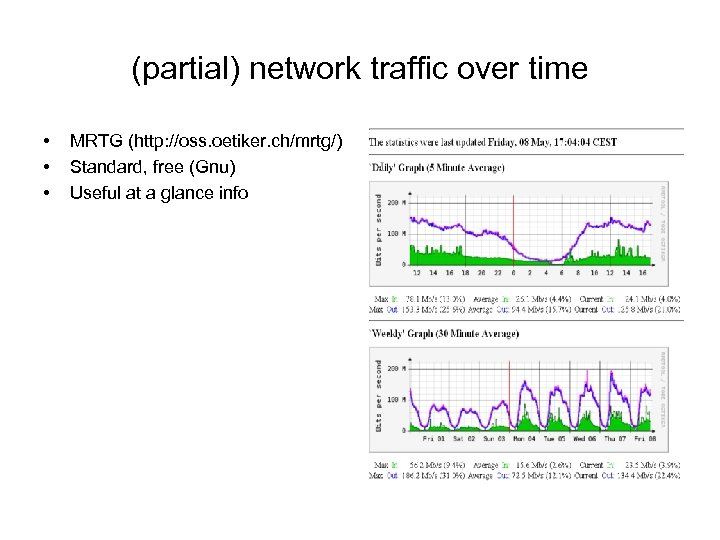 (partial) network traffic over time • • • MRTG (http: //oss. oetiker. ch/mrtg/) Standard, free (Gnu) Useful at a glance info
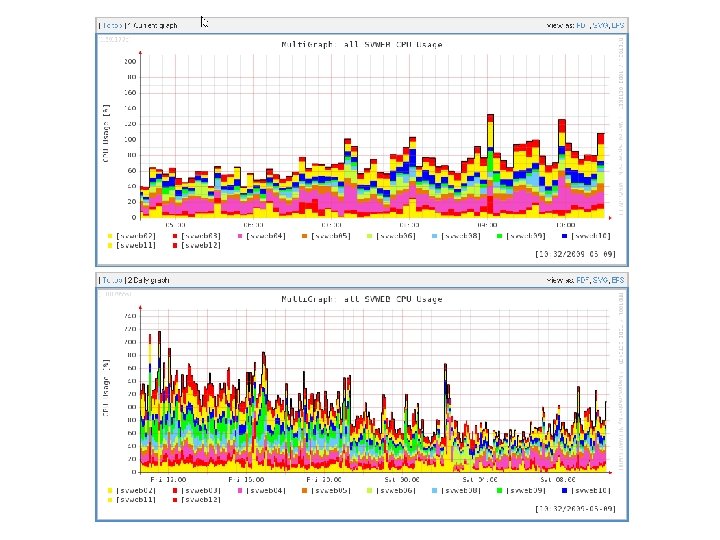
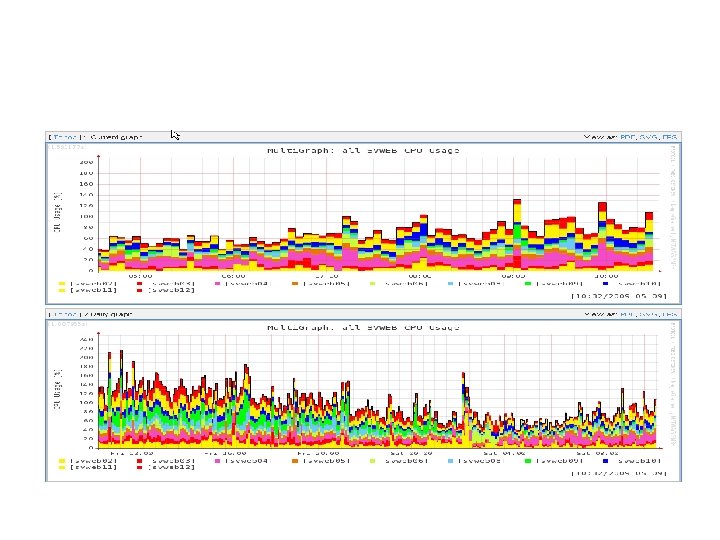
 how to measure what is happening / whether things are ok • measure throughput at / between various points • measure, e. g. cpu load on web servers (NB: load is pretty low, max would be 12*100)
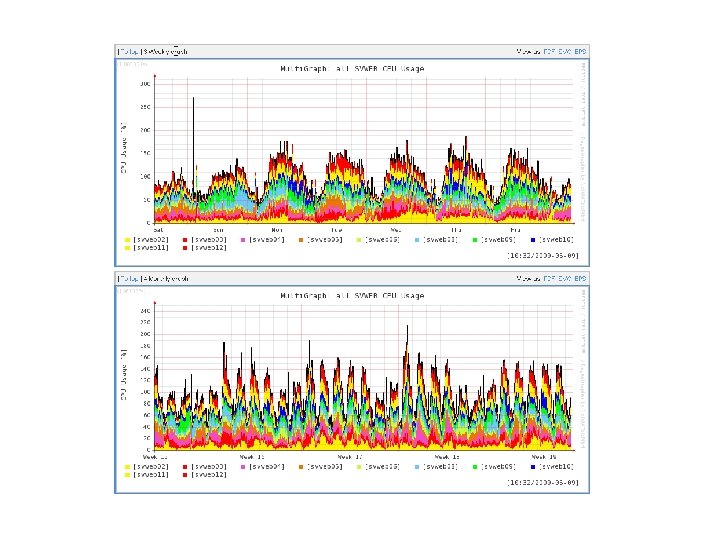
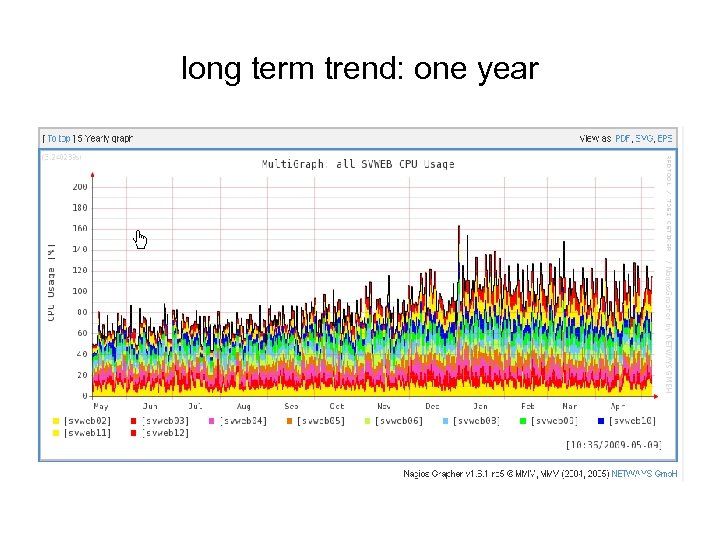 long term trend: one year

 Some errors can be seen by any user with a browser who runs into them • Server error • Wrong contents • Broken HTML, images, or …
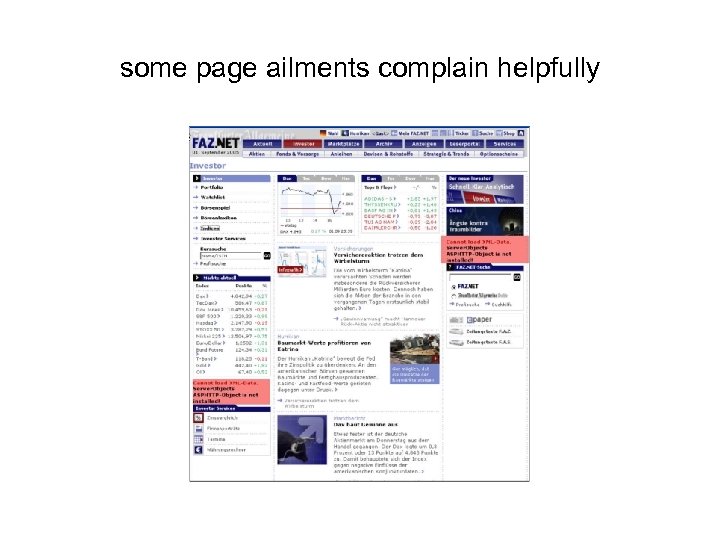 some page ailments complain helpfully


 digested log files can be helpful • web sites tend to have many log files, several kinds of log files; and some kinds can be *huge* • they tend to be straight ascii files in some format you might have little control over • various kinds of statistics might sometimes interest you • in particular error statistics
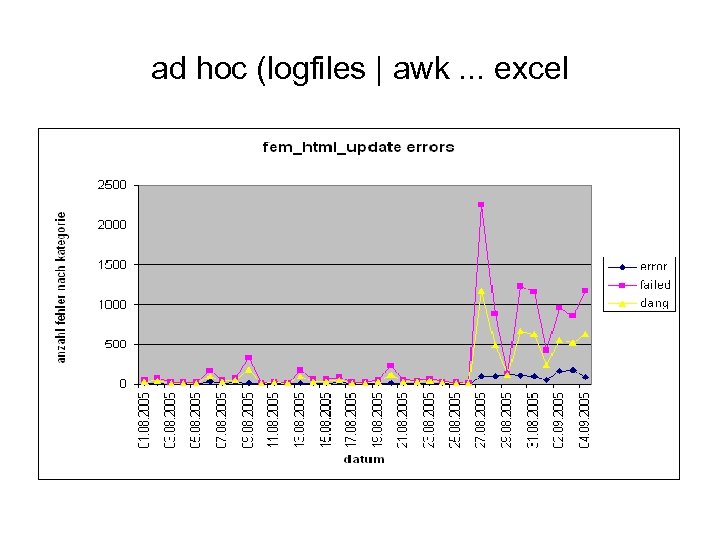 ad hoc (logfiles | awk. . . excel
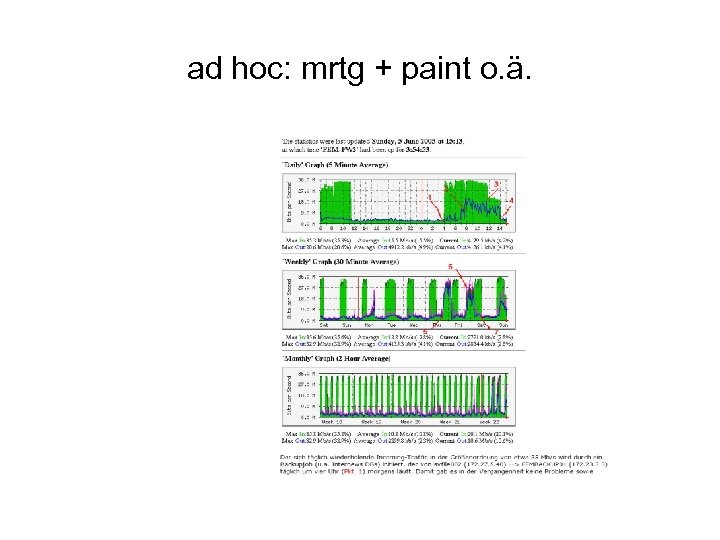 ad hoc: mrtg + paint o. ä.
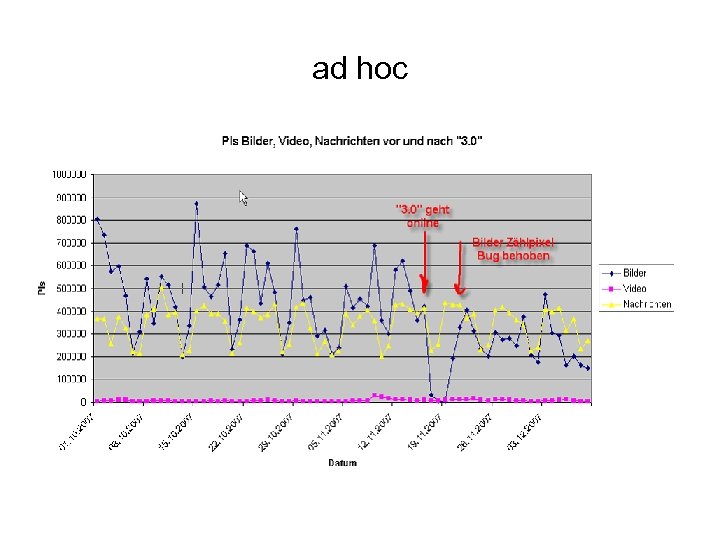 ad hoc
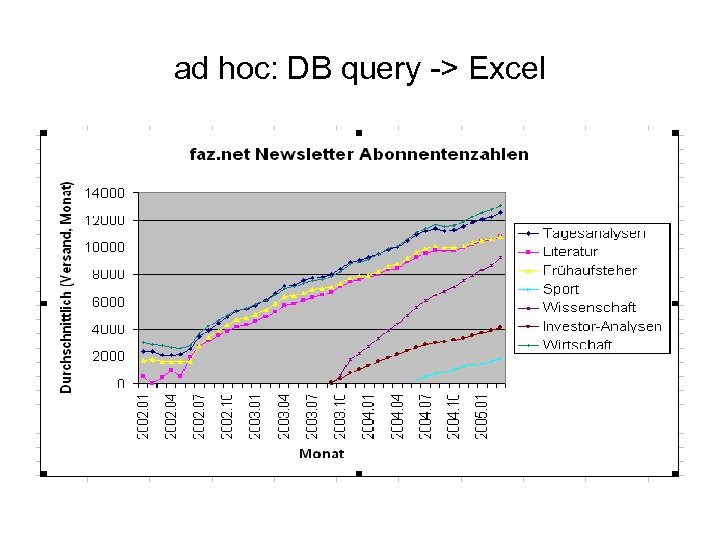 ad hoc: DB query -> Excel
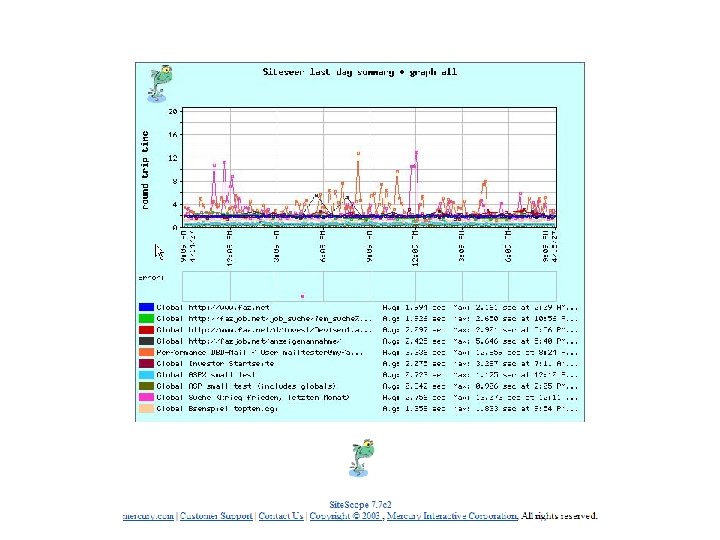
 external, hired monitoring service • hire someone outside your site to watch certain pages on your site (load them periodically) and keep statistics about timing, sizes, errors • ideally get regular reports showing everything is groovy • support “drilling” to get more details when necessary
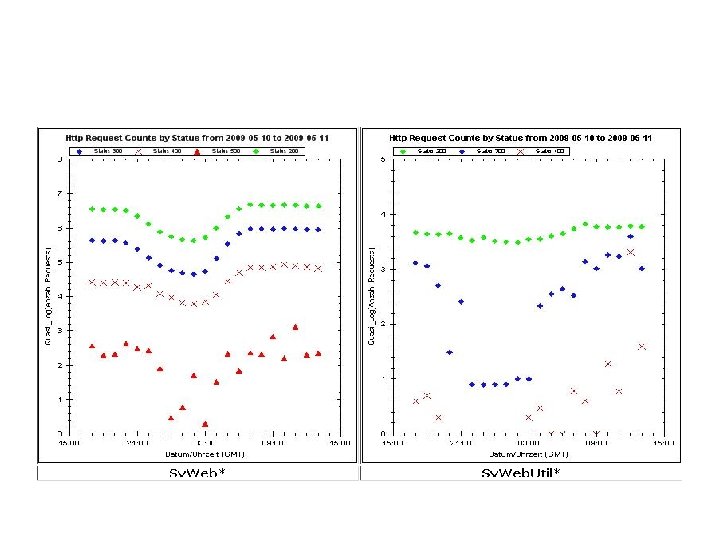
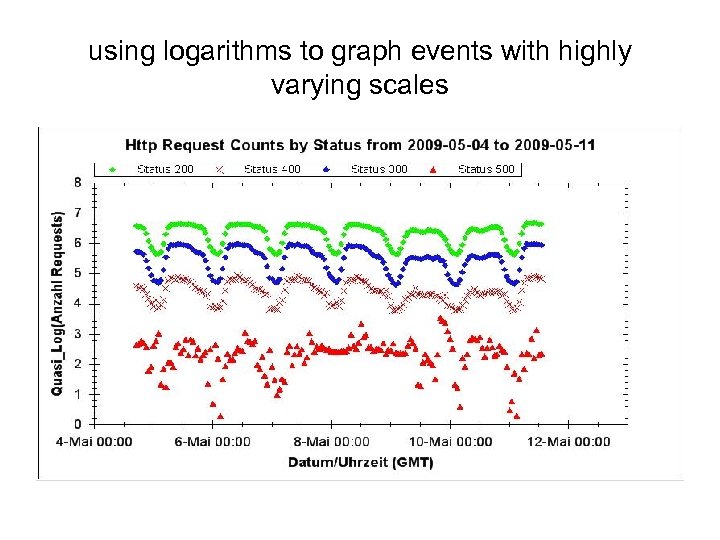 using logarithms to graph events with highly varying scales
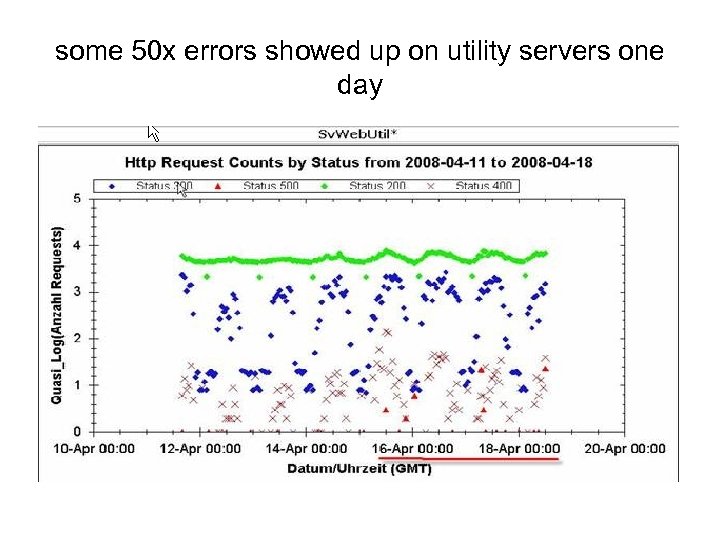 some 50 x errors showed up on utility servers one day
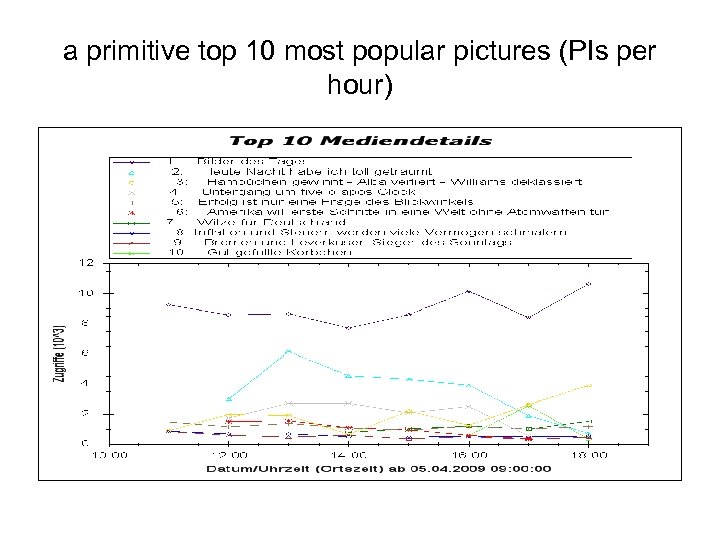 a primitive top 10 most popular pictures (PIs per hour)
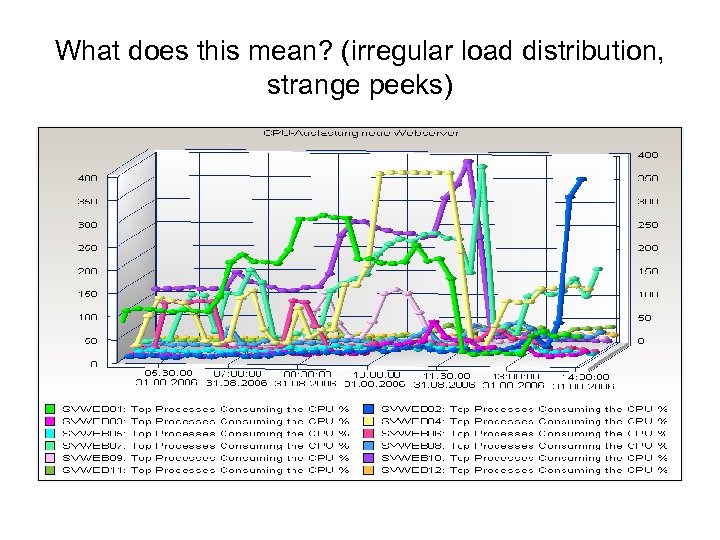 What does this mean? (irregular load distribution, strange peeks)
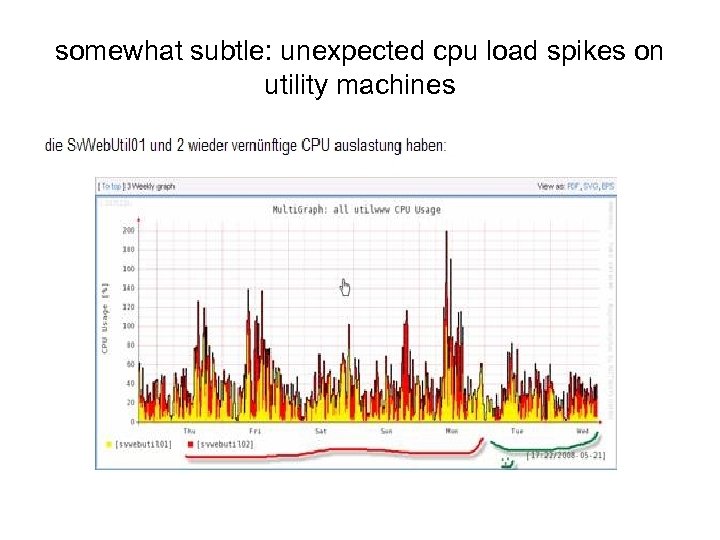 somewhat subtle: unexpected cpu load spikes on utility machines
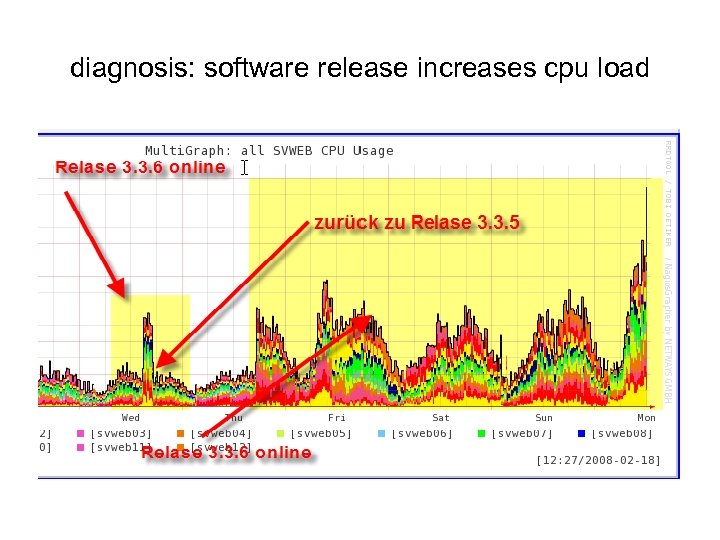 diagnosis: software release increases cpu load
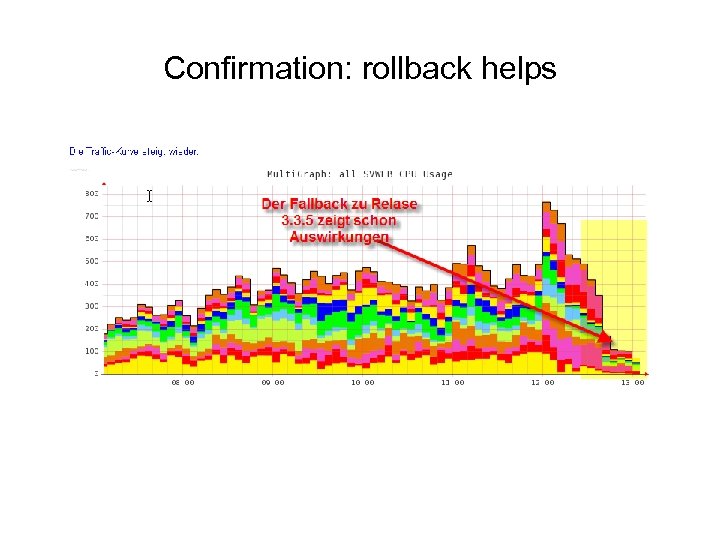 Confirmation: rollback helps

 a little bit about development methods • requirements gathering (quality varies) • planning • implementation
 our implementation languages • browser – – html (+ „furniture graphics“) javascript css (fairly recently) public javascript libraries (fairly recently): Moo. Tools, JQuery
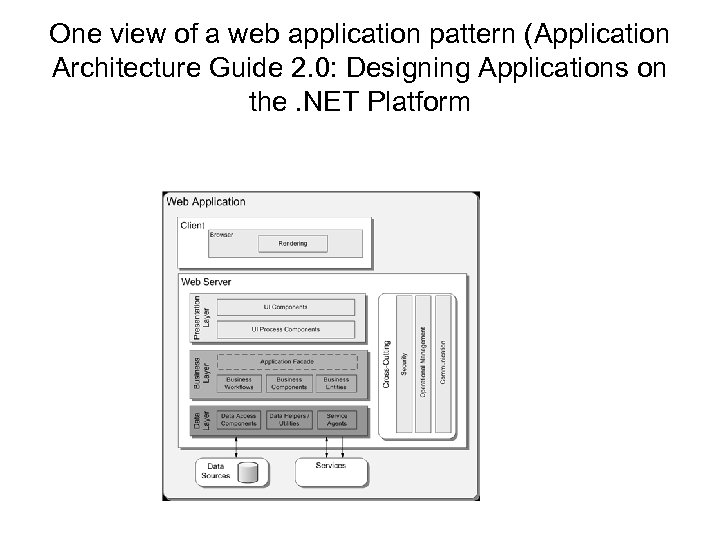 One view of a web application pattern (Application Architecture Guide 2. 0: Designing Applications on the. NET Platform
 our implementation languages • webserver („front end“) – ASP (JScript, mainly 2000 – 2005) – Dot. Net 2 (2005 – 2007) – Dot. Net 3 (2007 - )
 implementation languages • „middle tier“ – purchased DLLs (mostly INBS): 2000 – – home-built DLL(s) (VBmostly INBS ): ca. 2003 – – home-built DLLs in Dot. Net: ca. 2005 -
 „back-end“ data base • SQL • MS SQL add-ons: – – stored procedures user defined functions triggers schedulable DB „jobs“
 more „back end“: file servers, application servers, background processes • various scripting languages – – – lowly batch files „windows script host“ cygwin (unix-like shells and friends under windows) recently some powershell (once called monad) windows „scheduled tasks“ (similar to Unix cron) • special purpose utilities – gathering and digesting log files – checking synchronization of distributed databases

 scaling challenges • as traffic grows log files get bigger • as a content site ages, content grows • as a site with registered users grows and ages, the number of users (hopefully increases)
 ways to scale • • • exploit parallelism where possible buy bigger, faster hardware make units of work simpler, smaller other suggestions? combine these – what works best?