 Скачать презентацию Fall 07 country briefing Emmanuel Faisant rev 1
4b0c3653a6956ec89c0762f38b691243.ppt
- Количество слайдов: 11



Fall 07 country briefing Emmanuel Faisant rev 1: June 21, 2007 rev 2: July 9 (processor) rev 3: July 12 (Hurricane) rev 4: July 19 (foodbox) rev 5: Aug 28 (Hurricane 3, gfx, HD/BD, foodbox, hw matrix) HP confidential information © 2006 Hewlett-Packard Development Company, L. P. The information contained herein is subject to change without notice
Neptune 2 3/19/2018
Messaging The HP Pavilion Elite m 9000 Desktop PC delivers the ultimate in consumer computing experiences. Incredible performance matched with unique features like true wireless, HP Easy Backup and HP Personal Media drive bays ensure this Desktop PC system delivers the very best in digital entertainment, photography and mainstream gaming experiences. Value proposition • The HP Pavilion Elite m 9000 Desktop PC is optimized to meet the needs of the home consumer who desires premium entertainment experiences. Enjoy the convenience and flexibility of true wireless, matched with the peace of mind of HP Easy Backup and the HP Personal Media drive which lets you backup and share your precious pictures, movies, music and more. . . Tagline • The very best in digital entertainment, photography and mainstream gaming experiences. 3 3/19/2018
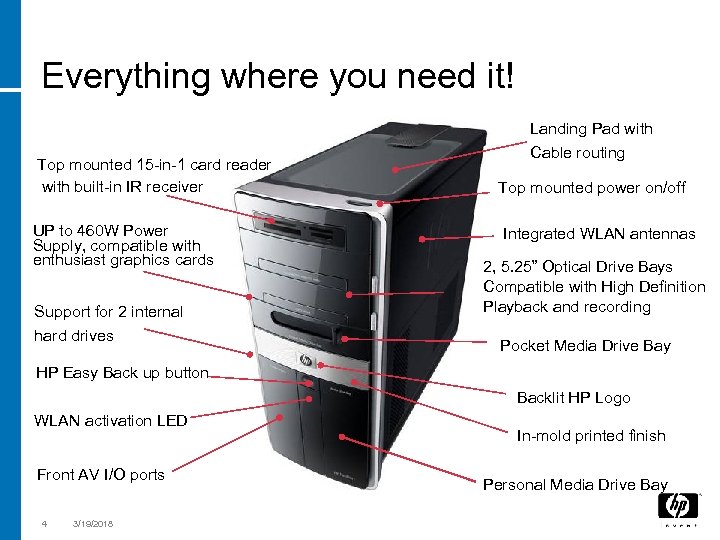
Everything where you need it! Landing Pad with Top mounted 15 -in-1 card reader with built-in IR receiver UP to 460 W Power Supply, compatible with enthusiast graphics cards Support for 2 internal hard drives Cable routing Top mounted power on/off Integrated WLAN antennas 2, 5. 25” Optical Drive Bays Compatible with High Definition Playback and recording Pocket Media Drive Bay HP Easy Back up button Backlit HP Logo WLAN activation LED Front AV I/O ports 4 3/19/2018 In-mold printed finish Personal Media Drive Bay
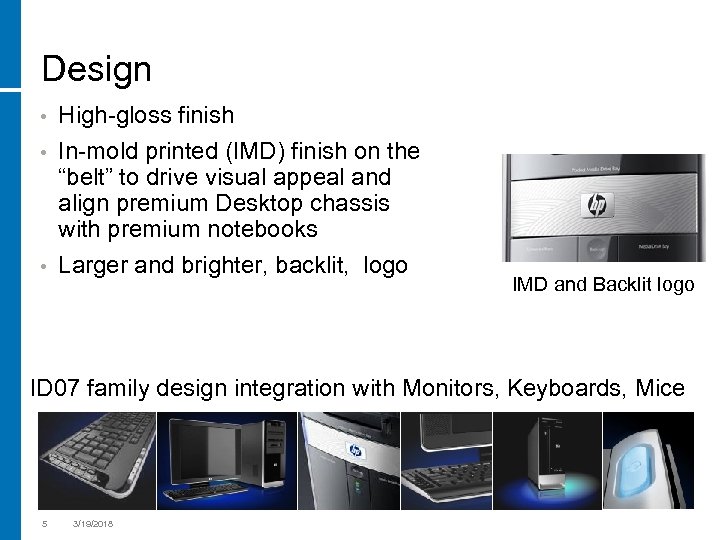
Design • High-gloss finish In-mold printed (IMD) finish on the “belt” to drive visual appeal and align premium Desktop chassis with premium notebooks • Larger and brighter, backlit, logo • IMD and Backlit logo ID 07 family design integration with Monitors, Keyboards, Mice 5 3/19/2018
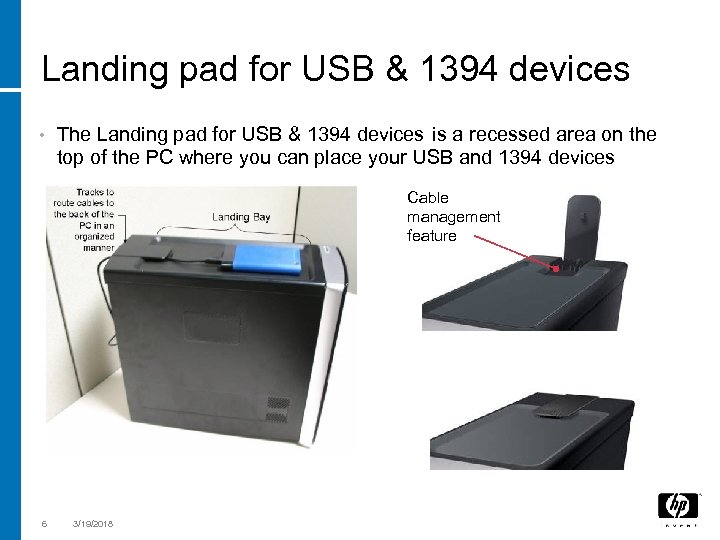
Landing pad for USB & 1394 devices • The Landing pad for USB & 1394 devices is a recessed area on the top of the PC where you can place your USB and 1394 devices Cable management feature 6 3/19/2018
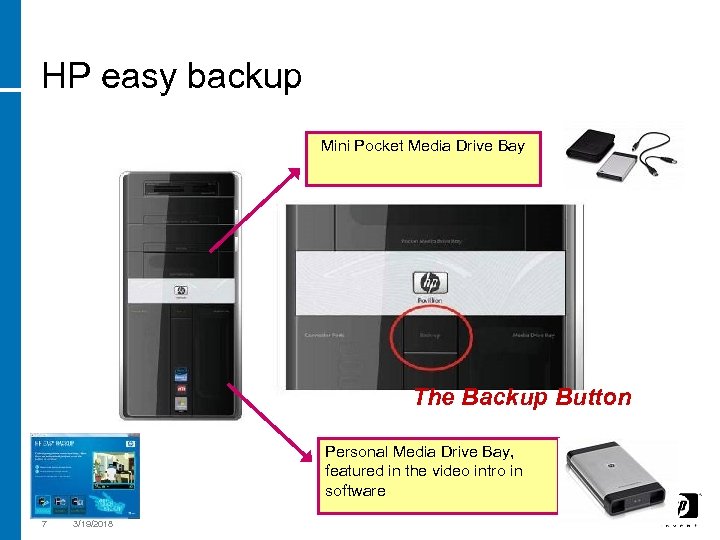
HP easy backup Mini Pocket Media Drive Bay The Backup Button Personal Media Drive Bay, featured in the video intro in software 7 3/19/2018
And completely wireless! • Wireless keyboard and mouse − with USB dongle (no cable) • Built-in wireless LAN (b/g ) − with integrated antennas • Media Center remote control − with integrated IR receiver (no cable, no external device) on the card-reader • 8 All these by default 3/19/2018
Software 9 3/19/2018
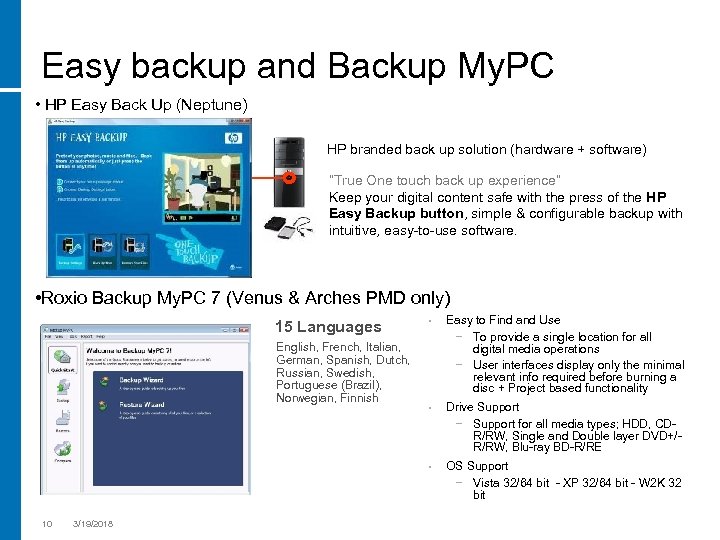
Easy backup and Backup My. PC • HP Easy Back Up (Neptune) HP branded back up solution (hardware + software) “True One touch back up experience” Keep your digital content safe with the press of the HP Easy Backup button, simple & configurable backup with intuitive, easy-to-use software. • Roxio Backup My. PC 7 (Venus & Arches PMD only) English, French, Italian, German, Spanish, Dutch, Russian, Swedish, Portuguese (Brazil), Norwegian, Finnish 10 3/19/2018 • Easy to Find and Use − To provide a single location for all digital media operations − User interfaces display only the minimal relevant info required before burning a disc + Project based functionality • Drive Support − Support for all media types; HDD, CDR/RW, Single and Double layer DVD+/R/RW, Blu-ray BD-R/RE • 15 Languages OS Support − Vista 32/64 bit - XP 32/64 bit - W 2 K 32 bit
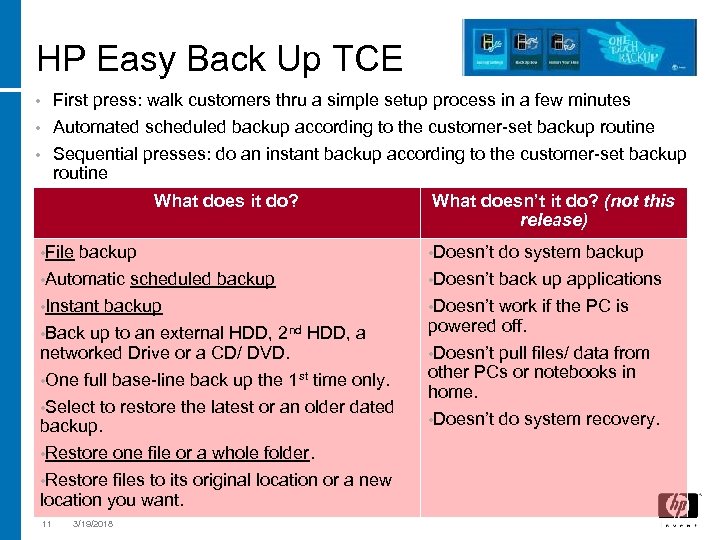
HP Easy Back Up TCE First press: walk customers thru a simple setup process in a few minutes • Automated scheduled backup according to the customer-set backup routine • Sequential presses: do an instant backup according to the customer-set backup routine • What does it do? • File backup • Automatic scheduled backup • Instant backup • Back up to an external HDD, 2 nd HDD, a networked Drive or a CD/ DVD. • One full base-line back up the 1 st time only. • Select to restore the latest or an older dated backup. • Restore one file or a whole folder. • Restore files to its original location or a new location you want. 11 3/19/2018 What doesn’t it do? (not this release) • Doesn’t do system backup back up applications • Doesn’t work if the PC is powered off. • Doesn’t pull files/ data from other PCs or notebooks in home. • Doesn’t do system recovery.
Скачать презентацию Fall 07 country briefing Emmanuel Faisant rev 1
4b0c3653a6956ec89c0762f38b691243.ppt