


 Скачать презентацию Faculty of Information Technology Advanced Java Programming Review
1116e4329755daa2f7cc3ed70d267476.ppt
- Количество слайдов: 40
 Faculty of Information Technology Advanced Java Programming Review Chris Wong chw@it. uts. edu. au Based on notes by Wayne Brooks © Copyright UTS Faculty of Information Technology 2008 – Review 1
 Introduction Faculty of Information Technology • History and current trends – B 2 C e-commerce – B 2 B e-commerce – Web (Internet/Intranet) enabling of legacy applications – Enterprise Application Integration Web enablement of everything!!! • Need: – – understanding of architectures understanding of technologies supportive software environment knowledge of class libraries/API calls © Copyright UTS Faculty of Information Technology 2008 – Review 2
 Requirements Faculty of Information Technology • Many requirements: – functionality, performance, scalability, flexibility, security, reliability, availability, maintainability, safety, usability, site/application design, information architecture • System "components" help meet requirements: – Client-side: HTML, applet, application, WAP – Infrastructure: OS, web server, app server, directory server, database server, load balancer, firewalls, proxies/caches – Functional: search engines, personalisation/profiling, content management, commerce, scenario, traffic analysis, site management, monitoring, streaming multimedia © Copyright UTS Faculty of Information Technology 2008 – Review 3
 Development Faculty of Information Technology • Software engineering: – traditional models not suited to web applications • Web applications need to be: – quick to market – quick to respond to change – component-based and distributed • Examples of newer models: – RUP perhaps using UML – Extreme Programming © Copyright UTS Faculty of Information Technology 2008 – Review 4
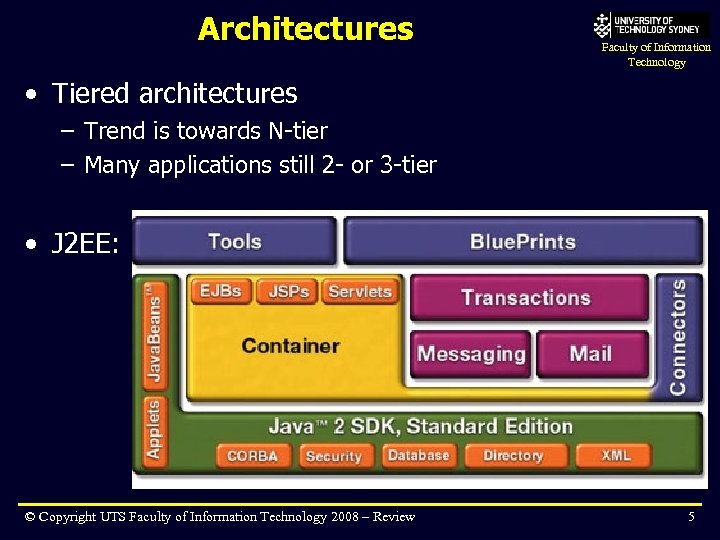 Architectures Faculty of Information Technology • Tiered architectures – Trend is towards N-tier – Many applications still 2 - or 3 -tier • J 2 EE: © Copyright UTS Faculty of Information Technology 2008 – Review 5
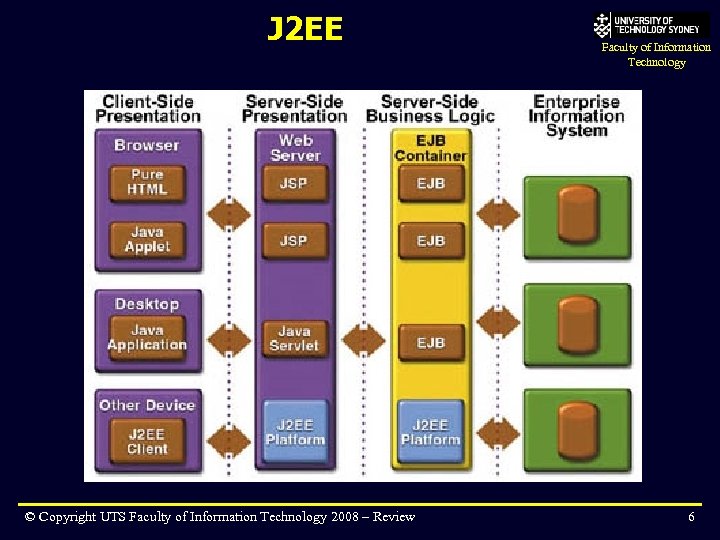 J 2 EE © Copyright UTS Faculty of Information Technology 2008 – Review Faculty of Information Technology 6
 J 2 EE vs. NET Faculty of Information Technology • Both similar in concept, different in implementation – concepts from this subject will help if you are developing. NET applications in future, but the coding syntax will be quite different • We used J 2 EE because it best suited the environment we have available – many organisations make the decision between J 2 EE and. NET for the same reason © Copyright UTS Faculty of Information Technology 2008 – Review 7
 Servlets Faculty of Information Technology • Presentation logic, programming-focused • Key concepts: – – servlet lifecycle: init(), service(), destroy() Request and Response objects Sessions to track user interactions Deployment in WAR files © Copyright UTS Faculty of Information Technology 2008 – Review 8
 JSP Faculty of Information Technology • Presentation logic, page-focused • Key concepts: – Code embedded within HTML – declarations, scriptlets, expressions, etc – Implicit objects: request, response, out, session, etc – Tag libraries for reusability, simpler page coding © Copyright UTS Faculty of Information Technology 2008 – Review 9
 JDBC Faculty of Information Technology • We first learnt "pure" JDBC – then later introduced container-managed connection pooling and data sources • JDBC drivers: – four basic types, vendor-specific • Process: – get a Connection (from Driver. Manager or container) – create and execute a Statement – get a Result. Set and display © Copyright UTS Faculty of Information Technology 2008 – Review 10
 JDBC Faculty of Information Technology • "Efficient utilisation" is vital for DB connections – Prepared statements in JDBC 1. 0 – Most things in JDBC 2. 0 • JDBC 2. 0 – more flexible result sets (scrollable, updateable) – batch updates – connection pooling and data sources © Copyright UTS Faculty of Information Technology 2008 – Review 11
 RMI Faculty of Information Technology • We first learnt "pure" RMI – then later learned that RMI is the underlying mechanism for communicating with EJBs • Key concepts: – – Remote interface defines remotely available methods Generate stubs and skeletons using tool Name service needed to locate server Can only pass Serializable objects across the network © Copyright UTS Faculty of Information Technology 2008 – Review 12
 JNDI Faculty of Information Technology • We learnt JNDI in a J 2 EE context – JNDI is used to locate "things" available from an application server • like EJB Home interfaces, Data Sources, User. Transaction object – JNDI can also be used "standalone" • Key concepts: – Generic interface to a variety of naming services and directory services – Directory services more complex than naming services • J 2 EE apps need only use naming services – Servers advertise themselves using bind() – Clients locate servers using lookup() © Copyright UTS Faculty of Information Technology 2008 – Review 13
 Java Persistence Faculty of Information Technology • Represent data (in the form of business entities) – Annotation on plain old java object (POJO) – Object Oriented – can encapsulate and extend – Handles relationships and associations • (1: 1, 1: n, n: 1, n: m ) – Design patterns – Session façade – Entity. Manager & Persistence. Unit – JPA Query Language © Copyright UTS Faculty of Information Technology 2008 – Review 14
 EJB Faculty of Information Technology • Components that encapsulate business logic • Three kinds: stateless/stateful session beans, message driven beans • Key concepts: – Use of container support services – Reusability of business logic – Component development separate from application assembly (via deployment descriptors) © Copyright UTS Faculty of Information Technology 2008 – Review 15
 Session Beans Faculty of Information Technology • Perform actions, i. e. "do things" • Short lifetime – get bean, do action, discard bean • Can be local and/or remote • Stateless Session Beans – Easy to implement, no state maintained between calls – Pooled/created/removed by the container for efficiency – No need to worry about activation/passivation • Stateful Session Beans – Maintain state information between calls – Explicitly created/removed, not pooled – Need to deal with activation/passivation © Copyright UTS Faculty of Information Technology 2008 – Review 16
 Message Driven Beans Faculty of Information Technology • Integration of EJB with JMS • Implemented as JMS message consumer – on. Message() method • Stateless, has no Local or Remote inteface, clients cannot call it directly © Copyright UTS Faculty of Information Technology 2008 – Review 17
 Web Services Faculty of Information Technology • “Web services” is an effort to build a distributed computing platform for the Web • Web services are modular web applications that provide data and services to other applications over the web © Copyright UTS Faculty of Information Technology 2008 – Review 20
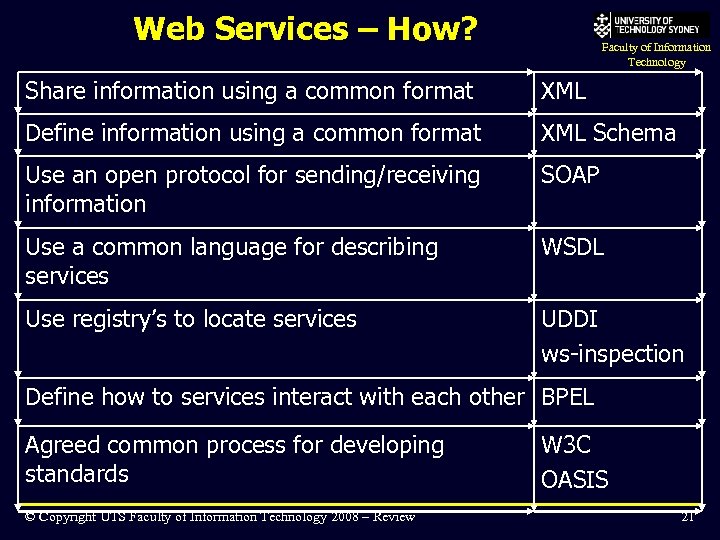 Web Services – How? Faculty of Information Technology Share information using a common format XML Define information using a common format XML Schema Use an open protocol for sending/receiving information SOAP Use a common language for describing services WSDL Use registry’s to locate services UDDI ws-inspection Define how to services interact with each other BPEL Agreed common process for developing standards © Copyright UTS Faculty of Information Technology 2008 – Review W 3 C OASIS 21
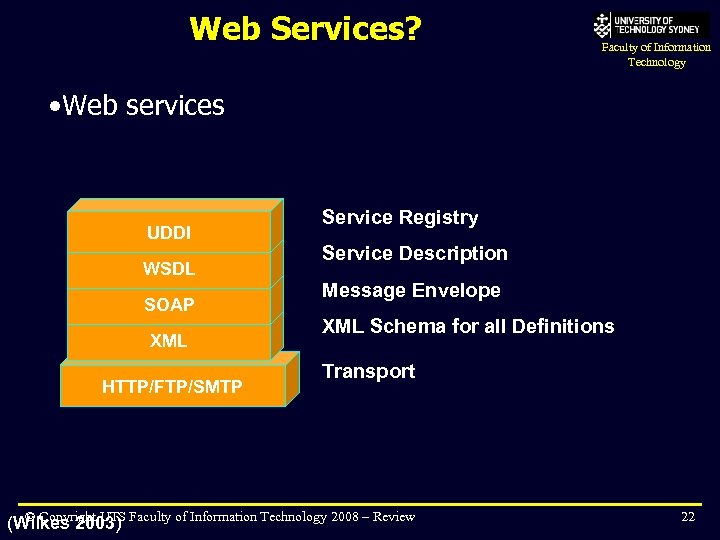 Web Services? Faculty of Information Technology • Web services UDDI WSDL SOAP XML HTTP/FTP/SMTP Service Registry Service Description Message Envelope XML Schema for all Definitions Transport © Copyright UTS (Wilkes 2003) Faculty of Information Technology 2008 – Review 2003 22
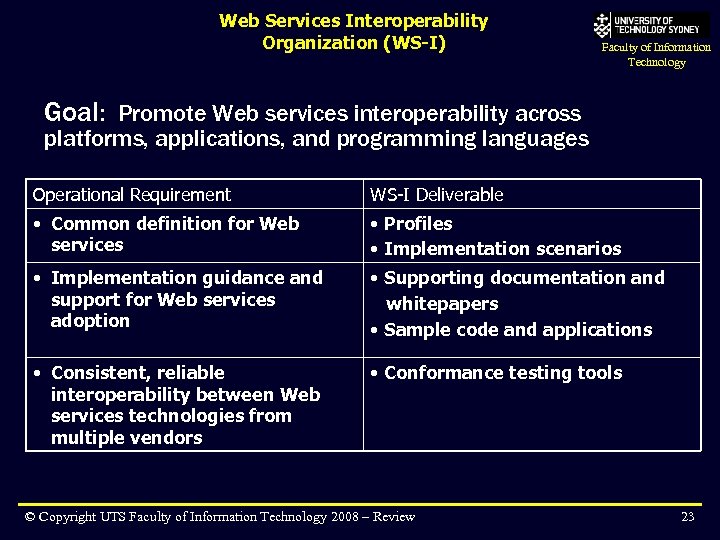 Web Services Interoperability Organization (WS-I) Faculty of Information Technology Goal: Promote Web services interoperability across platforms, applications, and programming languages Operational Requirement WS-I Deliverable • Common definition for Web services • Profiles • Implementation scenarios • Implementation guidance and support for Web services adoption • Supporting documentation and whitepapers • Sample code and applications • Consistent, reliable interoperability between Web services technologies from multiple vendors • Conformance testing tools © Copyright UTS Faculty of Information Technology 2008 – Review 23
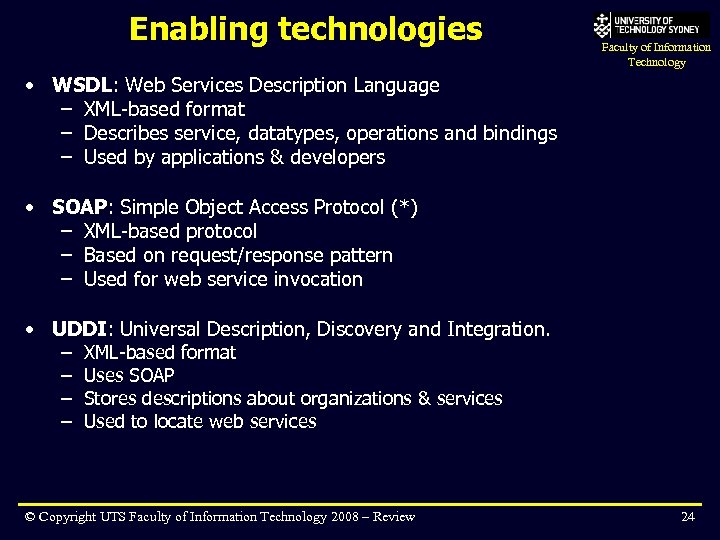 Enabling technologies Faculty of Information Technology • WSDL: Web Services Description Language – XML-based format – Describes service, datatypes, operations and bindings – Used by applications & developers • SOAP: Simple Object Access Protocol (*) – XML-based protocol – Based on request/response pattern – Used for web service invocation • UDDI: Universal Description, Discovery and Integration. – XML-based format – Uses SOAP – Stores descriptions about organizations & services – Used to locate web services © Copyright UTS Faculty of Information Technology 2008 – Review 24
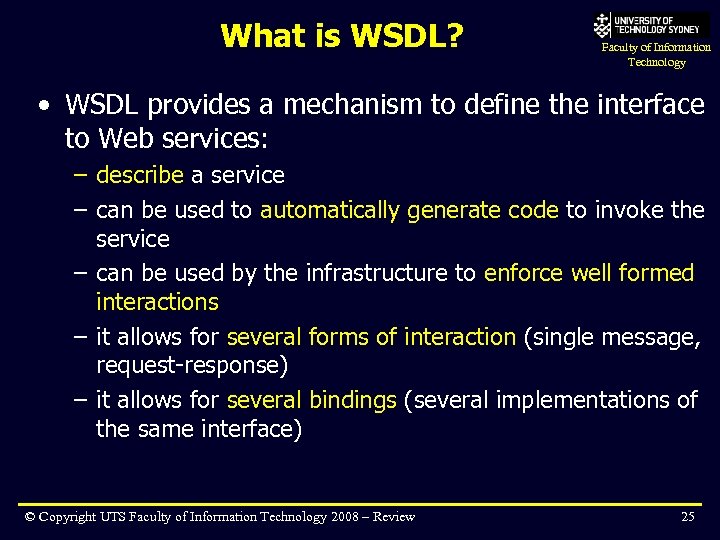 What is WSDL? Faculty of Information Technology • WSDL provides a mechanism to define the interface to Web services: – describe a service – can be used to automatically generate code to invoke the service – can be used by the infrastructure to enforce well formed interactions – it allows for several forms of interaction (single message, request-response) – it allows for several bindings (several implementations of the same interface) © Copyright UTS Faculty of Information Technology 2008 – Review 25
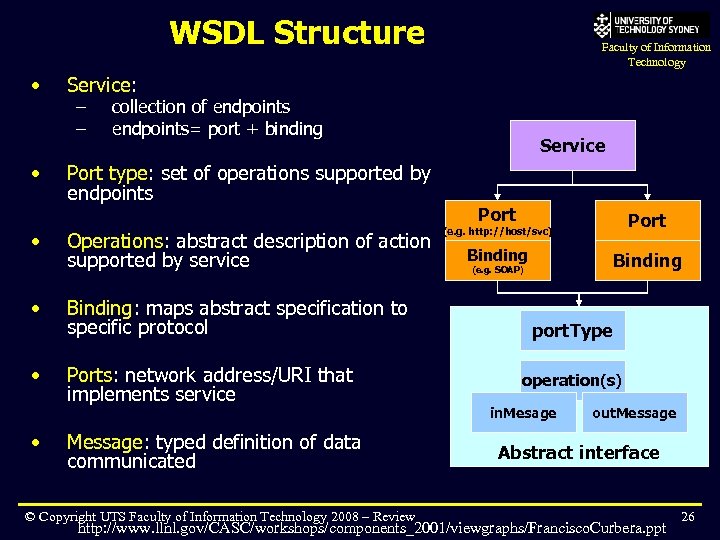 WSDL Structure • • • Faculty of Information Technology Service: – – collection of endpoints= port + binding Port type: set of operations supported by endpoints Operations: abstract description of action supported by service Binding: maps abstract specification to specific protocol Ports: network address/URI that implements service Message: typed definition of data communicated © Copyright UTS Faculty of Information Technology 2008 – Review Service Port Binding (e. g. http: //host/svc) (e. g. SOAP) port. Type operation(s) in. Mesage out. Message Abstract interface http: //www. llnl. gov/CASC/workshops/components_2001/viewgraphs/Francisco. Curbera. ppt 26
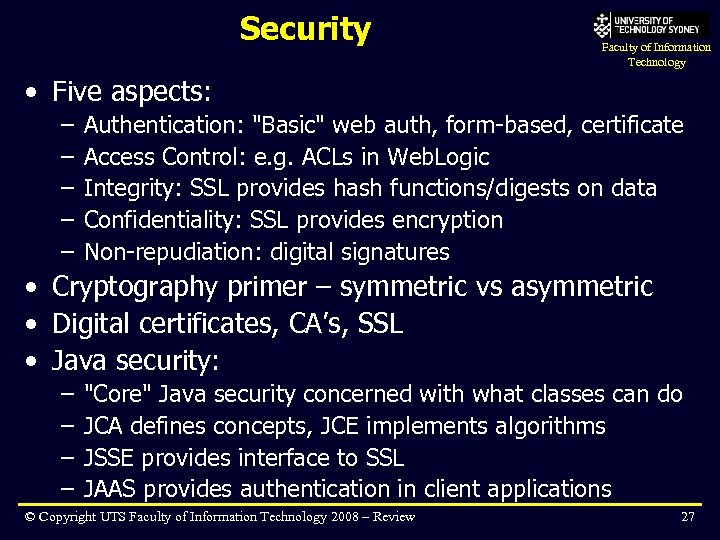 Security Faculty of Information Technology • Five aspects: – – – Authentication: "Basic" web auth, form-based, certificate Access Control: e. g. ACLs in Web. Logic Integrity: SSL provides hash functions/digests on data Confidentiality: SSL provides encryption Non-repudiation: digital signatures • Cryptography primer – symmetric vs asymmetric • Digital certificates, CA’s, SSL • Java security: – – "Core" Java security concerned with what classes can do JCA defines concepts, JCE implements algorithms JSSE provides interface to SSL JAAS provides authentication in client applications © Copyright UTS Faculty of Information Technology 2008 – Review 27
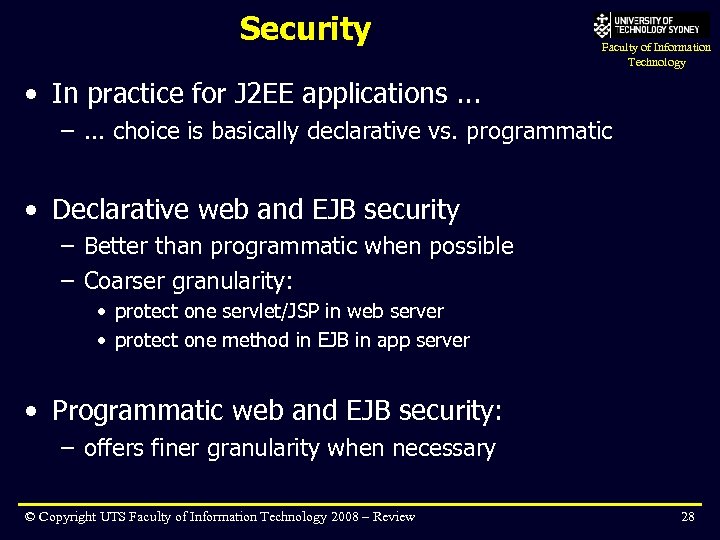 Security Faculty of Information Technology • In practice for J 2 EE applications. . . –. . . choice is basically declarative vs. programmatic • Declarative web and EJB security – Better than programmatic when possible – Coarser granularity: • protect one servlet/JSP in web server • protect one method in EJB in app server • Programmatic web and EJB security: – offers finer granularity when necessary © Copyright UTS Faculty of Information Technology 2008 – Review 28
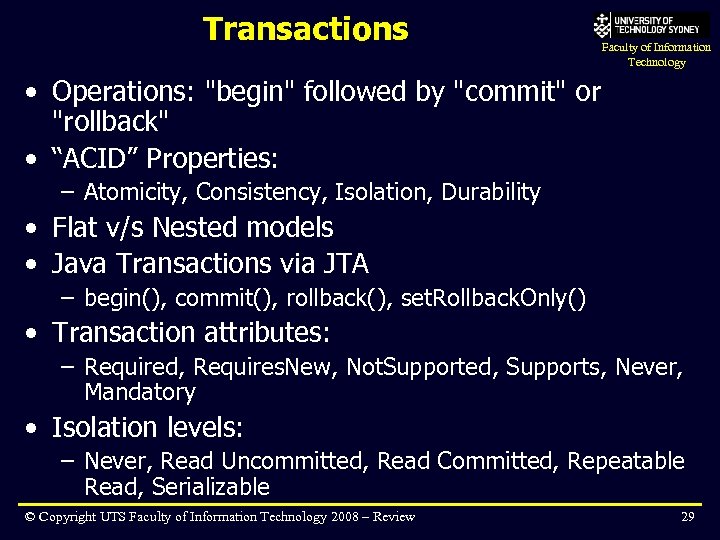 Transactions Faculty of Information Technology • Operations: "begin" followed by "commit" or "rollback" • “ACID” Properties: – Atomicity, Consistency, Isolation, Durability • Flat v/s Nested models • Java Transactions via JTA – begin(), commit(), rollback(), set. Rollback. Only() • Transaction attributes: – Required, Requires. New, Not. Supported, Supports, Never, Mandatory • Isolation levels: – Never, Read Uncommitted, Read Committed, Repeatable Read, Serializable © Copyright UTS Faculty of Information Technology 2008 – Review 29
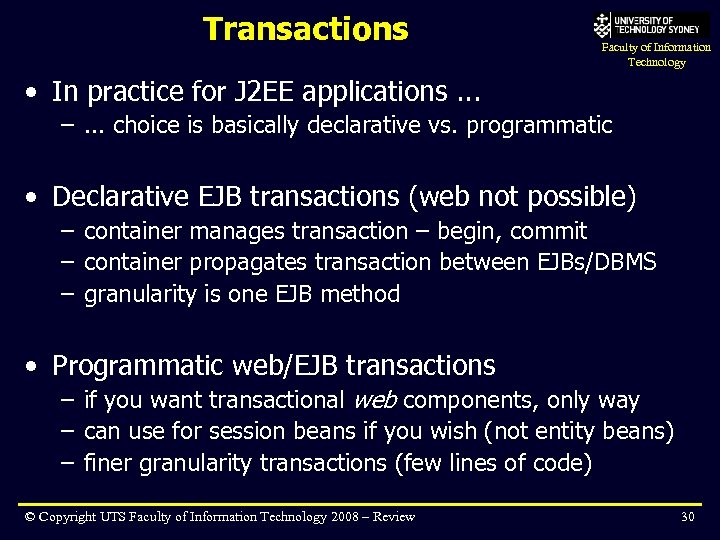 Transactions Faculty of Information Technology • In practice for J 2 EE applications. . . –. . . choice is basically declarative vs. programmatic • Declarative EJB transactions (web not possible) – container manages transaction – begin, commit – container propagates transaction between EJBs/DBMS – granularity is one EJB method • Programmatic web/EJB transactions – if you want transactional web components, only way – can use for session beans if you wish (not entity beans) – finer granularity transactions (few lines of code) © Copyright UTS Faculty of Information Technology 2008 – Review 30
 Legacy Systems Faculty of Information Technology • Many ways to "talk" to a legacy application – "preferred" ways are better than ad-hoc implementations • JNI – call shared library • Network – socket, HTTP • RPC Middleware – RMI, CORBA, DCOM – easy to integrate with J 2 EE components – good for integrating with non-Java apps • Messaging - JMS – messaging services popular choice for integration – "loosely coupled" distributed application • J 2 EE Connector Architecture – new, very generic way to talk to proprietary systems © Copyright UTS Faculty of Information Technology 2008 – Review 31
 Design Faculty of Information Technology • Design patterns – Gang of Four (Go. F) book • Most popular – MVC, Data transfer Object, Session Façade • Message façade pattern • Others include: – Home Factory, Service Locator, Business Delegate © Copyright UTS Faculty of Information Technology 2008 – Review 32
 Here we are! Faculty of Information Technology • By now you have the foundation concepts for building Java enterprise applications – they are not easy to build – it is like a jigsaw puzzle – each piece is not too complex, but the trick is fitting them together – when done right, you can produce apps that are: • simple to code (little/no code for security, transaction, database) • highly scalable (because of the container) • highly flexible (because of the component architecture) © Copyright UTS Faculty of Information Technology 2008 – Review 33
 Bigger applications Faculty of Information Technology • Building larger applications is more about design than coding – you have the basics of the coding – there are more advanced features that you can use that were not covered in this course • especially vendor-specific features for scalability, etc. • For example, clustering and load-balancing support – http: //download. oracle. com/docs/cd/E 12840_01/wls/docs 103/cluster • You also need to know about infrastructure issues – eg: Firewalls, network, capacity planning, management etc © Copyright UTS Faculty of Information Technology 2008 – Review 34
 Areas To Explore Faculty of Information Technology • J 2 EE and UML – Developing Enterprise Java Applications with J 2 EE and UML by K. Z. Ahmed and C. E. Umrysh • Web Services – Huge potential - next phase of Web protocols – Now part of J 2 EE 1. 4 – See UTS course 32525 Distributed Software Programming • Integrated Development Environments (IDE): – Net. Beans, Eclipse, Oracle Workshop, Websphere Rational Application Developer, Oracle JDeveloper, Borland JBuilder & so on © Copyright UTS Faculty of Information Technology 2008 – Review 35
 Going further Faculty of Information Technology • Practice is essential • Keeping up with new developments is essential – – http: //wwws. sun. com/software/learnabout/java/ http: //www. theserverside. com/ http: //www. javalobby. com, http: //www. javalobby. org Eg: new J 2 EE 1. 4 standard includes web services, WS-I, timers, enhancements to EJB-QL, easier taglibs. – Eg: new J 2 SE 1. 5 has features that make programming J 2 EE easier eg: Generics, metadata • Certification is an option – SUN Certified Java * http: //www. sun. com/training/certification/java/index. xml © Copyright UTS Faculty of Information Technology 2008 – Review 36
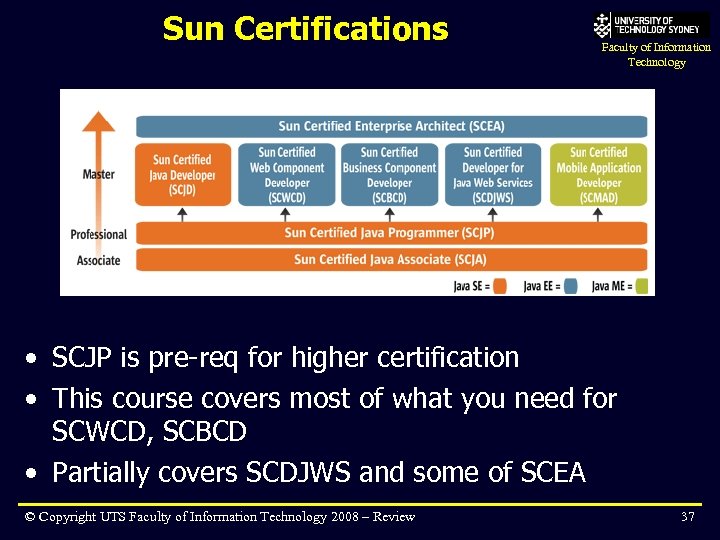 Sun Certifications Faculty of Information Technology • SCJP is pre-req for higher certification • This course covers most of what you need for SCWCD, SCBCD • Partially covers SCDJWS and some of SCEA © Copyright UTS Faculty of Information Technology 2008 – Review 37
 SUN Certified Web Component Developer Faculty of Information Technology • 1 exam, things to know: – Servlets – Structure & deployment of web apps (WAR file) – Web container model (servlet attributes, lifecycle, event model, request. Dispatcher) – Session management, cookies, URL rewriting – Web application security, auth types (eg: BASIC) – JSP’s – lifecycle, elements, taglib, expressions – JSP custom taglibs ** – J 2 EE patterns (MVC) © Copyright UTS Faculty of Information Technology 2008 – Review 38
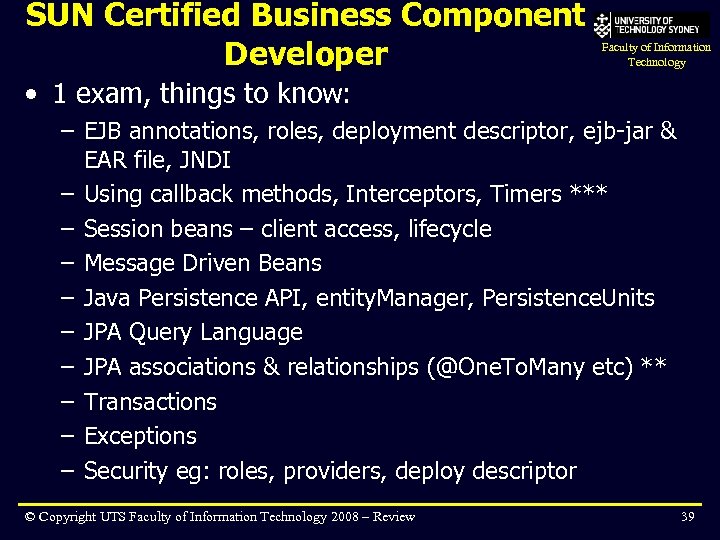 SUN Certified Business Component Developer Faculty of Information Technology • 1 exam, things to know: – EJB annotations, roles, deployment descriptor, ejb-jar & EAR file, JNDI – Using callback methods, Interceptors, Timers *** – Session beans – client access, lifecycle – Message Driven Beans – Java Persistence API, entity. Manager, Persistence. Units – JPA Query Language – JPA associations & relationships (@One. To. Many etc) ** – Transactions – Exceptions – Security eg: roles, providers, deploy descriptor © Copyright UTS Faculty of Information Technology 2008 – Review 39
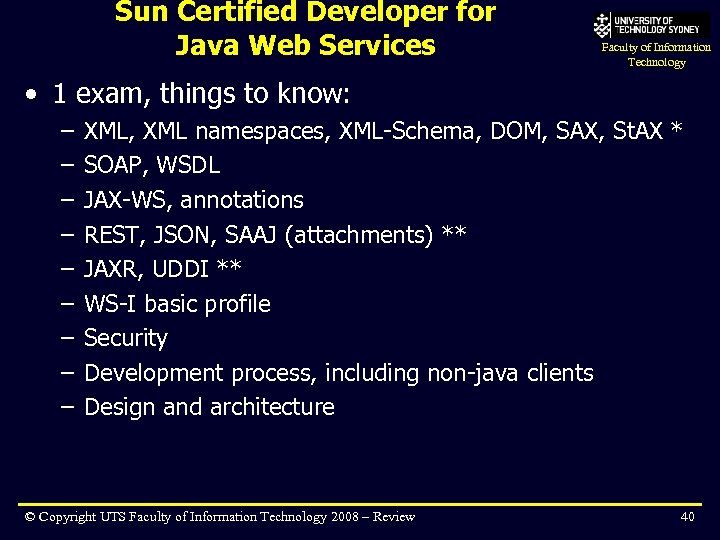 Sun Certified Developer for Java Web Services Faculty of Information Technology • 1 exam, things to know: – – – – – XML, XML namespaces, XML-Schema, DOM, SAX, St. AX * SOAP, WSDL JAX-WS, annotations REST, JSON, SAAJ (attachments) ** JAXR, UDDI ** WS-I basic profile Security Development process, including non-java clients Design and architecture © Copyright UTS Faculty of Information Technology 2008 – Review 40
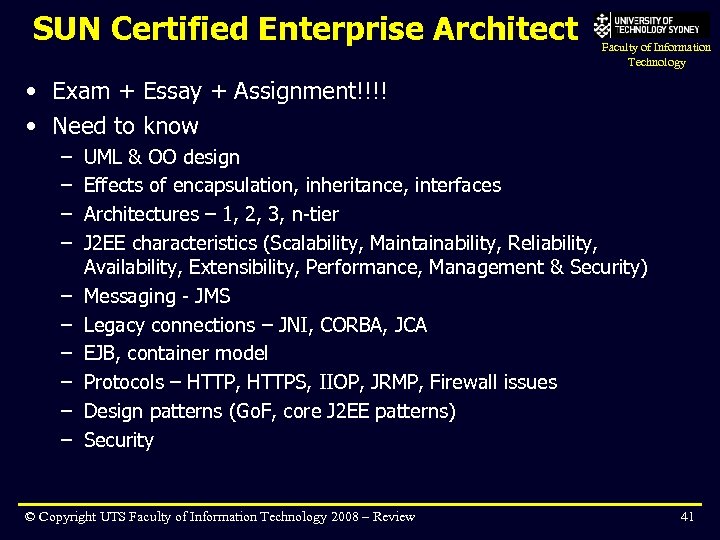 SUN Certified Enterprise Architect Faculty of Information Technology • Exam + Essay + Assignment!!!! • Need to know – – – – – UML & OO design Effects of encapsulation, inheritance, interfaces Architectures – 1, 2, 3, n-tier J 2 EE characteristics (Scalability, Maintainability, Reliability, Availability, Extensibility, Performance, Management & Security) Messaging - JMS Legacy connections – JNI, CORBA, JCA EJB, container model Protocols – HTTP, HTTPS, IIOP, JRMP, Firewall issues Design patterns (Go. F, core J 2 EE patterns) Security © Copyright UTS Faculty of Information Technology 2008 – Review 41
 Summary Faculty of Information Technology • This course was very challenging! • You have just started on the path to being a good J 2 EE developer! Experience and practice will make you better © Copyright UTS Faculty of Information Technology 2008 – Review 42