 Скачать презентацию Faculty Load and Compensation Part 1 Bruce Schermerhorn
2f7561dc4be91e3ba0a55e7712fa1fd5.ppt
- Количество слайдов: 36



Faculty Load and Compensation Part 1 Bruce Schermerhorn, Human Resources Consultant Antonio Trepesowsky, Student Consultant Sungard Higher Education
General Announcements: • Please turn off all cell phones/pagers • If you must leave the session early, please do so as discreetly as possible • Please avoid side conversations during the session • Questions will be answered …. . Thank you for your cooperation
Agenda • • • Course ID 0391 Purpose Overall Module Flow Banner Student Data Banner HR Rules & Controls Self Service Flow & Roles Self Service Mock-ups 3
Purpose • Automation of Faculty Assignments from Banner Student to Banner HR • Access information through Employee Self Service • Provide Faculty Oriented View of Compensation Details and contract information – Accommodates FT Salaried View and PT Course-based View – Lock Controls for finalized assignments – Self Service access for Faculty Member with Acknowledgement Course ID 0391 4
FLAC Benefits • Improve integration between Banner Student & HR • Encourage UDC usage with a focus on Banner, Self Service, BDMS, & Workflow • Improve user productivity through automated application of Job Assignments from core faculty assignment data • Information presented to faculty and administrators in an easy to understand format Course ID 0391 5
Assumptions • Client must be operational in Banner Student, HR, and Employee Self Service in Banner 8. X • Security will be provided by Web Tailor Roles and Banner HR Controls Course ID 0391 6
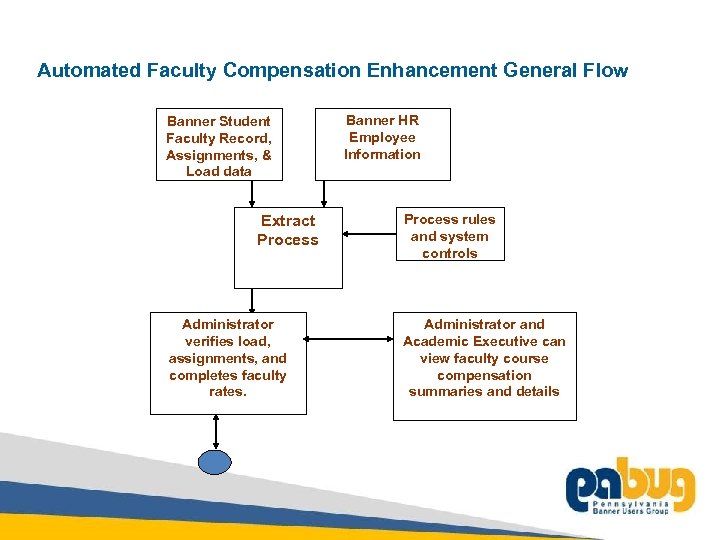
Automated Faculty Compensation Enhancement General Flow Banner Student Faculty Record, Assignments, & Load data Extract Process Administrator verifies load, assignments, and completes faculty rates. Banner HR Employee Information Process rules and system controls Administrator and Academic Executive can view faculty course compensation summaries and details 7
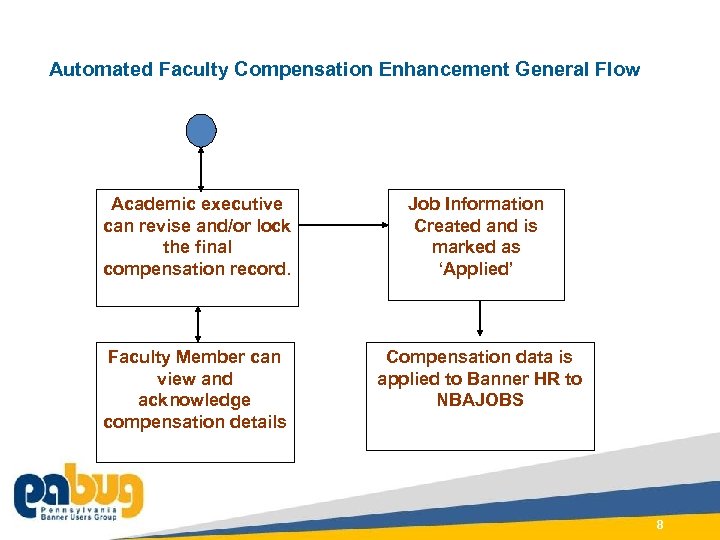
Automated Faculty Compensation Enhancement General Flow Academic executive can revise and/or lock the final compensation record. Job Information Created and is marked as ‘Applied’ Faculty Member can view and acknowledge compensation details Compensation data is applied to Banner HR to NBAJOBS Course ID 0391 8
CONNECT TO COMMUNITY. At Sun. Gard Summit, come together as a community dedicated to education. Student Data for FLAC Data considerations in Banner Student
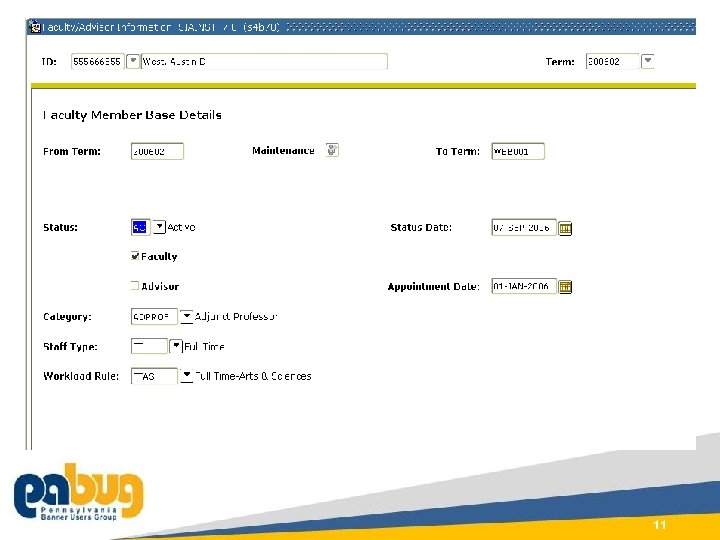
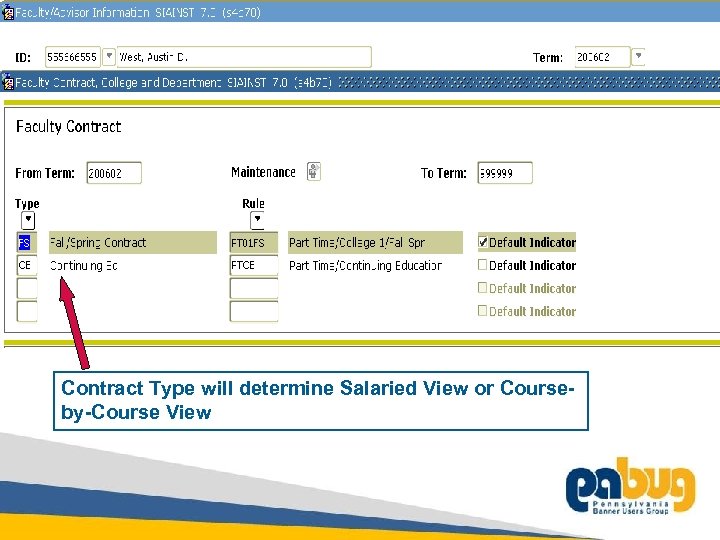
Faculty Data - Banner Student • Faculty/Advisor Information – SIAINST – Must be in ‘Active’ Status for the term – Contract Type Code associated with Faculty Member • Term Based Information from Faculty Assignment – initiated and maintained on SIAASGN and/or SSASECT • Accommodates date-based and Part of Term courses • Schedule Type associated with each course assignment • New Position lookup function added to SIAASGN to validate Position Number • New Indicators for Extract and Applied FLAC records 10
Course ID 0391 11
Contract Type will determine Salaried View or Courseby-Course View 12
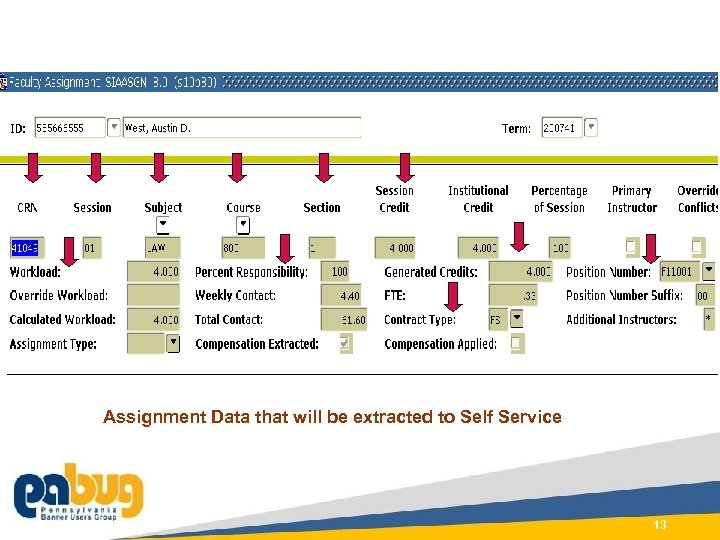
Assignment Data that will be extracted to Self Service Course ID 0391 13
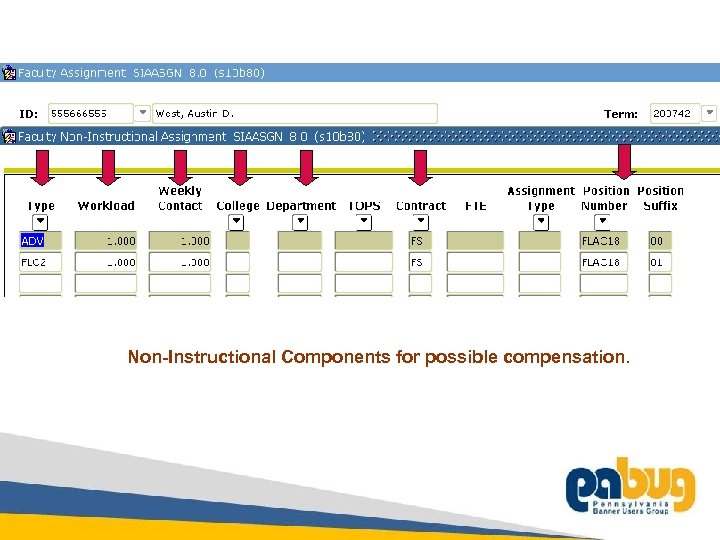
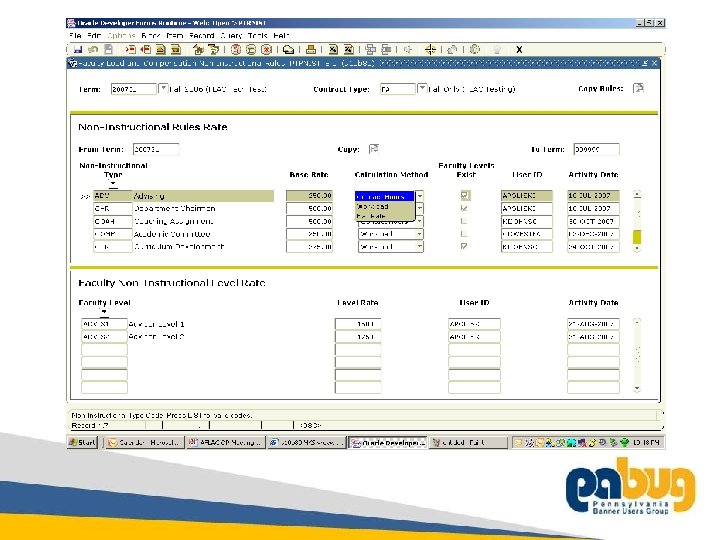
Non-Instructional Components for possible compensation. 14
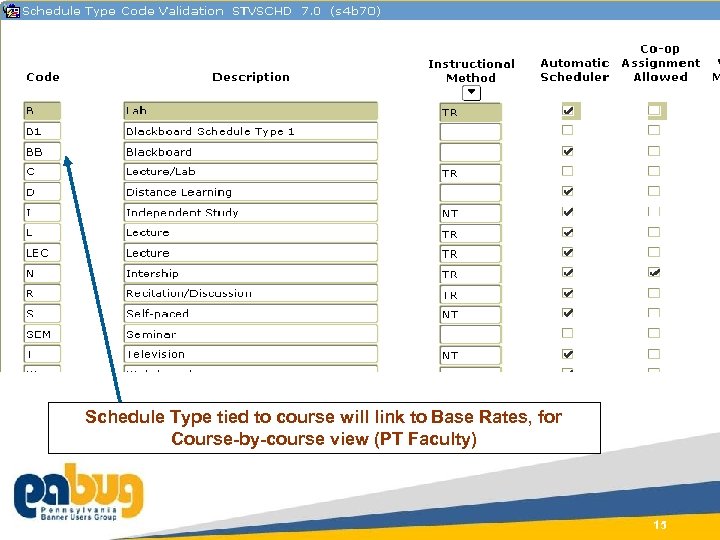
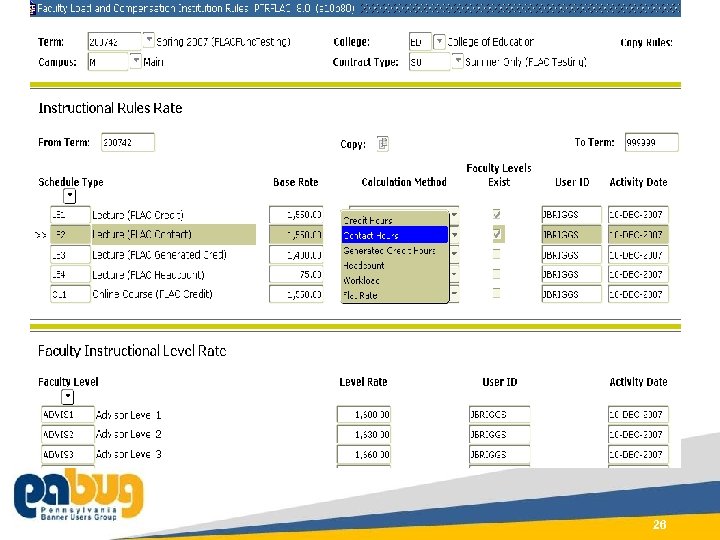
Schedule Type tied to course will link to Base Rates, for Course-by-course view (PT Faculty) Course ID 0391 15
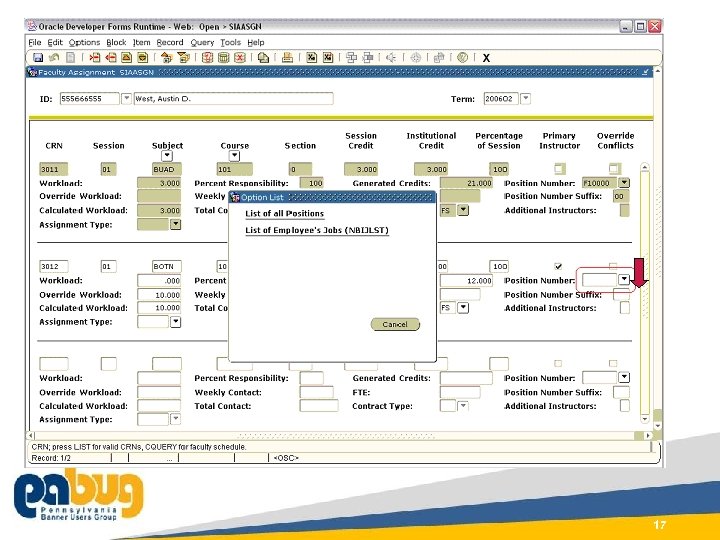
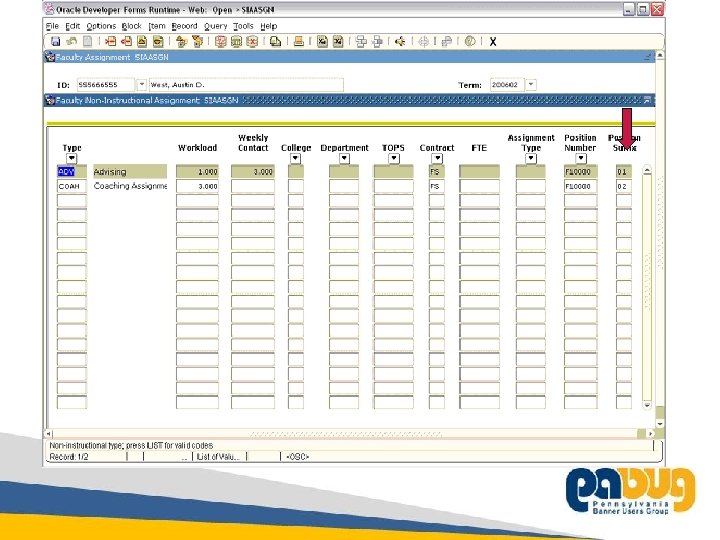
SIAASGN – Faculty Instructional and Non. Instructional Assignments • Added Position Number lookup and validation • Utilizes Banner HR called forms for Positions and Job Assignment Lists – Student system users must be given Oracle privileges to view the table data in Banner for usage of the list function 16
Course ID 0391 17
18
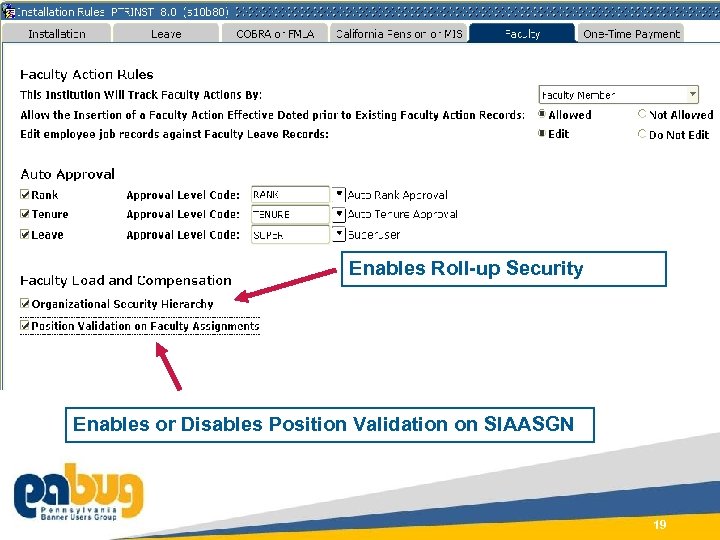
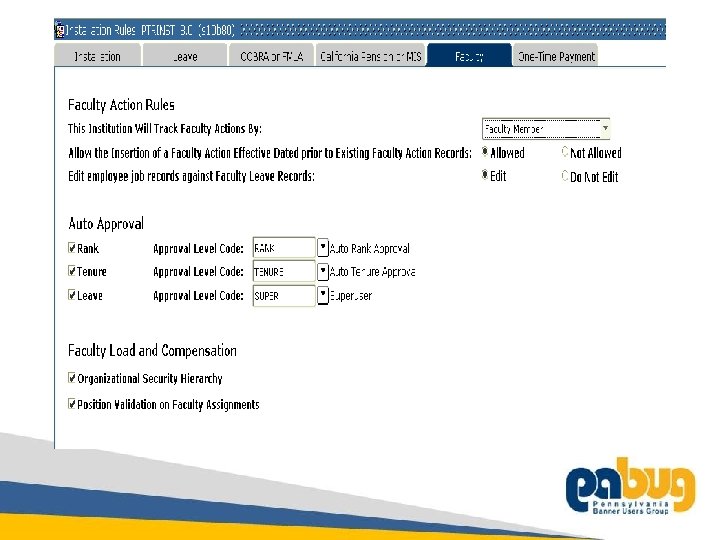
Enables Roll-up Security Enables or Disables Position Validation on SIAASGN Course ID 0391 19

CONNECT TO COMMUNITY. At Sun. Gard Summit, come together as a community dedicated to education. HR Controls for FLAC Data considerations in Banner HR
Banner HR Data Assumptions • Faculty member must have Identification and Employee Information (non-terminated) existing in Banner in order to be extracted • Administrators for AFLAC data will require setup in Banner HR to define security access within Self Service • Optional use of Faculty Level (new field) on PEAFACT for use in multi-tiered, base compensation rates for PT Faculty 21
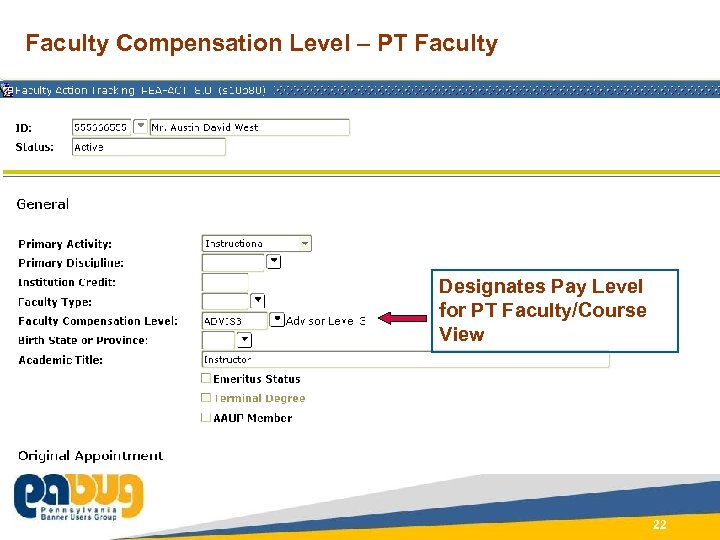
Faculty Compensation Level – PT Faculty Designates Pay Level for PT Faculty/Course View Course ID 0391 22
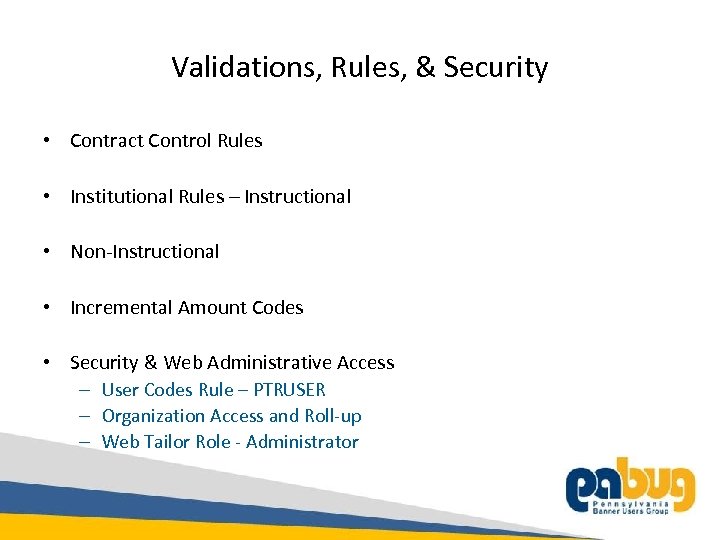
Validations, Rules, & Security • Contract Control Rules • Institutional Rules – Instructional • Non-Instructional • Incremental Amount Codes • Security & Web Administrative Access – User Codes Rule – PTRUSER – Organization Access and Roll-up – Web Tailor Role - Administrator 23
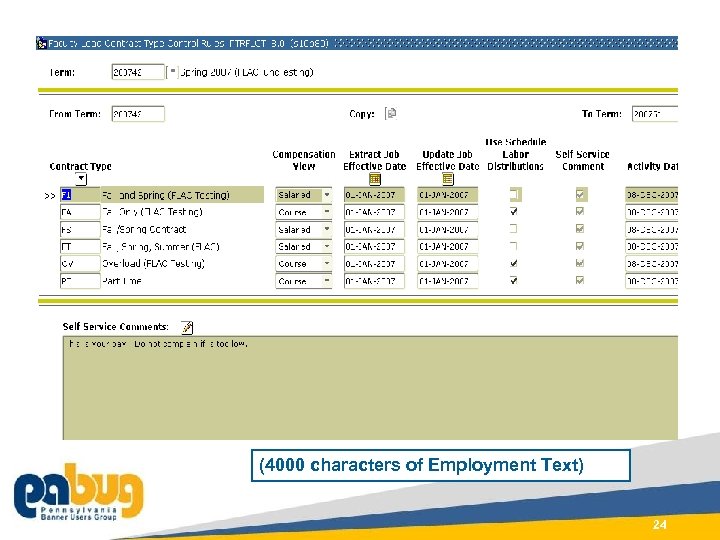
(4000 characters of Employment Text) Course ID 0391 24
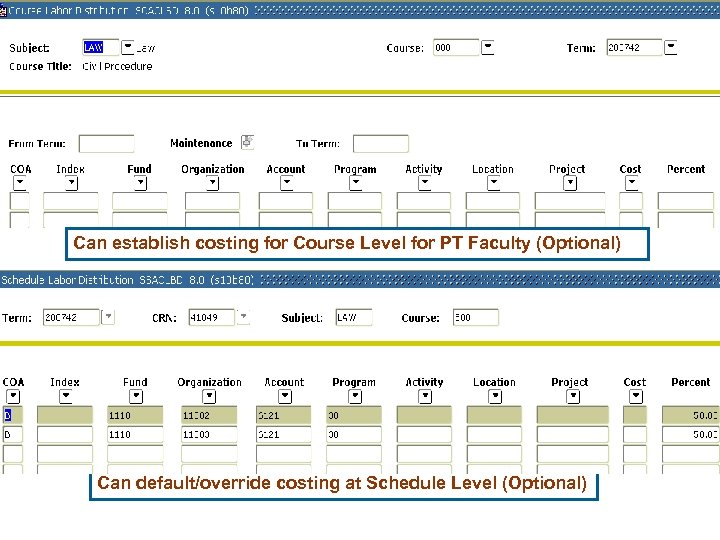
Can establish costing for Course Level for PT Faculty (Optional) Course ID 0391 Can default/override costing at Schedule Level (Optional) 25
Course ID 0391 26
27
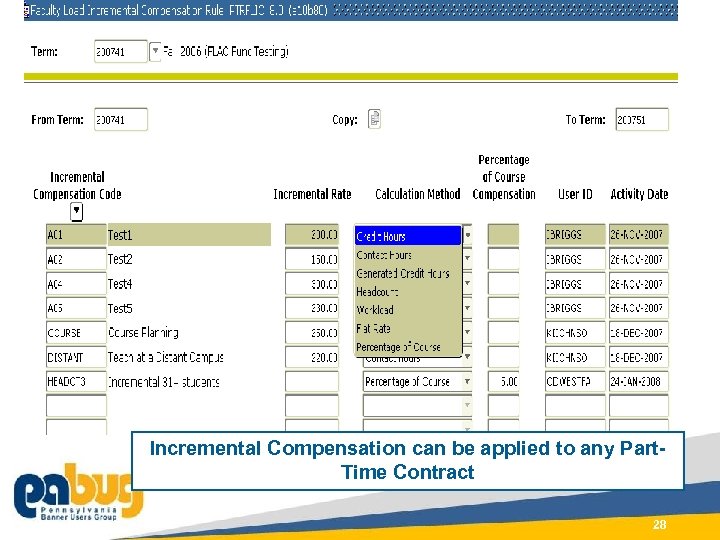
Incremental Compensation can be applied to any Part. Time Contract Course ID 0391 28
29
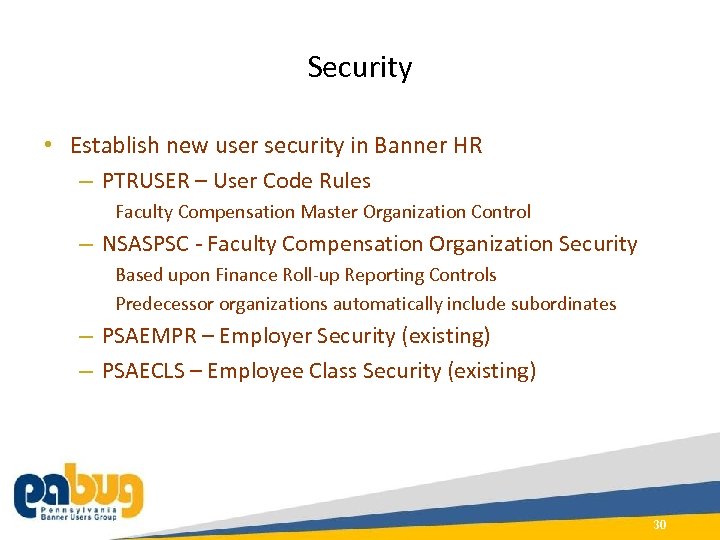
Security • Establish new user security in Banner HR – PTRUSER – User Code Rules Faculty Compensation Master Organization Control – NSASPSC - Faculty Compensation Organization Security Based upon Finance Roll-up Reporting Controls Predecessor organizations automatically include subordinates – PSAEMPR – Employer Security (existing) – PSAECLS – Employee Class Security (existing) Course ID 0391 30
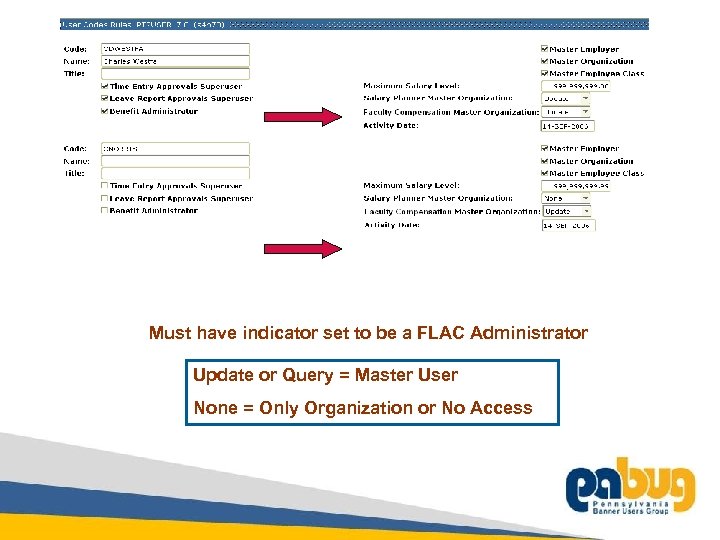
Must have indicator set to be a FLAC Administrator Update or Query = Master User None = Only Organization or No Access 31
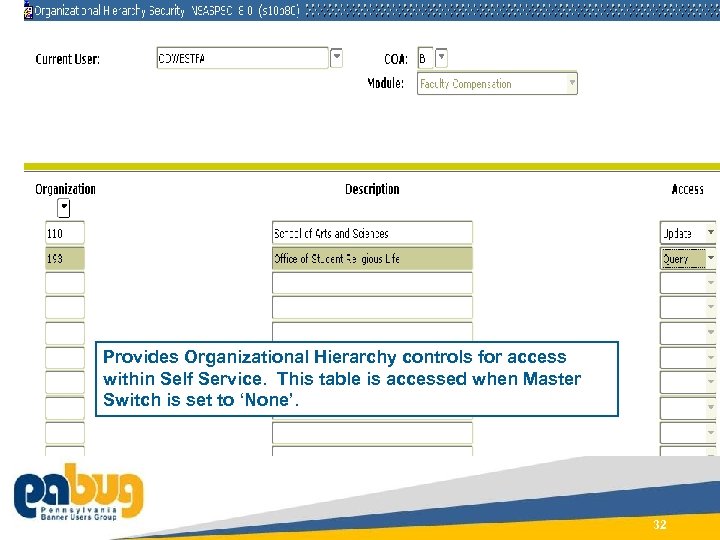
Provides Organizational Hierarchy controls for access within Self Service. This table is accessed when Master Switch is set to ‘None’. Course ID 0391 32
Faculty Compensation Roles • Web Administrator access defined within Web Tailor Script to update Web Tailor with new role, tabs and icons • Academic Administrators will utilize Banner HR security • Faculty Member to access via Employee Self Service 33
FLAC Extract Process – Selects Assigned Faculty Members from Banner Student by Term or Part of Term – Can filter selection based upon ECLS of Position and/or Contract Type of the Faculty member – Can process individual ID’s – Faculty must have Employee Record in Banner HR (nonterminated) – Builds ESS files and computes Faculty Compensation – Extract Report – details Faculty extracted and Errors Course ID 0391 34
Extract - continued Extract Process Options • ‘Initial’ – Creates the initial information for the Self Service – Can be run multiple times to extract new faculty members not yet in the file – Adds new Faculty to the existing Term file • ‘Recreate’ – The data will be replaced in the ESS file • ‘Add/Delete’ – Deleted Faculty Assignments will be removed – Faculty Assignments that have been added will be extracted – Newly added Faculty members will not be added with this setting Course ID 0391 35
Open to the Floor • Questions • Comments
Скачать презентацию Faculty Load and Compensation Part 1 Bruce Schermerhorn
2f7561dc4be91e3ba0a55e7712fa1fd5.ppt