 Скачать презентацию F 5 Networks Traffic Management by Design Presented
6ac66a5eef221a975ccab54b5f168158.ppt
- Количество слайдов: 69



F 5 Networks Traffic Management by Design Presented by: Jürg Wiesmann Field System Engineer, Switzerland jürg. wiesmann@f 5. com
2 Company Snapshot Leading provider of solutions that optimize the security, performance & availability of IPbased applications Founded 1996 / Public 1999 Approx. 1, 010 employees FY 05 Revenue: $281 M FY 06 Revenue: $394 M – 40% Y/Y Growth
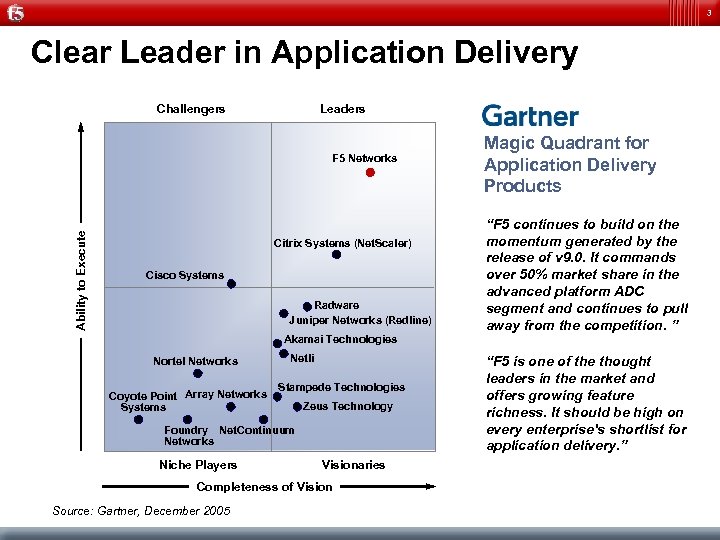
3 Clear Leader in Application Delivery Challengers Leaders Magic Quadrant for Application Delivery Products Ability to Execute F 5 Networks • “F 5 continues to build on the momentum generated by the release of v 9. 0. It commands over 50% market share in the advanced platform ADC segment and continues to pull away from the competition. ” • “F 5 is one of the thought leaders in the market and offers growing feature richness. It should be high on every enterprise's shortlist for application delivery. ” Citrix Systems (Net. Scaler) Cisco Systems Radware Juniper Networks (Redline) Akamai Technologies Nortel Networks Coyote Point Array Networks Systems Netli Stampede Technologies Zeus Technology Foundry Net. Continuum Networks Niche Players Visionaries Completeness of Vision Source: Gartner, December 2005
4 What CEO´s CFO´s und CIO´s are interested in Low Investment costs – Reducing Load on Server infrastructure Low Servicecosts – – Simple Problem-, Change und Releasemgt. Less Service windows Reduction of work during Service windows Simple secure and stable Environements High availability
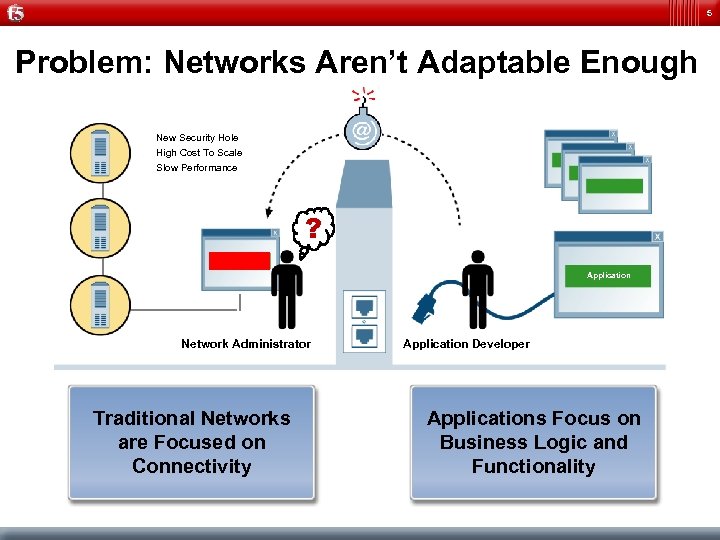
5 Problem: Networks Aren’t Adaptable Enough New Security Hole High Cost To Scale Slow Performance ? Application Network Administrator Traditional Networks are Focused on Connectivity Application Developer Applications Focus on Business Logic and Functionality
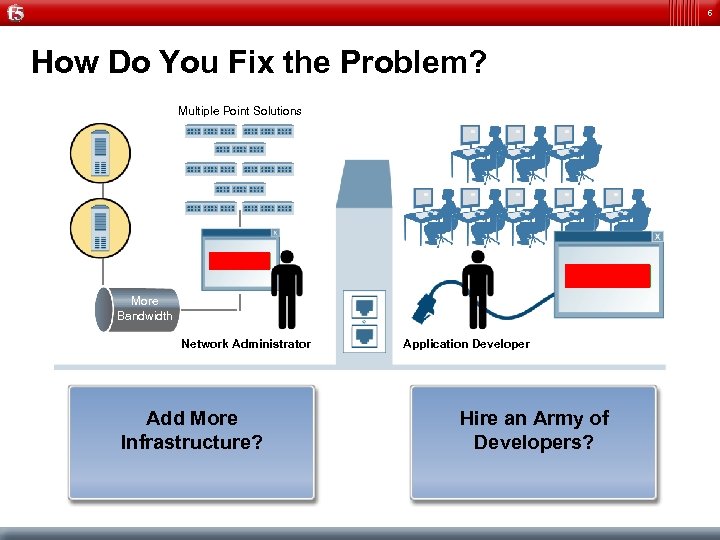
6 How Do You Fix the Problem? Multiple Point Solutions Application More Bandwidth Network Administrator Add More Infrastructure? Application Developer Hire an Army of Developers?
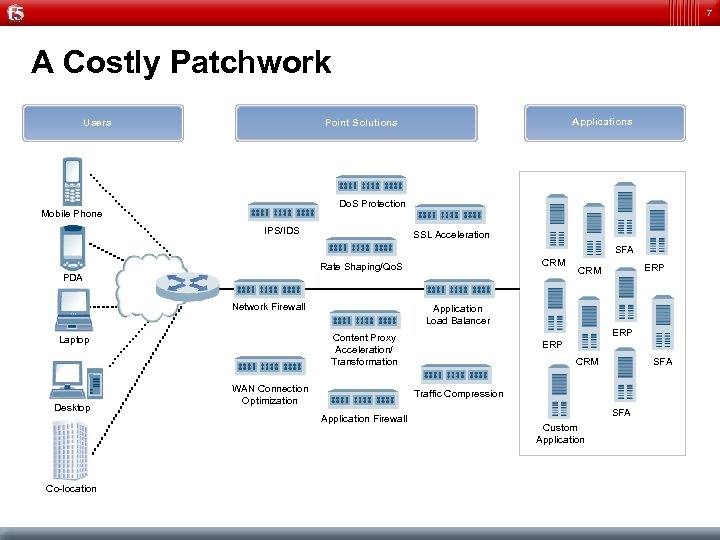
7 A Costly Patchwork Users Applications Point Solutions Do. S Protection Mobile Phone IPS/IDS SSL Acceleration SFA CRM Rate Shaping/Qo. S PDA Network Firewall Desktop Application Load Balancer WAN Connection Optimization ERP CRM SFA Traffic Compression Application Firewall Co-location ERP Content Proxy Acceleration/ Transformation Laptop ERP CRM SFA Custom Application
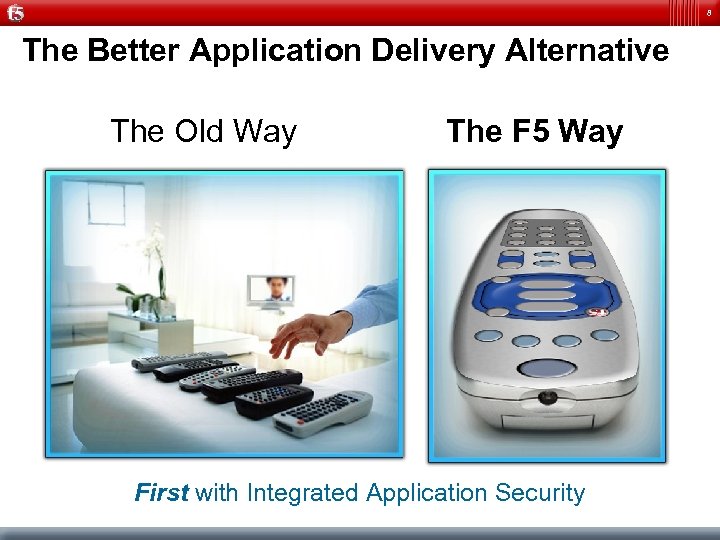
8 The Better Application Delivery Alternative The Old Way The F 5 Way First with Integrated Application Security
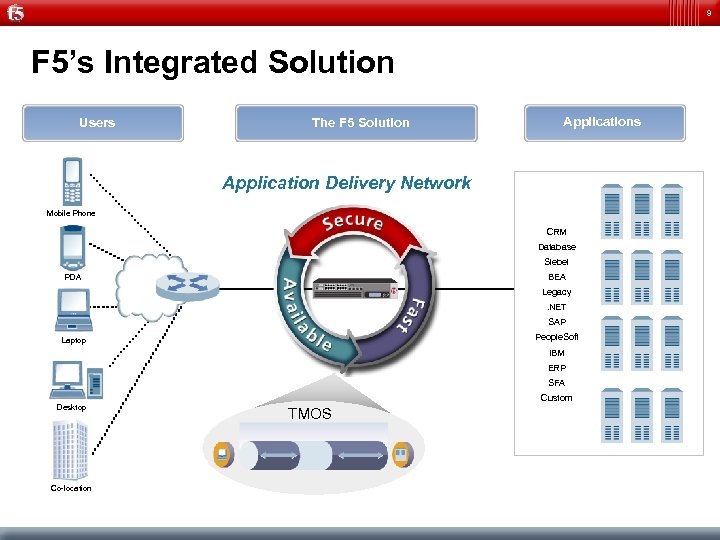
9 F 5’s Integrated Solution Users The F 5 Solution Applications Application Delivery Network Mobile Phone CRM Database Siebel BEA PDA Legacy. NET SAP People. Soft Laptop IBM ERP SFA Desktop Co-location Custom TMOS
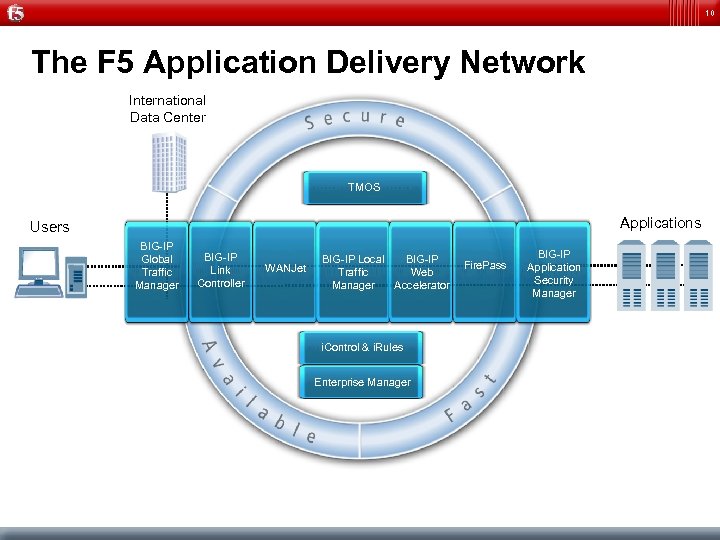
10 The F 5 Application Delivery Network International Data Center TMOS Applications Users BIG-IP Global Traffic Manager BIG-IP Link Controller WANJet BIG-IP Local BIG-IP Traffic Web Manager Accelerator i. Control & i. Rules Enterprise Manager Fire. Pass BIG-IP Application Security Manager
11 F 5 Networks Remote Access Today Presented by: Jürg Wiesmann Field System Engineer, Switzerland jürg. wiesmann@f 5. com
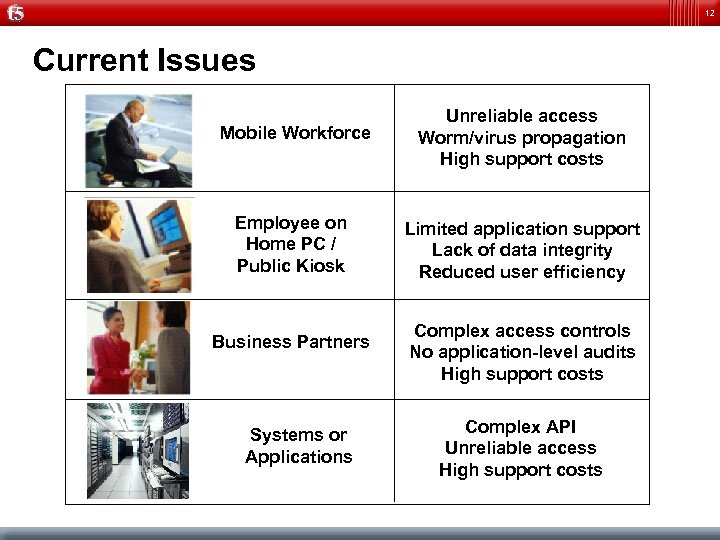
12 Current Issues Mobile Workforce Unreliable access Worm/virus propagation High support costs Employee on Home PC / Public Kiosk Limited application support Lack of data integrity Reduced user efficiency Business Partners Systems or Applications Complex access controls No application-level audits High support costs Complex API Unreliable access High support costs
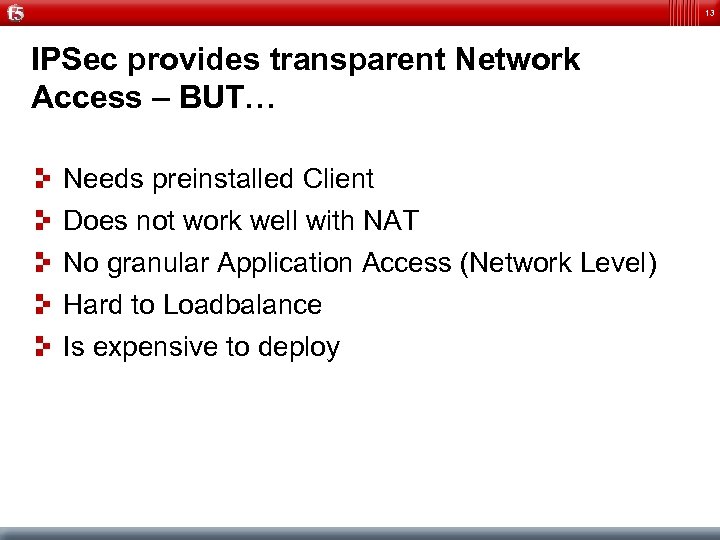
13 IPSec provides transparent Network Access – BUT… Needs preinstalled Client Does not work well with NAT No granular Application Access (Network Level) Hard to Loadbalance Is expensive to deploy
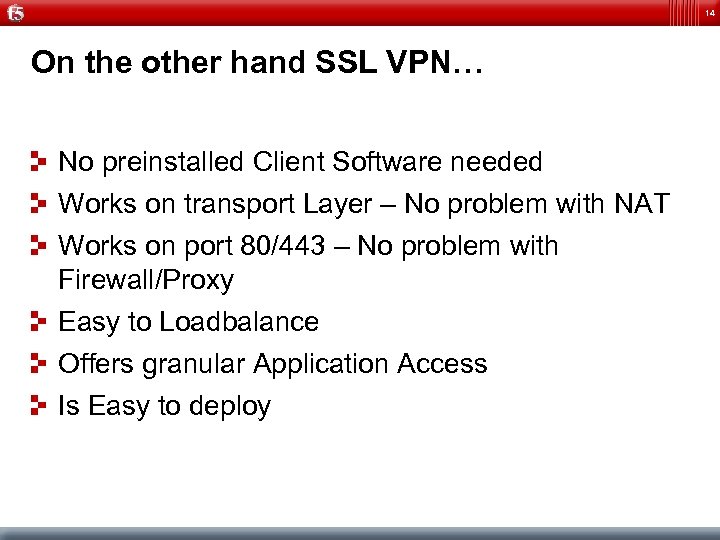
14 On the other hand SSL VPN… No preinstalled Client Software needed Works on transport Layer – No problem with NAT Works on port 80/443 – No problem with Firewall/Proxy Easy to Loadbalance Offers granular Application Access Is Easy to deploy
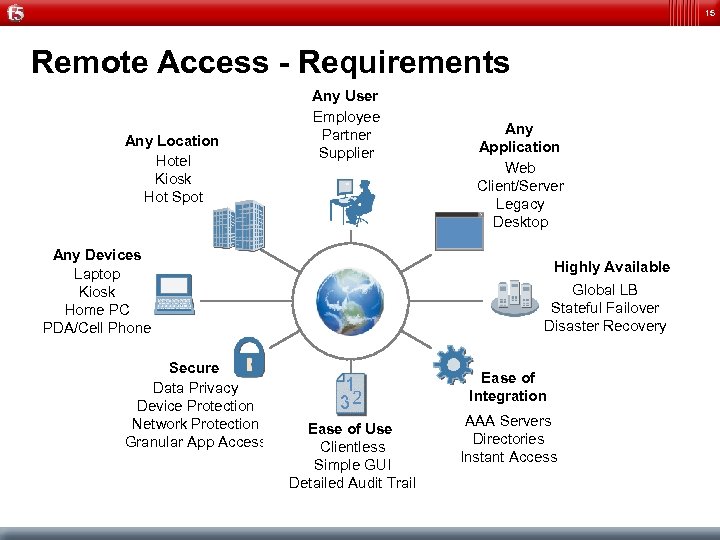
15 Remote Access - Requirements Any Location Hotel Kiosk Hot Spot Any User Employee Partner Supplier Any Devices Laptop Kiosk Home PC PDA/Cell Phone Secure Data Privacy Device Protection Network Protection Granular App Access Any Application Web Client/Server Legacy Desktop Highly Available Global LB Stateful Failover Disaster Recovery Ease of Integration Ease of Use Clientless Simple GUI Detailed Audit Trail AAA Servers Directories Instant Access
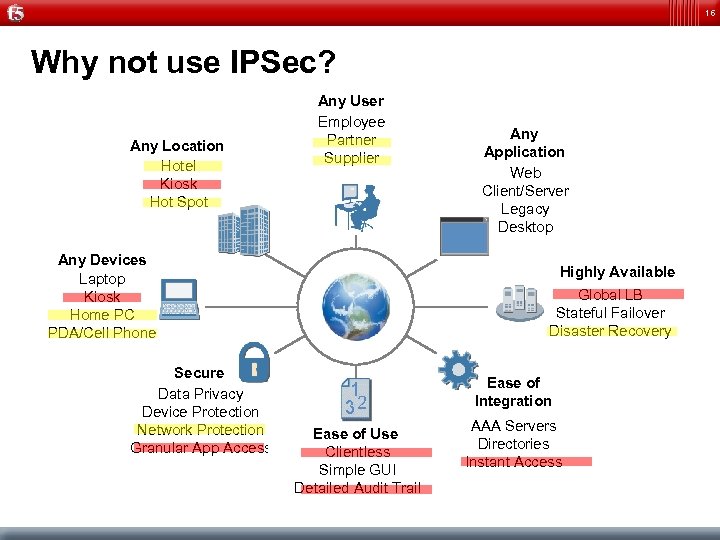
16 Why not use IPSec? Any Location Hotel Kiosk Hot Spot Any User Employee Partner Supplier Any Devices Laptop Kiosk Home PC PDA/Cell Phone Secure Data Privacy Device Protection Network Protection Granular App Access Any Application Web Client/Server Legacy Desktop Highly Available Global LB Stateful Failover Disaster Recovery Ease of Integration Ease of Use Clientless Simple GUI Detailed Audit Trail AAA Servers Directories Instant Access
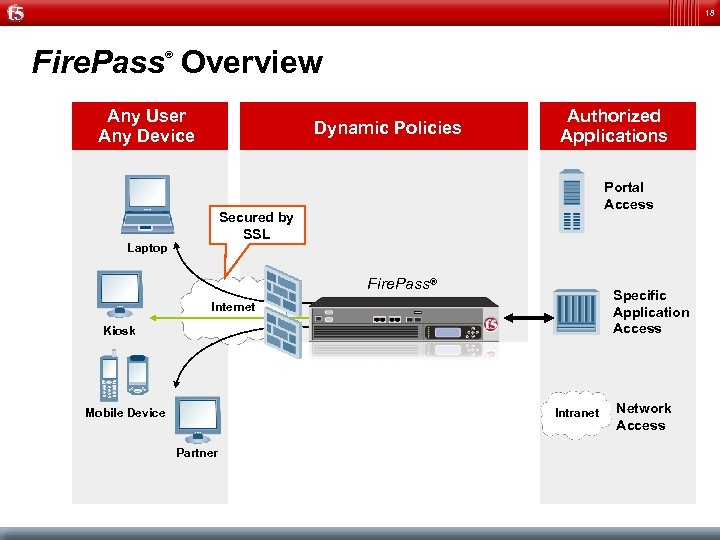
18 Fire. Pass Overview ® Any User Any Device Dynamic Policies Authorized Applications Portal Access Secured by SSL Laptop Fire. Pass® Specific Application Access Internet Kiosk Intranet Mobile Device Partner Network Access
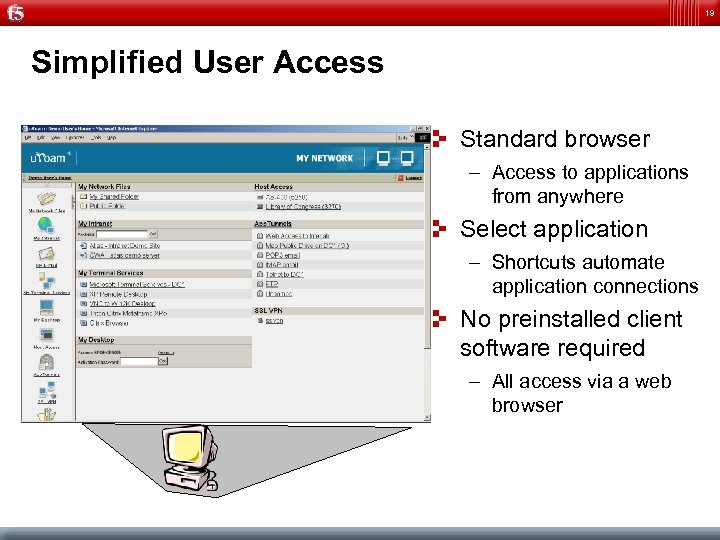
19 Simplified User Access Standard browser – Access to applications from anywhere Select application – Shortcuts automate application connections No preinstalled client software required – All access via a web browser
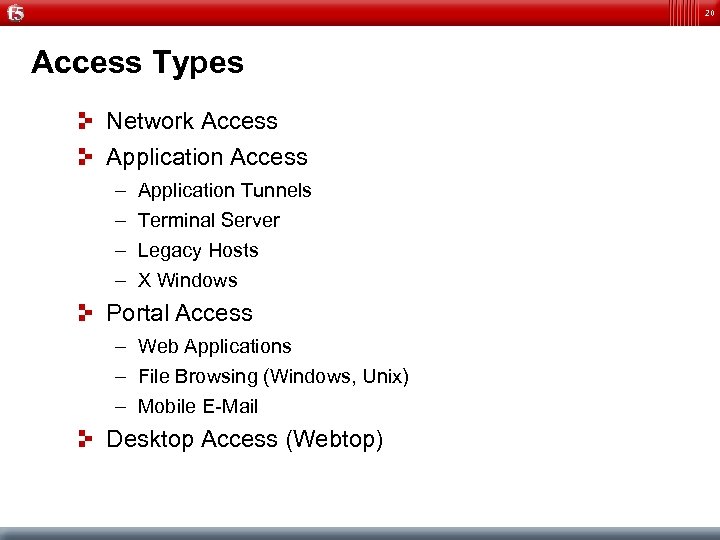
20 Access Types Network Access Application Access – – Application Tunnels Terminal Server Legacy Hosts X Windows Portal Access – Web Applications – File Browsing (Windows, Unix) – Mobile E-Mail Desktop Access (Webtop)
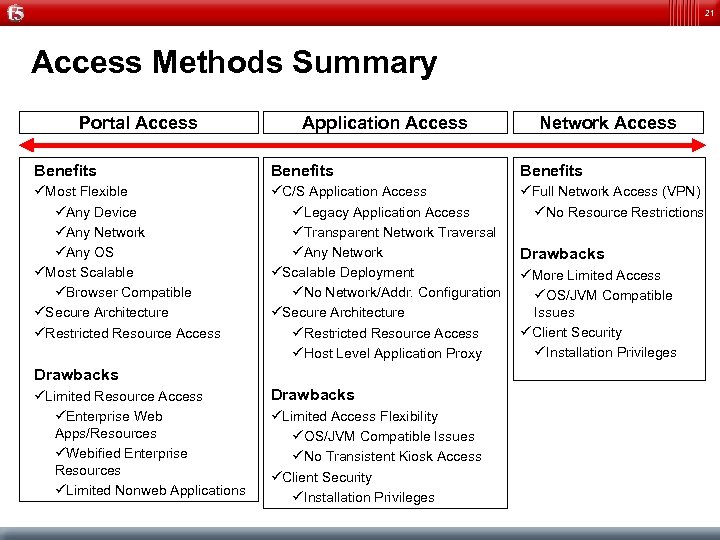
21 Access Methods Summary Portal Access Application Access Network Access Benefits üMost Flexible üAny Device üAny Network üAny OS üMost Scalable üBrowser Compatible üSecure Architecture üRestricted Resource Access üC/S Application Access üLegacy Application Access üTransparent Network Traversal üAny Network üScalable Deployment üNo Network/Addr. Configuration üSecure Architecture üRestricted Resource Access üHost Level Application Proxy üFull Network Access (VPN) üNo Resource Restrictions Drawbacks üLimited Resource Access üEnterprise Web Apps/Resources üWebified Enterprise Resources üLimited Nonweb Applications Drawbacks üLimited Access Flexibility üOS/JVM Compatible Issues üNo Transistent Kiosk Access üClient Security üInstallation Privileges Drawbacks üMore Limited Access üOS/JVM Compatible Issues üClient Security üInstallation Privileges
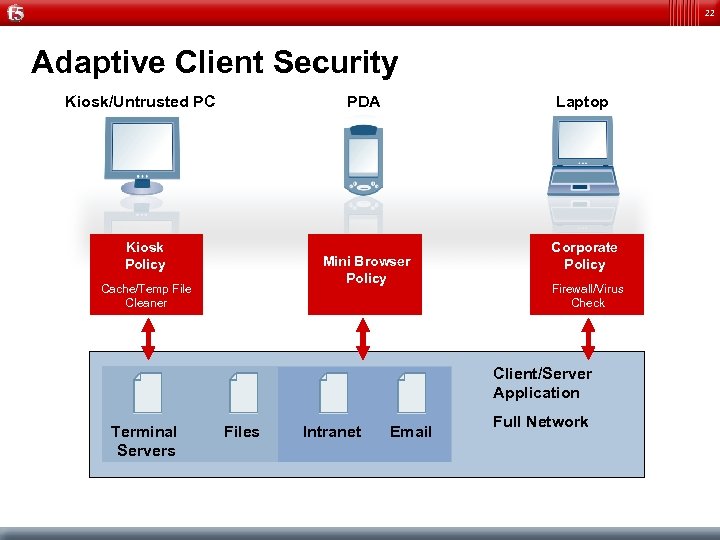
22 Adaptive Client Security Kiosk/Untrusted PC PDA Kiosk Policy Laptop Mini Browser Policy Cache/Temp File Cleaner Corporate Policy Firewall/Virus Check Client/Server Application Terminal Servers Files Intranet Email Full Network
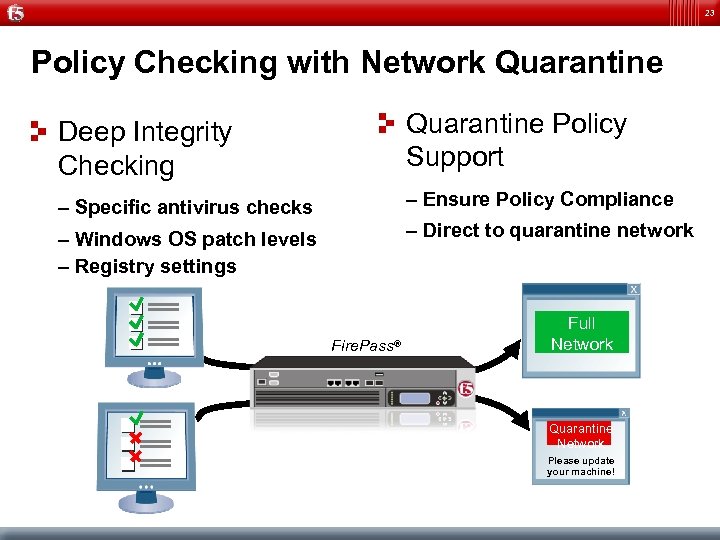
23 Policy Checking with Network Quarantine Deep Integrity Checking Quarantine Policy Support – Specific antivirus checks – Ensure Policy Compliance – Windows OS patch levels – Registry settings – Direct to quarantine network Fire. Pass® Full Network Quarantine Network Please update your machine!
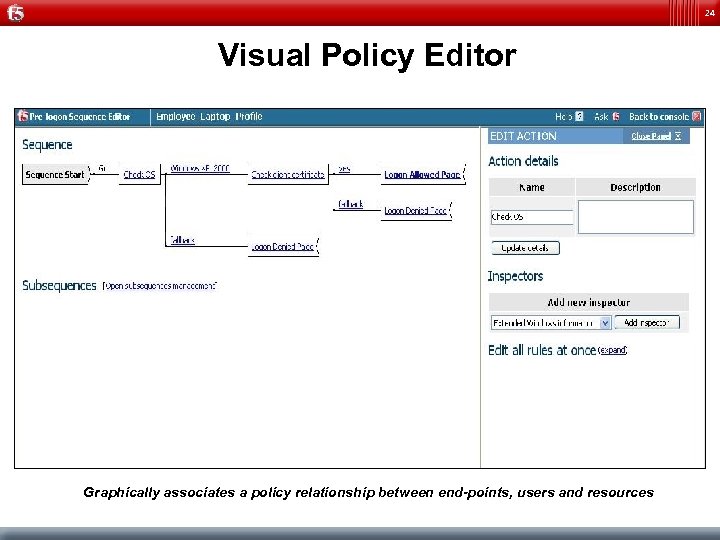
24 Visual Policy Editor Graphically associates a policy relationship between end-points, users and resources
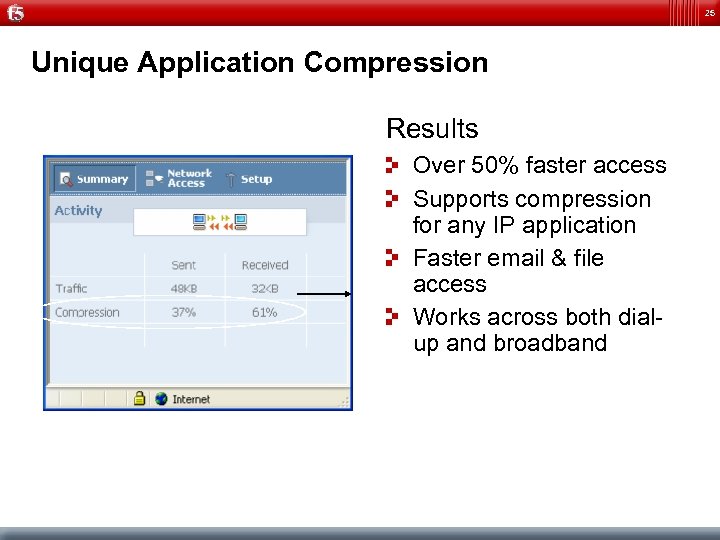
25 Unique Application Compression Results Over 50% faster access Supports compression for any IP application Faster email & file access Works across both dialup and broadband
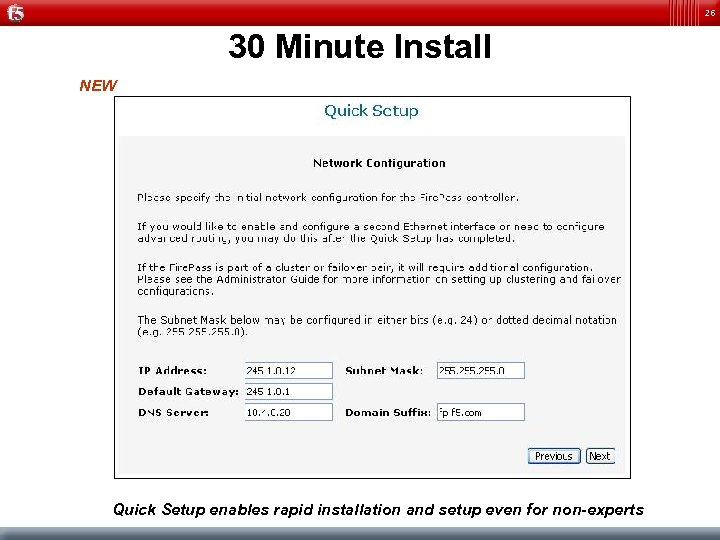
26 30 Minute Install NEW Quick Setup enables rapid installation and setup even for non-experts
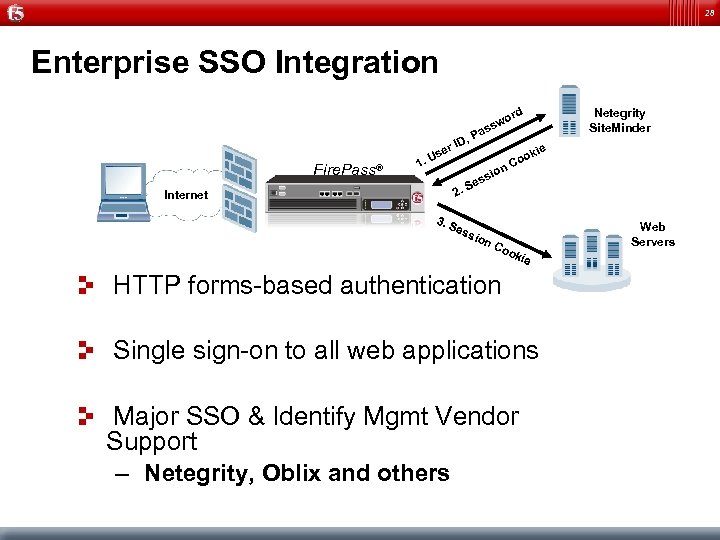
28 Enterprise SSO Integration Dynamic Policies Fire. Pass® 1. e Us , r ID 2. Internet 3. S ord Netegrity Site. Minder w ss Pa kie s Se ess n sio ion Co o Co Web Servers oki e HTTP forms-based authentication Single sign-on to all web applications Major SSO & Identify Mgmt Vendor Support – Netegrity, Oblix and others
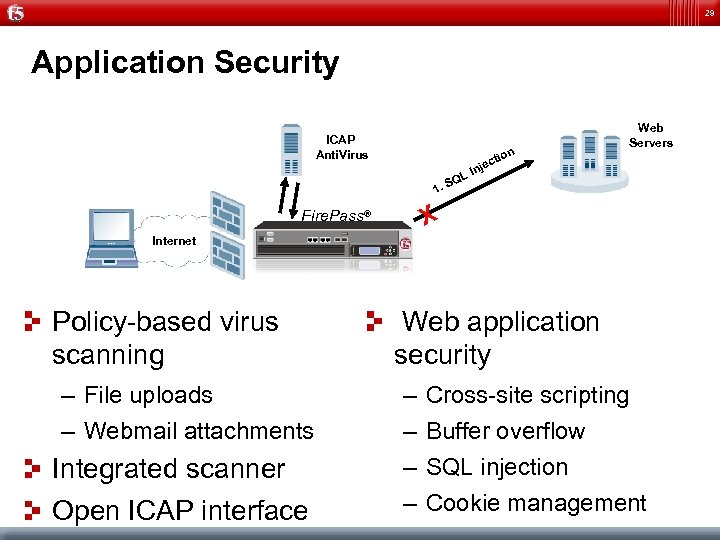
29 Application Security ICAP Anti. Virus n tio 1. Web Servers ec Inj L SQ X Fire. Pass® Internet Policy-based virus scanning – File uploads – Webmail attachments Integrated scanner Open ICAP interface Web application security – – Cross-site scripting Buffer overflow SQL injection Cookie management
30 Product Lines
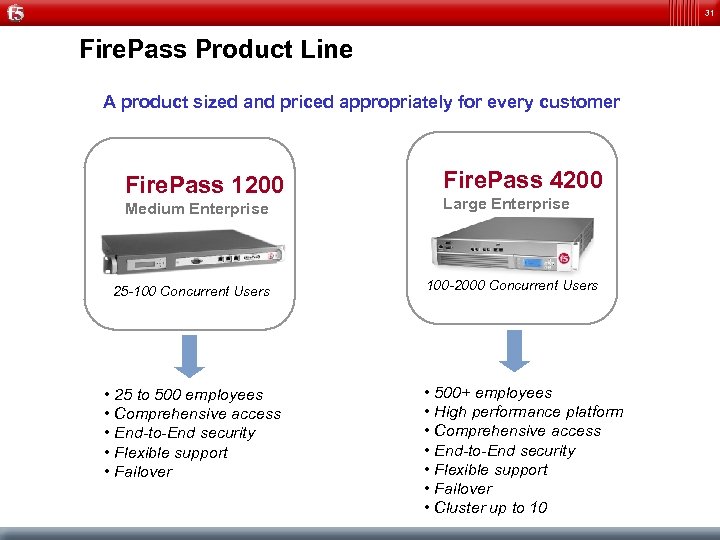
31 Fire. Pass Product Line A product sized and priced appropriately for every customer Fire. Pass 1200 Medium Enterprise 25 -100 Concurrent Users • 25 to 500 employees • Comprehensive access • End-to-End security • Flexible support • Failover Fire. Pass 4200 Large Enterprise 100 -2000 Concurrent Users • 500+ employees • High performance platform • Comprehensive access • End-to-End security • Flexible support • Failover • Cluster up to 10
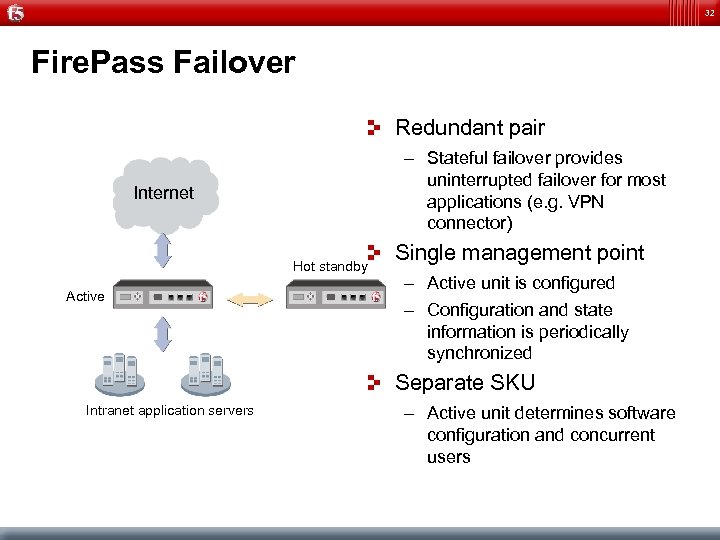
32 Fire. Pass Failover Redundant pair – Stateful failover provides uninterrupted failover for most applications (e. g. VPN connector) Internet Hot standby Active Single management point – Active unit is configured – Configuration and state information is periodically synchronized Separate SKU Intranet application servers – Active unit determines software configuration and concurrent users
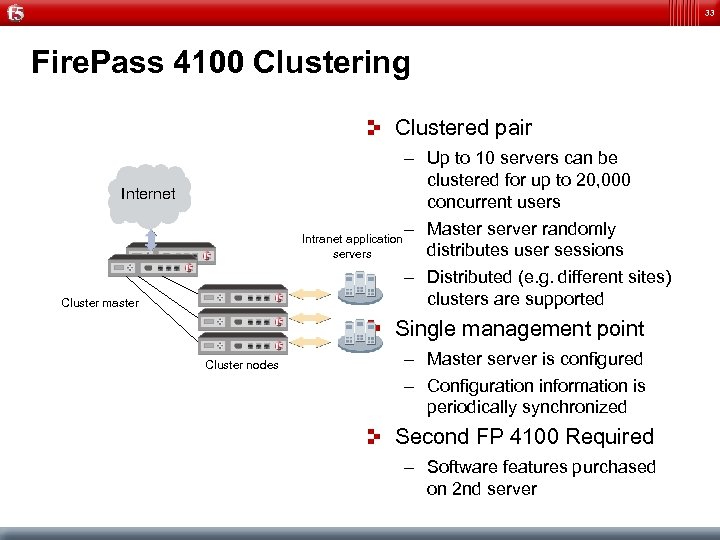
33 Fire. Pass 4100 Clustering Clustered pair – Up to 10 servers can be clustered for up to 20, 000 concurrent users – Master server randomly Intranet application distributes user sessions servers – Distributed (e. g. different sites) clusters are supported Internet Cluster master Single management point Cluster nodes – Master server is configured – Configuration information is periodically synchronized Second FP 4100 Required – Software features purchased on 2 nd server
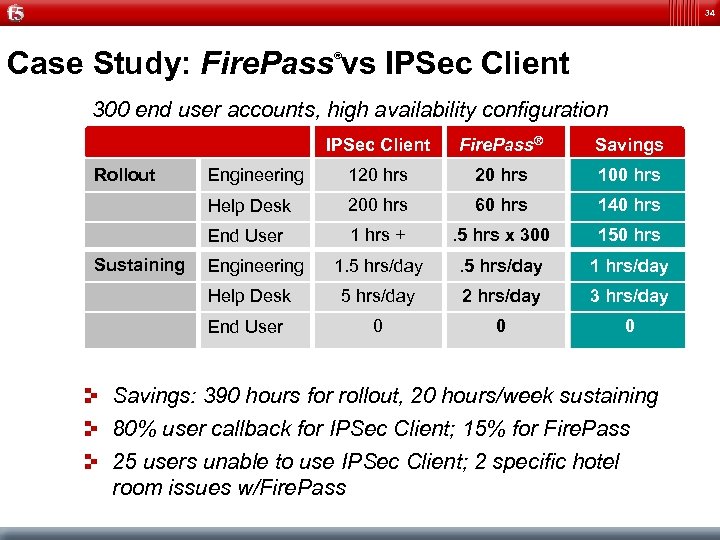
34 Case Study: Fire. Pass vs IPSec Client ® 300 end user accounts, high availability configuration IPSec Client Engineering 120 hrs 100 hrs 200 hrs 60 hrs 140 hrs End User 1 hrs + . 5 hrs x 300 150 hrs 1. 5 hrs/day 1 hrs/day Help Desk 5 hrs/day 2 hrs/day 3 hrs/day End User Sustaining Savings Help Desk Rollout Fire. Pass® 0 0 0 Engineering Savings: 390 hours for rollout, 20 hours/week sustaining 80% user callback for IPSec Client; 15% for Fire. Pass 25 users unable to use IPSec Client; 2 specific hotel room issues w/Fire. Pass
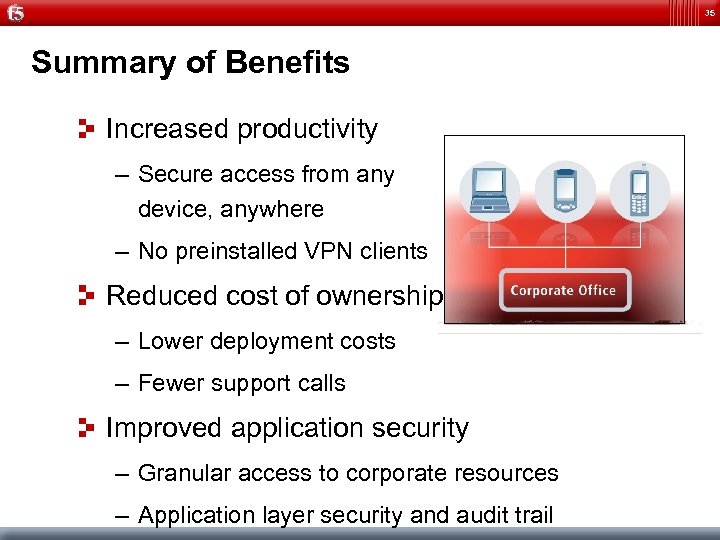
35 Summary of Benefits Increased productivity – Secure access from any device, anywhere – No preinstalled VPN clients Reduced cost of ownership – Lower deployment costs – Fewer support calls Improved application security – Granular access to corporate resources – Application layer security and audit trail
37

38
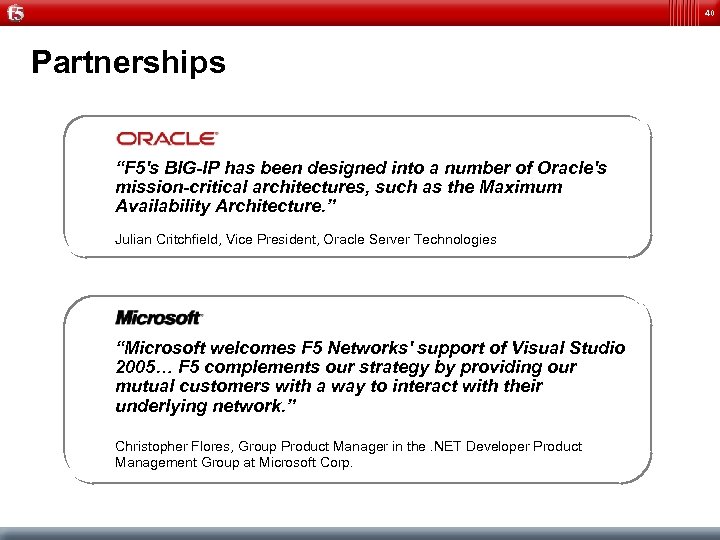
40 Partnerships “F 5's BIG-IP has been designed into a number of Oracle's mission-critical architectures, such as the Maximum Availability Architecture. ” Julian Critchfield, Vice President, Oracle Server Technologies “Microsoft welcomes F 5 Networks' support of Visual Studio 2005… F 5 complements our strategy by providing our mutual customers with a way to interact with their underlying network. ” Christopher Flores, Group Product Manager in the. NET Developer Product Management Group at Microsoft Corp.
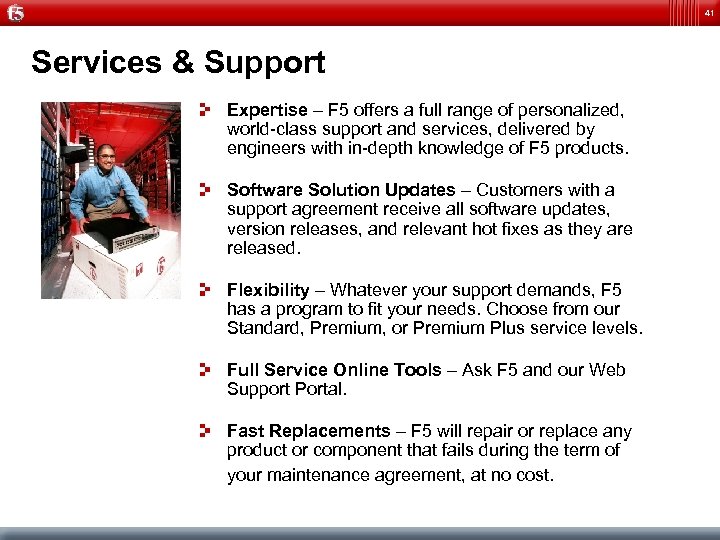
41 Services & Support Expertise – F 5 offers a full range of personalized, world-class support and services, delivered by engineers with in-depth knowledge of F 5 products. Software Solution Updates – Customers with a support agreement receive all software updates, version releases, and relevant hot fixes as they are released. Flexibility – Whatever your support demands, F 5 has a program to fit your needs. Choose from our Standard, Premium, or Premium Plus service levels. Full Service Online Tools – Ask F 5 and our Web Support Portal. Fast Replacements – F 5 will repair or replace any product or component that fails during the term of your maintenance agreement, at no cost.
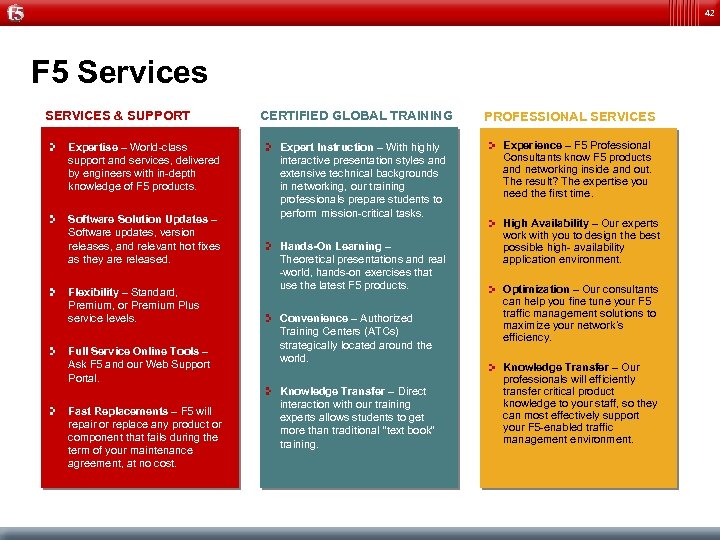
42 F 5 Services SERVICES & SUPPORT Expertise – World-class support and services, delivered by engineers with in-depth knowledge of F 5 products. Software Solution Updates – Software updates, version releases, and relevant hot fixes as they are released. Flexibility – Standard, Premium, or Premium Plus service levels. Full Service Online Tools – Ask F 5 and our Web Support Portal. Fast Replacements – F 5 will repair or replace any product or component that fails during the term of your maintenance agreement, at no cost. CERTIFIED GLOBAL TRAINING Expert Instruction – With highly interactive presentation styles and extensive technical backgrounds in networking, our training professionals prepare students to perform mission-critical tasks. Hands-On Learning – Theoretical presentations and real -world, hands-on exercises that use the latest F 5 products. Convenience – Authorized Training Centers (ATCs) strategically located around the world. Knowledge Transfer – Direct interaction with our training experts allows students to get more than traditional “text book” training. PROFESSIONAL SERVICES Experience – F 5 Professional Consultants know F 5 products and networking inside and out. The result? The expertise you need the first time. High Availability – Our experts work with you to design the best possible high- availability application environment. Optimization – Our consultants can help you fine tune your F 5 traffic management solutions to maximize your network’s efficiency. Knowledge Transfer – Our professionals will efficiently transfer critical product knowledge to your staff, so they can most effectively support your F 5 -enabled traffic management environment.
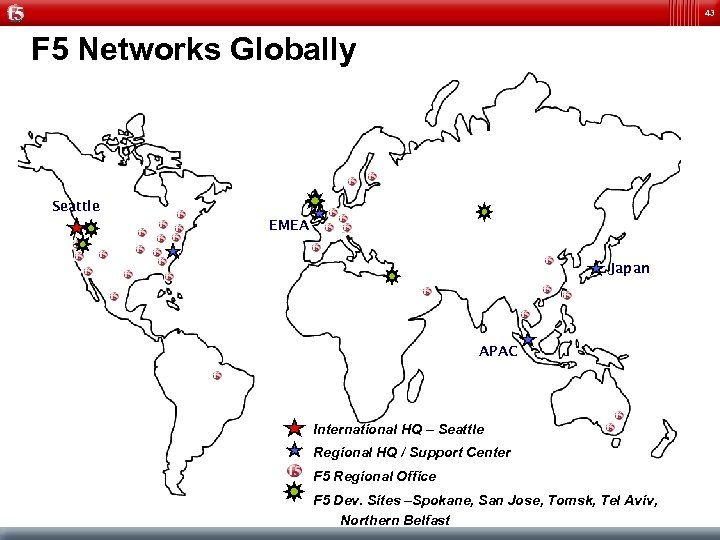
43 F 5 Networks Globally Seattle EMEA Japan APAC International HQ – Seattle Regional HQ / Support Center F 5 Regional Office F 5 Dev. Sites –Spokane, San Jose, Tomsk, Tel Aviv, Northern Belfast
44 F 5 Networks Message Security Module Presented by: Jürg Wiesmann Field System Engineer, Switzerland jürg. wiesmann@f 5. com
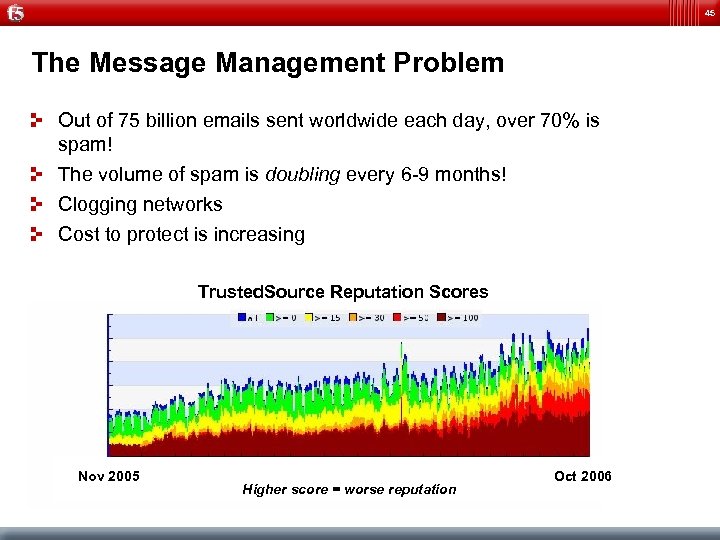
45 The Message Management Problem Out of 75 billion emails sent worldwide each day, over 70% is spam! The volume of spam is doubling every 6 -9 months! Clogging networks Cost to protect is increasing Trusted. Source Reputation Scores Nov 2005 Higher score = worse reputation Oct 2006
46 Typical Corporate Pain Employees still get spam Some are annoying, some are offensive Infrastructure needed to deal with spam is expensive! – – – Firewalls Servers Software (O/S, anti-spam licenses, etc. ) Bandwidth Rack space Power Budget doesn’t match spam growth Legitimate email delivery slowed due to spam
47 Why is this happening? Spam really works! Click rate of 1 in 1, 000 is successful Spammers are smart professionals – – Buy the same anti-spam technology we do Develop spam to bypass filters Persistence through trial and error Blasted out by massive controlled botnets Professional spammers have – Racks of equipment – Every major filtering software and appliance available – Engineering staff
48 It’s not just annoying…it can be dangerous. 2% of all email globally contains some sort of malware. – Phishing – Viruses – Trojans (zombies, spyware)
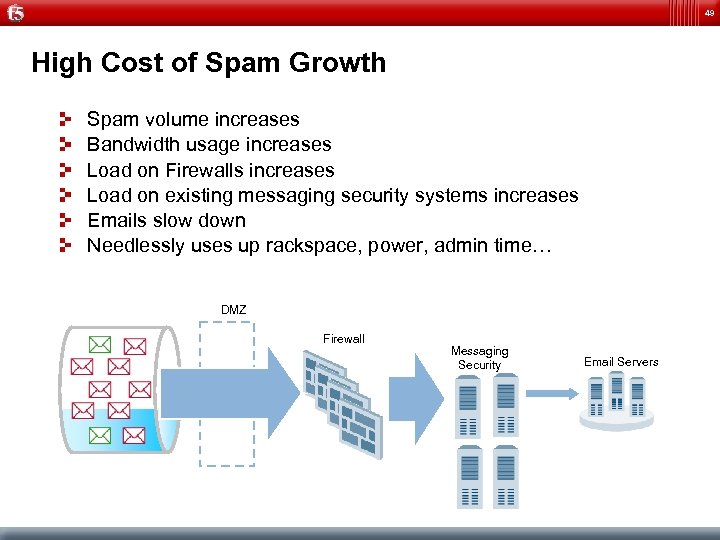
49 High Cost of Spam Growth Spam volume increases Bandwidth usage increases Load on Firewalls increases Load on existing messaging security systems increases Emails slow down Needlessly uses up rackspace, power, admin time… DMZ Firewall Messaging Security Email Servers
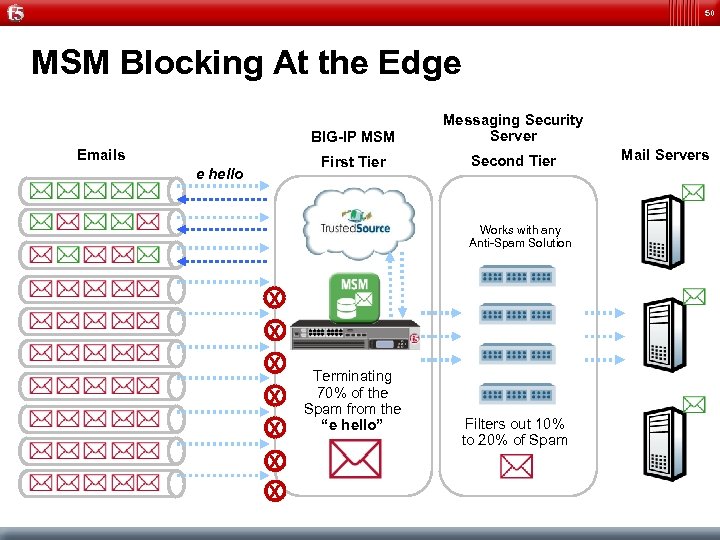
50 MSM Blocking At the Edge BIG-IP MSM First Tier Emails e hello Messaging Security Server Second Tier Works with any Anti-Spam Solution X X X X Terminating 70% of the Spam from the “e hello” Filters out 10% to 20% of Spam Mail Servers
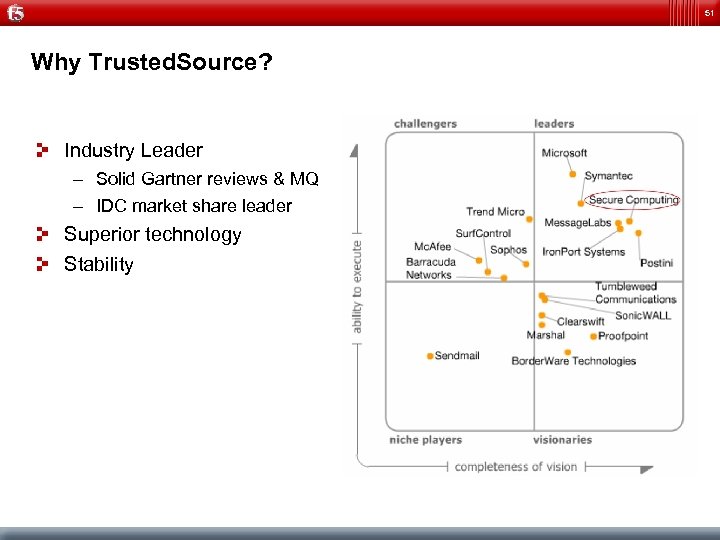
51 Why Trusted. Source? Industry Leader – Solid Gartner reviews & MQ – IDC market share leader Superior technology Stability
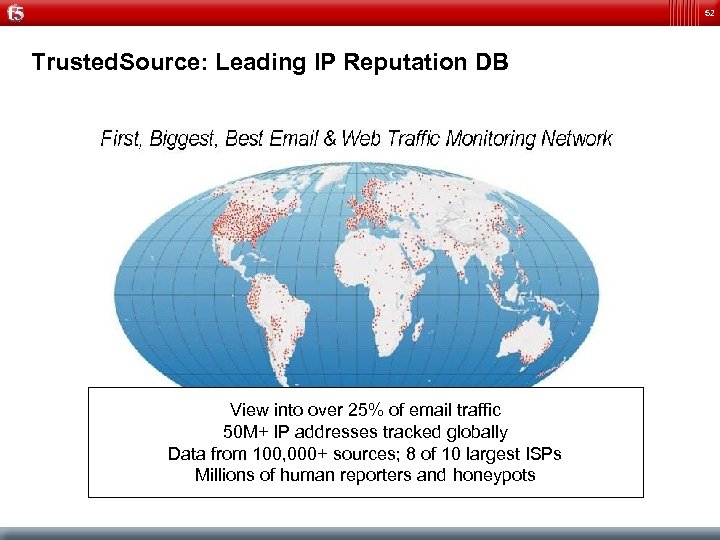
52 Trusted. Source: Leading IP Reputation DB View into over 25% of email traffic 50 M+ IP addresses tracked globally Data from 100, 000+ sources; 8 of 10 largest ISPs Millions of human reporters and honeypots
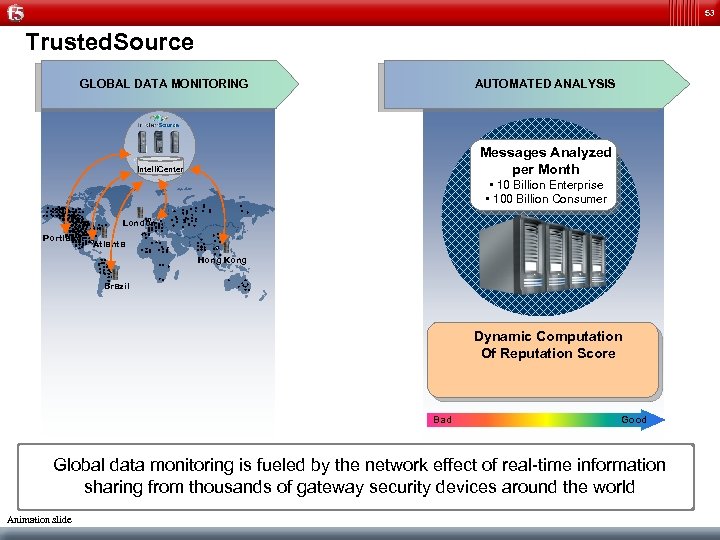
53 Trusted. Source GLOBAL DATA MONITORING AUTOMATED ANALYSIS Messages Analyzed per Month Intelli. Center • 10 Billion Enterprise • 100 Billion Consumer London Portland Atlanta Hong Kong Brazil Dynamic Computation Of Reputation Score Bad Good Global data monitoring is fueled by the network effect of real-time information sharing from thousands of gateway security devices around the world Animation slide
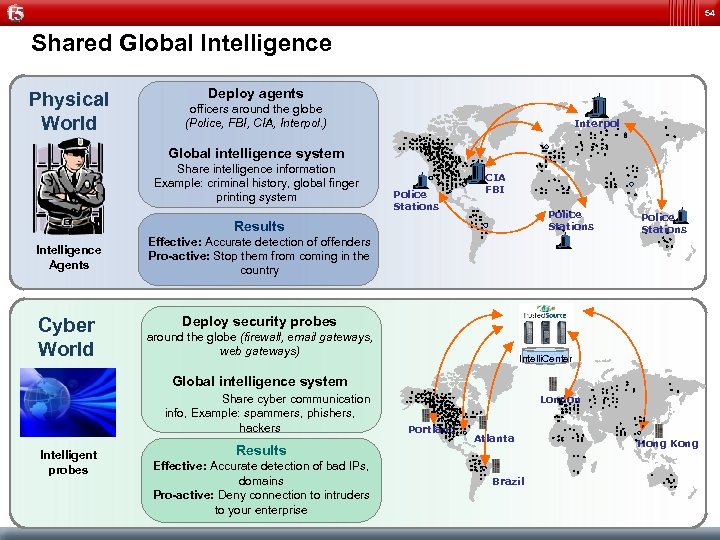
54 Shared Global Intelligence Physical World Deploy agents officers around the globe (Police, FBI, CIA, Interpol. ) Interpol Global intelligence system Share intelligence information Example: criminal history, global finger printing system Police Stations CIA FBI Police Stations Results Intelligence Agents Cyber World Effective: Accurate detection of offenders Pro-active: Stop them from coming in the country Police Stations Deploy security probes around the globe (firewall, email gateways, web gateways) Intelli. Center Global intelligence system Share cyber communication info, Example: spammers, phishers, hackers Intelligent probes Results Effective: Accurate detection of bad IPs, domains Pro-active: Deny connection to intruders to your enterprise London Portland Atlanta Brazil Hong Kong
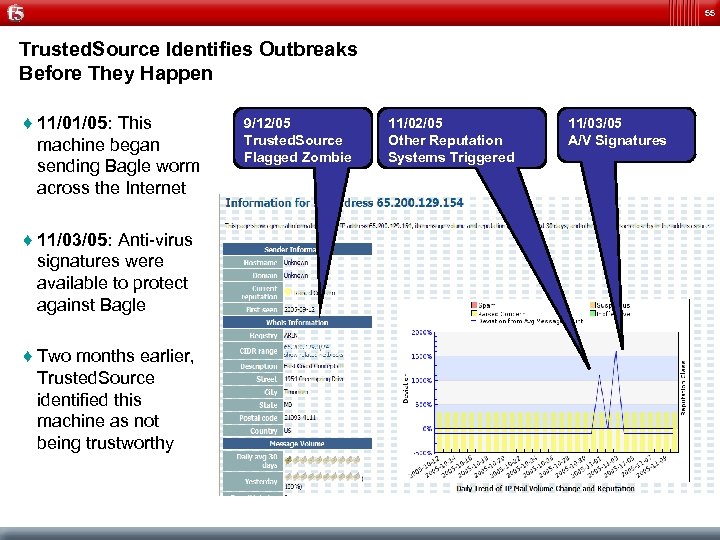
55 Trusted. Source Identifies Outbreaks Before They Happen ♦ 11/01/05: This machine began sending Bagle worm across the Internet ♦ 11/03/05: Anti-virus signatures were available to protect against Bagle ♦ Two months earlier, Trusted. Source identified this machine as not being trustworthy 9/12/05 Trusted. Source Flagged Zombie 11/02/05 Other Reputation Systems Triggered 11/03/05 A/V Signatures
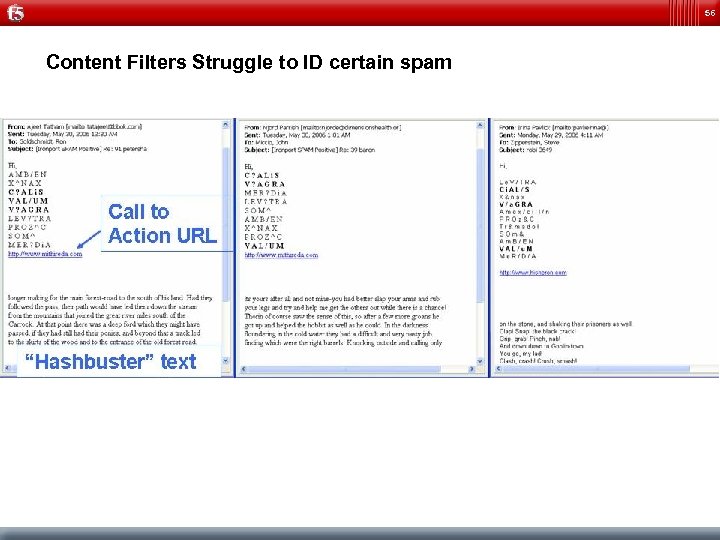
56 Content Filters Struggle to ID certain spam
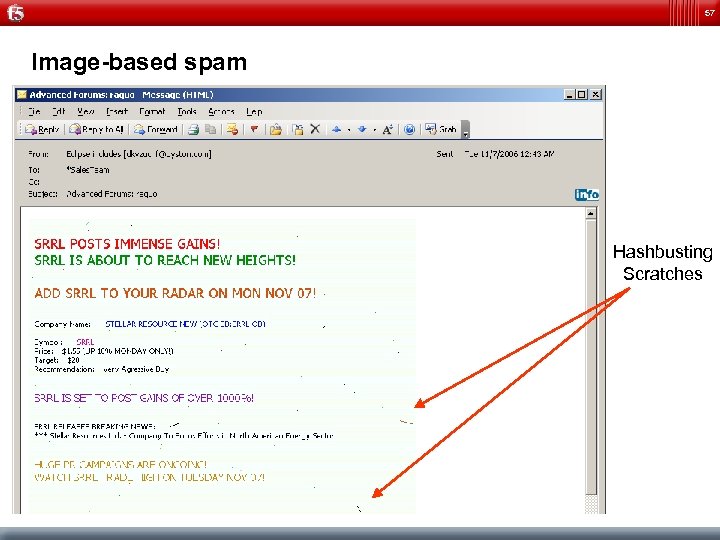
57 Image-based spam Hashbusting Scratches
58 Summary of Benefits Eliminate up to 70% of spam upon receipt of first packet Reduce Cost for Message Management – TMOS Module – High performance Cost effective spam blocking at network edge – Integrated into BIG-IP to avoid box proliferation Improved Scaleability and Message Control – Reputation Based Message Distribution and Traffic Shaping Slightly increase kill-rate on unwanted email
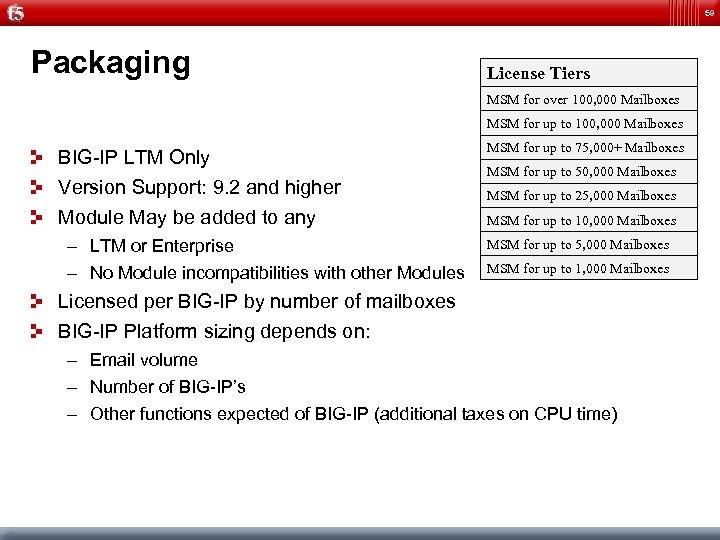
59 Packaging License Tiers MSM for over 100, 000 Mailboxes MSM for up to 100, 000 Mailboxes BIG-IP LTM Only Version Support: 9. 2 and higher MSM for up to 75, 000+ Mailboxes Module May be added to any MSM for up to 10, 000 Mailboxes – LTM or Enterprise – No Module incompatibilities with other Modules MSM for up to 50, 000 Mailboxes MSM for up to 25, 000 Mailboxes MSM for up to 1, 000 Mailboxes Licensed per BIG-IP by number of mailboxes BIG-IP Platform sizing depends on: – Email volume – Number of BIG-IP’s – Other functions expected of BIG-IP (additional taxes on CPU time)
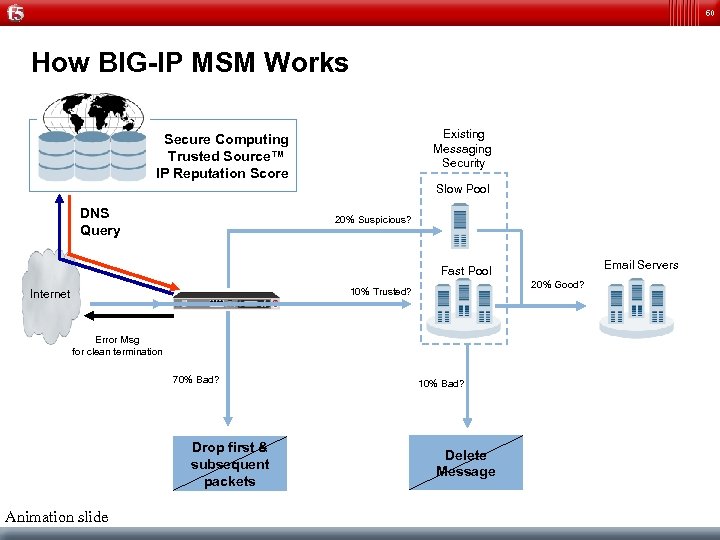
60 How BIG-IP MSM Works Existing Messaging Security Secure Computing Trusted Source™ IP Reputation Score Slow Pool DNS Query 20% Suspicious? Existing Messaging Fast Pool Security 20% Good? 10% Trusted? Internet Error Msg for clean termination 70% Bad? Drop first & subsequent packets Animation slide Email Servers 10% Bad? Delete Message
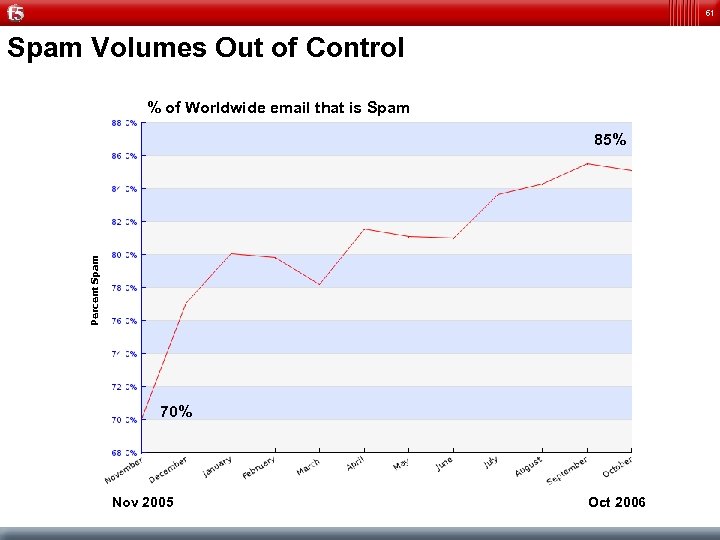
61 Spam Volumes Out of Control % of Worldwide email that is Spam Percent Spam 85% 70% Nov 2005 Oct 2006
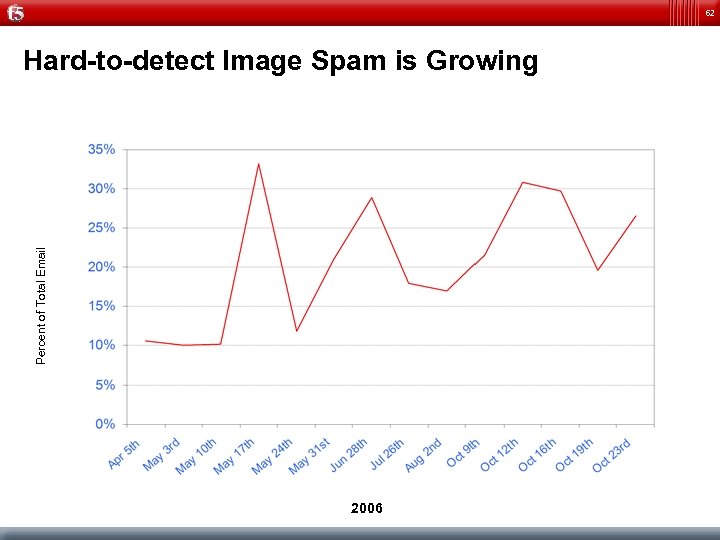
62 Percent of Total Email Hard-to-detect Image Spam is Growing 2006
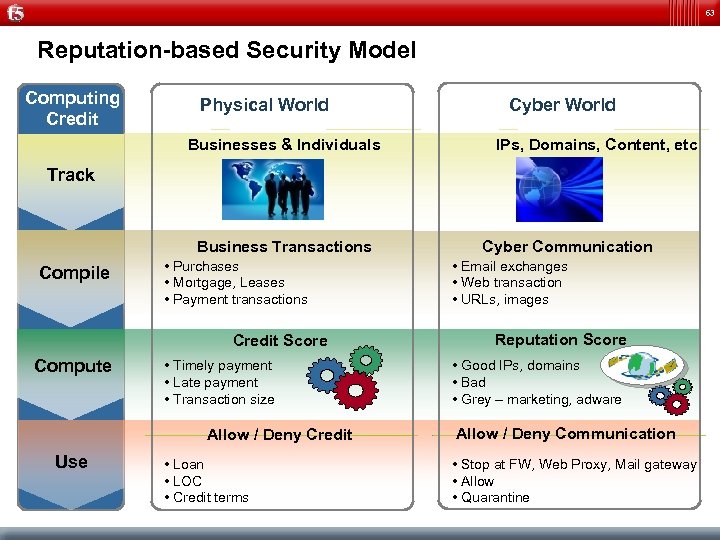
63 Reputation-based Security Model Computing Credit Physical World Businesses & Individuals Cyber World IPs, Domains, Content, etc. Track Business Transactions Compile • Purchases • Mortgage, Leases • Payment transactions Credit Score Compute • Timely payment • Late payment • Transaction size Allow / Deny Credit Use • Loan • LOC • Credit terms Cyber Communication • Email exchanges • Web transaction • URLs, images Reputation Score • Good IPs, domains • Bad • Grey – marketing, adware Allow / Deny Communication • Stop at FW, Web Proxy, Mail gateway • Allow • Quarantine
64 Backup Slides Firepass
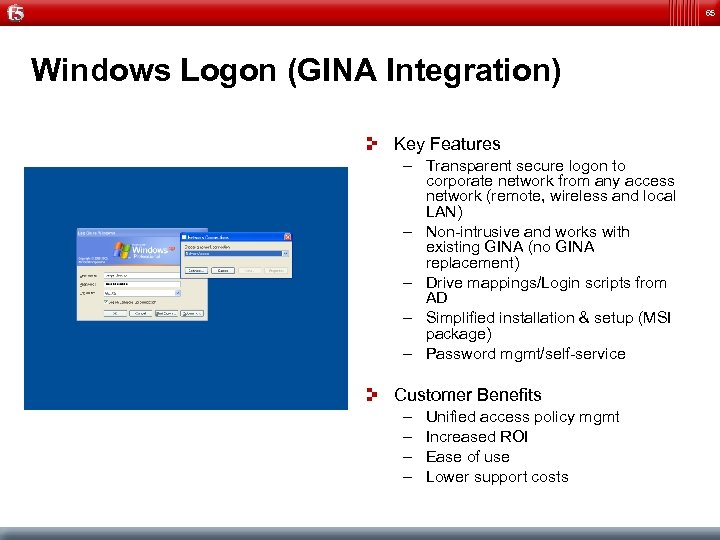
65 Windows Logon (GINA Integration) Key Features – Transparent secure logon to corporate network from any access network (remote, wireless and local LAN) – Non-intrusive and works with existing GINA (no GINA replacement) – Drive mappings/Login scripts from AD – Simplified installation & setup (MSI package) – Password mgmt/self-service Customer Benefits – – Unified access policy mgmt Increased ROI Ease of use Lower support costs
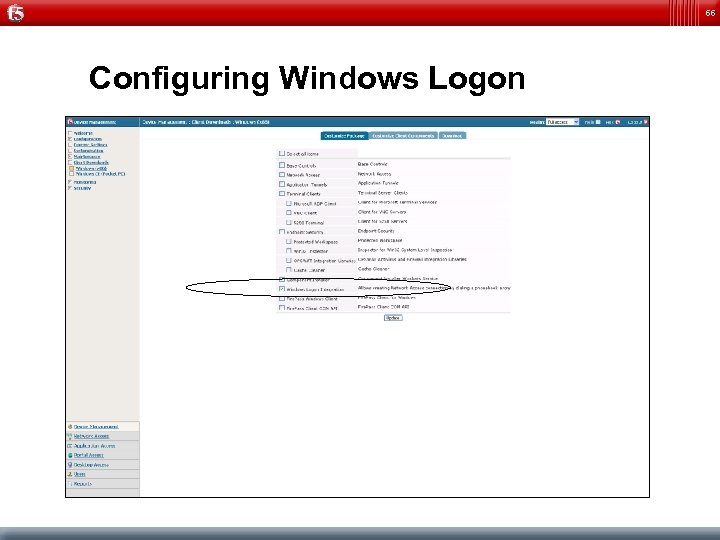
66 Configuring Windows Logon
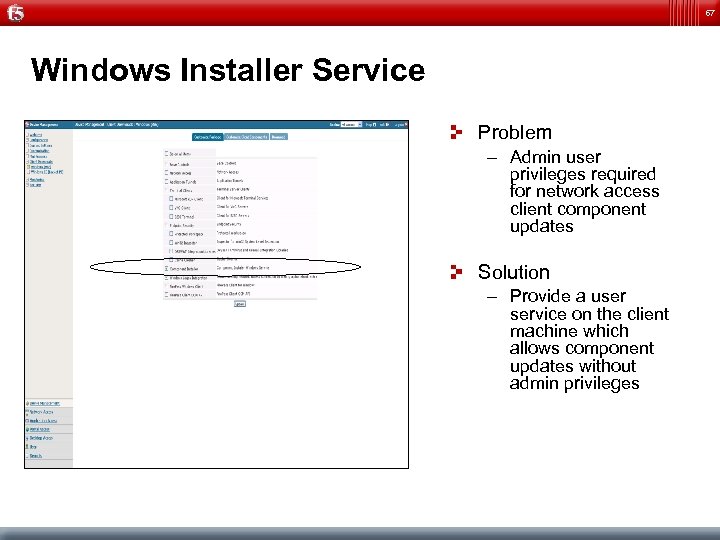
67 Windows Installer Service Problem – Admin user privileges required for network access client component updates Solution – Provide a user service on the client machine which allows component updates without admin privileges
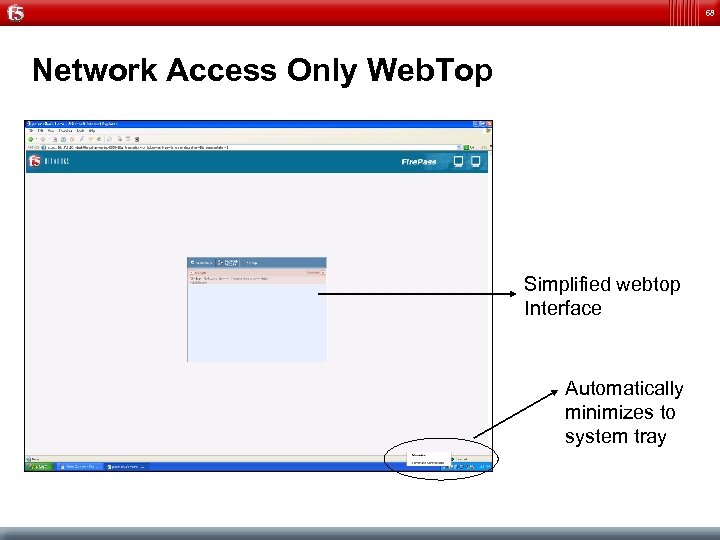
68 Network Access Only Web. Top Simplified webtop Interface Automatically minimizes to system tray
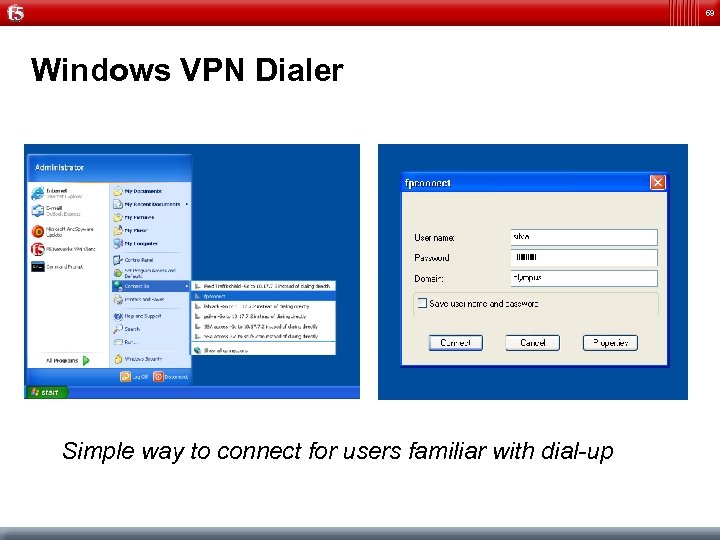
69 Windows VPN Dialer Simple way to connect for users familiar with dial-up
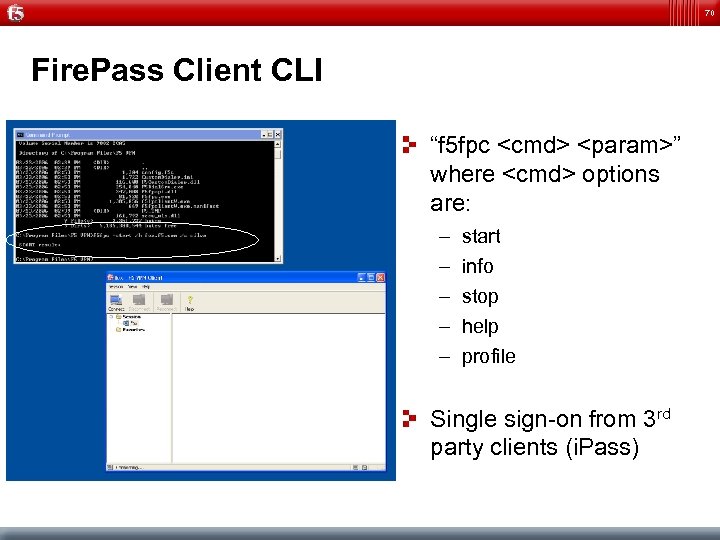
70 Fire. Pass Client CLI “f 5 fpc <cmd> <param>” where <cmd> options are: – – – start info stop help profile Single sign-on from 3 rd party clients (i. Pass)
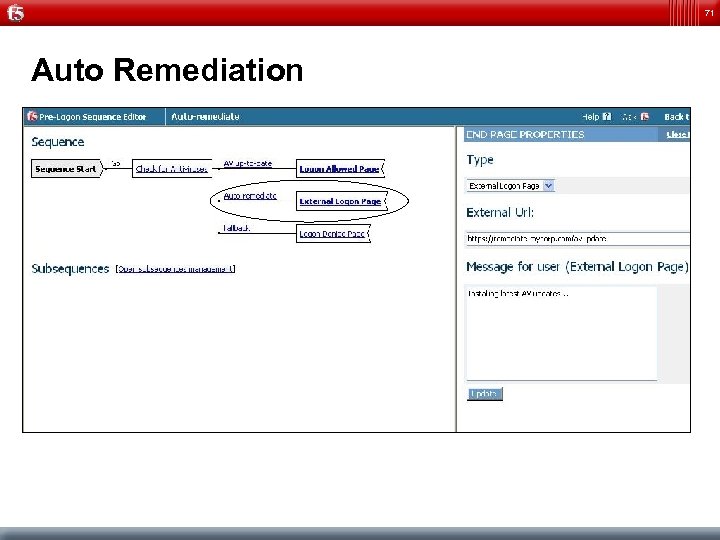
71 Auto Remediation
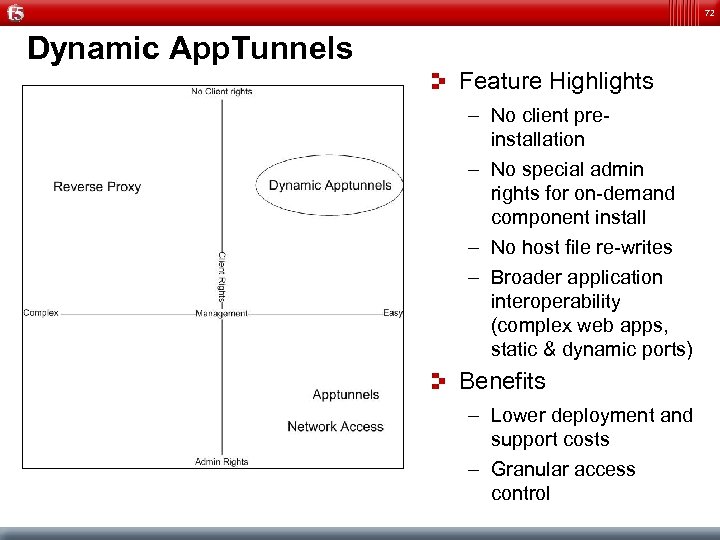
72 Dynamic App. Tunnels Feature Highlights – No client preinstallation – No special admin rights for on-demand component install – No host file re-writes – Broader application interoperability (complex web apps, static & dynamic ports) Benefits – Lower deployment and support costs – Granular access control
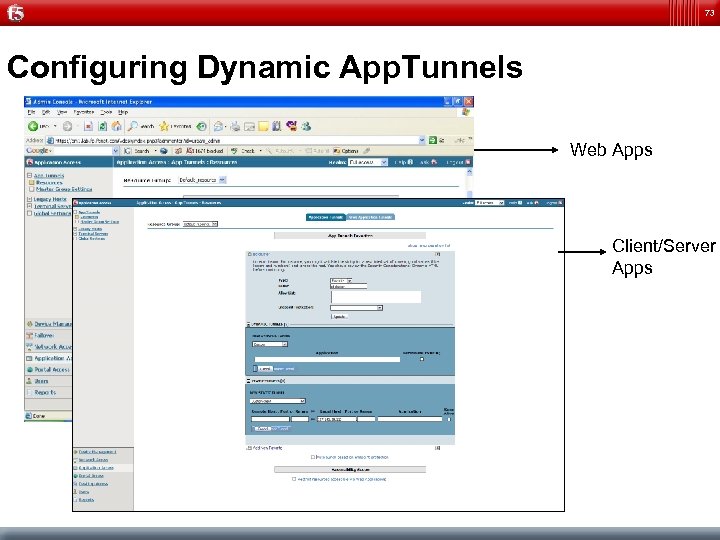
73 Configuring Dynamic App. Tunnels Web Apps Client/Server Apps
Скачать презентацию F 5 Networks Traffic Management by Design Presented
6ac66a5eef221a975ccab54b5f168158.ppt