 Скачать презентацию External I O Bus Scott Fierstein Technical Evangelist Consumer
5548ef6742a969f95c1e8ce0cb329fb5.ppt
- Количество слайдов: 86



External I/O Bus Scott Fierstein Technical Evangelist Consumer AV Platforms and Networking, IEEE 1394 Microsoft Corporation

Goals And Objectives u u u Increase adoption of 1394 on desktops Understand the advantages 1394 b offers over 1394 a Understand how to build a USB 2. 0 high-speed device
Technology Forum Outline u u u Introduction and technical overviews Close examination of the IEEE 1394 b Motivation for upgrading 1394 implementations in the PC to the 1394 b PIL/FOP model Extending the design of full speed USB to high speed (USB 2. 0) USB-IF compliance program update

Introduction u 1394 b Inside And Out Ø u 1394 On The Consumer PC Ø u Robert Ingman, Microsoft Corporation USB 2. 0: The Development Of A High-Speed Device Ø u Steve Bard, Intel Mobile Computing Group Update on USB 2. 0 - Support for Microsoft® Windows® Ø u Michael Johas Teener, Zayante Ed Beeman, Hewlett-Packard Expanding The USB Compliance Program Ø Jason Ziller, Intel Corporation
1394 b Inside And Out Michael Johas Teener Chief Technical Officer Zayante, Inc.
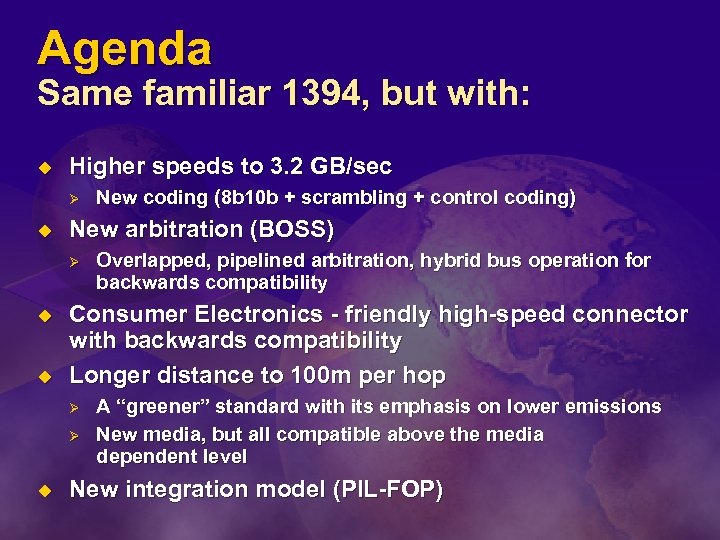
Agenda Same familiar 1394, but with: u Higher speeds to 3. 2 GB/sec Ø u New arbitration (BOSS) Ø u u Overlapped, pipelined arbitration, hybrid bus operation for backwards compatibility Consumer Electronics - friendly high-speed connector with backwards compatibility Longer distance to 100 m per hop Ø Ø u New coding (8 b 10 b + scrambling + control coding) A “greener” standard with its emphasis on lower emissions New media, but all compatible above the media dependent level New integration model (PIL-FOP)
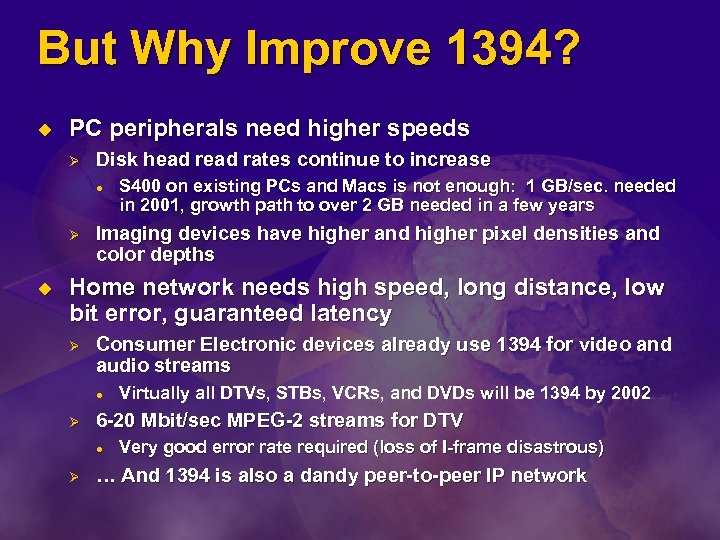
But Why Improve 1394? u PC peripherals need higher speeds Ø Disk head rates continue to increase l Ø u S 400 on existing PCs and Macs is not enough: 1 GB/sec. needed in 2001, growth path to over 2 GB needed in a few years Imaging devices have higher and higher pixel densities and color depths Home network needs high speed, long distance, low bit error, guaranteed latency Ø Consumer Electronic devices already use 1394 for video and audio streams l Ø 6 -20 Mbit/sec MPEG-2 streams for DTV l Ø Virtually all DTVs, STBs, VCRs, and DVDs will be 1394 by 2002 Very good error rate required (loss of I-frame disastrous) … And 1394 is also a dandy peer-to-peer IP network
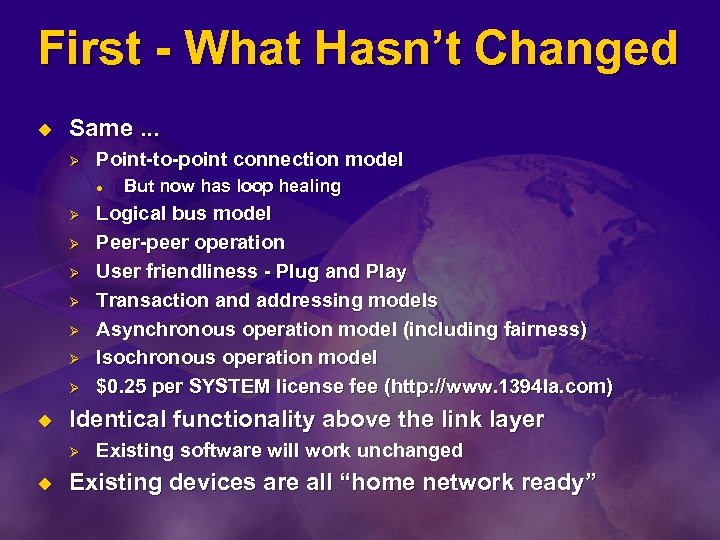
First - What Hasn’t Changed u Same. . . Ø Point-to-point connection model l Ø Ø Ø Ø u Logical bus model Peer-peer operation User friendliness - Plug and Play Transaction and addressing models Asynchronous operation model (including fairness) Isochronous operation model $0. 25 per SYSTEM license fee (http: //www. 1394 la. com) Identical functionality above the link layer Ø u But now has loop healing Existing software will work unchanged Existing devices are all “home network ready”
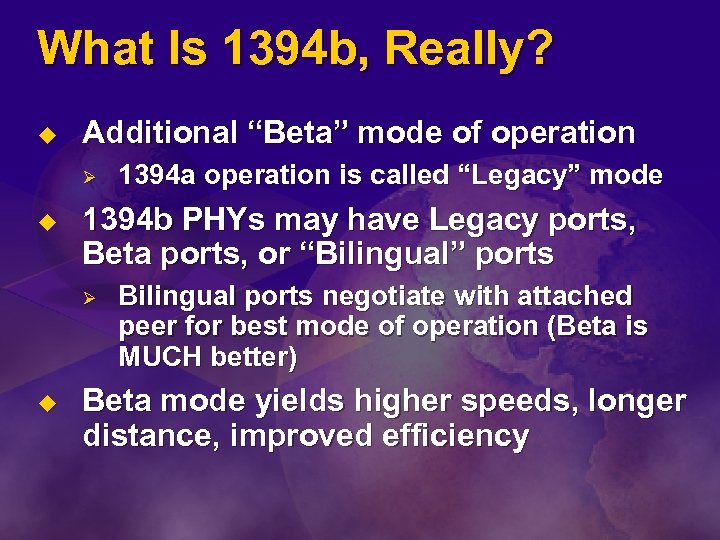
What Is 1394 b, Really? u Additional “Beta” mode of operation Ø u 1394 b PHYs may have Legacy ports, Beta ports, or “Bilingual” ports Ø u 1394 a operation is called “Legacy” mode Bilingual ports negotiate with attached peer for best mode of operation (Beta is MUCH better) Beta mode yields higher speeds, longer distance, improved efficiency
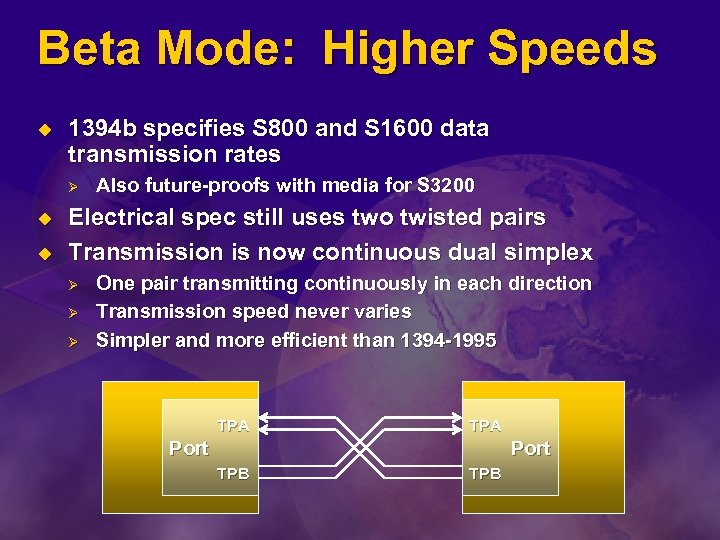
Beta Mode: Higher Speeds u 1394 b specifies S 800 and S 1600 data transmission rates Ø u u Also future-proofs with media for S 3200 Electrical spec still uses two twisted pairs Transmission is now continuous dual simplex Ø Ø Ø One pair transmitting continuously in each direction Transmission speed never varies Simpler and more efficient than 1394 -1995 TPA Port TPB
Beta Mode: Signal Encoding u u Use only one scheme for data, arbitration and speed signaling All signaling uses 10 bit symbols Ø Ø u Data and arbitration states use IBM’s 8 B 10 B encoding Ø Ø u DC balanced code with bounded running disparity to combat “baseline wander” Limited run length for ease of clock recovery Leveraged from Fibre Channel and Gigabit Ethernet …But scrambled to minimize emissions Control symbols use 10 bit codes Ø Ø All DC balanced with a hamming distance of 2 from each other and from data for added robustness Also scrambled
More Beta Benefits u Fully self-timed Ø u Simplifies analog design Ø u Ø Most single bit errors detected immediately, extra precautions taken to bound propagation Control symbols duplicated for added robustness Shorter start and end packet times Ø u Avoid common mode signaling, avoid bi-directional arbitration signaling Robust error detection Ø u No need for gap time setting, totally self-adjusting No packet start-up latency Same coding scheme for all media Ø Ø Ideal for optical transmission Leverage the benefit of high volume production for PHYs
The Downside Of Beta u u Requires a new suite of connectors Digital logic much more complex Ø Ø 2 to 3 x more gates Clock recovery needed l u Just like Ethernet, USB 2. 0 New “border” functionality needed Ø Ø For PHYs with Beta and Legacy ports Non-trivial design, need to preserve critical Legacy timings, subtle corner cases
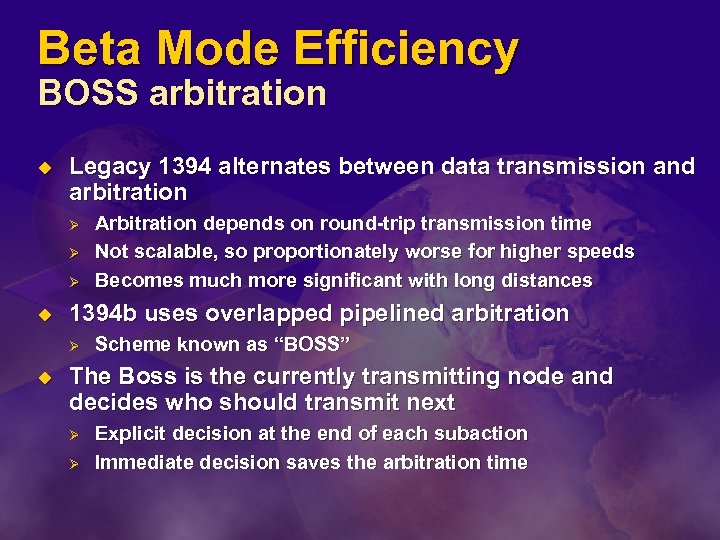
Beta Mode Efficiency BOSS arbitration u Legacy 1394 alternates between data transmission and arbitration Ø Ø Ø u 1394 b uses overlapped pipelined arbitration Ø u Arbitration depends on round-trip transmission time Not scalable, so proportionately worse for higher speeds Becomes much more significant with long distances Scheme known as “BOSS” The Boss is the currently transmitting node and decides who should transmit next Ø Ø Explicit decision at the end of each subaction Immediate decision saves the arbitration time
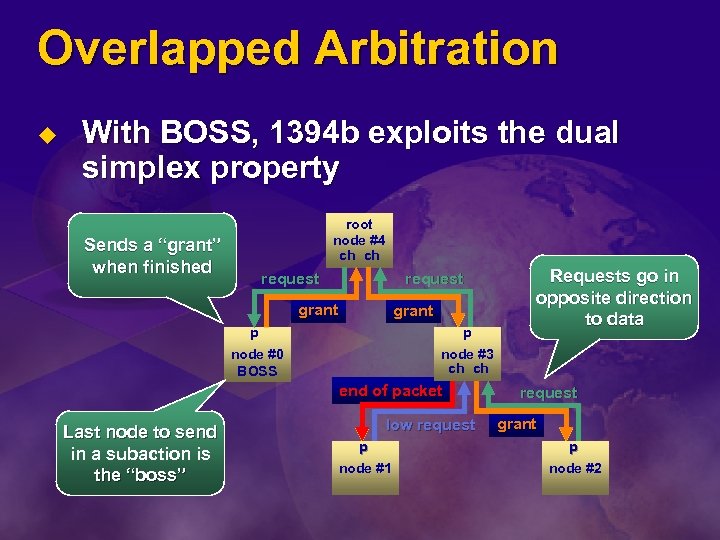
Overlapped Arbitration u With BOSS, 1394 b exploits the dual simplex property root node #4 ch ch Sends a “grant” when finished request grant data p p node #0 BOSS node #3 ch ch end ofdata packet Last node to send in a subaction is the “boss” Requests go in opposite direction to data low request grant data p p node #1 node #2
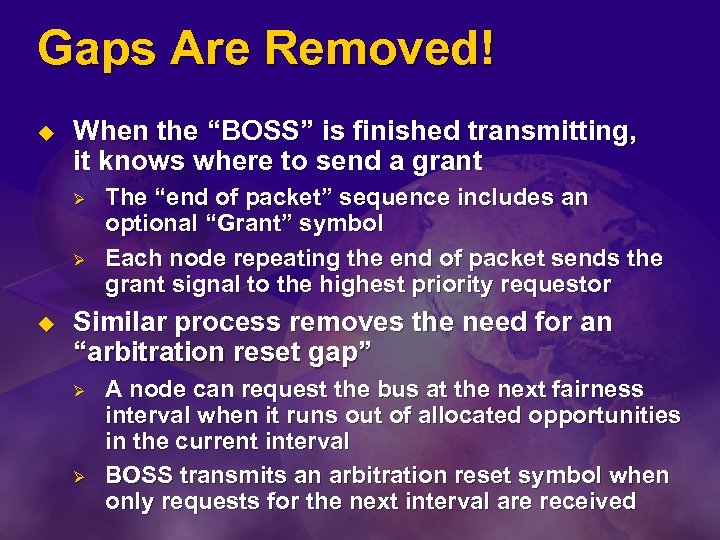
Gaps Are Removed! u When the “BOSS” is finished transmitting, it knows where to send a grant Ø Ø u The “end of packet” sequence includes an optional “Grant” symbol Each node repeating the end of packet sends the grant signal to the highest priority requestor Similar process removes the need for an “arbitration reset gap” Ø Ø A node can request the bus at the next fairness interval when it runs out of allocated opportunities in the current interval BOSS transmits an arbitration reset symbol when only requests for the next interval are received
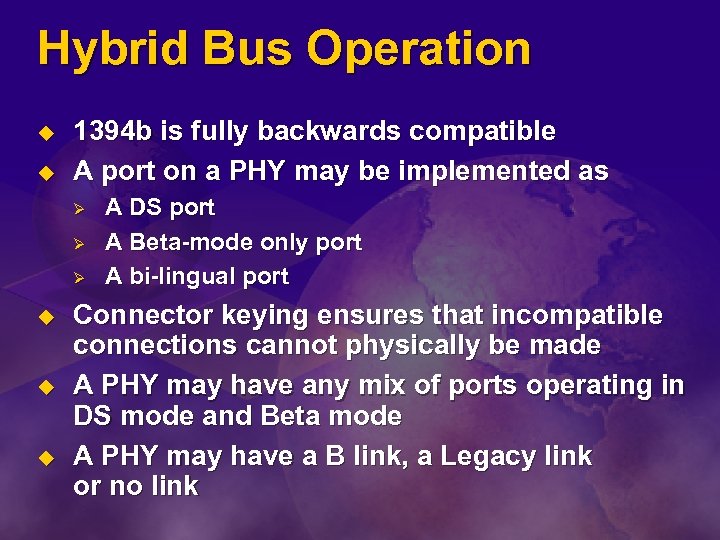
Hybrid Bus Operation u u 1394 b is fully backwards compatible A port on a PHY may be implemented as Ø Ø Ø u u u A DS port A Beta-mode only port A bi-lingual port Connector keying ensures that incompatible connections cannot physically be made A PHY may have any mix of ports operating in DS mode and Beta mode A PHY may have a B link, a Legacy link or no link
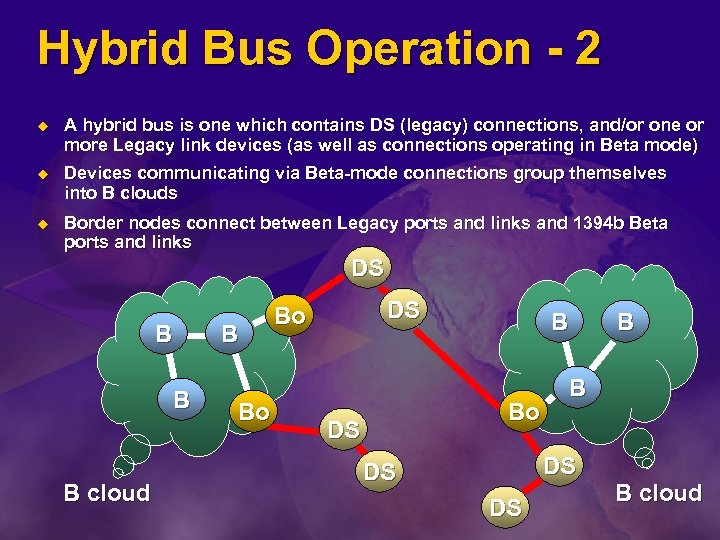
Hybrid Bus Operation - 2 u A hybrid bus is one which contains DS (legacy) connections, and/or one or more Legacy link devices (as well as connections operating in Beta mode) u Devices communicating via Beta-mode connections group themselves into B clouds u Border nodes connect between Legacy ports and links and 1394 b Beta ports and links DS B B B cloud B Bo B DS Bo B B Bo B DS DS DS B B cloud
Hybrid Operation: Summary u No restrictions on mixing Legacy nodes and 1394 b nodes, beyond those inherent in the particular PHY chip implementation Ø u Traffic within a B cloud can exploit full benefit of boss arbitration and more efficient packet formats Ø u If the user can plug it together, then it works And Beta-only nodes are significantly simpler DS traffic operates as normal, with suitable gap times to ensure that all DS nodes can transmit each isochronous interval and in each fairness interval Ø Existence of more efficient Beta mode operation is totally transparent
Improved Connector u New connector needed for higher date rates Ø So let’s make everything better l Ø Designed for both CE and PC worlds l l u Only slightly larger than existing 4 -ckt connector Carries power to support PC peripherals Keying to ensure compatibility Ø Ø u Much better shielding and signal isolation Beta mode signaling is never used on a Legacy connector Simplifies backwards compatibility Two variants Ø Ø Bi-lingual connector - accepts bilingual plug or Beta plug Beta connector - only accepts Beta plug
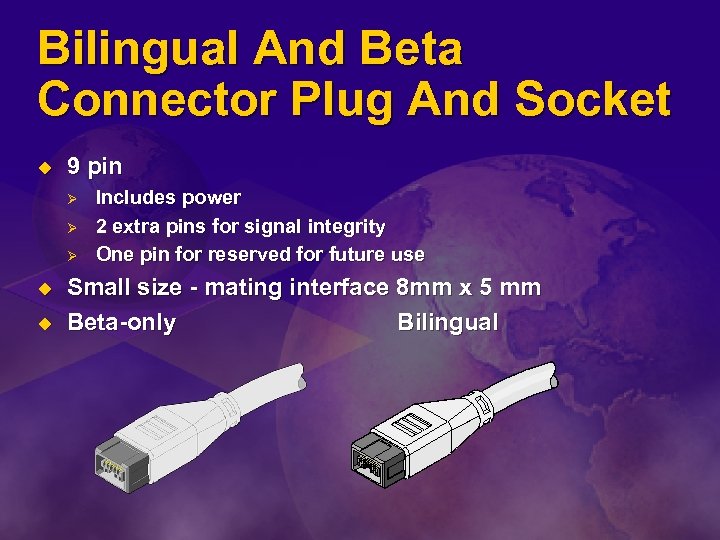
Bilingual And Beta Connector Plug And Socket u 9 pin Ø Ø Ø u u Includes power 2 extra pins for signal integrity One pin for reserved for future use Small size - mating interface 8 mm x 5 mm Beta-only Bilingual
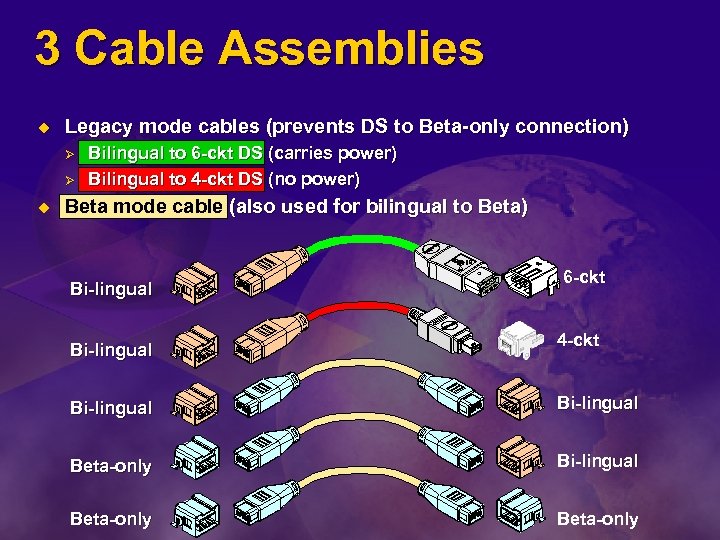
3 Cable Assemblies u Legacy mode cables (prevents DS to Beta-only connection) Ø Ø u Bilingual to 6 -ckt DS (carries power) Bilingual to 4 -ckt DS (no power) Beta mode cable (also used for bilingual to Beta) Bi-lingual 6 -ckt 4 -ckt Bi-lingual Beta-only
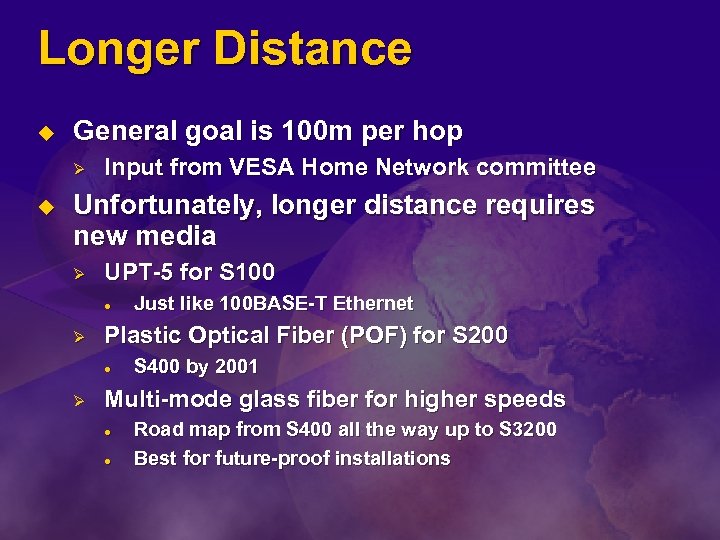
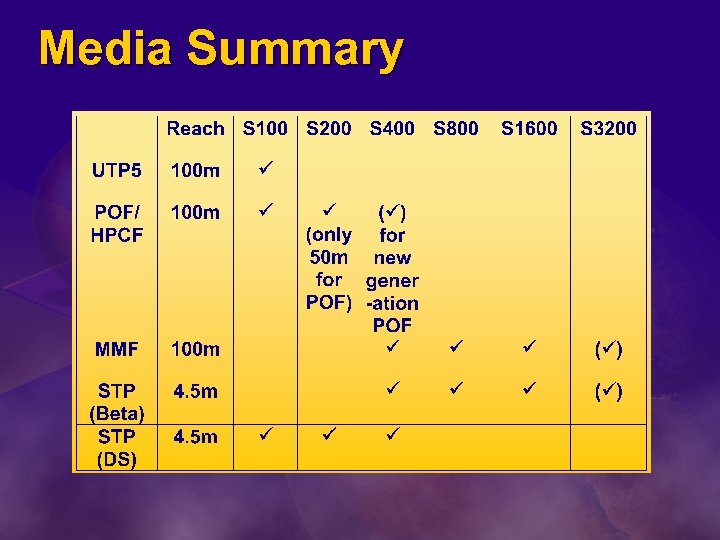
Longer Distance u General goal is 100 m per hop Ø u Input from VESA Home Network committee Unfortunately, longer distance requires new media Ø UPT-5 for S 100 l Ø Plastic Optical Fiber (POF) for S 200 l Ø Just like 100 BASE-T Ethernet S 400 by 2001 Multi-mode glass fiber for higher speeds l l Road map from S 400 all the way up to S 3200 Best for future-proof installations
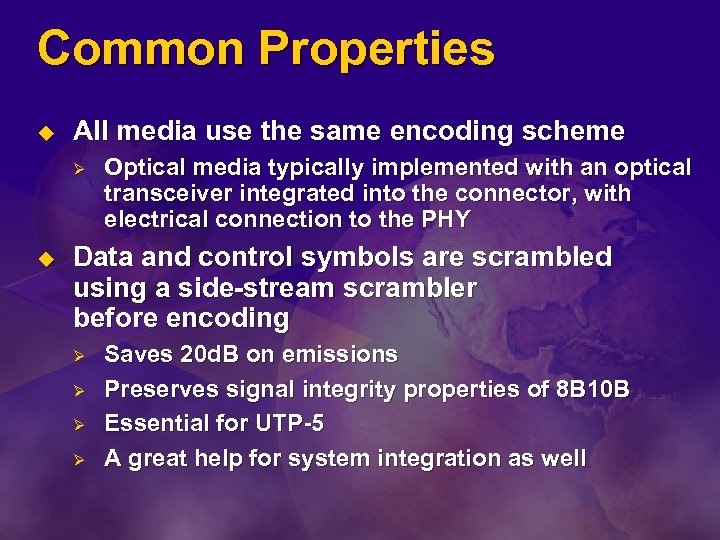
Common Properties u All media use the same encoding scheme Ø u Optical media typically implemented with an optical transceiver integrated into the connector, with electrical connection to the PHY Data and control symbols are scrambled using a side-stream scrambler before encoding Ø Ø Saves 20 d. B on emissions Preserves signal integrity properties of 8 B 10 B Essential for UTP-5 A great help for system integration as well
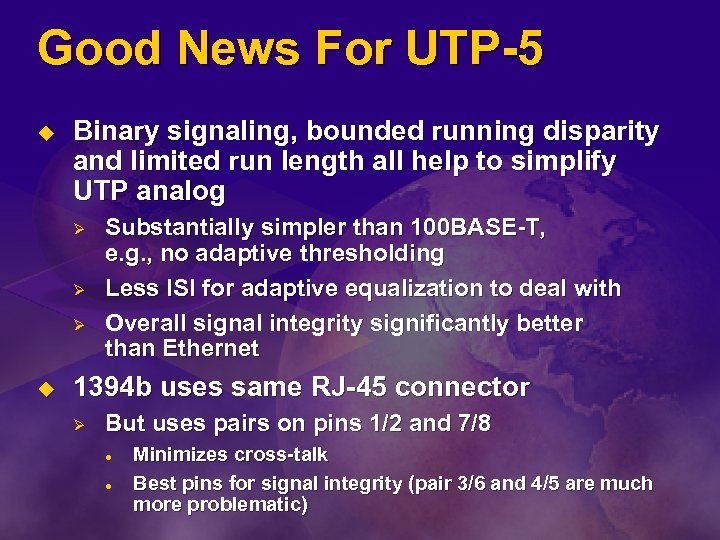
Good News For UTP-5 u Binary signaling, bounded running disparity and limited run length all help to simplify UTP analog Ø Ø Ø u Substantially simpler than 100 BASE-T, e. g. , no adaptive thresholding Less ISI for adaptive equalization to deal with Overall signal integrity significantly better than Ethernet 1394 b uses same RJ-45 connector Ø But uses pairs on pins 1/2 and 7/8 l l Minimizes cross-talk Best pins for signal integrity (pair 3/6 and 4/5 are much more problematic)
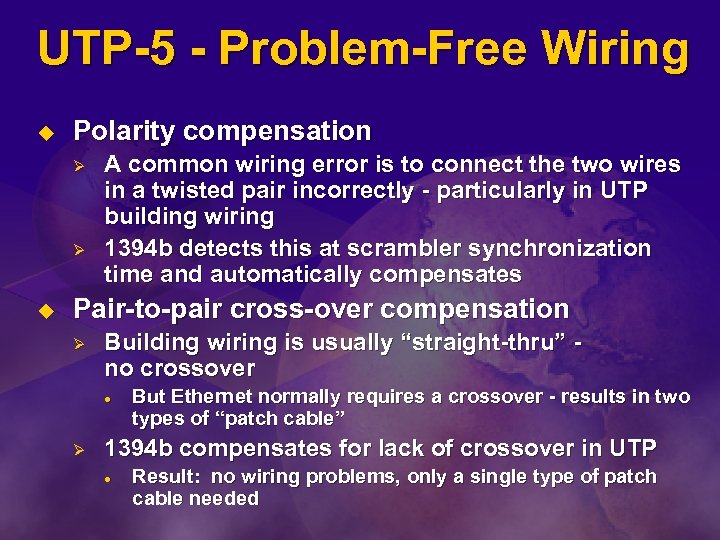
UTP-5 - Problem-Free Wiring u Polarity compensation Ø Ø u A common wiring error is to connect the two wires in a twisted pair incorrectly - particularly in UTP building wiring 1394 b detects this at scrambler synchronization time and automatically compensates Pair-to-pair cross-over compensation Ø Building wiring is usually “straight-thru” no crossover l Ø But Ethernet normally requires a crossover - results in two types of “patch cable” 1394 b compensates for lack of crossover in UTP l Result: no wiring problems, only a single type of patch cable needed
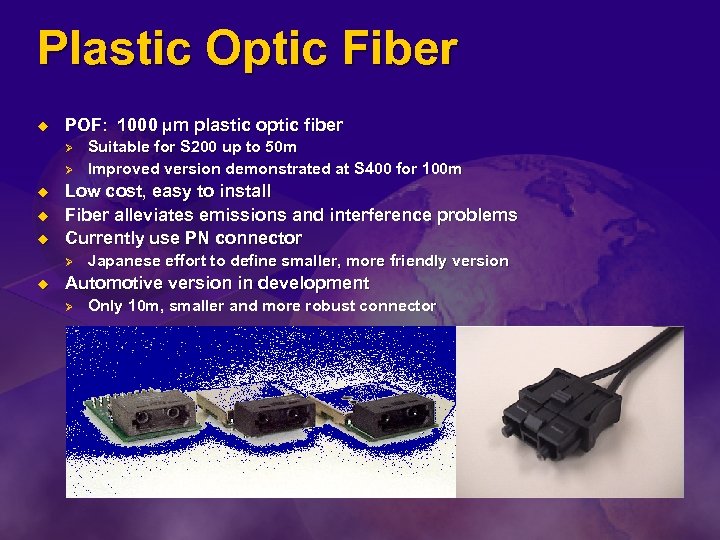
Plastic Optic Fiber u POF: 1000 µm plastic optic fiber Ø Ø u u u Low cost, easy to install Fiber alleviates emissions and interference problems Currently use PN connector Ø u Suitable for S 200 up to 50 m Improved version demonstrated at S 400 for 100 m Japanese effort to define smaller, more friendly version Automotive version in development Ø Only 10 m, smaller and more robust connector
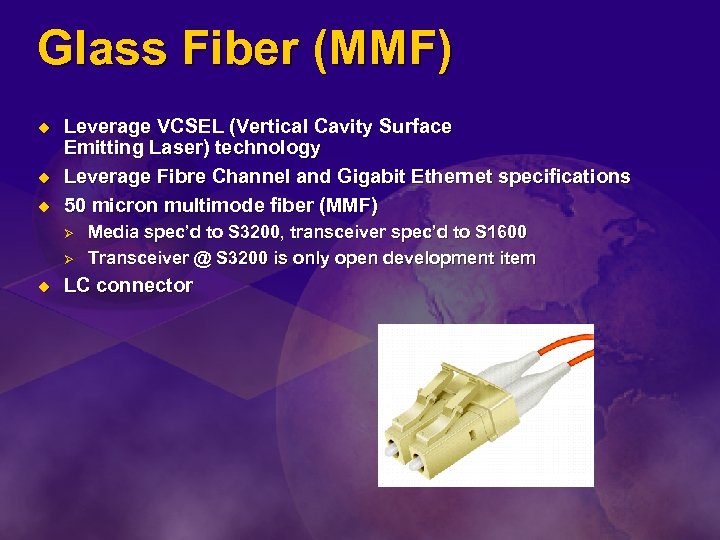
Glass Fiber (MMF) u u u Leverage VCSEL (Vertical Cavity Surface Emitting Laser) technology Leverage Fibre Channel and Gigabit Ethernet specifications 50 micron multimode fiber (MMF) Ø Ø u Media spec’d to S 3200, transceiver spec’d to S 1600 Transceiver @ S 3200 is only open development item LC connector
Media Summary
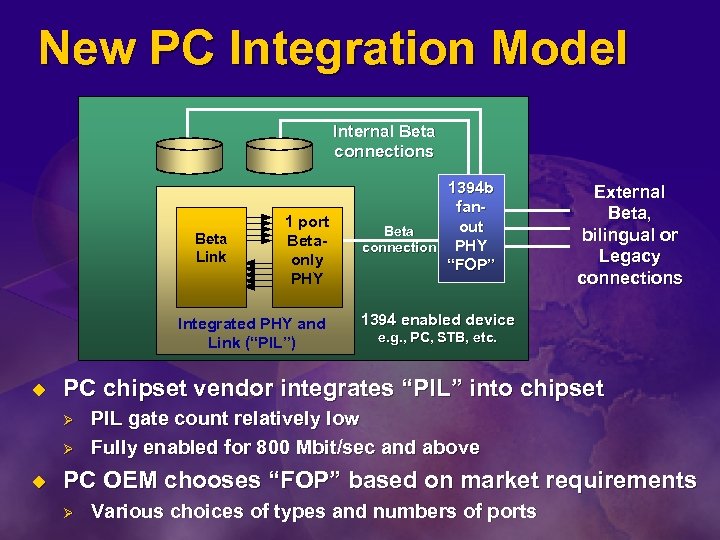
New PC Integration Model Internal Beta connections Beta Link 1 port Betaonly PHY Integrated PHY and Link (“PIL”) u External Beta, bilingual or Legacy connections 1394 enabled device e. g. , PC, STB, etc. PC chipset vendor integrates “PIL” into chipset Ø Ø u 1394 b fanout Beta connection PHY “FOP” PIL gate count relatively low Fully enabled for 800 Mbit/sec and above PC OEM chooses “FOP” based on market requirements Ø Various choices of types and numbers of ports
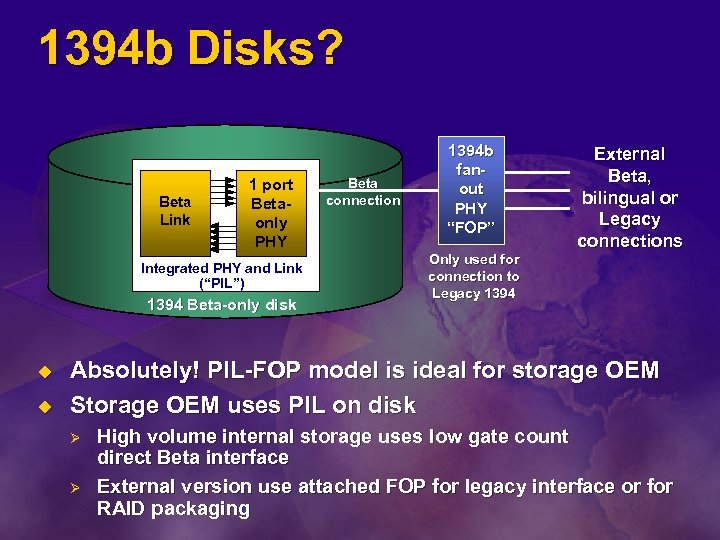
1394 b Disks? Beta Link 1 port Betaonly PHY Integrated PHY and Link (“PIL”) 1394 Beta-only disk u u Beta connection 1394 b fanout PHY “FOP” External Beta, bilingual or Legacy connections Only used for connection to Legacy 1394 Absolutely! PIL-FOP model is ideal for storage OEM Storage OEM uses PIL on disk Ø Ø High volume internal storage uses low gate count direct Beta interface External version use attached FOP for legacy interface or for RAID packaging
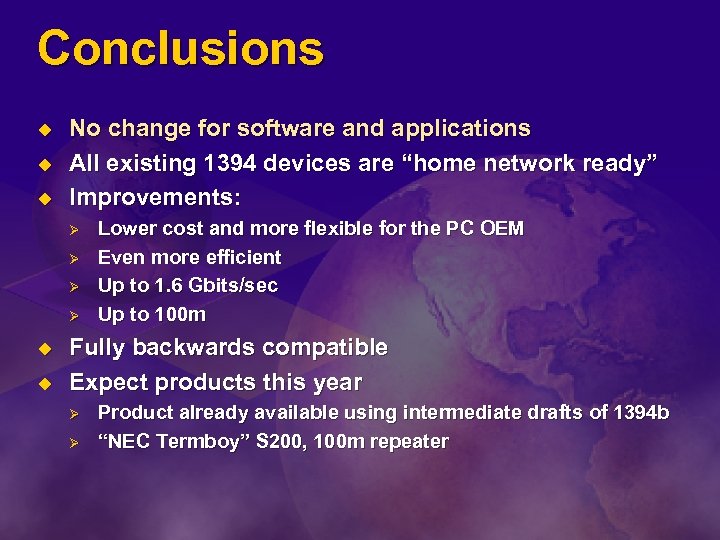
Conclusions u u u No change for software and applications All existing 1394 devices are “home network ready” Improvements: Ø Ø u u Lower cost and more flexible for the PC OEM Even more efficient Up to 1. 6 Gbits/sec Up to 100 m Fully backwards compatible Expect products this year Ø Ø Product already available using intermediate drafts of 1394 b “NEC Termboy” S 200, 100 m repeater
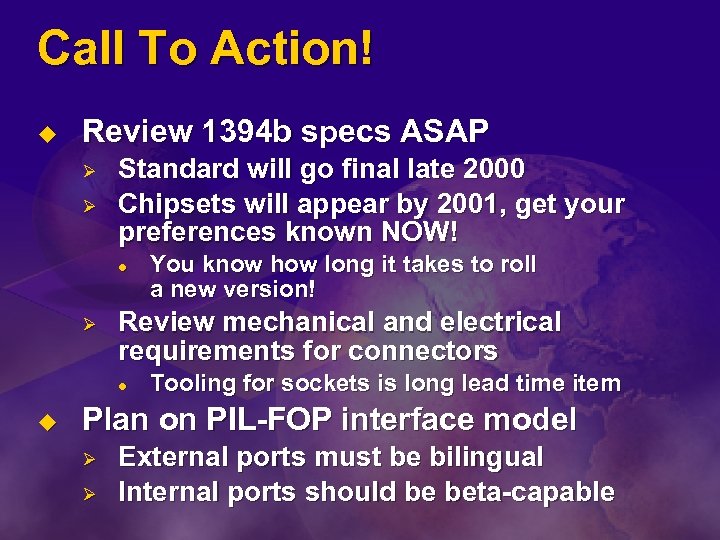
Call To Action! u Review 1394 b specs ASAP Ø Ø Standard will go final late 2000 Chipsets will appear by 2001, get your preferences known NOW! l Ø Review mechanical and electrical requirements for connectors l u You know how long it takes to roll a new version! Tooling for sockets is long lead time item Plan on PIL-FOP interface model Ø Ø External ports must be bilingual Internal ports should be beta-capable
1394 On The Consumer PC Steve Bard Intel Mobile Computing Group
Technology Convergence Consumer Content PC u u u 1394 is the interconnect of choice between Consumer Electronics devices 1394 cost and power consumption are concerns for low cost and power constrained PC systems If 1394 is implemented in the PC, a need exists for long term Consumer Electronic device interconnectivity
1394 b Offers Compelling PC Benefits Over 1394 a u Long-term solution Ø Ø Provides 1394 a-2000 interconnectivity Lowest cost “future proof” solution l Simple IP licensing – 25¢ per system to 1394 LA l l Ø u u u Any number of 1394 devices in a system Any number of ports on each device Best Power Conservation Mechanisms Partitions cost for appropriate use Least system impact as technology advances PCI-interface silicon solutions expected soon
A New “Link” Model u Serial versus parallel PHY/Link interface Ø 1394 b “PIL” (PHY-Integrated-Link) l OHCI 1. 1 register compatible link with integrated Beta only PHY port Integrated OHCI 1. 1 link and Beta port (fully functional) Capable of providing a serial “PHY/Link” interface to a Fan-Out-PHY (FOP)
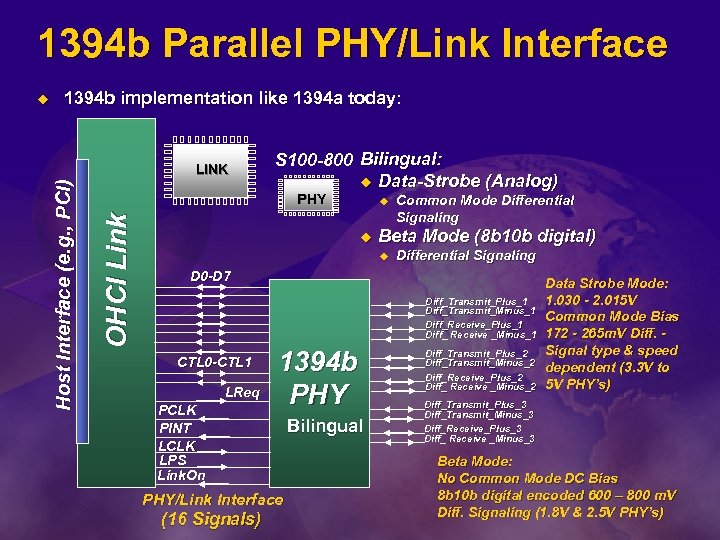
1394 b Parallel PHY/Link Interface 1394 b implementation like 1394 a today: LINK S 100 -800 Bilingual: u Data-Strobe (Analog) PHY OHCI Link Host Interface (e. g. , PCI) u u u Common Mode Differential Signaling Beta Mode (8 b 10 b digital) u Differential Signaling D 0 -D 7 Diff_Transmit_Plus_1 Diff_Transmit_Minus_1 Diff_Receive_Plus_1 Diff_ Receive _Minus_1 CTL 0 -CTL 1 LReq PCLK PINT LCLK LPS Link. On 1394 b PHY/Link Interface (16 Signals) Bilingual Diff_Transmit_Plus_2 Diff_Transmit_Minus_2 Diff_Receive_Plus_2 Diff_ Receive _Minus_2 Data Strobe Mode: 1. 030 - 2. 015 V Common Mode Bias 172 - 265 m. V Diff. Signal type & speed dependent (3. 3 V to 5 V PHY’s) Diff_Transmit_Plus_3 Diff_Transmit_Minus_3 Diff_Receive_Plus_3 Diff_ Receive _Minus_3 Beta Mode: No Common Mode DC Bias 8 b 10 b digital encoded 600 – 800 m. V Diff. Signaling (1. 8 V & 2. 5 V PHY’s)
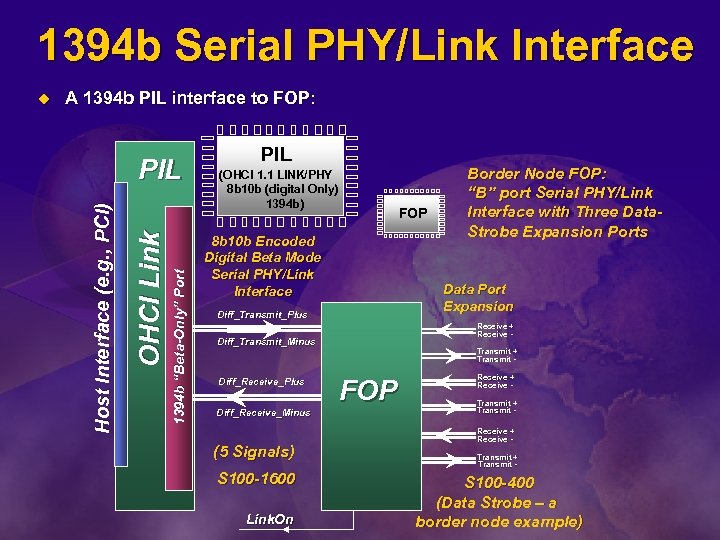
1394 b Serial PHY/Link Interface A 1394 b PIL interface to FOP: 1394 b “Beta-Only” Port OHCI Link PIL Host Interface (e. g. , PCI) u PIL (OHCI 1. 1 LINK/PHY 8 b 10 b (digital Only) 1394 b) FOP 8 b 10 b Encoded Digital Beta Mode Serial PHY/Link Interface Data Port Expansion Diff_Transmit_Plus Receive + Receive - Diff_Transmit_Minus Diff_Receive_Plus Diff_Receive_Minus (5 Signals) S 100 -1600 Link. On Border Node FOP: “B” port Serial PHY/Link Interface with Three Data. Strobe Expansion Ports Transmit + Transmit - FOP Receive + Receive Transmit + Transmit - S 100 -400 (Data Strobe – a border node example)
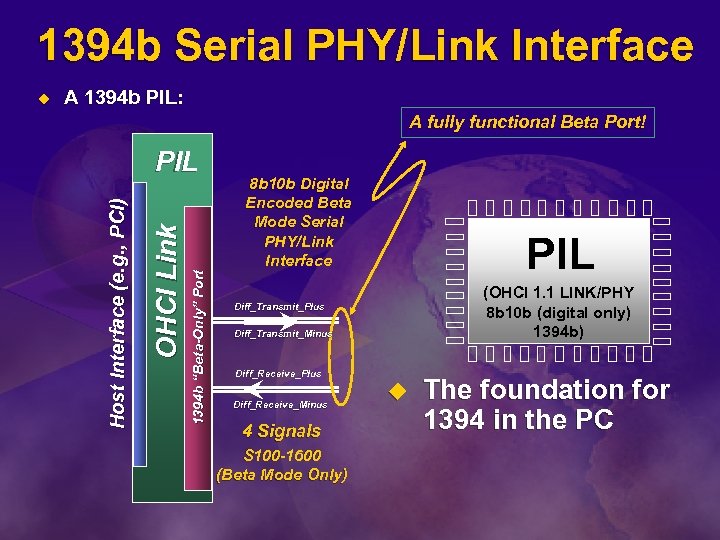
1394 b Serial PHY/Link Interface A 1394 b PIL: A fully functional Beta Port! 1394 b “Beta-Only” Port OHCI Link PIL Host Interface (e. g. , PCI) u 8 b 10 b Digital Encoded Beta Mode Serial PHY/Link Interface PIL (OHCI 1. 1 LINK/PHY 8 b 10 b (digital only) 1394 b) Diff_Transmit_Plus Diff_Transmit_Minus Diff_Receive_Plus Diff_Receive_Minus 4 Signals S 100 -1600 (Beta Mode Only) u The foundation for 1394 in the PC
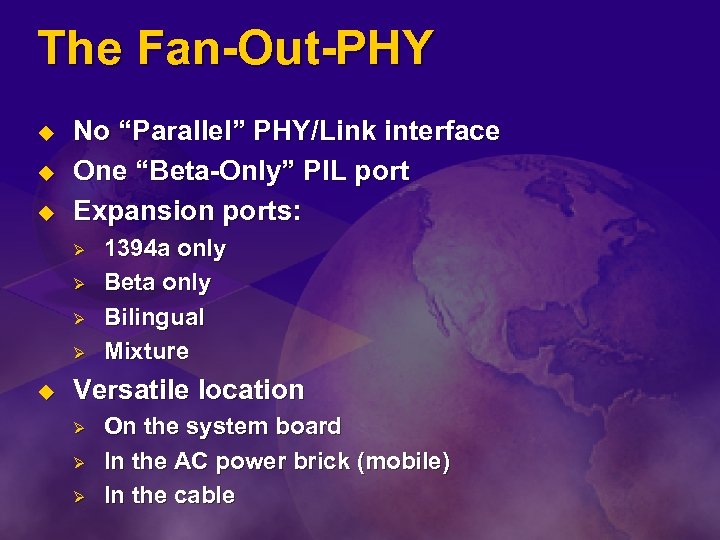
The Fan-Out-PHY u u u No “Parallel” PHY/Link interface One “Beta-Only” PIL port Expansion ports: Ø Ø u 1394 a only Beta only Bilingual Mixture Versatile location Ø Ø Ø On the system board In the AC power brick (mobile) In the cable
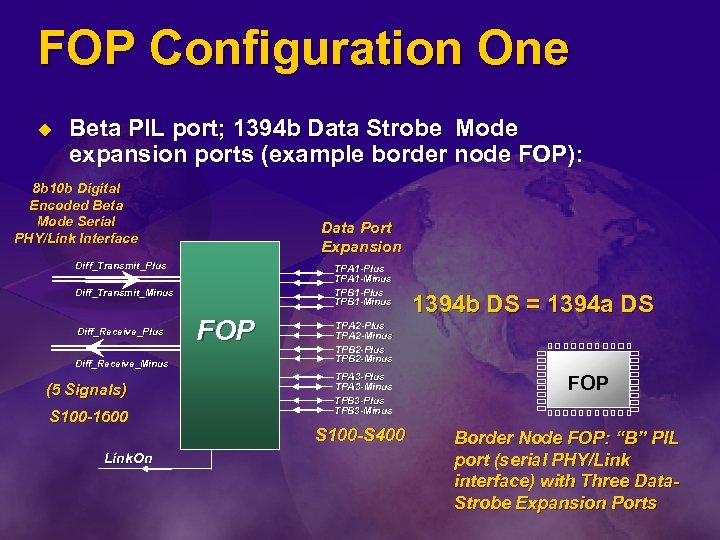
FOP Configuration One u Beta PIL port; 1394 b Data Strobe Mode expansion ports (example border node FOP): 8 b 10 b Digital Encoded Beta Mode Serial PHY/Link Interface Data Port Expansion Diff_Transmit_Plus TPA 1 -Minus TPB 1 -Plus TPB 1 -Minus Diff_Transmit_Minus Diff_Receive_Plus Diff_Receive_Minus (5 Signals) S 100 -1600 Link. On FOP 1394 b DS = 1394 a DS TPA 2 -Plus TPA 2 -Minus TPB 2 -Plus TPB 2 -Minus TPA 3 -Plus TPA 3 -Minus TPB 3 -Plus TPB 3 -Minus S 100 -S 400 FOP Border Node FOP: “B” PIL port (serial PHY/Link interface) with Three Data. Strobe Expansion Ports
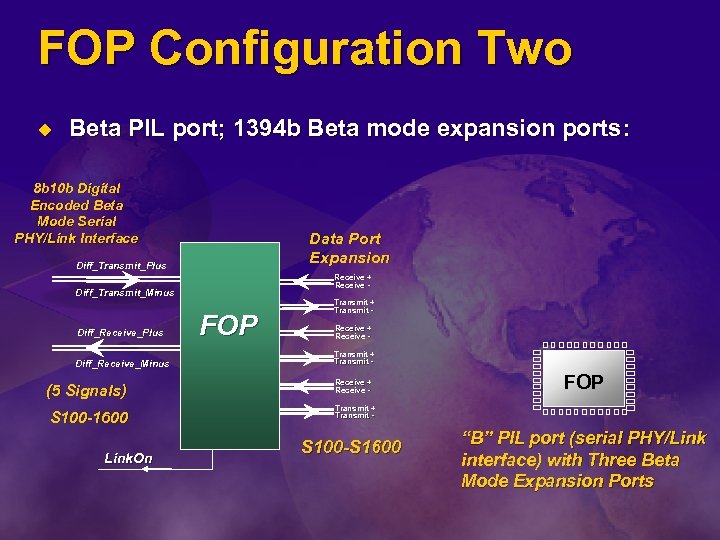
FOP Configuration Two u Beta PIL port; 1394 b Beta mode expansion ports: 8 b 10 b Digital Encoded Beta Mode Serial PHY/Link Interface Data Port Expansion Diff_Transmit_Plus Receive + Receive - Diff_Transmit_Minus Diff_Receive_Plus Diff_Receive_Minus (5 Signals) S 100 -1600 Link. On FOP Transmit + Transmit Receive + Receive - FOP Transmit + Transmit - S 100 -S 1600 “B” PIL port (serial PHY/Link interface) with Three Beta Mode Expansion Ports
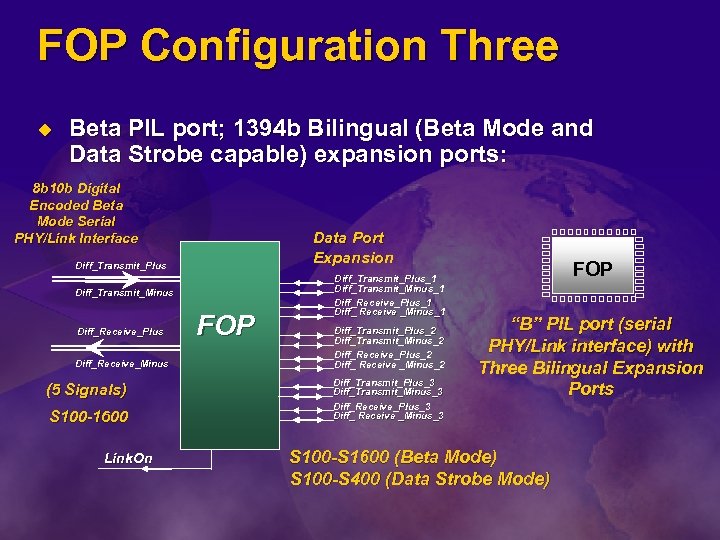
FOP Configuration Three u Beta PIL port; 1394 b Bilingual (Beta Mode and Data Strobe capable) expansion ports: 8 b 10 b Digital Encoded Beta Mode Serial PHY/Link Interface Data Port Expansion Diff_Transmit_Plus Diff_Transmit_Minus Diff_Receive_Plus Diff_Receive_Minus (5 Signals) S 100 -1600 Link. On FOP Diff_Transmit_Plus_1 Diff_Transmit_Minus_1 Diff_Receive_Plus_1 Diff_ Receive _Minus_1 Diff_Transmit_Plus_2 Diff_Transmit_Minus_2 Diff_Receive_Plus_2 Diff_ Receive _Minus_2 Diff_Transmit_Plus_3 Diff_Transmit_Minus_3 Diff_Receive_Plus_3 Diff_ Receive _Minus_3 FOP “B” PIL port (serial PHY/Link interface) with Three Bilingual Expansion Ports S 100 -S 1600 (Beta Mode) S 100 -S 400 (Data Strobe Mode)
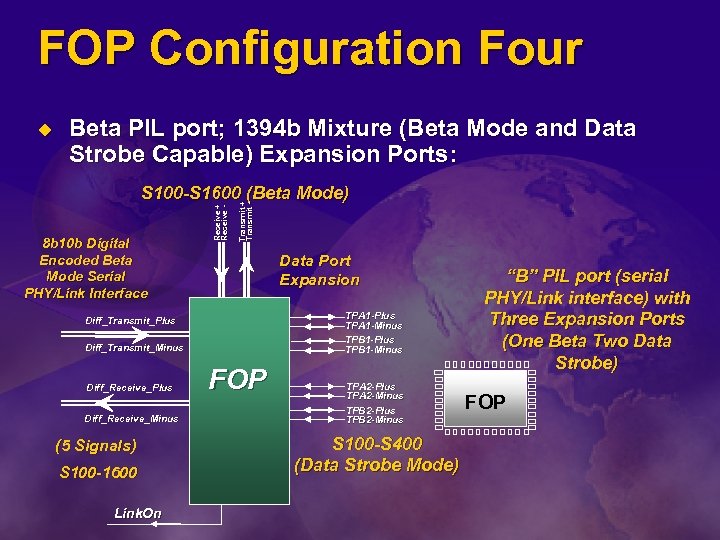
FOP Configuration Four u Beta PIL port; 1394 b Mixture (Beta Mode and Data Strobe Capable) Expansion Ports: Transmit + Transmit - 8 b 10 b Digital Encoded Beta Mode Serial PHY/Link Interface Receive + Receive - S 100 -S 1600 (Beta Mode) Data Port Expansion TPA 1 -Plus TPA 1 -Minus TPB 1 -Plus TPB 1 -Minus Diff_Transmit_Plus Diff_Transmit_Minus Diff_Receive_Plus Diff_Receive_Minus (5 Signals) S 100 -1600 Link. On FOP TPA 2 -Plus TPA 2 -Minus TPB 2 -Plus TPB 2 -Minus S 100 -S 400 (Data Strobe Mode) “B” PIL port (serial PHY/Link interface) with Three Expansion Ports (One Beta Two Data Strobe) FOP
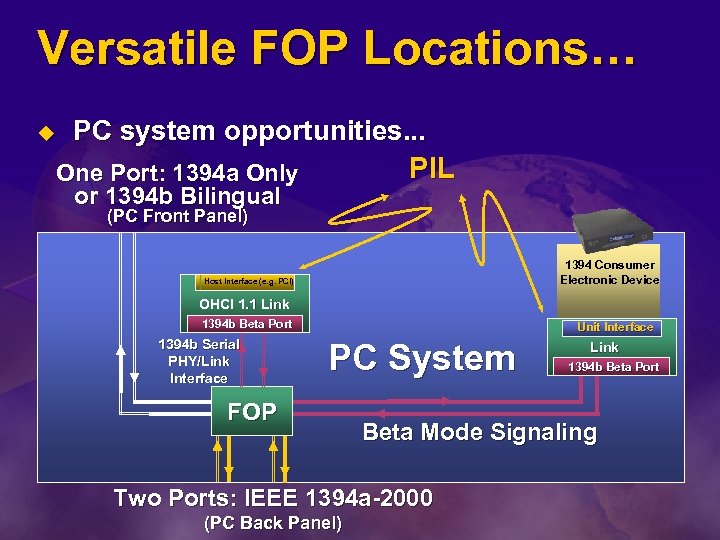
Versatile FOP Locations… u PC system opportunities. . . PIL One Port: 1394 a Only or 1394 b Bilingual (PC Front Panel) 1394 Consumer Electronic Device Host Interface (e. g. PCI) OHCI 1. 1 Link 1394 b Beta Port 1394 b Serial PHY/Link Interface Unit Interface PC System FOP 1394 b Beta Port Beta Mode Signaling Two Ports: IEEE 1394 a-2000 (PC Back Panel) Link
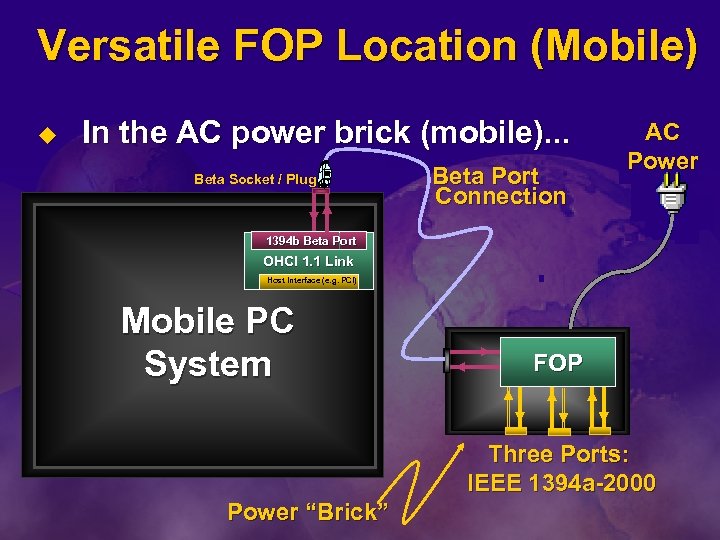
Versatile FOP Location (Mobile) u In the AC power brick (mobile). . . Beta Socket / Plug Beta Port Connection AC Power 1394 b Beta Port OHCI 1. 1 Link Host Interface (e. g. PCI) Mobile PC System FOP Three Ports: IEEE 1394 a-2000 Power “Brick”
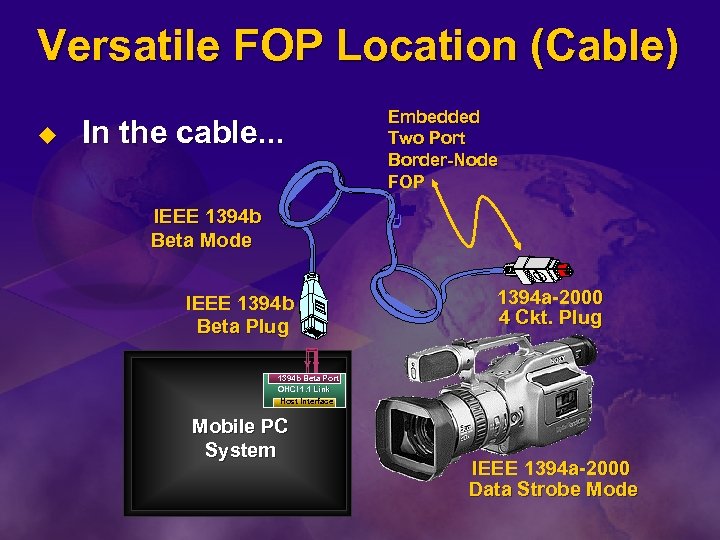
Versatile FOP Location (Cable) u In the cable. . . Embedded Two Port Border-Node FOP IEEE 1394 b Beta Mode IEEE 1394 b Beta Plug 1394 a-2000 4 Ckt. Plug 1394 b Beta Port OHCI 1. 1 Link Host Interface Mobile PC System IEEE 1394 a-2000 Data Strobe Mode
Call To Action u Study IEEE P 1394 b Rev. 1. 0 Amendment Ø Ø u Ballot draft has full specification Available for public review at: www. zayante. com/p 1394 b 1394 -enabled PC systems use the 1394 b PIL architecture Ø Ø Fundamental 1394 building block for the PC PCI-interface silicon solutions expected soon
Update On USB 2. 0 Support For Microsoft Windows Robert Ingman Program Manager Lead Windows Division Microsoft Corporation
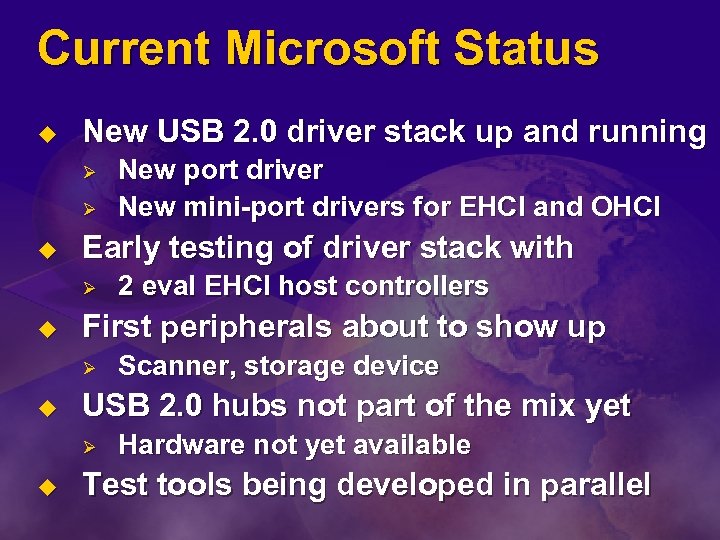
Current Microsoft Status u New USB 2. 0 driver stack up and running Ø Ø u Early testing of driver stack with Ø u Scanner, storage device USB 2. 0 hubs not part of the mix yet Ø u 2 eval EHCI host controllers First peripherals about to show up Ø u New port driver New mini-port drivers for EHCI and OHCI Hardware not yet available Test tools being developed in parallel
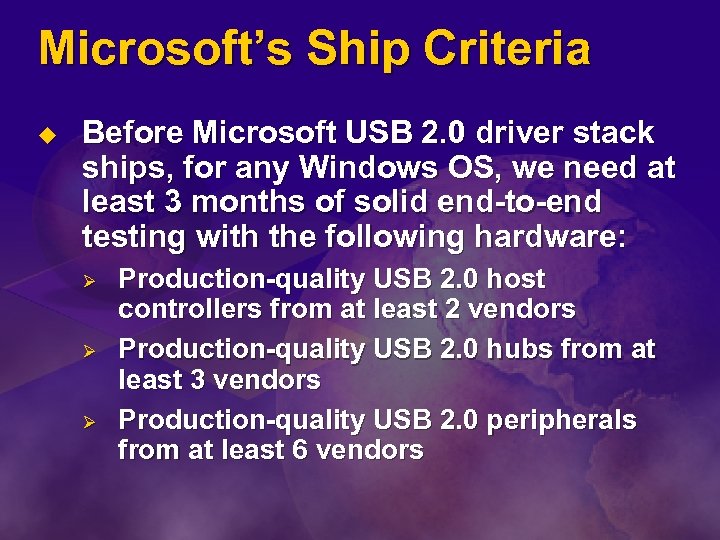
Microsoft’s Ship Criteria u Before Microsoft USB 2. 0 driver stack ships, for any Windows OS, we need at least 3 months of solid end-to-end testing with the following hardware: Ø Ø Ø Production-quality USB 2. 0 host controllers from at least 2 vendors Production-quality USB 2. 0 hubs from at least 3 vendors Production-quality USB 2. 0 peripherals from at least 6 vendors
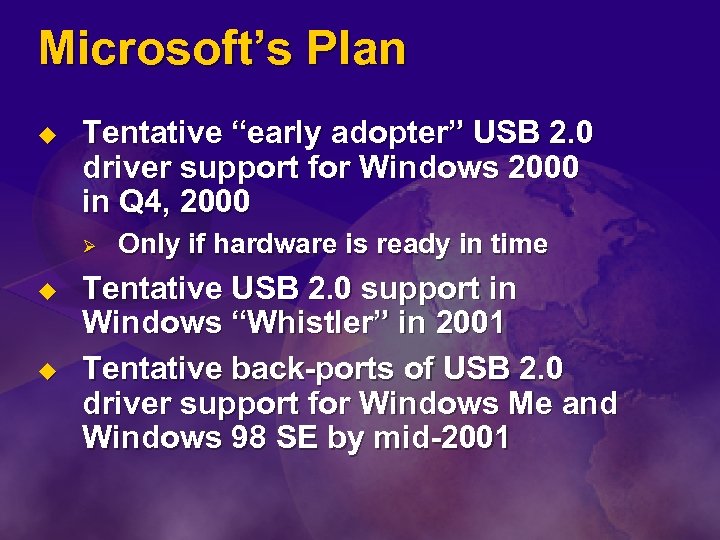
Microsoft’s Plan u Tentative “early adopter” USB 2. 0 driver support for Windows 2000 in Q 4, 2000 Ø u u Only if hardware is ready in time Tentative USB 2. 0 support in Windows “Whistler” in 2001 Tentative back-ports of USB 2. 0 driver support for Windows Me and Windows 98 SE by mid-2001
Why Windows 2000 First? u Windows 2000 is our USB 2. 0 development platform Ø Ø Ø u Windows 2000 is now Microsoft’s strategic foundation for all future OS efforts Ø u We develop and test on Windows 2000 first anyway Reduces risk Reduces test burden Paves the way for USB 2. 0 support in Windows “Whistler” and beyond Enables early focus on business customers and “prosumers”
Call To Action u “Early adopter” USB 2. 0 driver support for Windows 2000 in Q 4, 2000 is gated on hardware availability Ø u u CONTACT US NOW if you are ready to participate in this effort New USB 2. 0 hardware is always welcome at anytime, of course Contact us at: MSUSB 2@MICROSOFT. COM
USB 2. 0 The Development Of A High-Speed Device Ed Beeman Product Line Architect Greeley Hardcopy Division Hewlett-Packard
Agenda u u Overview When to build a high-speed device Status of high-speed scanner development How to build a high-speed device Ø u u Options 1, 2, and 3 Building block availability Lessons learned
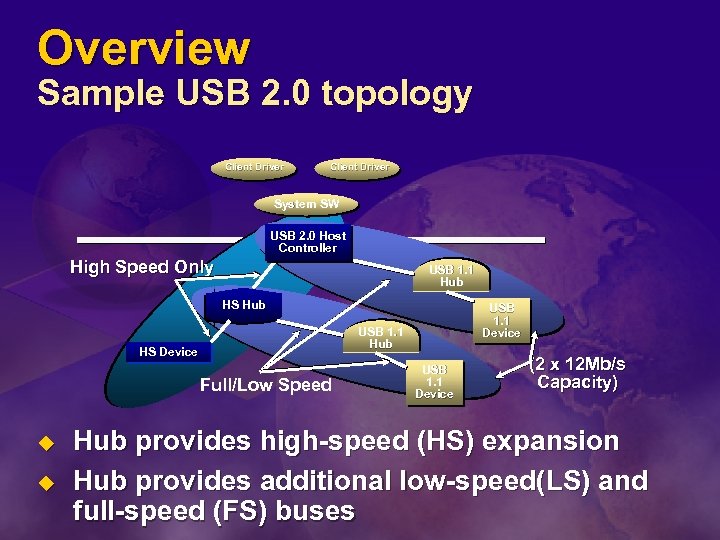
Overview Sample USB 2. 0 topology Client Driver System SW USB 2. 0 Host Controller High Speed Only USB 1. 1 Hub HS Hub USB 1. 1 Hub HS Device Full/Low Speed u u USB 1. 1 Device (2 x 12 Mb/s Capacity) Hub provides high-speed (HS) expansion Hub provides additional low-speed(LS) and full-speed (FS) buses
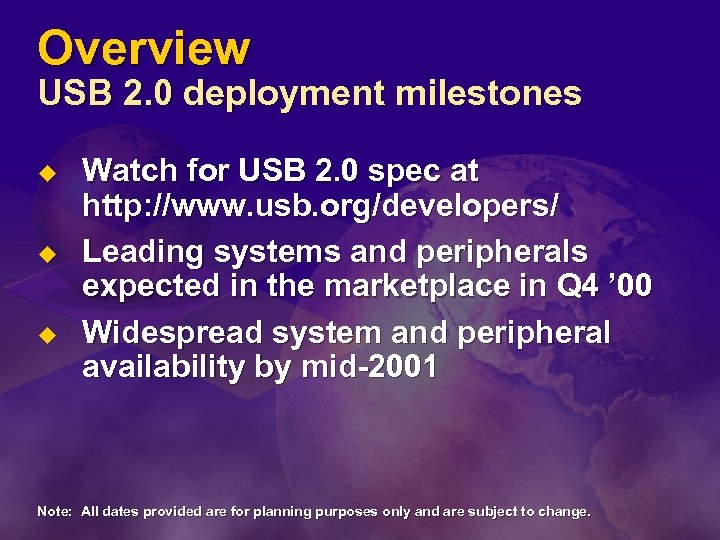
Overview USB 2. 0 deployment milestones u u u Watch for USB 2. 0 spec at http: //www. usb. org/developers/ Leading systems and peripherals expected in the marketplace in Q 4 ’ 00 Widespread system and peripheral availability by mid-2001 Note: All dates provided are for planning purposes only and are subject to change.
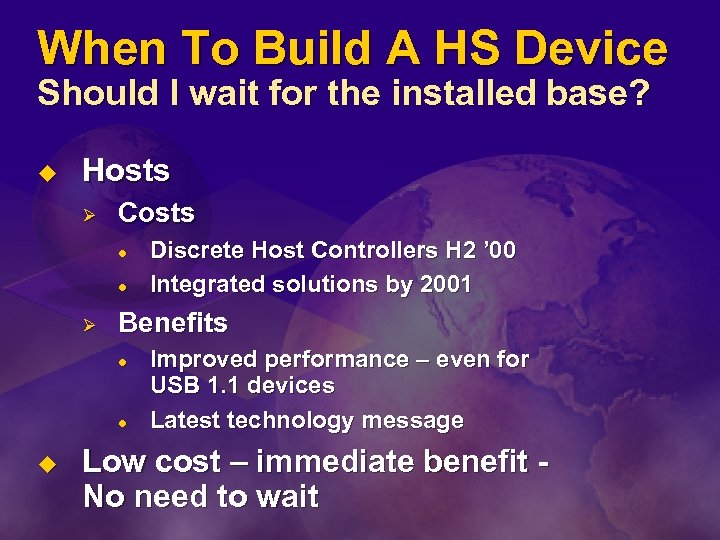
When To Build A HS Device Should I wait for the installed base? u Hosts Ø Costs l l Ø Benefits l l u Discrete Host Controllers H 2 ’ 00 Integrated solutions by 2001 Improved performance – even for USB 1. 1 devices Latest technology message Low cost – immediate benefit No need to wait
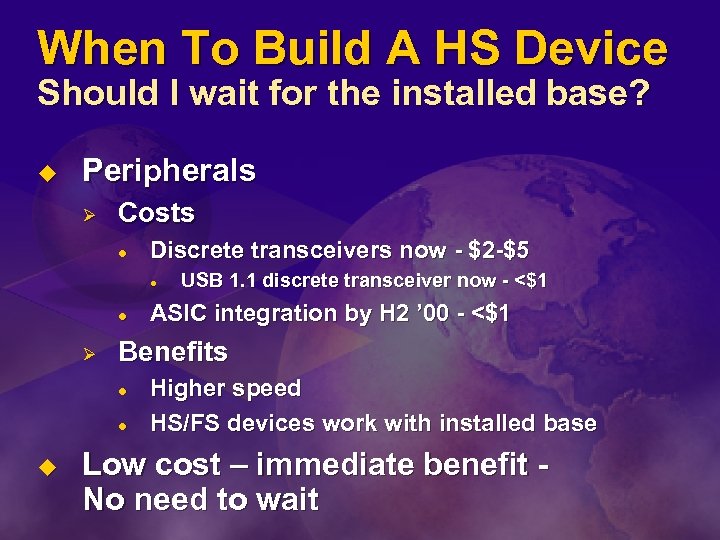
When To Build A HS Device Should I wait for the installed base? u Peripherals Ø Costs l Discrete transceivers now - $2 -$5 l l Ø ASIC integration by H 2 ’ 00 - <$1 Benefits l l u USB 1. 1 discrete transceiver now - <$1 Higher speed HS/FS devices work with installed base Low cost – immediate benefit No need to wait
Demo u HP Scan. Jet scanner connected to USB 1. 1 host and then to USB 2. 0 host Ø Status update
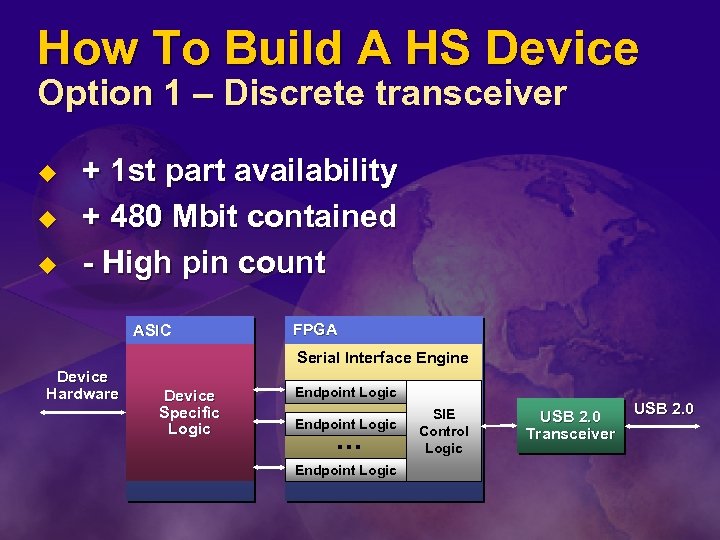
How To Build A HS Device Option 1 – Discrete transceiver u u u + 1 st part availability + 480 Mbit contained - High pin count ASIC FPGA Serial Interface Engine Device Hardware Device Specific Logic Endpoint Logic … Endpoint Logic SIE Control Logic USB 2. 0 Transceiver USB 2. 0
HS Discrete Transceiver u u Has to be a parallel interface on function side 8 -bit parallel interface difficult to connect to Ø Ø u 16 -bit parallel interface severely pin constrained Ø Ø u Package cost dwarfs silicon cost Easy to connect to (runs at 30 MHz) Can add functionality to increase silicon value Ø u Has to run at 60 MHz Hard to do with FPGA’s SIE, DMA, …but that limits scope Result is high cost
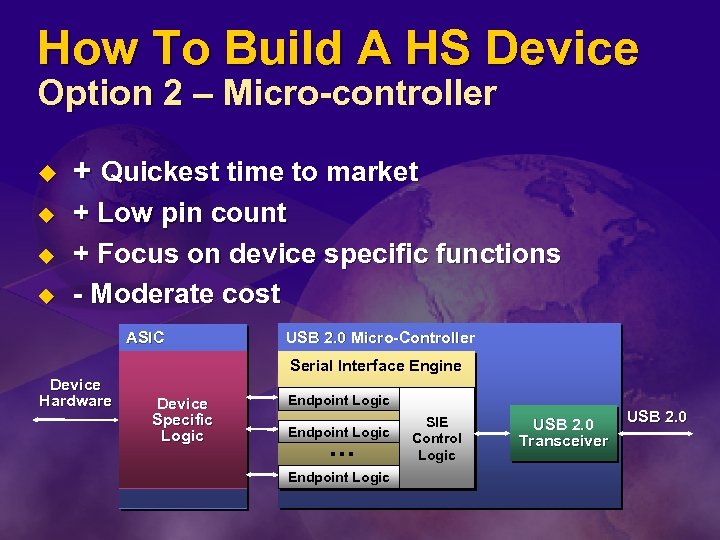
How To Build A HS Device Option 2 – Micro-controller u u + Quickest time to market + Low pin count + Focus on device specific functions - Moderate cost ASIC USB 2. 0 Micro-Controller Serial Interface Engine Device Hardware Device Specific Logic Endpoint Logic … Endpoint Logic SIE Control Logic USB 2. 0 Transceiver USB 2. 0
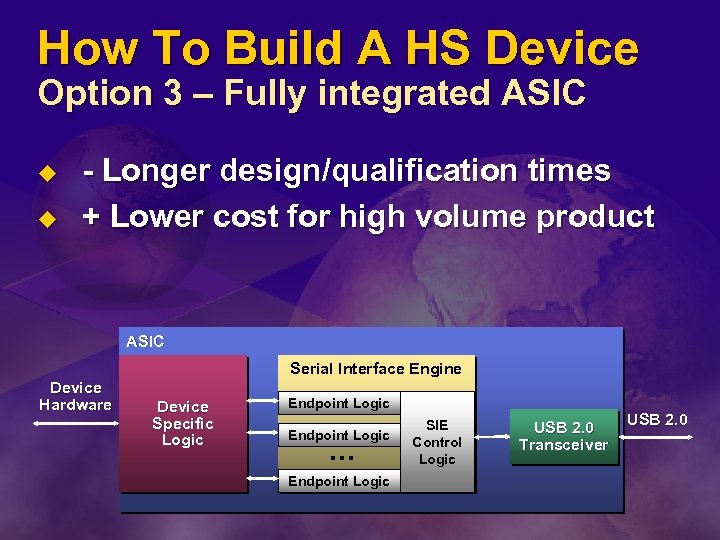
How To Build A HS Device Option 3 – Fully integrated ASIC u u - Longer design/qualification times + Lower cost for high volume product ASIC Serial Interface Engine Device Hardware Device Specific Logic Endpoint Logic … Endpoint Logic SIE Control Logic USB 2. 0 Transceiver USB 2. 0
Fully Integrated ASIC u Standard gates won’t work for transceiver Ø Bit rates over ~150 Mb/s require custom design l Ø u Clock recovery, squelch, bitstuff, CRC Custom design is outside the scope of many IHVs How does USB 2. 0 get into an ASIC? Ø USB 2. 0 transceiver macrocell
Fully Integrated ASIC Transceiver macrocell u Standard cell available in foundry library Ø u u Easily connects to standard gates Macrocell has standard interface across all foundries Current Macrocell Interface specification is posted at members. usb. org
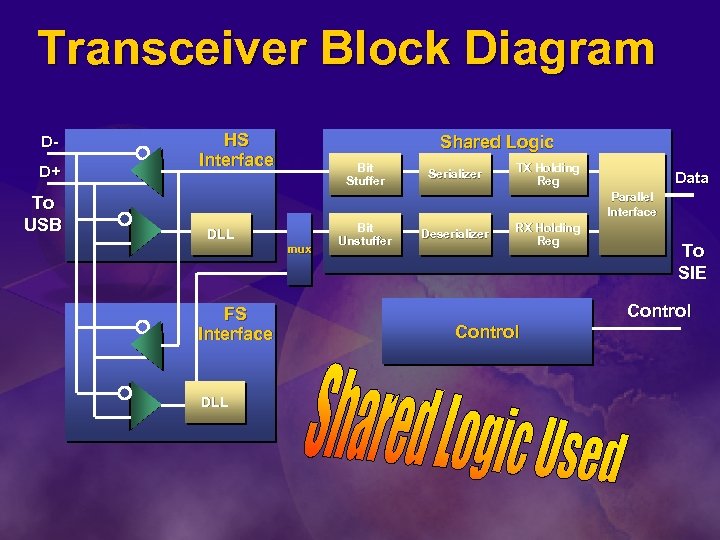
Transceiver Block Diagram DD+ To USB HS Interface Shared Logic Bit Stuffer Serializer TX Holding Reg Data Parallel Interface DLL mux FS Interface DLL Bit Unstuffer Deserializer RX Holding Reg To SIE Control
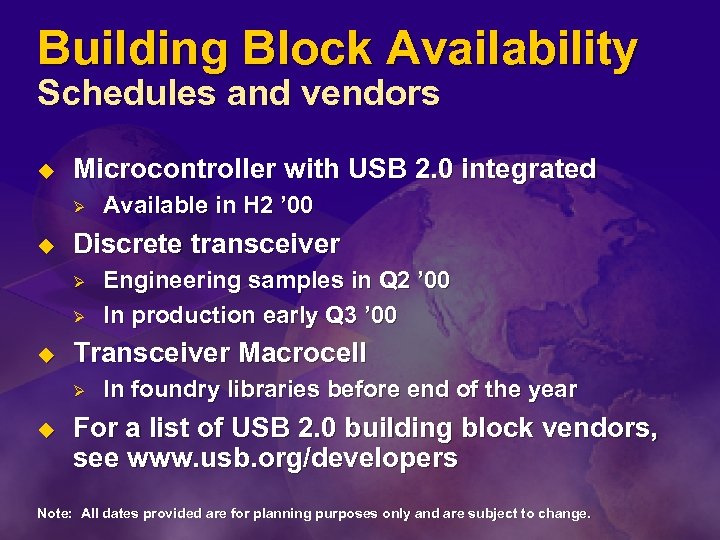
Building Block Availability Schedules and vendors u Microcontroller with USB 2. 0 integrated Ø u Discrete transceiver Ø Ø u Engineering samples in Q 2 ’ 00 In production early Q 3 ’ 00 Transceiver Macrocell Ø u Available in H 2 ’ 00 In foundry libraries before end of the year For a list of USB 2. 0 building block vendors, see www. usb. org/developers Note: All dates provided are for planning purposes only and are subject to change.
Lessons Learned PCB layout concerns u u u Grounding Short traces 30 MHz versus 60 MHz
Lessons Learned Software concerns are few u Standard application software l u Same software used with two-year old FS scanner product Standard Imaging Class driver l Same software used with two-year old FS scanner product
Lessons Learned Comparisons to USB 1. 1 development u u Tools - CATC analyzer available for both No reason to wait for installed base this time Ø u u Test functionality with 1. 1, then add HS function Issues with high-speed FPGA designs Cable compatibility issues
Expanding The USB Compliance Program Jason Ziller Technology Initiatives Manager Intel Corporation Chairman, USB Implementers Forum
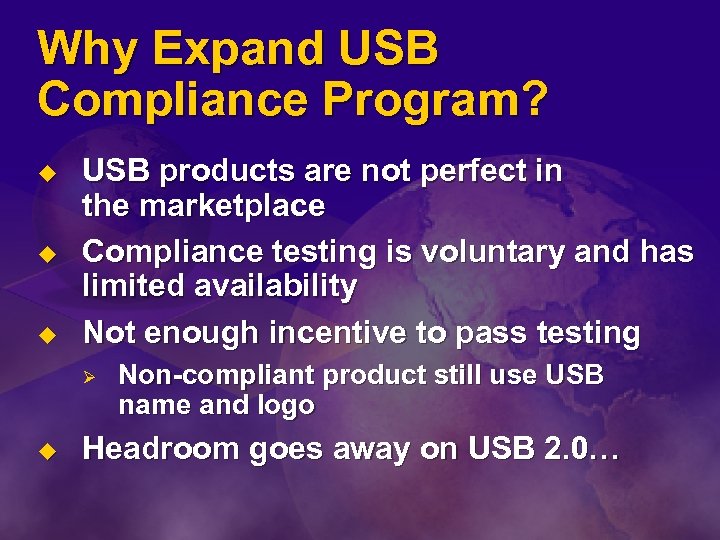
Why Expand USB Compliance Program? u u u USB products are not perfect in the marketplace Compliance testing is voluntary and has limited availability Not enough incentive to pass testing Ø u Non-compliant product still use USB name and logo Headroom goes away on USB 2. 0…
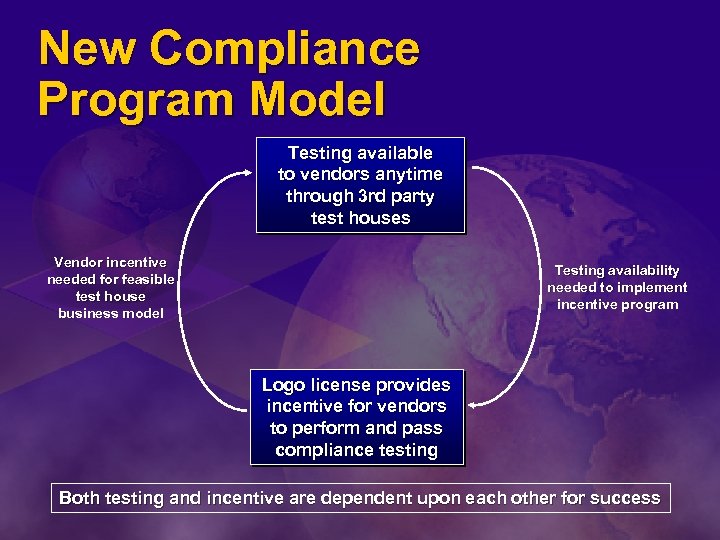
New Compliance Program Model Testing available to vendors anytime through 3 rd party test houses Vendor incentive needed for feasible test house business model Testing availability needed to implement incentive program Logo license provides incentive for vendors to perform and pass compliance testing Both testing and incentive are dependent upon each other for success
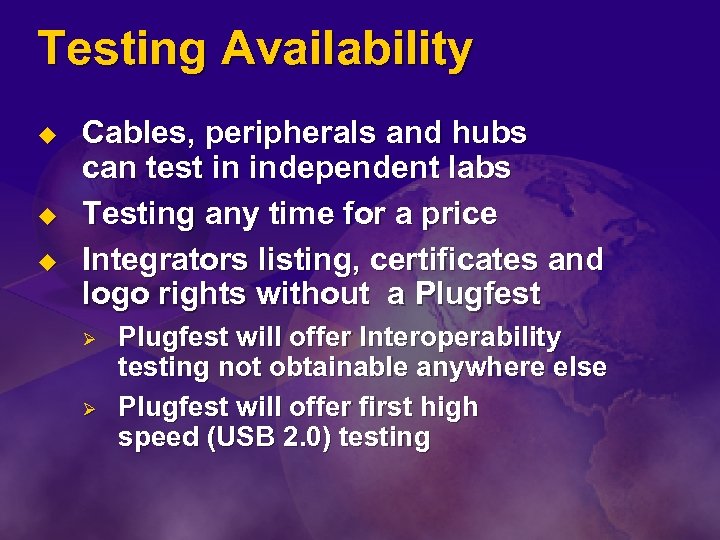
Testing Availability u u u Cables, peripherals and hubs can test in independent labs Testing any time for a price Integrators listing, certificates and logo rights without a Plugfest Ø Ø Plugfest will offer Interoperability testing not obtainable anywhere else Plugfest will offer first high speed (USB 2. 0) testing
Cable And Connector Testing Availability u A 2 LA Certified labs test USB cables Ø u Two labs currently testing Ø Ø u Use Cable and Connector Device Class document Contech and NTS Contact info on www. usb. org USB-IF lists all passing cables and connectors Ø In USB-IF Integrators List on the Web
Vendor Incentive u u NEW Issue certificates NEW New trademarked logo NEW Listing of compliant cables to ship with peripheral Promote new list with members product search list Ø u >150 K visitors per month to product search page Channel, Press use product search list
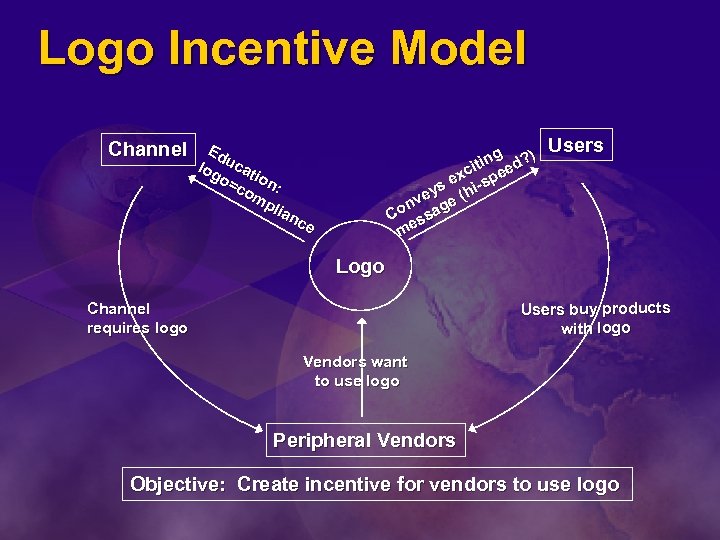
Logo Incentive Model Channel Edu log cat o= ion co : m g ) itin eed? xc s e hi-sp ey ( nv age Co ss me mp lia nc e Users Logo Users buy products with logo Channel requires logo Vendors want to use logo Peripheral Vendors Objective: Create incentive for vendors to use logo
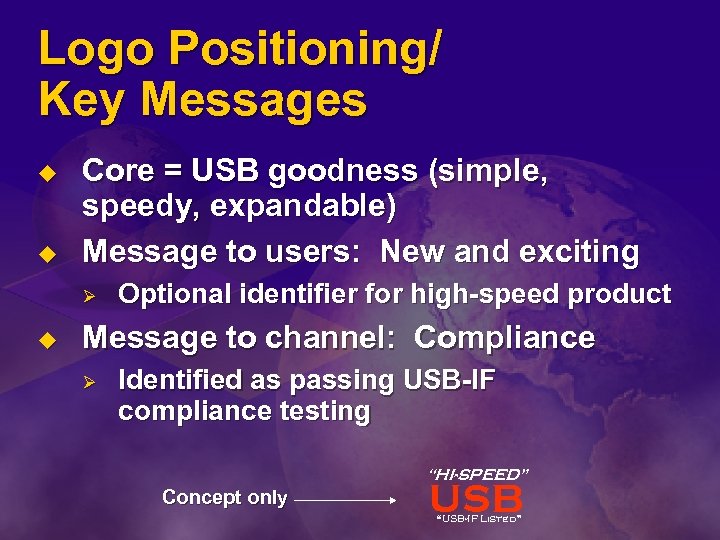
Logo Positioning/ Key Messages u u Core = USB goodness (simple, speedy, expandable) Message to users: New and exciting Ø u Optional identifier for high-speed product Message to channel: Compliance Ø Identified as passing USB-IF compliance testing “HI-SPEED” Concept only USB “USB-IF Listed”
Key Events u PIMC had test suite in March Plugfest Ø u Labs can open for business Ø u Ran a correlation with USB-IF suite After certification by USB-IF begins to accept lab results Ø For Integrators List, Logo, and certificate
Milestones u USB-IF Peripheral Test Spec complete Ø Ø u Spec approved by industry Ø u Q 2 ’ 00 Third-party labs offer USB peripheral testing service to industry Ø u Validated in USB-IF Plugfests Q 2 ’ 00 Mid 2000 First products with new licensed USB logo on the package are in channels and in stores Ø Holiday 2000
Call To Action u Review the USB-IF Peripheral Test Spec and provide feedback Ø u members. usb. org Locate USB-IF approved third-party test lab near you Ø Ø Send devices to third-party labs to get logo Continue to bring devices to USB-IF Plugfests
 Скачать презентацию External I O Bus Scott Fierstein Technical Evangelist Consumer
5548ef6742a969f95c1e8ce0cb329fb5.ppt