


 Скачать презентацию Extending the functionality and industry focus of Microsoft
6786b9b3ba5c7fa5f4433b92e5915336.ppt
- Количество слайдов: 80
 Extending the functionality and industry focus of Microsoft Dynamics® CRM c 360 Products Presentation Extending the functionality and industry focus of Microsoft Dynamics® CRM © 2007 c 360, Inc. All Rights reserved.
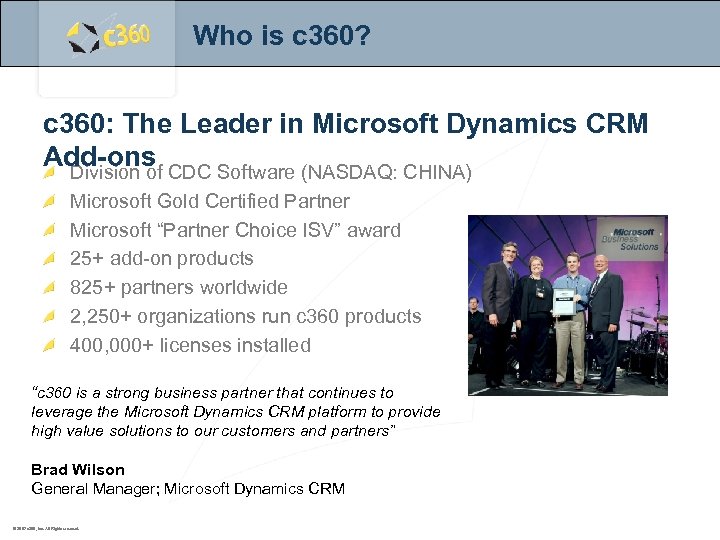 Who is c 360? c 360: The Leader in Microsoft Dynamics CRM Add-ons CDC Software (NASDAQ: CHINA) Division of Microsoft Gold Certified Partner Microsoft “Partner Choice ISV” award 25+ add-on products 825+ partners worldwide 2, 250+ organizations run c 360 products 400, 000+ licenses installed “c 360 is a strong business partner that continues to leverage the Microsoft Dynamics CRM platform to provide high value solutions to our customers and partners” Brad Wilson General Manager; Microsoft Dynamics CRM © 2007 c 360, Inc. All Rights reserved.
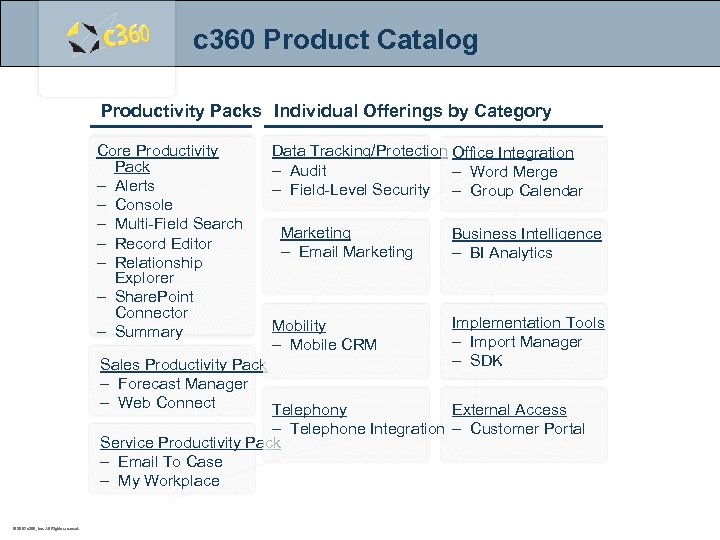 c 360 Product Catalog Productivity Packs Individual Offerings by Category Core Productivity Pack – Alerts – Console – Multi-Field Search – Record Editor – Relationship Explorer – Share. Point Connector – Summary Data Tracking/Protection Office Integration – Audit – Word Merge – Field-Level Security – Group Calendar Marketing – Email Marketing Mobility – Mobile CRM Sales Productivity Pack – Forecast Manager – Web Connect Telephony Business Intelligence – BI Analytics Implementation Tools – Import Manager – SDK External Access – Telephone Integration – Customer Portal Service Productivity Pack – Email To Case – My Workplace © 2007 c 360, Inc. All Rights reserved.
 Core Productivity Pack – Alerts – Console – Multi-Field Search – Record Editor – Relationship Explorer – Share. Point Connector – Summary © 2007 c 360, Inc. All Rights reserved.
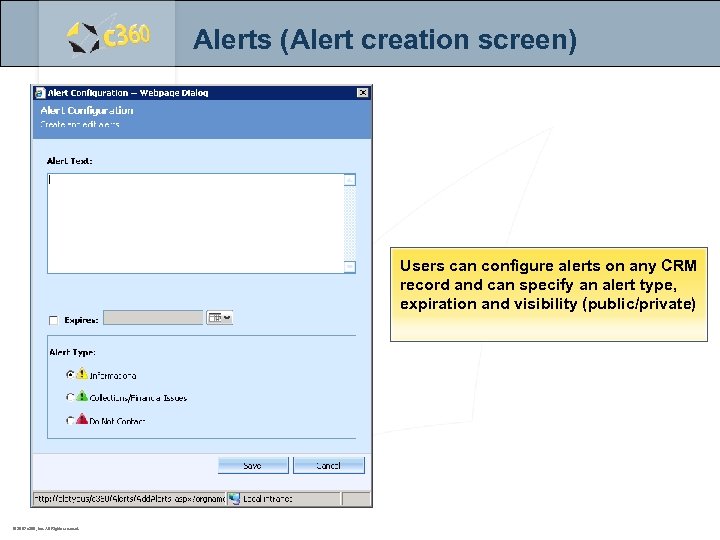 Alerts (Alert creation screen) Users can configure alerts on any CRM record and can specify an alert type, expiration and visibility (public/private) © 2007 c 360, Inc. All Rights reserved.
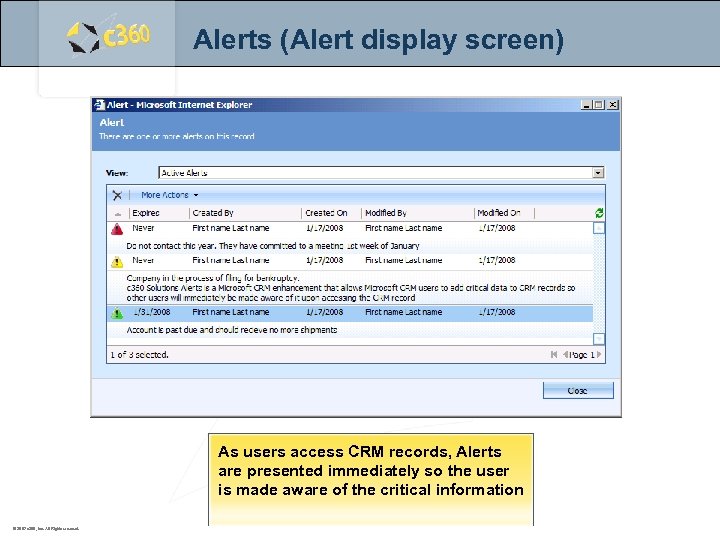 Alerts (Alert display screen) As users access CRM records, Alerts are presented immediately so the user is made aware of the critical information © 2007 c 360, Inc. All Rights reserved.
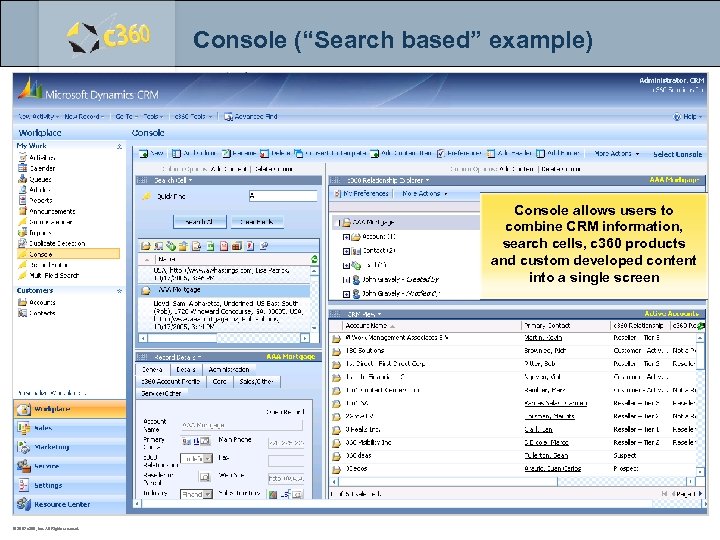 Console (“Search based” example) Console allows users to combine CRM information, search cells, c 360 products and custom developed content into a single screen © 2007 c 360, Inc. All Rights reserved.
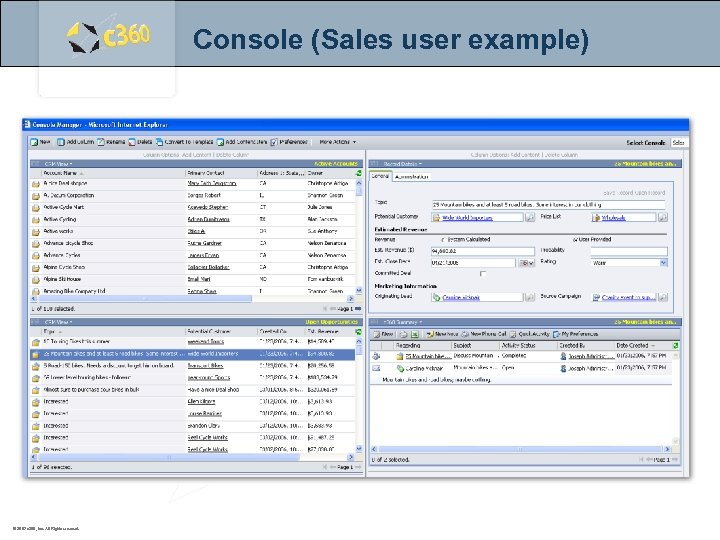 Console (Sales user example) © 2007 c 360, Inc. All Rights reserved.
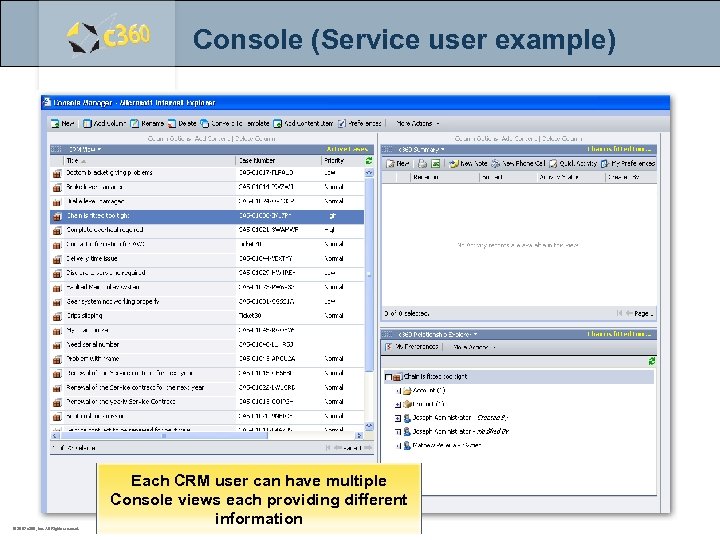 Console (Service user example) © 2007 c 360, Inc. All Rights reserved. Each CRM user can have multiple Console views each providing different information
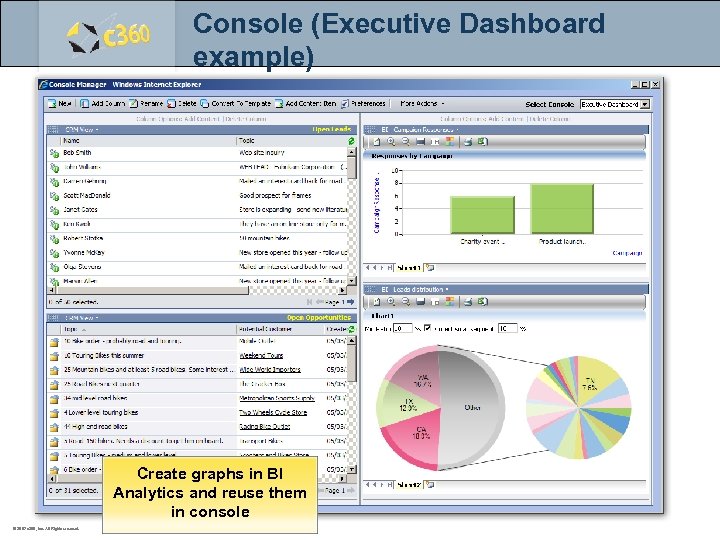 Console (Executive Dashboard example) Create graphs in BI Analytics and reuse them in console © 2007 c 360, Inc. All Rights reserved.
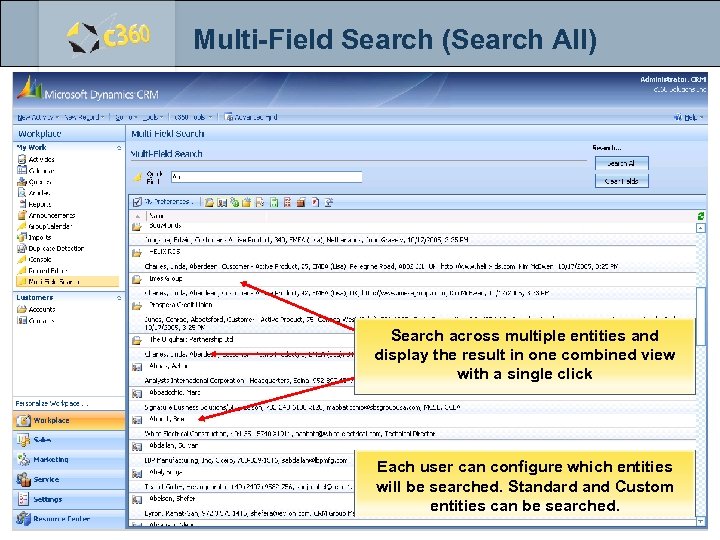 Multi-Field Search (Search All) Search across multiple entities and display the result in one combined view with a single click Each user can configure which entities will be searched. Standard and Custom entities can be searched. © 2007 c 360, Inc. All Rights reserved.
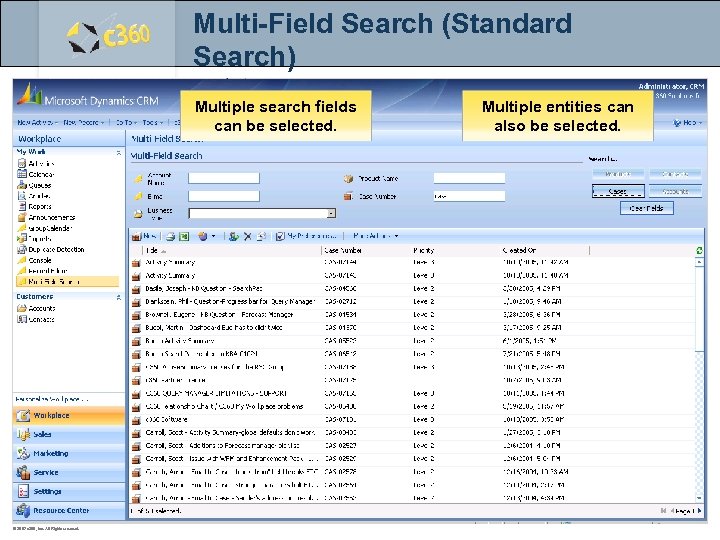 Multi-Field Search (Standard Search) Multiple search fields can be selected. © 2007 c 360, Inc. All Rights reserved. Multiple entities can also be selected.
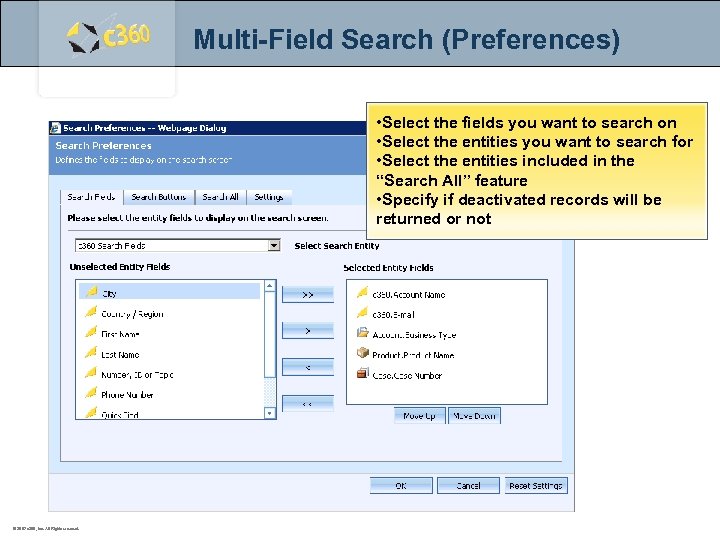 Multi-Field Search (Preferences) • Select the fields you want to search on • Select the entities you want to search for • Select the entities included in the “Search All” feature • Specify if deactivated records will be returned or not © 2007 c 360, Inc. All Rights reserved.
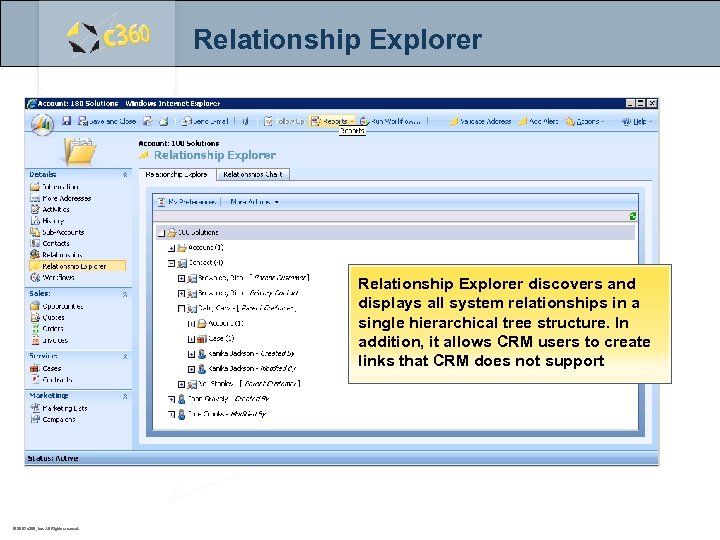 Relationship Explorer discovers and displays all system relationships in a single hierarchical tree structure. In addition, it allows CRM users to create links that CRM does not support © 2007 c 360, Inc. All Rights reserved.
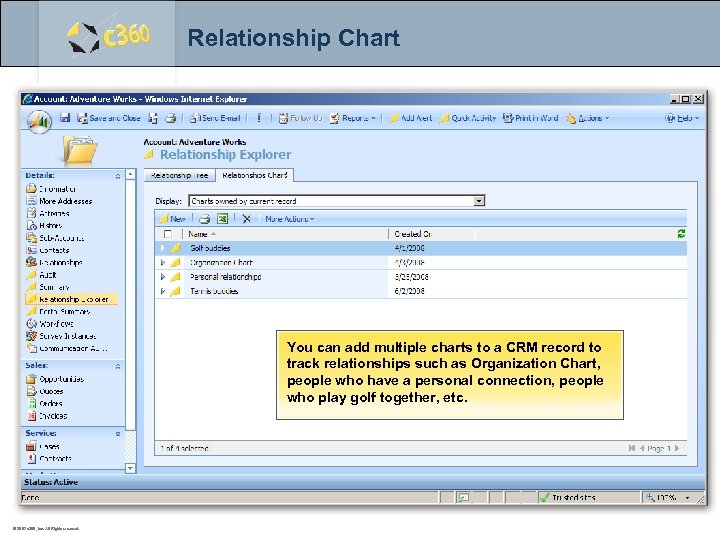 Relationship Chart You can add multiple charts to a CRM record to c 360 Solutions track relationships such as Organization Chart, people who have a personal connection, people Two Concourse Parkway, Suite 800 who play golf together, etc. Atlanta, GA 30328 © 2007 c 360, Inc. All Rights reserved.
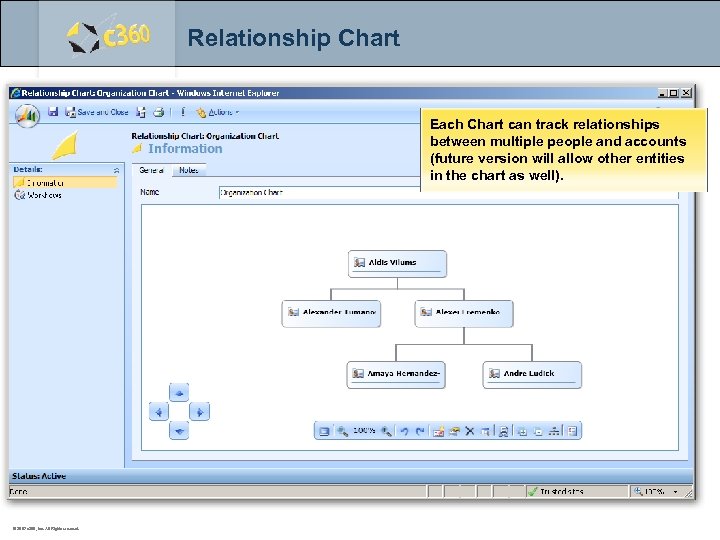 Relationship Chart Each Chart can track relationships between multiple people and accounts (future version will allow other entities in the chart as well). c 360 Solutions Two Concourse Parkway, Suite 800 Atlanta, GA 30328 © 2007 c 360, Inc. All Rights reserved.
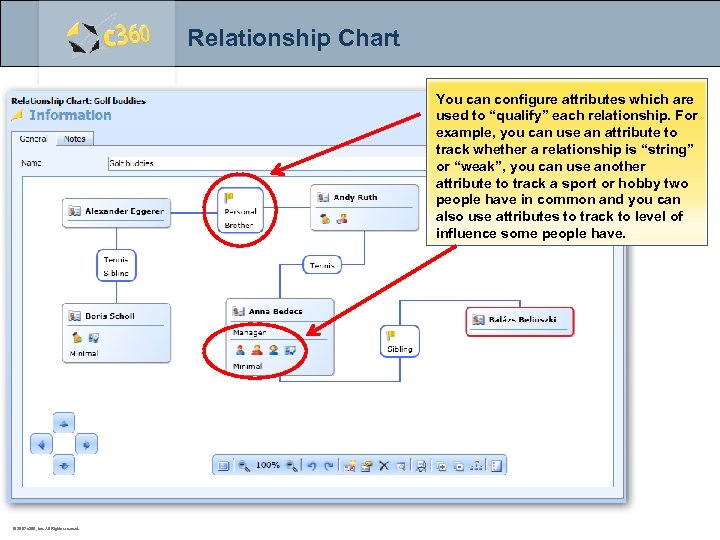 Relationship Chart You can configure attributes which are used to “qualify” each relationship. For example, you can use an attribute to track whether a relationship is “string” or “weak”, you can use another attribute to track a sport or hobby two people have in common and you can also use attributes to track to level of influence some people have. c 360 Solutions Two Concourse Parkway, Suite 800 Atlanta, GA 30328 © 2007 c 360, Inc. All Rights reserved.
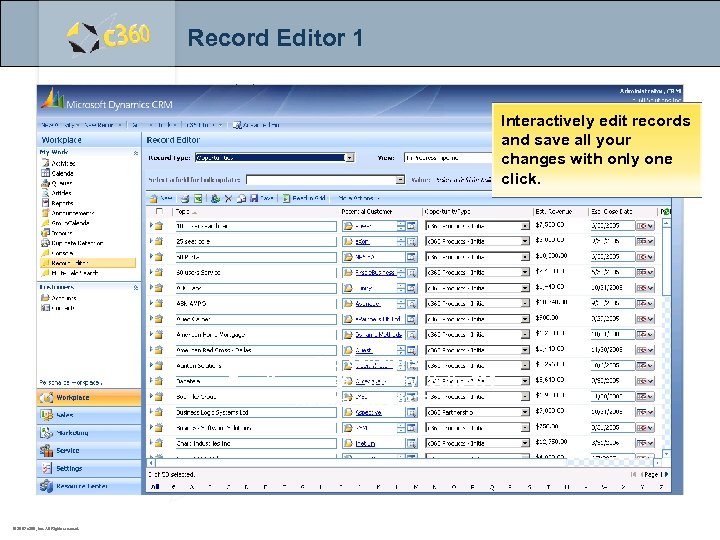 Record Editor 1 Interactively edit records and save all your changes with only one click. c 360 Solutions Two Concourse Parkway, Suite 800 Atlanta, GA 30328 © 2007 c 360, Inc. All Rights reserved.
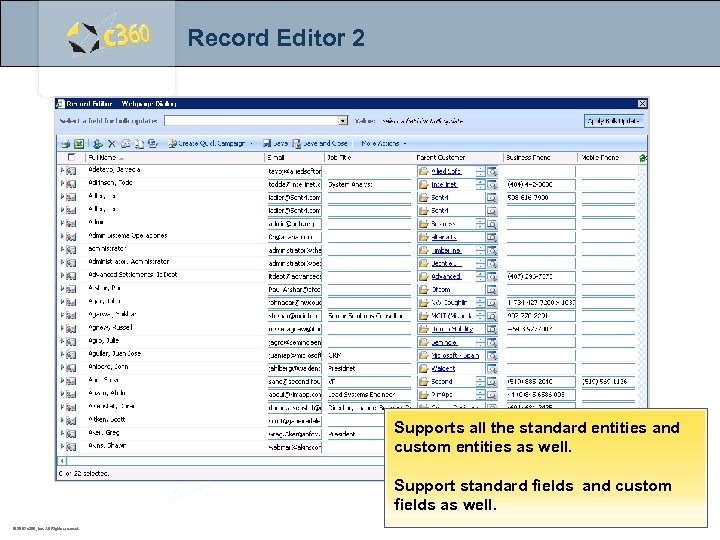 Record Editor 2 Supports all the standard entities and custom entities as well. Support standard fields and custom fields as well. © 2007 c 360, Inc. All Rights reserved.
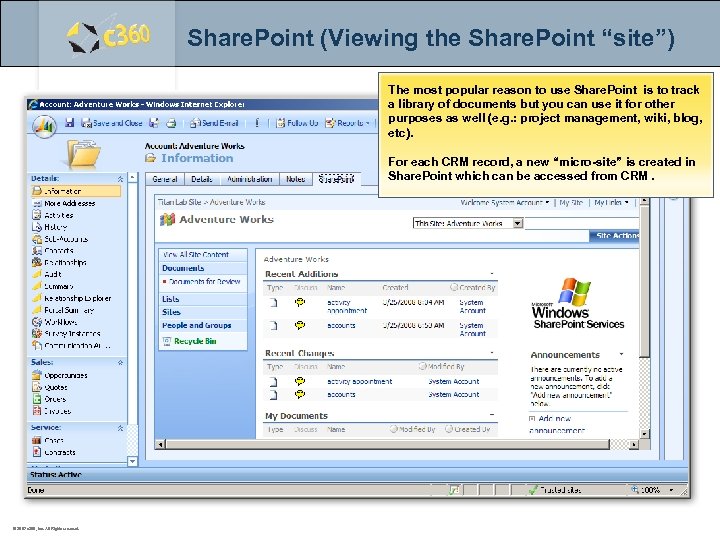 Share. Point (Viewing the Share. Point “site”) The most popular reason to use Share. Point is to track a library of documents but you can use it for other purposes as well (e. g. : project management, wiki, blog, etc). For each CRM record, a new “micro-site” is created in Share. Point which can be accessed from CRM. c 360 Solutions Two Concourse Parkway, Suite 800 Atlanta, GA 30328 © 2007 c 360, Inc. All Rights reserved.
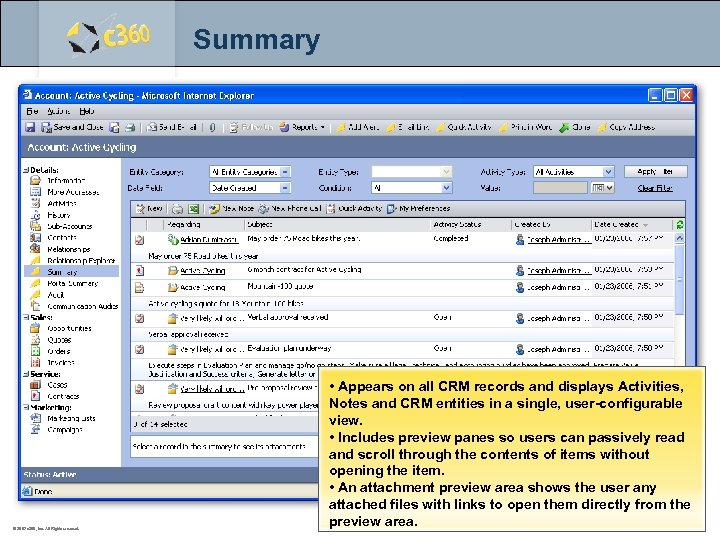 Summary © 2007 c 360, Inc. All Rights reserved. • Appears on all CRM records and displays Activities, Notes and CRM entities in a single, user-configurable view. • Includes preview panes so users can passively read and scroll through the contents of items without opening the item. • An attachment preview area shows the user any attached files with links to open them directly from the preview area.
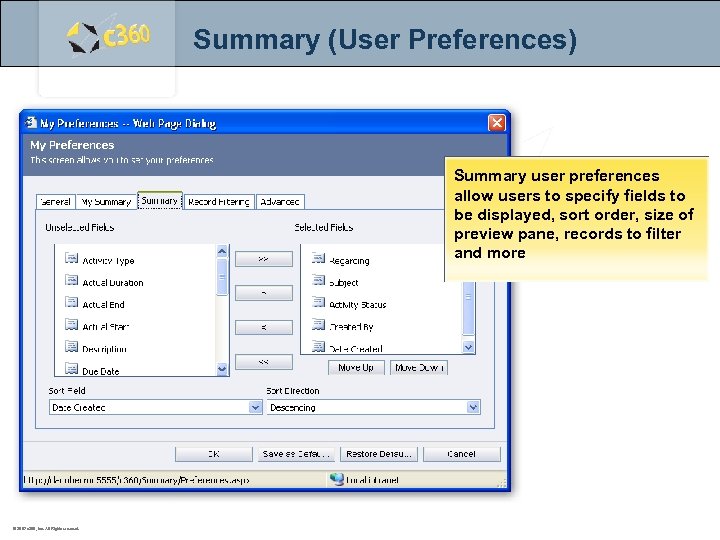 Summary (User Preferences) Summary user preferences allow users to specify fields to be displayed, sort order, size of preview pane, records to filter and more © 2007 c 360, Inc. All Rights reserved.
 Sales Productivity Pack – Forecast Manager – Web Connect © 2007 c 360, Inc. All Rights reserved.
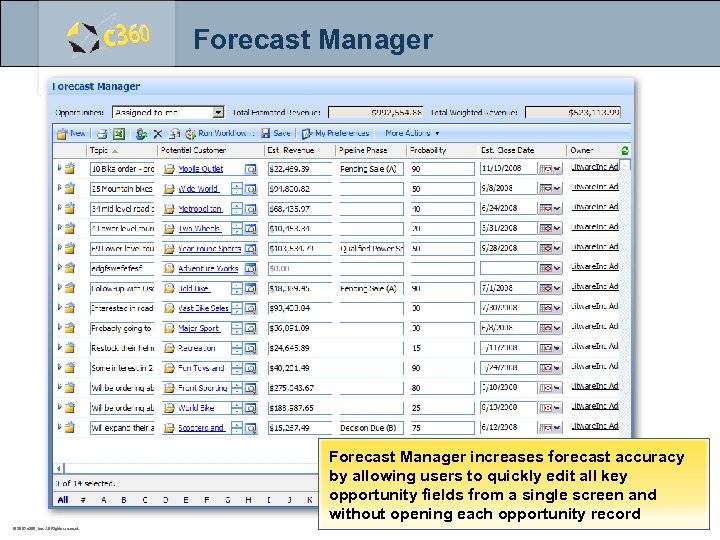 Forecast Manager increases forecast accuracy by allowing users to quickly edit all key opportunity fields from a single screen and without opening each opportunity record © 2007 c 360, Inc. All Rights reserved.
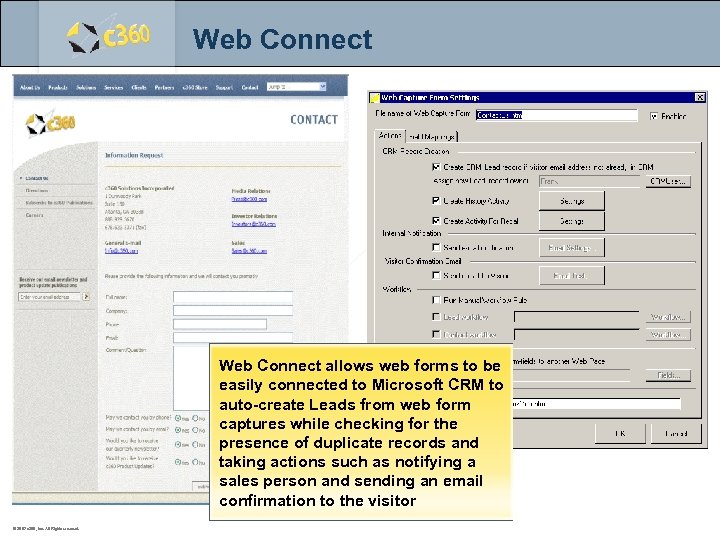 Web Connect allows web forms to be easily connected to Microsoft CRM to auto-create Leads from web form captures while checking for the presence of duplicate records and taking actions such as notifying a sales person and sending an email confirmation to the visitor © 2007 c 360, Inc. All Rights reserved.
 Service Productivity Pack – Email to Case – My Workplace © 2007 c 360, Inc. All Rights reserved.
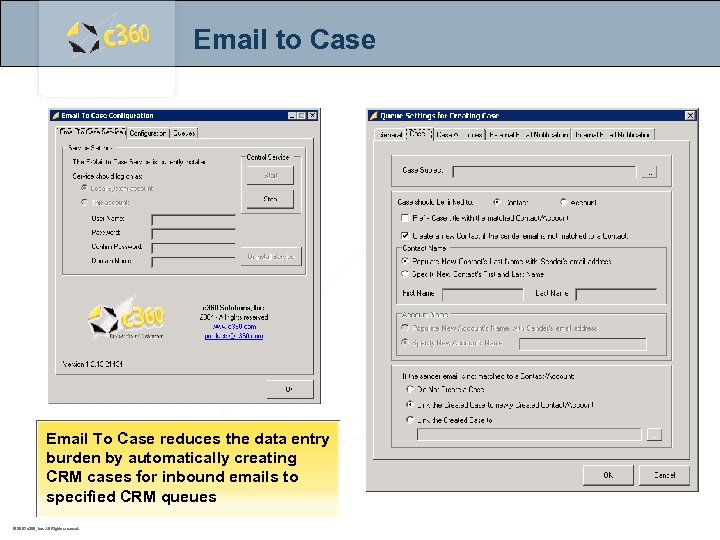 Email to Case Email To Case reduces the data entry burden by automatically creating CRM cases for inbound emails to specified CRM queues © 2007 c 360, Inc. All Rights reserved.
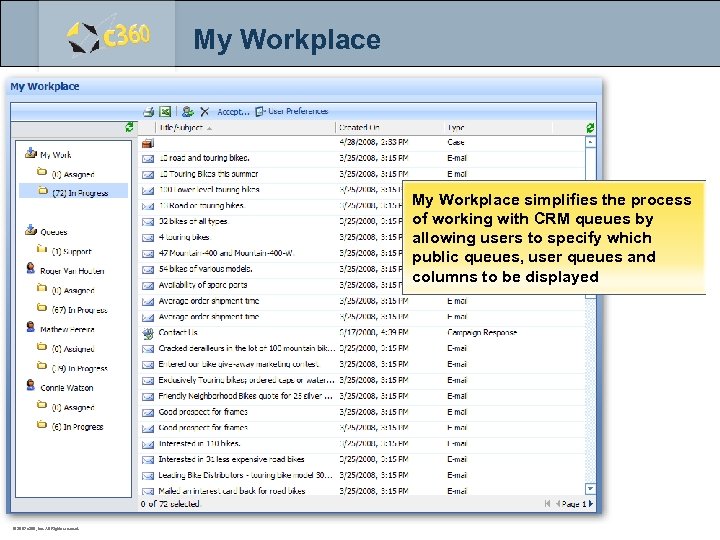 My Workplace simplifies the process of working with CRM queues by allowing users to specify which public queues, user queues and columns to be displayed © 2007 c 360, Inc. All Rights reserved.
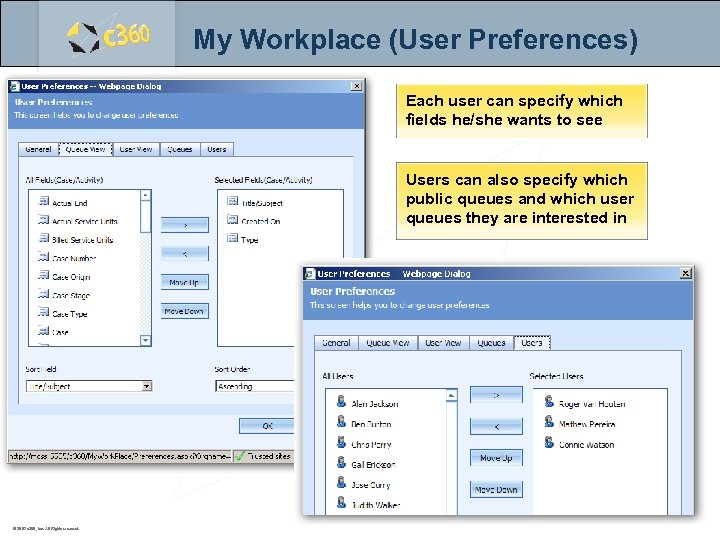 My Workplace (User Preferences) Each user can specify which fields he/she wants to see Users can also specify which public queues and which user queues they are interested in © 2007 c 360, Inc. All Rights reserved.
 Individual Products – Address Validation – Audit – BI Analytics – Customer Portal – CTI – Email Marketing – Explorer – Field-Level Security – Group Calendar – Import Manager – Mobile CRM – SDK – Word Merge © 2007 c 360, Inc. All Rights reserved.
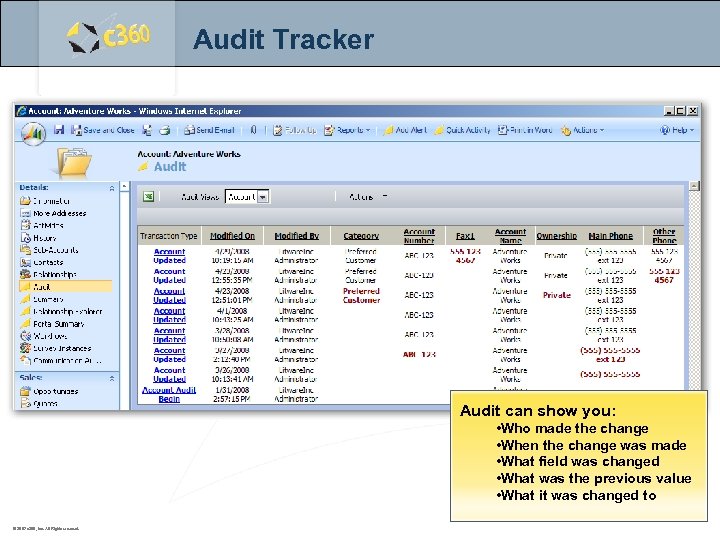 Audit Tracker Audit can show you: • Who made the change • When the change was made • What field was changed • What was the previous value • What it was changed to © 2007 c 360, Inc. All Rights reserved.
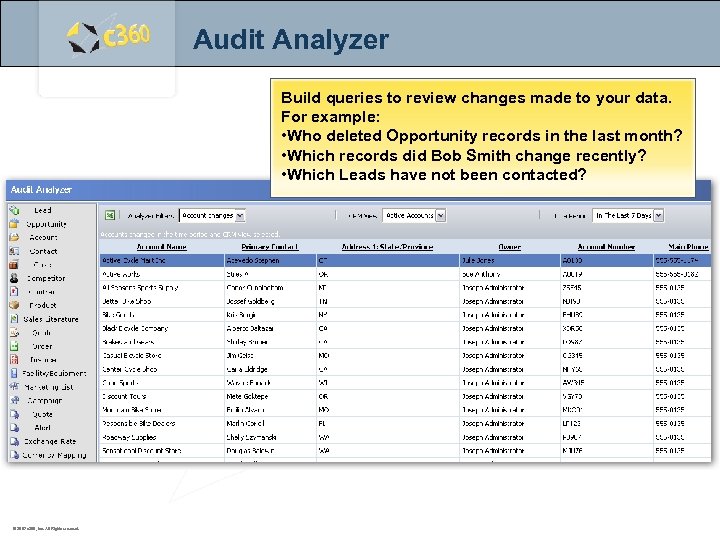 Audit Analyzer Build queries to review changes made to your data. For example: • Who deleted Opportunity records in the last month? • Which records did Bob Smith change recently? • Which Leads have not been contacted? © 2007 c 360, Inc. All Rights reserved.
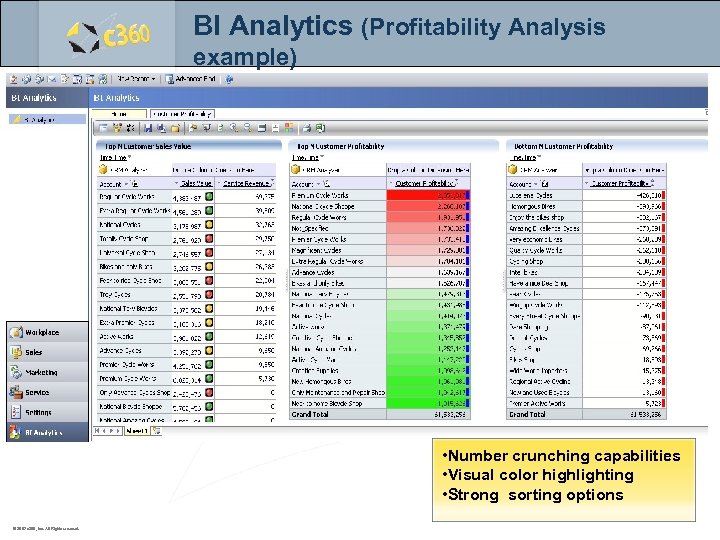 BI Analytics (Profitability Analysis example) • Number crunching capabilities • Visual color highlighting • Strong sorting options © 2007 c 360, Inc. All Rights reserved.
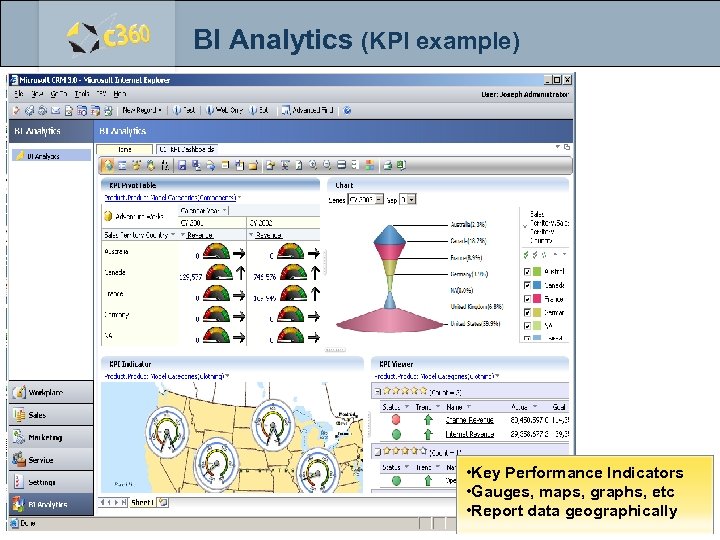 BI Analytics (KPI example) • Key Performance Indicators • Gauges, maps, graphs, etc • Report data geographically © 2007 c 360, Inc. All Rights reserved.
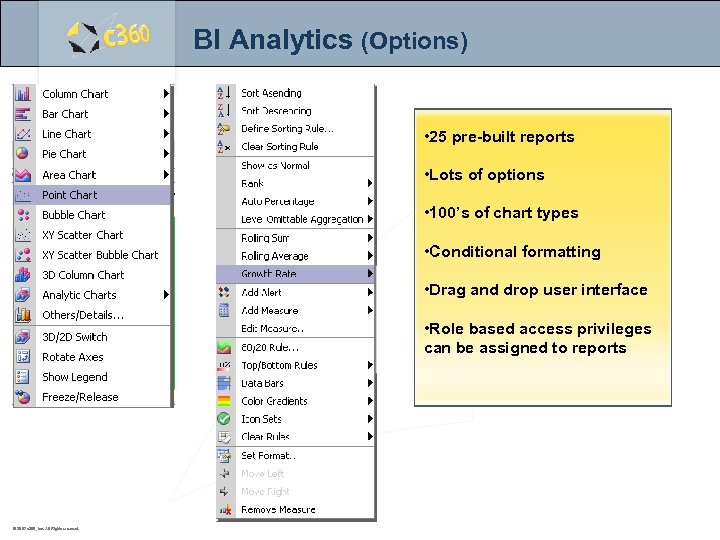 BI Analytics (Options) • 25 pre-built reports • Lots of options • 100’s of chart types • Conditional formatting • Drag and drop user interface • Role based access privileges can be assigned to reports © 2007 c 360, Inc. All Rights reserved.
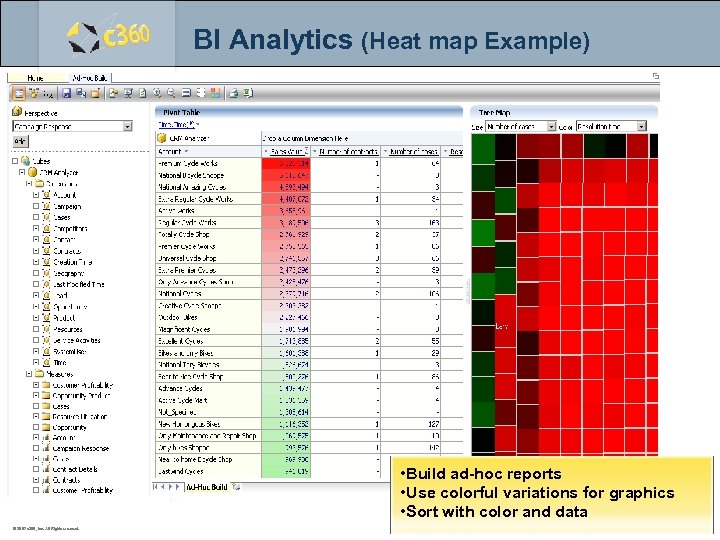 BI Analytics (Heat map Example) • Build ad-hoc reports • Use colorful variations for graphics • Sort with color and data © 2007 c 360, Inc. All Rights reserved.
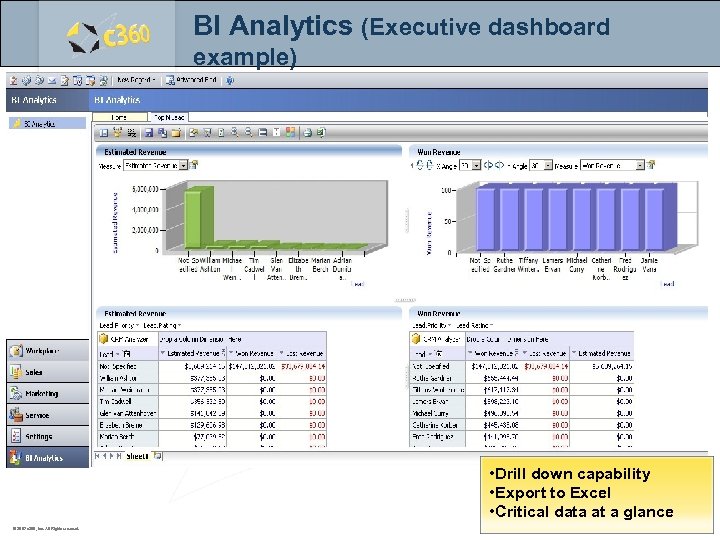 BI Analytics (Executive dashboard example) • Drill down capability • Export to Excel • Critical data at a glance © 2007 c 360, Inc. All Rights reserved.
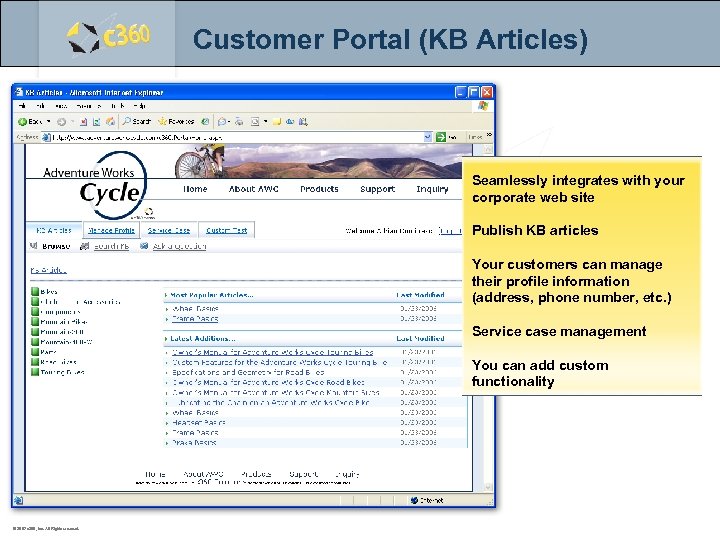 Customer Portal (KB Articles) Seamlessly integrates with your corporate web site Publish KB articles Your customers can manage their profile information (address, phone number, etc. ) Service case management You can add custom functionality © 2007 c 360, Inc. All Rights reserved.
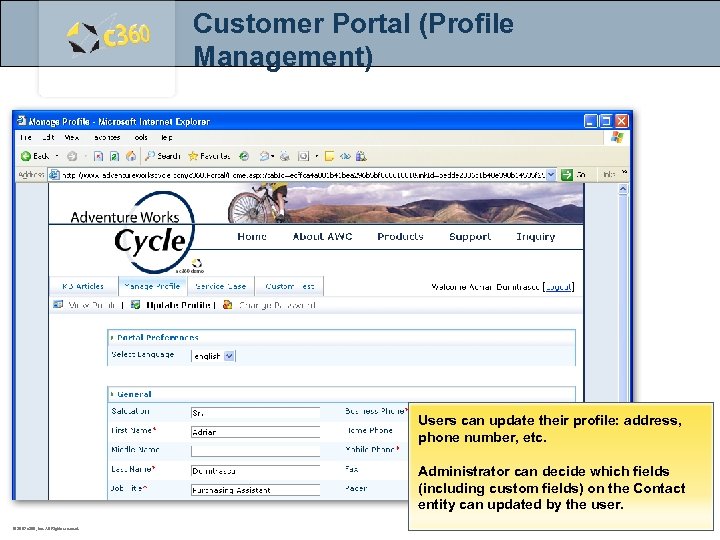 Customer Portal (Profile Management) Users can update their profile: address, phone number, etc. Administrator can decide which fields (including custom fields) on the Contact entity can updated by the user. © 2007 c 360, Inc. All Rights reserved.
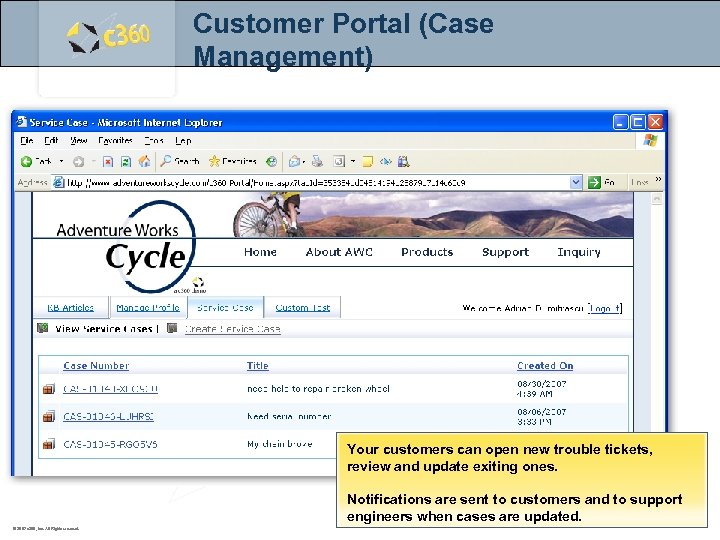 Customer Portal (Case Management) Your customers can open new trouble tickets, review and update exiting ones. Notifications are sent to customers and to support engineers when cases are updated. © 2007 c 360, Inc. All Rights reserved.
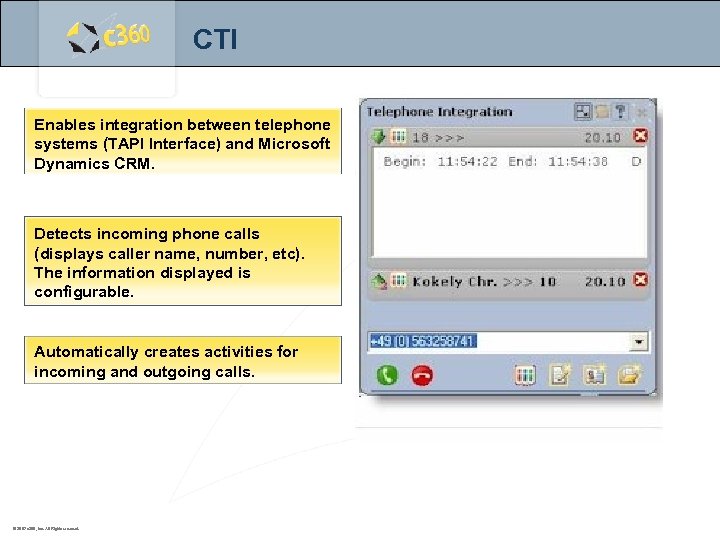 CTI Enables integration between telephone systems (TAPI Interface) and Microsoft Dynamics CRM. Detects incoming phone calls (displays caller name, number, etc). The information displayed is configurable. Automatically creates activities for incoming and outgoing calls. © 2007 c 360, Inc. All Rights reserved.
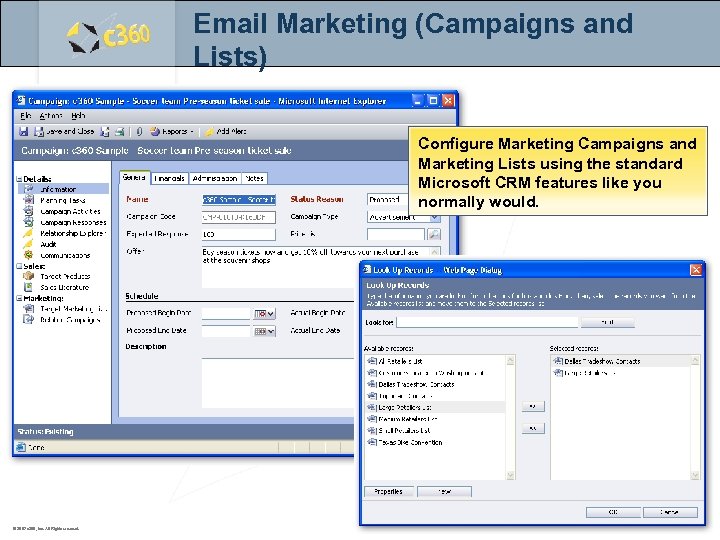 Email Marketing (Campaigns and Lists) Configure Marketing Campaigns and Marketing Lists using the standard Microsoft CRM features like you normally would. © 2007 c 360, Inc. All Rights reserved.
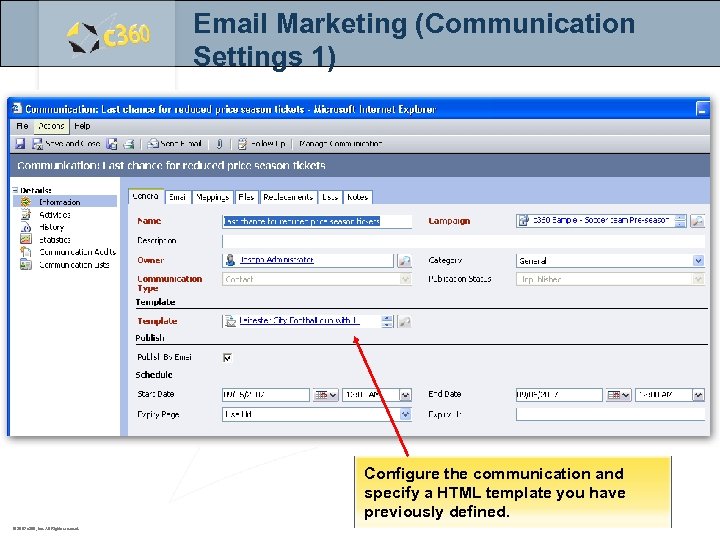 Email Marketing (Communication Settings 1) Configure the communication and specify a HTML template you have previously defined. © 2007 c 360, Inc. All Rights reserved.
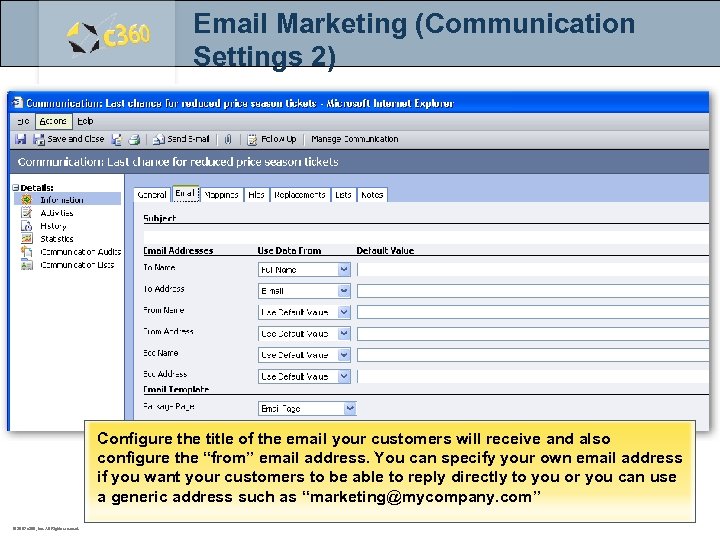 Email Marketing (Communication Settings 2) Configure the title of the email your customers will receive and also configure the “from” email address. You can specify your own email address if you want your customers to be able to reply directly to you or you can use a generic address such as “marketing@mycompany. com” © 2007 c 360, Inc. All Rights reserved.
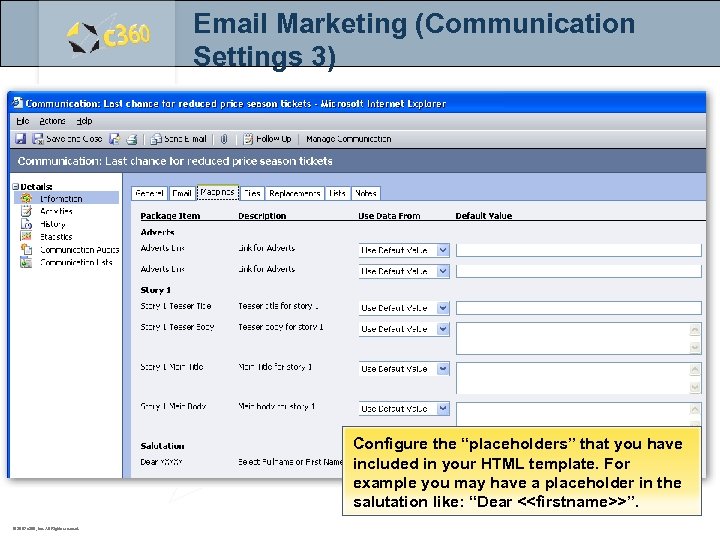 Email Marketing (Communication Settings 3) Configure the “placeholders” that you have included in your HTML template. For example you may have a placeholder in the salutation like: “Dear <
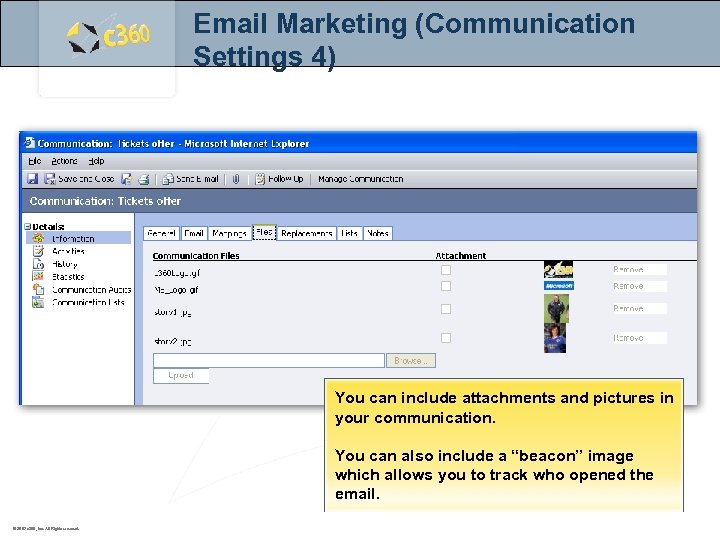 Email Marketing (Communication Settings 4) You can include attachments and pictures in your communication. You can also include a “beacon” image which allows you to track who opened the email. © 2007 c 360, Inc. All Rights reserved.
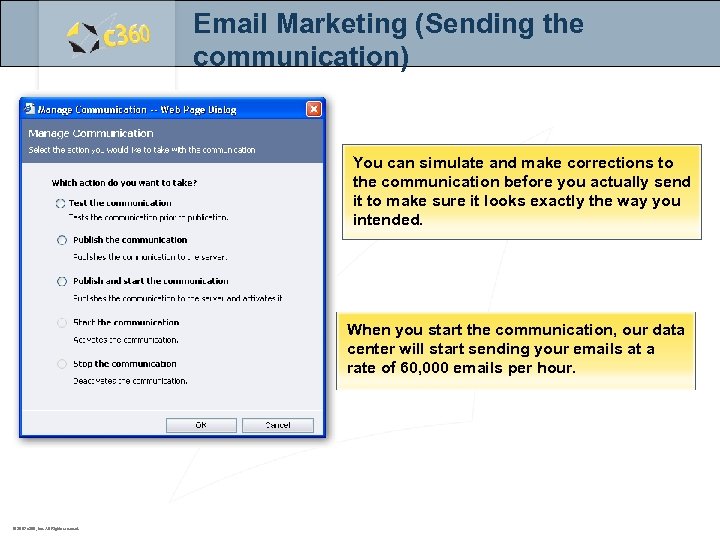 Email Marketing (Sending the communication) You can simulate and make corrections to the communication before you actually send it to make sure it looks exactly the way you intended. When you start the communication, our data center will start sending your emails at a rate of 60, 000 emails per hour. © 2007 c 360, Inc. All Rights reserved.
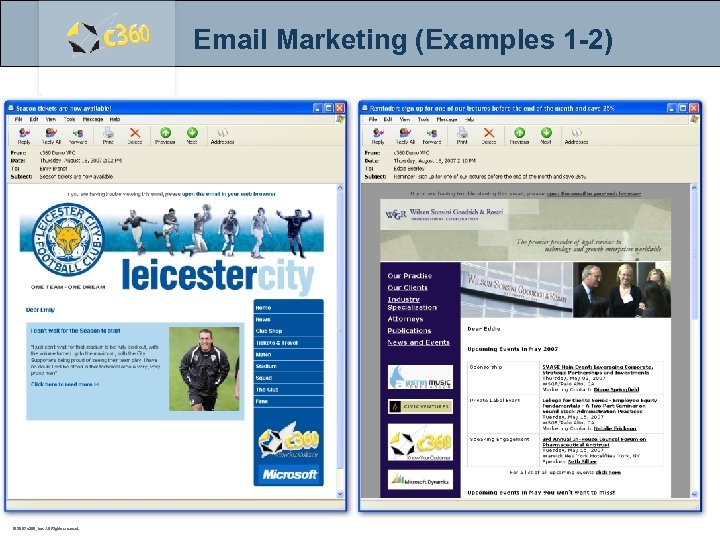 Email Marketing (Examples 1 -2) © 2007 c 360, Inc. All Rights reserved.
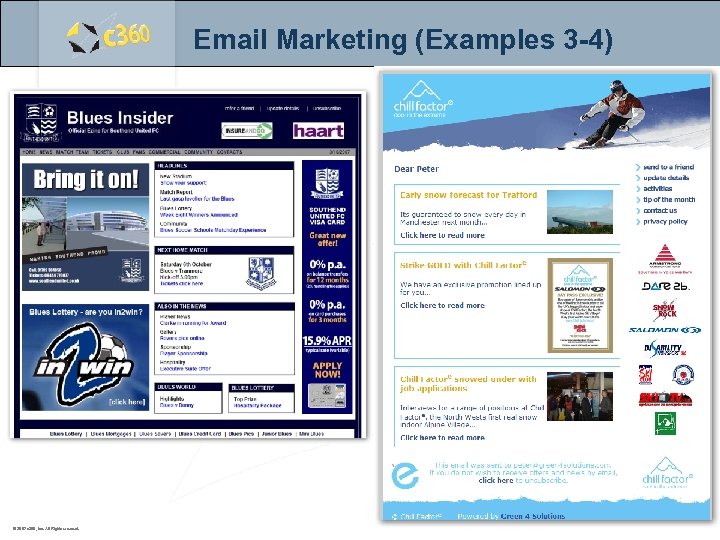 Email Marketing (Examples 3 -4) © 2007 c 360, Inc. All Rights reserved.
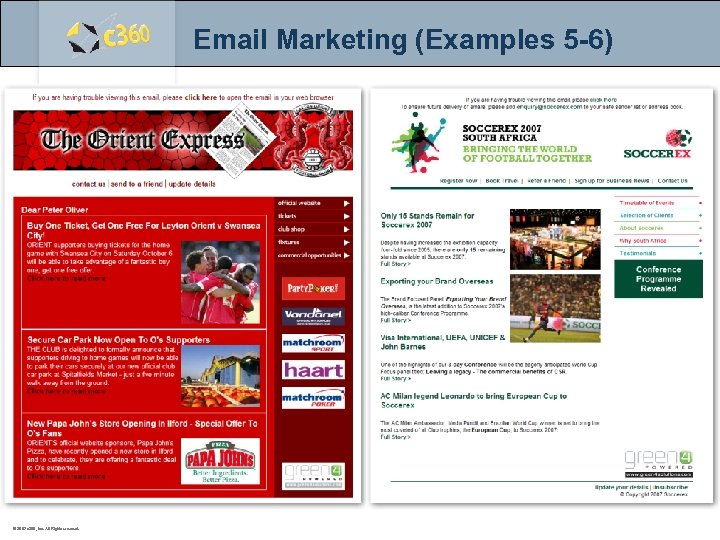 Email Marketing (Examples 5 -6) © 2007 c 360, Inc. All Rights reserved.
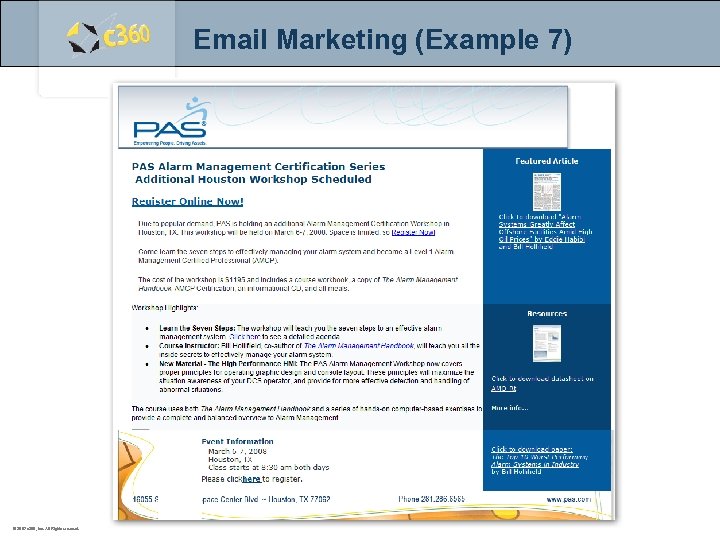 Email Marketing (Example 7) © 2007 c 360, Inc. All Rights reserved.
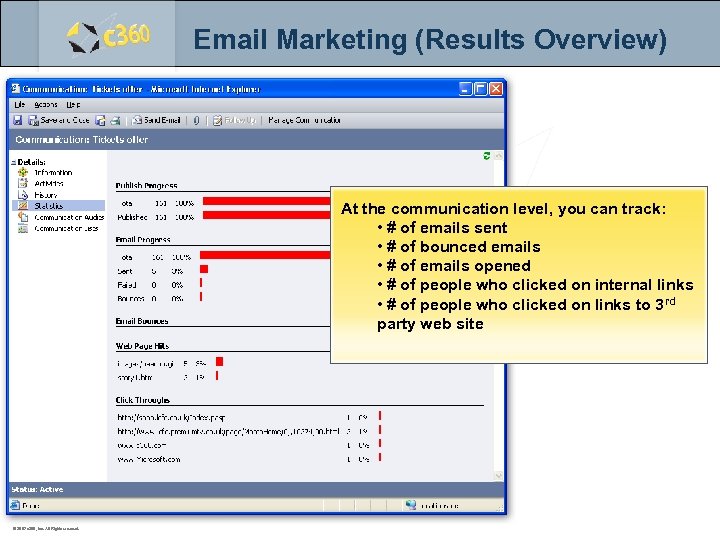 Email Marketing (Results Overview) At the communication level, you can track: • # of emails sent • # of bounced emails • # of emails opened • # of people who clicked on internal links • # of people who clicked on links to 3 rd party web site © 2007 c 360, Inc. All Rights reserved.
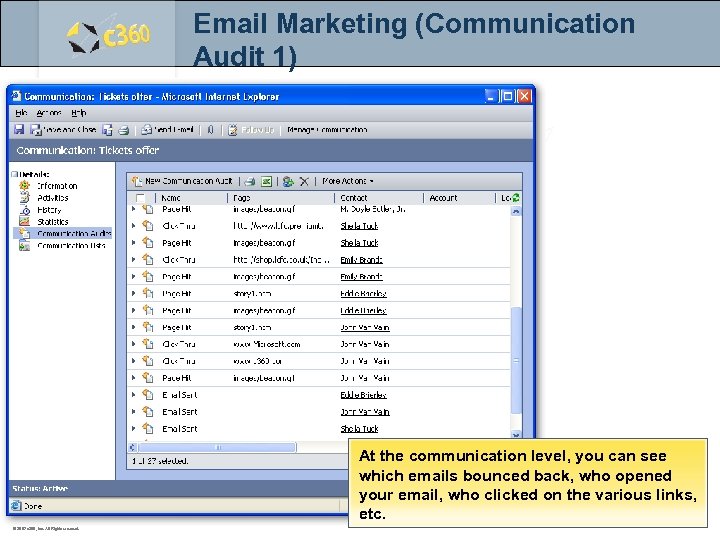 Email Marketing (Communication Audit 1) At the communication level, you can see which emails bounced back, who opened your email, who clicked on the various links, etc. © 2007 c 360, Inc. All Rights reserved.
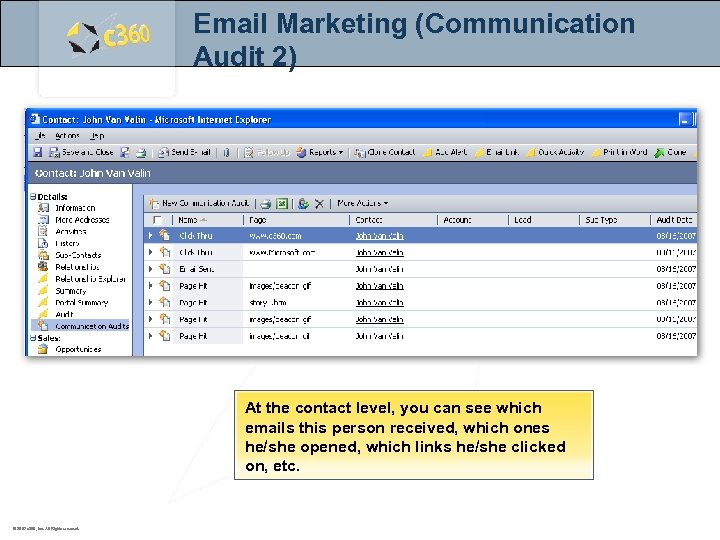 Email Marketing (Communication Audit 2) At the contact level, you can see which emails this person received, which ones he/she opened, which links he/she clicked on, etc. © 2007 c 360, Inc. All Rights reserved.
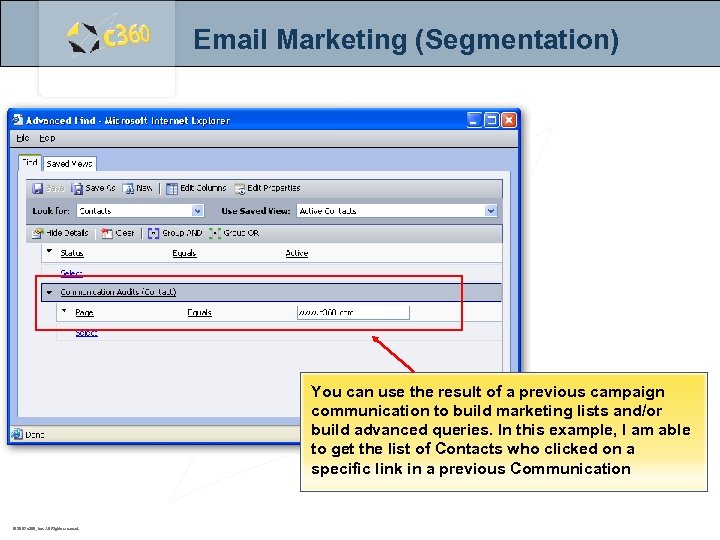 Email Marketing (Segmentation) You can use the result of a previous campaign communication to build marketing lists and/or build advanced queries. In this example, I am able to get the list of Contacts who clicked on a specific link in a previous Communication © 2007 c 360, Inc. All Rights reserved.
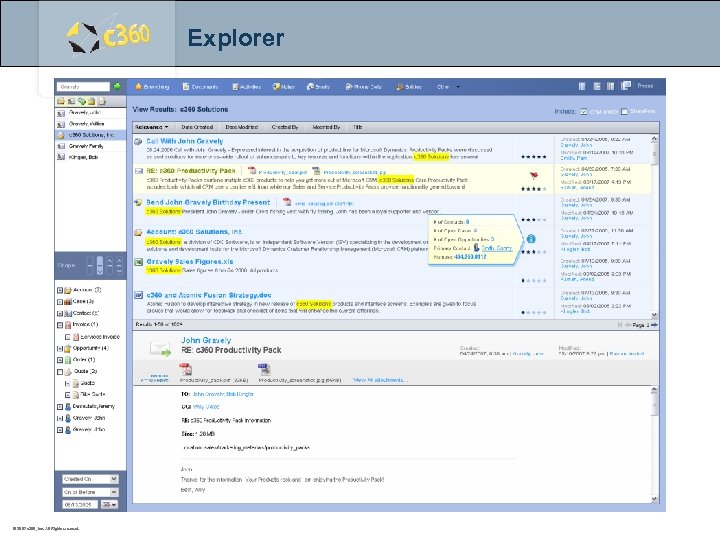 Explorer c 360 Solutions Two Concourse Parkway, Suite 800 Atlanta, GA 30328 © 2007 c 360, Inc. All Rights reserved.
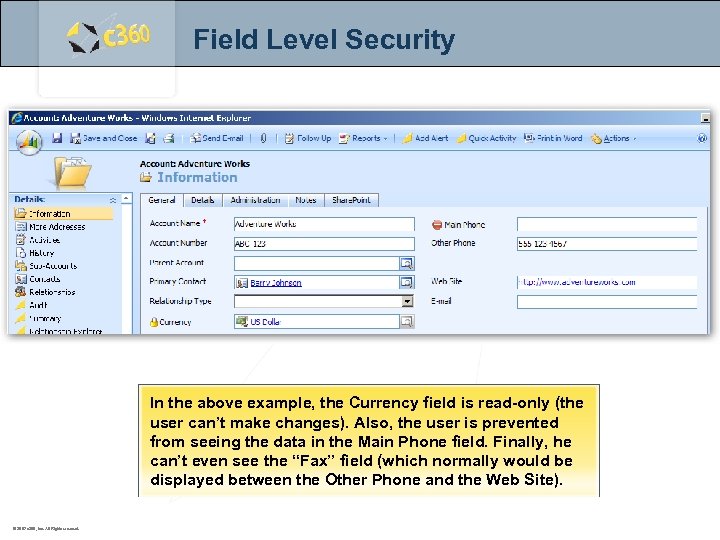 Field Level Security In the above example, the Currency field is read-only (the user can’t make changes). Also, the user is prevented from seeing the data in the Main Phone field. Finally, he can’t even see the “Fax” field (which normally would be displayed between the Other Phone and the Web Site). © 2007 c 360, Inc. All Rights reserved.
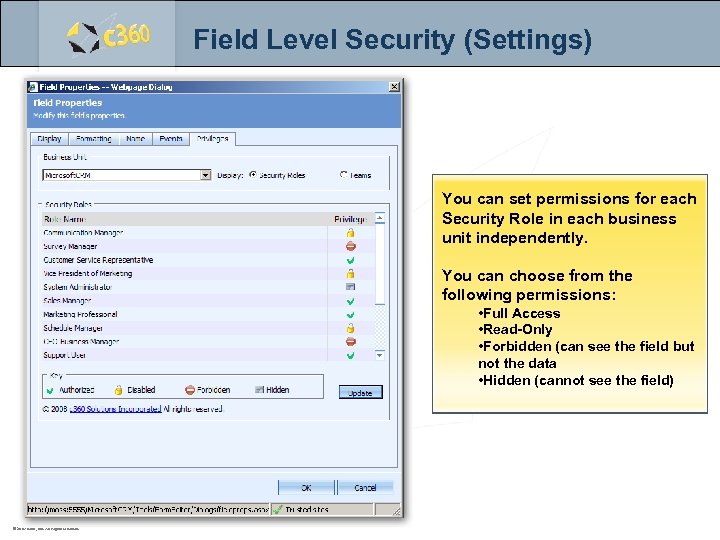 Field Level Security (Settings) You can set permissions for each Security Role in each business unit independently. You can choose from the following permissions: • Full Access • Read-Only • Forbidden (can see the field but not the data • Hidden (cannot see the field) © 2007 c 360, Inc. All Rights reserved.
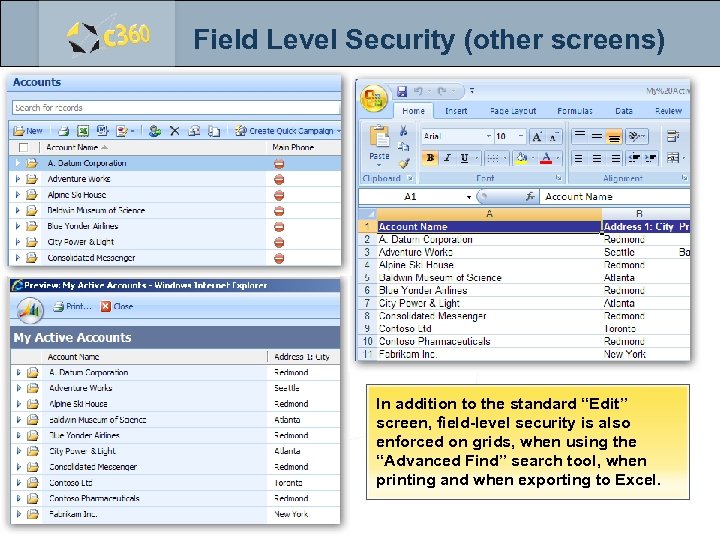 Field Level Security (other screens) In addition to the standard “Edit” screen, field-level security is also enforced on grids, when using the “Advanced Find” search tool, when printing and when exporting to Excel. © 2007 c 360, Inc. All Rights reserved.
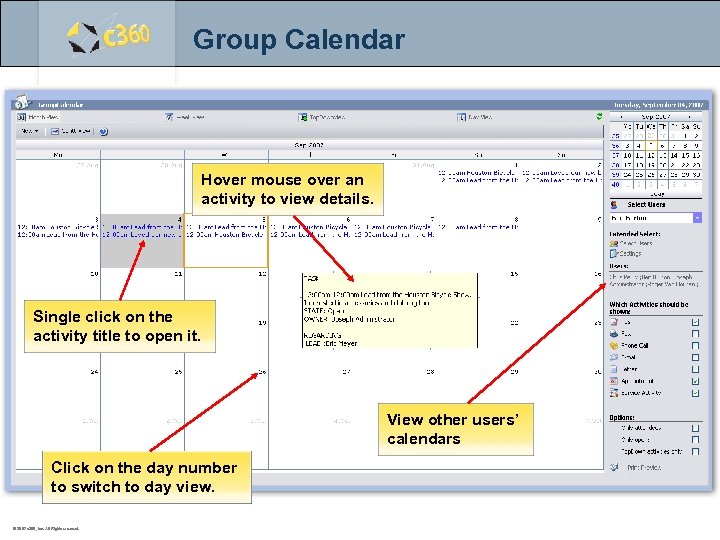 Group Calendar Hover mouse over an activity to view details. Single click on the activity title to open it. View other users’ calendars Click on the day number to switch to day view. © 2007 c 360, Inc. All Rights reserved.
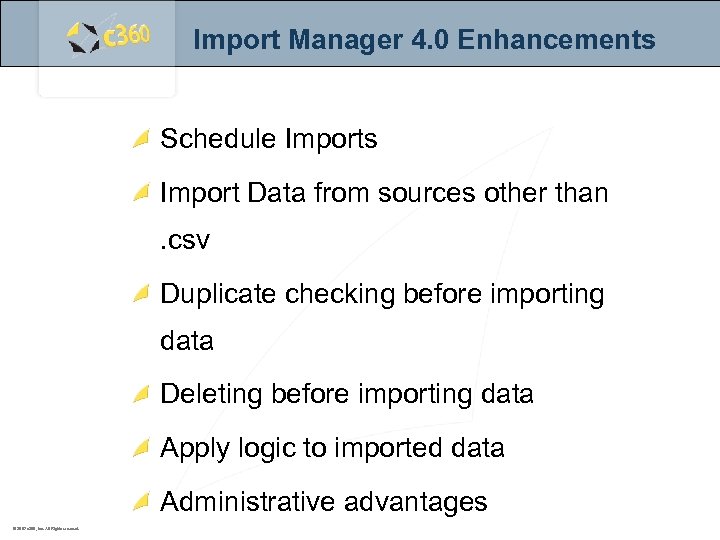 Import Manager 4. 0 Enhancements Schedule Imports Import Data from sources other than. csv Duplicate checking before importing data Deleting before importing data Apply logic to imported data Administrative advantages © 2007 c 360, Inc. All Rights reserved.
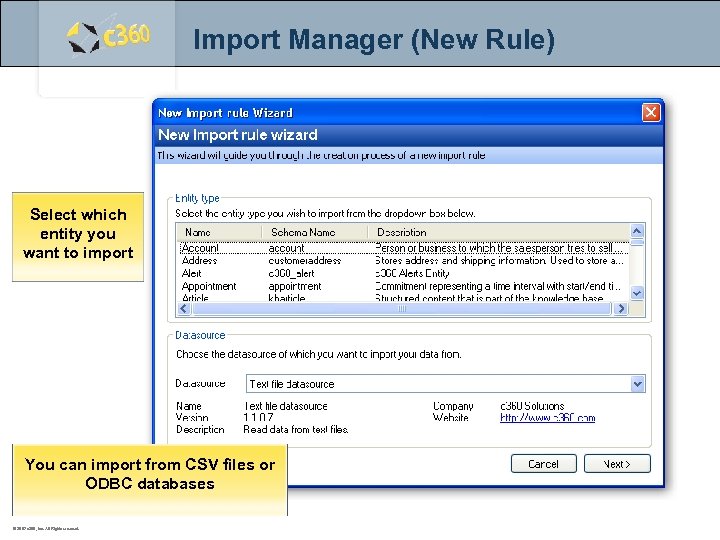 Import Manager (New Rule) Select which entity you want to import You can import from CSV files or ODBC databases © 2007 c 360, Inc. All Rights reserved.
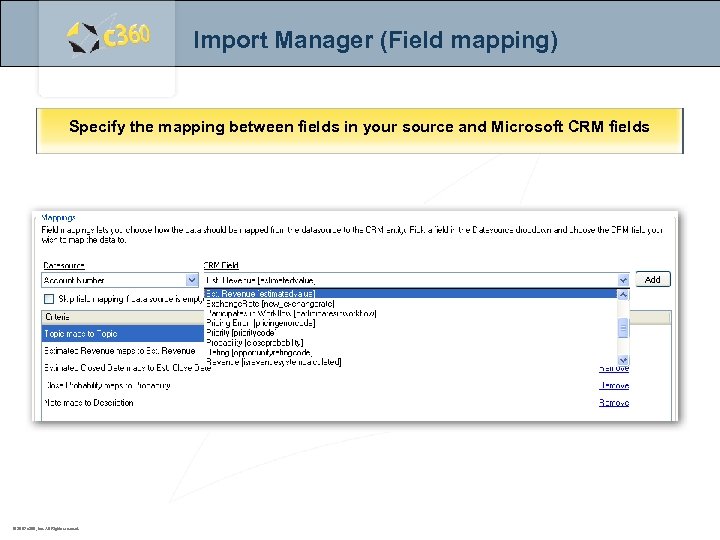 Import Manager (Field mapping) Specify the mapping between fields in your source and Microsoft CRM fields © 2007 c 360, Inc. All Rights reserved.
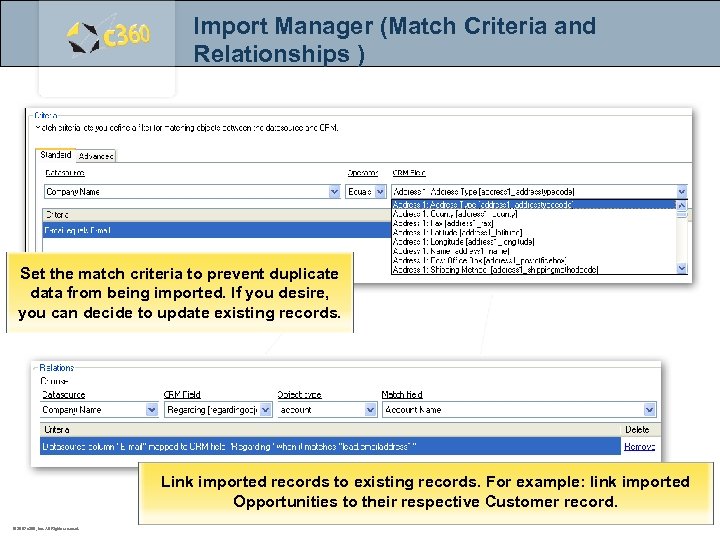 Import Manager (Match Criteria and Relationships ) Set the match criteria to prevent duplicate data from being imported. If you desire, you can decide to update existing records. Link imported records to existing records. For example: link imported Opportunities to their respective Customer record. © 2007 c 360, Inc. All Rights reserved.
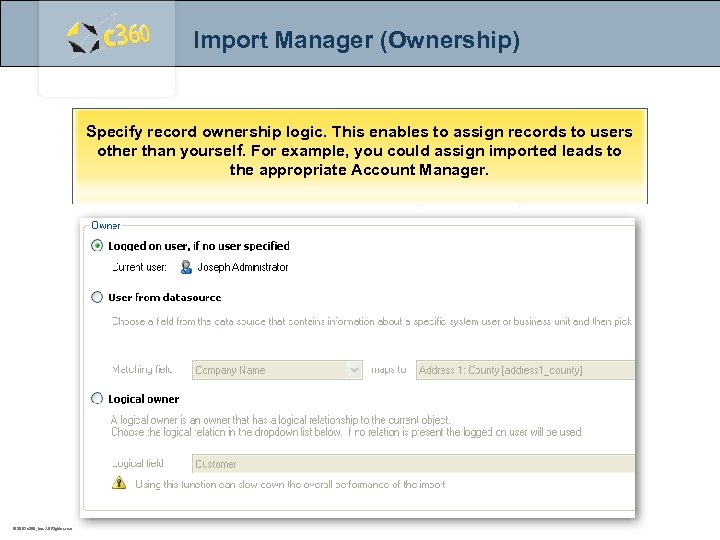 Import Manager (Ownership) Specify record ownership logic. This enables to assign records to users other than yourself. For example, you could assign imported leads to the appropriate Account Manager. © 2007 c 360, Inc. All Rights reserved.
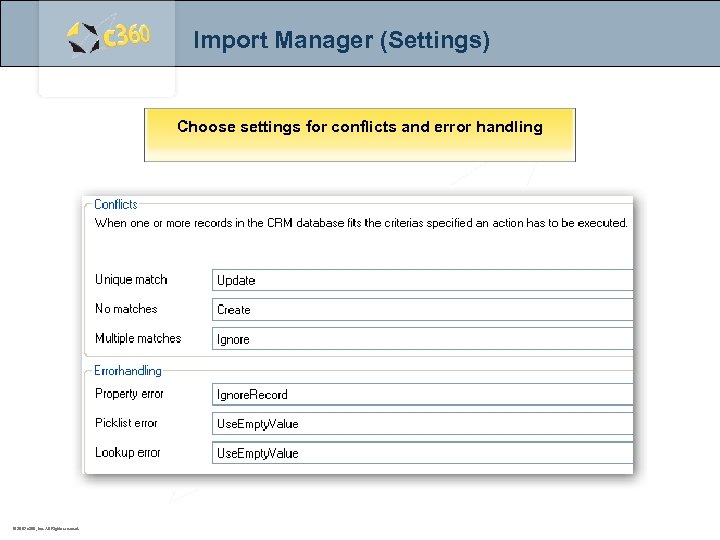 Import Manager (Settings) Choose settings for conflicts and error handling © 2007 c 360, Inc. All Rights reserved.
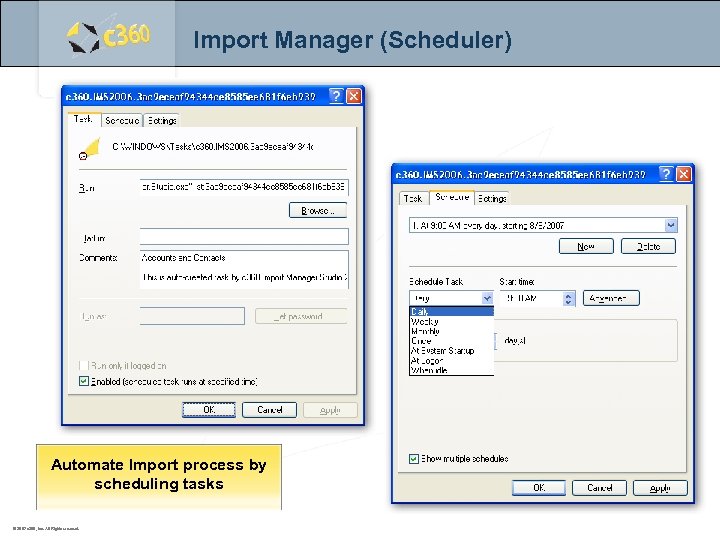 Import Manager (Scheduler) Automate Import process by scheduling tasks © 2007 c 360, Inc. All Rights reserved.
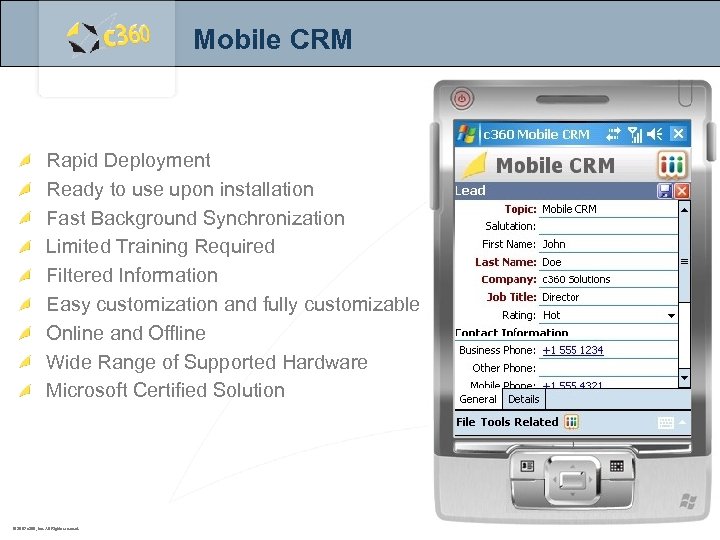 Mobile CRM Rapid Deployment Ready to use upon installation Fast Background Synchronization Limited Training Required Filtered Information Easy customization and fully customizable Online and Offline Wide Range of Supported Hardware Microsoft Certified Solution © 2007 c 360, Inc. All Rights reserved.
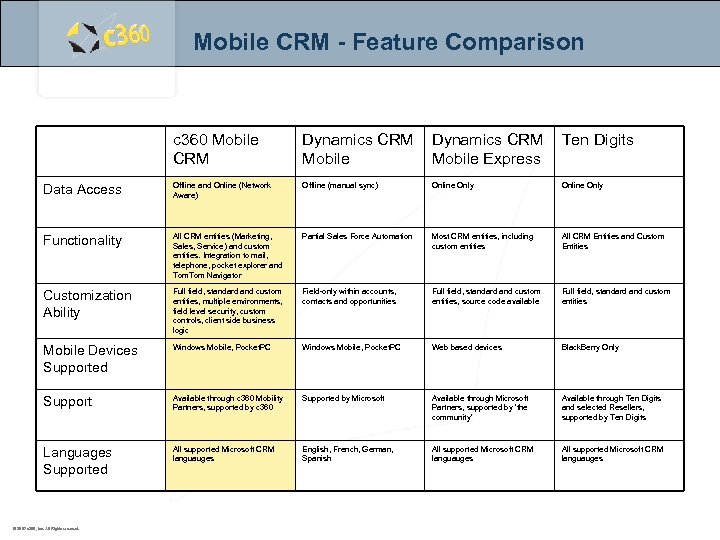 Mobile CRM - Feature Comparison c 360 Mobile CRM Dynamics CRM Mobile Express Ten Digits Data Access Offline and Online (Network Aware) Offline (manual sync) Online Only Functionality All CRM entities (Marketing, Sales, Service) and custom entities. Integration to mail, telephone, pocket explorer and Tom Navigator Partial Sales Force Automation Most CRM entities, including custom entities All CRM Entities and Custom Entities Customization Ability Full field, standard and custom entities, multiple environments, field level security, custom controls, client side business logic Field-only within accounts, contacts and opportunities Full field, standard and custom entities, source code available Full field, standard and custom entities Mobile Devices Supported Windows Mobile, Pocket. PC Web based devices Black. Berry Only Support Available through c 360 Mobility Partners, supported by c 360 Supported by Microsoft Available through Microsoft Partners, supported by 'the community' Available through Ten Digits and selected Resellers, supported by Ten Digits Languages Supported All supported Microsoft CRM languauges English, French, German, Spanish All supported Microsoft CRM languauges © 2007 c 360, Inc. All Rights reserved.
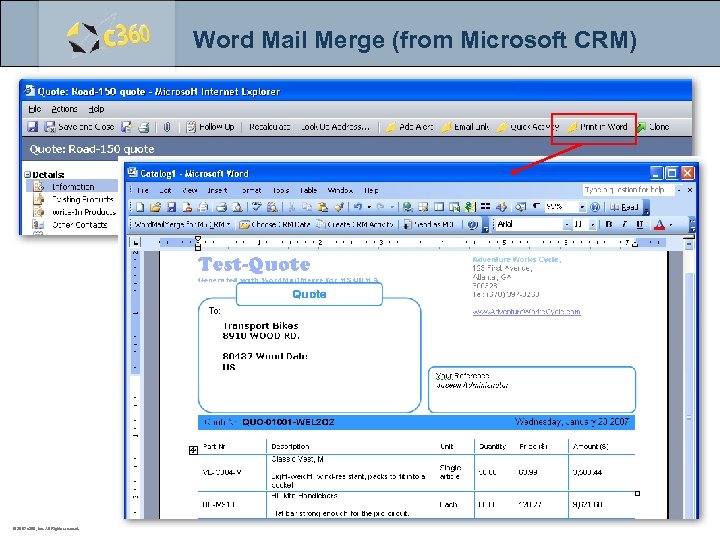 Word Mail Merge (from Microsoft CRM) © 2007 c 360, Inc. All Rights reserved.
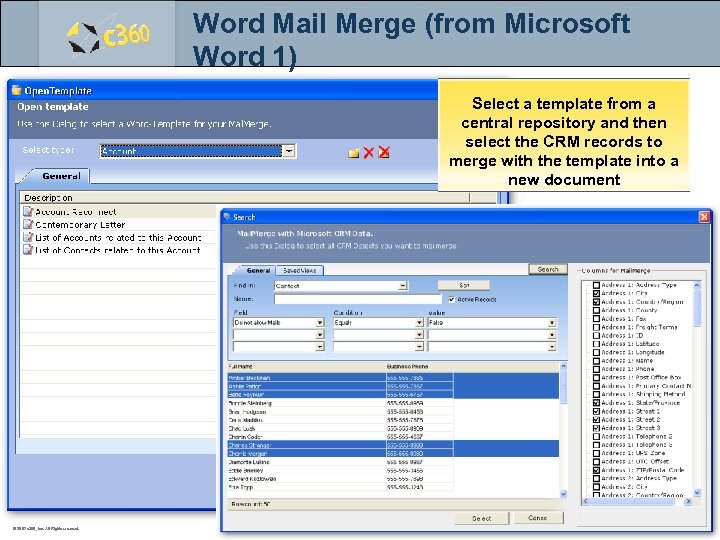 Word Mail Merge (from Microsoft Word 1) Select a template from a central repository and then select the CRM records to merge with the template into a new document © 2007 c 360, Inc. All Rights reserved.
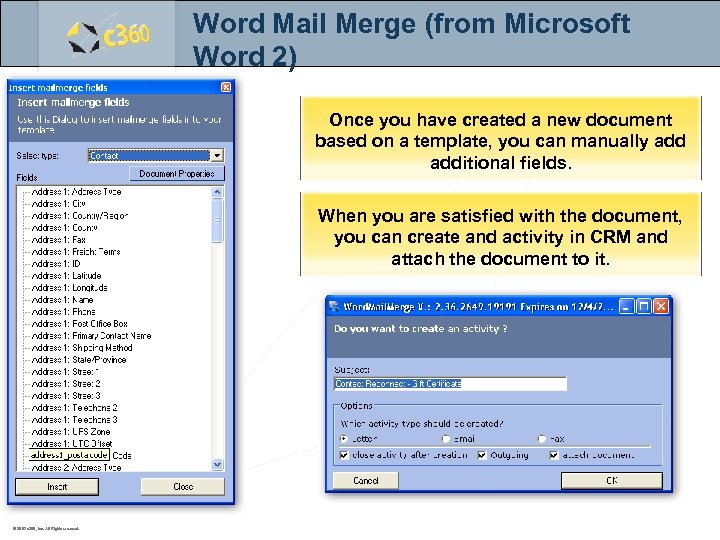 Word Mail Merge (from Microsoft Word 2) Once you have created a new document based on a template, you can manually additional fields. When you are satisfied with the document, you can create and activity in CRM and attach the document to it. © 2007 c 360, Inc. All Rights reserved.
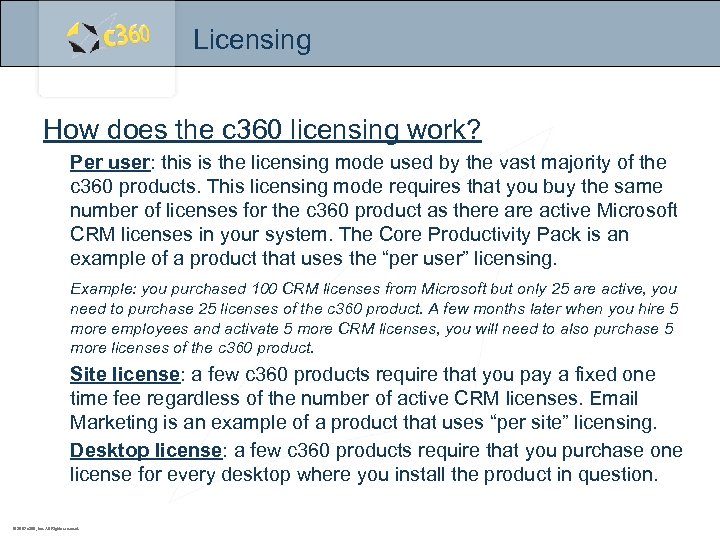 Licensing How does the c 360 licensing work? Per user: this is the licensing mode used by the vast majority of the c 360 products. This licensing mode requires that you buy the same number of licenses for the c 360 product as there active Microsoft CRM licenses in your system. The Core Productivity Pack is an example of a product that uses the “per user” licensing. Example: you purchased 100 CRM licenses from Microsoft but only 25 are active, you need to purchase 25 licenses of the c 360 product. A few months later when you hire 5 more employees and activate 5 more CRM licenses, you will need to also purchase 5 more licenses of the c 360 product. Site license: a few c 360 products require that you pay a fixed one time fee regardless of the number of active CRM licenses. Email Marketing is an example of a product that uses “per site” licensing. Desktop license: a few c 360 products require that you purchase one license for every desktop where you install the product in question. © 2007 c 360, Inc. All Rights reserved.
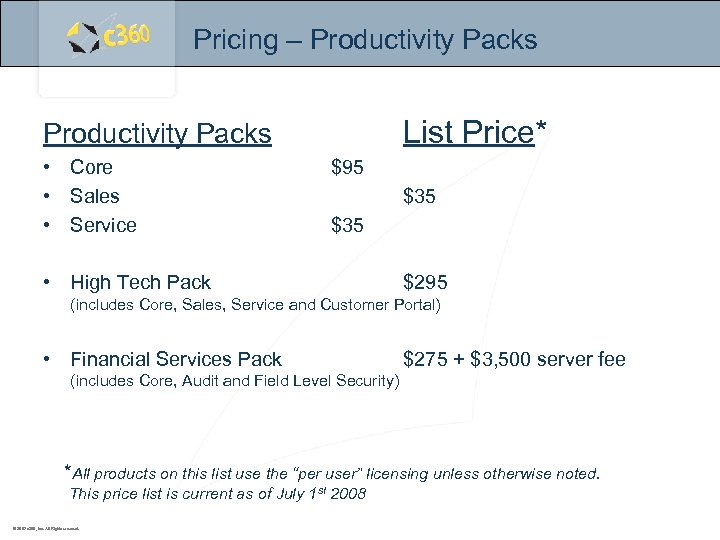 Pricing – Productivity Packs List Price* Productivity Packs • Core • Sales • Service $95 $35 • High Tech Pack $295 (includes Core, Sales, Service and Customer Portal) • Financial Services Pack $275 + $3, 500 server fee (includes Core, Audit and Field Level Security) *All products on this list use the “per user” licensing unless otherwise noted. This price list is current as of July 1 st 2008 © 2007 c 360, Inc. All Rights reserved.
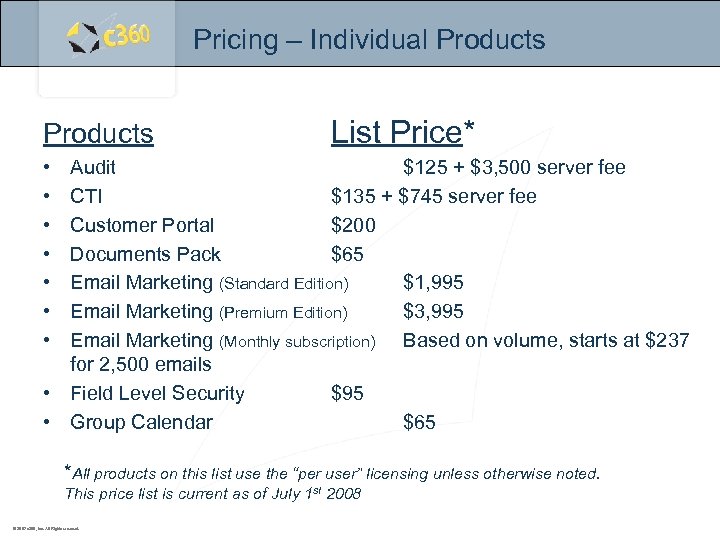 Pricing – Individual Products List Price* • • Audit $125 + $3, 500 server fee CTI $135 + $745 server fee Customer Portal $200 Documents Pack $65 Email Marketing (Standard Edition) $1, 995 Email Marketing (Premium Edition) $3, 995 Email Marketing (Monthly subscription) Based on volume, starts at $237 for 2, 500 emails • Field Level Security $95 • Group Calendar $65 *All products on this list use the “per user” licensing unless otherwise noted. This price list is current as of July 1 st 2008 © 2007 c 360, Inc. All Rights reserved.
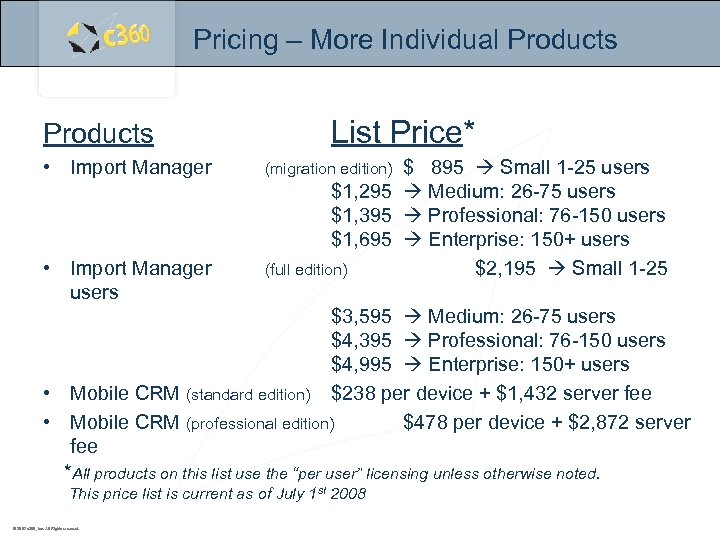 Pricing – More Individual Products • Import Manager users List Price* $ 895 Small 1 -25 users $1, 295 Medium: 26 -75 users $1, 395 Professional: 76 -150 users $1, 695 Enterprise: 150+ users (full edition) $2, 195 Small 1 -25 (migration edition) $3, 595 Medium: 26 -75 users $4, 395 Professional: 76 -150 users $4, 995 Enterprise: 150+ users • Mobile CRM (standard edition) $238 per device + $1, 432 server fee • Mobile CRM (professional edition) $478 per device + $2, 872 server fee *All products on this list use the “per user” licensing unless otherwise noted. This price list is current as of July 1 st 2008 © 2007 c 360, Inc. All Rights reserved.
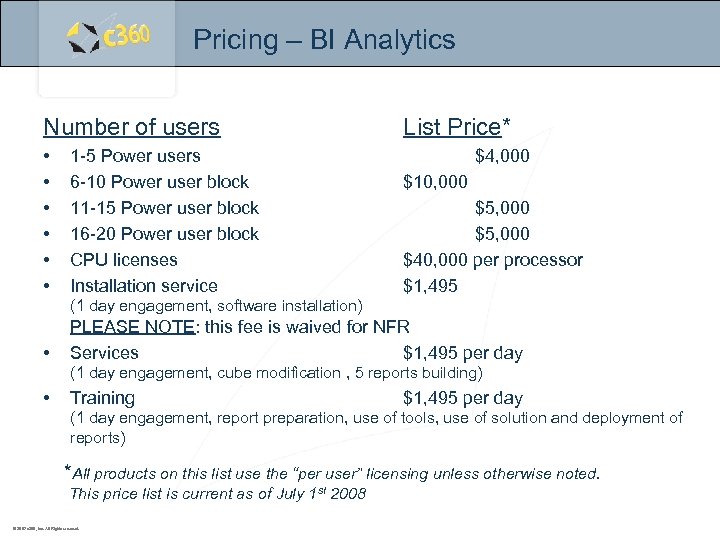 Pricing – BI Analytics Number of users • • • 1 -5 Power users 6 -10 Power user block 11 -15 Power user block 16 -20 Power user block CPU licenses Installation service List Price* $4, 000 $10, 000 $5, 000 $40, 000 per processor $1, 495 (1 day engagement, software installation) • PLEASE NOTE: this fee is waived for NFR Services $1, 495 per day (1 day engagement, cube modification , 5 reports building) • Training $1, 495 per day (1 day engagement, report preparation, use of tools, use of solution and deployment of reports) *All products on this list use the “per user” licensing unless otherwise noted. This price list is current as of July 1 st 2008 © 2007 c 360, Inc. All Rights reserved.
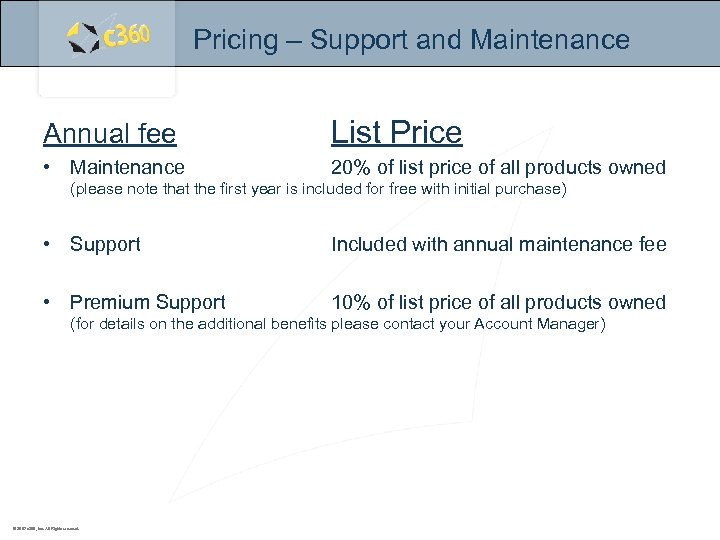 Pricing – Support and Maintenance Annual fee List Price • Maintenance 20% of list price of all products owned (please note that the first year is included for free with initial purchase) • Support Included with annual maintenance fee • Premium Support 10% of list price of all products owned (for details on the additional benefits please contact your Account Manager) © 2007 c 360, Inc. All Rights reserved.
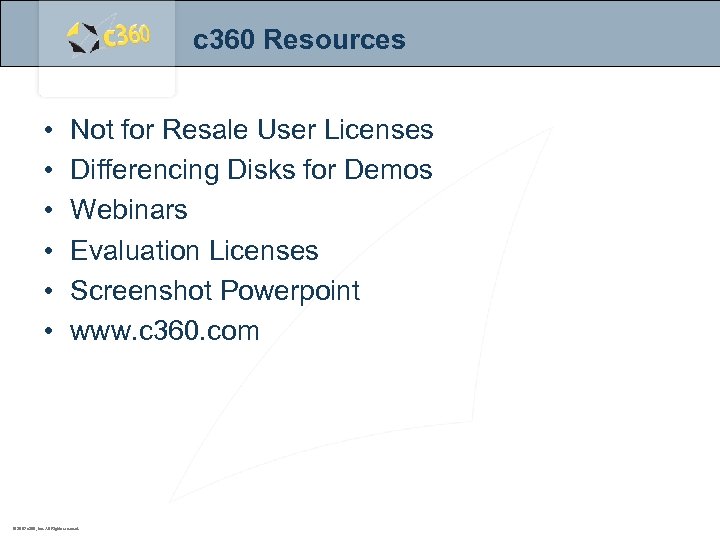 c 360 Resources • • • Not for Resale User Licenses Differencing Disks for Demos Webinars Evaluation Licenses Screenshot Powerpoint www. c 360. com © 2007 c 360, Inc. All Rights reserved.
 Contact Us 1 (888) 929 -3670 www. c 360. com sales@c 360. com c 360 Solutions Two Concourse Parkway, Suite 800 Atlanta, GA 30328 © 2007 c 360, Inc. All Rights reserved.