


 Скачать презентацию EXT 320 PVO Order Management 1
3c86f1e3fa737fc31f9f3876bcd85f5a.ppt
- Количество слайдов: 115
 EXT 320 – PVO Order Management
 1. Order Management Process: USAID & FAS 2. USAID Sales Orders 3. Swap and Credit Memo Request 4. FAS Agreements 5. FAS Sales Orders 6. Discussion Forum 7. Delivery Acknowledgement 8. Reporting
 • Improve Procurement practices & technologies to increase efficiencies • Decrease administrative costs associated with procurement & contract management, and technology • Enable USDA to become more efficient at meeting customer needs • Improve order cycle times, financial processing, and customer relationship management to reduce costs
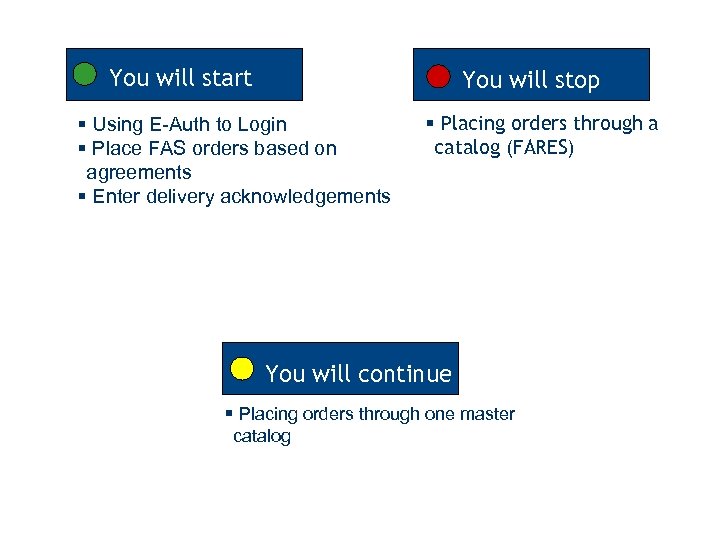 You will start You will stop § Using E-Auth to Login § Place FAS orders based on agreements § Enter delivery acknowledgements § Placing orders through a catalog (FARES) You will continue § Placing orders through one master catalog
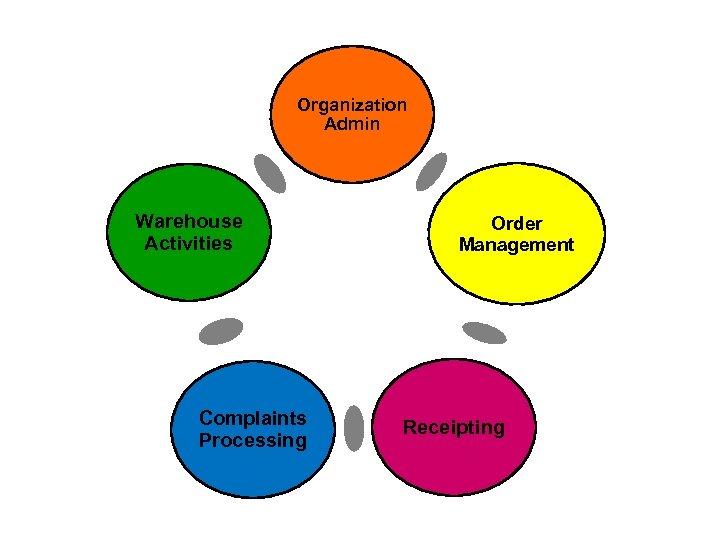 Organization Admin Warehouse Activities Complaints Processing Order Management Receipting
 Organization Admin
 Organization Admin Order Management
 Organization Admin Order Management Receipting
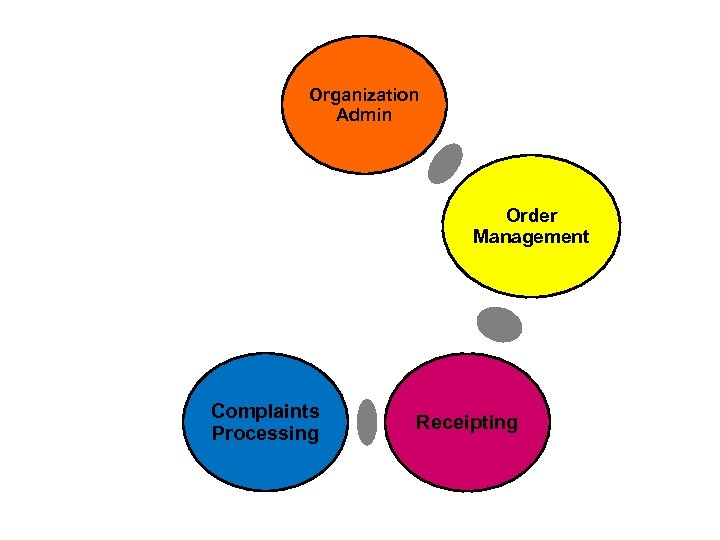 Organization Admin Order Management Complaints Processing Receipting
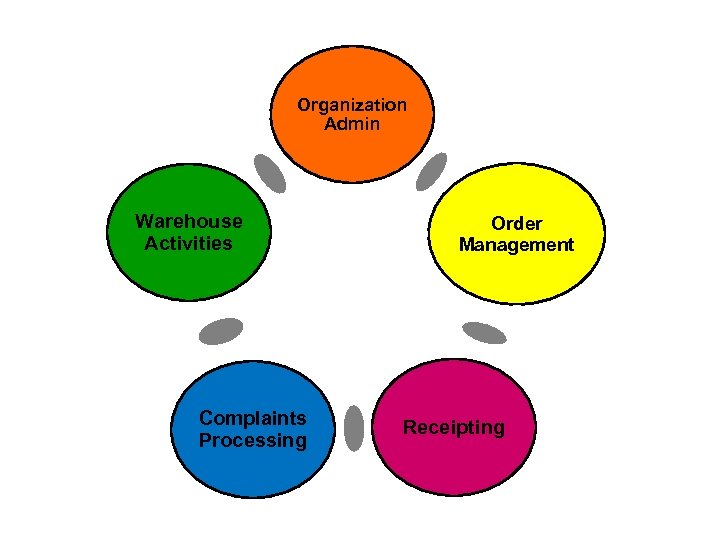 Organization Admin Warehouse Activities Complaints Processing Order Management Receipting
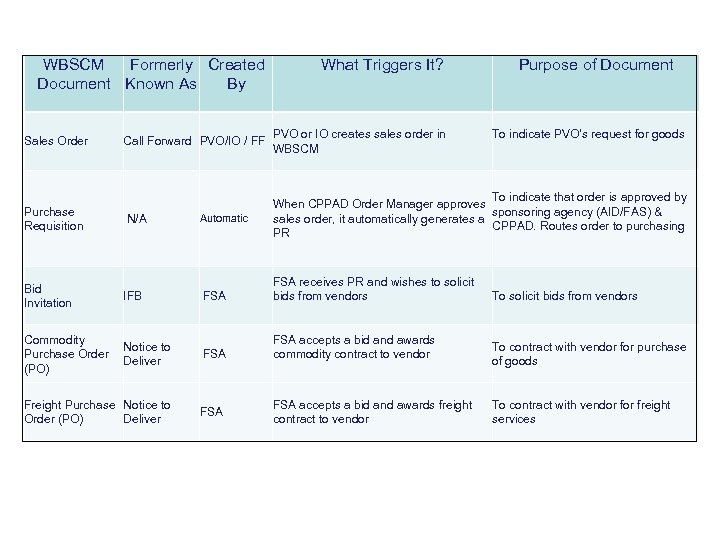 WBSCM Formerly Created What Triggers It? Key Documents in International Document Known As By Sales Order Purchase Requisition Purpose of Document Fulfillment Call Forward PVO/IO / FF PVO or IO creates sales order in WBSCM N/A To indicate that order is approved by When CPPAD Order Manager approves sponsoring agency (AID/FAS) & sales order, it automatically generates a CPPAD. Routes order to purchasing PR Automatic FSA receives PR and wishes to solicit bids from vendors Notice to Deliver FSA accepts a bid and awards commodity contract to vendor Freight Purchase Notice to Order (PO) Deliver FSA Bid Invitation IFB Commodity Purchase Order (PO) FSA accepts a bid and awards freight contract to vendor To indicate PVO’s request for goods To solicit bids from vendors To contract with vendor for purchase of goods To contract with vendor freight services
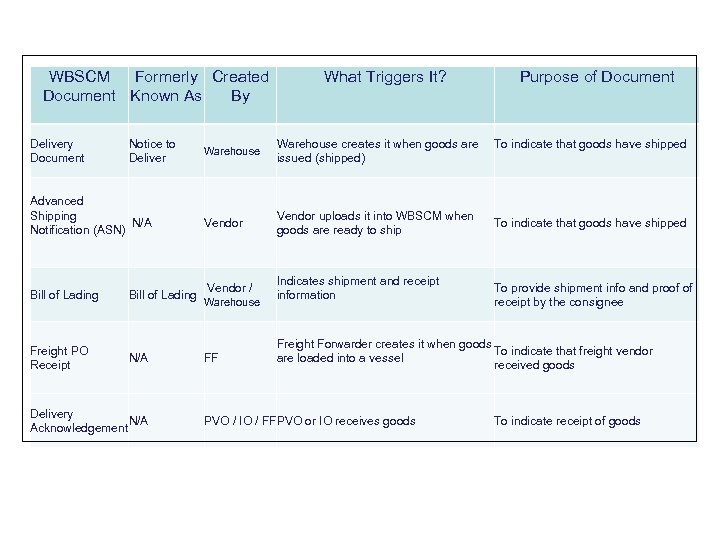 WBSCM Formerly Created Document Known As By Delivery Document Notice to Deliver Advanced Shipping N/A Notification (ASN) Bill of Lading Freight PO Receipt Bill of Lading N/A Delivery N/A Acknowledgement What Triggers It? Warehouse creates it when goods are issued (shipped) Vendor uploads it into WBSCM when goods are ready to ship Vendor / Indicates shipment and receipt information Warehouse FF Purpose of Document To indicate that goods have shipped To provide shipment info and proof of receipt by the consignee Freight Forwarder creates it when goods To indicate that freight vendor are loaded into a vessel received goods PVO / IO / FFPVO or IO receives goods To indicate receipt of goods
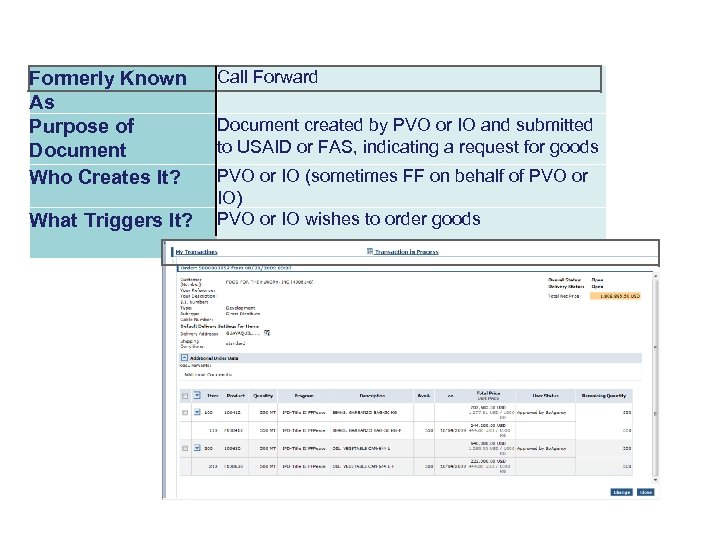 Formerly Known As Purpose of Document Who Creates It? What Triggers It? Call Forward Document created by PVO or IO and submitted to USAID or FAS, indicating a request for goods PVO or IO (sometimes FF on behalf of PVO or IO) PVO or IO wishes to order goods
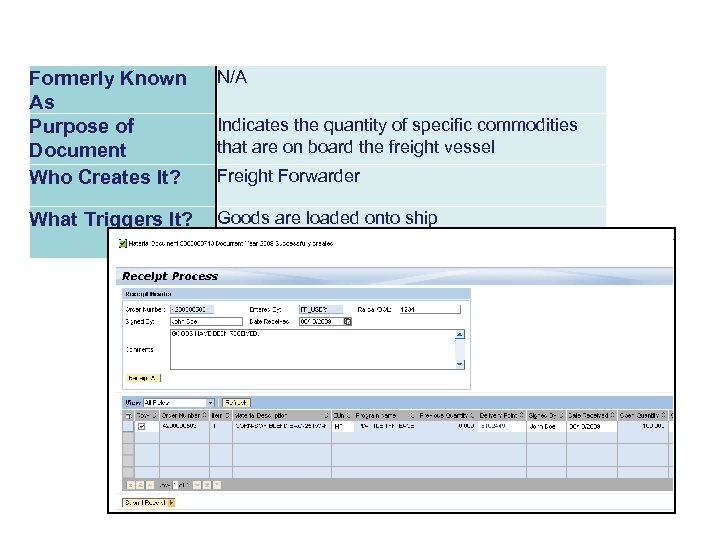 Formerly Known As Purpose of Document Who Creates It? N/A What Triggers It? Goods are loaded onto ship Indicates the quantity of specific commodities that are on board the freight vessel Freight Forwarder
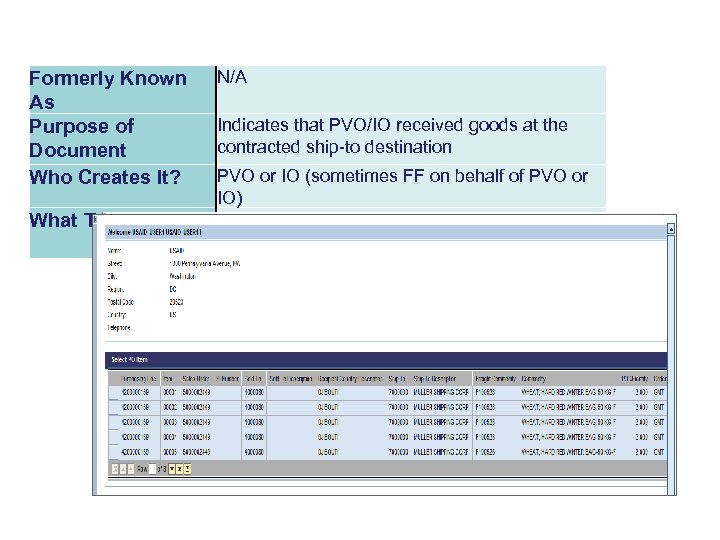 Formerly Known As Purpose of Document Who Creates It? What Triggers It? N/A Indicates that PVO/IO received goods at the contracted ship-to destination PVO or IO (sometimes FF on behalf of PVO or IO) Goods arrive at ship-to location
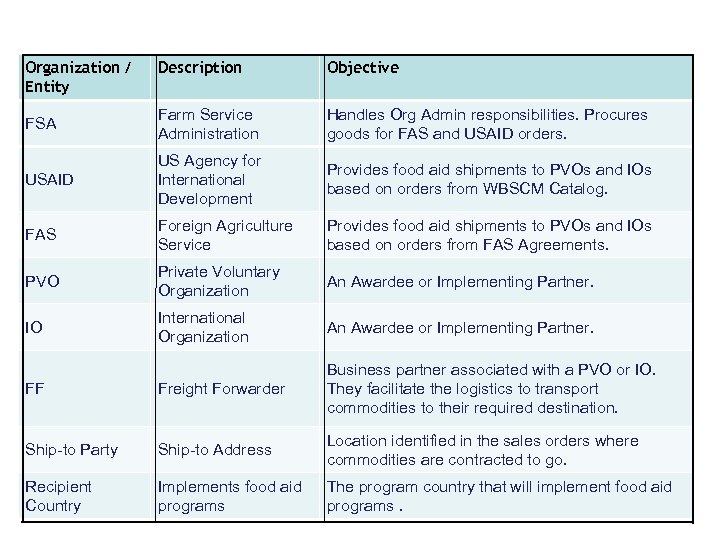 Organization / Entity Description USDA Objective Agencies & Business Partners FSA Farm Service Administration Handles Org Admin responsibilities. Procures goods for FAS and USAID orders. USAID US Agency for International Development Provides food aid shipments to PVOs and IOs based on orders from WBSCM Catalog. FAS Foreign Agriculture Service Provides food aid shipments to PVOs and IOs based on orders from FAS Agreements. PVO Private Voluntary Organization An Awardee or Implementing Partner. IO International Organization An Awardee or Implementing Partner. FF Freight Forwarder Business partner associated with a PVO or IO. They facilitate the logistics to transport commodities to their required destination. Ship-to Party Ship-to Address Location identified in the sales orders where commodities are contracted to go. Recipient Country Implements food aid programs The program country that will implement food aid programs.
 Key Term Definition WBSCM Portal Web-Based Supply Chain Management initiative, a web interface that can be used for USDA fulfillment or procurement. Wildcard Search using an asterisk and a portion of the field. Matchcode Search wherein a user chooses a value from a list of possible values for the field.
 Key Term Definition Delivery Document Internal document automatically generated when goods are issued (shipped) from a warehouse. Bill of Lading Packing slip that accompanies an order sourced from a warehouse. Goods Issued Transaction performed by warehouse personnel or USDA when goods are sent to a customer. This decrements the inventory.
 Key Term Definition Material Master Storage area for all materials available in WBSCM. Workflow Process of routing a document from one user to another.
 New Term Old Term Business Partners PVOs, WFP, Delivery Point, Recipient Country Sold-to Party PVO, WFP Ship-to Party Delivery Point
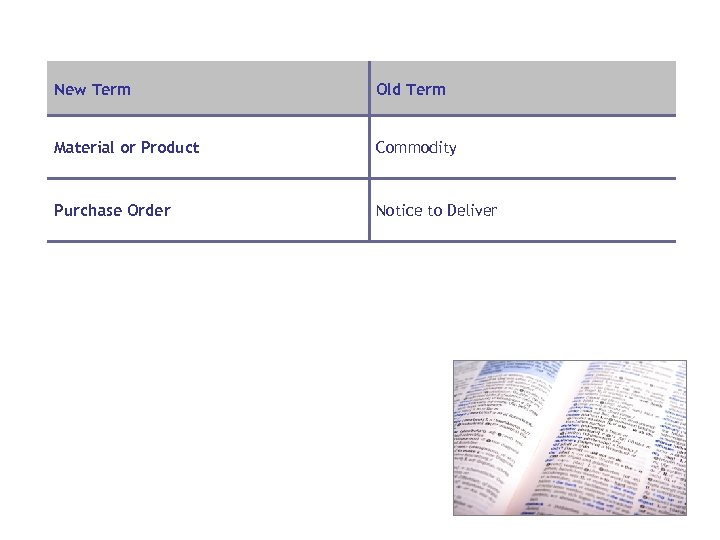 New Term Old Term Material or Product Commodity Purchase Order Notice to Deliver
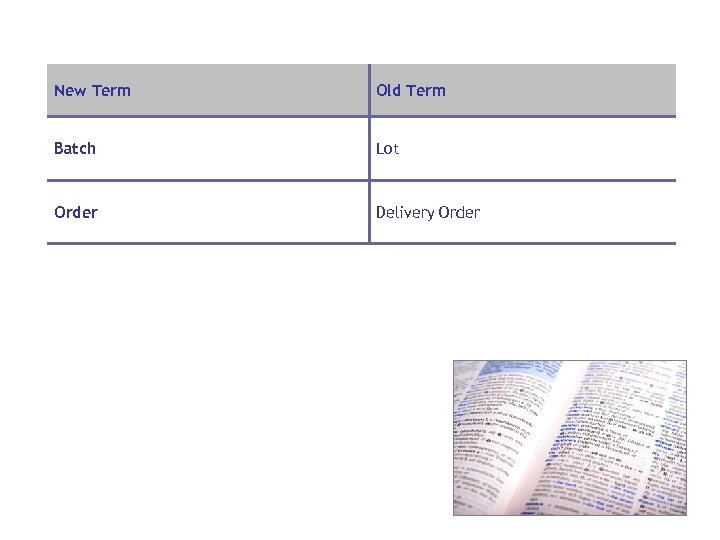 New Term Old Term Batch Lot Order Delivery Order
 Learning Objectives • Describe the FAS Order Management Process • Describe the USAID Order Management Process
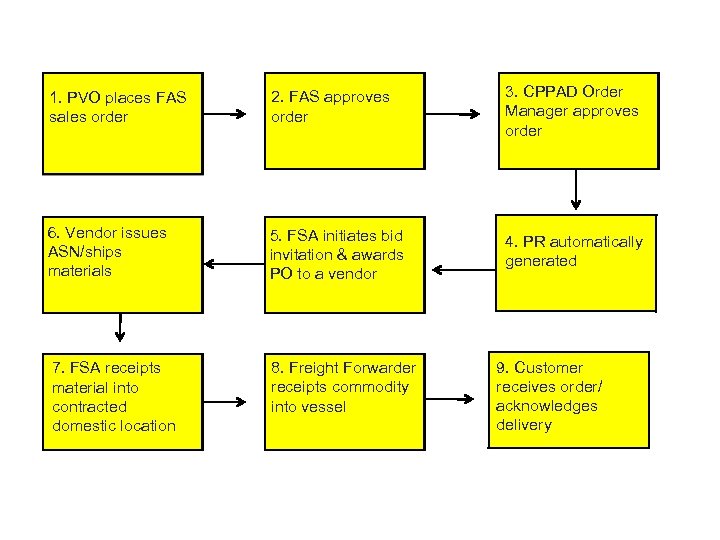 FAS Fulfillment Overview 1. PVO places FAS sales order 2. FAS approves order 3. CPPAD Order Manager approves order 6. Vendor issues ASN/ships materials 5. FSA initiates bid invitation & awards PO to a vendor 4. PR automatically generated 7. FSA receipts material into contracted domestic location 8. Freight Forwarder receipts commodity into vessel 9. Customer receives order/ acknowledges delivery
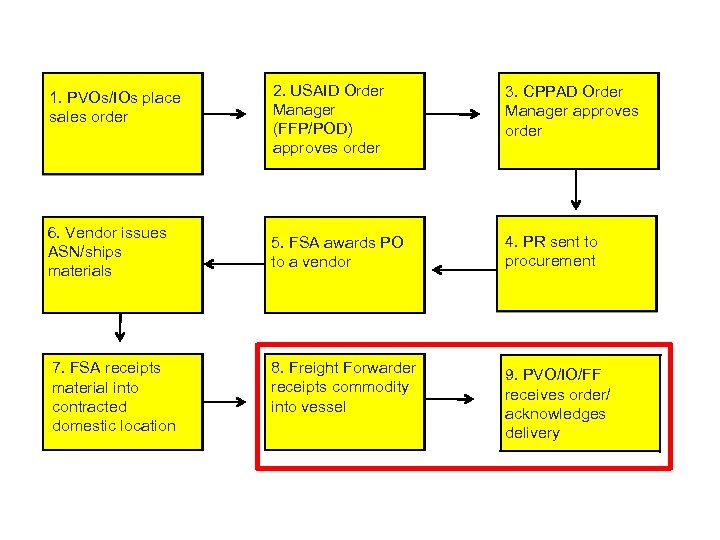
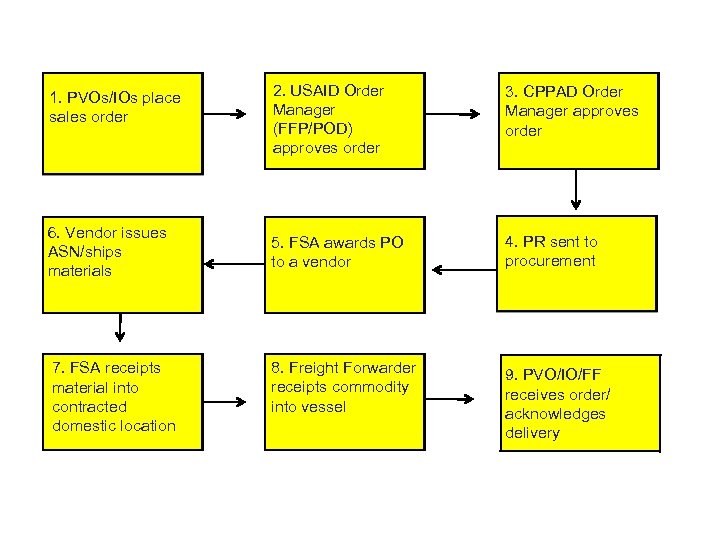 USAID Standard Procurement Process 1. PVOs/IOs place sales order 6. Vendor issues ASN/ships materials 7. FSA receipts material into contracted domestic location 2. USAID Order Manager (FFP/POD) approves order 3. CPPAD Order Manager approves order 5. FSA awards PO to a vendor 4. PR sent to procurement 8. Freight Forwarder receipts commodity into vessel 9. PVO/IO/FF receives order/ acknowledges delivery
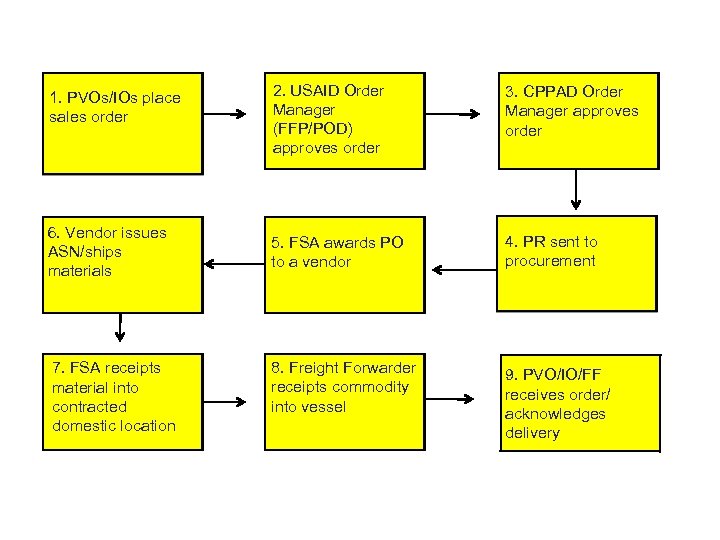 USAID Standard Procurement Process 1. PVOs/IOs place sales order 6. Vendor issues ASN/ships materials 7. FSA receipts material into contracted domestic location 2. USAID Order Manager (FFP/POD) approves order 3. CPPAD Order Manager approves order 5. FSA awards PO to a vendor 4. PR sent to procurement 8. Freight Forwarder receipts commodity into vessel 9. PVO/IO/FF receives order/ acknowledges delivery
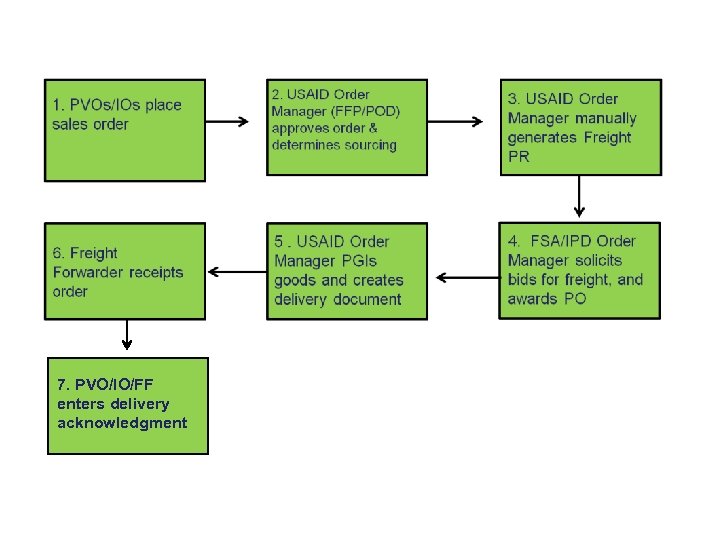 Process for USAID Orders Sourced from Prepo Warehouse 7. PVO/IO/FF enters delivery acknowledgment
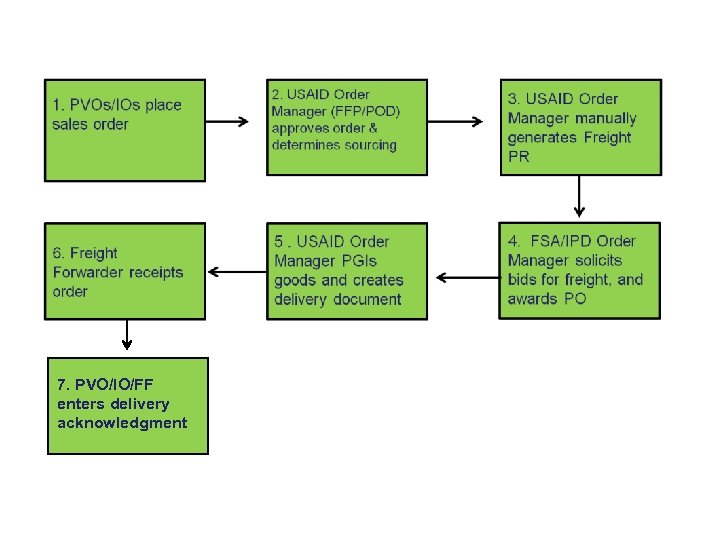 Process for USAID Orders Sourced from Prepo Warehouse 7. PVO/IO/FF enters delivery acknowledgment

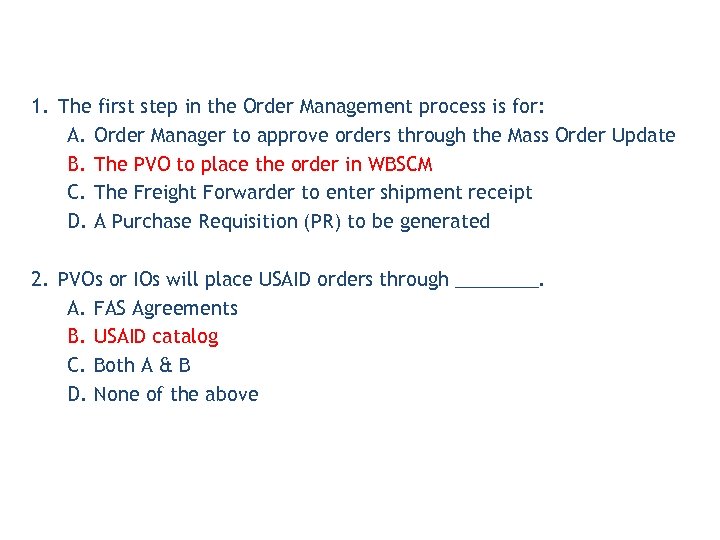 1. The first step in the Order Management process is for: A. Order Manager to approve orders through the Mass Order Update B. The PVO to place the order in WBSCM C. The Freight Forwarder to enter shipment receipt D. A Purchase Requisition (PR) to be generated 2. PVOs or IOs will place USAID orders through ____. A. FAS Agreements B. USAID catalog C. Both A & B D. None of the above
 Lesson Objectives • Describe USAID Catalog • Describe the process of creating a USAID Sales Order
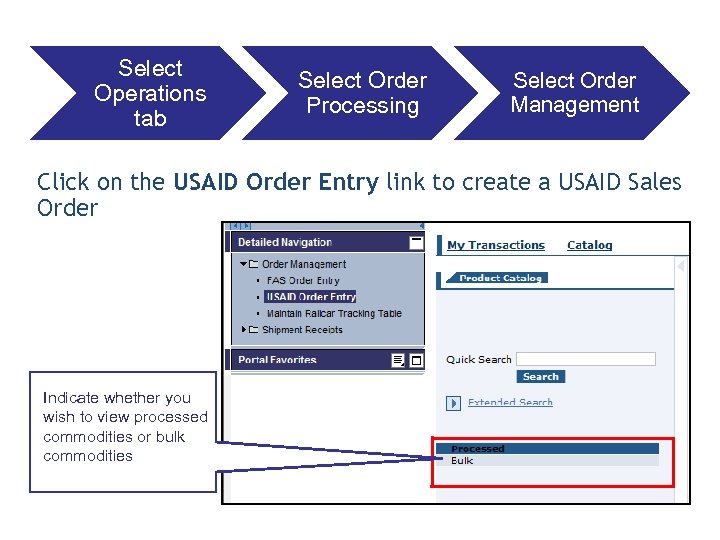 Select Operations tab Select Order Processing Select Order Management Click on the USAID Order Entry link to create a USAID Sales Order Indicate whether you wish to view processed commodities or bulk commodities
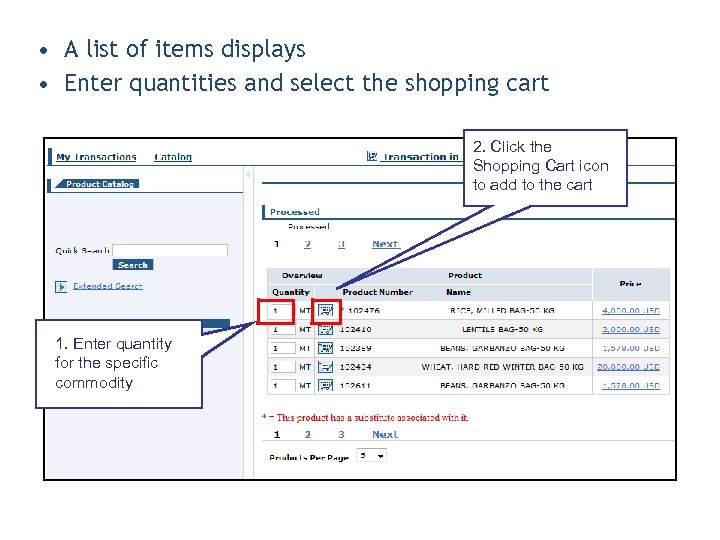 • A list of items displays • Enter quantities and select the shopping cart 2. Click the Shopping Cart icon to add to the cart 1. Enter quantity for the specific commodity
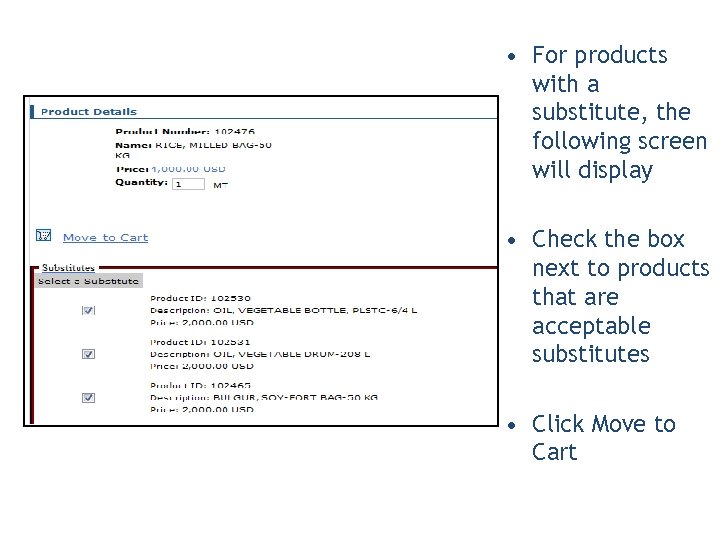 • For products with a substitute, the following screen will display • Check the box next to products that are acceptable substitutes • Click Move to Cart
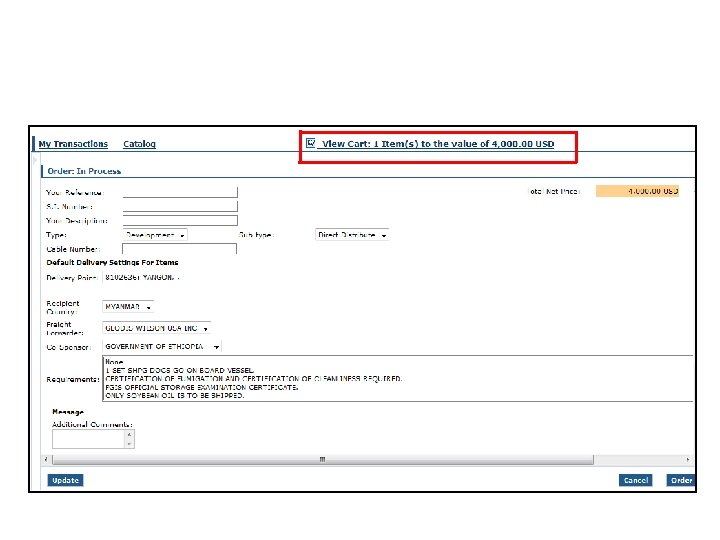 View your cart, and enter header level details for the sales order!
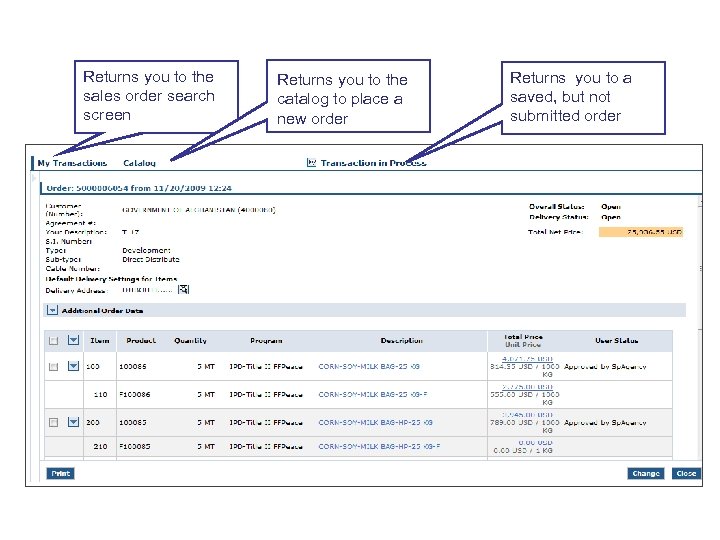 Buttons on a Sales Order Returns you to the sales order search screen Returns you to the catalog to place a new order Returns you to a saved, but not submitted order
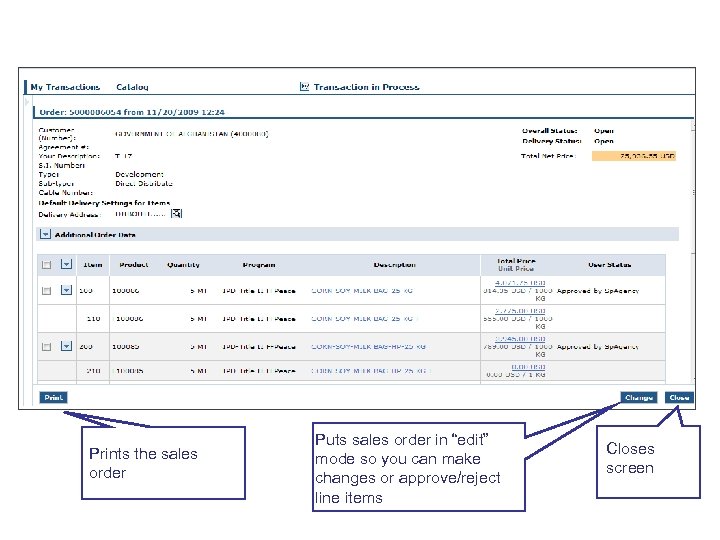 Buttons on a Sales Order Prints the sales order Puts sales order in “edit” mode so you can make changes or approve/reject line items Closes screen
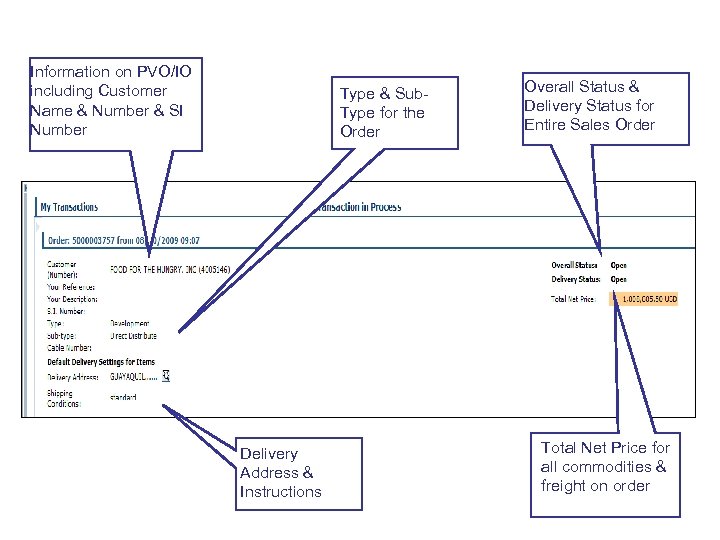 Header Level Details on Sales Order Information on PVO/IO including Customer Name & Number & SI Number Type & Sub. Type for the Order Delivery Address & Instructions Overall Status & Delivery Status for Entire Sales Order Total Net Price for all commodities & freight on order
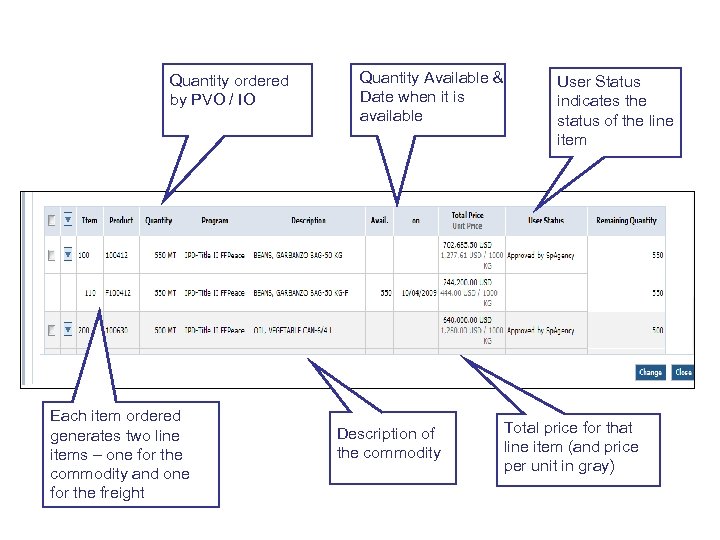 Transactional Details on a Sales Order Quantity ordered by PVO / IO Each item ordered generates two line items – one for the commodity and one for the freight Quantity Available & Date when it is available Description of the commodity User Status indicates the status of the line item Total price for that line item (and price per unit in gray)
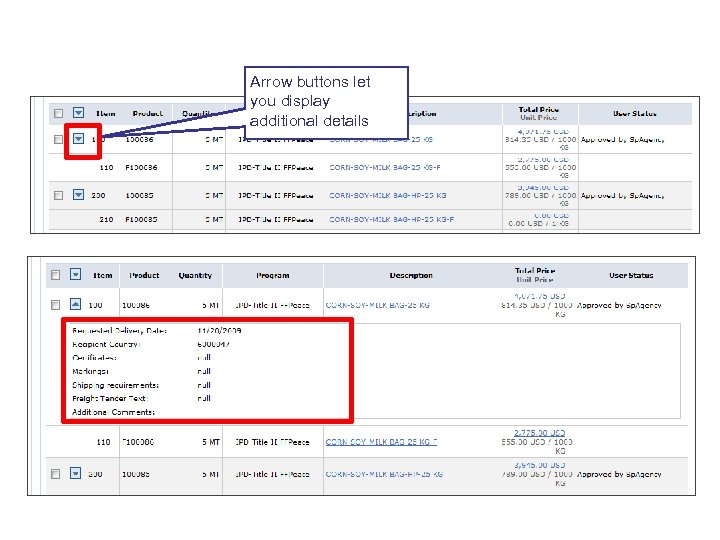 Hidden Details on a Line Item Arrow buttons let you display additional details
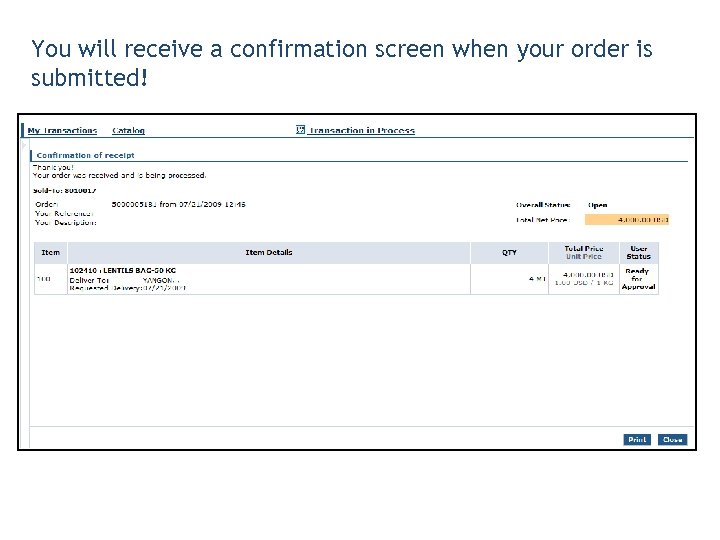 You will receive a confirmation screen when your order is submitted!
 • Auto Playback Tutorial: watch the simulation with no user input required
 • Standard Tutorial: guide yourself through the simulation by clicking on certain areas when prompted

 1. To select orders from the catalog you must select the ______ folder: A. Processed B. Bulk C. Either A or B D. None of the above 2. True or False: You will not be able to identify if you have selected a substitutable product from the catalog. A. True B. False
 Lesson Objectives • Describe the Swap Sales Order Process • Describe the Credit Memo Request Process
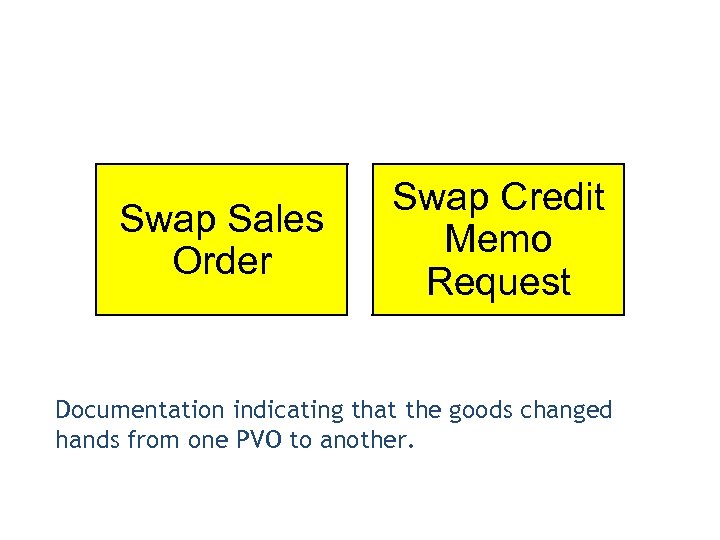 Swap Sales Order Swap Credit Memo Request Documentation indicating that the goods changed hands from one PVO to another.
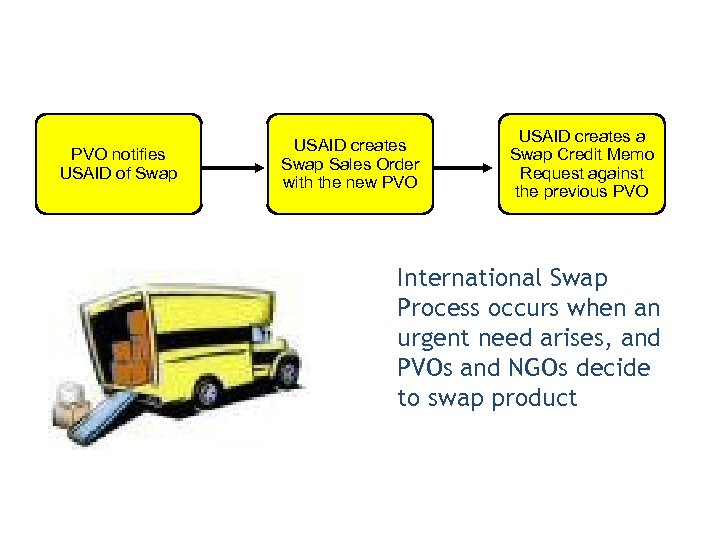 PVO notifies USAID of Swap USAID creates Swap Sales Order with the new PVO USAID creates a Swap Credit Memo Request against the previous PVO International Swap Process occurs when an urgent need arises, and PVOs and NGOs decide to swap product
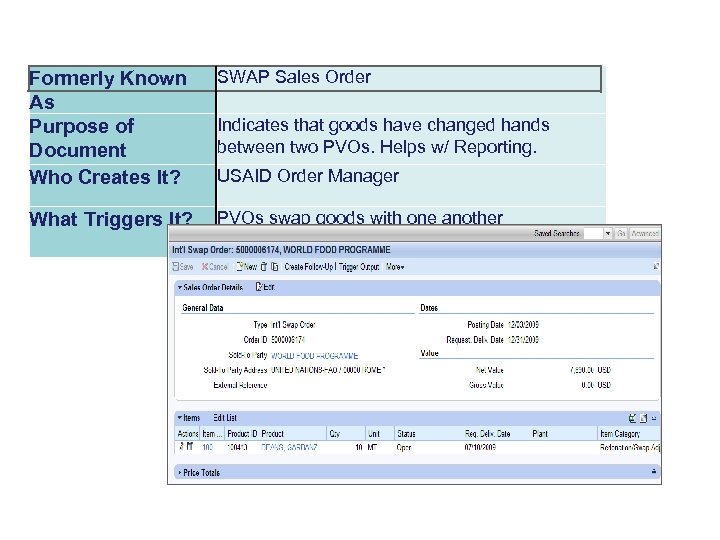 Formerly Known As Purpose of Document Who Creates It? SWAP Sales Order What Triggers It? PVOs swap goods with one another Indicates that goods have changed hands between two PVOs. Helps w/ Reporting. USAID Order Manager
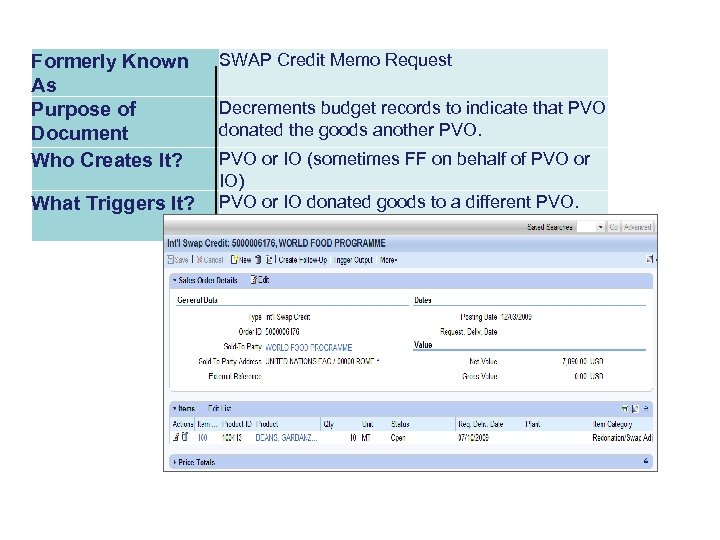 Formerly Known As Purpose of Document Who Creates It? What Triggers It? SWAP Credit Memo Request Decrements budget records to indicate that PVO donated the goods another PVO or IO (sometimes FF on behalf of PVO or IO) PVO or IO donated goods to a different PVO.
 • Sales order #101562 has been received by Help the Children • An emergency occurs and Help the Children determine goods should be received by Aid for Africa • Goods are physically given to Aid for Africa • USAID creates a Swap Credit Memo for Help the Children • USAID creates a Swap Sales Order for Aid for Africa
 • What is it? : Swap allows one PVO or NGO to ship goods to another PVO or NGO. • Who does it? : USAID coordinates the Swap, USAID creates Swap Sales Order & the Swap Credit Memo Request. • When? : After goods are received by the supplying PVO or NGO. • Prereqs: Sales Order must exist. USAID must coordinate a Swap due to an emergency.
 • Swap Sales Order: Document created by the recipient PVO to indicate that goods are being ordered by them. • Swap Credit Memo Request: Document created by the donor PVO to indicate that goods are being given away to another PVO.
 Select Operations tab Select Order Processing Select Order Management Click on the Maintain Sales Document link to search for the original USAID Sales Order

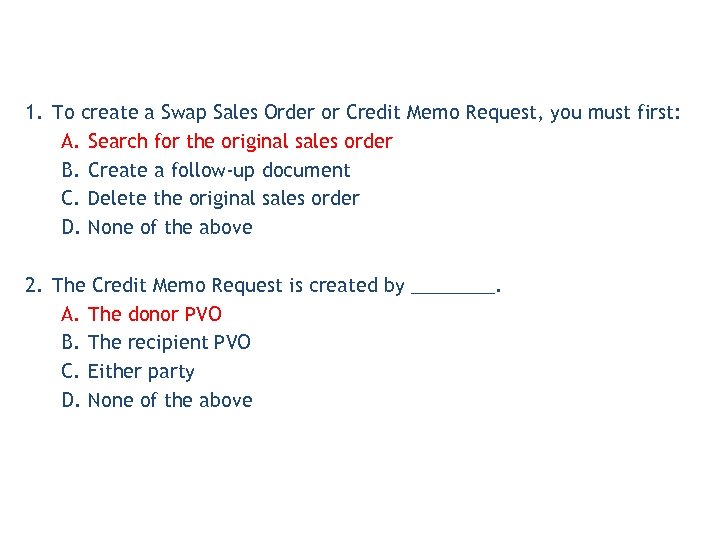 1. To create a Swap Sales Order or Credit Memo Request, you must first: A. Search for the original sales order B. Create a follow-up document C. Delete the original sales order D. None of the above 2. The Credit Memo Request is created by ____. A. The donor PVO B. The recipient PVO C. Either party D. None of the above
 Lesson Objectives • Describe the details outlined in an FAS Agreement • Describe the fields in an FAS Agreement • Display an FAS Agreement
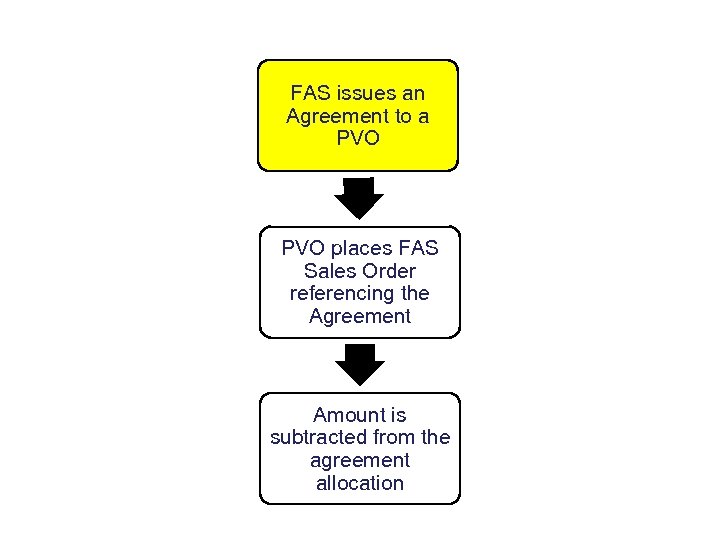 FAS issues an Agreement to a PVO places FAS Sales Order referencing the Agreement Amount is subtracted from the agreement allocation
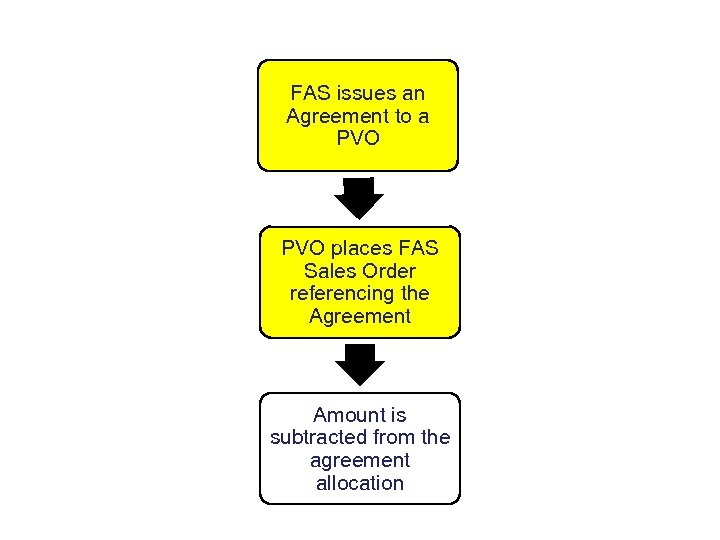 FAS issues an Agreement to a PVO places FAS Sales Order referencing the Agreement Amount is subtracted from the agreement allocation
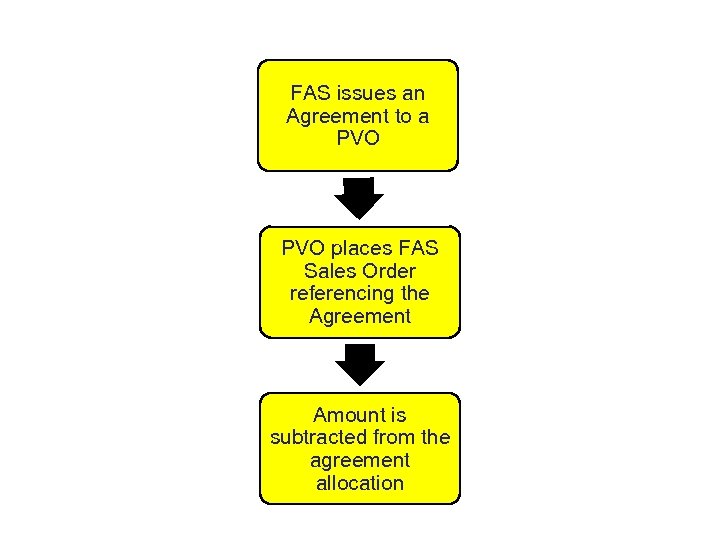 FAS issues an Agreement to a PVO places FAS Sales Order referencing the Agreement Amount is subtracted from the agreement allocation
 v Agreement created by FAS which allocates a certain amount of a certain commodity to the PVO involved in the agreement. This document should be referenced when creating an FAS Sales Order. v FAS Agreements are uploaded by the FAS Order Managers which will allow the PVO to reference this in creating a sales order.
 v FAS Sales Order – A type of International Sales Order (Call Forward) that references an FAS Agreement in WBSCM. v A PVO may only place an FAS Order for the commodities guaranteed in the FAS Agreement
 What is an FAS Agreement? FAS issues an Agreement to a PVO • An FAS Agreement serves the following purposes: -Promises specific commodities to a PVO -Determines how dollars should be allocated -Identifies funding sources -Specifies validity dates
 Dollar Value vs. Quantity • An FAS Agreement specifies dollar value & quantity • If PVO exceeds dollar amount, WBSCM will allow PVO to submit sales order. However, Procurement will cross-check order against Reservation Document. They will not procure the order without proper funding. FAS Order Manager will determine whether to add funding, cancel the order, or partially-fill the order
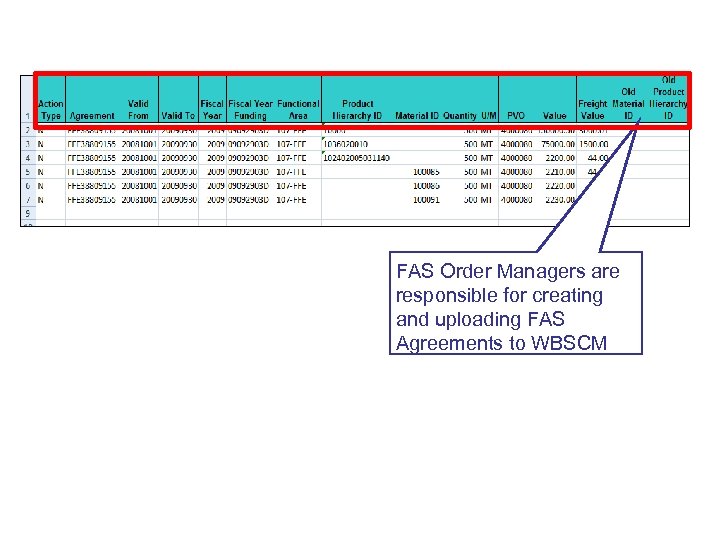 How is an FAS Agreement Created? FAS Order Managers are responsible for creating and uploading FAS Agreements to WBSCM
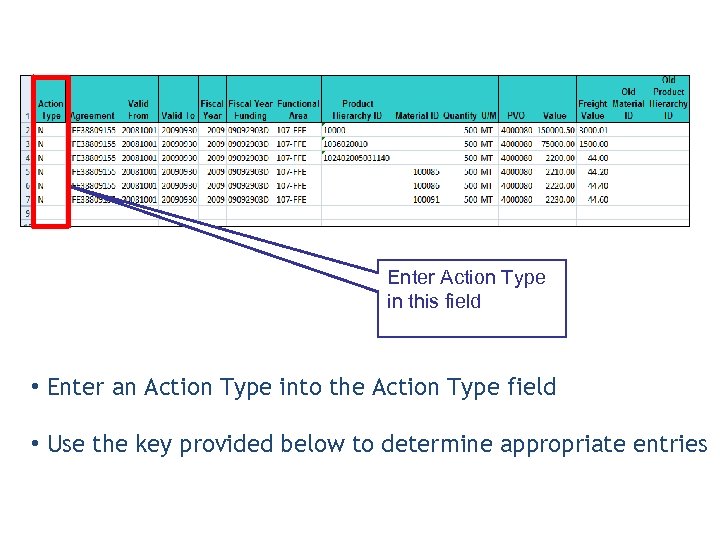 What is an Action Type? Enter Action Type in this field • Enter an Action Type into the Action Type field • Use the key provided below to determine appropriate entries
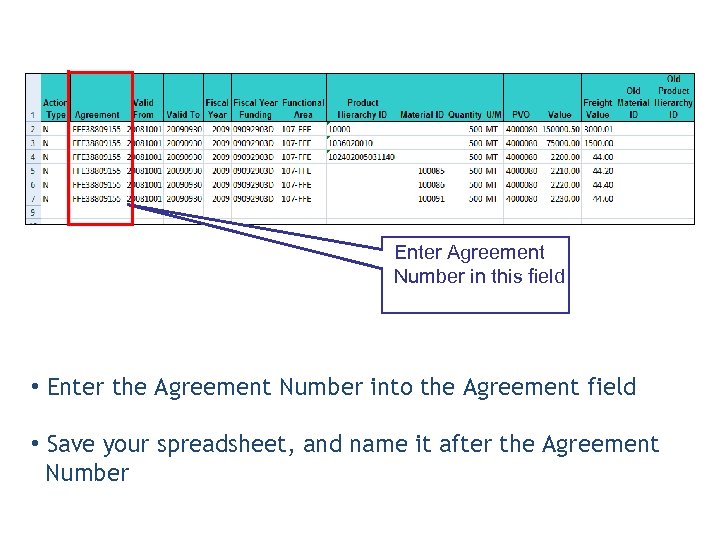 What is an Agreement Number? Enter Agreement Number in this field • Enter the Agreement Number into the Agreement field • Save your spreadsheet, and name it after the Agreement Number
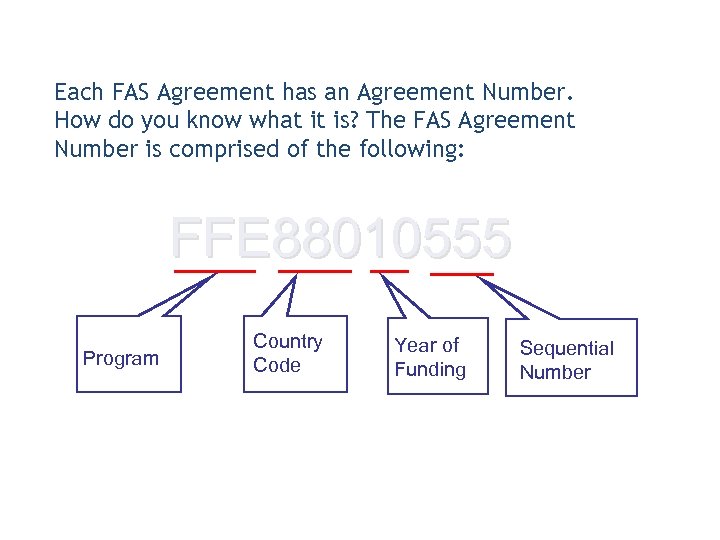 What is an Agreement Number? Each FAS Agreement has an Agreement Number. How do you know what it is? The FAS Agreement Number is comprised of the following: FFE 88010555 Program Country Code Year of Funding Sequential Number
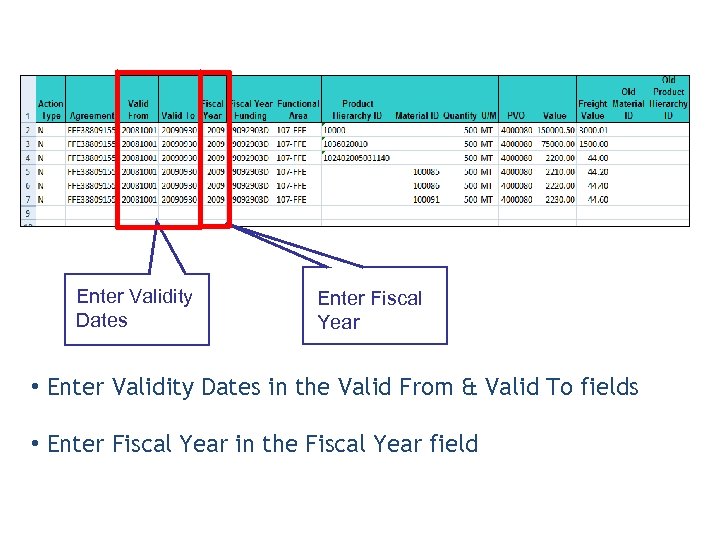 What are Validity Dates & Fiscal Years? Enter Validity Dates Enter Fiscal Year • Enter Validity Dates in the Valid From & Valid To fields • Enter Fiscal Year in the Fiscal Year field
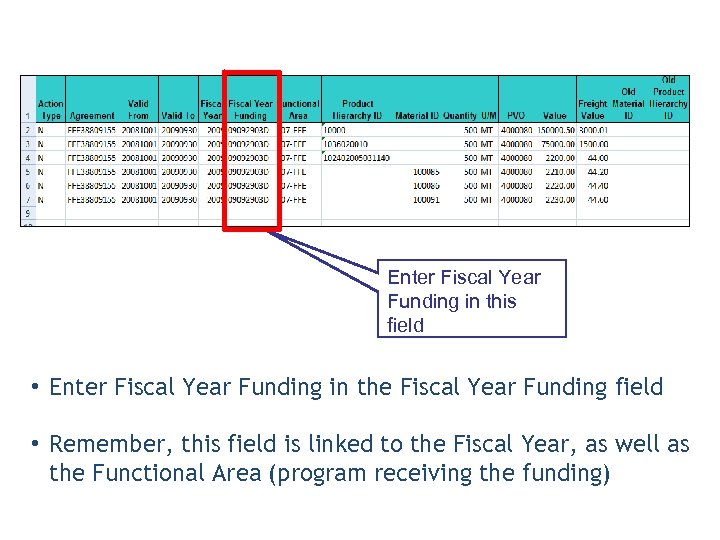 What is Fiscal Year Funding? Enter Fiscal Year Funding in this field • Enter Fiscal Year Funding in the Fiscal Year Funding field • Remember, this field is linked to the Fiscal Year, as well as the Functional Area (program receiving the funding)
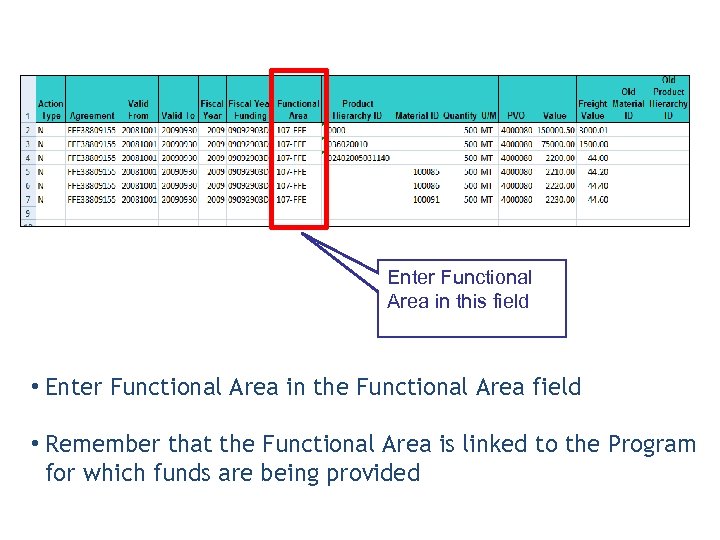 What is a Functional Area? Enter Functional Area in this field • Enter Functional Area in the Functional Area field • Remember that the Functional Area is linked to the Program for which funds are being provided
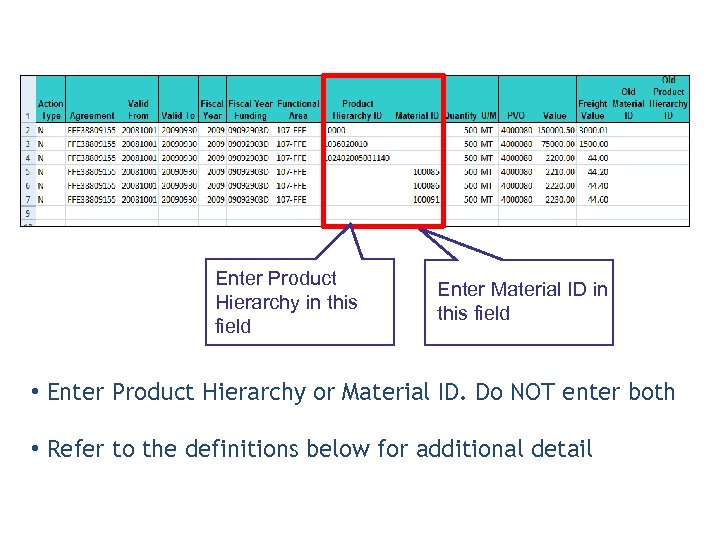 Enter Product Hierarchy in this field Enter Material ID in this field • Enter Product Hierarchy or Material ID. Do NOT enter both • Refer to the definitions below for additional detail
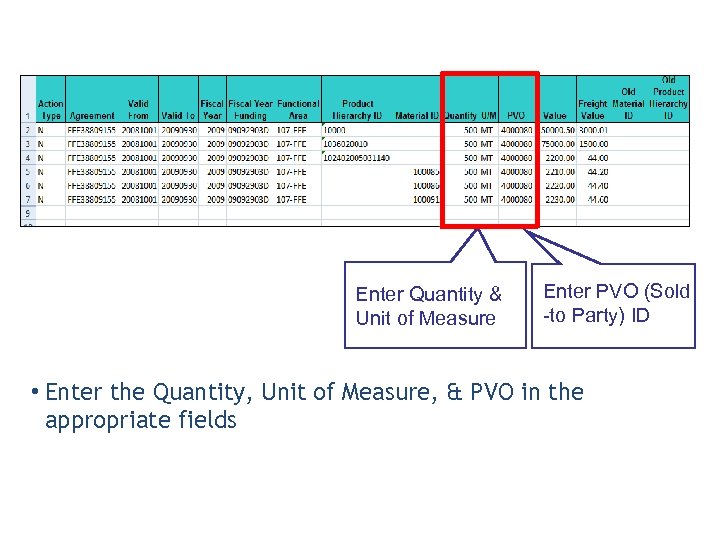 Where do I enter Quantity information? Enter Quantity & Unit of Measure Enter PVO (Sold -to Party) ID • Enter the Quantity, Unit of Measure, & PVO in the appropriate fields
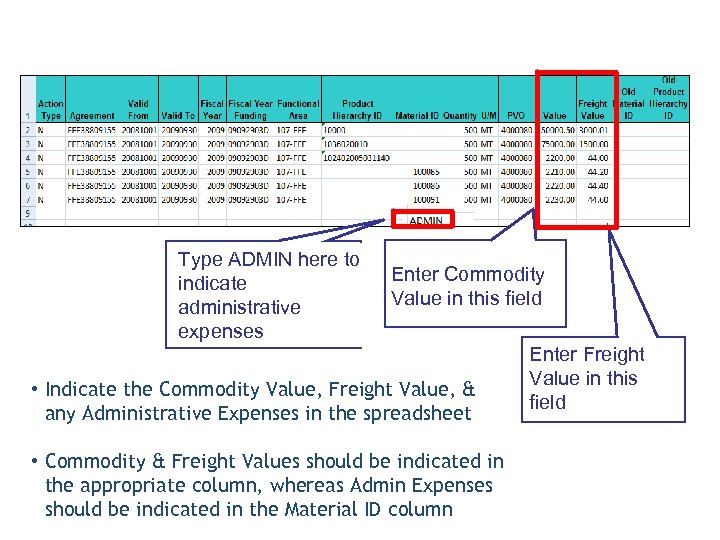 What are the Commodity & Freight Values? Type ADMIN here to indicate administrative expenses Enter Commodity Value in this field • Indicate the Commodity Value, Freight Value, & any Administrative Expenses in the spreadsheet • Commodity & Freight Values should be indicated in the appropriate column, whereas Admin Expenses should be indicated in the Material ID column Enter Freight Value in this field
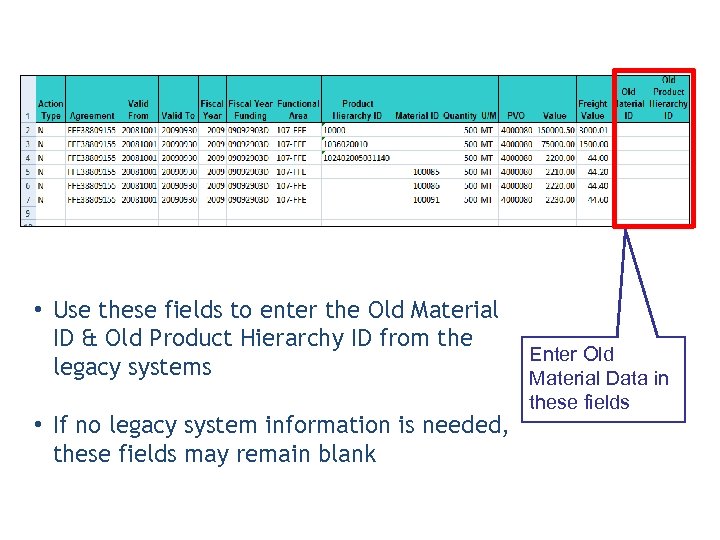 • Use these fields to enter the Old Material ID & Old Product Hierarchy ID from the legacy systems • If no legacy system information is needed, these fields may remain blank Enter Old Material Data in these fields
 Outputs Generated • When FAS issues an Agreement, WBSCM will provide the following outputs: • Reservation Document • Internal Order • CRM Agreement (System Contract)
 CRM Agreement • What you will view when you search for the Agreement in WSCM • Accessible to both PVOs and FAS Order Managers
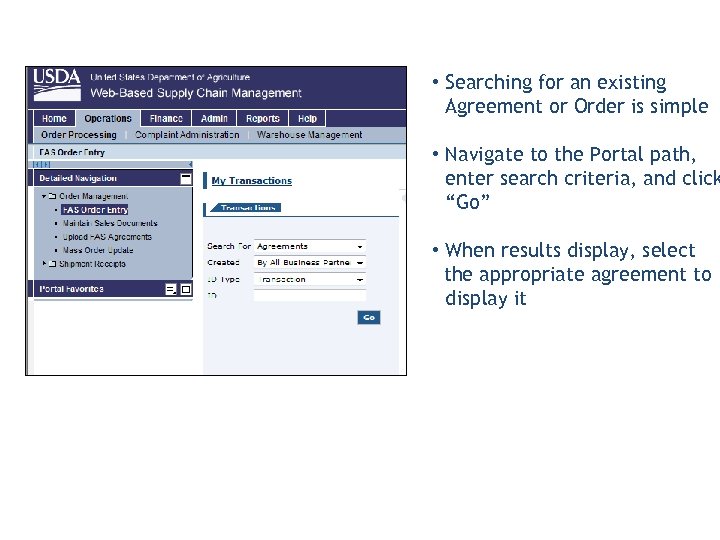 Displaying an FAS Agreement (in CRM) • Searching for an existing Agreement or Order is simple • Navigate to the Portal path, enter search criteria, and click “Go” • When results display, select the appropriate agreement to display it
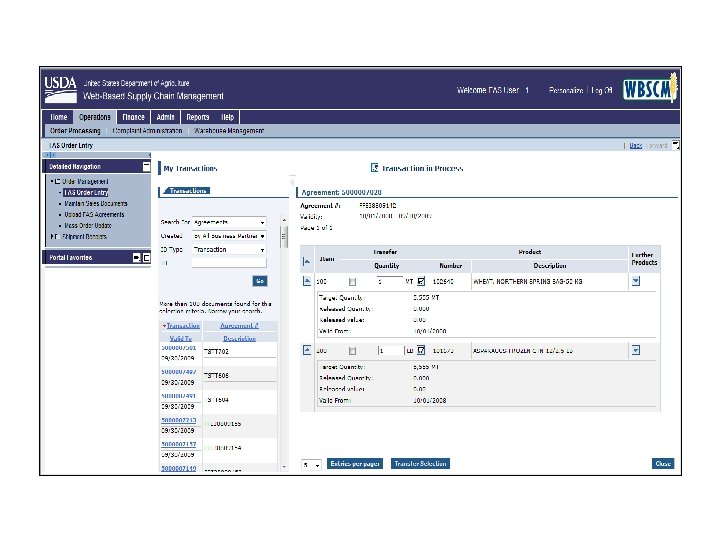
 • Auto Playback Tutorial: watch the simulation with no user input required
 • Standard Tutorial: guide yourself through the simulation by clicking on certain areas when prompted

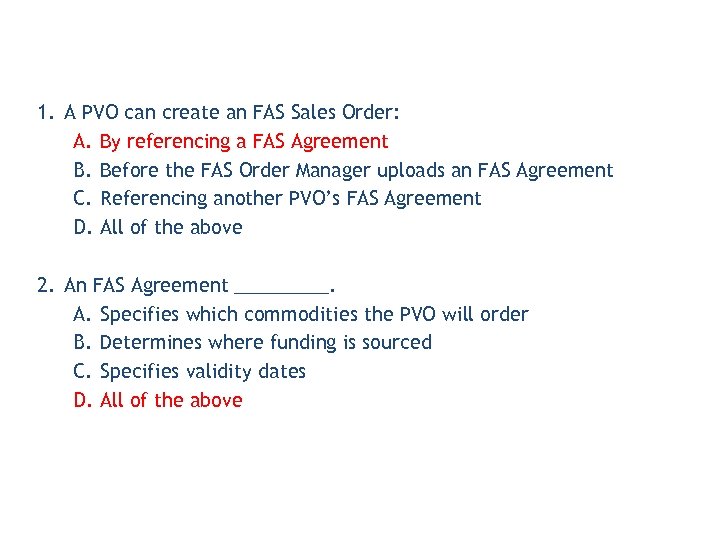 1. A PVO can create an FAS Sales Order: A. By referencing a FAS Agreement B. Before the FAS Order Manager uploads an FAS Agreement C. Referencing another PVO’s FAS Agreement D. All of the above 2. An FAS Agreement _____. A. Specifies which commodities the PVO will order B. Determines where funding is sourced C. Specifies validity dates D. All of the above
 Lesson Objectives • Describe how to create an FAS Sales Order • Describe how to view an FAS Sales Order
 Creating an FAS Sales Order An FAS Sales Order includes the same data as a USAID sales order, including: • Commodities • Delivery Information • Sold-to Party Information • Requirements & Comments
 Creating an FAS Sales Order PVO places FAS sales order referencing the agreement • A PVO may only place an FAS Order for the commodities guaranteed in the FAS Agreement • An FAS Order must be approved by FAS in WBSCM
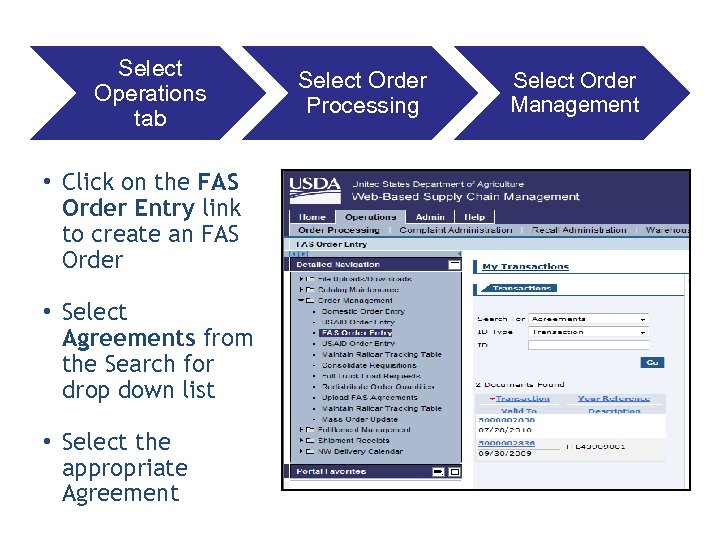 Select Operations tab • Click on the FAS Order Entry link to create an FAS Order • Select Agreements from the Search for drop down list • Select the appropriate Agreement Select Order Processing Select Order Management
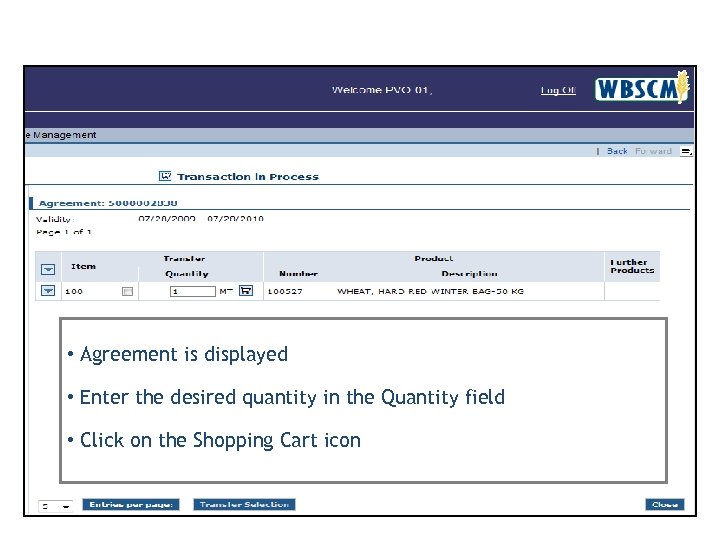 Creating an FAS Sales Order • Agreement is displayed • Enter the desired quantity in the Quantity field • Click on the Shopping Cart icon
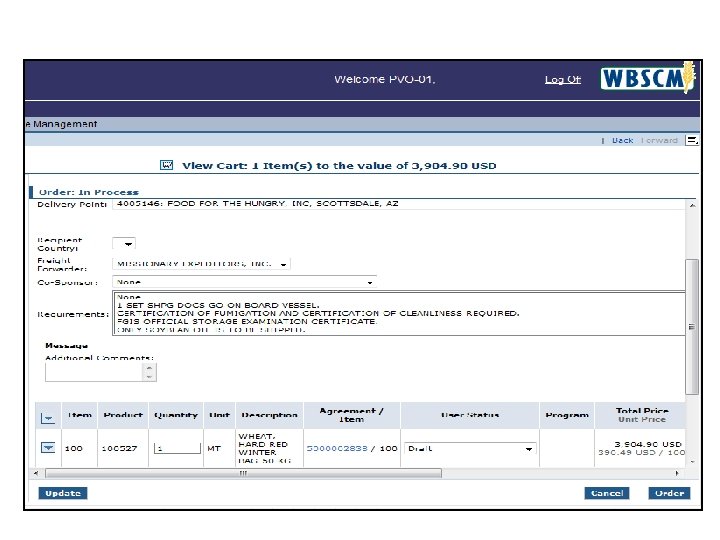 Creating an FAS Sales Order
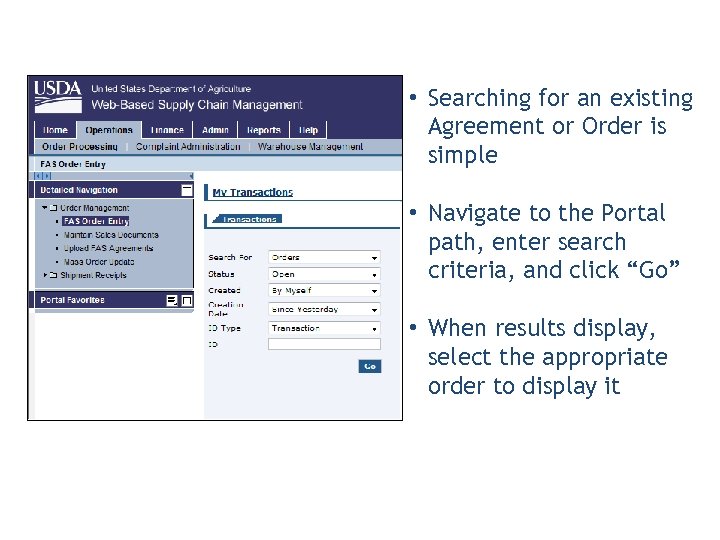 Displaying an FAS Order • Searching for an existing Agreement or Order is simple • Navigate to the Portal path, enter search criteria, and click “Go” • When results display, select the appropriate order to display it
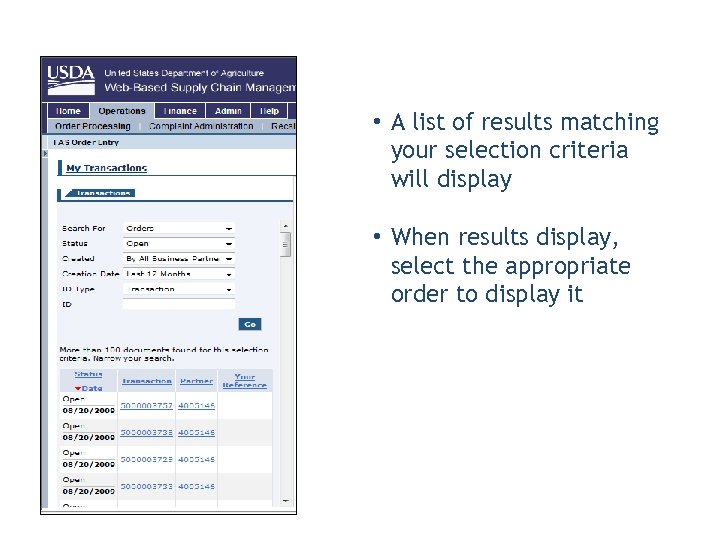 • A list of results matching your selection criteria will display • When results display, select the appropriate order to display it
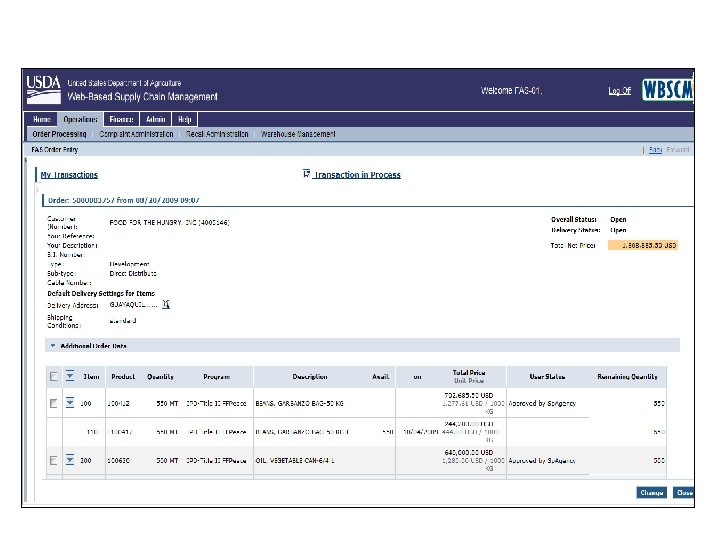 Displaying an FAS Order • SS of FAS Sales Order
 • Auto Playback Tutorial: watch the simulation with no user input required
 • Standard Tutorial: guide yourself through the simulation by clicking on certain areas when prompted

 1. The first step in creating an FAS Sales Order is _______. A. To search for the FAS Agreement issued by the Order Manager B. Search for existing sales orders C. For the PVO to modify the FAS Agreement D. All of the above 2. Looking at your FAS Agreement, you are able to _____. A. View the specified commodity B. Change the quantity C. Add new commodities D. A & B
 Lesson Objectives • Describe the Discussion Forum
 • Discussion Forums are located on the main page • Used by FAS to post – News & Announcements – Policy Changes • Only FAS can post to this board; Others have view-only access
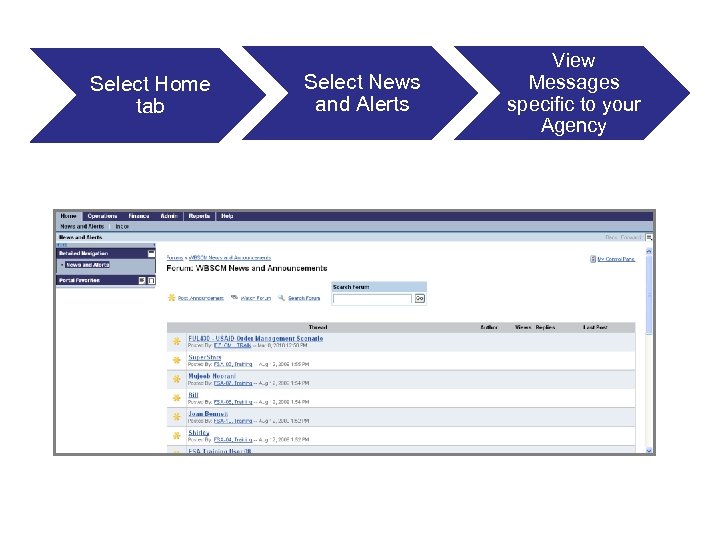 Select Home tab Select News and Alerts View Messages specific to your Agency
 • Auto Playback Tutorial: watch the simulation with no user input required
 • Standard Tutorial: guide yourself through the simulation by clicking on certain areas when prompted

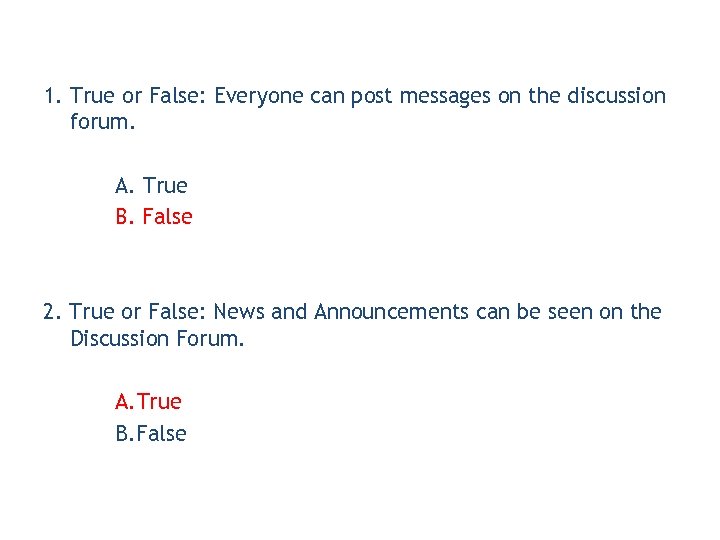 1. True or False: Everyone can post messages on the discussion forum. A. True B. False 2. True or False: News and Announcements can be seen on the Discussion Forum. A. True B. False
 Lesson Objectives • Describe the Delivery Acknowledgement Process
 USAID Standard Procurement Process 1. PVOs/IOs place sales order 6. Vendor issues ASN/ships materials 7. FSA receipts material into contracted domestic location 2. USAID Order Manager (FFP/POD) approves order 3. CPPAD Order Manager approves order 5. FSA awards PO to a vendor 4. PR sent to procurement 8. Freight Forwarder receipts commodity into vessel 9. PVO/IO/FF receives order/ acknowledges delivery
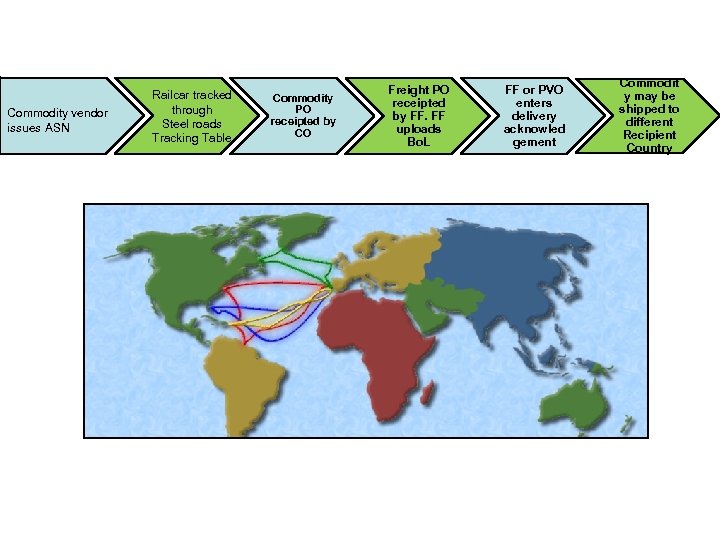 Commodity vendor issues ASN Railcar tracked through Steel roads Tracking Table Commodity PO receipted by CO Freight PO receipted by FF. FF uploads Bo. L FF or PVO enters delivery acknowled gement Commodit y may be shipped to different Recipient Country
 • What is it? Acknowledgement that goods were received by the ship-to party at the ship-to location. This is done only for international orders. • Who does it? The PVO that ordered the goods. In some cases, a Freight Forwarder is authorized to enter a delivery acknowledgement on their behalf. • When? When the materials reach the contracted ship-to location. • Prereqs? Purchase Order must exist and goods must be received at the international ship-to location.
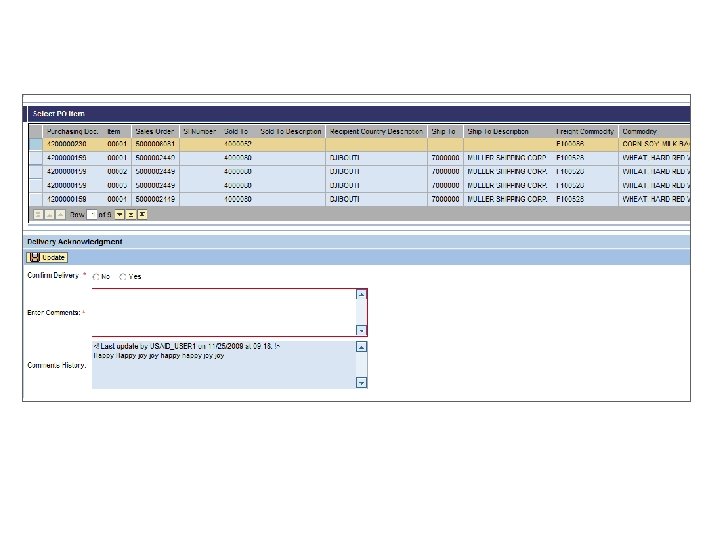
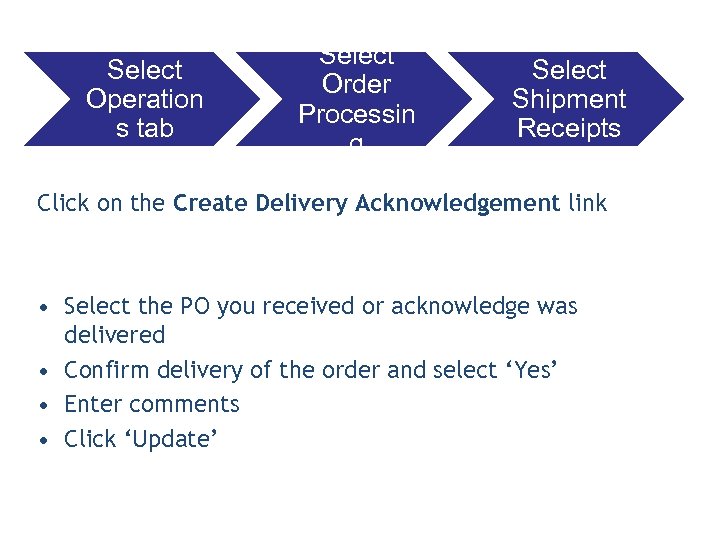 Select Operation s tab Select Order Processin g Select Shipment Receipts Click on the Create Delivery Acknowledgement link • Select the PO you received or acknowledge was delivered • Confirm delivery of the order and select ‘Yes’ • Enter comments • Click ‘Update’
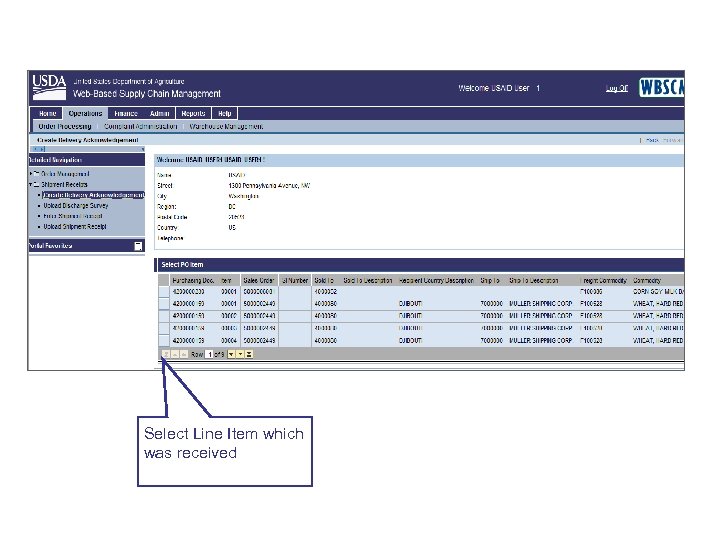 Select Line Item which was received
 • Auto Playback Tutorial: watch the simulation with no user input required
 • Standard Tutorial: guide yourself through the simulation by clicking on certain areas when prompted

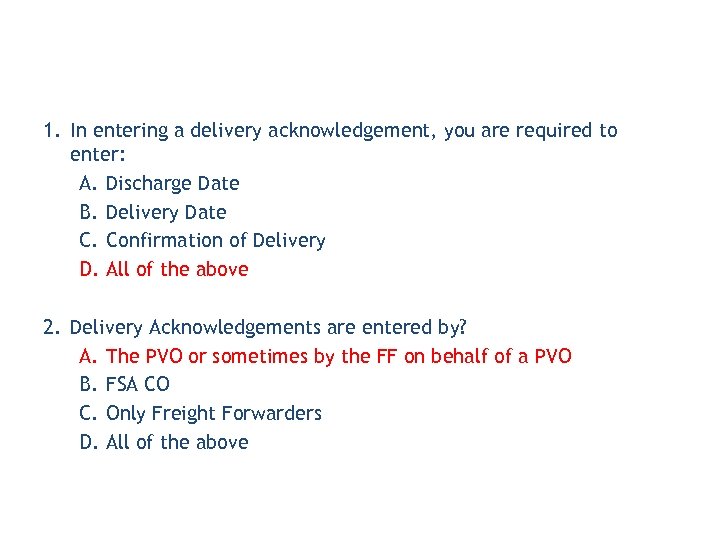 1. In entering a delivery acknowledgement, you are required to enter: A. Discharge Date B. Delivery Date C. Confirmation of Delivery D. All of the above 2. Delivery Acknowledgements are entered by? A. The PVO or sometimes by the FF on behalf of a PVO B. FSA CO C. Only Freight Forwarders D. All of the above
 You have successfully completed your e. Learning course! Thank You!