


 Скачать презентацию Exploring Microsoft Office 2003 Getting Started Essential Computing
7feb3b0b67044f60c2fe611487cefacd.ppt
- Количество слайдов: 32
 Exploring Microsoft Office 2003 Getting Started: Essential Computing Concepts Robert Grauer and Maryann Barber Committed to Shaping the Next Generation of IT Experts. Exploring Office 2003 - Grauer and Barber 1
 Objectives (1 of 2) n n n n Describe components of a computer system Describe the contribution of IBM, Microsoft, and Intel in the evolution of the PC Discuss the purchase of a computer system Define microprocessor, memory, and auxiliary storage Describe a digital camera Distinguish between system software and application software Describe the evolution of Microsoft Windows Exploring Office 2003 - Grauer and Barber 2
 Objectives (2 of 2) n n Describe how to safeguard a system Define FTP and distinguish between a compressed file and a self-extracting file Define a local area network Define the Internet and the World Wide Web and e-mail Exploring Office 2003 - Grauer and Barber 3
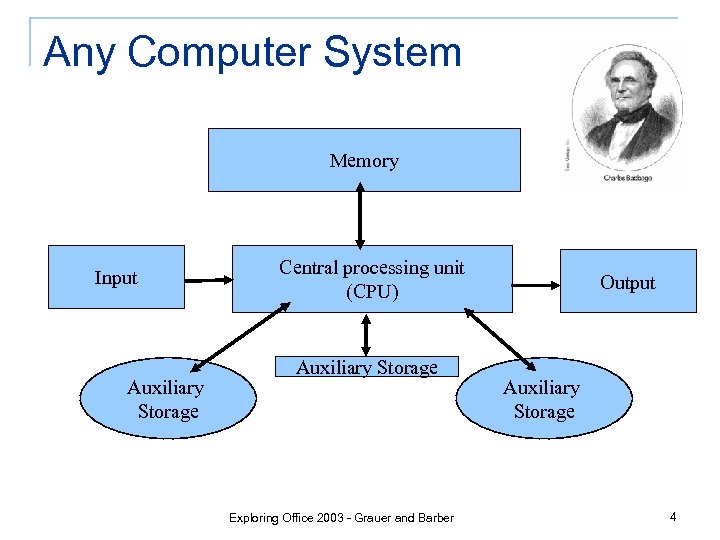 Any Computer System Memory Input Auxiliary Storage Central processing unit (CPU) Auxiliary Storage Exploring Office 2003 - Grauer and Barber Output Auxiliary Storage 4
 The IBM PC n n A combined effort between IBM (credibility and marketing), Microsoft (operating system), and Intel (microprocessor); introduced in 1981 IBM was a mainframe company; it was hounded by antitrust legislation, and did not believe in the future of the PC (initial forecast was 250, 000 units) The PC was created as an ‘open’ machine enabling independent contractors to develop hardware and/or software to improve it PC clones quickly followed and the market soon exploded; IBM has a fraction of the market it created Exploring Office 2003 - Grauer and Barber 5
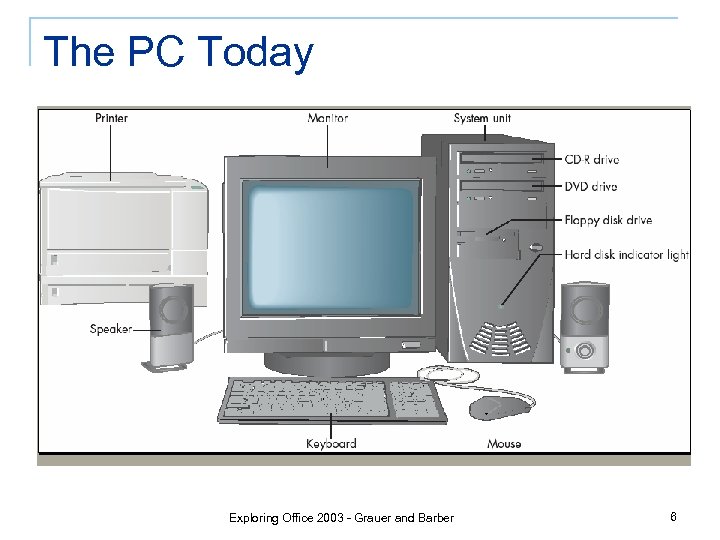 The PC Today Exploring Office 2003 - Grauer and Barber 6
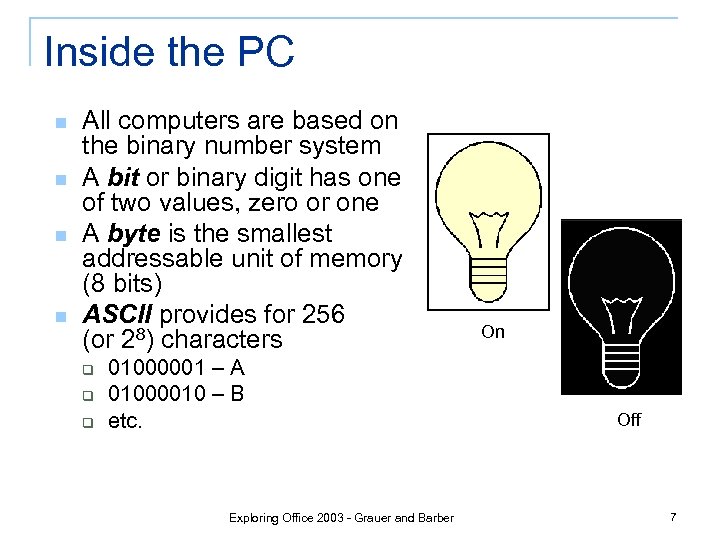 Inside the PC n n All computers are based on the binary number system A bit or binary digit has one of two values, zero or one A byte is the smallest addressable unit of memory (8 bits) ASCII provides for 256 (or 28) characters q q q 01000001 – A 01000010 – B etc. Exploring Office 2003 - Grauer and Barber On Off 7
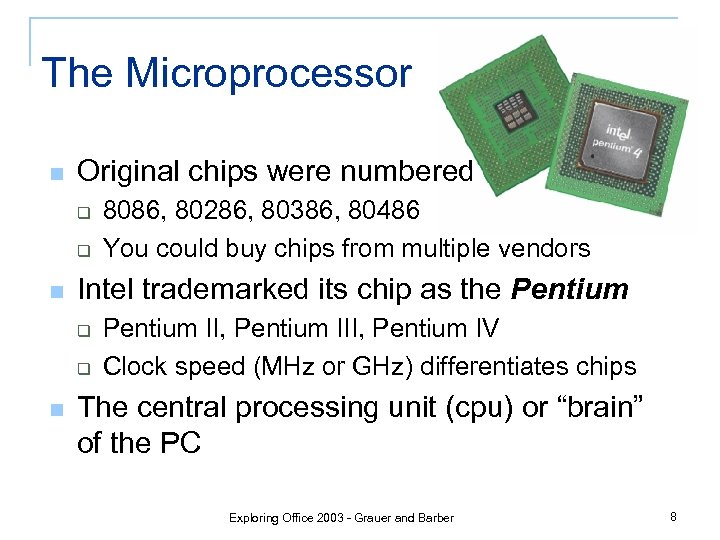 The Microprocessor n Original chips were numbered q q n Intel trademarked its chip as the Pentium q q n 8086, 80286, 80386, 80486 You could buy chips from multiple vendors Pentium II, Pentium IV Clock speed (MHz or GHz) differentiates chips The central processing unit (cpu) or “brain” of the PC Exploring Office 2003 - Grauer and Barber 8
 Memory n Transient (erased when power turned off) q n Measured in bytes q q q n 1 Kilobyte = 210 characters (~1, 000 bytes) 1 Megabyte = 220 characters (~1, 000 bytes) 1 Gigabyte = 230 characters (~1, 000, 000 bytes) Need 256 Mb or 512 Mb of RAM q q n Consider a UPS (uninterrupted power supply) Keep multiple programs & data files in memory Graphic-intensive programs demand a lot of memory The Original PC had 16 Kb of memory Exploring Office 2003 - Grauer and Barber 9
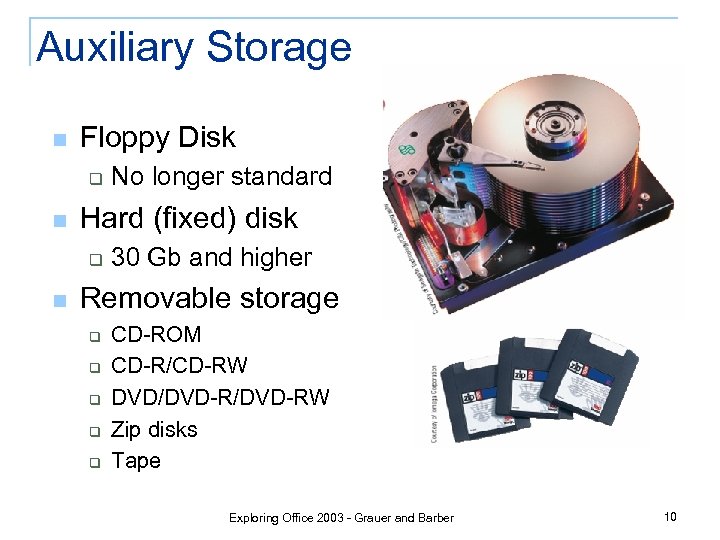 Auxiliary Storage n Floppy Disk q n Hard (fixed) disk q n No longer standard 30 Gb and higher Removable storage q q q CD-ROM CD-R/CD-RW DVD/DVD-RW Zip disks Tape Exploring Office 2003 - Grauer and Barber 10
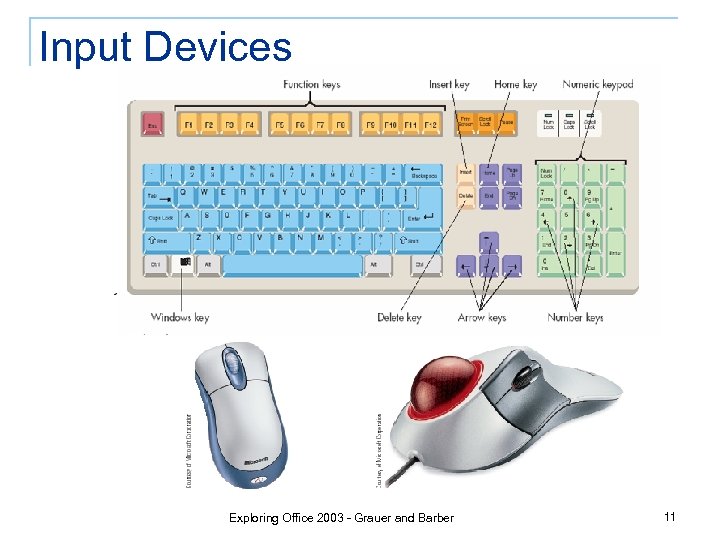 Input Devices Exploring Office 2003 - Grauer and Barber 11
 The Digital Camera n An image is stored on a photosensitive computer chip, which converts the image to a series of pixels q q n 2 megapixels is entry-level 3 megapixels is better There is no film; images are stored in memory; the more memory the more pictures q 64 Mb to 128 Mb is suggested Exploring Office 2003 - Grauer and Barber 12
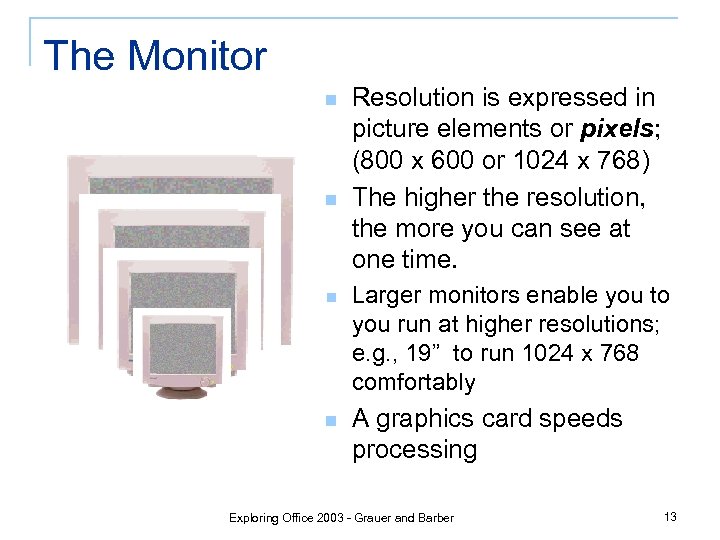 The Monitor n n Resolution is expressed in picture elements or pixels; (800 x 600 or 1024 x 768) The higher the resolution, the more you can see at one time. n Larger monitors enable you to you run at higher resolutions; e. g. , 19” to run 1024 x 768 comfortably n A graphics card speeds processing Exploring Office 2003 - Grauer and Barber 13
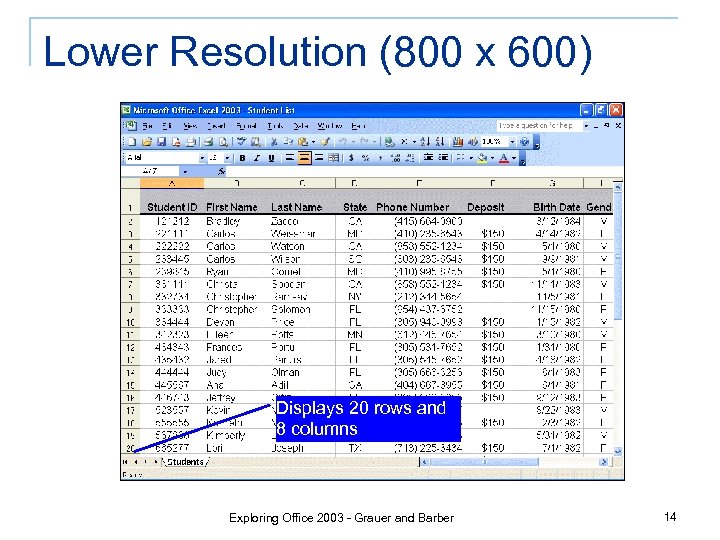 Lower Resolution (800 x 600) Displays 20 rows and 8 columns Exploring Office 2003 - Grauer and Barber 14
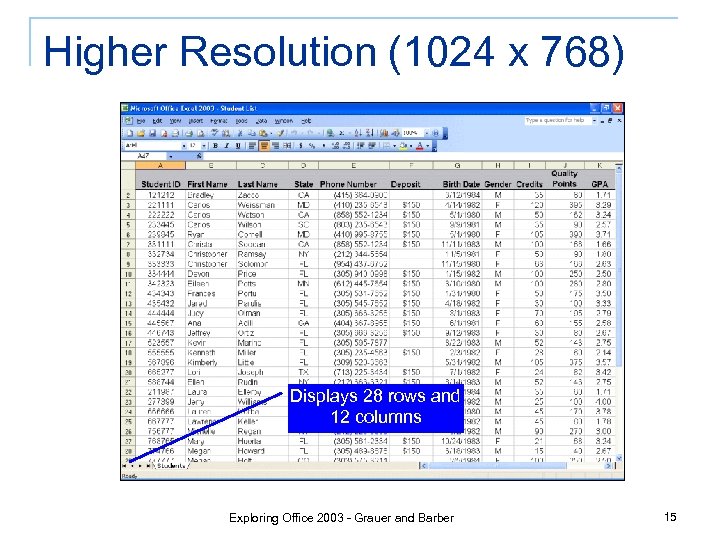 Higher Resolution (1024 x 768) Displays 28 rows and 12 columns Exploring Office 2003 - Grauer and Barber 15
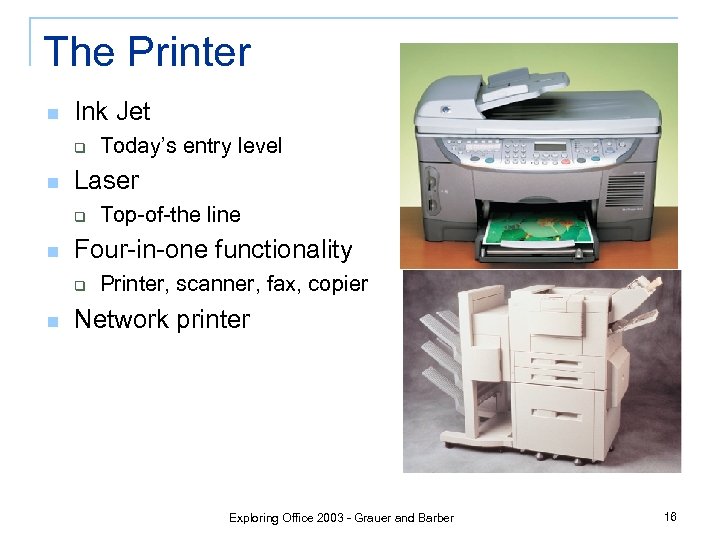 The Printer n Ink Jet q n Laser q n Top-of-the line Four-in-one functionality q n Today’s entry level Printer, scanner, fax, copier Network printer Exploring Office 2003 - Grauer and Barber 16
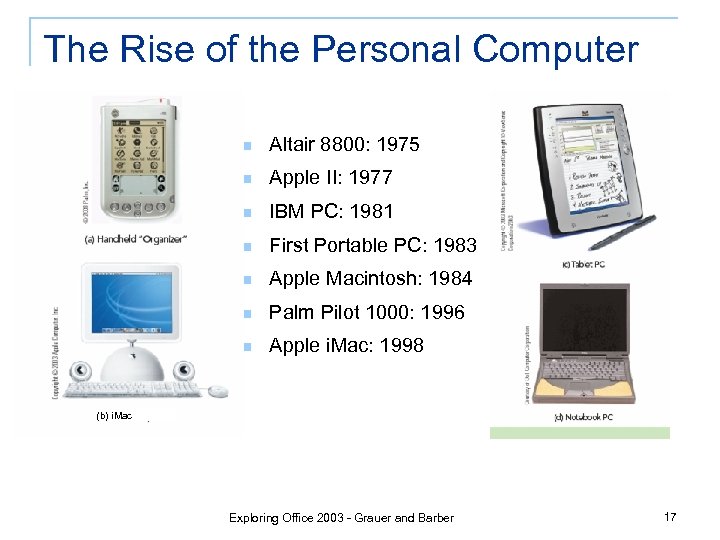 The Rise of the Personal Computer n Altair 8800: 1975 n Apple II: 1977 n IBM PC: 1981 n First Portable PC: 1983 n Apple Macintosh: 1984 n Palm Pilot 1000: 1996 n Apple i. Mac: 1998 (b) i. Mac Exploring Office 2003 - Grauer and Barber 17
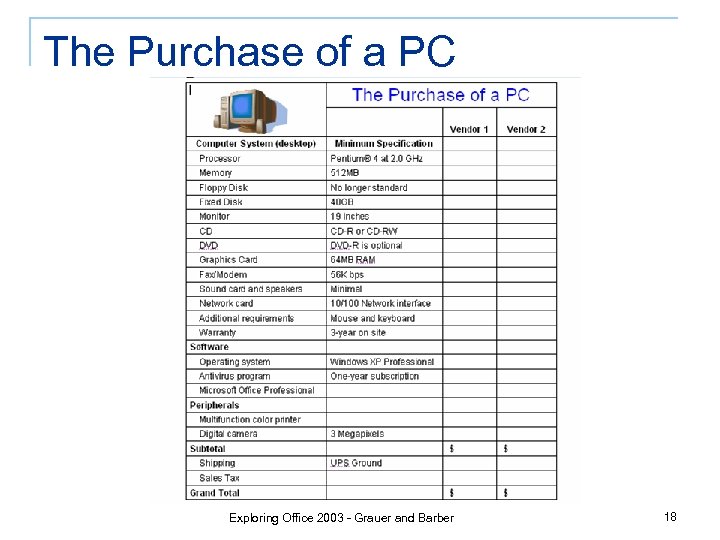 The Purchase of a PC Exploring Office 2003 - Grauer and Barber 18
 The Purchase of a PC (continued) n n n Insist on an unconditional 30 -day return policy for full refund Insist on a price guarantee; i. e. , if the price goes down within 30 days, you are entitled to the rebate Pay with a credit card q q n Leverage to enforce above items Double the manufacturer’s warranty up to an additional year Don’t forget the software Exploring Office 2003 - Grauer and Barber 19
 Software n System Software – Microsoft Windows q q q n Windows XP Home Edition Windows XP Professional Edition What Windows does not have - File Compression, Antivirus, Graphical FTP Application Software – Microsoft Office q q Core applications – Word, Excel, Access, and Power. Point Personal Information Manager – Outlook Other applications – Front. Page and Publisher New to Office 2003 - One. Note and Info. Path Exploring Office 2003 - Grauer and Barber 20
 Disk and File Management n A file is a set of instructions or data q Program file: Microsoft Word or Microsoft Excel q Data File: Document or workbook n Copy, move, rename or delete a file n A folder allows us to organize our files q n May contain files and/or other folders A back up strategy is critical q What (data), When (whenever it changes), Where (off site), How (Windows Explorer), and Who (you) Exploring Office 2003 - Grauer and Barber 21
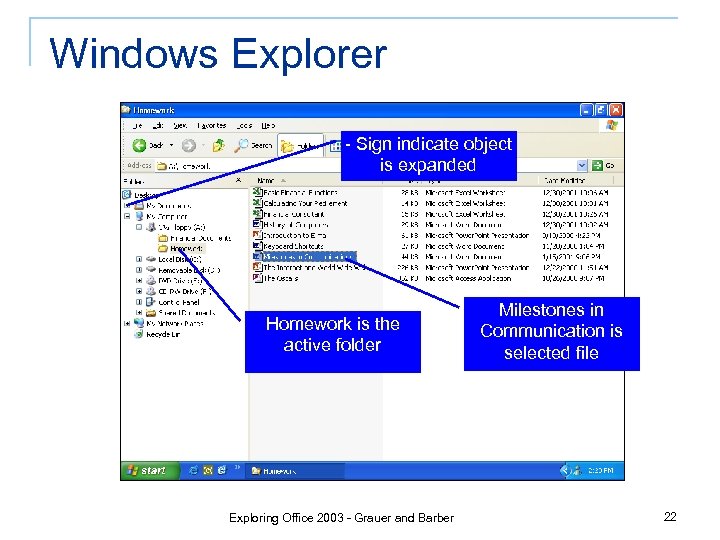 Windows Explorer - Sign indicate object is expanded Homework is the active folder Exploring Office 2003 - Grauer and Barber Milestones in Communication is selected file 22
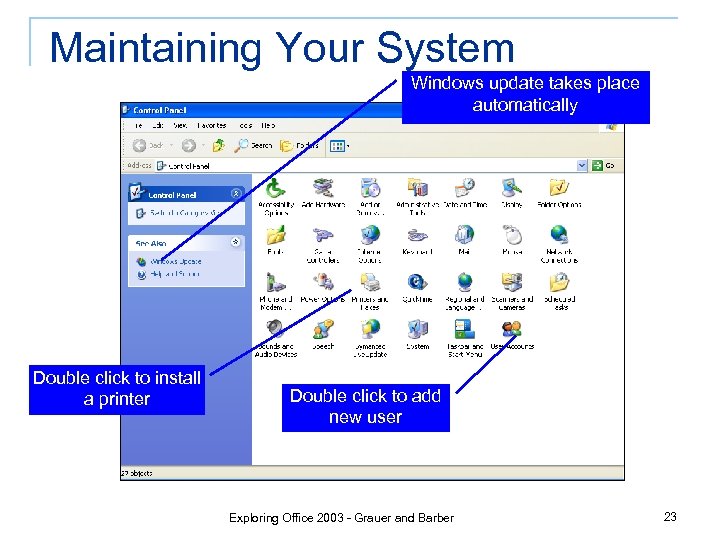 Maintaining Your System Windows update takes place automatically Double click to install a printer Double click to add new user Exploring Office 2003 - Grauer and Barber 23
 Antivirus Software n n A computer virus is an actively infectious program that can erase data and/or alter the way your computer works Worms and Trojan horses are other types of infectious programs, but all are bad Computer viruses are spread through email, and/or infected floppy disks Windows does not include an antivirus program; i. e. , you must buy it separately and update it frequently Exploring Office 2003 - Grauer and Barber 24
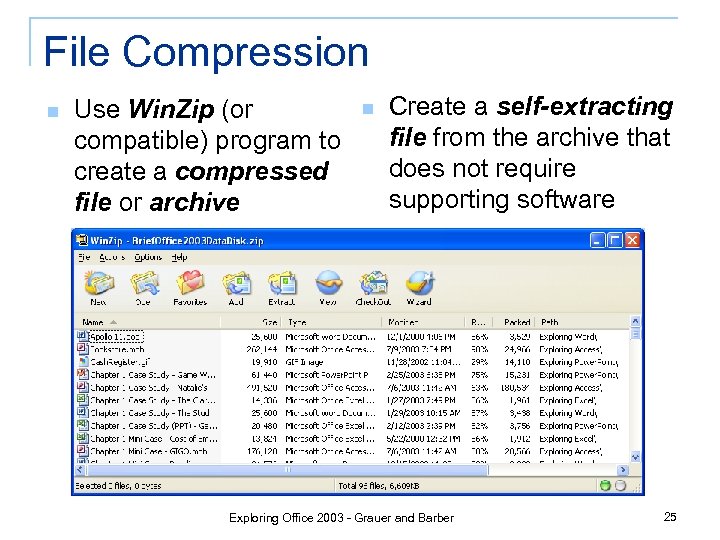 File Compression n Use Win. Zip (or compatible) program to create a compressed file or archive n Create a self-extracting file from the archive that does not require supporting software Exploring Office 2003 - Grauer and Barber 25
 Introduction to Networks n Most people work in a network environment q Home network q Local Area Network (LAN) q Wide Area Network (WAN) n The physical structure includes: interface cards, cables, hubs, switches, and routers n Protect your password! Exploring Office 2003 - Grauer and Barber 26
 The Internet and World Wide Web n The Internet q q n Network of networks Began in 1969 as a government project Original network had 4 computers; No central authority and thus impossible to know the exact size The World Wide Web q q A subset of the Internet consisting of computers that store hypertext documents Invented by Tim Berners Lee who wanted to share notes with colleagues at the European Particle Physics Laboratory (CERN) in Switzerland Exploring Office 2003 - Grauer and Barber 27
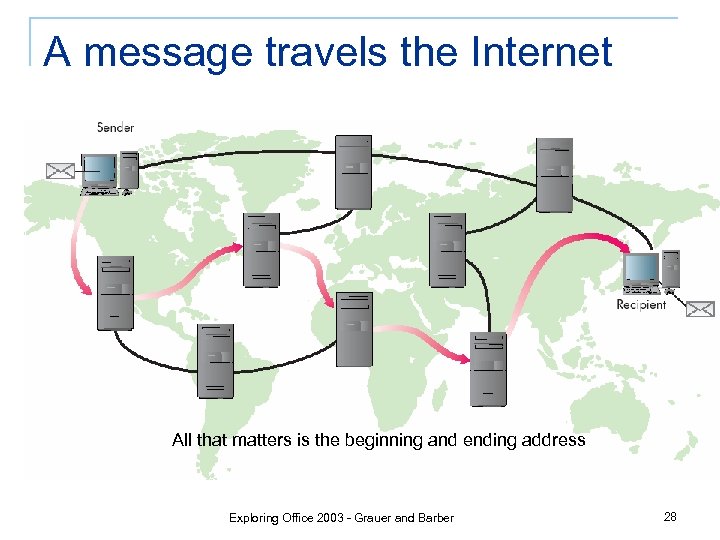 A message travels the Internet All that matters is the beginning and ending address Exploring Office 2003 - Grauer and Barber 28
 Acronyms Abound n n n HTTP – Hyper. Text Transfer Protocol is used to transmit Web documents HTTPS – Secure protocol for confidential transactions HTML – The language in which all Web documents are displayed n TCP/IP – A suite of protocols that allows multiple platforms to communicate n ISP – Internet Service Provider Exploring Office 2003 - Grauer and Barber 29
 The Commercialization of Cyberspace n n E-commerce is the exchange of goods and services via the Internet. It requires a buyer and seller, and a ‘place to meet’ Advantages for the Seller q q q Open 24/7 Shoppers from anywhere Virtual inventory is cheaper and extensive Lower transaction costs Target your customers n Advantages for the Buyer q q q Open 24/7 Never leave home Easy to view and explore product line Comparison shop Web site knows you Exploring Office 2003 - Grauer and Barber 30
 E-Mail (Electronic Mail) n n E-mail is simply a means of sending messages via computer There should be no expectation of privacy Every e-mail address is unique and consists of two parts, a username and a host computer; e. g. johndoe@anyschool. edu You can obtain an account at school, pay for an account through an ISP such as AOL, or get free email accounts at sites like www. hotmail. com or www. yahoo. com Exploring Office 2003 - Grauer and Barber 31
 Summary n n n Understand components of a computer system for usage and purchasing Distinguish between system software and application software Understand disk and file management Understand tools, such as antivirus software, FTP, and File Compression Learn about Networks, the Internet, WWW, and E-mail Discover new Microsoft Applications Exploring Office 2003 - Grauer and Barber 32