


 Скачать презентацию Explorer Post Renewal Instructions Explorer Renewal Updated 7 2011
431959dd95f3ae449d3a65cb4dc5c182.ppt
- Количество слайдов: 59
 Explorer Post Renewal Instructions Explorer Renewal Updated 7/2011
 Explorer Post Renewal What is Explorer Post Renewal? A method to renew Exploring Posts online. Online Post roster is current with Learning for Life roster. Post decides which post adult leader will prepare and submit their renewal. Explorer Renewal Updated 7/2011
 Explorer Renewal Explorer Postbefore starting? What do you need Renewal What do you need before starting? • Member number (from your Exploring card or from Member office) (from your Exploring card or from the LFL number • the LFL of all active youth and adults Roster office). Roster of all active youth andand adults. • Applications for new youth Application for each new youth and adult. • Applications for adults changing positions Application for adults changing Post positions. • For applicants paid in multiple posts, the post For applicants paid in multiple Posts, the Post number of their primary registration. • Form 28, 573 (Criminal Background), if applicable. Form 28 -573 if applicable Explorer Renewal Updated 7/2011
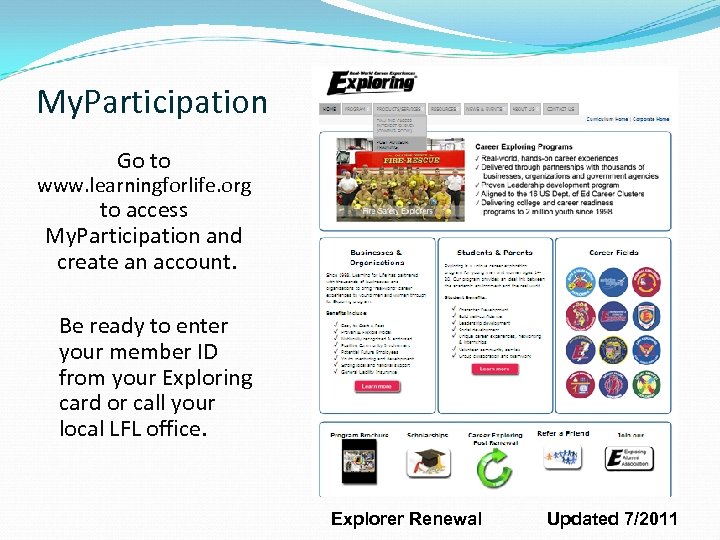 My. Participation Go to www. learningforlife. org to access My. Participation and create an account. Be ready to enter your member ID from your Exploring card or call your local LFL office. Explorer Renewal Updated 7/2011
 My. Participation also allows leaders to: My Profile—update your account information and member ID. Already have a My. Scouting account? Use the same login info for My. Participation. My Training—access to E-Learning. My Tools—systems that support Exploring leaders. Explorer Renewal Updated 7/2011
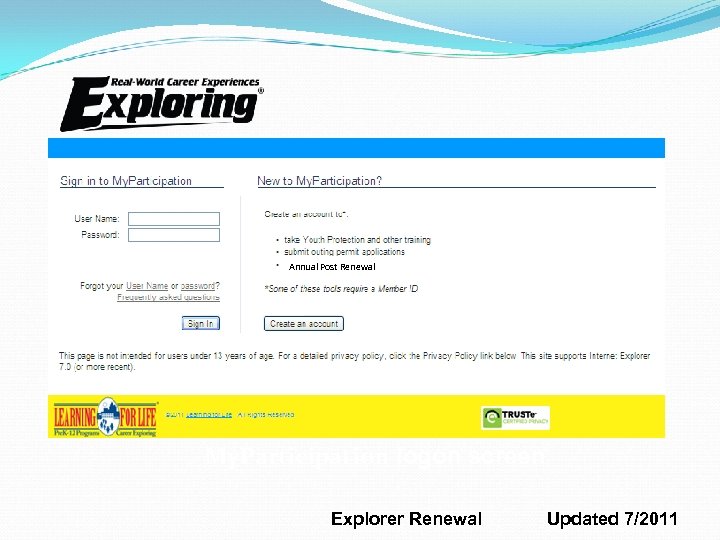 Annual Post Renewal My. Participation logon screen Explorer Renewal Updated 7/2011
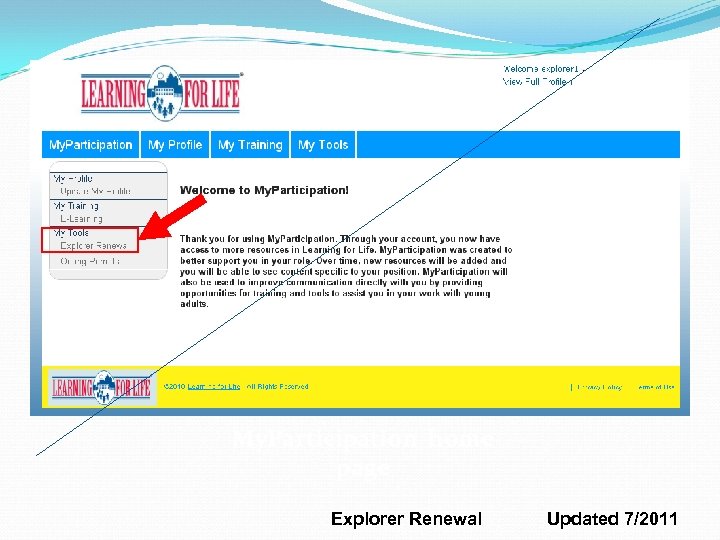 My. Participation home page Explorer Renewal Updated 7/2011
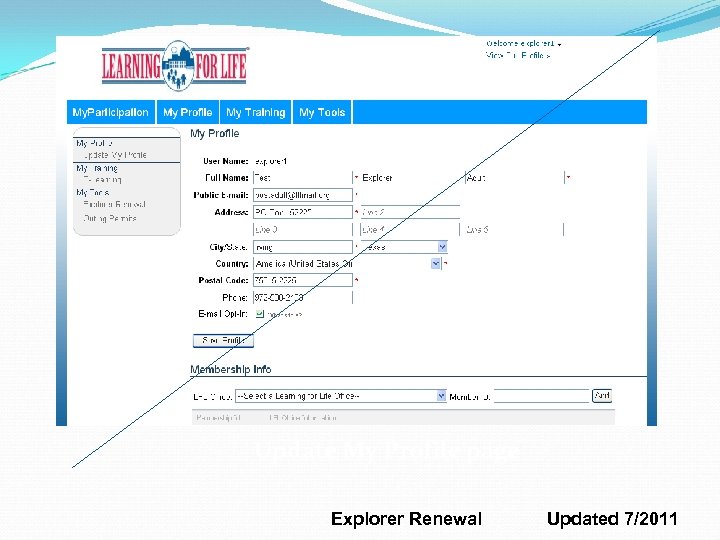 Update My Profile page Explorer Renewal Updated 7/2011
 Explorer Renewal Processor (RP): The Exploring leader designated to renew an Exploring post is the renewal processor. The renewal processor (RP) must hold one of these adult positions: Post Committee Chair, Post Committee Member, Explorer Advisor, or Associate Advisor. Explorer Renewal Updated 7/2011
 Explorer Renewal Access Window: The Access window is generally open from two months before to no more than two months after expiration. (Check with the LFL office for exact information. ) If a post is not within the access window, a message indicates that there are no posts to renew at this time. Explorer Renewal Updated 7/2011
 Explorer Renewal SSN Required? RPs do not enter Social Security numbers; this is entered at the Learning for Life office. The adult application is required and must be submitted with the post renewal for new adult leaders. Explorer Renewal Updated 7/2011
 Explorer Renewal Form 28 -573*: If it applies to adults in your post, submit the signed Form 28 -573 to the Learning for Life office with your renewal application. Follow the instructions of your Learning for Life office in regard to Form 28 -573 Certification. * Local, state, or federal agencies that require background checks as a condition of employment will meet BSA requirements by using Form 28 -573; this form certifies that a background check has already been completed. Explorer Renewal Updated 7/2011
 Explorer Renewal Stage 1 Review the Help document from Help link. Select the post for renewal (you may have several selections if you are associated with more than one post). Accept the Confidentiality Statement. Load the roster information for that post. Explorer Renewal Updated 7/2011
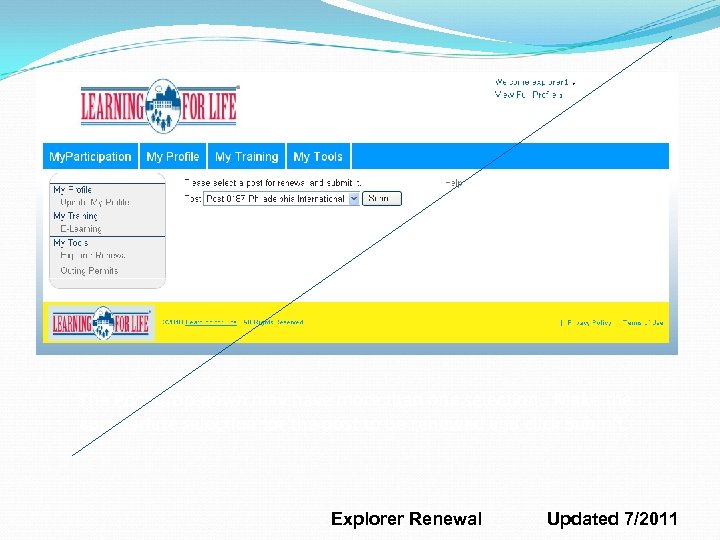 The Post drop-down may have more than one selection. Make the appropriate selection for the post to be renewed and click Submit. Explorer Renewal Updated 7/2011
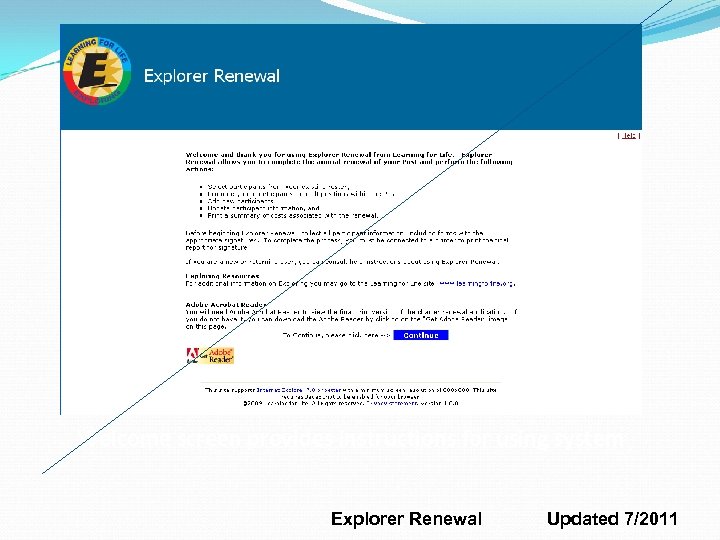 Welcome screen provides instructions for using system Explorer Renewal Updated 7/2011
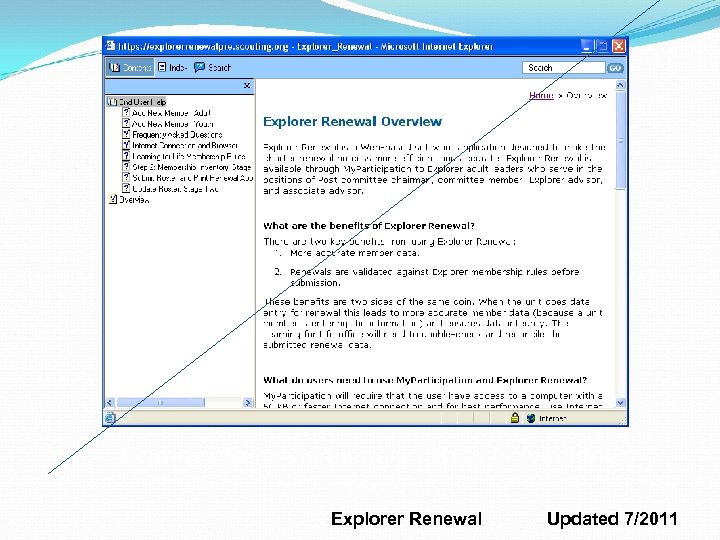 Explorer Renewal end user Help is available online Explorer Renewal Updated 7/2011
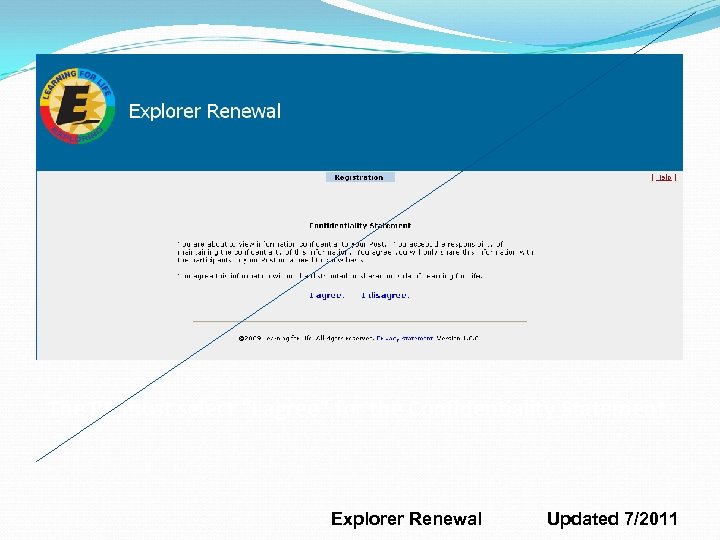 The RP must select “I agree” for the Confidentiality Statement Explorer Renewal Updated 7/2011
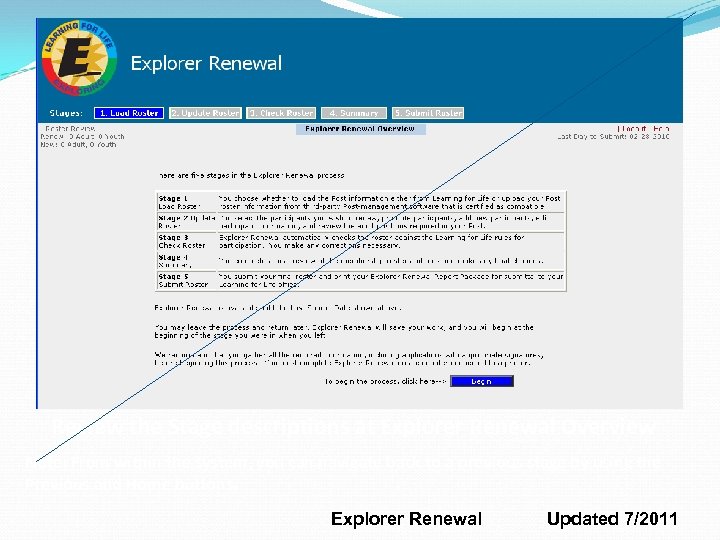 Review the Stage descriptions at Explorer Renewal Overview Note: From within the system, you can navigate back to a previous stage by using the Previous and Home buttons. Explorer Renewal Updated 7/2011
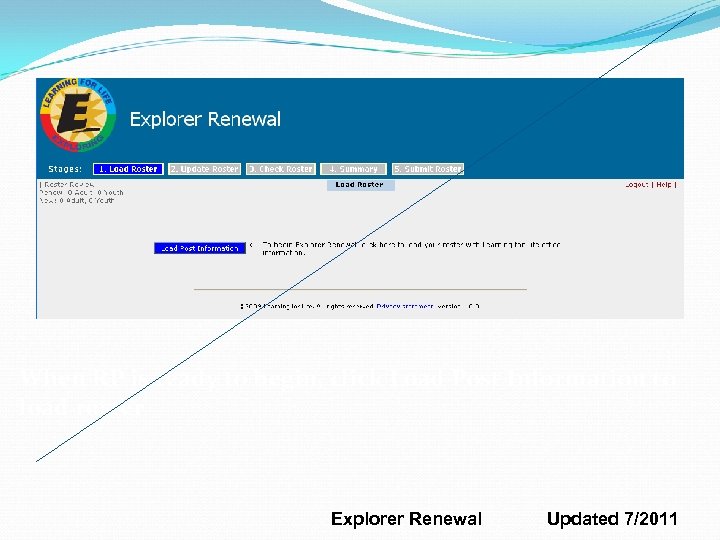 When RP is ready to begin, click Load Post Information to load roster Explorer Renewal Updated 7/2011
 Explorer Renewal Stage 2, Step 1 Update information for the post organization, if needed. Organization telephone number is required. Explorer Renewal Updated 7/2011
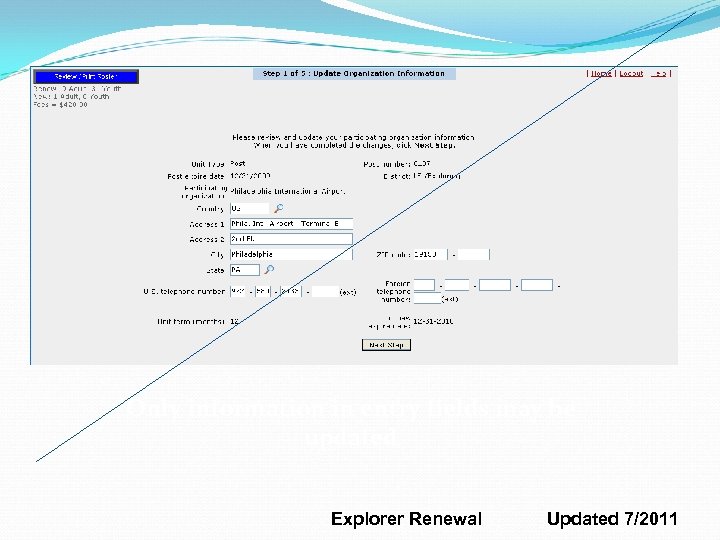 Only information in entry fields may be updated Explorer Renewal Updated 7/2011
 Explorer Renewal Stage 2, Step 2 Select members for renewal from the current roster. Roster will display all adults with current adult positions and all youth members. If a member is not renewing, uncheck the box. Explorer Renewal Updated 7/2011
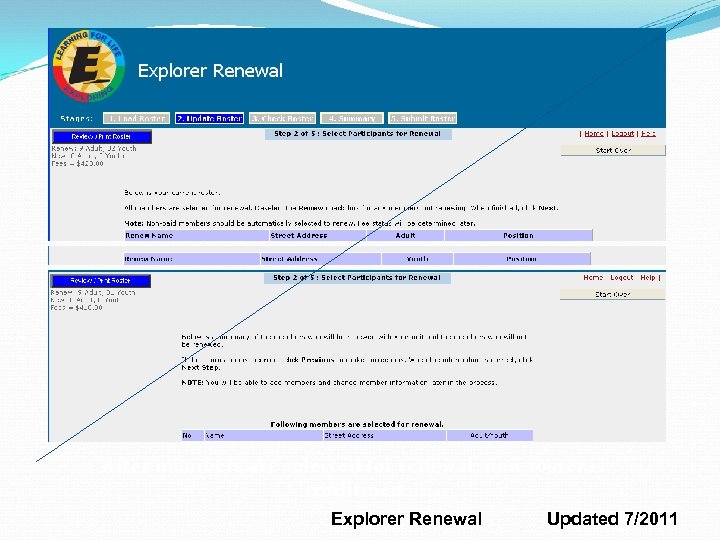 After members are selected for renewal; new roster is confirmed Explorer Renewal Updated 7/2011
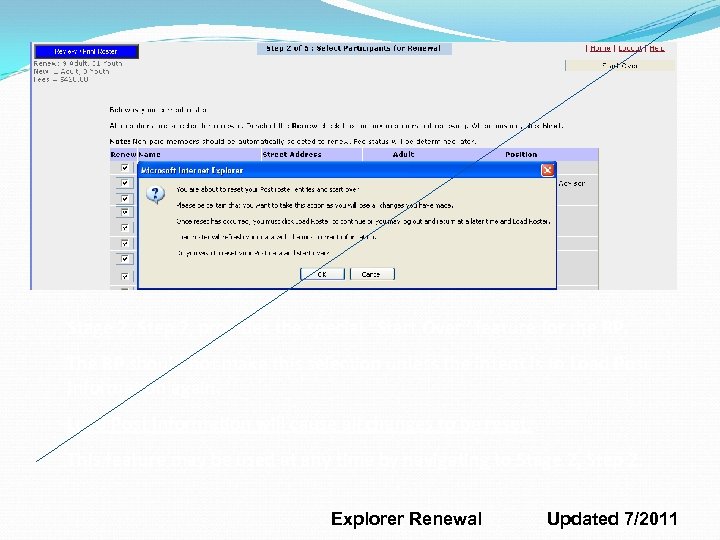 Stage 2, Step 2, provides the special “Start Over” feature for the RP. The RP should not make this selection unless the intent is to Load Post Information again. Load Post Information will cause all changes to be reset. This feature may be used at any time by navigating to Stage 2, Step 2. Explorer Renewal Updated 7/2011
 Explorer Renewal Stage 2, Step 3 Add Members Complete personal, business, and youth information for new members. Complete Add New Adult first and then Add New Youth; separate forms are provided. Explorer Renewal Updated 7/2011
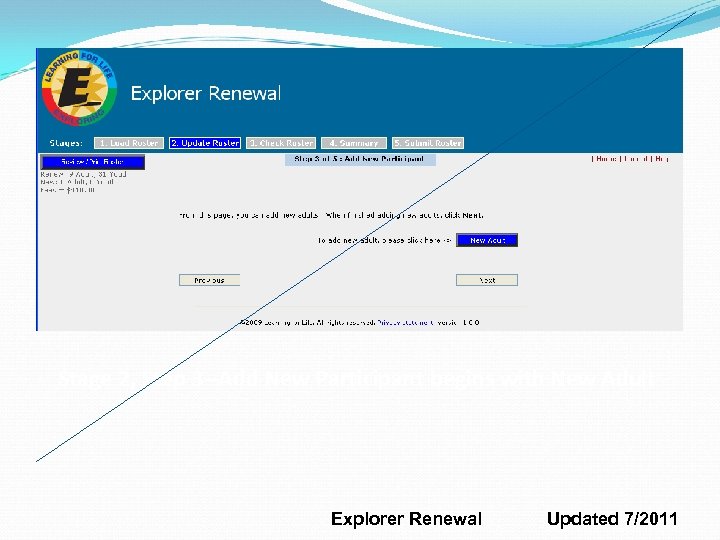 Stage 2, Step 3 --Add New Participant begins with New Adult Explorer Renewal Updated 7/2011
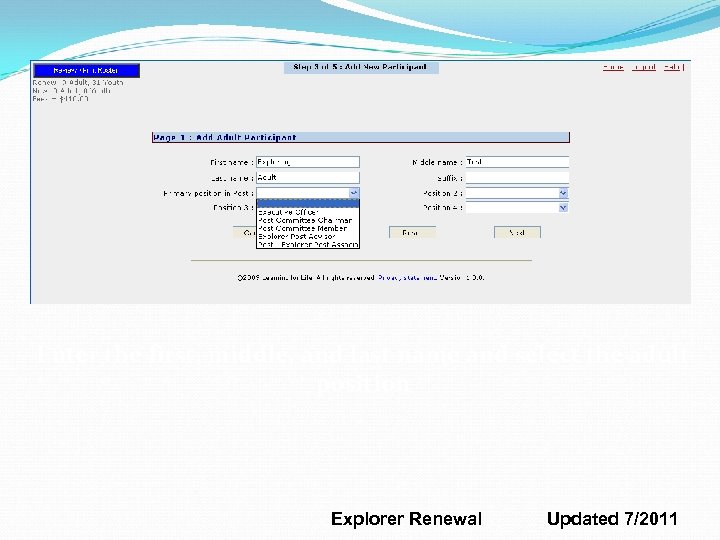 Enter the first, middle, and last name and select the adult position Explorer Renewal Updated 7/2011
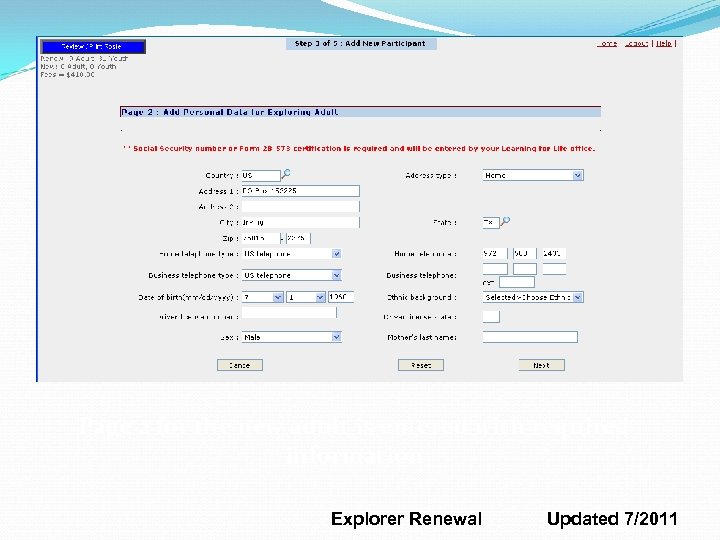 Page 2 for the new adult is entered with required information Explorer Renewal Updated 7/2011
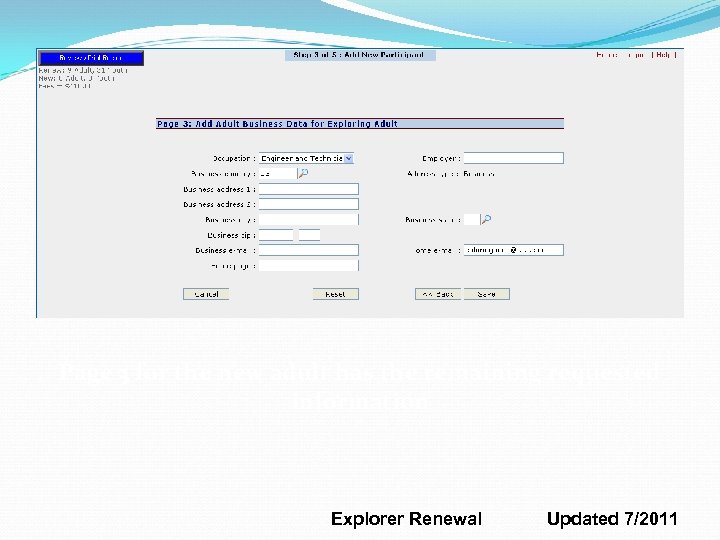 Page 3 for the new adult has the remaining requested information Explorer Renewal Updated 7/2011
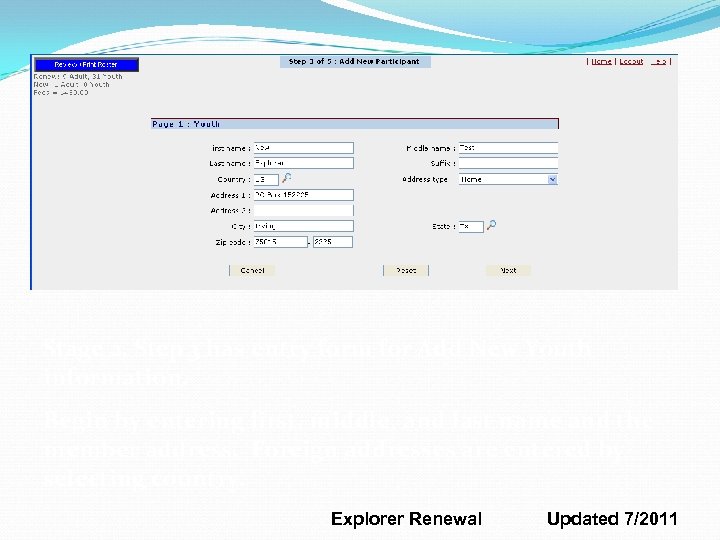 Stage 2, Step 3 has entry form for Add New Youth information. Begin by entering first, middle, and last name and the member address. Foreign addresses are entered by selecting country. Explorer Renewal Updated 7/2011
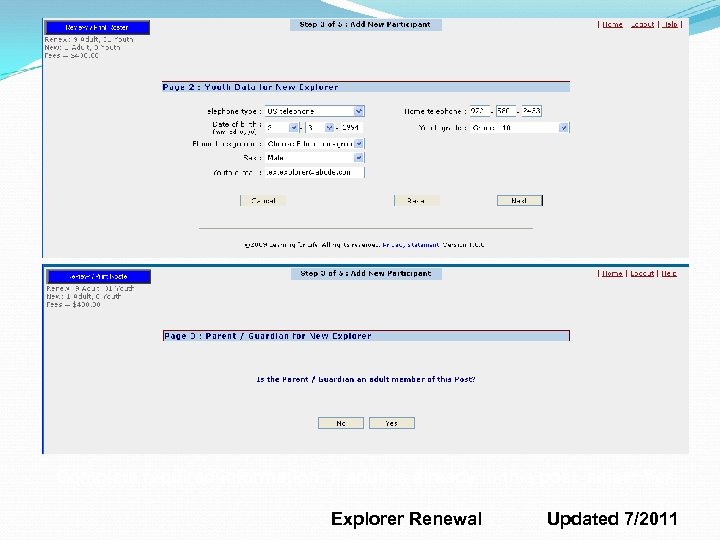 Complete required information; if adult is already in this post, select Yes Explorer Renewal Updated 7/2011
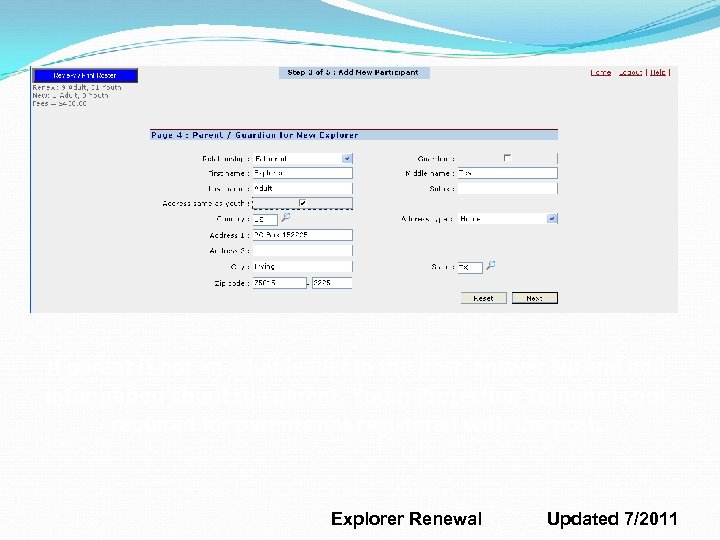 If parent is not an adult leader in the post, answer No and add information about the parent. Youth Protection Training is not required for parents not registered with the post. Explorer Renewal Updated 7/2011
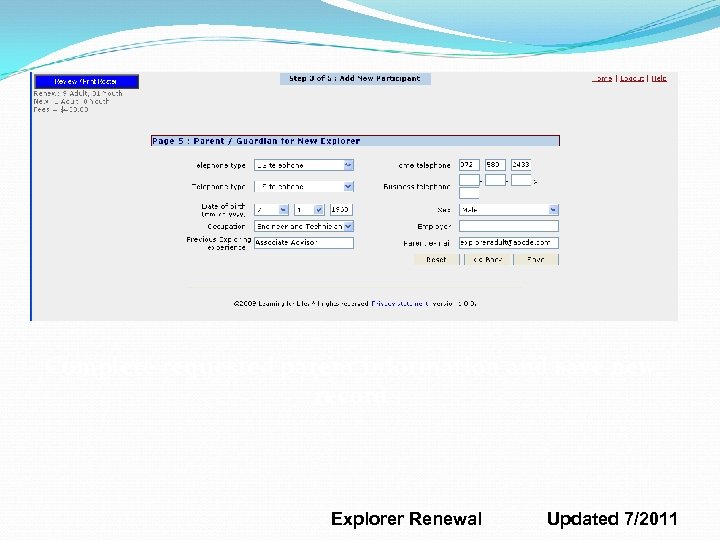 Complete requested parent information and save new record Explorer Renewal Updated 7/2011
 Explorer Renewal Stage 2, Step 4 Update Participant Data • Review member data; change if needed. • Use Update to edit member information. • Use Remove to delete member from renewal. Explorer Renewal Updated 7/2011
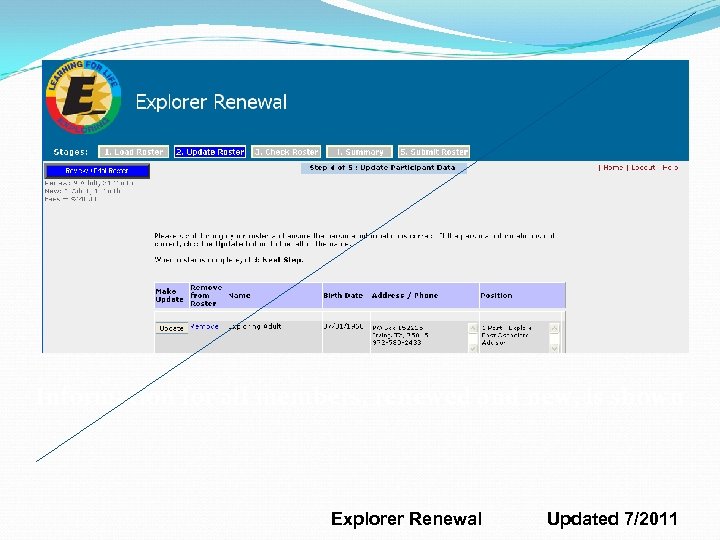 Information for all members, renewed and new, is shown Explorer Renewal Updated 7/2011
 Explorer Renewal Stage 2, Step 5 Update Position Review member positions and make changes if needed. LFL adult requirements displayed on right. Current column shows current adult roster. Explorer Renewal Updated 7/2011
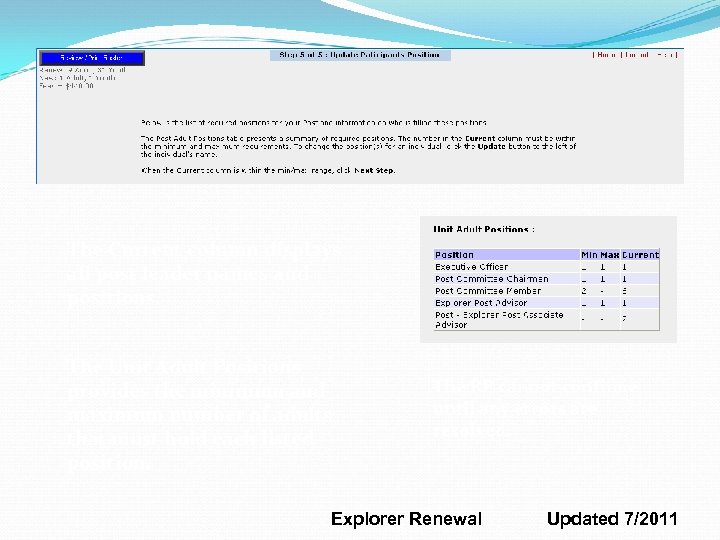 The Current column displays all post leader names and positions. The Unit Adult Positions provides the minimum and maximum number of adults that must hold each listed position. The RP cannot continue until any errors are resolved. Explorer Renewal Updated 7/2011
 Explorer Renewal Stage 3 Check Roster Review the information selected for your post renewal. Make changes as needed; errors must be resolved to continue with renewal. Explorer Renewal Updated 7/2011
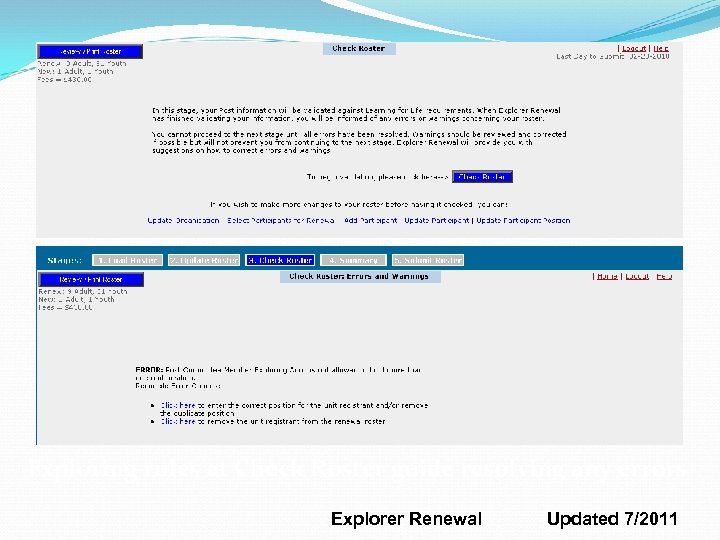 Exploring rules at Check Roster guide resolving any errors Explorer Renewal Updated 7/2011
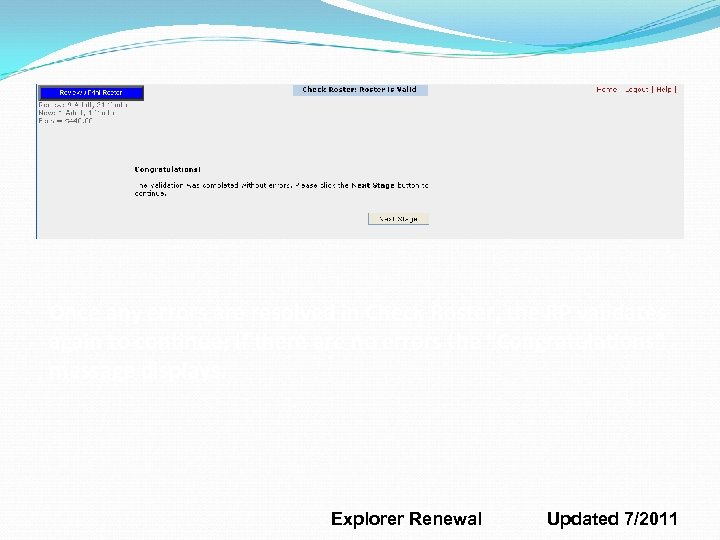 Once any errors are resolved in Check Roster, the RP validates again to continue; if there are no errors the “Congratulations” message displays. Explorer Renewal Updated 7/2011
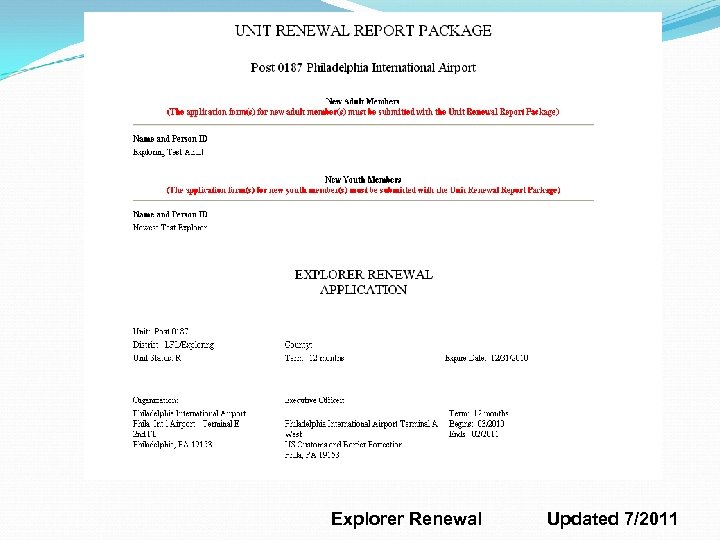
 Explorer Renewal Review Draft Renewal Application • Reviewing draft is available at all times after members are confirmed in Stage 2, Step 2. • Click on Review/Print Roster to see the draft renewal application. • The draft shows all work in progress and the fee calculations. Explorer Renewal Updated 7/2011
 Explorer Renewal Updated 7/2011
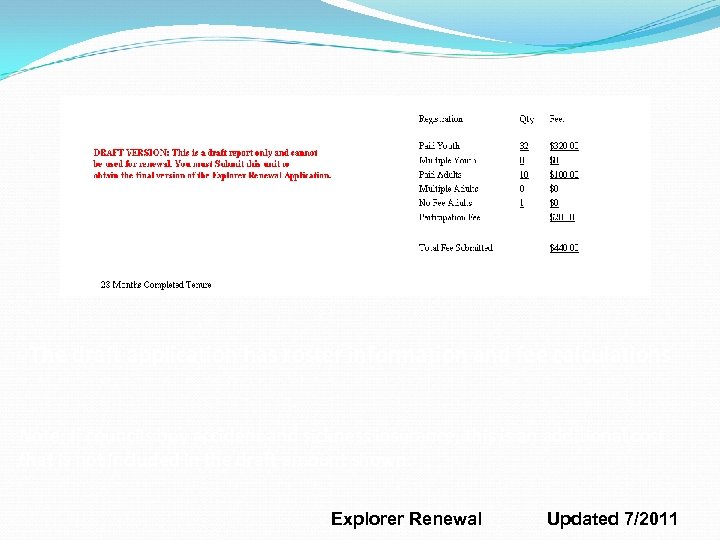 The draft application has roster information and fee calculations Note: If councils buy accident and sickness insurance, this is an additional cost that is not included in the draft amount shown. Explorer Renewal Updated 7/2011
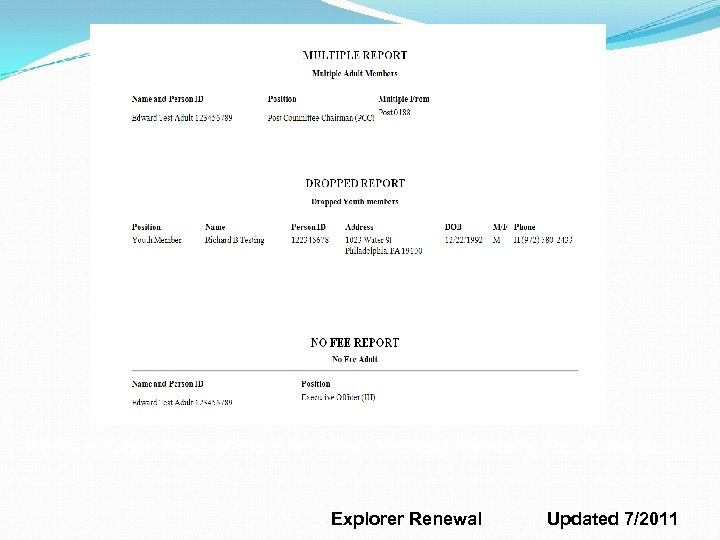 Renewal Report Package shows multiples, dropped members, and no-fee adults. Explorer Renewal Updated 7/2011
 Explorer Renewal Stage 4 Summary – Step 1 Update fees. Confirm multiples (paid in another post). Note: Applicants pay in one post only. If you know the post where applicant is paid, check that post and uncheck in others. Explorer Renewal Updated 7/2011
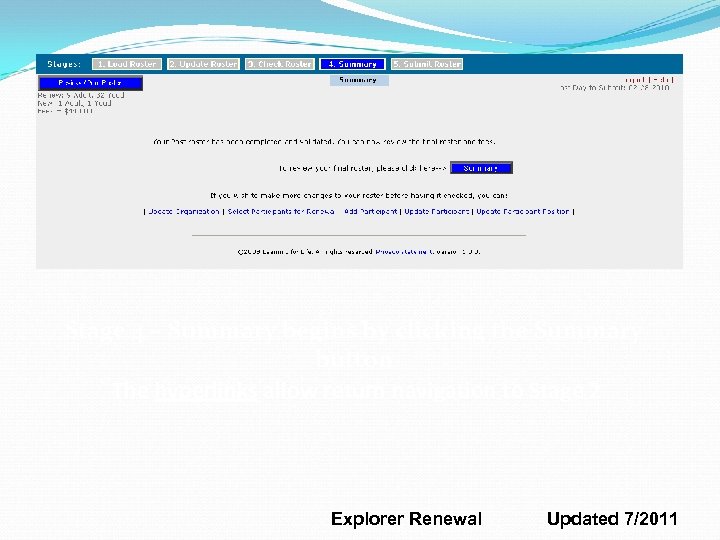 Stage 4 – Summary begins by clicking the Summary button The hyperlinks allow return navigation to Stage 2 Explorer Renewal Updated 7/2011
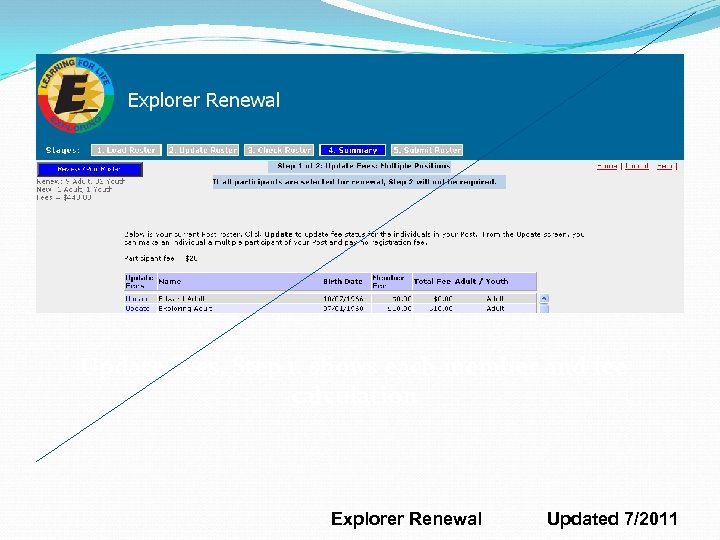 Update Fees, Step 1, shows each member and fee calculation Explorer Renewal Updated 7/2011
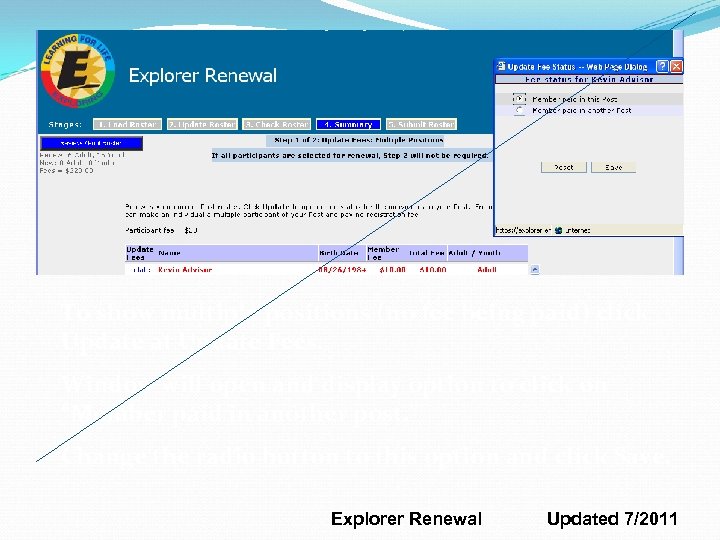 To show multiple positions (no fee being paid) click Update at Update Fees. Window will open and display option to click on “Member paid in another post. ” Change the radio button to this option and click Save. Explorer Renewal Updated 7/2011
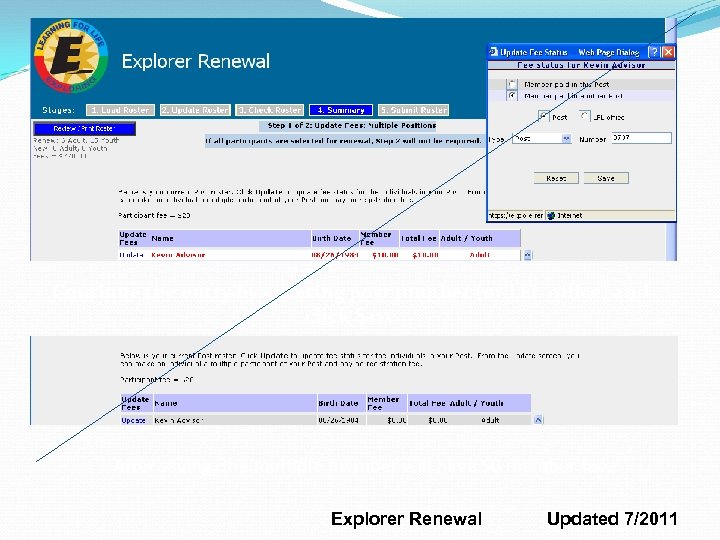 Continue the entry by entering post number (or LFL office) and click Save After saving, the multiple member will have $0 member fee. Explorer Renewal Updated 7/2011
 Explorer Renewal Stage 4 Summary – Step 2 (if non-renewed youth). Non-renewals Review non-renewing youth members and select reasons for non-renewal. Information on non-renewals goes to LFL office. Explorer Renewal Updated 7/2011
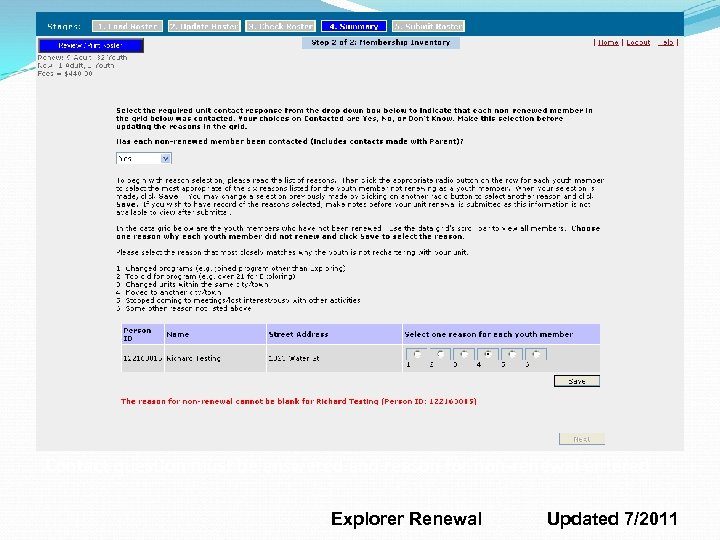 Contact question must be answered and reason for non-renewal entered Explorer Renewal Updated 7/2011
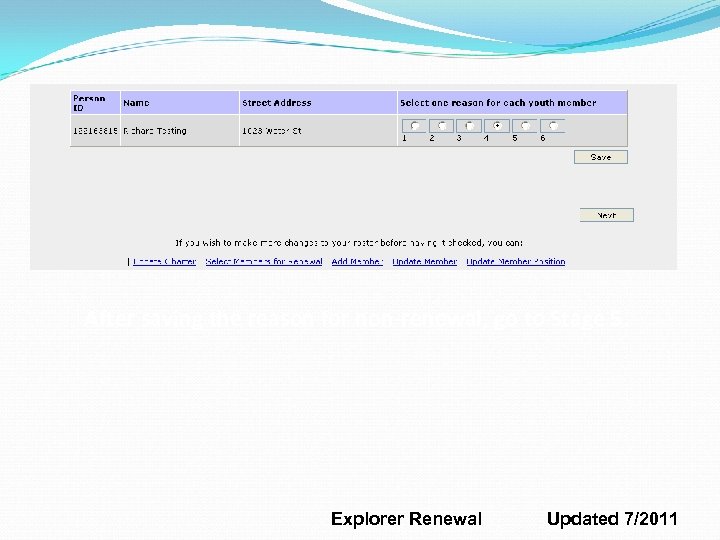 After saving the reason for non-renewal, go to Stage 5. Explorer Renewal Updated 7/2011
 Explorer Renewal Stage 5 Review the draft renewal report package. If changes are still needed, click Home link to navigate to Stage 2 – Steps 1 to 5. Submit the renewal Print the Renewal Report Package. Obtain approval signatures and attach forms requested by the LFL office. Explorer Renewal Updated 7/2011
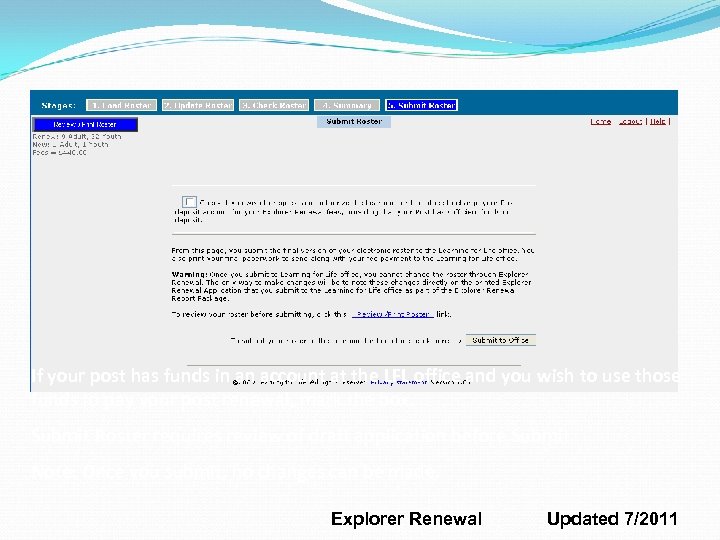 If your post has funds in an account at the LFL office and you wish to use those funds to pay your post renewal, mark the box. Submit Roster requires review of draft application before Submit Note: Once you submit, no changes can be made. Explorer Renewal Updated 7/2011
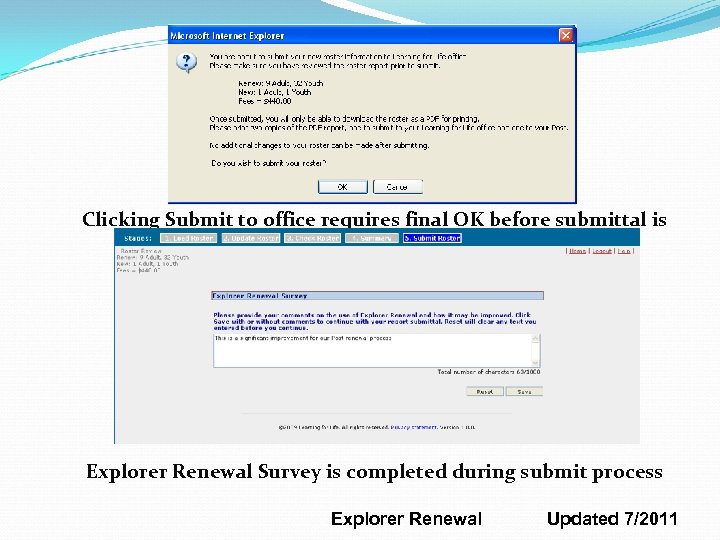 Clicking Submit to office requires final OK before submittal is sent Explorer Renewal Survey is completed during submit process Explorer Renewal Updated 7/2011
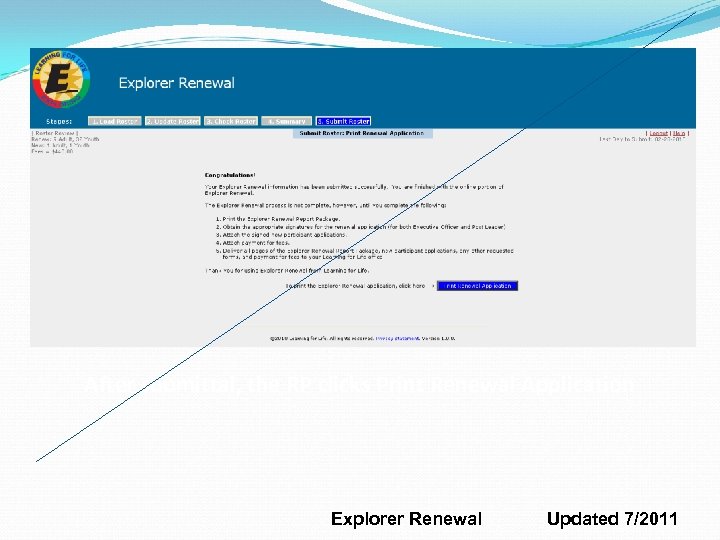 After submittal, the RP clicks Print Renewal Application Explorer Renewal Updated 7/2011
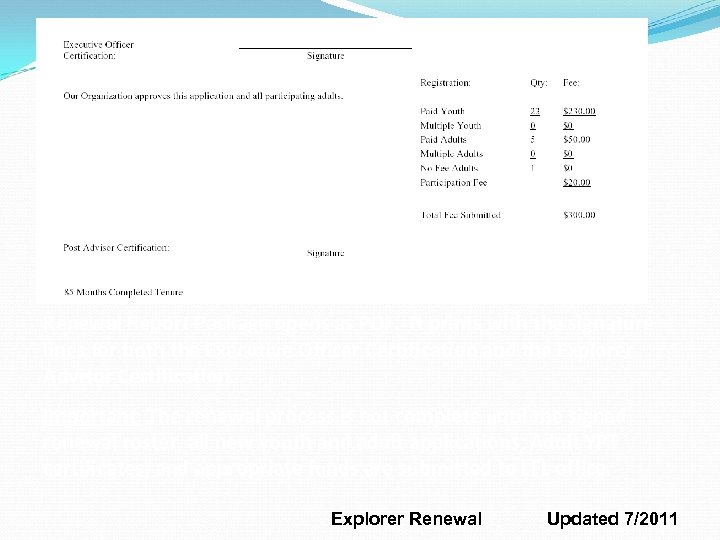 Renewal Report Package opens as PDF. It prints with the signature lines for both the Executive Officer Certification and the Explorer Advisor Certification. Important: The renewal process is not complete until the signed renewal roster, all new youth and adult applications, Adult YPT certificates, and appropriate funds are submitted to LFL office. Explorer Renewal Updated 7/2011
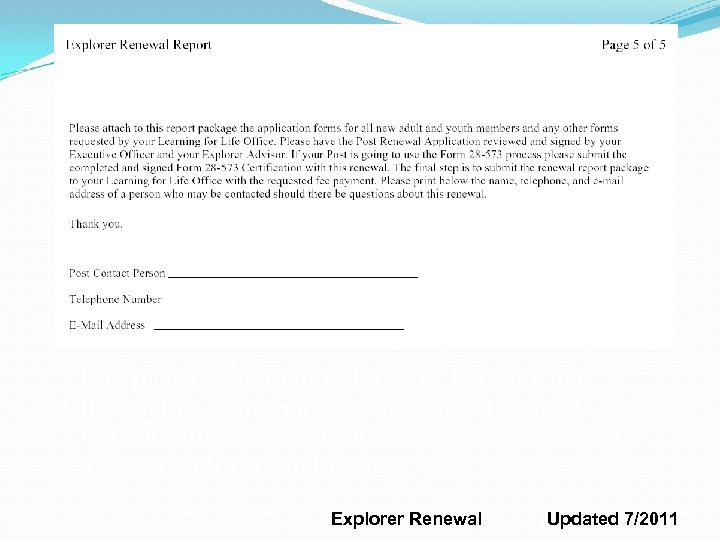 Last page of the Renewal Report Package has instructions and requests additional contact information. All pages of this Report go to the LFL office with forms and fees. Explorer Renewal Updated 7/2011
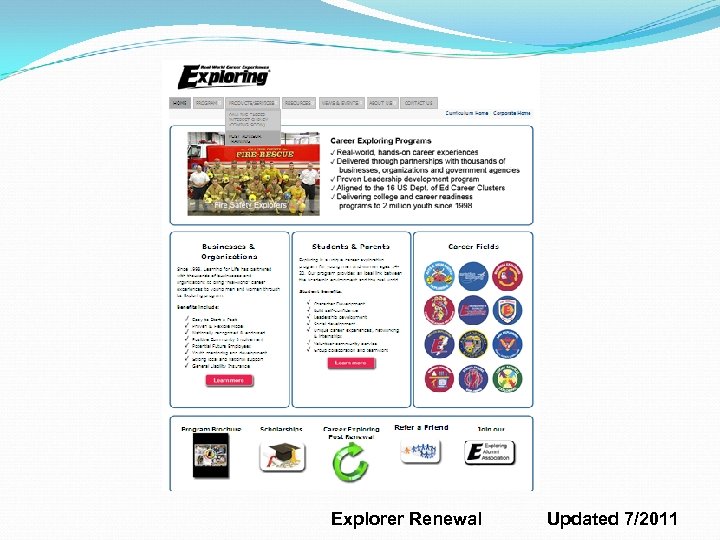 Go to My. Participation at www. learningforlife. org Explorer Renewal Updated 7/2011