 Скачать презентацию Exploiting Semantic Web and Knowledge Management Technologies for
5ddf3268fcdbbbe180f80213b8c37a10.ppt
- Количество слайдов: 46



Exploiting Semantic Web and Knowledge Management Technologies for E-learning Sylvain Dehors Director Rose Dieng-Kuntz INRIA Sophia Antipolis University of Nice-Sophia Antipolis/ ED STIC
E-learning, this ? 2
A vision of e-learning • For us: – Any learning activity mediated by a computer – Buzz Word, but also real change in practices • Use of computers in daily activities • All ages, from youngster to adult teaching • In practice, several types of application – Simulation programs – Tutoring systems – On-line courses 3
Our e-learning situation • Learning organization – Teacher(s) with a group of students • Environment – Computers for daily usage – Either on-line or face-to-face • Knowledge Sources – Course documents – Teacher’s expertise Provide computer support for taking advantage of the knowledge sources 4
Outline 1. Research question 2. Method Proposal 1. Selection and analysis of existing material 2. Semi automatic annotation 3. Learning activity 4. Analysis 3. Conclusion 5
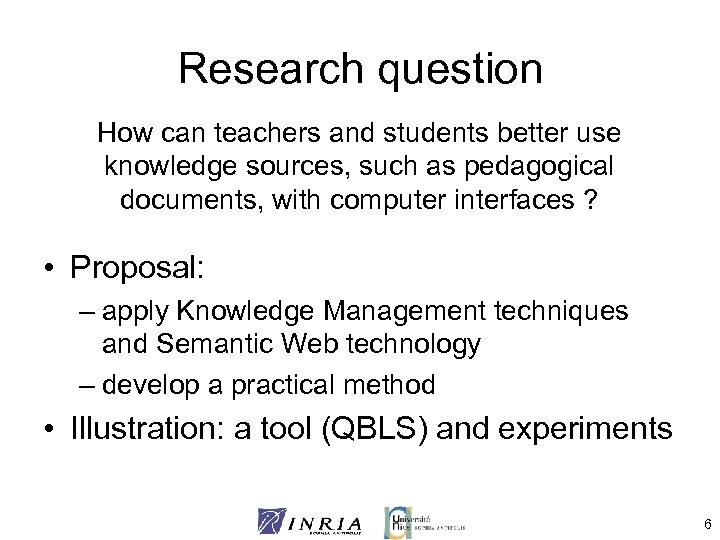
Research question How can teachers and students better use knowledge sources, such as pedagogical documents, with computer interfaces ? • Proposal: – apply Knowledge Management techniques and Semantic Web technology – develop a practical method • Illustration: a tool (QBLS) and experiments 6
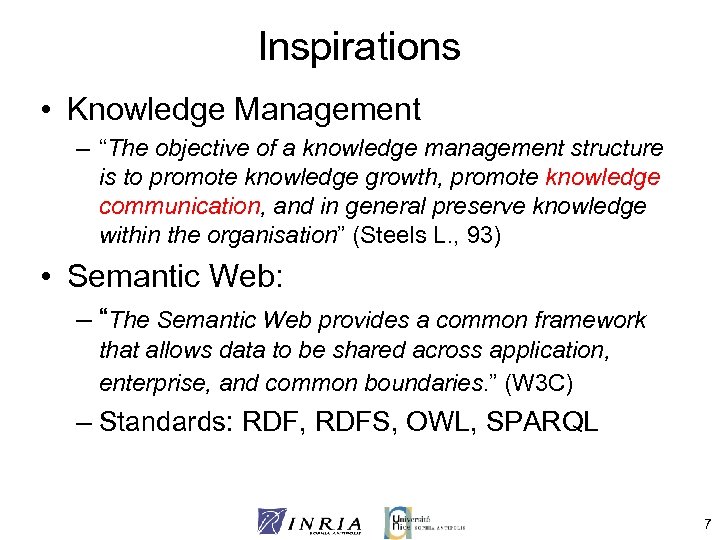
Inspirations • Knowledge Management – “The objective of a knowledge management structure is to promote knowledge growth, promote knowledge communication, and in general preserve knowledge within the organisation” (Steels L. , 93) • Semantic Web: – “The Semantic Web provides a common framework that allows data to be shared across application, enterprise, and common boundaries. ” (W 3 C) – Standards: RDF, RDFS, OWL, SPARQL 7
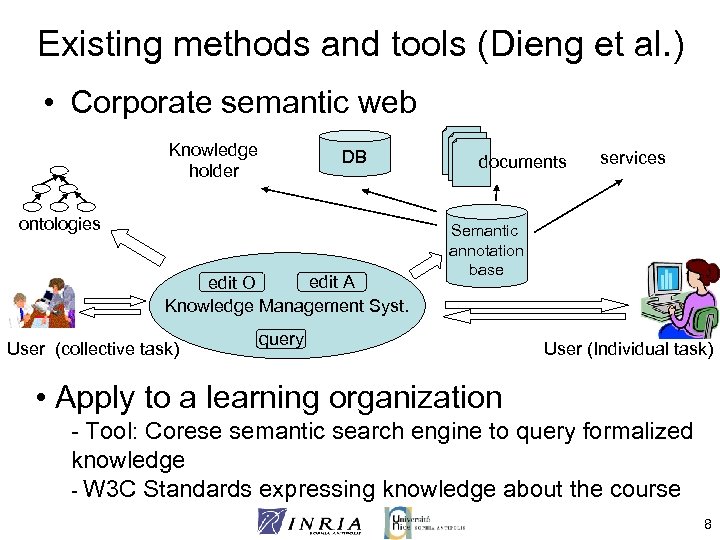
Existing methods and tools (Dieng et al. ) • Corporate semantic web Knowledge holder DB ontologies edit A edit O Knowledge Management Syst. User (collective task) documents services Semantic annotation base query User (Individual task) • Apply to a learning organization - Tool: Corese semantic search engine to query formalized knowledge - W 3 C Standards expressing knowledge about the course 8
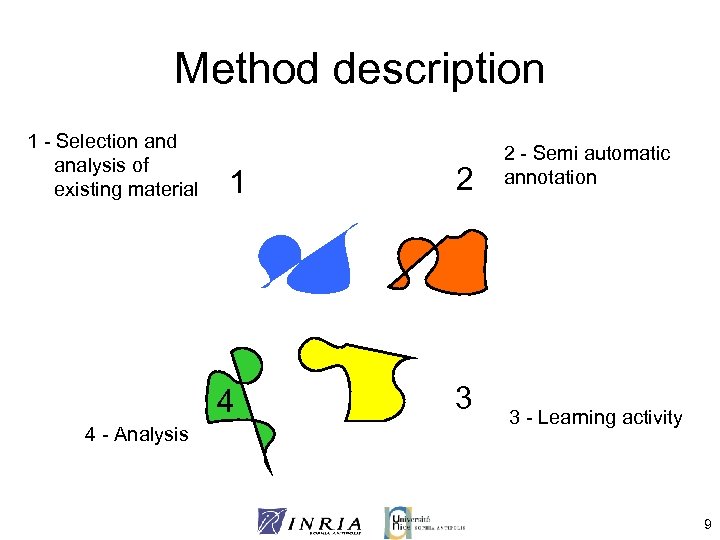
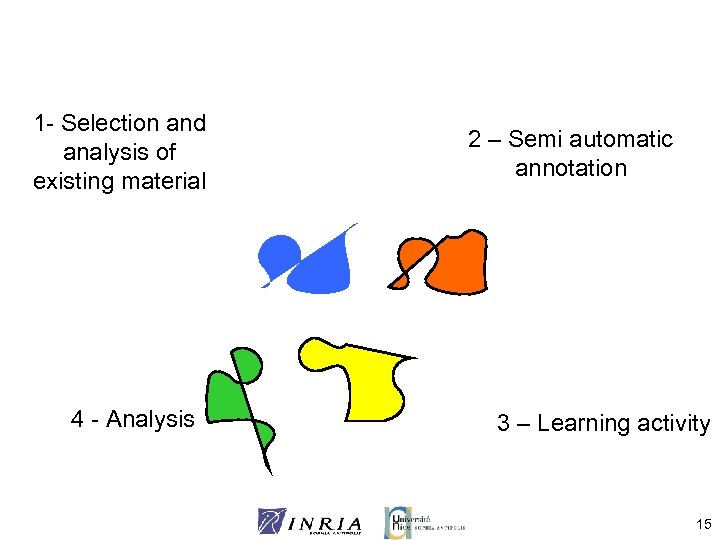
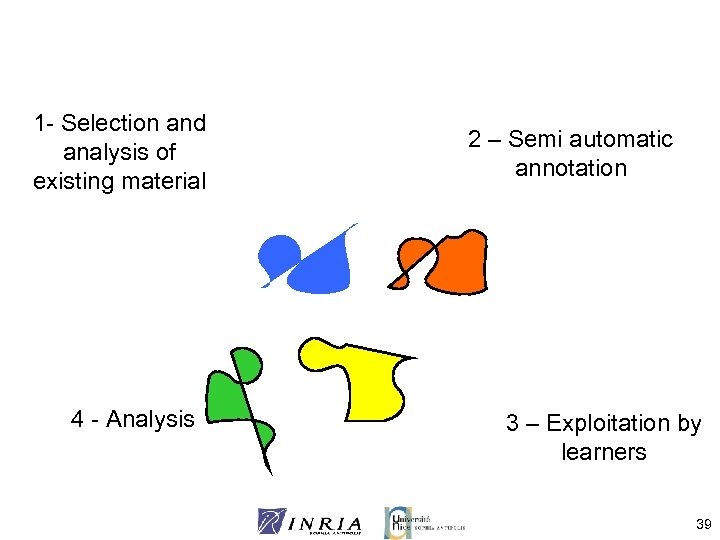
Method description 1 - Selection and analysis of existing material 1 4 4 - Analysis 2 3 2 - Semi automatic annotation 3 - Learning activity 9
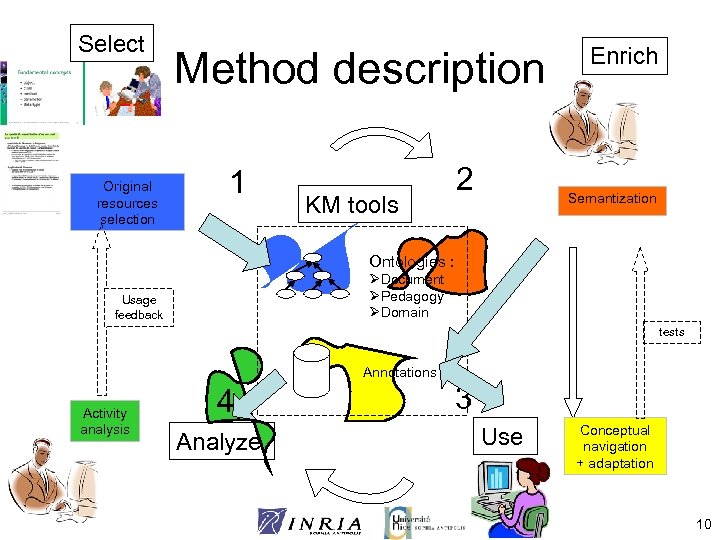
Select Original resources selection Method description 1 KM tools 2 Enrich Semantization Ontologies : ØDocument ØPedagogy ØDomain Usage feedback tests Annotations Activity analysis 4 Analyze 3 Use Conceptual navigation + adaptation 10
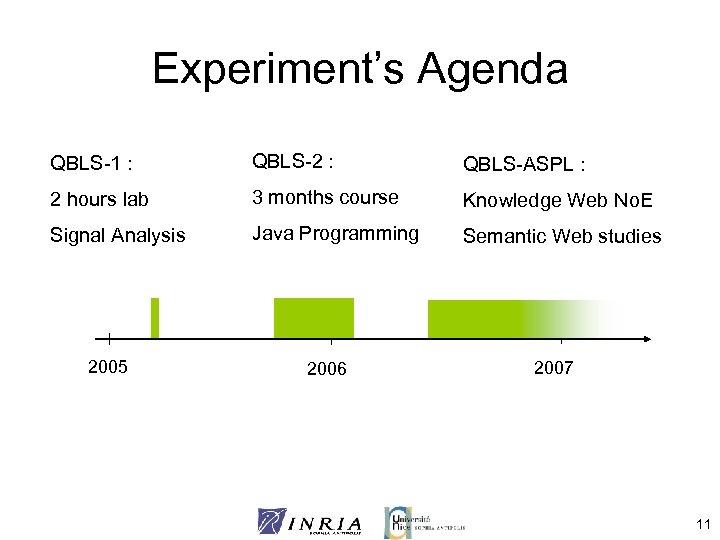
Experiment’s Agenda QBLS-1 : QBLS-2 : QBLS-ASPL : 2 hours lab 3 months course Knowledge Web No. E Signal Analysis Java Programming Semantic Web studies 2005 2006 2007 11
Resource selection • First, establish a pedagogical strategy – Collaboration Teacher/QBLS designer – QBLS: Question Based Learning Strategy: Motivation, autonomy, self-directed learning • Existing resources: – Objective criteria • Availability, standard editable format (XML) • Suitability for annotation (modularity, coherence, vocabulary used) – Subjective criteria • Scope, goal, context • Teacher’s acceptance 12
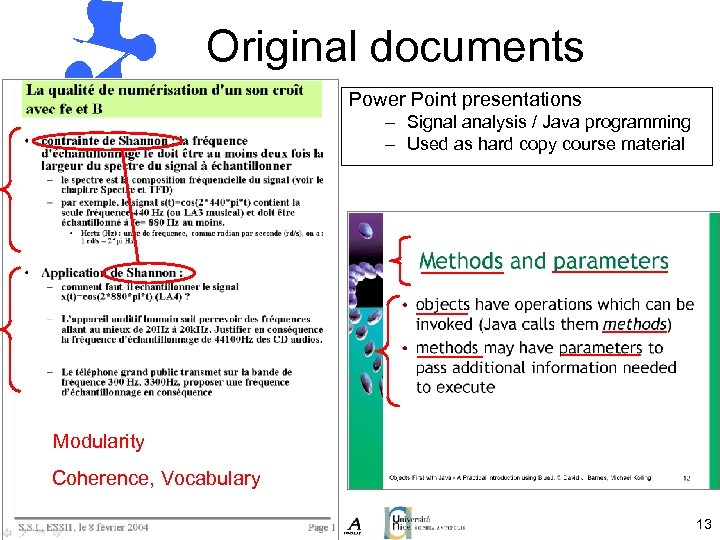
Original documents Power Point presentations – Signal analysis / Java programming – Used as hard copy course material Modularity Coherence, Vocabulary 13
Ontology selection • Selection of existing models, ontologies? – Document: • Must fit the course structure • Document organization Document ontology – Pedagogy: • Appropriate for the pedagogical approach – Domain to learn: • Usually the biggest ontology • Fit the document contents (vocabulary used, conceptualization) • Fit the teacher’s vision Lots of constraints, difficult to find appropriate ontologies 14
1 - Selection and analysis of existing material 4 - Analysis 2 – Semi automatic annotation 3 – Learning activity 15
Annotation • Express additional knowledge about the course – Based on teacher’s expertise and vision • Principles : – Use existing edition tools – Proceed through visual mark-up – Rely on XML technologies and Semantic Web formalisms 16
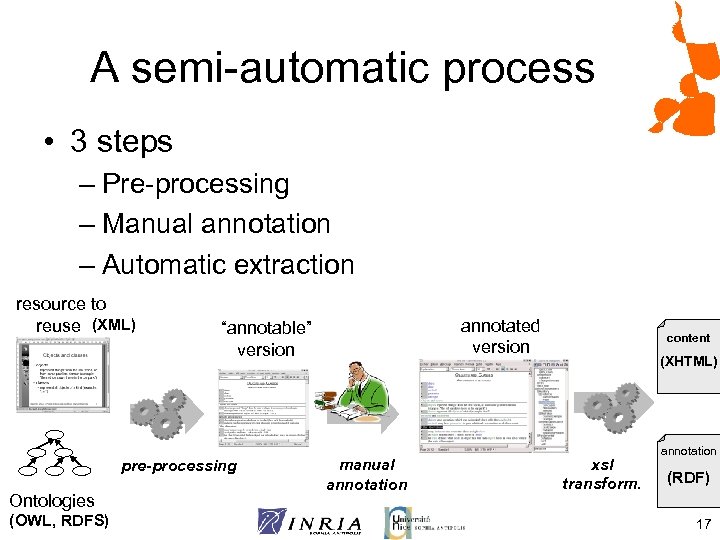
A semi-automatic process • 3 steps – Pre-processing – Manual annotation – Automatic extraction resource to reuse (XML) pre-processing Ontologies (OWL, RDFS) annotated version “annotable” version manual annotation content (XHTML) xsl transform. annotation (RDF) 17
Preprocessing • Identification of the content characteristics – Separation in small entities • Automatic annotation – Vocabulary used → domain concepts, automatic annotation with domain ontology – Resource roles → pedagogical ontology • Preparation – Styles → reflect ontological concepts – enrich style lists with ontologies 18
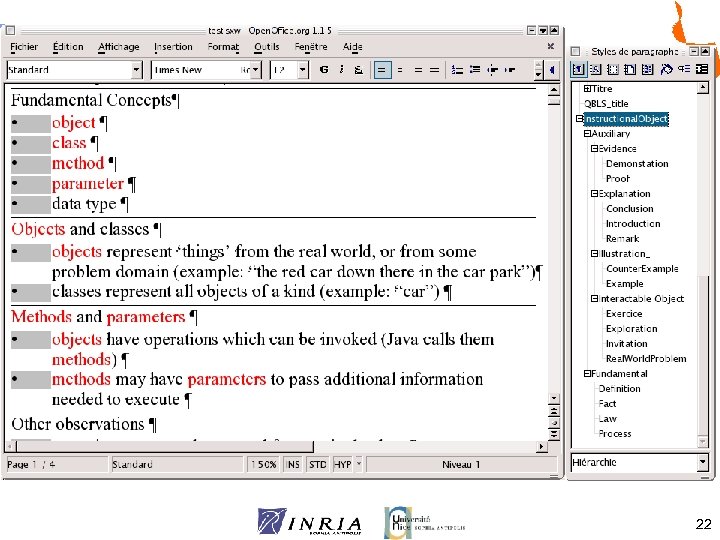
Preprocessing 22
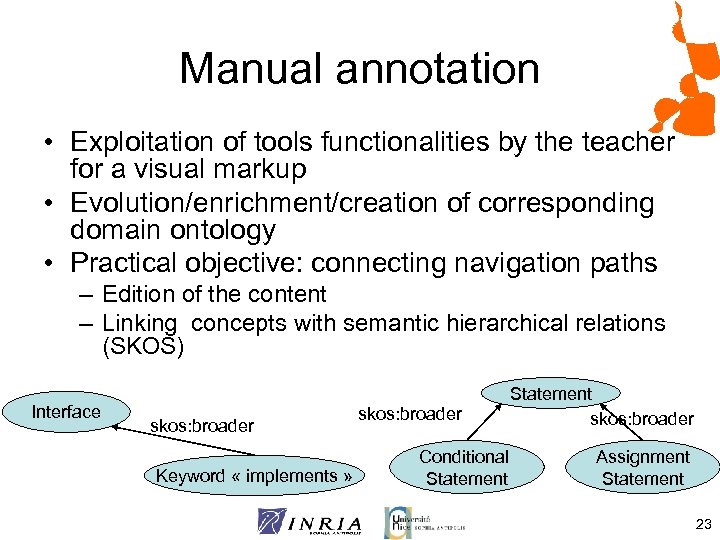
Manual annotation • Exploitation of tools functionalities by the teacher for a visual markup • Evolution/enrichment/creation of corresponding domain ontology • Practical objective: connecting navigation paths – Edition of the content – Linking concepts with semantic hierarchical relations (SKOS) Interface skos: broader Keyword « implements » skos: broader Statement skos: broader Conditional Statement Assignment Statement 23
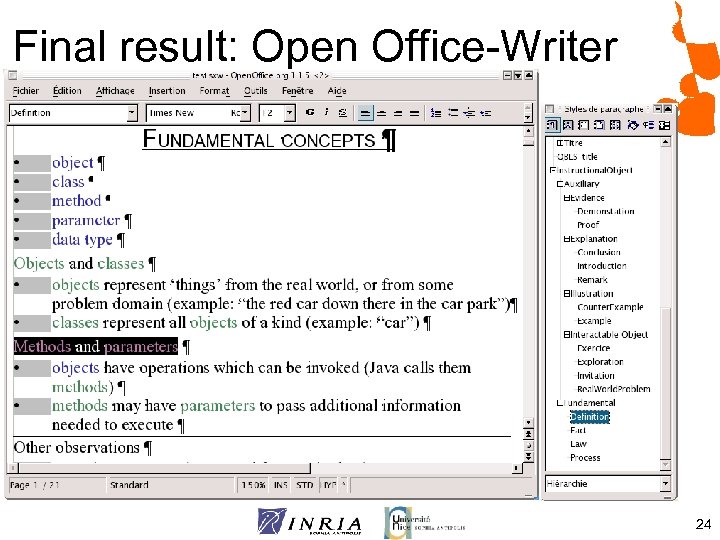
Final result: Open Office-Writer 24
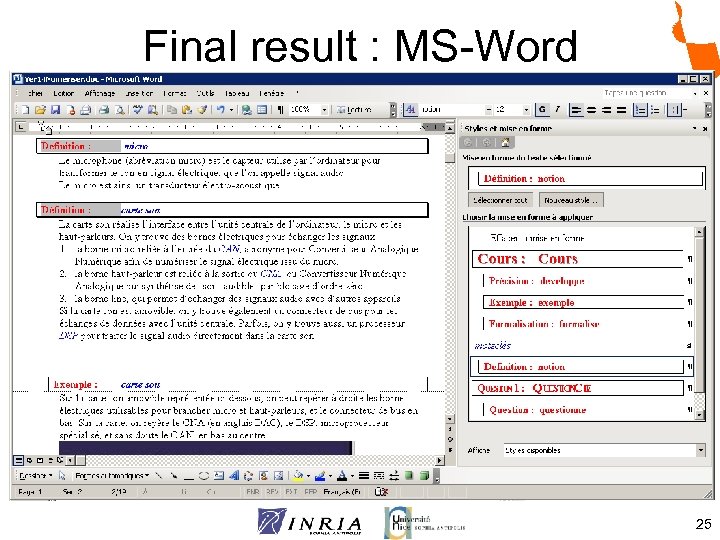
Final result : MS-Word 25
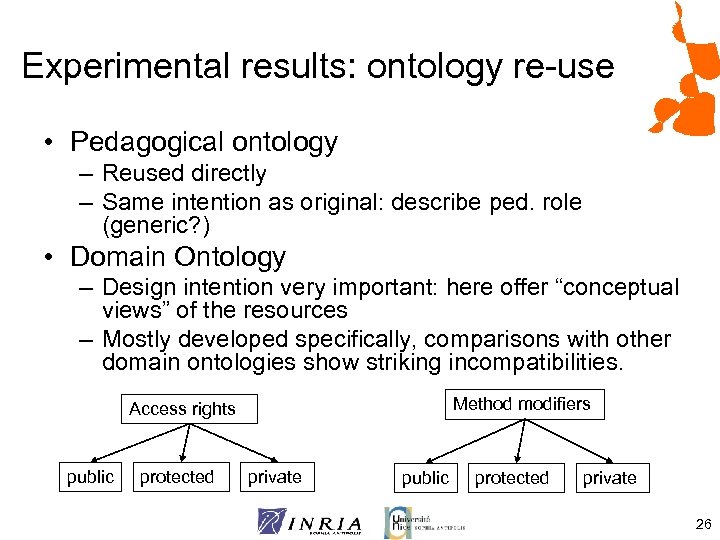
Experimental results: ontology re-use • Pedagogical ontology – Reused directly – Same intention as original: describe ped. role (generic? ) • Domain Ontology – Design intention very important: here offer “conceptual views” of the resources – Mostly developed specifically, comparisons with other domain ontologies show striking incompatibilities. Method modifiers Access rights public protected private 26
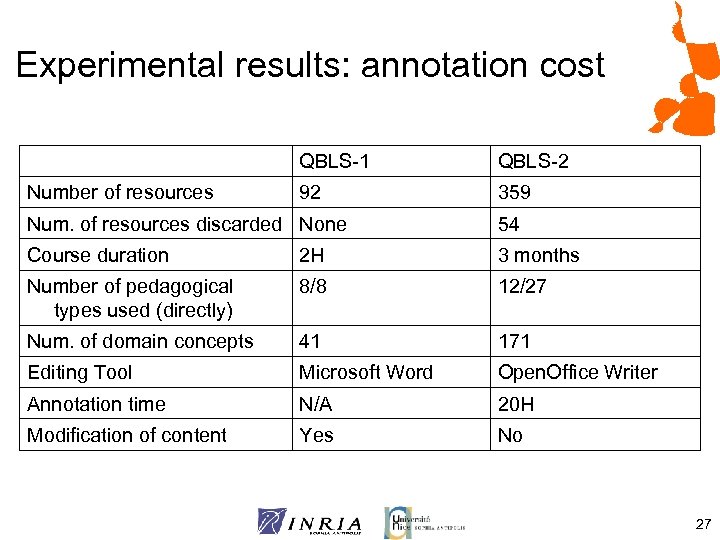
Experimental results: annotation cost QBLS-1 Number of resources QBLS-2 92 359 Num. of resources discarded None 54 Course duration 2 H 3 months Number of pedagogical types used (directly) 8/8 12/27 Num. of domain concepts 41 171 Editing Tool Microsoft Word Open. Office Writer Annotation time N/A 20 H Modification of content Yes No 27
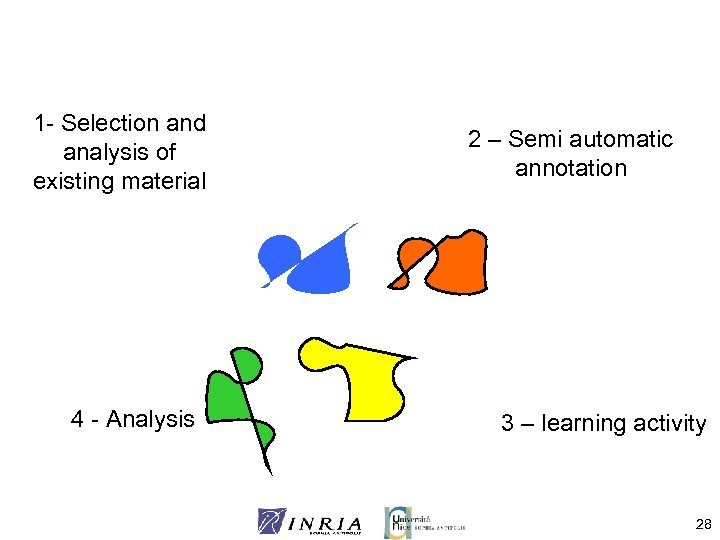
1 - Selection and analysis of existing material 4 - Analysis 2 – Semi automatic annotation 3 – learning activity 28
Learning activity • Offer “conceptual” navigation in the set of resources while answering questions or performing exercises • Navigation through semantic queries – Take advantage of domain concepts hierarchy (broader links) – Use typology of pedagogical concepts for ordering (subsumption) • Interface generation – Static XSL style sheets: performance, reuse, maintenance 29
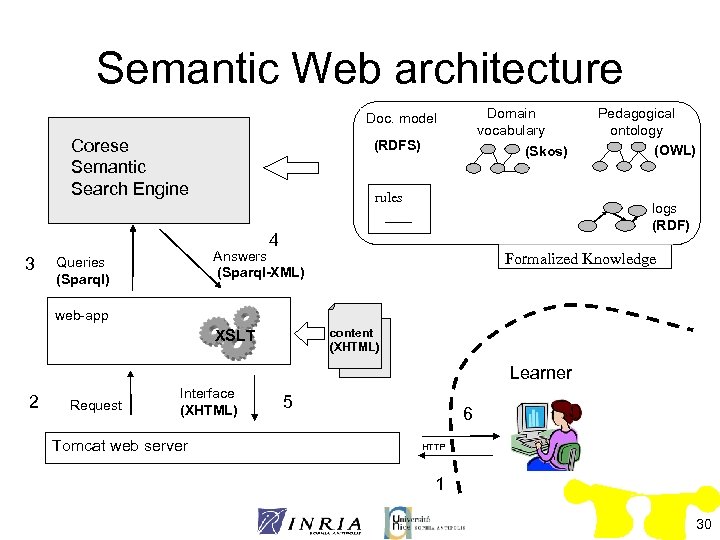
Semantic Web architecture Domain vocabulary (Skos) Doc. model Corese Semantic Search Engine (RDFS) rules logs (RDF) 4 3 Answers (Sparql-XML) Queries (Sparql) Pedagogical ontology (OWL) Formalized Knowledge web-app content (XHTML) XSLT Learner 2 Request Interface (XHTML) Tomcat web server 5 6 HTTP 1 30
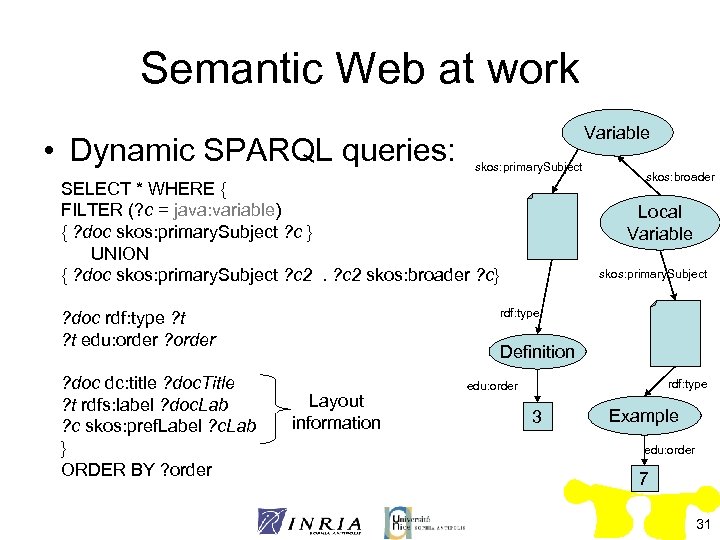
Semantic Web at work • Dynamic SPARQL queries: Variable skos: primary. Subject SELECT * WHERE { FILTER (? c = java: variable) { ? doc skos: primary. Subject ? c } UNION { ? doc skos: primary. Subject ? c 2 skos: broader ? c} Local Variable skos: primary. Subject rdf: type ? doc rdf: type ? t edu: order ? doc dc: title ? doc. Title ? t rdfs: label ? doc. Lab ? c skos: pref. Label ? c. Lab } ORDER BY ? order skos: broader Definition Layout information rdf: type edu: order 3 Example edu: order 7 31
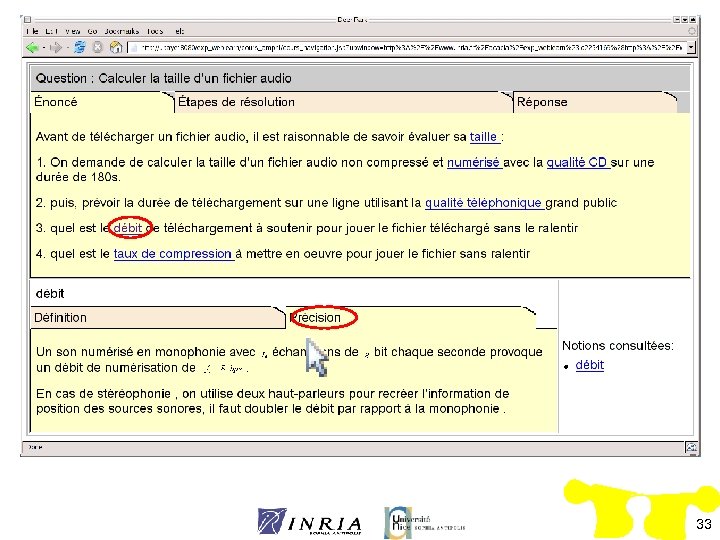
QBLS-1 33
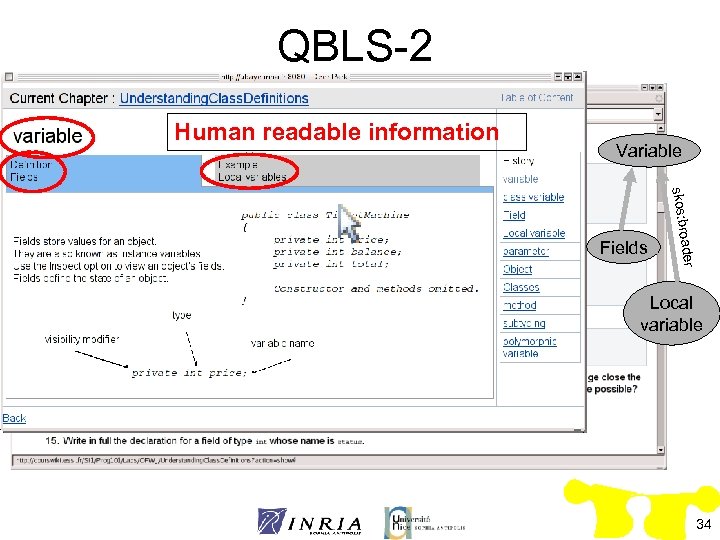
QBLS-2 Human readable information Variable oader skos: br Fields Local variable 34
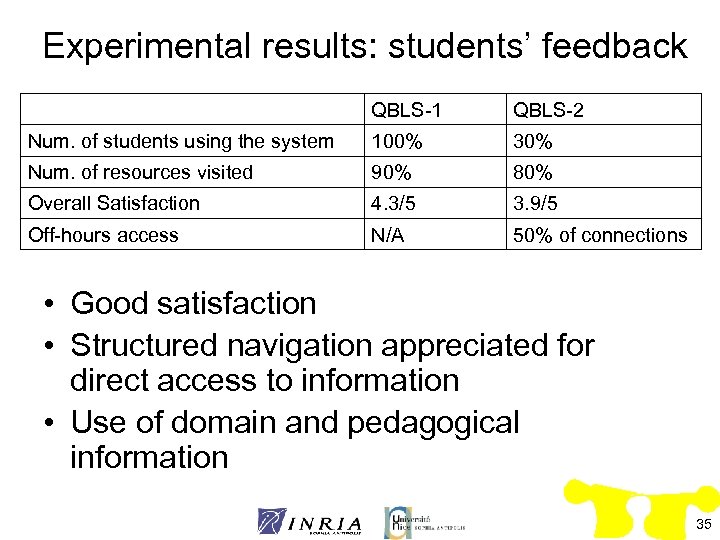
Experimental results: students’ feedback QBLS-1 QBLS-2 Num. of students using the system 100% 30% Num. of resources visited 90% 80% Overall Satisfaction 4. 3/5 3. 9/5 Off-hours access N/A 50% of connections • Good satisfaction • Structured navigation appreciated for direct access to information • Use of domain and pedagogical information 35
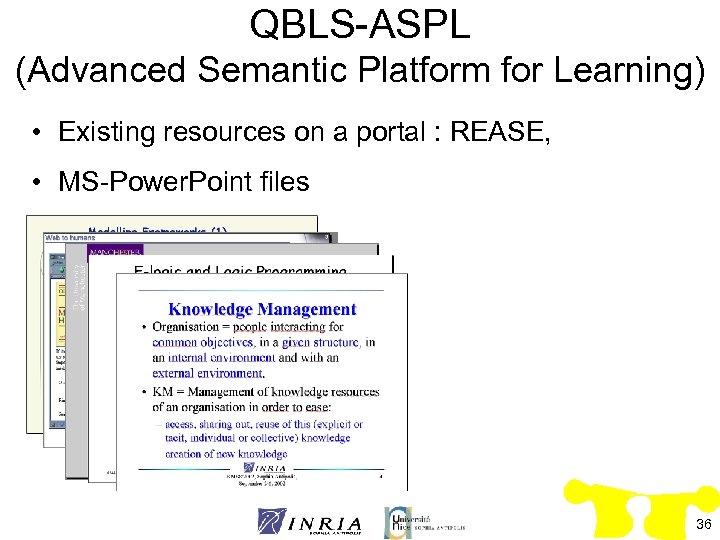
QBLS-ASPL (Advanced Semantic Platform for Learning) • Existing resources on a portal : REASE, • MS-Power. Point files 36
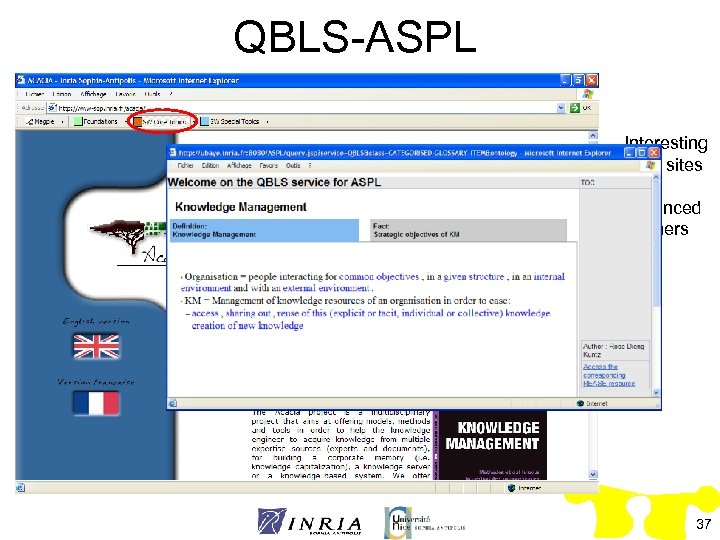
QBLS-ASPL Interesting Web sites for advanced learners 37
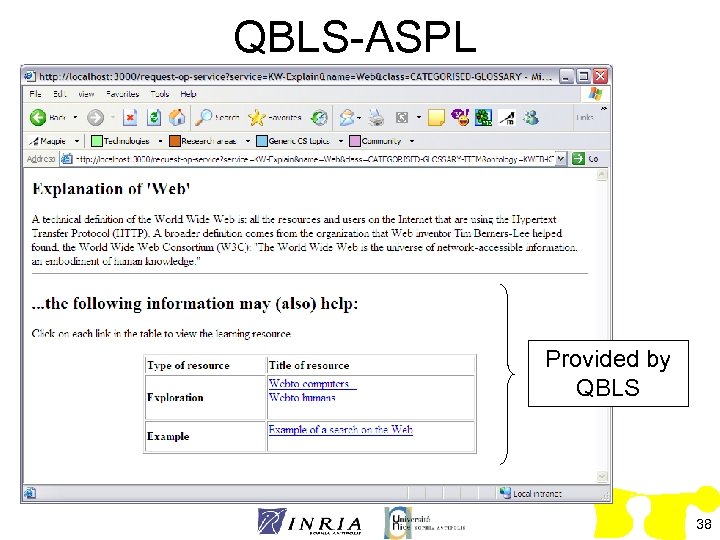
QBLS-ASPL Provided by QBLS 38
1 - Selection and analysis of existing material 4 - Analysis 2 – Semi automatic annotation 3 – Exploitation by learners 39
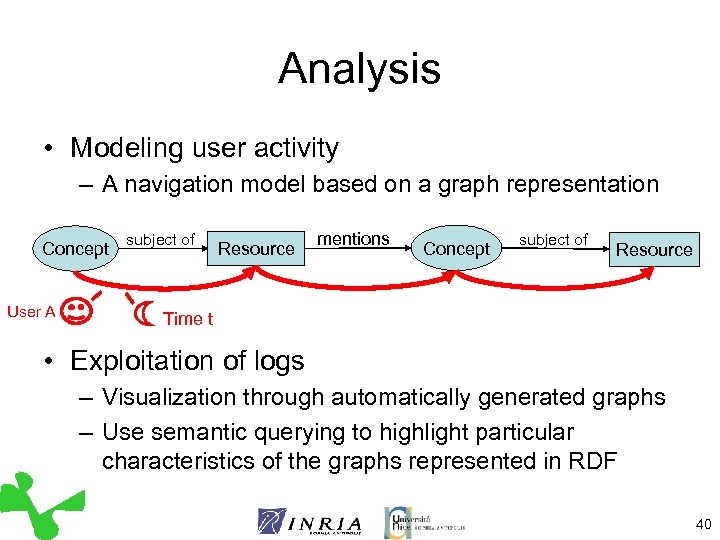
Analysis • Modeling user activity – A navigation model based on a graph representation Concept User A subject of Resource mentions Concept subject of Resource Time t • Exploitation of logs – Visualization through automatically generated graphs – Use semantic querying to highlight particular characteristics of the graphs represented in RDF 40
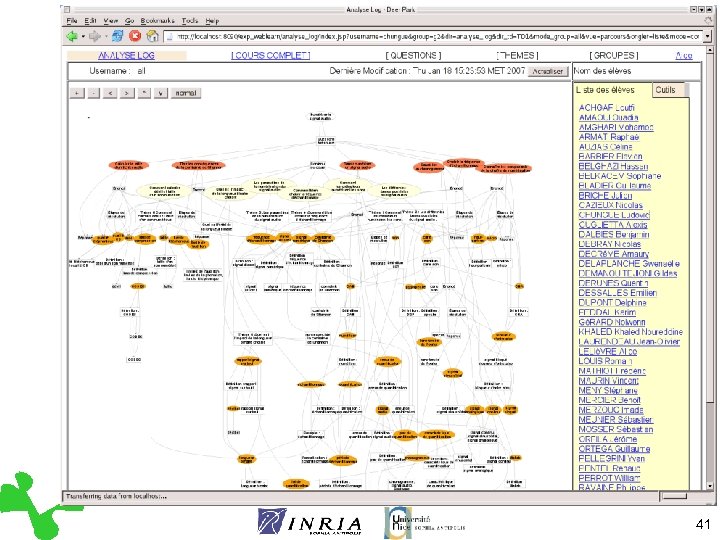
Visualization 41
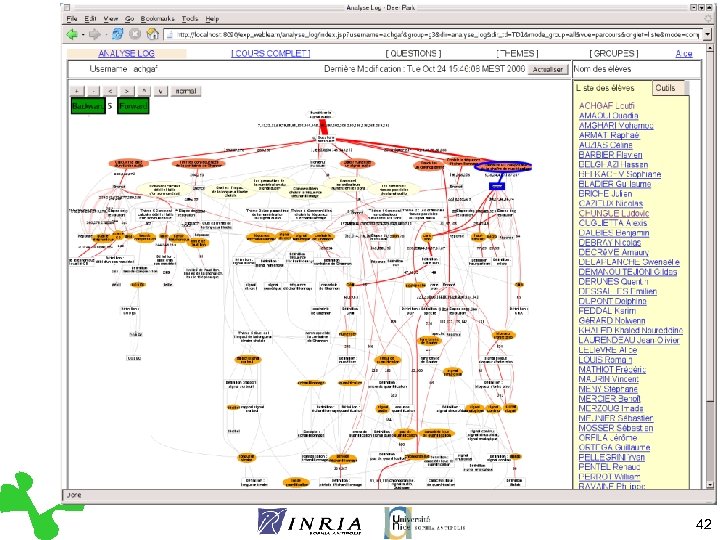
Visualization 42
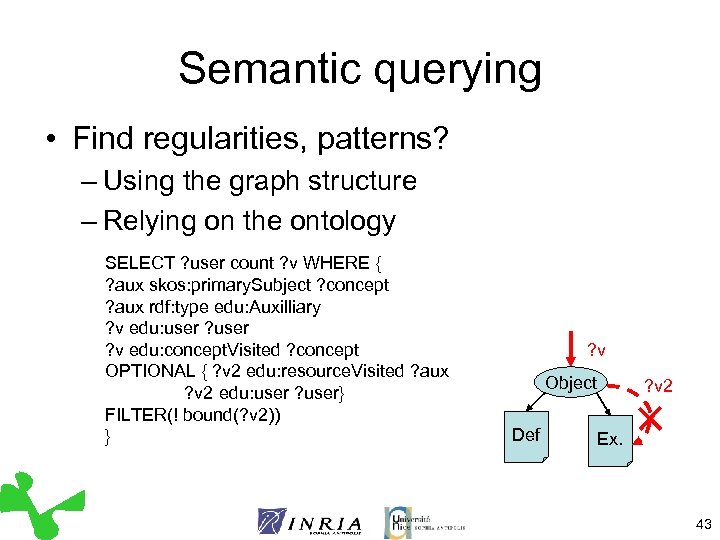
Semantic querying • Find regularities, patterns? – Using the graph structure – Relying on the ontology SELECT ? user count ? v WHERE { ? aux skos: primary. Subject ? concept ? aux rdf: type edu: Auxilliary ? v edu: user ? v edu: concept. Visited ? concept OPTIONAL { ? v 2 edu: resource. Visited ? aux ? v 2 edu: user ? user} FILTER(! bound(? v 2)) } ? v Object Def ? v 2 Ex. 43
Experimental Results • Involve teacher’s in the analysis – Problem with large size graphs – Visualization tools not sufficient yet – Needs to be coupled with other sources of information • First step towards automated interpretation – Define a collection of patterns -> behavioral patterns • Use in “real-time”? 44
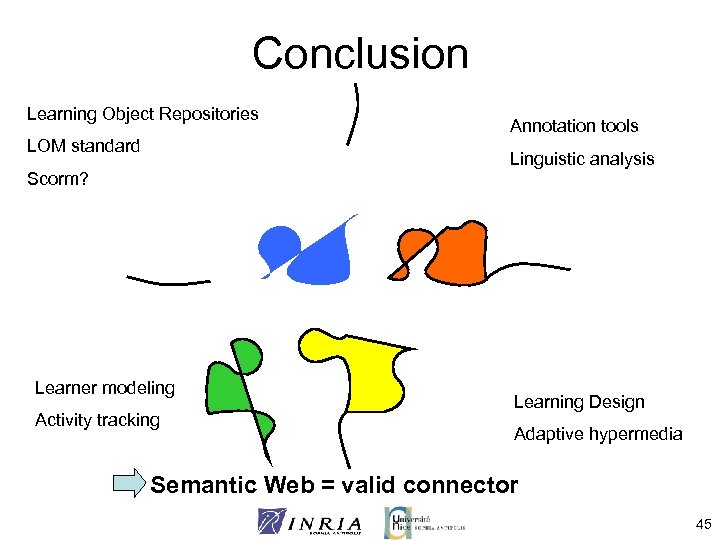
Conclusion Learning Object Repositories LOM standard Annotation tools Linguistic analysis Scorm? Learner modeling Activity tracking Learning Design Adaptive hypermedia Semantic Web = valid connector 45
Conclusion (2) • Semantic web interests: – Existing tools, Corese, Protégé, etc. – Existing models, in standard language – Unification and connection with other systems • Ontologies for e-learning – Interest, reusability of domain might be limited – Need for simple expressivity, “goal oriented design” 46
Conclusion(3) • Resource Reuse – Observed use and good satisfaction level – Definite interest, cost still high • Knowledge management approach – Satisfaction of users – Initial goal fulfilled – May apply to other learning contexts 47
Perspectives (1) • Short term – Further develop annotation system based on existing tools – Administrative tools to make teachers fully autonomous • Middle term – Enhance scalability with large RDF bases ( when triples are generated by learner activity) – Generalize log visualization, work on usage of such representations (e. g. teachers’ interpretations) 48
Perspectives (2) • Long term – Investigate the cognitive implications for learning of the annotations • Importance of the pedagogical concepts • Structure of the domain – Enhance user tracking (more information, refine model) 49
Acknowledgements • Catherine Faron-Zucker • Jean Paul Stromboni • Peter Sander 50
Скачать презентацию Exploiting Semantic Web and Knowledge Management Technologies for
5ddf3268fcdbbbe180f80213b8c37a10.ppt