 Скачать презентацию Exchange 2007 and Office 2007 Better Together
9aa372edd557d93b9a4bfb5ba2cc1427.ppt
- Количество слайдов: 45



Exchange 2007 and Office 2007: Better Together
Agenda n Outlook p p p 2007 and Exchange 2007 Powerful Access to Information Intelligent and Automated Sophisticated yet Simple n Windows Share. Point Services™ “v. 3” and Exchange 2007
Outlook 2007 and Exchange 2007: Powerful Access to Information “Too much of my time is spent in unproductive activities. I want my information presented to me in a way that is useful, and doesn’t waste my time. ”
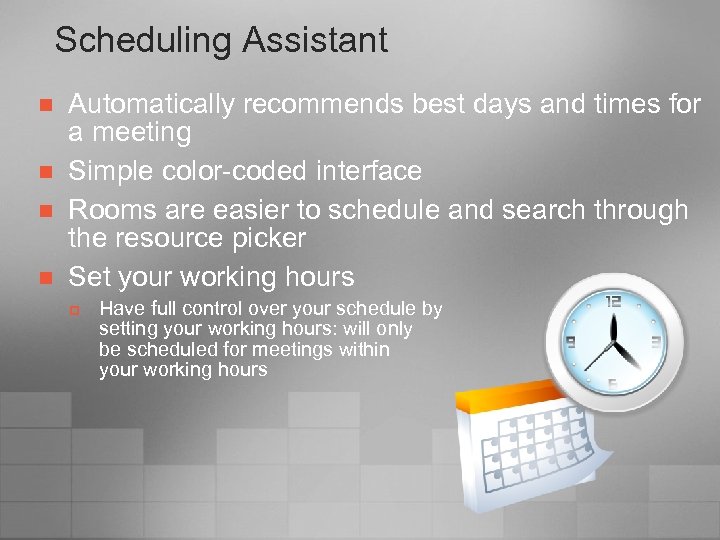
Scheduling Assistant n n Automatically recommends best days and times for a meeting Simple color-coded interface Rooms are easier to schedule and search through the resource picker Set your working hours p Have full control over your schedule by setting your working hours: will only be scheduled for meetings within your working hours
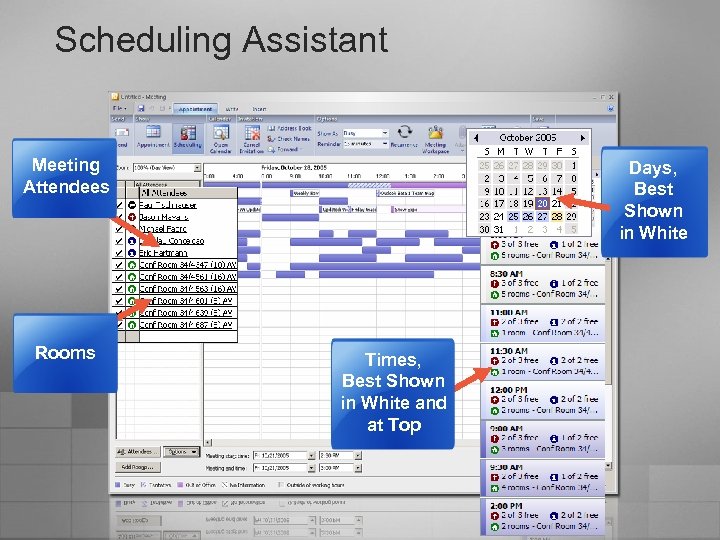
Scheduling Assistant Meeting Attendees Rooms Days, Best Shown in White Times, Best Shown in White and at Top
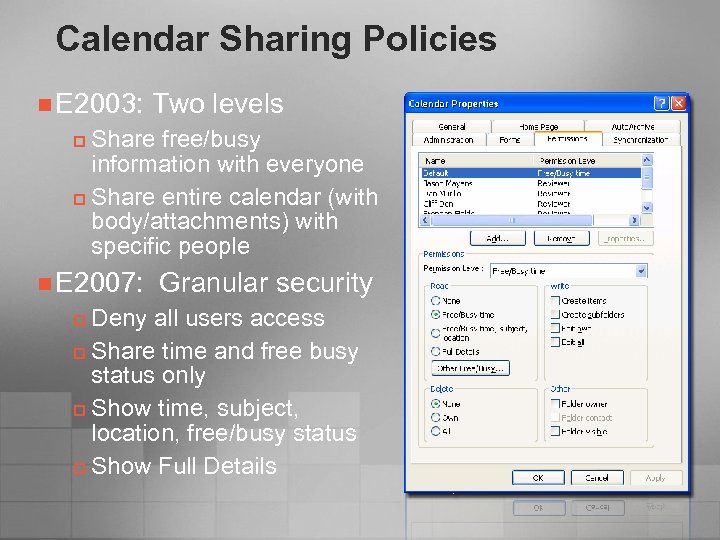
Calendar Sharing Policies n E 2003: Two levels Share free/busy information with everyone p Share entire calendar (with body/attachments) with specific people p n E 2007: Granular security Deny all users access p Share time and free busy status only p Show time, subject, location, free/busy status p Show Full Details p
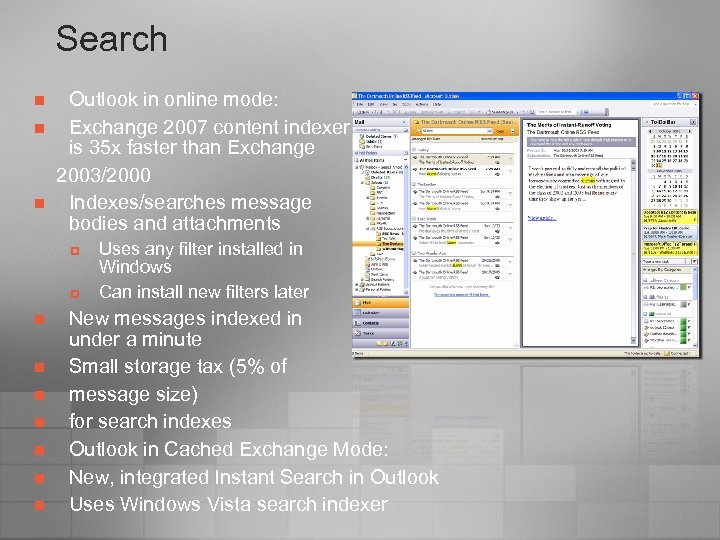
Search n n n Outlook in online mode: Exchange 2007 content indexer is 35 x faster than Exchange 2003/2000 Indexes/searches message bodies and attachments p p n n n n Uses any filter installed in Windows Can install new filters later New messages indexed in under a minute Small storage tax (5% of message size) for search indexes Outlook in Cached Exchange Mode: New, integrated Instant Search in Outlook Uses Windows Vista search indexer
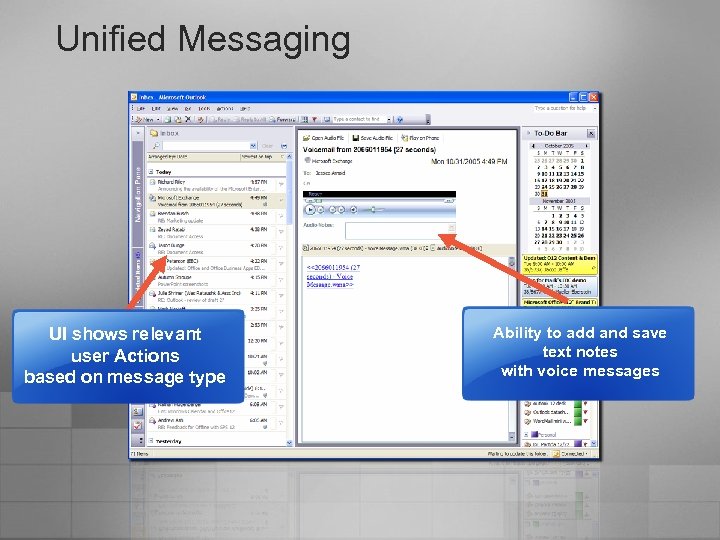
Unified Messaging UI shows relevant user Actions based on message type Ability to add and save text notes with voice messages
Outlook 2007 and Exchange 2007: Intelligent and Automated “There are many things I must manage today by hand. Why can’t the system do this for me? ”
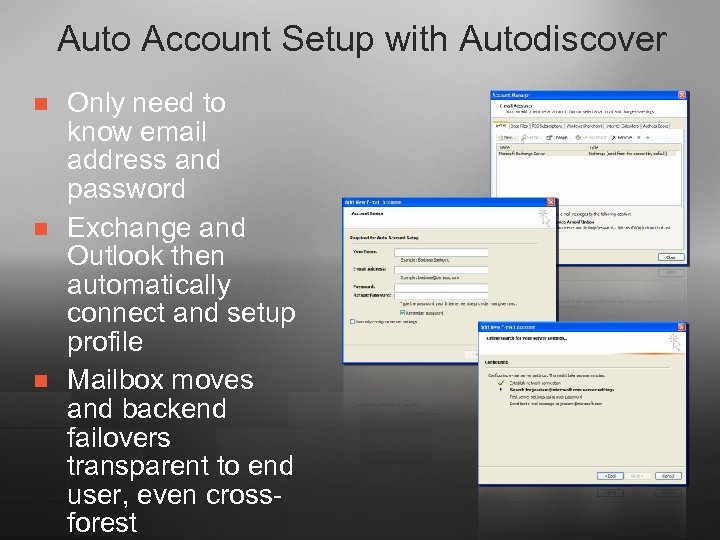
Auto Account Setup with Autodiscover n n n Only need to know email address and password Exchange and Outlook then automatically connect and setup profile Mailbox moves and backend failovers transparent to end user, even crossforest
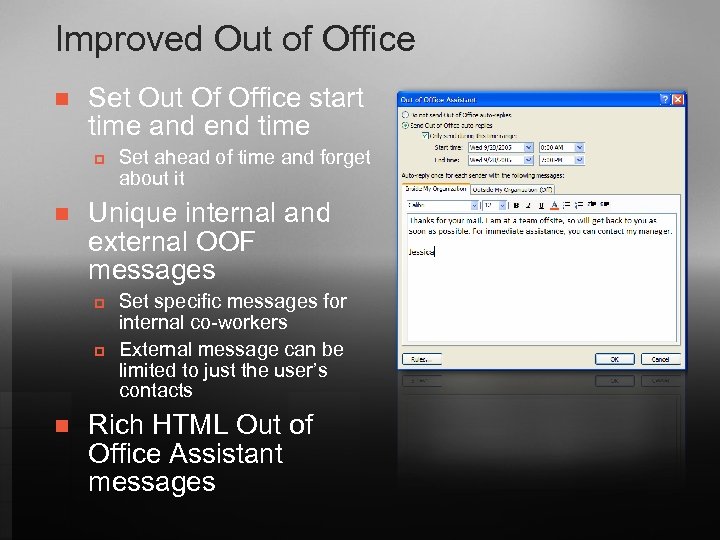
Improved Out of Office n Set Out Of Office start time and end time p n Unique internal and external OOF messages p p n Set ahead of time and forget about it Set specific messages for internal co-workers External message can be limited to just the user’s contacts Rich HTML Out of Office Assistant messages
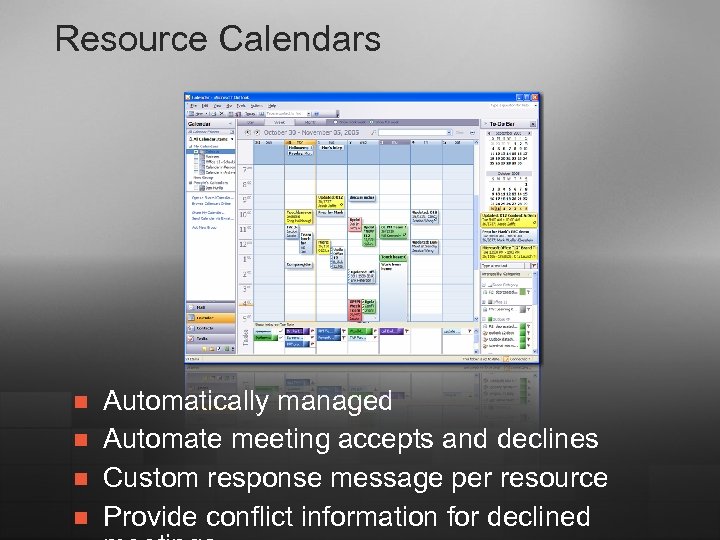
Resource Calendars n n Automatically managed Automate meeting accepts and declines Custom response message per resource Provide conflict information for declined
Resource Management n n n Set up policies once Limit who can book via booking roles Enforce maximum meeting duration Allow conflicts for recurring meetings Schedule only during working hours (set by Outlook 2007/ OWA) Forward out-of-policy requests to delegates for approval
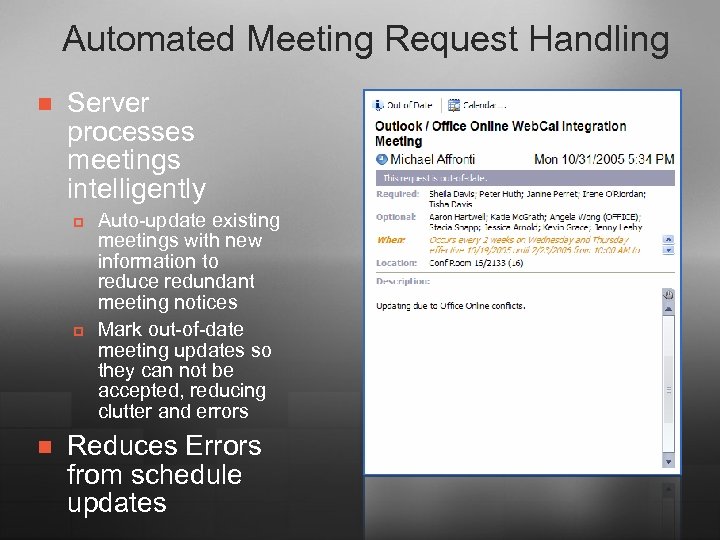
Automated Meeting Request Handling n Server processes meetings intelligently p p n Auto-update existing meetings with new information to reduce redundant meeting notices Mark out-of-date meeting updates so they can not be accepted, reducing clutter and errors Reduces Errors from schedule updates
Meeting Request Handling n n Benefits for other access methods: Exchange Calendaring Assistant p p n n n Server-side logic for meeting handling Consist between Outlook 2007, OWA, Outlook Mobile to ensure all meeting properties are properly set Does not require Outlook to be online Calendar accurate even if user isn’t accepting everything OWA and UM users see (or hear!) latest appointment information
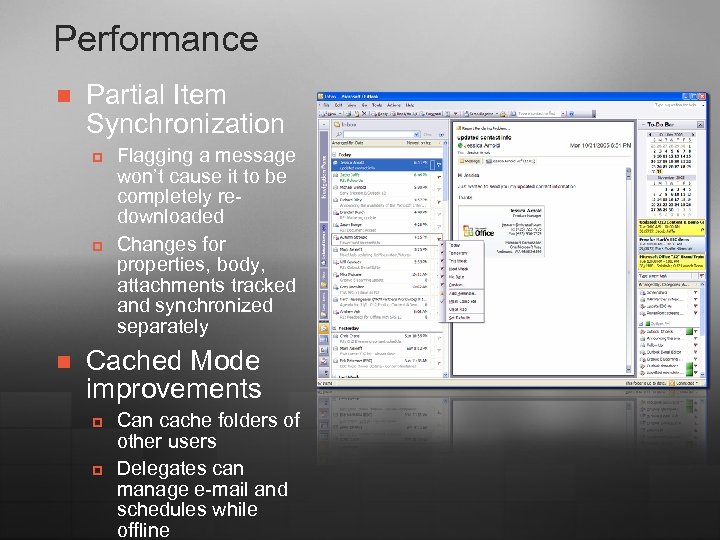
Performance n Partial Item Synchronization p p n Flagging a message won’t cause it to be completely redownloaded Changes for properties, body, attachments tracked and synchronized separately Cached Mode improvements p p Can cache folders of other users Delegates can manage e-mail and schedules while offline
Outlook 2007 and Exchange 2007: Sophisticated yet Simple “At the end of the day, I need to just have things work, and work well. I need the system to comply to the requirements of my organization and still run effectively. ”
Security n n n Outlook E-mail Postmark: Outlook postmarks email and Exchange checks these tokens and assess mail’s legitimacy Multi-pronged anti-spam solution Phishing warnings
Compliance n Managed E-Mail Folders p p p n Users organize their e-mail in folders created by their company E-mail in these folders gain the retention, archive, and expiration policies associated with the folder After a set period of time messages can be automatically deleted or journaled (for example to Share. Point) Cross-Mailbox Search: Administrator can search across
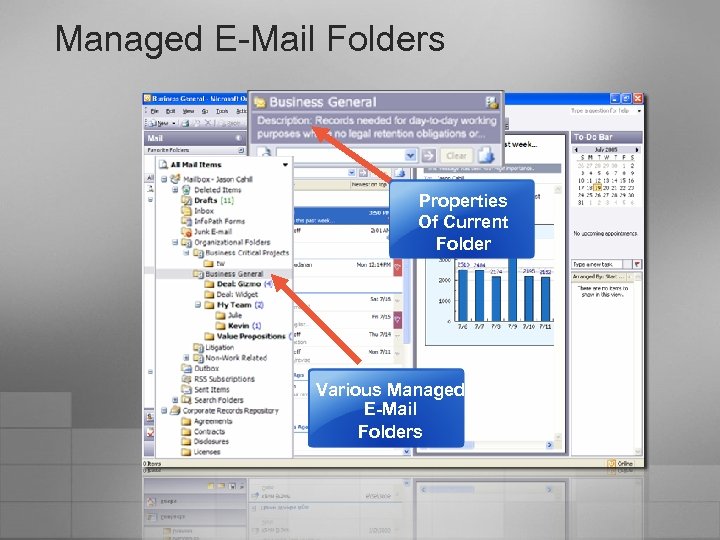
Managed E-Mail Folders Properties Of Current Folder Various Managed E-Mail Folders
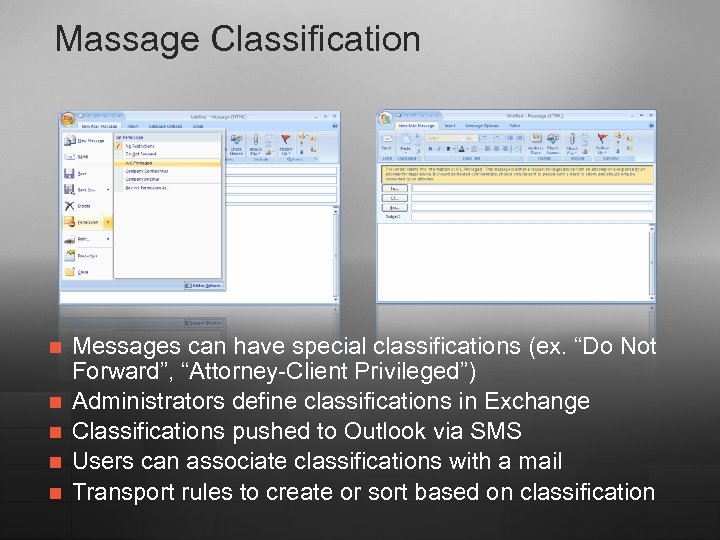
Massage Classification n n Messages can have special classifications (ex. “Do Not Forward”, “Attorney-Client Privileged”) Administrators define classifications in Exchange Classifications pushed to Outlook via SMS Users can associate classifications with a mail Transport rules to create or sort based on classification
Windows Share. Point Services™ “v. 3” and Exchange 2007
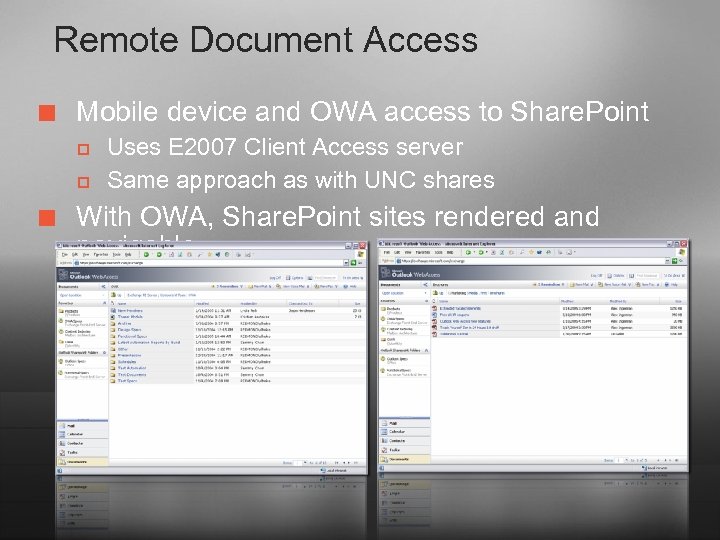
Remote Document Access ¢ Mobile device and OWA access to Share. Point p p ¢ Uses E 2007 Client Access server Same approach as with UNC shares With OWA, Share. Point sites rendered and navigable
E-Mail Archiving n n Managed E-Mail folders rules to archive to Share. Point Can be accessed from OWA or Outlook Provides alternative to PSTs with greater access Can be a piece of a retention scheme

© 2004 Microsoft Corporation. All rights reserved. This presentation is for informational purposes only. Microsoft makes no warranties, express or implied, in this summary.

Appendix
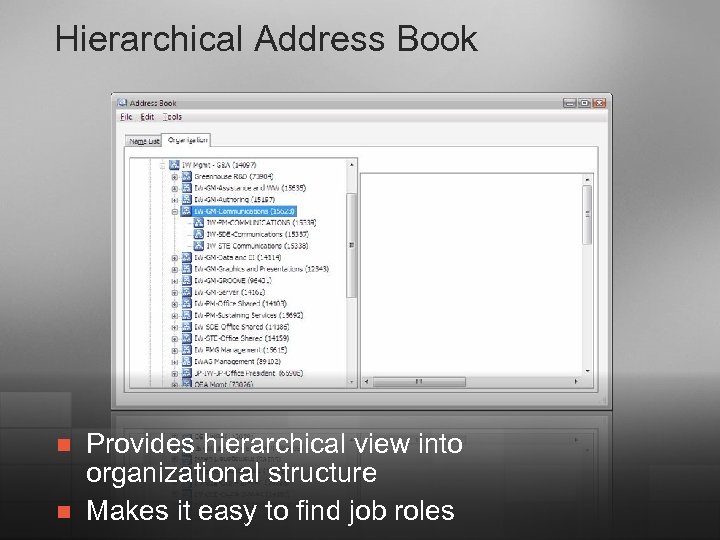
Hierarchical Address Book n n Provides hierarchical view into organizational structure Makes it easy to find job roles
Availability Web Service: Uses n Used by Scheduling Assistant: p p p Retrieve live free/busy information for E 2007 mailboxes Retrieve live free/busy from other E 2007 forests Retrieve published free/busy from Public Folders View attendee working hours Show meeting time suggestions
Availability Web Service: Deployment n n n Deployed with E 2007 Client Access role Discovered by Outlook through Auto Account Setup Outlook 2003 and previous still use Public Folders for free/busy
Granular Message Journaling n Messages in transit are journaled p p n n n Per user Per distribution list Global / per organization Per database Target is any SMTP address Legal Retention Inspection by compliance officer
Journal Rules n n Similar to Outlook rules, executing on messages in transport and managed by the administrator Uses familiar Conditions / Actions / Exceptions rule creation wizard Conditions and Exceptions for rule execution based on message properties and/or recipient attributes (i. e. DL membership) Actions can manipulate message routing and/or contents
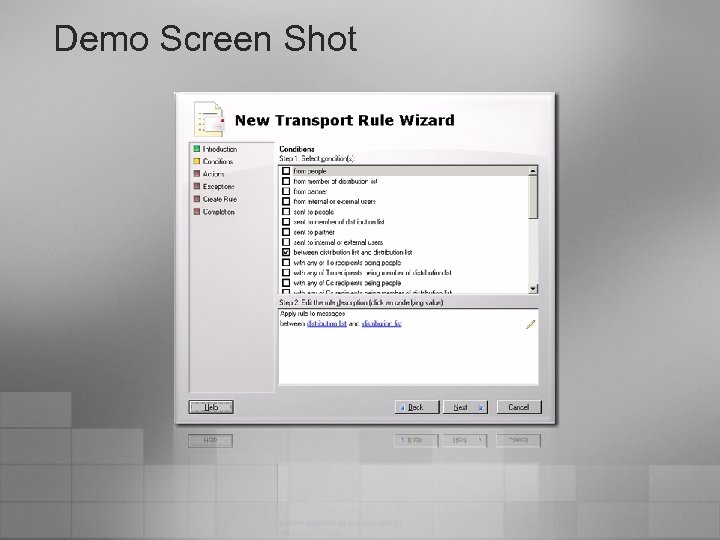
Demo Screen Shot
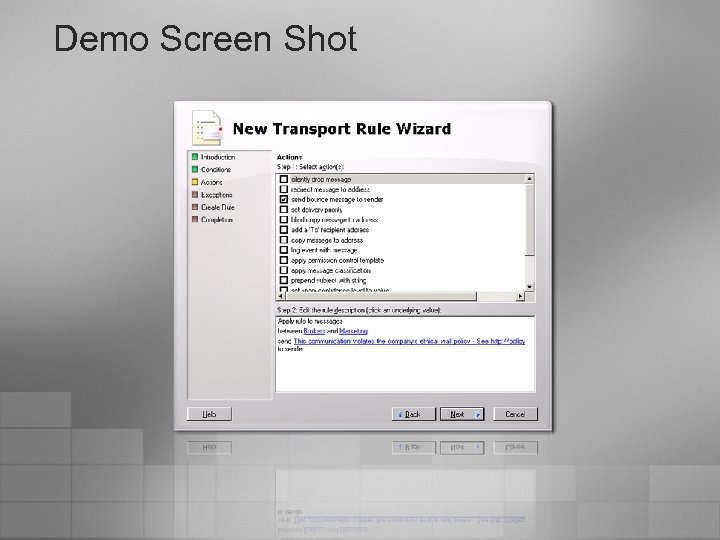
Demo Screen Shot
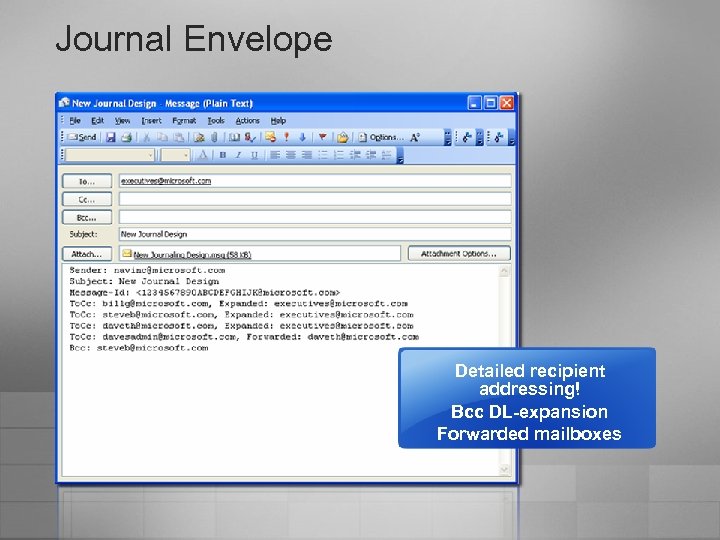
Journal Envelope Detailed recipient addressing! Bcc DL-expansion Forwarded mailboxes
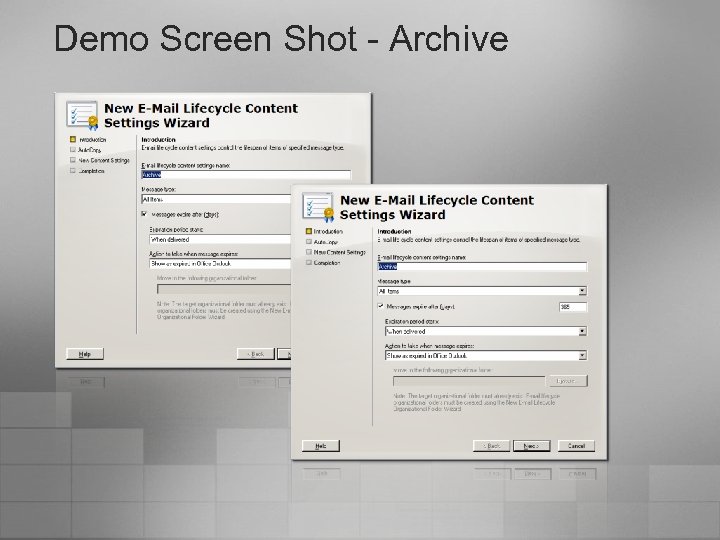
Demo Screen Shot - Archive
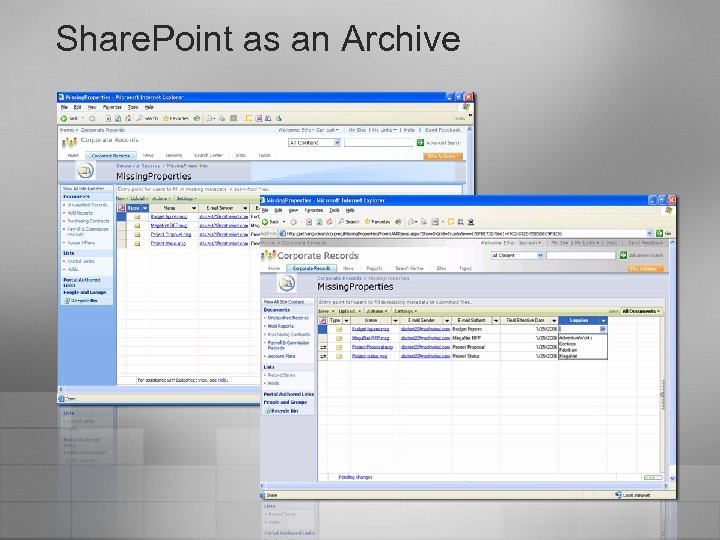
Share. Point as an Archive
Complete Records Management n Retention policies in Share. Point p p p Applied to archived messages Applied to journaling to comply with corporate or government regulations Ease of discovery with common MS Search platform u u u Search across multiple mailboxes Results can be sent to SMTP address Access of search results can be limited
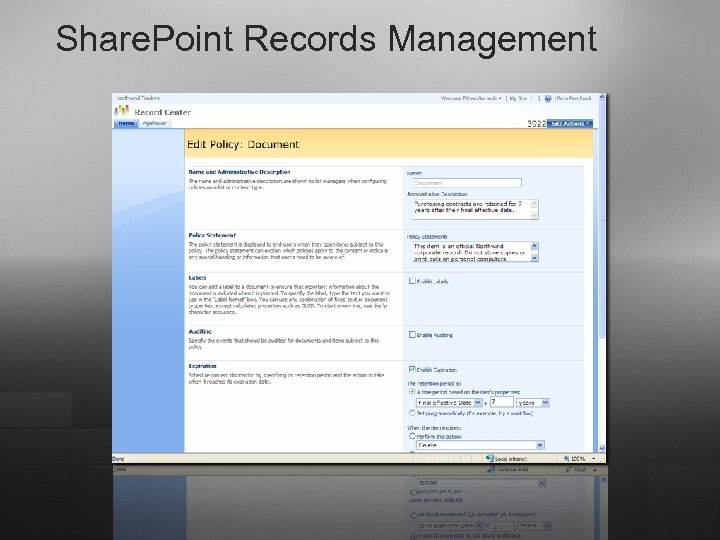
Share. Point Records Management
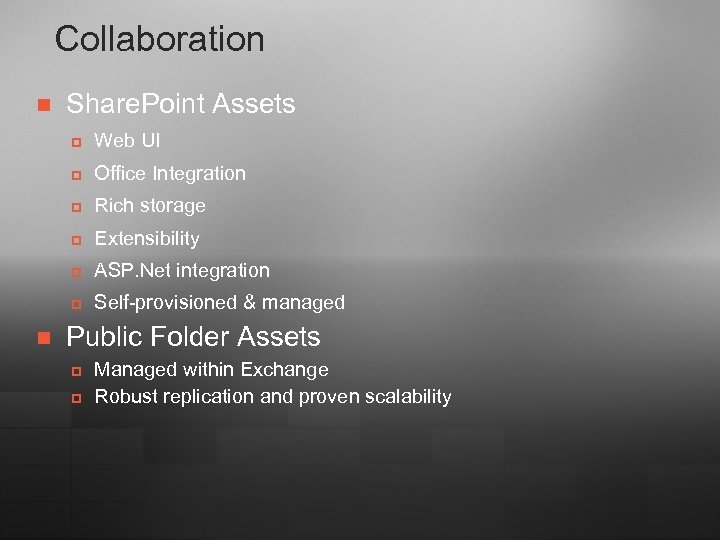
Collaboration n Share. Point Assets p p Office Integration p Rich storage p Extensibility p ASP. Net integration p n Web UI Self-provisioned & managed Public Folder Assets p p Managed within Exchange Robust replication and proven scalability
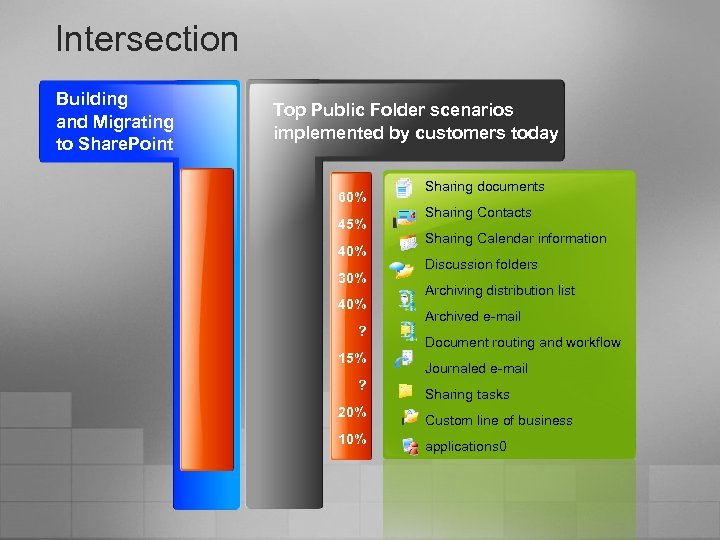
Intersection Building and Migrating to Share. Point Top Public Folder scenarios implemented by customers today 60% 45% 40% 30% 40% ? 15% ? 20% 10% Sharing documents Sharing Contacts Sharing Calendar information Discussion folders Archiving distribution list Archived e-mail Document routing and workflow Journaled e-mail Sharing tasks Custom line of business applications 0
Migration n Know what is in your current environment Understand lifecycle of Public Folder content Examples of migration and discovery tools p p p Net. IQ Quest Tzunami
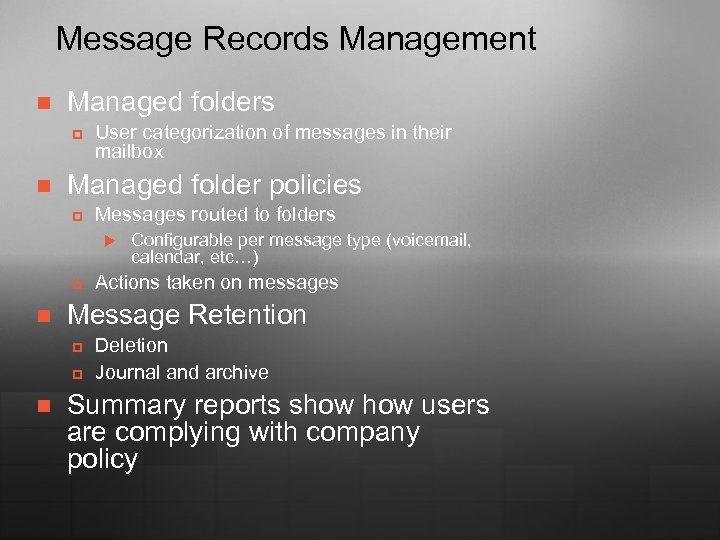
Message Records Management n Managed folders p n User categorization of messages in their mailbox Managed folder policies p Messages routed to folders u p n Actions taken on messages Message Retention p p n Configurable per message type (voicemail, calendar, etc…) Deletion Journal and archive Summary reports show users are complying with company policy
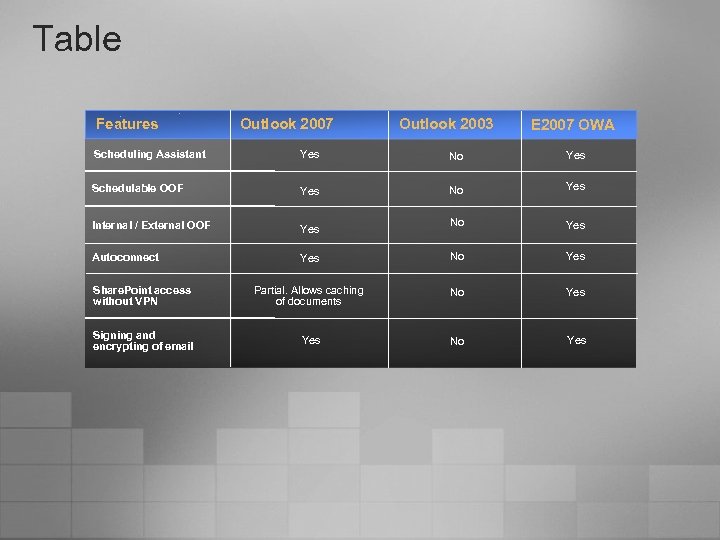
Table Features Outlook 2007 Outlook 2003 E 2007 OWA Scheduling Assistant Yes No Yes Schedulable OOF Yes No Yes Internal / External OOF Yes No Yes Autoconnect Yes No Yes Share. Point access without VPN Partial. Allows caching of documents No Yes Signing and encrypting of email Yes No Yes
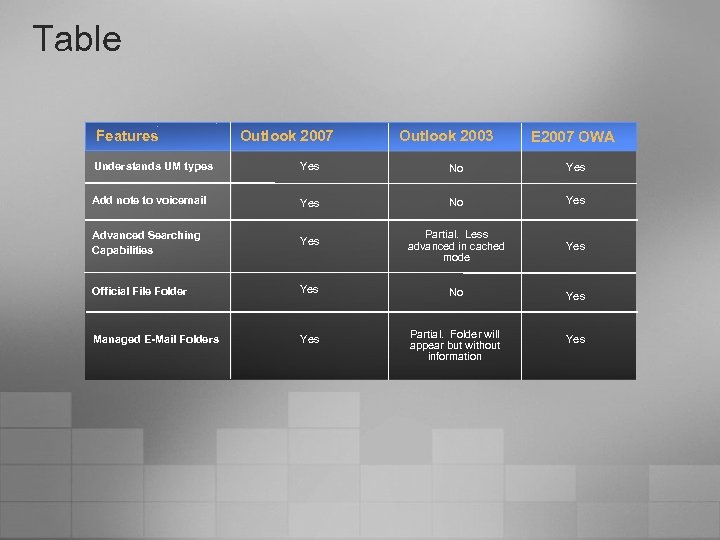
Table Features Outlook 2007 Outlook 2003 E 2007 OWA Understands UM types Yes No Yes Add note to voicemail Yes No Yes Advanced Searching Capabilities Yes Partial. Less advanced in cached mode Yes Official File Folder Yes No Yes Managed E-Mail Folders Yes Partial. Folder will appear but without information Yes
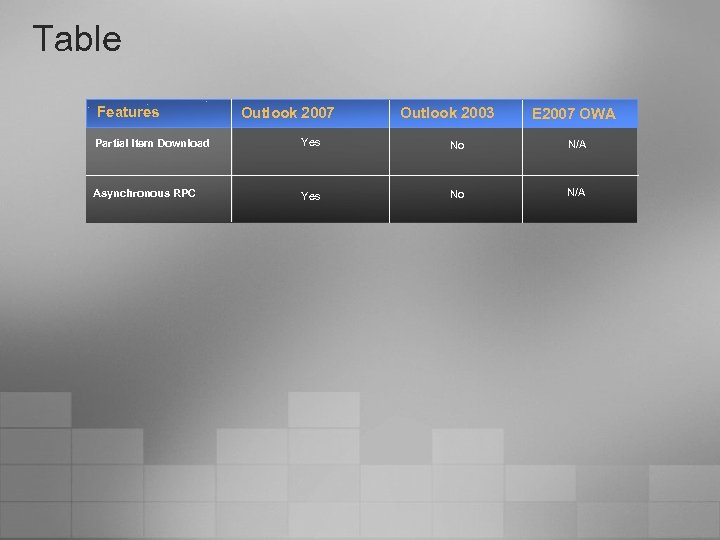
Table Features Outlook 2007 Outlook 2003 E 2007 OWA Partial Item Download Yes No N/A Asynchronous RPC Yes No N/A
Скачать презентацию Exchange 2007 and Office 2007 Better Together
9aa372edd557d93b9a4bfb5ba2cc1427.ppt