


 Скачать презентацию Evolving a Control System — supplement to Process
8e4e634a9a2893895e914f3d2636fbf3.ppt
- Количество слайдов: 13
 Evolving a Control System - supplement to “Process Monitoring and Control” 3 rd year Design Module
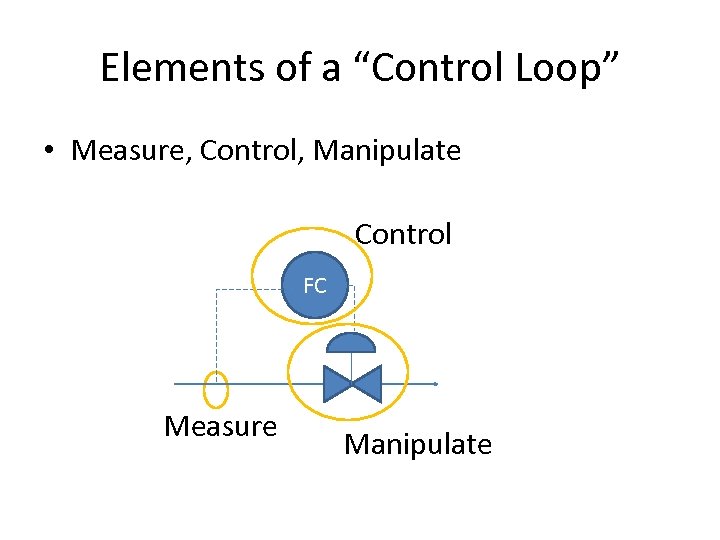 Elements of a “Control Loop” • Measure, Control, Manipulate Control FC Measure Manipulate
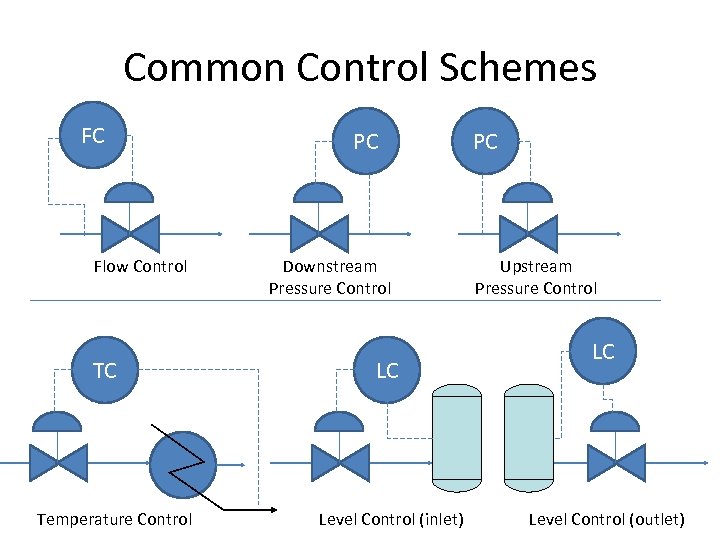 Common Control Schemes FC Flow Control TC Temperature Control PC Downstream Pressure Control LC Level Control (inlet) PC Upstream Pressure Control LC Level Control (outlet)
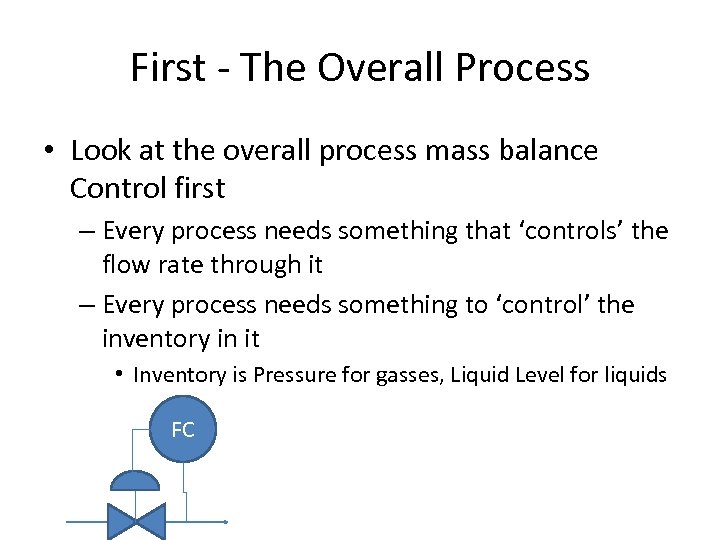 First - The Overall Process • Look at the overall process mass balance Control first – Every process needs something that ‘controls’ the flow rate through it – Every process needs something to ‘control’ the inventory in it • Inventory is Pressure for gasses, Liquid Level for liquids FC
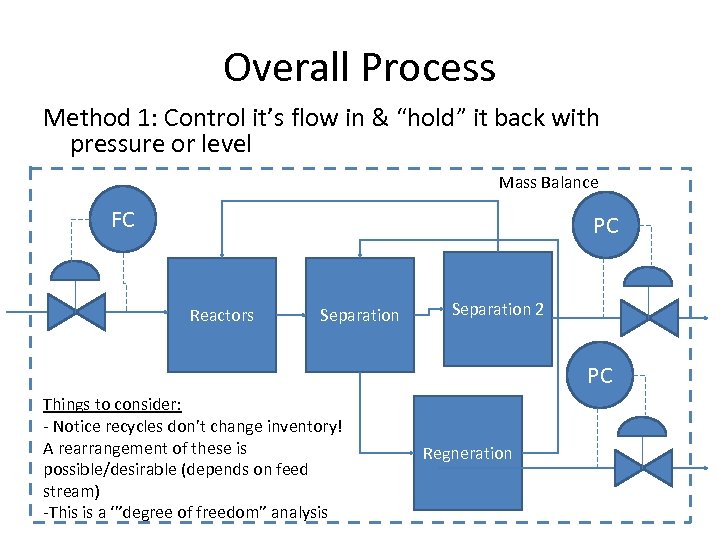 Overall Process Method 1: Control it’s flow in & “hold” it back with pressure or level Mass Balance FC PC Reactors Separation 2 PC Things to consider: - Notice recycles don’t change inventory! A rearrangement of these is possible/desirable (depends on feed stream) -This is a ‘”degree of freedom” analysis Regneration
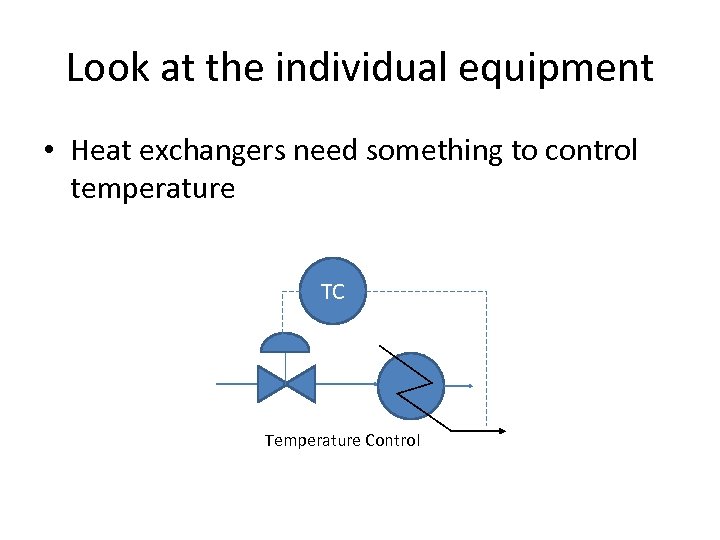 Look at the individual equipment • Heat exchangers need something to control temperature TC Temperature Control
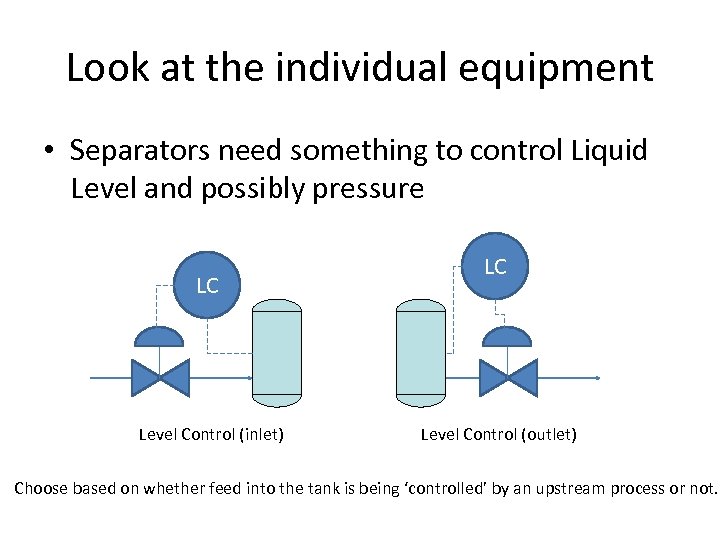 Look at the individual equipment • Separators need something to control Liquid Level and possibly pressure LC Level Control (inlet) LC Level Control (outlet) Choose based on whether feed into the tank is being ‘controlled’ by an upstream process or not.
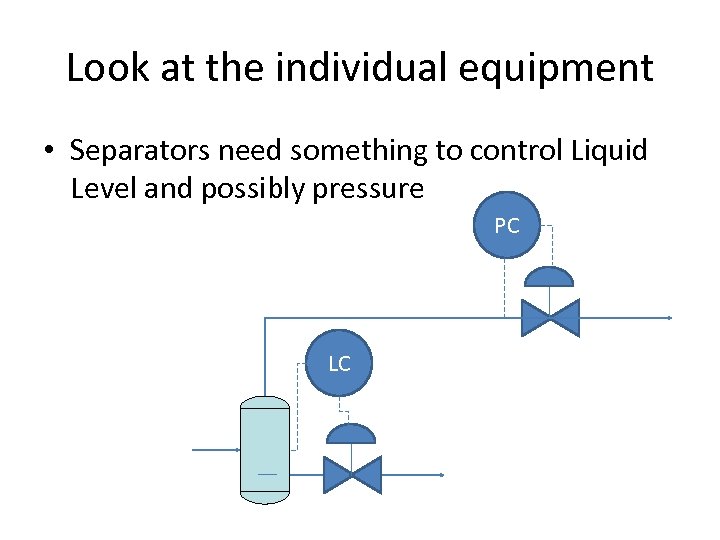 Look at the individual equipment • Separators need something to control Liquid Level and possibly pressure PC LC
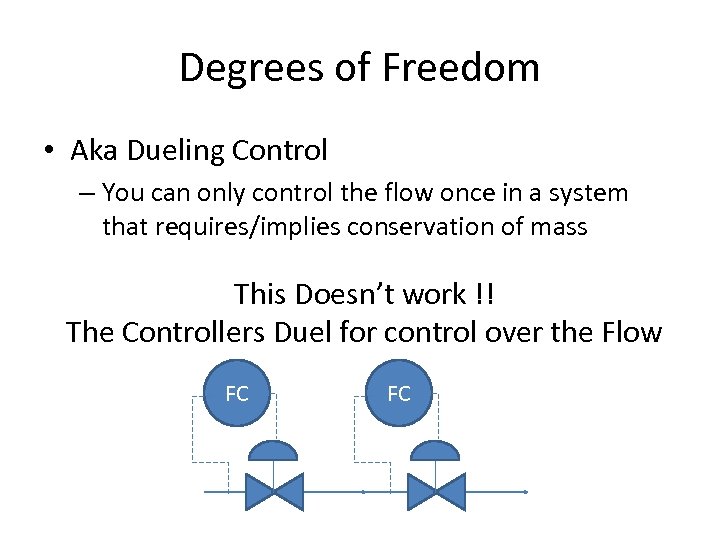 Degrees of Freedom • Aka Dueling Control – You can only control the flow once in a system that requires/implies conservation of mass This Doesn’t work !! The Controllers Duel for control over the Flow FC FC
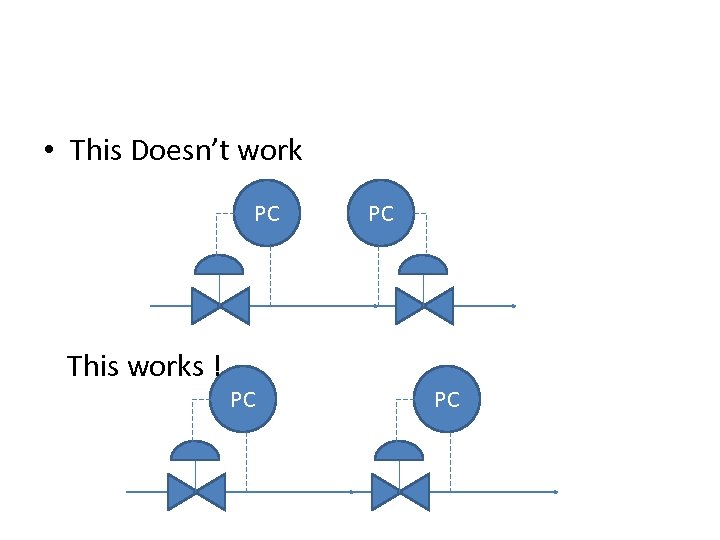 • This Doesn’t work PC PC This works ! PC PC
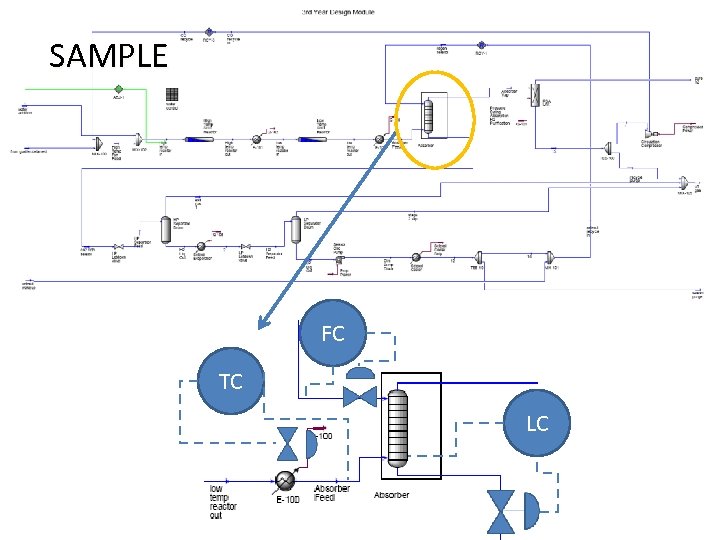 SAMPLE FC TC LC
 What to submit • An electronic PFD 1. Setup to print your PFD to the PDF Creator on the cluster computers – File, Printer Setup, Graphic Printer, Choose the PDF Creator 2. Print the Process Flow Diagram (to the PDF Creator) 3. Use Acrobat “snapshot tool” (camera icon) to copy and paste the PFD into Powerpoint 4. Drag and drop the symbols from this file onto you powerpoint slide
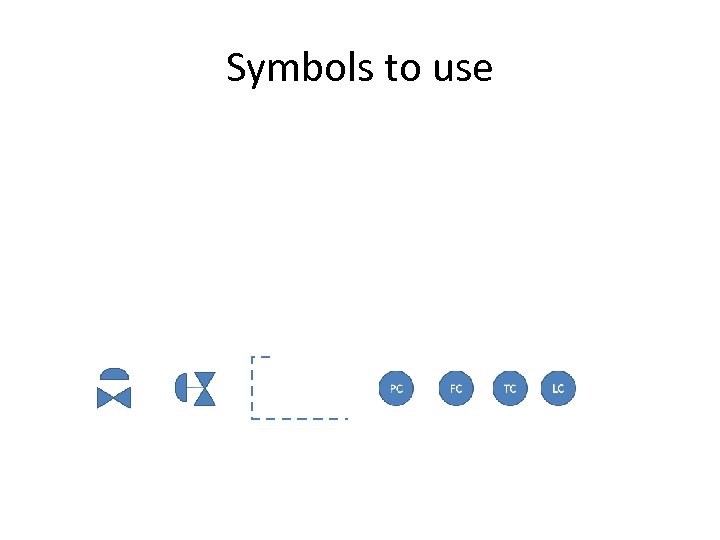 Symbols to use