 Скачать презентацию ETS 4 for Experts December 2010 KNX Association
704031af0047217ab2f7843fcf6c9600.ppt
- Количество слайдов: 31




ETS 4 for Experts December 2010 KNX Association
Why ETS 4 ? 1. It’s EASY! Lowering the threshold for newcomers with a new ETS 4 user interface! q. Easy ETS project setup/ project creation wizards for KNX newcomers q. Better user interface, faster access to common functions 2. It’s FAST! ETS 4 speeds up project workflow and data exchange q Project and product data import is at least twice faster q Increased workflow efficiency from project creation up to download 3. It’s OPEN! ETS 4 allows access to import/ export data, even at runtime q. Access to in-/ export data via XML based exchange format q. New “add in” interface allows access to ETS 4 data, even at runtime KNX Association KNX: The worldwide STANDARD for home & building control Page No. 2 October 2010
Overview Part 1: ETS 4 is easy & fast Part 2: ETS 4 is open Part 3: Improvements in relation to ETS 3 Part 4: Requirements & Licensing KNX Association KNX: The worldwide STANDARD for home & building control Page No. 3 October 2010
Part 1 ETS 4 is easy & fast KNX Association KNX: The worldwide STANDARD for home & building control Page No. 4 October 2010
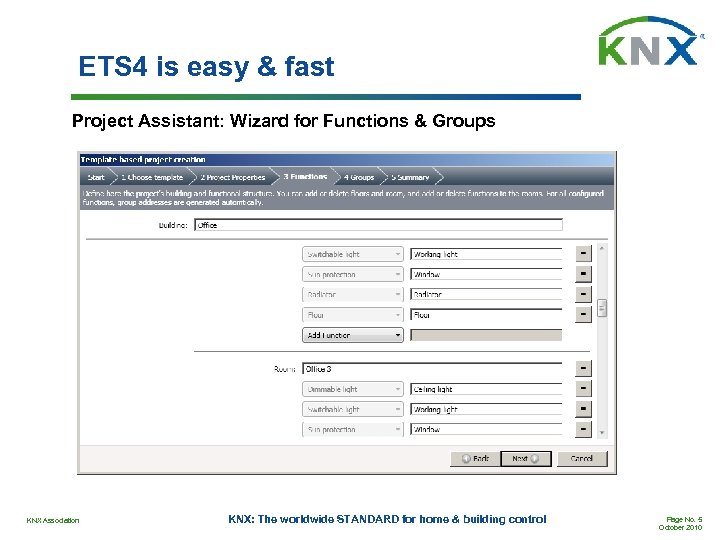
ETS 4 is easy & fast Project Assistant: Wizard for Functions & Groups KNX Association KNX: The worldwide STANDARD for home & building control Page No. 5 October 2010
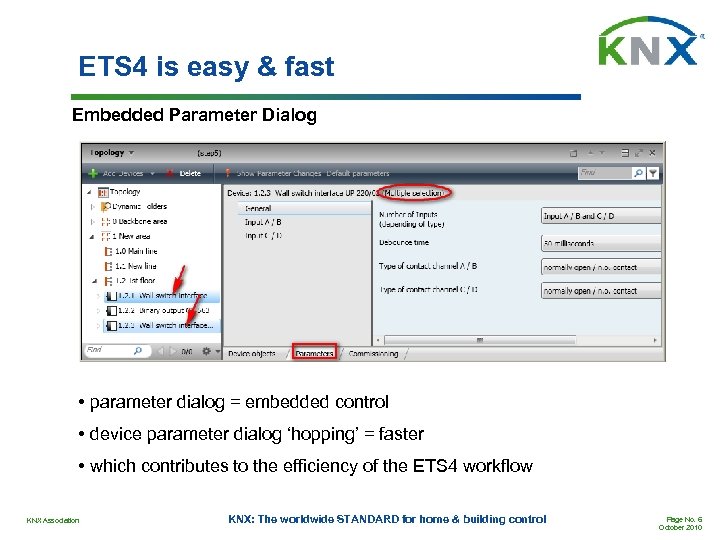
ETS 4 is easy & fast Embedded Parameter Dialog • parameter dialog = embedded control • device parameter dialog ‘hopping’ = faster • which contributes to the efficiency of the ETS 4 workflow KNX Association KNX: The worldwide STANDARD for home & building control Page No. 6 October 2010
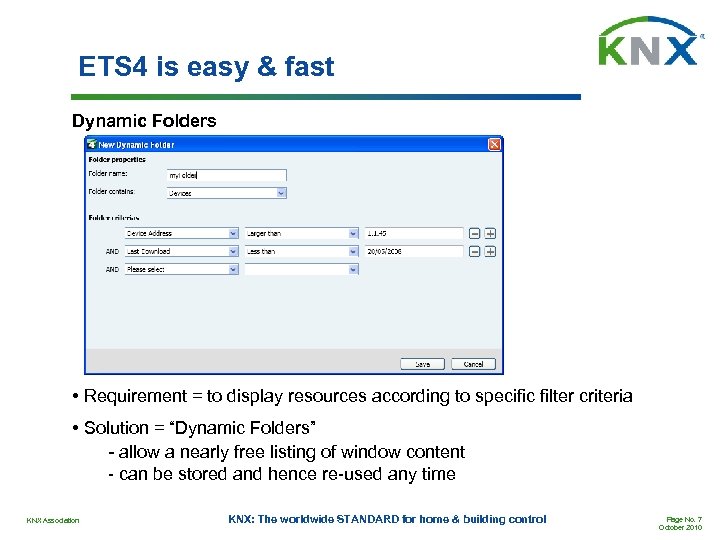
ETS 4 is easy & fast Dynamic Folders • Requirement = to display resources according to specific filter criteria • Solution = “Dynamic Folders” - allow a nearly free listing of window content - can be stored and hence re-used any time KNX Association KNX: The worldwide STANDARD for home & building control Page No. 7 October 2010
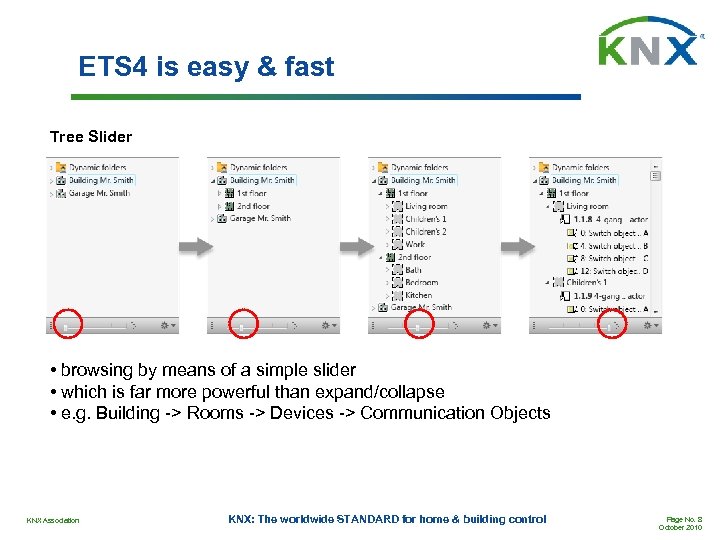
ETS 4 is easy & fast Tree Slider • browsing by means of a simple slider • which is far more powerful than expand/collapse • e. g. Building -> Rooms -> Devices -> Communication Objects KNX Association KNX: The worldwide STANDARD for home & building control Page No. 8 October 2010
Part 2 ETS 4 is open KNX Association KNX: The worldwide STANDARD for home & building control Page No. 9 October 2010
ETS 4 is open: Project Linking Data Exchange • The average KNX installation is increasing • And is often linked to other automation systems • This linking involves data exchange • ETS 4 uses XML based exchange formats • XML = open standard • E. g. ETS 4 projects can be read with any XML Viewer • Conclusion: with ETS 4 linking = easy • In contrast to ETS 3, where import/export formats are not open KNX Association KNX: The worldwide STANDARD for home & building control Page No. 10 October 2010
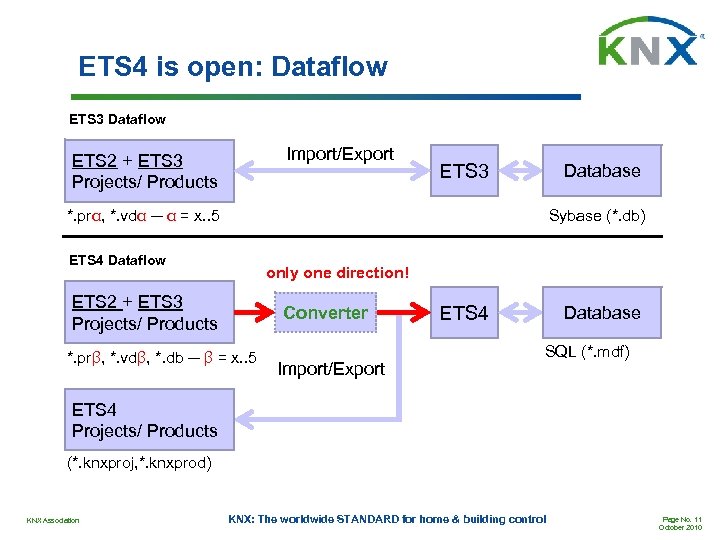
ETS 4 is open: Dataflow ETS 3 Dataflow Import/Export ETS 2 + ETS 3 Projects/ Products ETS 3 Database *. prα, *. vdα ─ α = x. . 5 Sybase (*. db) ETS 4 Dataflow only one direction! ETS 2 + ETS 3 Projects/ Products Converter *. prβ, *. vdβ, *. db ─ β = x. . 5 Import/Export ETS 4 Database SQL (*. mdf) ETS 4 Projects/ Products (*. knxproj, *. knxprod) KNX Association KNX: The worldwide STANDARD for home & building control Page No. 11 October 2010
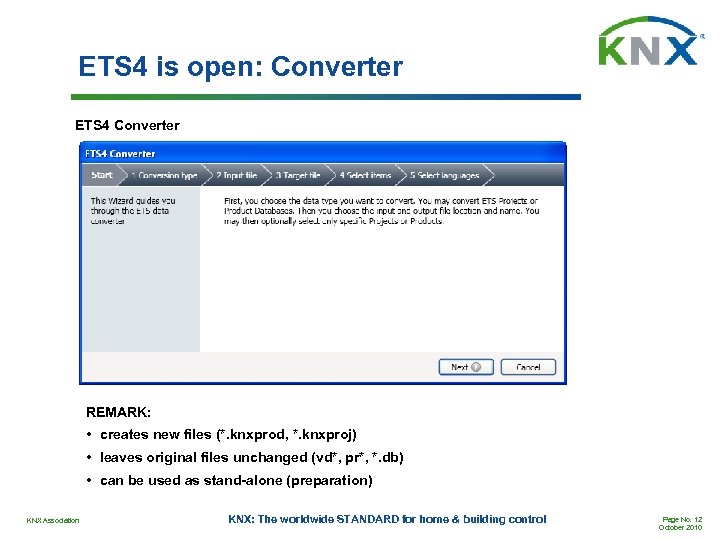
ETS 4 is open: Converter ETS 4 Converter REMARK: • creates new files (*. knxprod, *. knxproj) • leaves original files unchanged (vd*, pr*, *. db) • can be used as stand-alone (preparation) KNX Association KNX: The worldwide STANDARD for home & building control Page No. 12 October 2010
ETS 4 is open: Data Structure ETS 4 Data Structure v ETS 4 Exchange Formats based on XML, this covers: • • All Customer Projects = Project Data Manufacturer Product Descriptions (Catalogs) = Product Data v ETS 4’ KNX “knowledge” based on XML, this covers: • • • Which manufacturer has which manufacturer code Knowledge about the standardized KNX platforms (BCU 2, System B) KNX media: topology, address spaces, etc. so called KNX Master Data v All data is structured according to the KNX XML Scheme, this covers: • • • KNX Association KNX Master Data Product Data Project Data KNX: The worldwide STANDARD for home & building control Page No. 13 October 2010
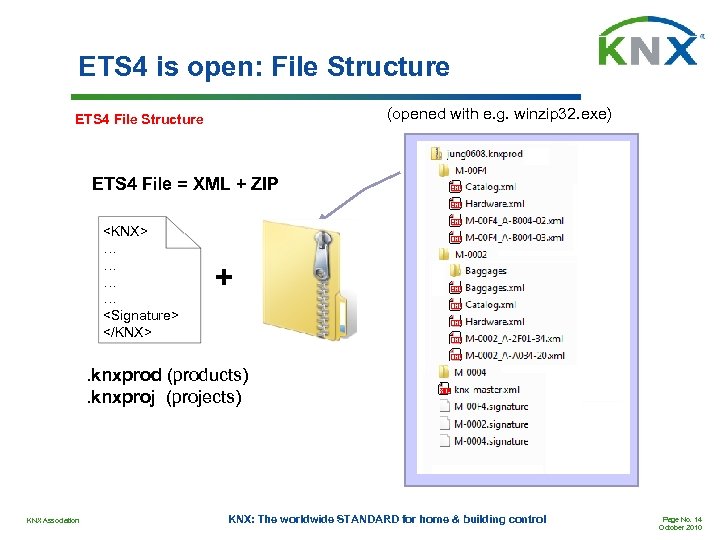
ETS 4 is open: File Structure (opened with e. g. winzip 32. exe) ETS 4 File Structure ETS 4 File = XML + ZIP <KNX> … … <Signature> </KNX> + . knxprod (products). knxproj (projects) KNX Association KNX: The worldwide STANDARD for home & building control Page No. 14 October 2010
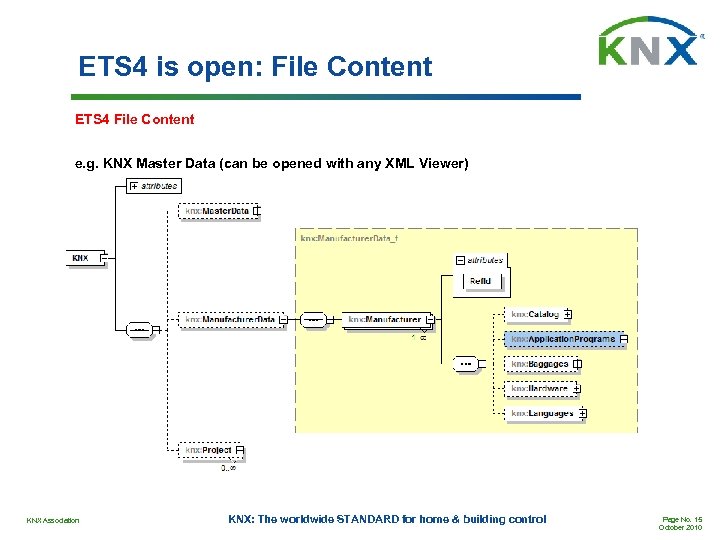
ETS 4 is open: File Content ETS 4 File Content e. g. KNX Master Data (can be opened with any XML Viewer) KNX Association KNX: The worldwide STANDARD for home & building control Page No. 15 October 2010
Part 3 Improvements in relation to ETS 3 KNX Association KNX: The worldwide STANDARD for home & building control Page No. 16 October 2010
ETS 4 Improvements: Overview • User Interface (Part 1) • Data Exchange: XML (Part 2) • Database: 1. Change without Closing 2. Central Repository (Server) 3. Automated Backup • Project: 1. 2. 3. 4. 5. KNX Association Project Files: store & attach non-ETS data (CAD) Project Log: Descriptions + Titles/Headers Free Group Address Structure + full 16 -bit range Embedded Parameter Dialog Dynamic Folders KNX: The worldwide STANDARD for home & building control Page No. 17 October 2010
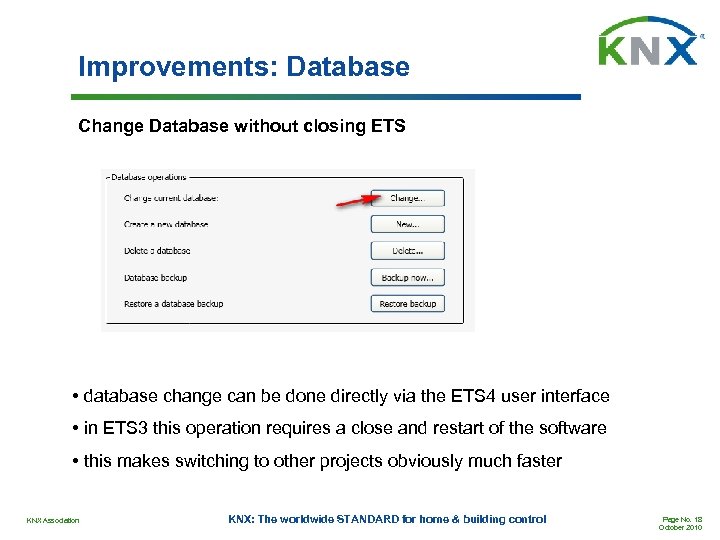
Improvements: Database Change Database without closing ETS • database change can be done directly via the ETS 4 user interface • in ETS 3 this operation requires a close and restart of the software • this makes switching to other projects obviously much faster KNX Association KNX: The worldwide STANDARD for home & building control Page No. 18 October 2010
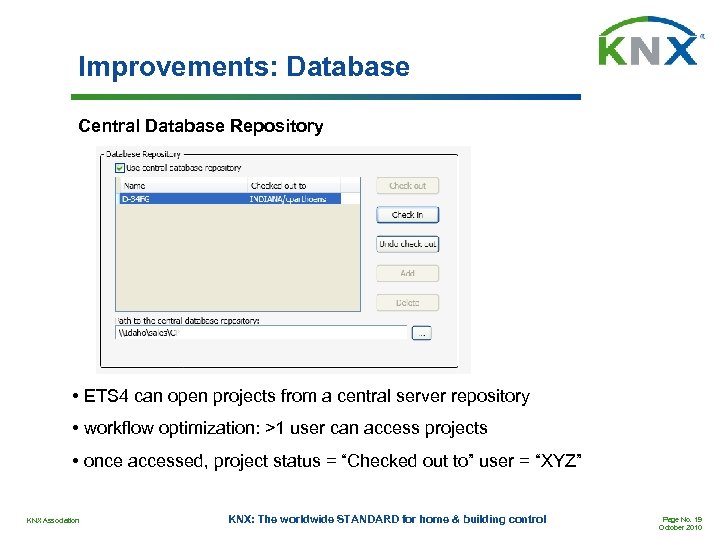
Improvements: Database Central Database Repository • ETS 4 can open projects from a central server repository • workflow optimization: >1 user can access projects • once accessed, project status = “Checked out to” user = “XYZ” KNX Association KNX: The worldwide STANDARD for home & building control Page No. 19 October 2010
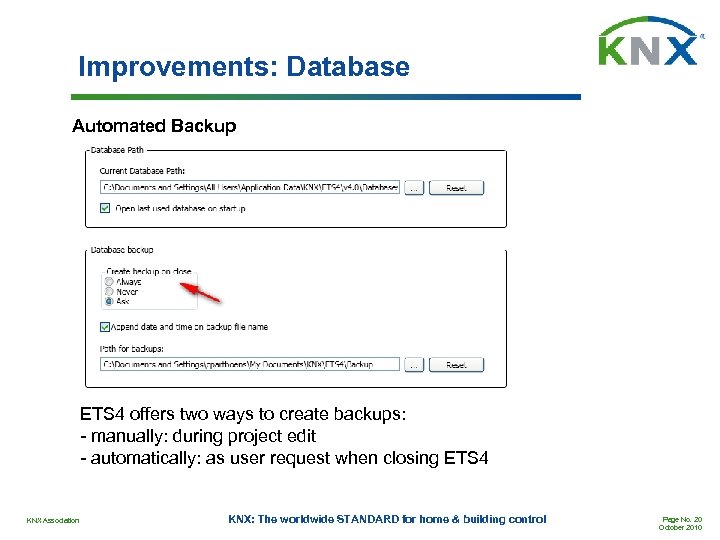
Improvements: Database Automated Backup ETS 4 offers two ways to create backups: - manually: during project edit - automatically: as user request when closing ETS 4 KNX Association KNX: The worldwide STANDARD for home & building control Page No. 20 October 2010
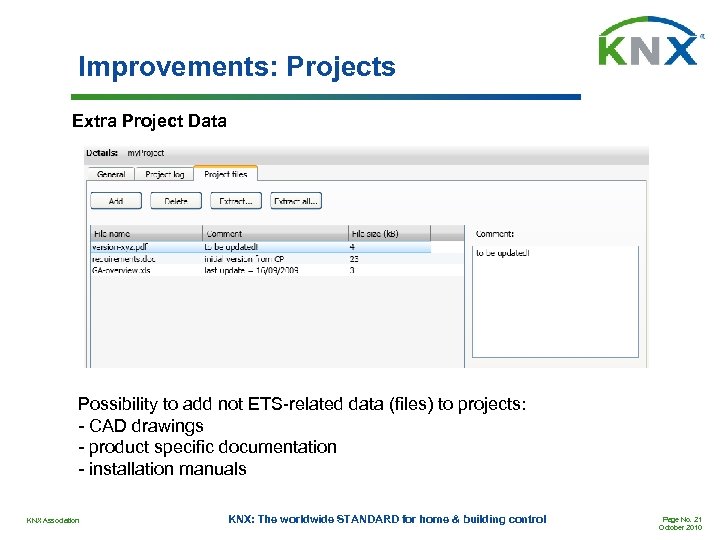
Improvements: Projects Extra Project Data Possibility to add not ETS-related data (files) to projects: - CAD drawings - product specific documentation - installation manuals KNX Association KNX: The worldwide STANDARD for home & building control Page No. 21 October 2010
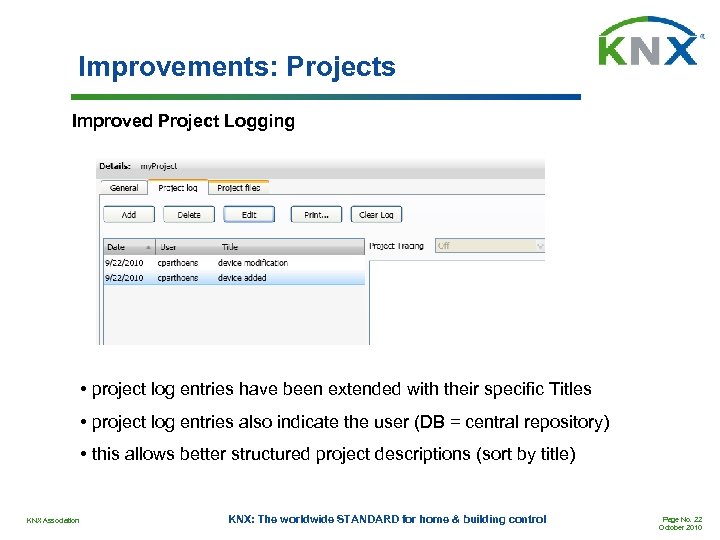
Improvements: Projects Improved Project Logging • project log entries have been extended with their specific Titles • project log entries also indicate the user (DB = central repository) • this allows better structured project descriptions (sort by title) KNX Association KNX: The worldwide STANDARD for home & building control Page No. 22 October 2010
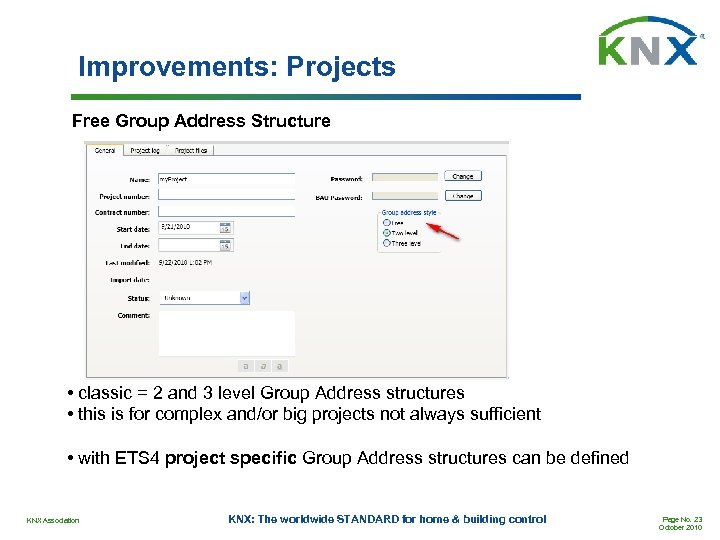
Improvements: Projects Free Group Address Structure • classic = 2 and 3 level Group Address structures • this is for complex and/or big projects not always sufficient • with ETS 4 project specific Group Address structures can be defined KNX Association KNX: The worldwide STANDARD for home & building control Page No. 23 October 2010
Improvements: Projects Free Group Address Structure • 16 bit = 65536 • GAs are set up as ‘plain’ numbers: 1. . 65536 • 0 is not valid 2 Steps: • define ‘your’ structure of GA-ranges • then add the actual GAs to the individual GA-ranges KNX Association KNX: The worldwide STANDARD for home & building control Page No. 24 October 2010
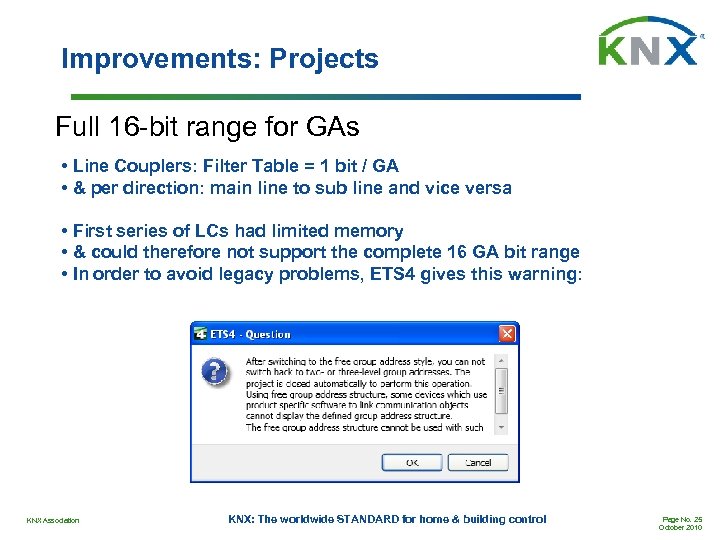
Improvements: Projects Full 16 -bit range for GAs • Line Couplers: Filter Table = 1 bit / GA • & per direction: main line to sub line and vice versa • First series of LCs had limited memory • & could therefore not support the complete 16 GA bit range • In order to avoid legacy problems, ETS 4 gives this warning: KNX Association KNX: The worldwide STANDARD for home & building control Page No. 25 October 2010
Further Improvements Bus Access • Parallel download for, via IP connected Twisted Pair segments • Bus access also available in the free of charge ETS 4 DEMO User interface • License overview directly available in main view, right after launch • KNX News, also available in main view (can of course be disabled) • Updated search & filter functions (e. g. product catalogue/finder, …) Project editor/ analysis • Updated „To Do“ list concept • Dedicated folder for “recently used” products • More powerful and configurable filter & record functions (bus/gr. monitor) Project documentation • Size of project export files has been reduced significantly • Single device report possible Automatic Updates KNX Association KNX: The worldwide STANDARD for home & building control Page No. 26 October 2010
Part 4 Requirements & Licensing KNX Association KNX: The worldwide STANDARD for home & building control Page No. 27 October 2010
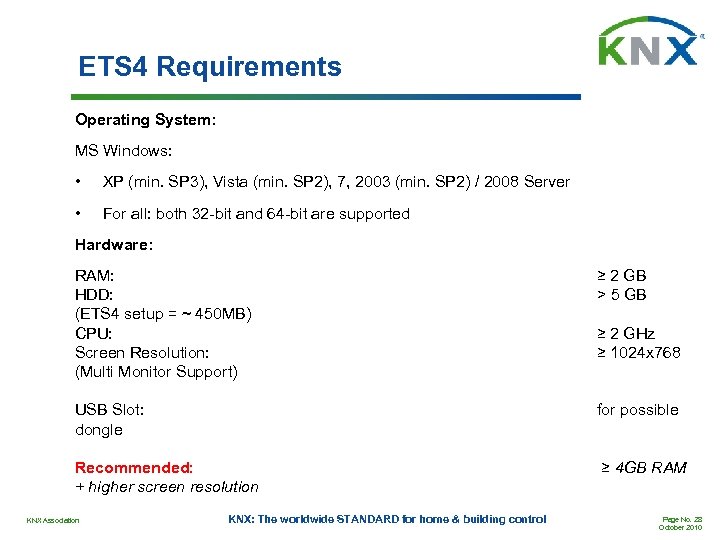
ETS 4 Requirements Operating System: MS Windows: • XP (min. SP 3), Vista (min. SP 2), 7, 2003 (min. SP 2) / 2008 Server • For all: both 32 -bit and 64 -bit are supported Hardware: RAM: HDD: (ETS 4 setup = ~ 450 MB) CPU: Screen Resolution: (Multi Monitor Support) ≥ 2 GB > 5 GB USB Slot: dongle for possible Recommended: + higher screen resolution ≥ 4 GB RAM KNX Association KNX: The worldwide STANDARD for home & building control ≥ 2 GHz ≥ 1024 x 768 Page No. 28 October 2010
ETS 4 Licensing • All ETS 3 dongles are supported by ETS 4 • The ETS 4 installation does not remove the ETS 3 installation, license or data • Moreover, ETS 3 and ETS 4 can be used in parallel with the same dongle • Upgrade from ETS 3 to ETS 4 means however that the ETS 3 license will disappear from the KNX online shop account KNX Association KNX: The worldwide STANDARD for home & building control Page No. 29 October 2010
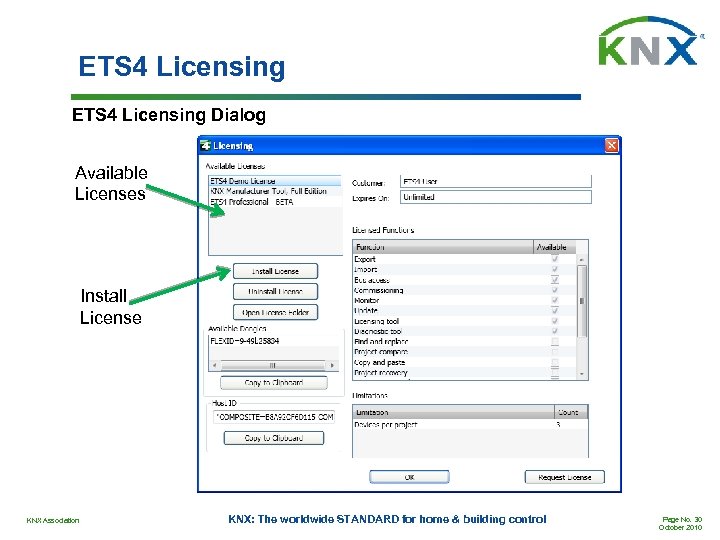
ETS 4 Licensing Dialog Available Licenses Install License KNX Association KNX: The worldwide STANDARD for home & building control Page No. 30 October 2010
Thank you very much for your attention! KNX Association KNX: The worldwide STANDARD for home & building control Page No. 31 October 2010
Скачать презентацию ETS 4 for Experts December 2010 KNX Association
704031af0047217ab2f7843fcf6c9600.ppt