 Скачать презентацию Eric Steinborn dcjs state ny us Webmasters Guild Friday
1a47f5e68e2d70d17f0e5376cede139e.ppt
- Количество слайдов: 48



Eric. Steinborn@dcjs. state. ny. us Webmasters' Guild Friday, June 4, 2010
Poll Webmasters' Guild Friday, June 4, 2010
Just Thought you should know Webmasters' Guild Friday, June 4, 2010

Eric Steinborn IT 2 P @ NYS Division of Criminal Justice Services since 2006 15+ years experience with web technologies Work in a group of 3 – Maintain our intranet (DCJSnet) – Help with internet and extranet sites A few things I'm awesome at are: CSS, Java. Script, Interactivity, Prog Enhancement, UX, SEO, Accessibility I do what I love -> I love my job! Webmasters' Guild Friday, June 4, 2010
A Little Bit About j. Query What is j. Query? • j. Query is an Open-Source Java. Script framework that simplifies cross-browser client side scripting. • Animations • DOM manipulation • AJAX • Extensibility through plugins • j. Query was created by John Resig and released 01/06 • Most current release is 1. 4. 2 (2/19/10) Webmasters' Guild Friday, June 4, 2010
A Little Bit About j. Query Why should you use it? • Easy to learn! It uses CSS syntax for selection • Its tiny 71 KB (24 KB, minified and Gzipped) • Documented api. jquery. com & Supported forum. jquery. com • Cross browser compatibility: IE 6+, FF 2+ • It is the most used Java. Script library on the web today • 39% of all sites that use Java. Script use j. Query. • trends. builtwith. com/javascript/JQuery <- See, I'm not a liar. . Webmasters' Guild Friday, June 4, 2010
I <3 The j. Query Community Webmasters' Guild Friday, June 4, 2010
Webmasters' Guild Friday, June 4, 2010
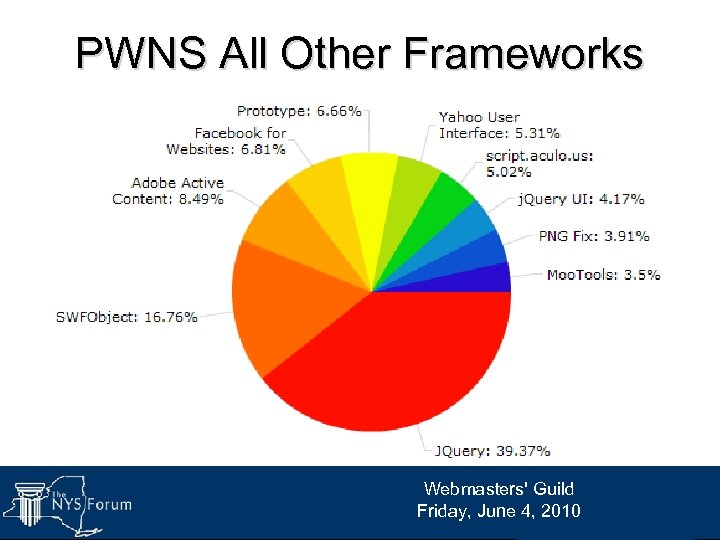
PWNS All Other Frameworks Webmasters' Guild Friday, June 4, 2010
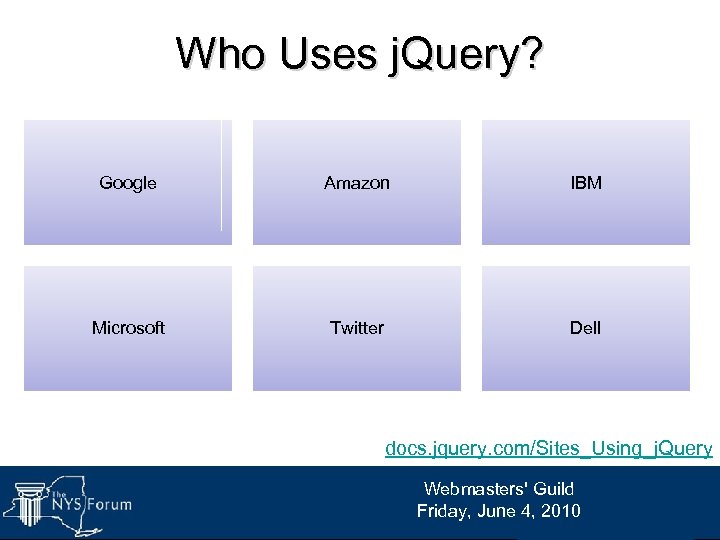
Who Uses j. Query? Google Amazon IBM Microsoft Twitter Dell docs. jquery. com/Sites_Using_j. Query Webmasters' Guild Friday, June 4, 2010
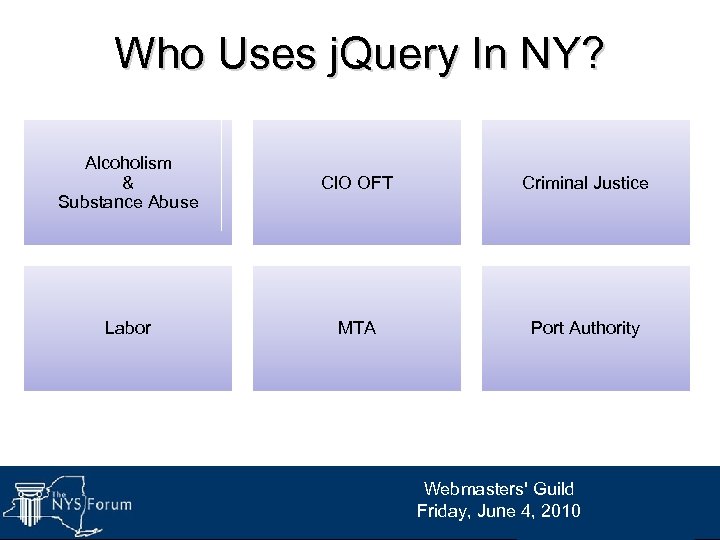
Who Uses j. Query In NY? Alcoholism & Substance Abuse CIO OFT Criminal Justice Labor MTA Port Authority Webmasters' Guild Friday, June 4, 2010
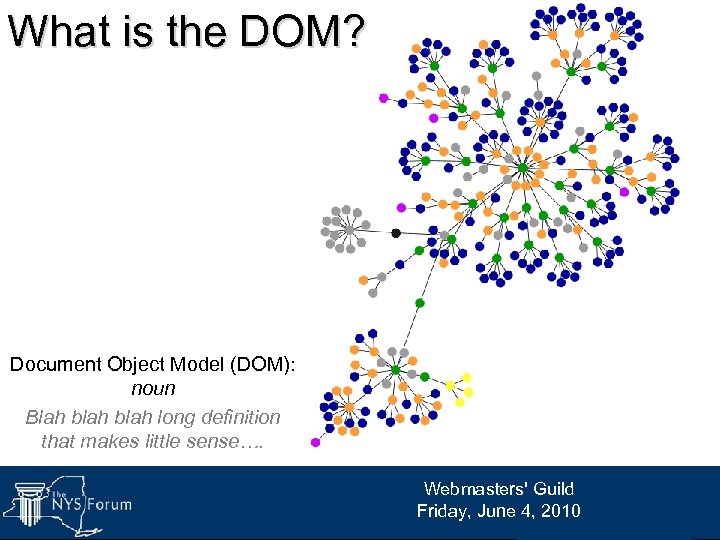
What is the DOM? Document Object Model (DOM): noun Blah blah long definition that makes little sense…. Webmasters' Guild Friday, June 4, 2010
What Is The DOM? Long story short, the DOM is your html document code. From the <!DOCTYPE> to the </html> The DOM is loaded top to bottom, so include your scripts at the bottom of the page for best performance. The DOM is "ready" when everything on the page has loaded. • Stylesheets • Java. Scripts • Images Webmasters' Guild Friday, June 4, 2010
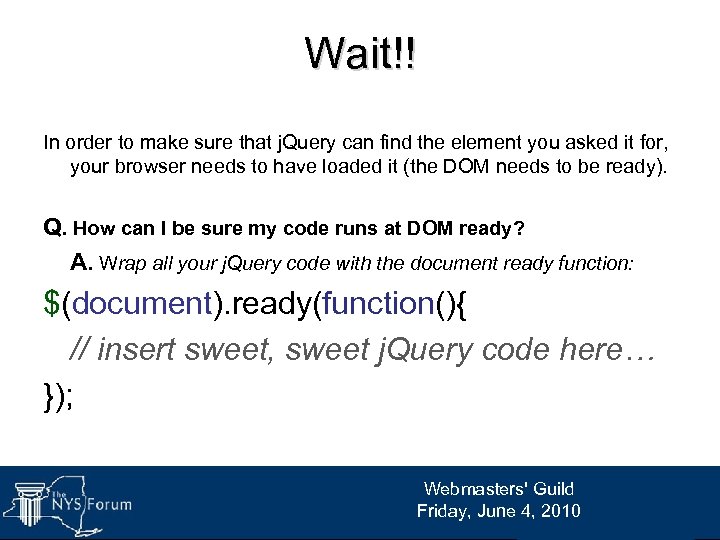
Wait!! In order to make sure that j. Query can find the element you asked it for, your browser needs to have loaded it (the DOM needs to be ready). Q. How can I be sure my code runs at DOM ready? A. Wrap all your j. Query code with the document ready function: $(document). ready(function(){ // insert sweet, sweet j. Query code here… }); Webmasters' Guild Friday, June 4, 2010
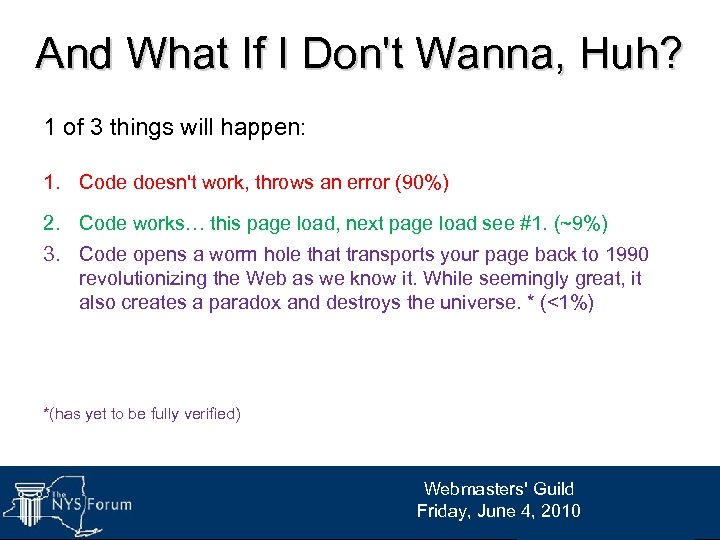
And What If I Don't Wanna, Huh? 1 of 3 things will happen: 1. Code doesn't work, throws an error (90%) 2. Code works… this page load, next page load see #1. (~9%) 3. Code opens a worm hole that transports your page back to 1990 revolutionizing the Web as we know it. While seemingly great, it also creates a paradox and destroys the universe. * (<1%) *(has yet to be fully verified) Webmasters' Guild Friday, June 4, 2010
We get it Eric, you're a geek… Get to the j. Query already! Your about ta get a wedgie NERD!* *spelling intentional Webmasters' Guild Friday, June 4, 2010
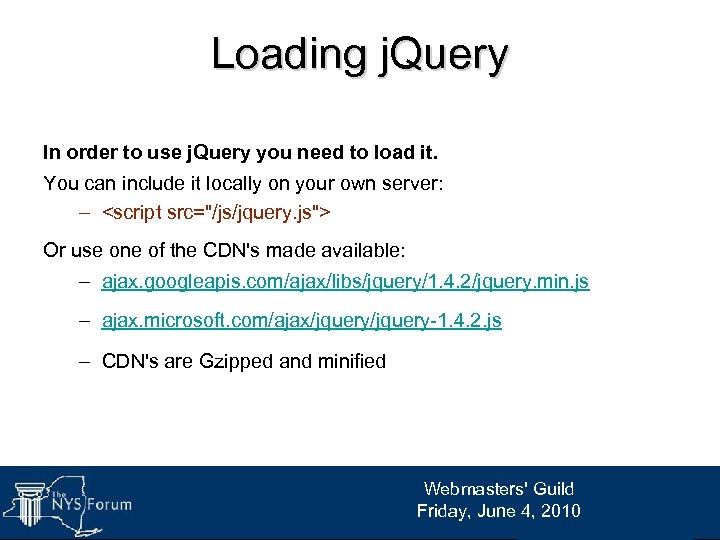
Loading j. Query In order to use j. Query you need to load it. You can include it locally on your own server: – <script src="/js/jquery. js"> Or use one of the CDN's made available: – ajax. googleapis. com/ajax/libs/jquery/1. 4. 2/jquery. min. js – ajax. microsoft. com/ajax/jquery-1. 4. 2. js – CDN's are Gzipped and minified Webmasters' Guild Friday, June 4, 2010
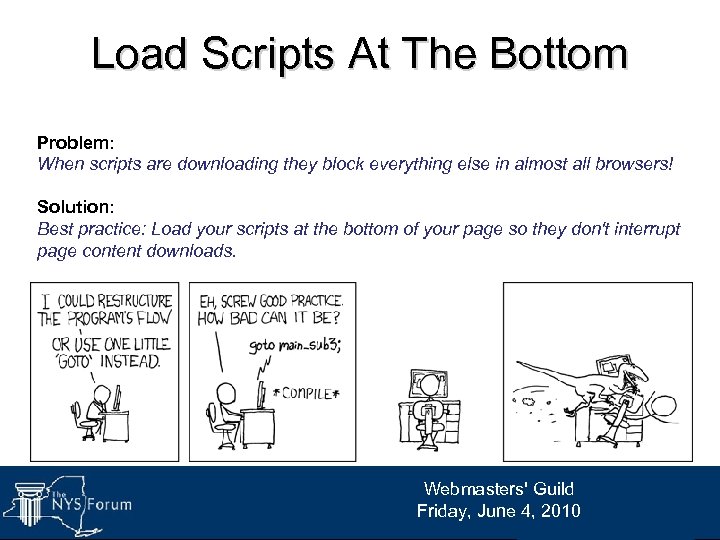
Load Scripts At The Bottom Problem: When scripts are downloading they block everything else in almost all browsers! Solution: Best practice: Load your scripts at the bottom of your page so they don't interrupt page content downloads. Webmasters' Guild Friday, June 4, 2010
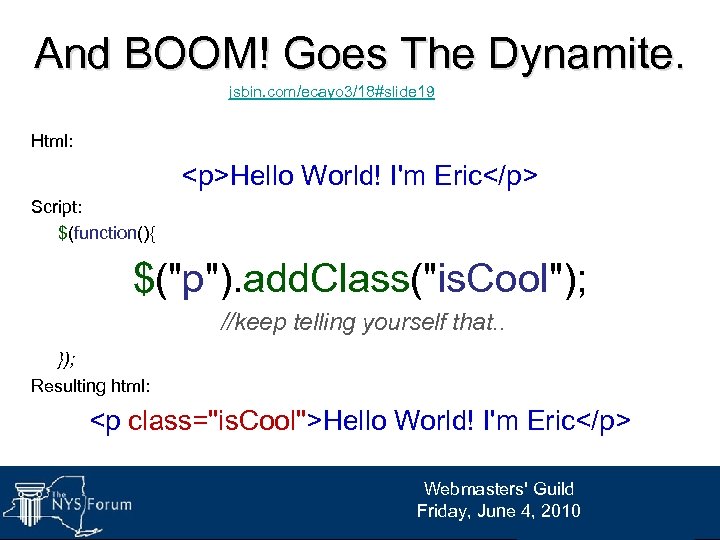
And BOOM! Goes The Dynamite. jsbin. com/ecayo 3/18#slide 19 Html: <p>Hello World! I'm Eric</p> Script: $(function(){ $("p"). add. Class("is. Cool"); //keep telling yourself that. . }); Resulting html: <p class="is. Cool">Hello World! I'm Eric</p> Webmasters' Guild Friday, June 4, 2010
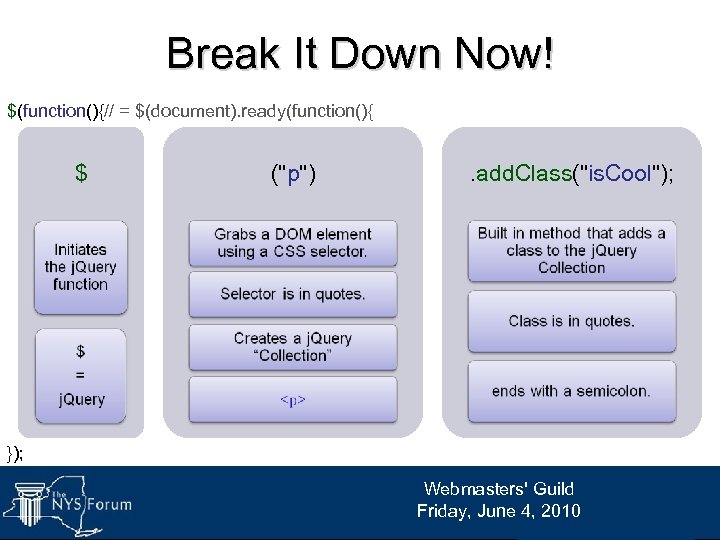
Break It Down Now! $(function(){// = $(document). ready(function(){ $ ("p") . add. Class("is. Cool"); }); Webmasters' Guild Friday, June 4, 2010
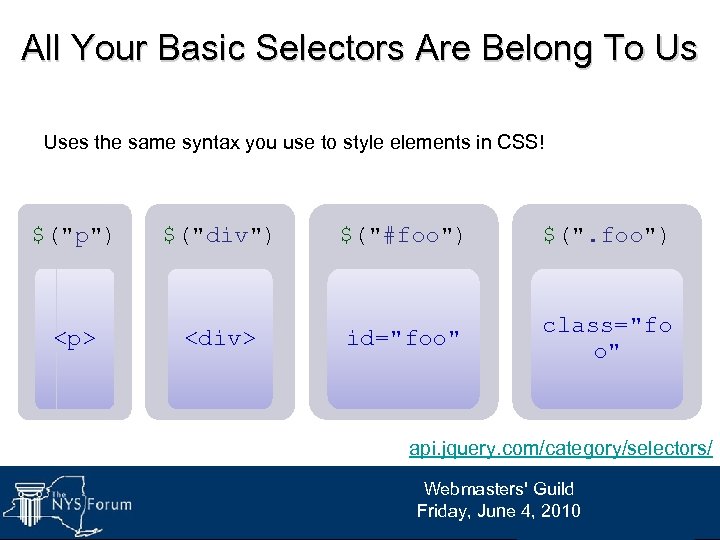
All Your Basic Selectors Are Belong To Us Uses the same syntax you use to style elements in CSS! $("p") $("div") $("#foo") $(". foo") <p> <div> id="foo" class="fo o" api. jquery. com/category/selectors/ Webmasters' Guild Friday, June 4, 2010
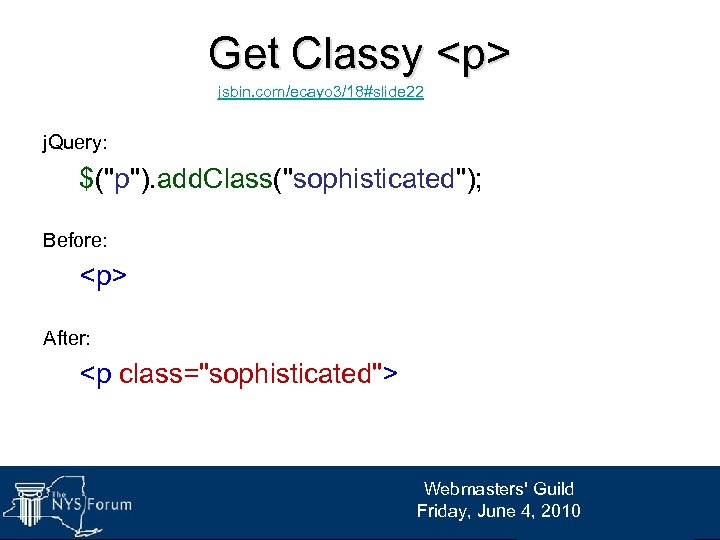
Get Classy <p> jsbin. com/ecayo 3/18#slide 22 j. Query: $("p"). add. Class("sophisticated"); Before: <p> After: <p class="sophisticated"> Webmasters' Guild Friday, June 4, 2010
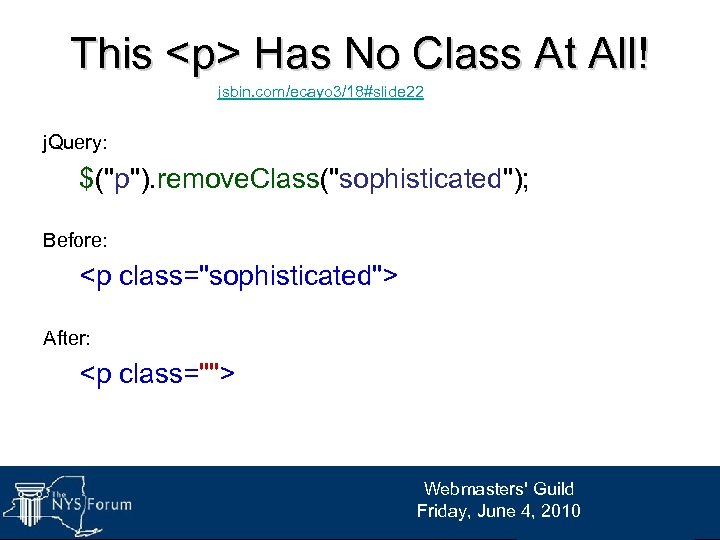
This <p> Has No Class At All! jsbin. com/ecayo 3/18#slide 22 j. Query: $("p"). remove. Class("sophisticated"); Before: <p class="sophisticated"> After: <p class=""> Webmasters' Guild Friday, June 4, 2010
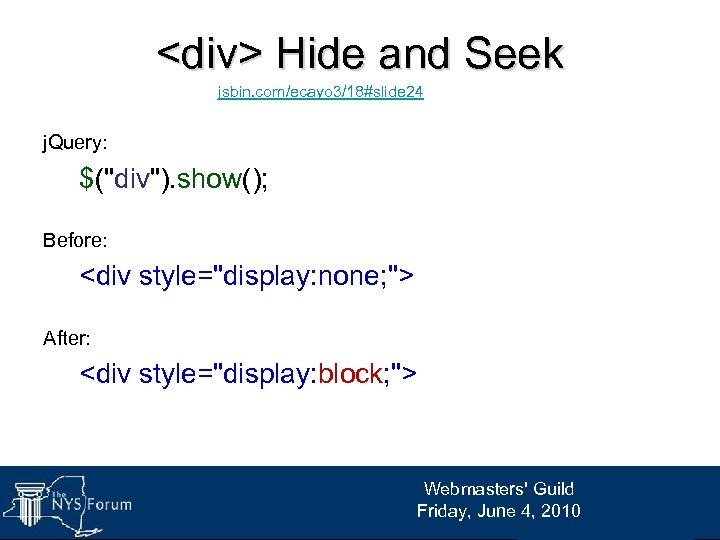
<div> Hide and Seek jsbin. com/ecayo 3/18#slide 24 j. Query: $("div"). show(); Before: <div style="display: none; "> After: <div style="display: block; "> Webmasters' Guild Friday, June 4, 2010
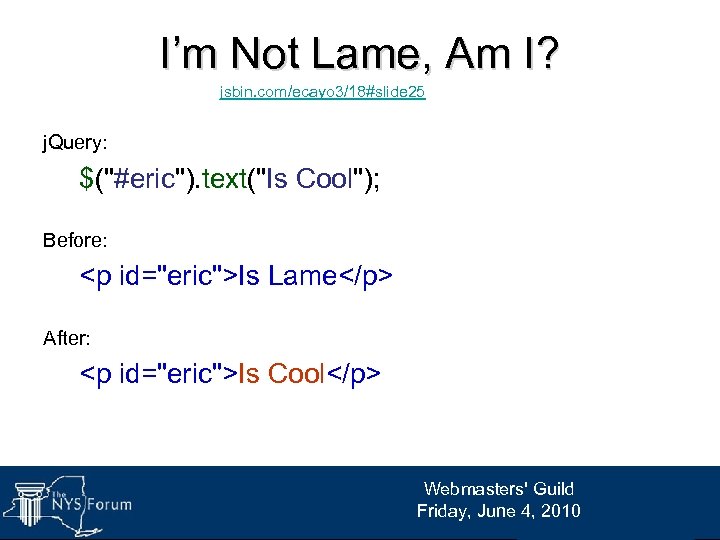
I’m Not Lame, Am I? jsbin. com/ecayo 3/18#slide 25 j. Query: $("#eric"). text("Is Cool"); Before: <p id="eric">Is Lame</p> After: <p id="eric">Is Cool</p> Webmasters' Guild Friday, June 4, 2010
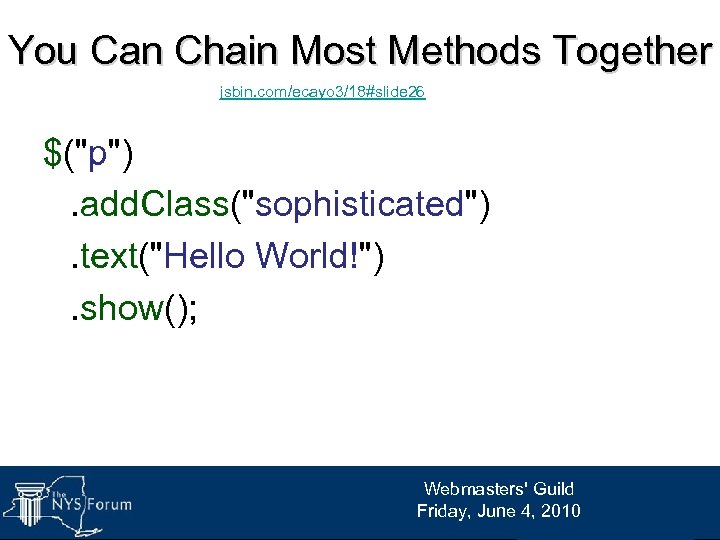
You Can Chain Most Methods Together jsbin. com/ecayo 3/18#slide 26 $("p"). add. Class("sophisticated"). text("Hello World!"). show(); Webmasters' Guild Friday, June 4, 2010
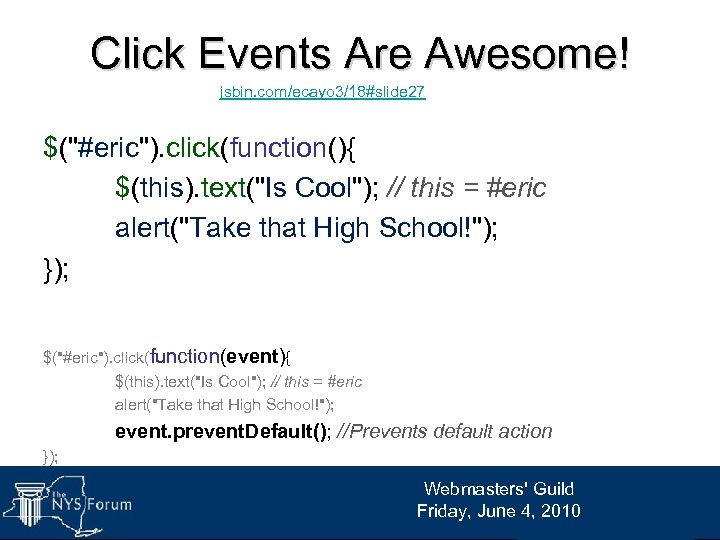
Click Events Are Awesome! jsbin. com/ecayo 3/18#slide 27 $("#eric"). click(function(){ $(this). text("Is Cool"); // this = #eric alert("Take that High School!"); }); $("#eric"). click(function(event){ $(this). text("Is Cool"); // this = #eric alert("Take that High School!"); event. prevent. Default(); //Prevents default action }); Webmasters' Guild Friday, June 4, 2010
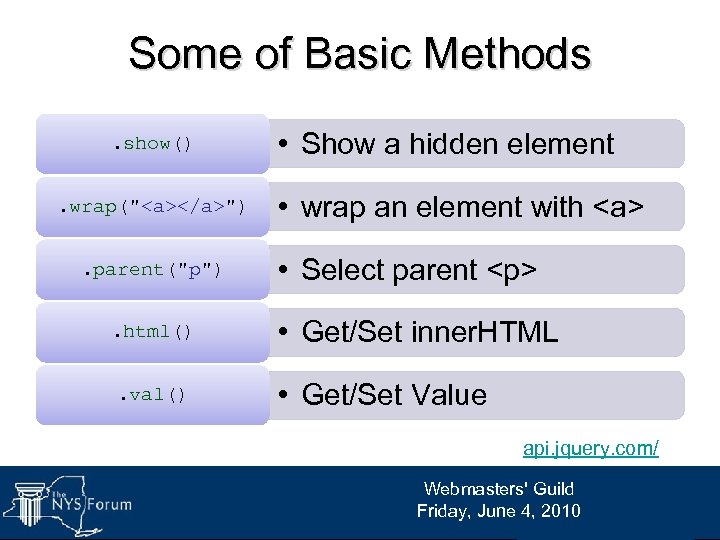
Some of Basic Methods. show(). wrap("<a></a>"). parent("p"). html(). val() • Show a hidden element • wrap an element with <a> • Select parent <p> • Get/Set inner. HTML • Get/Set Value api. jquery. com/ Webmasters' Guild Friday, June 4, 2010
Getters and Setters Webmasters' Guild Friday, June 4, 2010
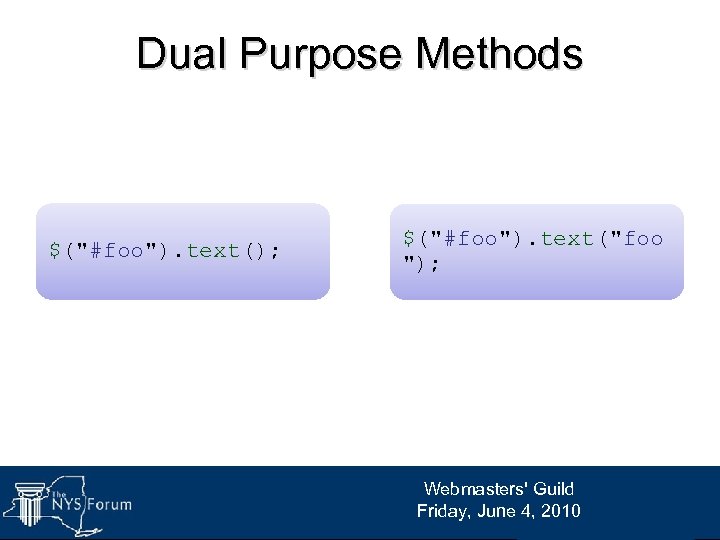
Dual Purpose Methods $("#foo"). text(); $("#foo"). text("foo "); Webmasters' Guild Friday, June 4, 2010
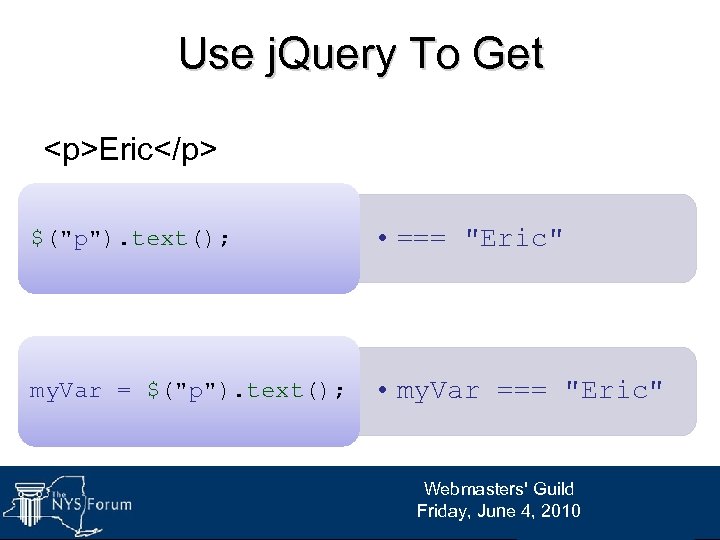
Use j. Query To Get <p>Eric</p> $("p"). text(); • === "Eric" my. Var = $("p"). text(); • my. Var === "Eric" Webmasters' Guild Friday, June 4, 2010
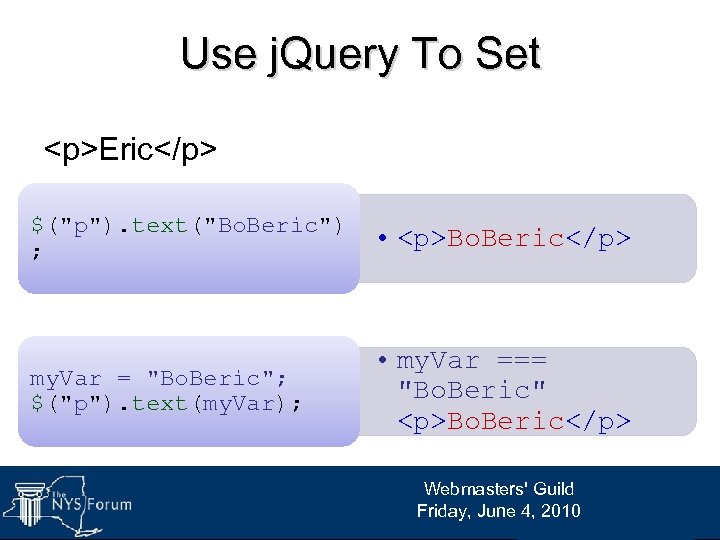
Use j. Query To Set <p>Eric</p> $("p"). text("Bo. Beric") ; • <p>Bo. Beric</p> my. Var = "Bo. Beric"; $("p"). text(my. Var); • my. Var === "Bo. Beric" <p>Bo. Beric</p> Webmasters' Guild Friday, June 4, 2010
Questions? Webmasters' Guild Friday, June 4, 2010
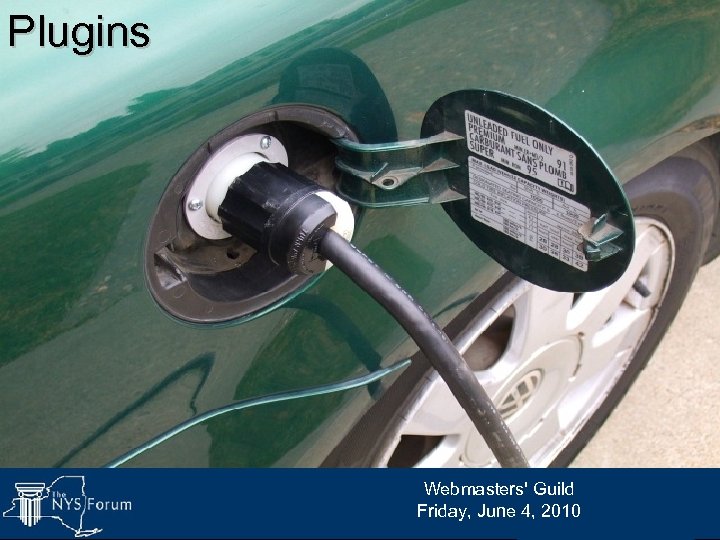
Plugins Webmasters' Guild Friday, June 4, 2010
Viva Variety! “If you want to create an animation, effect or UI component, chances are pretty good that someone has done your work for you already. ” -Eric Steinborn 2010 plugins. jquery. com Webmasters' Guild Friday, June 4, 2010
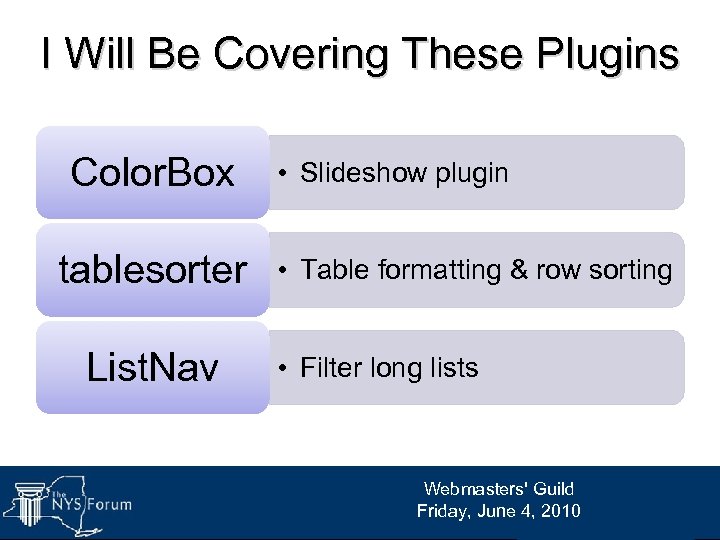
I Will Be Covering These Plugins Color. Box tablesorter List. Nav • Slideshow plugin • Table formatting & row sorting • Filter long lists Webmasters' Guild Friday, June 4, 2010
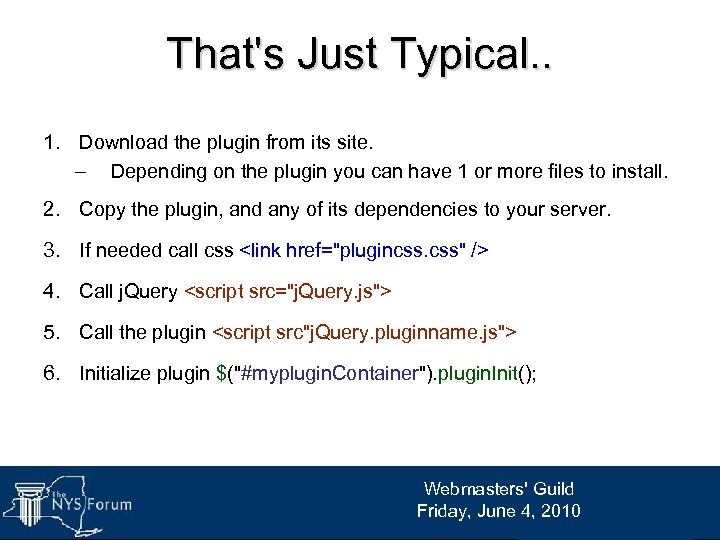
That's Just Typical. . 1. Download the plugin from its site. – Depending on the plugin you can have 1 or more files to install. 2. Copy the plugin, and any of its dependencies to your server. 3. If needed call css <link href="plugincss. css" /> 4. Call j. Query <script src="j. Query. js"> 5. Call the plugin <script src"j. Query. pluginname. js"> 6. Initialize plugin $("#myplugin. Container"). plugin. Init(); Webmasters' Guild Friday, June 4, 2010
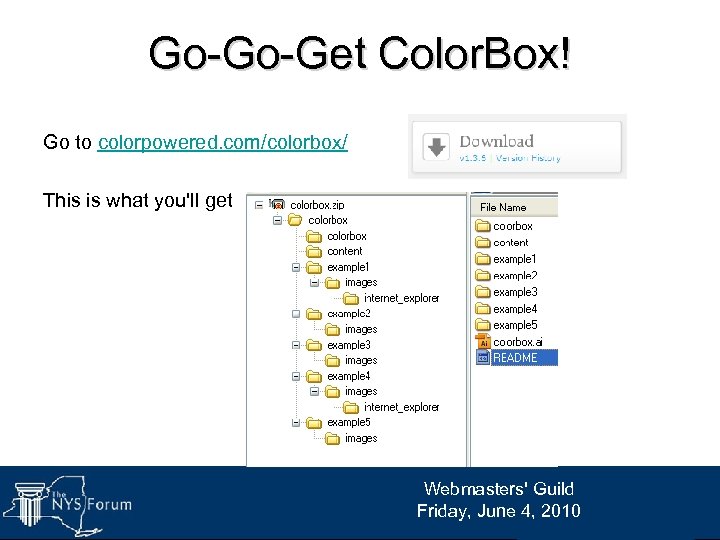
Go-Go-Get Color. Box! Go to colorpowered. com/colorbox/ This is what you'll get Webmasters' Guild Friday, June 4, 2010
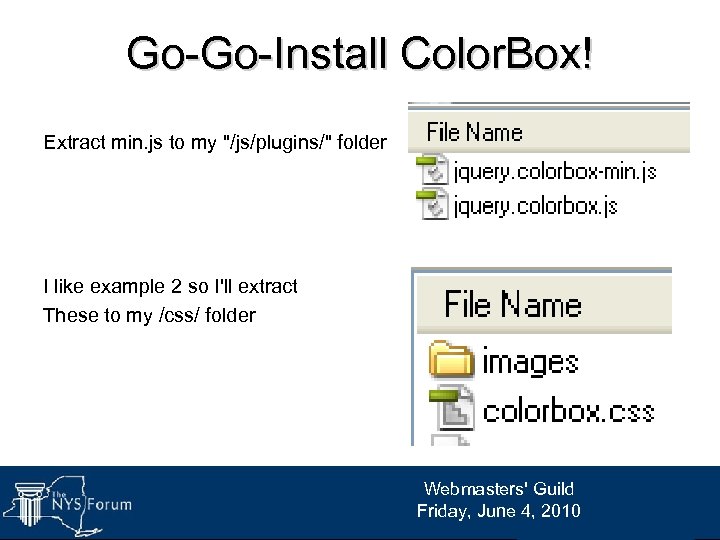
Go-Go-Install Color. Box! Extract min. js to my "/js/plugins/" folder I like example 2 so I'll extract These to my /css/ folder Webmasters' Guild Friday, June 4, 2010
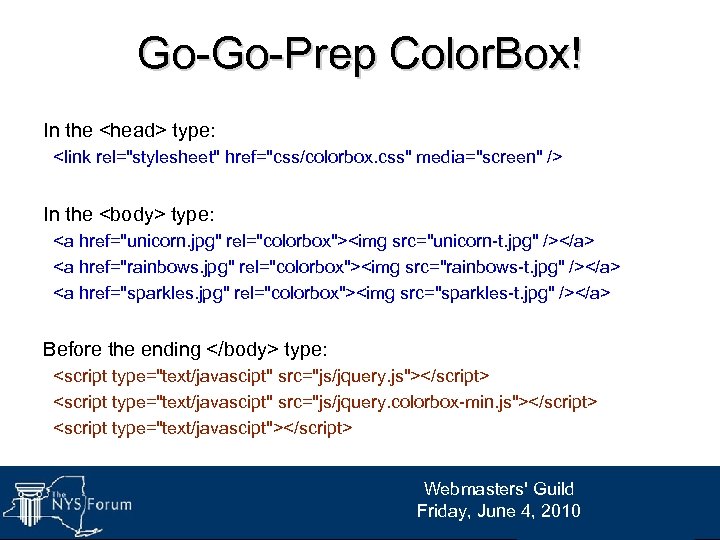
Go-Go-Prep Color. Box! In the <head> type: <link rel="stylesheet" href="css/colorbox. css" media="screen" /> In the <body> type: <a href="unicorn. jpg" rel="colorbox"><img src="unicorn-t. jpg" /></a> <a href="rainbows. jpg" rel="colorbox"><img src="rainbows-t. jpg" /></a> <a href="sparkles. jpg" rel="colorbox"><img src="sparkles-t. jpg" /></a> Before the ending </body> type: <script type="text/javascipt" src="js/jquery. js"></script> <script type="text/javascipt" src="js/jquery. colorbox-min. js"></script> <script type="text/javascipt"></script> Webmasters' Guild Friday, June 4, 2010
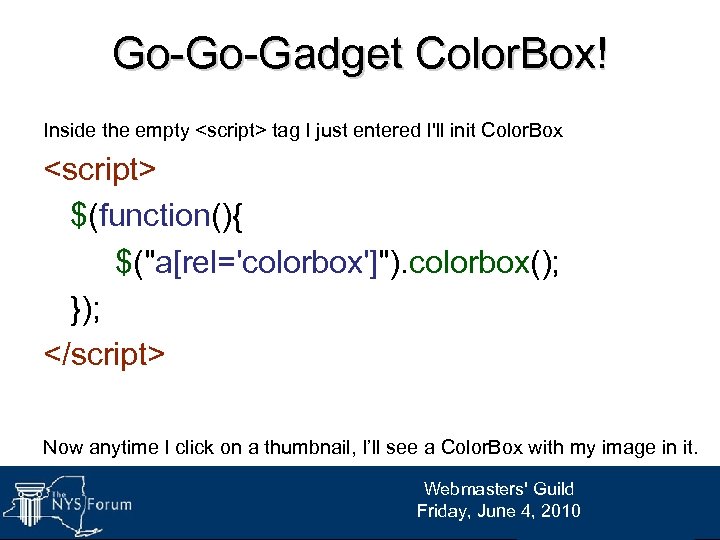
Go-Go-Gadget Color. Box! Inside the empty <script> tag I just entered I'll init Color. Box <script> $(function(){ $("a[rel='colorbox']"). colorbox(); }); </script> Now anytime I click on a thumbnail, I’ll see a Color. Box with my image in it. Webmasters' Guild Friday, June 4, 2010
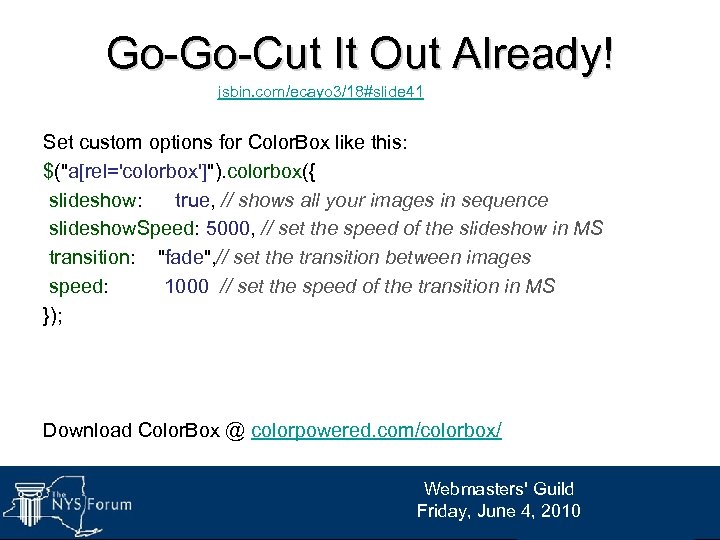
Go-Go-Cut It Out Already! jsbin. com/ecayo 3/18#slide 41 Set custom options for Color. Box like this: $("a[rel='colorbox']"). colorbox({ slideshow: true, // shows all your images in sequence slideshow. Speed: 5000, // set the speed of the slideshow in MS transition: "fade", // set the transition between images speed: 1000 // set the speed of the transition in MS }); Download Color. Box @ colorpowered. com/colorbox/ Webmasters' Guild Friday, June 4, 2010
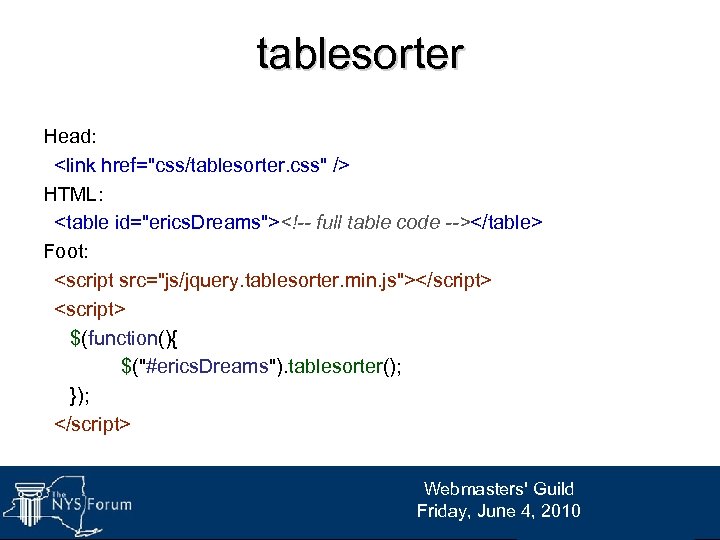
tablesorter Head: <link href="css/tablesorter. css" /> HTML: <table id="erics. Dreams"><!-- full table code --></table> Foot: <script src="js/jquery. tablesorter. min. js"></script> <script> $(function(){ $("#erics. Dreams"). tablesorter(); }); </script> Webmasters' Guild Friday, June 4, 2010
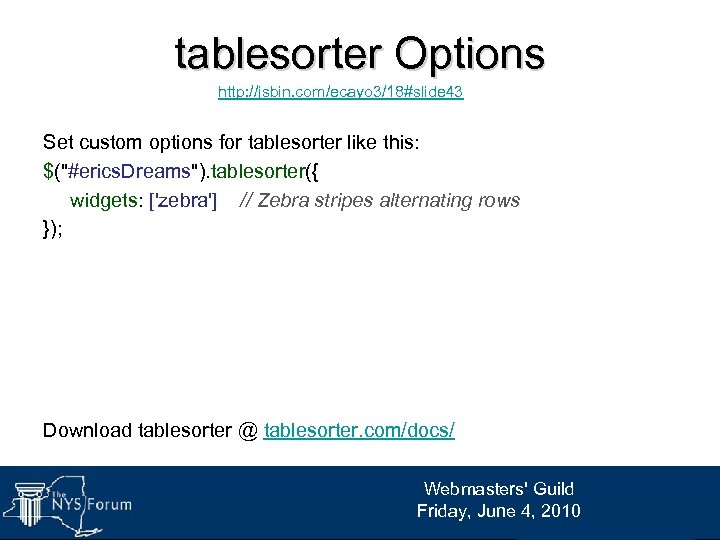
tablesorter Options http: //jsbin. com/ecayo 3/18#slide 43 Set custom options for tablesorter like this: $("#erics. Dreams"). tablesorter({ widgets: ['zebra'] // Zebra stripes alternating rows }); Download tablesorter @ tablesorter. com/docs/ Webmasters' Guild Friday, June 4, 2010
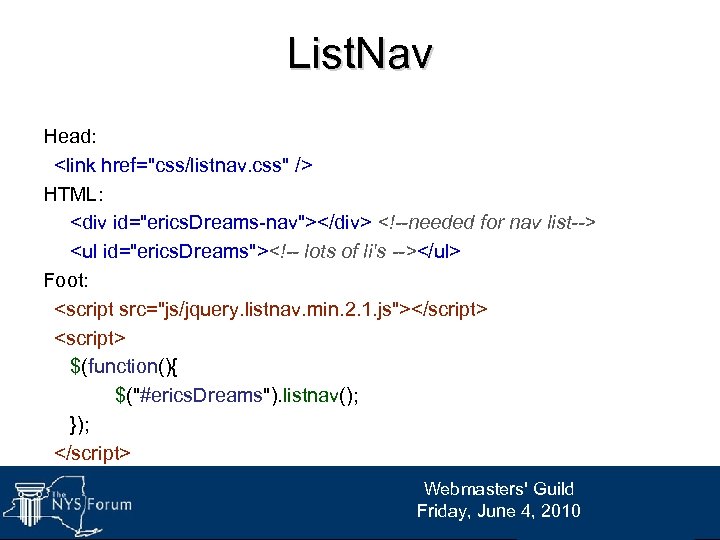
List. Nav Head: <link href="css/listnav. css" /> HTML: <div id="erics. Dreams-nav"></div> <!--needed for nav list--> <ul id="erics. Dreams"><!-- lots of li's --></ul> Foot: <script src="js/jquery. listnav. min. 2. 1. js"></script> <script> $(function(){ $("#erics. Dreams"). listnav(); }); </script> Webmasters' Guild Friday, June 4, 2010
List. Nav Options jsbin. com/ecayo 3/18#slide 45 Set custom options for List. Nav like this: $("#erics. Dreams"). listnav({ show. Counts: false, // Don’t show counts above letters no. Match. Text: "Fail!", // Custom text for invalid selections cookie. Name: "Dreams", // Selection saved in Cookie include. Other: true // Include an Other option [~!@#] }); // include cookie plugin for cookie. Name to function Download List. Nav @ ihwy. com/Labs/jquery-listnav-plugin. aspx Webmasters' Guild Friday, June 4, 2010
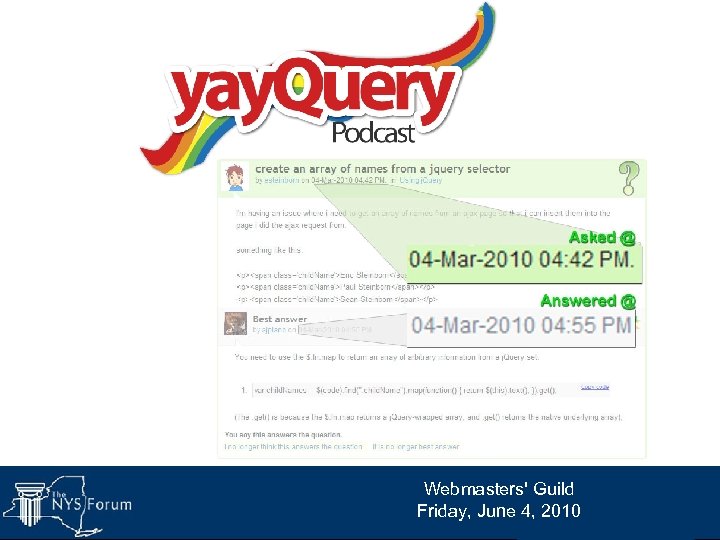
Great References John Resig's introduction slides j. Query 1. 4 Cheat Sheet j. Query API j. Query Forums YAYquery Podcast (explicit) DEMOS: jsbin. com/ecayo 3/18 eric. steinborn@dcjs. state. ny. us Webmasters' Guild Friday, June 4, 2010
I Like Plugins! Show Us More! Webmasters' Guild Friday, June 4, 2010
Скачать презентацию Eric Steinborn dcjs state ny us Webmasters Guild Friday
1a47f5e68e2d70d17f0e5376cede139e.ppt