 Скачать презентацию EPICS Overview EPICS Training INFN October 13 2008
f04d89dc06d7dae9d28bcbdad957f365.ppt
- Количество слайдов: 47



EPICS Overview EPICS Training INFN October 13, 2008 Presented by: Andrew Johnson Based on previous versions by Marty Kraimer, Ned Arnold, John Maclean, Kay Kasemir, Bob Dalesio and probably a few other people too.
Sources Main WWW site www. aps. anl. gov/epics/ Documents/Training This talk taken from the following training presentations SSRF, APS, PSI, SNS, USPAS 2007, USPAS 2003 Marty Kraimer, Ned Arnold, John Maclean, Kay Kasemir, Bob Dalesio The talk from PSI did not list authors. April 2007 EPICS Meeting DESY 2
What is EPICS? A Collaboration A Control System Architecture A Software Toolkit Enter presentation date [Your Presentation Title] 3
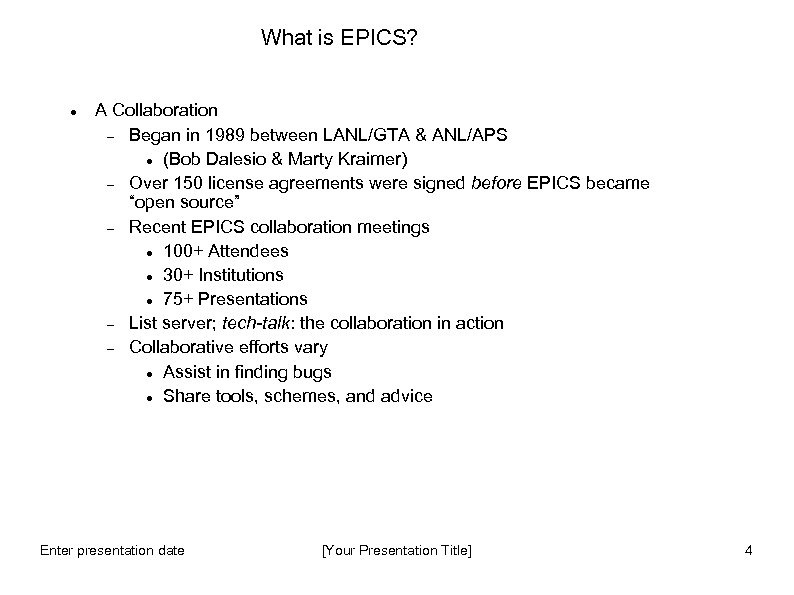
What is EPICS? A Collaboration Began in 1989 between LANL/GTA & ANL/APS (Bob Dalesio & Marty Kraimer) Over 150 license agreements were signed before EPICS became “open source” Recent EPICS collaboration meetings 100+ Attendees 30+ Institutions 75+ Presentations List server; tech-talk: the collaboration in action Collaborative efforts vary Assist in finding bugs Share tools, schemes, and advice Enter presentation date [Your Presentation Title] 4
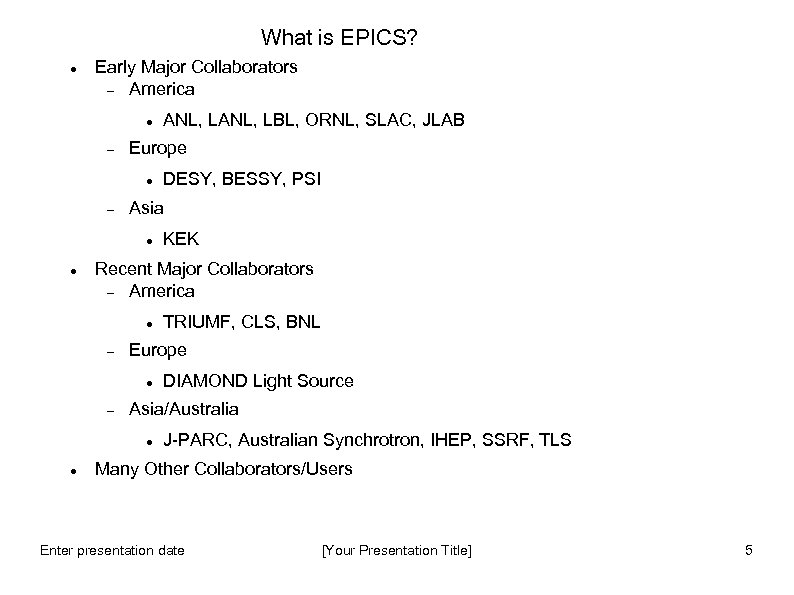
What is EPICS? Early Major Collaborators America Europe KEK Recent Major Collaborators America TRIUMF, CLS, BNL Europe DIAMOND Light Source Asia/Australia DESY, BESSY, PSI Asia ANL, LBL, ORNL, SLAC, JLAB J-PARC, Australian Synchrotron, IHEP, SSRF, TLS Many Other Collaborators/Users Enter presentation date [Your Presentation Title] 5
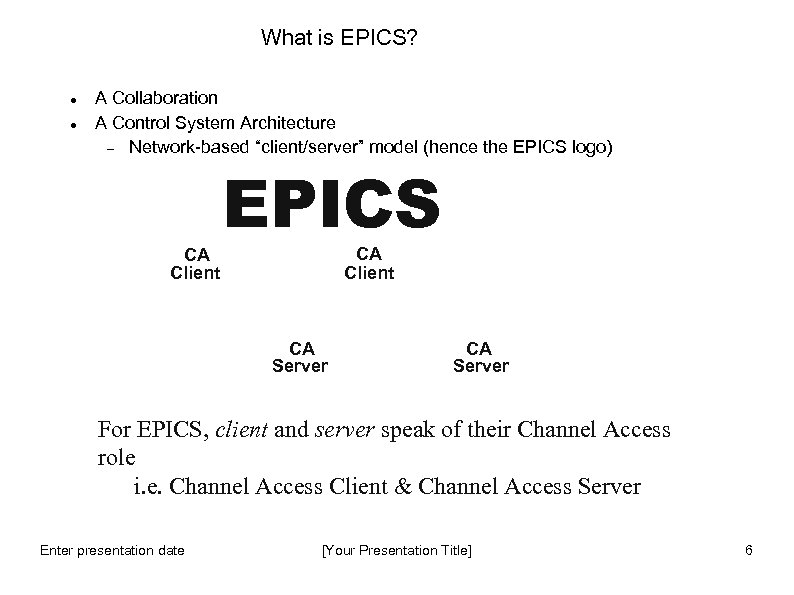
What is EPICS? A Collaboration A Control System Architecture Network-based “client/server” model (hence the EPICS logo) CA Client EPICS CA Client CA Server For EPICS, client and server speak of their Channel Access role i. e. Channel Access Client & Channel Access Server Enter presentation date [Your Presentation Title] 6
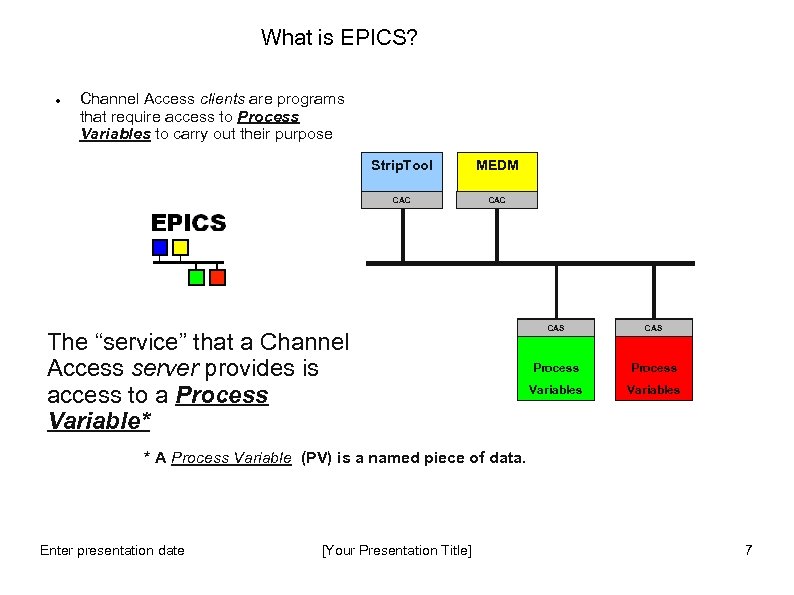
What is EPICS? Channel Access clients are programs that require access to Process Variables to carry out their purpose Strip. Tool MEDM CAC The “service” that a Channel Access server provides is access to a Process Variable* CAS Process Variables * A Process Variable (PV) is a named piece of data. Enter presentation date [Your Presentation Title] 7
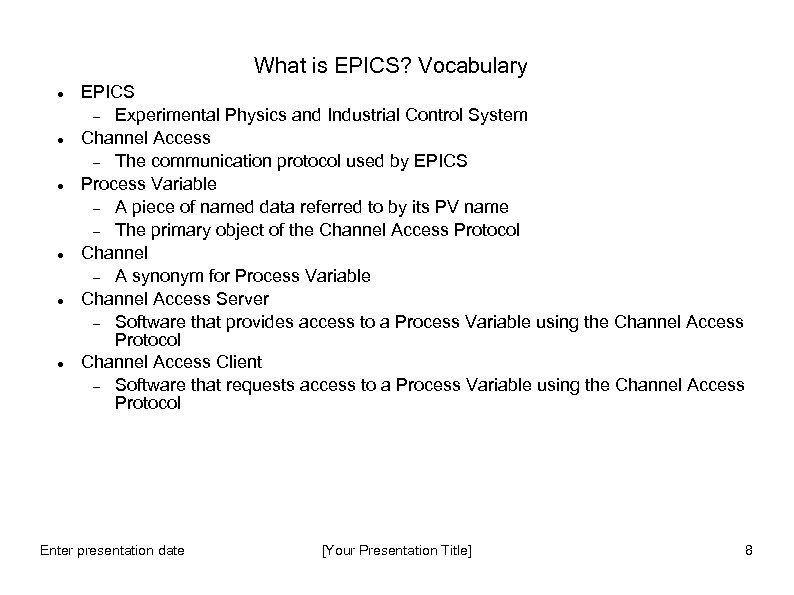
What is EPICS? Vocabulary EPICS Experimental Physics and Industrial Control System Channel Access The communication protocol used by EPICS Process Variable A piece of named data referred to by its PV name The primary object of the Channel Access Protocol Channel A synonym for Process Variable Channel Access Server Software that provides access to a Process Variable using the Channel Access Protocol Channel Access Client Software that requests access to a Process Variable using the Channel Access Protocol Enter presentation date [Your Presentation Title] 8
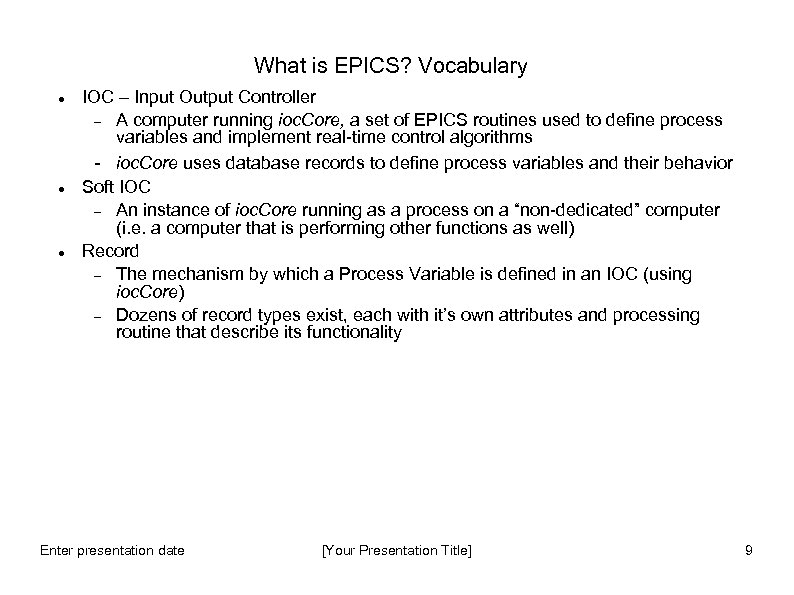
What is EPICS? Vocabulary IOC – Input Output Controller A computer running ioc. Core, a set of EPICS routines used to define process variables and implement real-time control algorithms - ioc. Core uses database records to define process variables and their behavior Soft IOC An instance of ioc. Core running as a process on a “non-dedicated” computer (i. e. a computer that is performing other functions as well) Record The mechanism by which a Process Variable is defined in an IOC (using ioc. Core) Dozens of record types exist, each with it’s own attributes and processing routine that describe its functionality Enter presentation date [Your Presentation Title] 9
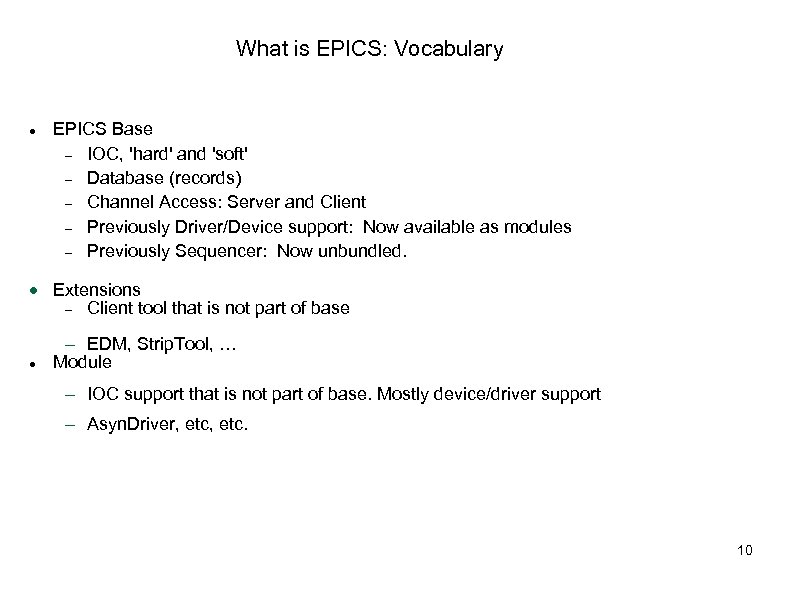
What is EPICS: Vocabulary EPICS Base IOC, 'hard' and 'soft' Database (records) Channel Access: Server and Client Previously Driver/Device support: Now available as modules Previously Sequencer: Now unbundled. Extensions Client tool that is not part of base EDM, Strip. Tool, … Module IOC support that is not part of base. Mostly device/driver support Asyn. Driver, etc. 10
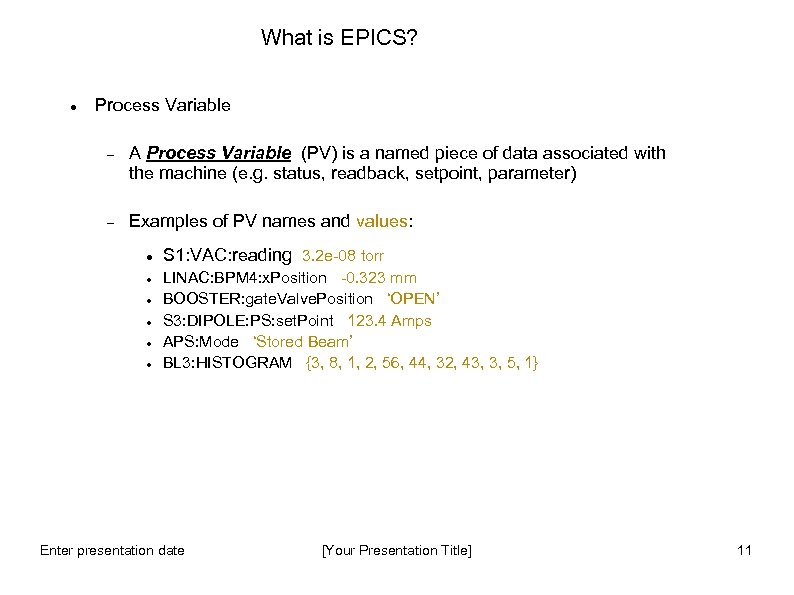
What is EPICS? Process Variable A Process Variable (PV) is a named piece of data associated with the machine (e. g. status, readback, setpoint, parameter) Examples of PV names and values: S 1: VAC: reading 3. 2 e-08 torr LINAC: BPM 4: x. Position -0. 323 mm BOOSTER: gate. Valve. Position ‘OPEN’ S 3: DIPOLE: PS: set. Point 123. 4 Amps APS: Mode ‘Stored Beam’ BL 3: HISTOGRAM {3, 8, 1, 2, 56, 44, 32, 43, 3, 5, 1} Enter presentation date [Your Presentation Title] 11
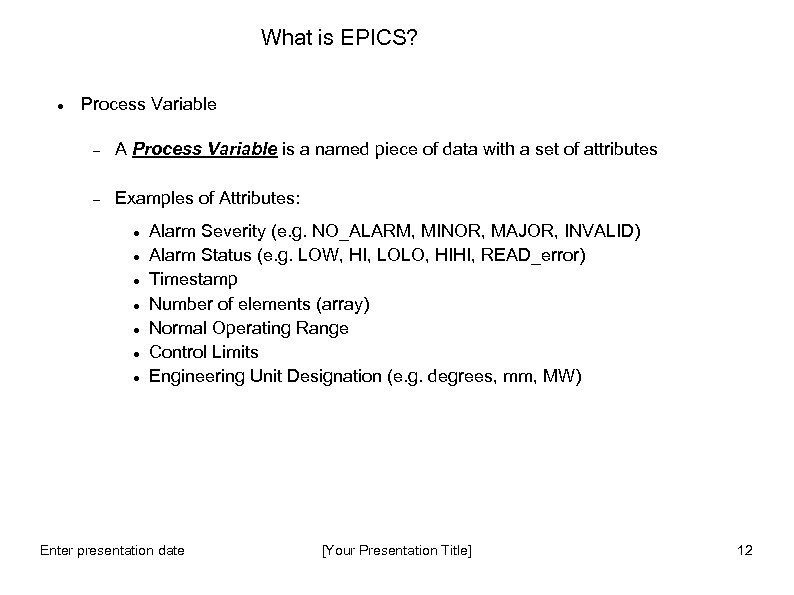
What is EPICS? Process Variable A Process Variable is a named piece of data with a set of attributes Examples of Attributes: Alarm Severity (e. g. NO_ALARM, MINOR, MAJOR, INVALID) Alarm Status (e. g. LOW, HI, LOLO, HIHI, READ_error) Timestamp Number of elements (array) Normal Operating Range Control Limits Engineering Unit Designation (e. g. degrees, mm, MW) Enter presentation date [Your Presentation Title] 12
What is EPICS? A Control System Architecture Network-based “client/server” model where the basic data element is a Process Variable The Channel Access Protocol defines how Process Variable data is transferred between a server and client The entire set of Process Variables establish a Distributed Real-time Database of machine status, information and control parameters Enter presentation date [Your Presentation Title] 13
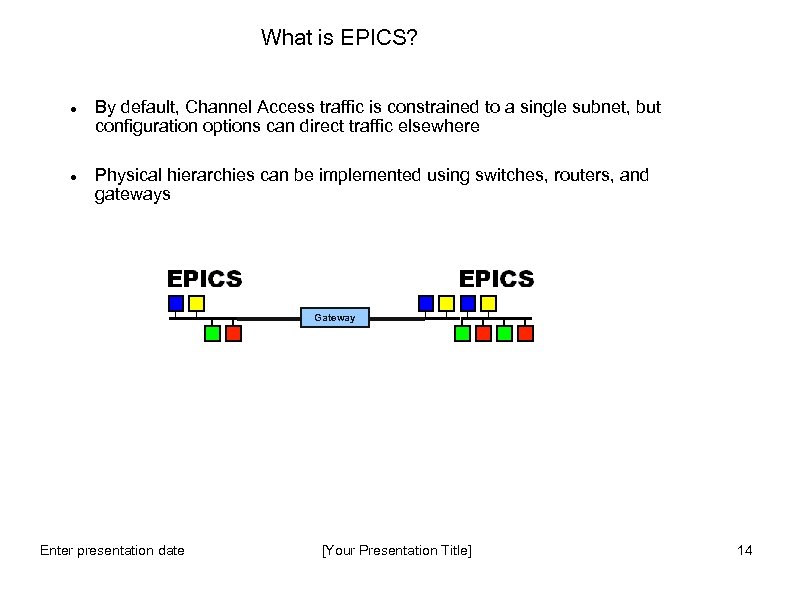
What is EPICS? By default, Channel Access traffic is constrained to a single subnet, but configuration options can direct traffic elsewhere Physical hierarchies can be implemented using switches, routers, and gateways Gateway Enter presentation date [Your Presentation Title] 14
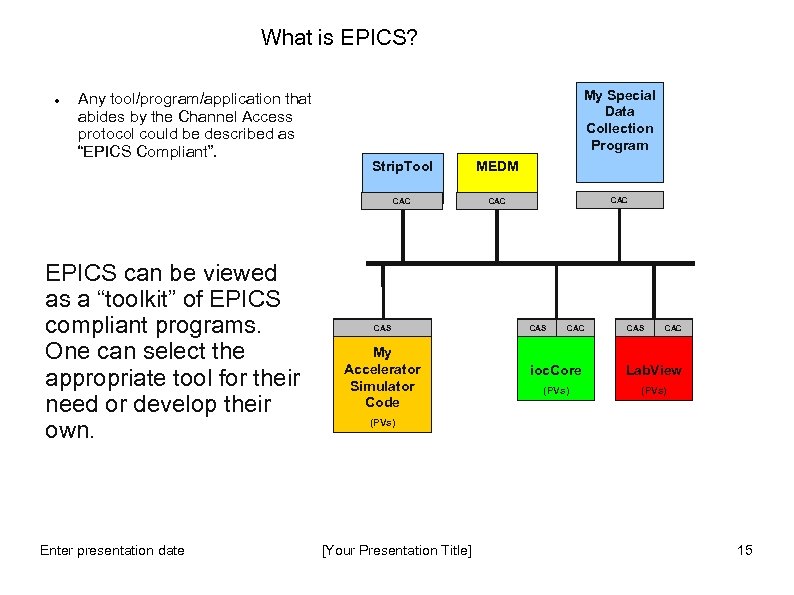
What is EPICS? Any tool/program/application that abides by the Channel Access protocol could be described as “EPICS Compliant”. My Special Data Collection Program Enter presentation date MEDM CAC EPICS can be viewed as a “toolkit” of EPICS compliant programs. One can select the appropriate tool for their need or develop their own. Strip. Tool CAC CAS My Accelerator Simulator Code CAC CAS CAC ioc. Core Lab. View (PVs) [Your Presentation Title] 15
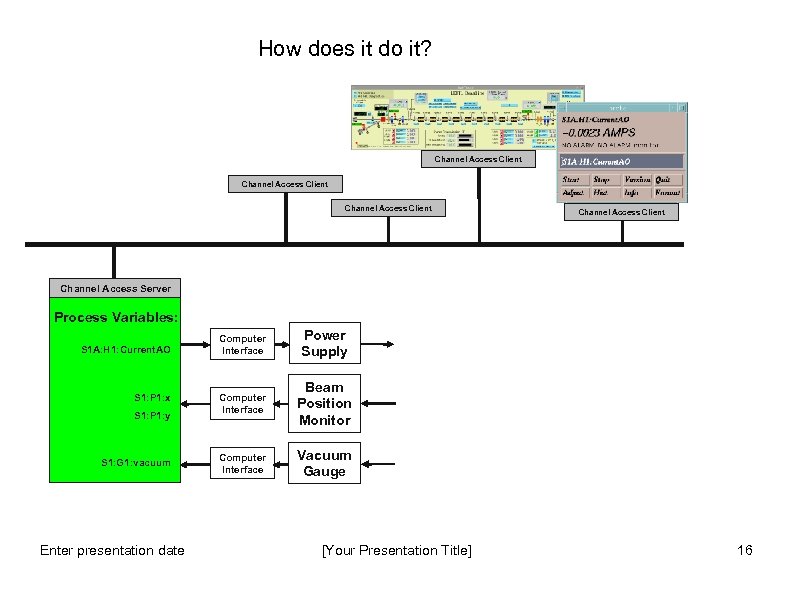
How does it do it? Channel Access Client Channel Access Server Process Variables: S 1 A: H 1: Current. AO S 1: P 1: x S 1: P 1: y S 1: G 1: vacuum Enter presentation date Computer Interface Power Supply Computer Interface Beam Position Monitor Computer Interface Vacuum Gauge [Your Presentation Title] 16
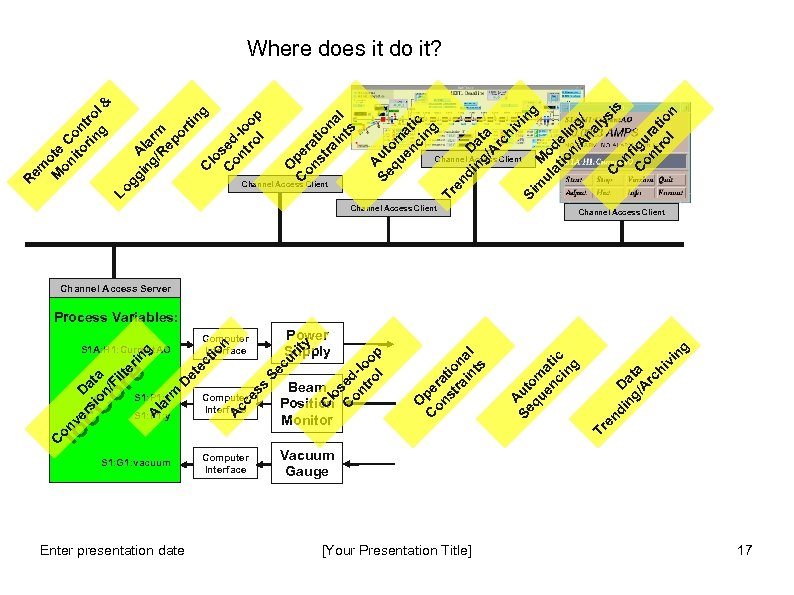
S 1: P 1: x S 1: P 1: y S 1: G 1: vacuum Enter presentation date Beam Position Monitor Computer Interface Vacuum Gauge Power Supply [Your Presentation Title] ng vi D ng at /A a rc hi di Channel Access Client Tr en A Se ut qu om en at ci ic ng g A Se ut qu om en at ci ic ng O C pe on ra st tio ra na in l ts Channel Access Client & nd in Da g/ ta A rc hi vi ng Si m M ul o at de io li n/ ng A / na ly si C s on f C igu on r tr atio ol n Tr e tin C sed on -l tr oo ol p lo C gi A ng lar /R m ep or Lo g em M ote on C ito on rin tro g l Channel Access Client O C pe on ra st tio ra na in l ts C sed on -l tr oo ol p lo y rit Computer Interface C Computer Interface Se cu n tio et ec D cc es s rm la S 1 A: H 1: Current. AO A A o ionve D rs c. Cio ata / onr. Filte e ring C R Where does it do it? Channel Access Client Channel Access Server Process Variables: 17
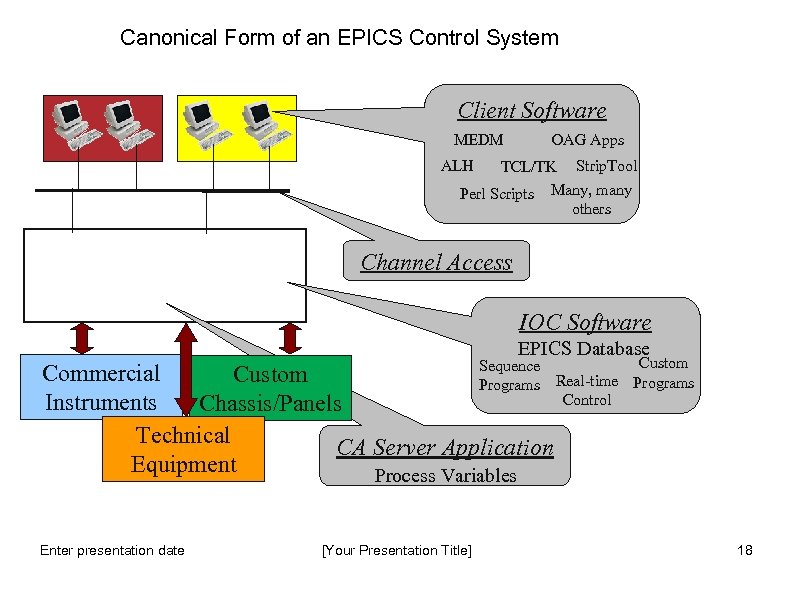
Canonical Form of an EPICS Control System Client Software MEDM OAG Apps TCL/TK Strip. Tool Perl Scripts Many, many others ALH Channel Access IOC Software EPICS Database Sequence Commercial Custom Programs Real-time Control Instruments Chassis/Panels Technical CA Server Application Equipment Process Variables Enter presentation date [Your Presentation Title] Custom Programs 18
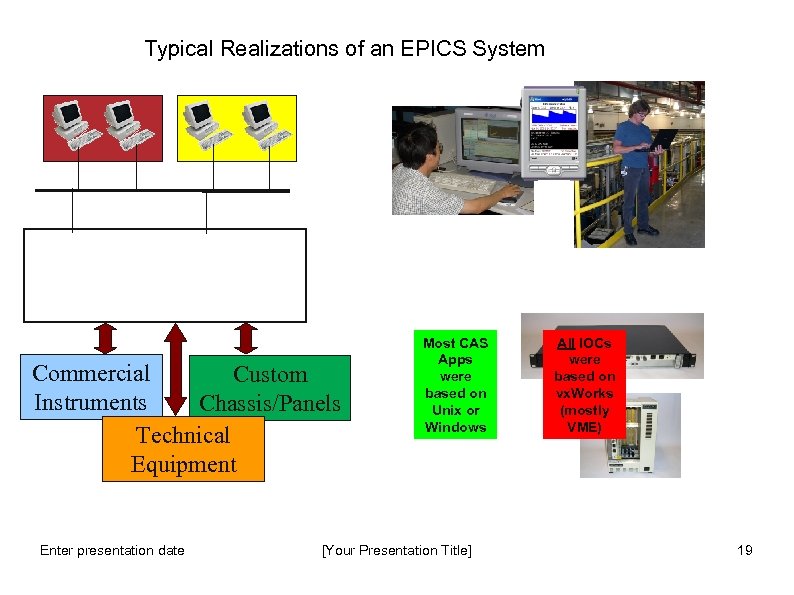
Typical Realizations of an EPICS System Commercial Custom Instruments Chassis/Panels Technical Equipment Enter presentation date Most CAS Apps were based on Unix or Windows [Your Presentation Title] All IOCs were based on vx. Works (mostly VME) 19
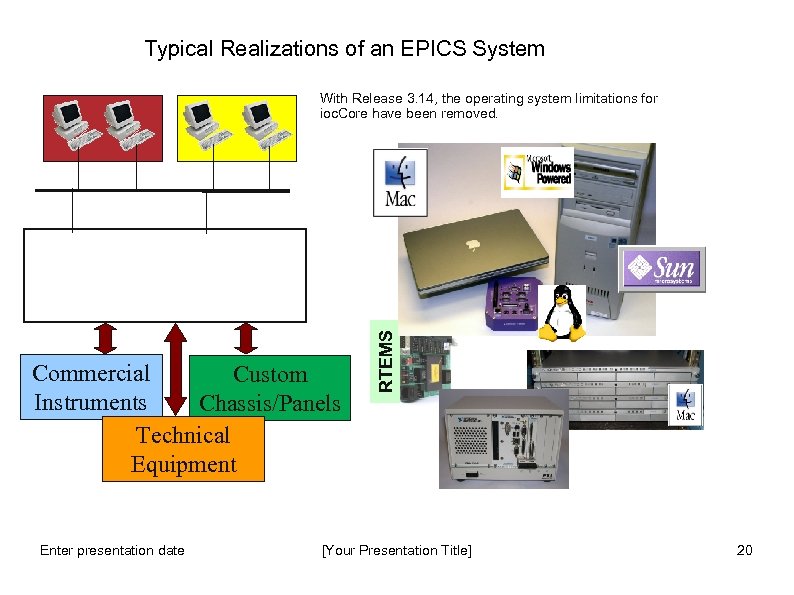
Typical Realizations of an EPICS System Commercial Custom Instruments Chassis/Panels Technical Equipment Enter presentation date RTEMS With Release 3. 14, the operating system limitations for ioc. Core have been removed. [Your Presentation Title] 20
Introducing the IOC Input Output Controller A computer running software called “IOC Core” The computer can be: VME based, running vx. Works (only choice until Release 3. 14) or RTEMS PC running Windows, Linux, RTEMS Apple Mac running OSX UNIX Workstation running Solaris, OSF Usually has Input and/or Output devices attached An EPICS control system must contain at least one Channel Access Server (usually an IOC) An IOC loads one or more databases, which tell it what to do What Process Variables to serve What I/O devices to connect to What other Pvs to connect to What processing to do Enter presentation date [Your Presentation Title] 21
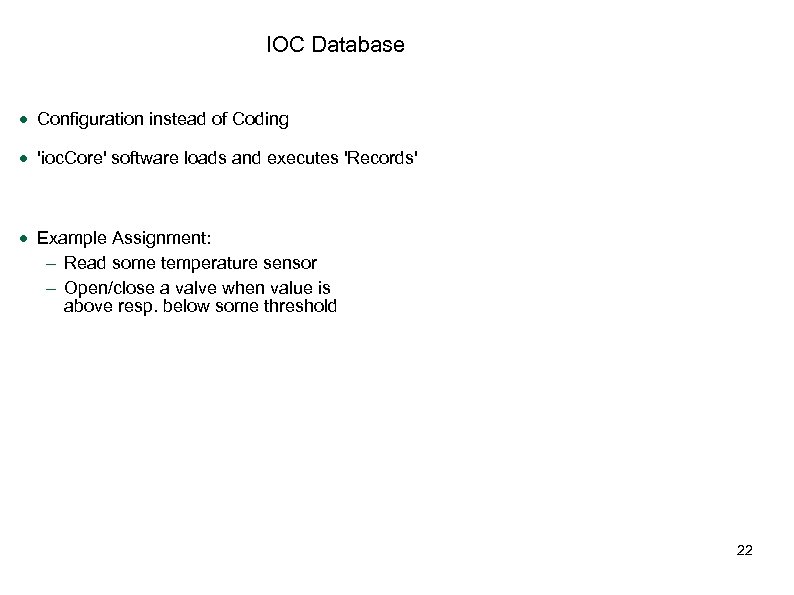
IOC Database Configuration instead of Coding 'ioc. Core' software loads and executes 'Records' Example Assignment: Read some temperature sensor Open/close a valve when value is above resp. below some threshold 22
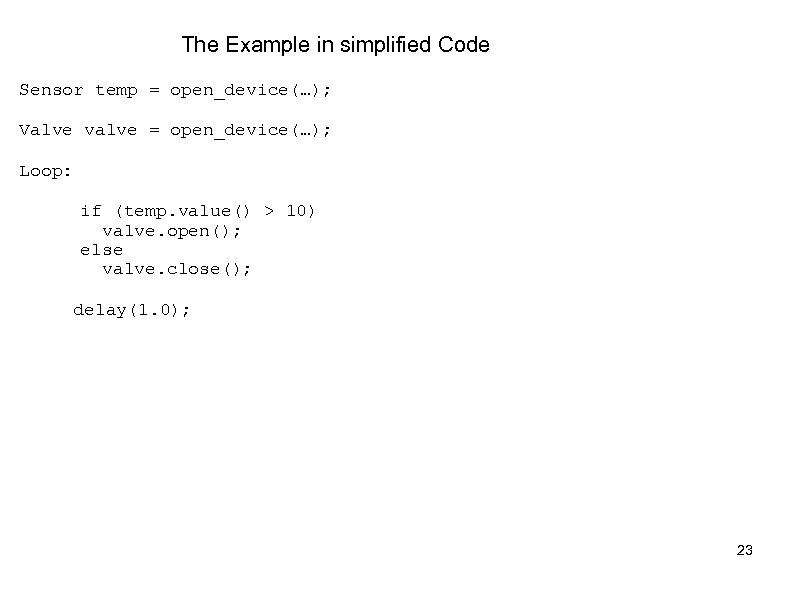
The Example in simplified Code Sensor temp = open_device(…); Valve valve = open_device(…); Loop: if (temp. value() > 10) valve. open(); else valve. close(); delay(1. 0); 23
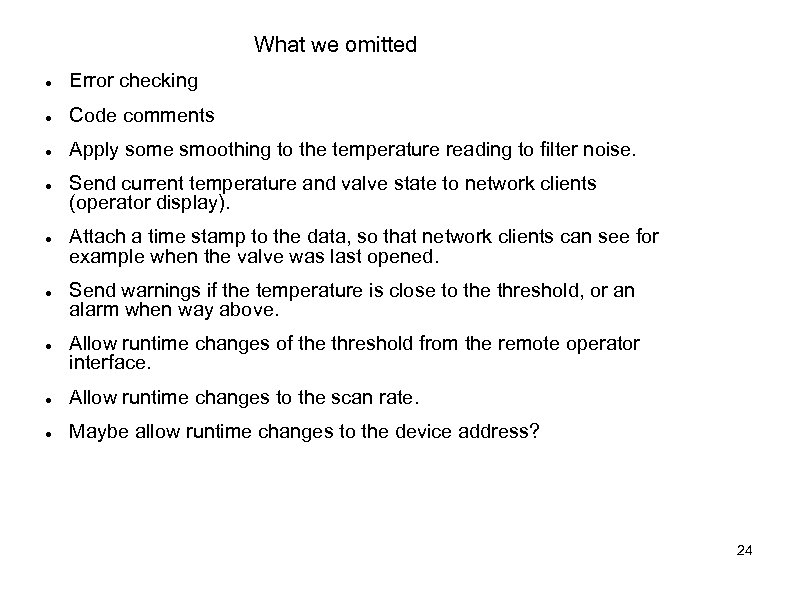
What we omitted Error checking Code comments Apply some smoothing to the temperature reading to filter noise. Send current temperature and valve state to network clients (operator display). Attach a time stamp to the data, so that network clients can see for example when the valve was last opened. Send warnings if the temperature is close to the threshold, or an alarm when way above. Allow runtime changes of the threshold from the remote operator interface. Allow runtime changes to the scan rate. Maybe allow runtime changes to the device address? 24
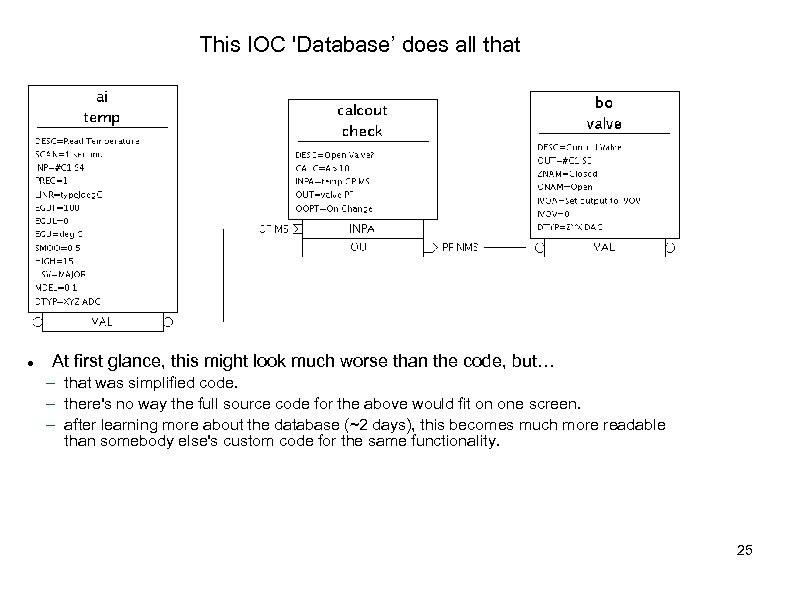
This IOC 'Database’ does all that At first glance, this might look much worse than the code, but… that was simplified code. there's no way the full source code for the above would fit on one screen. after learning more about the database (~2 days), this becomes much more readable than somebody else's custom code for the same functionality. 25
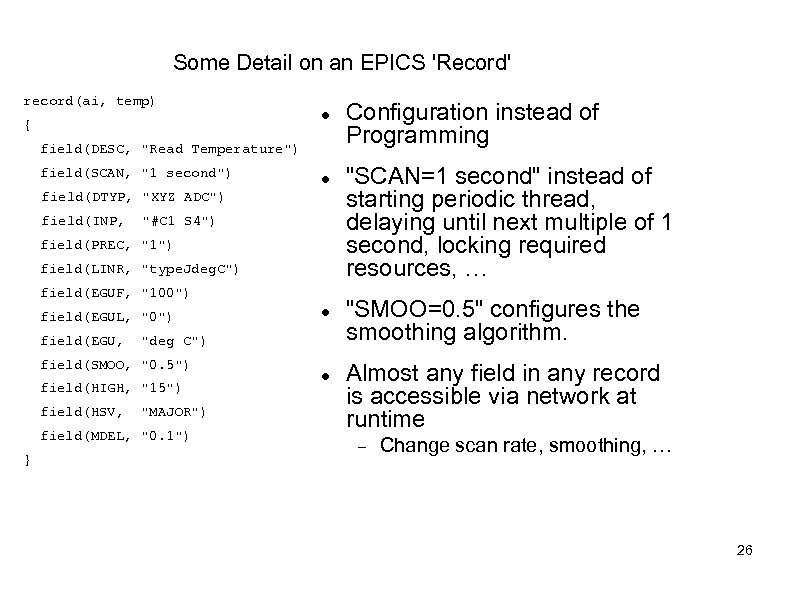
Some Detail on an EPICS 'Record' record(ai, temp) { field(DESC, "Read Temperature") field(SCAN, "1 second") field(DTYP, "XYZ ADC") field(INP, "#C 1 S 4") field(PREC, "1") field(LINR, "type. Jdeg. C") field(EGUF, "100") field(EGUL, "0") field(EGU, "deg C") field(SMOO, "0. 5") field(HIGH, "15") field(HSV, "MAJOR") field(MDEL, "0. 1") } Configuration instead of Programming "SCAN=1 second" instead of starting periodic thread, delaying until next multiple of 1 second, locking required resources, … "SMOO=0. 5" configures the smoothing algorithm. Almost any field in any record is accessible via network at runtime Change scan rate, smoothing, … 26
IOC Database A single record often handles the scanning, signal conditioning, alarming of a temperature, pressure, or similar analogue reading. Combined with binary and computational records, it can express most of the data flow logic for a front-end computer Avoiding the pitfalls of real-time, multi-threaded and networked programming. One can have thousands of records in one IOC. Well suited for systems with high signal counts, like vacuum or water systems with relatively simple logic but many, many sensors and valves. k. Hz-rate processing with record chains is doable Of course limited by CPU. Not 1000 s of k. Hz rate-records… 27
EPICS Base: IOC Toolkit Database, Sequencer, Channel. Access. Plus: portability libraries Linux, OS X, Win 32, vx. Works, RTEMS, others. Basis for most of the "extensions" Technically, the sequencer is provided separately. Probably the main difference between EPICS and other systems, where the support for front-end computers is often only helper libraries. 28
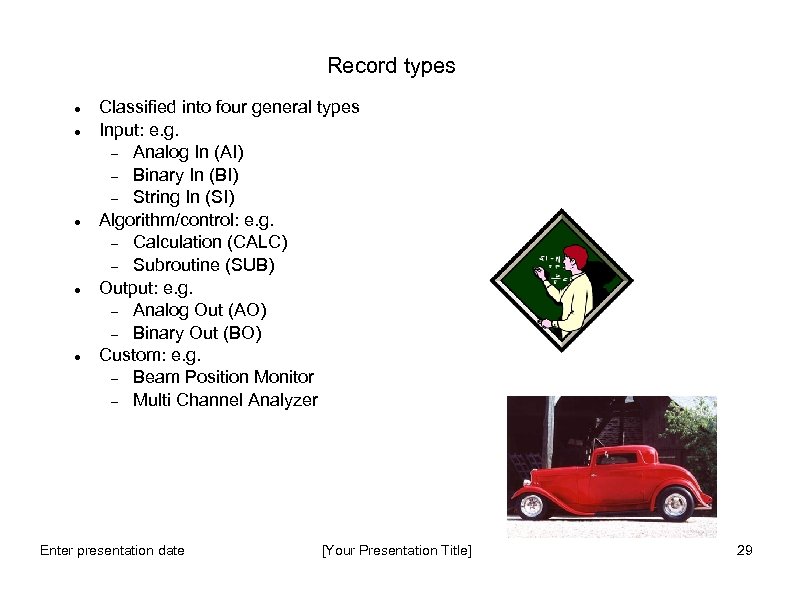
Record types Classified into four general types Input: e. g. Analog In (AI) Binary In (BI) String In (SI) Algorithm/control: e. g. Calculation (CALC) Subroutine (SUB) Output: e. g. Analog Out (AO) Binary Out (BO) Custom: e. g. Beam Position Monitor Multi Channel Analyzer Enter presentation date [Your Presentation Title] 29
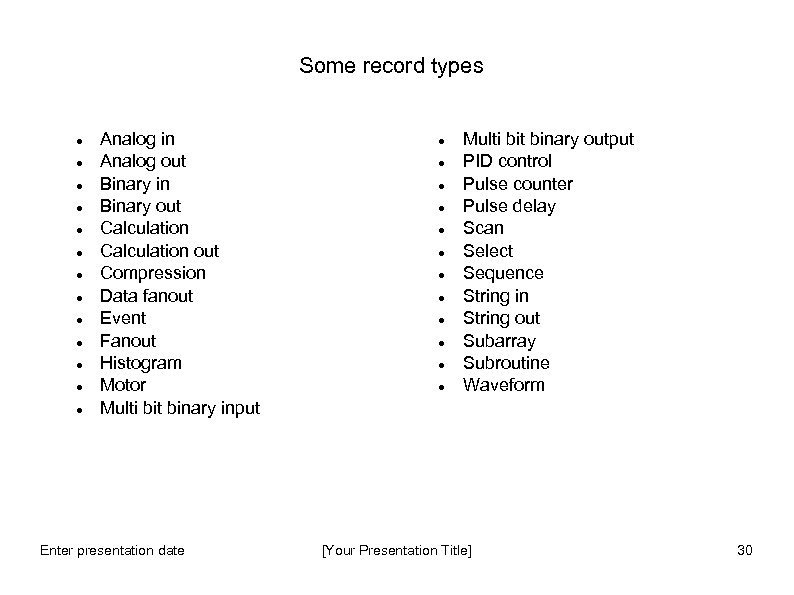
Some record types Analog in Analog out Binary in Binary out Calculation out Compression Data fanout Event Fanout Histogram Motor Multi bit binary input Enter presentation date Multi bit binary output PID control Pulse counter Pulse delay Scan Select Sequence String in String out Subarray Subroutine Waveform [Your Presentation Title] 30
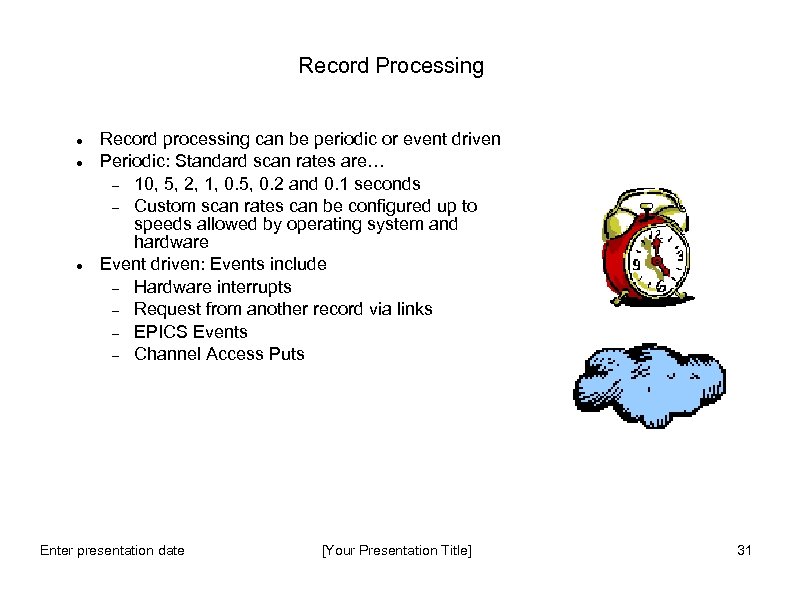
Record Processing Record processing can be periodic or event driven Periodic: Standard scan rates are… 10, 5, 2, 1, 0. 5, 0. 2 and 0. 1 seconds Custom scan rates can be configured up to speeds allowed by operating system and hardware Event driven: Events include Hardware interrupts Request from another record via links EPICS Events Channel Access Puts Enter presentation date [Your Presentation Title] 31
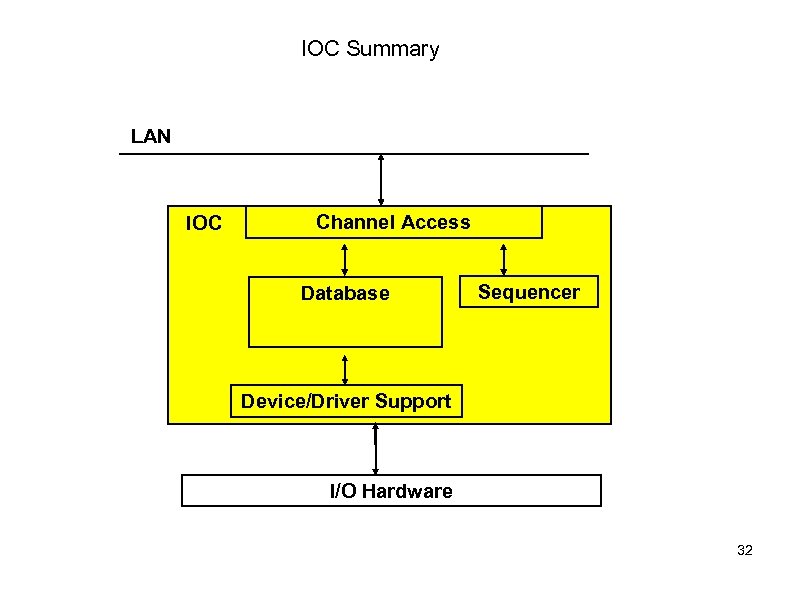
IOC Summary LAN IOC Channel Access Database Sequencer Device/Driver Support I/O Hardware 32
Device/Driver Support Software layer that interfaces records to hardware EPICS web site lists many existing support modules. Well defined Interfaces allow adaptation of new or custom hardware. A record. Type can interface to many different types of devices. Asyn. Driver is a facility that supports many different devices Robust support for GPIB and Serial devices. Also supports synchronous devices. 33
The Sequencer Runs programs written in State Notation Language (SNL) SNL is a ‘C’ like language to facilitate programming of sequential operations Fast execution - compiled code Programming interface to extend EPICS in the real-time environment Common uses - Provide automated start-up sequences like vacuum or RF where subsystems need coordination - Provide fault recovery or transition to a safe state - Provide automatic calibration of equipment Enter presentation date [Your Presentation Title] 34
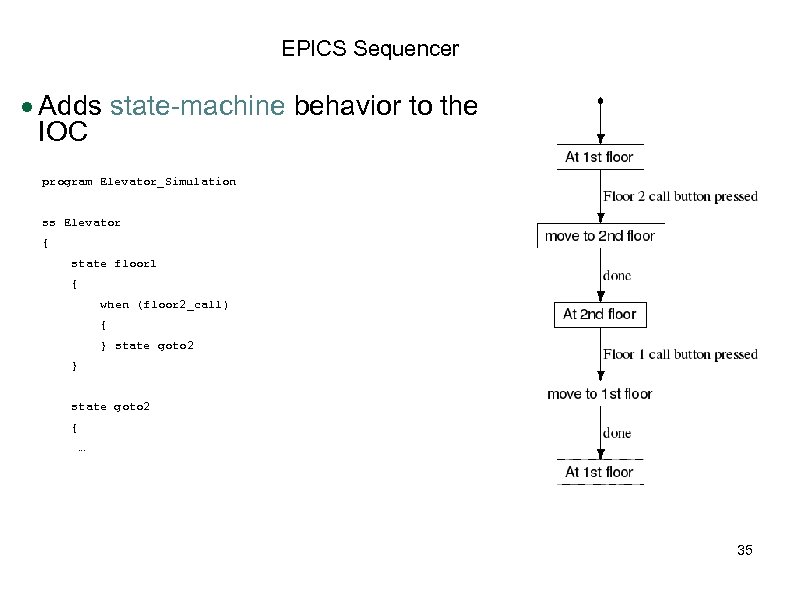
EPICS Sequencer Adds state-machine behavior to the IOC program Elevator_Simulation ss Elevator { state floor 1 { when (floor 2_call) { } state goto 2 { … 35
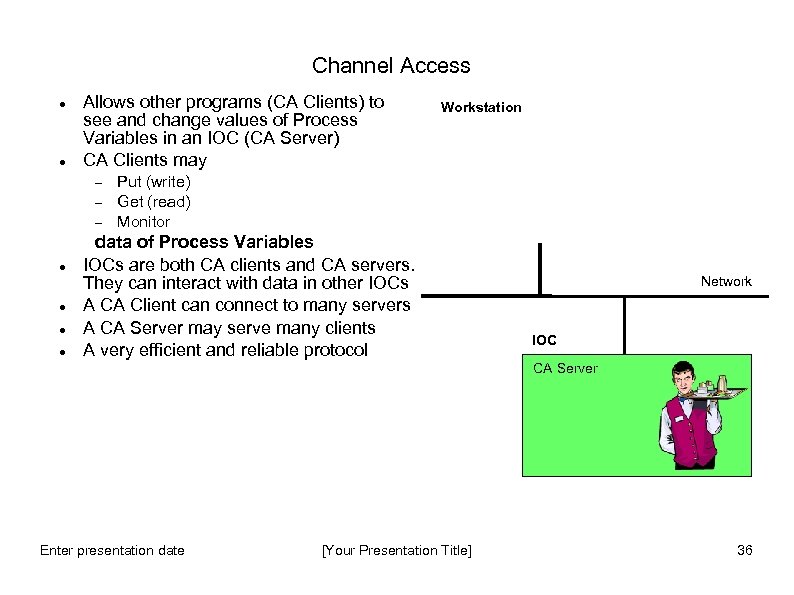
Channel Access Allows other programs (CA Clients) to see and change values of Process Variables in an IOC (CA Server) CA Clients may Workstation Put (write) Get (read) Monitor data of Process Variables IOCs are both CA clients and CA servers. They can interact with data in other IOCs A CA Client can connect to many servers A CA Server may serve many clients A very efficient and reliable protocol Network IOC CA Server Enter presentation date [Your Presentation Title] 36
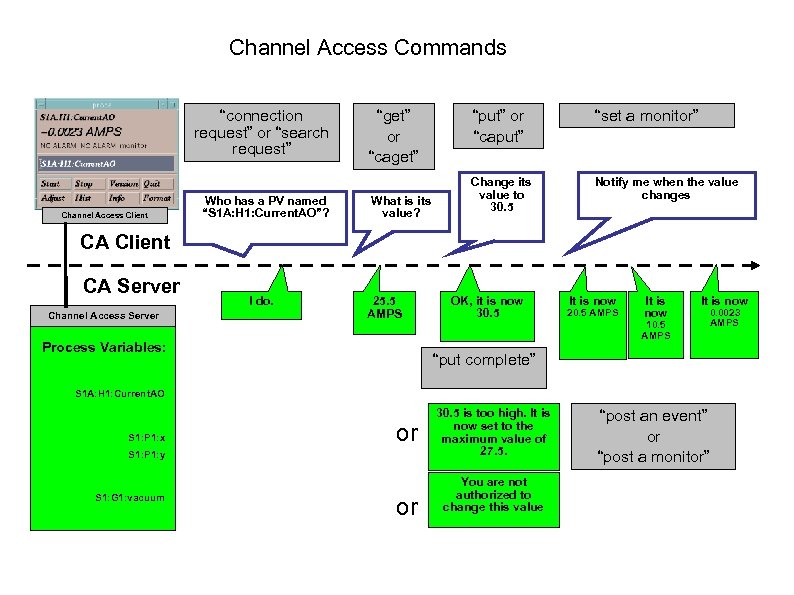
Channel Access Commands “connection request” or “search request” Channel Access Client Who has a PV named “S 1 A: H 1: Current. AO”? “get” or “caget” What is its value? “put” or “caput” “set a monitor” Change its value to 30. 5 Notify me when the value changes CA Client CA Server Channel Access Server I do. 25. 5 AMPS Process Variables: OK, it is now 30. 5 It is now 20. 5 AMPS It is now 10. 5 AMPS It is now 0. 0023 AMPS “put complete” S 1 A: H 1: Current. AO S 1: P 1: x or S 1: P 1: y S 1: G 1: vacuum or 30. 5 is too high. It is now set to the maximum value of 27. 5. You are not authorized to change this value “post an event” or “post a monitor”
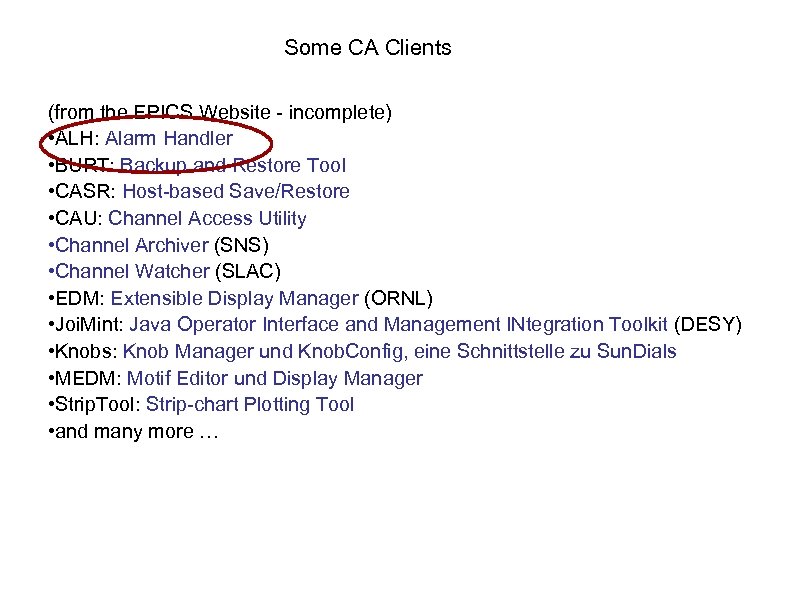
Some CA Clients (from the EPICS Website - incomplete) • ALH: Alarm Handler • BURT: Backup and Restore Tool • CASR: Host-based Save/Restore • CAU: Channel Access Utility • Channel Archiver (SNS) • Channel Watcher (SLAC) • EDM: Extensible Display Manager (ORNL) • Joi. Mint: Java Operator Interface and Management INtegration Toolkit (DESY) • Knobs: Knob Manager und Knob. Config, eine Schnittstelle zu Sun. Dials • MEDM: Motif Editor und Display Manager • Strip. Tool: Strip-chart Plotting Tool • and many more …
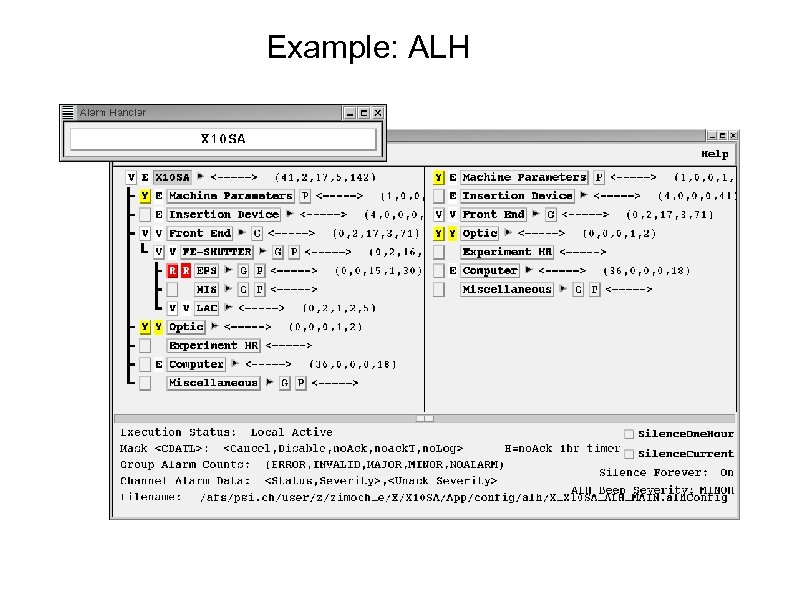
Example: ALH

Alarms and Colours
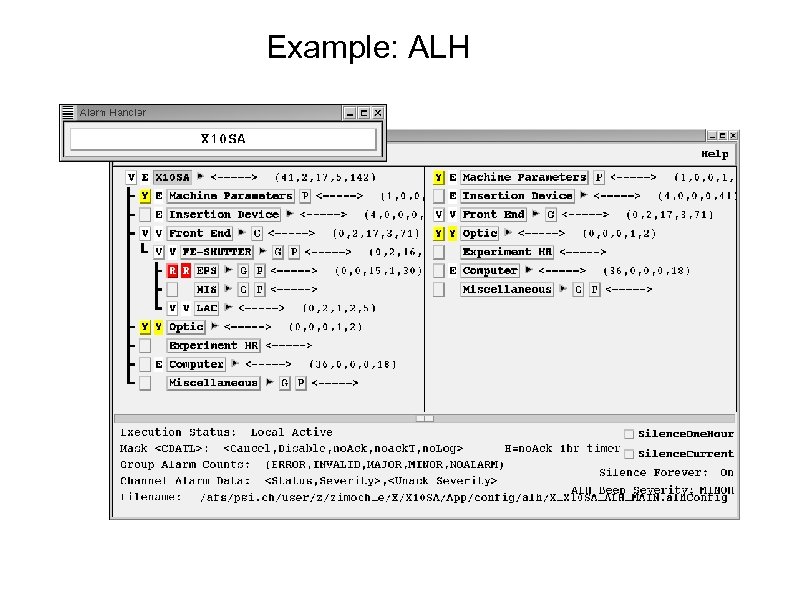
Example: ALH
Some CA Clients (from the EPICS Website - incomplete) • ALH: Alarm Handler • BURT: Backup and Restore Tool • CASR: Host-based Save/Restore • CAU: Channel Access Utility • Channel Archiver (SNS) • Channel Watcher (SLAC) • EDM: Extensible Display Manager (ORNL) • Joi. Mint: Java Operator Interface and Management INtegration Toolkit (DESY) • Knobs: Knob Manager und Knob. Config, eine Schnittstelle zu Sun. Dials • MEDM: Motif Editor und Display Manager • Strip. Tool: Strip-chart Plotting Tool • and many more …
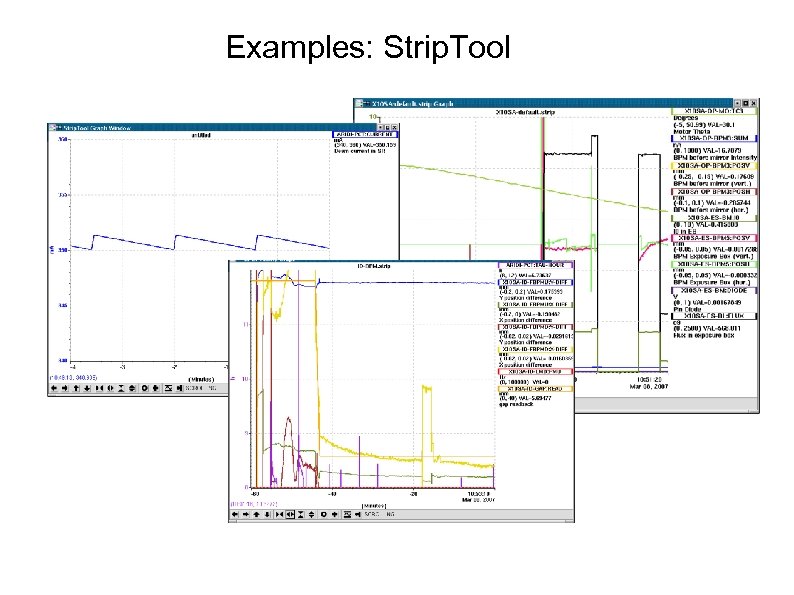
Examples: Strip. Tool
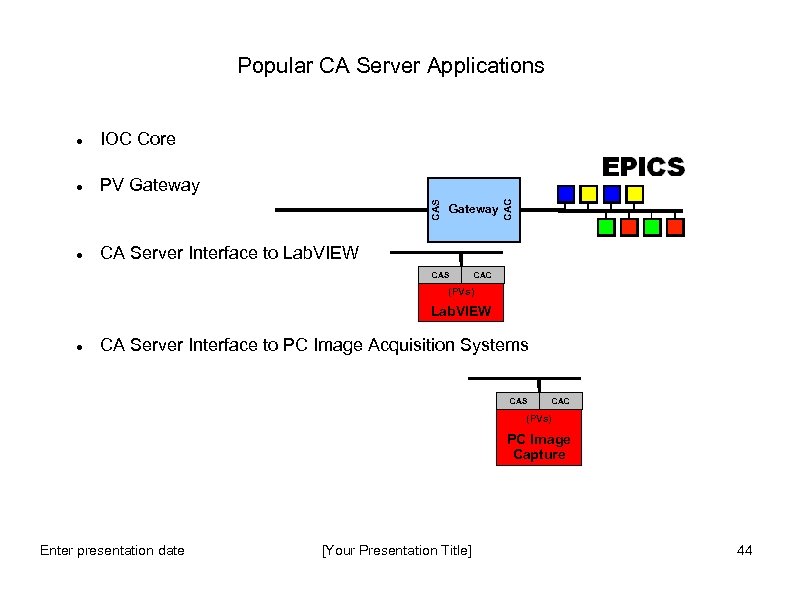
Popular CA Server Applications PV Gateway CAC IOC Core CAS CA Server Interface to Lab. VIEW CAS CAC (PVs) Lab. VIEW CA Server Interface to PC Image Acquisition Systems CAS CAC (PVs) PC Image Capture Enter presentation date [Your Presentation Title] 44
How fast is EPICS? Can be fast or slow, it depends how you use it! Use the correct tool for the job; Database, sequencer, custom code (ioc) or custom code (client) Ultimately speed depends upon hardware Some benchmarks*: * Extrapolated from benchmark figures courtesy of Steve Hunt (PSI) and L. Hoff, (BNL) • Database design and periodic scanning effect apparent system speed Enter presentation date [Your Presentation Title] 45
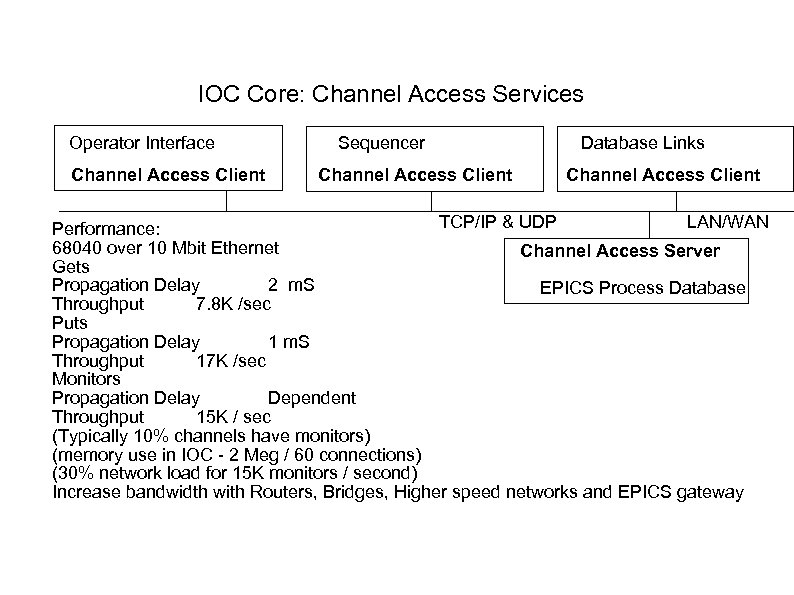
IOC Core: Channel Access Services Operator Interface Channel Access Client Sequencer Channel Access Client Database Links Channel Access Client TCP/IP & UDP LAN/WAN Performance: 68040 over 10 Mbit Ethernet Channel Access Server Gets Propagation Delay 2 m. S EPICS Process Database Throughput 7. 8 K /sec Puts Propagation Delay 1 m. S Throughput 17 K /sec Monitors Propagation Delay Dependent Throughput 15 K / sec (Typically 10% channels have monitors) (memory use in IOC - 2 Meg / 60 connections) (30% network load for 15 K monitors / second) Increase bandwidth with Routers, Bridges, Higher speed networks and EPICS gateway
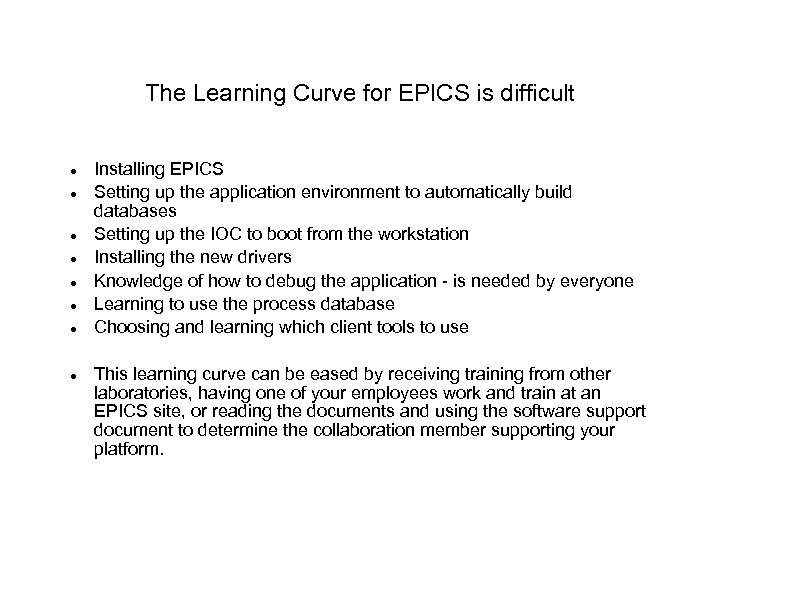
The Learning Curve for EPICS is difficult Installing EPICS Setting up the application environment to automatically build databases Setting up the IOC to boot from the workstation Installing the new drivers Knowledge of how to debug the application - is needed by everyone Learning to use the process database Choosing and learning which client tools to use This learning curve can be eased by receiving training from other laboratories, having one of your employees work and train at an EPICS site, or reading the documents and using the software support document to determine the collaboration member supporting your platform.
Скачать презентацию EPICS Overview EPICS Training INFN October 13 2008
f04d89dc06d7dae9d28bcbdad957f365.ppt