 Скачать презентацию Enterprise Resource Planning Systems 1 Problems with
c7bd824f1c054ac54e427d5f6748651a.ppt
- Количество слайдов: 36



Enterprise Resource Planning Systems 1
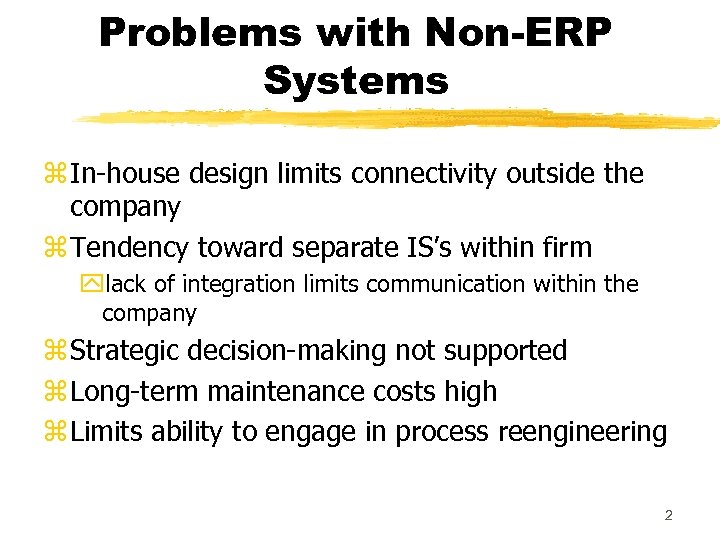
Problems with Non-ERP Systems z In-house design limits connectivity outside the company z Tendency toward separate IS’s within firm ylack of integration limits communication within the company z Strategic decision-making not supported z Long-term maintenance costs high z Limits ability to engage in process reengineering 2
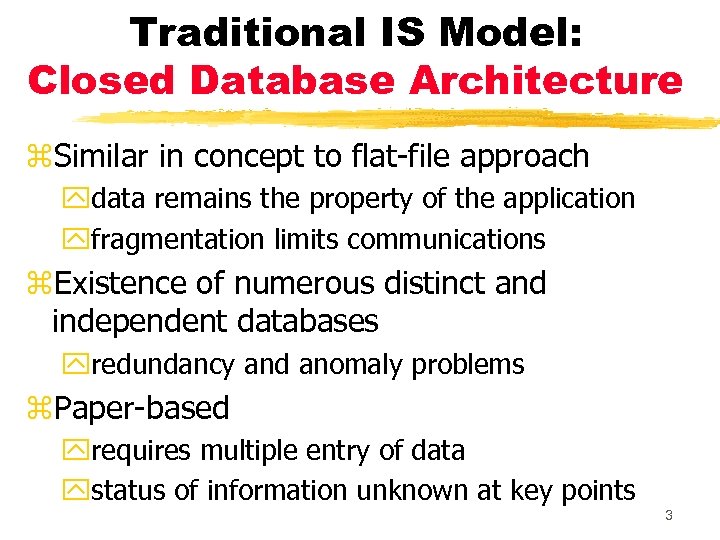
Traditional IS Model: Closed Database Architecture z. Similar in concept to flat-file approach ydata remains the property of the application yfragmentation limits communications z. Existence of numerous distinct and independent databases yredundancy and anomaly problems z. Paper-based yrequires multiple entry of data ystatus of information unknown at key points 3
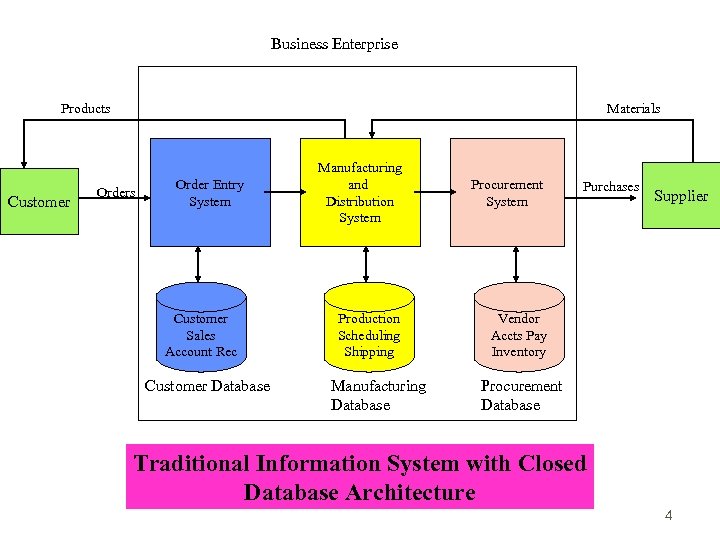
Business Enterprise Products Customer Materials Order Entry System Customer Sales Account Rec Customer Database Manufacturing and Distribution System Production Scheduling Shipping Manufacturing Database Procurement System Purchases Supplier Vendor Accts Pay Inventory Procurement Database Traditional Information System with Closed Database Architecture 4
What is ERP? z. Those activities supported by multi-module application software that help a company manage the important parts of its business in an integrated fashion. z. Key features include: y. Smooth and seamless flow of information across organizational boundaries y. Standardized environment with shared database independent of applications and integrated applications 5
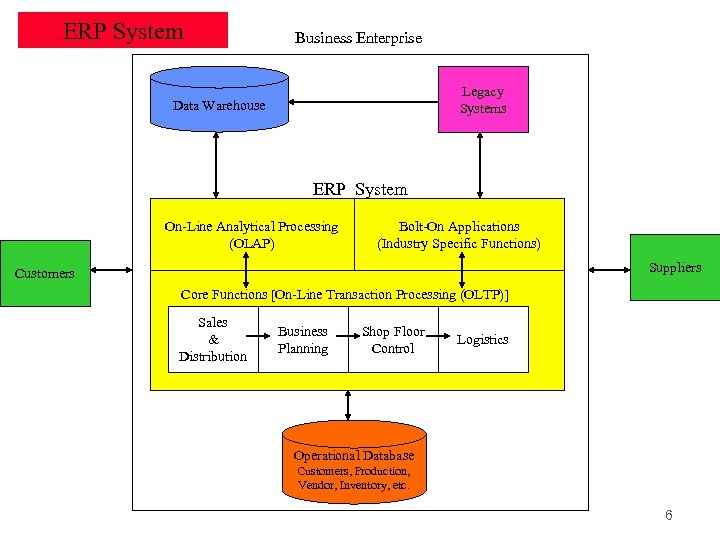
ERP System Business Enterprise Legacy Systems Data Warehouse ERP System On-Line Analytical Processing (OLAP) Bolt-On Applications (Industry Specific Functions) Suppliers Customers Core Functions [On-Line Transaction Processing (OLTP)] Sales & Distribution Business Planning Shop Floor Control Logistics Operational Database Customers, Production, Vendor, Inventory, etc. 6
Two Main ERP Applications Core applications z a. k. a. Online Transaction Processing (OLTP) z transaction processing systems z support the day-to-day operational activities of the business z support mission-critical tasks through simple queries of operational databases z include Sales and Distribution, Business Planning, Production Planning, Shop Floor Control, and Logistics modules 7
Two Main ERP Applications Business analysis applications z a. k. a. Online Analytical Processing (OLAP) z decision support tool for management-critical tasks through analytical investigation of complex data associations z supplies management with “real-time” information and permits timely decisions to improve performance and achieve competitive advantage z includes decision support, modeling, information retrieval, ad-hoc reporting/analysis, and what-if analysis 8
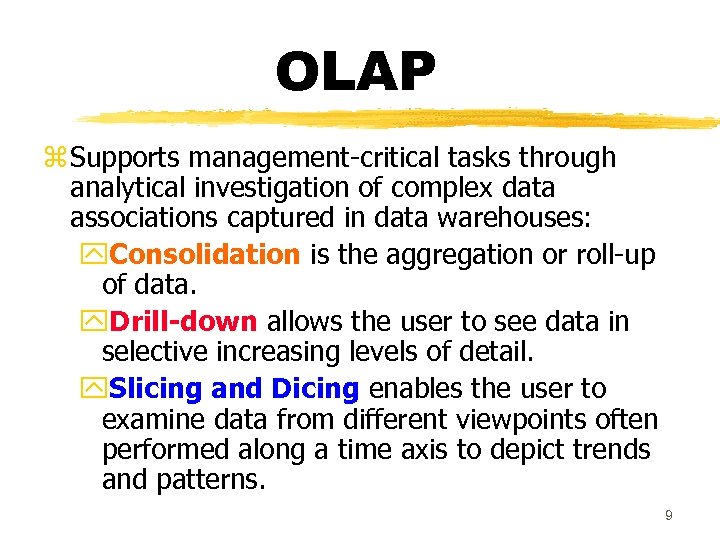
OLAP z Supports management-critical tasks through analytical investigation of complex data associations captured in data warehouses: y. Consolidation is the aggregation or roll-up of data. y. Drill-down allows the user to see data in selective increasing levels of detail. y. Slicing and Dicing enables the user to examine data from different viewpoints often performed along a time axis to depict trends and patterns. 9
ERP System Configurations: Client-Server Network Topology Two-tier ycommon server handles both application and database duties yused especially in LANs 10
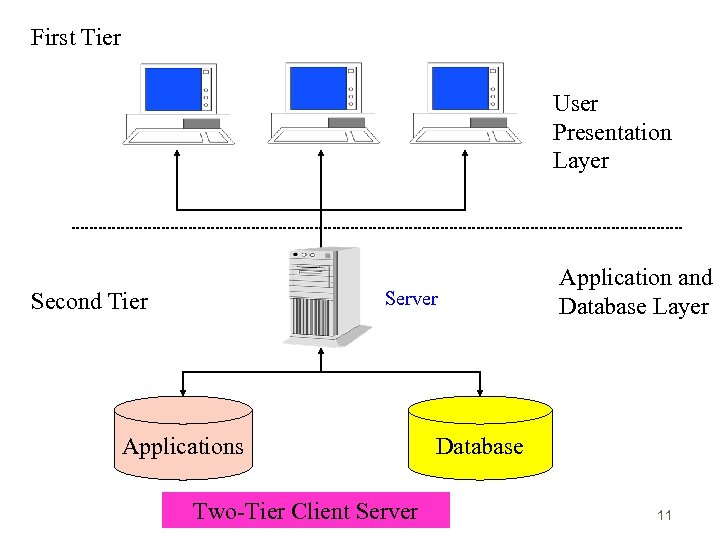
First Tier User Presentation Layer Second Tier Server Applications Two-Tier Client Server Application and Database Layer Database 11
ERP System Configurations: Client-Server Network Topology Three-tier yclient links to the application server which then initiates a second connection to the database server yused especially in WANs 12
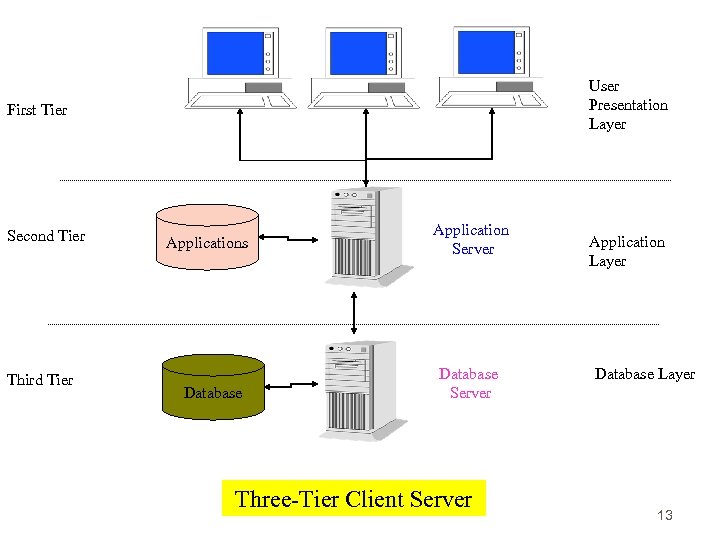
User Presentation Layer First Tier Second Tier Third Tier Applications Database Application Server Database Server Three-Tier Client Server Application Layer Database Layer 13
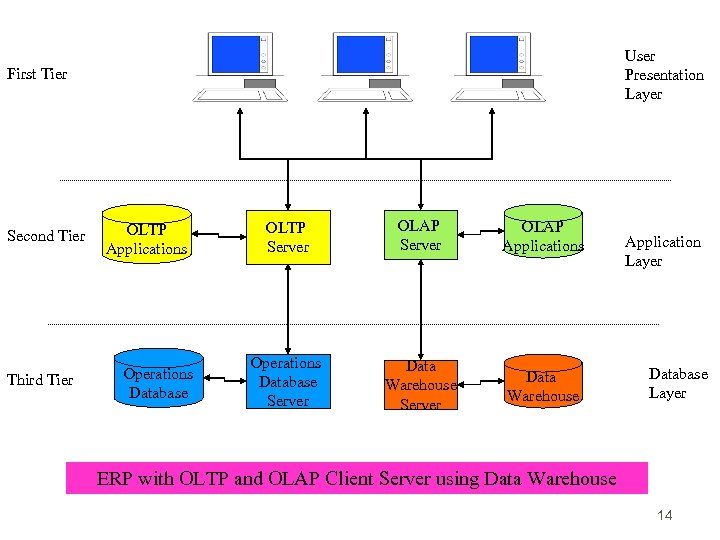
User Presentation Layer First Tier Second Tier Third Tier OLTP Applications Operations Database OLTP Server OLAP Applications Operations Database Server Data Warehouse Application Layer Database Layer ERP with OLTP and OLAP Client Server using Data Warehouse 14
ERP System Configurations: Databases and Bolt-Ons z. Database Configuration yselection of database tables in the thousands ysetting the switches in the system z. Bolt-on Software ythird-party vendors provide specialized functionality software y. Supply-Chain Management (SCM) links vendors, carriers, third-party logistics companies, and information systems providers 15
What is a Data Warehouse? z A relational or multi-dimensional database that may consume hundreds of gigabytes or even terabytes of disk storage y The data is normally extracted periodically from operational database or from a public information service. z A database constructed for quick searching, retrieval, ad -hoc queries, and ease of use z An ERP system could exist without having a data warehouse. The trend, however, is that organizations that are serious about competitive advantage deploy both. The recommended data architecture for an ERP implementation includes separate operational and data warehouse databases 16
Data Warehouse Process z The five essential stages of the data warehousing process are: · Modeling data for the data warehouse · Extracting data from operational databases · Cleansing extracted data · Transforming data into the warehouse model · Loading the data into the data warehouse database 17
Data Warehouse Process: Stage 1 z. Modeling data for the data warehouse y. Because of the vast size of a data warehouse, the warehouse database consists of denormalized data. x. Relational theory does not apply to a data warehousing system. x. Wherever possible normalized tables pertaining to selected events may be consolidated into denormalized tables. 18
Data Warehouse Process: Stage 2 z. Extracting data from operational databases y. The process of collecting data from operational databases, flat-files, archives, and external data sources. y. Snapshots vs. Stabilized Data: xa key feature of a data warehouse is that the data contained in it are in a non-volatile (stable) state. 19
Data Warehouse Process: Stage 3 z Cleansing extracted data y. Involves filtering out or repairing invalid data prior to being stored in the warehouse x. Operational data are “dirty” for many reasons: clerical, data entry, computer program errors, misspelled names, and blank fields. y. Also involves transforming data into standard business terms with standard data values 20
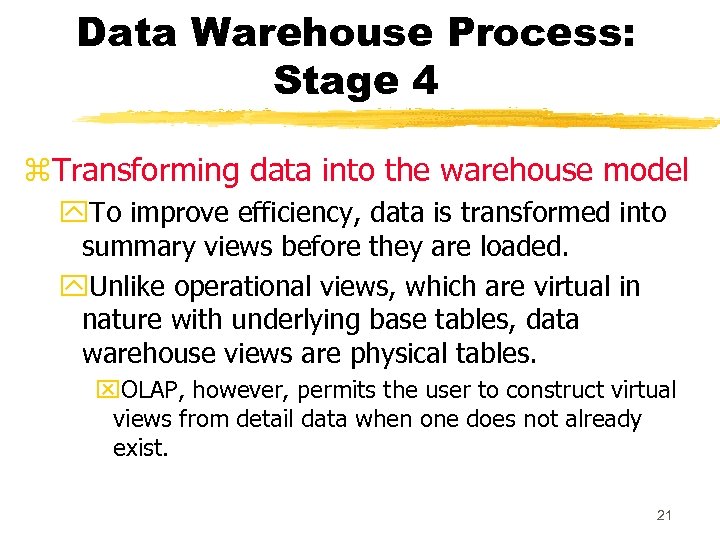
Data Warehouse Process: Stage 4 z. Transforming data into the warehouse model y. To improve efficiency, data is transformed into summary views before they are loaded. y. Unlike operational views, which are virtual in nature with underlying base tables, data warehouse views are physical tables. x. OLAP, however, permits the user to construct virtual views from detail data when one does not already exist. 21
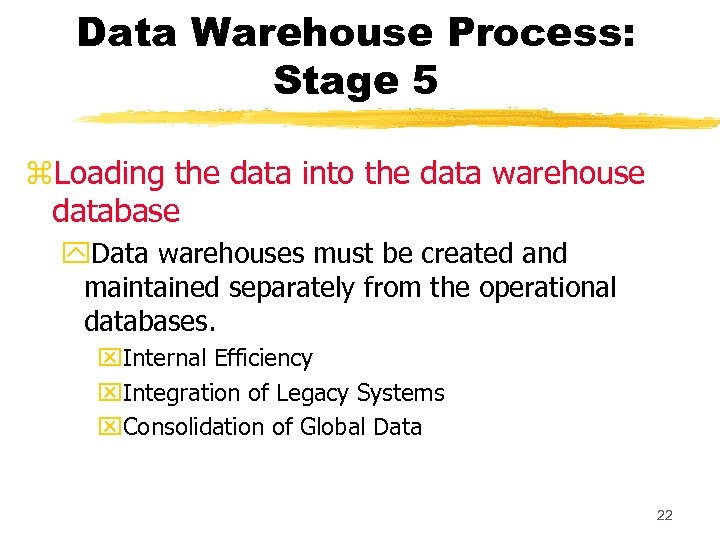
Data Warehouse Process: Stage 5 z. Loading the data into the data warehouse database y. Data warehouses must be created and maintained separately from the operational databases. x. Internal Efficiency x. Integration of Legacy Systems x. Consolidation of Global Data 22
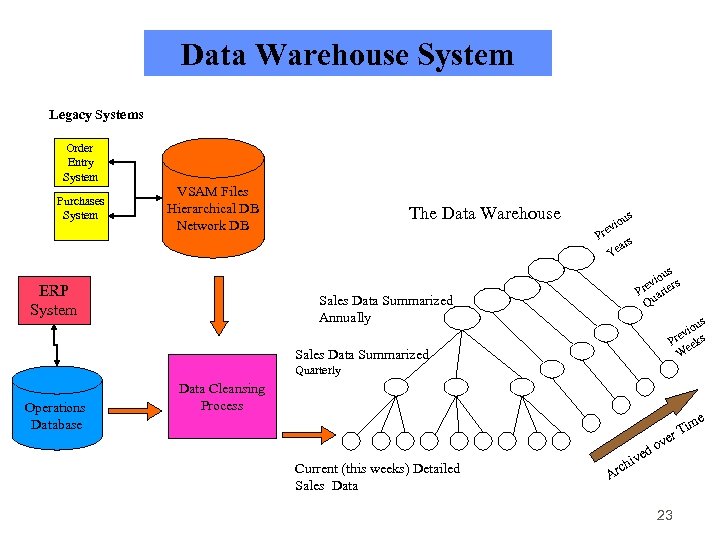
Data Warehouse System Legacy Systems Order Entry System Purchases System VSAM Files Hierarchical DB Network DB ERP System The Data Warehouse us vio Pre ars Ye us vio ers Pre art Qu Sales Data Summarized Annually us vio s Pre eek W Sales Data Summarized Quarterly Operations Database Data Cleansing Process ve e Tim r Current (this weeks) Detailed Sales Data Ar o ved chi 23
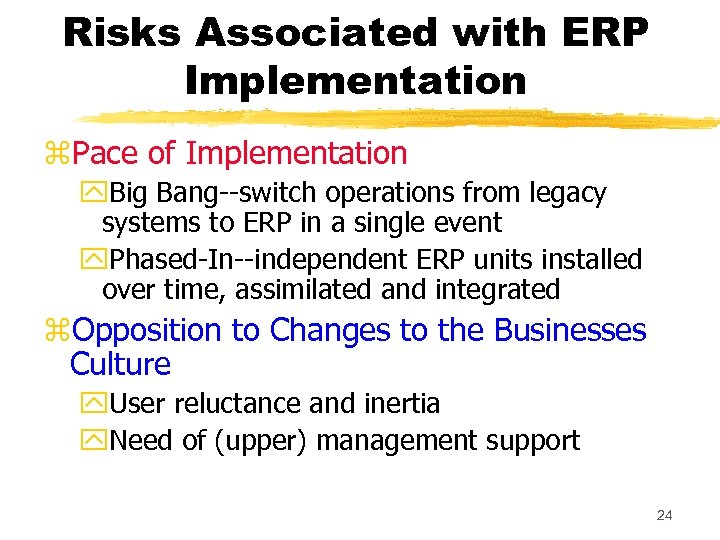
Risks Associated with ERP Implementation z. Pace of Implementation y. Big Bang--switch operations from legacy systems to ERP in a single event y. Phased-In--independent ERP units installed over time, assimilated and integrated z. Opposition to Changes to the Businesses Culture y. User reluctance and inertia y. Need of (upper) management support 24
Risks Associated with ERP Implementation z. Choosing the Wrong ERP y. Goodness of Fit: no ERP system is best for all industries y. Scalability: system’s ability to grow z. Choosing the Wrong Consultant y. Common to use a third-party (the Big Five) y. Be thorough in interviewing potential consultants y. Establish explicit expectations 25
Risks Associated with ERP Implementation z. High Cost and Cost Overruns y. Common areas with high costs: x. Training x. Testing and Integration x. Database Conversion z. Disruptions to Operations y. ERP is reengineering--expect major changes in how business is done 26
Implications for Internal Control and Auditing z. Transaction Authorization y. Controls are needed to validate transactions before they are accepted by other modules. y. ERPs are more dependent on programmed controls than on human intervention. z. Segregation of Duties y. Manual processes that normally require segregation of duties are often eliminated. y. User role: predefined user roles limit a user’s access to certain functions and data. 27
Implications for Internal Control and Auditing z. Supervision y. Supervisors need to acquire a technical and operational understanding of the new system. y. Employee-empowered philosophy should not eliminate supervision. z. Accounting Records y. Corrupted data may be passed from external sources and from legacy systems. y. Loss of paper audit trail 28
Implications for Internal Control and Auditing z. Access Controls y. Critical concern with confidentiality of information y. Who should have access to what? z. Access to Data Warehouse y. Data warehouses often involve sharing information with suppliers and customers. 29
Implications for Internal Control and Auditing z. Contingency Planning y. How to keep business going in case of disaster y. Key role of servers requires backup plans: redundant servers or shared servers z. Independent Verification y. Traditional verifications are meaningless y. Need to shift from transaction level to overall performance level 30
Implications for Internal Control and Auditing z. ERP projects may be concurrent with BPR, CRM, Data Warehousing, SCM z. All of these increase risk of successful implementation z. ERP systems impact organizational structure and internal controls z. New control policies must precede migration to an ERP system 31
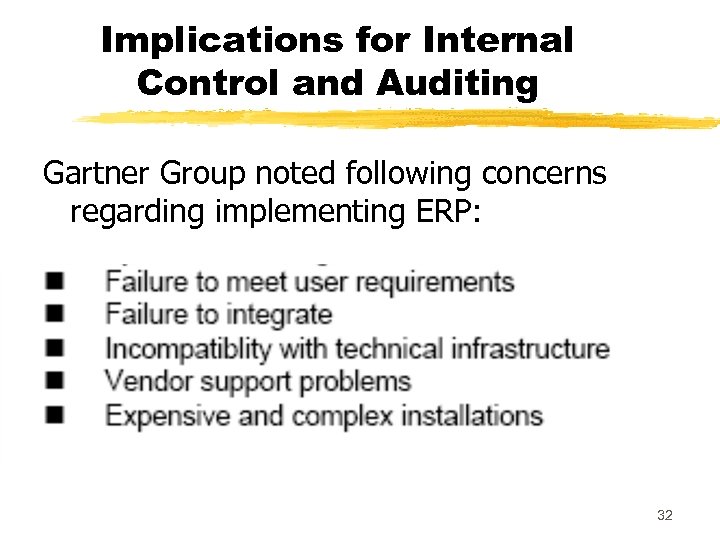
Implications for Internal Control and Auditing Gartner Group noted following concerns regarding implementing ERP: 32
Audits of ERPs Audit could provide assurance covering the areas of … zprocess integrity zapplication security zinfrastructure integrity zimplementation integrity 33
ERP Products z. SAP: largest ERP vendor ymodules can be integrated or used alone ynew features include SCM, B 2 B, e-commerce, XML z. J. D. Edwards yflexibility: users can change features; less of a pre-set structure than SAP’s ymodularity: accept modules (bolt-ons) from other vendors 34
ERP Products z. Oracle ytailored to e-business focus y. Internet based vs. client-server based applications z. People. Soft yopen, modular architecture allows rapid integration with existing systems z. Baan yuse of “best-of-class” applications 35
zthis concludes the ERP slide presentation 36
Скачать презентацию Enterprise Resource Planning Systems 1 Problems with
c7bd824f1c054ac54e427d5f6748651a.ppt