 Скачать презентацию Enterprise Java Web Services and SOAP v 021012
de30afde44af3355f2abef0db801da8b.ppt
- Количество слайдов: 62



Enterprise Java Web Services and SOAP v 021012 Web Services 1
Topics Enterprise Java • SOAP Overview • Web Services – Deploying Web Services – Describing Web Services – Registering Web Services • Security • Web Services and J 2 EE v 021012 Web Services 2
SOAP Overview Enterprise Java • Simple Object Access Protocol (SOAP) • Interoperable XML-based communication mechanism for distributed computing • Many vendor and language implementations available • Web Services are built using SOAP as a communication mechanism • W 3 C working on SOAP 1. 2 • Alternatives – RMI – Java-centric – CORBA - Complicated v 021012 Web Services 3
SOAP Goals Enterprise Java • Interoperability • Simple and lightweight • Not considered: – distributed garbage collection – batching of messages – objects-by-reference (which requires distributed garbage collection) – activation (which requires objects-by-reference) v 021012 Web Services 4
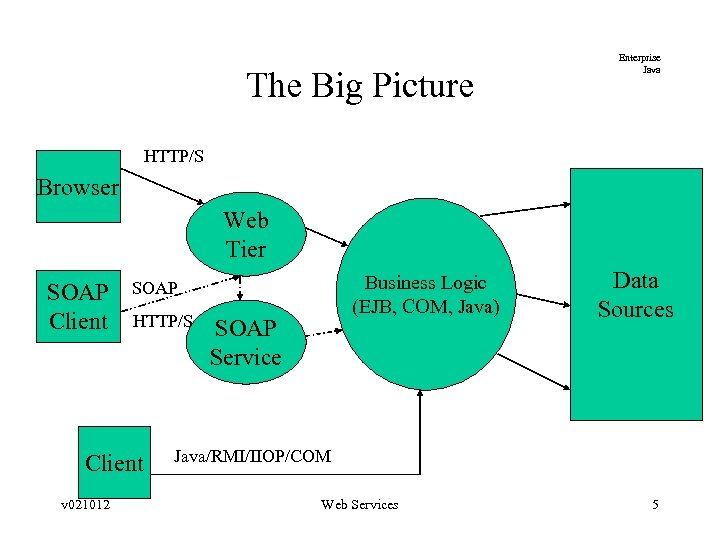
The Big Picture Enterprise Java HTTP/S Browser Web Tier SOAP Client HTTP/S Client v 021012 Business Logic (EJB, COM, Java) SOAP Service Data Sources Java/RMI/IIOP/COM Web Services 5
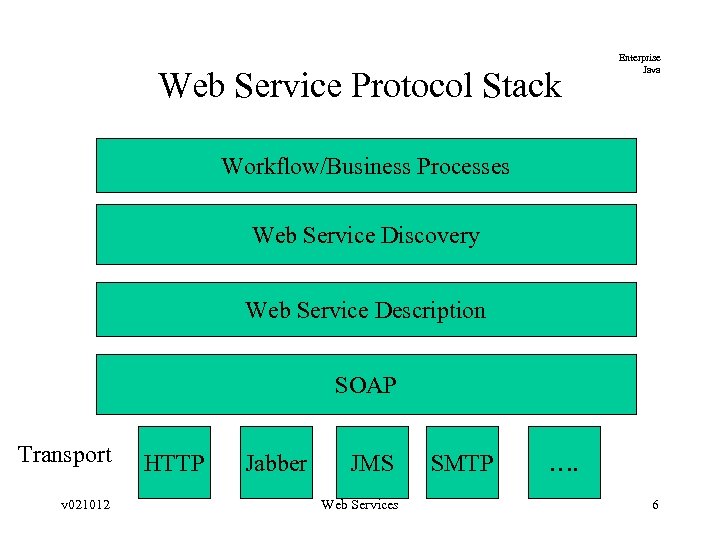
Web Service Protocol Stack Enterprise Java Workflow/Business Processes Web Service Discovery Web Service Description SOAP Transport v 021012 HTTP Jabber JMS Web Services SMTP …. 6
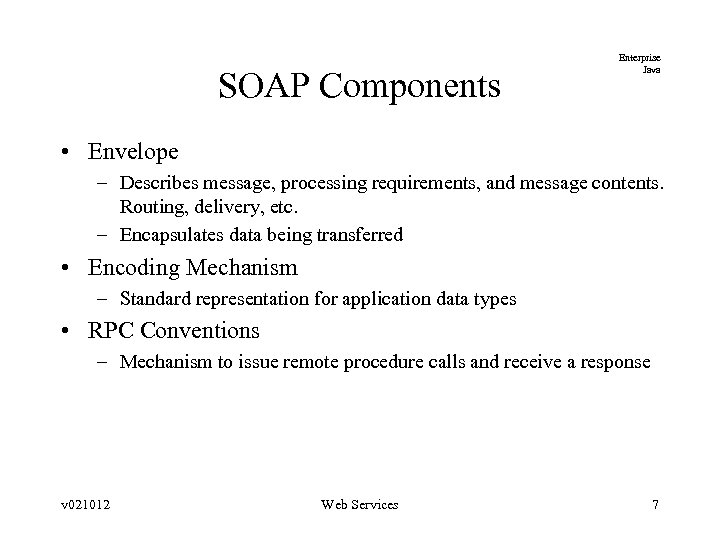
SOAP Components Enterprise Java • Envelope – Describes message, processing requirements, and message contents. Routing, delivery, etc. – Encapsulates data being transferred • Encoding Mechanism – Standard representation for application data types • RPC Conventions – Mechanism to issue remote procedure calls and receive a response v 021012 Web Services 7
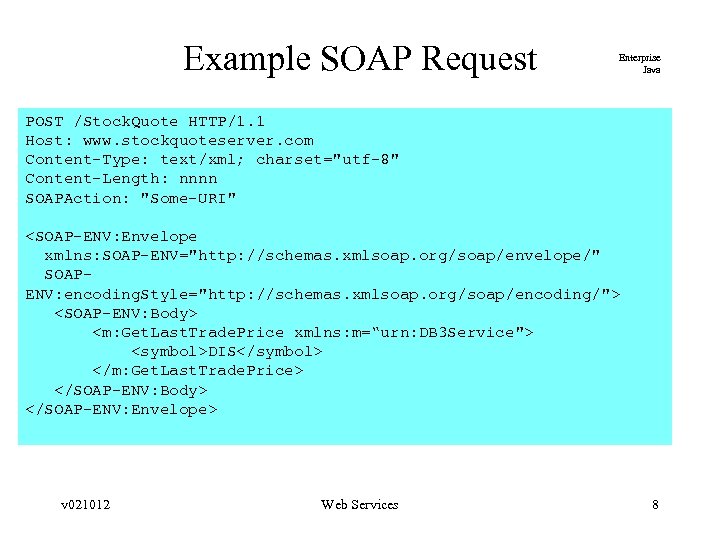
Example SOAP Request Enterprise Java POST /Stock. Quote HTTP/1. 1 Host: www. stockquoteserver. com Content-Type: text/xml; charset="utf-8" Content-Length: nnnn SOAPAction: "Some-URI" <SOAP-ENV: Envelope xmlns: SOAP-ENV="http: //schemas. xmlsoap. org/soap/envelope/" SOAPENV: encoding. Style="http: //schemas. xmlsoap. org/soap/encoding/"> <SOAP-ENV: Body> <m: Get. Last. Trade. Price xmlns: m=“urn: DB 3 Service"> <symbol>DIS</symbol> </m: Get. Last. Trade. Price> </SOAP-ENV: Body> </SOAP-ENV: Envelope> v 021012 Web Services 8
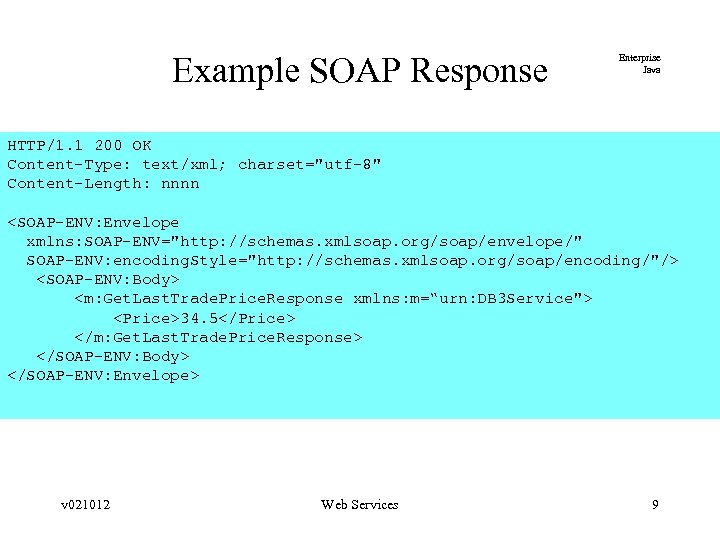
Example SOAP Response Enterprise Java HTTP/1. 1 200 OK Content-Type: text/xml; charset="utf-8" Content-Length: nnnn <SOAP-ENV: Envelope xmlns: SOAP-ENV="http: //schemas. xmlsoap. org/soap/envelope/" SOAP-ENV: encoding. Style="http: //schemas. xmlsoap. org/soap/encoding/"/> <SOAP-ENV: Body> <m: Get. Last. Trade. Price. Response xmlns: m=“urn: DB 3 Service"> <Price>34. 5</Price> </m: Get. Last. Trade. Price. Response> </SOAP-ENV: Body> </SOAP-ENV: Envelope> v 021012 Web Services 9
Message Exchange Model Enterprise Java • Spec-wise – a one-way transmission between a sender and a receiver • Frequently, used in a request/response pattern – RPC – Document transmission v 021012 Web Services 10
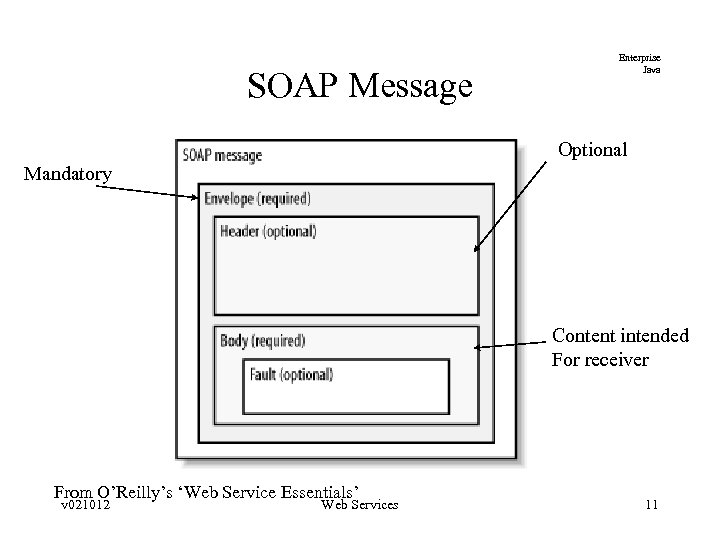
SOAP Message Enterprise Java Optional Mandatory Content intended For receiver From O’Reilly’s ‘Web Service Essentials’ v 021012 Web Services 11
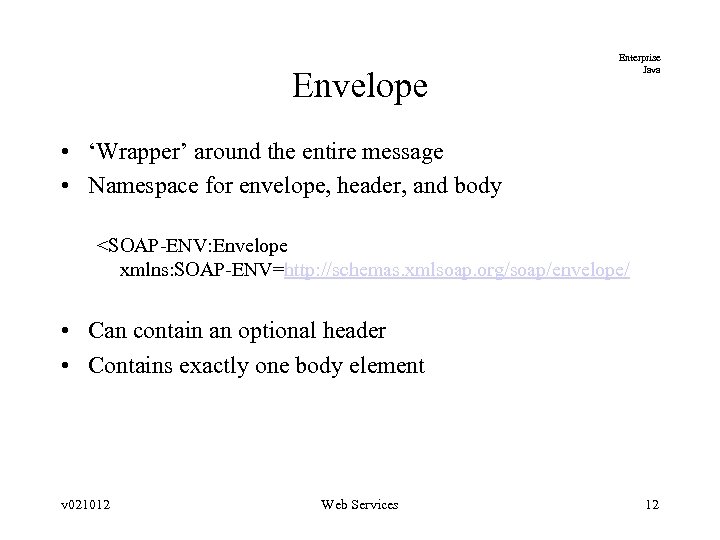
Envelope Enterprise Java • ‘Wrapper’ around the entire message • Namespace for envelope, header, and body <SOAP-ENV: Envelope xmlns: SOAP-ENV=http: //schemas. xmlsoap. org/soap/envelope/ • Can contain an optional header • Contains exactly one body element v 021012 Web Services 12
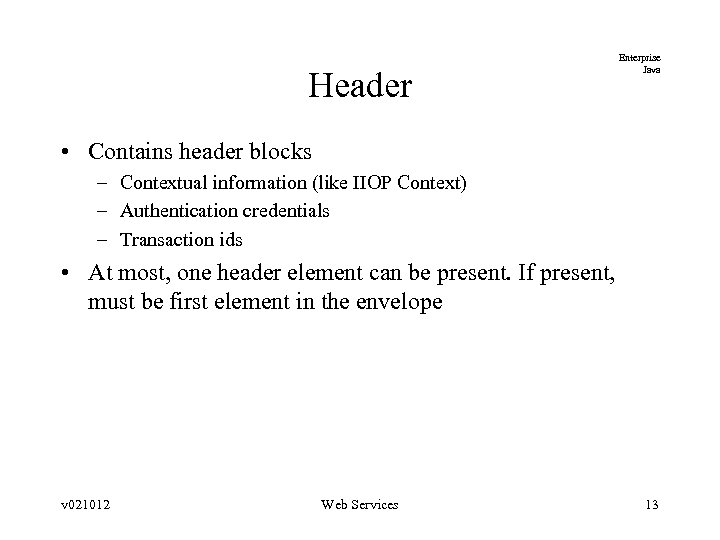
Header Enterprise Java • Contains header blocks – Contextual information (like IIOP Context) – Authentication credentials – Transaction ids • At most, one header element can be present. If present, must be first element in the envelope v 021012 Web Services 13
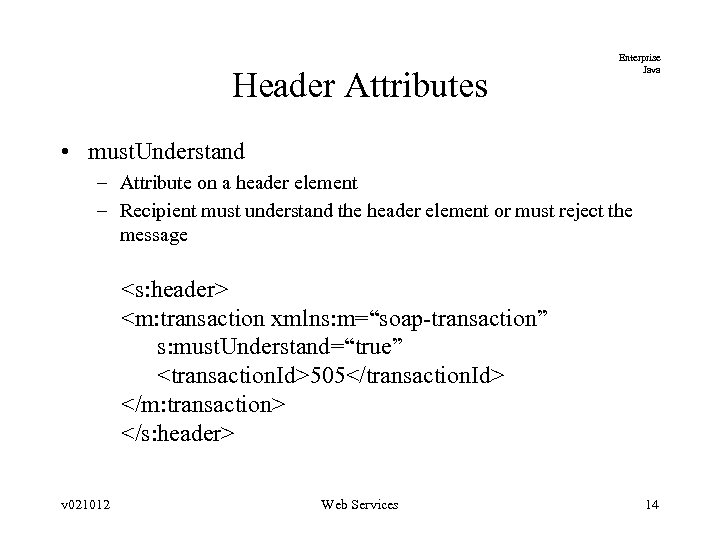
Header Attributes Enterprise Java • must. Understand – Attribute on a header element – Recipient must understand the header element or must reject the message <s: header> <m: transaction xmlns: m=“soap-transaction” s: must. Understand=“true” <transaction. Id>505</transaction. Id> </m: transaction> </s: header> v 021012 Web Services 14
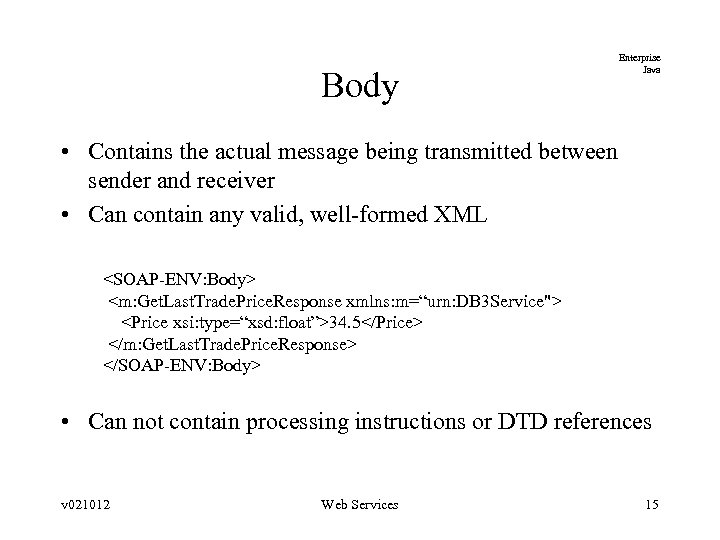
Body Enterprise Java • Contains the actual message being transmitted between sender and receiver • Can contain any valid, well-formed XML <SOAP-ENV: Body> <m: Get. Last. Trade. Price. Response xmlns: m=“urn: DB 3 Service"> <Price xsi: type=“xsd: float”>34. 5</Price> </m: Get. Last. Trade. Price. Response> </SOAP-ENV: Body> • Can not contain processing instructions or DTD references v 021012 Web Services 15
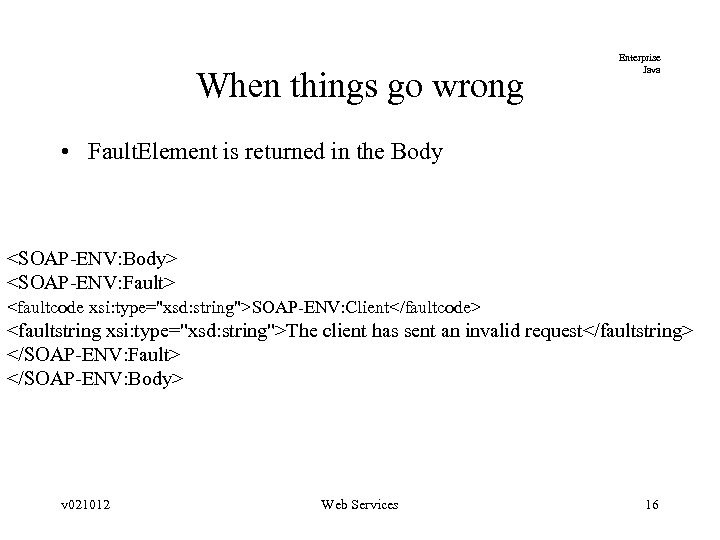
When things go wrong Enterprise Java • Fault. Element is returned in the Body <SOAP-ENV: Body> <SOAP-ENV: Fault> <faultcode xsi: type="xsd: string">SOAP-ENV: Client</faultcode> <faultstring xsi: type="xsd: string">The client has sent an invalid request</faultstring> </SOAP-ENV: Fault> </SOAP-ENV: Body> v 021012 Web Services 16
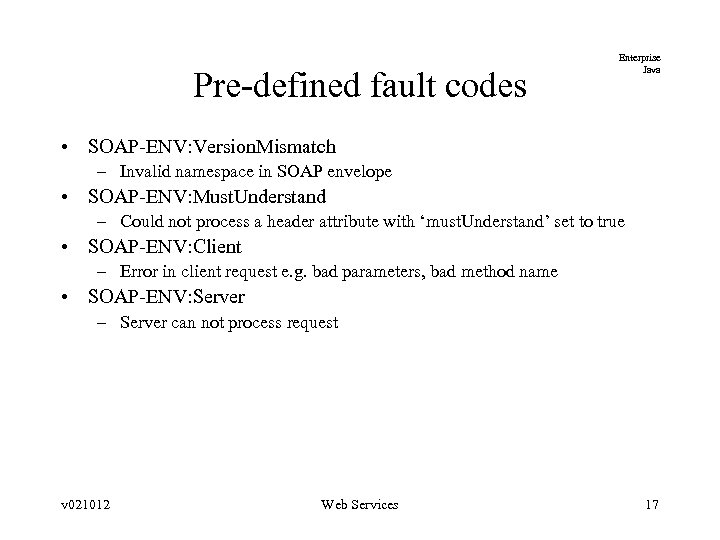
Pre-defined fault codes Enterprise Java • SOAP-ENV: Version. Mismatch – Invalid namespace in SOAP envelope • SOAP-ENV: Must. Understand – Could not process a header attribute with ‘must. Understand’ set to true • SOAP-ENV: Client – Error in client request e. g. bad parameters, bad method name • SOAP-ENV: Server – Server can not process request v 021012 Web Services 17
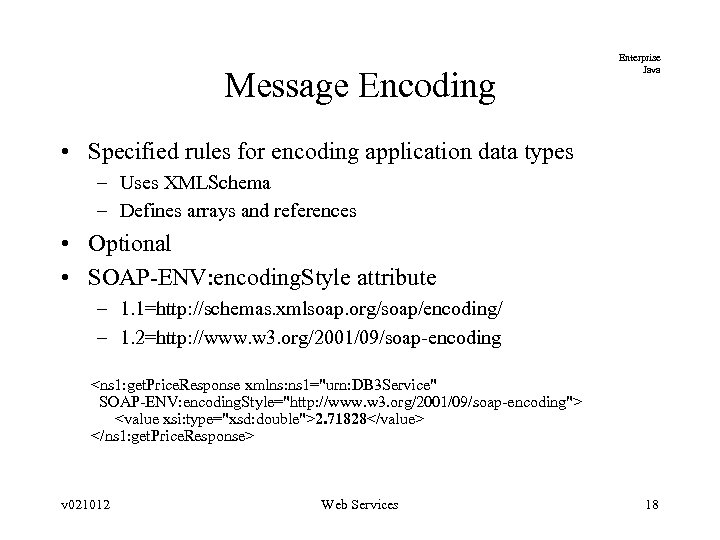
Message Encoding Enterprise Java • Specified rules for encoding application data types – Uses XMLSchema – Defines arrays and references • Optional • SOAP-ENV: encoding. Style attribute – 1. 1=http: //schemas. xmlsoap. org/soap/encoding/ – 1. 2=http: //www. w 3. org/2001/09/soap-encoding <ns 1: get. Price. Response xmlns: ns 1="urn: DB 3 Service" SOAP-ENV: encoding. Style="http: //www. w 3. org/2001/09/soap-encoding"> <value xsi: type="xsd: double">2. 71828</value> </ns 1: get. Price. Response> v 021012 Web Services 18
How are types specified? Enterprise Java • Apache SOAP adds an explicit xsi: type attribute for each element • . NET omits xsl: type – assumes external schema definition • See upcoming interoperability slides v 021012 Web Services 19
Some basic xml schema types Enterprise Java • string – Some string data • binary – 1000101110 • short – -7, 135 • date – 2002 -03 -22 • Boolean – 1, 0, true, false v 021012 Web Services 20
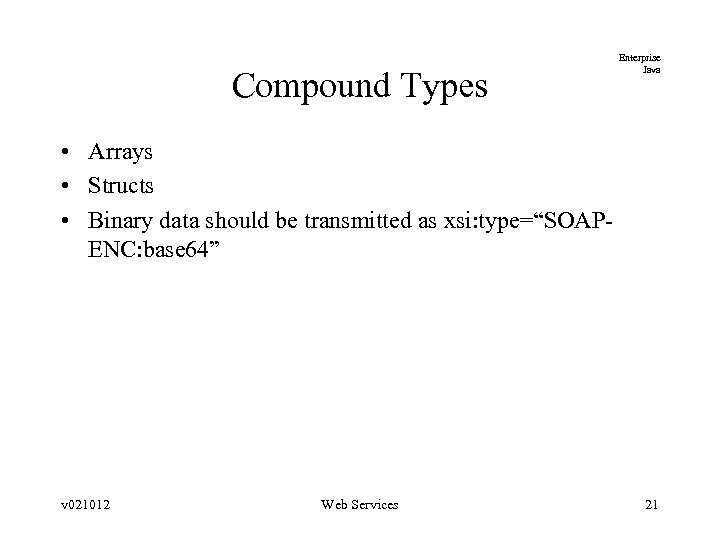
Compound Types Enterprise Java • Arrays • Structs • Binary data should be transmitted as xsi: type=“SOAPENC: base 64” v 021012 Web Services 21
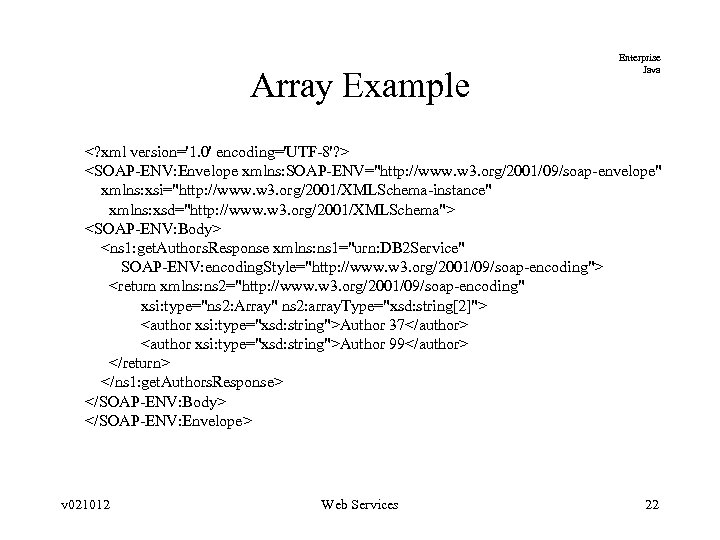
Array Example Enterprise Java <? xml version='1. 0' encoding='UTF-8'? > <SOAP-ENV: Envelope xmlns: SOAP-ENV="http: //www. w 3. org/2001/09/soap-envelope" xmlns: xsi="http: //www. w 3. org/2001/XMLSchema-instance" xmlns: xsd="http: //www. w 3. org/2001/XMLSchema"> <SOAP-ENV: Body> <ns 1: get. Authors. Response xmlns: ns 1="urn: DB 2 Service" SOAP-ENV: encoding. Style="http: //www. w 3. org/2001/09/soap-encoding"> <return xmlns: ns 2="http: //www. w 3. org/2001/09/soap-encoding" xsi: type="ns 2: Array" ns 2: array. Type="xsd: string[2]"> <author xsi: type="xsd: string">Author 37</author> <author xsi: type="xsd: string">Author 99</author> </return> </ns 1: get. Authors. Response> </SOAP-ENV: Body> </SOAP-ENV: Envelope> v 021012 Web Services 22
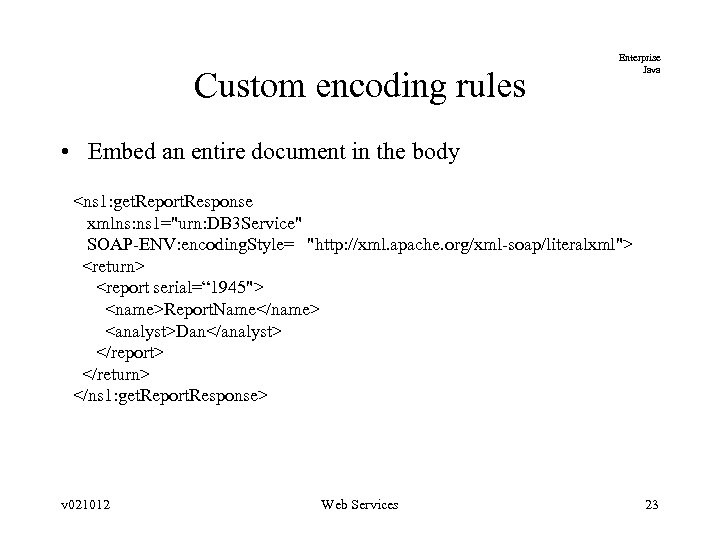
Custom encoding rules Enterprise Java • Embed an entire document in the body <ns 1: get. Report. Response xmlns: ns 1="urn: DB 3 Service" SOAP-ENV: encoding. Style= "http: //xml. apache. org/xml-soap/literalxml"> <return> <report serial=“ 1945"> <name>Report. Name</name> <analyst>Dan</analyst> </report> </return> </ns 1: get. Report. Response> v 021012 Web Services 23
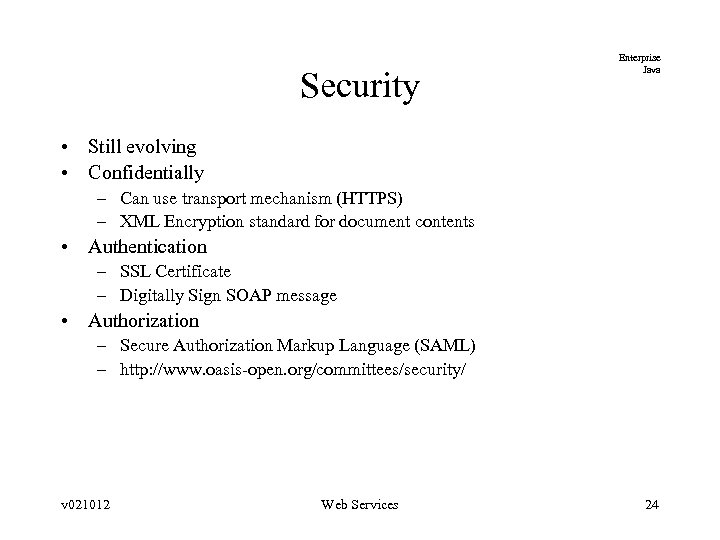
Security Enterprise Java • Still evolving • Confidentially – Can use transport mechanism (HTTPS) – XML Encryption standard for document contents • Authentication – SSL Certificate – Digitally Sign SOAP message • Authorization – Secure Authorization Markup Language (SAML) – http: //www. oasis-open. org/committees/security/ v 021012 Web Services 24
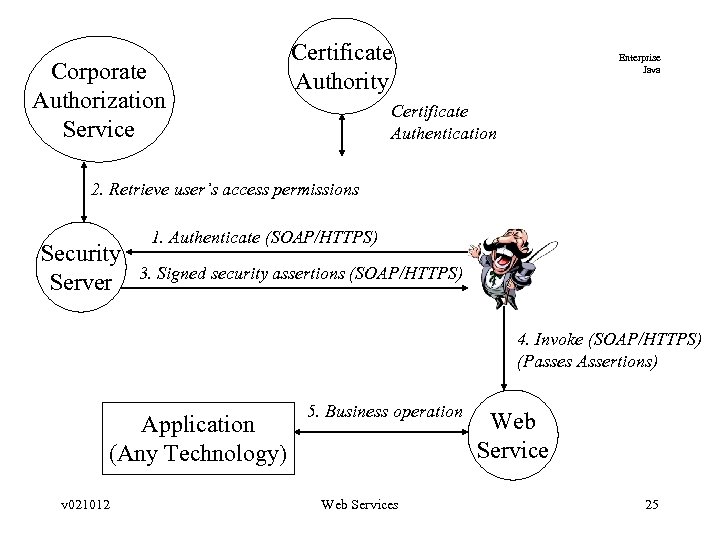
Corporate Authorization Service Certificate Authority Enterprise Java Certificate Authentication 2. Retrieve user’s access permissions Security Server 1. Authenticate (SOAP/HTTPS) 3. Signed security assertions (SOAP/HTTPS) 4. Invoke (SOAP/HTTPS) (Passes Assertions) Application (Any Technology) v 021012 5. Business operation Web Services Web Service 25
Security (Cont) Enterprise Java • Firewall filtering options – MIME type of text/xml-soap – SOAP-Action – Force M-POST requests • 510 Not Extended HTTP status code from server – SOAPMethod. Name v 021012 Web Services 26
SOAP Implementations Enterprise Java • Apache SOAP – Basic SOAP implementation – See xml. apache. org/soap/ • Apache AXIS – Next generation SOAP implementation – See xml. apache. org/axis/ • SOAP: : Lite – Perl implementation. See www. cpan. org • . NET – See msdn. microsoft. com (. NET SDK) – Web services deployed to IIS v 021012 Web Services 27
Interoperability Enterprise Java • Minor issues exist between these implementations –. NET requires parameters to be named and typed – Issue for default SOAP: : Lite (PERL) behavior – Different ideas of the SOAPAction Header • Not perfect but can be made to inter-operate • Interoperability labs and info – http: //www. xmethods. net/ilab/ – http: //www. mssoapinterop. org/ v 021012 Web Services 28
Apache AXIS Enterprise Java • Java-centric SOAP implementation • Runs as a J 2 EE web application – Receives SOAP request – Deserializes call parameters – Invokes method on your java class v 021012 Web Services 29
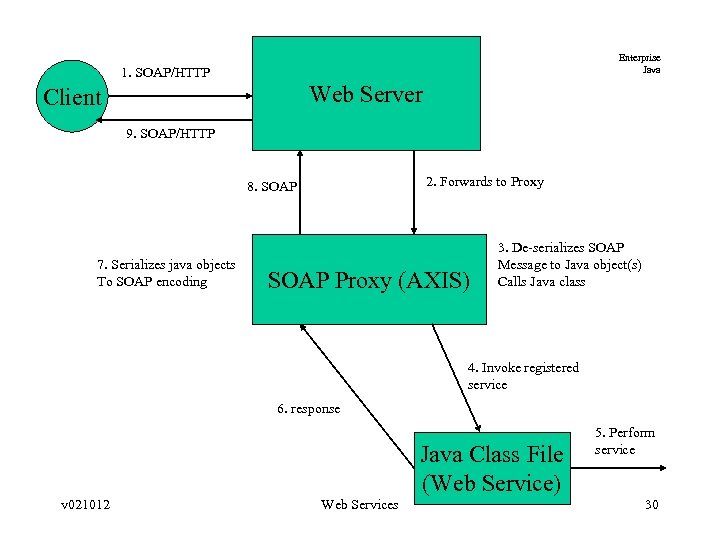
Enterprise Java 1. SOAP/HTTP Web Server Client 9. SOAP/HTTP 2. Forwards to Proxy 8. SOAP 7. Serializes java objects To SOAP encoding SOAP Proxy (AXIS) 3. De-serializes SOAP Message to Java object(s) Calls Java class 4. Invoke registered service 6. response Java Class File (Web Service) v 021012 Web Services 5. Perform service 30
AXIS Installation Enterprise Java • Copy webappsaxis directory to Servlet container’s webapps directory • Copy xerces. jar (or JAXP jar files) to axislib directory • Copy your web service class files to the WEB-INFclasses subdirectory (. jar files can go into WEB-INFlib v 021012 Web Services 31
Basic Deployment Enterprise Java • Simple – cp someclass. java webappsaxissomeclass. jws • Better – Write a Web Services Deployment Descriptor(WSDD) v 021012 Web Services 32
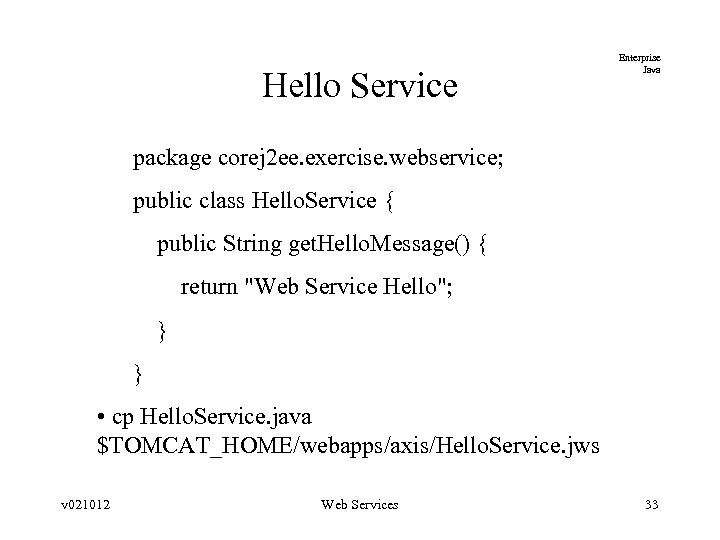
Hello Service Enterprise Java package corej 2 ee. exercise. webservice; public class Hello. Service { public String get. Hello. Message() { return "Web Service Hello"; } } • cp Hello. Service. java $TOMCAT_HOME/webapps/axis/Hello. Service. jws v 021012 Web Services 33
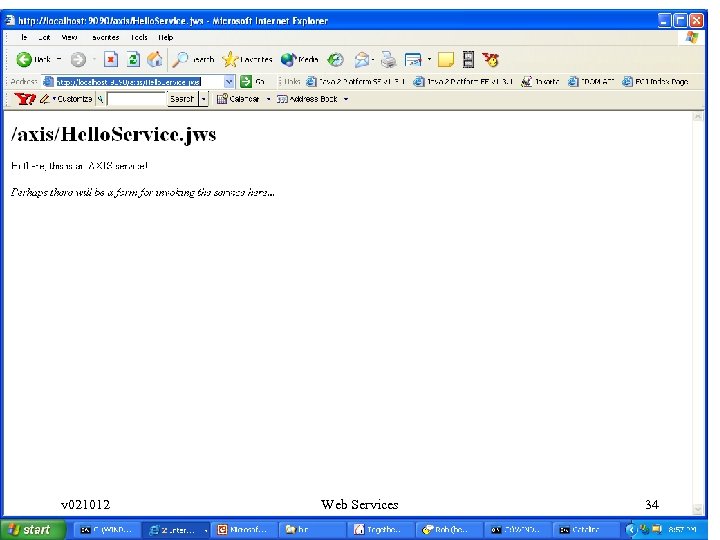
Enterprise Java v 021012 Web Services 34
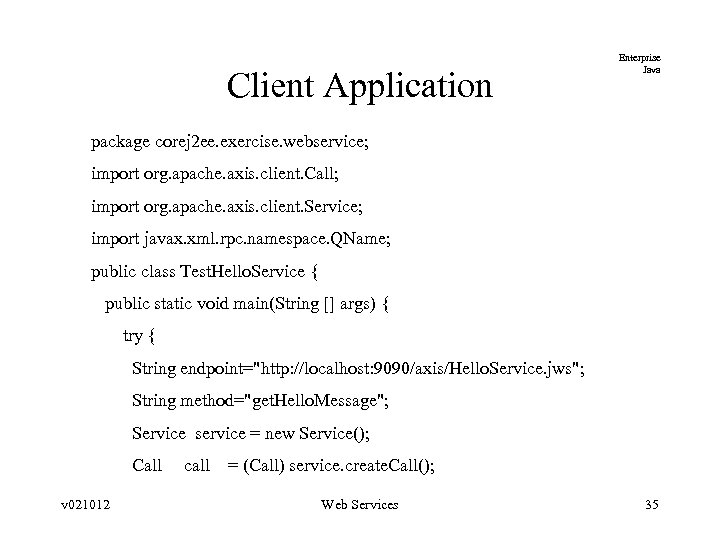
Client Application Enterprise Java package corej 2 ee. exercise. webservice; import org. apache. axis. client. Call; import org. apache. axis. client. Service; import javax. xml. rpc. namespace. QName; public class Test. Hello. Service { public static void main(String [] args) { try { String endpoint="http: //localhost: 9090/axis/Hello. Service. jws"; String method="get. Hello. Message"; Service service = new Service(); Call call = (Call) service. create. Call(); v 021012 Web Services 35
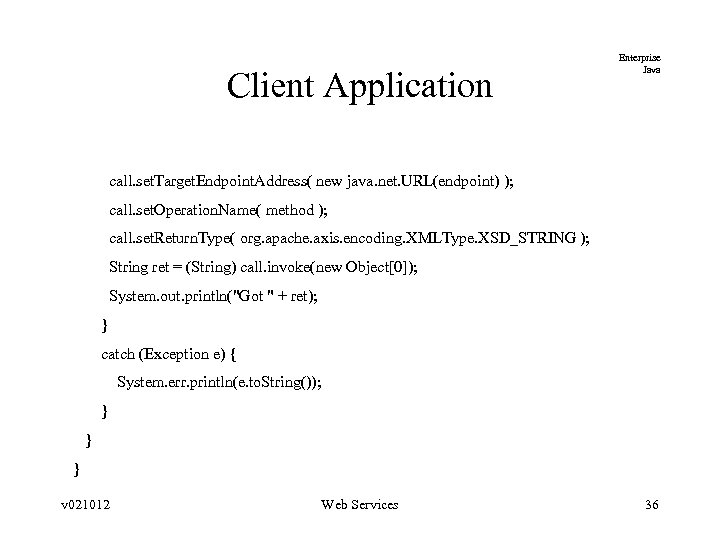
Client Application Enterprise Java call. set. Target. Endpoint. Address( new java. net. URL(endpoint) ); call. set. Operation. Name( method ); call. set. Return. Type( org. apache. axis. encoding. XMLType. XSD_STRING ); String ret = (String) call. invoke(new Object[0]); System. out. println("Got " + ret); } catch (Exception e) { System. err. println(e. to. String()); } } } v 021012 Web Services 36
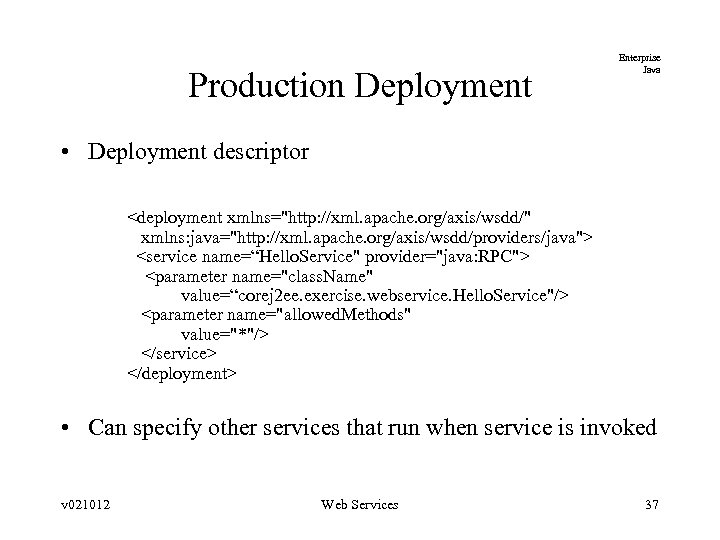
Production Deployment Enterprise Java • Deployment descriptor <deployment xmlns="http: //xml. apache. org/axis/wsdd/" xmlns: java="http: //xml. apache. org/axis/wsdd/providers/java"> <service name=“Hello. Service" provider="java: RPC"> <parameter name="class. Name" value=“corej 2 ee. exercise. webservice. Hello. Service"/> <parameter name="allowed. Methods" value="*"/> </service> </deployment> • Can specify other services that run when service is invoked v 021012 Web Services 37
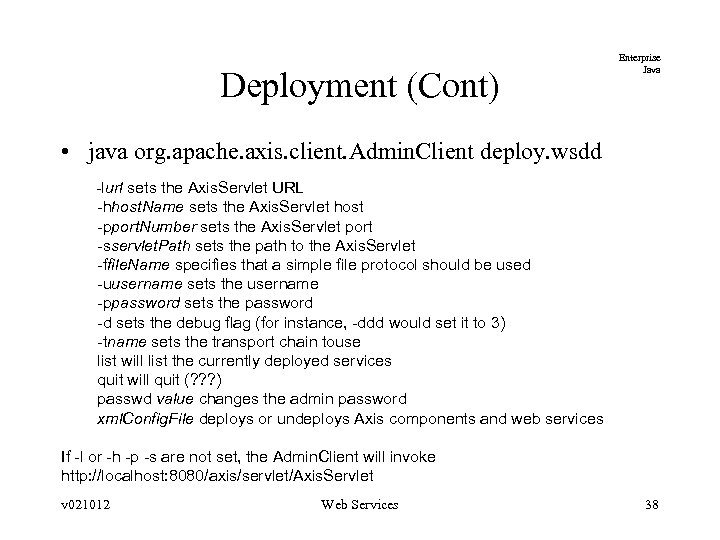
Deployment (Cont) Enterprise Java • java org. apache. axis. client. Admin. Client deploy. wsdd -lurl sets the Axis. Servlet URL -hhost. Name sets the Axis. Servlet host -pport. Number sets the Axis. Servlet port -sservlet. Path sets the path to the Axis. Servlet -ffile. Name specifies that a simple file protocol should be used -uusername sets the username -ppassword sets the password -d sets the debug flag (for instance, -ddd would set it to 3) -tname sets the transport chain touse list will list the currently deployed services quit will quit (? ? ? ) passwd value changes the admin password xml. Config. File deploys or undeploys Axis components and web services If -l or -h -p -s are not set, the Admin. Client will invoke http: //localhost: 8080/axis/servlet/Axis. Servlet v 021012 Web Services 38
Serializing Java Objects Enterprise Java • AXIS can automatically serialize simple Java object types to/from the standard SOAP encoding • Complex objects require developer input – Bean. Serializer – Custom Serializers v 021012 Web Services 39
Bean. Serializer Enterprise Java • When complex objects are passed, AXIS must be told how to convert the object to/from XML • If object is a Java Bean, the Bean. Serializer class can be used – Have to specify mapping in deployment descriptor and the client v 021012 Web Services 40
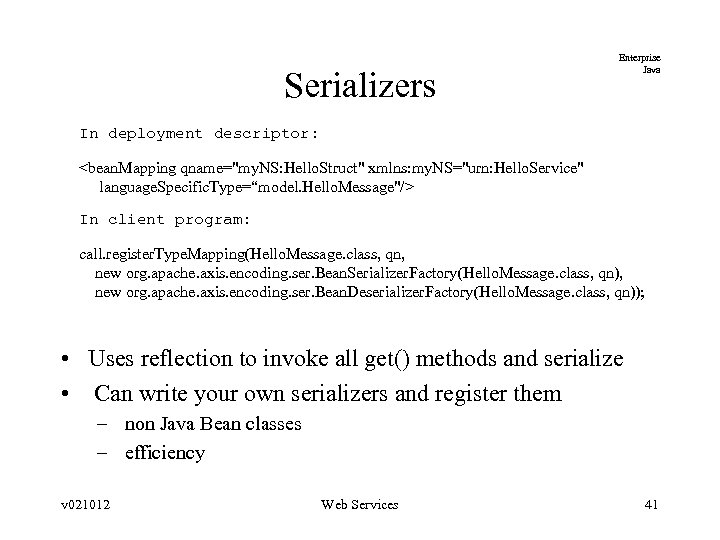
Serializers Enterprise Java In deployment descriptor: <bean. Mapping qname="my. NS: Hello. Struct" xmlns: my. NS="urn: Hello. Service" language. Specific. Type=“model. Hello. Message"/> In client program: call. register. Type. Mapping(Hello. Message. class, qn, new org. apache. axis. encoding. ser. Bean. Serializer. Factory(Hello. Message. class, qn), new org. apache. axis. encoding. ser. Bean. Deserializer. Factory(Hello. Message. class, qn)); • Uses reflection to invoke all get() methods and serialize • Can write your own serializers and register them – non Java Bean classes – efficiency v 021012 Web Services 41
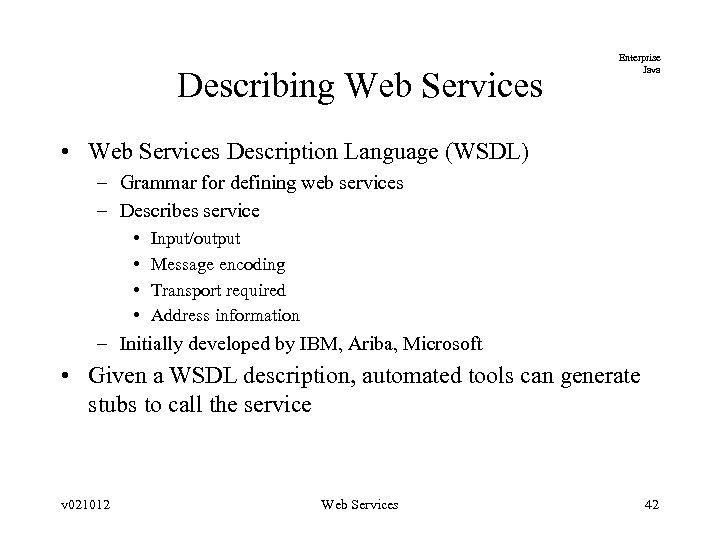
Describing Web Services Enterprise Java • Web Services Description Language (WSDL) – Grammar for defining web services – Describes service • • Input/output Message encoding Transport required Address information – Initially developed by IBM, Ariba, Microsoft • Given a WSDL description, automated tools can generate stubs to call the service v 021012 Web Services 42
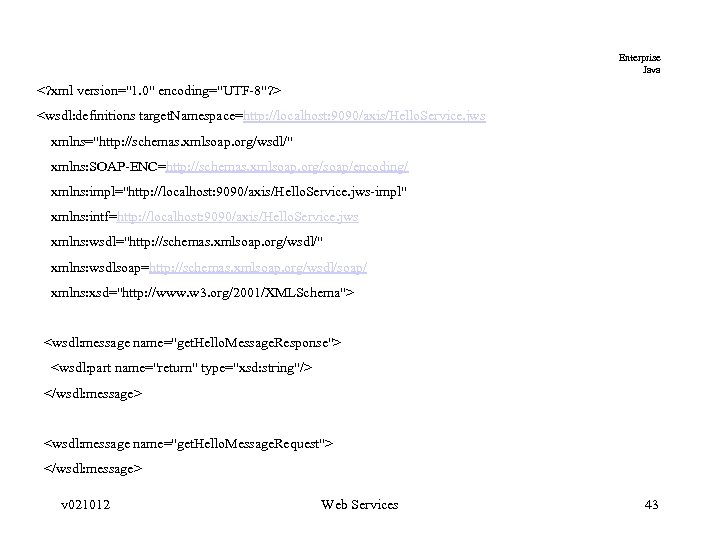
Enterprise Java <? xml version="1. 0" encoding="UTF-8"? > <wsdl: definitions target. Namespace=http: //localhost: 9090/axis/Hello. Service. jws xmlns="http: //schemas. xmlsoap. org/wsdl/" xmlns: SOAP-ENC=http: //schemas. xmlsoap. org/soap/encoding/ xmlns: impl="http: //localhost: 9090/axis/Hello. Service. jws-impl" xmlns: intf=http: //localhost: 9090/axis/Hello. Service. jws xmlns: wsdl="http: //schemas. xmlsoap. org/wsdl/" xmlns: wsdlsoap=http: //schemas. xmlsoap. org/wsdl/soap/ xmlns: xsd="http: //www. w 3. org/2001/XMLSchema"> <wsdl: message name="get. Hello. Message. Response"> <wsdl: part name="return" type="xsd: string"/> </wsdl: message> <wsdl: message name="get. Hello. Message. Request"> </wsdl: message> v 021012 Web Services 43
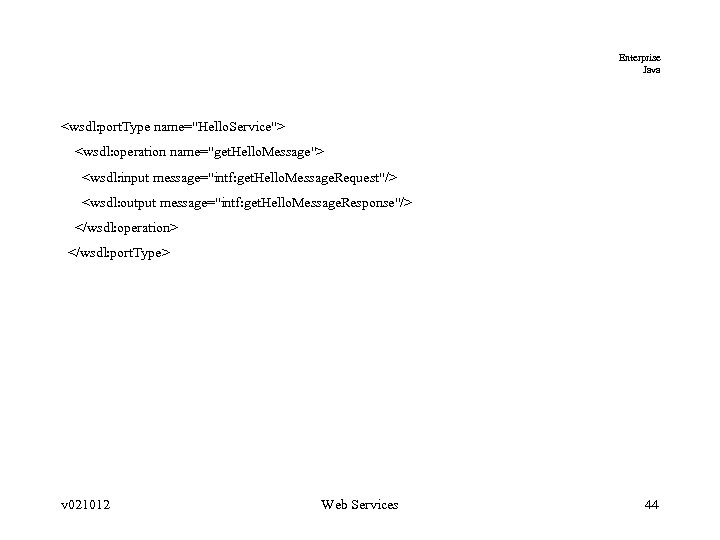
Enterprise Java <wsdl: port. Type name="Hello. Service"> <wsdl: operation name="get. Hello. Message"> <wsdl: input message="intf: get. Hello. Message. Request"/> <wsdl: output message="intf: get. Hello. Message. Response"/> </wsdl: operation> </wsdl: port. Type> v 021012 Web Services 44
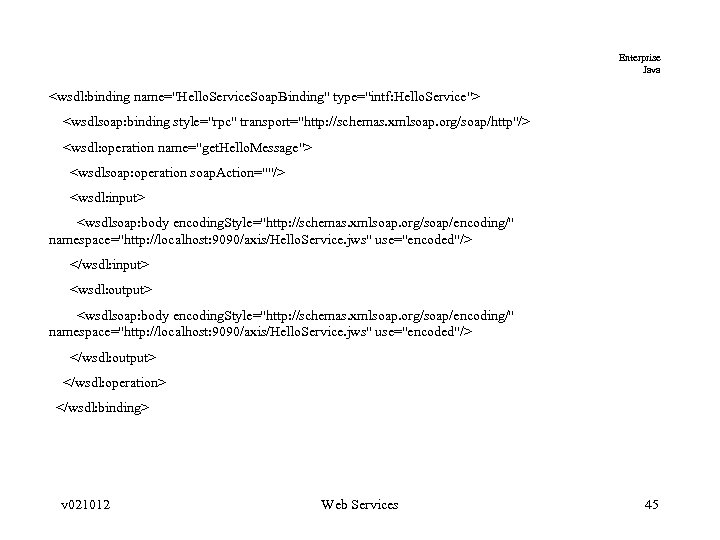
Enterprise Java <wsdl: binding name="Hello. Service. Soap. Binding" type="intf: Hello. Service"> <wsdlsoap: binding style="rpc" transport="http: //schemas. xmlsoap. org/soap/http"/> <wsdl: operation name="get. Hello. Message"> <wsdlsoap: operation soap. Action=""/> <wsdl: input> <wsdlsoap: body encoding. Style="http: //schemas. xmlsoap. org/soap/encoding/" namespace="http: //localhost: 9090/axis/Hello. Service. jws" use="encoded"/> </wsdl: input> <wsdl: output> <wsdlsoap: body encoding. Style="http: //schemas. xmlsoap. org/soap/encoding/" namespace="http: //localhost: 9090/axis/Hello. Service. jws" use="encoded"/> </wsdl: output> </wsdl: operation> </wsdl: binding> v 021012 Web Services 45
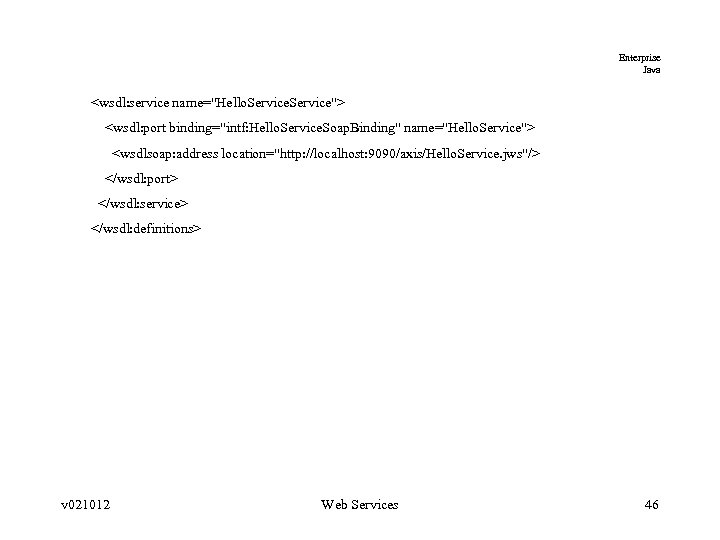
Enterprise Java <wsdl: service name="Hello. Service"> <wsdl: port binding="intf: Hello. Service. Soap. Binding" name="Hello. Service"> <wsdlsoap: address location="http: //localhost: 9090/axis/Hello. Service. jws"/> </wsdl: port> </wsdl: service> </wsdl: definitions> v 021012 Web Services 46
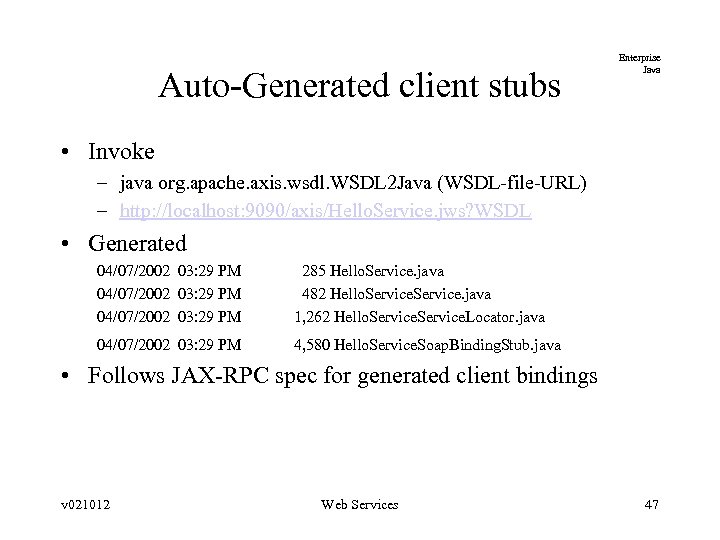
Auto-Generated client stubs Enterprise Java • Invoke – java org. apache. axis. wsdl. WSDL 2 Java (WSDL-file-URL) – http: //localhost: 9090/axis/Hello. Service. jws? WSDL • Generated 04/07/2002 03: 29 PM 285 Hello. Service. java 04/07/2002 03: 29 PM 482 Hello. Service. java 04/07/2002 03: 29 PM 1, 262 Hello. Service. Locator. java 04/07/2002 03: 29 PM 4, 580 Hello. Service. Soap. Binding. Stub. java • Follows JAX-RPC spec for generated client bindings v 021012 Web Services 47
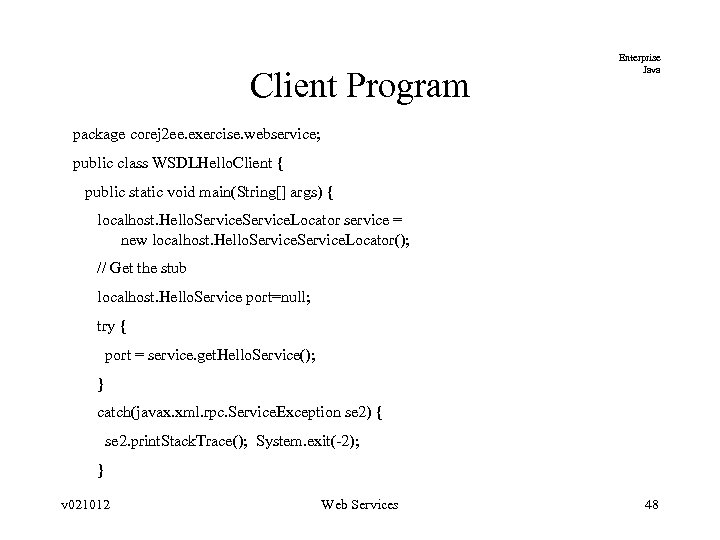
Client Program Enterprise Java package corej 2 ee. exercise. webservice; public class WSDLHello. Client { public static void main(String[] args) { localhost. Hello. Service. Locator service = new localhost. Hello. Service. Locator(); // Get the stub localhost. Hello. Service port=null; try { port = service. get. Hello. Service(); } catch(javax. xml. rpc. Service. Exception se 2) { se 2. print. Stack. Trace(); System. exit(-2); } v 021012 Web Services 48
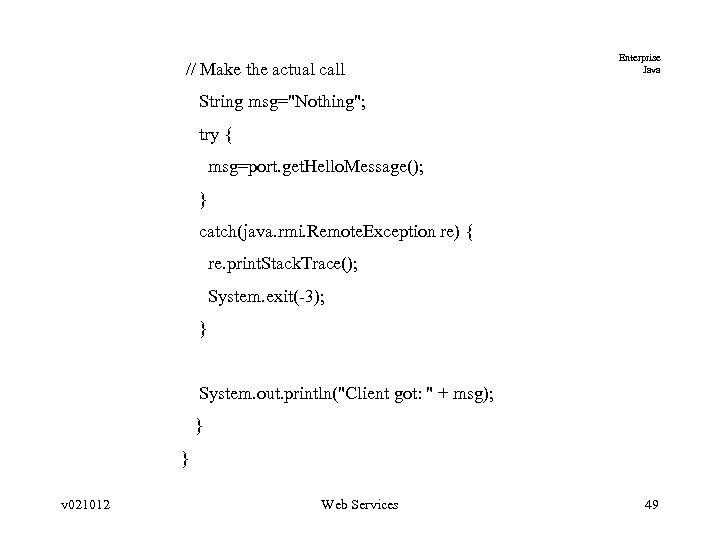
// Make the actual call Enterprise Java String msg="Nothing"; try { msg=port. get. Hello. Message(); } catch(java. rmi. Remote. Exception re) { re. print. Stack. Trace(); System. exit(-3); } System. out. println("Client got: " + msg); } } v 021012 Web Services 49
Discovering Web Services Enterprise Java • Universal Description, Discovery, and Integration (UDDI) – Lists description of a business and services offered – Can federate registries – Find service in registry, automatically create proxies, and invoke • Web Services Inspection Language (WSIL) – IBM and Microsoft proposal – Simpler. More of a white pages paradigm v 021012 Web Services 50
UDDI (Cont) Enterprise Java • Software packages – UDDI 4 j • http: //oss. software. ibm. com/developerworks/projects/uddi 4 j • Register and find businesses – IBM Web Services Toolkit • Locate services in UDDI and invoke service with a generated WSDLbased proxy – Web Services Invocation Framework (WSIF) • Given WSDL, call SOAP service • www. alphaworks. ibm. com/tech/wsif v 021012 Web Services 51
Composable Web Services Enterprise Java • Possible to graphically compose web services into a distributed workflow • Area of current research v 021012 Web Services 52
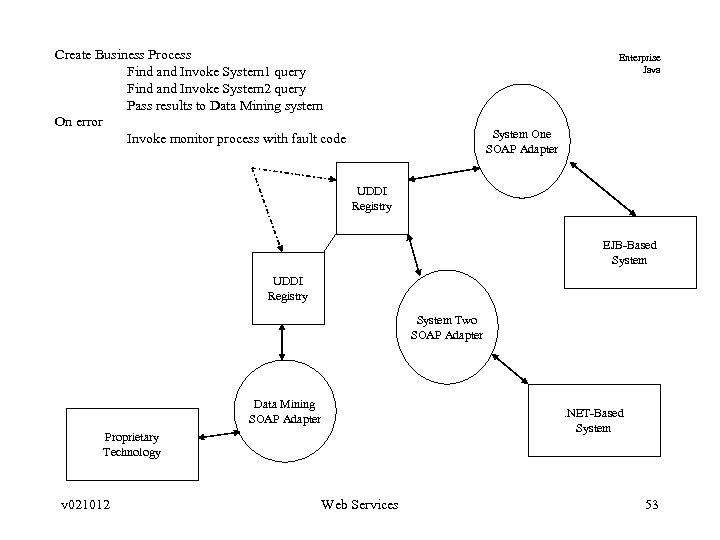
Create Business Process Find and Invoke System 1 query Find and Invoke System 2 query Pass results to Data Mining system On error Invoke monitor process with fault code Enterprise Java System One SOAP Adapter UDDI Registry EJB-Based System UDDI Registry System Two SOAP Adapter Data Mining SOAP Adapter . NET-Based System Proprietary Technology v 021012 Web Services 53
Enterprise Java Web Services and J 2 EE v 021012 Web Services 54
J 2 EE 1. 4 and Web Services Enterprise Java • JSR-109 Web Services for J 2 EE – http: //jcp. org/jsr/detail/109. jsp – Client and Server requirements next 2 slides – Registries • JAXR registry provider and implementation must be provided by app server v 021012 Web Services 55
J 2 EE 1. 4 Web Service Clients Enterprise Java • Clients – JAX-RPC • Web service calls using SOAP/HTTP • Mapping between java objects and XML – SOAP with Attachments for Java (SAAJ) • Low-level SOAP message manipulation – JAXR • Client access to registries v 021012 Web Services 56
J 2 EE and Web Services (Cont) Enterprise Java • Server – Deploy Stateless Session Beans as web service endpoints – Additional deployment descriptors • WSDL generated that defines web service the EJB implements – Container generates JAX-RPC runtime to: • Process SOAP request • Invoke exposed session bean method • Return results (if any) v 021012 Web Services 57
Security Requirements Enterprise Java • Web Client authentication – BASIC authentication • Passwords sent base 64 encoded – HTTPS Client authentication – Form-based authentication • Server maintains login context and acts as proxy for client requests v 021012 Web Services 58
Summary Enterprise Java • SOAP is a very effective, interoperable protocol – Have to be careful with performance, though • • WSDL is used to describe web services UDDI serves as a registry for SOAP services Security approach is still immature Workflow of web services immature with competing approaches v 021012 Web Services 59
References Enterprise Java • SOAP 1. 2 Proposal – http: //www. w 3. org/TR/2001/WD-soap 12 -part 1 -20011217/ • Programming Web Services With Soap, James Snell. O’Reilly • Web Service Essentials, Ethan Cerami, O’Reilly v 021012 Web Services 60
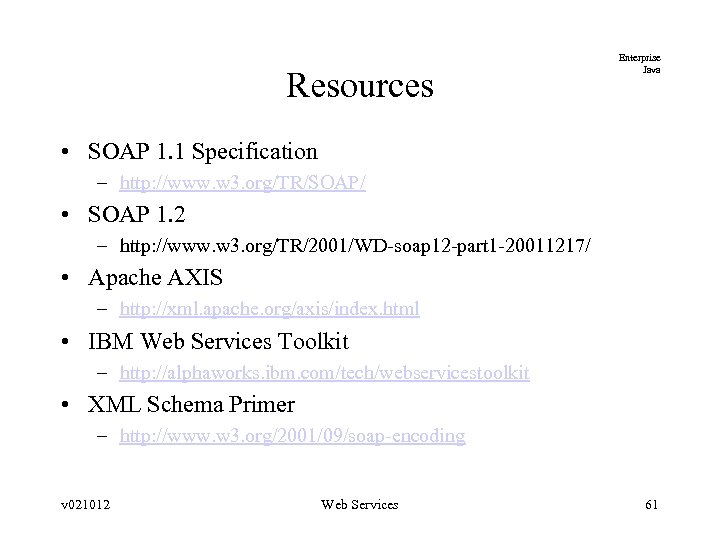
Resources Enterprise Java • SOAP 1. 1 Specification – http: //www. w 3. org/TR/SOAP/ • SOAP 1. 2 – http: //www. w 3. org/TR/2001/WD-soap 12 -part 1 -20011217/ • Apache AXIS – http: //xml. apache. org/axis/index. html • IBM Web Services Toolkit – http: //alphaworks. ibm. com/tech/webservicestoolkit • XML Schema Primer – http: //www. w 3. org/2001/09/soap-encoding v 021012 Web Services 61
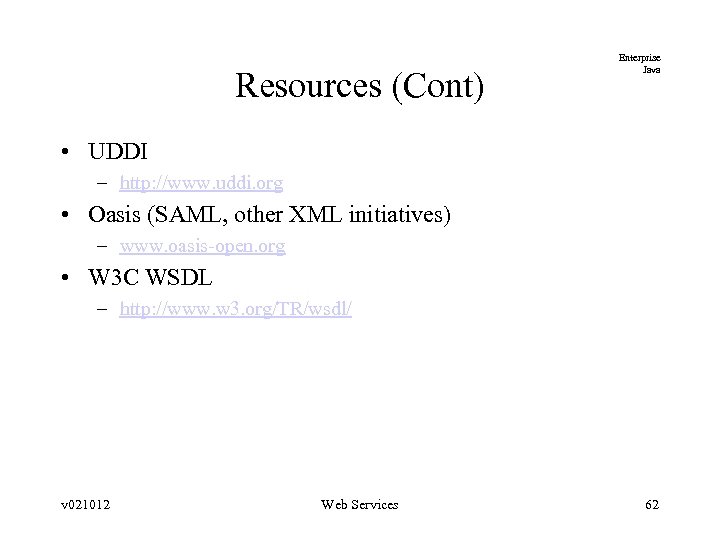
Resources (Cont) Enterprise Java • UDDI – http: //www. uddi. org • Oasis (SAML, other XML initiatives) – www. oasis-open. org • W 3 C WSDL – http: //www. w 3. org/TR/wsdl/ v 021012 Web Services 62
Скачать презентацию Enterprise Java Web Services and SOAP v 021012
de30afde44af3355f2abef0db801da8b.ppt