 Скачать презентацию Enabling Grids for E-scienc E Installing a g
671646550b60ca292fa0c6f72e12c7f5.ppt
- Количество слайдов: 29



Enabling Grids for E-scienc. E Installing a g. Lite VOMS Server Emidio Giorgio INFN First Latin American Workshop for Grid Administrators 21 -25 November 2005 www. eu-egee. org INFSO-RI-508833
Overview Enabling Grids for E-scienc. E • Basic concepts on Virtual Organisation • Introduction to VOMS – Features – Registration – Groups & Roles • Installing VOMS – Reminder of g. Lite installation – Installation via apt • Configuring VOMS – Key aspects – Verifying installation • Registering VOMS admin • VOMS server web interface – Groups – Roles • VOMS admin command line interface INFSO-RI-508833 First Latin American Workshop for Grid Administrators 2
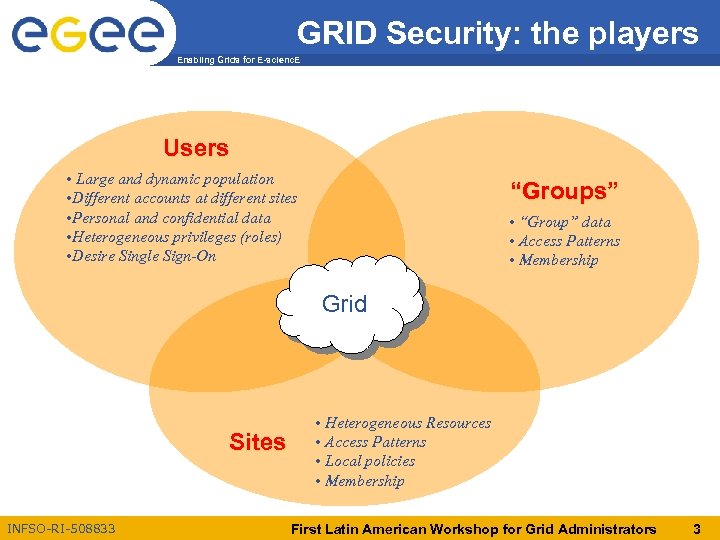
GRID Security: the players Enabling Grids for E-scienc. E Users • Large and dynamic population • Different accounts at different sites • Personal and confidential data • Heterogeneous privileges (roles) • Desire Single Sign-On “Groups” • “Group” data • Access Patterns • Membership Grid Sites INFSO-RI-508833 • Heterogeneous Resources • Access Patterns • Local policies • Membership First Latin American Workshop for Grid Administrators 3
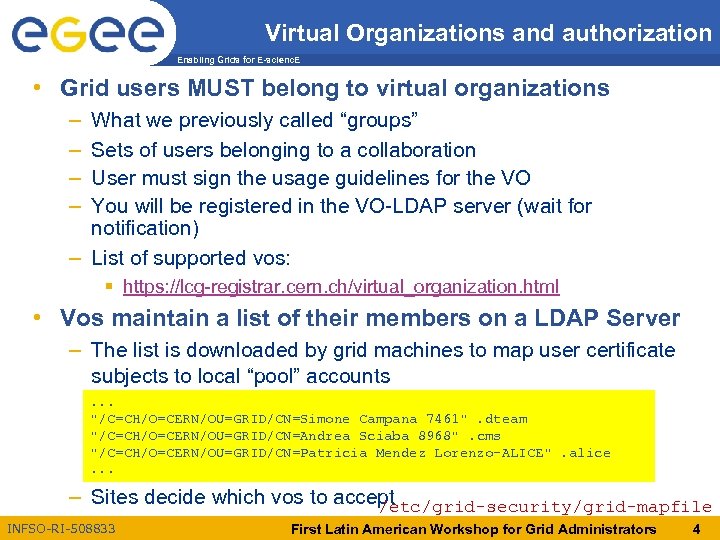
Virtual Organizations and authorization Enabling Grids for E-scienc. E • Grid users MUST belong to virtual organizations – – What we previously called “groups” Sets of users belonging to a collaboration User must sign the usage guidelines for the VO You will be registered in the VO-LDAP server (wait for notification) – List of supported vos: § https: //lcg-registrar. cern. ch/virtual_organization. html • Vos maintain a list of their members on a LDAP Server – The list is downloaded by grid machines to map user certificate subjects to local “pool” accounts. . . "/C=CH/O=CERN/OU=GRID/CN=Simone Campana 7461". dteam "/C=CH/O=CERN/OU=GRID/CN=Andrea Sciaba 8968". cms "/C=CH/O=CERN/OU=GRID/CN=Patricia Mendez Lorenzo-ALICE". alice. . . – Sites decide which vos to accept /etc/grid-security/grid-mapfile INFSO-RI-508833 First Latin American Workshop for Grid Administrators 4
Introduction to VOMS Enabling Grids for E-scienc. E • Virtual Organization Membership Service (VOMS) – Account Database § Serving information in a special format (VOMS credentials) § Can be administered via command line & via web interface – Provides information on the user’s relationship with his/her Virtual Organization (VO) § VO - Membership § Group membership § Roles of user INFSO-RI-508833 First Latin American Workshop for Grid Administrators 5
Introduction to VOMS Enabling Grids for E-scienc. E • VOMS Features – Single login using (proxy-init) only at the beginning of a session § Attaches VOMS certificate to user proxy – Expiration time § The authorization information is only valid for a limited period of the time as the proxy certificate itself – Multiple VO § User may log-in into multiple VOs and create an aggregate proxy certificate, which enables him/her to access resources in any one of them – Backward compatibility § The extra VO related information is in the user’s proxy certificate § User’s proxy certificate can be still used with non VOMS-aware service – Security § All client-server communications are secured and authenticated. INFSO-RI-508833 First Latin American Workshop for Grid Administrators 6
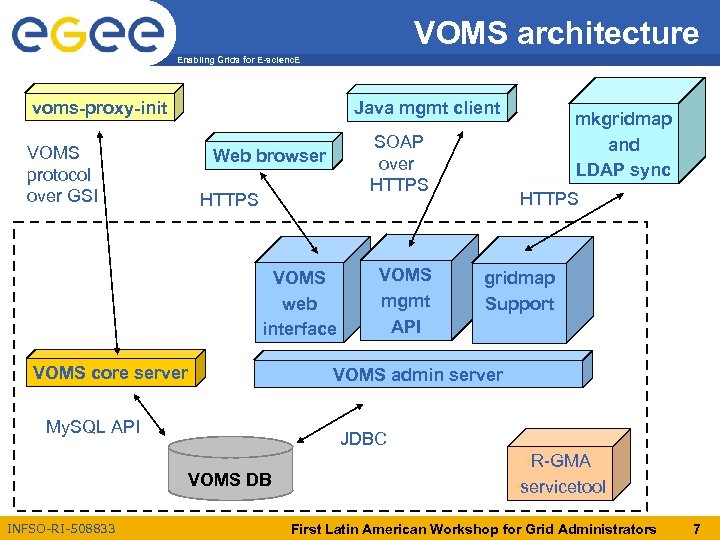
VOMS architecture Enabling Grids for E-scienc. E voms-proxy-init Java mgmt client VOMS protocol over GSI SOAP over HTTPS Web browser HTTPS VOMS web interface VOMS core server My. SQL API HTTPS gridmap Support VOMS admin server JDBC VOMS DB INFSO-RI-508833 VOMS mgmt API mkgridmap and LDAP sync • R-GMA • servicetool First Latin American Workshop for Grid Administrators 7
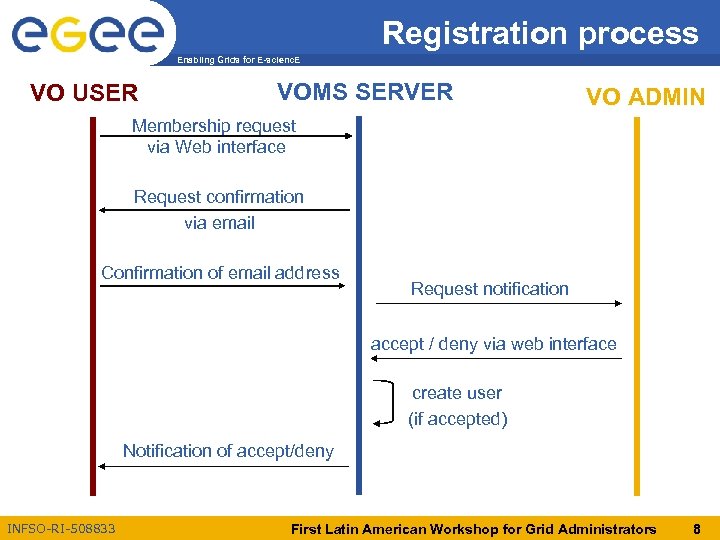
Registration process Enabling Grids for E-scienc. E VO USER VOMS SERVER VO ADMIN Membership request via Web interface Request confirmation via email Confirmation of email address Request notification accept / deny via web interface create user (if accepted) Notification of accept/deny INFSO-RI-508833 First Latin American Workshop for Grid Administrators 8
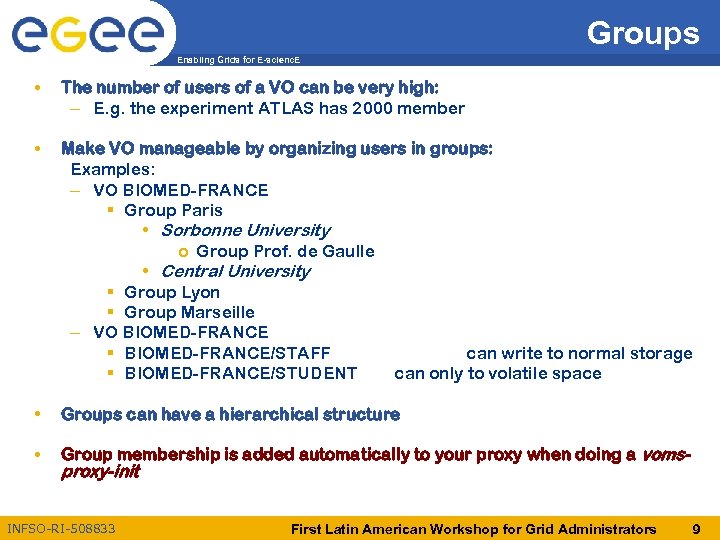
Groups Enabling Grids for E-scienc. E • The number of users of a VO can be very high: – E. g. the experiment ATLAS has 2000 member • Make VO manageable by organizing users in groups: Examples: – VO BIOMED-FRANCE § Group Paris • Sorbonne University o Group Prof. de Gaulle • Central University § Group Lyon § Group Marseille – VO BIOMED-FRANCE § BIOMED-FRANCE/STAFF can write to normal storage § BIOMED-FRANCE/STUDENT can only to volatile space • Groups can have a hierarchical structure • Group membership is added automatically to your proxy when doing a voms- proxy-init INFSO-RI-508833 First Latin American Workshop for Grid Administrators 9
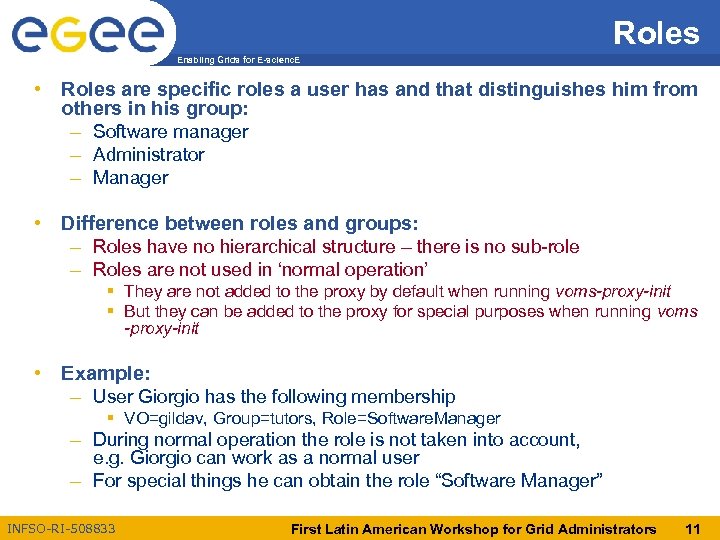
Roles Enabling Grids for E-scienc. E • Roles are specific roles a user has and that distinguishes him from others in his group: – Software manager – Administrator – Manager • Difference between roles and groups: – Roles have no hierarchical structure – there is no sub-role – Roles are not used in ‘normal operation’ § They are not added to the proxy by default when running voms-proxy-init § But they can be added to the proxy for special purposes when running voms -proxy-init • Example: – User Giorgio has the following membership § VO=gildav, Group=tutors, Role=Software. Manager – During normal operation the role is not taken into account, e. g. Giorgio can work as a normal user – For special things he can obtain the role “Software Manager” INFSO-RI-508833 First Latin American Workshop for Grid Administrators 11
Enabling Grids for E-scienc. E Installing VOMS Server INFSO-RI-508833 First Latin American Workshop for Grid Administrators 12
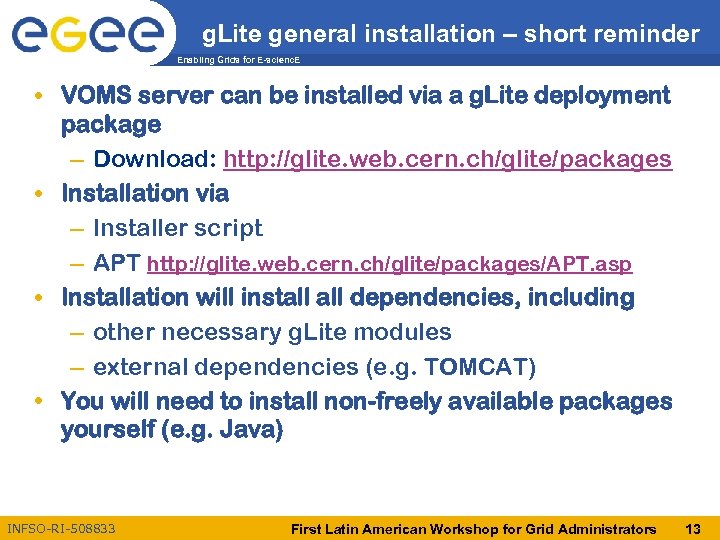
g. Lite general installation – short reminder Enabling Grids for E-scienc. E • VOMS server can be installed via a g. Lite deployment package – Download: http: //glite. web. cern. ch/glite/packages • Installation via – Installer script – APT http: //glite. web. cern. ch/glite/packages/APT. asp • Installation will install dependencies, including – other necessary g. Lite modules – external dependencies (e. g. TOMCAT) • You will need to install non freely available packages yourself (e. g. Java) INFSO-RI-508833 First Latin American Workshop for Grid Administrators 13
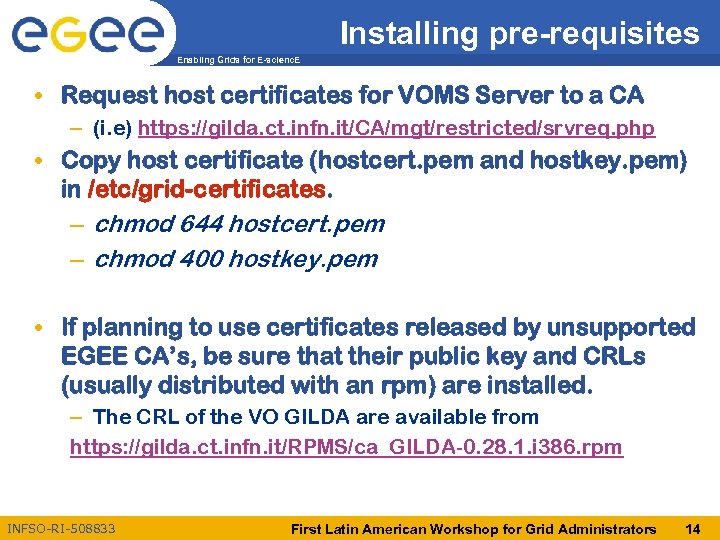
Installing pre-requisites Enabling Grids for E-scienc. E • Request host certificates for VOMS Server to a CA – (i. e) https: //gilda. ct. infn. it/CA/mgt/restricted/srvreq. php • Copy host certificate (hostcert. pem and hostkey. pem) in /etc/grid certificates. – chmod 644 hostcert. pem – chmod 400 hostkey. pem • If planning to use certificates released by unsupported EGEE CA’s, be sure that their public key and CRLs (usually distributed with an rpm) are installed. – The CRL of the VO GILDA are available from https: //gilda. ct. infn. it/RPMS/ca_GILDA-0. 28. 1. i 386. rpm INFSO-RI-508833 First Latin American Workshop for Grid Administrators 14
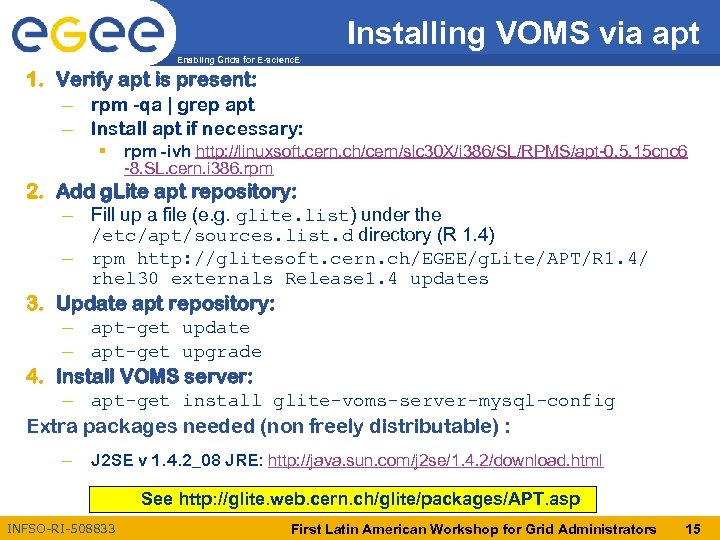
Installing VOMS via apt Enabling Grids for E-scienc. E 1. Verify apt is present: – rpm -qa | grep apt – Install apt if necessary: § rpm -ivh http: //linuxsoft. cern. ch/cern/slc 30 X/i 386/SL/RPMS/apt-0. 5. 15 cnc 6 -8. SL. cern. i 386. rpm 2. Add g. Lite apt repository: – Fill up a file (e. g. glite. list) under the /etc/apt/sources. list. d directory (R 1. 4) – rpm http: //glitesoft. cern. ch/EGEE/g. Lite/APT/R 1. 4/ rhel 30 externals Release 1. 4 updates 3. Update apt repository: – apt-get update – apt-get upgrade 4. Install VOMS server: – apt-get install glite-voms-server-mysql-config Extra packages needed (non freely distributable) : – J 2 SE v 1. 4. 2_08 JRE: http: //java. sun. com/j 2 se/1. 4. 2/download. html See http: //glite. web. cern. ch/glite/packages/APT. asp INFSO-RI-508833 First Latin American Workshop for Grid Administrators 15
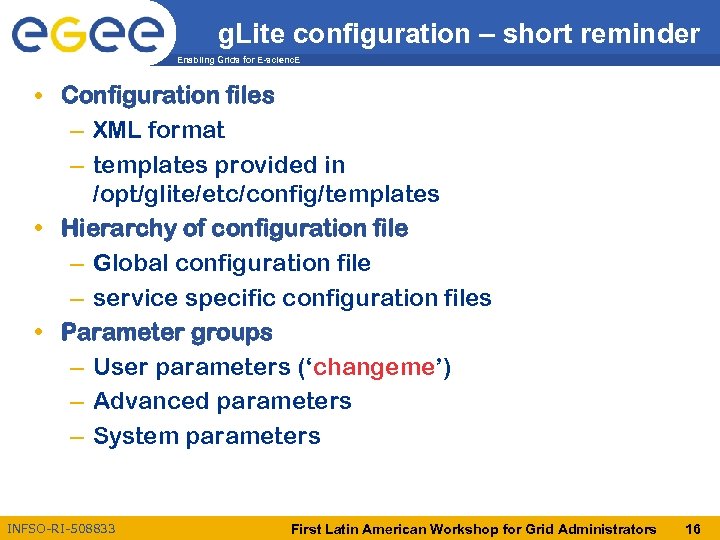
g. Lite configuration – short reminder Enabling Grids for E-scienc. E • Configuration files – XML format – templates provided in /opt/glite/etc/config/templates • Hierarchy of configuration file – Global configuration file – service specific configuration files • Parameter groups – User parameters (‘changeme’) – Advanced parameters – System parameters INFSO-RI-508833 First Latin American Workshop for Grid Administrators 16
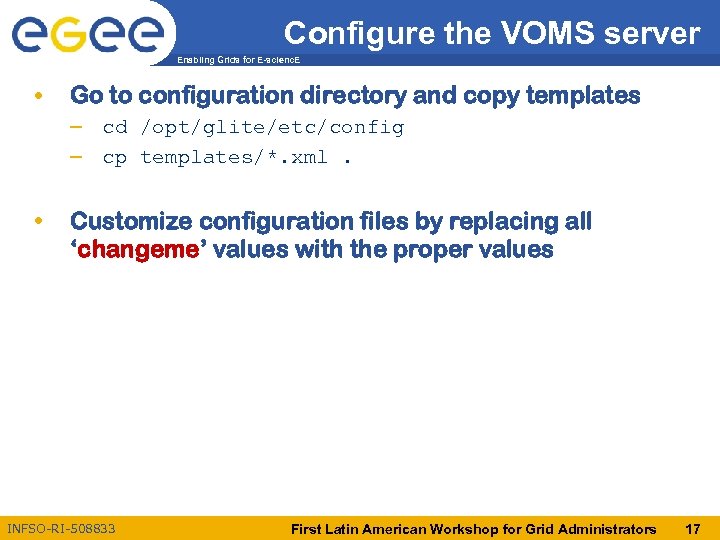
Configure the VOMS server Enabling Grids for E-scienc. E • Go to configuration directory and copy templates – cd /opt/glite/etc/config – cp templates/*. xml. • Customize configuration files by replacing all ‘changeme’ values with the proper values INFSO-RI-508833 First Latin American Workshop for Grid Administrators 17
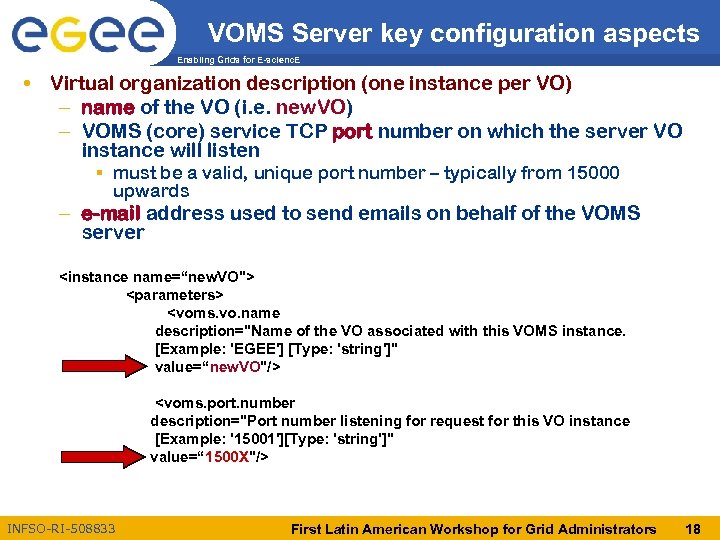
VOMS Server key configuration aspects Enabling Grids for E-scienc. E • Virtual organization description (one instance per VO) – name of the VO (i. e. new. VO) – VOMS (core) service TCP port number on which the server VO instance will listen § must be a valid, unique port number – typically from 15000 upwards – e mail address used to send emails on behalf of the VOMS server <instance name=“new. VO"> <parameters> <voms. vo. name description="Name of the VO associated with this VOMS instance. [Example: 'EGEE'] [Type: 'string']" value=“new. VO"/> <voms. port. number description="Port number listening for request for this VO instance [Example: '15001'][Type: 'string']" value=“ 1500 X"/> INFSO-RI-508833 First Latin American Workshop for Grid Administrators 18
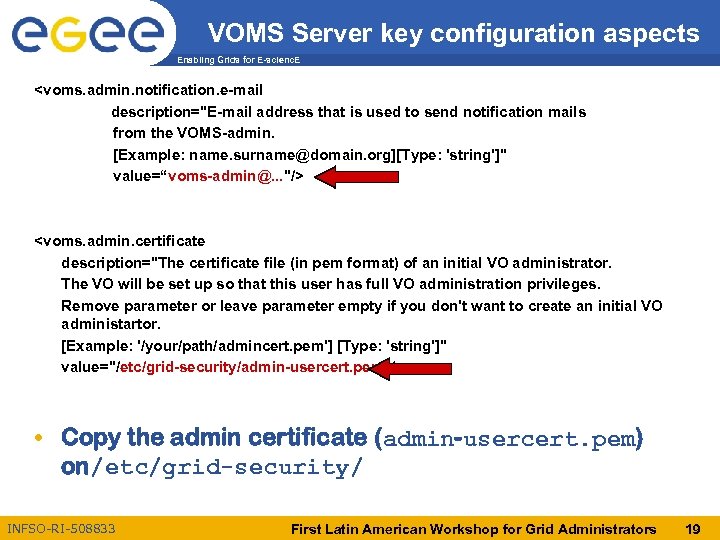
VOMS Server key configuration aspects Enabling Grids for E-scienc. E <voms. admin. notification. e-mail description="E-mail address that is used to send notification mails from the VOMS-admin. [Example: name. surname@domain. org][Type: 'string']" value=“voms-admin@. . . "/> <voms. admin. certificate description="The certificate file (in pem format) of an initial VO administrator. The VO will be set up so that this user has full VO administration privileges. Remove parameter or leave parameter empty if you don't want to create an initial VO administartor. [Example: '/your/path/admincert. pem'] [Type: 'string']" value="/etc/grid-security/admin-usercert. pem"/> • Copy the admin certificate (admin usercert. pem) on/etc/grid-security/ INFSO-RI-508833 First Latin American Workshop for Grid Administrators 19
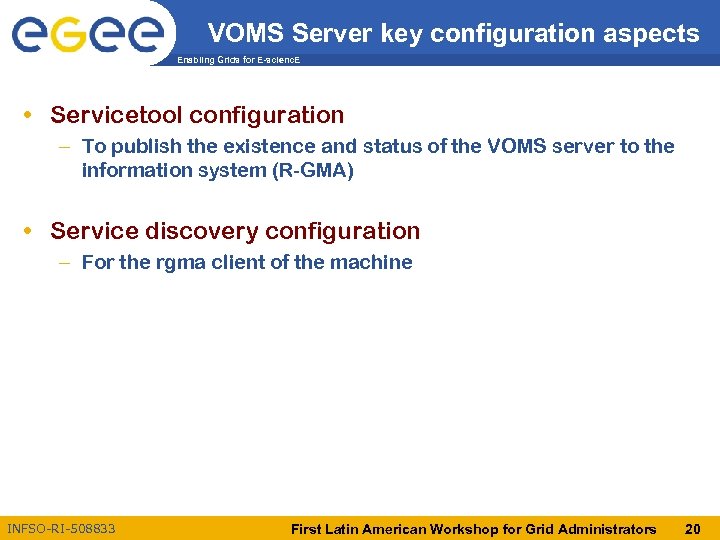
VOMS Server key configuration aspects Enabling Grids for E-scienc. E • Servicetool configuration – To publish the existence and status of the VOMS server to the information system (R-GMA) • Service discovery configuration – For the rgma client of the machine INFSO-RI-508833 First Latin American Workshop for Grid Administrators 20
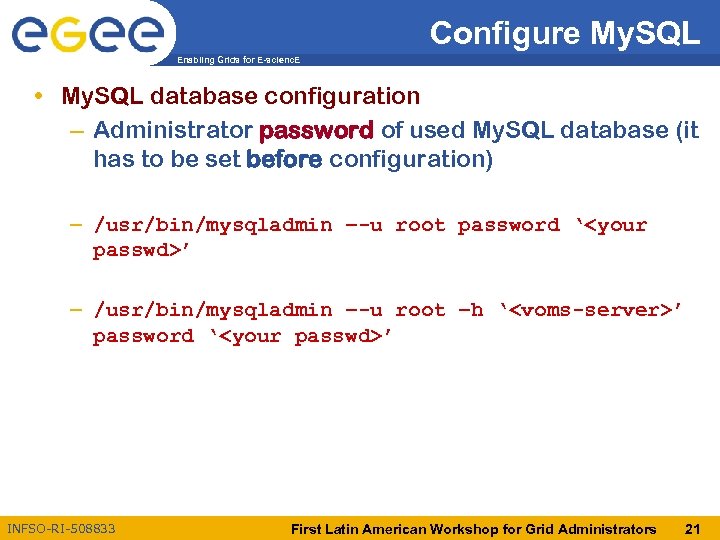
Configure My. SQL Enabling Grids for E-scienc. E • My. SQL database configuration – Administrator password of used My. SQL database (it has to be set before configuration) – /usr/bin/mysqladmin –-u root password ‘<your passwd>’ – /usr/bin/mysqladmin –-u root –h ‘<voms-server>’ password ‘<your passwd>’ INFSO-RI-508833 First Latin American Workshop for Grid Administrators 21
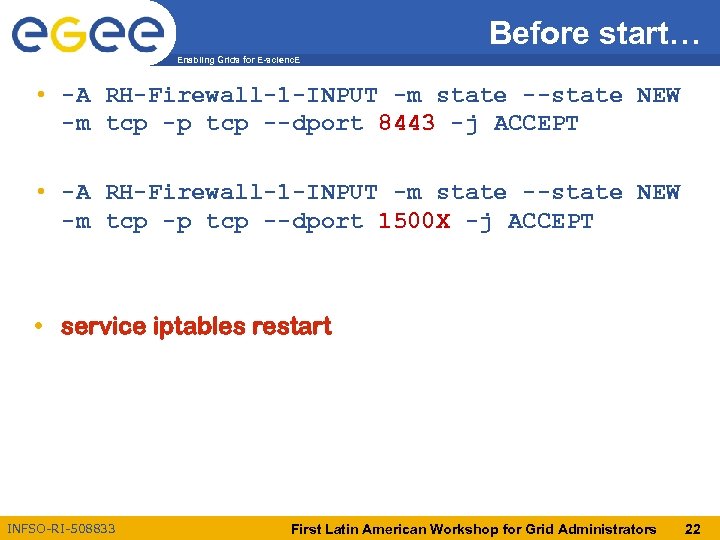
Before start… Enabling Grids for E-scienc. E • -A RH-Firewall-1 -INPUT -m state --state NEW -m tcp -p tcp --dport 8443 -j ACCEPT • -A RH-Firewall-1 -INPUT -m state --state NEW -m tcp -p tcp --dport 1500 X -j ACCEPT • service iptables restart INFSO-RI-508833 First Latin American Workshop for Grid Administrators 22
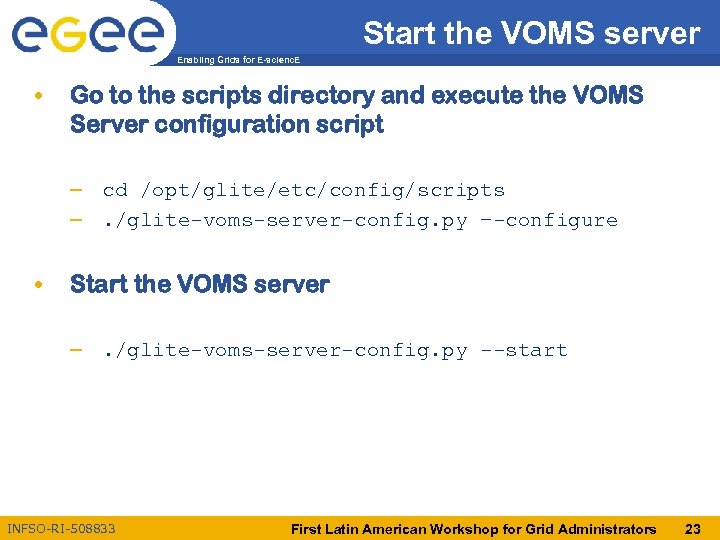
Start the VOMS server Enabling Grids for E-scienc. E • Go to the scripts directory and execute the VOMS Server configuration script – cd /opt/glite/etc/config/scripts –. /glite-voms-server-config. py –-configure • Start the VOMS server –. /glite-voms-server-config. py --start INFSO-RI-508833 First Latin American Workshop for Grid Administrators 23
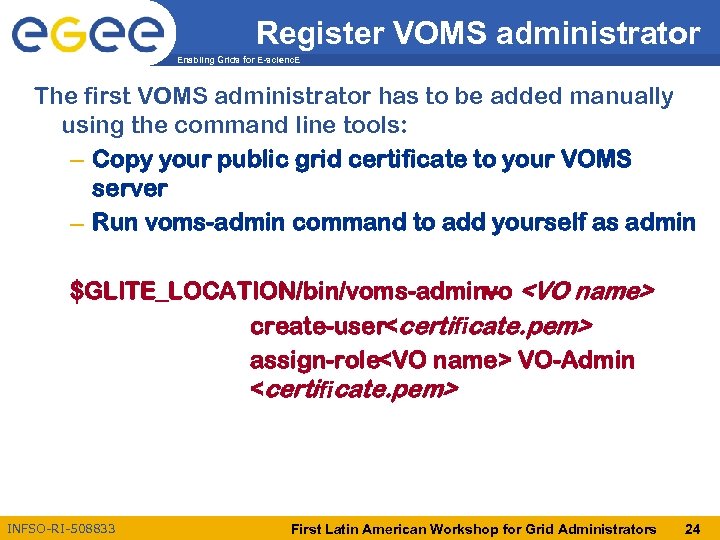
Register VOMS administrator Enabling Grids for E-scienc. E The first VOMS administrator has to be added manually using the command line tools: – Copy your public grid certificate to your VOMS server – Run voms admin command to add yourself as admin $GLITE_LOCATION/bin/voms admin <VO name> vo create user<certificate. pem> assign role<VO name> VO Admin <certificate. pem> INFSO-RI-508833 First Latin American Workshop for Grid Administrators 24
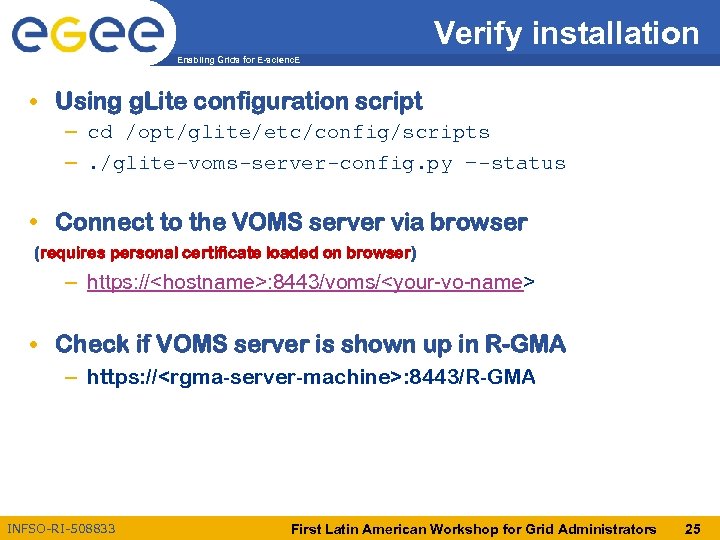
Verify installation Enabling Grids for E-scienc. E • Using g. Lite configuration script – cd /opt/glite/etc/config/scripts –. /glite-voms-server-config. py –-status • Connect to the VOMS server via browser (requires personal certificate loaded on browser) – https: //<hostname>: 8443/voms/<your-vo-name> • Check if VOMS server is shown up in R GMA – https: //<rgma-server-machine>: 8443/R-GMA INFSO-RI-508833 First Latin American Workshop for Grid Administrators 25
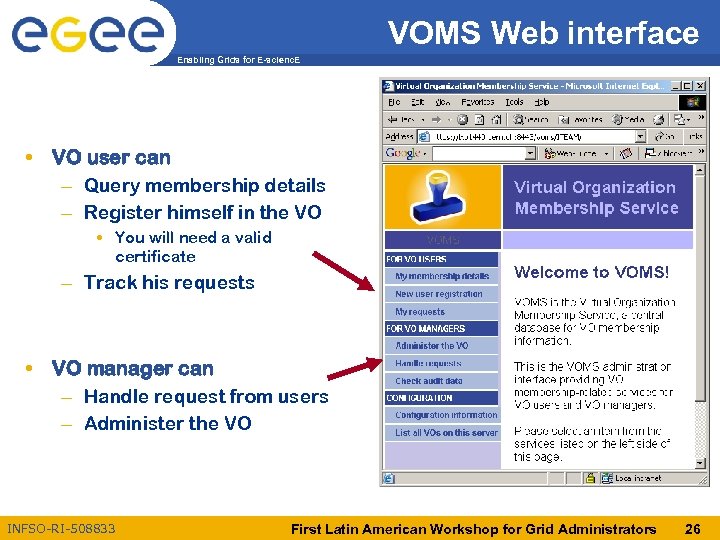
VOMS Web interface Enabling Grids for E-scienc. E • VO user can – Query membership details – Register himself in the VO • You will need a valid certificate – Track his requests • VO manager can – Handle request from users – Administer the VO INFSO-RI-508833 First Latin American Workshop for Grid Administrators 26
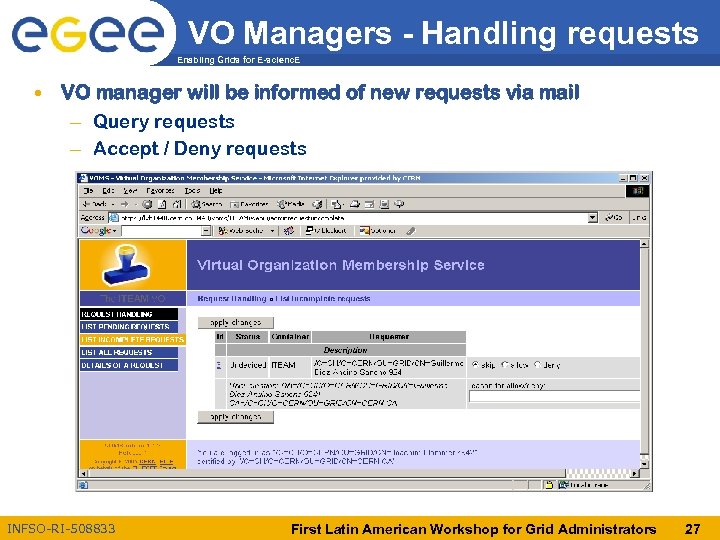
VO Managers - Handling requests Enabling Grids for E-scienc. E • VO manager will be informed of new requests via mail – Query requests – Accept / Deny requests INFSO-RI-508833 First Latin American Workshop for Grid Administrators 27
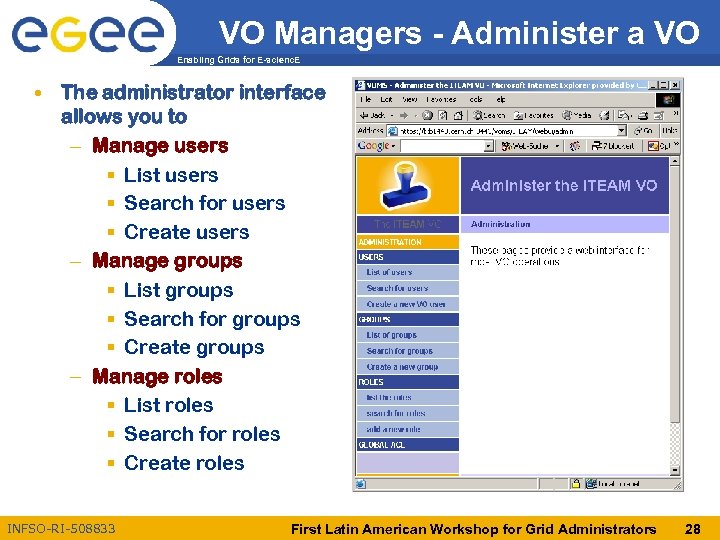
VO Managers - Administer a VO Enabling Grids for E-scienc. E • The administrator interface allows you to – Manage users § List users § Search for users § Create users – Manage groups § List groups § Search for groups § Create groups – Manage roles § List roles § Search for roles § Create roles INFSO-RI-508833 First Latin American Workshop for Grid Administrators 28
![Command line interface Enabling Grids for E-scienc. E • General commands voms-admin [OPTIONS] --vo=NAME](https://present5.com/presentation/671646550b60ca292fa0c6f72e12c7f5/image-28.jpg "Command line interface Enabling Grids for E-scienc. E • General commands voms-admin [OPTIONS] --vo=NAME")
Command line interface Enabling Grids for E-scienc. E • General commands voms-admin [OPTIONS] --vo=NAME [-h HOST] [-p PORT] COMMAND PARAM voms-admin [OPTIONS] --url=URL COMMAND PARAM COMMAND: – get-vo-name – list-users list all users of VO – create-user <CERTIFICATE. PEM> – delete-user USER – list-cas list certificate auth. accepted by VO – list-roles – …. See VOMS admin user guide for entire list and details INFSO-RI-508833 First Latin American Workshop for Grid Administrators 29
Questions… Enabling Grids for E-scienc. E INFSO-RI-508833 First Latin American Workshop for Grid Administrators 30
Скачать презентацию Enabling Grids for E-scienc E Installing a g
671646550b60ca292fa0c6f72e12c7f5.ppt