


 Скачать презентацию EMu 4 0 02 And where to from
3fb371a36ef00ece6653c2914e211661.ppt
- Количество слайдов: 33
 EMu 4. 0. 02 (And where to from there!) Bernard Marshall Chief Technical Officer KE Software Collections Management Museums
 EMu 4. 0 Overview • • EMu 4. 0. 02 (28 June 2010) EMu 4. 0. 03 (Dec 2010) EMu 4. 0. 04 And beyond Collections Management Museums
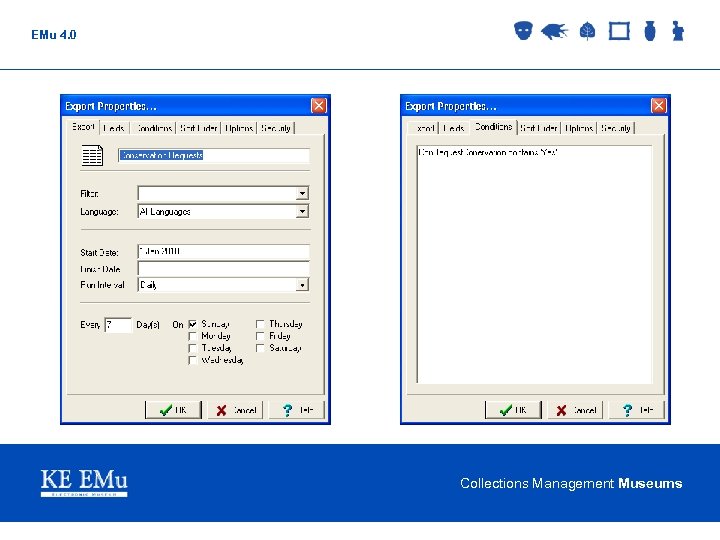
 EMu 4. 0 Export Schedules Facility 4. 0. 02 • Schedule the export of data on a periodic basis (e. g. daily, weekly, monthly, etc. ) • Specify a Tex. QL condition to restrict records exported • Default output is XML (same format as report data) • Filter may be used to translate the XML into required output format (e. g. CSV) • Select fields to export and optionally select a sort order • Exported data placed into “logs” by default, although filters may email or transfer output Collections Management Museums
 EMu 4. 0 Export Schedules Facility 4. 0. 02 • Export may be run from client on matching records • Schedules module contains details about each export defined in the Export Properties dialogue box • Exports module contains an audit trail of all exports executed Collections Management Museums
 EMu 4. 0 Collections Management Museums
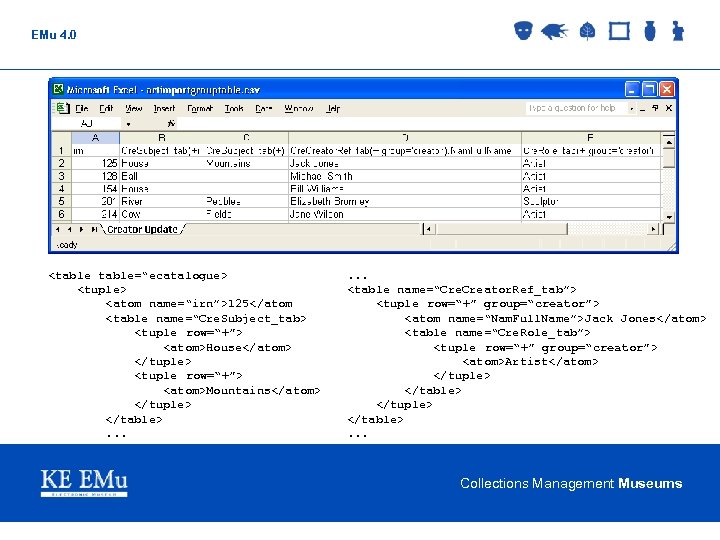
 EMu 4. 0 Updating Data With Import Facility 4. 0. 02 • Record update extended to allow: § appending (+, 2+, row=‘+’, row=‘ 2+’) § prepending (-, 2 -, row=‘-’, row=‘ 2 -’) § replacing (2=, row=‘ 2=’) of data in tables and nested tables • Ability to “group” columns so appended data is added to the same row for all columns (group=“name”) • Support for XML and CSV imports • Improved loading time for CSV imports Collections Management Museums
 EMu 4. 0
. . . Collections Management Museums
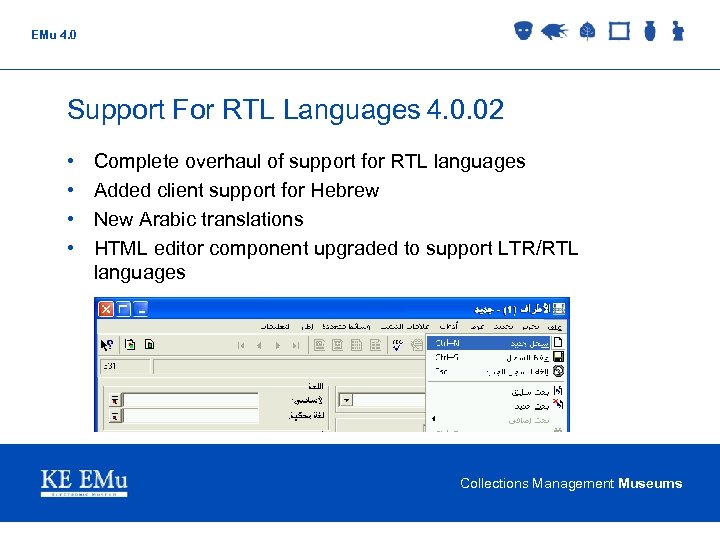 EMu 4. 0 Support For RTL Languages 4. 0. 02 • • Complete overhaul of support for RTL languages Added client support for Hebrew New Arabic translations HTML editor component upgraded to support LTR/RTL languages Collections Management Museums
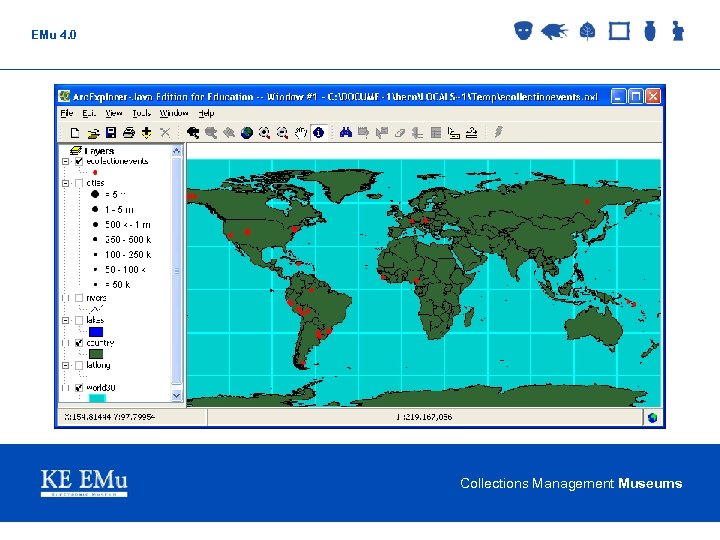
  EMu 4. 0 Arc. Explorer Report Viewer • • • 4. 0. 02 Free lightweight GIS viewer (ESRI) Design a report of type “Arc Explorer” and select Lat/Long fields Extra data fields may be used for point data Support for layers (e. g. rainfall, boundaries) Can define layers and map to use for report Pan/Zoom support Collections Management Museums
  EMu 4. 0 Collections Management Museums
 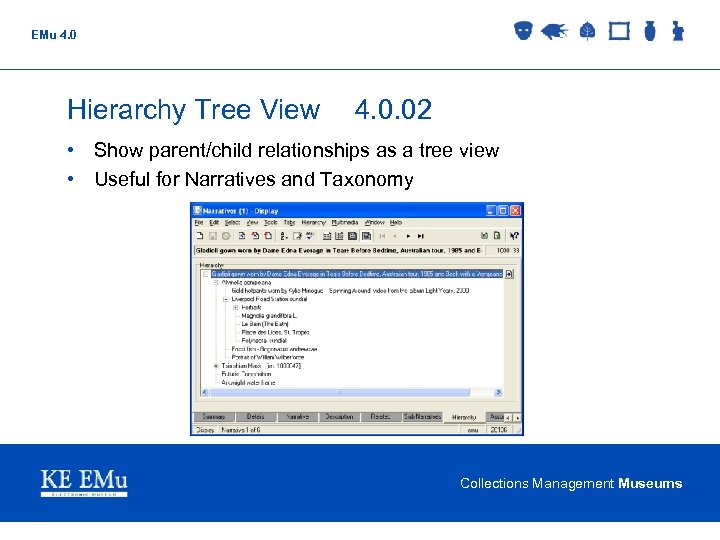 EMu 4. 0 Hierarchy Tree View 4. 0. 02 • Show parent/child relationships as a tree view • Useful for Narratives and Taxonomy Collections Management Museums
  EMu 4. 0 Support For Alpha Channel 4. 0. 02 • Image resolution generation now supports images with an Alpha (transparency) channel Image Quality 4. 0. 02 • Specify the percentage image quality retained for derived images with lossy formats • Default of 100% implies no loss of quality • Quality value specified in Resolutions Registry entry Collections Management Museums
  EMu 4. 0 Speed Improvements 4. 0. 02 • Importation and addition of multimedia links to files • Record insertions, edits and global changes • Audit trail processing User’s Group In Status Bar 4. 0. 02 • Display group name of current user in Status Bar • Useful for users who need to be in more than one group (using different user names) Collections Management Museums
 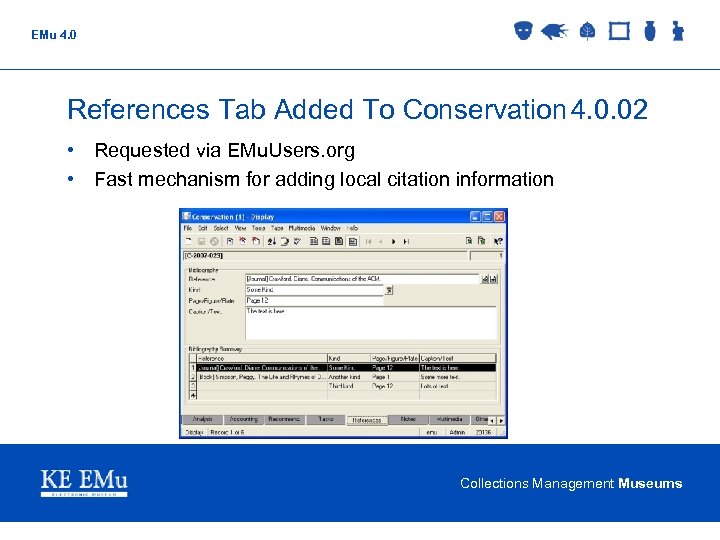 EMu 4. 0 References Tab Added To Conservation 4. 0. 02 • Requested via EMu. Users. org • Fast mechanism for adding local citation information Collections Management Museums
  EMu 4. 0 General 4. 0. 02 • Generate Resolution settings saved between sessions • Disable compaction of large tables (audit, statistics) • Adjusted precision of calculated centroid for a single pair of Lat/Long values • Button to copy “About” information to clipboard • “Tasks” tab added to Location module Collections Management Museums
  EMu 4. 0. 03 Collections Management Museums
  EMu 4. 0 IMu – EMu Internet Framework 4. 0. 03 • • • New framework for EMu web development Three tiered model Extensible application server for middle tier (logic level) Application server supports EMu object model (luts, security, etc. ) Supports record updates and insertions Multiple client side libraries: § PHP § Perl §. Net § Java • Supports searching across multiple modules Collections Management Museums
 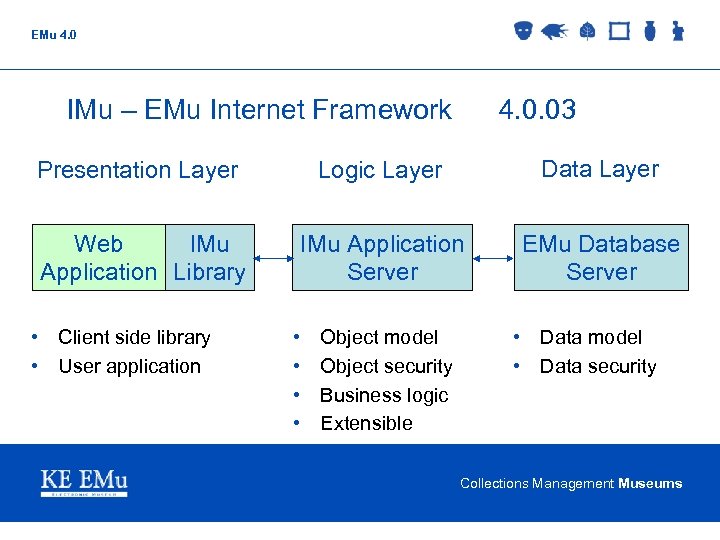 EMu 4. 0 IMu – EMu Internet Framework 4. 0. 03 Presentation Layer Logic Layer Data Layer Web IMu Application Library IMu Application Server EMu Database Server • Client side library • User application • • Object model Object security Business logic Extensible • Data model • Data security Collections Management Museums
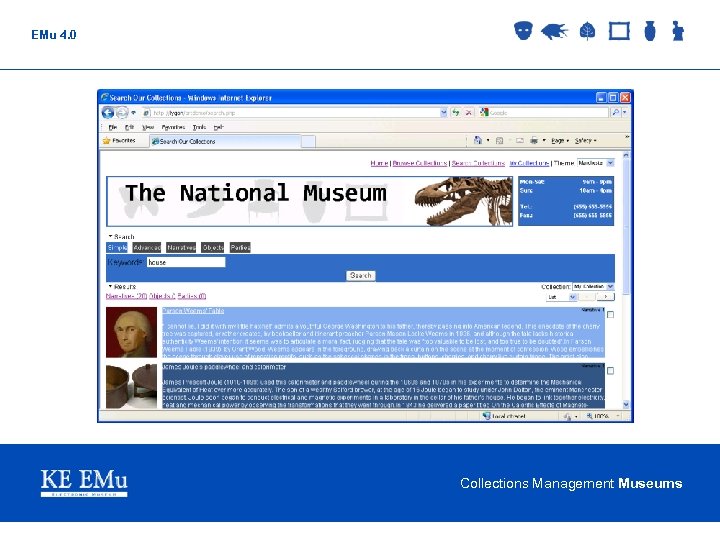
  EMu 4. 0 IMu Web Client 4. 0. 03 • • Internet/Intranet interface to EMu collection Web 2. 0 based components (e. g. auto-complete) Theme-able client pages MVC setup (XML -> XSLT -> HTML) Collection List Management Displays results from multiple modules Customisable interface via XSLT Collections Management Museums
  EMu 4. 0 Collections Management Museums
  EMu 4. 0 IMu Multimedia Service 4. 0. 03 • Extension to IMu application server to provide access to Multimedia Repository media • Request dynamic generation of images with given format and size • Request metadata associated with media • Allow import of new images and update of existing images • Imported images to have resolutions generated automatically (as per EMu client) Collections Management Museums
  EMu 4. 0 Security – Certificates/Encryption 4. 0. 03 • • • X 509 Certificate based authentication at login Encryption of all traffic between client and server (SSL/TLS v 1. 0) Validation of server name in certificate with wildcard support Support provided by Tex. API, Tex. JDBC and texapi. pm Security can be optional or mandatory Collections Management Museums
  EMu 4. 0 Support For Multiple Groups 4. 0. 03 • • A user may be listed in multiple groups Only one group is active at any given time Mechanism provided to allow user to switch between groups System to alter access reflecting group change (e. g. Command Centre, RLS, Column Access, etc. ) Collections Management Museums
 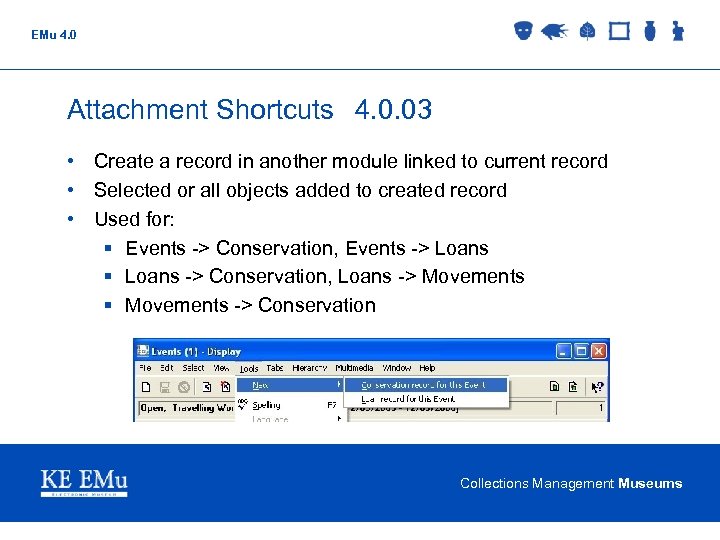 EMu 4. 0 Attachment Shortcuts 4. 0. 03 • Create a record in another module linked to current record • Selected or all objects added to created record • Used for: § Events -> Conservation, Events -> Loans § Loans -> Conservation, Loans -> Movements § Movements -> Conservation Collections Management Museums
  EMu 4. 0 Edit Multimedia Media 4. 0. 03 • Start up registered editor on temporary copy of media file • Asked whether to re-import if media altered • All resolutions regenerated Upgrade Metadata Standards 4. 0. 03 • Provide support for IPTC version 1. 1 (July 2009) • Provide support for XMP December 2008 review Collections Management Museums
  EMu 4. 0 Read-Only Client Support 4. 0. 03 • Registry entry to provide per module or system wide setting for: § Read/write access § Read-only system (Registry, audit still write-able) § Complete read-only system Update Windows Client Icons 4. 0. 03 • Replace existing client icons with a new set providing consistent colours and images • Update client to provide XP / Vista / Windows 7 type themes Collections Management Museums
  EMu 4. 0. 04 Collections Management Museums
  EMu 4. 0 Modify Image Metadata 4. 0. 04 • Allow EXIF, IPTC and XMP metadata to be updated in master image • Provide a global replace facility to update the same field over many records (e. g. update Copyright field on a set of records) • Allow metadata to be propagated to image resolutions • Allow resolution metadata to be modified independently of master image Collections Management Museums
  EMu 4. 0 Alerts Module 4. 0. 04 • Uses audit trail to monitor all changes to records. • Module contains profile that are matched against the audit stream. • A profile match will trigger an alert § Email specified user(s) § SMS particular people § Create a log of the alert § Cause popup notification on user(s) machines § Call an arbitrary script to handle the event Collections Management Museums
  EMu 4. 0 Drag/Drop Media Via Drop Zone 4. 0. 04 • Provide a drop zone on desktop for adding media to Multimedia Repository • Allow right-click context menu option to add media • Media ingestion to be handled by IMu Multimedia server • Addition of multiple media files per operation Collections Management Museums
  EMu 4. 0 Drag/Drop Multiple Documents 4. 0. 04 • Extend client to allow multiple media files to be dropped into Multimedia Repository for ingestion • Allow multiple thumbnails to be selected and dragged to other media components Collections Management Museums
  EMu 4. 0 IMu Mapper Support • • 4. 0. 04 Add extension to IMu application server to provide spatial data Update client libraries with spatial API Integrate mapping functionality into IMu web client Allow results from web client search to be mapped Collections Management Museums
  EMu 4. 0 And Beyond • Develop support for multiple search “tabs” in IMu web client • Extend IMu Mapper to allow multiple search results to be mapped simultaneously • Complete conversion of client controls to be Unicode aware • Complete support for Unicode in server Collections Management Museums