


 Скачать презентацию Employee Empowerment Naturally Payroll What If s on
7362303a5258d60ab6ab481f6a4d5650.ppt
- Количество слайдов: 30
 Employee Empowerment Naturally: Payroll What If s on the Web http: //www. uark. edu/basis/UAWEB/Simulated. ES. html David Wimberly University of Arkansas wdw@uark. edu
 Presentation Overview • University of Arkansas Background • Why Net Pay • Web Demonstration - Future Pay Simulated Earnings Statement • Natural Components and Design • Efficiency Techniques
 Background • Natural/ADABAS shop since 1986 – All non-student systems developed in house (BASIS) – Payroll developed/implemented in 1999 • Web enablement began in 2001 – Com-Plete HTTP Server/Natural as the CGI • Browse/Select web architecture – Programs generated via a Natural ISPF macro
 Why Net Pay • Previous web development included – Access and display of most BASIS information – Some employee self service maintenance • Payroll did net pay calculations using – A PC product Paybreeze – A 3270 Payroll screen (Both methods were labor intensive for Payroll and inconvenient for the employee)
 Why Net Pay (continued) • Its a great service to employees, empowering them to make better financial decisions • It saves the Payroll office time • It was not that difficult due to the modular design of the Payroll application
 Web Design The task split naturally into two pieces -- two web pages • Future Pay – Presentation of future payrolls and associated gross • Simulated Earnings Statement – Calculation and presentation of taxes, deductions, and net pay
 Web Demonstration • Future Pay – Gross pay for upcoming payrolls (which is a benefit of its own) – Pay sources: appointment, hourly, OT, summer (teaching & research), extra comp, and Supplemental – Issues: pay categorization, true supplemental pay (look-back method), & student status
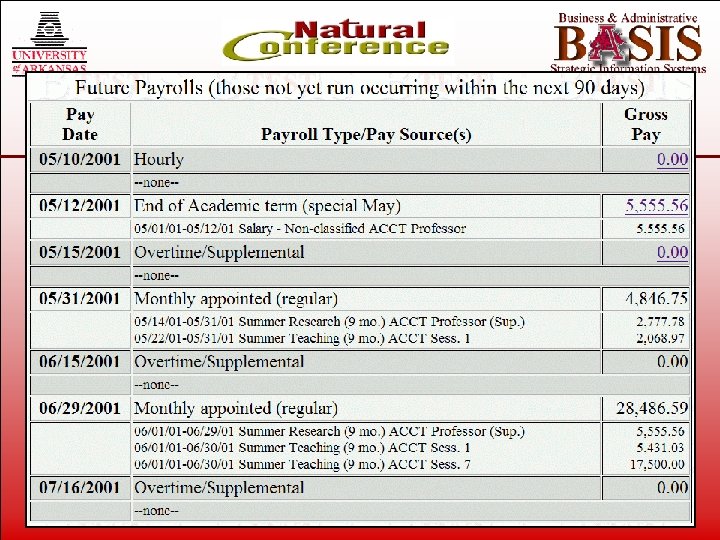 Web Demonstration Future Pay
 Web Demonstration • Simulated Earnings Statement – Simulation options • • Income tax (W 4) Select deductions’ tax basis Tax deferred/exempt changes Gross earnings change – Simulated Earnings Statement Current • After What If – Disabled simulation options – ES What If Scenario vs As Currently Defined
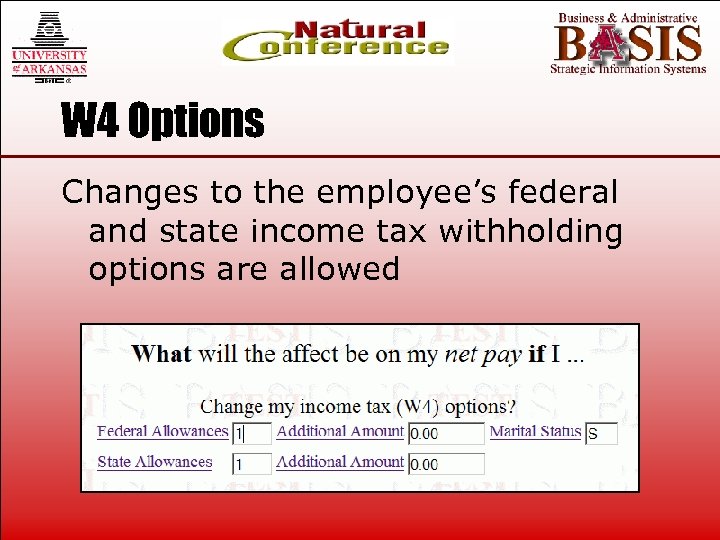 W 4 Options Changes to the employee’s federal and state income tax withholding options are allowed
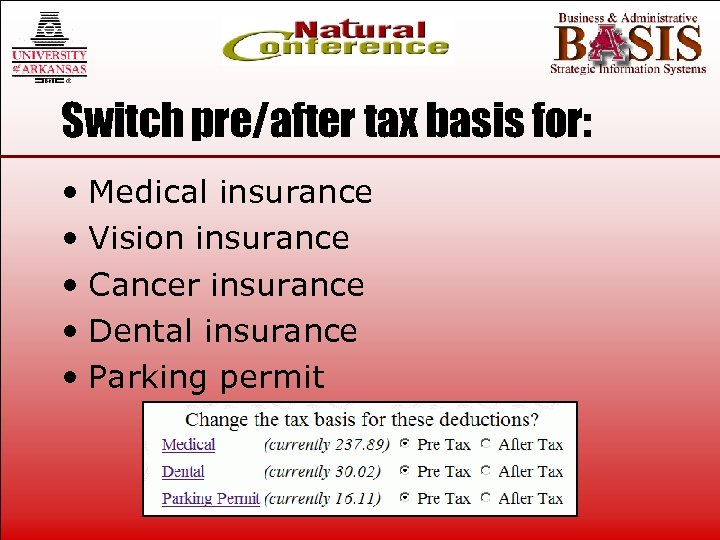 Switch pre/after tax basis for: • Medical insurance • Vision insurance • Cancer insurance • Dental insurance • Parking permit
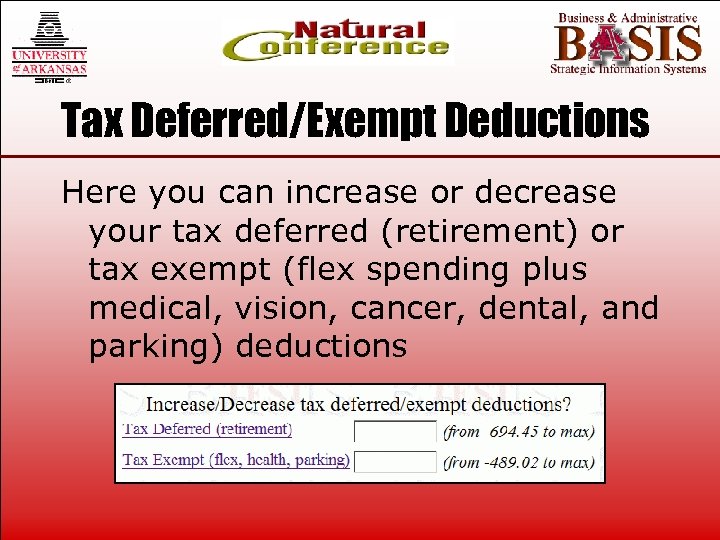 Tax Deferred/Exempt Deductions Here you can increase or decrease your tax deferred (retirement) or tax exempt (flex spending plus medical, vision, cancer, dental, and parking) deductions
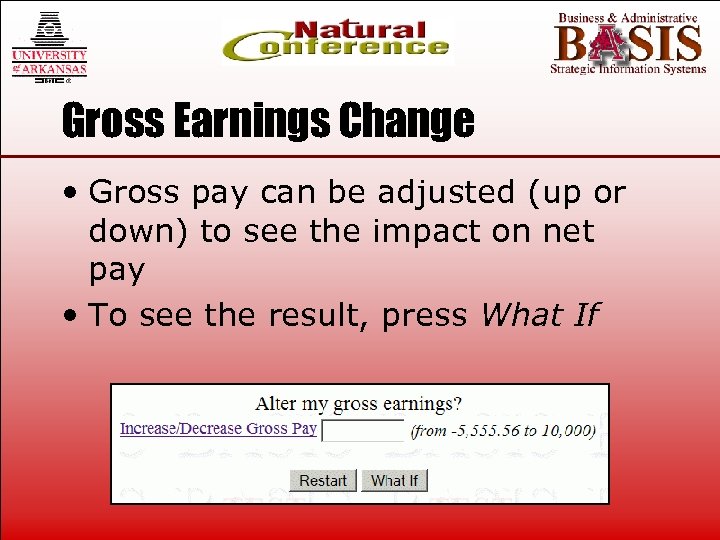 Gross Earnings Change • Gross pay can be adjusted (up or down) to see the impact on net pay • To see the result, press What If
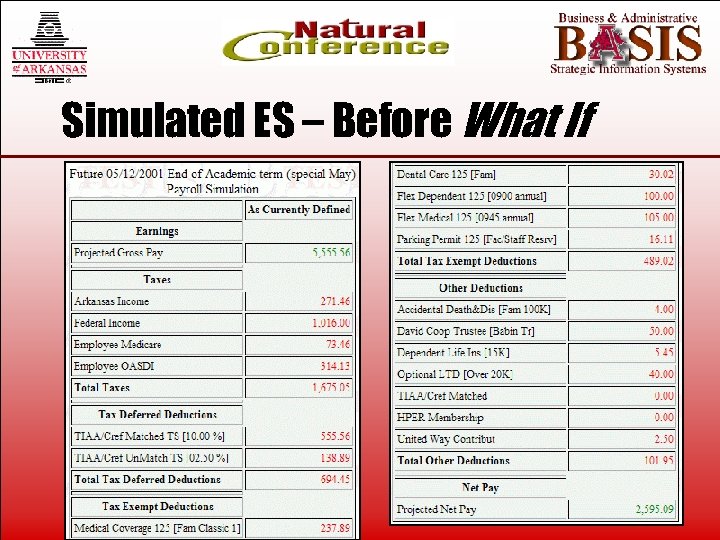 Simulated ES – Before What If
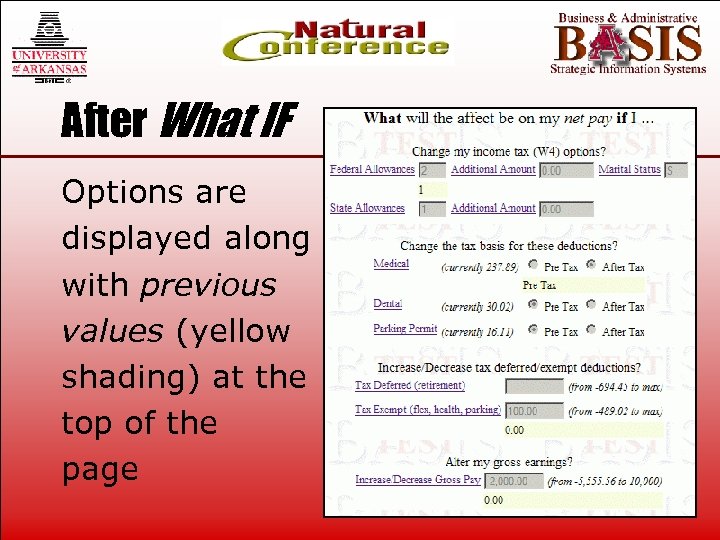 After What IF Options are displayed along with previous values (yellow shading) at the top of the page
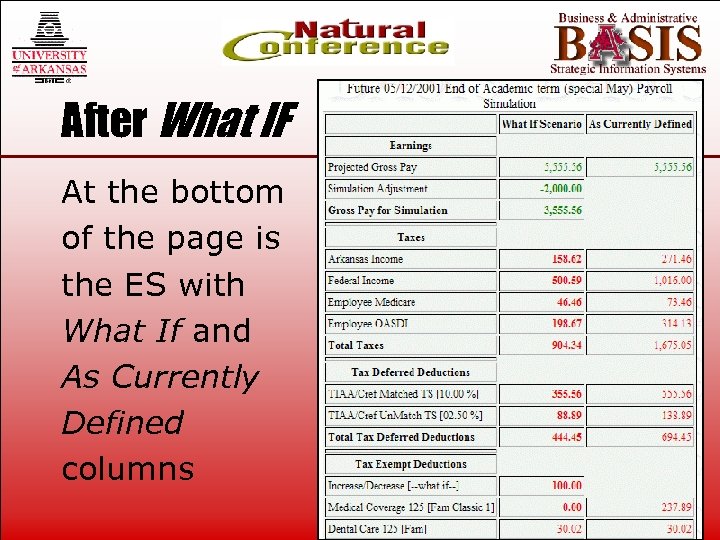 After What IF At the bottom of the page is the ES with What If and As Currently Defined columns
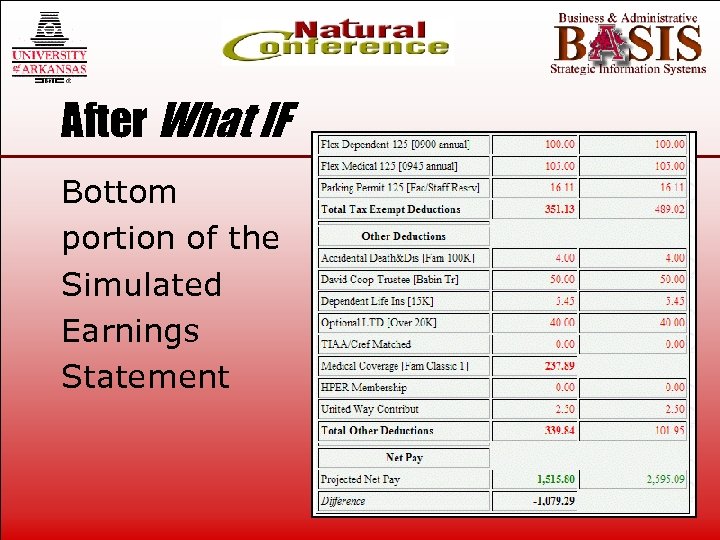 After What IF Bottom portion of the Simulated Earnings Statement
 Natural Components & Design • Batch Payroll – Generation (EPBBPG) – Load – Interface – Report • Web Future Pay • Web Simulated Earnings Statement
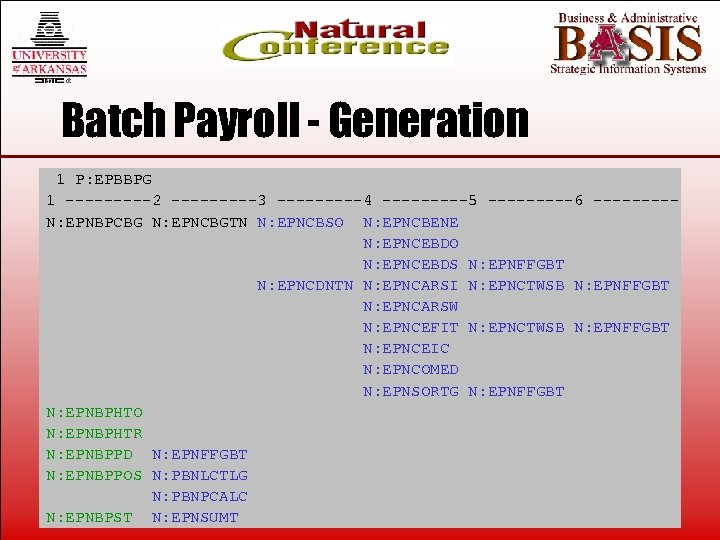 Batch Payroll - Generation 1 P: EPBBPG 1 -----2 -----3 -----4 -----5 -----6 ----N: EPNBPCBG N: EPNCBGTN N: EPNCBSO N: EPNCBENE N: EPNCEBDO N: EPNCEBDS N: EPNFFGBT N: EPNCDNTN N: EPNCARSI N: EPNCTWSB N: EPNFFGBT N: EPNCARSW N: EPNCEFIT N: EPNCTWSB N: EPNFFGBT N: EPNCEIC N: EPNCOMED N: EPNSORTG N: EPNFFGBT N: EPNBPHTO N: EPNBPHTR N: EPNBPPD N: EPNFFGBT N: EPNBPPOS N: PBNLCTLG N: PBNPCALC N: EPNBPST N: EPNSUMT
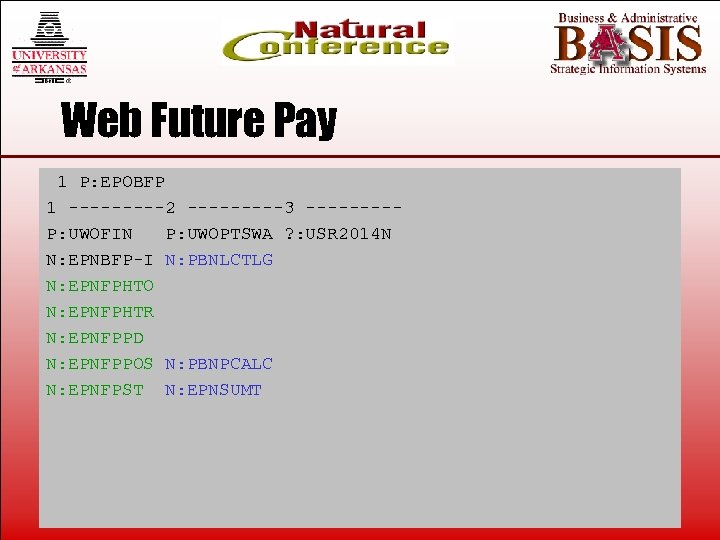 Web Future Pay 1 P: EPOBFP 1 -----2 -----3 ----P: UWOFIN P: UWOPTSWA ? : USR 2014 N N: EPNBFP-I N: PBNLCTLG N: EPNFPHTO N: EPNFPHTR N: EPNFPPD N: EPNFPPOS N: PBNPCALC N: EPNFPST N: EPNSUMT
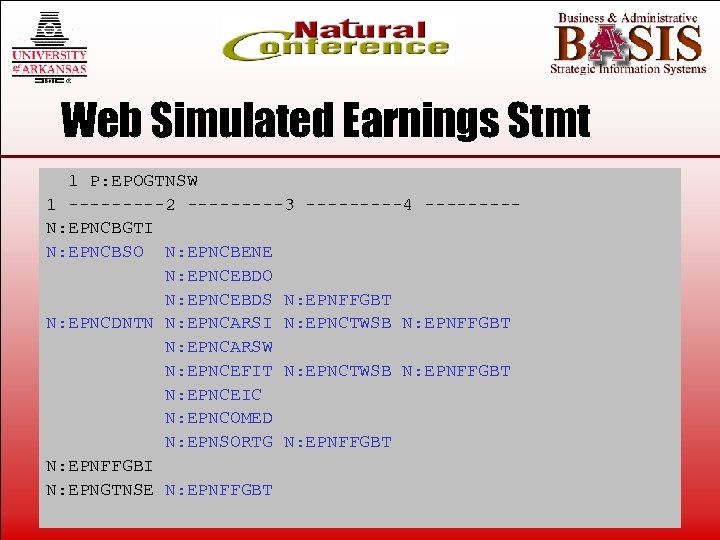 Web Simulated Earnings Stmt 1 P: EPOGTNSW 1 -----2 -----3 -----4 ----N: EPNCBGTI N: EPNCBSO N: EPNCBENE N: EPNCEBDO N: EPNCEBDS N: EPNFFGBT N: EPNCDNTN N: EPNCARSI N: EPNCTWSB N: EPNFFGBT N: EPNCARSW N: EPNCEFIT N: EPNCTWSB N: EPNFFGBT N: EPNCEIC N: EPNCOMED N: EPNSORTG N: EPNFFGBT N: EPNFFGBI N: EPNGTNSE N: EPNFFGBT
 Efficiency Techniques • What was our goal and approach? • What results did we obtain? • Analysis of the techniques employed for: – Future Pay (EPNBFP-I) – BDOE Table (EPNFFGBI) – Tax & Benefit Rates (EPNCBGTI)
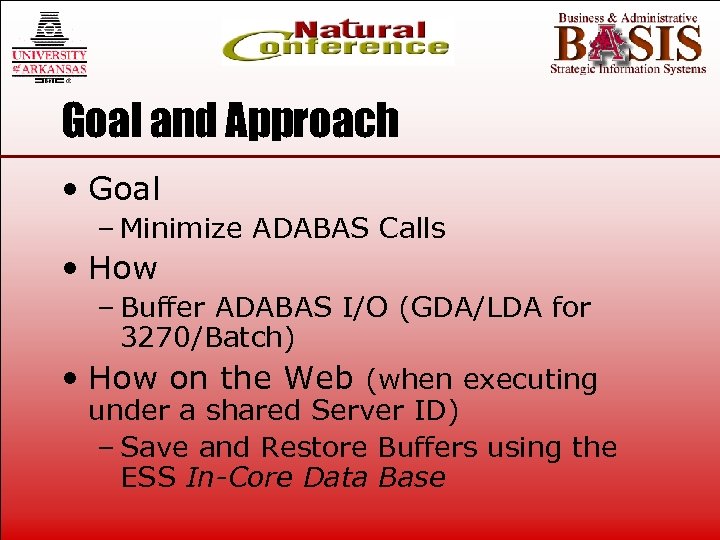 Goal and Approach • Goal – Minimize ADABAS Calls • How – Buffer ADABAS I/O (GDA/LDA for 3270/Batch) • How on the Web (when executing under a shared Server ID) – Save and Restore Buffers using the ESS In-Core Data Base
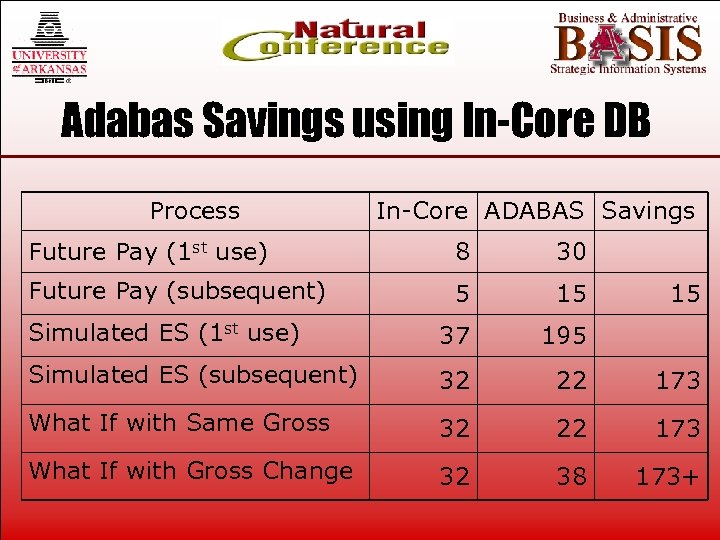 Adabas Savings using In-Core DB Process In-Core ADABAS Savings Future Pay (1 st use) 8 30 Future Pay (subsequent) 5 15 Simulated ES (1 st use) 37 195 Simulated ES (subsequent) 32 22 173 What If with Same Gross 32 22 173 What If with Gross Change 32 38 173+ 15
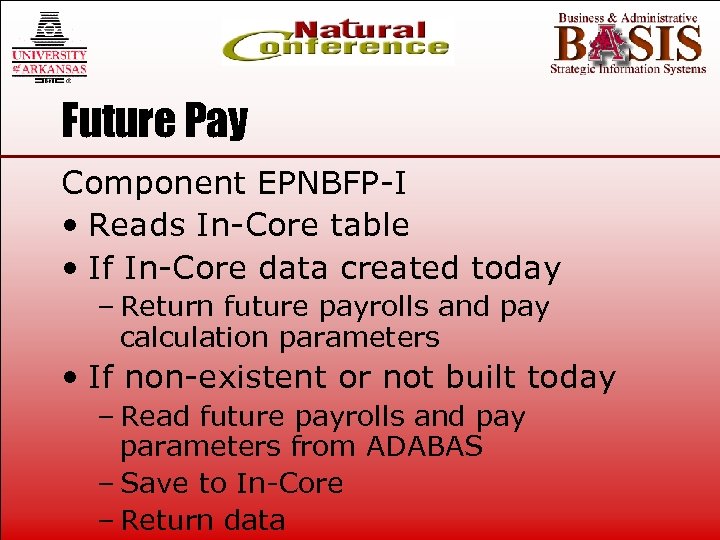 Future Pay Component EPNBFP-I • Reads In-Core table • If In-Core data created today – Return future payrolls and pay calculation parameters • If non-existent or not built today – Read future payrolls and pay parameters from ADABAS – Save to In-Core – Return data
 BDOE Table (1) Component EPNFFGBI • Get – Read In-Core and Populates LDA • Set (if BDOE count changed) – Reads LDA and Populates In-Core • Application invokes copycode (& subprogram) to manage LDA (1) BDOE = Benefit, Deduction, Other Earning, or EIC
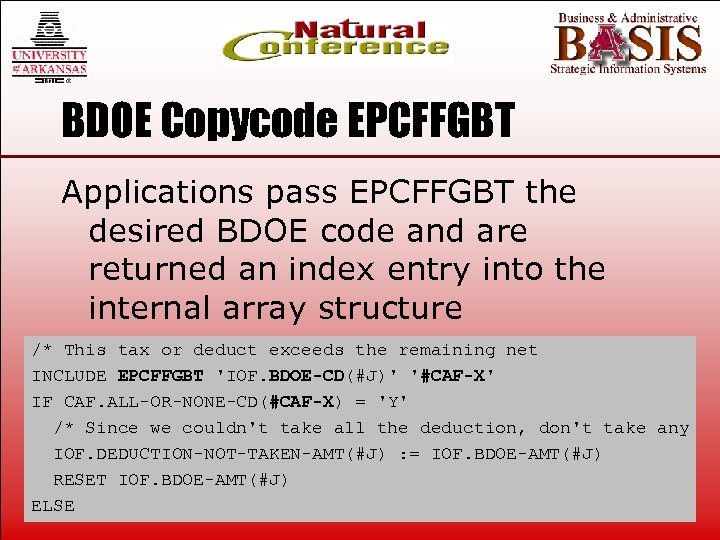 BDOE Copycode EPCFFGBT Applications pass EPCFFGBT the desired BDOE code and are returned an index entry into the internal array structure /* This tax or deduct exceeds the remaining net INCLUDE EPCFFGBT 'IOF. BDOE-CD(#J)' '#CAF-X' IF CAF. ALL-OR-NONE-CD(#CAF-X) = 'Y' /* Since we couldn't take all the deduction, don't take any IOF. DEDUCTION-NOT-TAKEN-AMT(#J) : = IOF. BDOE-AMT(#J) RESET IOF. BDOE-AMT(#J) ELSE
 Tax and Benefit Rates Component EPNCBGTI • Get – Read the In-Core data base and return all tax and benefit rates and tables (2700+ bytes) if for the desired pay date • Set – Save these payroll parameters to the In-Core data base
 Tax & Benefit Calculations • Various subprograms perform specific calculations (i. e. EPNCFIT for federal income tax) • Calling program passes a data block (buffer) to subprogram • Subprogram tests for existence of rates/tables within the block, if not present it reads ADABAS and returns them
 In Summary Due to a modular design where a main program buffers parameters and tables, we are able to efficiently make complex payroll calculations available to all employees – empowering them to better manage their individual finances. Thank You