


 Скачать презентацию Emergency Call Handling on the MX Overview
92edc2b8e3f7b4fe365f6975b2a8f33f.ppt
- Количество слайдов: 17
 Emergency Call Handling on the MX
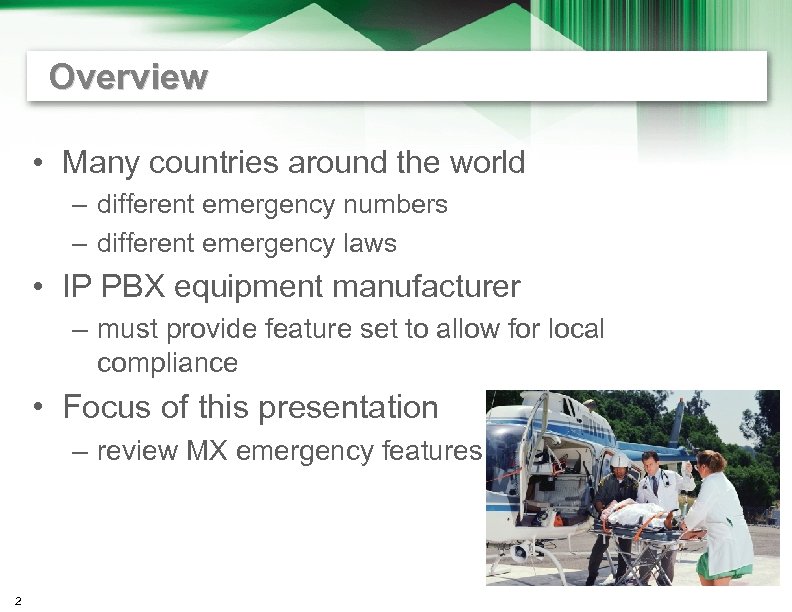 Overview • Many countries around the world – different emergency numbers – different emergency laws • IP PBX equipment manufacturer – must provide feature set to allow for local compliance • Focus of this presentation – review MX emergency features 2
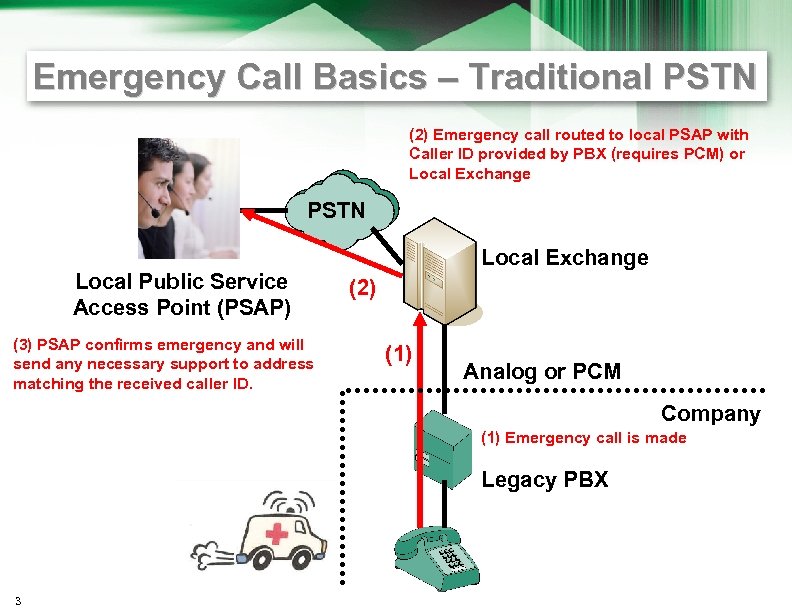 Emergency Call Basics – Traditional PSTN (2) Emergency call routed to local PSAP with Caller ID provided by PBX (requires PCM) or Local Exchange PSTN Local Public Service Access Point (PSAP) (3) PSAP confirms emergency and will send any necessary support to address matching the received caller ID. Local Exchange (2) (1) Analog or PCM Company (1) Emergency call is made Legacy PBX 3
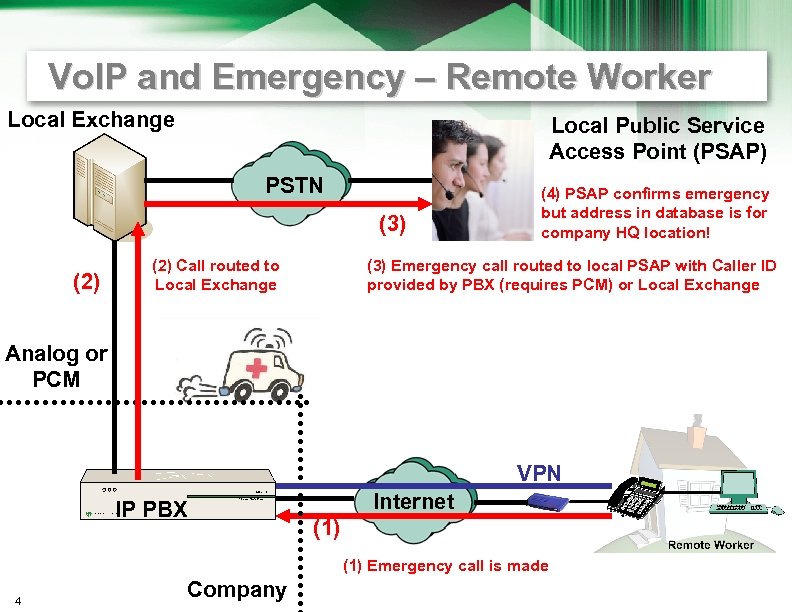 Vo. IP and Emergency – Remote Worker Local Exchange Local Public Service Access Point (PSAP) PSTN (3) (2) Call routed to Local Exchange (4) PSAP confirms emergency but address in database is for company HQ location! (3) Emergency call routed to local PSAP with Caller ID provided by PBX (requires PCM) or Local Exchange Analog or PCM VPN Internet IP PBX (1) Emergency call is made 4 Company
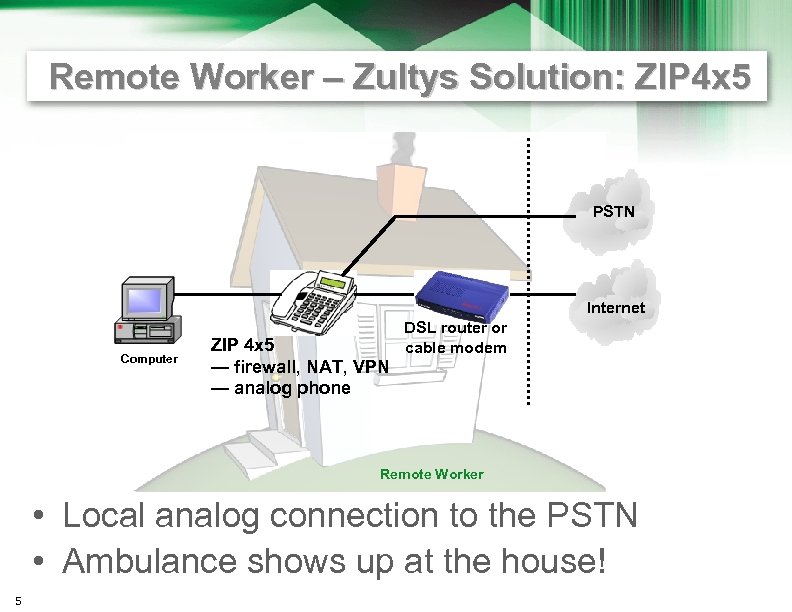 Remote Worker – Zultys Solution: ZIP 4 x 5 PSTN Internet Computer ZIP 4 x 5 — firewall, NAT, VPN — analog phone DSL router or cable modem Remote Worker • Local analog connection to the PSTN • Ambulance shows up at the house! 5
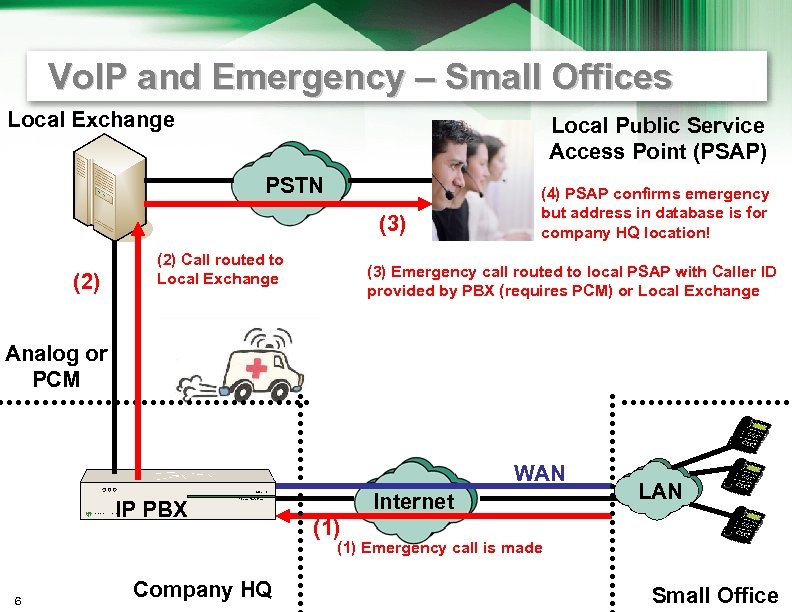 Vo. IP and Emergency – Small Offices Local Exchange Local Public Service Access Point (PSAP) PSTN (3) (2) Call routed to Local Exchange (4) PSAP confirms emergency but address in database is for company HQ location! (3) Emergency call routed to local PSAP with Caller ID provided by PBX (requires PCM) or Local Exchange Analog or PCM WAN IP PBX Internet LAN (1) Emergency call is made 6 Company HQ Small Office
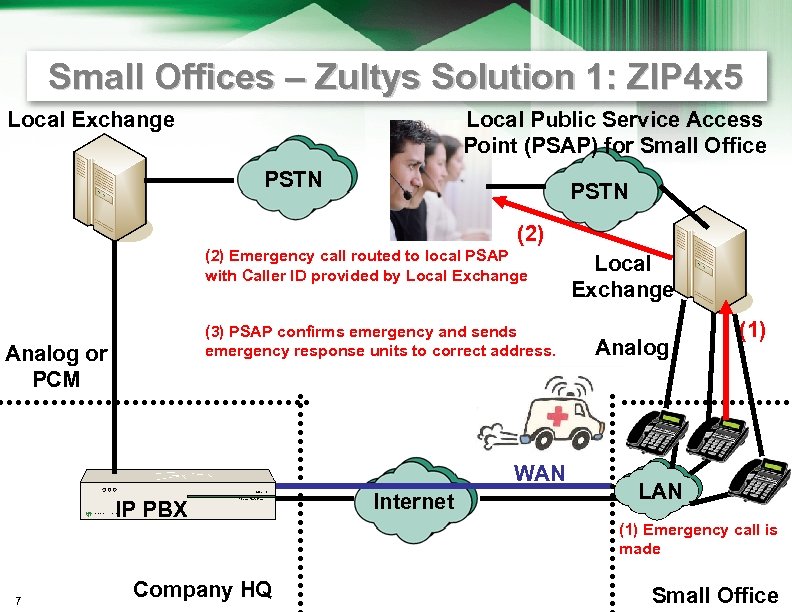 Small Offices – Zultys Solution 1: ZIP 4 x 5 Local Exchange Local Public Service Access Point (PSAP) for Small Office PSTN (2) Emergency call routed to local PSAP with Caller ID provided by Local Exchange (3) PSAP confirms emergency and sends emergency response units to correct address. Analog or PCM WAN IP PBX 7 Company HQ Internet Local Exchange Analog (1) LAN (1) Emergency call is made Small Office
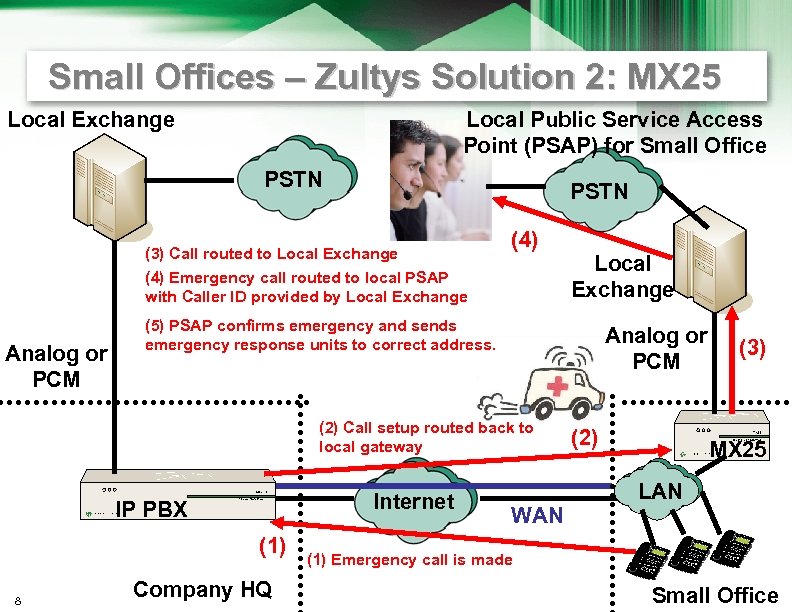 Small Offices – Zultys Solution 2: MX 25 Local Exchange Local Public Service Access Point (PSAP) for Small Office PSTN (3) Call routed to Local Exchange (4) Emergency call routed to local PSAP with Caller ID provided by Local Exchange Analog or PCM (5) PSAP confirms emergency and sends emergency response units to correct address. Analog or PCM (2) Call setup routed back to local gateway Internet IP PBX (1) 8 Local Exchange Company HQ WAN (2) (3) MX 25 LAN (1) Emergency call is made Small Office
 USA – Emergency 911 Law Basics • Federal law set by FCC • Further laws depend on the state • Need one phone number transmitted for caller ID purposes – per so many square feet of workspace – per number of people in a work area – person • if staff are not available to direct emergency crew at all times that employees are present 9
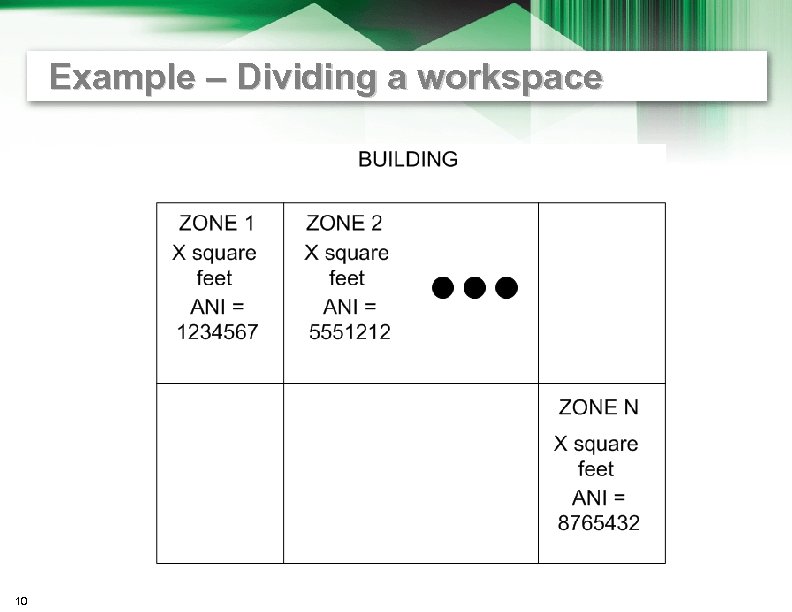 Example – Dividing a workspace 10
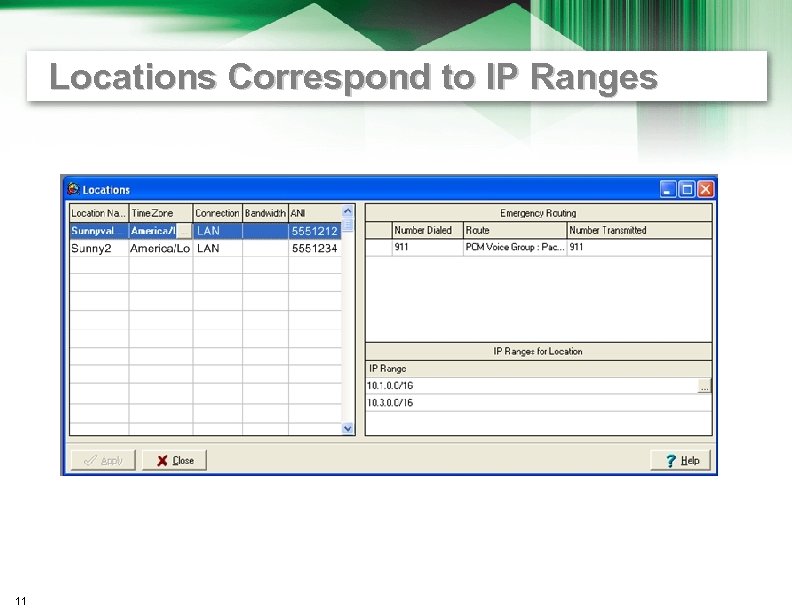 Locations Correspond to IP Ranges 11
 Overview of Configuration on MX • Divide company into certain size zones or locations based on the local legal requirements • Provision the location into the MX 30 or MX 250 – along with the ANI or caller ID number that will be sent when emergency number is dialed from that location • Set up all subnets for that location • SIP devices register with an IP address within a specific range – so MX knows what ANI to send when emergency number is dialed 12
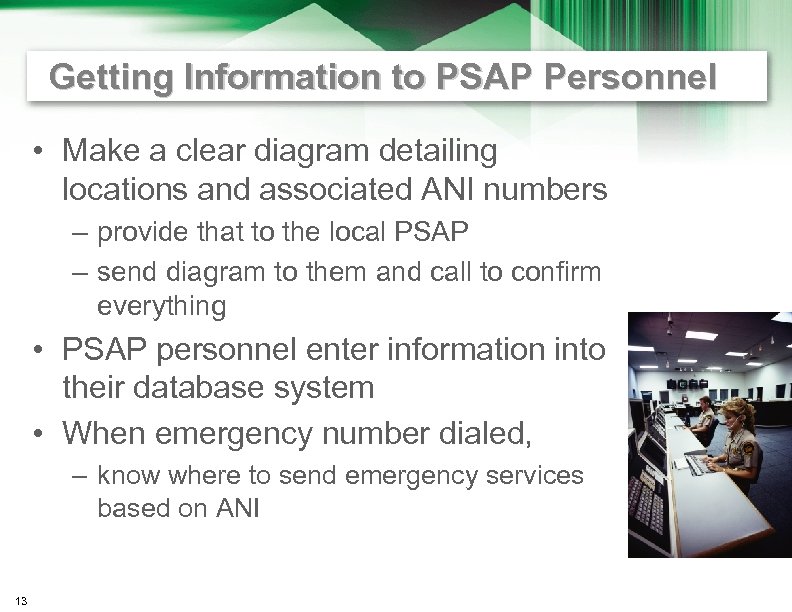 Getting Information to PSAP Personnel • Make a clear diagram detailing locations and associated ANI numbers – provide that to the local PSAP – send diagram to them and call to confirm everything • PSAP personnel enter information into their database system • When emergency number dialed, – know where to send emergency services based on ANI 13
 Preemption for Emergency Calls • When all call resources are in use and an emergency call is made – MX 30 or MX 250 recognizes emergency call – drops an active call – allows the emergency call to go through 14
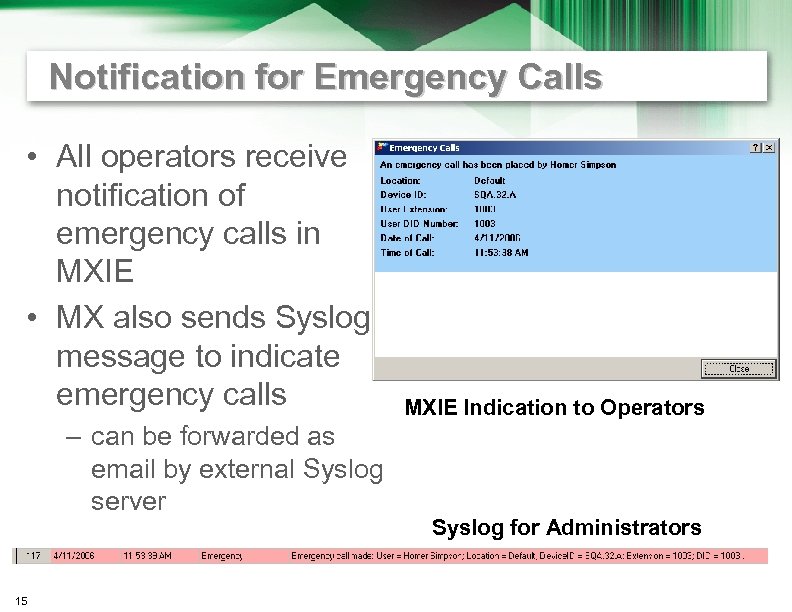 Notification for Emergency Calls • All operators receive notification of emergency calls in MXIE • MX also sends Syslog message to indicate emergency calls – can be forwarded as email by external Syslog server 15 MXIE Indication to Operators Syslog for Administrators
 Emergency Service Call Back • If an emergency call is connected – and then disconnected • Emergency services can dial back to the MX 250 or MX 30 – using the ANI – call rings last phone in the location that dialed emergency services IN 3. 0 16
 Wi-Fi and Emergency Calls • Wi-Fi presents a problem – because people can move around • Solutions for this – being researched now by • IP PBX manufacturers • Wi-Fi infrastructure providers 17