


 Скачать презентацию Elements of Pictures Output primitives
316392581b19c8fc2ba44f0aac1ed6d9.ppt
- Количество слайдов: 42
 Elements of Pictures • Output primitives: • • • points lines polylines text filled regions raster images • Attributes: how an output primitive appears; e. g. , color and thickness.
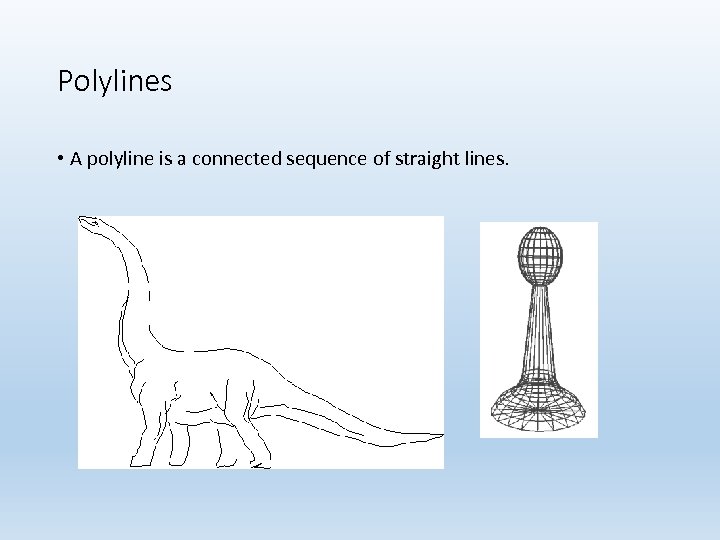 Polylines • A polyline is a connected sequence of straight lines.
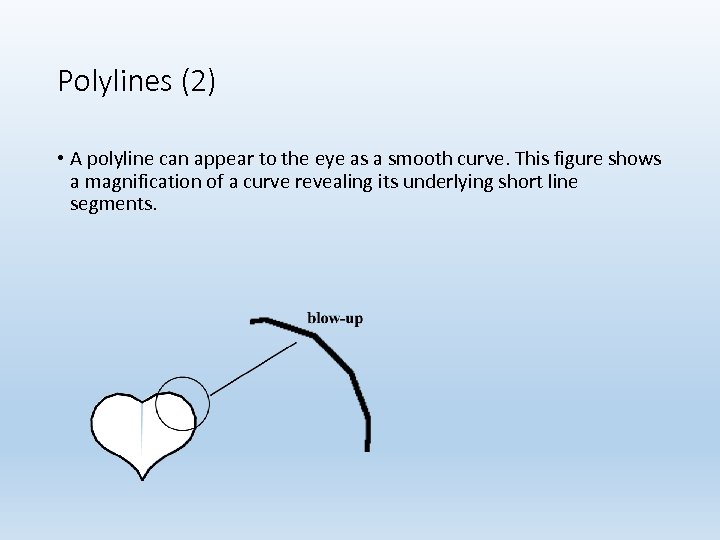 Polylines (2) • A polyline can appear to the eye as a smooth curve. This figure shows a magnification of a curve revealing its underlying short line segments.
 Polylines (3) • Simplest polyline: a single straight line segment. • A line segment is specified by its two endpoints, say (x 1, y 1) and (x 2, y 2). A drawing routine for a line might look like draw. Line(x 1, y 1, x 2, y 2); • Dot: draw. Dot(x 1, y 1);
 Polylines (4) • When there are several lines in a polyline, each one is called an edge, and two adjacent lines meet at a vertex. • The edges of a polyline can cross one another. A polyline does not have to be closed. • Polylines are specified as a list of vertices, each given by a coordinate pair: (x 0, y 0), (x 1, y 1), (x 2, y 2), . . , (xn, yn).
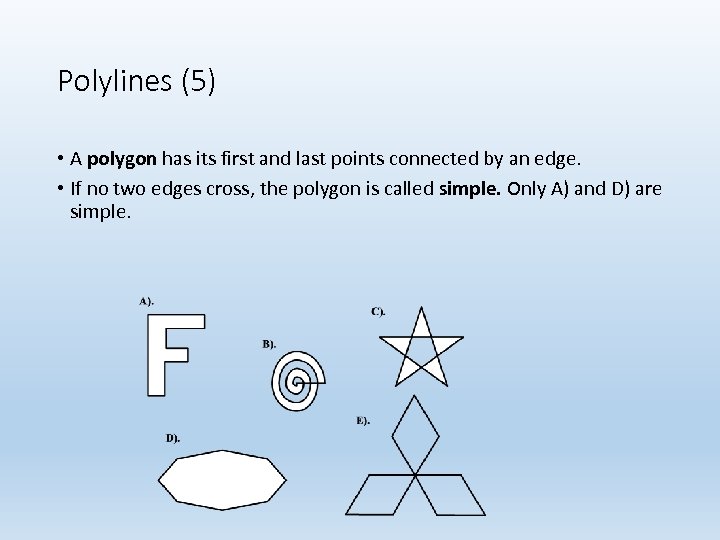 Polylines (5) • A polygon has its first and last points connected by an edge. • If no two edges cross, the polygon is called simple. Only A) and D) are simple.
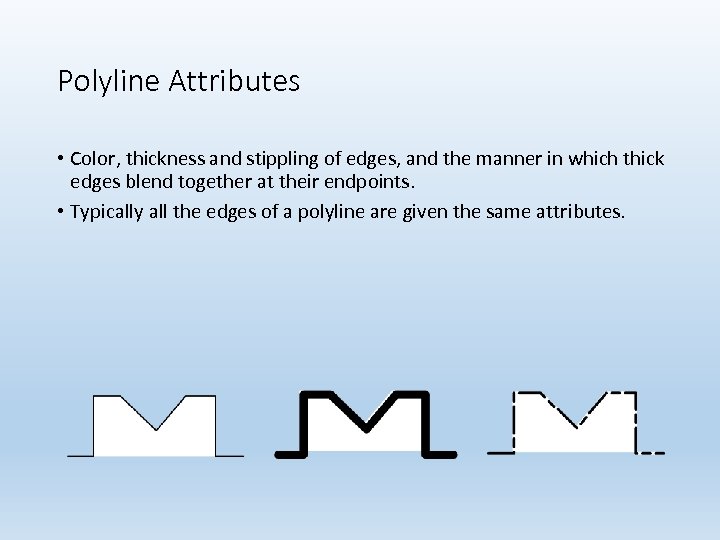 Polyline Attributes • Color, thickness and stippling of edges, and the manner in which thick edges blend together at their endpoints. • Typically all the edges of a polyline are given the same attributes.
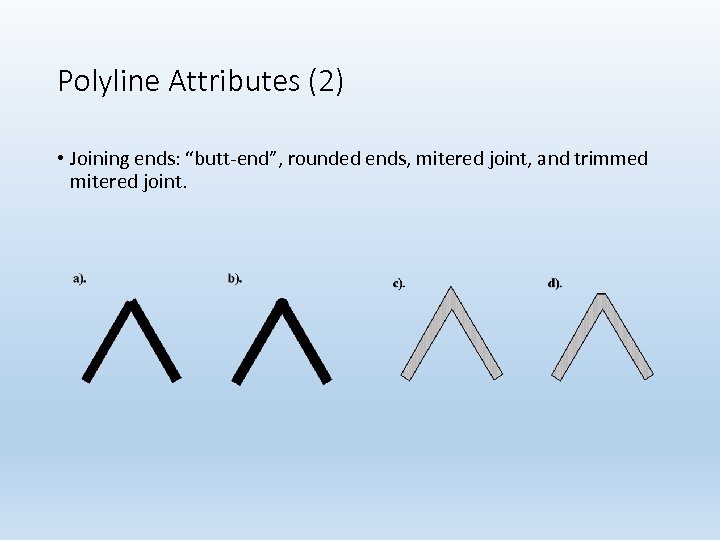 Polyline Attributes (2) • Joining ends: “butt-end”, rounded ends, mitered joint, and trimmed mitered joint.
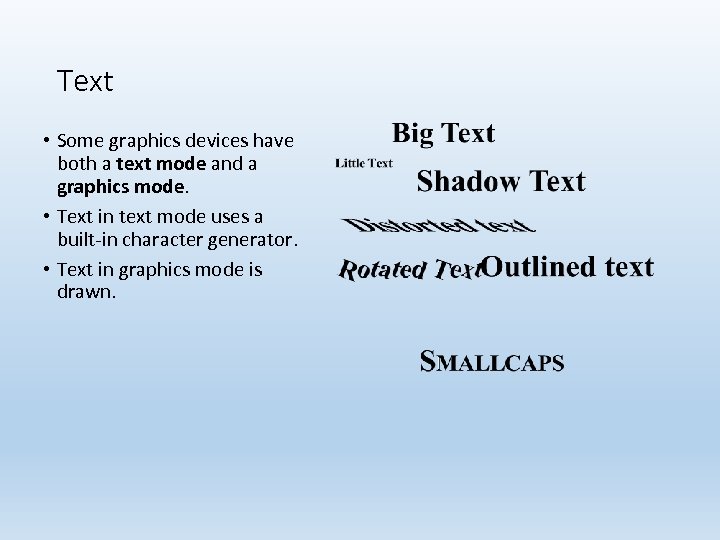 Text • Some graphics devices have both a text mode and a graphics mode. • Text in text mode uses a built-in character generator. • Text in graphics mode is drawn.
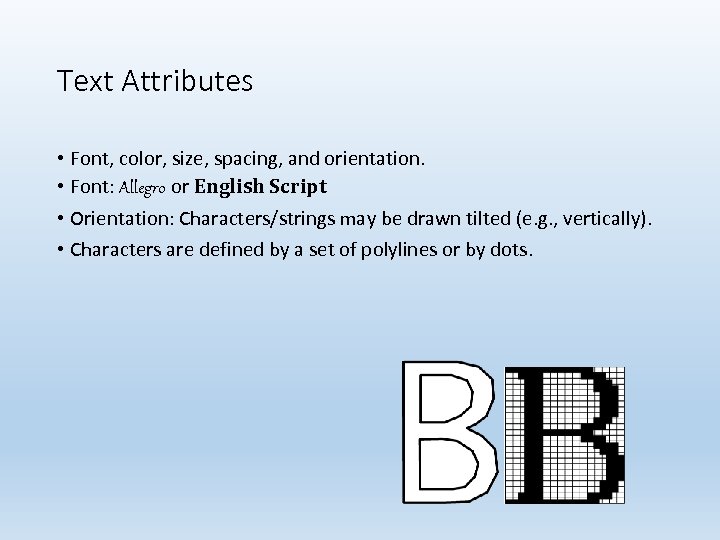 Text Attributes • Font, color, size, spacing, and orientation. • Font: Allegro or English Script • Orientation: Characters/strings may be drawn tilted (e. g. , vertically). • Characters are defined by a set of polylines or by dots.
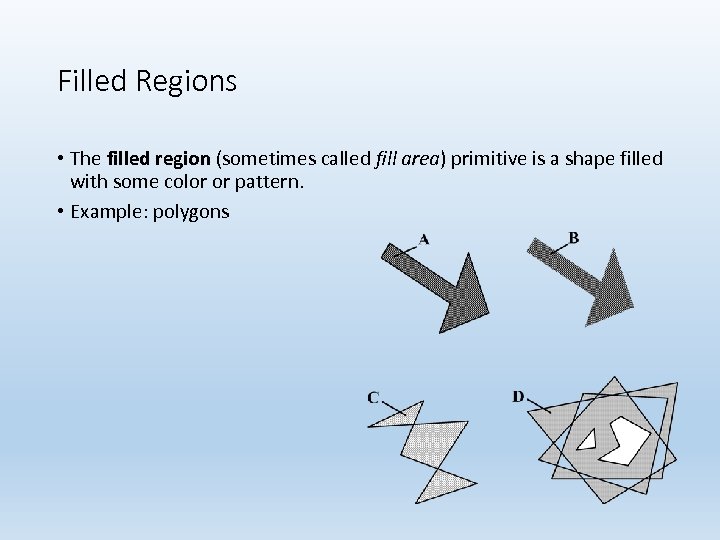 Filled Regions • The filled region (sometimes called fill area) primitive is a shape filled with some color or pattern. • Example: polygons
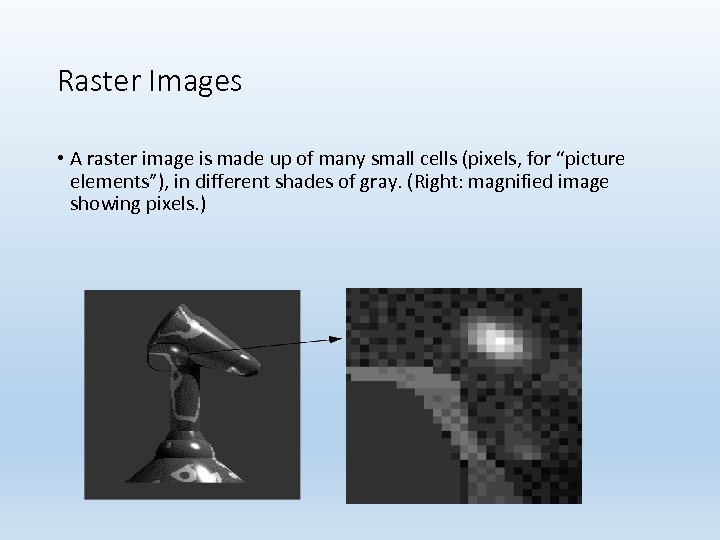 Raster Images • A raster image is made up of many small cells (pixels, for “picture elements”), in different shades of gray. (Right: magnified image showing pixels. )
 Pixmaps and Bitmaps • A raster image is stored in a computer as a rectangular array of numerical values. • The array has a certain number of rows and a certain number of columns. • Each numerical value represents the value of the pixel stored there. • The array as a whole is often called a pixel map or bitmap.
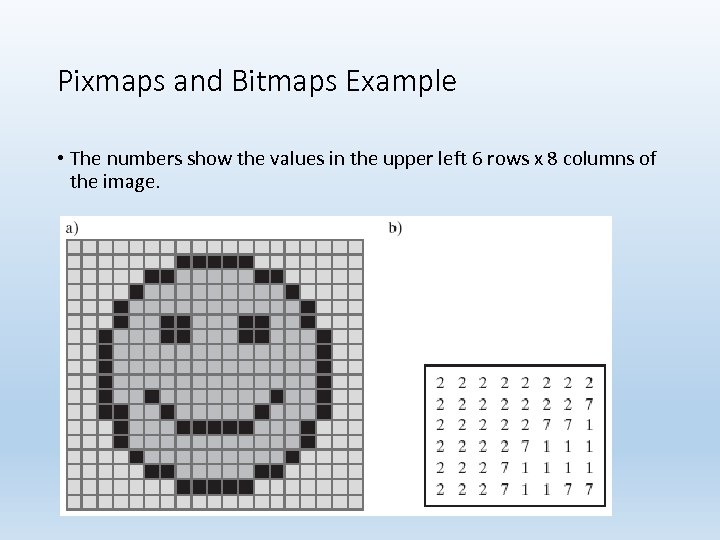 Pixmaps and Bitmaps Example • The numbers show the values in the upper left 6 rows x 8 columns of the image.
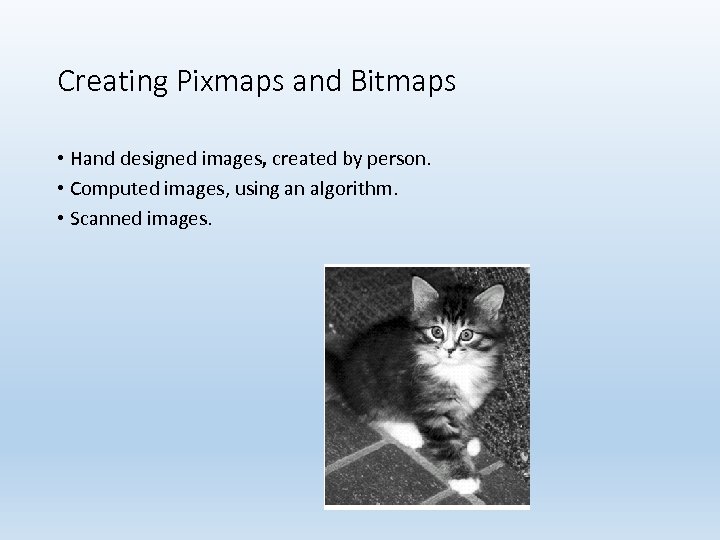 Creating Pixmaps and Bitmaps • Hand designed images, created by person. • Computed images, using an algorithm. • Scanned images.
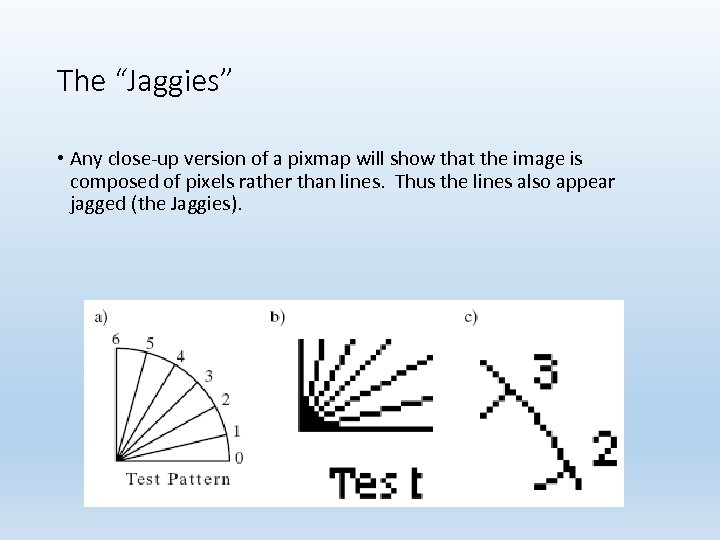 The “Jaggies” • Any close-up version of a pixmap will show that the image is composed of pixels rather than lines. Thus the lines also appear jagged (the Jaggies).
 Color and Grayscale • Two pixel values in an image is called bi-level, or a 1 bit per pixel image. Colors are black and white. • 2 n pixel values in an image requires n bits per pixel and gives 2 n shades of gray. • Most commonly, n is 2, 4, or 8, producing 4, 16, or 256 shades of gray.
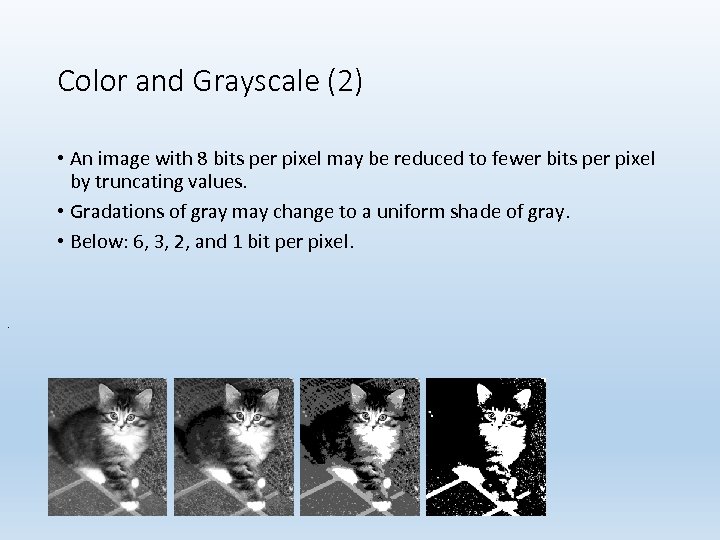 Color and Grayscale (2) • An image with 8 bits per pixel may be reduced to fewer bits per pixel by truncating values. • Gradations of gray may change to a uniform shade of gray. • Below: 6, 3, 2, and 1 bit per pixel. .
 Color and Grayscale (3) • Color is usually described as a combination of red, green, and blue light. • Each pixel is a 3 -tuple: e. g. , (23, 14, 51), for red (R), green (G), and blue (B). • The total number of bits allowed for R, G, and B values is the color depth. • A color depth of 8 is often used: 3 bits each for R and G. and 2 bits for B.
 Color and Grayscale (4) • Commonly the 8 -bit depth is used as an index into a table of colors (a “color look-up table, or color LUT”. ) • True color images have a color depth of 24 or 32 bits. • The color representation is excellent, but such images require huge amounts of memory to store.
 Graphics Display Devices • Graphics displays are either line-drawing devices or raster displays. • Line-drawing devices: • Pen plotter, which moves an ink pen across a (large) sheet of paper. (E. g. , seismic wave plotters. ) • Vector video device, which moves a beam of electrons across the screen from any one point to any other point, leaving a glowing trail.
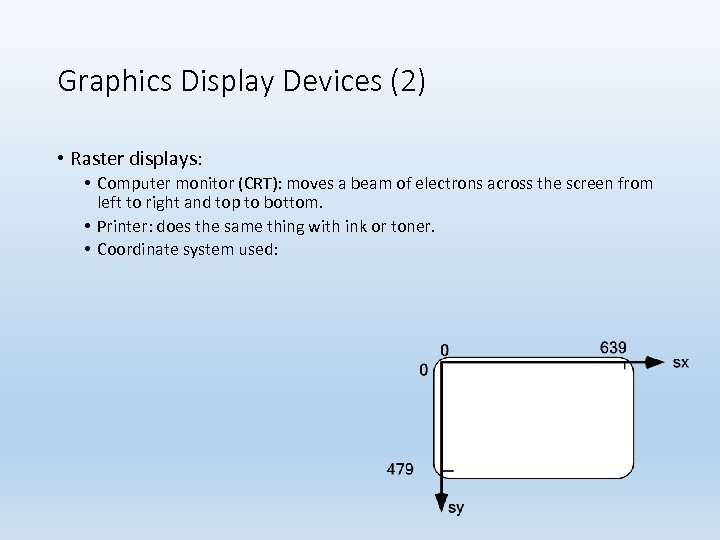 Graphics Display Devices (2) • Raster displays: • Computer monitor (CRT): moves a beam of electrons across the screen from left to right and top to bottom. • Printer: does the same thing with ink or toner. • Coordinate system used:
 Graphics Display Devices (3) • Raster displays are always connected to a frame buffer, a region of memory sufficiently large to hold all the pixel values for the display. • The frame buffer may be physical memory on-board the display or in the host computer. • Alternatively, a graphics card installed in a personal computer might house the frame buffer.
 Graphics Display Devices (4) • Each instruction of the graphics program (stored in system memory) is executed by the central processing unit (CPU), storing an appropriate value for each pixel into the frame buffer. • A scan controller (not under program control) causes the frame buffer to send each pixel through a converter to the appropriate physical location on the display surface. • The converter takes a pixel value such as 01001011 and converts it to the corresponding color value quantity that produces a spot of color on the display.
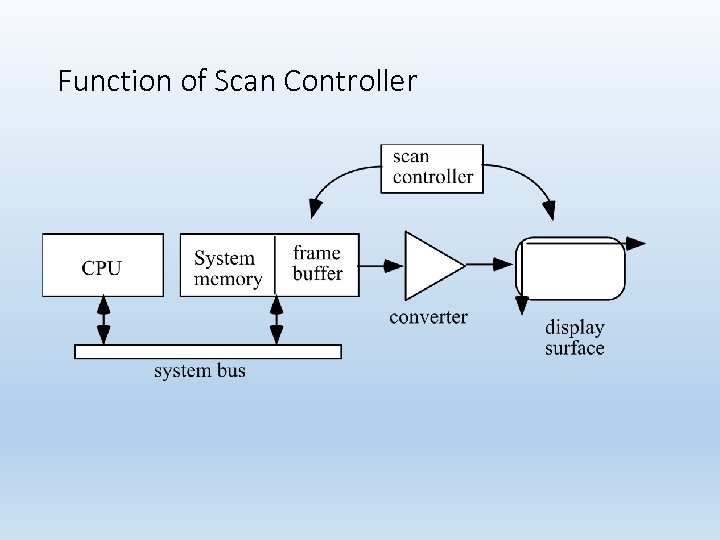 Function of Scan Controller
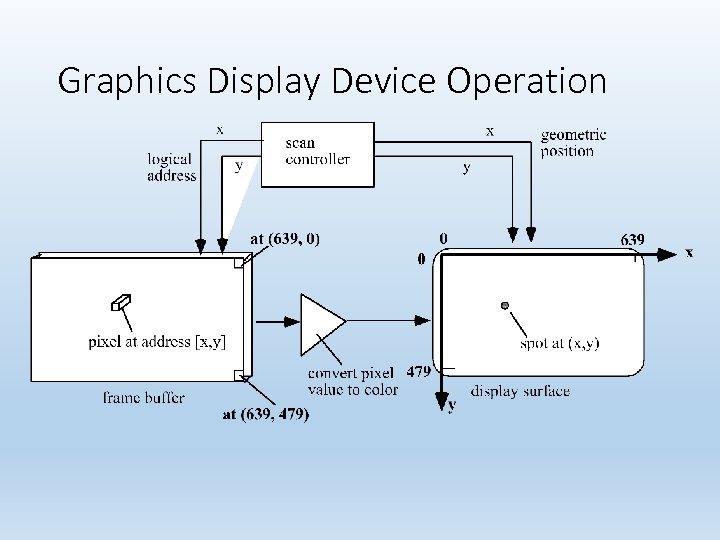 Graphics Display Device Operation
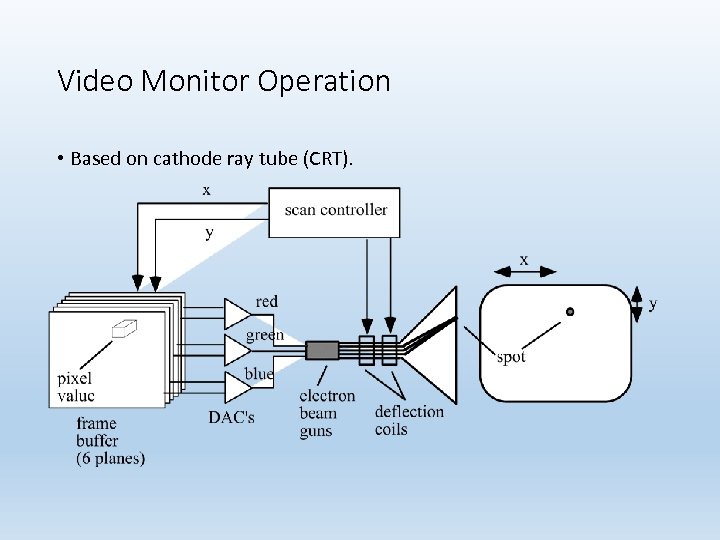 Video Monitor Operation • Based on cathode ray tube (CRT).
 Video Monitor Operation (2) • The digital frame buffer value is converted to an analog voltage for each of R, G, and B by the DAC. Electron guns for each color are deflected to the appropriate screen location. • The process is repeated 60 times each second to prevent flicker.
 How Does Monitor Work? • http: //il. youtube. com/watch? v=Gnl 1 vuwj. Hto&feature=related
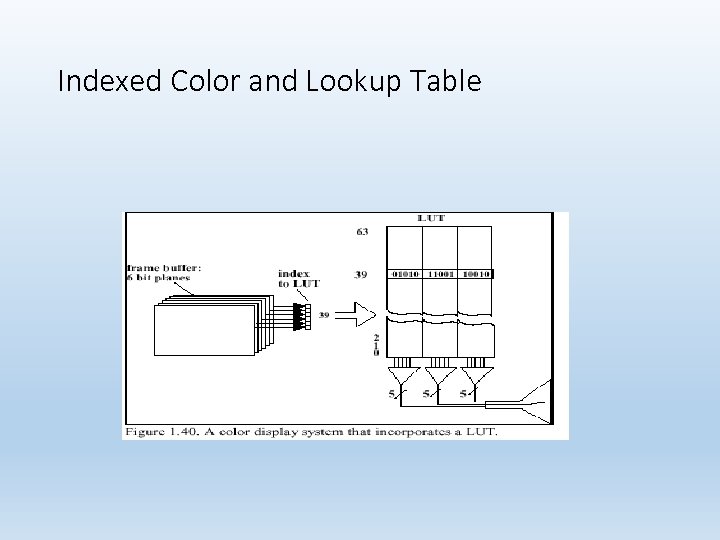 Indexed Color and Lookup Table
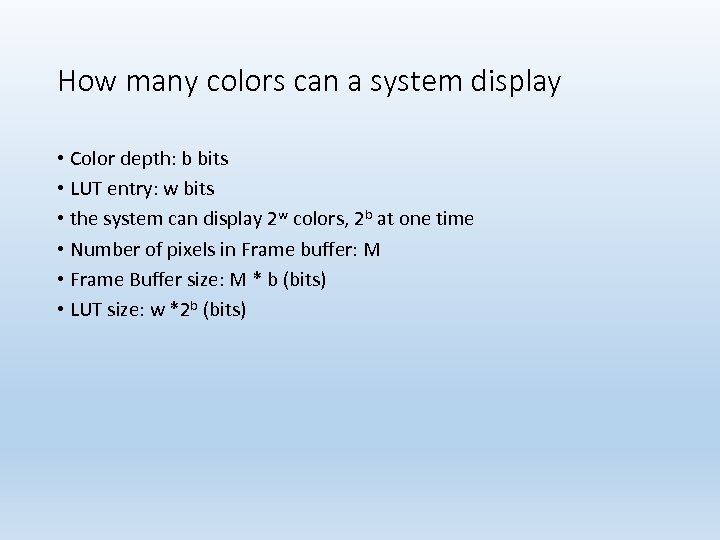 How many colors can a system display • Color depth: b bits • LUT entry: w bits • the system can display 2 w colors, 2 b at one time • Number of pixels in Frame buffer: M • Frame Buffer size: M * b (bits) • LUT size: w *2 b (bits)
 Data Transfer Accelerators • Using 24 - or 32 -bit color requires that large amounts of data be transferred very fast between computer and display. • Fast buses and graphics cards can improve the transfer speed. • The cards implement the graphics pipeline: the nature of the processing steps to display the image and the order in which they must occur (specified by the graphics language, e. g. , Open. GL).
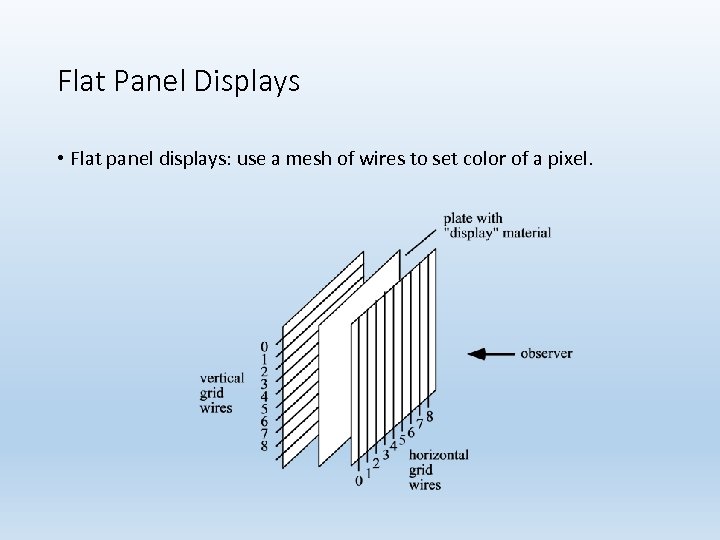 Flat Panel Displays • Flat panel displays: use a mesh of wires to set color of a pixel.
 Hard Copy Raster Devices • In graphics, to reproduce a scene with colors we want a color laser or inkjet printer. • Printers equipped to use Post. Script (a page description language) can generate high quality text and graphics on a printed page. • A film recorder uses a strip of photographic film, exposed by the electron beam as it sweeps over it (once) in a raster pattern. Film recorders are frequently used to make high-quality 35 -mm slides, or movies.
 Graphics Input Types String: a string of characters followed by a termination character typed in by the user and stored in memory. Valuator: a real value between 0. 0 and 1. 0, which can be used to fix the length of a line, the speed of an action, or perhaps the size of a picture.
 Graphics Input Types (2) Locator: a coordinate pair (x, y) which enables the user to point to a position on the display. Pick: identifies a portion of a picture for further processing (e. g. , touchscreen). Some graphics packages allow a picture to be defined in terms of segments, which are groups of related graphics primitives.
 Graphics Input Devices • Keyboard: strings of characters; • Some keyboards have cursor keys or function keys, which can be used to produce pick input primitives. • Buttons. Sometimes a separate bank of buttons is installed on a workstation. The user presses one of the buttons to perform a pick input function.
 Graphics Input Devices (2) Mouse: changes in position. Software keeps track of the mouse's position and moves a graphics cursor — a small dot or cross — on the screen accordingly. The mouse is most often used to perform a locate function. There are usually buttons on the mouse that the user can press to trigger the action.
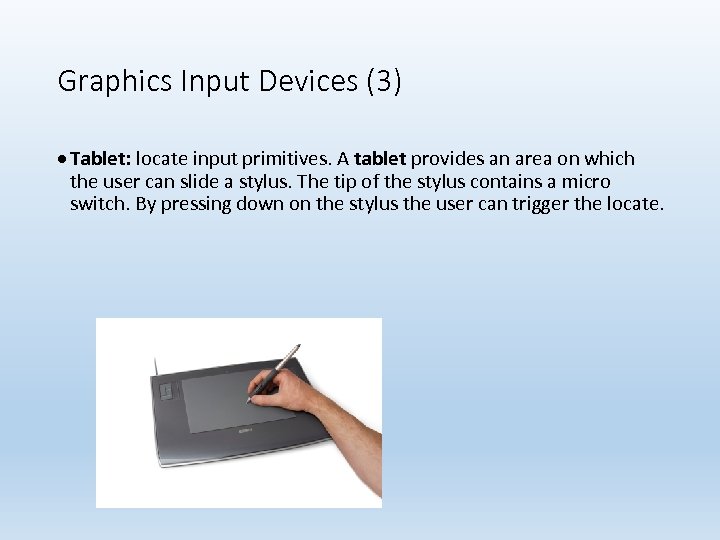 Graphics Input Devices (3) Tablet: locate input primitives. A tablet provides an area on which the user can slide a stylus. The tip of the stylus contains a micro switch. By pressing down on the stylus the user can trigger the locate.
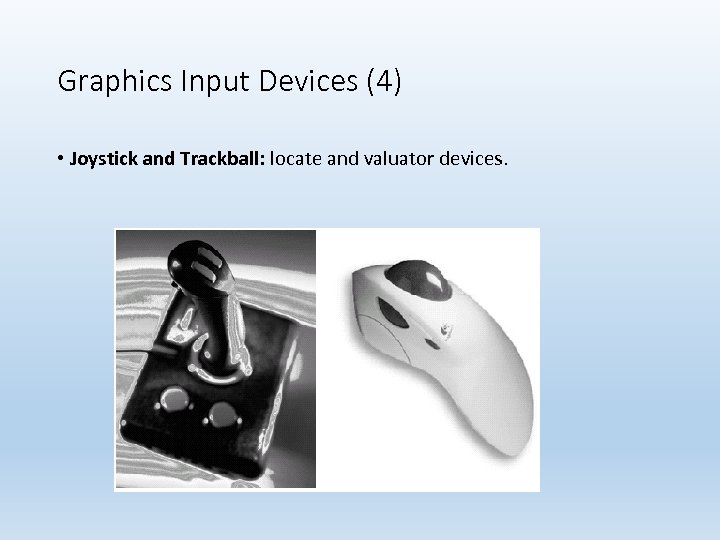 Graphics Input Devices (4) • Joystick and Trackball: locate and valuator devices.
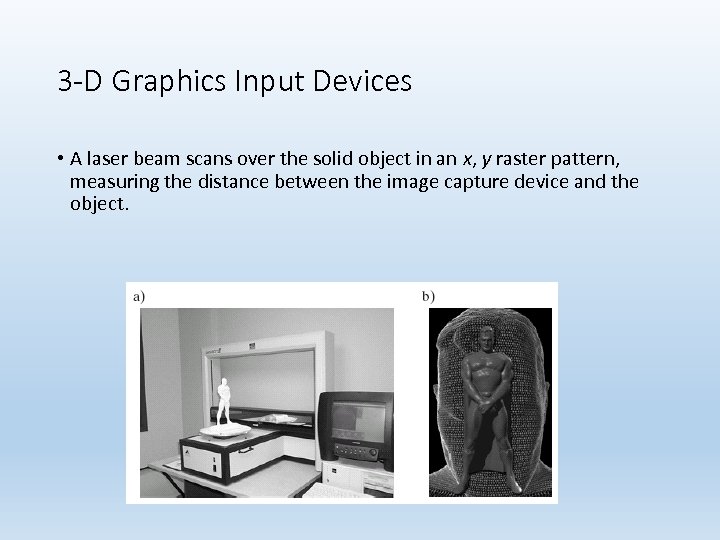 3 -D Graphics Input Devices • A laser beam scans over the solid object in an x, y raster pattern, measuring the distance between the image capture device and the object.
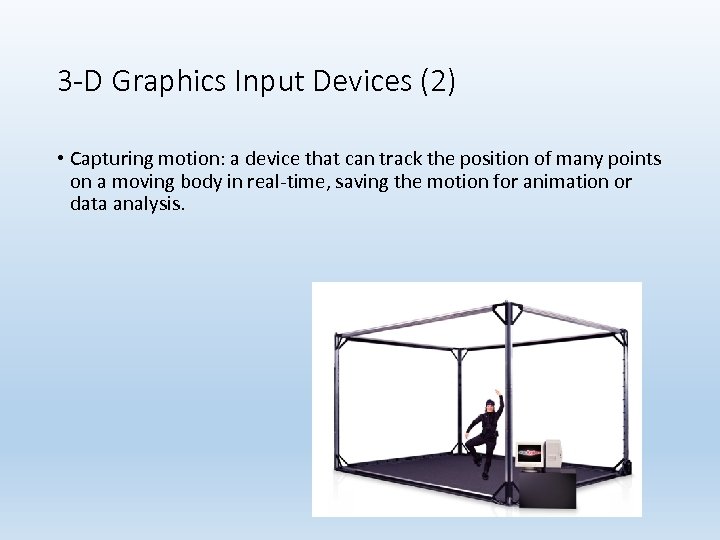 3 -D Graphics Input Devices (2) • Capturing motion: a device that can track the position of many points on a moving body in real-time, saving the motion for animation or data analysis.